Introduction to the
Hospital Website
Project
An overview of the goals and objectives for the hospital website, including
the target audience and key features.
By
Rishabh Shakya
20/BCS/171
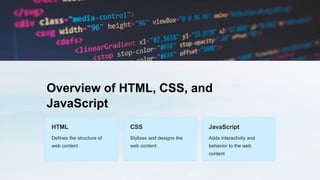
Overview of HTML, CSS, and
JavaScript
HTML
Defines the structure of
web content
CSS
Stylizes and designs the
web content
JavaScript
Adds interactivity and
behavior to the web
content
Designing the website layout using
HTML and CSS
Structure
Organize the content and layout with HTML.
Style
Enhance the visual presentation with CSS.
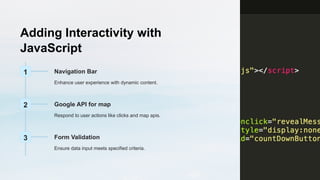
Adding Interactivity with
JavaScript
1 Navigation Bar
Enhance user experience with dynamic content.
2 Google API for map
Respond to user actions like clicks and map apis.
3 Form Validation
Ensure data input meets specified criteria.
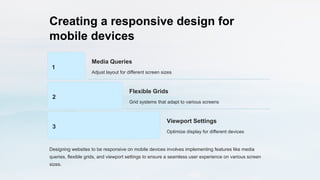
Creating a responsive design for
mobile devices
1
Media Queries
Adjust layout for different screen sizes
2
Flexible Grids
Grid systems that adapt to various screens
3
Viewport Settings
Optimize display for different devices
Designing websites to be responsive on mobile devices involves implementing features like media
queries, flexible grids, and viewport settings to ensure a seamless user experience on various screen
sizes.
Implementing accessibility features for
users with disabilities
Wheelchair
Accessibility
Ensure ramps and wide doors
for easy access.
Braille Signage
Provide Braille signs for the
visually impaired.
Sign Language
Interpreters
Availability of sign language
interpreters for communication.
Testing and debugging the website
• Browser Compatibility: Ensure website functions correctly on all browsers
• Mobile Responsiveness: Test site on various mobile devices and screen sizes
• Debugging: Identify and fix any coding errors or issues
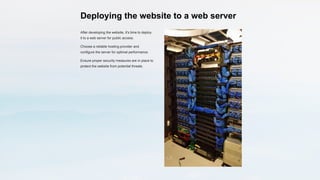
Deploying the website to a web server
After developing the website, it's time to deploy
it to a web server for public access.
Choose a reliable hosting provider and
configure the server for optimal performance.
Ensure proper security measures are in place to
protect the website from potential threats.
Maintaining and updating the website is easy.
24
24/7
Website maintenance availability
3
3
Monthly updates
Ensuring round-the-clock availability for website maintenance and implementing monthly updates to keep
the website fresh and relevant.
Conclusion and Future
Improvements
Reflect on the website's development journey.

Introduction-to-the-Hospital-Website-Project.pptx

  • 1.
    Introduction to the HospitalWebsite Project An overview of the goals and objectives for the hospital website, including the target audience and key features. By Rishabh Shakya 20/BCS/171
  • 2.
    Overview of HTML,CSS, and JavaScript HTML Defines the structure of web content CSS Stylizes and designs the web content JavaScript Adds interactivity and behavior to the web content
  • 3.
    Designing the websitelayout using HTML and CSS Structure Organize the content and layout with HTML. Style Enhance the visual presentation with CSS.
  • 4.
    Adding Interactivity with JavaScript 1Navigation Bar Enhance user experience with dynamic content. 2 Google API for map Respond to user actions like clicks and map apis. 3 Form Validation Ensure data input meets specified criteria.
  • 5.
    Creating a responsivedesign for mobile devices 1 Media Queries Adjust layout for different screen sizes 2 Flexible Grids Grid systems that adapt to various screens 3 Viewport Settings Optimize display for different devices Designing websites to be responsive on mobile devices involves implementing features like media queries, flexible grids, and viewport settings to ensure a seamless user experience on various screen sizes.
  • 6.
    Implementing accessibility featuresfor users with disabilities Wheelchair Accessibility Ensure ramps and wide doors for easy access. Braille Signage Provide Braille signs for the visually impaired. Sign Language Interpreters Availability of sign language interpreters for communication.
  • 7.
    Testing and debuggingthe website • Browser Compatibility: Ensure website functions correctly on all browsers • Mobile Responsiveness: Test site on various mobile devices and screen sizes • Debugging: Identify and fix any coding errors or issues
  • 8.
    Deploying the websiteto a web server After developing the website, it's time to deploy it to a web server for public access. Choose a reliable hosting provider and configure the server for optimal performance. Ensure proper security measures are in place to protect the website from potential threats.
  • 9.
    Maintaining and updatingthe website is easy. 24 24/7 Website maintenance availability 3 3 Monthly updates Ensuring round-the-clock availability for website maintenance and implementing monthly updates to keep the website fresh and relevant.
  • 10.
    Conclusion and Future Improvements Reflecton the website's development journey.