Computer
Architecture
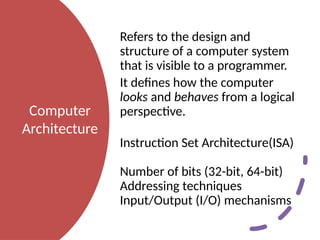
Refers to thedesign and
structure of a computer system
that is visible to a programmer.
It defines how the computer
looks and behaves from a logical
perspective.
Instruction Set Architecture(ISA)
Number of bits (32-bit, 64-bit)
Addressing techniques
Input/Output (I/O) mechanisms
3.
Computer
Organization
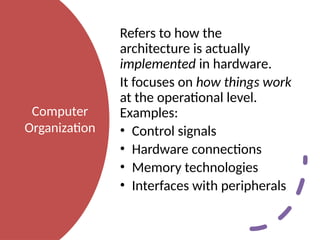
Refers to howthe
architecture is actually
implemented in hardware.
It focuses on how things work
at the operational level.
Examples:
• Control signals
• Hardware connections
• Memory technologies
• Interfaces with peripherals
4.
Generations of Computers
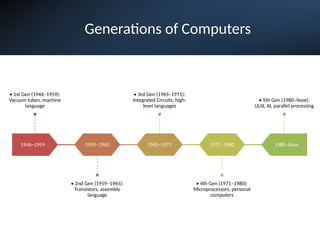
1946–1959
•1st Gen (1946–1959):
Vacuum tubes, machine
language
1959–1965
• 2nd Gen (1959–1965):
Transistors, assembly
language
1965–1971
• 3rd Gen (1965–1971):
Integrated Circuits, high-
level languages
1971–1980
• 4th Gen (1971–1980):
Microprocessors, personal
computers
1980–Now
• 5th Gen (1980–Now):
ULSI, AI, parallel processing
5.
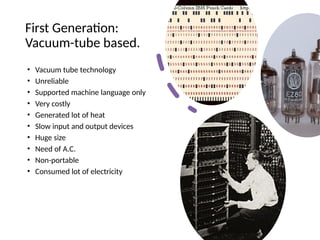
First Generation:
Vacuum-tube based.
•Vacuum tube technology
• Unreliable
• Supported machine language only
• Very costly
• Generated lot of heat
• Slow input and output devices
• Huge size
• Need of A.C.
• Non-portable
• Consumed lot of electricity
6.
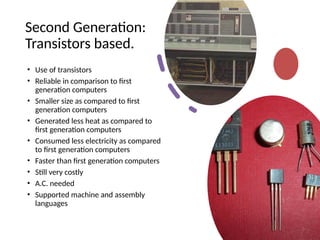
Second Generation:
Transistors based.
•Use of transistors
• Reliable in comparison to first
generation computers
• Smaller size as compared to first
generation computers
• Generated less heat as compared to
first generation computers
• Consumed less electricity as compared
to first generation computers
• Faster than first generation computers
• Still very costly
• A.C. needed
• Supported machine and assembly
languages
7.
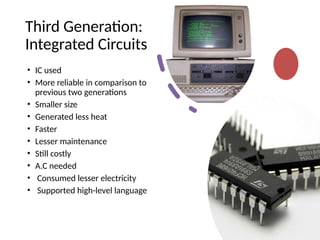
Third Generation:
Integrated Circuits
•IC used
• More reliable in comparison to
previous two generations
• Smaller size
• Generated less heat
• Faster
• Lesser maintenance
• Still costly
• A.C needed
• Consumed lesser electricity
• Supported high-level language
8.
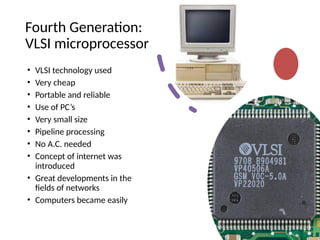
Fourth Generation:
VLSI microprocessor
•VLSI technology used
• Very cheap
• Portable and reliable
• Use of PC’s
• Very small size
• Pipeline processing
• No A.C. needed
• Concept of internet was
introduced
• Great developments in the
fields of networks
• Computers became easily
9.
Fifth Generation:
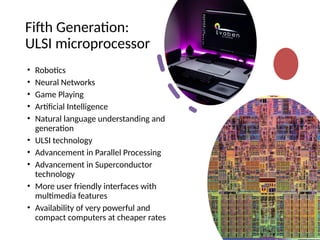
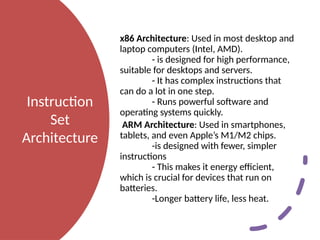
ULSI microprocessor
•Robotics
• Neural Networks
• Game Playing
• Artificial Intelligence
• Natural language understanding and
generation
• ULSI technology
• Advancement in Parallel Processing
• Advancement in Superconductor
technology
• More user friendly interfaces with
multimedia features
• Availability of very powerful and
compact computers at cheaper rates
10.
Instruction
Set
Architecture
x86 Architecture: Usedin most desktop and
laptop computers (Intel, AMD).
- is designed for high performance,
suitable for desktops and servers.
- It has complex instructions that
can do a lot in one step.
- Runs powerful software and
operating systems quickly.
ARM Architecture: Used in smartphones,
tablets, and even Apple’s M1/M2 chips.
-is designed with fewer, simpler
instructions
- This makes it energy efficient,
which is crucial for devices that run on
batteries.
-Longer battery life, less heat.
11.
Data
Representation
Data Representation isabout register
size and memory addressing.
In a 32-bit architecture, registers are 32
bits wide (4 bytes).
• Can represent integers up to 2 32 − 1
2 32 −1 ≈ 4.29 billion.
• Memory addresses are 32 bits →
maximum addressable memory = 4
GB.
In a 64-bit architecture, registers are 64
bits wide (8 bytes).
• Can represent integers up to 2 64 − 1
2 64 −1 ≈ 18 quintillion.
• Memory addresses are 64 bits →
maximum theoretical memory = 16
exabytes.
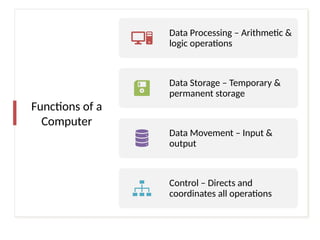
Functions of a
Computer
DataProcessing – Arithmetic &
logic operations
Data Storage – Temporary &
permanent storage
Data Movement – Input &
output
Control – Directs and
coordinates all operations
15.
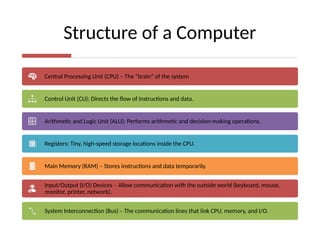
Structure of aComputer
Central Processing Unit (CPU) – The “brain” of the system
Control Unit (CU): Directs the flow of instructions and data.
Arithmetic and Logic Unit (ALU): Performs arithmetic and decision-making operations.
Registers: Tiny, high-speed storage locations inside the CPU.
Main Memory (RAM) – Stores instructions and data temporarily.
Input/Output (I/O) Devices – Allow communication with the outside world (keyboard, mouse,
monitor, printer, network).
System Interconnection (Bus) – The communication lines that link CPU, memory, and I/O.
16.
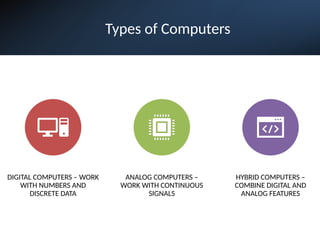
Types of Computers
DIGITALCOMPUTERS – WORK
WITH NUMBERS AND
DISCRETE DATA
ANALOG COMPUTERS –
WORK WITH CONTINUOUS
SIGNALS
HYBRID COMPUTERS –
COMBINE DIGITAL AND
ANALOG FEATURES
17.
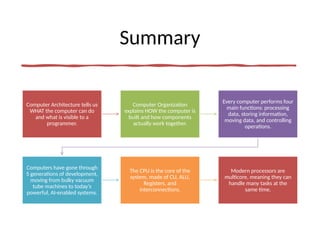
Summary
Computer Architecture tellsus
WHAT the computer can do
and what is visible to a
programmer.
Computer Organization
explains HOW the computer is
built and how components
actually work together.
Every computer performs four
main functions: processing
data, storing information,
moving data, and controlling
operations.
Computers have gone through
5 generations of development,
moving from bulky vacuum
tube machines to today’s
powerful, AI-enabled systems.
The CPU is the core of the
system, made of CU, ALU,
Registers, and
interconnections.
Modern processors are
multicore, meaning they can
handle many tasks at the
same time.
Editor's Notes
#2 Computer Architecture is about what the computer should be able to do.
For example, should the computer be a 32-bit or 64-bit system?
What instructions can the CPU understand (add, subtract, multiply, load from memory)?
How much memory can it handle?
These are rules and features that a programmer needs to know when writing software.
#3 How does the CPU actually perform an addition?
What kind of memory chips are used and how are they connected?
How do the control signals make the parts of the CPU talk to each other?
Architecture = Blueprint (what the system should do).
Organization = Construction (how the system is built to do it).
#5 The computers of first generation used vacuum tubes as the basic components for memory and circuitry for CPU (Central Processing Unit). These tubes, like electric bulbs, produced a lot of heat and were prone to frequent fusing of the installations, therefore, were very expensive and could be afforded only by very large organizations. In this generation mainly batch processing operating system were used. Punched cards, paper tape, and magnetic tape were used as input and output devices.
#6 . In this generation transistors were used that were cheaper, consumed less power, more compact in size, more reliable and faster than the first generation machines made of vacuum tubes. In this generation, magnetic cores were used as primary memory and magnetic tape and magnetic disks as secondary storage devices. In this generation assembly language and high-level programming languages like FORTRAN, COBOL were used.
#7 The period of third generation was 1965-1971. The computers of third generation used integrated circuits (IC's) in place of transistors. A single IC has many transistors, resistors and capacitors along with the associated circuitry. The IC was invented by Jack Kilby. This development made computers smaller in size, reliable and efficient. In this generation remote processing, time-sharing, multi-programming operating system were used. Highlevel languages (FORTRAN-II TO IV, COBOL, PASCAL PL/1, BASIC)
#8 The period of fourth generation: 1971-1980. VLSI microprocessor based.
The period of fourth generation was 1971-1980. The computers of fourth generation used Very Large Scale Integrated (VLSI) circuits. VLSI circuits having about 5000 transistors and other circuit elements and their associated circuits on a single chip made it possible to have microcomputers of fourth generation. Fourth generation computers became more powerful, compact, reliable, and affordable. As a result, it gave rise to personal computer (PC) revolution. In this generation time sharing, real time, networks, distributed operating system were used.
#9 . In the fifth generation, the VLSI technology became ULSI (Ultra Large Scale Integration) technology, resulting in the production of microprocessor chips having ten million electronic components. This generation is based on parallel processing hardware and AI (Artificial Intelligence) software. AI is an emerging branch in computer science, which interprets means and method of making computers think like human beings.
#10 X86: (CISC – Complex Instruction Set Computing).
ARM: (RISC – Reduced Instruction Set Computing).
#12 Immediate Addressing – Data is in the instruction. Example: ADD R1, #5
Direct Addressing – Instruction gives the memory address of data. Example: LOAD R1, 1000
Indirect Addressing – Instruction points to a memory location holding the address of data. Example: LOAD R1, (1000)
Register Addressing – Operand is in a register. Example: ADD R1, R2
Register Indirect Addressing – Register holds the memory address of data. Example: LOAD R1, (R2)
Indexed Addressing – Effective address = base + index. Example: LOAD R1, 1000(R2)
Relative Addressing – Effective address = PC + offset. Example: JUMP +20
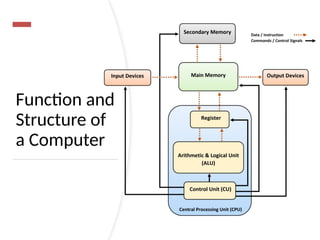
#13 A computer is an electronic system whose structure consists of four main parts: the Central Processing Unit (CPU), main memory, input/output (I/O) devices, and the system bus that interconnects them. The CPU, often called the “brain,” contains the Control Unit for directing operations, the Arithmetic and Logic Unit (ALU) for performing calculations and decisions, and registers for fast, temporary storage. Main memory (RAM) holds data and instructions temporarily, while I/O devices allow interaction with the external world, and the bus system enables communication among all components. Based on this structure, the functions of a computer can be summarized into four basic tasks: data processing (performing arithmetic, logic, and transformations), data storage (short-term in RAM or long-term in storage devices), data movement (input, output, and communication across networks), and control (coordinating and managing operations). Together, the structure and function define what a computer is and how it works, much like the machinery and organization of a factory determine how raw materials are processed into finished products.
#16 Computers can be broadly classified into three main types: digital, analog, and hybrid. Digital computers are the most common today; they process information in binary form (0s and 1s), making them ideal for precise calculations, data storage, and tasks such as word processing, billing, or running applications. Analog computers, on the other hand, work with continuously varying data, using physical quantities like voltage or pressure to model real-world phenomena; they were once widely used in engineering and scientific simulations. Hybrid computers combine the strengths of both digital and analog systems: the digital part controls logical operations and data processing, while the analog part solves complex mathematical equations more quickly, making hybrids useful in specialized fields like medical monitoring and scientific research.