Sensitivity Label: General
AG E N D A
• Introduction to Active Directory Sites and Services
• Physical Structure of an Active Directory Infrastructure
• Replication in Active Directory
• Configuring Active Directory Sites and Services
• Creating Sites and Site Links
• Subnet Assignment
• Monitoring and Troubleshooting
• Advanced Topics (Optional)
3.
Sensitivity Label: General
IN T R O D U C T I O N T O
A C T I V E D I R E C T O R Y
S I T E S A N D
S E R V I C E S
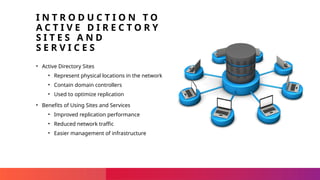
• Active Directory Sites
• Represent physical locations in the network
• Contain domain controllers
• Used to optimize replication
• Benefits of Using Sites and Services
• Improved replication performance
• Reduced network traffic
• Easier management of infrastructure
4.
Sensitivity Label: General
PH Y S I C A L S T R U C T U R E O F A N A C T I V E
D I R E C T O R Y I N F R A S T R U C T U R E
• Domains
• Definition and relation to sites
• Domain Controllers
• Role in each site
• Storage of Active Directory database
• Sites
• Creation and configuration within Active Directory Sites and Services
• Site Links
• Connection of different sites
• Data replication between sites
5.
Sensitivity Label: General
RE P L I C A T I O N I N
A C T I V E
D I R E C T O R Y
• Intra-site Replication
• Occurs within a site
• Usually automatic and fast
• Inter-site Replication
• Occurs between different sites
• Often scheduled
• Uses site links
• Bridgehead Servers
• Facilitate inter-site replication
• Direct traffic between sites
• Replication Costs
• Configure site links
6.
Sensitivity Label: General
CR E AT I N G
S I T E S A N D
S I T E L I N K S
• Using Active Directory Sites and Services MMC
• Accessing the MMC tool
• Navigating to the appropriate sections
• Creating New Sites
• Steps to define a new site
• Configuring site properties
• Creating Site Links
• Steps to establish site links
• Configuring link properties
7.
Sensitivity Label: General
SU B N E T
A S S I G N M E N T
• Subnet Assignment
• Assign subnets to sites
• Map physical locations to logical groupings
• Replication Settings
• Configure replication schedules
• Set replication costs within Active Directory Sites
and Services MMC
8.
Sensitivity Label: General
MO N I T O R I N G A N D
T R O U B L E S H O O T I N G
• Replication Status Monitoring
• Use Active Directory Sites and Services MMC
• Check replication status between sites
• Troubleshooting Replication Problems
• Address slow replication issues
• Resolve connectivity problems
9.
Sensitivity Label: General
AD V A N C E D
T O P I C S
( O P T I O N A L )
• Site Link Bridges
• Control replication direction between sites
• Dynamic Site Placement
• Automatically assign computers to sites based on IP
address
• Read-Only Domain Controllers (RODCs)
• Used in less secure locations
• Configured within sites
Editor's Notes
#1 This presentation was automatically generated by PowerPoint Copilot based on content found in this document:
https://nttlimited-my.sharepoint.com/personal/navneet_luhar_global_ntt/Documents/NavneetData/AWS Training/Active Directory/Create A PowerPoint presentation on Active Directory Sites and Services.docx
AI-generated content may be incorrect.
#2 Agenda
* Introduction to Active Directory Sites and Services
* Physical Structure of an Active Directory Infrastructure
* Replication in Active Directory
* Configuring Active Directory Sites and Services
* Creating Sites and Site Links
* Subnet Assignment
* Monitoring and Troubleshooting
* Advanced Topics (Optional)
#3 Active Directory Sites represent physical locations in your network with domain controllers, optimizing replication. Using Sites and Services improves replication performance, reduces network traffic, and simplifies infrastructure management.
Original Content:
What are Active Directory Sites?
Explain that sites represent physical locations in your network where domain controllers are located, and how they are used to optimize replication.
Why use Sites and Services?
Highlight the benefits of organizing your infrastructure into sites, including improved replication performance, reduced network traffic, and easier management.
#4 This slide covers the basics of Active Directory sites and domains. We'll discuss domains and their relation to sites, the role of domain controllers, how sites are created and configured, and the function of site links in connecting sites and replicating data.
Original Content:
Domains:
Define what a domain is and how it's related to sites.
Domain Controllers:
Explain the role of domain controllers in each site and how they store the Active Directory database.
Sites:
Describe how sites are created and configured within Active Directory Sites and Services.
Site Links:
Explain how site links connect different sites and allow for replication of data between them.
#5 Replication within a site is typically automatic and fast. Between different sites, replication is often scheduled and uses site links. Bridgehead servers facilitate inter-site replication by directing traffic. To manage replication costs, configure site links considering bandwidth and network capacity.
Original Content:
Intra-site Replication:
Explain how replication occurs within a site, usually being automatic and fast.
Inter-site Replication:
Describe how replication occurs between different sites, often with scheduled replication and using site links.
Bridgehead Servers:
Explain how bridgehead servers facilitate inter-site replication, directing traffic between sites.
Replication Costs:
Discuss how to configure site links to manage replication costs, considering bandwidth and network capacity.
#6 This slide provides a step-by-step guide on using the Active Directory Sites and Services MMC to create sites and site links. It covers accessing the MMC tool, creating new sites, and establishing site links.
Original Content:
Creating Sites and Site Links:
Provide step-by-step instructions on how to use the Active Directory Sites and Services MMC (Microsoft Management Console) to create sites and site links.
#7 This slide covers subnet assignment and replication settings in Active Directory. We'll discuss how to assign subnets to sites, map physical locations to logical groupings, configure replication schedules, and set replication costs within the Active Directory Sites and Services MMC.
Original Content:
Subnet Assignment:
Explain how to assign subnets to sites, mapping physical locations to logical groupings.
Replication Settings:
Explain how to configure replication schedules and costs within the Active Directory Sites and Services MMC.
#8 This slide covers how to monitor replication status using Active Directory Sites and Services MMC and provides tips for troubleshooting replication issues like slow replication and connectivity problems.
Original Content:
Replication Status:
Describe how to monitor the status of replication between sites using tools like the Active Directory Sites and Services MMC.
Troubleshooting Replication Problems:
Provide troubleshooting tips for addressing issues with replication, such as slow replication or connectivity problems.
#9 This slide covers key concepts in site management, including site link bridges for controlling replication, dynamic site placement for automatic computer assignment, and the use of RODCs in less secure locations.
Original Content:
Site Link Bridges:
Explain how site link bridges can be used to control the direction of replication between sites.
Dynamic Site Placement:
Discuss the concept of dynamic site placement and how it can be used to automatically assign computers to sites based on their IP address.
Read-Only Domain Controllers (RODCs):
Discuss the use of RODCs in less secure locations and how they can be configured within sites.


![Lecture 1 server ]object oriented programming .pptx](https://cdn.slidesharecdn.com/ss_thumbnails/lecture1serverautosaved-241031133148-c56735b2-thumbnail.jpg?width=640&height=640&fit=bounds)


