Introduction to Programming
2
2
Control Structures
• Programs are written using three basic structures
▫ Sequence
 Used in every program you write
▫ Repetition
 Used in most programs you write
▫ Selection
 Used in most programs you write
• Called control structures or logic structures
3
3
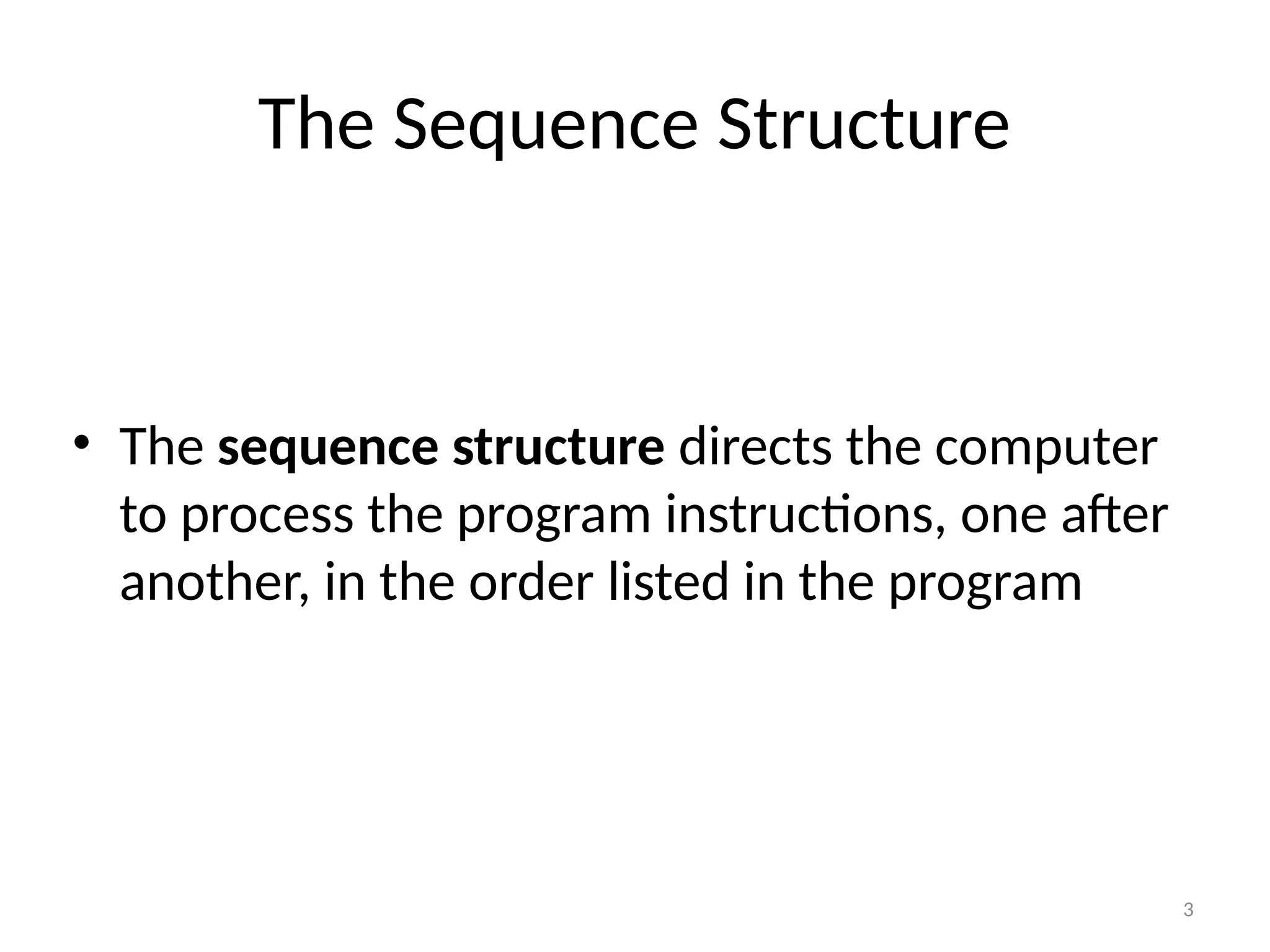
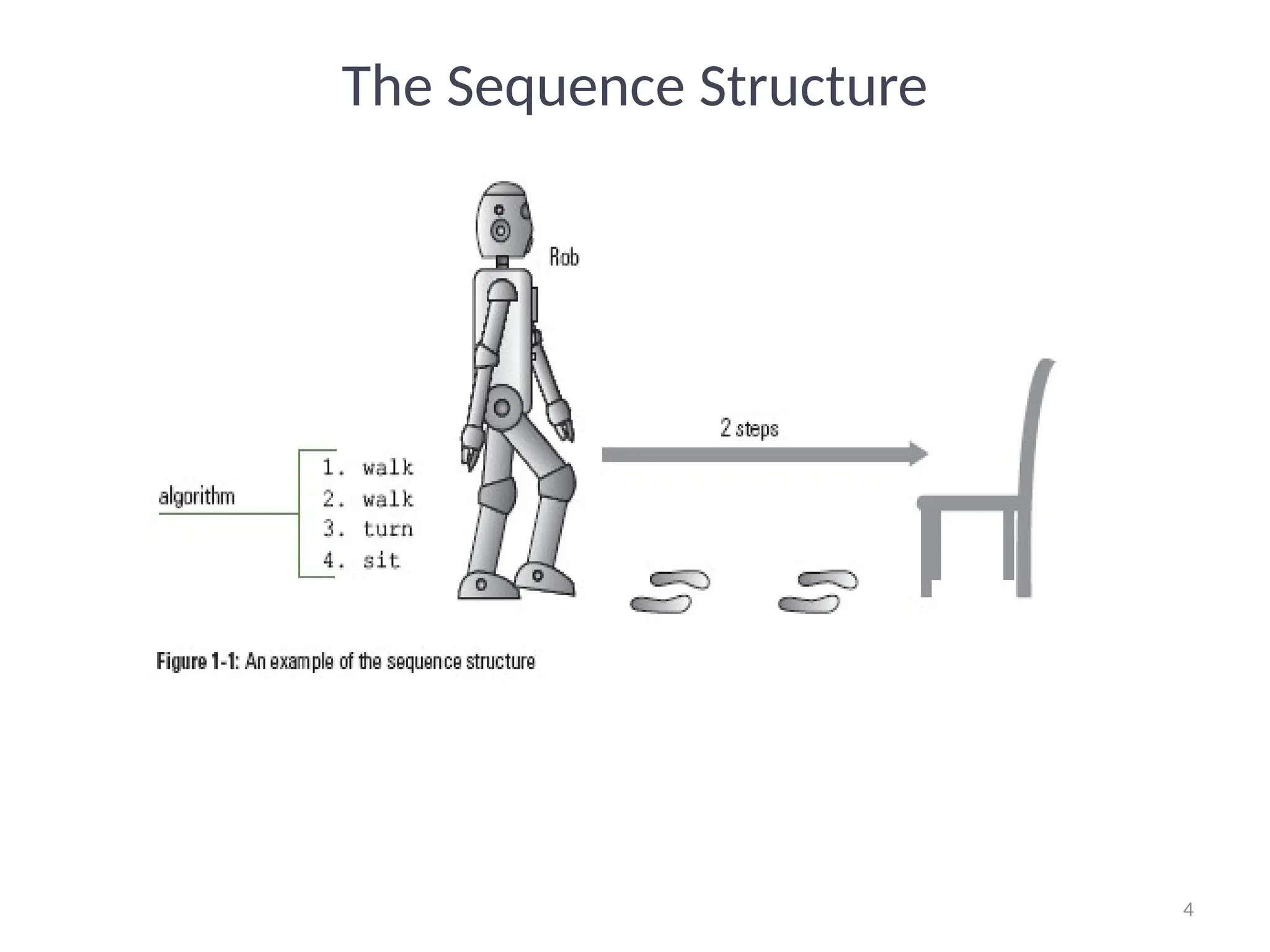
The Sequence Structure
• The sequence structure directs the computer
to process the program instructions, one after
another, in the order listed in the program
4
4
The Sequence Structure
5
5
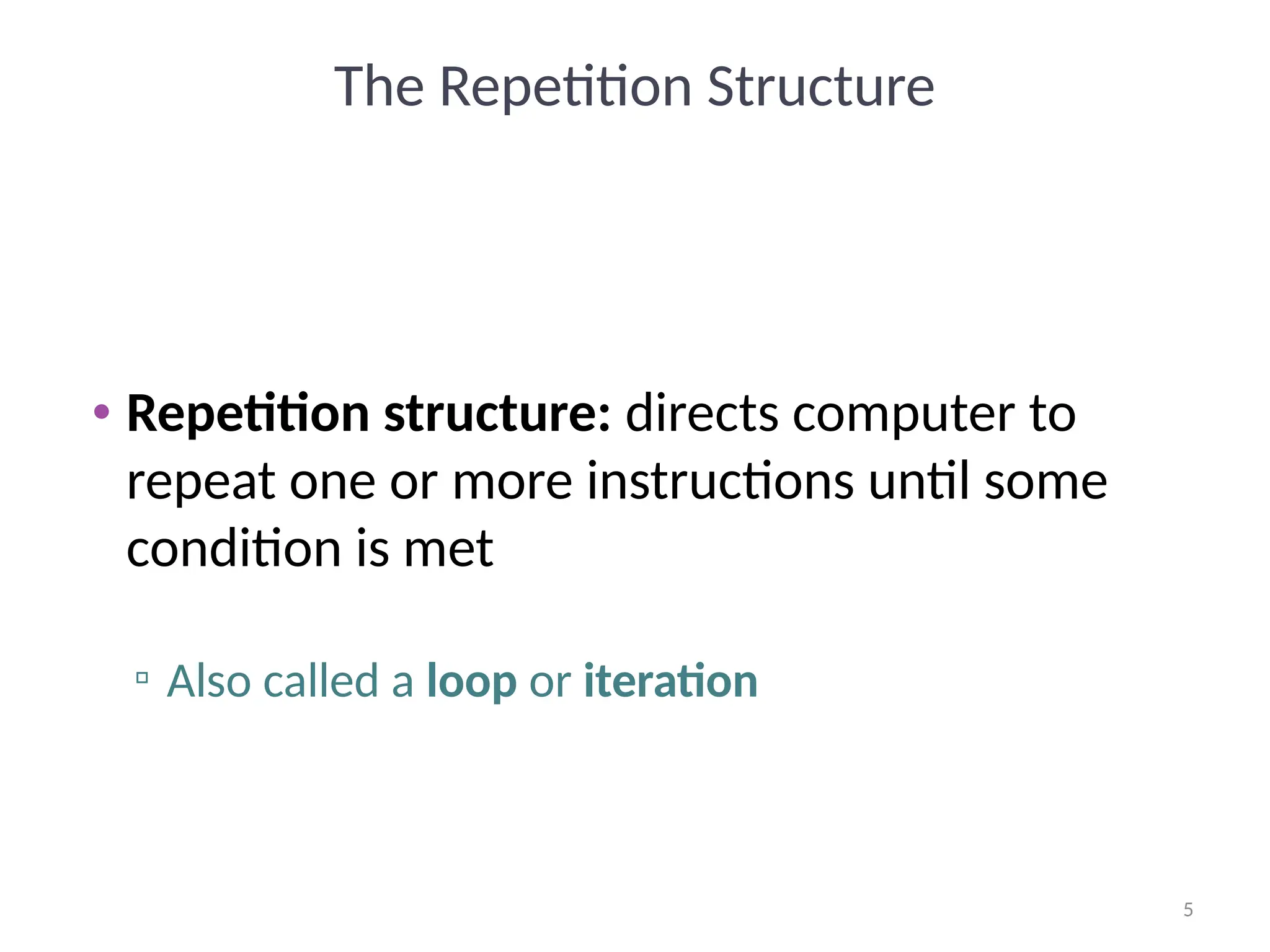
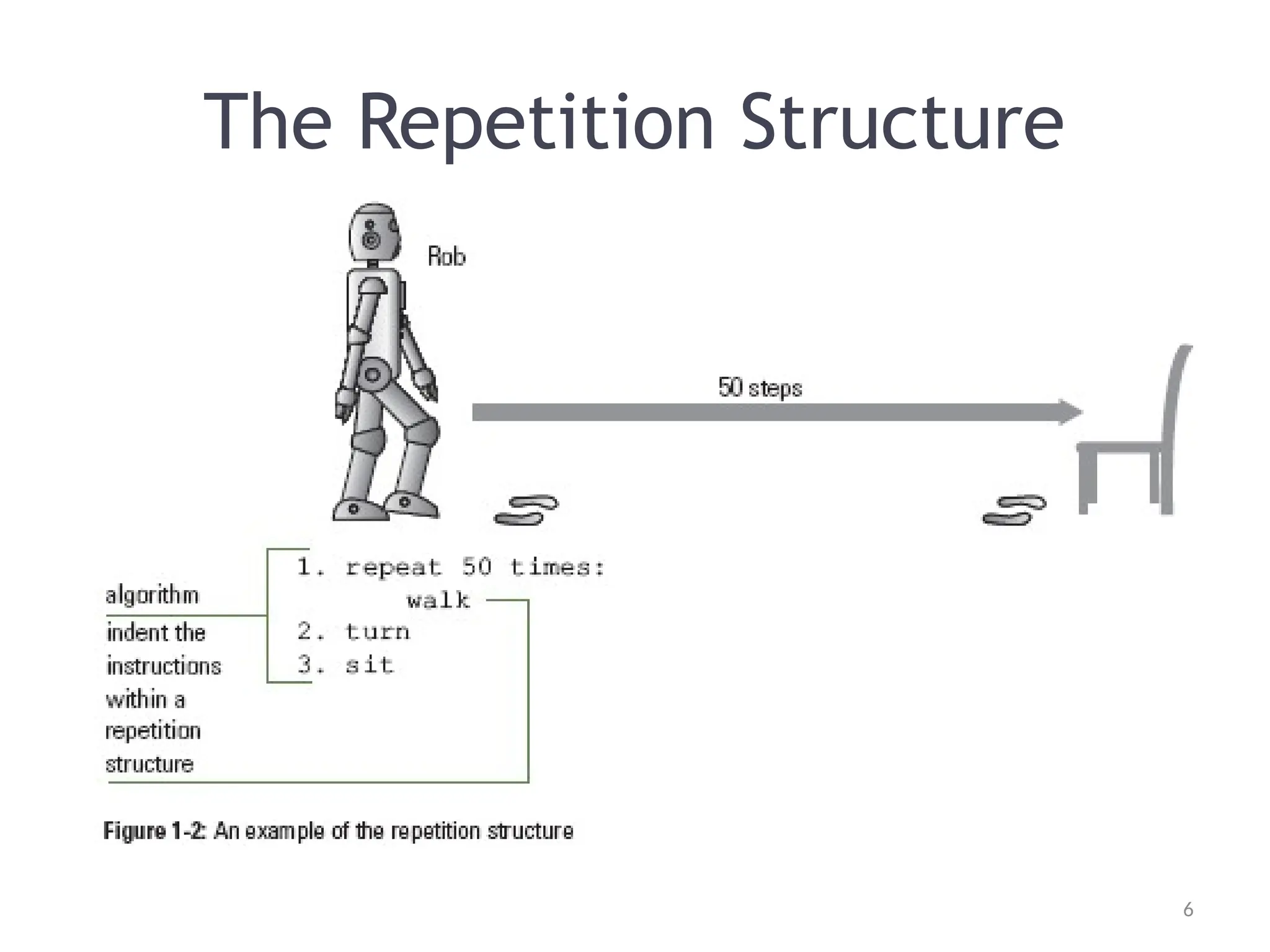
The Repetition Structure
• Repetition structure: directs computer to
repeat one or more instructions until some
condition is met
▫ Also called a loop or iteration
6
6
The Repetition Structure
7
7
The Repetition Structure
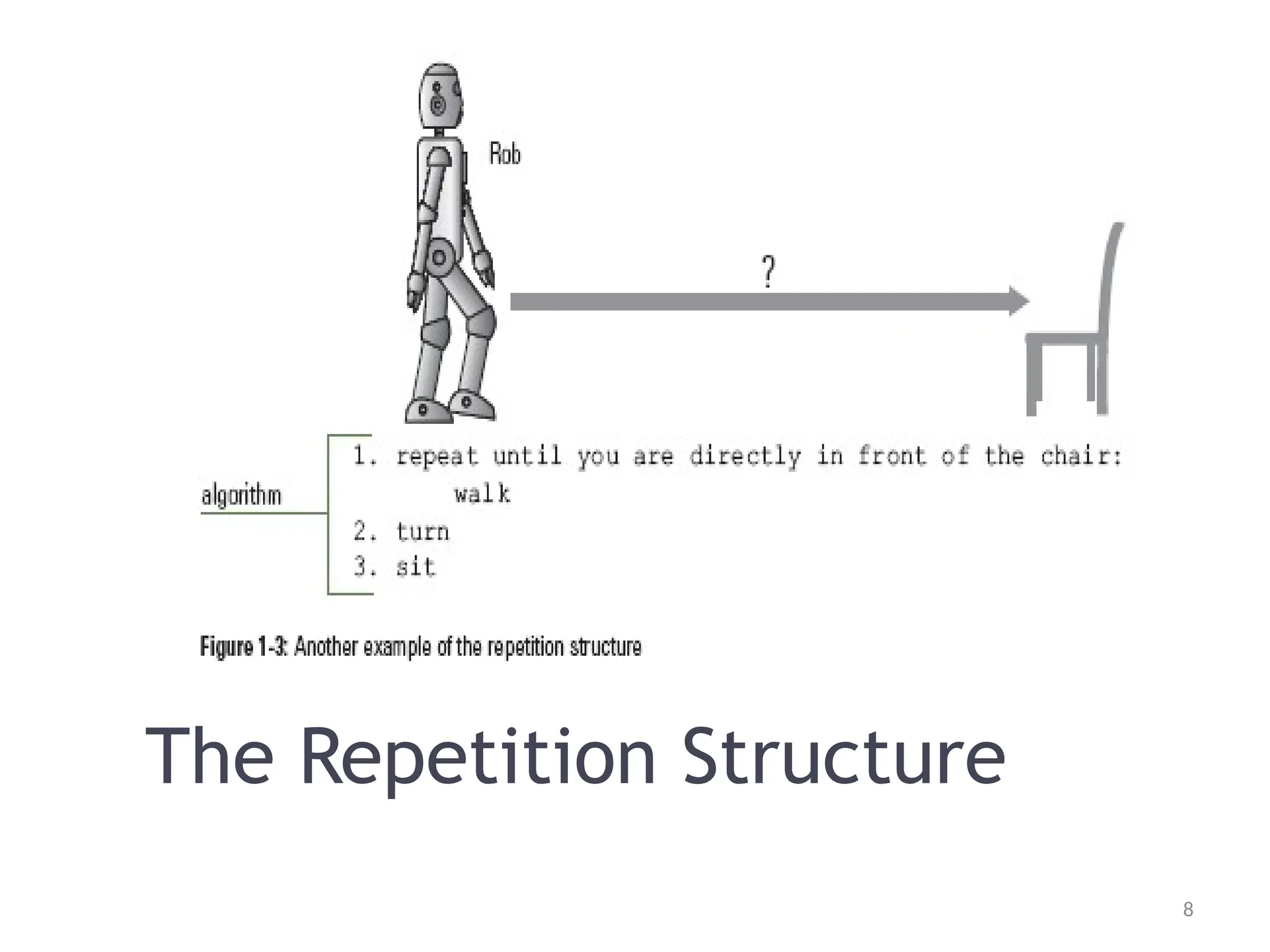
• What could you do if you don’t know precisely
how many steps separate Rob from the chair?
8
8
The Repetition Structure
9
9
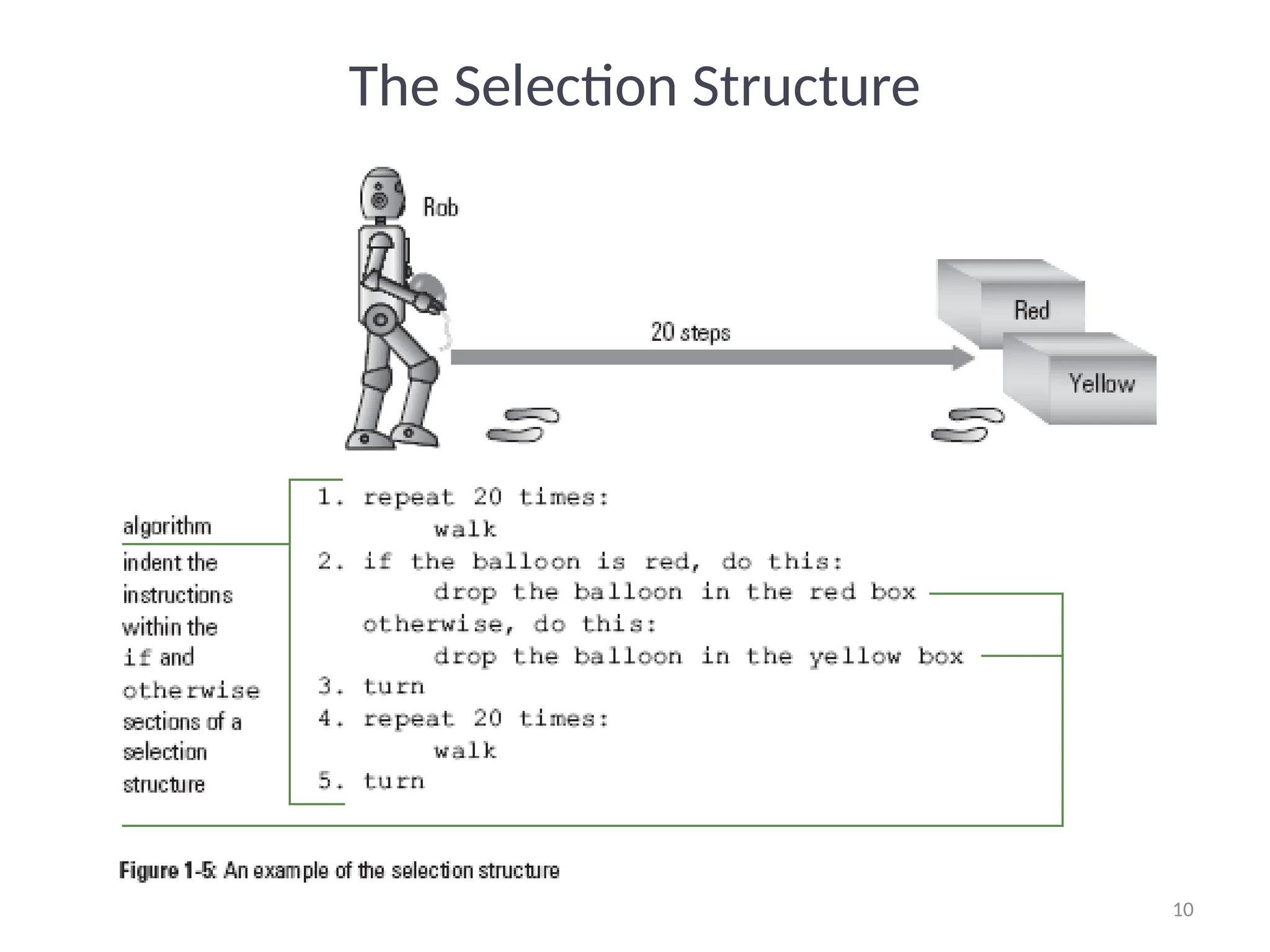
The Selection Structure
• Selection structure: makes a decision and
then takes an appropriate action based on
that decision
▫ Also called the decision structure
10
10
The Selection Structure
11
11
Summary
• Programs: step-by-step instructions that tell a
computer how to perform a task
• Programmers use programming languages to
communicate with the computer
• Algorithm: step-by-step instructions that
accomplish a task (not written in a programming
language)
▫ Algorithms contain one or more of the following
control structures: sequence, selection, and repetition
12
12
Summary
• Sequence structure: process the instructions,
one after another, in the order listed
• Repetition structure: repeat one or more
instructions until some condition is met
• Selection structure: directs the computer to
make a decision, and then to select an
appropriate action based on that decision
13
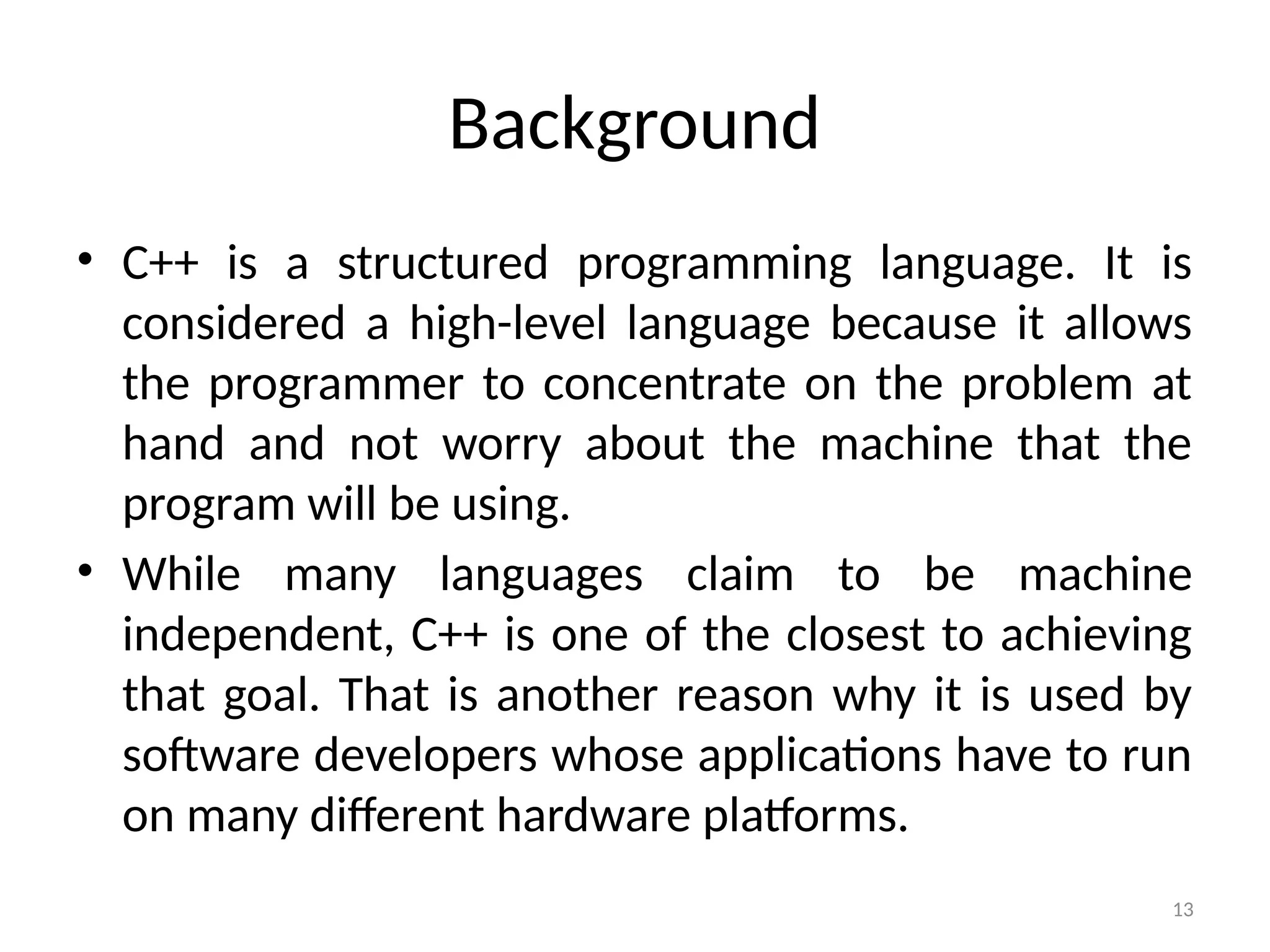
Background
• C++ is a structured programming language. It is
considered a high-level language because it allows
the programmer to concentrate on the problem at
hand and not worry about the machine that the
program will be using.
• While many languages claim to be machine
independent, C++ is one of the closest to achieving
that goal. That is another reason why it is used by
software developers whose applications have to run
on many different hardware platforms.
14
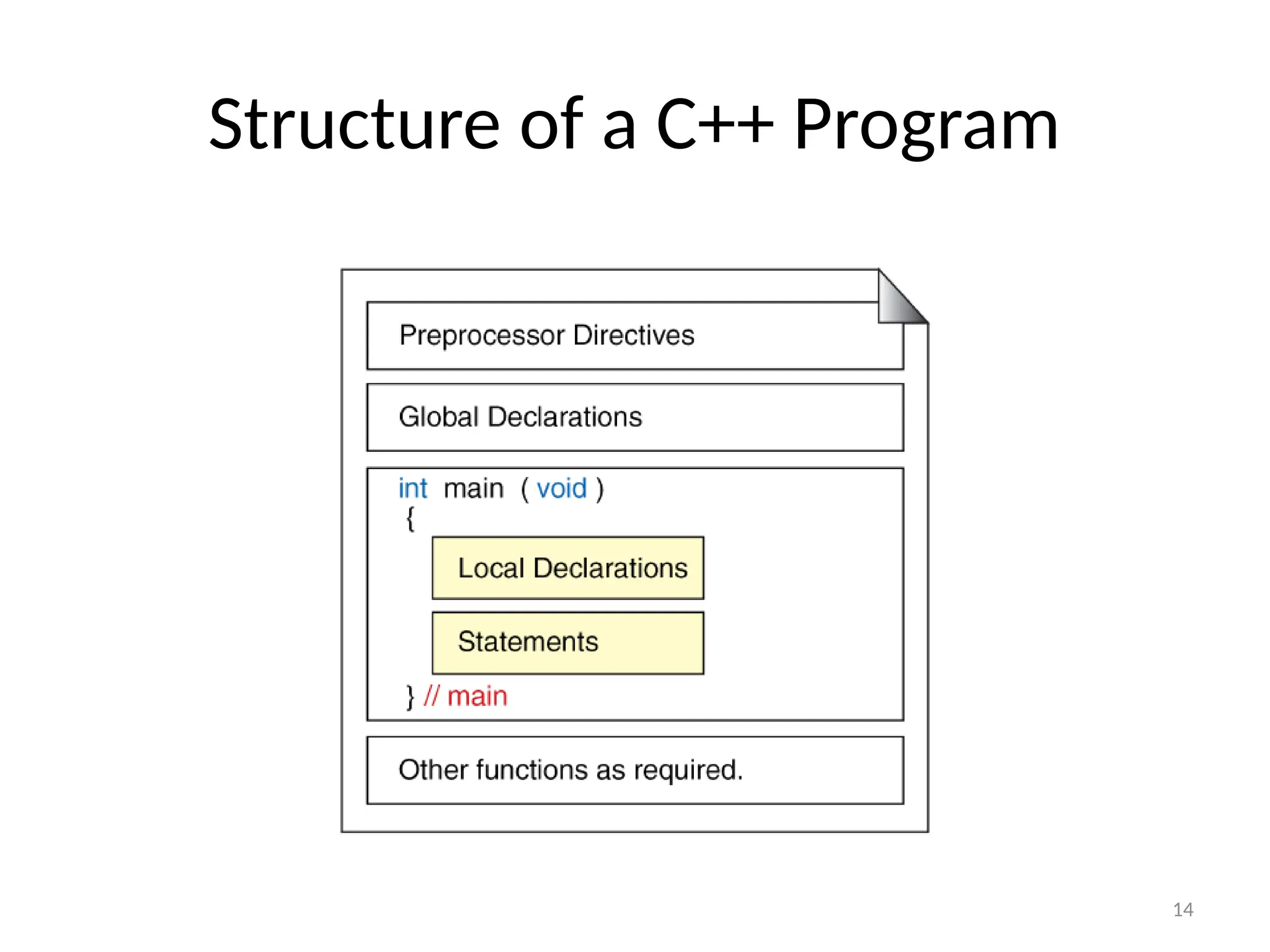
Structure of a C++ Program
15
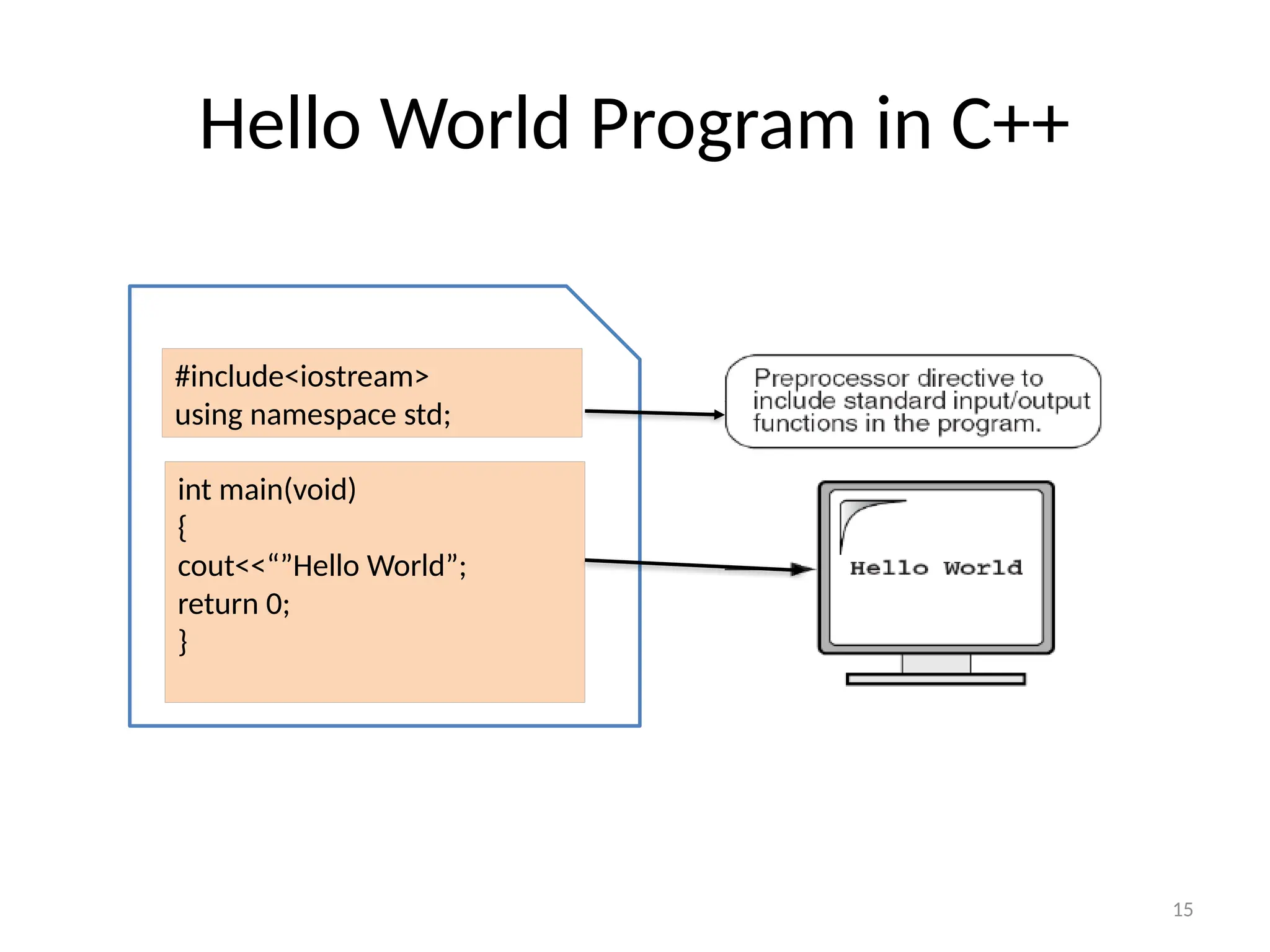
Hello World Program in C++
#include<iostream>
using namespace std;
int main(void)
{
cout<<“”Hello World”;
return 0;
}
16
Preprocessor Commands
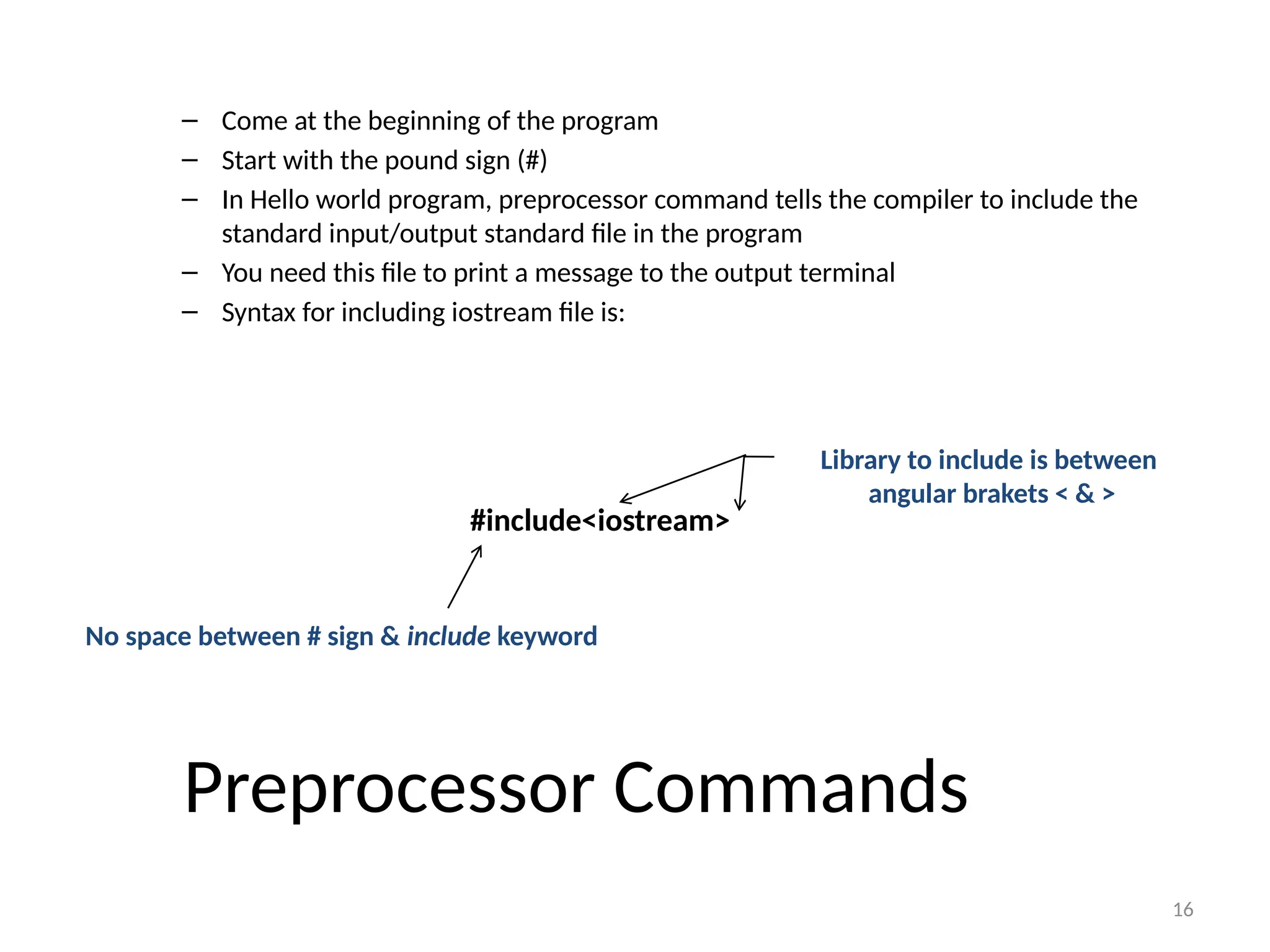
– Come at the beginning of the program
– Start with the pound sign (#)
– In Hello world program, preprocessor command tells the compiler to include the
standard input/output standard file in the program
– You need this file to print a message to the output terminal
– Syntax for including iostream file is:
#include<iostream>
No space between # sign & include keyword
Library to include is between
angular brakets < & >
17
REMEMBER C++ IS CASE SENSITIVE!
18
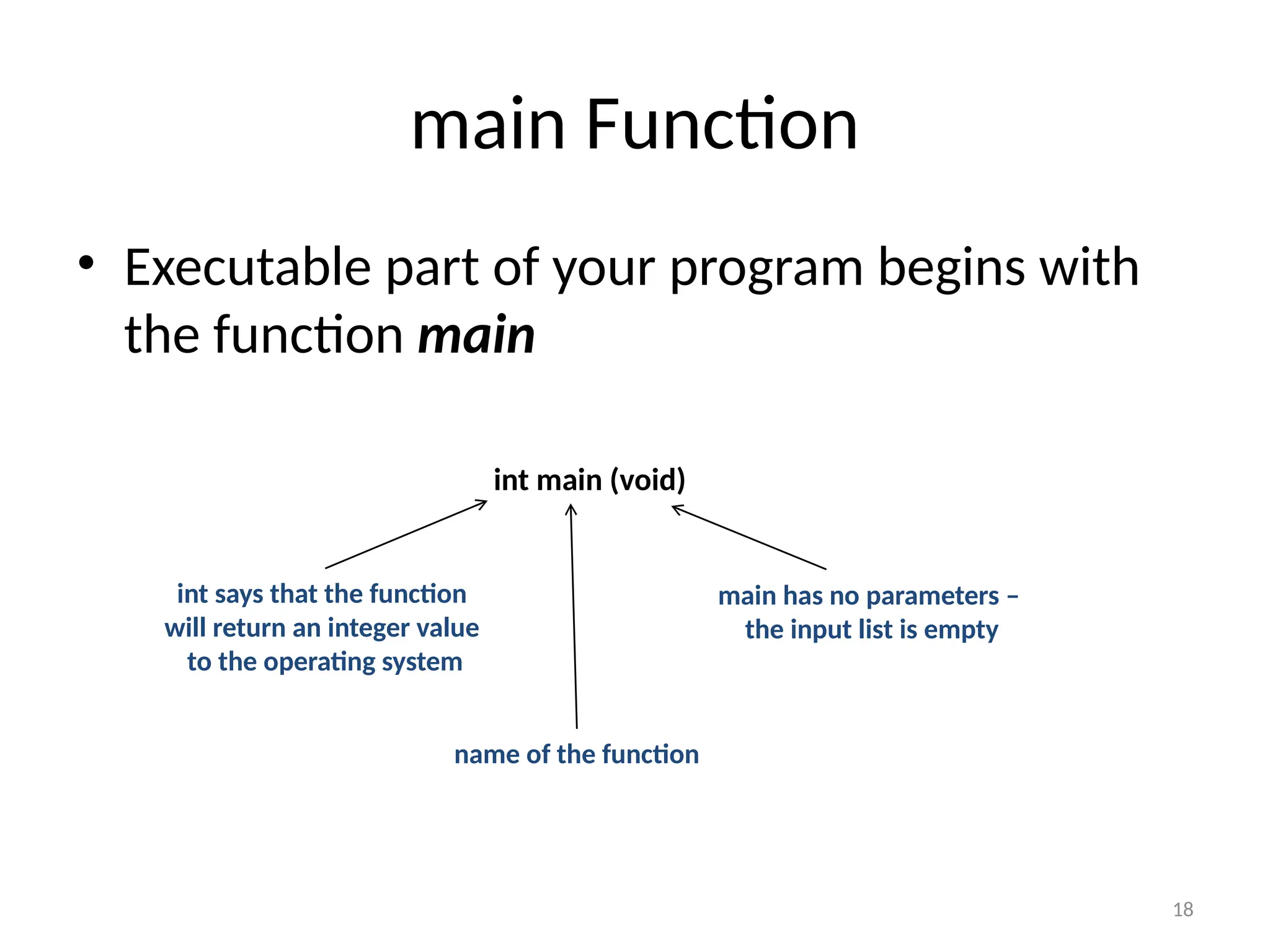
main Function
• Executable part of your program begins with
the function main
int main (void)
int says that the function
will return an integer value
to the operating system
name of the function
main has no parameters –
the input list is empty
19
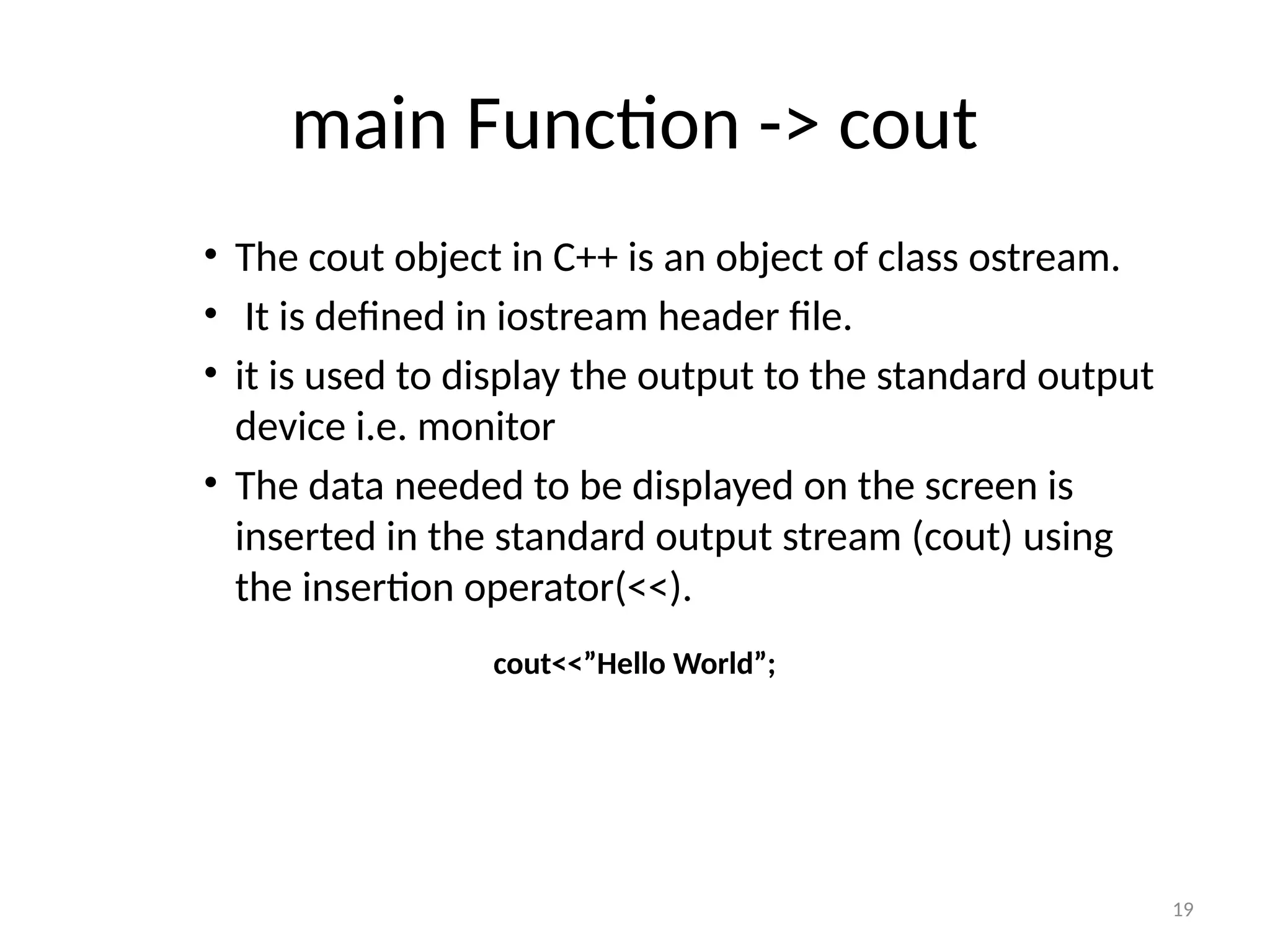
main Function -> cout
• The cout object in C++ is an object of class ostream.
• It is defined in iostream header file.
• it is used to display the output to the standard output
device i.e. monitor
• The data needed to be displayed on the screen is
inserted in the standard output stream (cout) using
the insertion operator(<<).
cout<<”Hello World”;
20
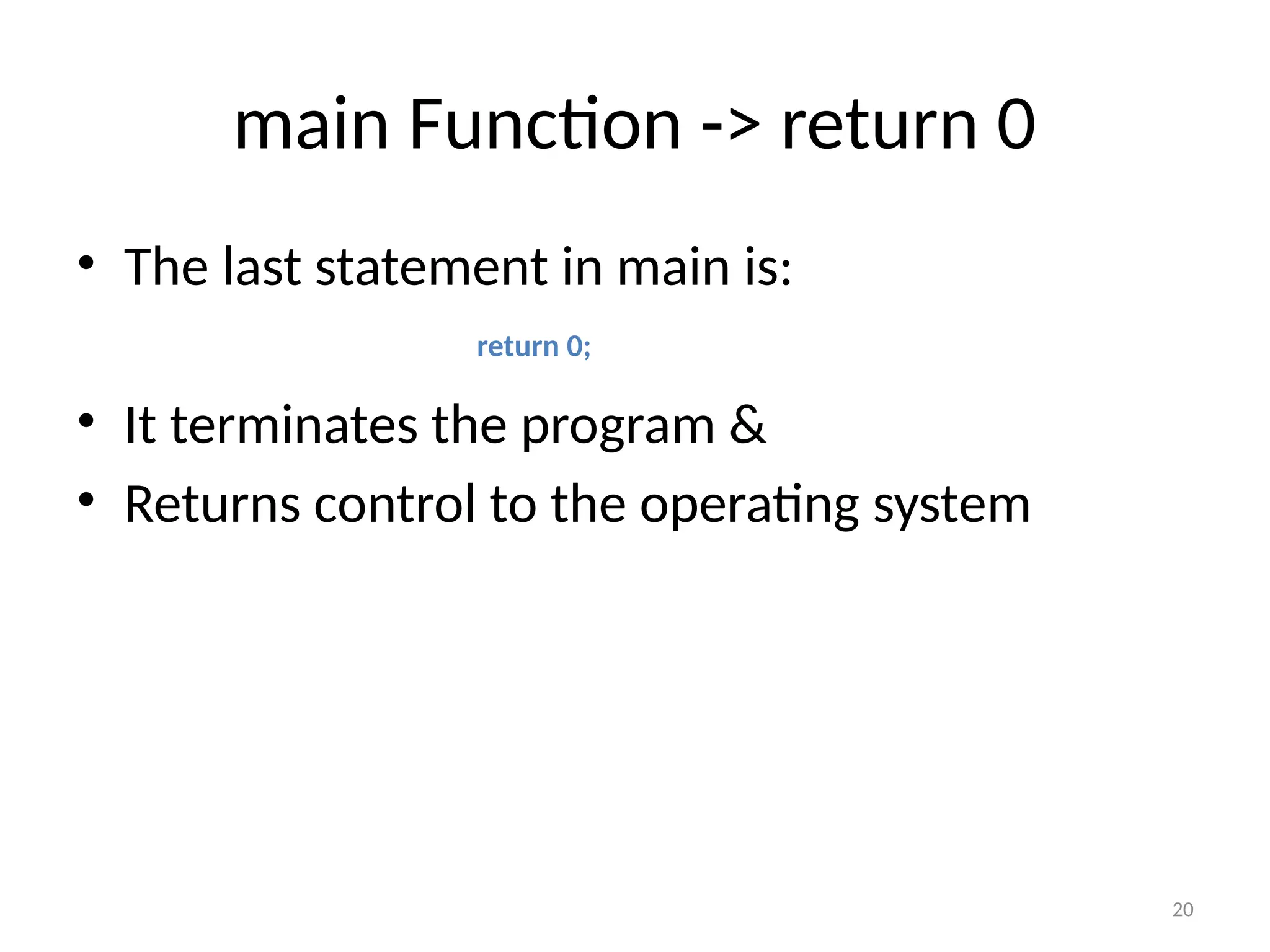
main Function -> return 0
• The last statement in main is:
• It terminates the program &
• Returns control to the operating system
return 0;
21
main Function -> { and }
• Function main starts with an open brace {
• And terminates with a close brace }
• It implies that the body of the main has
started and ended respectively

Introduction to Programming part 2-3.pptx

  • 1.
  • 2.
    2 2 Control Structures • Programsare written using three basic structures ▫ Sequence  Used in every program you write ▫ Repetition  Used in most programs you write ▫ Selection  Used in most programs you write • Called control structures or logic structures
  • 3.
    3 3 The Sequence Structure •The sequence structure directs the computer to process the program instructions, one after another, in the order listed in the program
  • 4.
  • 5.
    5 5 The Repetition Structure •Repetition structure: directs computer to repeat one or more instructions until some condition is met ▫ Also called a loop or iteration
  • 6.
  • 7.
    7 7 The Repetition Structure •What could you do if you don’t know precisely how many steps separate Rob from the chair?
  • 8.
  • 9.
    9 9 The Selection Structure •Selection structure: makes a decision and then takes an appropriate action based on that decision ▫ Also called the decision structure
  • 10.
  • 11.
    11 11 Summary • Programs: step-by-stepinstructions that tell a computer how to perform a task • Programmers use programming languages to communicate with the computer • Algorithm: step-by-step instructions that accomplish a task (not written in a programming language) ▫ Algorithms contain one or more of the following control structures: sequence, selection, and repetition
  • 12.
    12 12 Summary • Sequence structure:process the instructions, one after another, in the order listed • Repetition structure: repeat one or more instructions until some condition is met • Selection structure: directs the computer to make a decision, and then to select an appropriate action based on that decision
  • 13.
    13 Background • C++ isa structured programming language. It is considered a high-level language because it allows the programmer to concentrate on the problem at hand and not worry about the machine that the program will be using. • While many languages claim to be machine independent, C++ is one of the closest to achieving that goal. That is another reason why it is used by software developers whose applications have to run on many different hardware platforms.
  • 14.
    14 Structure of aC++ Program
  • 15.
    15 Hello World Programin C++ #include<iostream> using namespace std; int main(void) { cout<<“”Hello World”; return 0; }
  • 16.
    16 Preprocessor Commands – Comeat the beginning of the program – Start with the pound sign (#) – In Hello world program, preprocessor command tells the compiler to include the standard input/output standard file in the program – You need this file to print a message to the output terminal – Syntax for including iostream file is: #include<iostream> No space between # sign & include keyword Library to include is between angular brakets < & >
  • 17.
    17 REMEMBER C++ ISCASE SENSITIVE!
  • 18.
    18 main Function • Executablepart of your program begins with the function main int main (void) int says that the function will return an integer value to the operating system name of the function main has no parameters – the input list is empty
  • 19.
    19 main Function ->cout • The cout object in C++ is an object of class ostream. • It is defined in iostream header file. • it is used to display the output to the standard output device i.e. monitor • The data needed to be displayed on the screen is inserted in the standard output stream (cout) using the insertion operator(<<). cout<<”Hello World”;
  • 20.
    20 main Function ->return 0 • The last statement in main is: • It terminates the program & • Returns control to the operating system return 0;
  • 21.
    21 main Function ->{ and } • Function main starts with an open brace { • And terminates with a close brace } • It implies that the body of the main has started and ended respectively