CENTRE FOR INFORMATION
TECHNOOLGY,UPES ,DEHRADUN
• Name of the staff

: VENKATADRI.M.

• Designation

:Asst Prof (SS).

• Branch

: Computer Science and Engineering.

• Institute

: University Of Petroleum and Energy
Studies

• Semester

: III

• Subject

: OOPS With C++

• Subject Code

:.

• Topic

: Understand the concept of OOP
methodology

•Teaching aids used

: Diagrams, animations, PPT
Objective
On completion of this period, you would be
able to know
• Evolution of OOPS( Object Oriented
Programming )
• History of C++

Venkatadri.M,Asst Prof
(SS).UPES,Dehradun

2
RECAP
• Do you know about C language ?

• It is based on what program design ?
• Is it Procedure / Object oriented ?

Venkatadri.M,Asst Prof
(SS).UPES,Dehradun
Appreciate the evolution of OOP
• OOPs was evolved to overcome the drawbacks
of conventional programming methods.
• It allows dividing a problem into no.of entities
called as Objects.
• OOP treats data as a critical element in the
program.

Venkatadri.M,Asst Prof
(SS).UPES,Dehradun

4
Appreciate the evolution of OOP

• It does not allow the data to flow freely around the
system.
• It hides the data.
• It provides security to the data.

Venkatadri.M,Asst Prof
(SS).UPES,Dehradun

5
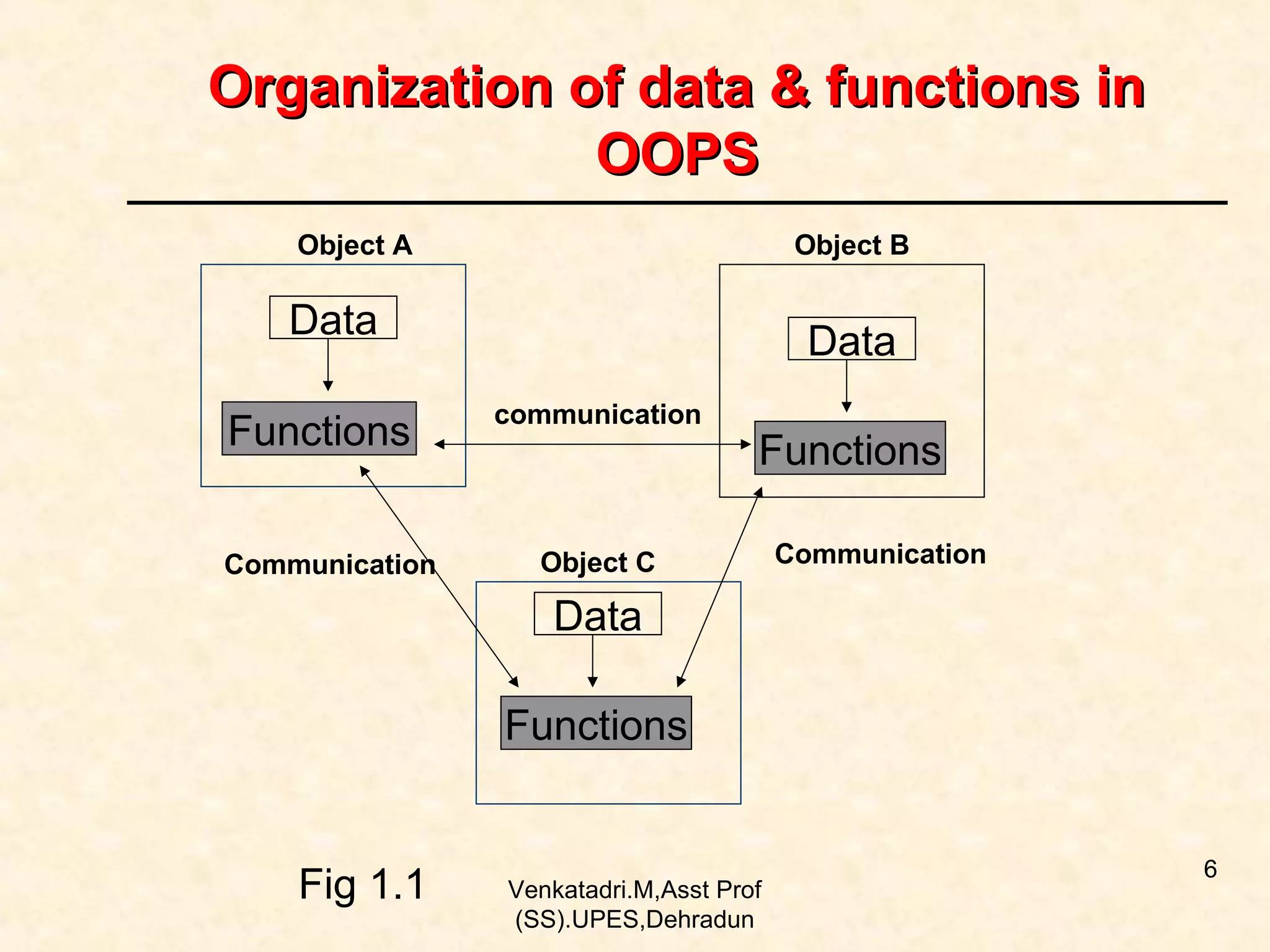
Organization of data & functions in
OOPS
Object A

Object B

Data
Functions
Communication

Data
communication

Functions

Object C

Communication

Data
Functions

Fig 1.1

Venkatadri.M,Asst Prof
(SS).UPES,Dehradun

6
History of C++
•

C++ was developed by Bjarne Stroustrup at
Bell Labs in USA.

• It was initially called as “C with Classes”.
• It is super set of ‘C’ language.

Venkatadri.M,Asst Prof
(SS).UPES,Dehradun

7
History of C++
•It follows bottom-up program design.
• Objects will communicate with each other.
• Objects are independent.
• It binds the data and functions together.
Venkatadri.M,Asst Prof
(SS).UPES,Dehradun

8
Summary
In this class , you have learnt …
• Evolution of OOPS

• History of C++

Venkatadri.M,Asst Prof
(SS).UPES,Dehradun

9
Frequently Asked Questions

1. Explain the Evolution of OOPS.
2. Explain the History of C++.

Venkatadri.M,Asst Prof
(SS).UPES,Dehradun

10
Quiz
1. OOPS was developed by________________.

Venkatadri.M,Asst Prof
(SS).UPES,Dehradun
Quiz
1. OOPS was developed by Bjarne Stroustrup

Venkatadri.M,Asst Prof
(SS).UPES,Dehradun
Quiz
2. C++ is __________________ Programming
language.

Venkatadri.M,Asst Prof
(SS).UPES,Dehradun
Quiz
2. C++ is Object Oriented Programming
language.

Venkatadri.M,Asst Prof
(SS).UPES,Dehradun
Quiz
3.

C++ is based on___________________.

Venkatadri.M,Asst Prof
(SS).UPES,Dehradun
Quiz
3.

C++ is based on Objects.

Venkatadri.M,Asst Prof
(SS).UPES,Dehradun
Quiz
4. C++ provides _________________to the data.

Venkatadri.M,Asst Prof
(SS).UPES,Dehradun
Quiz
4.

C++ provides Security to the data.

Venkatadri.M,Asst Prof
(SS).UPES,Dehradun
Quiz
5. OOPS is _______________ programming
design.

Venkatadri.M,Asst Prof
(SS).UPES,Dehradun
Quiz
5.

OOPS is Bottom up programming design.

Venkatadri.M,Asst Prof
(SS).UPES,Dehradun
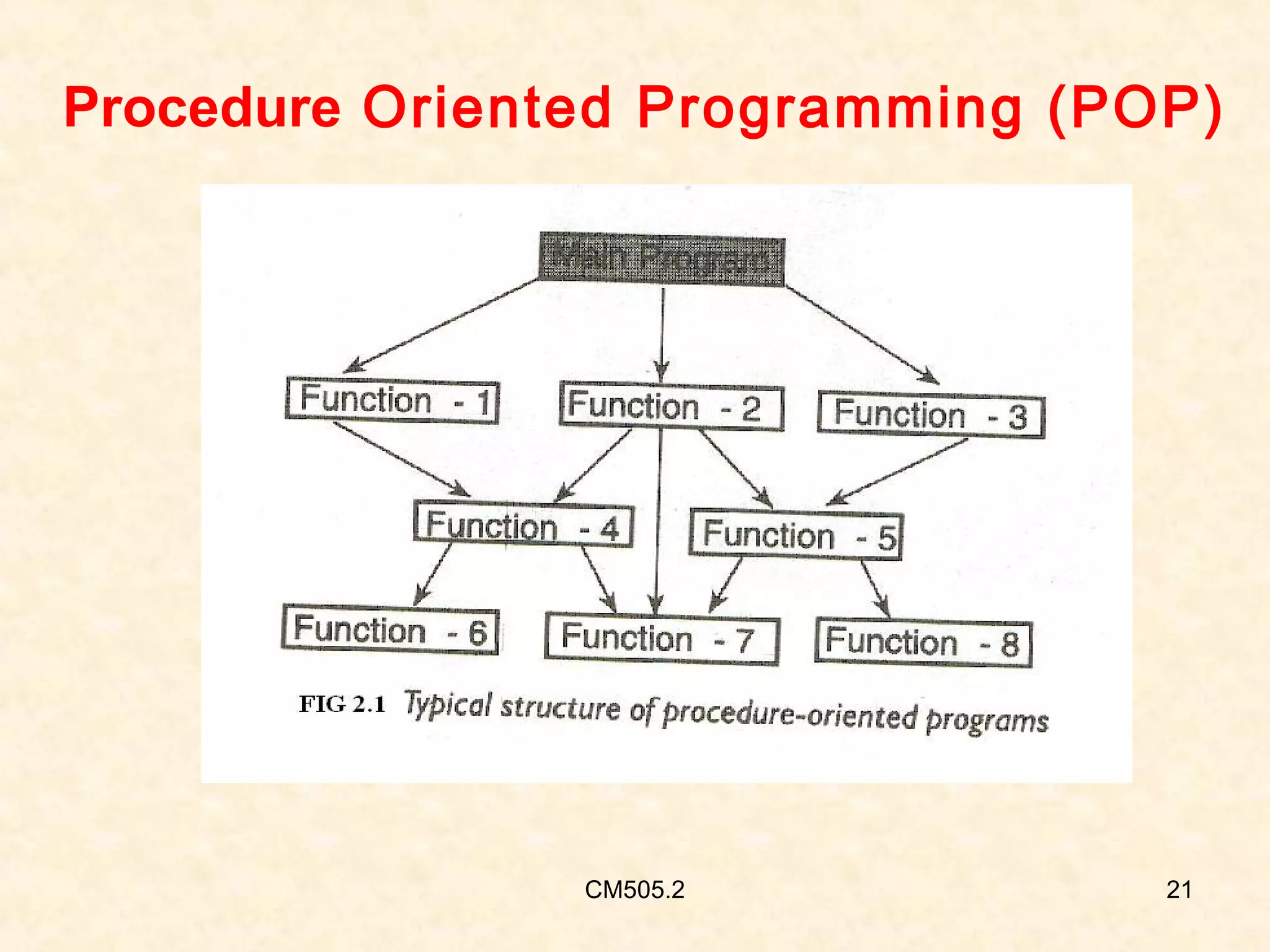
Procedure Oriented Programming (POP)

CM505.2

21
Limitations of POP
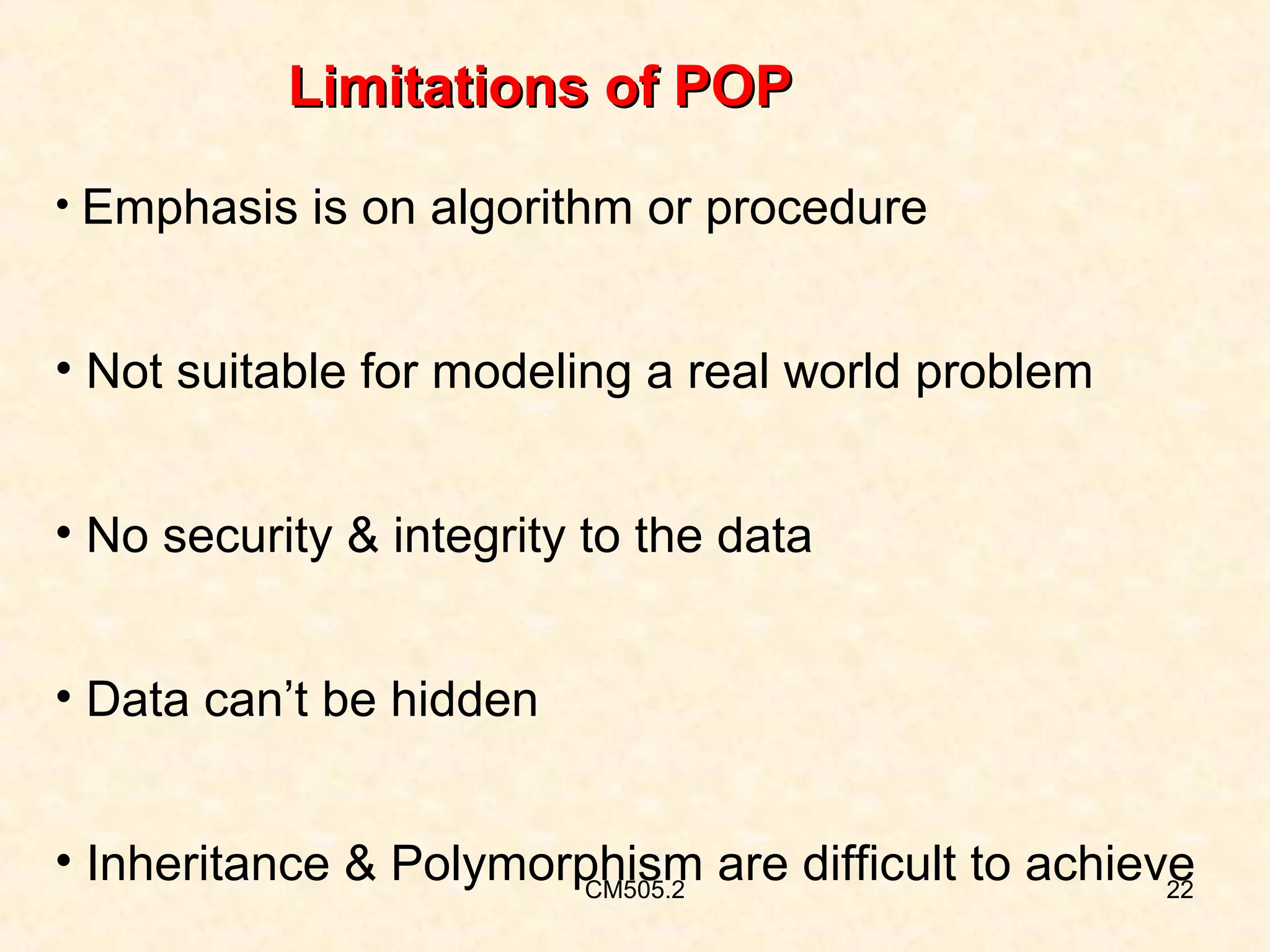
• Emphasis is on algorithm or procedure

• Not suitable for modeling a real world problem
• No security & integrity to the data
• Data can’t be hidden
• Inheritance & Polymorphism are difficult to achieve
CM505.2
22
Limitations of POP
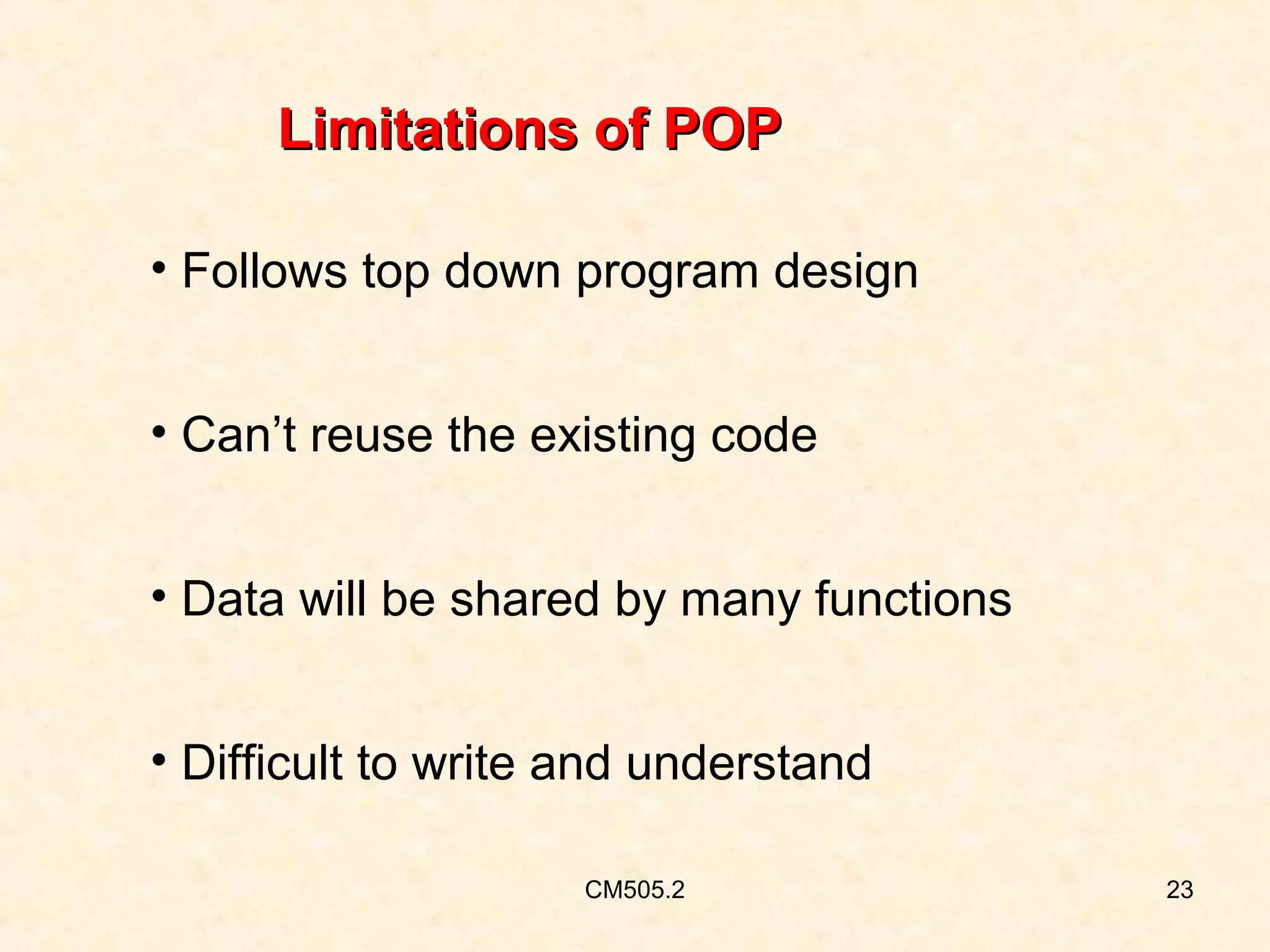
• Follows top down program design
• Can’t reuse the existing code
• Data will be shared by many functions
• Difficult to write and understand
CM505.2

23
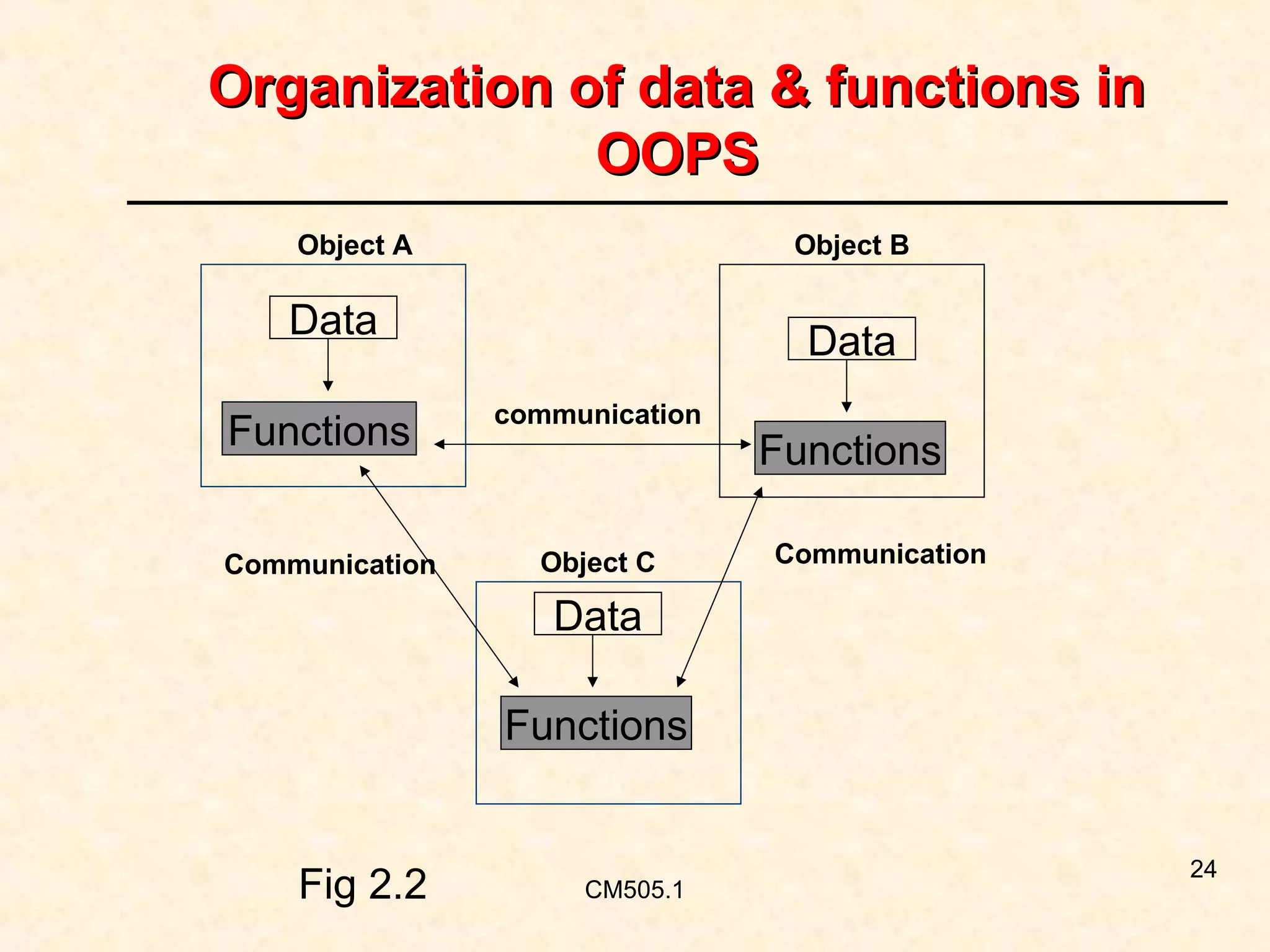
Organization of data & functions in
OOPS
Object A

Object B

Data
Functions
Communication

Data
communication

Object C

Functions
Communication

Data
Functions

Fig 2.2

CM505.1

24
Features of Object Oriented Languages
• Emphasis is on data rather than the procedure

• Both data and functions are combined into a
single unit
• Data can’t be accesssed directly

CM505.2

25
Features of Object Oriented Languages
• Data is hidden and can’t be accessed by external
functions
• Programs are divided into elements known as
objects
• Objects may communicate with each other
through functions
CM505.2

26
Features of Object Oriented Languages
• New data and functions can be easily added

• Follows bottom up approach of program design
• We can eliminate the redundant code
• Time will be saved

CM505.2

27
Features of Object Oriented Language
• Higher productivity
• Provides multiple instances of an object
• Provides security to the data
• Easy to write and understand a program
CM505.2

28
Features of Object Oriented Languages
• Data is critical element.

• Data can not be freely accessed by extenal functions
• Permits reusability of the existing code

CM505.2

29
Languages that support OOPs

• C++
• Small talk
• Java
• Simula etc

CM505.2

30
Features of Object Oriented Language
• We can easily upgrade from small to large systems
• We can build user defined data types
• Objects are to classes as variables are to data types

CM505.2

31
Applications of OOPS
• Artificial Intelligence & Expert systems

• Simulation & modeling
• OO databases
• Hypertext, Hyper media and Expertext
• CAD / CAM / CAE
CM505.2

32
Applications of OOPS
•Decision support system
• Neural Networks
• Real time systems
• Multimedia applications
• GUI, CBTs, Office automation etc
CM505.2

33
Properties of oops
•
•
•
•
•
•

Object
Class
Encapsulation
Data abstraction
Inheritence
Polymorphism

CM505.3

34
Objects
• Objects are the basic run time entities.

• Can be defined as an identifiable entity
with characteristics and behavior.
• We are often surrounded by variety of
objects like
• computer
• chair
• telephone etc.,
CM505.3

35
Characteristics of Object

• State
• Behavior
• Identity

CM505.3

36
Characteristics of Object
Example:Consider the object telephone it has
• a set of attributes like color, shape, and model
etc.,
• Behaviour is that it announces a call.
• Identity is the unique telephone number.
CM505.3

37
Object communication
• Objects interact with each other by sending
messages to each other.
• It occupies space in memory.
• Each object is having its own address.

CM505.3

38
Object communication
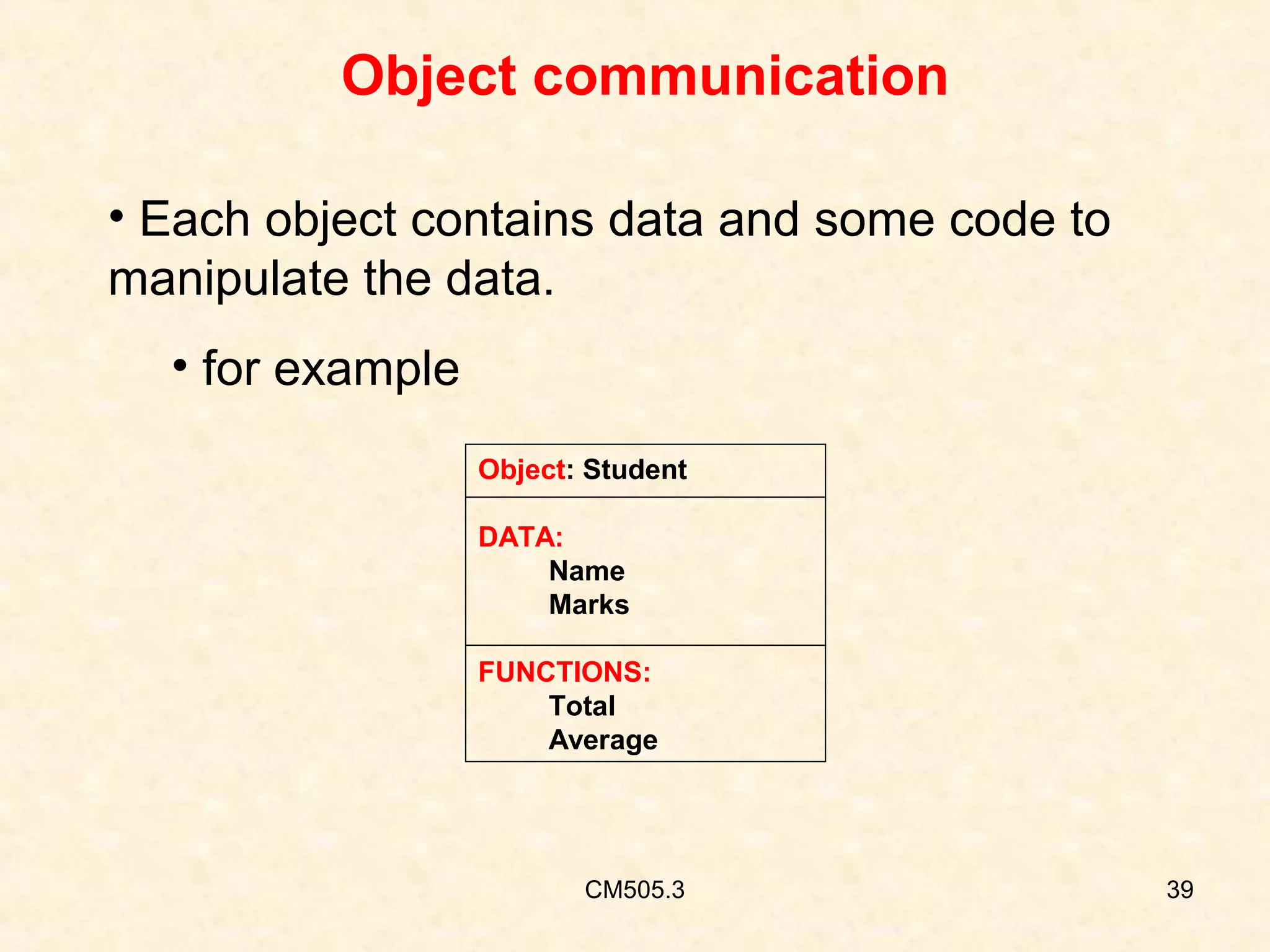
• Each object contains data and some code to
manipulate the data.
• for example
Object: Student
DATA:
Name
Marks
FUNCTIONS:
Total
Average

CM505.3

39
Object communication
• Objects have life cycle.

• They can be created and destroyed.
• Communication with an object is feasible as long
as it is alive.

CM505.3

40
Classes
• It is defined as a collection of objects of similar type.

• The set of data and code of an object can be made a
user defined data type using a class.
• In fact objects are variables of type class.
• We can create any number of objects belonging to
that defined class.
CM505.3

41
Classes
Example:banana, apple and mango are the examples of
members of class of fruit.
• If fruit is defined as class then
Fruit mango;
Will create an object mango belonging to the
class fruit.
CM505.3

42
Encapsulation
• The wrapping up of data and functions into single

unit is known as ‘ENCAPSULATION’.
• The data is not accessible to outside world.
• Only the member functions within the class can
access the data.
CM505.3

43
Encapsulation
•These functions provide an interface between the
object’s data and the program.
• This insulation of data from direct access by the
program is called data hiding.

CM505.3

44
Data Abstraction
• Abstraction refers to the representation of essential

features without including background details or
explanations.
• Since the classes use data abstraction they are
also known as Abstract Data Type (ADT).

CM505.3

45
Inheritance
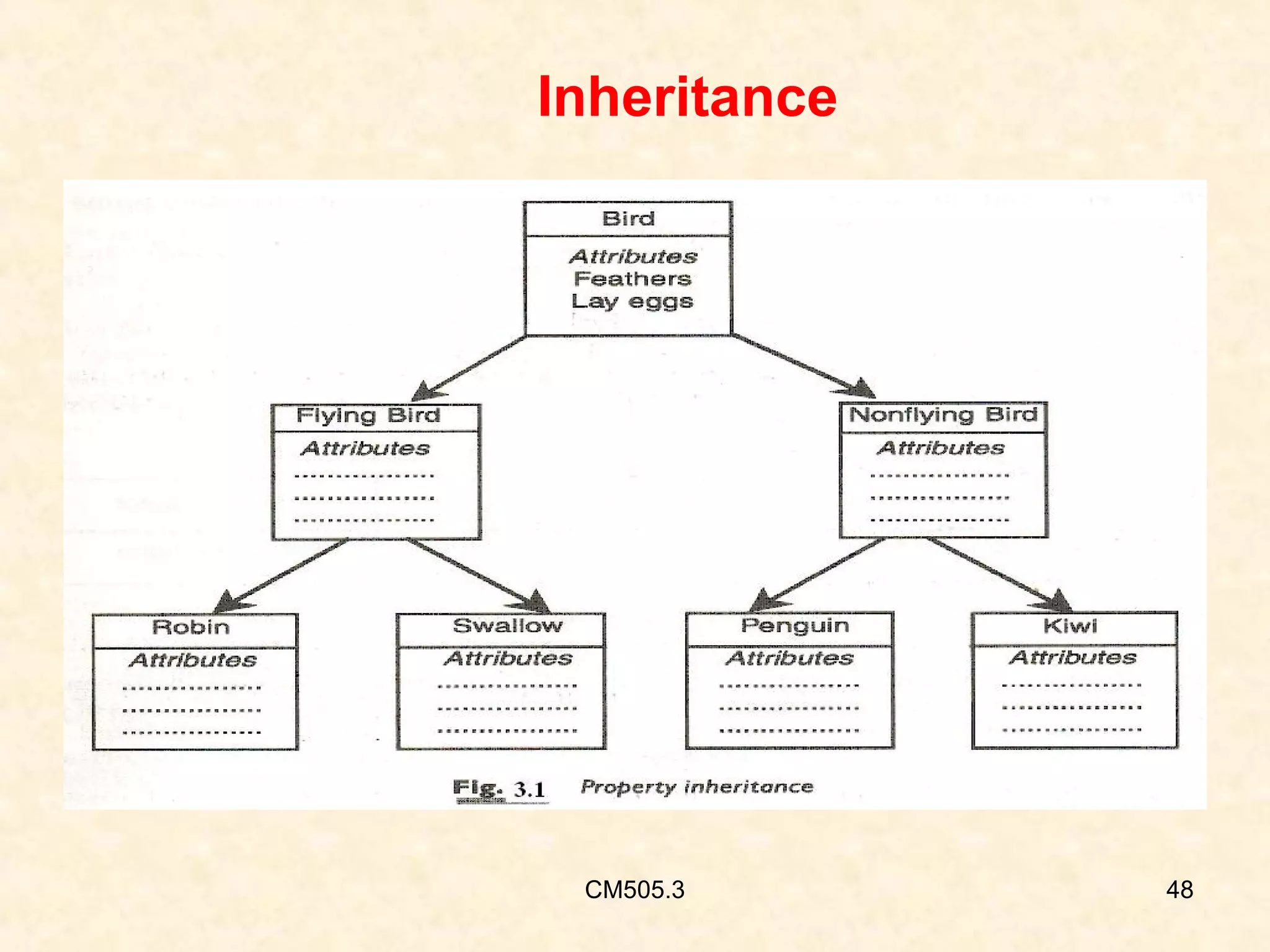
• It is the process of creating a new class from
the existing class.
• The new class inherits all the characteristics of
the existing class.
• It is like a hierarchical classification.

CM505.3

46
Inheritance
• We can add additional features to an existing
class without modifying it. This is known as
reusability.
• Each derived class shares common
characteristics with the class from which it is
derived.
• The new class will have combined features of
both the classes.
CM505.3

47
Inheritance

CM505.3

48
Polymorphism
• The ability to take more than one form.
• An operation may exhibit different behaviours in
different instances.
• The behaviour depends upon the types of data
used in the operation.
• Polymorphism is used extensively in
implementing the inheritance.
CM505.3

49
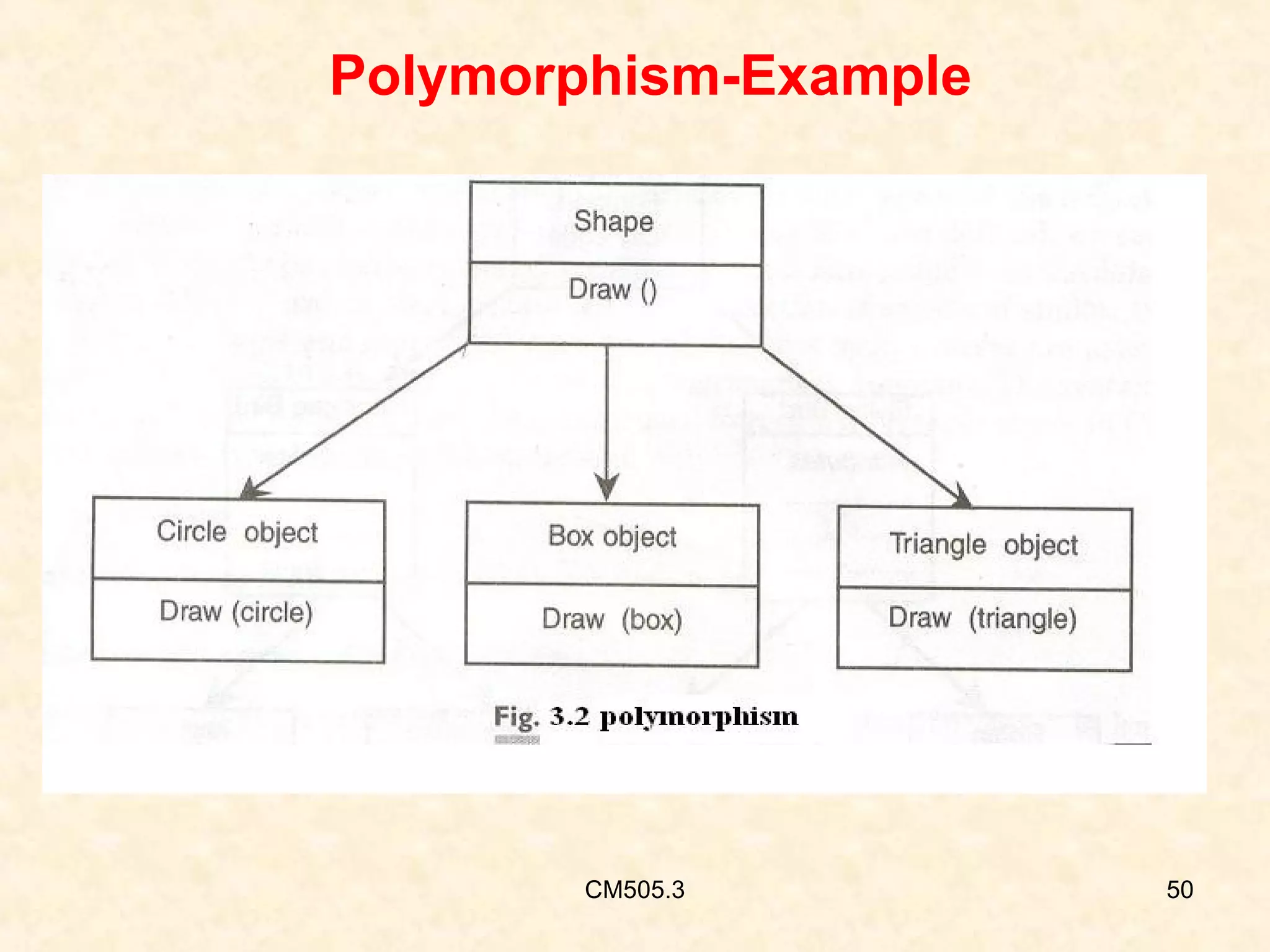
Polymorphism-Example

CM505.3

50
Polymorphism-operator over loading
•Consider the operation of addition.
• For two numbers it generates a sum.
• If the operands are string then the operation
would produce a third string by concatenation.

CM505.3

51
Polymorphism-operator over loading
•The process of making an operator to exhibit
different behaviours in different instances is
known as operator overloading.
• A single function name can be use to handle
different members and different types of
arguments.
CM505.3

52
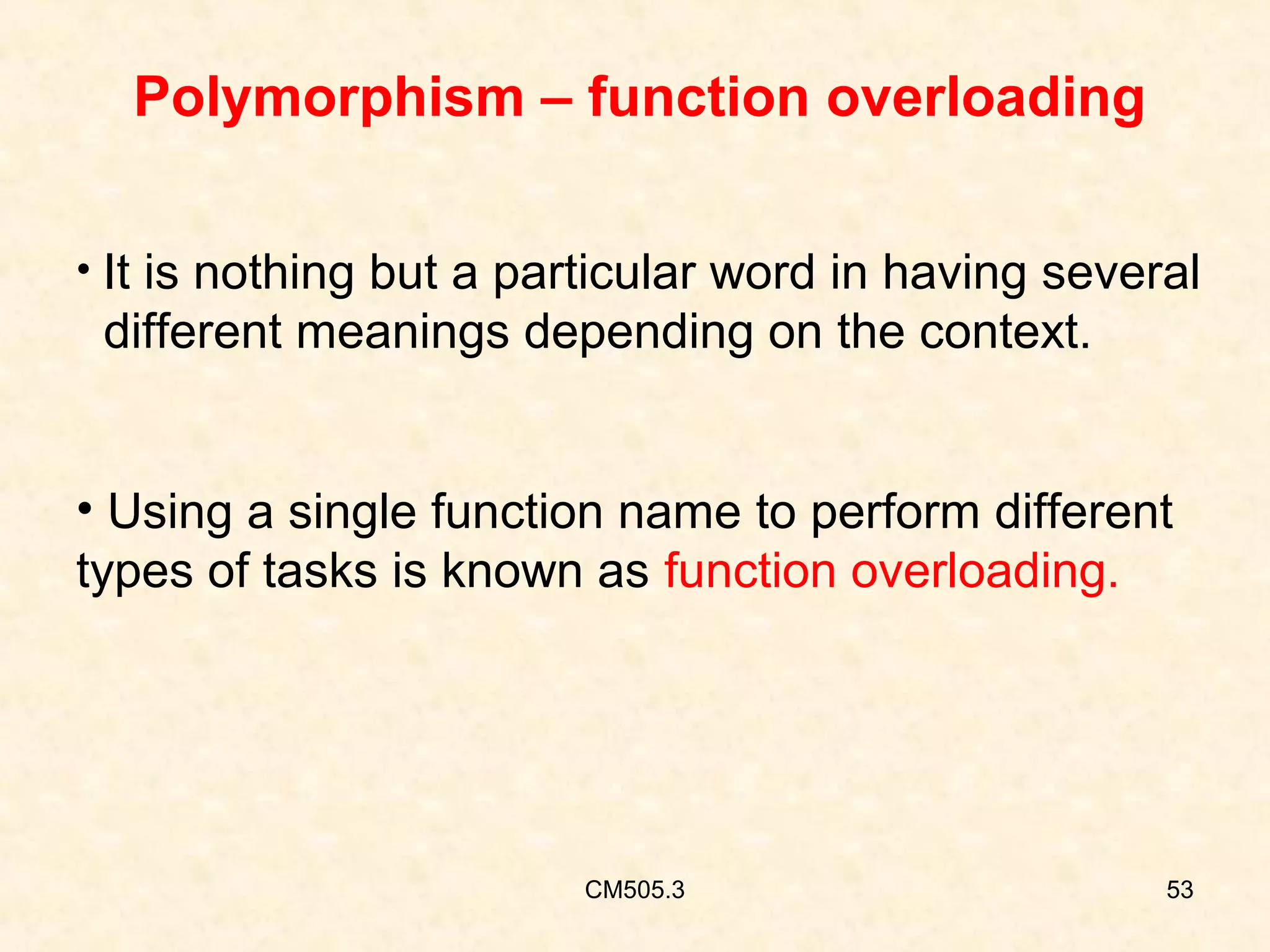
Polymorphism – function overloading
• It is nothing but a particular word in having several

different meanings depending on the context.
• Using a single function name to perform different
types of tasks is known as function overloading.

CM505.3

53
Dynamic binding

• It is also known as late binding.

• The code associated with a given procedure is
not known until the time of call at run time.

CM505.3

54
Objective
The end of the class you would be able to
learn…
• Creating a C++ program
• Compiling & linking it
• Running

CM505.4

55
RECAP
• What is a program?

• How to create a program in C ?
• What is a compiler ?

CM505.4

56
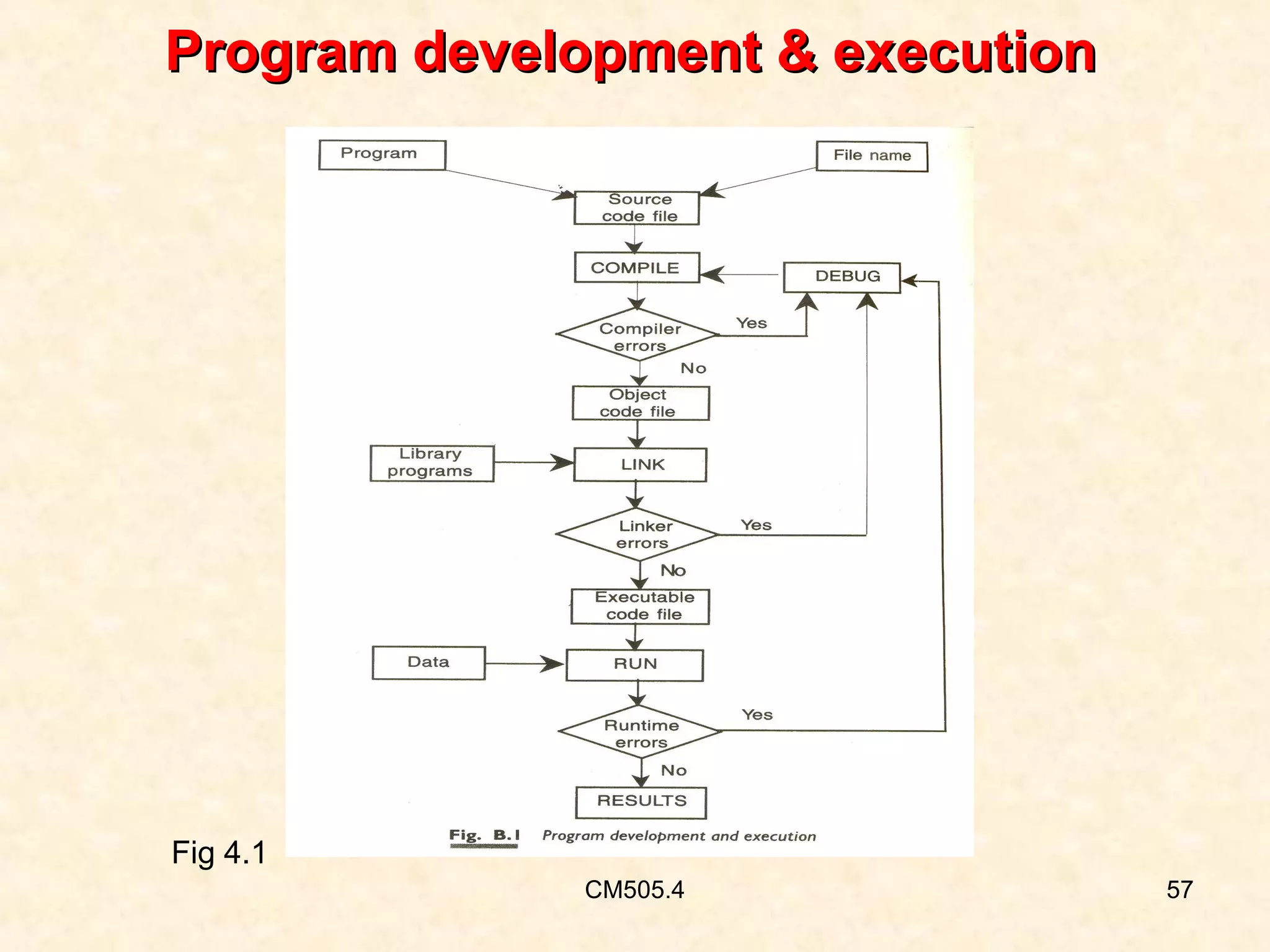
Program development & execution

Fig 4.1
CM505.4

57
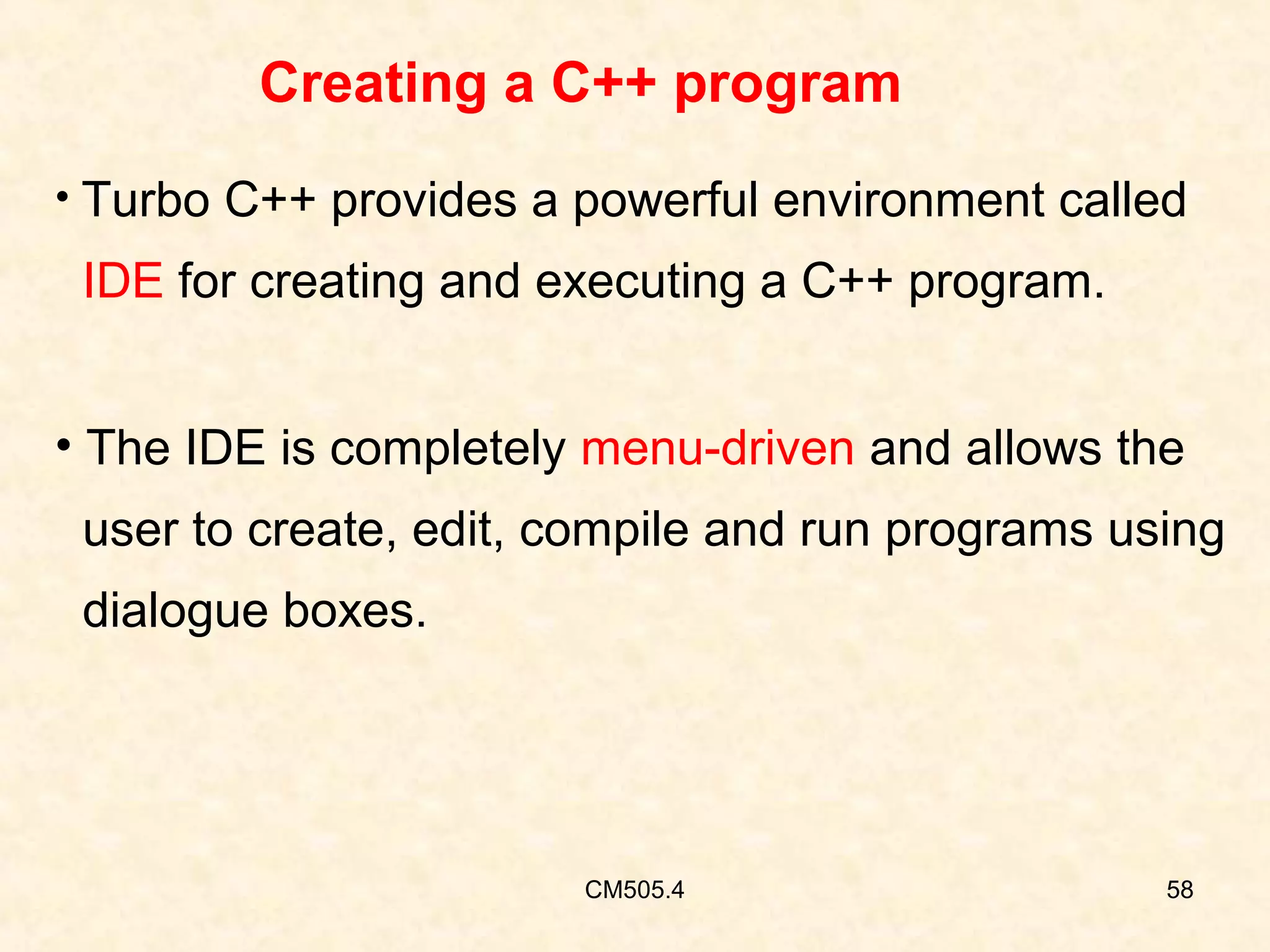
Creating a C++ program
• Turbo C++ provides a powerful environment called

IDE for creating and executing a C++ program.
• The IDE is completely menu-driven and allows the
user to create, edit, compile and run programs using
dialogue boxes.

CM505.4

58
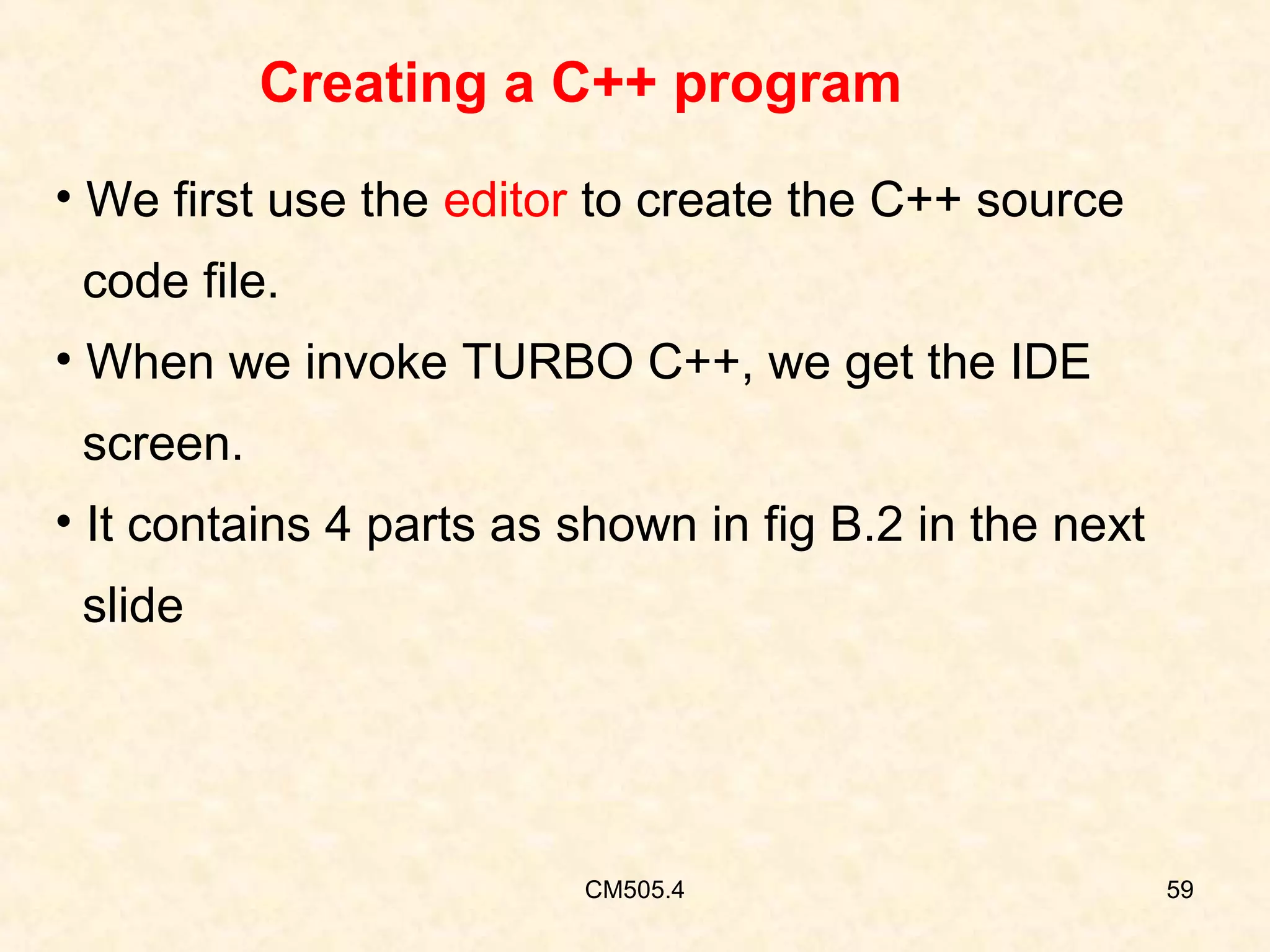
Creating a C++ program
• We first use the editor to create the C++ source
code file.
• When we invoke TURBO C++, we get the IDE
screen.
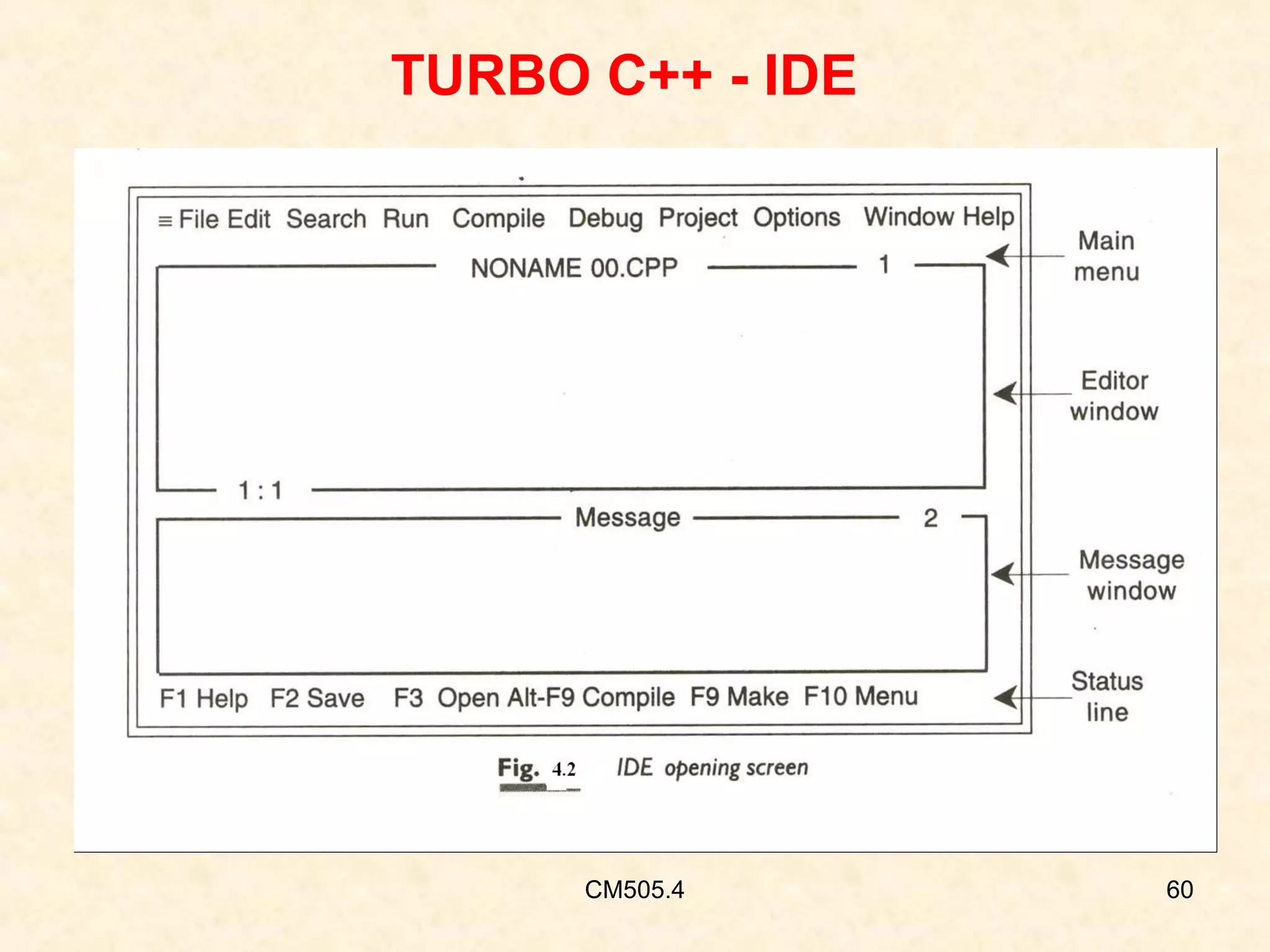
• It contains 4 parts as shown in fig B.2 in the next
slide

CM505.4

59
TURBO C++ - IDE

CM505.4

60
TURBO C++ - IDE
• Now we can create and save a program in C++

• The F10 key will take you to main menu
• Now select the File option
• We have options like new, open, save etc
• Select the new option from file menu
• We get a blank window called as editing window
CM505.4

61
TURBO C++ - IDE
• Now the system is ready to receive the program

statements
• After typing the program save the program in a file
• We can also save a program by pressing F2 key
• File name should have the extension .CPP
Ex :• test.cpp is the name of the C++ file
CM505.4

62
Compiling a C++ program
• We can compile a program by choosing the

compile option on the main menu
• We get a compile dialogue window
• Select the option compile
• We get test.obj file after the compilation
•
CM505.4

63
Compiling a C++ program
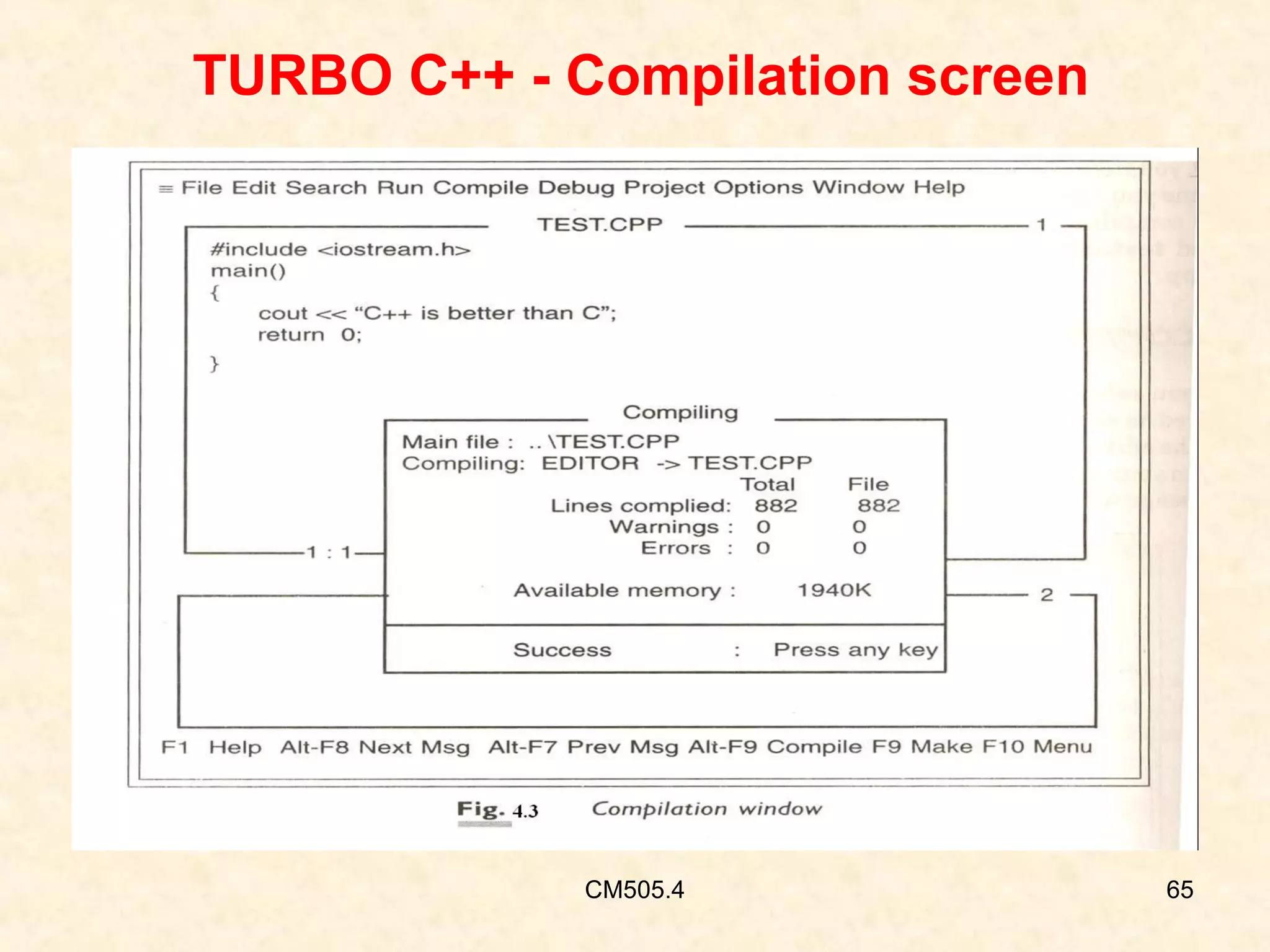
• During compilation we get a compilation window
• If there are no errors this window will display a
message as “ Success: Press any key” as shown
in the fig 4.3 in the next slide
• We can also compile a program by pressing F9
key
CM505.4

64
TURBO C++ - Compilation screen

CM505.4

65
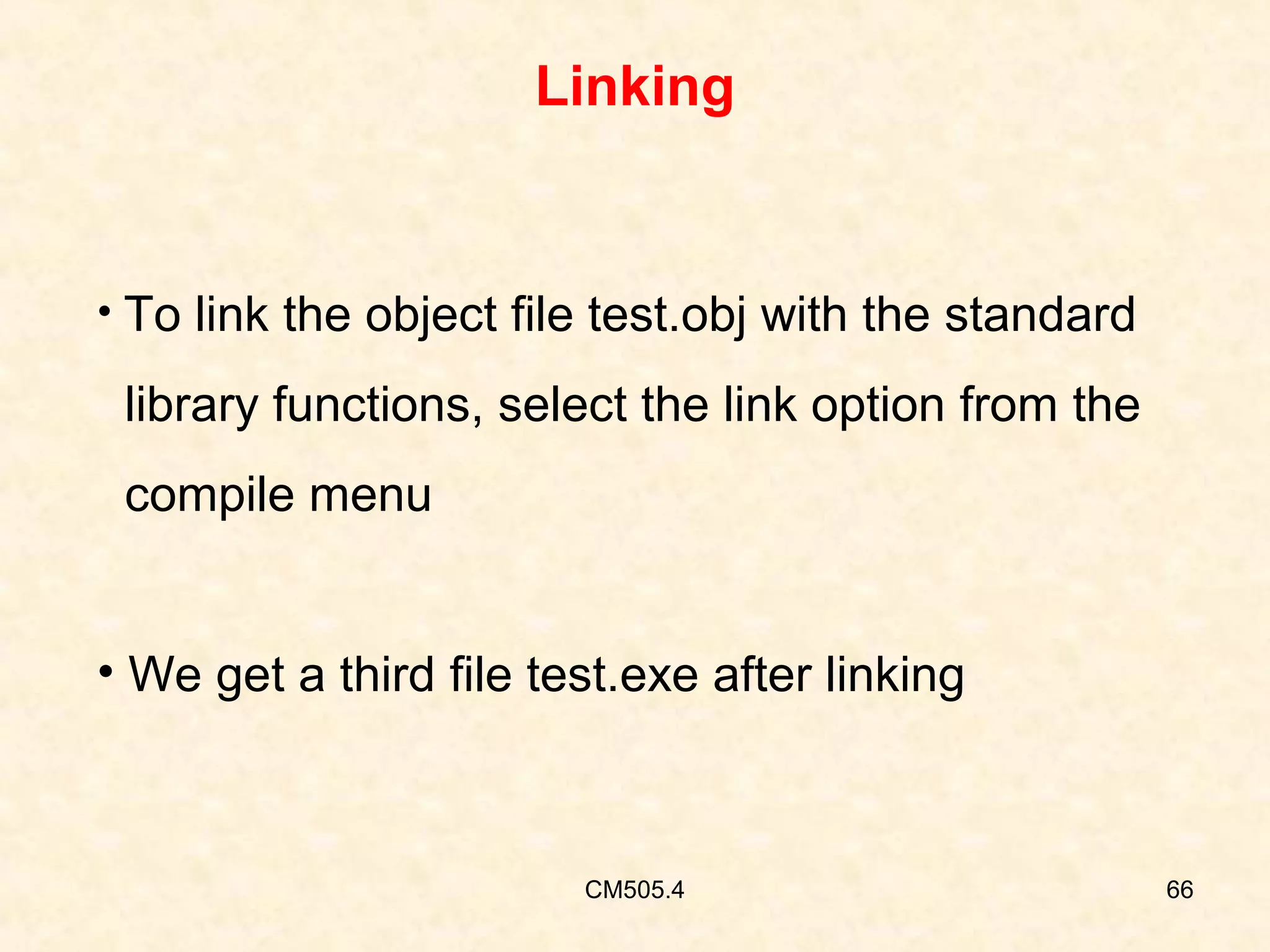
Linking

• To link the object file test.obj with the standard

library functions, select the link option from the
compile menu
• We get a third file test.exe after linking

CM505.4

66
Running the program
• To run a program select the Run option from the
main menu
• We can also run a program by pressing (Ctrl + F9)
key
• We get the output on the screen
CM505.4

67
Objective

On completion of this period, you would be able to
know
• Structure of C++ program.

CM505.6

68
Recap
In the previous class, we have discussed about
Difference between c & c++

CM505.6

69
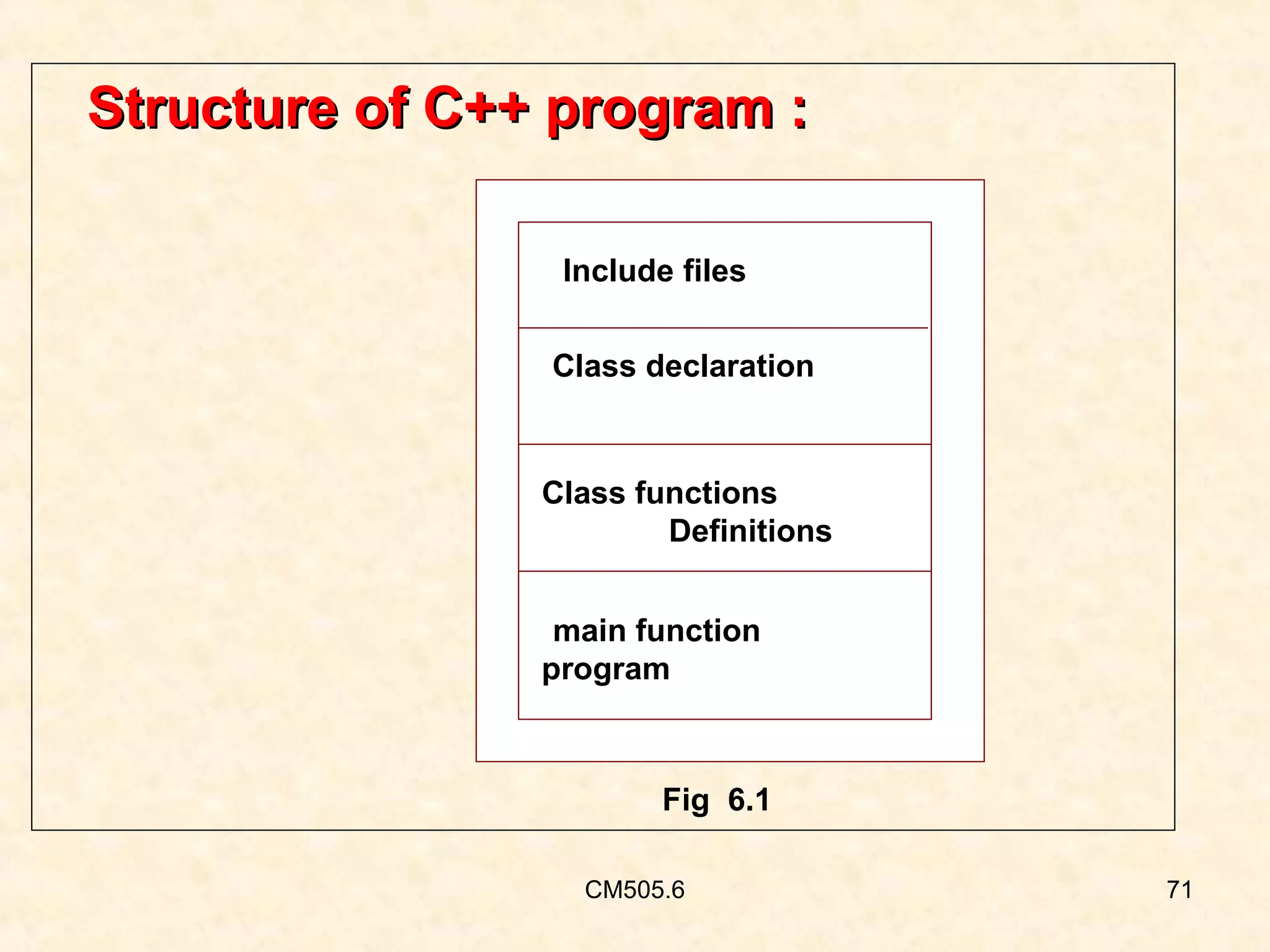
Structure of C++
• The C++ program contains four sections as shown
in figure 6.1.
• These sections may be placed in separate code
files and then compiled independently or jointly .

CM505.6

70
Structure of C++ program :
Include files
Class declaration

Class functions
Definitions
main function
program

Fig 6.1
CM505.6

71
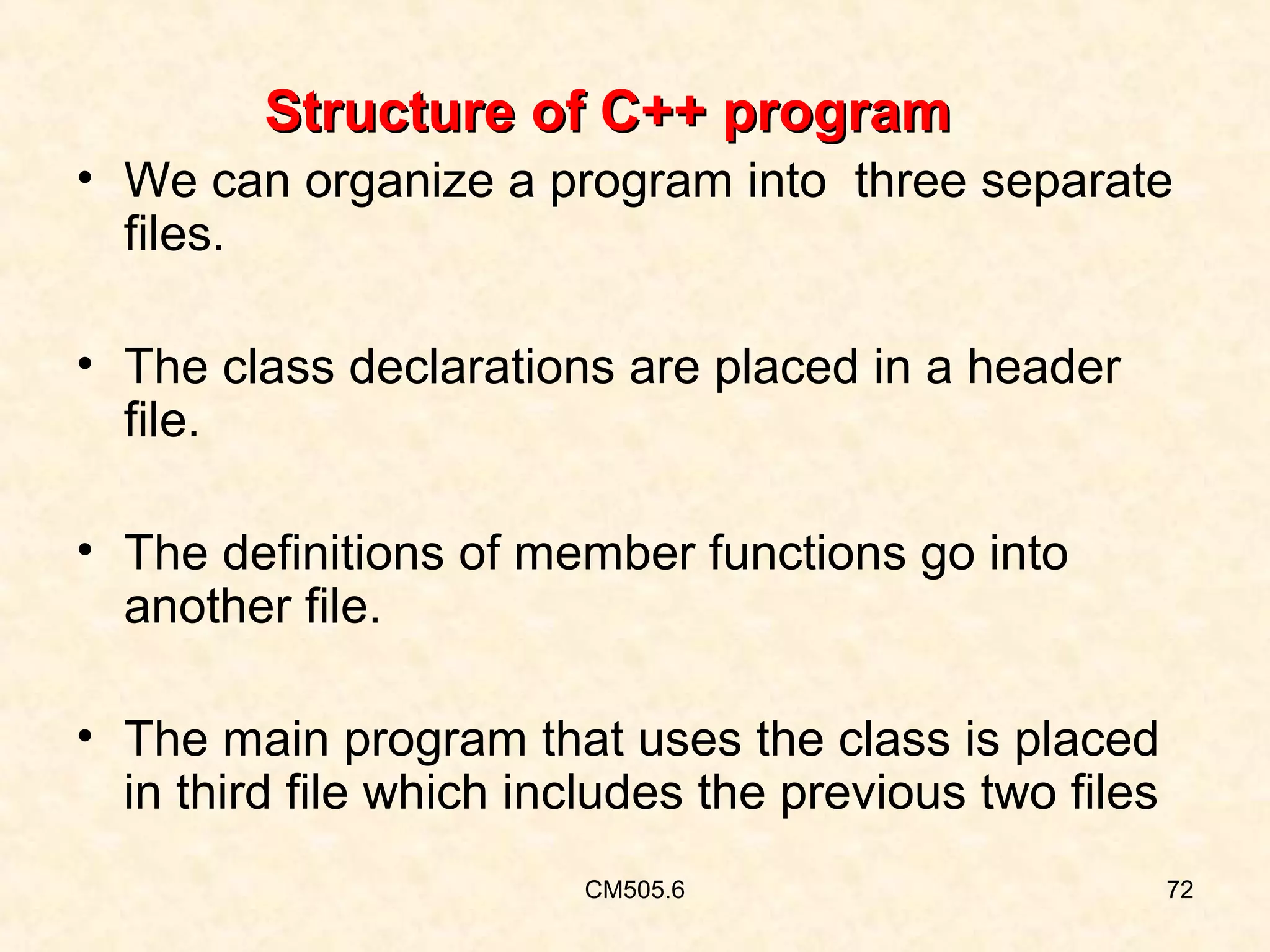
Structure of C++ program
• We can organize a program into three separate
files.
• The class declarations are placed in a header
file.
• The definitions of member functions go into
another file.
• The main program that uses the class is placed
in third file which includes the previous two files
CM505.6

72
Structure of C++
• This approach enables the programmer to
separate the abstract specification of the
interface( class definition) from the
implementation details (member functions
definitions).

CM505.6

73
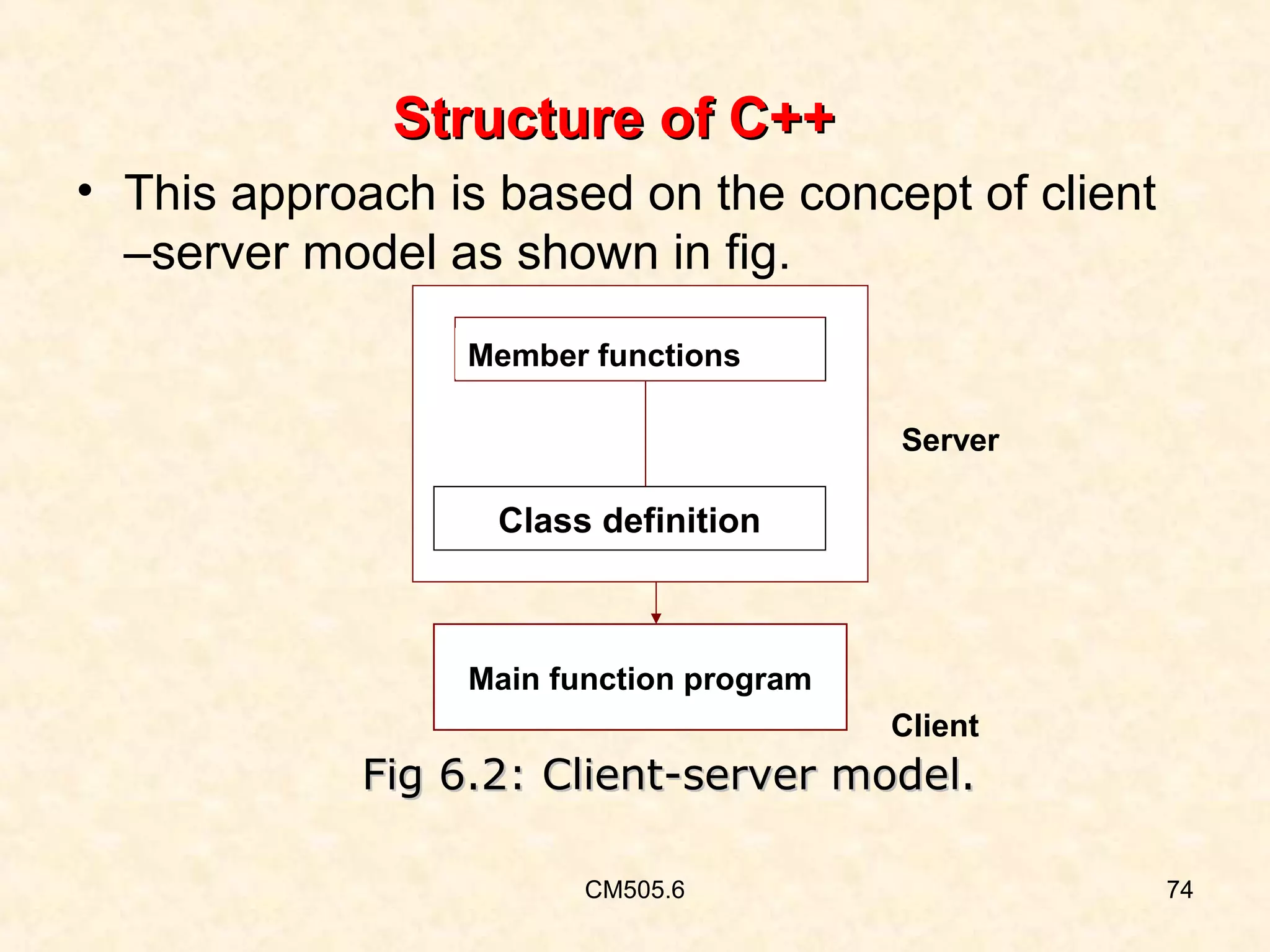
Structure of C++
• This approach is based on the concept of client
–server model as shown in fig.
Member functions
Server

Class definition

Main function program
Client

Fig 6.2: Client-server model.
CM505.6

74
Structure of C++
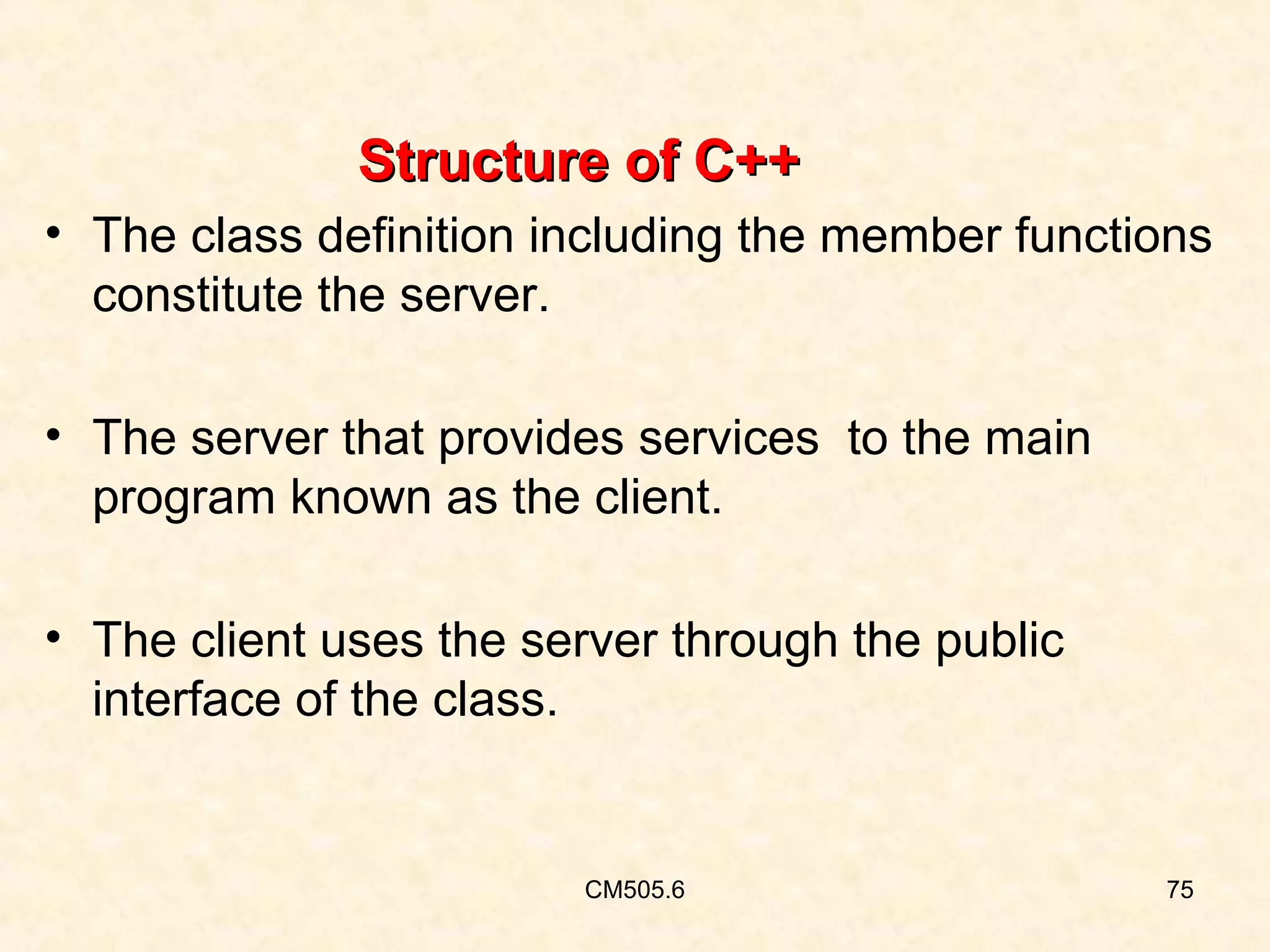
• The class definition including the member functions
constitute the server.
• The server that provides services to the main
program known as the client.
• The client uses the server through the public
interface of the class.

CM505.6

75
•

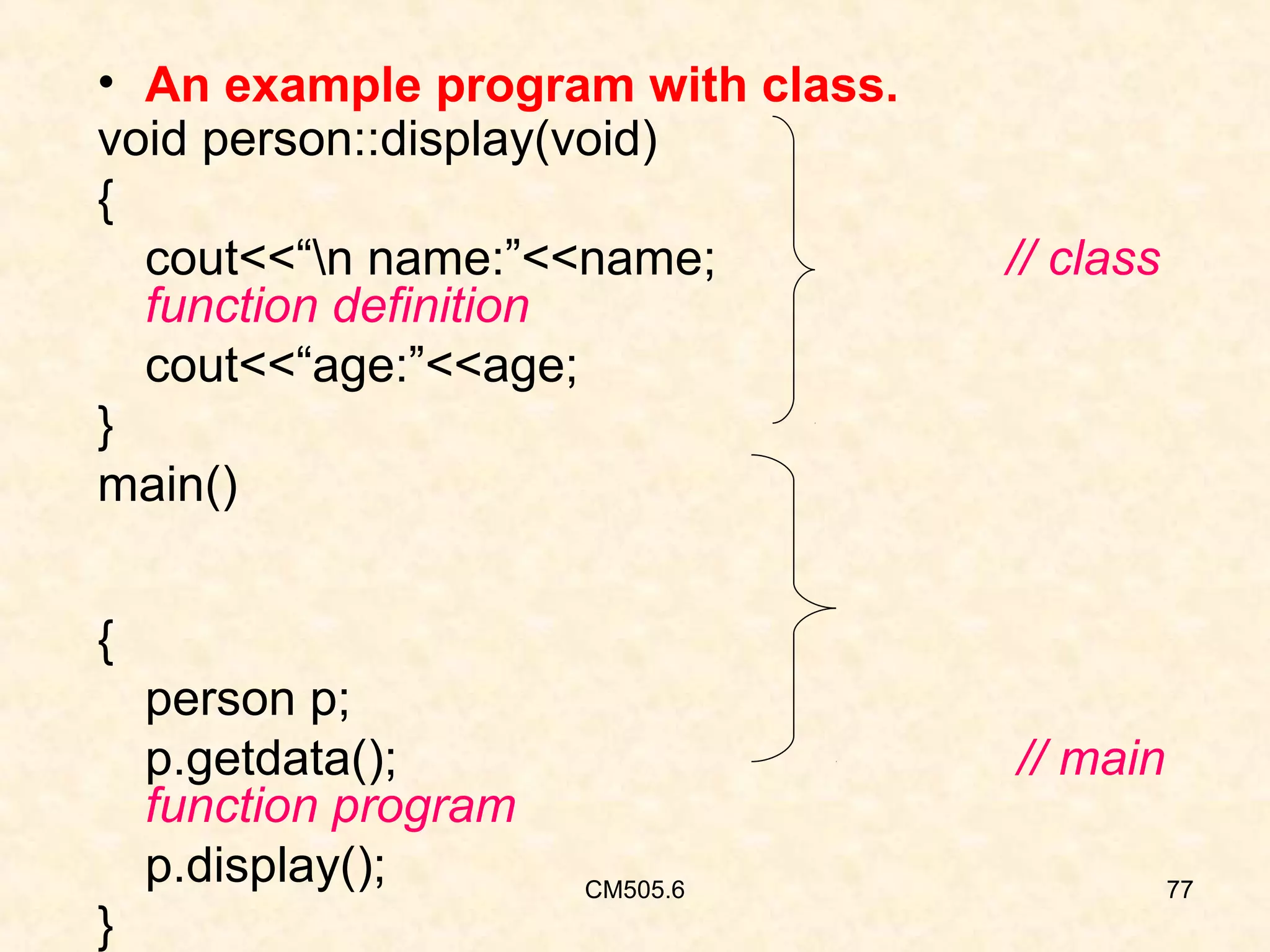
An example program with class.

#include<iostream.h> //Include files
class person
{
char name[30];
int age ;
public:
void get data(void);
void display(void);
};
void person::getdata(void)
{
cout<<“Enter name:”;
cin>>name;
cout<<“Enter age:”;
cin>>age;
CM505.6
}

// class declaration

.
//class function definition

76

[contd….]
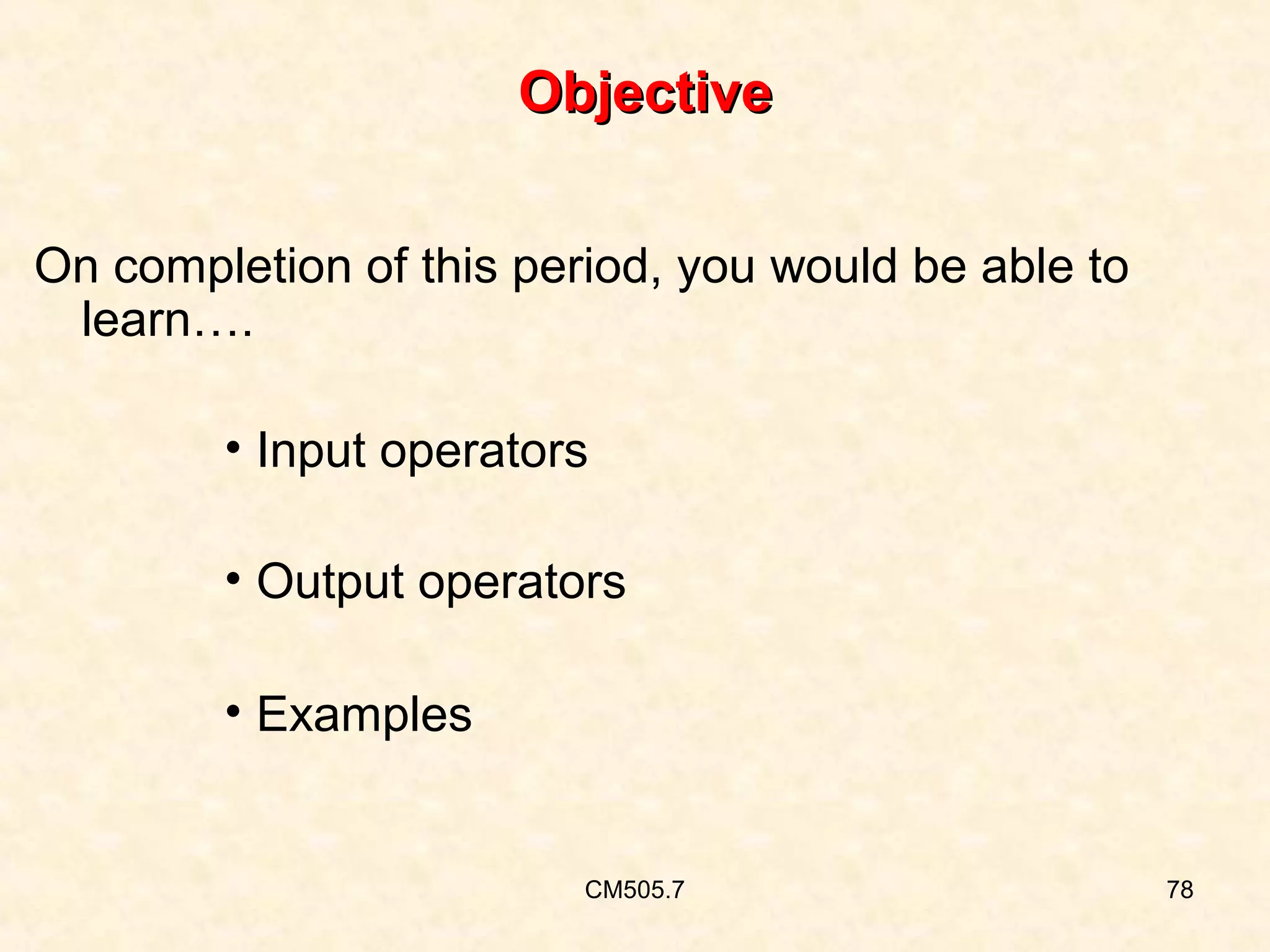
• An example program with class.
void person::display(void)
{
cout<<“n name:”<<name;
function definition
cout<<“age:”<<age;
}
main()

// class

{
person p;
p.getdata();
function program
p.display();
}

// main
CM505.6

77
Objective
On completion of this period, you would be able to
learn….
• Input operators
• Output operators
• Examples

CM505.7

78
INTRODUCTION

CM505.7

79
Cin & Cout
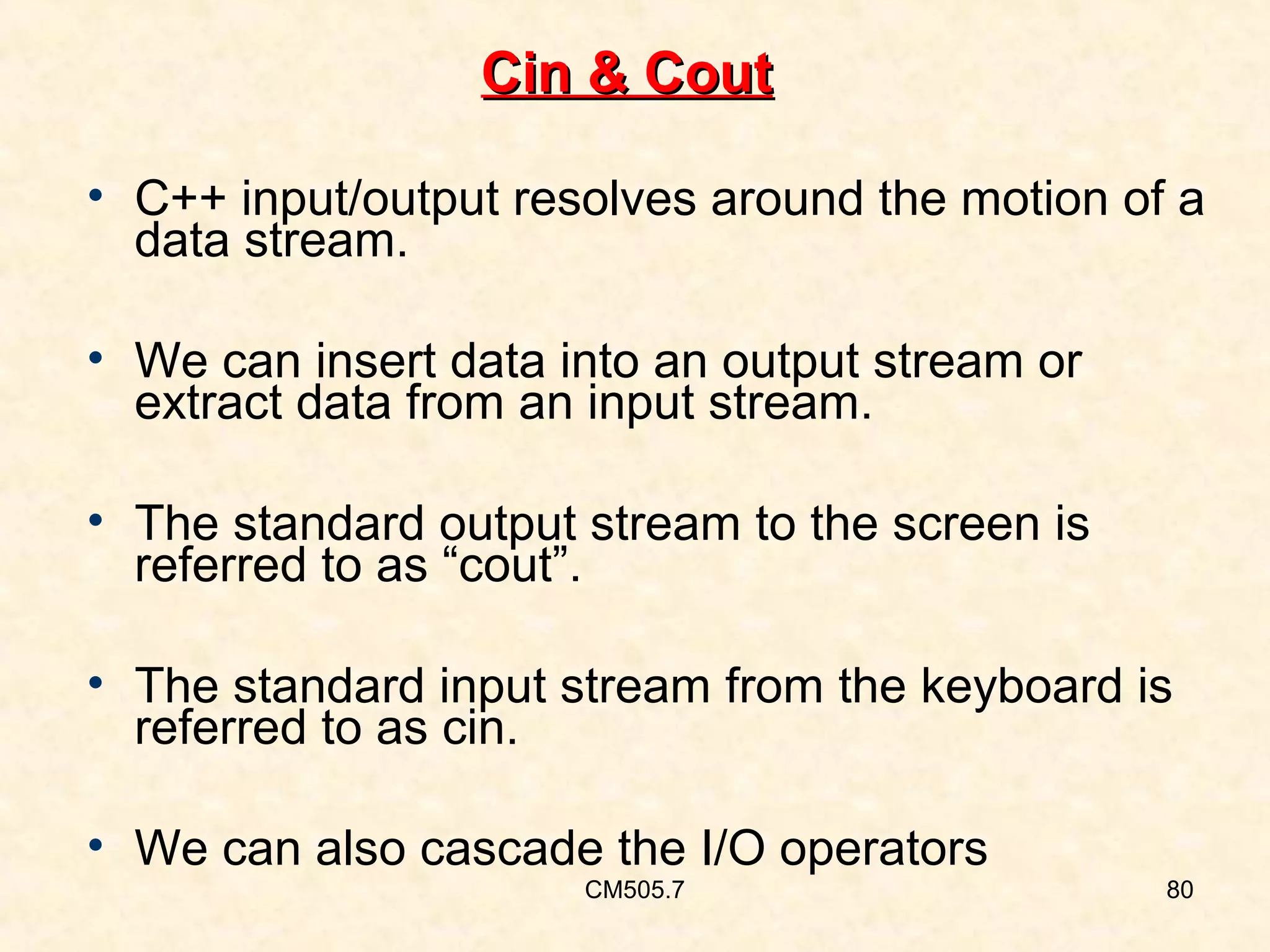
• C++ input/output resolves around the motion of a
data stream.
• We can insert data into an output stream or
extract data from an input stream.
• The standard output stream to the screen is
referred to as “cout”.
• The standard input stream from the keyboard is
referred to as cin.
• We can also cascade the I/O operators
CM505.7

80
Cin – Input from the Keyboard:
•
•
•
•

cin stands for console in
It is used to accept input data from keyboard.
It can read only one word at a time
It is also known as extraction / get from operator
syntax :- cin>>variable name;
Ex:- cin>>x1>>x2;
We obtain input from the keyboard through the
stream cin ,using the extraction operator >> .
CM505.7

81
Example
To read two integer values from the keyboard
into integer variables num1 and num2, we can
write as follows:
Cin>>num1>>num2;

CM505.7

82
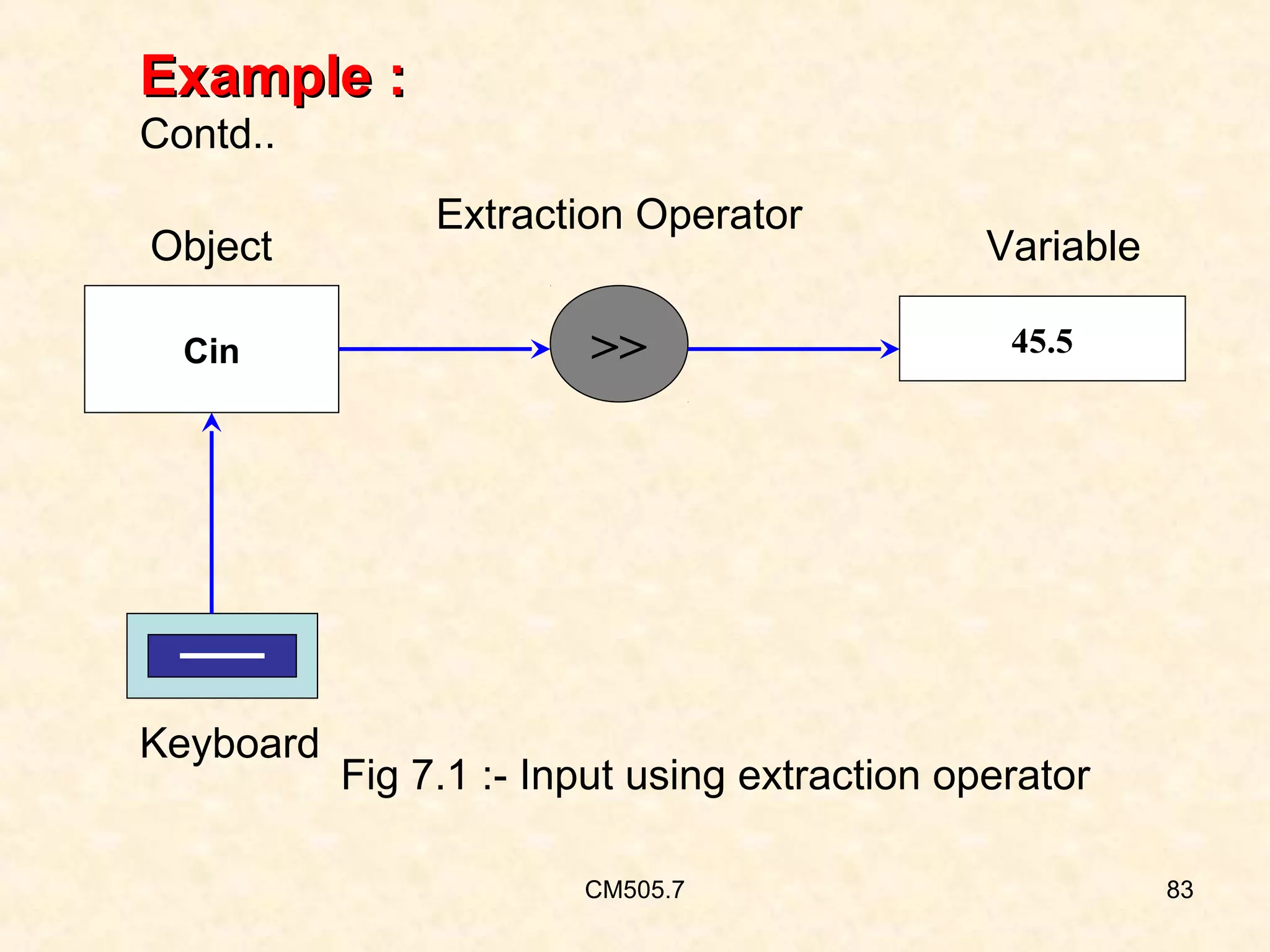
Example :
Contd..
Object
Cin

Keyboard

Extraction Operator

>>

Variable
45.5

Fig 7.1 :- Input using extraction operator
CM505.7

83
Description :
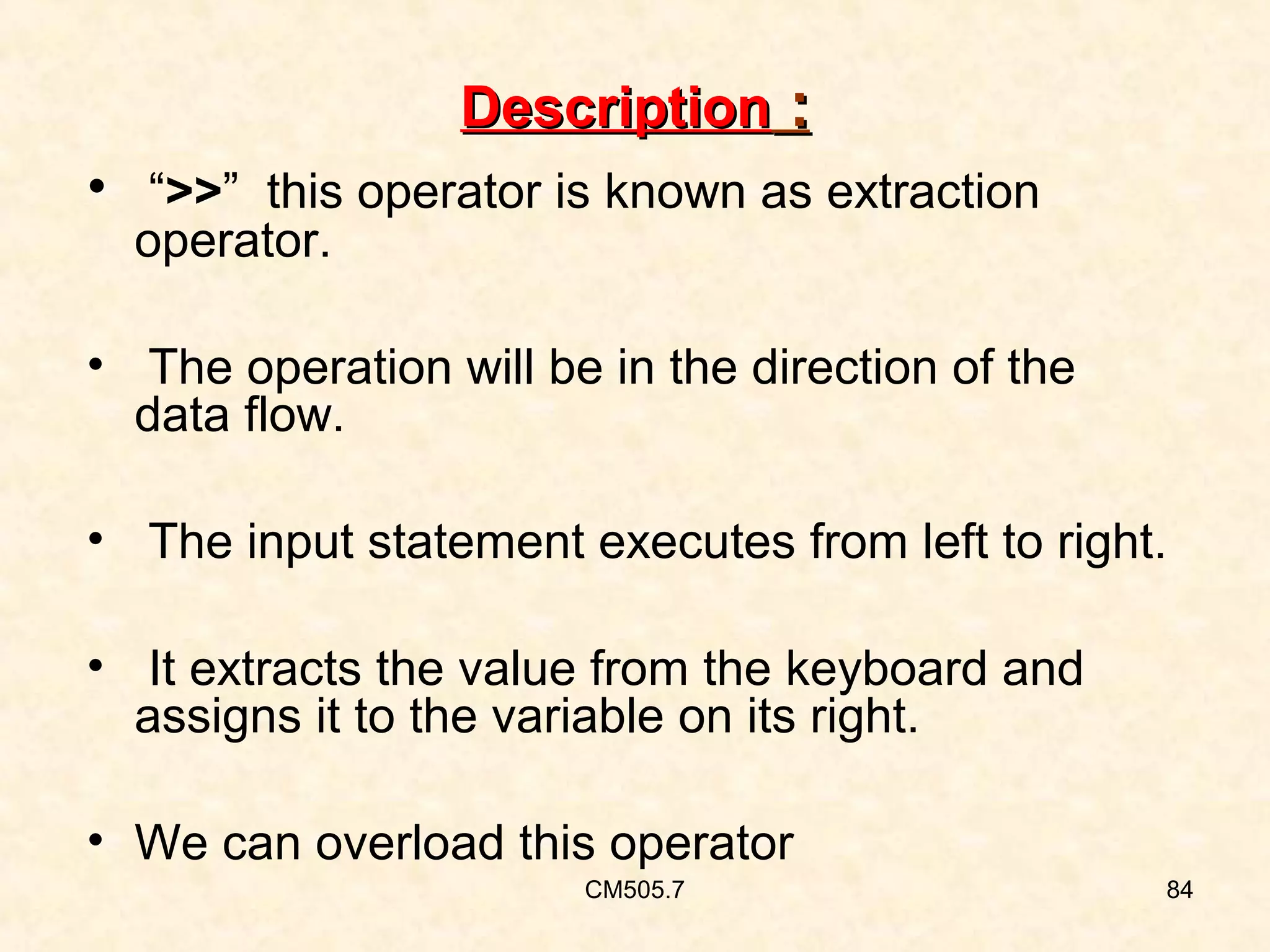
• “>>” this operator is known as extraction
operator.

• The operation will be in the direction of the
data flow.
• The input statement executes from left to right.
• It extracts the value from the keyboard and
assigns it to the variable on its right.
• We can overload this operator
CM505.7

84
Description (contd..):
• Floating point values are read from the
keyboard in exactly the same way as integers.
• We can also mix the two.
• The stream input and operations automatically
deal with variables and any data type.

CM505.7

85
Description (contd..):
For exmple, look at the statements:
int num1=0,num2=0;
double factor=0.0;
cin>>num1>>factor>>num2;
The last line will read an integer into num1,
then a floating point value into factor and finally
an integer into num2.
CM505.7

86
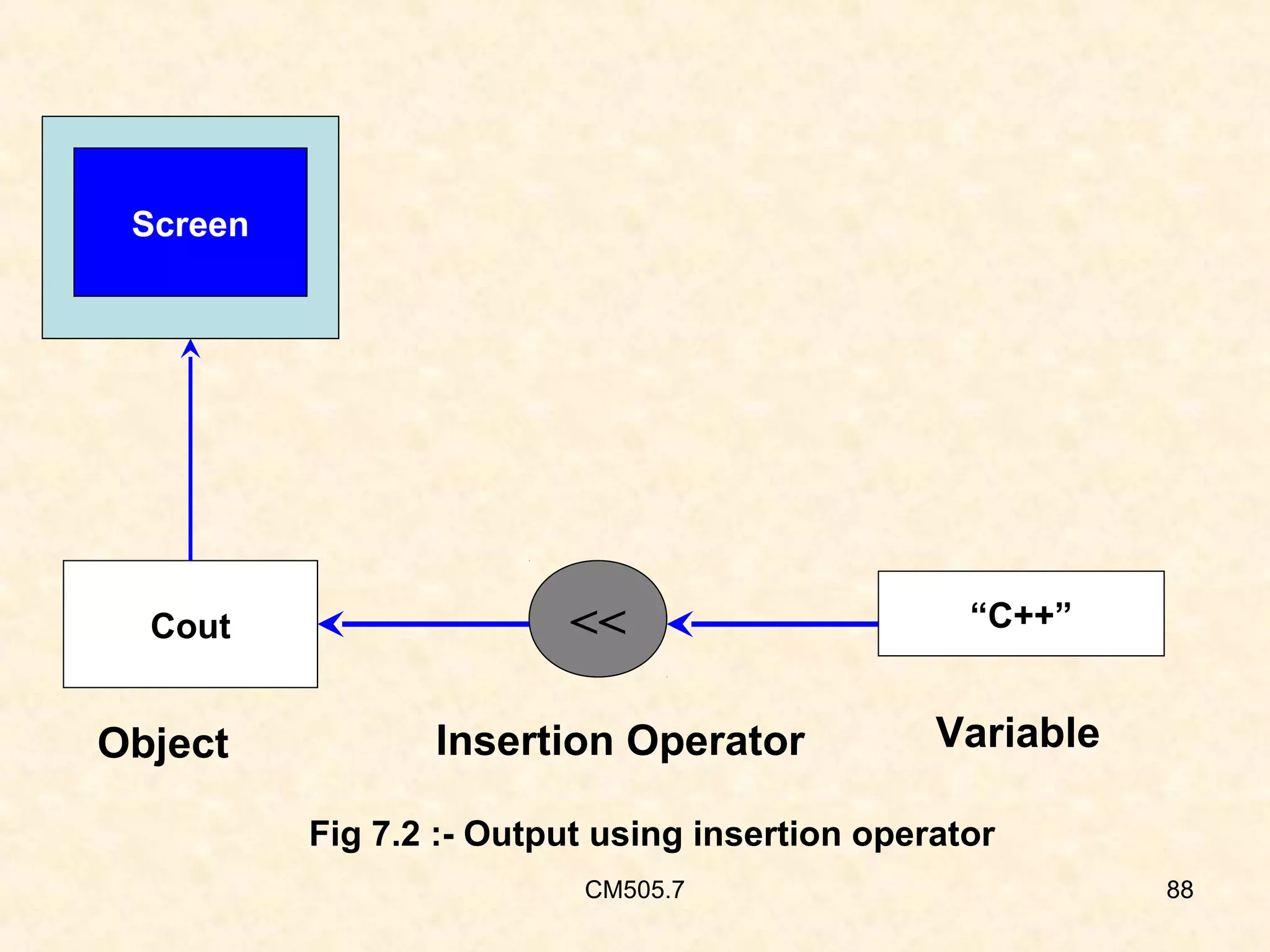
Cout – Output to the display :
• Cout is a predefined object that represents the
standard output stream in C++.
• The standard output stream is screen
• It is also possible to redirect the o/p to other
o/p devices
• It is reverse of cin .
• The operator “<<“ is also called as insertion /
put to operator
CM505.7

87
Screen

Cout

Object

<<
Insertion Operator

“C++”

Variable

Fig 7.2 :- Output using insertion operator
CM505.7

88
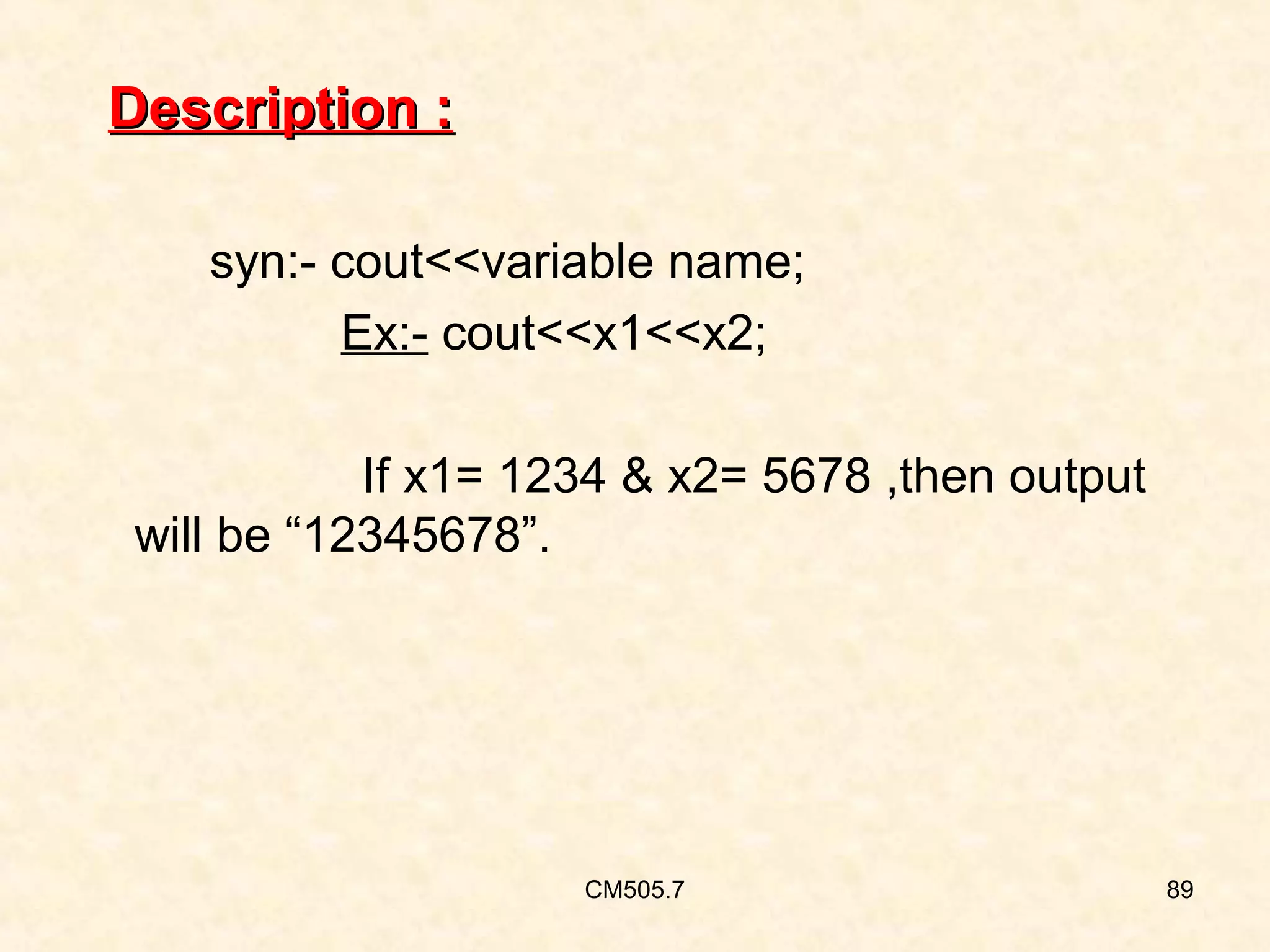
Description :
syn:- cout<<variable name;
Ex:- cout<<x1<<x2;
If x1= 1234 & x2= 5678 ,then output
will be “12345678”.

CM505.7

89
Description (contd..):
• The object cout has a simple interface.
• It inserts the contents of the variable on its right
to the object on its left.
• If name represents a string variable, then the
following statement will display its contents:
cout << name;
CM505.7

90
Description (contd..):
• We can also use this operator for overloading
• This concept is known as Operator
Overloading, an important aspect of
polymorphism.
• We can also use printf() statement in C++

CM505.7

91
Manipulator
• These are the operators that are used to format
the data display.
• These are defined in the header file iomanip.h
• The most commonly used manipulators are
setw & endl

CM505.7

92
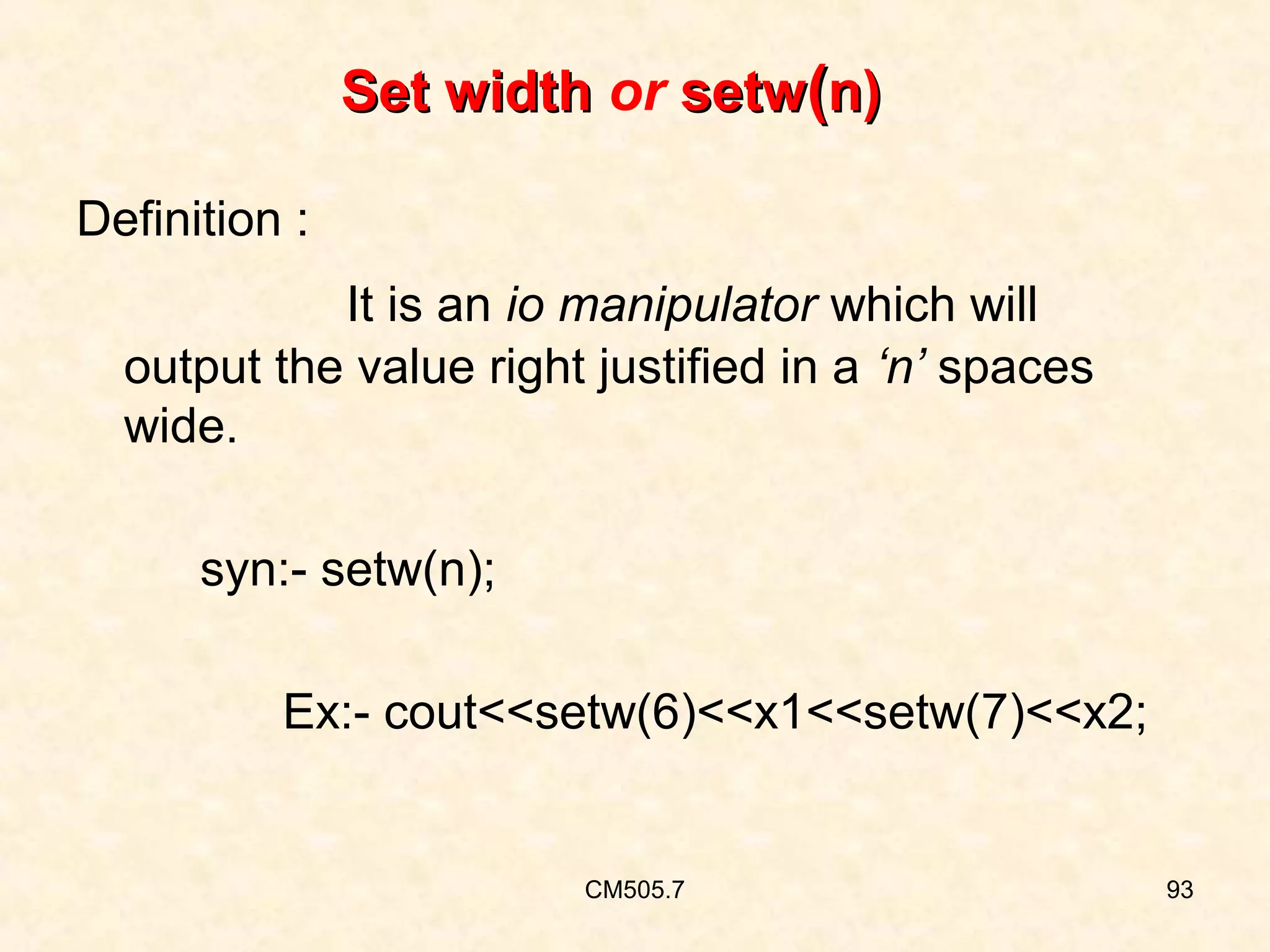
Set width or setw(n)
Definition :
It is an io manipulator which will
output the value right justified in a ‘n’ spaces
wide.
syn:- setw(n);
Ex:- cout<<setw(6)<<x1<<setw(7)<<x2;

CM505.7

93
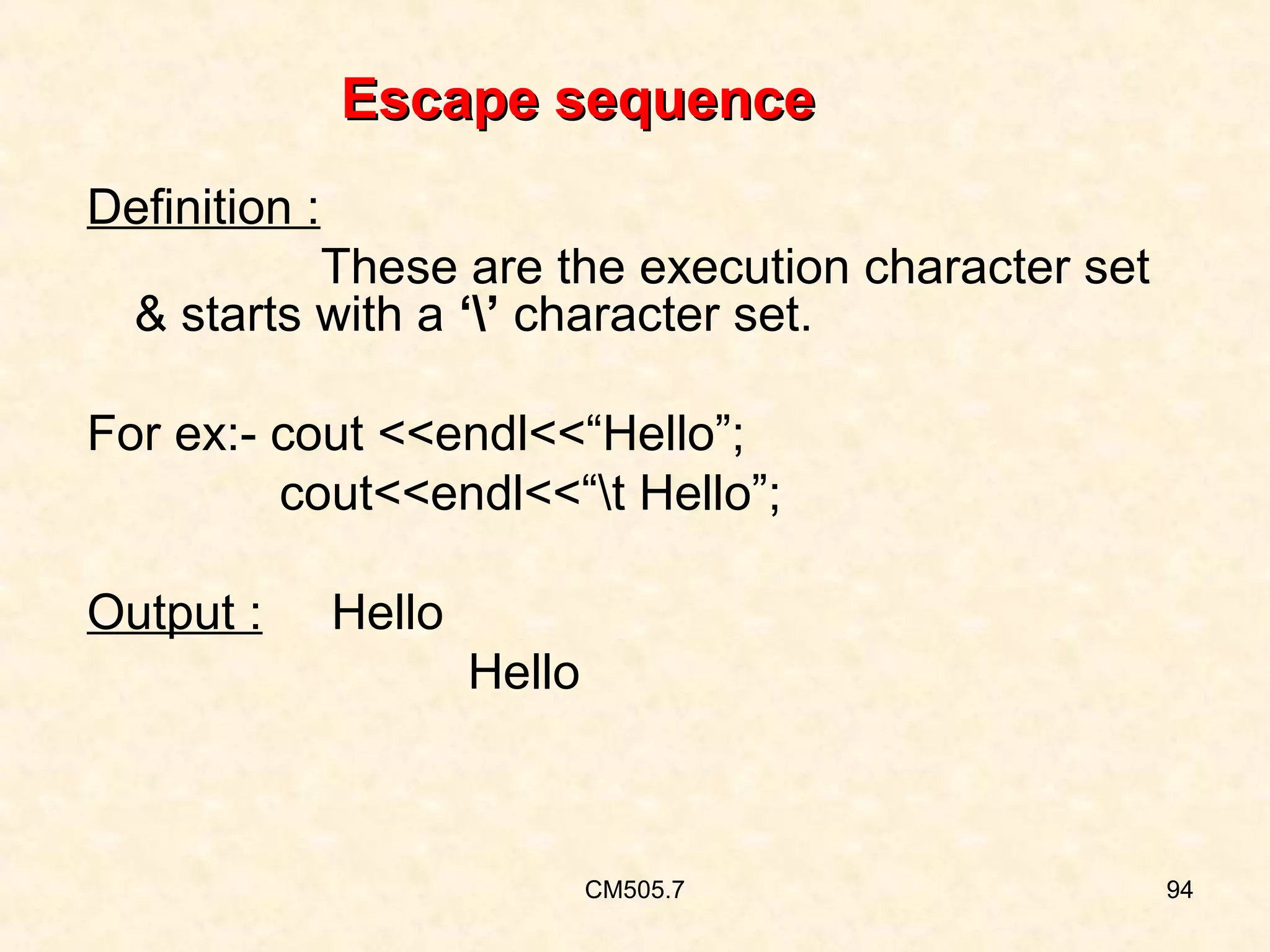
Escape sequence
Definition :
These are the execution character set
& starts with a ‘’ character set.
For ex:- cout <<endl<<“Hello”;
cout<<endl<<“t Hello”;
Output :

Hello
Hello

CM505.7

94
OBJECTIVES

On completion of this period, you would be able to
learn…
• Comment statements in C
• Comment statement in C++
• Keywords of C++ other than C

CM505.8

95
RECAP
• What is meant by comment ?
• What is keyword ?
• List keywords in C ?

CM505.8

96
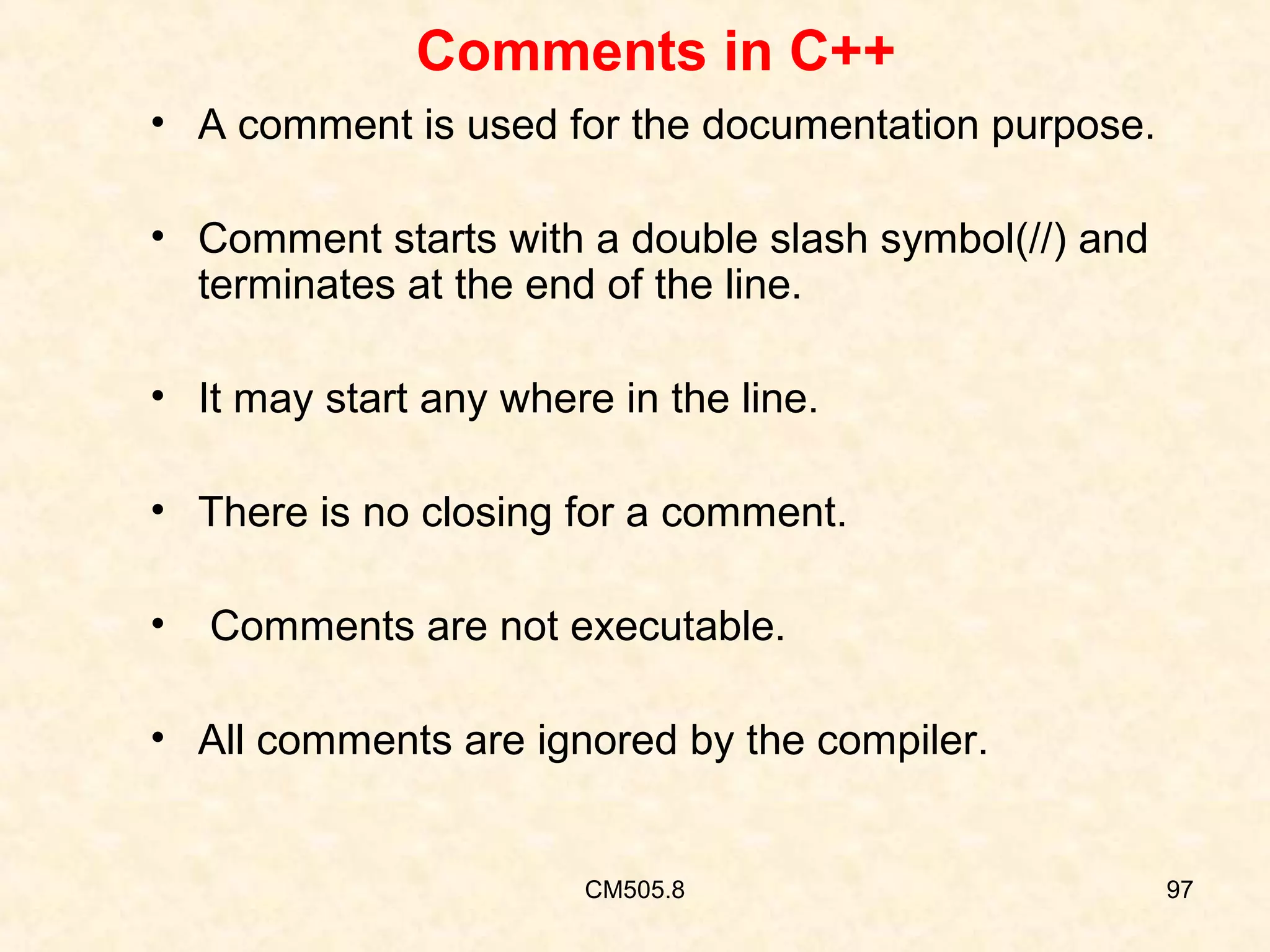
Comments in C++
• A comment is used for the documentation purpose.
• Comment starts with a double slash symbol(//) and
terminates at the end of the line.
• It may start any where in the line.
• There is no closing for a comment.
•

Comments are not executable.

• All comments are ignored by the compiler.

CM505.8

97
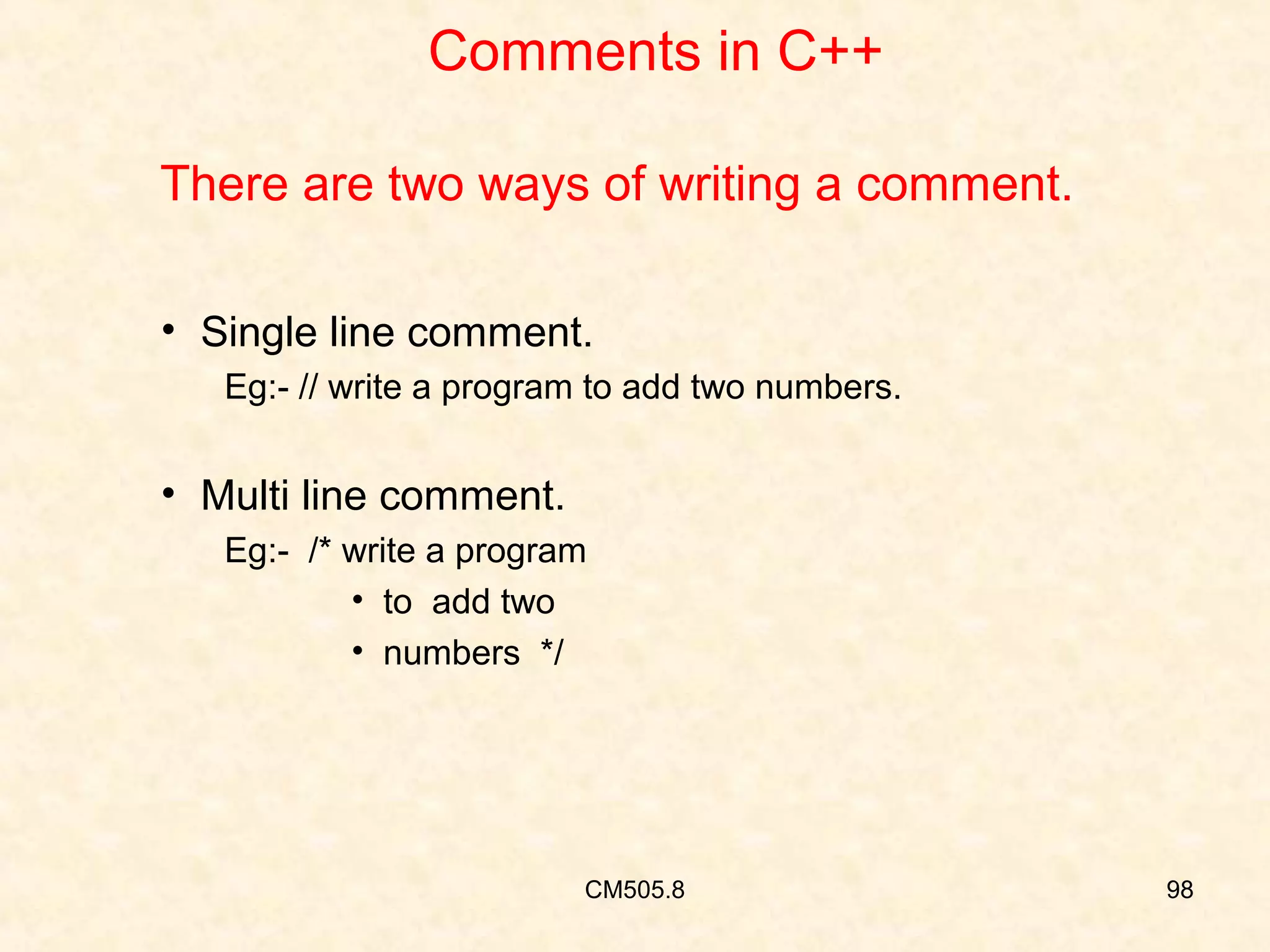
Comments in C++
There are two ways of writing a comment.
• Single line comment.
Eg:- // write a program to add two numbers.

• Multi line comment.
Eg:- /* write a program
• to add two
• numbers */

CM505.8

98
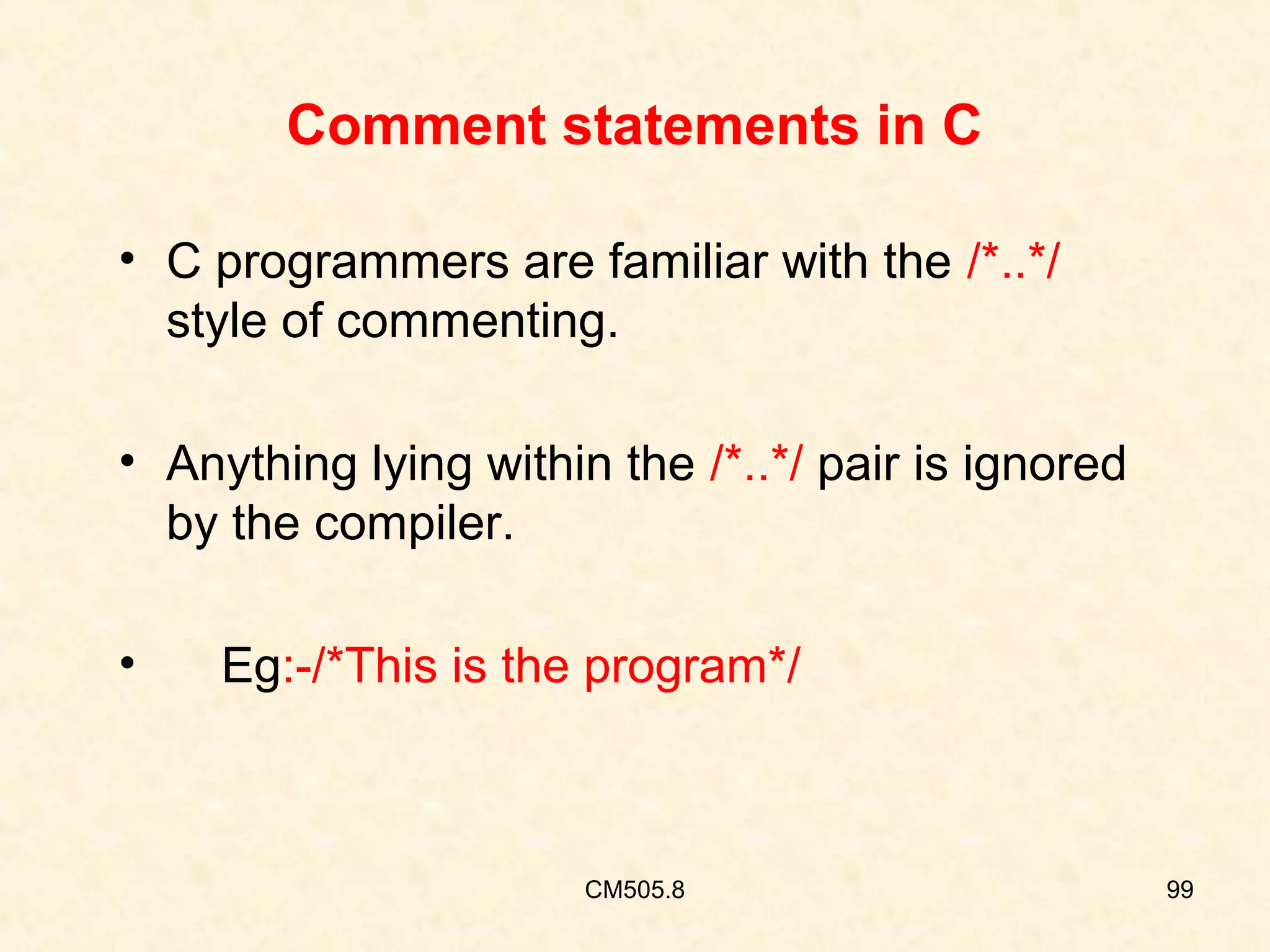
Comment statements in C
• C programmers are familiar with the /*..*/
style of commenting.
• Anything lying within the /*..*/ pair is ignored
by the compiler.
•

Eg:-/*This is the program*/

CM505.8

99
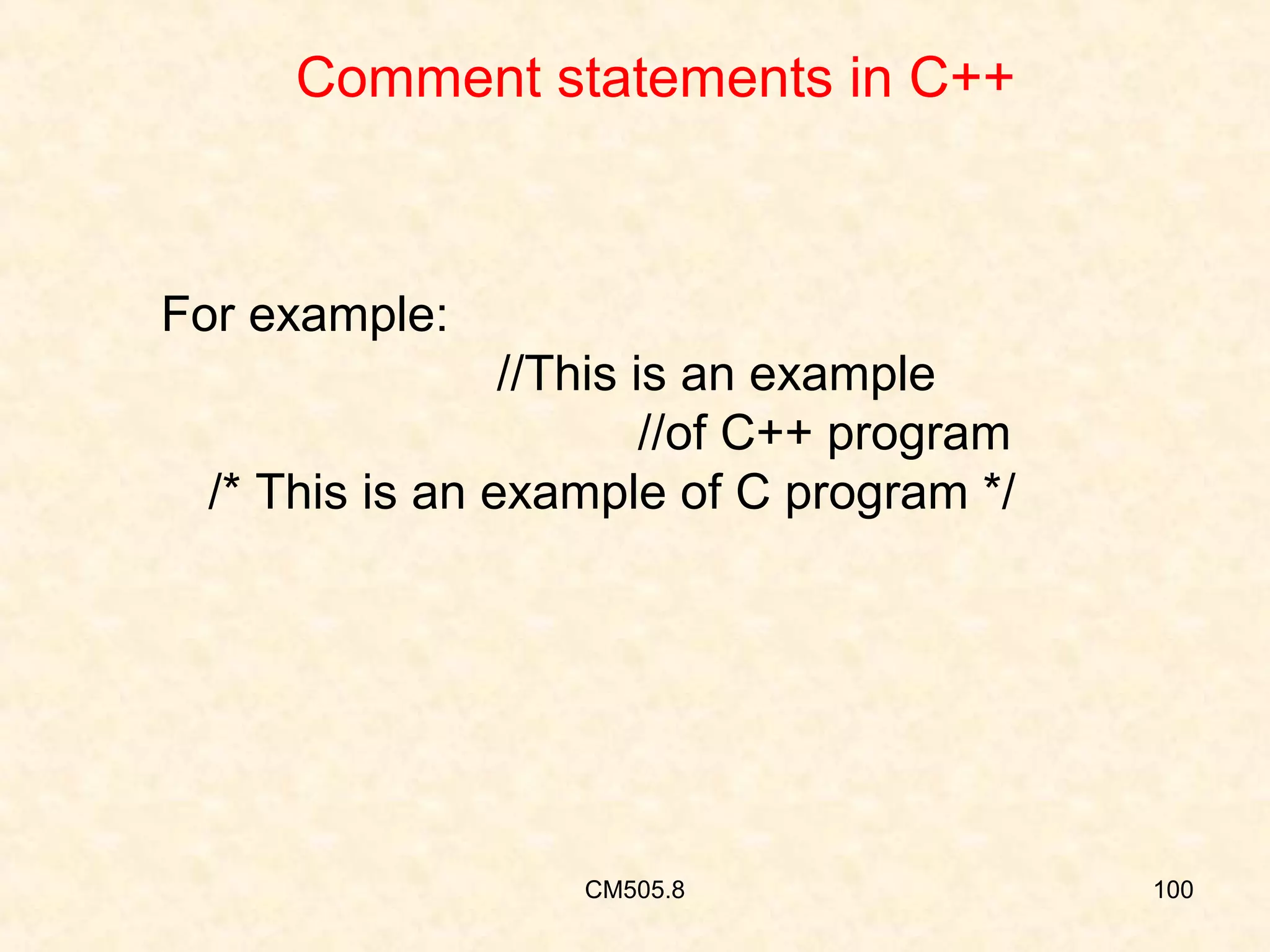
Comment statements in C++

For example:
//This is an example
//of C++ program
/* This is an example of C program */

CM505.8

100
Comment statements in C
NOTE:
•

You should always comment your
programs comprehensively.

•

The comment should be sufficient for any
programmer.

CM505.8

101
Keyword
• Keyword or Reserved word is an identifier.

• It is pre-defined to the compiler.
• Keyword can’t be used for naming a variable in
programming.

CM505.8

102
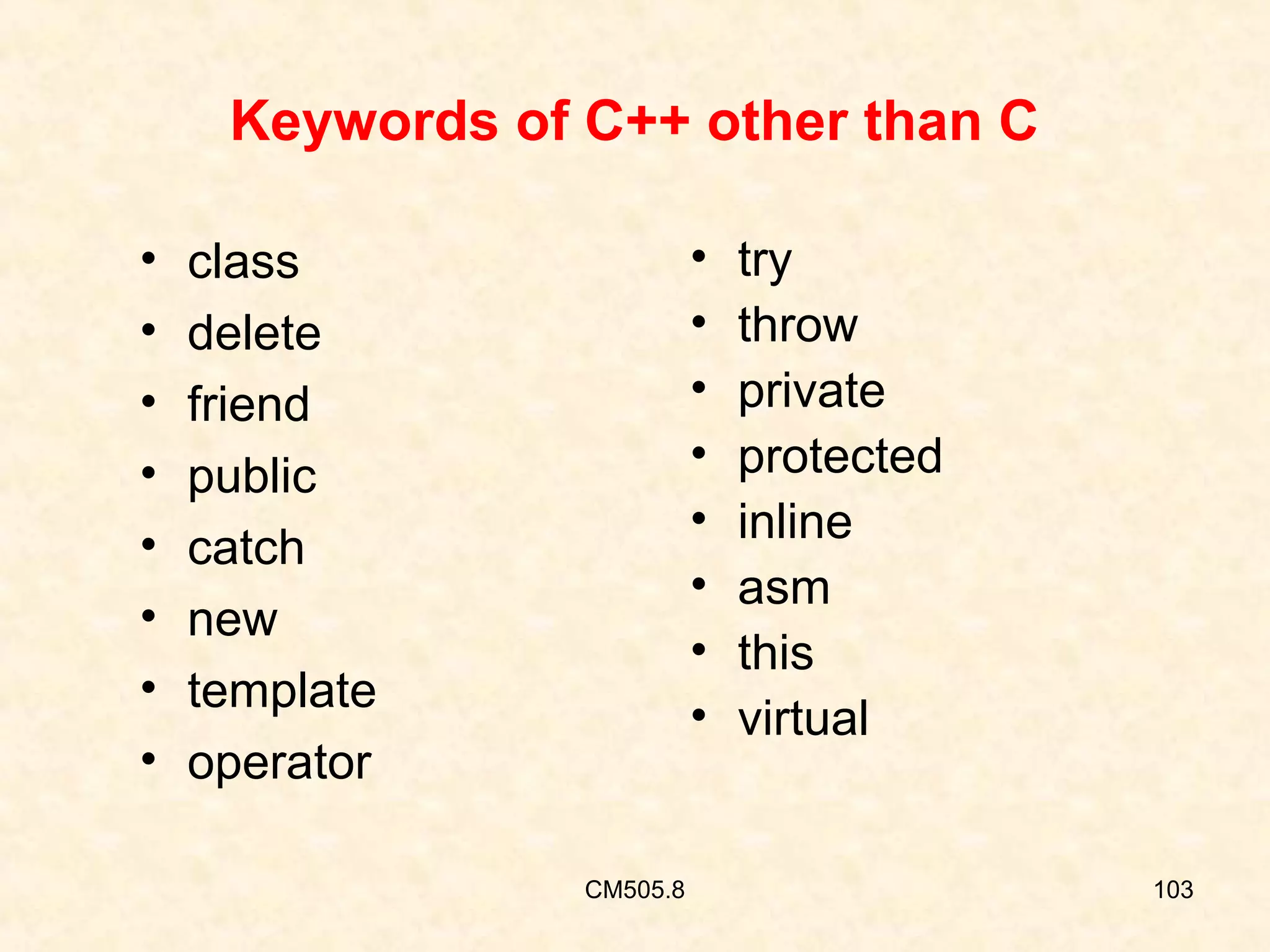
Keywords of C++ other than C
•
•
•
•
•
•
•
•

•
•
•
•
•
•
•
•

class
delete
friend
public
catch
new
template
operator
CM505.8

try
throw
private
protected
inline
asm
this
virtual

103
Keywords of C++ other than C
• class:
It is an improvement over structure of c
conceptually, class is a way to bind data and its
associated functions together.

• delete:
Delete object pointed by a pointer must be used
on an object created by new operator.

CM505.8

104
Keywords of C++ other than C
• friend:
A friend function declared as friend has access
to object of the class . It is not to member of any
class.

• public:
It is an access specifier.Members declared
public can be accessed freely in the program.
CM505.8

105
Keywords of C++ other than C
• catch:
It catches and processes the exception.

• new:
It is an operator used for allocating memory
dynamically.

CM505.8

106
Keywords of C++ other than C
• operator:
used in operator function to overload an
existing operator.

• template:
Constructs a family of related functions or
classes.They are sometimes called parameterized
classes.

CM505.8

107
Keywords of C++ other than C
• try:
A block prefaced with keyword try can be throw an
exception.

• throw:
A mechanism for handling exceptions.

CM505.8

108
Keywords of C++ other than C
• private:
It is an access specifier.Members declared private
can be accessed freely in the program.

• protected:
It is an access specifier.Members declared
protected can be accessed freely in the program.
However, such members can be directly inherited
directly in a derived class.

CM505.8

109
Keywords of C++ other than C
• inline:
In C++ you can declare and define a member
function within its class such function is called inline.

 asm:
You use Asm statements to use assembly
language statements in the middle of your C++
source code.

CM505.8

110
Keywords of C++ other than C
• this:
It is a pointer.When any object is
created, the system on its own sets a pointer
to that object.the name of the pointer variable
is ‘this’.
• virtual:
It can be used to make a class or
function virtual.
CM505.8

111
Summary
• Comment statements in C
• Comment statements in C++
• Keywords of C++ other than C

CM505.8

112
Any Questions….

CM505.8

113
Frequently used Questions
1.

Define a comment?

2.

Explain the comment statements in C++?

3.

List the keywords of C++ other than C?

CM505.8

114
Quiz
1. Comment start with a __________symbol.

CM505.8

115
Quiz
1. Comment start with a Double slash symbol.

CM505.8

116
Quiz
2. Catch is a keyword of________.

CM505.8

117
Quiz
2. Catch is a keyword of C++.

CM505.8

118
Quiz
3. There are ________ways of commenting in C+
+.

CM505.8

119
Quiz
3. There are Two ways of commenting in C++.

CM505.8

120
Thank you

CM505.2

121

Introduction to oop

  • 1.
    CENTRE FOR INFORMATION TECHNOOLGY,UPES,DEHRADUN • Name of the staff : VENKATADRI.M. • Designation :Asst Prof (SS). • Branch : Computer Science and Engineering. • Institute : University Of Petroleum and Energy Studies • Semester : III • Subject : OOPS With C++ • Subject Code :. • Topic : Understand the concept of OOP methodology •Teaching aids used : Diagrams, animations, PPT
  • 2.
    Objective On completion ofthis period, you would be able to know • Evolution of OOPS( Object Oriented Programming ) • History of C++ Venkatadri.M,Asst Prof (SS).UPES,Dehradun 2
  • 3.
    RECAP • Do youknow about C language ? • It is based on what program design ? • Is it Procedure / Object oriented ? Venkatadri.M,Asst Prof (SS).UPES,Dehradun
  • 4.
    Appreciate the evolutionof OOP • OOPs was evolved to overcome the drawbacks of conventional programming methods. • It allows dividing a problem into no.of entities called as Objects. • OOP treats data as a critical element in the program. Venkatadri.M,Asst Prof (SS).UPES,Dehradun 4
  • 5.
    Appreciate the evolutionof OOP • It does not allow the data to flow freely around the system. • It hides the data. • It provides security to the data. Venkatadri.M,Asst Prof (SS).UPES,Dehradun 5
  • 6.
    Organization of data& functions in OOPS Object A Object B Data Functions Communication Data communication Functions Object C Communication Data Functions Fig 1.1 Venkatadri.M,Asst Prof (SS).UPES,Dehradun 6
  • 7.
    History of C++ • C++was developed by Bjarne Stroustrup at Bell Labs in USA. • It was initially called as “C with Classes”. • It is super set of ‘C’ language. Venkatadri.M,Asst Prof (SS).UPES,Dehradun 7
  • 8.
    History of C++ •Itfollows bottom-up program design. • Objects will communicate with each other. • Objects are independent. • It binds the data and functions together. Venkatadri.M,Asst Prof (SS).UPES,Dehradun 8
  • 9.
    Summary In this class, you have learnt … • Evolution of OOPS • History of C++ Venkatadri.M,Asst Prof (SS).UPES,Dehradun 9
  • 10.
    Frequently Asked Questions 1.Explain the Evolution of OOPS. 2. Explain the History of C++. Venkatadri.M,Asst Prof (SS).UPES,Dehradun 10
  • 11.
    Quiz 1. OOPS wasdeveloped by________________. Venkatadri.M,Asst Prof (SS).UPES,Dehradun
  • 12.
    Quiz 1. OOPS wasdeveloped by Bjarne Stroustrup Venkatadri.M,Asst Prof (SS).UPES,Dehradun
  • 13.
    Quiz 2. C++ is__________________ Programming language. Venkatadri.M,Asst Prof (SS).UPES,Dehradun
  • 14.
    Quiz 2. C++ isObject Oriented Programming language. Venkatadri.M,Asst Prof (SS).UPES,Dehradun
  • 15.
    Quiz 3. C++ is basedon___________________. Venkatadri.M,Asst Prof (SS).UPES,Dehradun
  • 16.
    Quiz 3. C++ is basedon Objects. Venkatadri.M,Asst Prof (SS).UPES,Dehradun
  • 17.
    Quiz 4. C++ provides_________________to the data. Venkatadri.M,Asst Prof (SS).UPES,Dehradun
  • 18.
    Quiz 4. C++ provides Securityto the data. Venkatadri.M,Asst Prof (SS).UPES,Dehradun
  • 19.
    Quiz 5. OOPS is_______________ programming design. Venkatadri.M,Asst Prof (SS).UPES,Dehradun
  • 20.
    Quiz 5. OOPS is Bottomup programming design. Venkatadri.M,Asst Prof (SS).UPES,Dehradun
  • 21.
  • 22.
    Limitations of POP •Emphasis is on algorithm or procedure • Not suitable for modeling a real world problem • No security & integrity to the data • Data can’t be hidden • Inheritance & Polymorphism are difficult to achieve CM505.2 22
  • 23.
    Limitations of POP •Follows top down program design • Can’t reuse the existing code • Data will be shared by many functions • Difficult to write and understand CM505.2 23
  • 24.
    Organization of data& functions in OOPS Object A Object B Data Functions Communication Data communication Object C Functions Communication Data Functions Fig 2.2 CM505.1 24
  • 25.
    Features of ObjectOriented Languages • Emphasis is on data rather than the procedure • Both data and functions are combined into a single unit • Data can’t be accesssed directly CM505.2 25
  • 26.
    Features of ObjectOriented Languages • Data is hidden and can’t be accessed by external functions • Programs are divided into elements known as objects • Objects may communicate with each other through functions CM505.2 26
  • 27.
    Features of ObjectOriented Languages • New data and functions can be easily added • Follows bottom up approach of program design • We can eliminate the redundant code • Time will be saved CM505.2 27
  • 28.
    Features of ObjectOriented Language • Higher productivity • Provides multiple instances of an object • Provides security to the data • Easy to write and understand a program CM505.2 28
  • 29.
    Features of ObjectOriented Languages • Data is critical element. • Data can not be freely accessed by extenal functions • Permits reusability of the existing code CM505.2 29
  • 30.
    Languages that supportOOPs • C++ • Small talk • Java • Simula etc CM505.2 30
  • 31.
    Features of ObjectOriented Language • We can easily upgrade from small to large systems • We can build user defined data types • Objects are to classes as variables are to data types CM505.2 31
  • 32.
    Applications of OOPS •Artificial Intelligence & Expert systems • Simulation & modeling • OO databases • Hypertext, Hyper media and Expertext • CAD / CAM / CAE CM505.2 32
  • 33.
    Applications of OOPS •Decisionsupport system • Neural Networks • Real time systems • Multimedia applications • GUI, CBTs, Office automation etc CM505.2 33
  • 34.
  • 35.
    Objects • Objects arethe basic run time entities. • Can be defined as an identifiable entity with characteristics and behavior. • We are often surrounded by variety of objects like • computer • chair • telephone etc., CM505.3 35
  • 36.
    Characteristics of Object •State • Behavior • Identity CM505.3 36
  • 37.
    Characteristics of Object Example:Considerthe object telephone it has • a set of attributes like color, shape, and model etc., • Behaviour is that it announces a call. • Identity is the unique telephone number. CM505.3 37
  • 38.
    Object communication • Objectsinteract with each other by sending messages to each other. • It occupies space in memory. • Each object is having its own address. CM505.3 38
  • 39.
    Object communication • Eachobject contains data and some code to manipulate the data. • for example Object: Student DATA: Name Marks FUNCTIONS: Total Average CM505.3 39
  • 40.
    Object communication • Objectshave life cycle. • They can be created and destroyed. • Communication with an object is feasible as long as it is alive. CM505.3 40
  • 41.
    Classes • It isdefined as a collection of objects of similar type. • The set of data and code of an object can be made a user defined data type using a class. • In fact objects are variables of type class. • We can create any number of objects belonging to that defined class. CM505.3 41
  • 42.
    Classes Example:banana, apple andmango are the examples of members of class of fruit. • If fruit is defined as class then Fruit mango; Will create an object mango belonging to the class fruit. CM505.3 42
  • 43.
    Encapsulation • The wrappingup of data and functions into single unit is known as ‘ENCAPSULATION’. • The data is not accessible to outside world. • Only the member functions within the class can access the data. CM505.3 43
  • 44.
    Encapsulation •These functions providean interface between the object’s data and the program. • This insulation of data from direct access by the program is called data hiding. CM505.3 44
  • 45.
    Data Abstraction • Abstractionrefers to the representation of essential features without including background details or explanations. • Since the classes use data abstraction they are also known as Abstract Data Type (ADT). CM505.3 45
  • 46.
    Inheritance • It isthe process of creating a new class from the existing class. • The new class inherits all the characteristics of the existing class. • It is like a hierarchical classification. CM505.3 46
  • 47.
    Inheritance • We canadd additional features to an existing class without modifying it. This is known as reusability. • Each derived class shares common characteristics with the class from which it is derived. • The new class will have combined features of both the classes. CM505.3 47
  • 48.
  • 49.
    Polymorphism • The abilityto take more than one form. • An operation may exhibit different behaviours in different instances. • The behaviour depends upon the types of data used in the operation. • Polymorphism is used extensively in implementing the inheritance. CM505.3 49
  • 50.
  • 51.
    Polymorphism-operator over loading •Considerthe operation of addition. • For two numbers it generates a sum. • If the operands are string then the operation would produce a third string by concatenation. CM505.3 51
  • 52.
    Polymorphism-operator over loading •Theprocess of making an operator to exhibit different behaviours in different instances is known as operator overloading. • A single function name can be use to handle different members and different types of arguments. CM505.3 52
  • 53.
    Polymorphism – functionoverloading • It is nothing but a particular word in having several different meanings depending on the context. • Using a single function name to perform different types of tasks is known as function overloading. CM505.3 53
  • 54.
    Dynamic binding • Itis also known as late binding. • The code associated with a given procedure is not known until the time of call at run time. CM505.3 54
  • 55.
    Objective The end ofthe class you would be able to learn… • Creating a C++ program • Compiling & linking it • Running CM505.4 55
  • 56.
    RECAP • What isa program? • How to create a program in C ? • What is a compiler ? CM505.4 56
  • 57.
    Program development &execution Fig 4.1 CM505.4 57
  • 58.
    Creating a C++program • Turbo C++ provides a powerful environment called IDE for creating and executing a C++ program. • The IDE is completely menu-driven and allows the user to create, edit, compile and run programs using dialogue boxes. CM505.4 58
  • 59.
    Creating a C++program • We first use the editor to create the C++ source code file. • When we invoke TURBO C++, we get the IDE screen. • It contains 4 parts as shown in fig B.2 in the next slide CM505.4 59
  • 60.
    TURBO C++ -IDE CM505.4 60
  • 61.
    TURBO C++ -IDE • Now we can create and save a program in C++ • The F10 key will take you to main menu • Now select the File option • We have options like new, open, save etc • Select the new option from file menu • We get a blank window called as editing window CM505.4 61
  • 62.
    TURBO C++ -IDE • Now the system is ready to receive the program statements • After typing the program save the program in a file • We can also save a program by pressing F2 key • File name should have the extension .CPP Ex :• test.cpp is the name of the C++ file CM505.4 62
  • 63.
    Compiling a C++program • We can compile a program by choosing the compile option on the main menu • We get a compile dialogue window • Select the option compile • We get test.obj file after the compilation • CM505.4 63
  • 64.
    Compiling a C++program • During compilation we get a compilation window • If there are no errors this window will display a message as “ Success: Press any key” as shown in the fig 4.3 in the next slide • We can also compile a program by pressing F9 key CM505.4 64
  • 65.
    TURBO C++ -Compilation screen CM505.4 65
  • 66.
    Linking • To linkthe object file test.obj with the standard library functions, select the link option from the compile menu • We get a third file test.exe after linking CM505.4 66
  • 67.
    Running the program •To run a program select the Run option from the main menu • We can also run a program by pressing (Ctrl + F9) key • We get the output on the screen CM505.4 67
  • 68.
    Objective On completion ofthis period, you would be able to know • Structure of C++ program. CM505.6 68
  • 69.
    Recap In the previousclass, we have discussed about Difference between c & c++ CM505.6 69
  • 70.
    Structure of C++ •The C++ program contains four sections as shown in figure 6.1. • These sections may be placed in separate code files and then compiled independently or jointly . CM505.6 70
  • 71.
    Structure of C++program : Include files Class declaration Class functions Definitions main function program Fig 6.1 CM505.6 71
  • 72.
    Structure of C++program • We can organize a program into three separate files. • The class declarations are placed in a header file. • The definitions of member functions go into another file. • The main program that uses the class is placed in third file which includes the previous two files CM505.6 72
  • 73.
    Structure of C++ •This approach enables the programmer to separate the abstract specification of the interface( class definition) from the implementation details (member functions definitions). CM505.6 73
  • 74.
    Structure of C++ •This approach is based on the concept of client –server model as shown in fig. Member functions Server Class definition Main function program Client Fig 6.2: Client-server model. CM505.6 74
  • 75.
    Structure of C++ •The class definition including the member functions constitute the server. • The server that provides services to the main program known as the client. • The client uses the server through the public interface of the class. CM505.6 75
  • 76.
    • An example programwith class. #include<iostream.h> //Include files class person { char name[30]; int age ; public: void get data(void); void display(void); }; void person::getdata(void) { cout<<“Enter name:”; cin>>name; cout<<“Enter age:”; cin>>age; CM505.6 } // class declaration . //class function definition 76 [contd….]
  • 77.
    • An exampleprogram with class. void person::display(void) { cout<<“n name:”<<name; function definition cout<<“age:”<<age; } main() // class { person p; p.getdata(); function program p.display(); } // main CM505.6 77
  • 78.
    Objective On completion ofthis period, you would be able to learn…. • Input operators • Output operators • Examples CM505.7 78
  • 79.
  • 80.
    Cin & Cout •C++ input/output resolves around the motion of a data stream. • We can insert data into an output stream or extract data from an input stream. • The standard output stream to the screen is referred to as “cout”. • The standard input stream from the keyboard is referred to as cin. • We can also cascade the I/O operators CM505.7 80
  • 81.
    Cin – Inputfrom the Keyboard: • • • • cin stands for console in It is used to accept input data from keyboard. It can read only one word at a time It is also known as extraction / get from operator syntax :- cin>>variable name; Ex:- cin>>x1>>x2; We obtain input from the keyboard through the stream cin ,using the extraction operator >> . CM505.7 81
  • 82.
    Example To read twointeger values from the keyboard into integer variables num1 and num2, we can write as follows: Cin>>num1>>num2; CM505.7 82
  • 83.
  • 84.
    Description : • “>>”this operator is known as extraction operator. • The operation will be in the direction of the data flow. • The input statement executes from left to right. • It extracts the value from the keyboard and assigns it to the variable on its right. • We can overload this operator CM505.7 84
  • 85.
    Description (contd..): • Floatingpoint values are read from the keyboard in exactly the same way as integers. • We can also mix the two. • The stream input and operations automatically deal with variables and any data type. CM505.7 85
  • 86.
    Description (contd..): For exmple,look at the statements: int num1=0,num2=0; double factor=0.0; cin>>num1>>factor>>num2; The last line will read an integer into num1, then a floating point value into factor and finally an integer into num2. CM505.7 86
  • 87.
    Cout – Outputto the display : • Cout is a predefined object that represents the standard output stream in C++. • The standard output stream is screen • It is also possible to redirect the o/p to other o/p devices • It is reverse of cin . • The operator “<<“ is also called as insertion / put to operator CM505.7 87
  • 88.
    Screen Cout Object << Insertion Operator “C++” Variable Fig 7.2:- Output using insertion operator CM505.7 88
  • 89.
    Description : syn:- cout<<variablename; Ex:- cout<<x1<<x2; If x1= 1234 & x2= 5678 ,then output will be “12345678”. CM505.7 89
  • 90.
    Description (contd..): • Theobject cout has a simple interface. • It inserts the contents of the variable on its right to the object on its left. • If name represents a string variable, then the following statement will display its contents: cout << name; CM505.7 90
  • 91.
    Description (contd..): • Wecan also use this operator for overloading • This concept is known as Operator Overloading, an important aspect of polymorphism. • We can also use printf() statement in C++ CM505.7 91
  • 92.
    Manipulator • These arethe operators that are used to format the data display. • These are defined in the header file iomanip.h • The most commonly used manipulators are setw & endl CM505.7 92
  • 93.
    Set width orsetw(n) Definition : It is an io manipulator which will output the value right justified in a ‘n’ spaces wide. syn:- setw(n); Ex:- cout<<setw(6)<<x1<<setw(7)<<x2; CM505.7 93
  • 94.
    Escape sequence Definition : Theseare the execution character set & starts with a ‘’ character set. For ex:- cout <<endl<<“Hello”; cout<<endl<<“t Hello”; Output : Hello Hello CM505.7 94
  • 95.
    OBJECTIVES On completion ofthis period, you would be able to learn… • Comment statements in C • Comment statement in C++ • Keywords of C++ other than C CM505.8 95
  • 96.
    RECAP • What ismeant by comment ? • What is keyword ? • List keywords in C ? CM505.8 96
  • 97.
    Comments in C++ •A comment is used for the documentation purpose. • Comment starts with a double slash symbol(//) and terminates at the end of the line. • It may start any where in the line. • There is no closing for a comment. • Comments are not executable. • All comments are ignored by the compiler. CM505.8 97
  • 98.
    Comments in C++ Thereare two ways of writing a comment. • Single line comment. Eg:- // write a program to add two numbers. • Multi line comment. Eg:- /* write a program • to add two • numbers */ CM505.8 98
  • 99.
    Comment statements inC • C programmers are familiar with the /*..*/ style of commenting. • Anything lying within the /*..*/ pair is ignored by the compiler. • Eg:-/*This is the program*/ CM505.8 99
  • 100.
    Comment statements inC++ For example: //This is an example //of C++ program /* This is an example of C program */ CM505.8 100
  • 101.
    Comment statements inC NOTE: • You should always comment your programs comprehensively. • The comment should be sufficient for any programmer. CM505.8 101
  • 102.
    Keyword • Keyword orReserved word is an identifier. • It is pre-defined to the compiler. • Keyword can’t be used for naming a variable in programming. CM505.8 102
  • 103.
    Keywords of C++other than C • • • • • • • • • • • • • • • • class delete friend public catch new template operator CM505.8 try throw private protected inline asm this virtual 103
  • 104.
    Keywords of C++other than C • class: It is an improvement over structure of c conceptually, class is a way to bind data and its associated functions together. • delete: Delete object pointed by a pointer must be used on an object created by new operator. CM505.8 104
  • 105.
    Keywords of C++other than C • friend: A friend function declared as friend has access to object of the class . It is not to member of any class. • public: It is an access specifier.Members declared public can be accessed freely in the program. CM505.8 105
  • 106.
    Keywords of C++other than C • catch: It catches and processes the exception. • new: It is an operator used for allocating memory dynamically. CM505.8 106
  • 107.
    Keywords of C++other than C • operator: used in operator function to overload an existing operator. • template: Constructs a family of related functions or classes.They are sometimes called parameterized classes. CM505.8 107
  • 108.
    Keywords of C++other than C • try: A block prefaced with keyword try can be throw an exception. • throw: A mechanism for handling exceptions. CM505.8 108
  • 109.
    Keywords of C++other than C • private: It is an access specifier.Members declared private can be accessed freely in the program. • protected: It is an access specifier.Members declared protected can be accessed freely in the program. However, such members can be directly inherited directly in a derived class. CM505.8 109
  • 110.
    Keywords of C++other than C • inline: In C++ you can declare and define a member function within its class such function is called inline.  asm: You use Asm statements to use assembly language statements in the middle of your C++ source code. CM505.8 110
  • 111.
    Keywords of C++other than C • this: It is a pointer.When any object is created, the system on its own sets a pointer to that object.the name of the pointer variable is ‘this’. • virtual: It can be used to make a class or function virtual. CM505.8 111
  • 112.
    Summary • Comment statementsin C • Comment statements in C++ • Keywords of C++ other than C CM505.8 112
  • 113.
  • 114.
    Frequently used Questions 1. Definea comment? 2. Explain the comment statements in C++? 3. List the keywords of C++ other than C? CM505.8 114
  • 115.
    Quiz 1. Comment startwith a __________symbol. CM505.8 115
  • 116.
    Quiz 1. Comment startwith a Double slash symbol. CM505.8 116
  • 117.
    Quiz 2. Catch isa keyword of________. CM505.8 117
  • 118.
    Quiz 2. Catch isa keyword of C++. CM505.8 118
  • 119.
    Quiz 3. There are________ways of commenting in C+ +. CM505.8 119
  • 120.
    Quiz 3. There areTwo ways of commenting in C++. CM505.8 120
  • 121.