START 1
HTML5,
SYNTAX,
ELEMENTS & VALIDATION
BY – RIYASAHU
B.Sc3rd Year
MCA1, 10
Govt. M.H. College of Home Science & Science for Women, Autonomous,
Jabalpur
COMPUTER APPLICATION(mINOR)
Presentation on
Submitted to –
Mrs. Priyanka Vishwakarma
START 2
WhatisHTML?
● HTML is the standard markup language for creating Web pages.
● HTML describes the structure of Web pages using markup
● HTML elements are the building blocks of HTML pages
● HTML tags label pieces of content such as "heading", "paragraph", "table",...
● Browsers do not display the HTML tags, but use them to render the content of the page
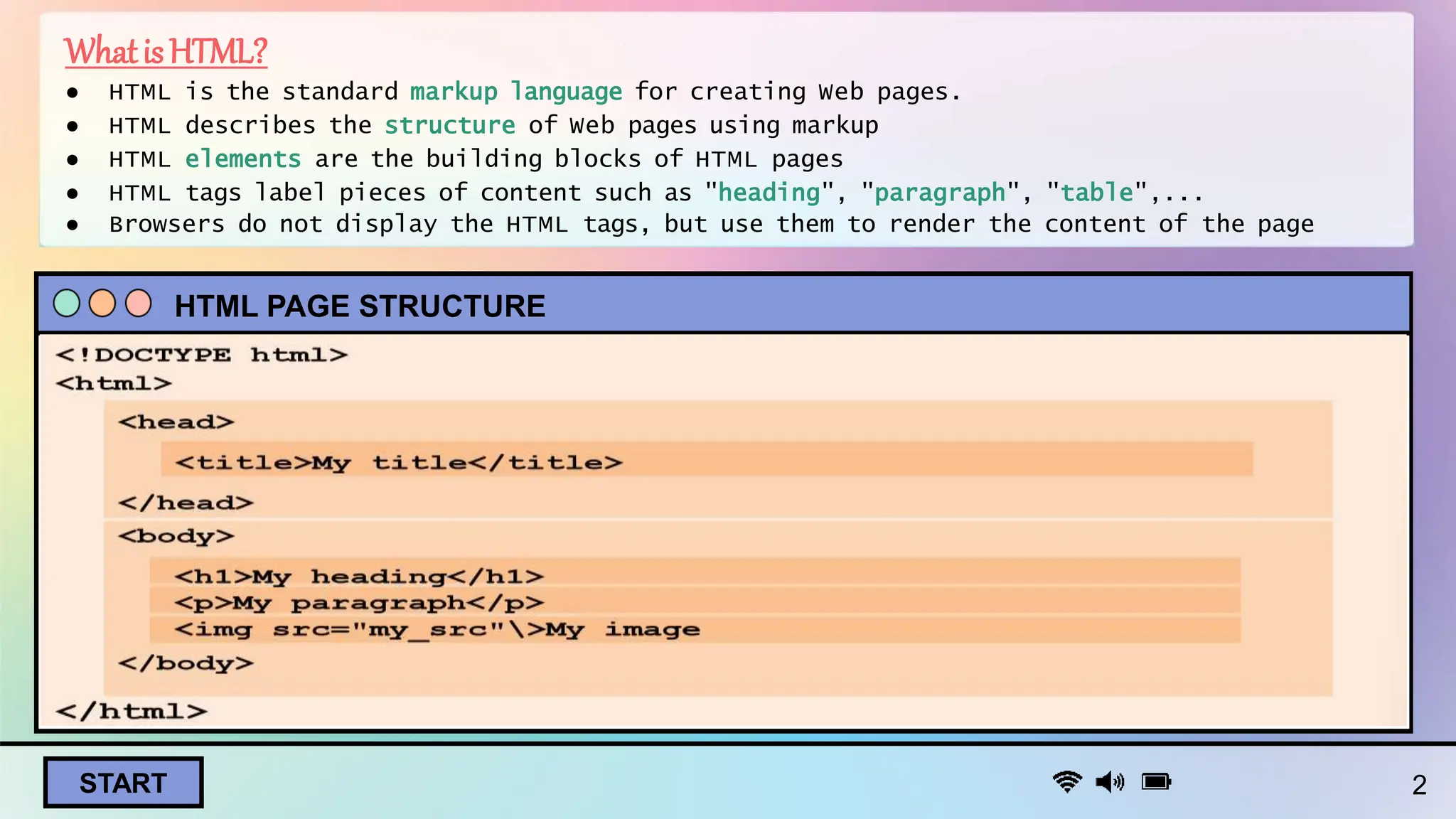
HTML PAGE STRUCTURE
START
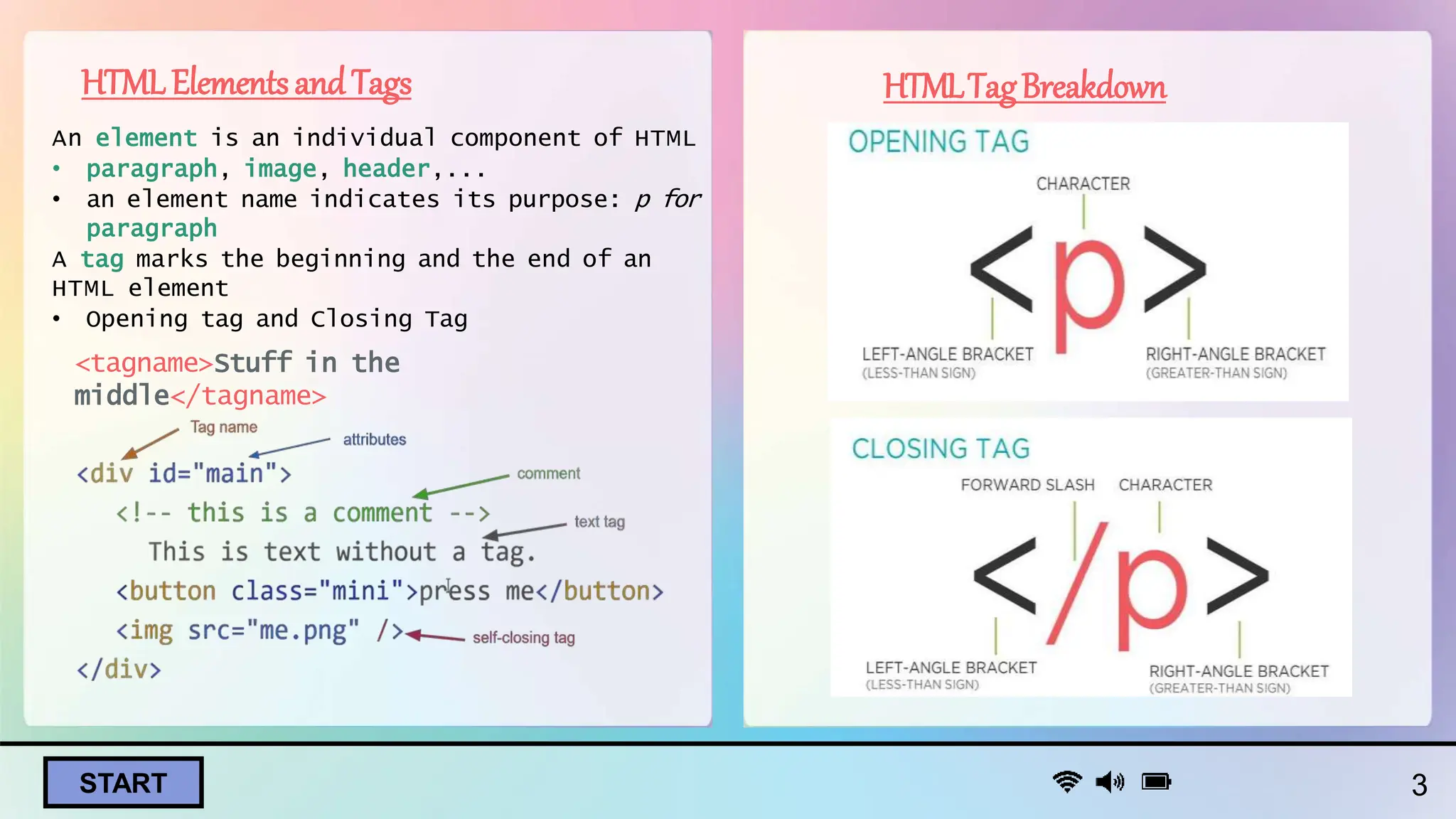
HTMLElementsandTags
An element is an individual component of HTML
• paragraph, image, header,...
• an element name indicates its purpose: p for
paragraph
A tag marks the beginning and the end of an
HTML element
• Opening tag and Closing Tag
<tagname>Stuff in the
middle</tagname>
HTMLTagBreakdown
3
START 4
Validation
● Form validation in HTML ensures that user input meets specified
criteria before submission.
● Purpose: Enhancing data accuracy, improving user experience, and
preventing errors.
Client-Side Validation: Executed in the user's browser using
JavaScript for immediate feedback.
● Required Field Validation :
● Pattern Matching Validation
:
● Minimum and Maximum Value :
Validation
● Custom Error Messages :
<label for="username">Username:</label>
<input type="text" id="username" name="username" required>
<label for="email">Email:</label>
<input type="email" id="email" name="email" pattern="[a-zA-Z0-
9._%+-]+@[a-zA-Z0-9.-]+.[a-zA-Z]{2,}">
<label for="quantity">Quantity:</label>
<input type="number" id="quantity" name="quantity" min="1"
max="100">
<label for="age">Age:</label>
<input type="number" id="age" name="age" min="18" max="100"
oninvalid="this.setCustomValidity('Please enter a valid age between
18 and 100.')">
START 5
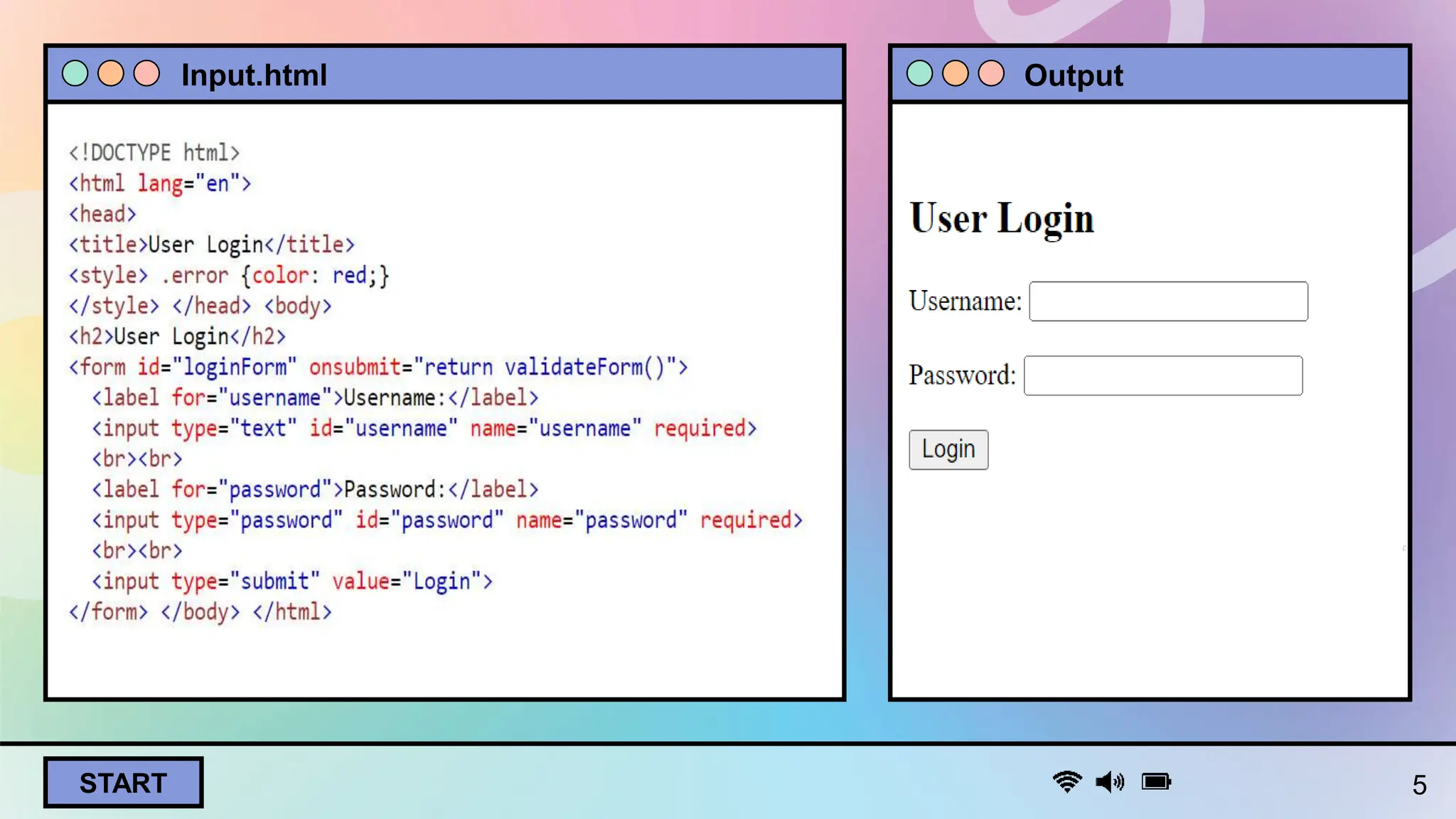
Input.html Output
START 6
THANK YOU !

INTRODUCTION TO HYPERTEXT MARKUP LANGUAGE

  • 1.
    START 1 HTML5, SYNTAX, ELEMENTS &VALIDATION BY – RIYASAHU B.Sc3rd Year MCA1, 10 Govt. M.H. College of Home Science & Science for Women, Autonomous, Jabalpur COMPUTER APPLICATION(mINOR) Presentation on Submitted to – Mrs. Priyanka Vishwakarma
  • 2.
    START 2 WhatisHTML? ● HTMLis the standard markup language for creating Web pages. ● HTML describes the structure of Web pages using markup ● HTML elements are the building blocks of HTML pages ● HTML tags label pieces of content such as "heading", "paragraph", "table",... ● Browsers do not display the HTML tags, but use them to render the content of the page HTML PAGE STRUCTURE
  • 3.
    START HTMLElementsandTags An element isan individual component of HTML • paragraph, image, header,... • an element name indicates its purpose: p for paragraph A tag marks the beginning and the end of an HTML element • Opening tag and Closing Tag <tagname>Stuff in the middle</tagname> HTMLTagBreakdown 3
  • 4.
    START 4 Validation ● Formvalidation in HTML ensures that user input meets specified criteria before submission. ● Purpose: Enhancing data accuracy, improving user experience, and preventing errors. Client-Side Validation: Executed in the user's browser using JavaScript for immediate feedback. ● Required Field Validation : ● Pattern Matching Validation : ● Minimum and Maximum Value : Validation ● Custom Error Messages : <label for="username">Username:</label> <input type="text" id="username" name="username" required> <label for="email">Email:</label> <input type="email" id="email" name="email" pattern="[a-zA-Z0- 9._%+-]+@[a-zA-Z0-9.-]+.[a-zA-Z]{2,}"> <label for="quantity">Quantity:</label> <input type="number" id="quantity" name="quantity" min="1" max="100"> <label for="age">Age:</label> <input type="number" id="age" name="age" min="18" max="100" oninvalid="this.setCustomValidity('Please enter a valid age between 18 and 100.')">
  • 5.
  • 6.