Ahmadu Bello University, Zaria,
Nigeria Department of
Computer Science
COSC 344:Object-Oriented
FORTRAN programming
Language.
Course outline
 Introduction to computer system
 Fortran programming languages
 Elements of a FORTRAN program
 Fortran Alphabets
 Fortran Constants
 Fortran Identifiers
 The Assignment Statement
 Arithmetic Operators
Introduction to computer system
What is a Computer?
Anatomy of a Computer System
Computer Software
Computer Hardware
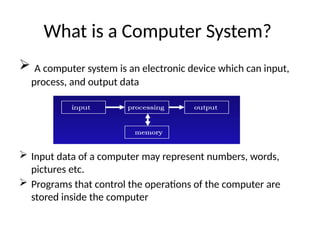
What is a Computer System?
 A computer system is an electronic device which can input,
process, and output data
 Input data of a computer may represent numbers, words,
pictures etc.
 Programs that control the operations of the computer are
stored inside the computer
Major Components of a Computer System
 A computer system consists of two main parts: hardware and
software
 Hardware is the physical components and software is the non-
physical components of a computer system.
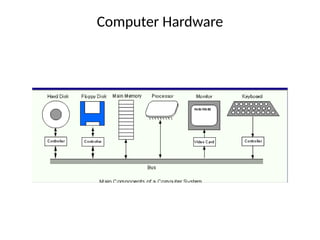
 Computer hardware is divided into three major components:
 1. Input/Output (I/O) devices
 2. Computer memory
 3. The Central Processing Unit (CPU)
 Computer software is divided into two main categories:
 1. Systems software
 2. Applications software
Computer Hardware
I/O (Input/Output)Devices
 Input devices are used to enter programs and
data into a computer system.
Examples: keyboard, mouse, microphone, and
scanner.
Output devices are where program output is
shown or is sent.
Examples: monitor, printer, and speaker.
I/O devices are slow compared to the speed of
the processor.
Computer Memory
 The main function of computer memory is to store software.
 Computer memory is divided into primary memory and
secondary memory.
 Primary memory is divided into random access memory
(RAM) and read only memory (ROM):
The CPU can read and write to RAM but the CPU can read
from ROM but cannot write to ROM
RAM is volatile while ROM is not.
 Secondary memory
Examples of secondary memory devices are: hard disks,
floppy disks and CD ROMs
The CPU
 The CPU is the "brain" of the computer system.
 The CPU directly or indirectly controls all the other components.
 The CPU has a limited storage capacity.
 Thus, the CPU must rely on other components for storage.
 The CPU consists of:
1. The Arithmetic and Logic Unit (ALU).
2. The Control Unit (CU).
3. Registers.
 The CPU components are connected by a group of
electrical wires called the CPU bus.
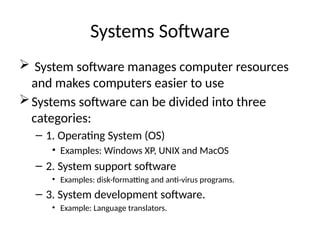
Systems Software
 System software manages computer resources
and makes computers easier to use
Systems software can be divided into three
categories:
– 1. Operating System (OS)
• Examples: Windows XP, UNIX and MacOS
– 2. System support software
• Examples: disk-formatting and anti-virus programs.
– 3. System development software.
• Example: Language translators.
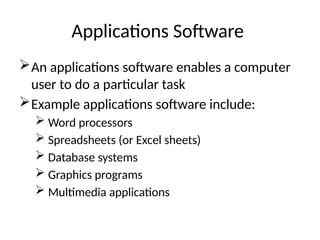
Applications Software
An applications software enables a computer
user to do a particular task
Example applications software include:
 Word processors
 Spreadsheets (or Excel sheets)
 Database systems
 Graphics programs
 Multimedia applications
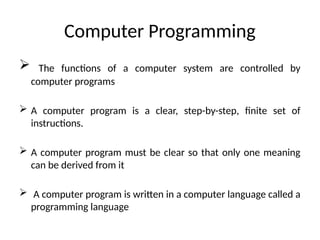
Computer Programming
 The functions of a computer system are controlled by
computer programs
 A computer program is a clear, step-by-step, finite set of
instructions.
 A computer program must be clear so that only one meaning
can be derived from it
 A computer program is written in a computer language called a
programming language
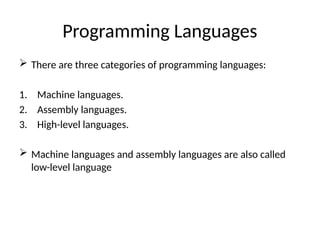
Programming Languages
 There are three categories of programming languages:
1. Machine languages.
2. Assembly languages.
3. High-level languages.
 Machine languages and assembly languages are also called
low-level language
Programming Languages
 A Machine language program consists of a sequence of zeros
and ones.
 Each kind of CPU has its own machine language.
 Advantages
Fast and efficient
Machine friendly
No translation required
 Disadvantages
Not portable
Not programmer friendly
High-Level Programming Languages
 A high-level language (HLL) has two primary components
1. a set of built-in language primitives and grammatical rules
2. a translator
 A HLL language program consists of English-like statements
that are governed by a strict syntax.
 Advantages
 Portable or machine independent
 Programmer-friendly
 Disadvantages
 Not as efficient as low-level languages
 Need to be translated
 Examples : C, C++, Java, FORTRAN, Visual Basic, and python
Fortran programming language
 It is an acronym for FORmular TRANSlation which was developed
by IBM as a scientific and engineering application.
 Fortran version is denoted by the last two digits of the year the
standard was proposed. Thus we have Fortran66, Fortran77 and
Fortran90(95).
 This programming language is designed for scientist and engineers.
 Fortran90 program generally consists of a main program and
possibly several subprograms
F90 Program Structure
• A Fortran 90 program has the following form:
PROGRAM program-name
IMPLICIT NONE
[specification-part]
[execution-part]
[subprogram-part]
END PROGRAM program-name
Elements of a FORTRAN program
• A FORTRAN program is composed of :
Alphabets
Constants, and
Variables
Alphabets
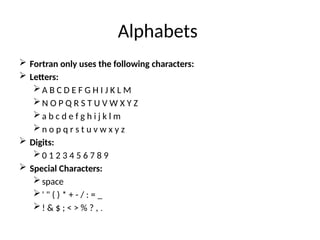
 Fortran only uses the following characters:
 Letters:
A B C D E F G H I J K L M
N O P Q R S T U V W X Y Z
a b c d e f g h i j k l m
n o p q r s t u v w x y z
 Digits:
0 1 2 3 4 5 6 7 8 9
 Special Characters:
space
' " ( ) * + - / : = _
! & $ ; < > % ? , .
Fortran Constants
 Constants or more formally literal constants are the tokens
used to denote the value of a particular type.
 FORTRAN has five types of constants:
integer
real
complex
logical
and character string.
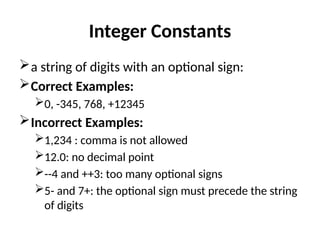
Integer Constants
a string of digits with an optional sign:
Correct Examples:
0, -345, 768, +12345
Incorrect Examples:
1,234 : comma is not allowed
12.0: no decimal point
--4 and ++3: too many optional signs
5- and 7+: the optional sign must precede the string
of digits
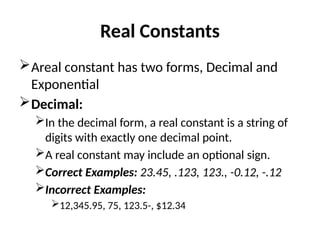
Real Constants
Areal constant has two forms, Decimal and
Exponential
Decimal:
In the decimal form, a real constant is a string of
digits with exactly one decimal point.
A real constant may include an optional sign.
Correct Examples: 23.45, .123, 123., -0.12, -.12
Incorrect Examples:
12,345.95, 75, 123.5-, $12.34
Real Constants
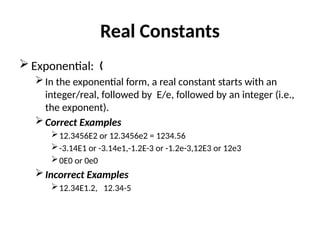
 Exponential: „
In the exponential form, a real constant starts with an
integer/real, followed by E/e, followed by an integer (i.e.,
the exponent).
Correct Examples
12.3456E2 or 12.3456e2 = 1234.56
-3.14E1 or -3.14e1,-1.2E-3 or -1.2e-3,12E3 or 12e3
0E0 or 0e0
Incorrect Examples
12.34E1.2, 12.34-5
Logical constant
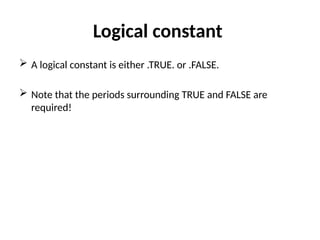
 A logical constant is either .TRUE. or .FALSE.
 Note that the periods surrounding TRUE and FALSE are
required!
Character String
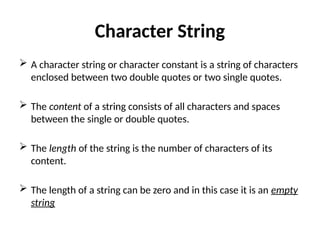
 A character string or character constant is a string of characters
enclosed between two double quotes or two single quotes.
 The content of a string consists of all characters and spaces
between the single or double quotes.
 The length of the string is the number of characters of its
content.
 The length of a string can be zero and in this case it is an empty
string
Character String
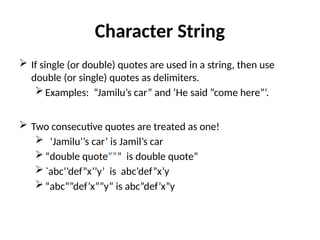
 If single (or double) quotes are used in a string, then use
double (or single) quotes as delimiters.
Examples: “Jamilu’s car” and ‘He said “come here”’.
 Two consecutive quotes are treated as one!
 ‘Jamilu’’s car’ is Jamil’s car
“double quote””” is double quote”
`abc’’def”x’’y’ is abc’def”x’y
“abc””def’x””y” is abc”def’x”y
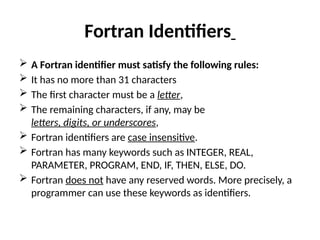
Fortran Identifiers
 A Fortran identifier must satisfy the following rules:
 It has no more than 31 characters
 The first character must be a letter,
 The remaining characters, if any, may be
letters, digits, or underscores,
 Fortran identifiers are case insensitive.
 Fortran has many keywords such as INTEGER, REAL,
PARAMETER, PROGRAM, END, IF, THEN, ELSE, DO.
 Fortran does not have any reserved words. More precisely, a
programmer can use these keywords as identifiers.
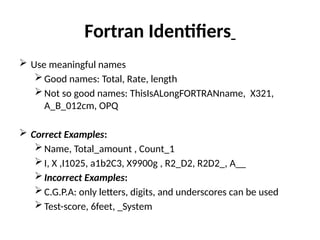
Fortran Identifiers
 Use meaningful names
Good names: Total, Rate, length
Not so good names: ThisIsALongFORTRANname, X321,
A_B_012cm, OPQ
 Correct Examples:
Name, Total_amount , Count_1
I, X ,I1025, a1b2C3, X9900g , R2_D2, R2D2_, A__
Incorrect Examples:
C.G.P.A: only letters, digits, and underscores can be used
Test-score, 6feet, _System
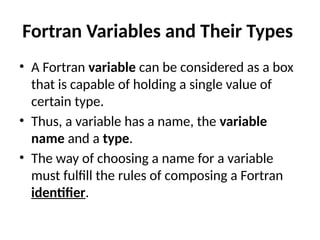
Fortran Variables and Their Types
• A Fortran variable can be considered as a box
that is capable of holding a single value of
certain type.
• Thus, a variable has a name, the variable
name and a type.
• The way of choosing a name for a variable
must fulfill the rules of composing a Fortran
identifier.
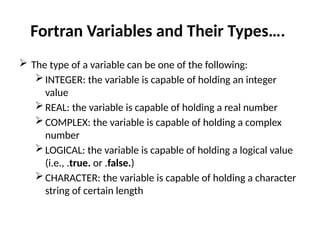
Fortran Variables and Their Types….
 The type of a variable can be one of the following:
INTEGER: the variable is capable of holding an integer
value
REAL: the variable is capable of holding a real number
COMPLEX: the variable is capable of holding a complex
number
LOGICAL: the variable is capable of holding a logical value
(i.e., .true. or .false.)
CHARACTER: the variable is capable of holding a character
string of certain length
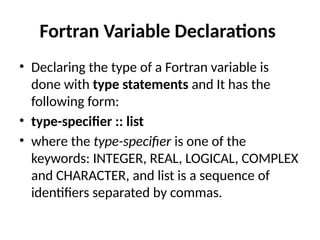
Fortran Variable Declarations
• Declaring the type of a Fortran variable is
done with type statements and It has the
following form:
• type-specifier :: list
• where the type-specifier is one of the
keywords: INTEGER, REAL, LOGICAL, COMPLEX
and CHARACTER, and list is a sequence of
identifiers separated by commas.
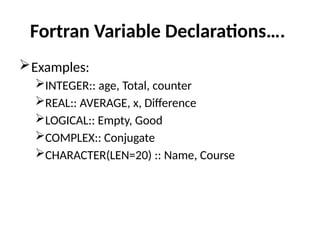
Fortran Variable Declarations….
Examples:
INTEGER:: age, Total, counter
REAL:: AVERAGE, x, Difference
LOGICAL:: Empty, Good
COMPLEX:: Conjugate
CHARACTER(LEN=20) :: Name, Course
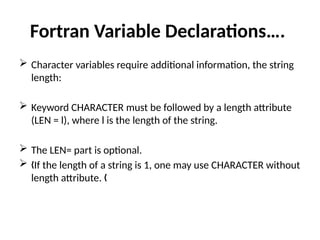
Fortran Variable Declarations….
 Character variables require additional information, the string
length:
 Keyword CHARACTER must be followed by a length attribute
(LEN = l), where l is the length of the string.
 The LEN= part is optional.
 If the length of a string is 1, one may use CHARACTER without
„
length attribute. „
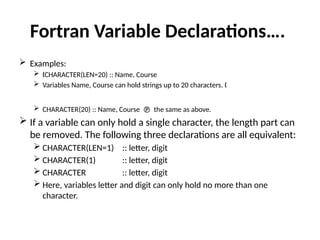
Fortran Variable Declarations….
 Examples:
 CHARACTER(LEN=20) :: Name, Course
„
 Variables Name, Course can hold strings up to 20 characters. „
 CHARACTER(20) :: Name, Course  the same as above.
 If a variable can only hold a single character, the length part can
be removed. The following three declarations are all equivalent:
 CHARACTER(LEN=1) :: letter, digit
 CHARACTER(1) :: letter, digit
 CHARACTER :: letter, digit
 Here, variables letter and digit can only hold no more than one
character.
Fortran Variable Declarations….
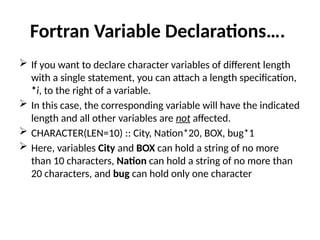
 If you want to declare character variables of different length
with a single statement, you can attach a length specification,
*i, to the right of a variable.
 In this case, the corresponding variable will have the indicated
length and all other variables are not affected.
 CHARACTER(LEN=10) :: City, Nation*20, BOX, bug*1
 Here, variables City and BOX can hold a string of no more
than 10 characters, Nation can hold a string of no more than
20 characters, and bug can hold only one character
Fortran Variable Declarations….
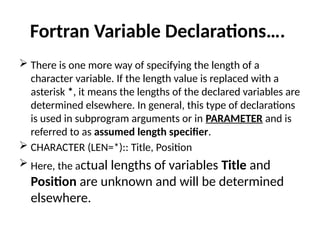
 There is one more way of specifying the length of a
character variable. If the length value is replaced with a
asterisk *, it means the lengths of the declared variables are
determined elsewhere. In general, this type of declarations
is used in subprogram arguments or in PARAMETER and is
referred to as assumed length specifier.
 CHARACTER (LEN=*):: Title, Position
 Here, the actual lengths of variables Title and
Position are unknown and will be determined
elsewhere.
The PARAMTER Attribute
 A PARAMETER identifier is a name whose value cannot be
modified. In other words, it is a named constant.
 The PARAMETER attribute is used after the type keyword.
 Each identifier is followed by an = and followed by a value for
that identifier.
 It is important to note that all values for the identifier must be
constants or names of constants.
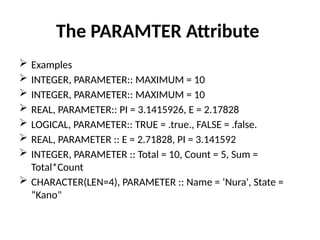
The PARAMTER Attribute
 Examples
 INTEGER, PARAMETER:: MAXIMUM = 10
 REAL, PARAMETER:: PI = 3.1415926, E = 2.17828
 LOGICAL, PARAMETER:: TRUE = .true., FALSE = .false.
 REAL, PARAMETER :: E = 2.71828, PI = 3.141592
 INTEGER, PARAMETER :: Total = 10, Count = 5, Sum =
Total*Count
 CHARACTER(LEN=4), PARAMETER :: Name = ‘Nura', State =
“Kano"
The PARAMTER Attribute
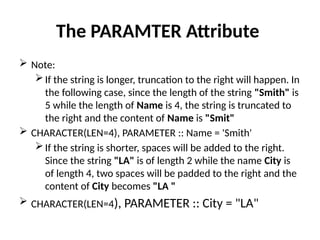
 Note:
If the string is longer, truncation to the right will happen. In
the following case, since the length of the string "Smith" is
5 while the length of Name is 4, the string is truncated to
the right and the content of Name is "Smit"
 CHARACTER(LEN=4), PARAMETER :: Name = 'Smith'
If the string is shorter, spaces will be added to the right.
Since the string "LA" is of length 2 while the name City is
of length 4, two spaces will be padded to the right and the
content of City becomes "LA "
 CHARACTER(LEN=4), PARAMETER :: City = "LA"
The PARAMTER Attribute
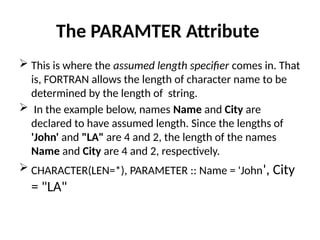
 This is where the assumed length specifier comes in. That
is, FORTRAN allows the length of character name to be
determined by the length of string.
 In the example below, names Name and City are
declared to have assumed length. Since the lengths of
'John' and "LA" are 4 and 2, the length of the names
Name and City are 4 and 2, respectively.
 CHARACTER(LEN=*), PARAMETER :: Name = 'John', City
= "LA"
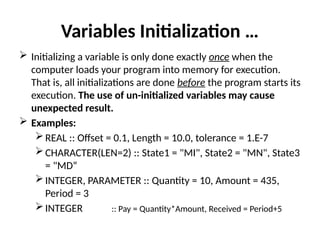
Variables Initialization
 A variable can be considered as a box that can hold a single
value.
 However, initially the content of a variable (or a box) is empty.
 Therefore, before one can use a variable, it must receive a
value.
Variables Initialization …
 There are at least three ways to put a value into a variable:
initializing it when the program is run
using an assignment statement
reading a value from keyboard or other device with a
READ statement.
 Syntax: type :: variable = expression
 Where expression must be constants or names of constants
Variables Initialization …
 Initializing a variable is only done exactly once when the
computer loads your program into memory for execution.
That is, all initializations are done before the program starts its
execution. The use of un-initialized variables may cause
unexpected result.
 Examples:
REAL :: Offset = 0.1, Length = 10.0, tolerance = 1.E-7
CHARACTER(LEN=2) :: State1 = "MI", State2 = "MN", State3
= "MD“
INTEGER, PARAMETER :: Quantity = 10, Amount = 435,
Period = 3
INTEGER :: Pay = Quantity*Amount, Received = Period+5
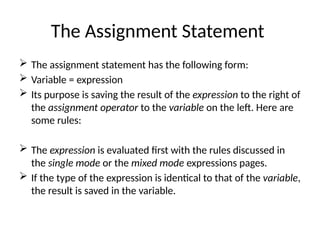
The Assignment Statement
 The assignment statement has the following form:
 Variable = expression
 Its purpose is saving the result of the expression to the right of
the assignment operator to the variable on the left. Here are
some rules:
 The expression is evaluated first with the rules discussed in
the single mode or the mixed mode expressions pages.
 If the type of the expression is identical to that of the variable,
the result is saved in the variable.
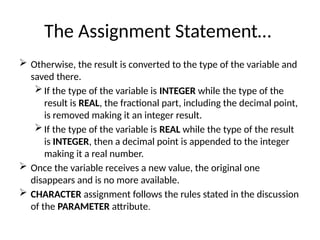
The Assignment Statement…
 Otherwise, the result is converted to the type of the variable and
saved there.
 If the type of the variable is INTEGER while the type of the
result is REAL, the fractional part, including the decimal point,
is removed making it an integer result.
 If the type of the variable is REAL while the type of the result
is INTEGER, then a decimal point is appended to the integer
making it a real number.
 Once the variable receives a new value, the original one
disappears and is no more available.
 CHARACTER assignment follows the rules stated in the discussion
of the PARAMETER attribute.
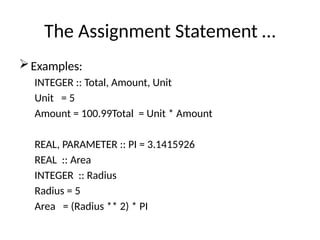
The Assignment Statement …
Examples:
INTEGER :: Total, Amount, Unit
Unit = 5
Amount = 100.99Total = Unit * Amount
REAL, PARAMETER :: PI = 3.1415926
REAL :: Area
INTEGER :: Radius
Radius = 5
Area = (Radius ** 2) * PI
The Assignment Statement …
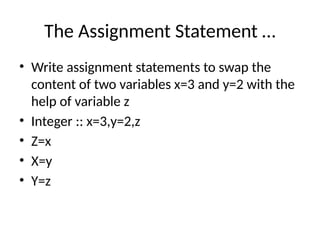
• Write assignment statements to swap the
content of two variables x=3 and y=2 with the
help of variable z
• Integer :: x=3,y=2,z
• Z=x
• X=y
• Y=z
Operators in Fortran
Fortran has four types of operators:
Arithmetic
Relational
Logical and
Character.
The following is a table of these operators,
including their priority and associativity
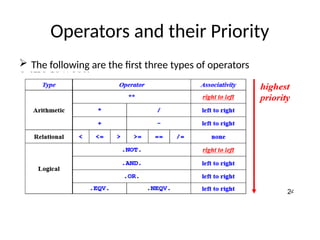
Operators and their Priority
 The following are the first three types of operators
Operators and their Priority…
• ** is the highest, *and /are the next, followed
by +and -.
• All relational operators are next.
• Of the 5 logical operators, .EQV. and .NEQV.
are the lowest.
Expression Evaluation
Single Mode Expression
 A single mode arithmetic expression is an expression all of
whose operands are of the same type(i.e. INTEGER, REAL or
COMPLEX).
 If the operands are INTEGERs, the result is also an INTEGER.
 If the operands are REALs, the result is also Real.
Single Mode Expression..
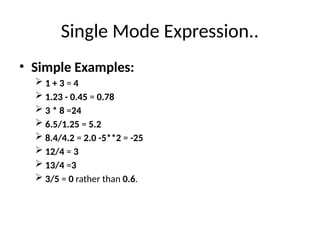
• Simple Examples:
 1 + 3 = 4
 1.23 - 0.45 = 0.78
 3 * 8 =24
 6.5/1.25 = 5.2
 8.4/4.2 = 2.0 -5**2 = -25
 12/4 = 3
 13/4 =3
 3/5 = 0 rather than 0.6.
Rules for Evaluating Expressions
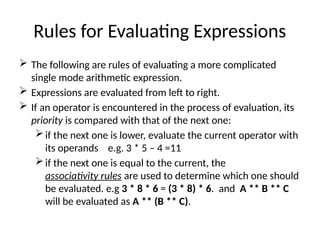
 The following are rules of evaluating a more complicated
single mode arithmetic expression.
 Expressions are evaluated from left to right.
 If an operator is encountered in the process of evaluation, its
priority is compared with that of the next one:
if the next one is lower, evaluate the current operator with
its operands e.g. 3 * 5 – 4 =11
if the next one is equal to the current, the
associativity rules are used to determine which one should
be evaluated. e.g 3 * 8 * 6 = (3 * 8) * 6. and A ** B ** C
will be evaluated as A ** (B ** C).
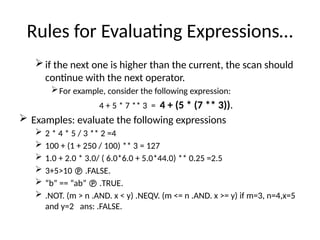
Rules for Evaluating Expressions…
if the next one is higher than the current, the scan should
continue with the next operator.
For example, consider the following expression:
4 + 5 * 7 ** 3 = 4 + (5 * (7 ** 3)).
 Examples: evaluate the following expressions
 2 * 4 * 5 / 3 ** 2 =4
 100 + (1 + 250 / 100) ** 3 = 127
 1.0 + 2.0 * 3.0/ ( 6.0*6.0 + 5.0*44.0) ** 0.25 =2.5
 3+5>10  .FALSE.
 “b” == “ab”  .TRUE.
 .NOT. (m > n .AND. x < y) .NEQV. (m <= n .AND. x >= y) if m=3, n=4,x=5
and y=2 ans: .FALSE.
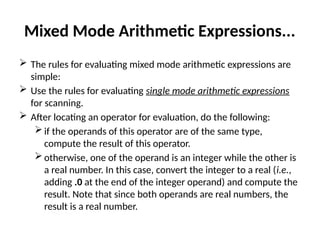
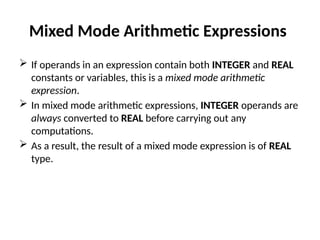
Mixed Mode Arithmetic Expressions
 If operands in an expression contain both INTEGER and REAL
constants or variables, this is a mixed mode arithmetic
expression.
 In mixed mode arithmetic expressions, INTEGER operands are
always converted to REAL before carrying out any
computations.
 As a result, the result of a mixed mode expression is of REAL
type.
Mixed Mode Arithmetic Expressions...
 The rules for evaluating mixed mode arithmetic expressions are
simple:
 Use the rules for evaluating single mode arithmetic expressions
for scanning.
 After locating an operator for evaluation, do the following:
 if the operands of this operator are of the same type,
compute the result of this operator.
 otherwise, one of the operand is an integer while the other is
a real number. In this case, convert the integer to a real (i.e.,
adding .0 at the end of the integer operand) and compute the
result. Note that since both operands are real numbers, the
result is a real number.
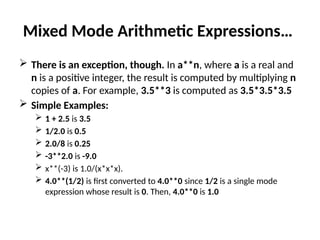
Mixed Mode Arithmetic Expressions…
 There is an exception, though. In a**n, where a is a real and
n is a positive integer, the result is computed by multiplying n
copies of a. For example, 3.5**3 is computed as 3.5*3.5*3.5
 Simple Examples:
 1 + 2.5 is 3.5
 1/2.0 is 0.5
 2.0/8 is 0.25
 -3**2.0 is -9.0
 x**(-3) is 1.0/(x*x*x).
 4.0**(1/2) is first converted to 4.0**0 since 1/2 is a single mode
expression whose result is 0. Then, 4.0**0 is 1.0
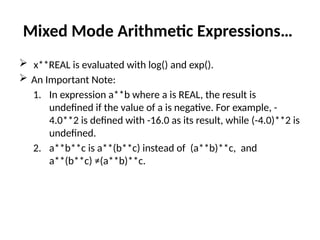
Mixed Mode Arithmetic Expressions…
 x**REAL is evaluated with log() and exp().
 An Important Note:
1. In expression a**b where a is REAL, the result is
undefined if the value of a is negative. For example, -
4.0**2 is defined with -16.0 as its result, while (-4.0)**2 is
undefined.
2. a**b**c is a**(b**c) instead of (a**b)**c, and
a**(b**c) ≠(a**b)**c.
Mixed Mode Arithmetic Expressions…
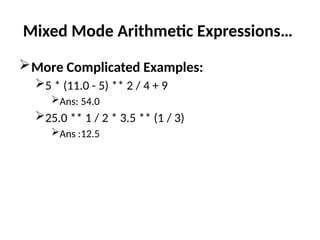
More Complicated Examples:
5 * (11.0 - 5) ** 2 / 4 + 9
Ans: 54.0
25.0 ** 1 / 2 * 3.5 ** (1 / 3)
Ans :12.5
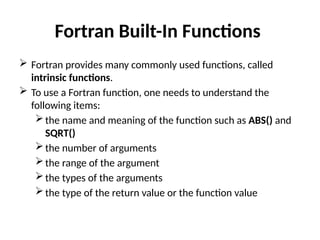
Fortran Built-In Functions
 Fortran provides many commonly used functions, called
intrinsic functions.
 To use a Fortran function, one needs to understand the
following items:
the name and meaning of the function such as ABS() and
SQRT()
the number of arguments
the range of the argument
the types of the arguments
the type of the return value or the function value
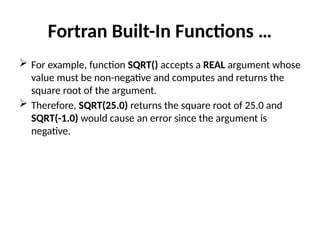
Fortran Built-In Functions …
 For example, function SQRT() accepts a REAL argument whose
value must be non-negative and computes and returns the
square root of the argument.
 Therefore, SQRT(25.0) returns the square root of 25.0 and
SQRT(-1.0) would cause an error since the argument is
negative.
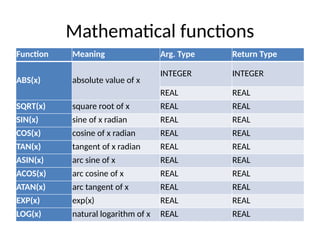
Mathematical functions
Function Meaning Arg. Type Return Type
ABS(x) absolute value of x
INTEGER INTEGER
REAL REAL
SQRT(x) square root of x REAL REAL
SIN(x) sine of x radian REAL REAL
COS(x) cosine of x radian REAL REAL
TAN(x) tangent of x radian REAL REAL
ASIN(x) arc sine of x REAL REAL
ACOS(x) arc cosine of x REAL REAL
ATAN(x) arc tangent of x REAL REAL
EXP(x) exp(x) REAL REAL
LOG(x) natural logarithm of x REAL REAL
Mathematical functions…
 Note that all trigonometric functions use radian rather than
degree for measuring angles.
 For function ATAN(x), x must be in (-PI/2, PI/2).
 For ASIN(x) and ACOS(x), x must be in [-1,1].
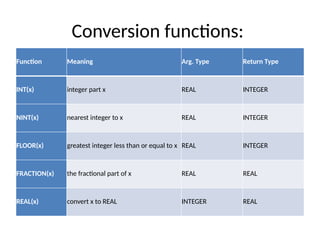
Conversion functions:
Function Meaning Arg. Type Return Type
INT(x) integer part x REAL INTEGER
NINT(x) nearest integer to x REAL INTEGER
FLOOR(x) greatest integer less than or equal to x REAL INTEGER
FRACTION(x) the fractional part of x REAL REAL
REAL(x) convert x to REAL INTEGER REAL
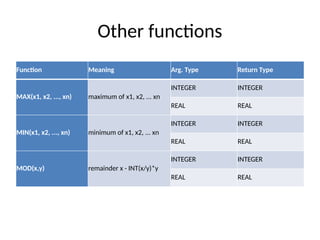
Other functions
Function Meaning Arg. Type Return Type
MAX(x1, x2, ..., xn) maximum of x1, x2, ... xn
INTEGER INTEGER
REAL REAL
MIN(x1, x2, ..., xn) minimum of x1, x2, ... xn
INTEGER INTEGER
REAL REAL
MOD(x,y) remainder x - INT(x/y)*y
INTEGER INTEGER
REAL REAL
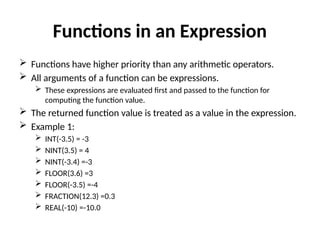
Functions in an Expression
 Functions have higher priority than any arithmetic operators.
 All arguments of a function can be expressions.
 These expressions are evaluated first and passed to the function for
computing the function value.
 The returned function value is treated as a value in the expression.
 Example 1:
 INT(-3.5) = -3
 NINT(3.5) = 4
 NINT(-3.4) =-3
 FLOOR(3.6) =3
 FLOOR(-3.5) =-4
 FRACTION(12.3) =0.3
 REAL(-10) =-10.0
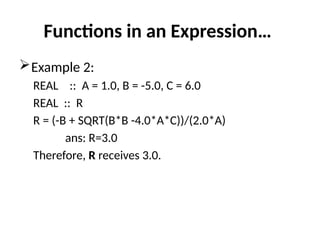
Functions in an Expression…
Example 2:
REAL :: A = 1.0, B = -5.0, C = 6.0
REAL :: R
R = (-B + SQRT(B*B -4.0*A*C))/(2.0*A)
ans: R=3.0
Therefore, R receives 3.0.
Input Statement
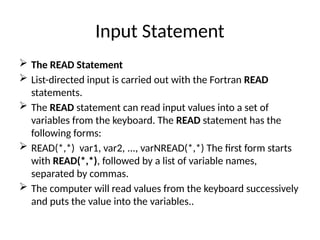
 The READ Statement
 List-directed input is carried out with the Fortran READ
statements.
 The READ statement can read input values into a set of
variables from the keyboard. The READ statement has the
following forms:
 READ(*,*) var1, var2, ..., varNREAD(*,*) The first form starts
with READ(*,*), followed by a list of variable names,
separated by commas.
 The computer will read values from the keyboard successively
and puts the value into the variables..
Input Statement…
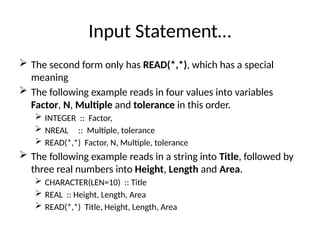
 The second form only has READ(*,*), which has a special
meaning
 The following example reads in four values into variables
Factor, N, Multiple and tolerance in this order.
 INTEGER :: Factor,
 NREAL :: Multiple, tolerance
 READ(*,*) Factor, N, Multiple, tolerance
 The following example reads in a string into Title, followed by
three real numbers into Height, Length and Area.
 CHARACTER(LEN=10) :: Title
 REAL :: Height, Length, Area
 READ(*,*) Title, Height, Length, Area
Preparing Input Data
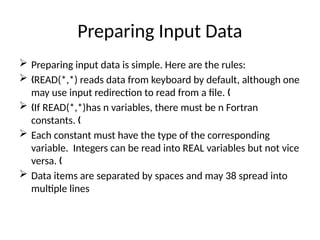
 Preparing input data is simple. Here are the rules:
 READ(*,*) reads data from keyboard by default, although one
„
may use input redirection to read from a file. „
 If READ(*,*)has n variables, there must be n Fortran
„
constants. „
 Each constant must have the type of the corresponding
variable. Integers can be read into REAL variables but not vice
versa. „
 Data items are separated by spaces and may 38 spread into
multiple lines
Preparing Input Data…
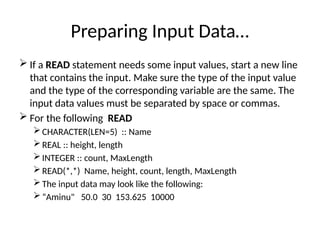
 If a READ statement needs some input values, start a new line
that contains the input. Make sure the type of the input value
and the type of the corresponding variable are the same. The
input data values must be separated by space or commas.
 For the following READ
 CHARACTER(LEN=5) :: Name
 REAL :: height, length
 INTEGER :: count, MaxLength
 READ(*,*) Name, height, count, length, MaxLength
 The input data may look like the following:
 “Aminu" 50.0 30 153.625 10000
Preparing Input Data
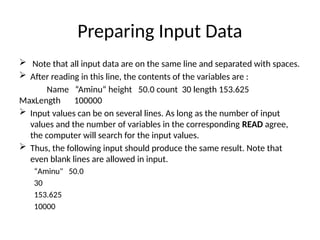
 Note that all input data are on the same line and separated with spaces.
 After reading in this line, the contents of the variables are :
Name “Aminu“ height 50.0 count 30 length 153.625
MaxLength 100000
 Input values can be on several lines. As long as the number of input
values and the number of variables in the corresponding READ agree,
the computer will search for the input values.
 Thus, the following input should produce the same result. Note that
even blank lines are allowed in input.
“Aminu" 50.0
30
153.625
10000
Preparing Input Data…
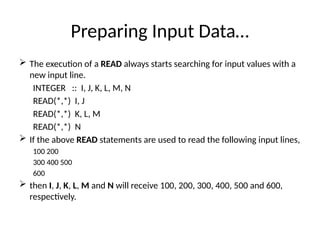
 The execution of a READ always starts searching for input values with a
new input line.
INTEGER :: I, J, K, L, M, N
READ(*,*) I, J
READ(*,*) K, L, M
READ(*,*) N
 If the above READ statements are used to read the following input lines,
100 200
300 400 500
600
 then I, J, K, L, M and N will receive 100, 200, 300, 400, 500 and 600,
respectively.
Preparing Input Data…
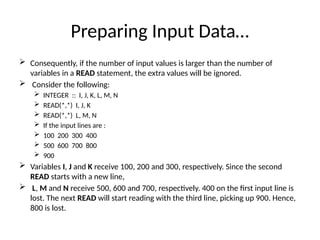
 Consequently, if the number of input values is larger than the number of
variables in a READ statement, the extra values will be ignored.
 Consider the following:
 INTEGER :: I, J, K, L, M, N
 READ(*,*) I, J, K
 READ(*,*) L, M, N
 If the input lines are :
 100 200 300 400
 500 600 700 800
 900
 Variables I, J and K receive 100, 200 and 300, respectively. Since the second
READ starts with a new line,
 L, M and N receive 500, 600 and 700, respectively. 400 on the first input line is
lost. The next READ will start reading with the third line, picking up 900. Hence,
800 is lost.
Preparing Input Data…
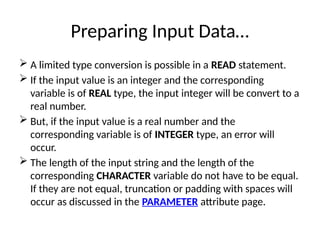
 A limited type conversion is possible in a READ statement.
 If the input value is an integer and the corresponding
variable is of REAL type, the input integer will be convert to a
real number.
 But, if the input value is a real number and the
corresponding variable is of INTEGER type, an error will
occur.
 The length of the input string and the length of the
corresponding CHARACTER variable do not have to be equal.
If they are not equal, truncation or padding with spaces will
occur as discussed in the PARAMETER attribute page.
Preparing Input Data…
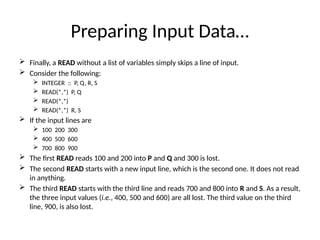
 Finally, a READ without a list of variables simply skips a line of input.
 Consider the following:
 INTEGER :: P, Q, R, S
 READ(*,*) P, Q
 READ(*,*)
 READ(*,*) R, S
 If the input lines are
 100 200 300
 400 500 600
 700 800 900
 The first READ reads 100 and 200 into P and Q and 300 is lost.
 The second READ starts with a new input line, which is the second one. It does not read
in anything.
 The third READ starts with the third line and reads 700 and 800 into R and S. As a result,
the three input values (i.e., 400, 500 and 600) are all lost. The third value on the third
line, 900, is also lost.
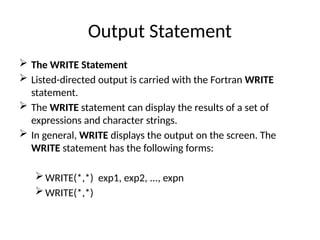
Output Statement
 The WRITE Statement
 Listed-directed output is carried with the Fortran WRITE
statement.
 The WRITE statement can display the results of a set of
expressions and character strings.
 In general, WRITE displays the output on the screen. The
WRITE statement has the following forms:
WRITE(*,*) exp1, exp2, ..., expn
WRITE(*,*)
Output Statement…
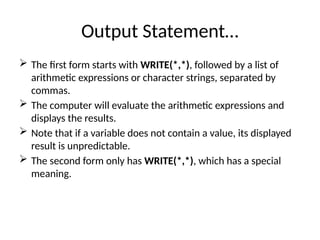
 The first form starts with WRITE(*,*), followed by a list of
arithmetic expressions or character strings, separated by
commas.
 The computer will evaluate the arithmetic expressions and
displays the results.
 Note that if a variable does not contain a value, its displayed
result is unpredictable.
 The second form only has WRITE(*,*), which has a special
meaning.
Output Statement…
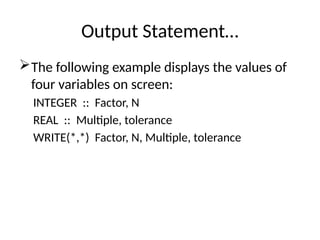
The following example displays the values of
four variables on screen:
INTEGER :: Factor, N
REAL :: Multiple, tolerance
WRITE(*,*) Factor, N, Multiple, tolerance
Output Statement…
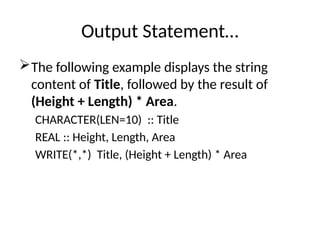
The following example displays the string
content of Title, followed by the result of
(Height + Length) * Area.
CHARACTER(LEN=10) :: Title
REAL :: Height, Length, Area
WRITE(*,*) Title, (Height + Length) * Area
Output Statement…
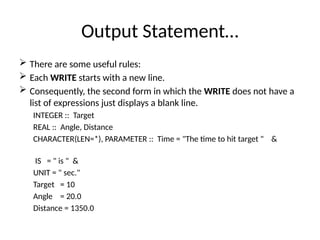
 There are some useful rules:
 Each WRITE starts with a new line.
 Consequently, the second form in which the WRITE does not have a
list of expressions just displays a blank line.
INTEGER :: Target
REAL :: Angle, Distance
CHARACTER(LEN=*), PARAMETER :: Time = "The time to hit target " &
IS = " is " &
UNIT = " sec."
Target = 10
Angle = 20.0
Distance = 1350.0
Output Statement…
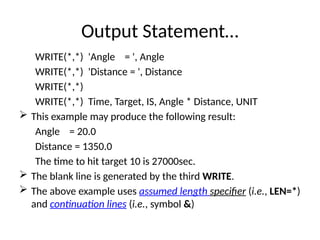
WRITE(*,*) 'Angle = ', Angle
WRITE(*,*) 'Distance = ', Distance
WRITE(*,*)
WRITE(*,*) Time, Target, IS, Angle * Distance, UNIT
 This example may produce the following result:
Angle = 20.0
Distance = 1350.0
The time to hit target 10 is 27000sec.
 The blank line is generated by the third WRITE.
 The above example uses assumed length specifier (i.e., LEN=*)
and continuation lines (i.e., symbol &)
Output Statement…
If there are too many results that cannot be fit
into a single line, the computer will display
remaining results on the second, the third line
and so on.
Output Statement…
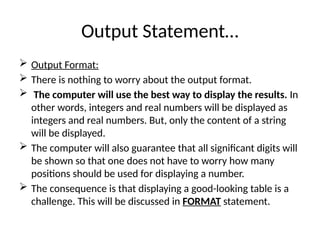
 Output Format:
 There is nothing to worry about the output format.
 The computer will use the best way to display the results. In
other words, integers and real numbers will be displayed as
integers and real numbers. But, only the content of a string
will be displayed.
 The computer will also guarantee that all significant digits will
be shown so that one does not have to worry how many
positions should be used for displaying a number.
 The consequence is that displaying a good-looking table is a
challenge. This will be discussed in FORMAT statement.
Programming examples
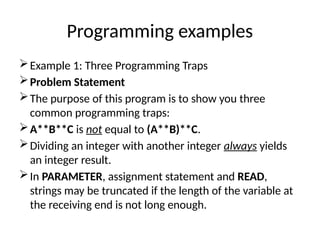
Example 1: Three Programming Traps
Problem Statement
The purpose of this program is to show you three
common programming traps:
A**B**C is not equal to (A**B)**C.
Dividing an integer with another integer always yields
an integer result.
In PARAMETER, assignment statement and READ,
strings may be truncated if the length of the variable at
the receiving end is not long enough.
Programming examples…
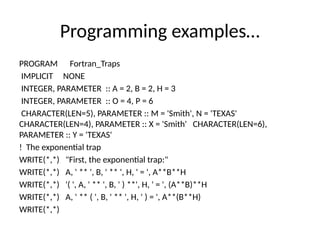
PROGRAM Fortran_Traps
IMPLICIT NONE
INTEGER, PARAMETER :: A = 2, B = 2, H = 3
INTEGER, PARAMETER :: O = 4, P = 6
CHARACTER(LEN=5), PARAMETER :: M = 'Smith', N = 'TEXAS'
CHARACTER(LEN=4), PARAMETER :: X = 'Smith' CHARACTER(LEN=6),
PARAMETER :: Y = 'TEXAS'
! The exponential trap
WRITE(*,*) "First, the exponential trap:"
WRITE(*,*) A, ' ** ', B, ' ** ', H, ' = ', A**B**H
WRITE(*,*) '( ', A, ' ** ', B, ' ) **', H, ' = ', (A**B)**H
WRITE(*,*) A, ' ** ( ', B, ' ** ', H, ' ) = ', A**(B**H)
WRITE(*,*)
Programming examples…
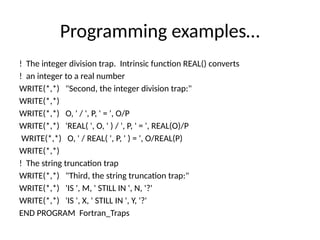
! The integer division trap. Intrinsic function REAL() converts
! an integer to a real number
WRITE(*,*) "Second, the integer division trap:"
WRITE(*,*)
WRITE(*,*) O, ' / ', P, ' = ', O/P
WRITE(*,*) 'REAL( ', O, ' ) / ', P, ' = ', REAL(O)/P
WRITE(*,*) O, ' / REAL( ', P, ' ) = ', O/REAL(P)
WRITE(*,*)
! The string truncation trap
WRITE(*,*) "Third, the string truncation trap:"
WRITE(*,*) 'IS ', M, ' STILL IN ', N, '?'
WRITE(*,*) 'IS ', X, ' STILL IN ', Y, '?'
END PROGRAM Fortran_Traps
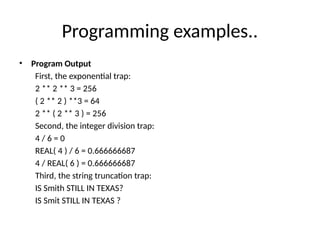
Programming examples..
• Program Output
First, the exponential trap:
2 ** 2 ** 3 = 256
( 2 ** 2 ) **3 = 64
2 ** ( 2 ** 3 ) = 256
Second, the integer division trap:
4 / 6 = 0
REAL( 4 ) / 6 = 0.666666687
4 / REAL( 6 ) = 0.666666687
Third, the string truncation trap:
IS Smith STILL IN TEXAS?
IS Smit STILL IN TEXAS ?
Programming examples…
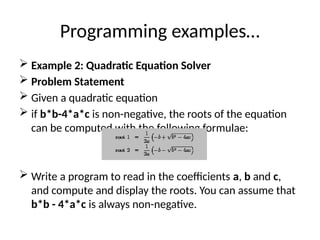
 Example 2: Quadratic Equation Solver
 Problem Statement
 Given a quadratic equation
 if b*b-4*a*c is non-negative, the roots of the equation
can be computed with the following formulae:
 Write a program to read in the coefficients a, b and c,
and compute and display the roots. You can assume that
b*b - 4*a*c is always non-negative.
Programming examples…
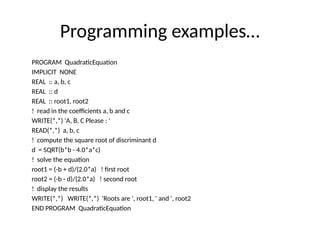
PROGRAM QuadraticEquation
IMPLICIT NONE
REAL :: a, b, c
REAL :: d
REAL :: root1, root2
! read in the coefficients a, b and c
WRITE(*,*) 'A, B, C Please : '
READ(*,*) a, b, c
! compute the square root of discriminant d
d = SQRT(b*b - 4.0*a*c)
! solve the equation
root1 = (-b + d)/(2.0*a) ! first root
root2 = (-b - d)/(2.0*a) ! second root
! display the results
WRITE(*,*) WRITE(*,*) 'Roots are ', root1, ' and ', root2
END PROGRAM QuadraticEquation
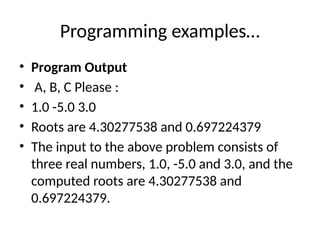
Programming examples…
• Program Output
• A, B, C Please :
• 1.0 -5.0 3.0
• Roots are 4.30277538 and 0.697224379
• The input to the above problem consists of
three real numbers, 1.0, -5.0 and 3.0, and the
computed roots are 4.30277538 and
0.697224379.
Programming examples…
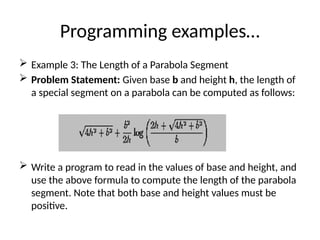
 Example 3: The Length of a Parabola Segment
 Problem Statement: Given base b and height h, the length of
a special segment on a parabola can be computed as follows:
 Write a program to read in the values of base and height, and
use the above formula to compute the length of the parabola
segment. Note that both base and height values must be
positive.
Programming examples…
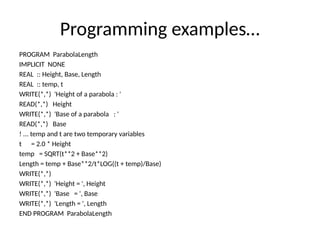
PROGRAM ParabolaLength
IMPLICIT NONE
REAL :: Height, Base, Length
REAL :: temp, t
WRITE(*,*) 'Height of a parabola : '
READ(*,*) Height
WRITE(*,*) 'Base of a parabola : '
READ(*,*) Base
! ... temp and t are two temporary variables
t = 2.0 * Height
temp = SQRT(t**2 + Base**2)
Length = temp + Base**2/t*LOG((t + temp)/Base)
WRITE(*,*)
WRITE(*,*) 'Height = ', Height
WRITE(*,*) 'Base = ', Base
WRITE(*,*) 'Length = ', Length
END PROGRAM ParabolaLength
Programming examples….
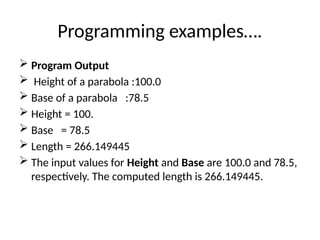
 Program Output
 Height of a parabola :100.0
 Base of a parabola :78.5
 Height = 100.
 Base = 78.5
 Length = 266.149445
 The input values for Height and Base are 100.0 and 78.5,
respectively. The computed length is 266.149445.
Programming examples…
 Example 4: Projectile Motion
 Problem Statement: This program computes the position (x
and y coordinates) and the velocity (magnitude and direction)
of a projectile, given t, the time since launch, u, the launch
velocity, a, the initial angle of launch (in degree), and g=9.8,
the acceleration due to gravity.
Programming examples…
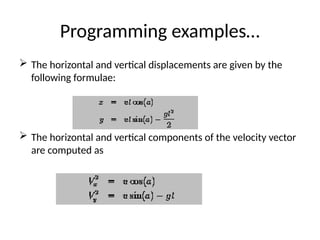
 The horizontal and vertical displacements are given by the
following formulae:
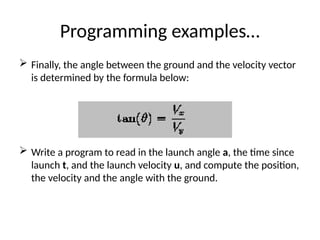
 The horizontal and vertical components of the velocity vector
are computed as
Programming examples…
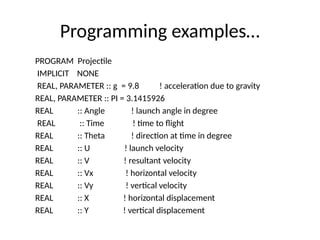
 Finally, the angle between the ground and the velocity vector
is determined by the formula below:
 Write a program to read in the launch angle a, the time since
launch t, and the launch velocity u, and compute the position,
the velocity and the angle with the ground.
Programming examples…
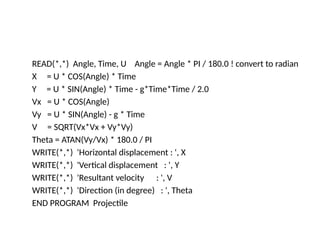
PROGRAM Projectile
IMPLICIT NONE
REAL, PARAMETER :: g = 9.8 ! acceleration due to gravity
REAL, PARAMETER :: PI = 3.1415926
REAL :: Angle ! launch angle in degree
REAL :: Time ! time to flight
REAL :: Theta ! direction at time in degree
REAL :: U ! launch velocity
REAL :: V ! resultant velocity
REAL :: Vx ! horizontal velocity
REAL :: Vy ! vertical velocity
REAL :: X ! horizontal displacement
REAL :: Y ! vertical displacement
READ(*,*) Angle, Time, U Angle = Angle * PI / 180.0 ! convert to radian
X = U * COS(Angle) * Time
Y = U * SIN(Angle) * Time - g*Time*Time / 2.0
Vx = U * COS(Angle)
Vy = U * SIN(Angle) - g * Time
V = SQRT(Vx*Vx + Vy*Vy)
Theta = ATAN(Vy/Vx) * 180.0 / PI
WRITE(*,*) 'Horizontal displacement : ', X
WRITE(*,*) 'Vertical displacement : ', Y
WRITE(*,*) 'Resultant velocity : ', V
WRITE(*,*) 'Direction (in degree) : ', Theta
END PROGRAM Projectile
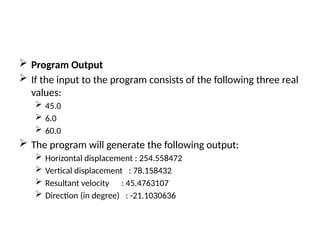
 Program Output
 If the input to the program consists of the following three real
values:
 45.0
 6.0
 60.0
 The program will generate the following output:
 Horizontal displacement : 254.558472
 Vertical displacement : 78.158432
 Resultant velocity : 45.4763107
 Direction (in degree) : -21.1030636
Character Operator and Substrings
Processing
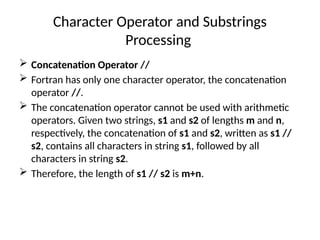
 Concatenation Operator //
 Fortran has only one character operator, the concatenation
operator //.
 The concatenation operator cannot be used with arithmetic
operators. Given two strings, s1 and s2 of lengths m and n,
respectively, the concatenation of s1 and s2, written as s1 //
s2, contains all characters in string s1, followed by all
characters in string s2.
 Therefore, the length of s1 // s2 is m+n.
Character Operator and Substrings
Processing …
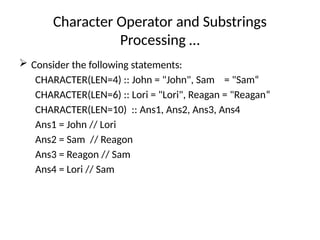
 Consider the following statements:
CHARACTER(LEN=4) :: John = "John", Sam = "Sam“
CHARACTER(LEN=6) :: Lori = "Lori", Reagan = "Reagan“
CHARACTER(LEN=10) :: Ans1, Ans2, Ans3, Ans4
Ans1 = John // Lori
Ans2 = Sam // Reagon
Ans3 = Reagon // Sam
Ans4 = Lori // Sam
Character Operator and Substrings
Processing …
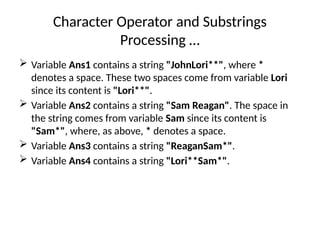
 Variable Ans1 contains a string "JohnLori**", where *
denotes a space. These two spaces come from variable Lori
since its content is "Lori**".
 Variable Ans2 contains a string "Sam Reagan". The space in
the string comes from variable Sam since its content is
"Sam*", where, as above, * denotes a space.
 Variable Ans3 contains a string "ReaganSam*".
 Variable Ans4 contains a string "Lori**Sam*".
Substrings
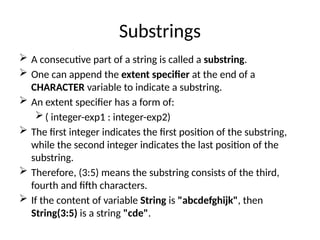
 A consecutive part of a string is called a substring.
 One can append the extent specifier at the end of a
CHARACTER variable to indicate a substring.
 An extent specifier has a form of:
( integer-exp1 : integer-exp2)
 The first integer indicates the first position of the substring,
while the second integer indicates the last position of the
substring.
 Therefore, (3:5) means the substring consists of the third,
fourth and fifth characters.
 If the content of variable String is "abcdefghijk", then
String(3:5) is a string "cde".
Substrings…
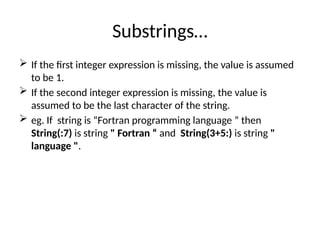
 If the first integer expression is missing, the value is assumed
to be 1.
 If the second integer expression is missing, the value is
assumed to be the last character of the string.
 eg. If string is “Fortran programming language ” then
String(:7) is string " Fortran “ and String(3+5:) is string "
language ".
Substrings…
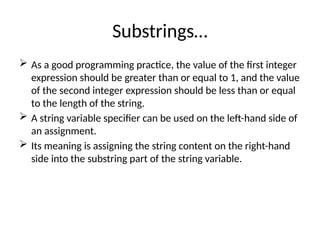
 As a good programming practice, the value of the first integer
expression should be greater than or equal to 1, and the value
of the second integer expression should be less than or equal
to the length of the string.
 A string variable specifier can be used on the left-hand side of
an assignment.
 Its meaning is assigning the string content on the right-hand
side into the substring part of the string variable.
Substrings…
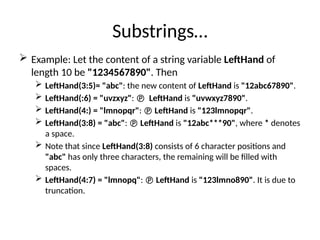
 Example: Let the content of a string variable LeftHand of
length 10 be "1234567890". Then
 LeftHand(3:5)= "abc": the new content of LeftHand is "12abc67890".
 LeftHand(:6) = "uvzxyz":  LeftHand is "uvwxyz7890".
 LeftHand(4:) = "lmnopqr":  LeftHand is "123lmnopqr".
 LeftHand(3:8) = "abc":  LeftHand is "12abc***90", where * denotes
a space.
 Note that since LeftHand(3:8) consists of 6 character positions and
"abc" has only three characters, the remaining will be filled with
spaces.
 LeftHand(4:7) = "lmnopq":  LeftHand is "123lmno890". It is due to
truncation.
Substrings…
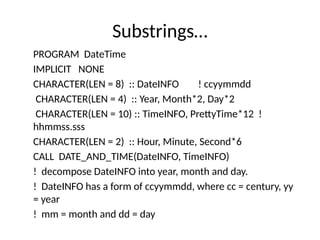
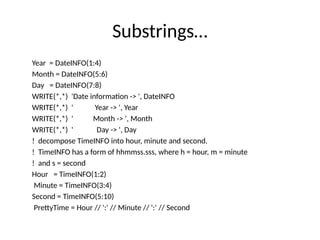
PROGRAM DateTime
IMPLICIT NONE
CHARACTER(LEN = 8) :: DateINFO ! ccyymmdd
CHARACTER(LEN = 4) :: Year, Month*2, Day*2
CHARACTER(LEN = 10) :: TimeINFO, PrettyTime*12 !
hhmmss.sss
CHARACTER(LEN = 2) :: Hour, Minute, Second*6
CALL DATE_AND_TIME(DateINFO, TimeINFO)
! decompose DateINFO into year, month and day.
! DateINFO has a form of ccyymmdd, where cc = century, yy
= year
! mm = month and dd = day
Substrings…
Year = DateINFO(1:4)
Month = DateINFO(5:6)
Day = DateINFO(7:8)
WRITE(*,*) 'Date information -> ', DateINFO
WRITE(*,*) ' Year -> ', Year
WRITE(*,*) ' Month -> ', Month
WRITE(*,*) ' Day -> ', Day
! decompose TimeINFO into hour, minute and second.
! TimeINFO has a form of hhmmss.sss, where h = hour, m = minute
! and s = second
Hour = TimeINFO(1:2)
Minute = TimeINFO(3:4)
Second = TimeINFO(5:10)
PrettyTime = Hour // ':' // Minute // ':' // Second
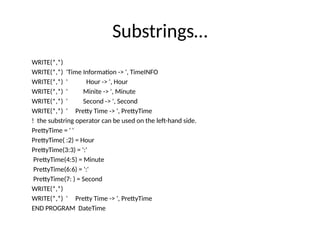
Substrings…
WRITE(*,*)
WRITE(*,*) 'Time Information -> ', TimeINFO
WRITE(*,*) ' Hour -> ', Hour
WRITE(*,*) ' Minite -> ', Minute
WRITE(*,*) ' Second -> ', Second
WRITE(*,*) ' Pretty Time -> ', PrettyTime
! the substring operator can be used on the left-hand side.
PrettyTime = ' '
PrettyTime( :2) = Hour
PrettyTime(3:3) = ':'
PrettyTime(4:5) = Minute
PrettyTime(6:6) = ':'
PrettyTime(7: ) = Second
WRITE(*,*)
WRITE(*,*) ' Pretty Time -> ', PrettyTime
END PROGRAM DateTime
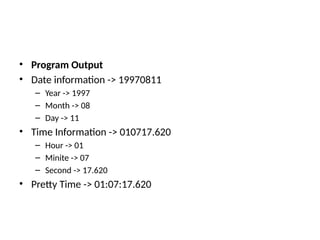
• Program Output
• Date information -> 19970811
– Year -> 1997
– Month -> 08
– Day -> 11
• Time Information -> 010717.620
– Hour -> 01
– Minite -> 07
– Second -> 17.620
• Pretty Time -> 01:07:17.620
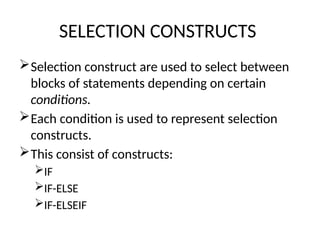
SELECTION CONSTRUCTS
Selection construct are used to select between
blocks of statements depending on certain
conditions.
Each condition is used to represent selection
constructs.
This consist of constructs:
IF
IF-ELSE
IF-ELSEIF
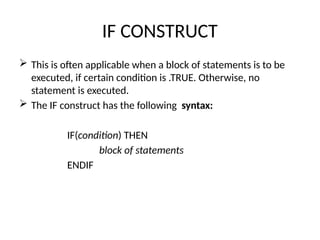
IF CONSTRUCT
 This is often applicable when a block of statements is to be
executed, if certain condition is .TRUE. Otherwise, no
statement is executed.
 The IF construct has the following syntax:
IF(condition) THEN
block of statements
ENDIF
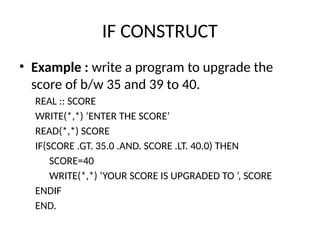
IF CONSTRUCT
• Example : write a program to upgrade the
score of b/w 35 and 39 to 40.
REAL :: SCORE
WRITE(*,*) ‘ENTER THE SCORE’
READ(*,*) SCORE
IF(SCORE .GT. 35.0 .AND. SCORE .LT. 40.0) THEN
SCORE=40
WRITE(*,*) ‘YOUR SCORE IS UPGRADED TO ’, SCORE
ENDIF
END.
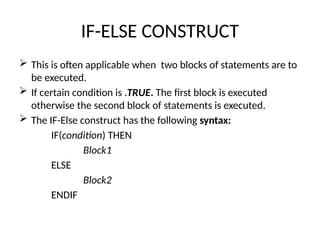
IF-ELSE CONSTRUCT
 This is often applicable when two blocks of statements are to
be executed.
 If certain condition is .TRUE. The first block is executed
otherwise the second block of statements is executed.
 The IF-Else construct has the following syntax:
IF(condition) THEN
Block1
ELSE
Block2
ENDIF
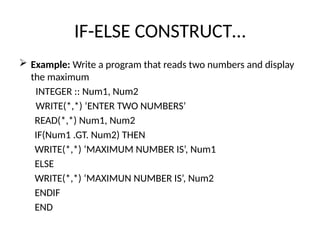
IF-ELSE CONSTRUCT…
 Example: Write a program that reads two numbers and display
the maximum
INTEGER :: Num1, Num2
WRITE(*,*) ‘ENTER TWO NUMBERS’
READ(*,*) Num1, Num2
IF(Num1 .GT. Num2) THEN
WRITE(*,*) ‘MAXIMUM NUMBER IS’, Num1
ELSE
WRITE(*,*) ‘MAXIMUN NUMBER IS’, Num2
ENDIF
END
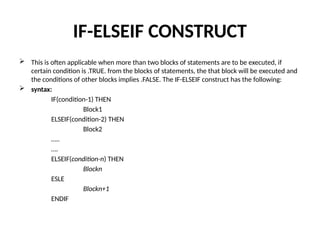
IF-ELSEIF CONSTRUCT
 This is often applicable when more than two blocks of statements are to be executed, if
certain condition is .TRUE. from the blocks of statements, the that block will be executed and
the conditions of other blocks implies .FALSE. The IF-ELSEIF construct has the following:
 syntax:
IF(condition-1) THEN
Block1
ELSEIF(condition-2) THEN
Block2
…..
….
ELSEIF(condition-n) THEN
Blockn
ESLE
Blockn+1
ENDIF
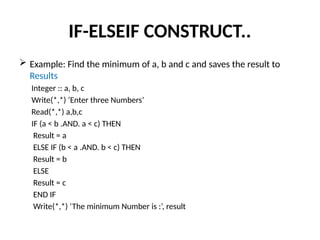
IF-ELSEIF CONSTRUCT..
 Example: Find the minimum of a, b and c and saves the result to
Results
Integer :: a, b, c
Write(*,*) ‘Enter three Numbers’
Read(*,*) a,b,c
IF (a < b .AND. a < c) THEN
Result = a
ELSE IF (b < a .AND. b < c) THEN
Result = b
ELSE
Result = c
END IF
Write(*,*) ‘The minimum Number is :’, result
REPETITION
 There are two forms of loops:
 the counting loop
 the general loop.
 The syntax of the counting loop is the following:
DO control-var = initial-value, final-value, [step-size]
statements
END DO
• where :
– control-var is an INTEGER variable,
– initial-value and final-value are two INTEGER expressions,
– and step-size is also an INTEGER expression whose value cannot be
zero.
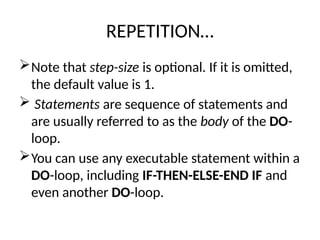
REPETITION…
Note that step-size is optional. If it is omitted,
the default value is 1.
 Statements are sequence of statements and
are usually referred to as the body of the DO-
loop.
You can use any executable statement within a
DO-loop, including IF-THEN-ELSE-END IF and
even another DO-loop.
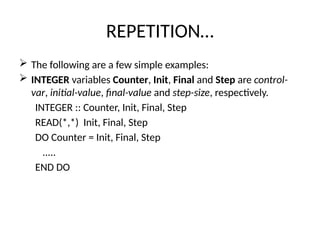
REPETITION…
 The following are a few simple examples:
 INTEGER variables Counter, Init, Final and Step are control-
var, initial-value, final-value and step-size, respectively.
INTEGER :: Counter, Init, Final, Step
READ(*,*) Init, Final, Step
DO Counter = Init, Final, Step
.....
END DO
REPETITION…
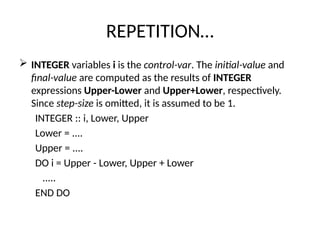
 INTEGER variables i is the control-var. The initial-value and
final-value are computed as the results of INTEGER
expressions Upper-Lower and Upper+Lower, respectively.
Since step-size is omitted, it is assumed to be 1.
INTEGER :: i, Lower, Upper
Lower = ....
Upper = ....
DO i = Upper - Lower, Upper + Lower
.....
END DO
REPETITION…
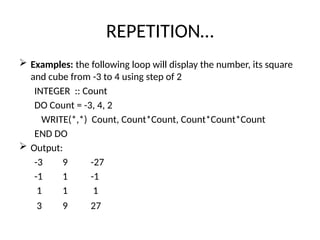
 Examples: the following loop will display the number, its square
and cube from -3 to 4 using step of 2
INTEGER :: Count
DO Count = -3, 4, 2
WRITE(*,*) Count, Count*Count, Count*Count*Count
END DO
 Output:
-3 9 -27
-1 1 -1
1 1 1
3 9 27
REPETITION…
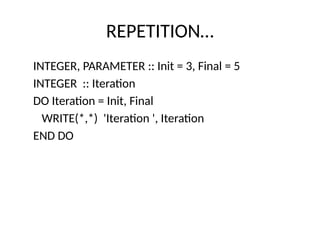
INTEGER, PARAMETER :: Init = 3, Final = 5
INTEGER :: Iteration
DO Iteration = Init, Final
WRITE(*,*) 'Iteration ', Iteration
END DO
REPETITION…
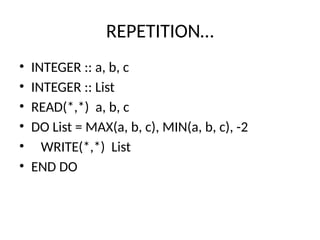
• INTEGER :: a, b, c
• INTEGER :: List
• READ(*,*) a, b, c
• DO List = MAX(a, b, c), MIN(a, b, c), -2
• WRITE(*,*) List
• END DO
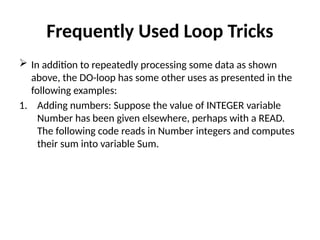
Frequently Used Loop Tricks
 In addition to repeatedly processing some data as shown
above, the DO-loop has some other uses as presented in the
following examples:
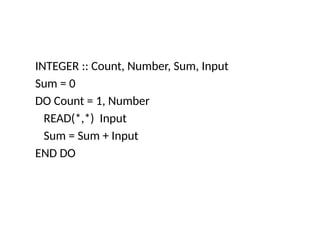
1. Adding numbers: Suppose the value of INTEGER variable
Number has been given elsewhere, perhaps with a READ.
The following code reads in Number integers and computes
their sum into variable Sum.
INTEGER :: Count, Number, Sum, Input
Sum = 0
DO Count = 1, Number
READ(*,*) Input
Sum = Sum + Input
END DO
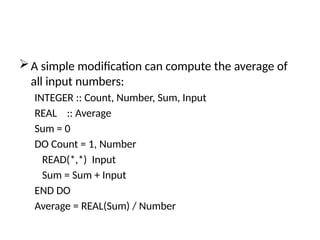
A simple modification can compute the average of
all input numbers:
INTEGER :: Count, Number, Sum, Input
REAL :: Average
Sum = 0
DO Count = 1, Number
READ(*,*) Input
Sum = Sum + Input
END DO
Average = REAL(Sum) / Number
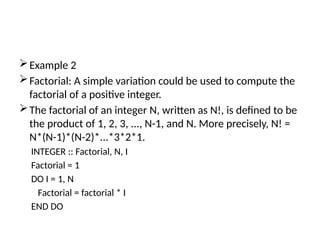
Example 2
Factorial: A simple variation could be used to compute the
factorial of a positive integer.
The factorial of an integer N, written as N!, is defined to be
the product of 1, 2, 3, ..., N-1, and N. More precisely, N! =
N*(N-1)*(N-2)*...*3*2*1.
INTEGER :: Factorial, N, I
Factorial = 1
DO I = 1, N
Factorial = factorial * I
END DO
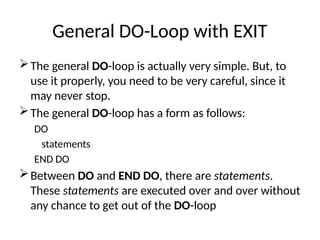
General DO-Loop with EXIT
The general DO-loop is actually very simple. But, to
use it properly, you need to be very careful, since it
may never stop.
The general DO-loop has a form as follows:
DO
statements
END DO
Between DO and END DO, there are statements.
These statements are executed over and over without
any chance to get out of the DO-loop
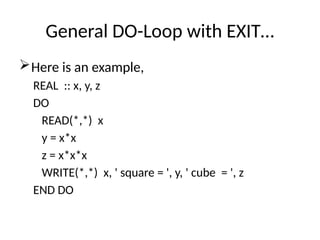
General DO-Loop with EXIT…
Here is an example,
REAL :: x, y, z
DO
READ(*,*) x
y = x*x
z = x*x*x
WRITE(*,*) x, ' square = ', y, ' cube = ', z
END DO
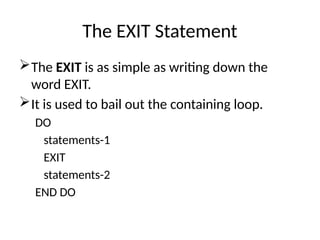
The EXIT Statement
The EXIT is as simple as writing down the
word EXIT.
It is used to bail out the containing loop.
DO
statements-1
EXIT
statements-2
END DO
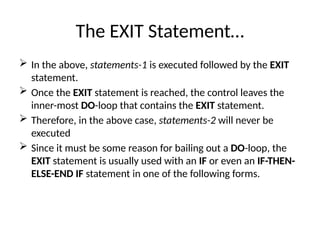
The EXIT Statement…
 In the above, statements-1 is executed followed by the EXIT
statement.
 Once the EXIT statement is reached, the control leaves the
inner-most DO-loop that contains the EXIT statement.
 Therefore, in the above case, statements-2 will never be
executed
 Since it must be some reason for bailing out a DO-loop, the
EXIT statement is usually used with an IF or even an IF-THEN-
ELSE-END IF statement in one of the following forms.
The EXIT Statement…
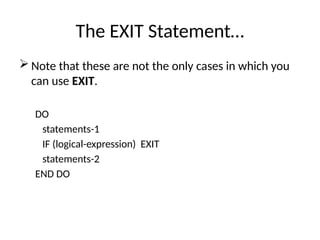
 Note that these are not the only cases in which you
can use EXIT.
DO
statements-1
IF (logical-expression) EXIT
statements-2
END DO
The EXIT Statement…
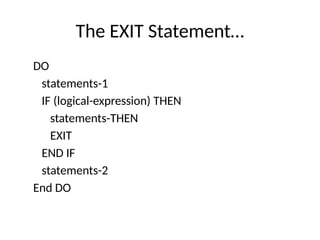
DO
statements-1
IF (logical-expression) THEN
statements-THEN
EXIT
END IF
statements-2
End DO
The EXIT Statement…
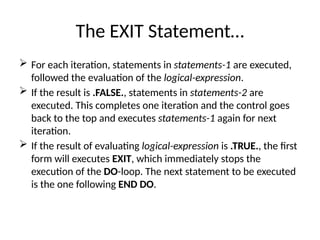
 For each iteration, statements in statements-1 are executed,
followed the evaluation of the logical-expression.
 If the result is .FALSE., statements in statements-2 are
executed. This completes one iteration and the control goes
back to the top and executes statements-1 again for next
iteration.
 If the result of evaluating logical-expression is .TRUE., the first
form will executes EXIT, which immediately stops the
execution of the DO-loop. The next statement to be executed
is the one following END DO.
The EXIT Statement…
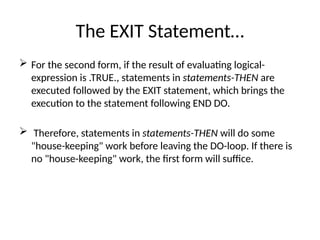
 For the second form, if the result of evaluating logical-
expression is .TRUE., statements in statements-THEN are
executed followed by the EXIT statement, which brings the
execution to the statement following END DO.
 Therefore, statements in statements-THEN will do some
"house-keeping" work before leaving the DO-loop. If there is
no "house-keeping" work, the first form will suffice.
The EXIT Statement…
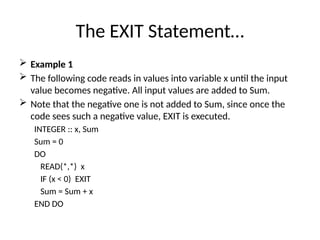
 Example 1
 The following code reads in values into variable x until the input
value becomes negative. All input values are added to Sum.
 Note that the negative one is not added to Sum, since once the
code sees such a negative value, EXIT is executed.
INTEGER :: x, Sum
Sum = 0
DO
READ(*,*) x
IF (x < 0) EXIT
Sum = Sum + x
END DO
The EXIT Statement…
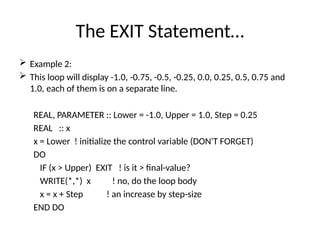
 Example 2:
 This loop will display -1.0, -0.75, -0.5, -0.25, 0.0, 0.25, 0.5, 0.75 and
1.0, each of them is on a separate line.
REAL, PARAMETER :: Lower = -1.0, Upper = 1.0, Step = 0.25
REAL :: x
x = Lower ! initialize the control variable (DON'T FORGET)
DO
IF (x > Upper) EXIT ! is it > final-value?
WRITE(*,*) x ! no, do the loop body
x = x + Step ! an increase by step-size
END DO
The EXIT Statement…
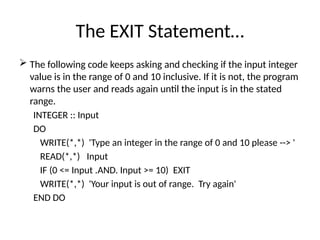
 The following code keeps asking and checking if the input integer
value is in the range of 0 and 10 inclusive. If it is not, the program
warns the user and reads again until the input is in the stated
range.
INTEGER :: Input
DO
WRITE(*,*) 'Type an integer in the range of 0 and 10 please --> '
READ(*,*) Input
IF (0 <= Input .AND. Input >= 10) EXIT
WRITE(*,*) 'Your input is out of range. Try again'
END DO
Nested DO-Loops
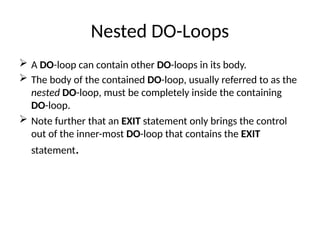
 A DO-loop can contain other DO-loops in its body.
 The body of the contained DO-loop, usually referred to as the
nested DO-loop, must be completely inside the containing
DO-loop.
 Note further that an EXIT statement only brings the control
out of the inner-most DO-loop that contains the EXIT
statement.
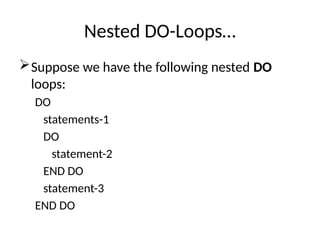
Nested DO-Loops…
Suppose we have the following nested DO
loops:
DO
statements-1
DO
statement-2
END DO
statement-3
END DO
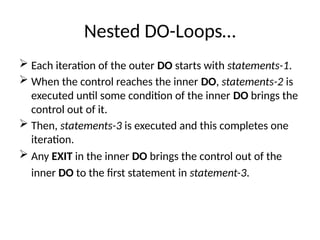
Nested DO-Loops…
 Each iteration of the outer DO starts with statements-1.
 When the control reaches the inner DO, statements-2 is
executed until some condition of the inner DO brings the
control out of it.
 Then, statements-3 is executed and this completes one
iteration.
 Any EXIT in the inner DO brings the control out of the
inner DO to the first statement in statement-3.
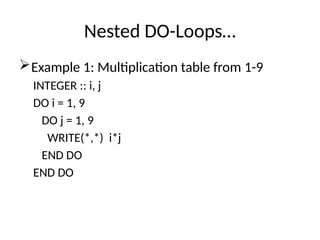
Nested DO-Loops…
Example 1: Multiplication table from 1-9
INTEGER :: i, j
DO i = 1, 9
DO j = 1, 9
WRITE(*,*) i*j
END DO
END DO
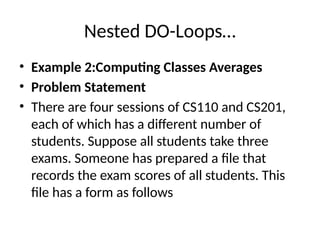
Nested DO-Loops…
• Example 2:Computing Classes Averages
• Problem Statement
• There are four sessions of CS110 and CS201,
each of which has a different number of
students. Suppose all students take three
exams. Someone has prepared a file that
records the exam scores of all students. This
file has a form as follows
Nested DO-Loops…
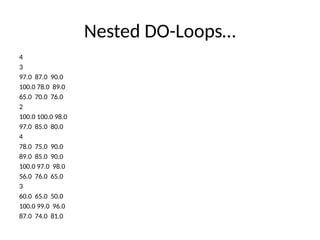
4
3
97.0 87.0 90.0
100.0 78.0 89.0
65.0 70.0 76.0
2
100.0 100.0 98.0
97.0 85.0 80.0
4
78.0 75.0 90.0
89.0 85.0 90.0
100.0 97.0 98.0
56.0 76.0 65.0
3
60.0 65.0 50.0
100.0 99.0 96.0
87.0 74.0 81.0
Nested DO-Loops…
 The first number 4 gives the number of classes in this file.
 For each class, it starts with an integer, giving the number of
students in that class. Thus, the first class has 3 students, the
second has 2, the third has 4 and the fourth has 3.
 Following the number of students, there are that number of
lines each of which contains the three scores of a student.
 Write a program that reads in a file of this form and computes
the following information:
the average of each student;
the class average of each exam; and
the grant average of the class.
Nested DO-Loops…
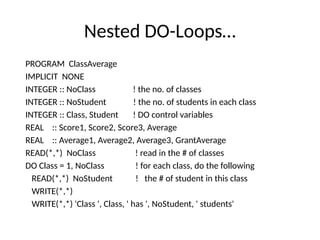
PROGRAM ClassAverage
IMPLICIT NONE
INTEGER :: NoClass ! the no. of classes
INTEGER :: NoStudent ! the no. of students in each class
INTEGER :: Class, Student ! DO control variables
REAL :: Score1, Score2, Score3, Average
REAL :: Average1, Average2, Average3, GrantAverage
READ(*,*) NoClass ! read in the # of classes
DO Class = 1, NoClass ! for each class, do the following
READ(*,*) NoStudent ! the # of student in this class
WRITE(*,*)
WRITE(*,*) 'Class ', Class, ' has ', NoStudent, ' students'
Nested DO-Loops…
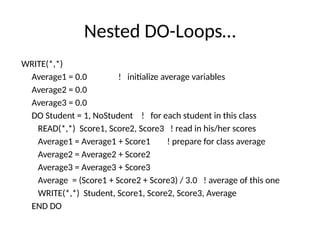
WRITE(*,*)
Average1 = 0.0 ! initialize average variables
Average2 = 0.0
Average3 = 0.0
DO Student = 1, NoStudent ! for each student in this class
READ(*,*) Score1, Score2, Score3 ! read in his/her scores
Average1 = Average1 + Score1 ! prepare for class average
Average2 = Average2 + Score2
Average3 = Average3 + Score3
Average = (Score1 + Score2 + Score3) / 3.0 ! average of this one
WRITE(*,*) Student, Score1, Score2, Score3, Average
END DO
Nested DO-Loops…
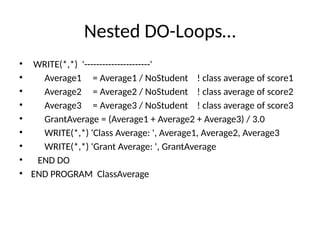
• WRITE(*,*) '----------------------'
• Average1 = Average1 / NoStudent ! class average of score1
• Average2 = Average2 / NoStudent ! class average of score2
• Average3 = Average3 / NoStudent ! class average of score3
• GrantAverage = (Average1 + Average2 + Average3) / 3.0
• WRITE(*,*) 'Class Average: ', Average1, Average2, Average3
• WRITE(*,*) 'Grant Average: ', GrantAverage
• END DO
• END PROGRAM ClassAverage
Nested DO-Loops…
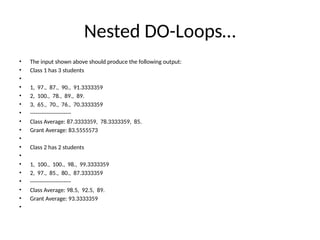
• The input shown above should produce the following output:
• Class 1 has 3 students
•
• 1, 97., 87., 90., 91.3333359
• 2, 100., 78., 89., 89.
• 3, 65., 70., 76., 70.3333359
• ----------------------
• Class Average: 87.3333359, 78.3333359, 85.
• Grant Average: 83.5555573
•
• Class 2 has 2 students
•
• 1, 100., 100., 98., 99.3333359
• 2, 97., 85., 80., 87.3333359
• ----------------------
• Class Average: 98.5, 92.5, 89.
• Grant Average: 93.3333359
•
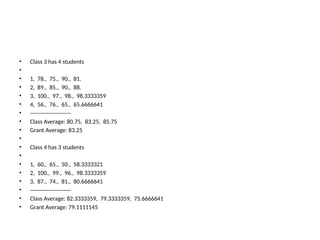
• Class 3 has 4 students
•
• 1, 78., 75., 90., 81.
• 2, 89., 85., 90., 88.
• 3, 100., 97., 98., 98.3333359
• 4, 56., 76., 65., 65.6666641
• ----------------------
• Class Average: 80.75, 83.25, 85.75
• Grant Average: 83.25
•
• Class 4 has 3 students
•
• 1, 60., 65., 50., 58.3333321
• 2, 100., 99., 96., 98.3333359
• 3, 87., 74., 81., 80.6666641
• ----------------------
• Class Average: 82.3333359, 79.3333359, 75.6666641
• Grant Average: 79.1111145
The WHILE Loop
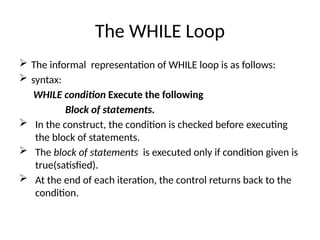
 The informal representation of WHILE loop is as follows:
 syntax:
WHILE condition Execute the following
Block of statements.
 In the construct, the condition is checked before executing
the block of statements.
 The block of statements is executed only if condition given is
true(satisfied).
 At the end of each iteration, the control returns back to the
condition.
The WHILE Loop…
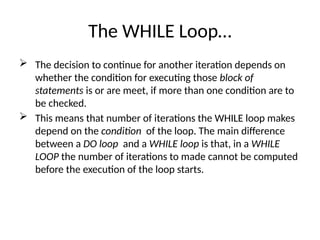
 The decision to continue for another iteration depends on
whether the condition for executing those block of
statements is or are meet, if more than one condition are to
be checked.
 This means that number of iterations the WHILE loop makes
depend on the condition of the loop. The main difference
between a DO loop and a WHILE loop is that, in a WHILE
LOOP the number of iterations to made cannot be computed
before the execution of the loop starts.
The WHILE Loop…
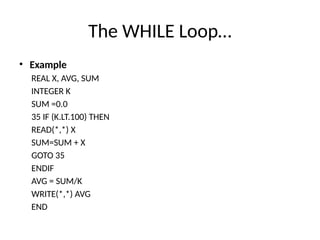
• Example
REAL X, AVG, SUM
INTEGER K
SUM =0.0
35 IF (K.LT.100) THEN
READ(*,*) X
SUM=SUM + X
GOTO 35
ENDIF
AVG = SUM/K
WRITE(*,*) AVG
END
Functions and Subroutines
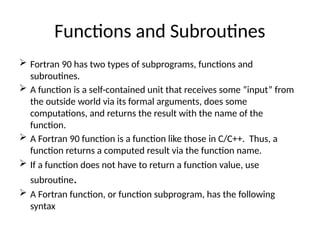
 Fortran 90 has two types of subprograms, functions and
subroutines.
 A function is a self-contained unit that receives some “input” from
the outside world via its formal arguments, does some
computations, and returns the result with the name of the
function.
 A Fortran 90 function is a function like those in C/C++. Thus, a
function returns a computed result via the function name.
 If a function does not have to return a function value, use
subroutine.
 A Fortran function, or function subprogram, has the following
syntax
Type FUNCTION function-name(arg1, arg2, ..., argn)
IMPLICIT NONE
[specification part]
[execution part]
[subprogram part]
END FUNCTION function-name
 Type is a Fortran 90 type (e.g., INTEGER, REAL,LOGICAL,
etc.) with or without KIND.
 function-name is a Fortran 90 identifier zarg1, …, argn are
formal arguments.
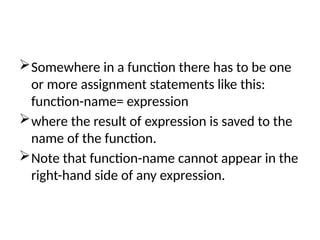
Somewhere in a function there has to be one
or more assignment statements like this:
function-name= expression
where the result of expression is saved to the
name of the function.
Note that function-name cannot appear in the
right-hand side of any expression.
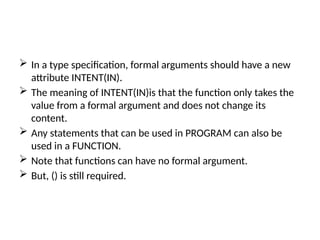
 In a type specification, formal arguments should have a new
attribute INTENT(IN).
 The meaning of INTENT(IN)is that the function only takes the
value from a formal argument and does not change its
content.
 Any statements that can be used in PROGRAM can also be
used in a FUNCTION.
 Note that functions can have no formal argument.
 But, () is still required.
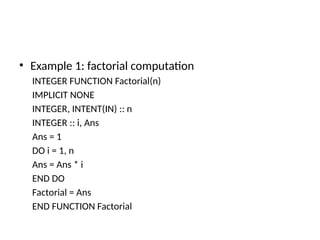
• Example 1: factorial computation
INTEGER FUNCTION Factorial(n)
IMPLICIT NONE
INTEGER, INTENT(IN) :: n
INTEGER :: i, Ans
Ans = 1
DO i = 1, n
Ans = Ans * i
END DO
Factorial = Ans
END FUNCTION Factorial
Using Functions
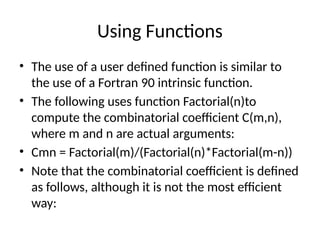
• The use of a user defined function is similar to
the use of a Fortran 90 intrinsic function.
• The following uses function Factorial(n)to
compute the combinatorial coefficient C(m,n),
where m and n are actual arguments:
• Cmn = Factorial(m)/(Factorial(n)*Factorial(m-n))
• Note that the combinatorial coefficient is defined
as follows, although it is not the most efficient
way:
Where Do Functions Go:
Fortran 90 functions can be internal or external.
Internal functions are inside of a PROGRAM, the
main program:
PROGRAM program-name
IMPLICIT NONE
[specification part]
[execution part]
CONTAINS
[functions]
END PROGRAM program-name
• Although a function can contain other
functions, internal functions cannot have
internal functions.
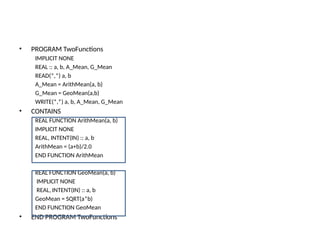
• PROGRAM TwoFunctions
IMPLICIT NONE
REAL :: a, b, A_Mean, G_Mean
READ(*,*) a, b
A_Mean = ArithMean(a, b)
G_Mean = GeoMean(a,b)
WRITE(*,*) a, b, A_Mean, G_Mean
• CONTAINS
REAL FUNCTION ArithMean(a, b)
IMPLICIT NONE
REAL, INTENT(IN) :: a, b
ArithMean = (a+b)/2.0
END FUNCTION ArithMean
REAL FUNCTION GeoMean(a, b)
IMPLICIT NONE
REAL, INTENT(IN) :: a, b
GeoMean = SQRT(a*b)
END FUNCTION GeoMean
• END PROGRAM TwoFunctions
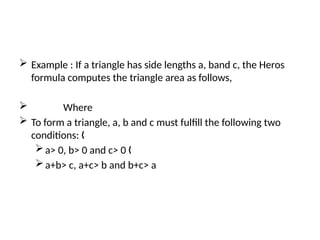
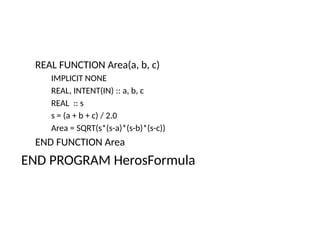
 Example : If a triangle has side lengths a, band c, the Heros
formula computes the triangle area as follows,
 Where
 To form a triangle, a, b and c must fulfill the following two
conditions: „
a> 0, b> 0 and c> 0 „
a+b> c, a+c> b and b+c> a
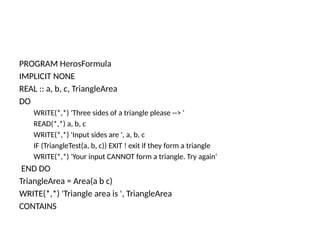
PROGRAM HerosFormula
IMPLICIT NONE
REAL :: a, b, c, TriangleArea
DO
WRITE(*,*) 'Three sides of a triangle please --> '
READ(*,*) a, b, c
WRITE(*,*) 'Input sides are ', a, b, c
IF (TriangleTest(a, b, c)) EXIT ! exit if they form a triangle
WRITE(*,*) 'Your input CANNOT form a triangle. Try again‘
END DO
TriangleArea = Area(a b c)
WRITE(*,*) 'Triangle area is ', TriangleArea
CONTAINS
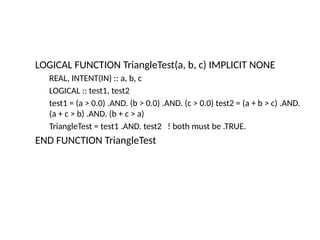
LOGICAL FUNCTION TriangleTest(a, b, c) IMPLICIT NONE
REAL, INTENT(IN) :: a, b, c
LOGICAL :: test1, test2
test1 = (a > 0.0) .AND. (b > 0.0) .AND. (c > 0.0) test2 = (a + b > c) .AND.
(a + c > b) .AND. (b + c > a)
TriangleTest = test1 .AND. test2 ! both must be .TRUE.
END FUNCTION TriangleTest
REAL FUNCTION Area(a, b, c)
IMPLICIT NONE
REAL, INTENT(IN) :: a, b, c
REAL :: s
s = (a + b + c) / 2.0
Area = SQRT(s*(s-a)*(s-b)*(s-c))
END FUNCTION Area
END PROGRAM HerosFormula

introduction to FORTRAN programming for ABU students

  • 1.
    Ahmadu Bello University,Zaria, Nigeria Department of Computer Science COSC 344:Object-Oriented FORTRAN programming Language.
  • 2.
    Course outline  Introductionto computer system  Fortran programming languages  Elements of a FORTRAN program  Fortran Alphabets  Fortran Constants  Fortran Identifiers  The Assignment Statement  Arithmetic Operators
  • 3.
    Introduction to computersystem What is a Computer? Anatomy of a Computer System Computer Software Computer Hardware
  • 4.
    What is aComputer System?  A computer system is an electronic device which can input, process, and output data  Input data of a computer may represent numbers, words, pictures etc.  Programs that control the operations of the computer are stored inside the computer
  • 5.
    Major Components ofa Computer System  A computer system consists of two main parts: hardware and software  Hardware is the physical components and software is the non- physical components of a computer system.  Computer hardware is divided into three major components:  1. Input/Output (I/O) devices  2. Computer memory  3. The Central Processing Unit (CPU)  Computer software is divided into two main categories:  1. Systems software  2. Applications software
  • 6.
  • 7.
    I/O (Input/Output)Devices  Inputdevices are used to enter programs and data into a computer system. Examples: keyboard, mouse, microphone, and scanner. Output devices are where program output is shown or is sent. Examples: monitor, printer, and speaker. I/O devices are slow compared to the speed of the processor.
  • 8.
    Computer Memory  Themain function of computer memory is to store software.  Computer memory is divided into primary memory and secondary memory.  Primary memory is divided into random access memory (RAM) and read only memory (ROM): The CPU can read and write to RAM but the CPU can read from ROM but cannot write to ROM RAM is volatile while ROM is not.  Secondary memory Examples of secondary memory devices are: hard disks, floppy disks and CD ROMs
  • 9.
    The CPU  TheCPU is the "brain" of the computer system.  The CPU directly or indirectly controls all the other components.  The CPU has a limited storage capacity.  Thus, the CPU must rely on other components for storage.  The CPU consists of: 1. The Arithmetic and Logic Unit (ALU). 2. The Control Unit (CU). 3. Registers.  The CPU components are connected by a group of electrical wires called the CPU bus.
  • 10.
    Systems Software  Systemsoftware manages computer resources and makes computers easier to use Systems software can be divided into three categories: – 1. Operating System (OS) • Examples: Windows XP, UNIX and MacOS – 2. System support software • Examples: disk-formatting and anti-virus programs. – 3. System development software. • Example: Language translators.
  • 11.
    Applications Software An applicationssoftware enables a computer user to do a particular task Example applications software include:  Word processors  Spreadsheets (or Excel sheets)  Database systems  Graphics programs  Multimedia applications
  • 12.
    Computer Programming  Thefunctions of a computer system are controlled by computer programs  A computer program is a clear, step-by-step, finite set of instructions.  A computer program must be clear so that only one meaning can be derived from it  A computer program is written in a computer language called a programming language
  • 13.
    Programming Languages  Thereare three categories of programming languages: 1. Machine languages. 2. Assembly languages. 3. High-level languages.  Machine languages and assembly languages are also called low-level language
  • 14.
    Programming Languages  AMachine language program consists of a sequence of zeros and ones.  Each kind of CPU has its own machine language.  Advantages Fast and efficient Machine friendly No translation required  Disadvantages Not portable Not programmer friendly
  • 15.
    High-Level Programming Languages A high-level language (HLL) has two primary components 1. a set of built-in language primitives and grammatical rules 2. a translator  A HLL language program consists of English-like statements that are governed by a strict syntax.  Advantages  Portable or machine independent  Programmer-friendly  Disadvantages  Not as efficient as low-level languages  Need to be translated  Examples : C, C++, Java, FORTRAN, Visual Basic, and python
  • 16.
    Fortran programming language It is an acronym for FORmular TRANSlation which was developed by IBM as a scientific and engineering application.  Fortran version is denoted by the last two digits of the year the standard was proposed. Thus we have Fortran66, Fortran77 and Fortran90(95).  This programming language is designed for scientist and engineers.  Fortran90 program generally consists of a main program and possibly several subprograms
  • 17.
    F90 Program Structure •A Fortran 90 program has the following form: PROGRAM program-name IMPLICIT NONE [specification-part] [execution-part] [subprogram-part] END PROGRAM program-name
  • 18.
    Elements of aFORTRAN program • A FORTRAN program is composed of : Alphabets Constants, and Variables
  • 19.
    Alphabets  Fortran onlyuses the following characters:  Letters: A B C D E F G H I J K L M N O P Q R S T U V W X Y Z a b c d e f g h i j k l m n o p q r s t u v w x y z  Digits: 0 1 2 3 4 5 6 7 8 9  Special Characters: space ' " ( ) * + - / : = _ ! & $ ; < > % ? , .
  • 20.
    Fortran Constants  Constantsor more formally literal constants are the tokens used to denote the value of a particular type.  FORTRAN has five types of constants: integer real complex logical and character string.
  • 21.
    Integer Constants a stringof digits with an optional sign: Correct Examples: 0, -345, 768, +12345 Incorrect Examples: 1,234 : comma is not allowed 12.0: no decimal point --4 and ++3: too many optional signs 5- and 7+: the optional sign must precede the string of digits
  • 22.
    Real Constants Areal constanthas two forms, Decimal and Exponential Decimal: In the decimal form, a real constant is a string of digits with exactly one decimal point. A real constant may include an optional sign. Correct Examples: 23.45, .123, 123., -0.12, -.12 Incorrect Examples: 12,345.95, 75, 123.5-, $12.34
  • 23.
    Real Constants  Exponential:„ In the exponential form, a real constant starts with an integer/real, followed by E/e, followed by an integer (i.e., the exponent). Correct Examples 12.3456E2 or 12.3456e2 = 1234.56 -3.14E1 or -3.14e1,-1.2E-3 or -1.2e-3,12E3 or 12e3 0E0 or 0e0 Incorrect Examples 12.34E1.2, 12.34-5
  • 24.
    Logical constant  Alogical constant is either .TRUE. or .FALSE.  Note that the periods surrounding TRUE and FALSE are required!
  • 25.
    Character String  Acharacter string or character constant is a string of characters enclosed between two double quotes or two single quotes.  The content of a string consists of all characters and spaces between the single or double quotes.  The length of the string is the number of characters of its content.  The length of a string can be zero and in this case it is an empty string
  • 26.
    Character String  Ifsingle (or double) quotes are used in a string, then use double (or single) quotes as delimiters. Examples: “Jamilu’s car” and ‘He said “come here”’.  Two consecutive quotes are treated as one!  ‘Jamilu’’s car’ is Jamil’s car “double quote””” is double quote” `abc’’def”x’’y’ is abc’def”x’y “abc””def’x””y” is abc”def’x”y
  • 27.
    Fortran Identifiers  AFortran identifier must satisfy the following rules:  It has no more than 31 characters  The first character must be a letter,  The remaining characters, if any, may be letters, digits, or underscores,  Fortran identifiers are case insensitive.  Fortran has many keywords such as INTEGER, REAL, PARAMETER, PROGRAM, END, IF, THEN, ELSE, DO.  Fortran does not have any reserved words. More precisely, a programmer can use these keywords as identifiers.
  • 28.
    Fortran Identifiers  Usemeaningful names Good names: Total, Rate, length Not so good names: ThisIsALongFORTRANname, X321, A_B_012cm, OPQ  Correct Examples: Name, Total_amount , Count_1 I, X ,I1025, a1b2C3, X9900g , R2_D2, R2D2_, A__ Incorrect Examples: C.G.P.A: only letters, digits, and underscores can be used Test-score, 6feet, _System
  • 29.
    Fortran Variables andTheir Types • A Fortran variable can be considered as a box that is capable of holding a single value of certain type. • Thus, a variable has a name, the variable name and a type. • The way of choosing a name for a variable must fulfill the rules of composing a Fortran identifier.
  • 30.
    Fortran Variables andTheir Types….  The type of a variable can be one of the following: INTEGER: the variable is capable of holding an integer value REAL: the variable is capable of holding a real number COMPLEX: the variable is capable of holding a complex number LOGICAL: the variable is capable of holding a logical value (i.e., .true. or .false.) CHARACTER: the variable is capable of holding a character string of certain length
  • 31.
    Fortran Variable Declarations •Declaring the type of a Fortran variable is done with type statements and It has the following form: • type-specifier :: list • where the type-specifier is one of the keywords: INTEGER, REAL, LOGICAL, COMPLEX and CHARACTER, and list is a sequence of identifiers separated by commas.
  • 32.
    Fortran Variable Declarations…. Examples: INTEGER::age, Total, counter REAL:: AVERAGE, x, Difference LOGICAL:: Empty, Good COMPLEX:: Conjugate CHARACTER(LEN=20) :: Name, Course
  • 33.
    Fortran Variable Declarations…. Character variables require additional information, the string length:  Keyword CHARACTER must be followed by a length attribute (LEN = l), where l is the length of the string.  The LEN= part is optional.  If the length of a string is 1, one may use CHARACTER without „ length attribute. „
  • 34.
    Fortran Variable Declarations…. Examples:  CHARACTER(LEN=20) :: Name, Course „  Variables Name, Course can hold strings up to 20 characters. „  CHARACTER(20) :: Name, Course  the same as above.  If a variable can only hold a single character, the length part can be removed. The following three declarations are all equivalent:  CHARACTER(LEN=1) :: letter, digit  CHARACTER(1) :: letter, digit  CHARACTER :: letter, digit  Here, variables letter and digit can only hold no more than one character.
  • 35.
    Fortran Variable Declarations…. If you want to declare character variables of different length with a single statement, you can attach a length specification, *i, to the right of a variable.  In this case, the corresponding variable will have the indicated length and all other variables are not affected.  CHARACTER(LEN=10) :: City, Nation*20, BOX, bug*1  Here, variables City and BOX can hold a string of no more than 10 characters, Nation can hold a string of no more than 20 characters, and bug can hold only one character
  • 36.
    Fortran Variable Declarations…. There is one more way of specifying the length of a character variable. If the length value is replaced with a asterisk *, it means the lengths of the declared variables are determined elsewhere. In general, this type of declarations is used in subprogram arguments or in PARAMETER and is referred to as assumed length specifier.  CHARACTER (LEN=*):: Title, Position  Here, the actual lengths of variables Title and Position are unknown and will be determined elsewhere.
  • 37.
    The PARAMTER Attribute A PARAMETER identifier is a name whose value cannot be modified. In other words, it is a named constant.  The PARAMETER attribute is used after the type keyword.  Each identifier is followed by an = and followed by a value for that identifier.  It is important to note that all values for the identifier must be constants or names of constants.
  • 38.
    The PARAMTER Attribute Examples  INTEGER, PARAMETER:: MAXIMUM = 10  INTEGER, PARAMETER:: MAXIMUM = 10  REAL, PARAMETER:: PI = 3.1415926, E = 2.17828  LOGICAL, PARAMETER:: TRUE = .true., FALSE = .false.  REAL, PARAMETER :: E = 2.71828, PI = 3.141592  INTEGER, PARAMETER :: Total = 10, Count = 5, Sum = Total*Count  CHARACTER(LEN=4), PARAMETER :: Name = ‘Nura', State = “Kano"
  • 39.
    The PARAMTER Attribute Note: If the string is longer, truncation to the right will happen. In the following case, since the length of the string "Smith" is 5 while the length of Name is 4, the string is truncated to the right and the content of Name is "Smit"  CHARACTER(LEN=4), PARAMETER :: Name = 'Smith' If the string is shorter, spaces will be added to the right. Since the string "LA" is of length 2 while the name City is of length 4, two spaces will be padded to the right and the content of City becomes "LA "  CHARACTER(LEN=4), PARAMETER :: City = "LA"
  • 40.
    The PARAMTER Attribute This is where the assumed length specifier comes in. That is, FORTRAN allows the length of character name to be determined by the length of string.  In the example below, names Name and City are declared to have assumed length. Since the lengths of 'John' and "LA" are 4 and 2, the length of the names Name and City are 4 and 2, respectively.  CHARACTER(LEN=*), PARAMETER :: Name = 'John', City = "LA"
  • 41.
    Variables Initialization  Avariable can be considered as a box that can hold a single value.  However, initially the content of a variable (or a box) is empty.  Therefore, before one can use a variable, it must receive a value.
  • 42.
    Variables Initialization … There are at least three ways to put a value into a variable: initializing it when the program is run using an assignment statement reading a value from keyboard or other device with a READ statement.  Syntax: type :: variable = expression  Where expression must be constants or names of constants
  • 43.
    Variables Initialization … Initializing a variable is only done exactly once when the computer loads your program into memory for execution. That is, all initializations are done before the program starts its execution. The use of un-initialized variables may cause unexpected result.  Examples: REAL :: Offset = 0.1, Length = 10.0, tolerance = 1.E-7 CHARACTER(LEN=2) :: State1 = "MI", State2 = "MN", State3 = "MD“ INTEGER, PARAMETER :: Quantity = 10, Amount = 435, Period = 3 INTEGER :: Pay = Quantity*Amount, Received = Period+5
  • 44.
    The Assignment Statement The assignment statement has the following form:  Variable = expression  Its purpose is saving the result of the expression to the right of the assignment operator to the variable on the left. Here are some rules:  The expression is evaluated first with the rules discussed in the single mode or the mixed mode expressions pages.  If the type of the expression is identical to that of the variable, the result is saved in the variable.
  • 45.
    The Assignment Statement… Otherwise, the result is converted to the type of the variable and saved there.  If the type of the variable is INTEGER while the type of the result is REAL, the fractional part, including the decimal point, is removed making it an integer result.  If the type of the variable is REAL while the type of the result is INTEGER, then a decimal point is appended to the integer making it a real number.  Once the variable receives a new value, the original one disappears and is no more available.  CHARACTER assignment follows the rules stated in the discussion of the PARAMETER attribute.
  • 46.
    The Assignment Statement… Examples: INTEGER :: Total, Amount, Unit Unit = 5 Amount = 100.99Total = Unit * Amount REAL, PARAMETER :: PI = 3.1415926 REAL :: Area INTEGER :: Radius Radius = 5 Area = (Radius ** 2) * PI
  • 47.
    The Assignment Statement… • Write assignment statements to swap the content of two variables x=3 and y=2 with the help of variable z • Integer :: x=3,y=2,z • Z=x • X=y • Y=z
  • 48.
    Operators in Fortran Fortranhas four types of operators: Arithmetic Relational Logical and Character. The following is a table of these operators, including their priority and associativity
  • 49.
    Operators and theirPriority  The following are the first three types of operators
  • 50.
    Operators and theirPriority… • ** is the highest, *and /are the next, followed by +and -. • All relational operators are next. • Of the 5 logical operators, .EQV. and .NEQV. are the lowest.
  • 51.
  • 52.
    Single Mode Expression A single mode arithmetic expression is an expression all of whose operands are of the same type(i.e. INTEGER, REAL or COMPLEX).  If the operands are INTEGERs, the result is also an INTEGER.  If the operands are REALs, the result is also Real.
  • 53.
    Single Mode Expression.. •Simple Examples:  1 + 3 = 4  1.23 - 0.45 = 0.78  3 * 8 =24  6.5/1.25 = 5.2  8.4/4.2 = 2.0 -5**2 = -25  12/4 = 3  13/4 =3  3/5 = 0 rather than 0.6.
  • 54.
    Rules for EvaluatingExpressions  The following are rules of evaluating a more complicated single mode arithmetic expression.  Expressions are evaluated from left to right.  If an operator is encountered in the process of evaluation, its priority is compared with that of the next one: if the next one is lower, evaluate the current operator with its operands e.g. 3 * 5 – 4 =11 if the next one is equal to the current, the associativity rules are used to determine which one should be evaluated. e.g 3 * 8 * 6 = (3 * 8) * 6. and A ** B ** C will be evaluated as A ** (B ** C).
  • 55.
    Rules for EvaluatingExpressions… if the next one is higher than the current, the scan should continue with the next operator. For example, consider the following expression: 4 + 5 * 7 ** 3 = 4 + (5 * (7 ** 3)).  Examples: evaluate the following expressions  2 * 4 * 5 / 3 ** 2 =4  100 + (1 + 250 / 100) ** 3 = 127  1.0 + 2.0 * 3.0/ ( 6.0*6.0 + 5.0*44.0) ** 0.25 =2.5  3+5>10  .FALSE.  “b” == “ab”  .TRUE.  .NOT. (m > n .AND. x < y) .NEQV. (m <= n .AND. x >= y) if m=3, n=4,x=5 and y=2 ans: .FALSE.
  • 56.
    Mixed Mode ArithmeticExpressions  If operands in an expression contain both INTEGER and REAL constants or variables, this is a mixed mode arithmetic expression.  In mixed mode arithmetic expressions, INTEGER operands are always converted to REAL before carrying out any computations.  As a result, the result of a mixed mode expression is of REAL type.
  • 57.
    Mixed Mode ArithmeticExpressions...  The rules for evaluating mixed mode arithmetic expressions are simple:  Use the rules for evaluating single mode arithmetic expressions for scanning.  After locating an operator for evaluation, do the following:  if the operands of this operator are of the same type, compute the result of this operator.  otherwise, one of the operand is an integer while the other is a real number. In this case, convert the integer to a real (i.e., adding .0 at the end of the integer operand) and compute the result. Note that since both operands are real numbers, the result is a real number.
  • 58.
    Mixed Mode ArithmeticExpressions…  There is an exception, though. In a**n, where a is a real and n is a positive integer, the result is computed by multiplying n copies of a. For example, 3.5**3 is computed as 3.5*3.5*3.5  Simple Examples:  1 + 2.5 is 3.5  1/2.0 is 0.5  2.0/8 is 0.25  -3**2.0 is -9.0  x**(-3) is 1.0/(x*x*x).  4.0**(1/2) is first converted to 4.0**0 since 1/2 is a single mode expression whose result is 0. Then, 4.0**0 is 1.0
  • 59.
    Mixed Mode ArithmeticExpressions…  x**REAL is evaluated with log() and exp().  An Important Note: 1. In expression a**b where a is REAL, the result is undefined if the value of a is negative. For example, - 4.0**2 is defined with -16.0 as its result, while (-4.0)**2 is undefined. 2. a**b**c is a**(b**c) instead of (a**b)**c, and a**(b**c) ≠(a**b)**c.
  • 60.
    Mixed Mode ArithmeticExpressions… More Complicated Examples: 5 * (11.0 - 5) ** 2 / 4 + 9 Ans: 54.0 25.0 ** 1 / 2 * 3.5 ** (1 / 3) Ans :12.5
  • 61.
    Fortran Built-In Functions Fortran provides many commonly used functions, called intrinsic functions.  To use a Fortran function, one needs to understand the following items: the name and meaning of the function such as ABS() and SQRT() the number of arguments the range of the argument the types of the arguments the type of the return value or the function value
  • 62.
    Fortran Built-In Functions…  For example, function SQRT() accepts a REAL argument whose value must be non-negative and computes and returns the square root of the argument.  Therefore, SQRT(25.0) returns the square root of 25.0 and SQRT(-1.0) would cause an error since the argument is negative.
  • 63.
    Mathematical functions Function MeaningArg. Type Return Type ABS(x) absolute value of x INTEGER INTEGER REAL REAL SQRT(x) square root of x REAL REAL SIN(x) sine of x radian REAL REAL COS(x) cosine of x radian REAL REAL TAN(x) tangent of x radian REAL REAL ASIN(x) arc sine of x REAL REAL ACOS(x) arc cosine of x REAL REAL ATAN(x) arc tangent of x REAL REAL EXP(x) exp(x) REAL REAL LOG(x) natural logarithm of x REAL REAL
  • 64.
    Mathematical functions…  Notethat all trigonometric functions use radian rather than degree for measuring angles.  For function ATAN(x), x must be in (-PI/2, PI/2).  For ASIN(x) and ACOS(x), x must be in [-1,1].
  • 65.
    Conversion functions: Function MeaningArg. Type Return Type INT(x) integer part x REAL INTEGER NINT(x) nearest integer to x REAL INTEGER FLOOR(x) greatest integer less than or equal to x REAL INTEGER FRACTION(x) the fractional part of x REAL REAL REAL(x) convert x to REAL INTEGER REAL
  • 66.
    Other functions Function MeaningArg. Type Return Type MAX(x1, x2, ..., xn) maximum of x1, x2, ... xn INTEGER INTEGER REAL REAL MIN(x1, x2, ..., xn) minimum of x1, x2, ... xn INTEGER INTEGER REAL REAL MOD(x,y) remainder x - INT(x/y)*y INTEGER INTEGER REAL REAL
  • 67.
    Functions in anExpression  Functions have higher priority than any arithmetic operators.  All arguments of a function can be expressions.  These expressions are evaluated first and passed to the function for computing the function value.  The returned function value is treated as a value in the expression.  Example 1:  INT(-3.5) = -3  NINT(3.5) = 4  NINT(-3.4) =-3  FLOOR(3.6) =3  FLOOR(-3.5) =-4  FRACTION(12.3) =0.3  REAL(-10) =-10.0
  • 68.
    Functions in anExpression… Example 2: REAL :: A = 1.0, B = -5.0, C = 6.0 REAL :: R R = (-B + SQRT(B*B -4.0*A*C))/(2.0*A) ans: R=3.0 Therefore, R receives 3.0.
  • 69.
    Input Statement  TheREAD Statement  List-directed input is carried out with the Fortran READ statements.  The READ statement can read input values into a set of variables from the keyboard. The READ statement has the following forms:  READ(*,*) var1, var2, ..., varNREAD(*,*) The first form starts with READ(*,*), followed by a list of variable names, separated by commas.  The computer will read values from the keyboard successively and puts the value into the variables..
  • 70.
    Input Statement…  Thesecond form only has READ(*,*), which has a special meaning  The following example reads in four values into variables Factor, N, Multiple and tolerance in this order.  INTEGER :: Factor,  NREAL :: Multiple, tolerance  READ(*,*) Factor, N, Multiple, tolerance  The following example reads in a string into Title, followed by three real numbers into Height, Length and Area.  CHARACTER(LEN=10) :: Title  REAL :: Height, Length, Area  READ(*,*) Title, Height, Length, Area
  • 71.
    Preparing Input Data Preparing input data is simple. Here are the rules:  READ(*,*) reads data from keyboard by default, although one „ may use input redirection to read from a file. „  If READ(*,*)has n variables, there must be n Fortran „ constants. „  Each constant must have the type of the corresponding variable. Integers can be read into REAL variables but not vice versa. „  Data items are separated by spaces and may 38 spread into multiple lines
  • 72.
    Preparing Input Data… If a READ statement needs some input values, start a new line that contains the input. Make sure the type of the input value and the type of the corresponding variable are the same. The input data values must be separated by space or commas.  For the following READ  CHARACTER(LEN=5) :: Name  REAL :: height, length  INTEGER :: count, MaxLength  READ(*,*) Name, height, count, length, MaxLength  The input data may look like the following:  “Aminu" 50.0 30 153.625 10000
  • 73.
    Preparing Input Data Note that all input data are on the same line and separated with spaces.  After reading in this line, the contents of the variables are : Name “Aminu“ height 50.0 count 30 length 153.625 MaxLength 100000  Input values can be on several lines. As long as the number of input values and the number of variables in the corresponding READ agree, the computer will search for the input values.  Thus, the following input should produce the same result. Note that even blank lines are allowed in input. “Aminu" 50.0 30 153.625 10000
  • 74.
    Preparing Input Data… The execution of a READ always starts searching for input values with a new input line. INTEGER :: I, J, K, L, M, N READ(*,*) I, J READ(*,*) K, L, M READ(*,*) N  If the above READ statements are used to read the following input lines, 100 200 300 400 500 600  then I, J, K, L, M and N will receive 100, 200, 300, 400, 500 and 600, respectively.
  • 75.
    Preparing Input Data… Consequently, if the number of input values is larger than the number of variables in a READ statement, the extra values will be ignored.  Consider the following:  INTEGER :: I, J, K, L, M, N  READ(*,*) I, J, K  READ(*,*) L, M, N  If the input lines are :  100 200 300 400  500 600 700 800  900  Variables I, J and K receive 100, 200 and 300, respectively. Since the second READ starts with a new line,  L, M and N receive 500, 600 and 700, respectively. 400 on the first input line is lost. The next READ will start reading with the third line, picking up 900. Hence, 800 is lost.
  • 76.
    Preparing Input Data… A limited type conversion is possible in a READ statement.  If the input value is an integer and the corresponding variable is of REAL type, the input integer will be convert to a real number.  But, if the input value is a real number and the corresponding variable is of INTEGER type, an error will occur.  The length of the input string and the length of the corresponding CHARACTER variable do not have to be equal. If they are not equal, truncation or padding with spaces will occur as discussed in the PARAMETER attribute page.
  • 77.
    Preparing Input Data… Finally, a READ without a list of variables simply skips a line of input.  Consider the following:  INTEGER :: P, Q, R, S  READ(*,*) P, Q  READ(*,*)  READ(*,*) R, S  If the input lines are  100 200 300  400 500 600  700 800 900  The first READ reads 100 and 200 into P and Q and 300 is lost.  The second READ starts with a new input line, which is the second one. It does not read in anything.  The third READ starts with the third line and reads 700 and 800 into R and S. As a result, the three input values (i.e., 400, 500 and 600) are all lost. The third value on the third line, 900, is also lost.
  • 78.
    Output Statement  TheWRITE Statement  Listed-directed output is carried with the Fortran WRITE statement.  The WRITE statement can display the results of a set of expressions and character strings.  In general, WRITE displays the output on the screen. The WRITE statement has the following forms: WRITE(*,*) exp1, exp2, ..., expn WRITE(*,*)
  • 79.
    Output Statement…  Thefirst form starts with WRITE(*,*), followed by a list of arithmetic expressions or character strings, separated by commas.  The computer will evaluate the arithmetic expressions and displays the results.  Note that if a variable does not contain a value, its displayed result is unpredictable.  The second form only has WRITE(*,*), which has a special meaning.
  • 80.
    Output Statement… The followingexample displays the values of four variables on screen: INTEGER :: Factor, N REAL :: Multiple, tolerance WRITE(*,*) Factor, N, Multiple, tolerance
  • 81.
    Output Statement… The followingexample displays the string content of Title, followed by the result of (Height + Length) * Area. CHARACTER(LEN=10) :: Title REAL :: Height, Length, Area WRITE(*,*) Title, (Height + Length) * Area
  • 82.
    Output Statement…  Thereare some useful rules:  Each WRITE starts with a new line.  Consequently, the second form in which the WRITE does not have a list of expressions just displays a blank line. INTEGER :: Target REAL :: Angle, Distance CHARACTER(LEN=*), PARAMETER :: Time = "The time to hit target " & IS = " is " & UNIT = " sec." Target = 10 Angle = 20.0 Distance = 1350.0
  • 83.
    Output Statement… WRITE(*,*) 'Angle= ', Angle WRITE(*,*) 'Distance = ', Distance WRITE(*,*) WRITE(*,*) Time, Target, IS, Angle * Distance, UNIT  This example may produce the following result: Angle = 20.0 Distance = 1350.0 The time to hit target 10 is 27000sec.  The blank line is generated by the third WRITE.  The above example uses assumed length specifier (i.e., LEN=*) and continuation lines (i.e., symbol &)
  • 84.
    Output Statement… If thereare too many results that cannot be fit into a single line, the computer will display remaining results on the second, the third line and so on.
  • 85.
    Output Statement…  OutputFormat:  There is nothing to worry about the output format.  The computer will use the best way to display the results. In other words, integers and real numbers will be displayed as integers and real numbers. But, only the content of a string will be displayed.  The computer will also guarantee that all significant digits will be shown so that one does not have to worry how many positions should be used for displaying a number.  The consequence is that displaying a good-looking table is a challenge. This will be discussed in FORMAT statement.
  • 86.
    Programming examples Example 1:Three Programming Traps Problem Statement The purpose of this program is to show you three common programming traps: A**B**C is not equal to (A**B)**C. Dividing an integer with another integer always yields an integer result. In PARAMETER, assignment statement and READ, strings may be truncated if the length of the variable at the receiving end is not long enough.
  • 87.
    Programming examples… PROGRAM Fortran_Traps IMPLICITNONE INTEGER, PARAMETER :: A = 2, B = 2, H = 3 INTEGER, PARAMETER :: O = 4, P = 6 CHARACTER(LEN=5), PARAMETER :: M = 'Smith', N = 'TEXAS' CHARACTER(LEN=4), PARAMETER :: X = 'Smith' CHARACTER(LEN=6), PARAMETER :: Y = 'TEXAS' ! The exponential trap WRITE(*,*) "First, the exponential trap:" WRITE(*,*) A, ' ** ', B, ' ** ', H, ' = ', A**B**H WRITE(*,*) '( ', A, ' ** ', B, ' ) **', H, ' = ', (A**B)**H WRITE(*,*) A, ' ** ( ', B, ' ** ', H, ' ) = ', A**(B**H) WRITE(*,*)
  • 88.
    Programming examples… ! Theinteger division trap. Intrinsic function REAL() converts ! an integer to a real number WRITE(*,*) "Second, the integer division trap:" WRITE(*,*) WRITE(*,*) O, ' / ', P, ' = ', O/P WRITE(*,*) 'REAL( ', O, ' ) / ', P, ' = ', REAL(O)/P WRITE(*,*) O, ' / REAL( ', P, ' ) = ', O/REAL(P) WRITE(*,*) ! The string truncation trap WRITE(*,*) "Third, the string truncation trap:" WRITE(*,*) 'IS ', M, ' STILL IN ', N, '?' WRITE(*,*) 'IS ', X, ' STILL IN ', Y, '?' END PROGRAM Fortran_Traps
  • 89.
    Programming examples.. • ProgramOutput First, the exponential trap: 2 ** 2 ** 3 = 256 ( 2 ** 2 ) **3 = 64 2 ** ( 2 ** 3 ) = 256 Second, the integer division trap: 4 / 6 = 0 REAL( 4 ) / 6 = 0.666666687 4 / REAL( 6 ) = 0.666666687 Third, the string truncation trap: IS Smith STILL IN TEXAS? IS Smit STILL IN TEXAS ?
  • 90.
    Programming examples…  Example2: Quadratic Equation Solver  Problem Statement  Given a quadratic equation  if b*b-4*a*c is non-negative, the roots of the equation can be computed with the following formulae:  Write a program to read in the coefficients a, b and c, and compute and display the roots. You can assume that b*b - 4*a*c is always non-negative.
  • 91.
    Programming examples… PROGRAM QuadraticEquation IMPLICITNONE REAL :: a, b, c REAL :: d REAL :: root1, root2 ! read in the coefficients a, b and c WRITE(*,*) 'A, B, C Please : ' READ(*,*) a, b, c ! compute the square root of discriminant d d = SQRT(b*b - 4.0*a*c) ! solve the equation root1 = (-b + d)/(2.0*a) ! first root root2 = (-b - d)/(2.0*a) ! second root ! display the results WRITE(*,*) WRITE(*,*) 'Roots are ', root1, ' and ', root2 END PROGRAM QuadraticEquation
  • 92.
    Programming examples… • ProgramOutput • A, B, C Please : • 1.0 -5.0 3.0 • Roots are 4.30277538 and 0.697224379 • The input to the above problem consists of three real numbers, 1.0, -5.0 and 3.0, and the computed roots are 4.30277538 and 0.697224379.
  • 93.
    Programming examples…  Example3: The Length of a Parabola Segment  Problem Statement: Given base b and height h, the length of a special segment on a parabola can be computed as follows:  Write a program to read in the values of base and height, and use the above formula to compute the length of the parabola segment. Note that both base and height values must be positive.
  • 94.
    Programming examples… PROGRAM ParabolaLength IMPLICITNONE REAL :: Height, Base, Length REAL :: temp, t WRITE(*,*) 'Height of a parabola : ' READ(*,*) Height WRITE(*,*) 'Base of a parabola : ' READ(*,*) Base ! ... temp and t are two temporary variables t = 2.0 * Height temp = SQRT(t**2 + Base**2) Length = temp + Base**2/t*LOG((t + temp)/Base) WRITE(*,*) WRITE(*,*) 'Height = ', Height WRITE(*,*) 'Base = ', Base WRITE(*,*) 'Length = ', Length END PROGRAM ParabolaLength
  • 95.
    Programming examples….  ProgramOutput  Height of a parabola :100.0  Base of a parabola :78.5  Height = 100.  Base = 78.5  Length = 266.149445  The input values for Height and Base are 100.0 and 78.5, respectively. The computed length is 266.149445.
  • 96.
    Programming examples…  Example4: Projectile Motion  Problem Statement: This program computes the position (x and y coordinates) and the velocity (magnitude and direction) of a projectile, given t, the time since launch, u, the launch velocity, a, the initial angle of launch (in degree), and g=9.8, the acceleration due to gravity.
  • 97.
    Programming examples…  Thehorizontal and vertical displacements are given by the following formulae:  The horizontal and vertical components of the velocity vector are computed as
  • 98.
    Programming examples…  Finally,the angle between the ground and the velocity vector is determined by the formula below:  Write a program to read in the launch angle a, the time since launch t, and the launch velocity u, and compute the position, the velocity and the angle with the ground.
  • 99.
    Programming examples… PROGRAM Projectile IMPLICITNONE REAL, PARAMETER :: g = 9.8 ! acceleration due to gravity REAL, PARAMETER :: PI = 3.1415926 REAL :: Angle ! launch angle in degree REAL :: Time ! time to flight REAL :: Theta ! direction at time in degree REAL :: U ! launch velocity REAL :: V ! resultant velocity REAL :: Vx ! horizontal velocity REAL :: Vy ! vertical velocity REAL :: X ! horizontal displacement REAL :: Y ! vertical displacement
  • 100.
    READ(*,*) Angle, Time,U Angle = Angle * PI / 180.0 ! convert to radian X = U * COS(Angle) * Time Y = U * SIN(Angle) * Time - g*Time*Time / 2.0 Vx = U * COS(Angle) Vy = U * SIN(Angle) - g * Time V = SQRT(Vx*Vx + Vy*Vy) Theta = ATAN(Vy/Vx) * 180.0 / PI WRITE(*,*) 'Horizontal displacement : ', X WRITE(*,*) 'Vertical displacement : ', Y WRITE(*,*) 'Resultant velocity : ', V WRITE(*,*) 'Direction (in degree) : ', Theta END PROGRAM Projectile
  • 101.
     Program Output If the input to the program consists of the following three real values:  45.0  6.0  60.0  The program will generate the following output:  Horizontal displacement : 254.558472  Vertical displacement : 78.158432  Resultant velocity : 45.4763107  Direction (in degree) : -21.1030636
  • 102.
    Character Operator andSubstrings Processing  Concatenation Operator //  Fortran has only one character operator, the concatenation operator //.  The concatenation operator cannot be used with arithmetic operators. Given two strings, s1 and s2 of lengths m and n, respectively, the concatenation of s1 and s2, written as s1 // s2, contains all characters in string s1, followed by all characters in string s2.  Therefore, the length of s1 // s2 is m+n.
  • 103.
    Character Operator andSubstrings Processing …  Consider the following statements: CHARACTER(LEN=4) :: John = "John", Sam = "Sam“ CHARACTER(LEN=6) :: Lori = "Lori", Reagan = "Reagan“ CHARACTER(LEN=10) :: Ans1, Ans2, Ans3, Ans4 Ans1 = John // Lori Ans2 = Sam // Reagon Ans3 = Reagon // Sam Ans4 = Lori // Sam
  • 104.
    Character Operator andSubstrings Processing …  Variable Ans1 contains a string "JohnLori**", where * denotes a space. These two spaces come from variable Lori since its content is "Lori**".  Variable Ans2 contains a string "Sam Reagan". The space in the string comes from variable Sam since its content is "Sam*", where, as above, * denotes a space.  Variable Ans3 contains a string "ReaganSam*".  Variable Ans4 contains a string "Lori**Sam*".
  • 105.
    Substrings  A consecutivepart of a string is called a substring.  One can append the extent specifier at the end of a CHARACTER variable to indicate a substring.  An extent specifier has a form of: ( integer-exp1 : integer-exp2)  The first integer indicates the first position of the substring, while the second integer indicates the last position of the substring.  Therefore, (3:5) means the substring consists of the third, fourth and fifth characters.  If the content of variable String is "abcdefghijk", then String(3:5) is a string "cde".
  • 106.
    Substrings…  If thefirst integer expression is missing, the value is assumed to be 1.  If the second integer expression is missing, the value is assumed to be the last character of the string.  eg. If string is “Fortran programming language ” then String(:7) is string " Fortran “ and String(3+5:) is string " language ".
  • 107.
    Substrings…  As agood programming practice, the value of the first integer expression should be greater than or equal to 1, and the value of the second integer expression should be less than or equal to the length of the string.  A string variable specifier can be used on the left-hand side of an assignment.  Its meaning is assigning the string content on the right-hand side into the substring part of the string variable.
  • 108.
    Substrings…  Example: Letthe content of a string variable LeftHand of length 10 be "1234567890". Then  LeftHand(3:5)= "abc": the new content of LeftHand is "12abc67890".  LeftHand(:6) = "uvzxyz":  LeftHand is "uvwxyz7890".  LeftHand(4:) = "lmnopqr":  LeftHand is "123lmnopqr".  LeftHand(3:8) = "abc":  LeftHand is "12abc***90", where * denotes a space.  Note that since LeftHand(3:8) consists of 6 character positions and "abc" has only three characters, the remaining will be filled with spaces.  LeftHand(4:7) = "lmnopq":  LeftHand is "123lmno890". It is due to truncation.
  • 109.
    Substrings… PROGRAM DateTime IMPLICIT NONE CHARACTER(LEN= 8) :: DateINFO ! ccyymmdd CHARACTER(LEN = 4) :: Year, Month*2, Day*2 CHARACTER(LEN = 10) :: TimeINFO, PrettyTime*12 ! hhmmss.sss CHARACTER(LEN = 2) :: Hour, Minute, Second*6 CALL DATE_AND_TIME(DateINFO, TimeINFO) ! decompose DateINFO into year, month and day. ! DateINFO has a form of ccyymmdd, where cc = century, yy = year ! mm = month and dd = day
  • 110.
    Substrings… Year = DateINFO(1:4) Month= DateINFO(5:6) Day = DateINFO(7:8) WRITE(*,*) 'Date information -> ', DateINFO WRITE(*,*) ' Year -> ', Year WRITE(*,*) ' Month -> ', Month WRITE(*,*) ' Day -> ', Day ! decompose TimeINFO into hour, minute and second. ! TimeINFO has a form of hhmmss.sss, where h = hour, m = minute ! and s = second Hour = TimeINFO(1:2) Minute = TimeINFO(3:4) Second = TimeINFO(5:10) PrettyTime = Hour // ':' // Minute // ':' // Second
  • 111.
    Substrings… WRITE(*,*) WRITE(*,*) 'Time Information-> ', TimeINFO WRITE(*,*) ' Hour -> ', Hour WRITE(*,*) ' Minite -> ', Minute WRITE(*,*) ' Second -> ', Second WRITE(*,*) ' Pretty Time -> ', PrettyTime ! the substring operator can be used on the left-hand side. PrettyTime = ' ' PrettyTime( :2) = Hour PrettyTime(3:3) = ':' PrettyTime(4:5) = Minute PrettyTime(6:6) = ':' PrettyTime(7: ) = Second WRITE(*,*) WRITE(*,*) ' Pretty Time -> ', PrettyTime END PROGRAM DateTime
  • 112.
    • Program Output •Date information -> 19970811 – Year -> 1997 – Month -> 08 – Day -> 11 • Time Information -> 010717.620 – Hour -> 01 – Minite -> 07 – Second -> 17.620 • Pretty Time -> 01:07:17.620
  • 113.
    SELECTION CONSTRUCTS Selection constructare used to select between blocks of statements depending on certain conditions. Each condition is used to represent selection constructs. This consist of constructs: IF IF-ELSE IF-ELSEIF
  • 114.
    IF CONSTRUCT  Thisis often applicable when a block of statements is to be executed, if certain condition is .TRUE. Otherwise, no statement is executed.  The IF construct has the following syntax: IF(condition) THEN block of statements ENDIF
  • 115.
    IF CONSTRUCT • Example: write a program to upgrade the score of b/w 35 and 39 to 40. REAL :: SCORE WRITE(*,*) ‘ENTER THE SCORE’ READ(*,*) SCORE IF(SCORE .GT. 35.0 .AND. SCORE .LT. 40.0) THEN SCORE=40 WRITE(*,*) ‘YOUR SCORE IS UPGRADED TO ’, SCORE ENDIF END.
  • 116.
    IF-ELSE CONSTRUCT  Thisis often applicable when two blocks of statements are to be executed.  If certain condition is .TRUE. The first block is executed otherwise the second block of statements is executed.  The IF-Else construct has the following syntax: IF(condition) THEN Block1 ELSE Block2 ENDIF
  • 117.
    IF-ELSE CONSTRUCT…  Example:Write a program that reads two numbers and display the maximum INTEGER :: Num1, Num2 WRITE(*,*) ‘ENTER TWO NUMBERS’ READ(*,*) Num1, Num2 IF(Num1 .GT. Num2) THEN WRITE(*,*) ‘MAXIMUM NUMBER IS’, Num1 ELSE WRITE(*,*) ‘MAXIMUN NUMBER IS’, Num2 ENDIF END
  • 118.
    IF-ELSEIF CONSTRUCT  Thisis often applicable when more than two blocks of statements are to be executed, if certain condition is .TRUE. from the blocks of statements, the that block will be executed and the conditions of other blocks implies .FALSE. The IF-ELSEIF construct has the following:  syntax: IF(condition-1) THEN Block1 ELSEIF(condition-2) THEN Block2 ….. …. ELSEIF(condition-n) THEN Blockn ESLE Blockn+1 ENDIF
  • 119.
    IF-ELSEIF CONSTRUCT..  Example:Find the minimum of a, b and c and saves the result to Results Integer :: a, b, c Write(*,*) ‘Enter three Numbers’ Read(*,*) a,b,c IF (a < b .AND. a < c) THEN Result = a ELSE IF (b < a .AND. b < c) THEN Result = b ELSE Result = c END IF Write(*,*) ‘The minimum Number is :’, result
  • 120.
    REPETITION  There aretwo forms of loops:  the counting loop  the general loop.  The syntax of the counting loop is the following: DO control-var = initial-value, final-value, [step-size] statements END DO • where : – control-var is an INTEGER variable, – initial-value and final-value are two INTEGER expressions, – and step-size is also an INTEGER expression whose value cannot be zero.
  • 121.
    REPETITION… Note that step-sizeis optional. If it is omitted, the default value is 1.  Statements are sequence of statements and are usually referred to as the body of the DO- loop. You can use any executable statement within a DO-loop, including IF-THEN-ELSE-END IF and even another DO-loop.
  • 122.
    REPETITION…  The followingare a few simple examples:  INTEGER variables Counter, Init, Final and Step are control- var, initial-value, final-value and step-size, respectively. INTEGER :: Counter, Init, Final, Step READ(*,*) Init, Final, Step DO Counter = Init, Final, Step ..... END DO
  • 123.
    REPETITION…  INTEGER variablesi is the control-var. The initial-value and final-value are computed as the results of INTEGER expressions Upper-Lower and Upper+Lower, respectively. Since step-size is omitted, it is assumed to be 1. INTEGER :: i, Lower, Upper Lower = .... Upper = .... DO i = Upper - Lower, Upper + Lower ..... END DO
  • 124.
    REPETITION…  Examples: thefollowing loop will display the number, its square and cube from -3 to 4 using step of 2 INTEGER :: Count DO Count = -3, 4, 2 WRITE(*,*) Count, Count*Count, Count*Count*Count END DO  Output: -3 9 -27 -1 1 -1 1 1 1 3 9 27
  • 125.
    REPETITION… INTEGER, PARAMETER ::Init = 3, Final = 5 INTEGER :: Iteration DO Iteration = Init, Final WRITE(*,*) 'Iteration ', Iteration END DO
  • 126.
    REPETITION… • INTEGER ::a, b, c • INTEGER :: List • READ(*,*) a, b, c • DO List = MAX(a, b, c), MIN(a, b, c), -2 • WRITE(*,*) List • END DO
  • 127.
    Frequently Used LoopTricks  In addition to repeatedly processing some data as shown above, the DO-loop has some other uses as presented in the following examples: 1. Adding numbers: Suppose the value of INTEGER variable Number has been given elsewhere, perhaps with a READ. The following code reads in Number integers and computes their sum into variable Sum.
  • 128.
    INTEGER :: Count,Number, Sum, Input Sum = 0 DO Count = 1, Number READ(*,*) Input Sum = Sum + Input END DO
  • 129.
    A simple modificationcan compute the average of all input numbers: INTEGER :: Count, Number, Sum, Input REAL :: Average Sum = 0 DO Count = 1, Number READ(*,*) Input Sum = Sum + Input END DO Average = REAL(Sum) / Number
  • 130.
    Example 2 Factorial: Asimple variation could be used to compute the factorial of a positive integer. The factorial of an integer N, written as N!, is defined to be the product of 1, 2, 3, ..., N-1, and N. More precisely, N! = N*(N-1)*(N-2)*...*3*2*1. INTEGER :: Factorial, N, I Factorial = 1 DO I = 1, N Factorial = factorial * I END DO
  • 131.
    General DO-Loop withEXIT The general DO-loop is actually very simple. But, to use it properly, you need to be very careful, since it may never stop. The general DO-loop has a form as follows: DO statements END DO Between DO and END DO, there are statements. These statements are executed over and over without any chance to get out of the DO-loop
  • 132.
    General DO-Loop withEXIT… Here is an example, REAL :: x, y, z DO READ(*,*) x y = x*x z = x*x*x WRITE(*,*) x, ' square = ', y, ' cube = ', z END DO
  • 133.
    The EXIT Statement TheEXIT is as simple as writing down the word EXIT. It is used to bail out the containing loop. DO statements-1 EXIT statements-2 END DO
  • 134.
    The EXIT Statement… In the above, statements-1 is executed followed by the EXIT statement.  Once the EXIT statement is reached, the control leaves the inner-most DO-loop that contains the EXIT statement.  Therefore, in the above case, statements-2 will never be executed  Since it must be some reason for bailing out a DO-loop, the EXIT statement is usually used with an IF or even an IF-THEN- ELSE-END IF statement in one of the following forms.
  • 135.
    The EXIT Statement… Note that these are not the only cases in which you can use EXIT. DO statements-1 IF (logical-expression) EXIT statements-2 END DO
  • 136.
    The EXIT Statement… DO statements-1 IF(logical-expression) THEN statements-THEN EXIT END IF statements-2 End DO
  • 137.
    The EXIT Statement… For each iteration, statements in statements-1 are executed, followed the evaluation of the logical-expression.  If the result is .FALSE., statements in statements-2 are executed. This completes one iteration and the control goes back to the top and executes statements-1 again for next iteration.  If the result of evaluating logical-expression is .TRUE., the first form will executes EXIT, which immediately stops the execution of the DO-loop. The next statement to be executed is the one following END DO.
  • 138.
    The EXIT Statement… For the second form, if the result of evaluating logical- expression is .TRUE., statements in statements-THEN are executed followed by the EXIT statement, which brings the execution to the statement following END DO.  Therefore, statements in statements-THEN will do some "house-keeping" work before leaving the DO-loop. If there is no "house-keeping" work, the first form will suffice.
  • 139.
    The EXIT Statement… Example 1  The following code reads in values into variable x until the input value becomes negative. All input values are added to Sum.  Note that the negative one is not added to Sum, since once the code sees such a negative value, EXIT is executed. INTEGER :: x, Sum Sum = 0 DO READ(*,*) x IF (x < 0) EXIT Sum = Sum + x END DO
  • 140.
    The EXIT Statement… Example 2:  This loop will display -1.0, -0.75, -0.5, -0.25, 0.0, 0.25, 0.5, 0.75 and 1.0, each of them is on a separate line. REAL, PARAMETER :: Lower = -1.0, Upper = 1.0, Step = 0.25 REAL :: x x = Lower ! initialize the control variable (DON'T FORGET) DO IF (x > Upper) EXIT ! is it > final-value? WRITE(*,*) x ! no, do the loop body x = x + Step ! an increase by step-size END DO
  • 141.
    The EXIT Statement… The following code keeps asking and checking if the input integer value is in the range of 0 and 10 inclusive. If it is not, the program warns the user and reads again until the input is in the stated range. INTEGER :: Input DO WRITE(*,*) 'Type an integer in the range of 0 and 10 please --> ' READ(*,*) Input IF (0 <= Input .AND. Input >= 10) EXIT WRITE(*,*) 'Your input is out of range. Try again' END DO
  • 142.
    Nested DO-Loops  ADO-loop can contain other DO-loops in its body.  The body of the contained DO-loop, usually referred to as the nested DO-loop, must be completely inside the containing DO-loop.  Note further that an EXIT statement only brings the control out of the inner-most DO-loop that contains the EXIT statement.
  • 143.
    Nested DO-Loops… Suppose wehave the following nested DO loops: DO statements-1 DO statement-2 END DO statement-3 END DO
  • 144.
    Nested DO-Loops…  Eachiteration of the outer DO starts with statements-1.  When the control reaches the inner DO, statements-2 is executed until some condition of the inner DO brings the control out of it.  Then, statements-3 is executed and this completes one iteration.  Any EXIT in the inner DO brings the control out of the inner DO to the first statement in statement-3.
  • 145.
    Nested DO-Loops… Example 1:Multiplication table from 1-9 INTEGER :: i, j DO i = 1, 9 DO j = 1, 9 WRITE(*,*) i*j END DO END DO
  • 146.
    Nested DO-Loops… • Example2:Computing Classes Averages • Problem Statement • There are four sessions of CS110 and CS201, each of which has a different number of students. Suppose all students take three exams. Someone has prepared a file that records the exam scores of all students. This file has a form as follows
  • 147.
    Nested DO-Loops… 4 3 97.0 87.090.0 100.0 78.0 89.0 65.0 70.0 76.0 2 100.0 100.0 98.0 97.0 85.0 80.0 4 78.0 75.0 90.0 89.0 85.0 90.0 100.0 97.0 98.0 56.0 76.0 65.0 3 60.0 65.0 50.0 100.0 99.0 96.0 87.0 74.0 81.0
  • 148.
    Nested DO-Loops…  Thefirst number 4 gives the number of classes in this file.  For each class, it starts with an integer, giving the number of students in that class. Thus, the first class has 3 students, the second has 2, the third has 4 and the fourth has 3.  Following the number of students, there are that number of lines each of which contains the three scores of a student.  Write a program that reads in a file of this form and computes the following information: the average of each student; the class average of each exam; and the grant average of the class.
  • 149.
    Nested DO-Loops… PROGRAM ClassAverage IMPLICITNONE INTEGER :: NoClass ! the no. of classes INTEGER :: NoStudent ! the no. of students in each class INTEGER :: Class, Student ! DO control variables REAL :: Score1, Score2, Score3, Average REAL :: Average1, Average2, Average3, GrantAverage READ(*,*) NoClass ! read in the # of classes DO Class = 1, NoClass ! for each class, do the following READ(*,*) NoStudent ! the # of student in this class WRITE(*,*) WRITE(*,*) 'Class ', Class, ' has ', NoStudent, ' students'
  • 150.
    Nested DO-Loops… WRITE(*,*) Average1 =0.0 ! initialize average variables Average2 = 0.0 Average3 = 0.0 DO Student = 1, NoStudent ! for each student in this class READ(*,*) Score1, Score2, Score3 ! read in his/her scores Average1 = Average1 + Score1 ! prepare for class average Average2 = Average2 + Score2 Average3 = Average3 + Score3 Average = (Score1 + Score2 + Score3) / 3.0 ! average of this one WRITE(*,*) Student, Score1, Score2, Score3, Average END DO
  • 151.
    Nested DO-Loops… • WRITE(*,*)'----------------------' • Average1 = Average1 / NoStudent ! class average of score1 • Average2 = Average2 / NoStudent ! class average of score2 • Average3 = Average3 / NoStudent ! class average of score3 • GrantAverage = (Average1 + Average2 + Average3) / 3.0 • WRITE(*,*) 'Class Average: ', Average1, Average2, Average3 • WRITE(*,*) 'Grant Average: ', GrantAverage • END DO • END PROGRAM ClassAverage
  • 152.
    Nested DO-Loops… • Theinput shown above should produce the following output: • Class 1 has 3 students • • 1, 97., 87., 90., 91.3333359 • 2, 100., 78., 89., 89. • 3, 65., 70., 76., 70.3333359 • ---------------------- • Class Average: 87.3333359, 78.3333359, 85. • Grant Average: 83.5555573 • • Class 2 has 2 students • • 1, 100., 100., 98., 99.3333359 • 2, 97., 85., 80., 87.3333359 • ---------------------- • Class Average: 98.5, 92.5, 89. • Grant Average: 93.3333359 •
  • 153.
    • Class 3has 4 students • • 1, 78., 75., 90., 81. • 2, 89., 85., 90., 88. • 3, 100., 97., 98., 98.3333359 • 4, 56., 76., 65., 65.6666641 • ---------------------- • Class Average: 80.75, 83.25, 85.75 • Grant Average: 83.25 • • Class 4 has 3 students • • 1, 60., 65., 50., 58.3333321 • 2, 100., 99., 96., 98.3333359 • 3, 87., 74., 81., 80.6666641 • ---------------------- • Class Average: 82.3333359, 79.3333359, 75.6666641 • Grant Average: 79.1111145
  • 154.
    The WHILE Loop The informal representation of WHILE loop is as follows:  syntax: WHILE condition Execute the following Block of statements.  In the construct, the condition is checked before executing the block of statements.  The block of statements is executed only if condition given is true(satisfied).  At the end of each iteration, the control returns back to the condition.
  • 155.
    The WHILE Loop… The decision to continue for another iteration depends on whether the condition for executing those block of statements is or are meet, if more than one condition are to be checked.  This means that number of iterations the WHILE loop makes depend on the condition of the loop. The main difference between a DO loop and a WHILE loop is that, in a WHILE LOOP the number of iterations to made cannot be computed before the execution of the loop starts.
  • 156.
    The WHILE Loop… •Example REAL X, AVG, SUM INTEGER K SUM =0.0 35 IF (K.LT.100) THEN READ(*,*) X SUM=SUM + X GOTO 35 ENDIF AVG = SUM/K WRITE(*,*) AVG END
  • 157.
    Functions and Subroutines Fortran 90 has two types of subprograms, functions and subroutines.  A function is a self-contained unit that receives some “input” from the outside world via its formal arguments, does some computations, and returns the result with the name of the function.  A Fortran 90 function is a function like those in C/C++. Thus, a function returns a computed result via the function name.  If a function does not have to return a function value, use subroutine.  A Fortran function, or function subprogram, has the following syntax
  • 158.
    Type FUNCTION function-name(arg1,arg2, ..., argn) IMPLICIT NONE [specification part] [execution part] [subprogram part] END FUNCTION function-name  Type is a Fortran 90 type (e.g., INTEGER, REAL,LOGICAL, etc.) with or without KIND.  function-name is a Fortran 90 identifier zarg1, …, argn are formal arguments.
  • 159.
    Somewhere in afunction there has to be one or more assignment statements like this: function-name= expression where the result of expression is saved to the name of the function. Note that function-name cannot appear in the right-hand side of any expression.
  • 160.
     In atype specification, formal arguments should have a new attribute INTENT(IN).  The meaning of INTENT(IN)is that the function only takes the value from a formal argument and does not change its content.  Any statements that can be used in PROGRAM can also be used in a FUNCTION.  Note that functions can have no formal argument.  But, () is still required.
  • 161.
    • Example 1:factorial computation INTEGER FUNCTION Factorial(n) IMPLICIT NONE INTEGER, INTENT(IN) :: n INTEGER :: i, Ans Ans = 1 DO i = 1, n Ans = Ans * i END DO Factorial = Ans END FUNCTION Factorial
  • 162.
    Using Functions • Theuse of a user defined function is similar to the use of a Fortran 90 intrinsic function. • The following uses function Factorial(n)to compute the combinatorial coefficient C(m,n), where m and n are actual arguments: • Cmn = Factorial(m)/(Factorial(n)*Factorial(m-n)) • Note that the combinatorial coefficient is defined as follows, although it is not the most efficient way:
  • 163.
    Where Do FunctionsGo: Fortran 90 functions can be internal or external. Internal functions are inside of a PROGRAM, the main program: PROGRAM program-name IMPLICIT NONE [specification part] [execution part] CONTAINS [functions] END PROGRAM program-name
  • 164.
    • Although afunction can contain other functions, internal functions cannot have internal functions.
  • 165.
    • PROGRAM TwoFunctions IMPLICITNONE REAL :: a, b, A_Mean, G_Mean READ(*,*) a, b A_Mean = ArithMean(a, b) G_Mean = GeoMean(a,b) WRITE(*,*) a, b, A_Mean, G_Mean • CONTAINS REAL FUNCTION ArithMean(a, b) IMPLICIT NONE REAL, INTENT(IN) :: a, b ArithMean = (a+b)/2.0 END FUNCTION ArithMean REAL FUNCTION GeoMean(a, b) IMPLICIT NONE REAL, INTENT(IN) :: a, b GeoMean = SQRT(a*b) END FUNCTION GeoMean • END PROGRAM TwoFunctions
  • 166.
     Example :If a triangle has side lengths a, band c, the Heros formula computes the triangle area as follows,  Where  To form a triangle, a, b and c must fulfill the following two conditions: „ a> 0, b> 0 and c> 0 „ a+b> c, a+c> b and b+c> a
  • 167.
    PROGRAM HerosFormula IMPLICIT NONE REAL:: a, b, c, TriangleArea DO WRITE(*,*) 'Three sides of a triangle please --> ' READ(*,*) a, b, c WRITE(*,*) 'Input sides are ', a, b, c IF (TriangleTest(a, b, c)) EXIT ! exit if they form a triangle WRITE(*,*) 'Your input CANNOT form a triangle. Try again‘ END DO TriangleArea = Area(a b c) WRITE(*,*) 'Triangle area is ', TriangleArea CONTAINS
  • 168.
    LOGICAL FUNCTION TriangleTest(a,b, c) IMPLICIT NONE REAL, INTENT(IN) :: a, b, c LOGICAL :: test1, test2 test1 = (a > 0.0) .AND. (b > 0.0) .AND. (c > 0.0) test2 = (a + b > c) .AND. (a + c > b) .AND. (b + c > a) TriangleTest = test1 .AND. test2 ! both must be .TRUE. END FUNCTION TriangleTest
  • 169.
    REAL FUNCTION Area(a,b, c) IMPLICIT NONE REAL, INTENT(IN) :: a, b, c REAL :: s s = (a + b + c) / 2.0 Area = SQRT(s*(s-a)*(s-b)*(s-c)) END FUNCTION Area END PROGRAM HerosFormula

Editor's Notes

  • #27 Identifiers are user defined names for program elements