CHAPTER NO.2,3
Introduction to Computer,
Introduction to Programming languages ,
Networks and Internet
Introduction to Computer
What is Computer
A computer is an electronic device, which
can input, process, and output data.
OR
A computer is a machine that stores data,
interact with devices, and execute programs
Major Components of Computer
1. Input Devices (Keyboard, Mouse, Microphone,
Scanner, Web cam) that allows you enter data
and instructions into a computer.
2. Output Devices (Printer, A Monitor, Speakers)
that conveys information to one or more people.
3. System Unit (Motherboard) that contains the
electronic components of the computer that are
used to process data. Two main components on
the motherboard are the processor and memory.
Major Components of Computer
4. Storage Devices (USB Flash Drives, Hard Disks, Optical
Discs, and Memory Cards) that storage holds these items
permanently.USB Flash drive can hold about 4 billion
characters. A Hard Disk provides much greater storage
capacity than USB Flash Drive. Hard Disk hold more than
320 billion characters. Optical Discs contain CDs. DVDs, and
Blu-ray Discs. CDs hold from 650 million to 1 billion
characters. DVDs hold 17 billion characters. Blu-ray Discs
hold from 100 billion characters.
5. Communication devices (Modem) that enables a computer
to send and receive data, instruction, and information to
and from one or more computer. Communication occurs
over cables, telephone lines, cellular networks, satellites,
and other transmission media.
Major Components of Computer
6. Memory (Memory is any physical device capable of storing
information temporary or permanently) two type of
memory RAM & ROM
RAM (Random Access Memory) Data is also stored in
memory temporarily. Data is both written to and read from
memory.
ROM (Read Only Memory) Data is also stored in memory
permanently. Data is read from memory only.
7. Processor
The processor, also called a CPU (central processing unit),
is electronic component that interprets and carries out the
basic instructions that operate the computer.
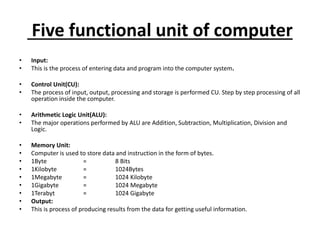
Five functional unit of computer
• Input:
• This is the process of entering data and program into the computer system.
• Control Unit(CU):
• The process of input, output, processing and storage is performed CU. Step by step processing of all
operation inside the computer.
• Arithmetic Logic Unit(ALU):
• The major operations performed by ALU are Addition, Subtraction, Multiplication, Division and
Logic.
• Memory Unit:
• Computer is used to store data and instruction in the form of bytes.
• 1Byte = 8 Bits
• 1Kilobyte = 1024Bytes
• 1Megabyte = 1024 Kilobyte
• 1Gigabyte = 1024 Megabyte
• 1Terabyt = 1024 Gigabyte
• Output:
• This is process of producing results from the data for getting useful information.
Computer and its Categories
Personal computer:
A personal computer is a computer that can
perform all of its input, processing, output and
storage activities by itself. Personal computer
contains processor, memory, input, output and
storage devices. Two popular architecture of
personal computers are PC and Apple. In PC used
windows operating system and in Apple used
Mac operating system. A small, single-user
computer based on a microprocessor.
Computer and its Categories cont…
Handheld Computers:
Handheld computers or Personal
Digital Assistants (PDAs) are pen-based and also
battery-powered. They are small and can be
carried anywhere. They use a pen like stylus and
accept handwritten input directly on the screen.
They are not as powerful as desktops or laptops
but they are used for scheduling appointments,
storing addresses and playing games. They have
touch
Computer and its Categories cont…
Workstation:
A powerful, single-user computer. A
workstation is like a personal computer, but it has a
more powerful microprocessor and, in general, a
higher-quality monitor. The most common operating
systems for workstations are UNIX and Windows NT.
Used for engineering applications , desktop publishing,
software development.
Minicomputer:
A multi-user computer capable of supporting up
to hundreds of users simultaneously.
Computer and its Categories cont…
Mainframe:
A powerful multi-user computer capable of supporting
many hundreds or thousands of users simultaneously. Uses
in banking, airlines, and railways etc for their applications.
Supercomputer:
An extremely fast computer that can perform
hundreds of millions of instructions per second. scientific
simulations, (animated) graphics, fluid dynamic
calculations, nuclear energy research, electronic design.
Introduction Programming
Languages
Programming Languages
A set of words, symbols and codes used to write
programs is called program language. Different
programming languages are available for writing
different types of programs.
There are two types of computer programming
languages:
• Low-level language
• High level language
1.Low-level language
These languages are near to computer
hardware and far from human languages.
Computer can understand these languages
easily. Writing a program in low-level
languages requires a deep knowledge of the
internal structure of computer hardware.
Following are two low-level languages. One is
Machine Language and other is Assembly
Language.
Machine Language
A type of language in which instruction are
written in binary form is called machine
language. It is the only language that is
directly understood by the computer. Program
written in machine language can be executed
very fast by the computer. Programs written in
machine language are machine-dependent.
Every computer has its own machine
language. Machine language is also known as
first generation language.
Assembly Language
Assembly language is a low-level language. It
is one step higher than machine language.
Assembly language is also called symbolic
language and second generation languages.
Like machine language s, assembly languages
are machine –dependent.
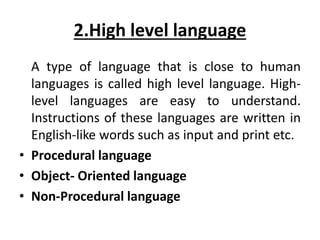
2.High level language
A type of language that is close to human
languages is called high level language. High-
level languages are easy to understand.
Instructions of these languages are written in
English-like words such as input and print etc.
• Procedural language
• Object- Oriented language
• Non-Procedural language
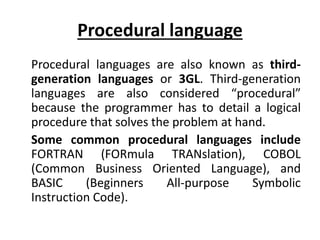
Procedural language
Procedural languages are also known as third-
generation languages or 3GL. Third-generation
languages are also considered “procedural”
because the programmer has to detail a logical
procedure that solves the problem at hand.
Some common procedural languages include
FORTRAN (FORmula TRANslation), COBOL
(Common Business Oriented Language), and
BASIC (Beginners All-purpose Symbolic
Instruction Code).
Procedural language
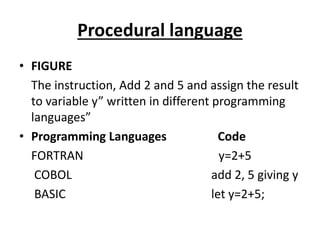
• FIGURE
The instruction, Add 2 and 5 and assign the result
to variable y” written in different programming
languages”
• Programming Languages Code
FORTRAN y=2+5
COBOL add 2, 5 giving y
BASIC let y=2+5;
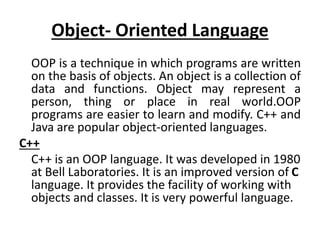
Object- Oriented Language
OOP is a technique in which programs are written
on the basis of objects. An object is a collection of
data and functions. Object may represent a
person, thing or place in real world.OOP
programs are easier to learn and modify. C++ and
Java are popular object-oriented languages.
C++
C++ is an OOP language. It was developed in 1980
at Bell Laboratories. It is an improved version of C
language. It provides the facility of working with
objects and classes. It is very powerful language.
Non-Procedural language
Non-Procedural languages are also known as fourth-
generation languages or 4GL. Non-Procedural
languages, user only needs to tells the computer” what
to do” not” how to do”. Non-Procedural languages are
that they can be used by non-technical user to perform
a specific task. Used for database application and
report generation.
• SQL (Structured Query Language):
Used for database application.
• RPG (Report Program Generator):
Used for report generation.
Types of Codes
There are two types of codes that are as follows.
Source Code:
Source code is a computer program written in high-
level programming language like C,C++,Visual Basic or
java.
Object Code:
Object code is the program that is translated by a
language processor. It is also called machine code.
Computer understands object code directly.
Language Processor
Computer understands only machine
language. A program written in high-level or
assembly language cannot be run on a
computer directly. It must be converted into
machine language before execution. Language
processor or translator is software that
converts these programs into machine
language.
Different types of Language Processor
• Compiler
• Interpreter
• Assembler
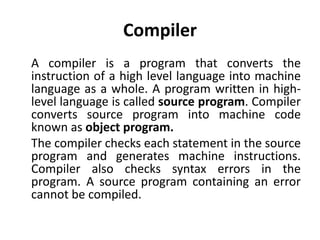
Compiler
A compiler is a program that converts the
instruction of a high level language into machine
language as a whole. A program written in high-
level language is called source program. Compiler
converts source program into machine code
known as object program.
The compiler checks each statement in the source
program and generates machine instructions.
Compiler also checks syntax errors in the
program. A source program containing an error
cannot be compiled.
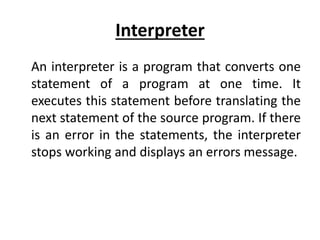
Interpreter
An interpreter is a program that converts one
statement of a program at one time. It
executes this statement before translating the
next statement of the source program. If there
is an error in the statements, the interpreter
stops working and displays an errors message.
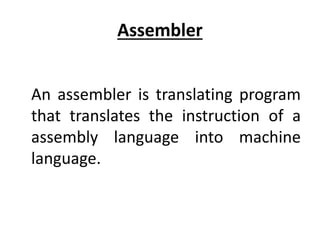
Assembler
An assembler is translating program
that translates the instruction of a
assembly language into machine
language.
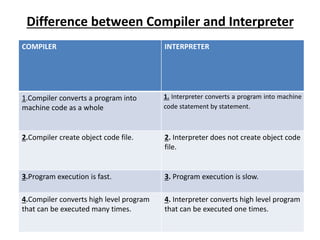
Difference between Compiler and Interpreter
COMPILER INTERPRETER
1.Compiler converts a program into
machine code as a whole
1. Interpreter converts a program into machine
code statement by statement.
2.Compiler create object code file. 2. Interpreter does not create object code
file.
3.Program execution is fast. 3. Program execution is slow.
4.Compiler converts high level program
that can be executed many times.
4. Interpreter converts high level program
that can be executed one times.
Network Basics And Internet
Network:
A group of computers and other devices
connected together is called a Network.
Networking:
The concept of connected computers sharing
resources is called Networking.
Computer Network:
“An interconnected collection of computers that
are capable of exchanging information”
Two computers are said to be interconnected if
they are able to exchange information.
The most elementary network consists of two
computers communicating over a cable.
What computers can do in a network
• Computers can communicate with each other
in a network.
• They can send and receive data from each
other when they are in a network
• So, it's all about sharing resources
Uses of computer networks
Computer Networks are everywhere
• Email
• World Wide Web,
• Video Conferencing
• File Transfer
• Remote control of machines
• Hacking
• Banking
• Internet telephone
Why Do We Need Computer
Networks
We need computer networks for
• Sharing of resources
• Sharing of data
• Sharing of ideas
Network Building Blocks
Nodes
• Hosts: general-purpose computers
• Switches: typically special-purpose hardware
• Routers : connecting networks
Links:
• Copper wire with electronic signaling
• Glass fiber with optical signaling
• Wireless with electromagnetic (radio, infrared,
microwave) signaling
Classification of Computer Networks
Computer networks are classified by many
factors:
Size
• LAN
• WAN
• MAN
• PAN(personal area network)
Classification of Computer Networks
Connectivity
• Point-to-Point
• Broadcast
Mobility
• Fixed
• Mobile
Signal
• Baseband (low cast & speed, Mostly for LAN ,digital &
analog signals )
• Broadband (high speed gigabit)
Roles of a computer in a Network
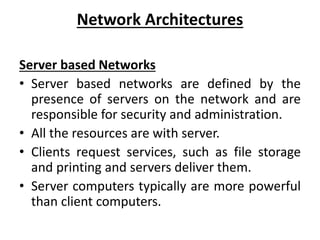
Server:
They provide network resources.
Client:
They use but not provide network resources.
Peer:
They both use and provide network
resources.
Network Architectures
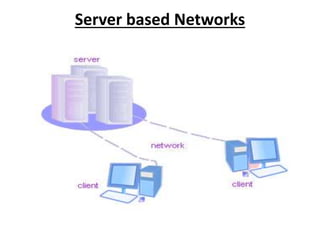
Server based Networks
• Server based networks are defined by the
presence of servers on the network and are
responsible for security and administration.
• All the resources are with server.
• Clients request services, such as file storage
and printing and servers deliver them.
• Server computers typically are more powerful
than client computers.
Server based Networks
Server based Networks Advantages
• Security
• Centralized control
• Central file storage
• Central backup
• Share expensive equipment
• Easy manageability
Server based Networks Disadvantages
• Expensive dedicated hardware
• Network OS and software are expensive
• Network administration required
Peer networks
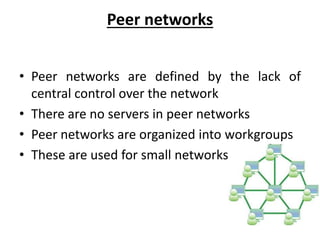
• Peer networks are defined by the lack of
central control over the network
• There are no servers in peer networks
• Peer networks are organized into workgroups
• These are used for small networks
Peer networks Advantages
• No extra investment in hardware and software
• Easy setup, Low cost
• No network administrator required
• Ability of user to control sharing
Peer networks Disadvantages
• Additional loads on computer because of resource sharing
• Lack of central organization
• No central point for file storage
• Weak and intrusive security
• Each user must administrate its own computer
Hybrid networks
Hybrid network is a combination of server based
network and peer based network.
Advantages :
• The advantages of server based networking as well as
of peer based networking
• Ability of users and network administrator to control
security based on the importance of the shared
resource
Disadvantages :
• They share the disadvantages of server based as well as
peer based networking
Types of Networks
• LAN(Local Area Networking)
• WLAN(Wireless Local Area Networks)
• WAN(Wide Area Networks)
• MAN(Metropolitan Area Networks)
• CAN(Campus Area Networks)
• SAN(Storage or System Area Network)
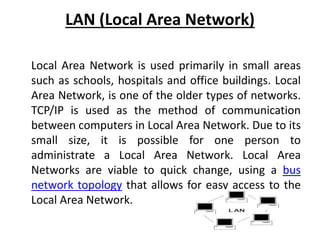
LAN (Local Area Network)
Local Area Network is used primarily in small areas
such as schools, hospitals and office buildings. Local
Area Network, is one of the older types of networks.
TCP/IP is used as the method of communication
between computers in Local Area Network. Due to its
small size, it is possible for one person to
administrate a Local Area Network. Local Area
Networks are viable to quick change, using a bus
network topology that allows for easy access to the
Local Area Network.
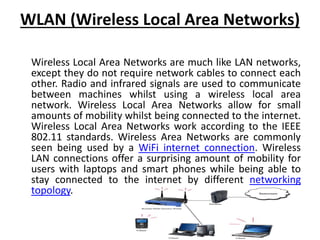
WLAN (Wireless Local Area Networks)
Wireless Local Area Networks are much like LAN networks,
except they do not require network cables to connect each
other. Radio and infrared signals are used to communicate
between machines whilst using a wireless local area
network. Wireless Local Area Networks allow for small
amounts of mobility whilst being connected to the internet.
Wireless Local Area Networks work according to the IEEE
802.11 standards. Wireless Area Networks are commonly
seen being used by a WiFi internet connection. Wireless
LAN connections offer a surprising amount of mobility for
users with laptops and smart phones while being able to
stay connected to the internet by different networking
topology.
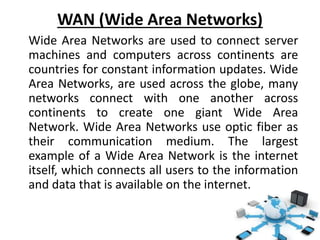
WAN (Wide Area Networks)
Wide Area Networks are used to connect server
machines and computers across continents are
countries for constant information updates. Wide
Area Networks, are used across the globe, many
networks connect with one another across
continents to create one giant Wide Area
Network. Wide Area Networks use optic fiber as
their communication medium. The largest
example of a Wide Area Network is the internet
itself, which connects all users to the information
and data that is available on the internet.
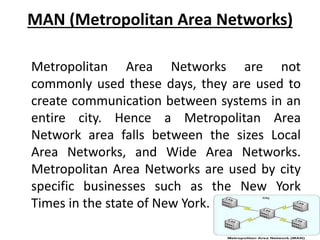
MAN (Metropolitan Area Networks)
Metropolitan Area Networks are not
commonly used these days, they are used to
create communication between systems in an
entire city. Hence a Metropolitan Area
Network area falls between the sizes Local
Area Networks, and Wide Area Networks.
Metropolitan Area Networks are used by city
specific businesses such as the New York
Times in the state of New York.
CAN (Campus Area Networks)
Campus Area Networks are usually a
connection of many small LAN networks which
are often used on university campuses and
office buildings. Campus Area Networks allow
for easy file sharing between different
departments as all the files are usually shared
on the server machines of each LAN network.
This type of network offers a lot of simplicity
in the transfer and downloading of files.
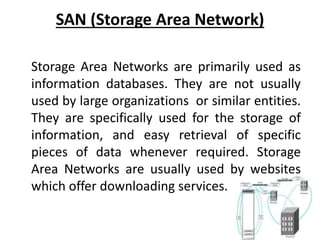
SAN (Storage Area Network)
Storage Area Networks are primarily used as
information databases. They are not usually
used by large organizations or similar entities.
They are specifically used for the storage of
information, and easy retrieval of specific
pieces of data whenever required. Storage
Area Networks are usually used by websites
which offer downloading services.
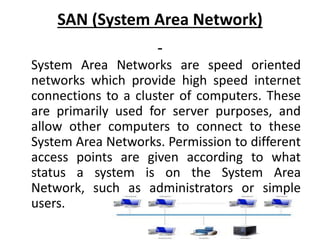
SAN (System Area Network)
System Area Networks are speed oriented
networks which provide high speed internet
connections to a cluster of computers. These
are primarily used for server purposes, and
allow other computers to connect to these
System Area Networks. Permission to different
access points are given according to what
status a system is on the System Area
Network, such as administrators or simple
users.
THE INTERNET
The largest network of networks in the world.
• The internet is the network of networks around the
world. It is a global network of computers. its is a made
up of thousands of smaller, national, regional,
governmental, academic and commercial networks.
• A large number of books, newspapers, magazines and
other types of materials are available in electronic form
on the internet. we can find information about almost
anything in the world and can access latest information
or news on any topic. It means that internet is an
ocean of knowledge.
HOW THE INTERNET WORKS
Definitions
• Uniform Resource Locator (URL)
• Hypertext Transfer Protocol (HTTP)
• Domain Name
• Hypertext Markup Language (HTML)
• Top Level Domain (TLD)
HOW THE INTERNET WORKS …cont.
• .com in our example, is called the top-level
domain.
• TLD often indicates the type of entity that
registered the domain name, such as
commercial organization, nonprofit
organization, or individual.
INTERNET DOMAINS NAMES AND IP NUMBERS
– IP Number:
is 32 bit numeric address, presented in four parts
separated by periods, such 146.186.87.220 and each of
the parts may be a number between 1 and 254.
– Domain Naming System (DNS)
DNA servers are maintained by internet service
providers(isps) and other organizations.
– A domain name is assigned to each IP address
– Domain names are registered by one of a group of companies
authorized to assign unique names
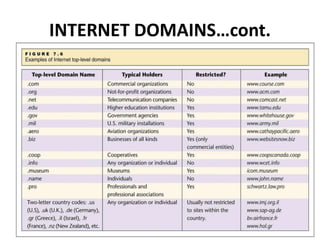
INTERNET DOMAINS…cont.
STATIC AND DYNAMIC IP NUMBERS
• Static IP Number
When connected Servers and many other
computers and devices are assigned a
permanent IP number, called a Static IP
Number.
• Dynamic IP Number
A computer connected to the internet
intermittently may be assigned a temporary
IP number for the duration of its connection
only. Such a number is called a dynamic IP
number.
COMMON INTERNET APPLICATIONS
• E-MAIL
• FILE TRANSFER
• NEWSGROUPS AND BLOGS
• INTERNET TELEPHONING(SKYPE)
• WEB BROWSERS
• SEARCH ENGINES
Intranet:
An organization network, through which the
files and messages can be exchanged among
the users of the organization only.
Extranet:
An extranet is a network of multiple intranets.
Its means that intranets of different
companies are connected together for sharing
information among them.
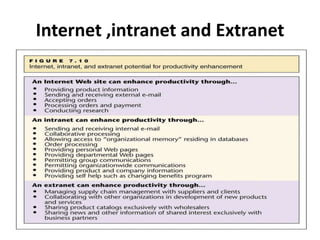
Internet ,intranet and Extranet
Services Provided by Internet
• World Wide Web
• News Groups
• File Transfer Protocol (FTP)
• Web TV/Radio
• Chatting
• Electronic Mail
Search Engines
• Popular Search Engines on the Internet.
– Google
– Yahoo
– Ask
– Live Search
– MSN
– Yahoo!
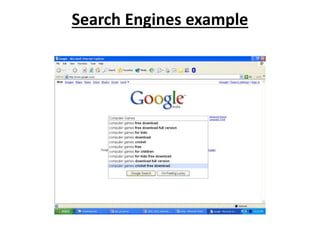
Search Engines example
Terminologies and Tools Used for Internet
• Server
• Client
• Hosts
• Web Browser
• Internet Protocols
• Web Pages
• Website
• Home Pages
• HTML
• URL Address
Terminologies and Tools Used for Internet
• Server
A server stored web pages or files and sends
information over the Internet in response to request
from the web browser.
• Client
User gets information from the server as well as sends
information to other users through server is called
Client.
• Hosts
The computers that are connected to the internet and
exchange information between users on the Internet
are called Hosts.
Terminologies and Tools Used for Internet
• Web Browser
A web Browser is a software that allows the Internet
user to access and view web pages on the Internet.
• Internet Protocols
IP are set of defined rules and procedures used for
communication through which Internet Users exchange
information on the Network e.g. TCP/IP,FTP,HTTP.
• Web Page
The documents on the Web are called Web Pages e.g.
simple text, images.
Terminologies and Tools Used for Internet
• Website
A collection of related Web Pages stored on a Web
Server is called Website.
• Home Page
The main page or title page of a website that contains
the links of other web pages is referred to as home
page.
• HTML
HTML is stands for Hyper Texts Markup Language. It is
a fundamental Language, which is used to design web
pages.
Terminologies and Tools Used for Internet
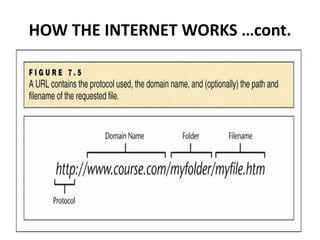
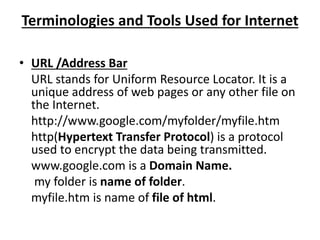
• URL /Address Bar
URL stands for Uniform Resource Locator. It is a
unique address of web pages or any other file on
the Internet.
http://www.google.com/myfolder/myfile.htm
http(Hypertext Transfer Protocol) is a protocol
used to encrypt the data being transmitted.
www.google.com is a Domain Name.
my folder is name of folder.
myfile.htm is name of file of html.

Introduction to Computer, Programming languages , Networks and Internet.pptx

  • 1.
    CHAPTER NO.2,3 Introduction toComputer, Introduction to Programming languages , Networks and Internet
  • 2.
  • 3.
    What is Computer Acomputer is an electronic device, which can input, process, and output data. OR A computer is a machine that stores data, interact with devices, and execute programs
  • 4.
    Major Components ofComputer 1. Input Devices (Keyboard, Mouse, Microphone, Scanner, Web cam) that allows you enter data and instructions into a computer. 2. Output Devices (Printer, A Monitor, Speakers) that conveys information to one or more people. 3. System Unit (Motherboard) that contains the electronic components of the computer that are used to process data. Two main components on the motherboard are the processor and memory.
  • 5.
    Major Components ofComputer 4. Storage Devices (USB Flash Drives, Hard Disks, Optical Discs, and Memory Cards) that storage holds these items permanently.USB Flash drive can hold about 4 billion characters. A Hard Disk provides much greater storage capacity than USB Flash Drive. Hard Disk hold more than 320 billion characters. Optical Discs contain CDs. DVDs, and Blu-ray Discs. CDs hold from 650 million to 1 billion characters. DVDs hold 17 billion characters. Blu-ray Discs hold from 100 billion characters. 5. Communication devices (Modem) that enables a computer to send and receive data, instruction, and information to and from one or more computer. Communication occurs over cables, telephone lines, cellular networks, satellites, and other transmission media.
  • 6.
    Major Components ofComputer 6. Memory (Memory is any physical device capable of storing information temporary or permanently) two type of memory RAM & ROM RAM (Random Access Memory) Data is also stored in memory temporarily. Data is both written to and read from memory. ROM (Read Only Memory) Data is also stored in memory permanently. Data is read from memory only. 7. Processor The processor, also called a CPU (central processing unit), is electronic component that interprets and carries out the basic instructions that operate the computer.
  • 7.
    Five functional unitof computer • Input: • This is the process of entering data and program into the computer system. • Control Unit(CU): • The process of input, output, processing and storage is performed CU. Step by step processing of all operation inside the computer. • Arithmetic Logic Unit(ALU): • The major operations performed by ALU are Addition, Subtraction, Multiplication, Division and Logic. • Memory Unit: • Computer is used to store data and instruction in the form of bytes. • 1Byte = 8 Bits • 1Kilobyte = 1024Bytes • 1Megabyte = 1024 Kilobyte • 1Gigabyte = 1024 Megabyte • 1Terabyt = 1024 Gigabyte • Output: • This is process of producing results from the data for getting useful information.
  • 8.
    Computer and itsCategories Personal computer: A personal computer is a computer that can perform all of its input, processing, output and storage activities by itself. Personal computer contains processor, memory, input, output and storage devices. Two popular architecture of personal computers are PC and Apple. In PC used windows operating system and in Apple used Mac operating system. A small, single-user computer based on a microprocessor.
  • 9.
    Computer and itsCategories cont… Handheld Computers: Handheld computers or Personal Digital Assistants (PDAs) are pen-based and also battery-powered. They are small and can be carried anywhere. They use a pen like stylus and accept handwritten input directly on the screen. They are not as powerful as desktops or laptops but they are used for scheduling appointments, storing addresses and playing games. They have touch
  • 10.
    Computer and itsCategories cont… Workstation: A powerful, single-user computer. A workstation is like a personal computer, but it has a more powerful microprocessor and, in general, a higher-quality monitor. The most common operating systems for workstations are UNIX and Windows NT. Used for engineering applications , desktop publishing, software development. Minicomputer: A multi-user computer capable of supporting up to hundreds of users simultaneously.
  • 11.
    Computer and itsCategories cont… Mainframe: A powerful multi-user computer capable of supporting many hundreds or thousands of users simultaneously. Uses in banking, airlines, and railways etc for their applications. Supercomputer: An extremely fast computer that can perform hundreds of millions of instructions per second. scientific simulations, (animated) graphics, fluid dynamic calculations, nuclear energy research, electronic design.
  • 12.
  • 13.
    Programming Languages A setof words, symbols and codes used to write programs is called program language. Different programming languages are available for writing different types of programs. There are two types of computer programming languages: • Low-level language • High level language
  • 14.
    1.Low-level language These languagesare near to computer hardware and far from human languages. Computer can understand these languages easily. Writing a program in low-level languages requires a deep knowledge of the internal structure of computer hardware. Following are two low-level languages. One is Machine Language and other is Assembly Language.
  • 15.
    Machine Language A typeof language in which instruction are written in binary form is called machine language. It is the only language that is directly understood by the computer. Program written in machine language can be executed very fast by the computer. Programs written in machine language are machine-dependent. Every computer has its own machine language. Machine language is also known as first generation language.
  • 16.
    Assembly Language Assembly languageis a low-level language. It is one step higher than machine language. Assembly language is also called symbolic language and second generation languages. Like machine language s, assembly languages are machine –dependent.
  • 17.
    2.High level language Atype of language that is close to human languages is called high level language. High- level languages are easy to understand. Instructions of these languages are written in English-like words such as input and print etc. • Procedural language • Object- Oriented language • Non-Procedural language
  • 18.
    Procedural language Procedural languagesare also known as third- generation languages or 3GL. Third-generation languages are also considered “procedural” because the programmer has to detail a logical procedure that solves the problem at hand. Some common procedural languages include FORTRAN (FORmula TRANslation), COBOL (Common Business Oriented Language), and BASIC (Beginners All-purpose Symbolic Instruction Code).
  • 19.
    Procedural language • FIGURE Theinstruction, Add 2 and 5 and assign the result to variable y” written in different programming languages” • Programming Languages Code FORTRAN y=2+5 COBOL add 2, 5 giving y BASIC let y=2+5;
  • 20.
    Object- Oriented Language OOPis a technique in which programs are written on the basis of objects. An object is a collection of data and functions. Object may represent a person, thing or place in real world.OOP programs are easier to learn and modify. C++ and Java are popular object-oriented languages. C++ C++ is an OOP language. It was developed in 1980 at Bell Laboratories. It is an improved version of C language. It provides the facility of working with objects and classes. It is very powerful language.
  • 21.
    Non-Procedural language Non-Procedural languagesare also known as fourth- generation languages or 4GL. Non-Procedural languages, user only needs to tells the computer” what to do” not” how to do”. Non-Procedural languages are that they can be used by non-technical user to perform a specific task. Used for database application and report generation. • SQL (Structured Query Language): Used for database application. • RPG (Report Program Generator): Used for report generation.
  • 22.
    Types of Codes Thereare two types of codes that are as follows. Source Code: Source code is a computer program written in high- level programming language like C,C++,Visual Basic or java. Object Code: Object code is the program that is translated by a language processor. It is also called machine code. Computer understands object code directly.
  • 23.
    Language Processor Computer understandsonly machine language. A program written in high-level or assembly language cannot be run on a computer directly. It must be converted into machine language before execution. Language processor or translator is software that converts these programs into machine language.
  • 24.
    Different types ofLanguage Processor • Compiler • Interpreter • Assembler
  • 25.
    Compiler A compiler isa program that converts the instruction of a high level language into machine language as a whole. A program written in high- level language is called source program. Compiler converts source program into machine code known as object program. The compiler checks each statement in the source program and generates machine instructions. Compiler also checks syntax errors in the program. A source program containing an error cannot be compiled.
  • 26.
    Interpreter An interpreter isa program that converts one statement of a program at one time. It executes this statement before translating the next statement of the source program. If there is an error in the statements, the interpreter stops working and displays an errors message.
  • 27.
    Assembler An assembler istranslating program that translates the instruction of a assembly language into machine language.
  • 28.
    Difference between Compilerand Interpreter COMPILER INTERPRETER 1.Compiler converts a program into machine code as a whole 1. Interpreter converts a program into machine code statement by statement. 2.Compiler create object code file. 2. Interpreter does not create object code file. 3.Program execution is fast. 3. Program execution is slow. 4.Compiler converts high level program that can be executed many times. 4. Interpreter converts high level program that can be executed one times.
  • 29.
  • 30.
    Network: A group ofcomputers and other devices connected together is called a Network. Networking: The concept of connected computers sharing resources is called Networking. Computer Network: “An interconnected collection of computers that are capable of exchanging information” Two computers are said to be interconnected if they are able to exchange information. The most elementary network consists of two computers communicating over a cable.
  • 31.
    What computers cando in a network • Computers can communicate with each other in a network. • They can send and receive data from each other when they are in a network • So, it's all about sharing resources
  • 32.
    Uses of computernetworks Computer Networks are everywhere • Email • World Wide Web, • Video Conferencing • File Transfer • Remote control of machines • Hacking • Banking • Internet telephone
  • 33.
    Why Do WeNeed Computer Networks We need computer networks for • Sharing of resources • Sharing of data • Sharing of ideas
  • 34.
    Network Building Blocks Nodes •Hosts: general-purpose computers • Switches: typically special-purpose hardware • Routers : connecting networks Links: • Copper wire with electronic signaling • Glass fiber with optical signaling • Wireless with electromagnetic (radio, infrared, microwave) signaling
  • 35.
    Classification of ComputerNetworks Computer networks are classified by many factors: Size • LAN • WAN • MAN • PAN(personal area network)
  • 36.
    Classification of ComputerNetworks Connectivity • Point-to-Point • Broadcast Mobility • Fixed • Mobile Signal • Baseband (low cast & speed, Mostly for LAN ,digital & analog signals ) • Broadband (high speed gigabit)
  • 37.
    Roles of acomputer in a Network Server: They provide network resources. Client: They use but not provide network resources. Peer: They both use and provide network resources.
  • 38.
    Network Architectures Server basedNetworks • Server based networks are defined by the presence of servers on the network and are responsible for security and administration. • All the resources are with server. • Clients request services, such as file storage and printing and servers deliver them. • Server computers typically are more powerful than client computers.
  • 39.
  • 40.
    Server based NetworksAdvantages • Security • Centralized control • Central file storage • Central backup • Share expensive equipment • Easy manageability
  • 41.
    Server based NetworksDisadvantages • Expensive dedicated hardware • Network OS and software are expensive • Network administration required
  • 42.
    Peer networks • Peernetworks are defined by the lack of central control over the network • There are no servers in peer networks • Peer networks are organized into workgroups • These are used for small networks
  • 43.
    Peer networks Advantages •No extra investment in hardware and software • Easy setup, Low cost • No network administrator required • Ability of user to control sharing
  • 44.
    Peer networks Disadvantages •Additional loads on computer because of resource sharing • Lack of central organization • No central point for file storage • Weak and intrusive security • Each user must administrate its own computer
  • 45.
    Hybrid networks Hybrid networkis a combination of server based network and peer based network. Advantages : • The advantages of server based networking as well as of peer based networking • Ability of users and network administrator to control security based on the importance of the shared resource Disadvantages : • They share the disadvantages of server based as well as peer based networking
  • 46.
    Types of Networks •LAN(Local Area Networking) • WLAN(Wireless Local Area Networks) • WAN(Wide Area Networks) • MAN(Metropolitan Area Networks) • CAN(Campus Area Networks) • SAN(Storage or System Area Network)
  • 47.
    LAN (Local AreaNetwork) Local Area Network is used primarily in small areas such as schools, hospitals and office buildings. Local Area Network, is one of the older types of networks. TCP/IP is used as the method of communication between computers in Local Area Network. Due to its small size, it is possible for one person to administrate a Local Area Network. Local Area Networks are viable to quick change, using a bus network topology that allows for easy access to the Local Area Network.
  • 48.
    WLAN (Wireless LocalArea Networks) Wireless Local Area Networks are much like LAN networks, except they do not require network cables to connect each other. Radio and infrared signals are used to communicate between machines whilst using a wireless local area network. Wireless Local Area Networks allow for small amounts of mobility whilst being connected to the internet. Wireless Local Area Networks work according to the IEEE 802.11 standards. Wireless Area Networks are commonly seen being used by a WiFi internet connection. Wireless LAN connections offer a surprising amount of mobility for users with laptops and smart phones while being able to stay connected to the internet by different networking topology.
  • 49.
    WAN (Wide AreaNetworks) Wide Area Networks are used to connect server machines and computers across continents are countries for constant information updates. Wide Area Networks, are used across the globe, many networks connect with one another across continents to create one giant Wide Area Network. Wide Area Networks use optic fiber as their communication medium. The largest example of a Wide Area Network is the internet itself, which connects all users to the information and data that is available on the internet.
  • 50.
    MAN (Metropolitan AreaNetworks) Metropolitan Area Networks are not commonly used these days, they are used to create communication between systems in an entire city. Hence a Metropolitan Area Network area falls between the sizes Local Area Networks, and Wide Area Networks. Metropolitan Area Networks are used by city specific businesses such as the New York Times in the state of New York.
  • 51.
    CAN (Campus AreaNetworks) Campus Area Networks are usually a connection of many small LAN networks which are often used on university campuses and office buildings. Campus Area Networks allow for easy file sharing between different departments as all the files are usually shared on the server machines of each LAN network. This type of network offers a lot of simplicity in the transfer and downloading of files.
  • 52.
    SAN (Storage AreaNetwork) Storage Area Networks are primarily used as information databases. They are not usually used by large organizations or similar entities. They are specifically used for the storage of information, and easy retrieval of specific pieces of data whenever required. Storage Area Networks are usually used by websites which offer downloading services.
  • 53.
    SAN (System AreaNetwork) System Area Networks are speed oriented networks which provide high speed internet connections to a cluster of computers. These are primarily used for server purposes, and allow other computers to connect to these System Area Networks. Permission to different access points are given according to what status a system is on the System Area Network, such as administrators or simple users.
  • 54.
    THE INTERNET The largestnetwork of networks in the world. • The internet is the network of networks around the world. It is a global network of computers. its is a made up of thousands of smaller, national, regional, governmental, academic and commercial networks. • A large number of books, newspapers, magazines and other types of materials are available in electronic form on the internet. we can find information about almost anything in the world and can access latest information or news on any topic. It means that internet is an ocean of knowledge.
  • 55.
    HOW THE INTERNETWORKS Definitions • Uniform Resource Locator (URL) • Hypertext Transfer Protocol (HTTP) • Domain Name • Hypertext Markup Language (HTML) • Top Level Domain (TLD)
  • 56.
    HOW THE INTERNETWORKS …cont.
  • 57.
    HOW THE INTERNETWORKS …cont. • .com in our example, is called the top-level domain. • TLD often indicates the type of entity that registered the domain name, such as commercial organization, nonprofit organization, or individual.
  • 58.
    INTERNET DOMAINS NAMESAND IP NUMBERS – IP Number: is 32 bit numeric address, presented in four parts separated by periods, such 146.186.87.220 and each of the parts may be a number between 1 and 254. – Domain Naming System (DNS) DNA servers are maintained by internet service providers(isps) and other organizations. – A domain name is assigned to each IP address – Domain names are registered by one of a group of companies authorized to assign unique names
  • 59.
  • 60.
    STATIC AND DYNAMICIP NUMBERS • Static IP Number When connected Servers and many other computers and devices are assigned a permanent IP number, called a Static IP Number. • Dynamic IP Number A computer connected to the internet intermittently may be assigned a temporary IP number for the duration of its connection only. Such a number is called a dynamic IP number.
  • 61.
    COMMON INTERNET APPLICATIONS •E-MAIL • FILE TRANSFER • NEWSGROUPS AND BLOGS • INTERNET TELEPHONING(SKYPE) • WEB BROWSERS • SEARCH ENGINES
  • 62.
    Intranet: An organization network,through which the files and messages can be exchanged among the users of the organization only. Extranet: An extranet is a network of multiple intranets. Its means that intranets of different companies are connected together for sharing information among them.
  • 63.
  • 64.
    Services Provided byInternet • World Wide Web • News Groups • File Transfer Protocol (FTP) • Web TV/Radio • Chatting • Electronic Mail
  • 65.
    Search Engines • PopularSearch Engines on the Internet. – Google – Yahoo – Ask – Live Search – MSN – Yahoo!
  • 66.
  • 67.
    Terminologies and ToolsUsed for Internet • Server • Client • Hosts • Web Browser • Internet Protocols • Web Pages • Website • Home Pages • HTML • URL Address
  • 68.
    Terminologies and ToolsUsed for Internet • Server A server stored web pages or files and sends information over the Internet in response to request from the web browser. • Client User gets information from the server as well as sends information to other users through server is called Client. • Hosts The computers that are connected to the internet and exchange information between users on the Internet are called Hosts.
  • 69.
    Terminologies and ToolsUsed for Internet • Web Browser A web Browser is a software that allows the Internet user to access and view web pages on the Internet. • Internet Protocols IP are set of defined rules and procedures used for communication through which Internet Users exchange information on the Network e.g. TCP/IP,FTP,HTTP. • Web Page The documents on the Web are called Web Pages e.g. simple text, images.
  • 70.
    Terminologies and ToolsUsed for Internet • Website A collection of related Web Pages stored on a Web Server is called Website. • Home Page The main page or title page of a website that contains the links of other web pages is referred to as home page. • HTML HTML is stands for Hyper Texts Markup Language. It is a fundamental Language, which is used to design web pages.
  • 71.
    Terminologies and ToolsUsed for Internet • URL /Address Bar URL stands for Uniform Resource Locator. It is a unique address of web pages or any other file on the Internet. http://www.google.com/myfolder/myfile.htm http(Hypertext Transfer Protocol) is a protocol used to encrypt the data being transmitted. www.google.com is a Domain Name. my folder is name of folder. myfile.htm is name of file of html.