SCOPE
• Cache Memory
• Characteristics of Cache Memory
• Types of Cache Memory
• Cache Memory Hierarchy
• How Cache Memory Works
• Advantages of Cache Memory
• Disadvantages of Cache Memory
• Cache Memory Applications
SCOPE
• Cache Coherence
• Types of Cache Coherence Protocols
• Cache Coherence Techniques
• Cache Controller
• Cache Controller Functions
• Types of Cache Controllers
• Cache Controller Components
• Cache Coherence Protocols
SCOPE
• Cache miss and hit
• Types of Cache Hits and Misses
• Cache Miss Classification
• Cache Hit Ratio (CHR)
• Factors Affecting Cache Hits/Misses
• Miss Penalty
• Types of Miss Penalties
• Factors Affecting Miss Penalty
SCOPE
• Miss Penalty Components
• Miss Penalty Reduction Techniques
• Spatial Locality
• Temporal Locality
• Multiporting
• Types of Multiporting
• Advantages
• Disadvantages
SCOPE
• Onboard Memory
• Inbuilt Memory
• Offline Memory
• Backstore
• Characteristics of the memory system
• Access Methods
• Principles of cache memory
Cache Memory
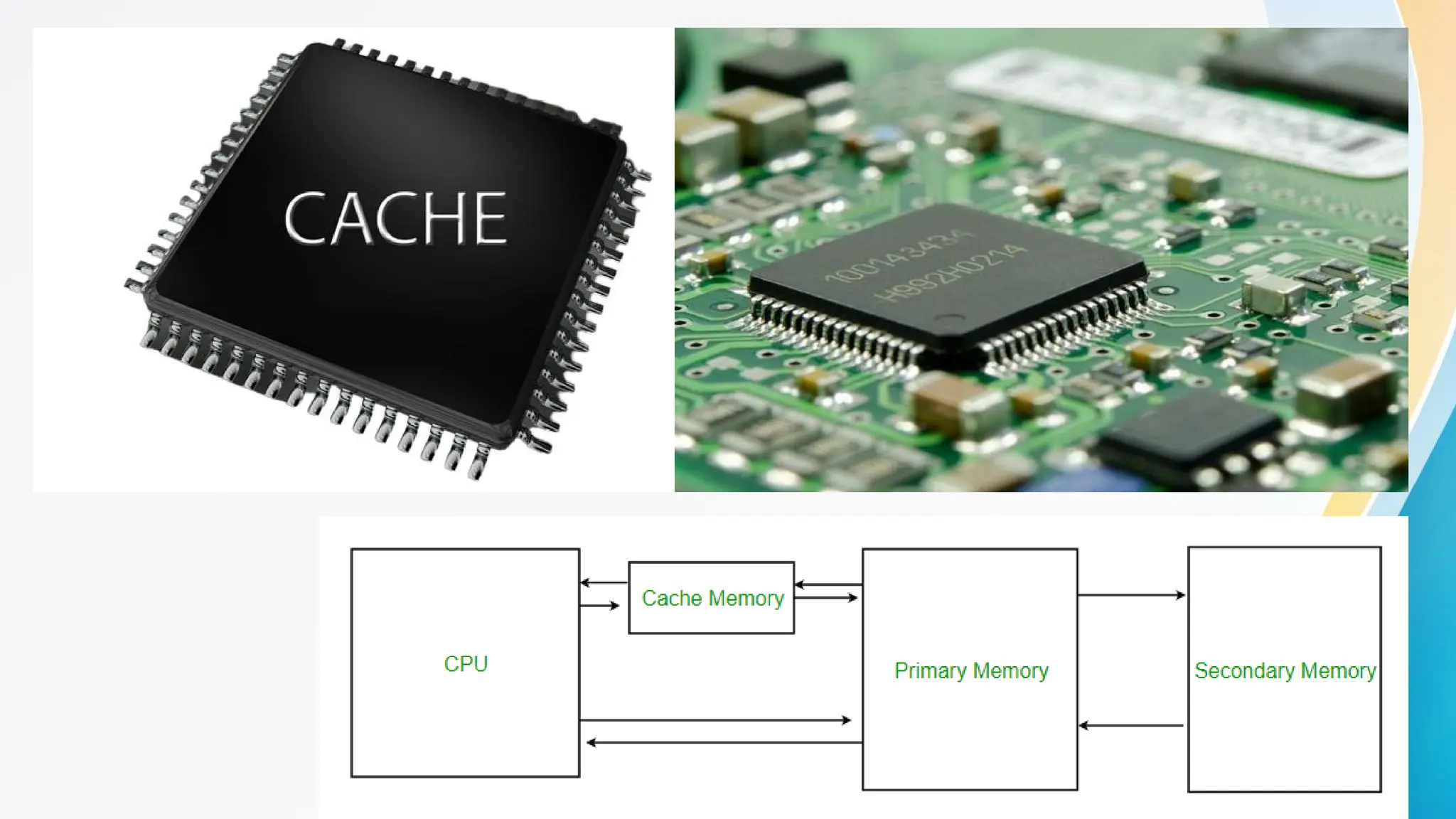
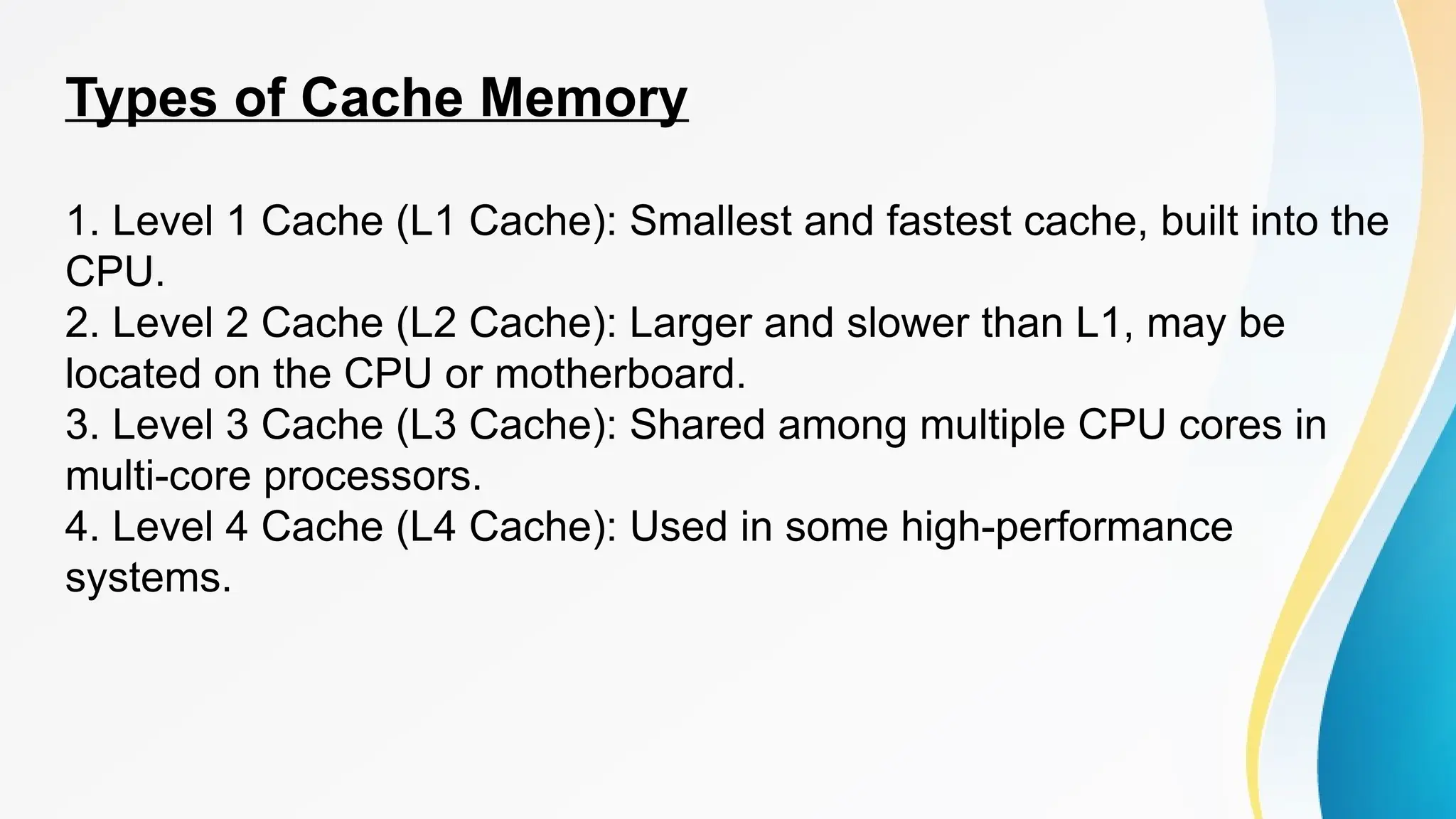
• Cache memory is a small, fast memory location that stores frequently-used data
or instructions in a computer system. It acts as a buffer between the main memory
and the central processing unit (CPU), providing quick access to essential
information.
• Characteristics of Cache Memory
1. Small size: Cache memory is much smaller than main memory.
2. Fast access time: Cache memory has a faster access time than main
memory.
3. Volatile: Cache memory loses its data when power is turned off.
4. High-speed data transfer: Cache memory transfers data at high speeds.
5. Temporary storage: Cache memory temporarily stores data.
Types of Cache Memory
1. Level 1 Cache (L1 Cache): Smallest and fastest cache, built into the
CPU.
2. Level 2 Cache (L2 Cache): Larger and slower than L1, may be
located on the CPU or motherboard.
3. Level 3 Cache (L3 Cache): Shared among multiple CPU cores in
multi-core processors.
4. Level 4 Cache (L4 Cache): Used in some high-performance
systems.
Cache Memory Hierarchy
• 1.Register
• 2.L1 Cache
• 3.L2 Cache
• 4.L3 Cache
• 5.Main Memory
• 6.External Memory (Hard Drive)
How Cache Memory Works
• 1.CPU requests data from main memory.
• 2.Cache checks if requested data is stored (cache hit).
• 3.If found, cache provides data to CPU.
• 4.If not found (cache miss), main memory provides data,
which is then stored in cache.
Advantages of Cache Memory
• 1.Improved performance
• 2.Reduced memory access time
• 3.Increased processing speed
• 4.Efficient use of memory
• 5.Enhanced multitasking
Disadvantages of Cache Memory
• 1.Limited capacity
• 2.Expensive
• 3.Data loss when power is turned off
• 4.Cache thrashing (inefficient cache usage)
Cache Memory Applications
• 1.Desktop computers
• 2.Laptops
• 3.Mobile devices
• 4.Servers
• 5.Gaming consoles
• 6.Embedded systems
Cache Coherence
Cache coherence ensures that multiple caches in a multi-
core or distributed system maintain consistency. It
guarantees that:
• 1. Data is up-to-date across all caches.
• 2. Changes made to data are propagated to all caches.
Types of Cache Coherence Protocols
1. Write-Through: Updates cache and main memory simultaneously.
• Advantages: Simple, fast writes
• Disadvantages: Slow reads, high memory traffic
2. Write-Back: Updates cache and then main memory.
• Advantages: Fast writes, reduced memory traffic
• Disadvantages: Complex, potential data loss
Types of Cache Coherence Protocols
3. Invalidate: Invalidates stale cache lines.
• Advantages: Simple, low overhead
• Disadvantages: Potential performance loss
4. Update: Updates cache lines.
• Advantages: Fast, accurate
• Disadvantages: Complex, high overhead
Cache Coherence Techniques
1. Snooping: Caches monitor bus transactions.
• Advantages: Simple, effective
• Disadvantages: Scalability issues
2. Directory-based: Central directory tracks cache state.
• Advantages: Scalable, efficient
• Disadvantages: Complex, high overhead
Cache Coherence Techniques
3. Token-based: Tokens manage cache coherence.
• Advantages: Simple, low overhead
• Disadvantages: Limited scalability
Cache Controller
• A cache controller manages cache operations, ensuring
efficient data transfer between cache, main memory, and
CPU.
Cache Controller Functions
• 1. Cache Tag Management: Manages cache tags.
• 2. Cache Line Allocation: Allocates cache lines.
• 3. Cache Replacement: Replaces cache lines.
• 4. Cache Coherence Maintenance: Maintains cache
coherence.
• 5. Data Transfer Management: Manages data transfer.
Types of Cache Controllers
1. Hardware-based: Dedicated cache controller hardware.
• Advantages: Fast, efficient
• Disadvantages: Complex, expensive
2. Software-based: Cache management through software.
• Advantages: Flexible, low cost
• Disadvantages: Slow, complex
Types of Cache Controllers
3. Hybrid: Combination of hardware and software.
• Advantages: Balanced performance, cost
• Disadvantages: Complexity
Cache Controller Components
• 1. Cache Tag Array: Stores cache tags.
• 2. Cache Data Array: Stores cache data.
• 3. Cache Control Logic: Manages cache operations.
• 4. Bus Interface Unit: Interfaces with main memory.
Cache Coherence Protocols
• 1. MSI (Modified, Shared, Invalid): Simple, widely used.
• 2. MESI (Modified, Exclusive, Shared, Invalid): Popular,
efficient.
• 3. MOESI (Modified, Owned, Exclusive, Shared, Invalid):
Advanced, high-performance.
• 4. Write-Once: Simple, low overhead.
Cache miss and hits
Cache Hit
A cache hit occurs when the requested data is found in the
cache.
Types of Cache Hits:
• 1. Compulsory Hit: First access to a cache line.
• 2. Capacity Hit: Cache line already in cache.
• 3. Conflict Hit: Cache line replaced due to conflict.
Cache Miss
A cache miss occurs when the requested data is not found
in the cache.
Types of Cache Misses:
1.Compulsory Miss: First access to a cache line.
2.Capacity Miss: Cache line replaced due to capacity.
3.Conflict Miss: Cache line replaced due to conflict.
Cache Miss Classification
• 1.Cold Miss: Initial cache miss.
• 2.Warm Miss: Cache miss due to replacement.
• 3.Conflict Miss: Cache miss due to conflict.
Cache Hit Ratio (CHR)
CHR = (Number of Cache Hits) / (Number of Cache
Accesses)
Cache Miss Ratio (CMR)
CMR = (Number of Cache Misses) / (Number of Cache
Accesses)
Factors Affecting Cache Hits/Misses
1. Cache Size
2. Cache Line Size
3. Cache Replacement Policy
4. Cache Coherence Protocol
5. Workload Characteristics
Miss Penalty
A miss penalty is the additional time it takes for a computer
system to access main memory when a cache miss occurs.
It is the delay incurred when the requested data is not found
in the cache and must be retrieved from main memory.
Types of Miss Penalties
1.Compulsory Miss Penalty: Occurs on the first access to a cache
line.
2.Capacity Miss Penalty: Occurs when a cache line is replaced due
to capacity limitations.
3.Conflict Miss Penalty: Occurs when a cache line is replaced due to
conflicts.
Factors Affecting Miss Penalty
1.Main Memory Access Time: The time it takes to access
main memory.
2.Cache Coherence Protocol: The protocol used to maintain
cache coherence.
3.Cache Replacement Policy: The policy used to replace
cache lines.
4.Cache Line Size: The size of each cache line.
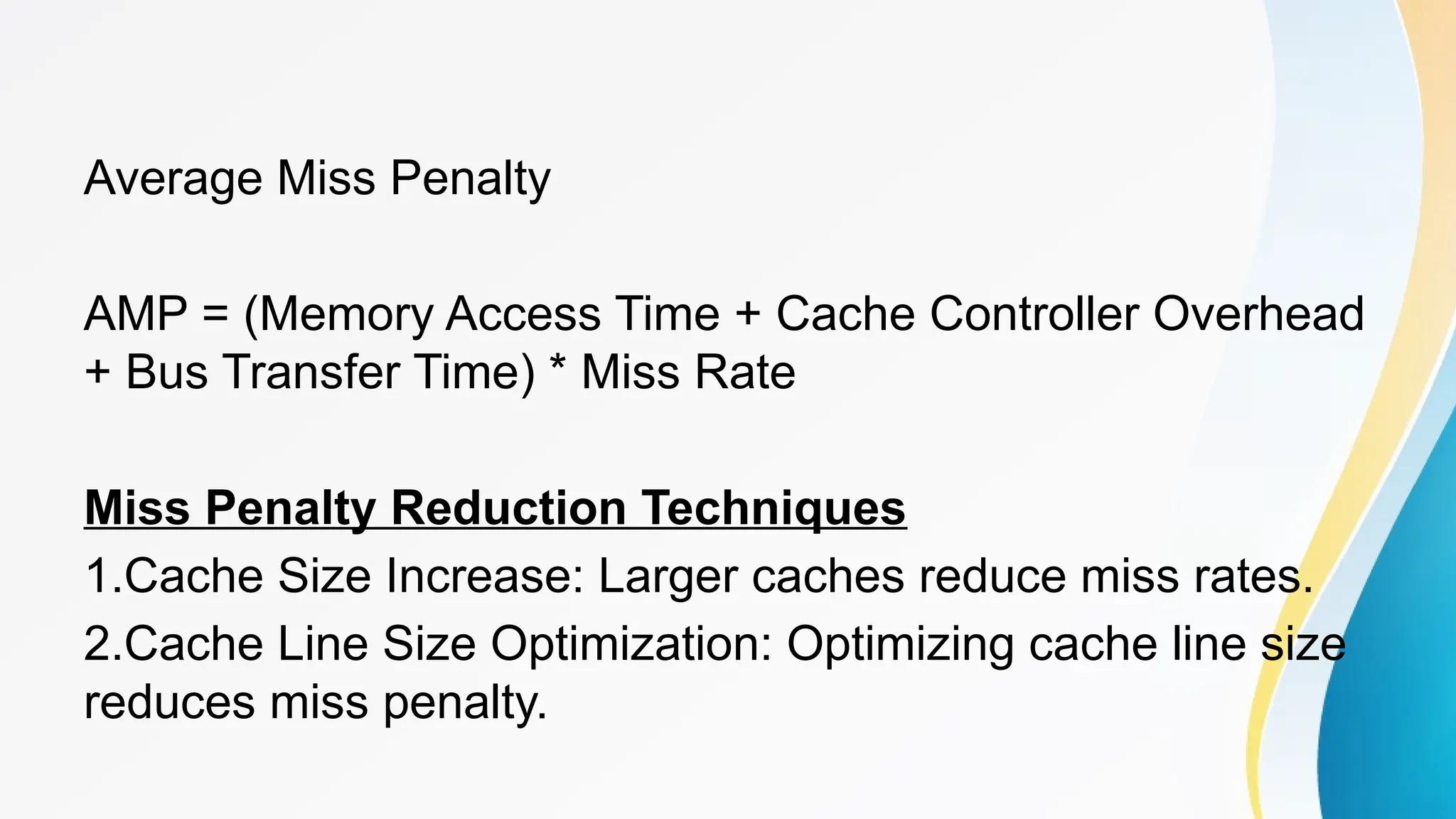
Average Miss Penalty
AMP = (Memory Access Time + Cache Controller Overhead
+ Bus Transfer Time) * Miss Rate
Miss Penalty Reduction Techniques
1.Cache Size Increase: Larger caches reduce miss rates.
2.Cache Line Size Optimization: Optimizing cache line size
reduces miss penalty.
3.Prefetching: Anticipatory caching reduces miss penalty.
4.Cache Bypassing: Bypassing cache for non-reusable data
reduces miss penalty.
Spatial Locality
Spatial locality refers to the tendency of a program to
access data that is located near data that has been recently
accessed.
Principles:
1.Locality of Reference: Programs tend to access data that
is located near data that has been recently accessed.
2.Spatial Proximity: Data that is located near each other in
memory is more likely to be accessed together.
3.Block Access: Accessing data in blocks (e.g., cache lines)
reduces the number of memory accesses.
Temporal Locality
Temporal locality refers to the tendency of a program to
access data that has been recently accessed.
Principles:
1.Recency of Access: Programs tend to access data that
has been recently accessed.
2.Temporal Proximity: Data that is accessed together in
time is more likely to be accessed again together.
3.Reuse: Data that is reused is more likely to be accessed
again soon.
Multiporting
Multiporting is a technique used in computer architecture to
allow multiple simultaneous accesses to a shared resource,
such as memory or I/O devices.
Types of Multiporting
1.Memory Multiporting: Multiple ports to access memory
simultaneously.
2.I/O Multiporting: Multiple ports to access I/O devices
simultaneously.
Advantages
1.Increased Throughput: Improved performance due to
concurrent accesses.
2.Improved Responsiveness: Reduced latency for multiple
requests.
3.Enhanced Multitasking: Efficient handling of multiple
tasks.
Disadvantages
1.Higher Cost: Multiporting requires additional hardware.
2.Increased Power Consumption: Additional ports consume
more power.
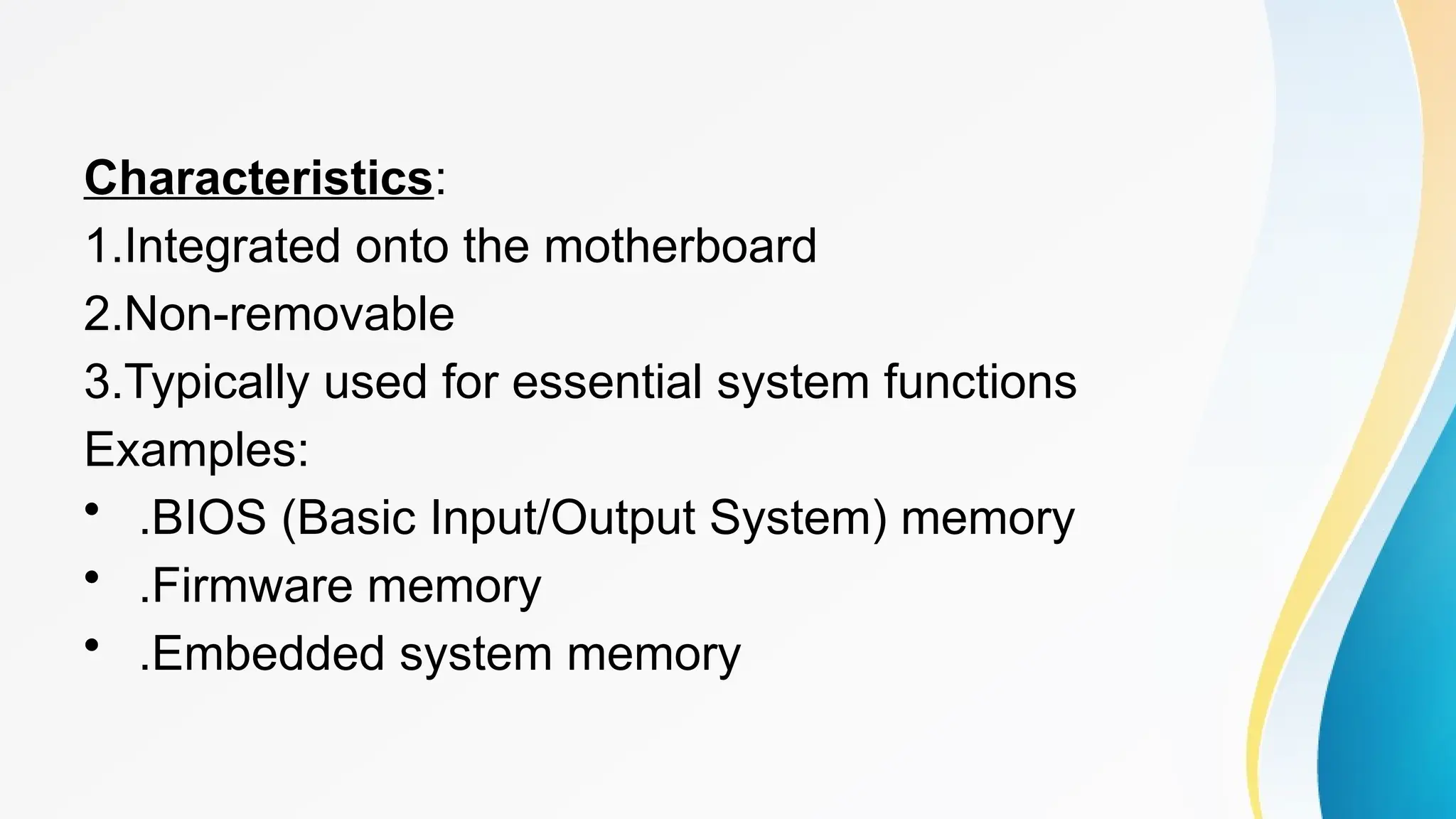
Onboard Memory
Onboard memory refers to the memory that is integrated
directly onto the motherboard or system board of a
computer.
Characteristics:
1.Integrated onto the motherboard
2.Non-removable
3.Typically used for essential system functions
Examples:
• .BIOS (Basic Input/Output System) memory
• .Firmware memory
• .Embedded system memory
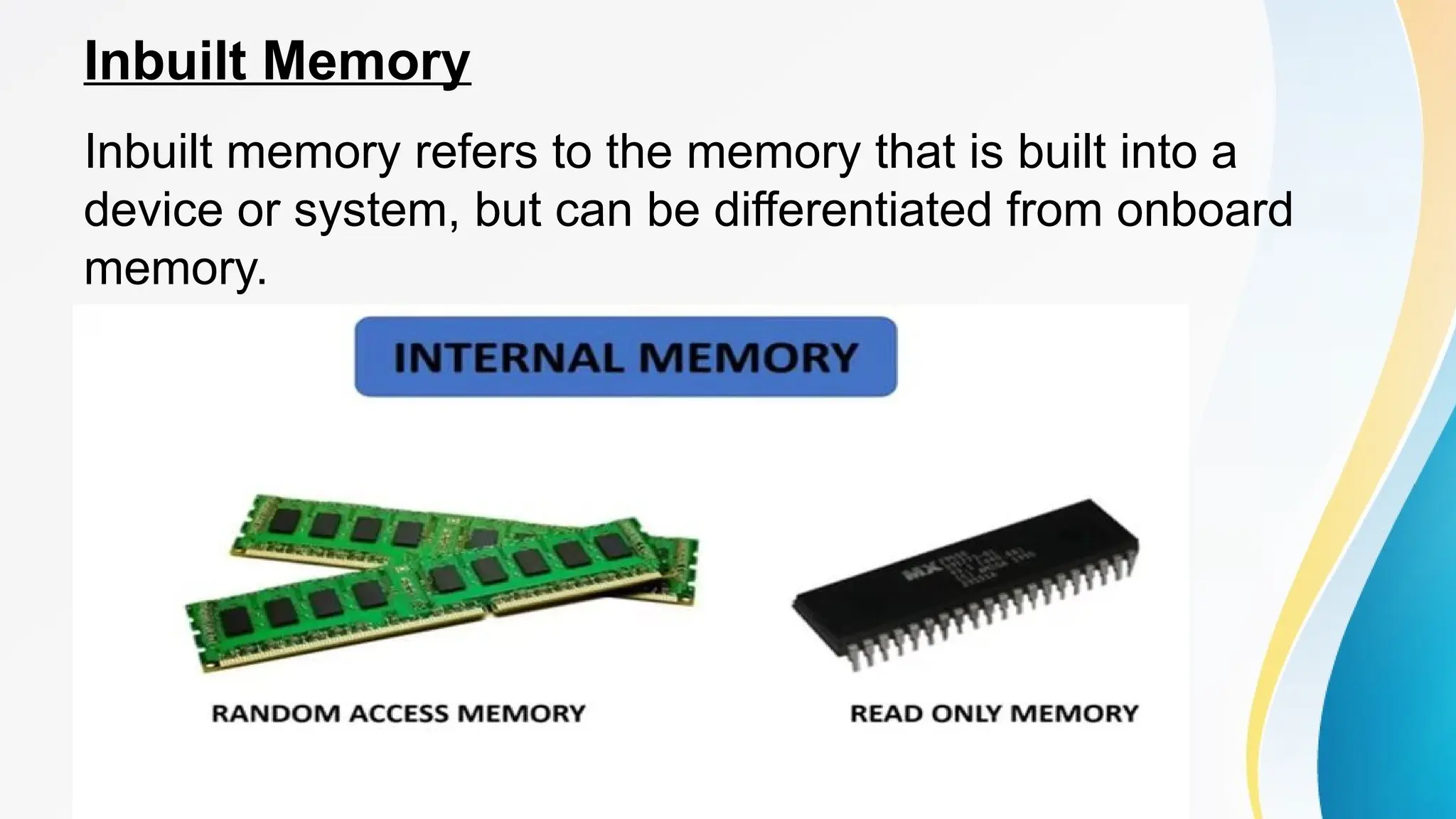
Inbuilt Memory
Inbuilt memory refers to the memory that is built into a
device or system, but can be differentiated from onboard
memory.
Characteristics:
1.Integrated into the device or system
2.May be removable or non-removable
3.Used for specific functions or applications
Examples:
• Smartphone RAM
• Graphics card memory
• Audio card memory
Offline Memory
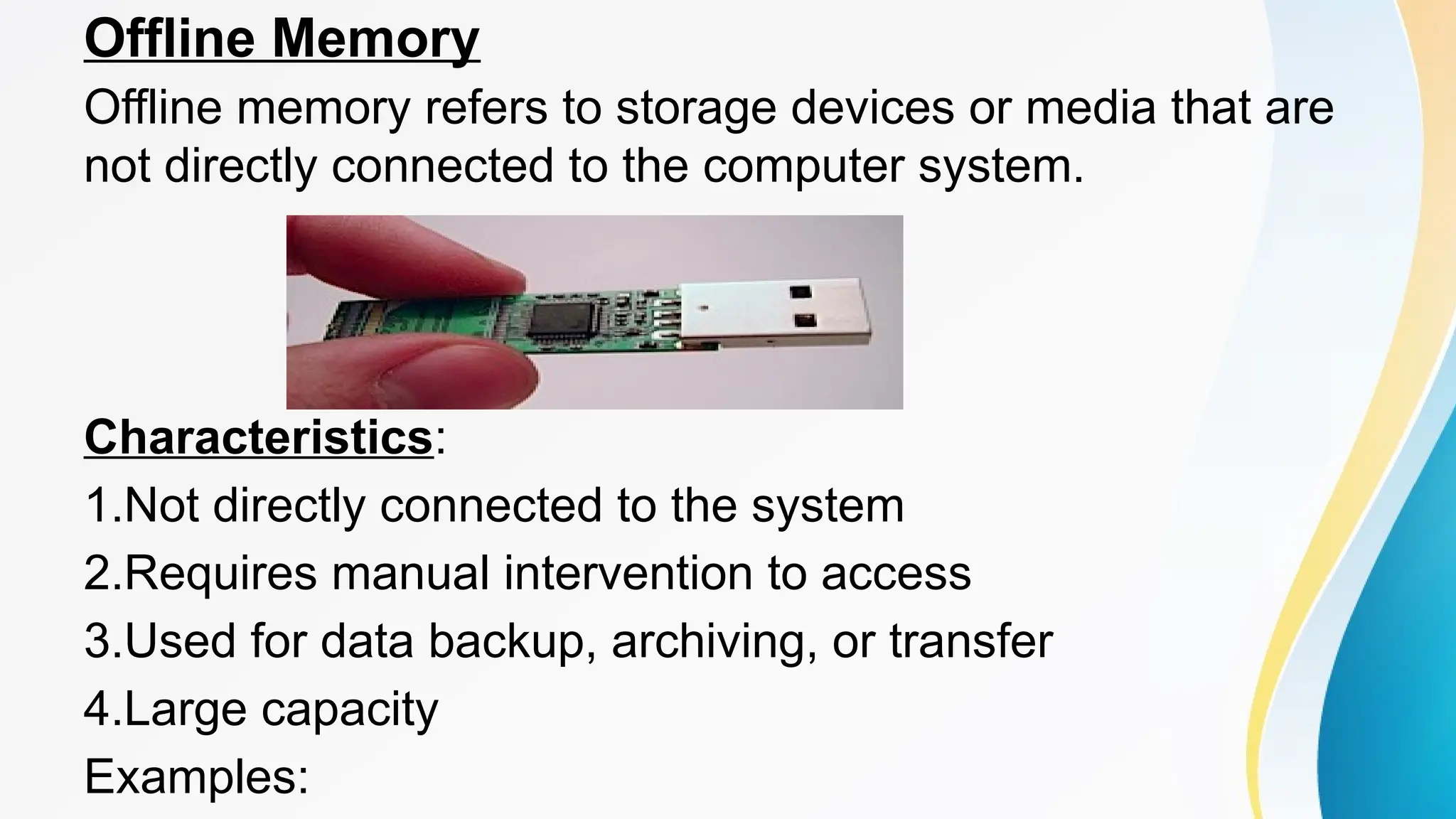
Offline memory refers to storage devices or media that are
not directly connected to the computer system.
Characteristics:
1.Not directly connected to the system
2.Requires manual intervention to access
3.Used for data backup, archiving, or transfer
4.Large capacity
Examples:
1.External hard drives
2.USB drives
3.CDs/DVDs
4.Tape drives
5.Cloud storage
Backstore
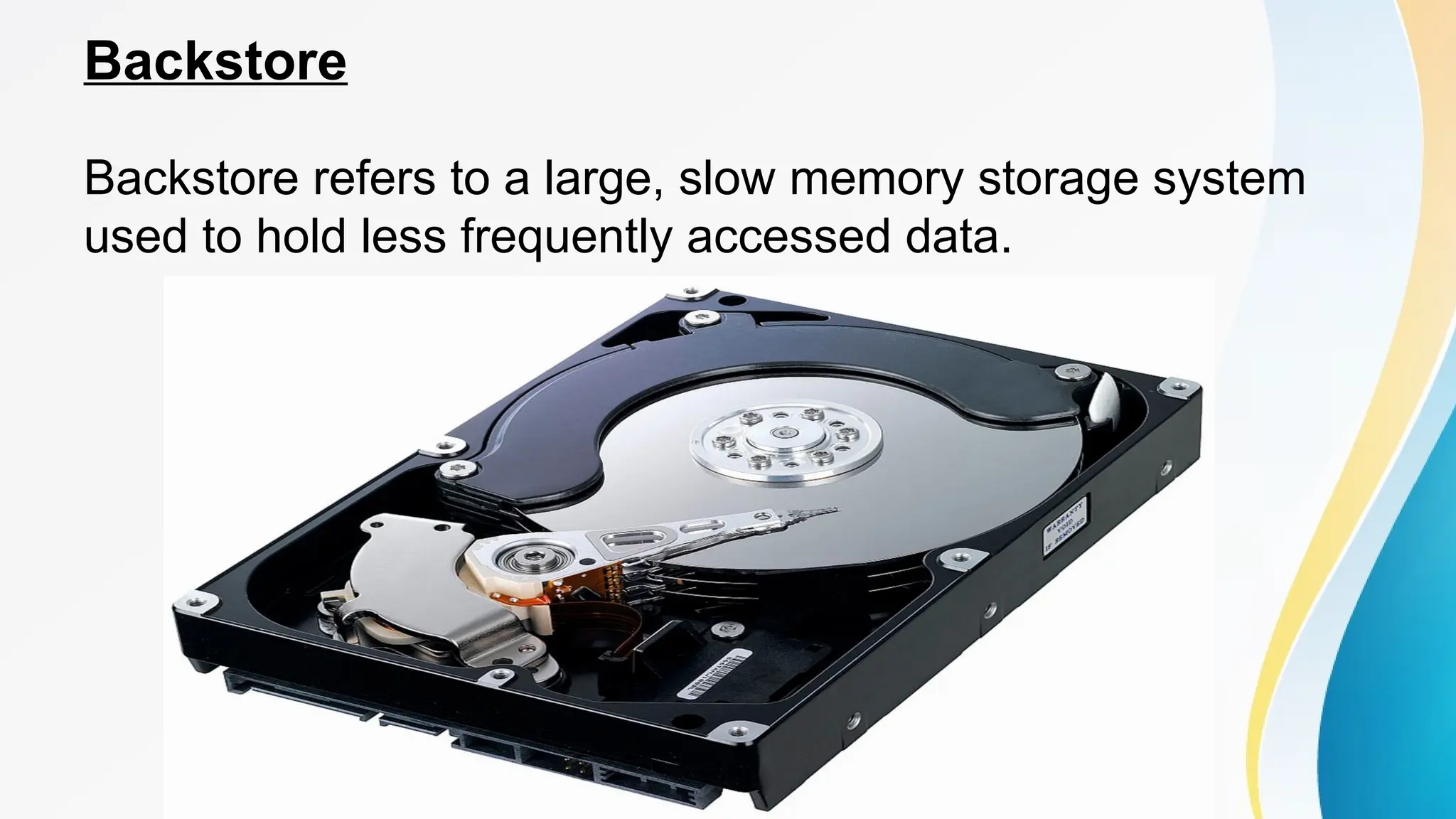
Backstore refers to a large, slow memory storage system
used to hold less frequently accessed data.
Characteristics:
1.Large capacity
2.Slow access times
3.Used for archival or backup purposes
4.Low cost per byte
5.High latency
Examples:
• .Tape libraries
• .Cloud storage
• .External hard drive arrays
• .NAS (Network-Attached Storage) devices
Characteristics of the memory system
Capacity
1.Size: Amount of data that can be stored (e.g., bytes,
kilobytes, megabytes, gigabytes).
2.Number of addresses: Unique locations for storing data.
Location
1.Main Memory (RAM): Temporarily stores data for
processing.
2.Secondary Memory (Disk): Permanently stores data.
3.Cache Memory: Fast, small memory for frequently
accessed data.
4.Virtual Memory: Combination of RAM and disk space.
Unit of Transfer
1.Word: Smallest unit of data transfer (e.g., 32-bit, 64-bit).
2.Byte: Smallest addressable unit of memory (8 bits).
3.Block: Group of words or bytes transferred together.
Access Methods
Access methods refer to the techniques used to retrieve or
store data in a memory system. Here are some common
access methods:
1.Sequential Access
•Data is accessed in a sequence, one item after another.
•Examples: Tape drives, CD/DVD players.
2 Random Access
•Data can be accessed directly, regardless of its location.
•Examples: RAM, hard disk drives.
3.Associative Access
•Data is accessed based on its content, rather than its
location.
•Examples: Cache memory, content-addressable memory.
4 Direct Access
•Data is accessed directly through a unique address.
•Examples: RAM, ROM.
5.Indirect Access
•Data is accessed through a pointer or index.
•Examples: Virtual memory, paging.
6.Circular Access
•Data is accessed in a circular buffer, where the last item is
followed by the first item.
•Examples: FIFO (First-In-First-Out) buffers.
7.Block Access
•Data is accessed in fixed-size blocks.
•Examples: Hard disk drives, SSDs.
8.Streaming Access
•Data is accessed continuously, without interruption.
•Examples: Video streaming, audio streaming.
Principles of cache memory
Locality of Reference: Programs tend to access data and
instructions that are located near each other in memory.
This principle is exploited by cache memory.
Cache Hits and Misses:When the CPU requests data, it first
checks the cache. If the data is found in the cache, it's
called a cache hit . If the data is not found, it's called a
cache miss.
Cache Lines: Cache memory is organized into blocks called
cache lines. When a cache miss occurs, an entire cache
line is loaded from main memory into the cache.
Cache Replacement Policies: When the cache is full, a
replacement policy is used to decide which cache line to
evict. Common policies include Least Recently Used (LRU)
and First In First Out (FIFO).
Cache Coherence: In multi-processor systems, multiple
processors may access the same data. Cache coherence
protocols ensure that all processors have a consistent view
of the data in the cache.

Introduction to Cache Memory Of A Computer System.pptx

  • 1.
    SCOPE • Cache Memory •Characteristics of Cache Memory • Types of Cache Memory • Cache Memory Hierarchy • How Cache Memory Works • Advantages of Cache Memory • Disadvantages of Cache Memory • Cache Memory Applications
  • 2.
    SCOPE • Cache Coherence •Types of Cache Coherence Protocols • Cache Coherence Techniques • Cache Controller • Cache Controller Functions • Types of Cache Controllers • Cache Controller Components • Cache Coherence Protocols
  • 3.
    SCOPE • Cache missand hit • Types of Cache Hits and Misses • Cache Miss Classification • Cache Hit Ratio (CHR) • Factors Affecting Cache Hits/Misses • Miss Penalty • Types of Miss Penalties • Factors Affecting Miss Penalty
  • 4.
    SCOPE • Miss PenaltyComponents • Miss Penalty Reduction Techniques • Spatial Locality • Temporal Locality • Multiporting • Types of Multiporting • Advantages • Disadvantages
  • 5.
    SCOPE • Onboard Memory •Inbuilt Memory • Offline Memory • Backstore • Characteristics of the memory system • Access Methods • Principles of cache memory
  • 6.
    Cache Memory • Cachememory is a small, fast memory location that stores frequently-used data or instructions in a computer system. It acts as a buffer between the main memory and the central processing unit (CPU), providing quick access to essential information. • Characteristics of Cache Memory 1. Small size: Cache memory is much smaller than main memory. 2. Fast access time: Cache memory has a faster access time than main memory. 3. Volatile: Cache memory loses its data when power is turned off. 4. High-speed data transfer: Cache memory transfers data at high speeds. 5. Temporary storage: Cache memory temporarily stores data.
  • 8.
    Types of CacheMemory 1. Level 1 Cache (L1 Cache): Smallest and fastest cache, built into the CPU. 2. Level 2 Cache (L2 Cache): Larger and slower than L1, may be located on the CPU or motherboard. 3. Level 3 Cache (L3 Cache): Shared among multiple CPU cores in multi-core processors. 4. Level 4 Cache (L4 Cache): Used in some high-performance systems.
  • 9.
    Cache Memory Hierarchy •1.Register • 2.L1 Cache • 3.L2 Cache • 4.L3 Cache • 5.Main Memory • 6.External Memory (Hard Drive)
  • 10.
    How Cache MemoryWorks • 1.CPU requests data from main memory. • 2.Cache checks if requested data is stored (cache hit). • 3.If found, cache provides data to CPU. • 4.If not found (cache miss), main memory provides data, which is then stored in cache.
  • 11.
    Advantages of CacheMemory • 1.Improved performance • 2.Reduced memory access time • 3.Increased processing speed • 4.Efficient use of memory • 5.Enhanced multitasking
  • 12.
    Disadvantages of CacheMemory • 1.Limited capacity • 2.Expensive • 3.Data loss when power is turned off • 4.Cache thrashing (inefficient cache usage)
  • 13.
    Cache Memory Applications •1.Desktop computers • 2.Laptops • 3.Mobile devices • 4.Servers • 5.Gaming consoles • 6.Embedded systems
  • 14.
    Cache Coherence Cache coherenceensures that multiple caches in a multi- core or distributed system maintain consistency. It guarantees that: • 1. Data is up-to-date across all caches. • 2. Changes made to data are propagated to all caches.
  • 15.
    Types of CacheCoherence Protocols 1. Write-Through: Updates cache and main memory simultaneously. • Advantages: Simple, fast writes • Disadvantages: Slow reads, high memory traffic 2. Write-Back: Updates cache and then main memory. • Advantages: Fast writes, reduced memory traffic • Disadvantages: Complex, potential data loss
  • 16.
    Types of CacheCoherence Protocols 3. Invalidate: Invalidates stale cache lines. • Advantages: Simple, low overhead • Disadvantages: Potential performance loss 4. Update: Updates cache lines. • Advantages: Fast, accurate • Disadvantages: Complex, high overhead
  • 17.
    Cache Coherence Techniques 1.Snooping: Caches monitor bus transactions. • Advantages: Simple, effective • Disadvantages: Scalability issues 2. Directory-based: Central directory tracks cache state. • Advantages: Scalable, efficient • Disadvantages: Complex, high overhead
  • 18.
    Cache Coherence Techniques 3.Token-based: Tokens manage cache coherence. • Advantages: Simple, low overhead • Disadvantages: Limited scalability
  • 19.
    Cache Controller • Acache controller manages cache operations, ensuring efficient data transfer between cache, main memory, and CPU.
  • 20.
    Cache Controller Functions •1. Cache Tag Management: Manages cache tags. • 2. Cache Line Allocation: Allocates cache lines. • 3. Cache Replacement: Replaces cache lines. • 4. Cache Coherence Maintenance: Maintains cache coherence. • 5. Data Transfer Management: Manages data transfer.
  • 21.
    Types of CacheControllers 1. Hardware-based: Dedicated cache controller hardware. • Advantages: Fast, efficient • Disadvantages: Complex, expensive 2. Software-based: Cache management through software. • Advantages: Flexible, low cost • Disadvantages: Slow, complex
  • 22.
    Types of CacheControllers 3. Hybrid: Combination of hardware and software. • Advantages: Balanced performance, cost • Disadvantages: Complexity
  • 23.
    Cache Controller Components •1. Cache Tag Array: Stores cache tags. • 2. Cache Data Array: Stores cache data. • 3. Cache Control Logic: Manages cache operations. • 4. Bus Interface Unit: Interfaces with main memory.
  • 24.
    Cache Coherence Protocols •1. MSI (Modified, Shared, Invalid): Simple, widely used. • 2. MESI (Modified, Exclusive, Shared, Invalid): Popular, efficient. • 3. MOESI (Modified, Owned, Exclusive, Shared, Invalid): Advanced, high-performance. • 4. Write-Once: Simple, low overhead.
  • 25.
    Cache miss andhits Cache Hit A cache hit occurs when the requested data is found in the cache. Types of Cache Hits: • 1. Compulsory Hit: First access to a cache line. • 2. Capacity Hit: Cache line already in cache. • 3. Conflict Hit: Cache line replaced due to conflict.
  • 26.
    Cache Miss A cachemiss occurs when the requested data is not found in the cache. Types of Cache Misses: 1.Compulsory Miss: First access to a cache line. 2.Capacity Miss: Cache line replaced due to capacity. 3.Conflict Miss: Cache line replaced due to conflict.
  • 27.
    Cache Miss Classification •1.Cold Miss: Initial cache miss. • 2.Warm Miss: Cache miss due to replacement. • 3.Conflict Miss: Cache miss due to conflict. Cache Hit Ratio (CHR) CHR = (Number of Cache Hits) / (Number of Cache Accesses) Cache Miss Ratio (CMR)
  • 28.
    CMR = (Numberof Cache Misses) / (Number of Cache Accesses) Factors Affecting Cache Hits/Misses 1. Cache Size 2. Cache Line Size 3. Cache Replacement Policy 4. Cache Coherence Protocol 5. Workload Characteristics
  • 29.
    Miss Penalty A misspenalty is the additional time it takes for a computer system to access main memory when a cache miss occurs. It is the delay incurred when the requested data is not found in the cache and must be retrieved from main memory. Types of Miss Penalties 1.Compulsory Miss Penalty: Occurs on the first access to a cache line. 2.Capacity Miss Penalty: Occurs when a cache line is replaced due to capacity limitations. 3.Conflict Miss Penalty: Occurs when a cache line is replaced due to conflicts.
  • 30.
    Factors Affecting MissPenalty 1.Main Memory Access Time: The time it takes to access main memory. 2.Cache Coherence Protocol: The protocol used to maintain cache coherence. 3.Cache Replacement Policy: The policy used to replace cache lines. 4.Cache Line Size: The size of each cache line.
  • 31.
    Average Miss Penalty AMP= (Memory Access Time + Cache Controller Overhead + Bus Transfer Time) * Miss Rate Miss Penalty Reduction Techniques 1.Cache Size Increase: Larger caches reduce miss rates. 2.Cache Line Size Optimization: Optimizing cache line size reduces miss penalty.
  • 32.
    3.Prefetching: Anticipatory cachingreduces miss penalty. 4.Cache Bypassing: Bypassing cache for non-reusable data reduces miss penalty.
  • 33.
    Spatial Locality Spatial localityrefers to the tendency of a program to access data that is located near data that has been recently accessed. Principles: 1.Locality of Reference: Programs tend to access data that is located near data that has been recently accessed. 2.Spatial Proximity: Data that is located near each other in memory is more likely to be accessed together.
  • 34.
    3.Block Access: Accessingdata in blocks (e.g., cache lines) reduces the number of memory accesses. Temporal Locality Temporal locality refers to the tendency of a program to access data that has been recently accessed. Principles: 1.Recency of Access: Programs tend to access data that has been recently accessed.
  • 35.
    2.Temporal Proximity: Datathat is accessed together in time is more likely to be accessed again together. 3.Reuse: Data that is reused is more likely to be accessed again soon.
  • 36.
    Multiporting Multiporting is atechnique used in computer architecture to allow multiple simultaneous accesses to a shared resource, such as memory or I/O devices. Types of Multiporting 1.Memory Multiporting: Multiple ports to access memory simultaneously. 2.I/O Multiporting: Multiple ports to access I/O devices simultaneously.
  • 37.
    Advantages 1.Increased Throughput: Improvedperformance due to concurrent accesses. 2.Improved Responsiveness: Reduced latency for multiple requests. 3.Enhanced Multitasking: Efficient handling of multiple tasks. Disadvantages 1.Higher Cost: Multiporting requires additional hardware. 2.Increased Power Consumption: Additional ports consume more power.
  • 38.
    Onboard Memory Onboard memoryrefers to the memory that is integrated directly onto the motherboard or system board of a computer.
  • 39.
    Characteristics: 1.Integrated onto themotherboard 2.Non-removable 3.Typically used for essential system functions Examples: • .BIOS (Basic Input/Output System) memory • .Firmware memory • .Embedded system memory
  • 40.
    Inbuilt Memory Inbuilt memoryrefers to the memory that is built into a device or system, but can be differentiated from onboard memory.
  • 41.
    Characteristics: 1.Integrated into thedevice or system 2.May be removable or non-removable 3.Used for specific functions or applications Examples: • Smartphone RAM • Graphics card memory • Audio card memory
  • 42.
    Offline Memory Offline memoryrefers to storage devices or media that are not directly connected to the computer system. Characteristics: 1.Not directly connected to the system 2.Requires manual intervention to access 3.Used for data backup, archiving, or transfer 4.Large capacity Examples:
  • 43.
    1.External hard drives 2.USBdrives 3.CDs/DVDs 4.Tape drives 5.Cloud storage
  • 44.
    Backstore Backstore refers toa large, slow memory storage system used to hold less frequently accessed data.
  • 45.
    Characteristics: 1.Large capacity 2.Slow accesstimes 3.Used for archival or backup purposes 4.Low cost per byte 5.High latency Examples: • .Tape libraries • .Cloud storage • .External hard drive arrays • .NAS (Network-Attached Storage) devices
  • 46.
    Characteristics of thememory system Capacity 1.Size: Amount of data that can be stored (e.g., bytes, kilobytes, megabytes, gigabytes). 2.Number of addresses: Unique locations for storing data. Location 1.Main Memory (RAM): Temporarily stores data for processing. 2.Secondary Memory (Disk): Permanently stores data. 3.Cache Memory: Fast, small memory for frequently accessed data.
  • 47.
    4.Virtual Memory: Combinationof RAM and disk space. Unit of Transfer 1.Word: Smallest unit of data transfer (e.g., 32-bit, 64-bit). 2.Byte: Smallest addressable unit of memory (8 bits). 3.Block: Group of words or bytes transferred together.
  • 48.
    Access Methods Access methodsrefer to the techniques used to retrieve or store data in a memory system. Here are some common access methods: 1.Sequential Access •Data is accessed in a sequence, one item after another. •Examples: Tape drives, CD/DVD players. 2 Random Access •Data can be accessed directly, regardless of its location. •Examples: RAM, hard disk drives.
  • 49.
    3.Associative Access •Data isaccessed based on its content, rather than its location. •Examples: Cache memory, content-addressable memory. 4 Direct Access •Data is accessed directly through a unique address. •Examples: RAM, ROM. 5.Indirect Access •Data is accessed through a pointer or index. •Examples: Virtual memory, paging.
  • 50.
    6.Circular Access •Data isaccessed in a circular buffer, where the last item is followed by the first item. •Examples: FIFO (First-In-First-Out) buffers. 7.Block Access •Data is accessed in fixed-size blocks. •Examples: Hard disk drives, SSDs. 8.Streaming Access •Data is accessed continuously, without interruption. •Examples: Video streaming, audio streaming.
  • 51.
    Principles of cachememory Locality of Reference: Programs tend to access data and instructions that are located near each other in memory. This principle is exploited by cache memory. Cache Hits and Misses:When the CPU requests data, it first checks the cache. If the data is found in the cache, it's called a cache hit . If the data is not found, it's called a cache miss. Cache Lines: Cache memory is organized into blocks called cache lines. When a cache miss occurs, an entire cache line is loaded from main memory into the cache.
  • 52.
    Cache Replacement Policies:When the cache is full, a replacement policy is used to decide which cache line to evict. Common policies include Least Recently Used (LRU) and First In First Out (FIFO). Cache Coherence: In multi-processor systems, multiple processors may access the same data. Cache coherence protocols ensure that all processors have a consistent view of the data in the cache.