Introduction to
Azure PowerShell
Module
Manage Azure resources directly from PowerShell command line.
Automate tasks and manage services within Azure.
Useful for DevOps engineers, administrators, and developers.
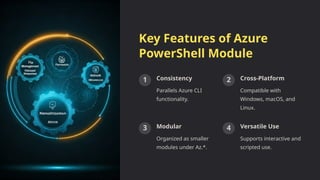
Key Features of Azure
PowerShell Module
1 Consistency
Parallels Azure CLI
functionality.
2 Cross-Platform
Compatible with
Windows, macOS, and
Linux.
3 Modular
Organized as smaller
modules under Az.*.
4 Versatile Use
Supports interactive and
scripted use.
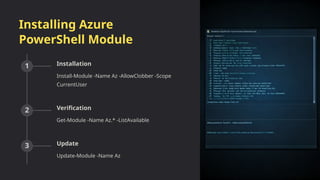
Installing Azure
PowerShell Module
1 Installation
Install-Module -Name Az -AllowClobber -Scope
CurrentUser
2 Verification
Get-Module -Name Az.* -ListAvailable
3 Update
Update-Module -Name Az
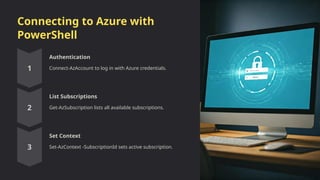
Connecting to Azure with
PowerShell
Authentication
Connect-AzAccount to log in with Azure credentials.
List Subscriptions
Get-AzSubscription lists all available subscriptions.
Set Context
Set-AzContext -SubscriptionId sets active subscription.
Structure of Azure PowerShell Cmdlets
Naming Convention
Verb-AzNoun format for all
cmdlets.
Common Cmdlets
• Get-AzResourceGroup
• New-AzVM
• Set-AzVM
• Remove-AzStorageAccount
Modular Design
Submodules like Az.Compute,
Az.Network, Az.Storage.
Basic Usage Examples
Create Resource Group New-AzResourceGroup -Name "MyResourceGroup" -Location "EastUS"
Deploy VM New-AzVM -ResourceGroupName "MyResourceGroup" -Name "MyVM" -
Location "EastUS" -Image "Win2019Datacenter"
List Storage Accounts Get-AzStorageAccount
Advanced Features: Filtering and Pipelining
Filtering
Get-AzVM -Status | Where-Object {$_.Status -eq "Running"}
Pipelining
Get-AzResourceGroup | ForEach-Object { New-AzVM -ResourceGroupName $_.ResourceGroupName -Name
"MyVM_$_" }
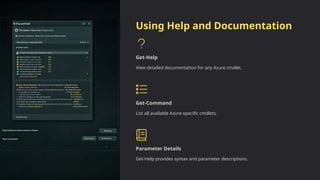
Using Help and Documentation
Get-Help
View detailed documentation for any Azure cmdlet.
Get-Command
List all available Azure-specific cmdlets.
Parameter Details
Get-Help provides syntax and parameter descriptions.
Summary of Key Concepts
1 Installation
Simple installation and
regular updates
encouraged.
2 Authentication
Use Connect-AzAccount
and Set-AzContext for
management.
3 Cmdlet Structure
Standardized Verb-
AzNoun structure for
easy use.
4 Automation
Pipelining enhances
functionality for
complex tasks.

Introduction-to-Azure-PowerShell-Module.pptx

  • 1.
    Introduction to Azure PowerShell Module ManageAzure resources directly from PowerShell command line. Automate tasks and manage services within Azure. Useful for DevOps engineers, administrators, and developers.
  • 2.
    Key Features ofAzure PowerShell Module 1 Consistency Parallels Azure CLI functionality. 2 Cross-Platform Compatible with Windows, macOS, and Linux. 3 Modular Organized as smaller modules under Az.*. 4 Versatile Use Supports interactive and scripted use.
  • 3.
    Installing Azure PowerShell Module 1Installation Install-Module -Name Az -AllowClobber -Scope CurrentUser 2 Verification Get-Module -Name Az.* -ListAvailable 3 Update Update-Module -Name Az
  • 4.
    Connecting to Azurewith PowerShell Authentication Connect-AzAccount to log in with Azure credentials. List Subscriptions Get-AzSubscription lists all available subscriptions. Set Context Set-AzContext -SubscriptionId sets active subscription.
  • 5.
    Structure of AzurePowerShell Cmdlets Naming Convention Verb-AzNoun format for all cmdlets. Common Cmdlets • Get-AzResourceGroup • New-AzVM • Set-AzVM • Remove-AzStorageAccount Modular Design Submodules like Az.Compute, Az.Network, Az.Storage.
  • 6.
    Basic Usage Examples CreateResource Group New-AzResourceGroup -Name "MyResourceGroup" -Location "EastUS" Deploy VM New-AzVM -ResourceGroupName "MyResourceGroup" -Name "MyVM" - Location "EastUS" -Image "Win2019Datacenter" List Storage Accounts Get-AzStorageAccount
  • 7.
    Advanced Features: Filteringand Pipelining Filtering Get-AzVM -Status | Where-Object {$_.Status -eq "Running"} Pipelining Get-AzResourceGroup | ForEach-Object { New-AzVM -ResourceGroupName $_.ResourceGroupName -Name "MyVM_$_" }
  • 8.
    Using Help andDocumentation Get-Help View detailed documentation for any Azure cmdlet. Get-Command List all available Azure-specific cmdlets. Parameter Details Get-Help provides syntax and parameter descriptions.
  • 9.
    Summary of KeyConcepts 1 Installation Simple installation and regular updates encouraged. 2 Authentication Use Connect-AzAccount and Set-AzContext for management. 3 Cmdlet Structure Standardized Verb- AzNoun structure for easy use. 4 Automation Pipelining enhances functionality for complex tasks.