Introduction to Docker
•What is Docker?
• A platform for developing, shipping, and
running applications in containers.
• Provides a lightweight alternative to virtual
machines.
2.
Why Use Docker?
•Consistency across environments
(development, testing, production).
• Faster deployment and scalability.
• Isolation of applications.
• Efficient resource utilization.
3.
Docker vs. VirtualMachines
• Docker Containers vs. Virtual Machines:
• - Isolation: Process-level vs. Full OS-level.
• - Boot Time: Seconds vs. Minutes.
• - Performance: Lightweight vs. Heavy.
• - Storage Usage: Minimal vs. Large.
4.
Key Components ofDocker
• Docker Engine: Core service that runs
containers.
• Docker Image: A template for creating
containers.
• Docker Container: A running instance of an
image.
• Docker Hub: A repository for storing and
sharing images.
5.
Docker Architecture
• Client:Sends commands to Docker daemon.
• Docker Daemon: Runs on the host system and
manages containers.
• Docker Registry: Stores and distributes
images.
• Containers: Run applications in isolated
environments.
6.
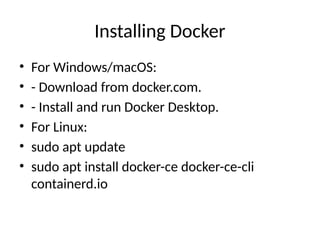
Installing Docker
• ForWindows/macOS:
• - Download from docker.com.
• - Install and run Docker Desktop.
• For Linux:
• sudo apt update
• sudo apt install docker-ce docker-ce-cli
containerd.io
7.
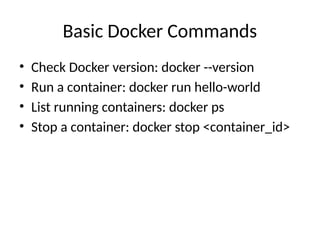
Basic Docker Commands
•Check Docker version: docker --version
• Run a container: docker run hello-world
• List running containers: docker ps
• Stop a container: docker stop <container_id>
8.
Creating a Dockerfile
•Example Dockerfile:
• FROM node:14
• WORKDIR /app
• COPY . .
• RUN npm install
• CMD ["node", "app.js"]
Docker in Production
•Use orchestration tools like Kubernetes.
• Monitor containers using Prometheus and
Grafana.
• Secure images and manage secrets effectively.
11.
Summary
• Docker simplifiesapplication deployment.
• Offers portability, scalability, and efficiency.
• Learn and integrate Docker in your
development workflow!
![Creating a Dockerfile
• Example Dockerfile:
• FROM node:14
• WORKDIR /app
• COPY . .
• RUN npm install
• CMD ["node", "app.js"]](https://image.slidesharecdn.com/dockerpresentation-250306025422-c1b42996/85/Introduction-Basic-Installation-Docker-Container-8-320.jpg)
![Docker Compose
• Define multi-container applications.
• Example docker-compose.yml:
• version: '3'
• services:
• web:
• image: nginx
• ports: ["8080:80"]
• Start services: docker-compose up -d](https://image.slidesharecdn.com/dockerpresentation-250306025422-c1b42996/85/Introduction-Basic-Installation-Docker-Container-9-320.jpg)