Sept 17, 2011, Hong Kong


 Open source 3D printer
開放源設計的 3D 立體打印機


 Prepared by: Parker Leung, College Teacher
  梁志宏, 中學教師 (CAD電腦輔助設計科)

    MSc Enterprise Tech. & Mgt. (CityU, HK)
Rep        Rap
      複製   快速成形
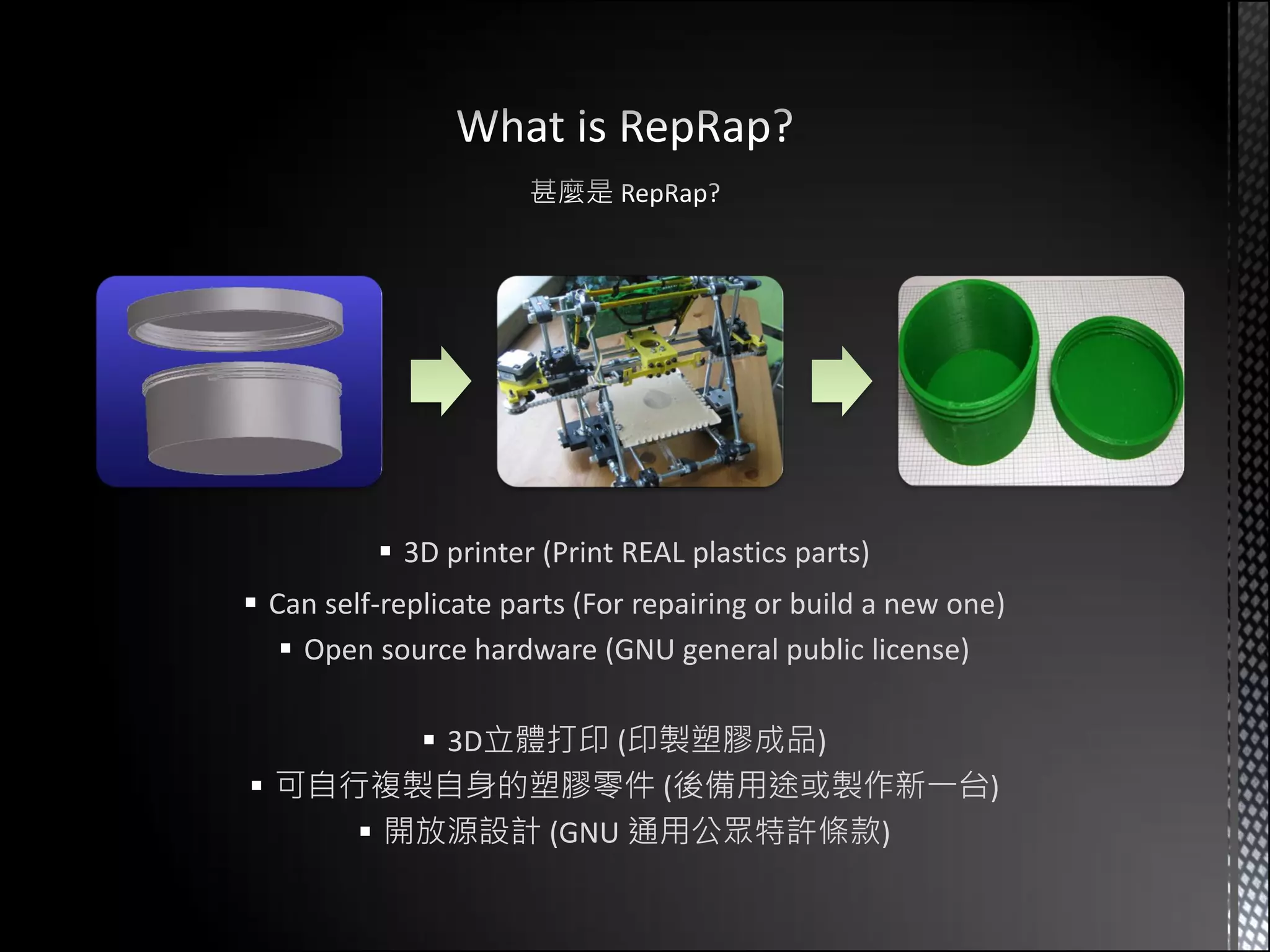
 3D printer (Print REAL plastics parts)
 Can self-replicate parts (For repairing or build a new one)
    Open source hardware (GNU general public license)

         3D立體打印 (印製塑膠成品)
 可自行複製自身的塑膠零件 (後備用途或製作新一台)
      開放源設計 (GNU 通用公眾特許條款)
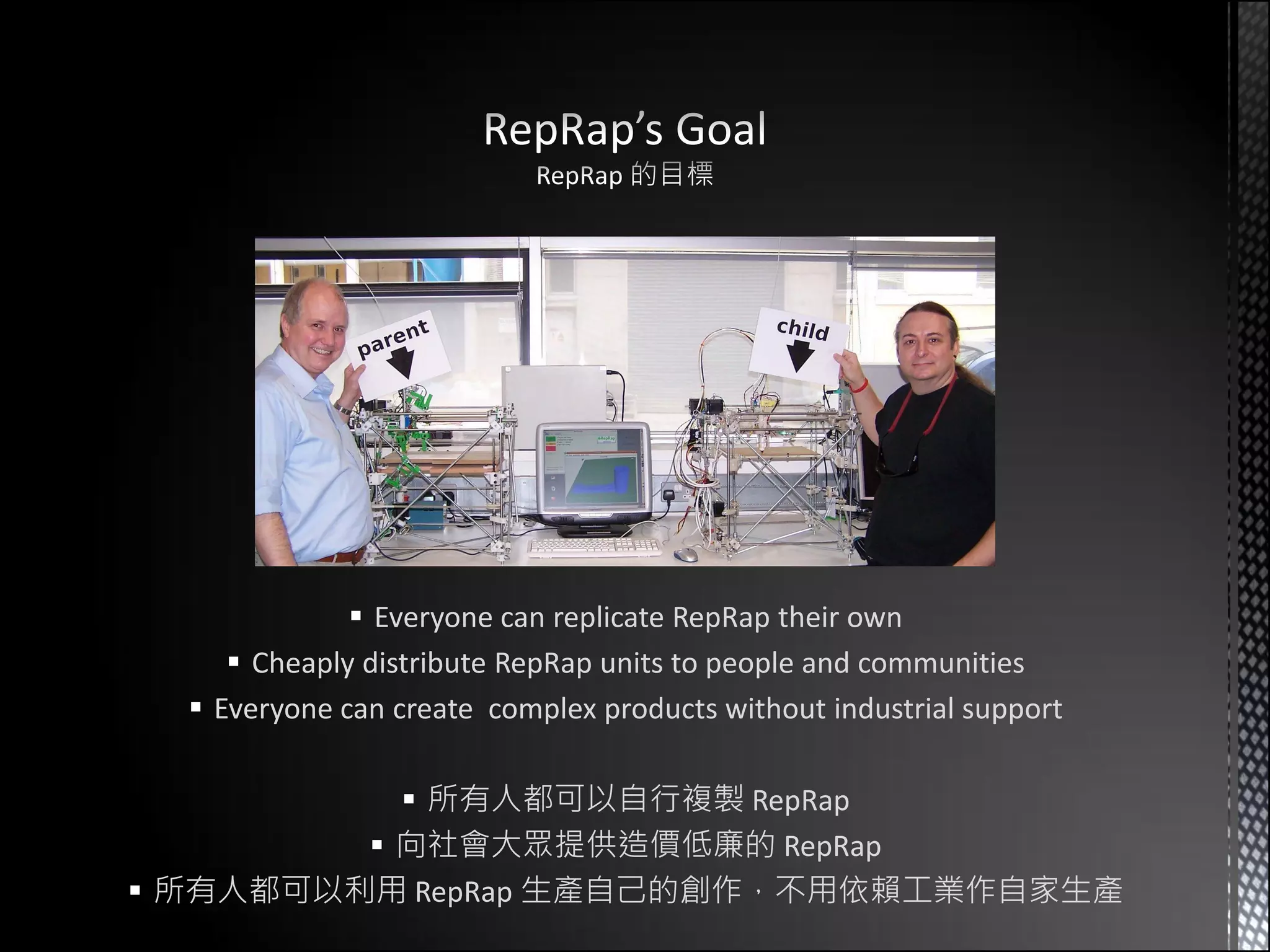
 Everyone can replicate RepRap their own
      Cheaply distribute RepRap units to people and communities
   Everyone can create complex products without industrial support

            所有人都可以自行複製 RepRap
          向社會大眾提供造價低廉的 RepRap
 所有人都可以利用 RepRap 生產自己的創作,不用依賴工業作自家生產
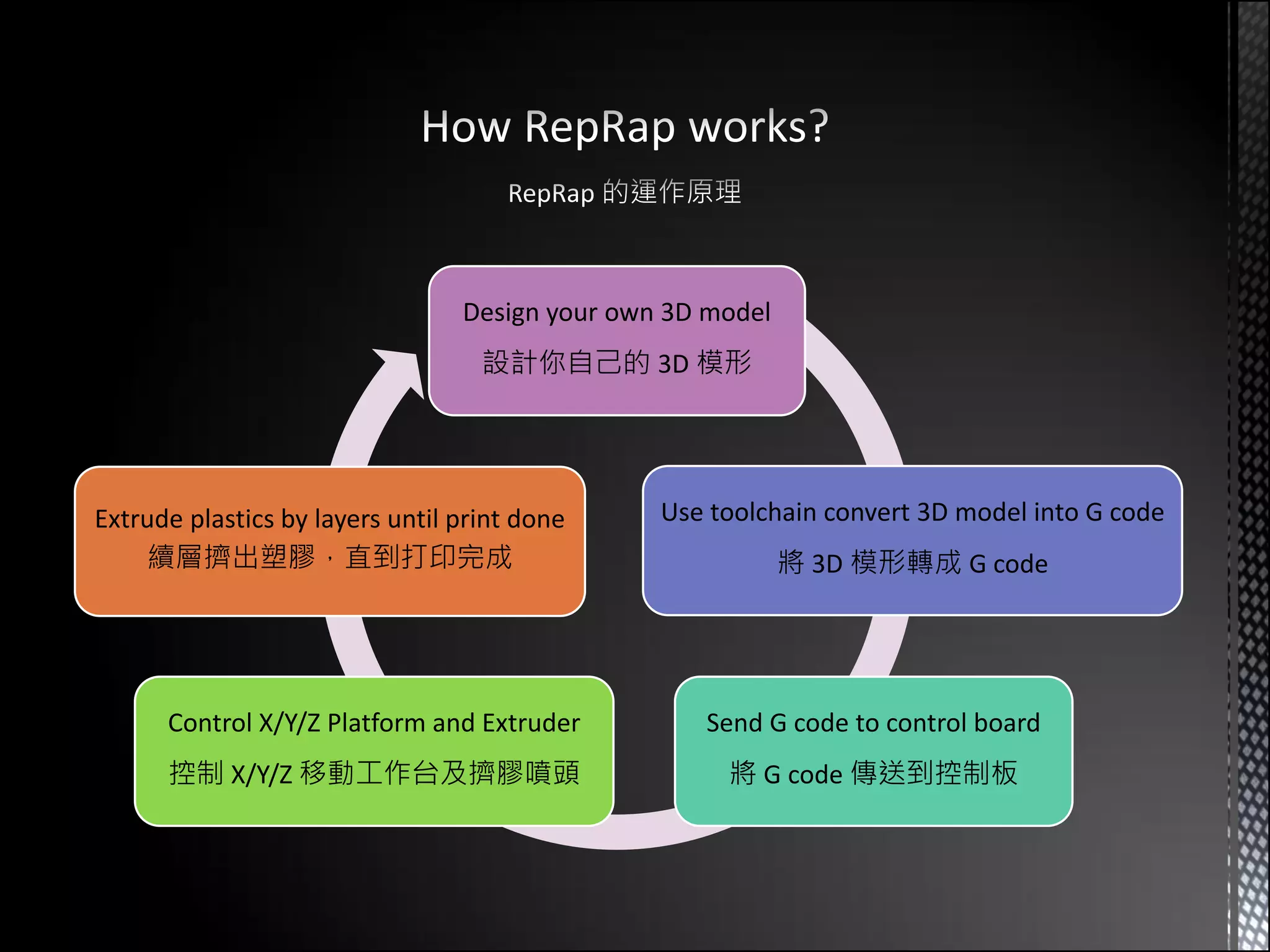
Design your own 3D model
                                   設計你自己的 3D 模形


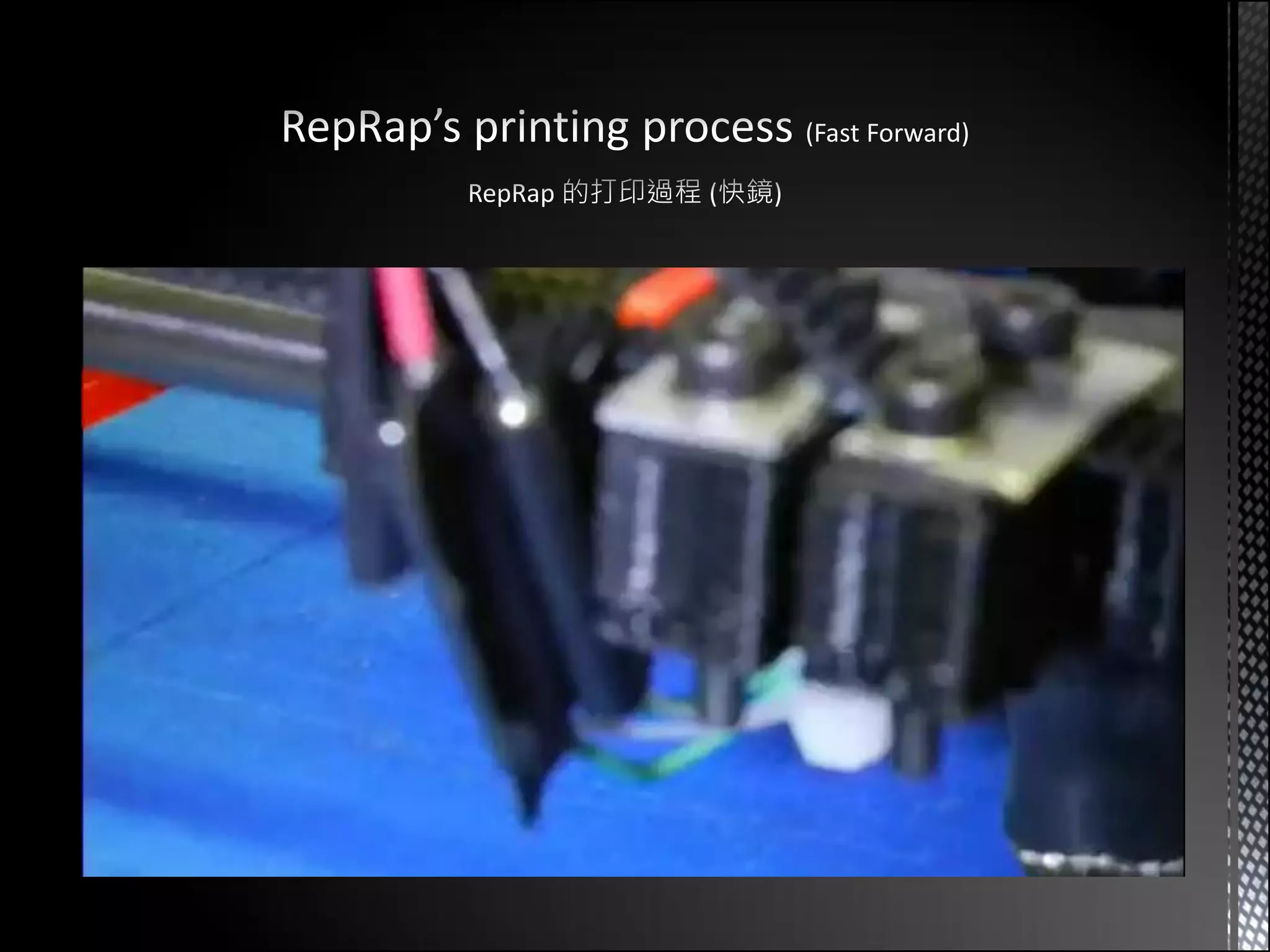
Extrude plastics by layers until print done     Use toolchain convert 3D model into G code
    續層擠出塑膠,直到打印完成                                           將 3D 模形轉成 G code


      Control X/Y/Z Platform and Extruder          Send G code to control board
      控制 X/Y/Z 移動工作台及擠膠噴頭                            將 G code 傳送到控制板
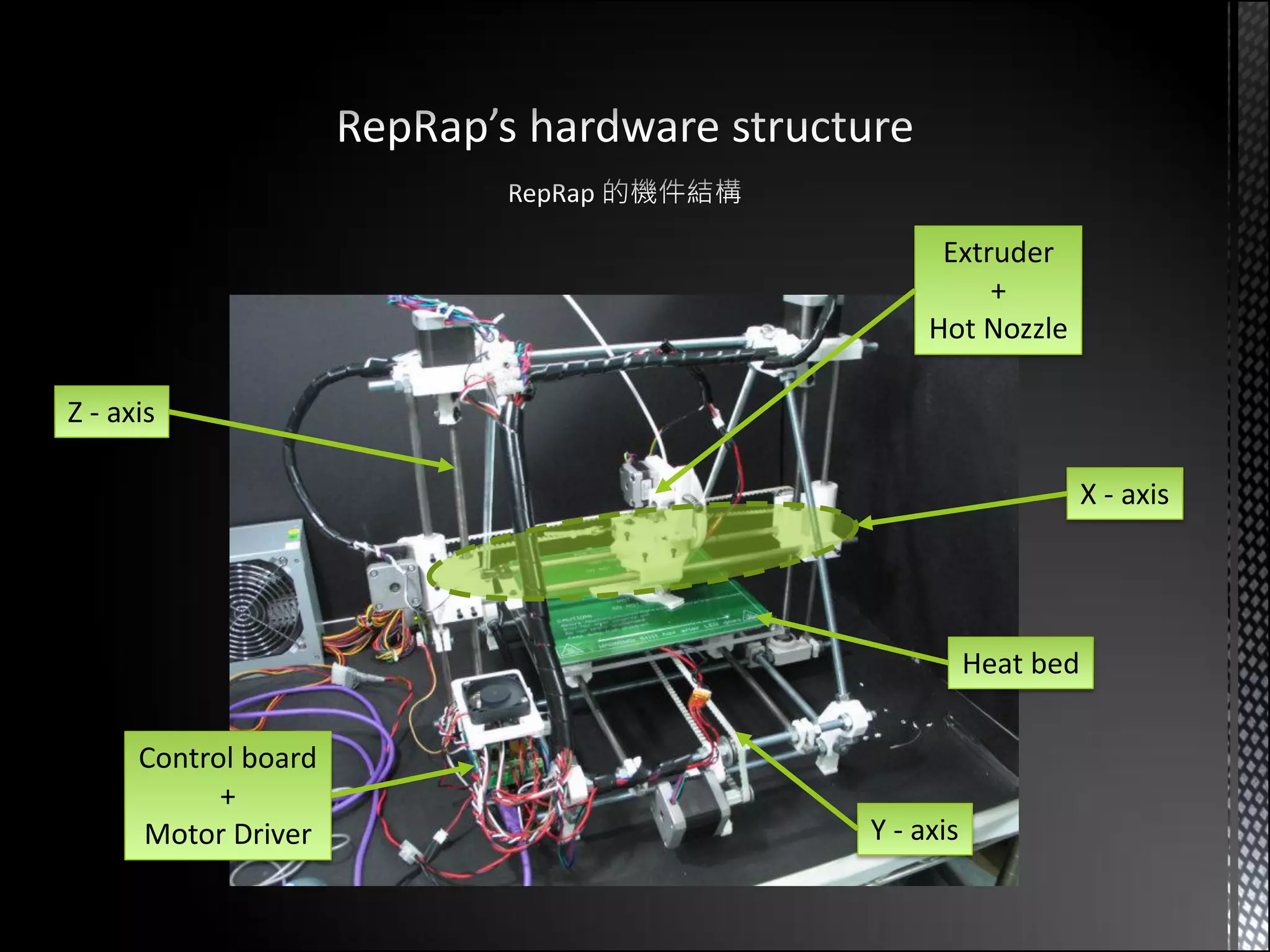
Extruder
                                +
                           Hot Nozzle

Z - axis

                                            X - axis


                                 Heat bed

      Control board
            +
      Motor Driver    Y - axis
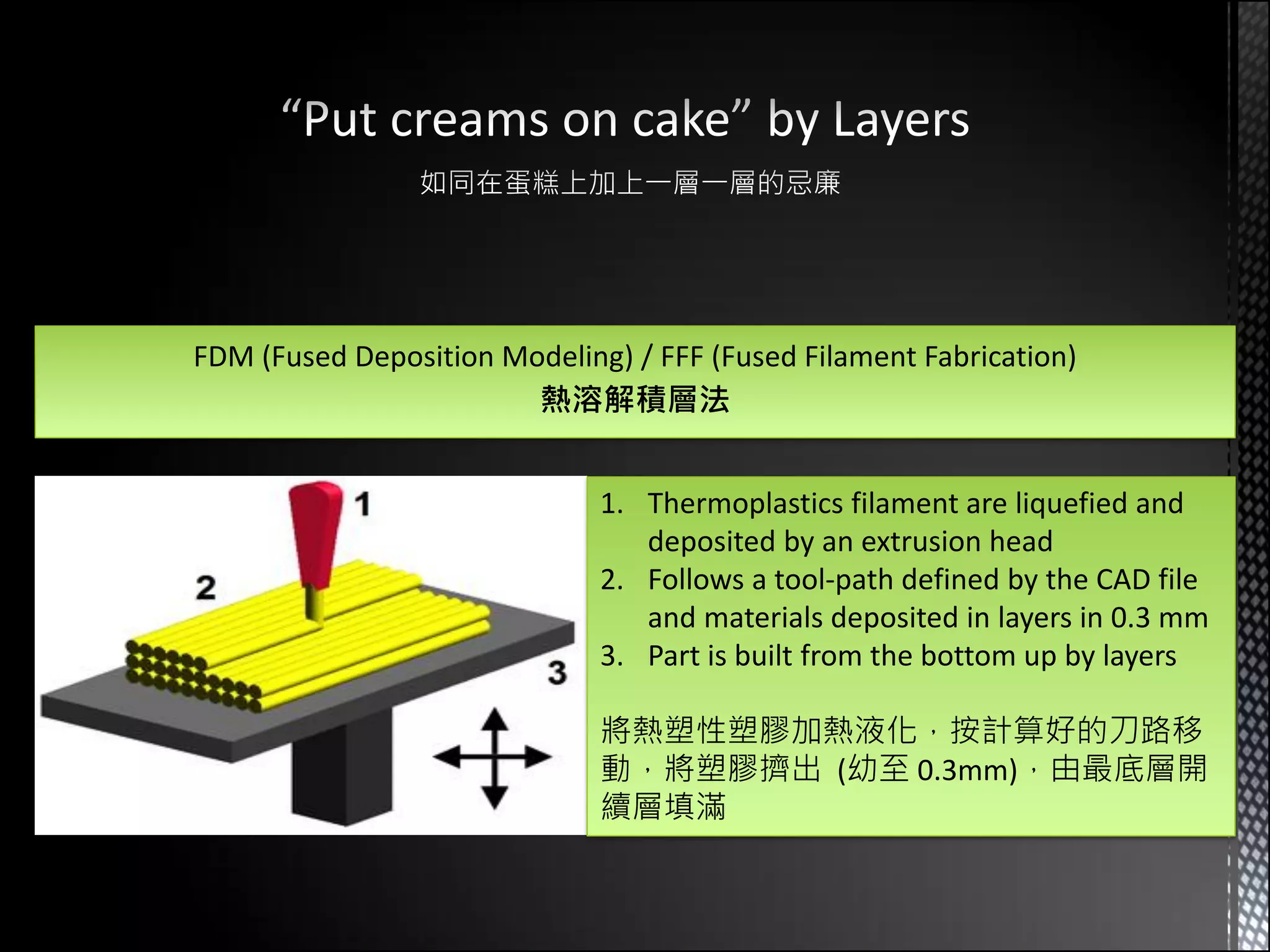
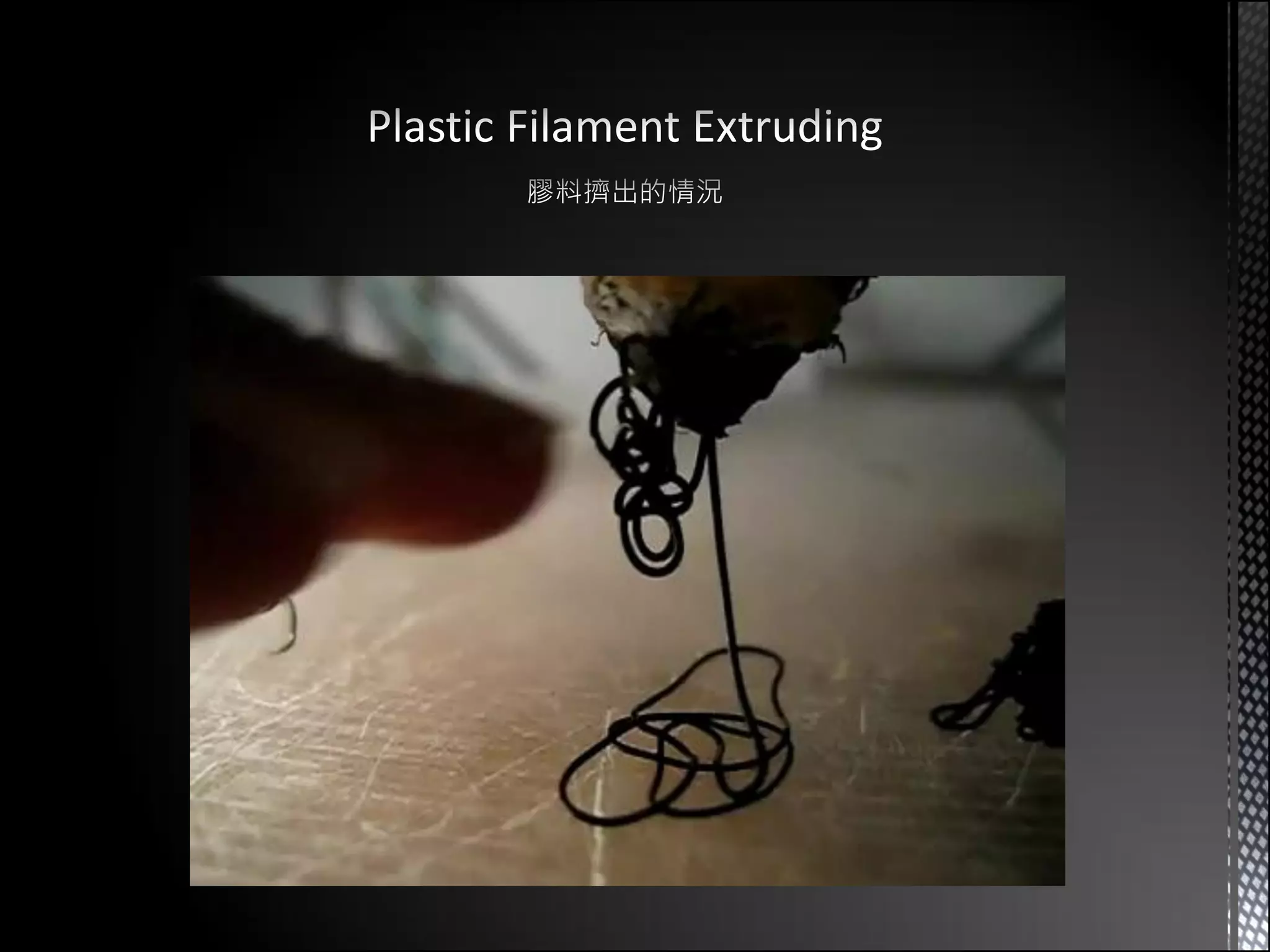
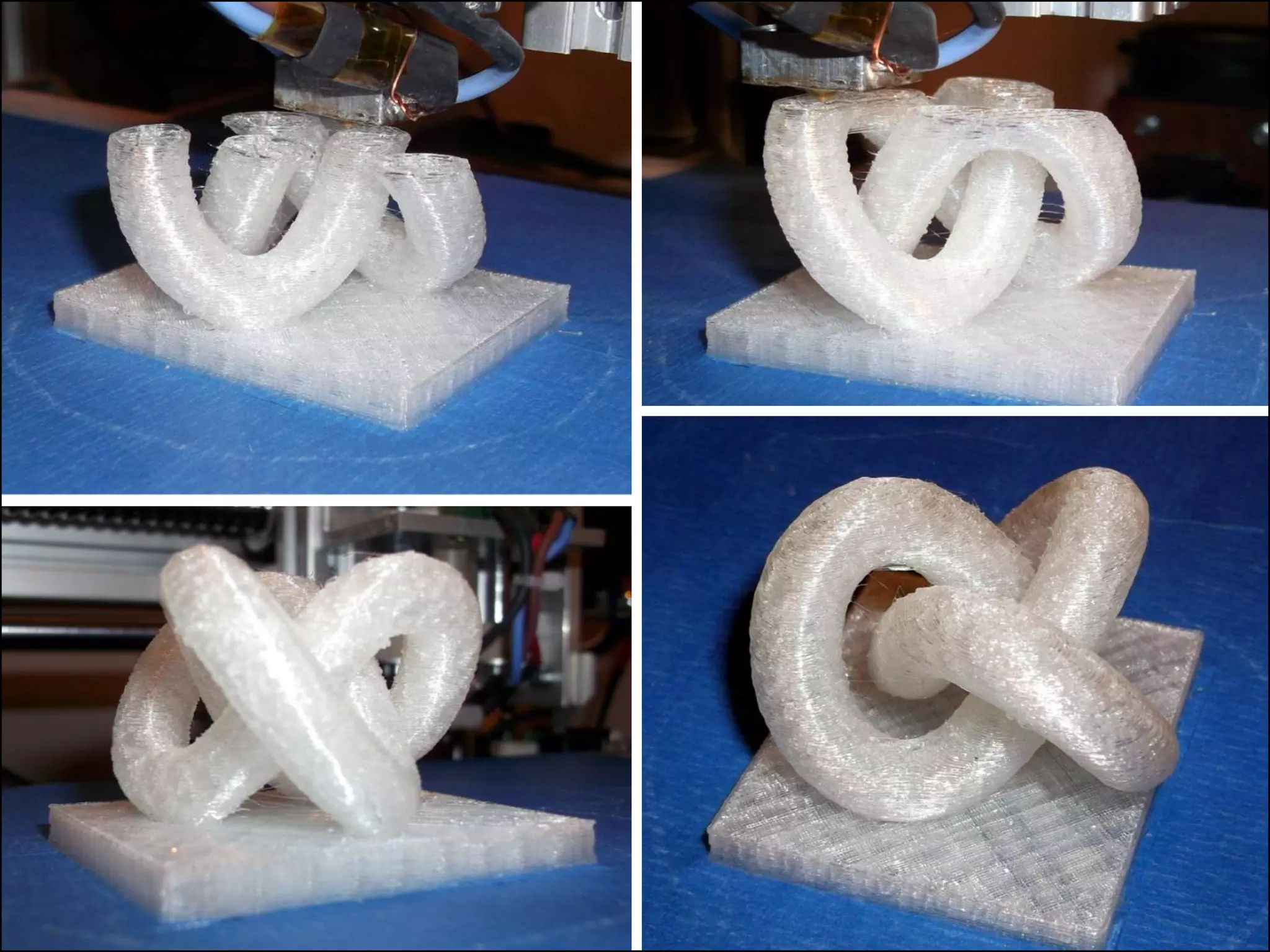
FDM (Fused Deposition Modeling) / FFF (Fused Filament Fabrication)
                        熱溶解積層法


                              1. Thermoplastics filament are liquefied and
                                 deposited by an extrusion head
                              2. Follows a tool-path defined by the CAD file
                                 and materials deposited in layers in 0.3 mm
                              3. Part is built from the bottom up by layers

                              將熱塑性塑膠加熱液化,按計算好的刀路移
                              動,將塑膠擠出 (幼至 0.3mm),由最底層開
                              續層填滿
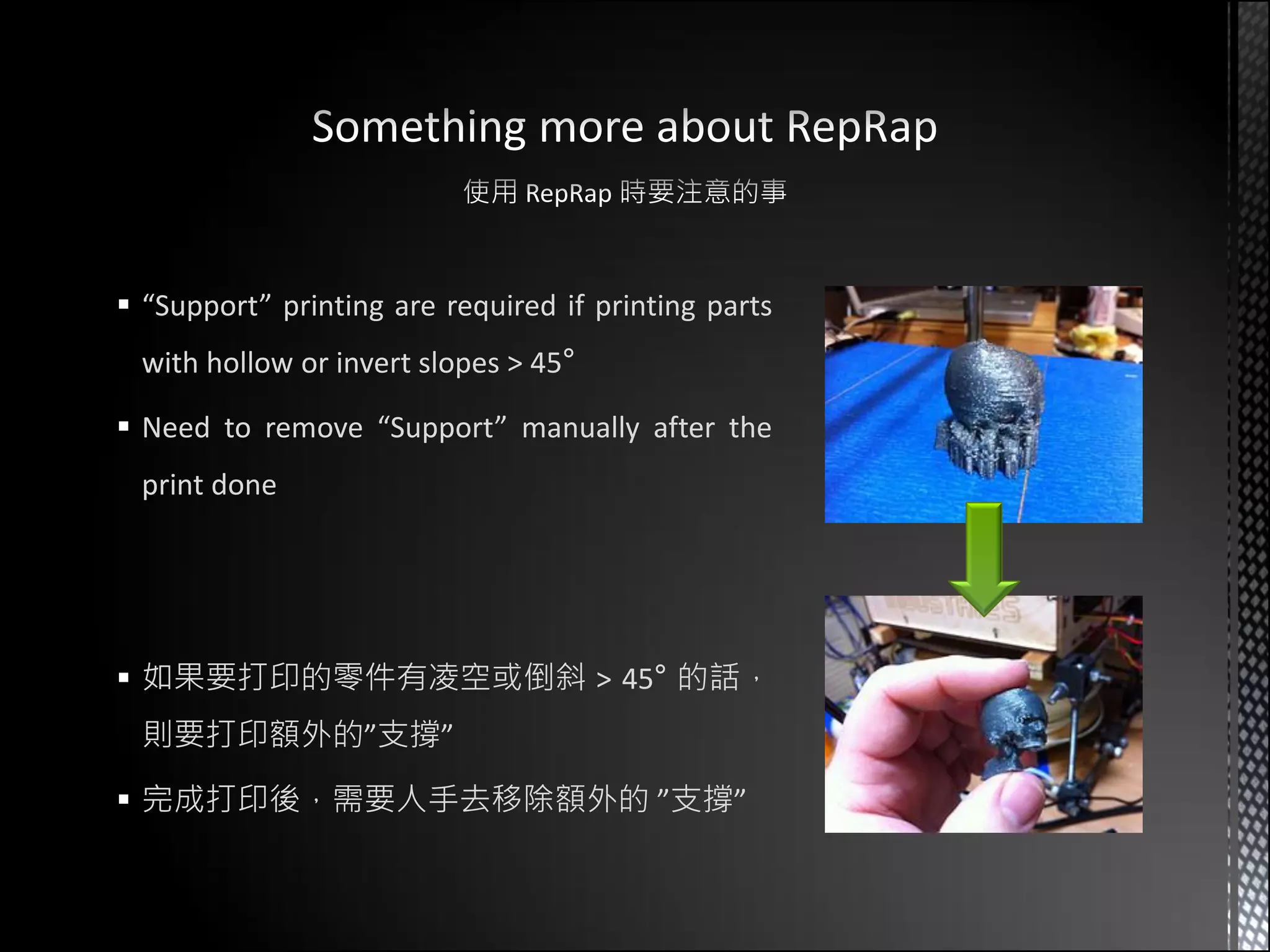
 “Support” printing are required if printing parts
 with hollow or invert slopes > 45°

 Need to remove “Support” manually after the
 print done


 如果要打印的零件有凌空或倒斜 > 45° 的話,
 則要打印額外的”支撐”

 完成打印後,需要人手去移除額外的 ”支撐”
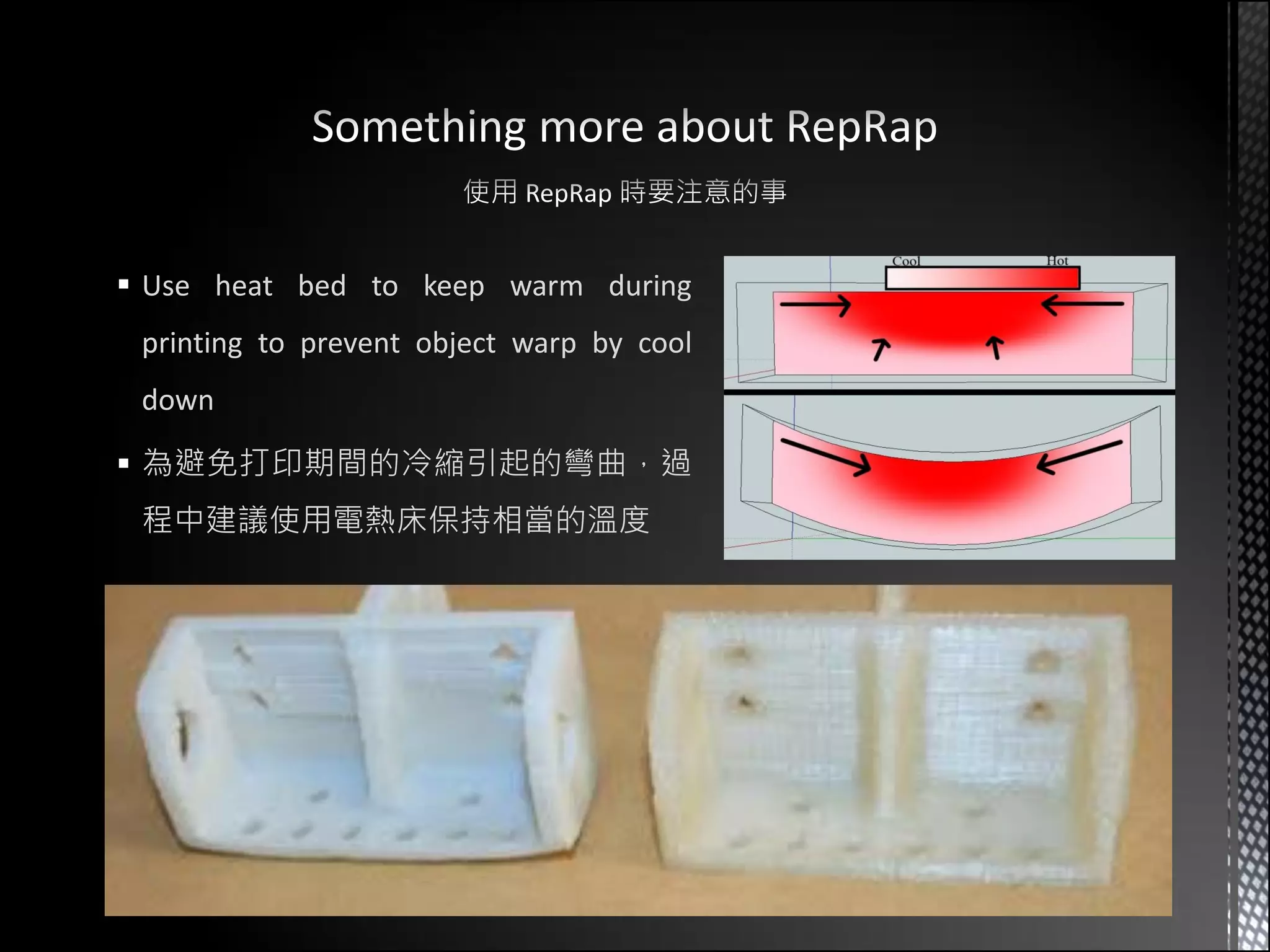
 Use heat bed to keep warm during
 printing to prevent object warp by cool
 down

 為避免打印期間的冷縮引起的彎曲,過
 程中建議使用電熱床保持相當的溫度
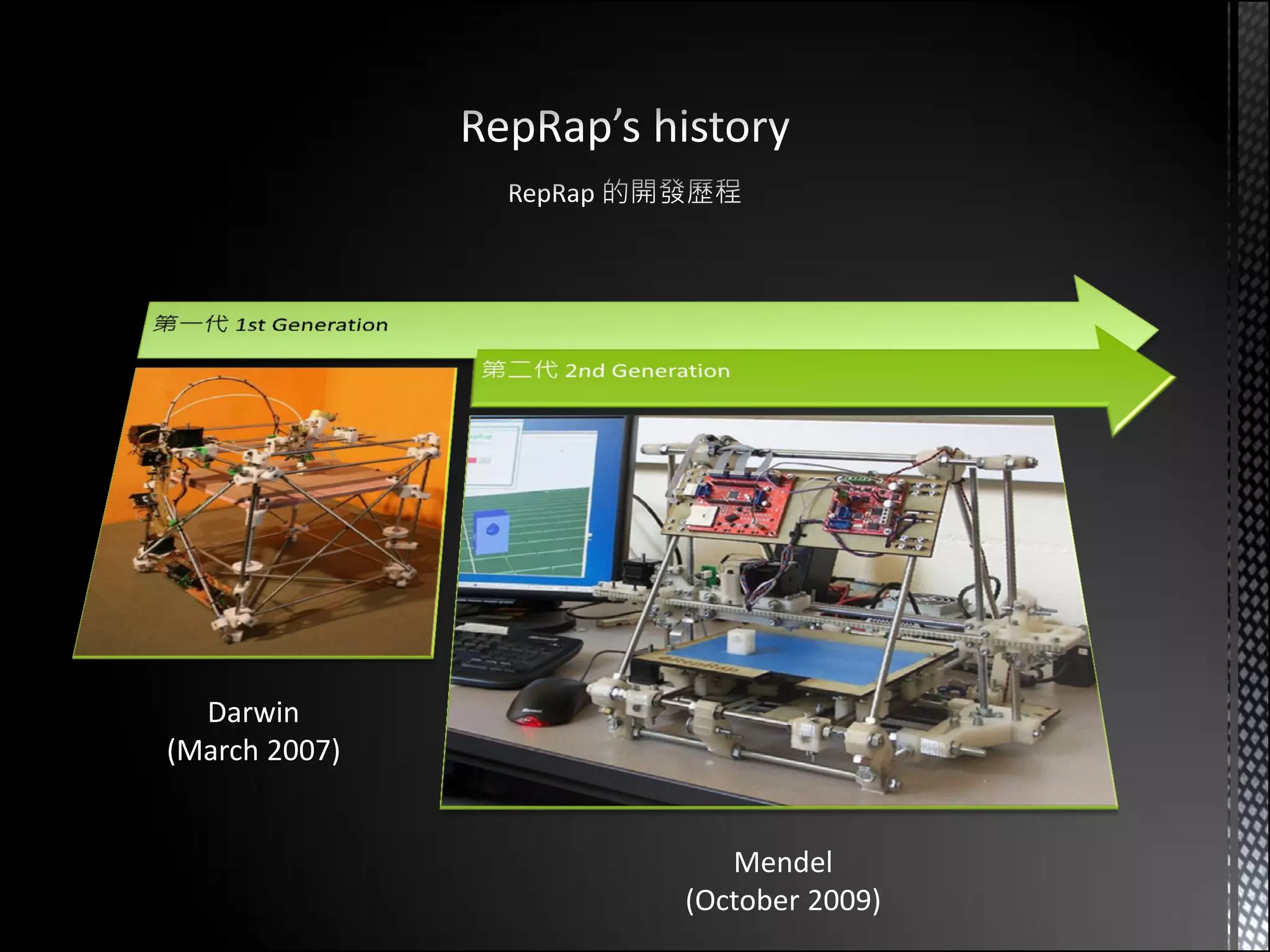
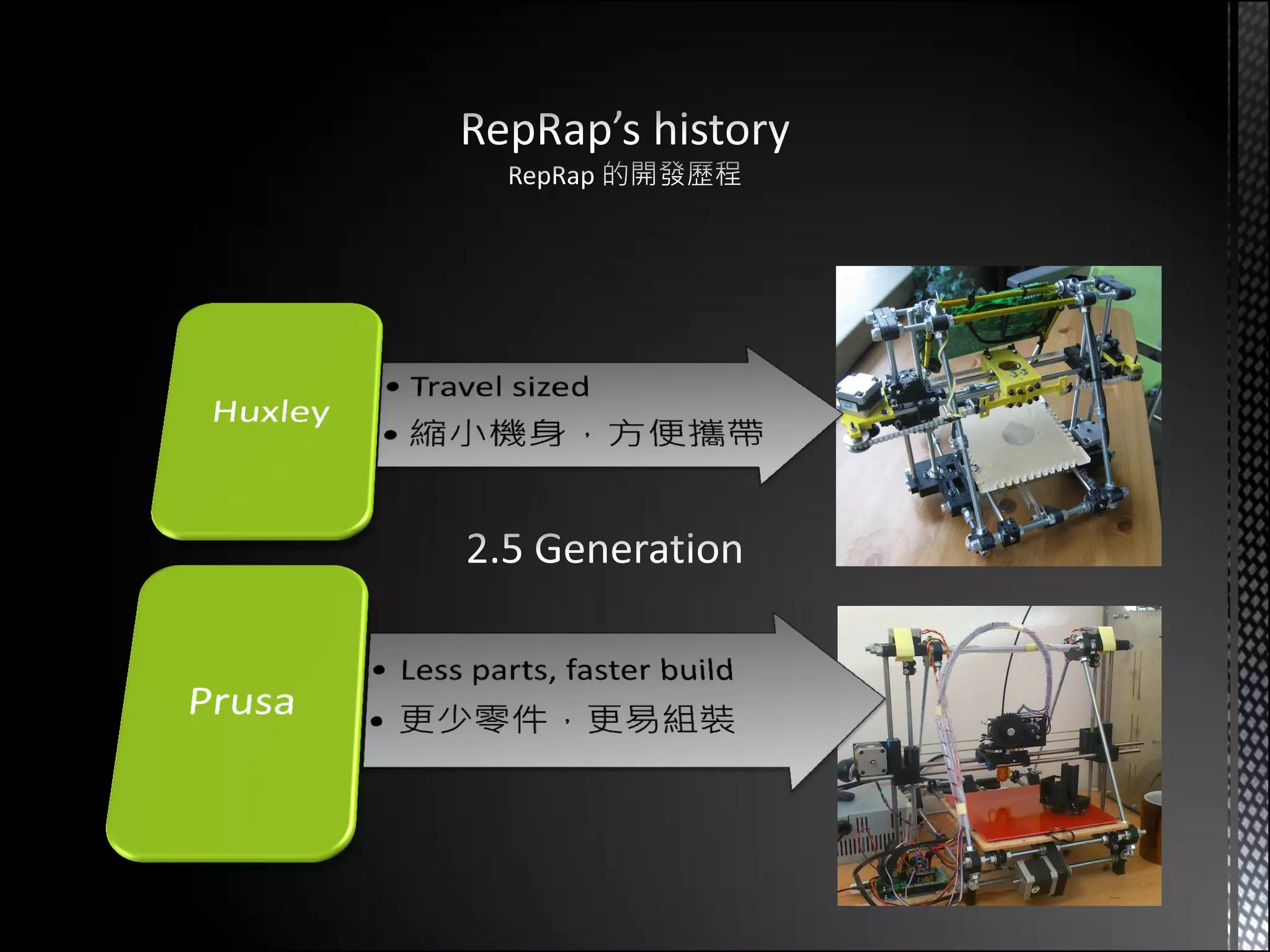
Darwin
(March 2007)


                  Mendel
               (October 2009)
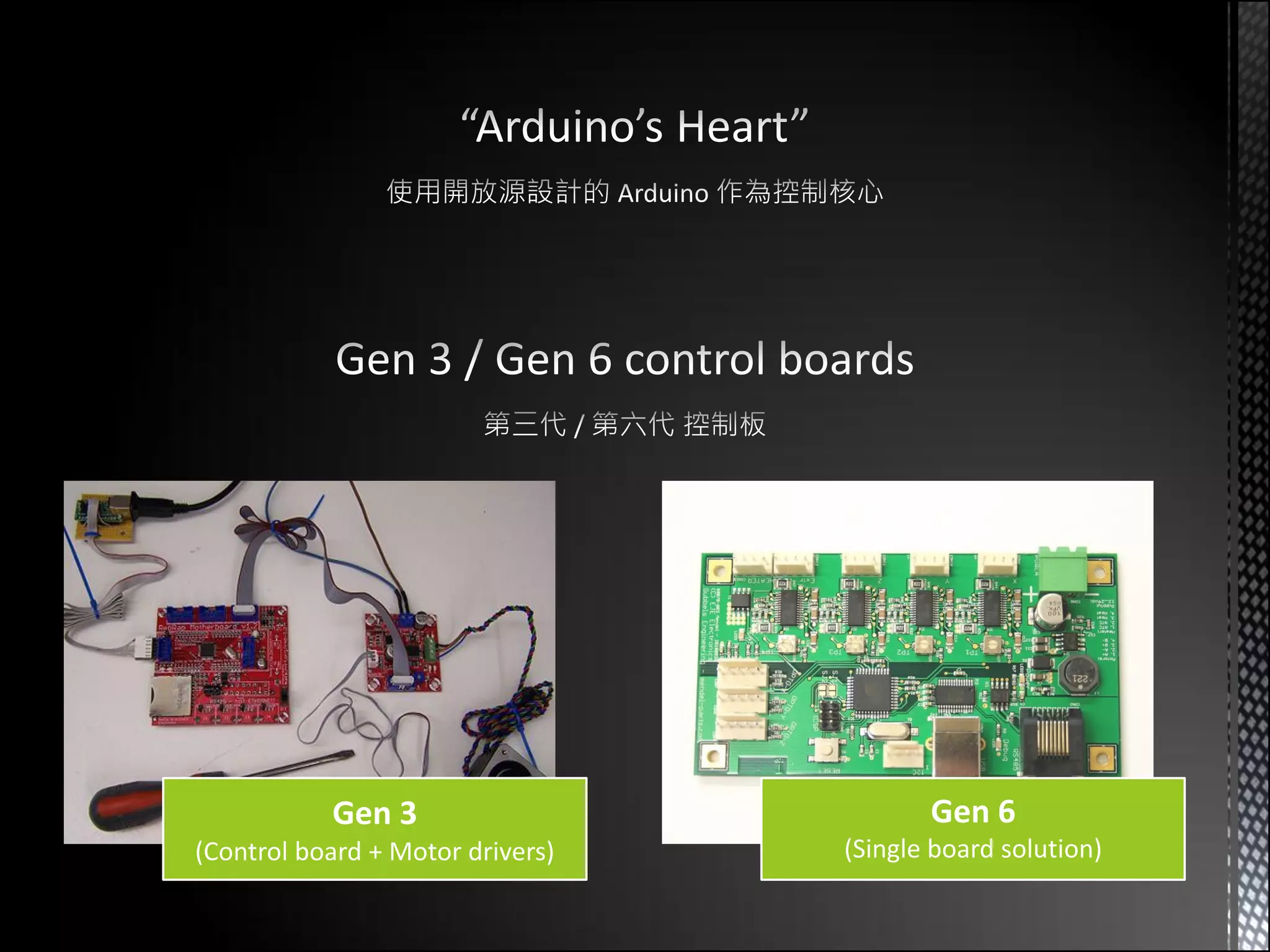
Gen 3                         Gen 6
(Control board + Motor drivers)   (Single board solution)
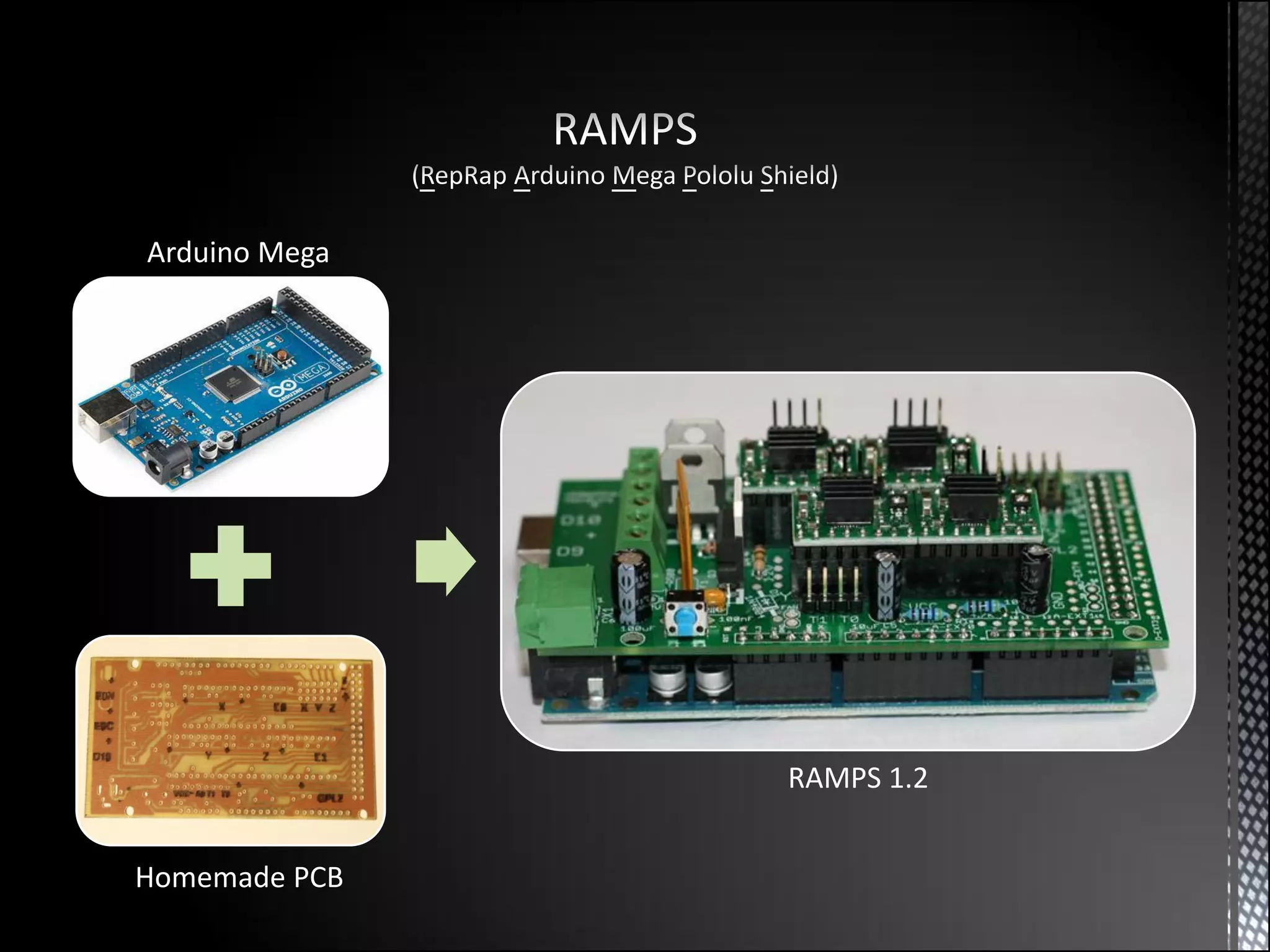
Arduino Mega


               RAMPS 1.2


Homemade PCB
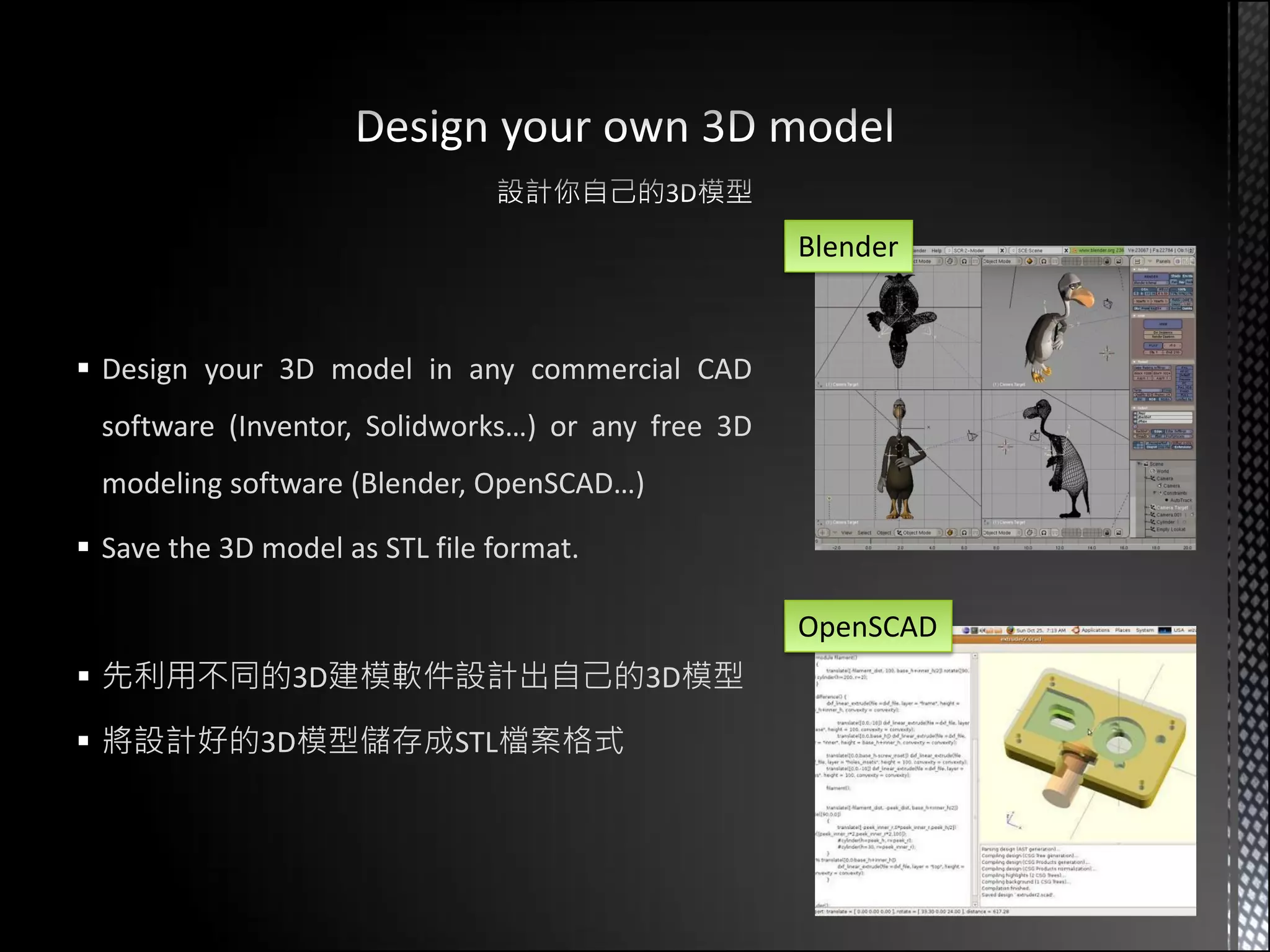
Blender


 Design your 3D model in any commercial CAD
 software (Inventor, Solidworks…) or any free 3D
 modeling software (Blender, OpenSCAD…)

 Save the 3D model as STL file format.

                                                   OpenSCAD
 先利用不同的3D建模軟件設計出自己的3D模型

 將設計好的3D模型儲存成STL檔案格式
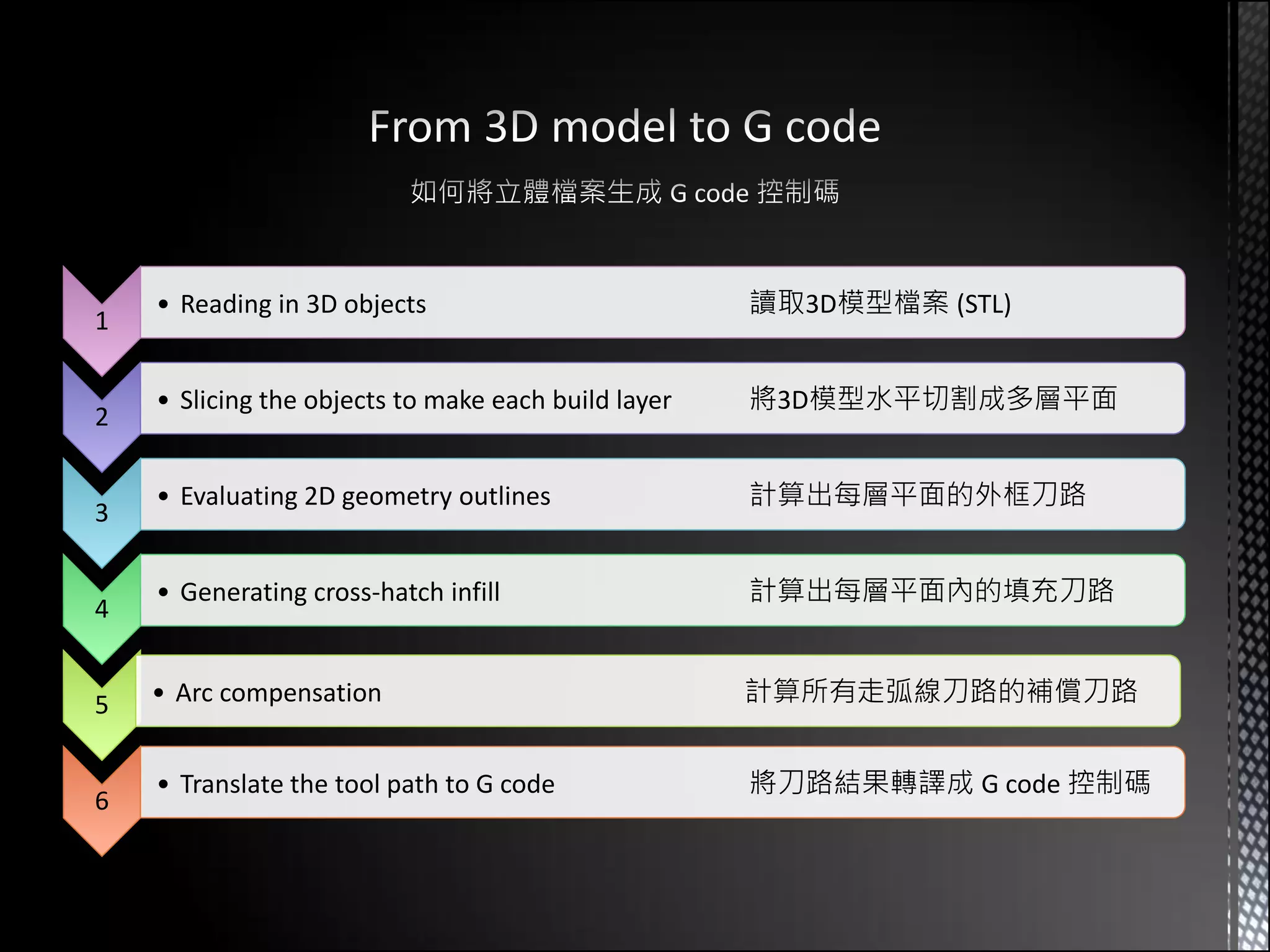
• Reading in 3D objects                          讀取3D模型檔案 (STL)
1

    • Slicing the objects to make each build layer   將3D模型水平切割成多層平面
2

    • Evaluating 2D geometry outlines                計算出每層平面的外框刀路
3

    • Generating cross-hatch infill                  計算出每層平面內的填充刀路
4


5   • Arc compensation                               計算所有走弧線刀路的補償刀路


    • Translate the tool path to G code              將刀路結果轉譯成 G code 控制碼
6
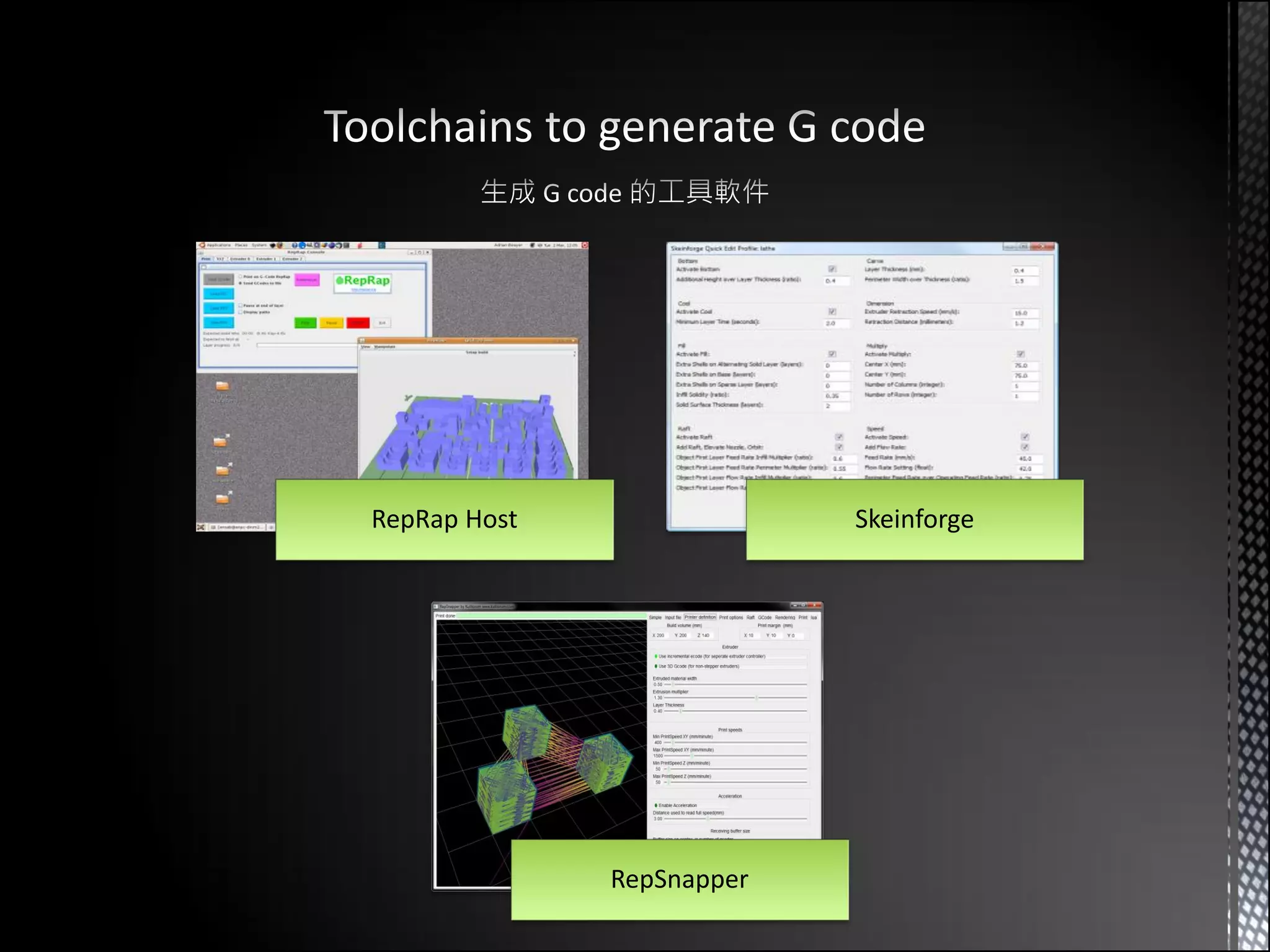
RepRap Host                Skeinforge


              RepSnapper
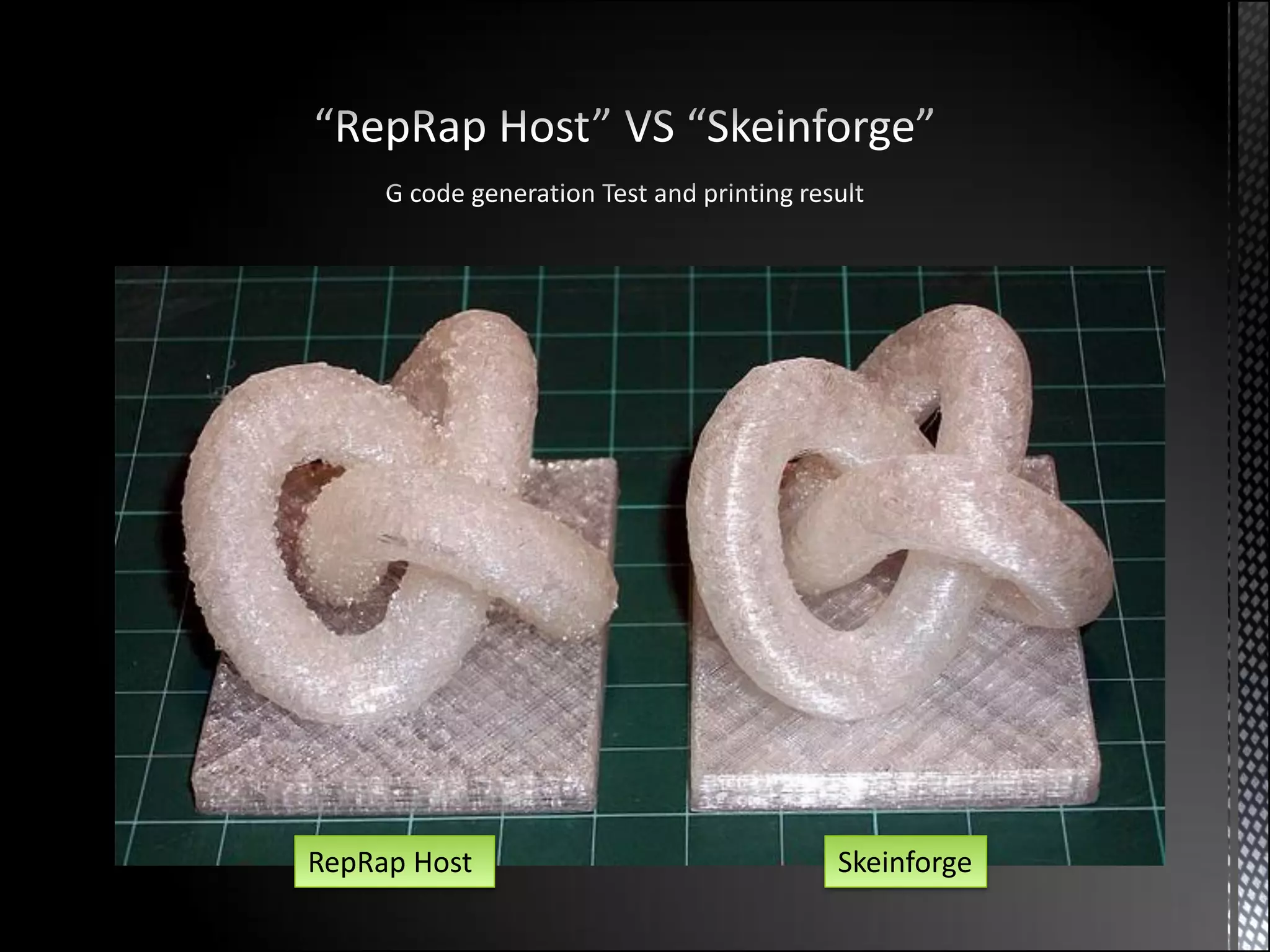
RepRap Host   Skeinforge
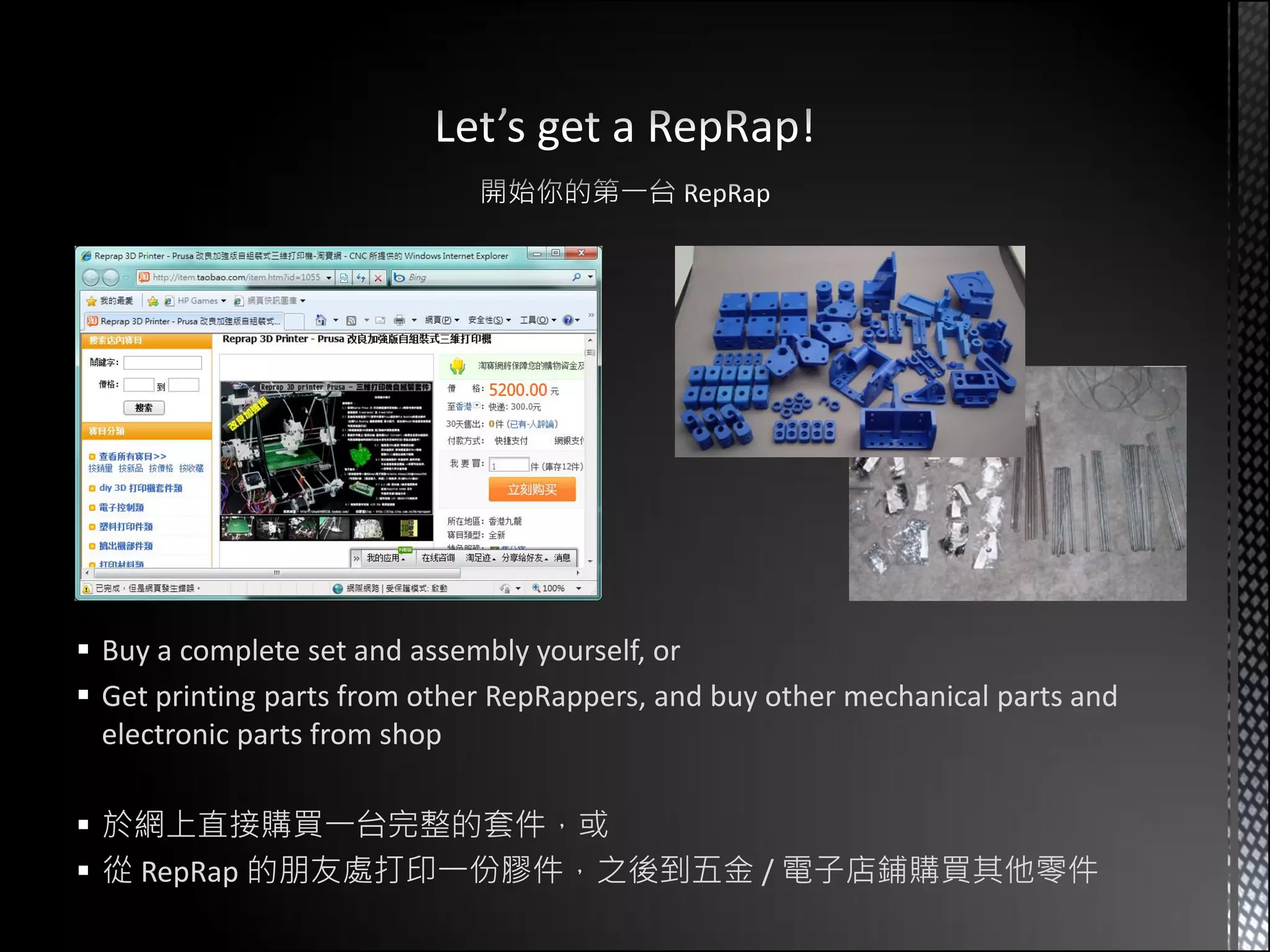
 Buy a complete set and assembly yourself, or
 Get printing parts from other RepRappers, and buy other mechanical parts and
  electronic parts from shop

 於網上直接購買一台完整的套件,或
 從 RepRap 的朋友處打印一份膠件,之後到五金 / 電子店鋪購買其他零件
?
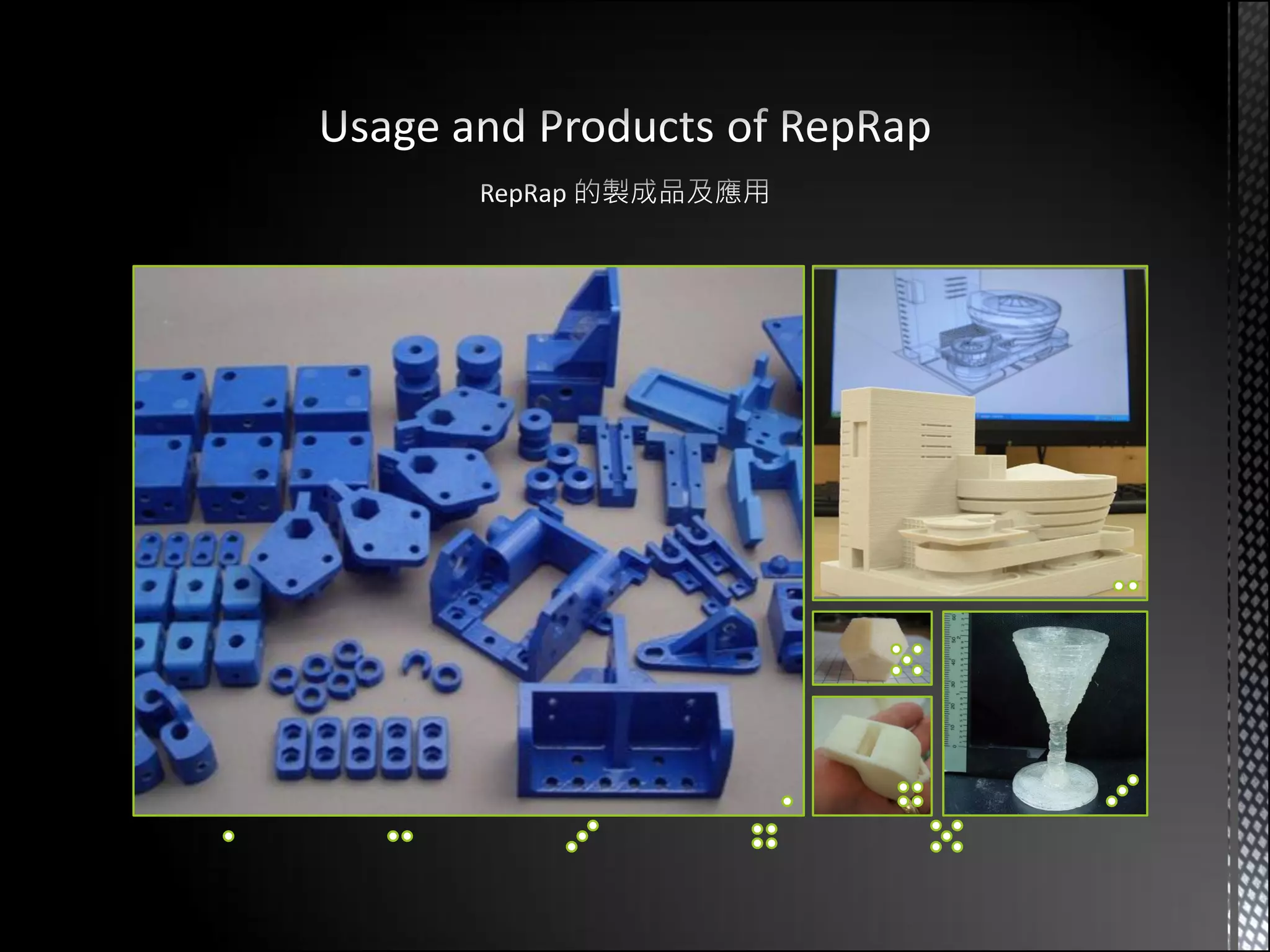
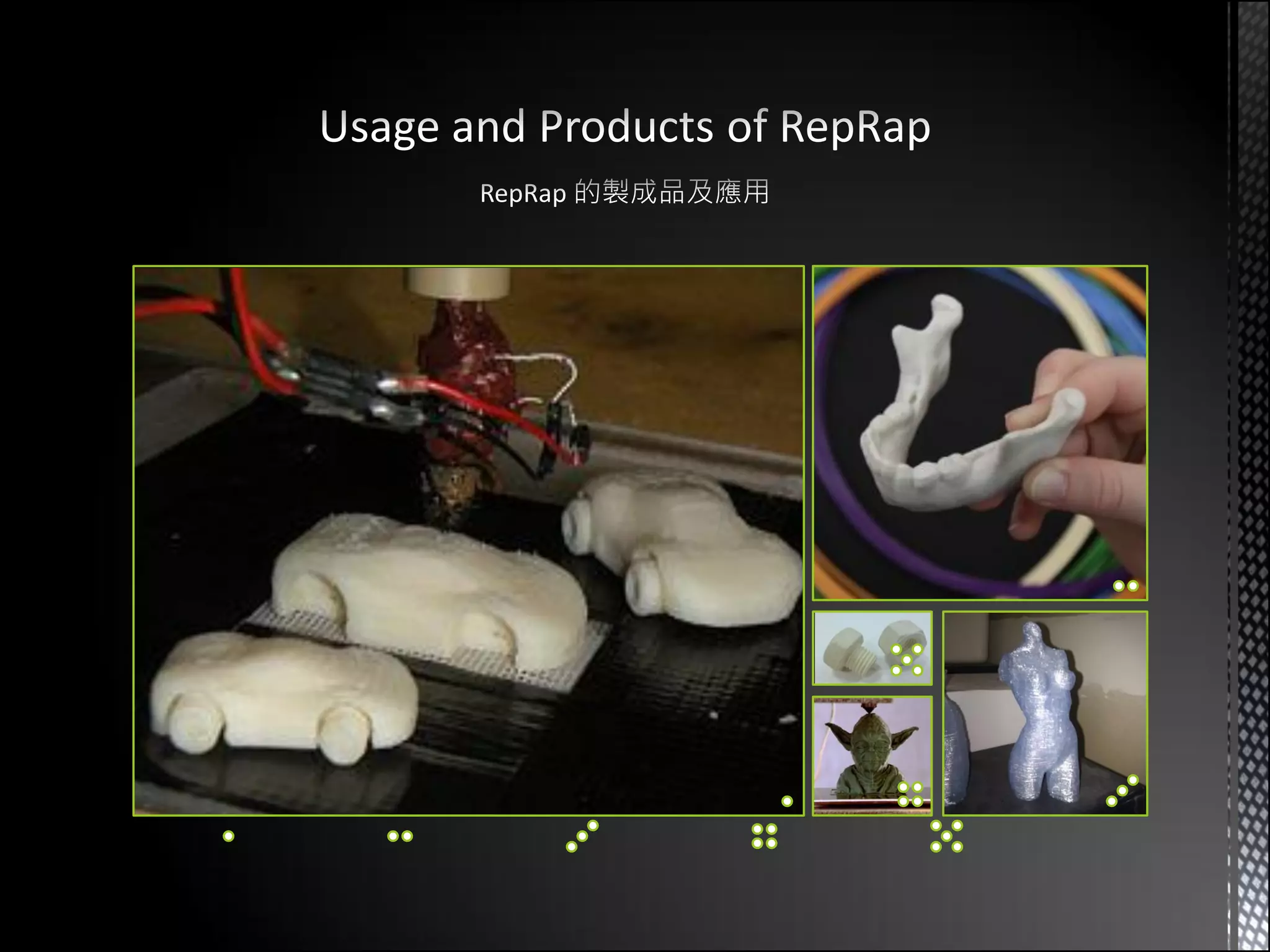
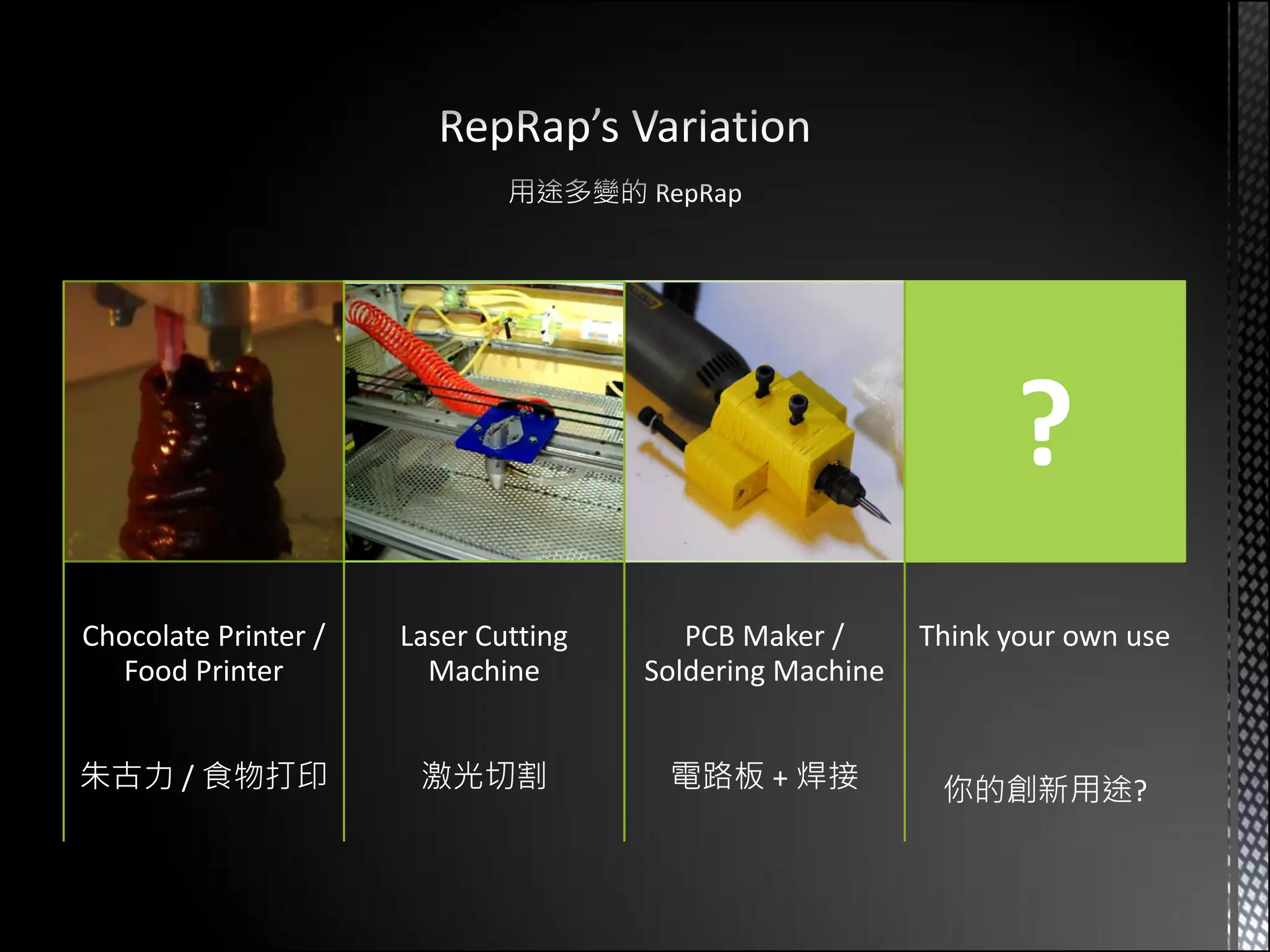
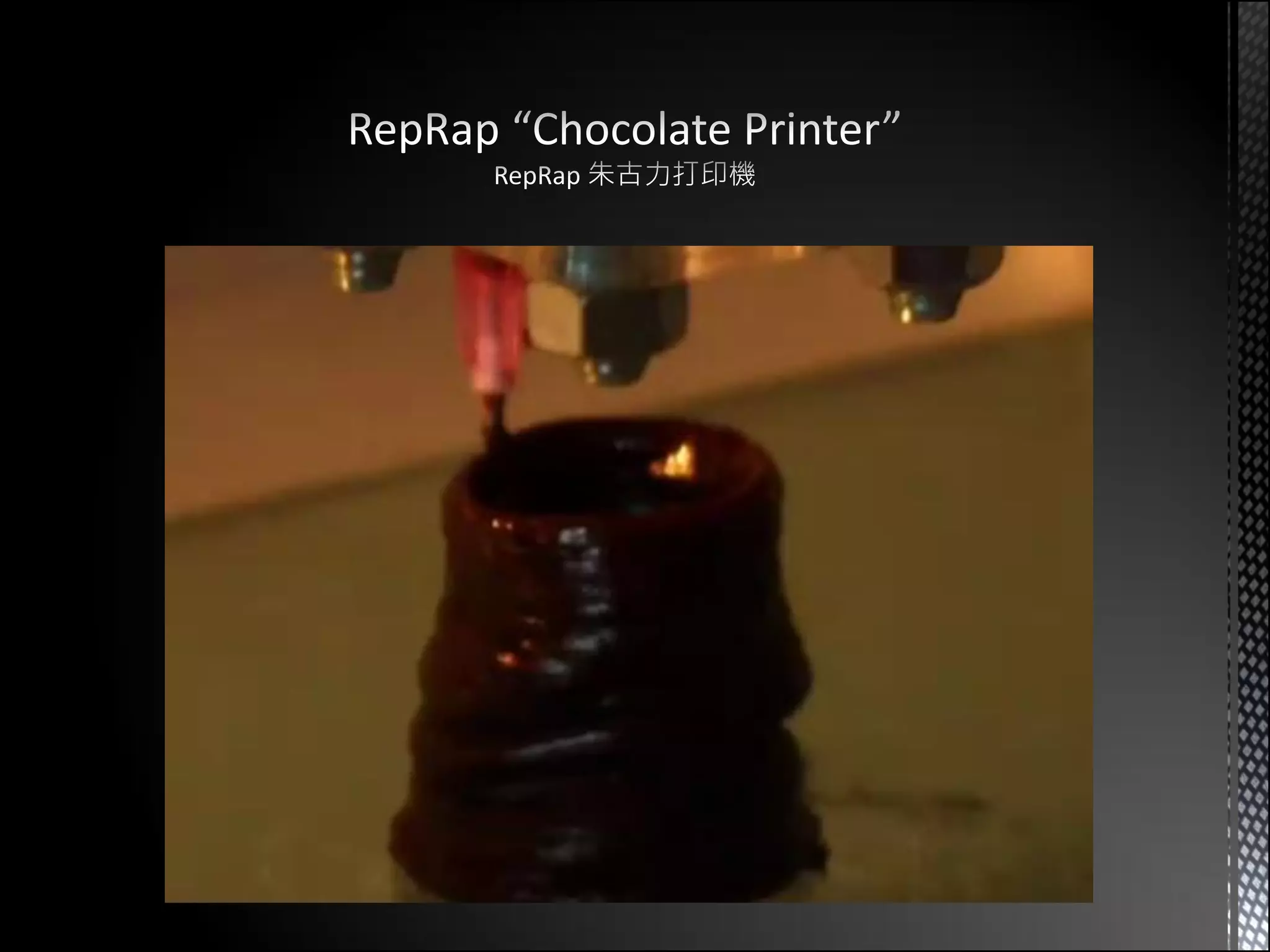
Chocolate Printer /   Laser Cutting      PCB Maker /      Think your own use
  Food Printer          Machine       Soldering Machine


朱古力 / 食物打印             激光切割            電路板 + 焊接            你的創新用途?
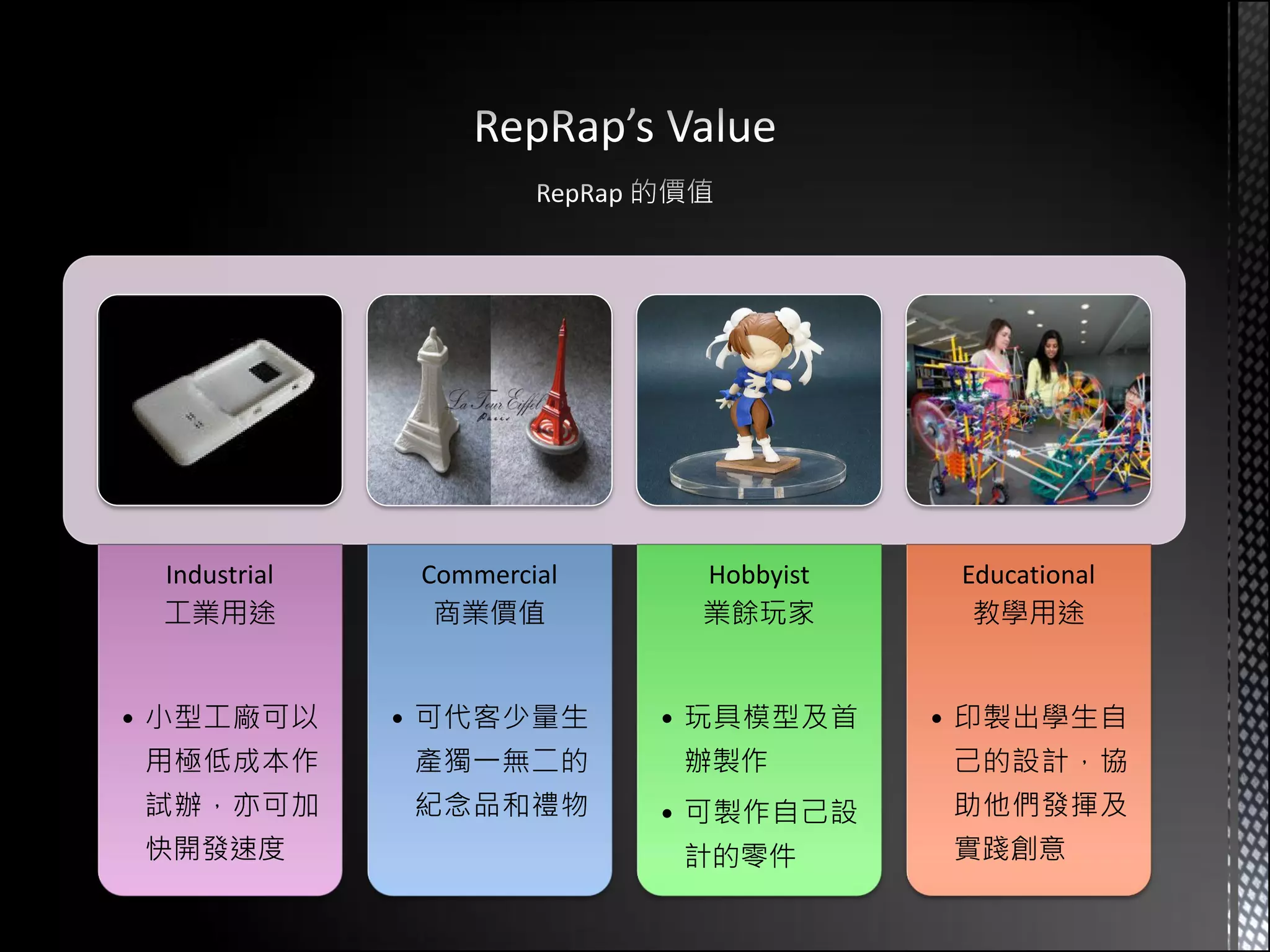
Industrial    Commercial    Hobbyist    Educational
 工業用途           商業價值         業餘玩家         教學用途


• 小型工廠可以      • 可代客少量生      • 玩具模型及首    • 印製出學生自
用極低成本作        產獨一無二的        辦製作         己的設計,協
試辦,亦可加        紀念品和禮物        • 可製作自己設    助他們發揮及
快開發速度                       計的零件        實踐創意
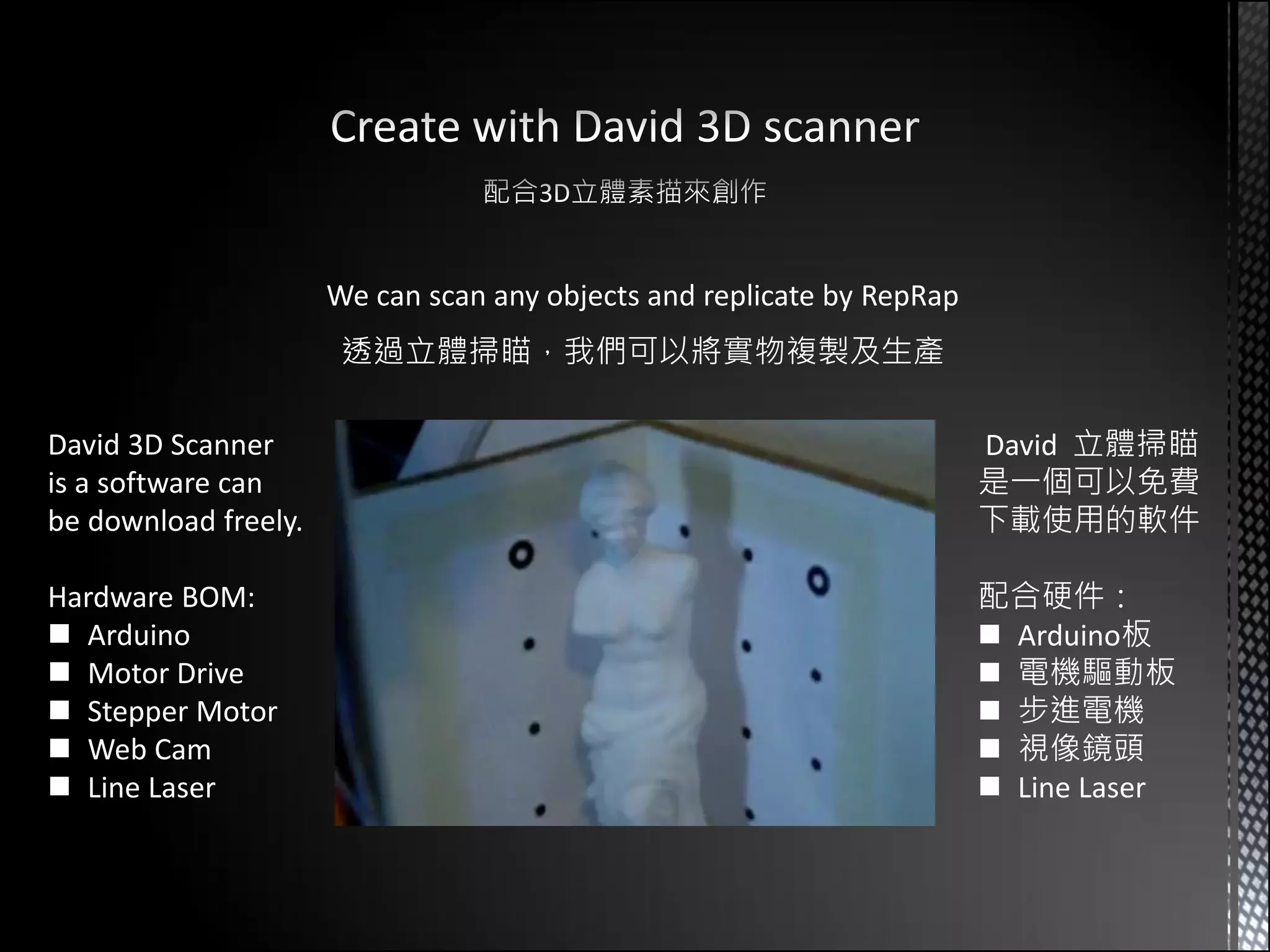
We can scan any objects and replicate by RepRap
                       透過立體掃瞄,我們可以將實物複製及生產

David 3D Scanner                                                        David 立體掃瞄
is a software can                                                       是一個可以免費
be download freely.                                                     下載使用的軟件

Hardware BOM:                                                           配合硬件:
 Arduino                                                                Arduino板
 Motor Drive                                                            電機驅動板
 Stepper Motor                                                          步進電機
 Web Cam                                                                視像鏡頭
 Line Laser                                                             Line Laser
 Teaching college student design and drawing 3D creations
 Students make use of RepRap to print out their design and use it in REAL life
 Currently redesign a simpler RepStrap which can be cheaper (< US$200)

 於中學任教電腦輔助設計科,教授學生設計及繪製立體創作
 學生利用 RepRap 打印出自己設計的作品,可以應用於現實世界
 近來重新設計一台平價的 RepStrap,期望可推廣於其他中學使用 (< US$200)
Introducing RepRap 3D printer

Introducing RepRap 3D printer

  • 1.
    Sept 17, 2011,Hong Kong Open source 3D printer 開放源設計的 3D 立體打印機 Prepared by: Parker Leung, College Teacher 梁志宏, 中學教師 (CAD電腦輔助設計科) MSc Enterprise Tech. & Mgt. (CityU, HK)
  • 2.
    Rep Rap 複製 快速成形
  • 4.
     3D printer(Print REAL plastics parts)  Can self-replicate parts (For repairing or build a new one)  Open source hardware (GNU general public license)  3D立體打印 (印製塑膠成品)  可自行複製自身的塑膠零件 (後備用途或製作新一台)  開放源設計 (GNU 通用公眾特許條款)
  • 5.
     Everyone canreplicate RepRap their own  Cheaply distribute RepRap units to people and communities  Everyone can create complex products without industrial support  所有人都可以自行複製 RepRap  向社會大眾提供造價低廉的 RepRap  所有人都可以利用 RepRap 生產自己的創作,不用依賴工業作自家生產
  • 6.
    Design your own3D model 設計你自己的 3D 模形 Extrude plastics by layers until print done Use toolchain convert 3D model into G code 續層擠出塑膠,直到打印完成 將 3D 模形轉成 G code Control X/Y/Z Platform and Extruder Send G code to control board 控制 X/Y/Z 移動工作台及擠膠噴頭 將 G code 傳送到控制板
  • 8.
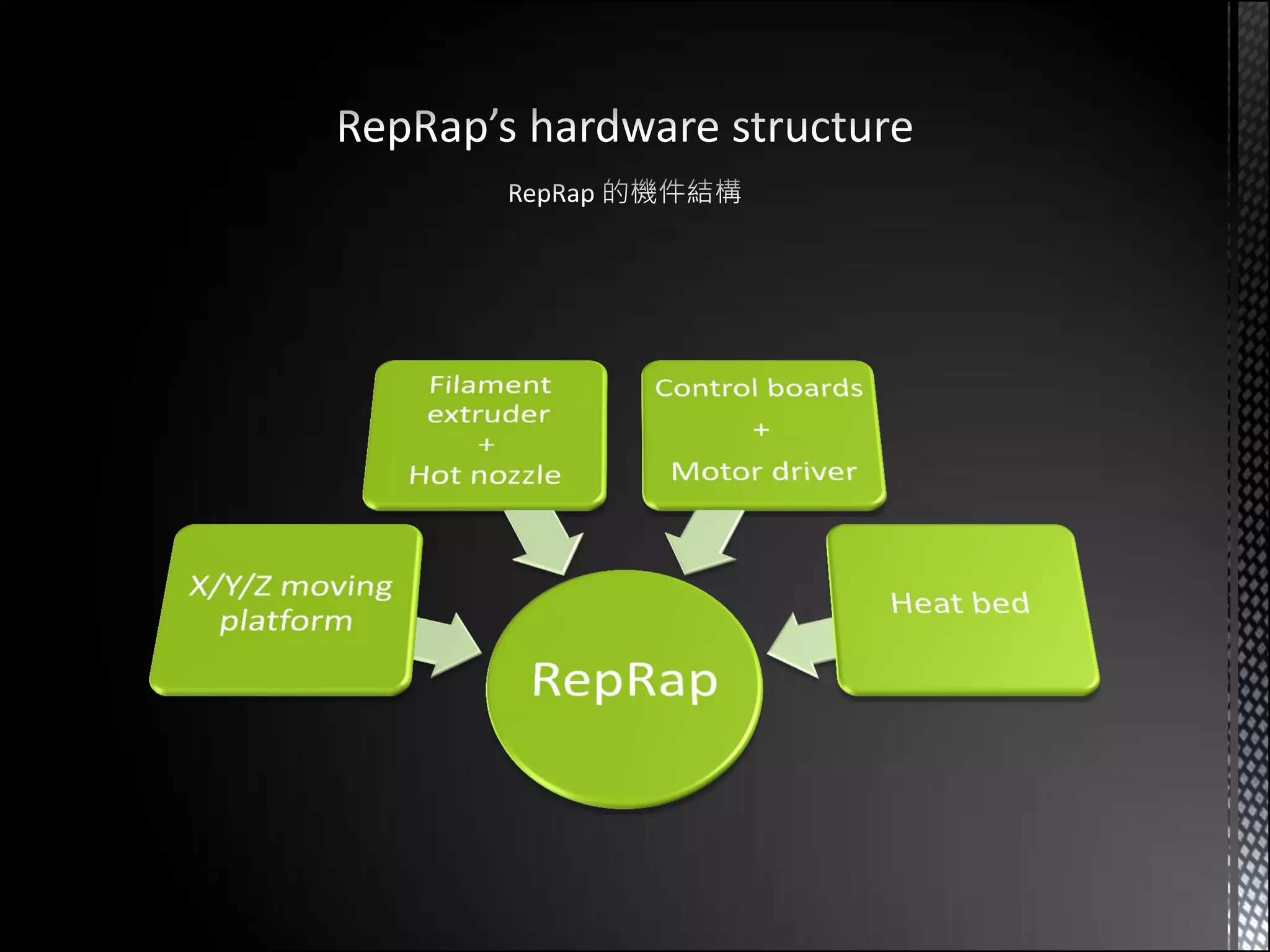
    Extruder + Hot Nozzle Z - axis X - axis Heat bed Control board + Motor Driver Y - axis
  • 9.
    FDM (Fused DepositionModeling) / FFF (Fused Filament Fabrication) 熱溶解積層法 1. Thermoplastics filament are liquefied and deposited by an extrusion head 2. Follows a tool-path defined by the CAD file and materials deposited in layers in 0.3 mm 3. Part is built from the bottom up by layers 將熱塑性塑膠加熱液化,按計算好的刀路移 動,將塑膠擠出 (幼至 0.3mm),由最底層開 續層填滿
  • 13.
     “Support” printingare required if printing parts with hollow or invert slopes > 45°  Need to remove “Support” manually after the print done  如果要打印的零件有凌空或倒斜 > 45° 的話, 則要打印額外的”支撐”  完成打印後,需要人手去移除額外的 ”支撐”
  • 14.
     Use heatbed to keep warm during printing to prevent object warp by cool down  為避免打印期間的冷縮引起的彎曲,過 程中建議使用電熱床保持相當的溫度
  • 17.
    Darwin (March 2007) Mendel (October 2009)
  • 19.
    Gen 3 Gen 6 (Control board + Motor drivers) (Single board solution)
  • 20.
    Arduino Mega RAMPS 1.2 Homemade PCB
  • 21.
    Blender  Design your3D model in any commercial CAD software (Inventor, Solidworks…) or any free 3D modeling software (Blender, OpenSCAD…)  Save the 3D model as STL file format. OpenSCAD  先利用不同的3D建模軟件設計出自己的3D模型  將設計好的3D模型儲存成STL檔案格式
  • 22.
    • Reading in3D objects 讀取3D模型檔案 (STL) 1 • Slicing the objects to make each build layer 將3D模型水平切割成多層平面 2 • Evaluating 2D geometry outlines 計算出每層平面的外框刀路 3 • Generating cross-hatch infill 計算出每層平面內的填充刀路 4 5 • Arc compensation 計算所有走弧線刀路的補償刀路 • Translate the tool path to G code 將刀路結果轉譯成 G code 控制碼 6
  • 23.
    RepRap Host Skeinforge RepSnapper
  • 24.
    RepRap Host Skeinforge
  • 25.
     Buy acomplete set and assembly yourself, or  Get printing parts from other RepRappers, and buy other mechanical parts and electronic parts from shop  於網上直接購買一台完整的套件,或  從 RepRap 的朋友處打印一份膠件,之後到五金 / 電子店鋪購買其他零件
  • 26.
    ? Chocolate Printer / Laser Cutting PCB Maker / Think your own use Food Printer Machine Soldering Machine 朱古力 / 食物打印 激光切割 電路板 + 焊接 你的創新用途?
  • 28.
    Industrial Commercial Hobbyist Educational 工業用途 商業價值 業餘玩家 教學用途 • 小型工廠可以 • 可代客少量生 • 玩具模型及首 • 印製出學生自 用極低成本作 產獨一無二的 辦製作 己的設計,協 試辦,亦可加 紀念品和禮物 • 可製作自己設 助他們發揮及 快開發速度 計的零件 實踐創意
  • 29.
    We can scanany objects and replicate by RepRap 透過立體掃瞄,我們可以將實物複製及生產 David 3D Scanner David 立體掃瞄 is a software can 是一個可以免費 be download freely. 下載使用的軟件 Hardware BOM: 配合硬件:  Arduino  Arduino板  Motor Drive  電機驅動板  Stepper Motor  步進電機  Web Cam  視像鏡頭  Line Laser  Line Laser
  • 30.
     Teaching collegestudent design and drawing 3D creations  Students make use of RepRap to print out their design and use it in REAL life  Currently redesign a simpler RepStrap which can be cheaper (< US$200)  於中學任教電腦輔助設計科,教授學生設計及繪製立體創作  學生利用 RepRap 打印出自己設計的作品,可以應用於現實世界  近來重新設計一台平價的 RepStrap,期望可推廣於其他中學使用 (< US$200)