

Introducing FxCop Practical Help for Code Reviews
Background FxCop is used to analyze code based on the generated assembly regardless of the language Automate validation of established standards Create rules to validate custom standards and guidelines
Agenda The need for Code Validation Using FxCop Interpreting the Results Reviewing the Existing Rules Creating Rules Fitting FxCop into the Life Cycle
Why Code Validation Ensure adherence to standards Ensure consistency Ensure following “Best Practices” Give guidance to new team members Automate Code Reviews
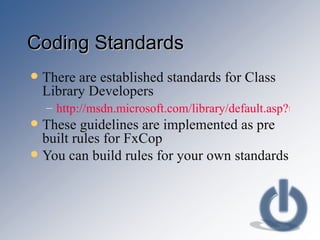
Coding Standards There are established standards for Class Library Developers http://msdn.microsoft.com/library/default.asp?url=/library/en-us/cpgenref/html/cpconnetframeworkdesignguidelines.asp These guidelines are implemented as pre built rules for FxCop You can build rules for your own standards
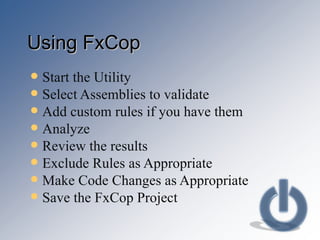
Using FxCop Start the Utility Select Assemblies to validate Add custom rules if you have them Analyze  Review the results Exclude Rules as Appropriate Make Code Changes as Appropriate Save the FxCop Project
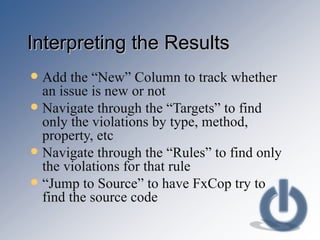
Interpreting the Results Add the “New” Column to track whether an issue is new or not Navigate through the “Targets” to find only the violations by type, method, property, etc Navigate through the “Rules” to find only the violations for that rule “ Jump to Source” to have FxCop try to find the source code
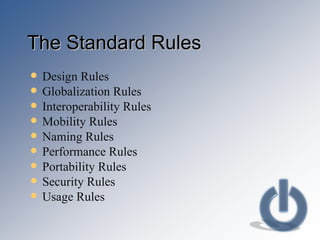
The Standard Rules Design Rules Globalization Rules Interoperability Rules Mobility Rules Naming Rules Performance Rules Portability Rules Security Rules Usage Rules
Creating Your Own Rules Introspection SDK is not documented! Use Reflector to review existing rules Find an existing rule that does something similar Start with the existing rule and understand how it works Mold it to your needs
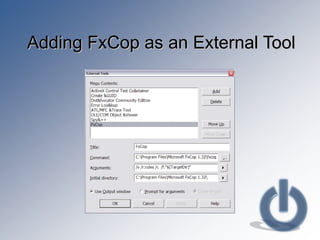
Fitting FxCop Into Your Life Cycle FxCopCmd is command line utility Add FxCopCmd as an External Tool Output is sent to the “Output” window Run FxCop without leaving the IDE Review the output with each build
Adding FxCop as an External Tool
Using FxCop Reports Specify a Style Sheet for the Report “ Save Report As” from the File Menu View the resulting XML file.  May need to save it as “HTML” Write your own XSLT to change the format Include the report with migration requests Include the report with Code Reviews Include the report with project documentation
Summary FxCop is used to automate the code review process FxCop includes rules for detecting over 200 different defects You can create your own rules to validate your own standards FxCop easily fits into your development life cycle
Where to Get More Information http://aspnet.4guysfromrolla.com/articles/060204-1.aspx http://www.futureware.biz/blog/index.php?title=writing_your_own_fxcop_rules_library http://msdn.microsoft.com/msdnmag/issues/04/09/Bugslayer/ http://www.biasecurities.com/blogs/jim/archive/2004/12/29/818.aspx http://www.gotdotnet.com/team/fxcop/ http://blogs.msdn.com/fxcop/archive/2004/01/09/49287.aspx http://www.gotdotnet.com/team/fxcop/docs/UsingFxCop.htm http://www.geekswithblogs.net/nharrison http://www.aisto.com/roeder/dotnet/   Reflector!

Introducing fx cop

  • 1.
    Introducing FxCop PracticalHelp for Code Reviews
  • 2.
    Background FxCop isused to analyze code based on the generated assembly regardless of the language Automate validation of established standards Create rules to validate custom standards and guidelines
  • 3.
    Agenda The needfor Code Validation Using FxCop Interpreting the Results Reviewing the Existing Rules Creating Rules Fitting FxCop into the Life Cycle
  • 4.
    Why Code ValidationEnsure adherence to standards Ensure consistency Ensure following “Best Practices” Give guidance to new team members Automate Code Reviews
  • 5.
    Coding Standards Thereare established standards for Class Library Developers http://msdn.microsoft.com/library/default.asp?url=/library/en-us/cpgenref/html/cpconnetframeworkdesignguidelines.asp These guidelines are implemented as pre built rules for FxCop You can build rules for your own standards
  • 6.
    Using FxCop Startthe Utility Select Assemblies to validate Add custom rules if you have them Analyze Review the results Exclude Rules as Appropriate Make Code Changes as Appropriate Save the FxCop Project
  • 7.
    Interpreting the ResultsAdd the “New” Column to track whether an issue is new or not Navigate through the “Targets” to find only the violations by type, method, property, etc Navigate through the “Rules” to find only the violations for that rule “ Jump to Source” to have FxCop try to find the source code
  • 8.
    The Standard RulesDesign Rules Globalization Rules Interoperability Rules Mobility Rules Naming Rules Performance Rules Portability Rules Security Rules Usage Rules
  • 9.
    Creating Your OwnRules Introspection SDK is not documented! Use Reflector to review existing rules Find an existing rule that does something similar Start with the existing rule and understand how it works Mold it to your needs
  • 10.
    Fitting FxCop IntoYour Life Cycle FxCopCmd is command line utility Add FxCopCmd as an External Tool Output is sent to the “Output” window Run FxCop without leaving the IDE Review the output with each build
  • 11.
    Adding FxCop asan External Tool
  • 12.
    Using FxCop ReportsSpecify a Style Sheet for the Report “ Save Report As” from the File Menu View the resulting XML file. May need to save it as “HTML” Write your own XSLT to change the format Include the report with migration requests Include the report with Code Reviews Include the report with project documentation
  • 13.
    Summary FxCop isused to automate the code review process FxCop includes rules for detecting over 200 different defects You can create your own rules to validate your own standards FxCop easily fits into your development life cycle
  • 14.
    Where to GetMore Information http://aspnet.4guysfromrolla.com/articles/060204-1.aspx http://www.futureware.biz/blog/index.php?title=writing_your_own_fxcop_rules_library http://msdn.microsoft.com/msdnmag/issues/04/09/Bugslayer/ http://www.biasecurities.com/blogs/jim/archive/2004/12/29/818.aspx http://www.gotdotnet.com/team/fxcop/ http://blogs.msdn.com/fxcop/archive/2004/01/09/49287.aspx http://www.gotdotnet.com/team/fxcop/docs/UsingFxCop.htm http://www.geekswithblogs.net/nharrison http://www.aisto.com/roeder/dotnet/ Reflector!