Internet Search Methods
Understand
Internet search
tools and
methods.
What are Internet search methods?
Search methods are used by search
tools to increase the effectiveness
and efficiency of Internet searches.
Search methods:
■ Keyword
■ Field
■ Boolean
■ Miscellaneous
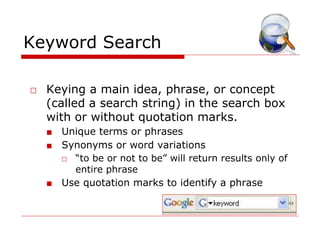
Keyword Search
□ Keying a main idea, phrase, or concept
(called a search string) in the search box
with or without quotation marks.
■ Unique terms or phrases
■ Synonyms or word variations
□ “to be or not to be” will return results only of
entire phrase
■ Use quotation marks to identify a phrase
Field
□ Field – The search is conducted for a
specific title, domain, URL, or host.
■ Useful for drilling down and focusing on
specific content.
■ Allows the user to adjust the breadth
and depth of a search.
Slide 5
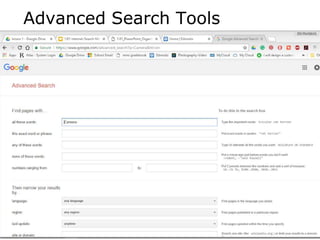
Advanced Search Tools
Boolean Logic
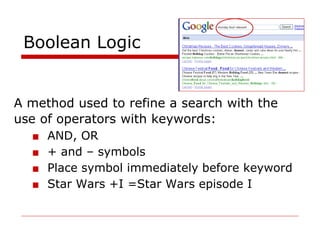
A method used to refine a search with the
use of operators with keywords:
■ AND, OR
■ + and – symbols
■ Place symbol immediately before keyword
■ Star Wars +I =Star Wars episode I
Search Methods – Boolean (continued)
□ Vacation Paris OR London
■ OR broadens a search by including results that
match either of the words
□ Vacation Paris AND France
■ AND narrows a search by combining terms
□ Note: Boolean operators are often implied
in a search and therefore not required by
the user; however, sometimes they are
very helpful in narrowing the search
results.
Miscellaneous Search Methods
■ Different Language Support searches
for words in different languages
■ Spell Checker gives suggestions if the
word keyed for the search is spelled
incorrectly
■ Phonebook uses phone numbers to
search for locations and addresses
■ Math/equivalents solves basic math
problems and converts equivalents
1.01 Understand Internet search tools and methods. Slide 9
Your time is valuable
□ Search engines have become an
important part of the online
experience of Internet users.
□ Learn to use advanced search
features.
□ Get better results in less time.

Internet search-methods

  • 1.
  • 2.
    What are Internetsearch methods? Search methods are used by search tools to increase the effectiveness and efficiency of Internet searches. Search methods: ■ Keyword ■ Field ■ Boolean ■ Miscellaneous
  • 3.
    Keyword Search □ Keyinga main idea, phrase, or concept (called a search string) in the search box with or without quotation marks. ■ Unique terms or phrases ■ Synonyms or word variations □ “to be or not to be” will return results only of entire phrase ■ Use quotation marks to identify a phrase
  • 4.
    Field □ Field –The search is conducted for a specific title, domain, URL, or host. ■ Useful for drilling down and focusing on specific content. ■ Allows the user to adjust the breadth and depth of a search.
  • 5.
  • 6.
    Boolean Logic A methodused to refine a search with the use of operators with keywords: ■ AND, OR ■ + and – symbols ■ Place symbol immediately before keyword ■ Star Wars +I =Star Wars episode I
  • 7.
    Search Methods –Boolean (continued) □ Vacation Paris OR London ■ OR broadens a search by including results that match either of the words □ Vacation Paris AND France ■ AND narrows a search by combining terms □ Note: Boolean operators are often implied in a search and therefore not required by the user; however, sometimes they are very helpful in narrowing the search results.
  • 8.
    Miscellaneous Search Methods ■Different Language Support searches for words in different languages ■ Spell Checker gives suggestions if the word keyed for the search is spelled incorrectly ■ Phonebook uses phone numbers to search for locations and addresses ■ Math/equivalents solves basic math problems and converts equivalents
  • 9.
    1.01 Understand Internetsearch tools and methods. Slide 9 Your time is valuable □ Search engines have become an important part of the online experience of Internet users. □ Learn to use advanced search features. □ Get better results in less time.