Dan Williams - dan.williams@comnexa.co.uk
Phil Cuming - phil.cuming@comnexa.co.uk
Integrating Microsoft
technologies with
Salesforce
www.comnexa.co.uk
Dan Williams
Phil Cuming
• Salesforce accredited partner
• Cross sector experience
• Customer success based business model
• Inspiring businesses to make data backed strategies
• Growing Salesforce community in multiple jurisdictions
COMNEXA
Selected clients
CRM Marketing Automation Data Analytics
Agenda
• Introduction – CRM basics
• Salesforce for Outlook
• Lightning Sync
• Salesforce Einstein Activity
Capture
• Salesforce and SharePoint
• Salesforce and Microsoft Teams
• Q&A
1700s 1800s 1900s Today
1st Industrial Revolution
Steam
2nd Industrial Revolution
Electricity
3rd Industrial Revolution
Computing
4th Industrial Revolution
Intelligence
Fourth Industrial Revolution
• Intelligence is transforming the customer experience
What is CRM?
Sell Smarter | Sell Faster | Sell the Way You Want | Sell From Anywhere
Salesforce and Microsoft
https://www.youtube.com/watch?v=Nj6Qe_VSBCk
Salesforce for Outlook
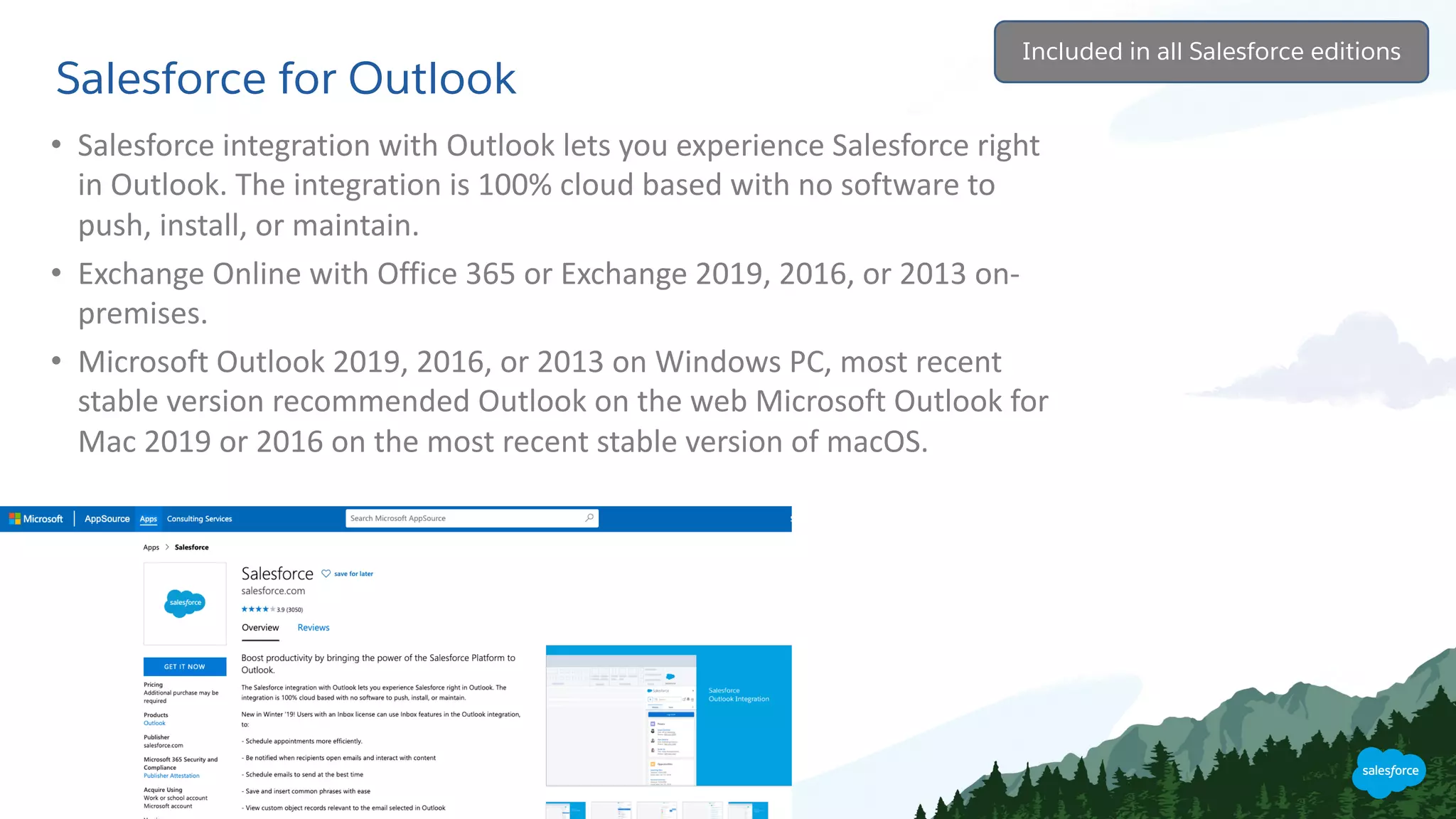
• Salesforce integration with Outlook lets you experience Salesforce right
in Outlook. The integration is 100% cloud based with no software to
push, install, or maintain.
• Exchange Online with Office 365 or Exchange 2019, 2016, or 2013 on-
premises.
• Microsoft Outlook 2019, 2016, or 2013 on Windows PC, most recent
stable version recommended Outlook on the web Microsoft Outlook for
Mac 2019 or 2016 on the most recent stable version of macOS.
Included in all Salesforce editions
Salesforce Lightning Sync
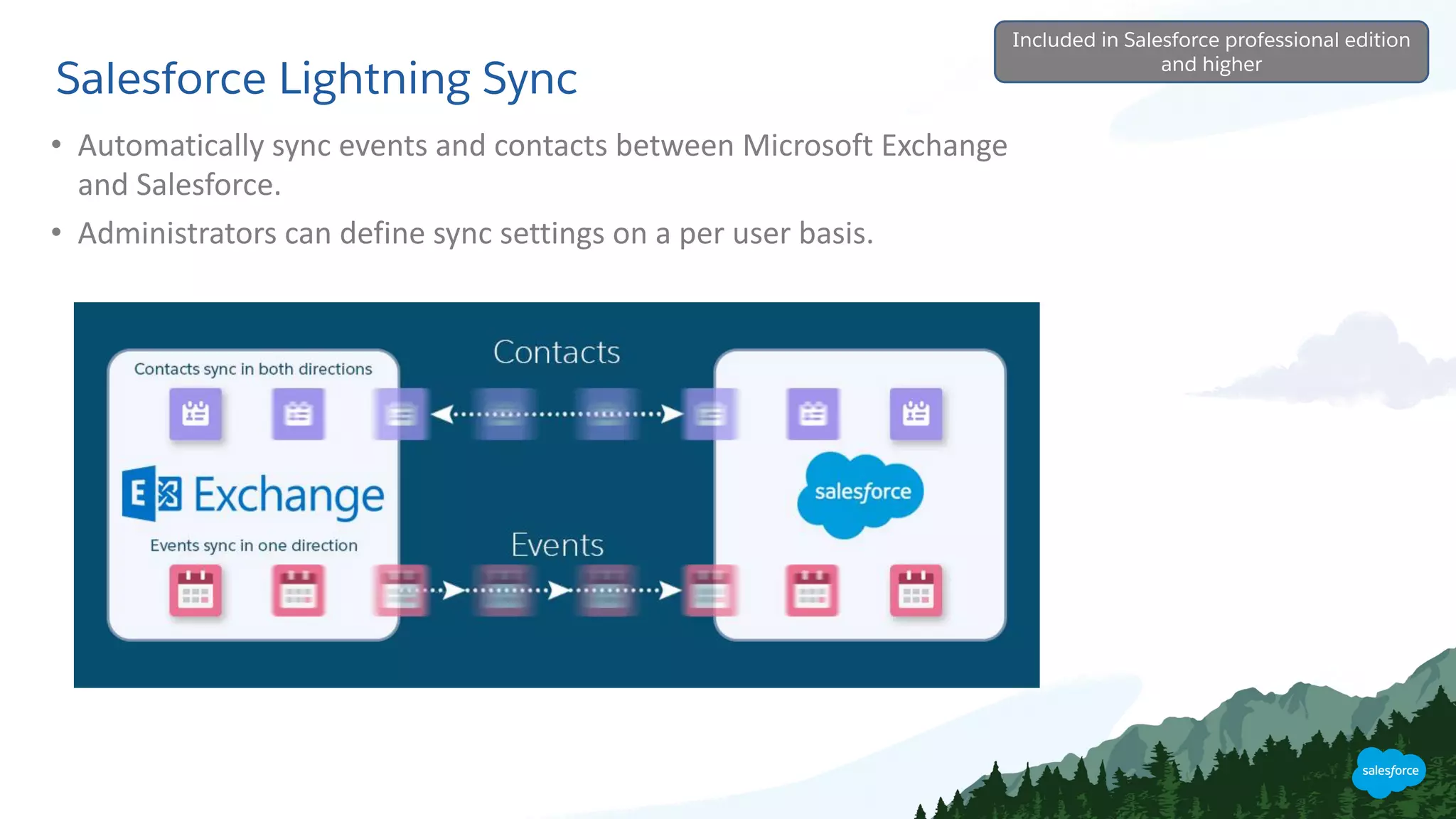
• Automatically sync events and contacts between Microsoft Exchange
and Salesforce.
• Administrators can define sync settings on a per user basis.
Included in Salesforce professional edition
and higher
Salesforce Einstein Activity Capture
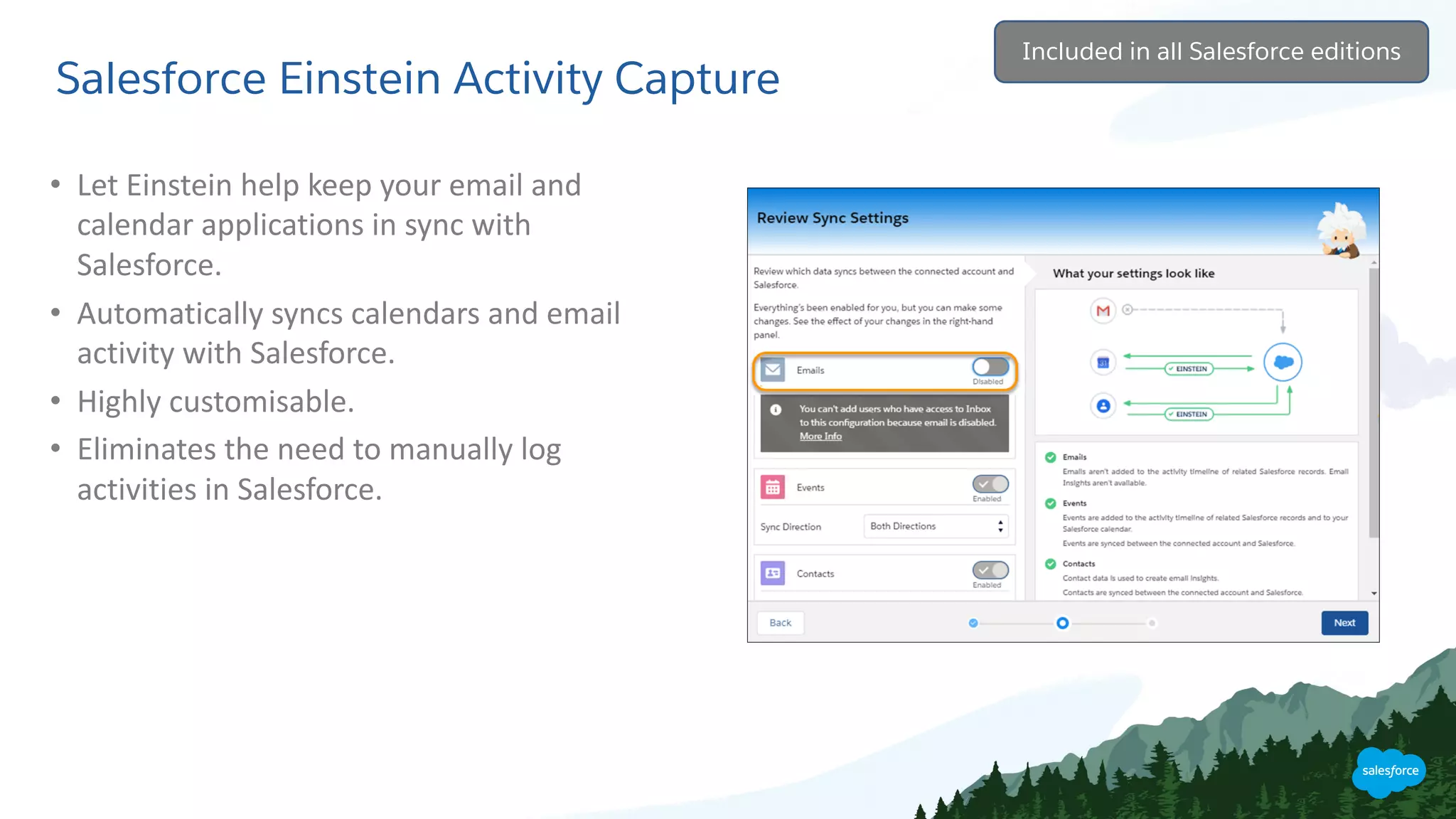
• Let Einstein help keep your email and
calendar applications in sync with
Salesforce.
• Automatically syncs calendars and email
activity with Salesforce.
• Highly customisable.
• Eliminates the need to manually log
activities in Salesforce.
Included in all Salesforce editions
Salesforce and SharePoint
• Search your Office 365 environments in
an easy way and relate contents to your
Salesforce Records in just one click.
• Upload files from Salesforce but store in
Sharepoint.
• Create new Teams, Channels, Sites and
more without ever leaving Salesforce.
Send automated notifications to your
Team Channels.
• Uses the Microsoft Graph API Utilities.
Requires installation of app
Thank You

Integrating Salesforce with Microsoft 365 & SharePoint

  • 1.
    Dan Williams -dan.williams@comnexa.co.uk Phil Cuming - phil.cuming@comnexa.co.uk Integrating Microsoft technologies with Salesforce www.comnexa.co.uk Dan Williams Phil Cuming
  • 2.
    • Salesforce accreditedpartner • Cross sector experience • Customer success based business model • Inspiring businesses to make data backed strategies • Growing Salesforce community in multiple jurisdictions COMNEXA Selected clients CRM Marketing Automation Data Analytics
  • 3.
    Agenda • Introduction –CRM basics • Salesforce for Outlook • Lightning Sync • Salesforce Einstein Activity Capture • Salesforce and SharePoint • Salesforce and Microsoft Teams • Q&A
  • 4.
    1700s 1800s 1900sToday 1st Industrial Revolution Steam 2nd Industrial Revolution Electricity 3rd Industrial Revolution Computing 4th Industrial Revolution Intelligence Fourth Industrial Revolution • Intelligence is transforming the customer experience
  • 5.
    What is CRM? SellSmarter | Sell Faster | Sell the Way You Want | Sell From Anywhere
  • 6.
  • 7.
    Salesforce for Outlook •Salesforce integration with Outlook lets you experience Salesforce right in Outlook. The integration is 100% cloud based with no software to push, install, or maintain. • Exchange Online with Office 365 or Exchange 2019, 2016, or 2013 on- premises. • Microsoft Outlook 2019, 2016, or 2013 on Windows PC, most recent stable version recommended Outlook on the web Microsoft Outlook for Mac 2019 or 2016 on the most recent stable version of macOS. Included in all Salesforce editions
  • 8.
    Salesforce Lightning Sync •Automatically sync events and contacts between Microsoft Exchange and Salesforce. • Administrators can define sync settings on a per user basis. Included in Salesforce professional edition and higher
  • 9.
    Salesforce Einstein ActivityCapture • Let Einstein help keep your email and calendar applications in sync with Salesforce. • Automatically syncs calendars and email activity with Salesforce. • Highly customisable. • Eliminates the need to manually log activities in Salesforce. Included in all Salesforce editions
  • 10.
    Salesforce and SharePoint •Search your Office 365 environments in an easy way and relate contents to your Salesforce Records in just one click. • Upload files from Salesforce but store in Sharepoint. • Create new Teams, Channels, Sites and more without ever leaving Salesforce. Send automated notifications to your Team Channels. • Uses the Microsoft Graph API Utilities. Requires installation of app
  • 11.