Download to read offline
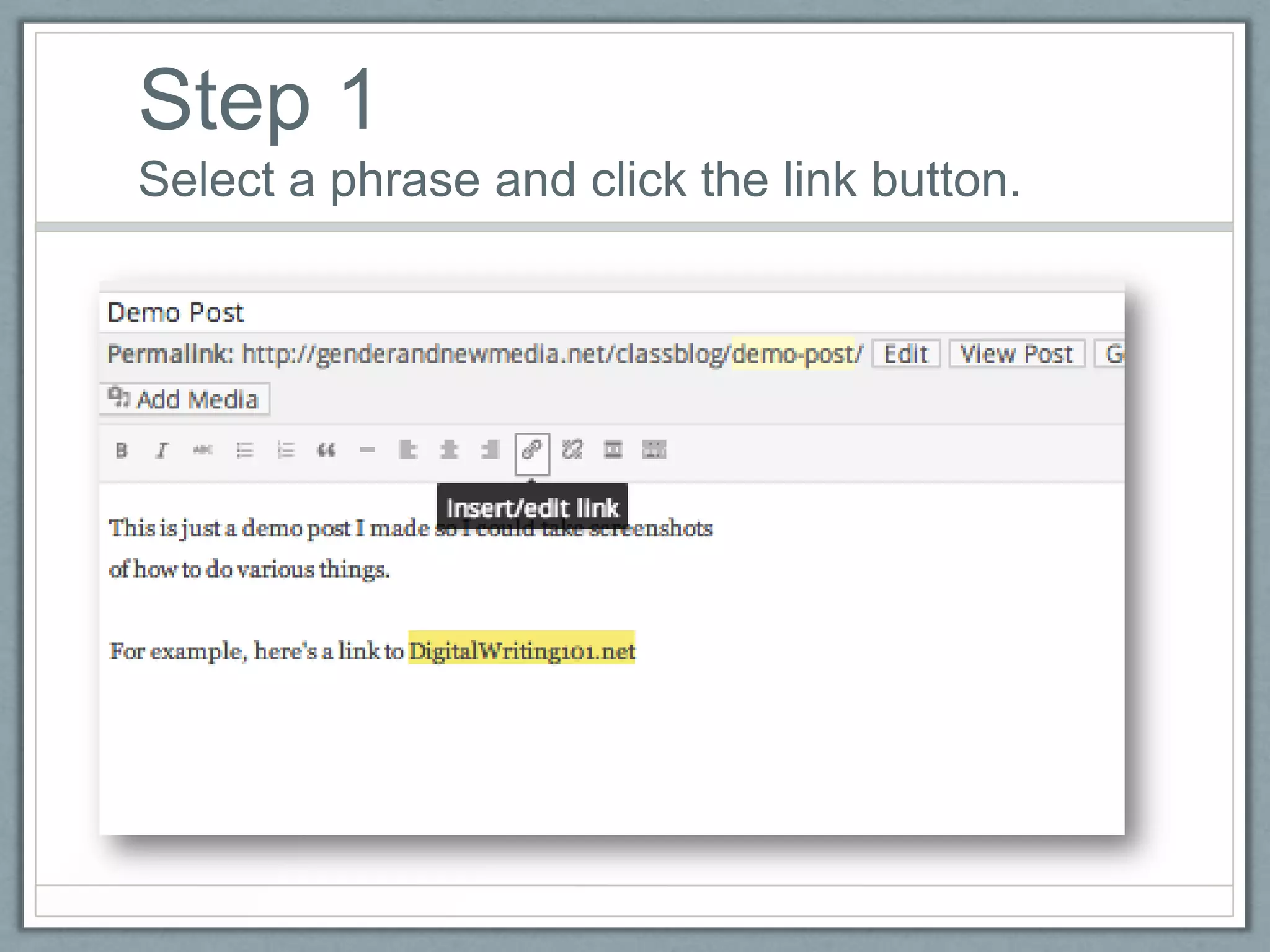
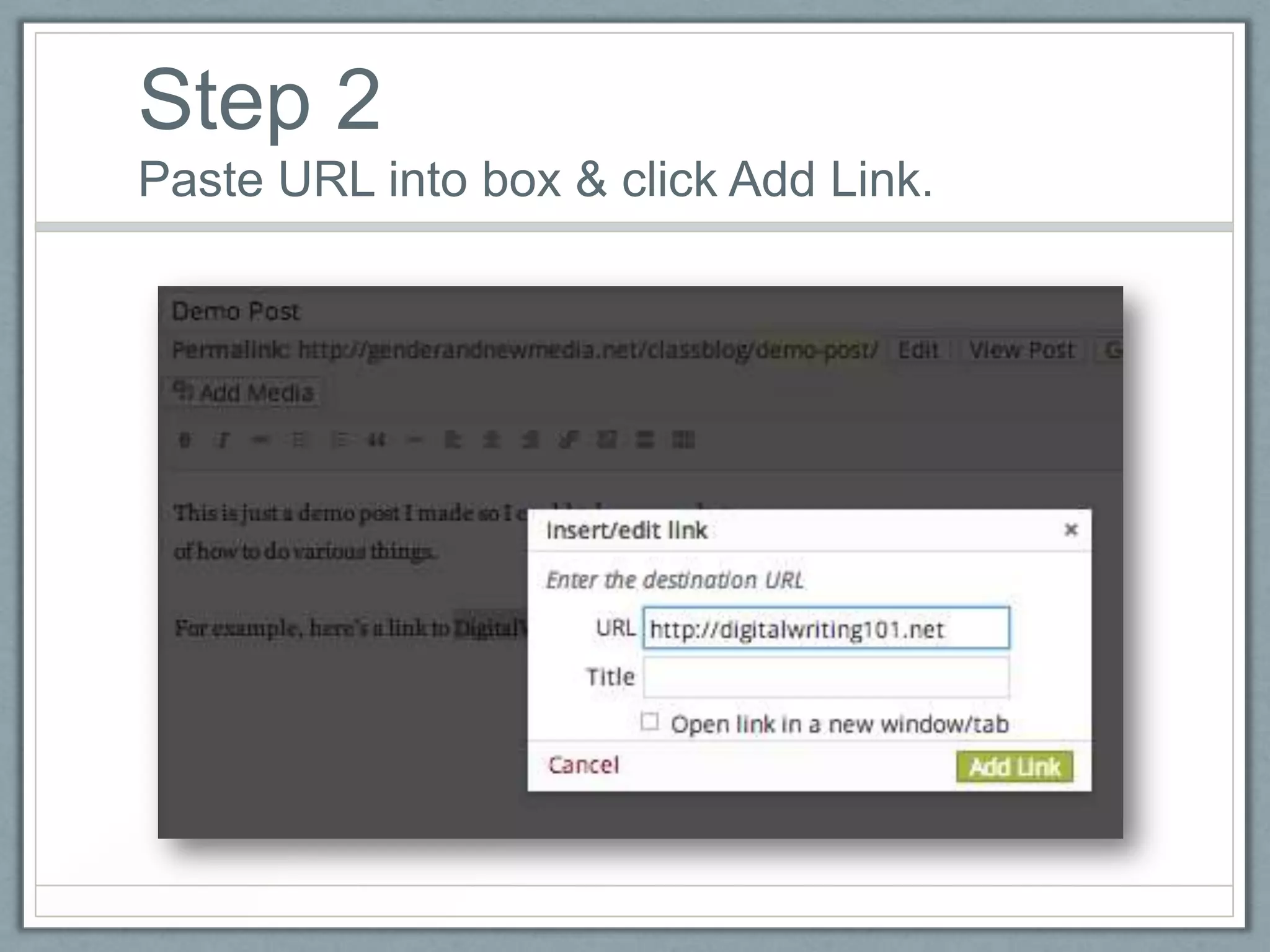
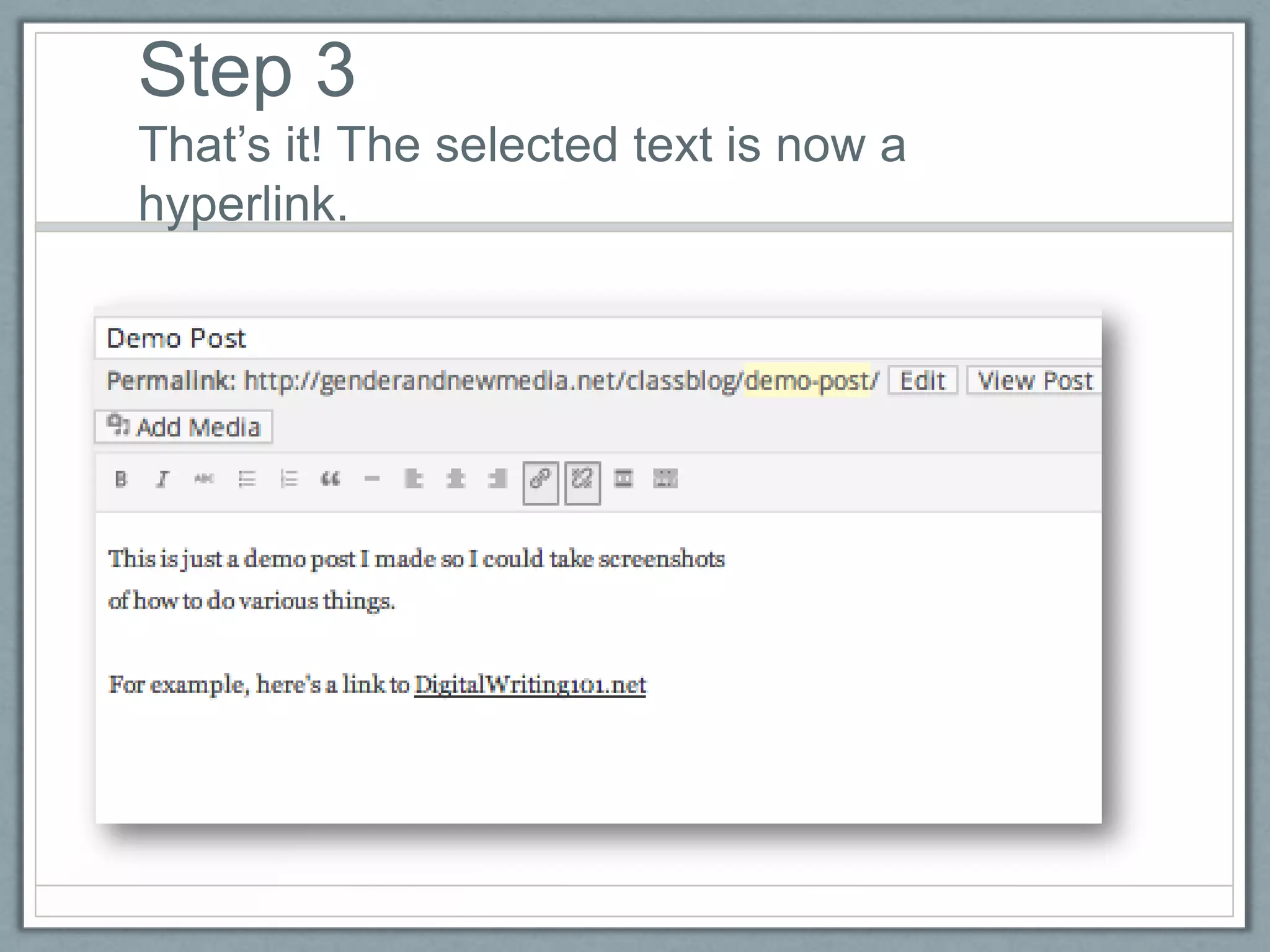
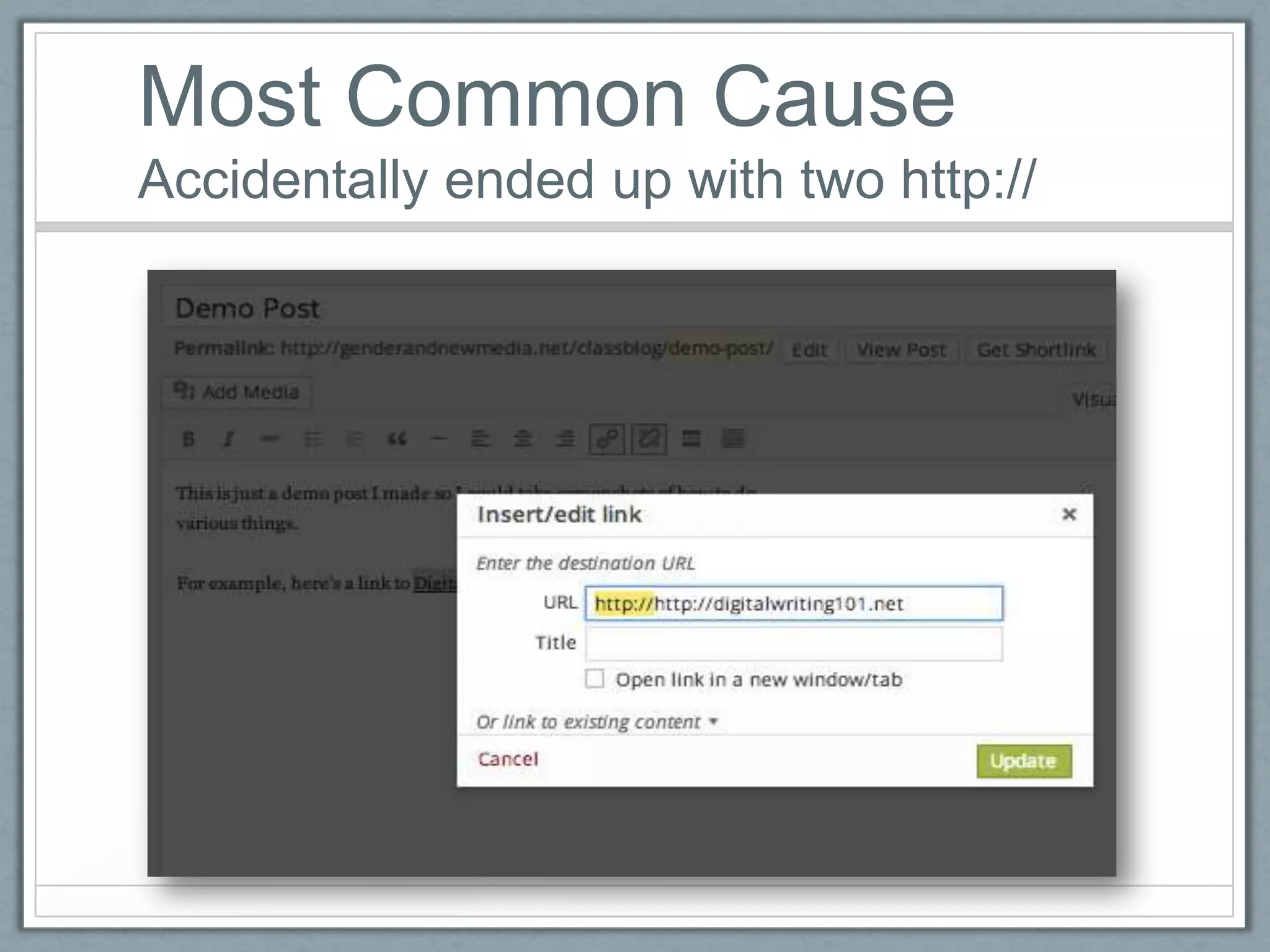
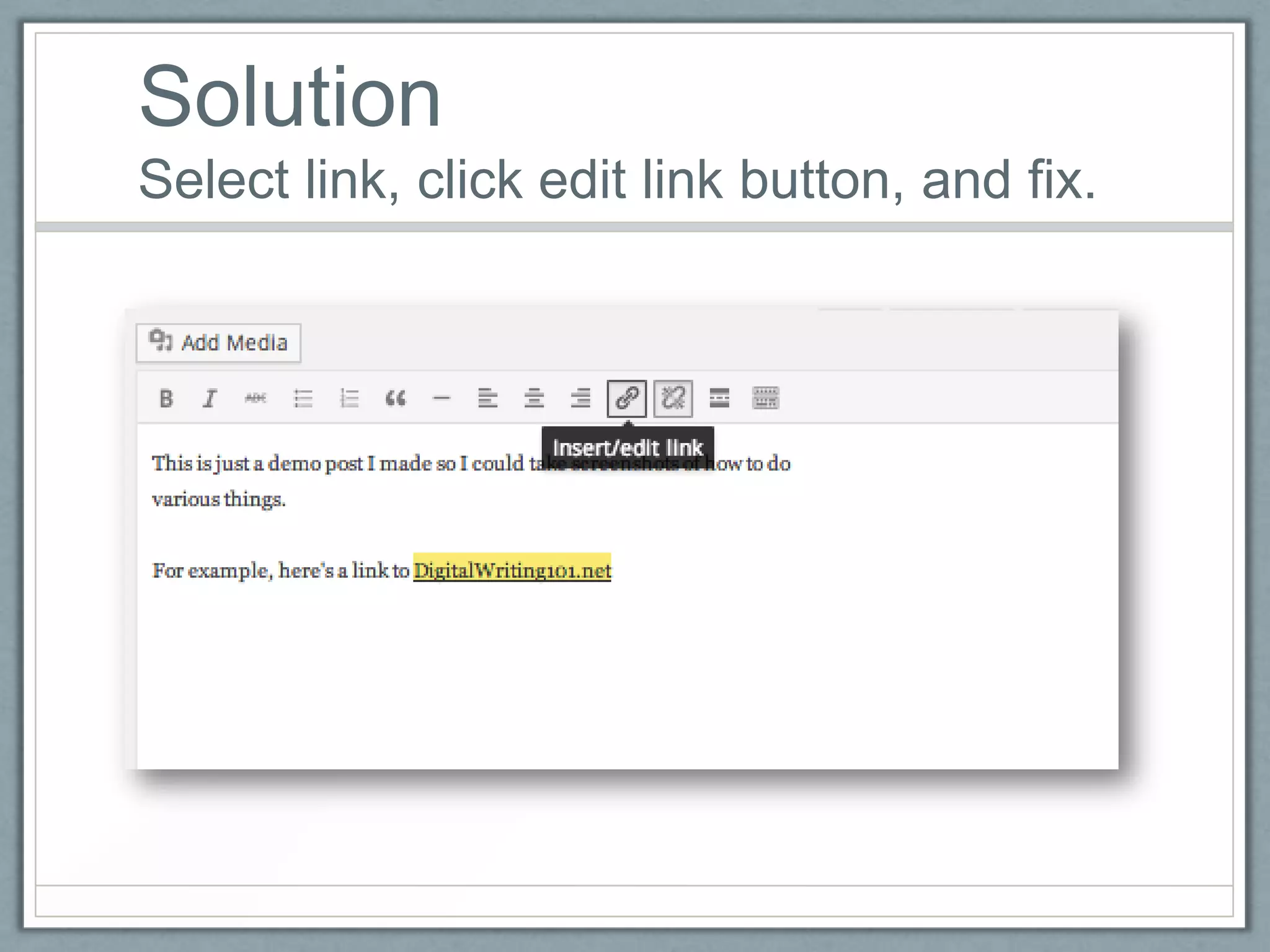


To insert a hyperlink into a blog post, select text and click the link button to paste a URL. This turns the selected text into a hyperlink. Common issues with links not working can be from accidentally including two http addresses, which is fixed by editing the link. More help resources are available on DigitalWriting101.net.


