IPA for Developers
and System
Administrators
Have a Stout with
Stout
& Stoltzfus
User Experience
Tip: Loop over a single User Action node for all approval levels
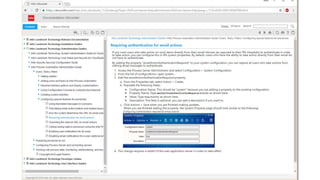
Approve by Email
To Login or Not To Login?
Does the user who clicked Approve have equal
or greater approval authority then the user who
received the email?
 UANode_users[0]
 UANode_authUsers[0]
Calculate Weekdays for Escalation
Nice Email!
 Transaction details in a table
 Work unit messages and history
 Attachments
 Data area and work unit number
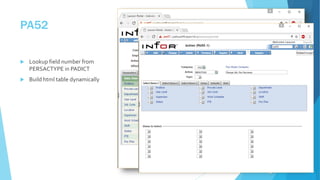
PA52
 Lookup field number from
PERSACTYPE in PADICT
 Build html table dynamically
CSS
Avoid Accidental Emails when Testing
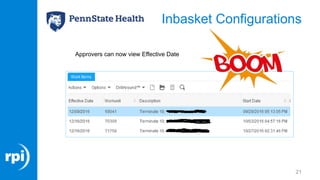
Inbasket Configurations
13
• Problem:
o HR Staff want to see the action request’s
effective date from the list of work units in
the Inbasket
• Solution:
o Add Effective Date from Action Request to
the PfiQueueTask.InbasketWorkItemList
view.
Where’s Configuration Console?
 It’s not available in an IPA product line
with out-of-the-box configuration.
 Need to create/modify a role to include
the GlobalUIConfigAccess_ST class
assigned to the appropriate data area.
Wait Fifteen Minutes?
Or, change the refresh interval
Inbasket Configurations
17
• EffectiveDate is a Workunit Variable
Inbasket Configurations
18
• Create Relation
Inbasket Configurations
19
• Create Derived User Field
Inbasket Configurations
20
• Add Field to List View
Inbasket Configurations
21
Approvers can now view Effective Date
What else
can I do
with the
inbasket?
22
Approver Security Requirements
LSF
• Logan WF tables
• RM: WFUser = 1
• Inquiry access to see
transaction details
Landmark
• InbasketUser_ST role
• Email address on Actor
record
• User record in IPA
Tip: Program your flow to check security and make corrections
24
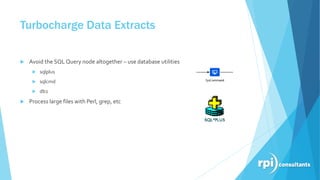
Turbocharge Data Extracts
 Avoid the SQL Query node altogether – use database utilities
 sqlplus
 sqlcmd
 db2
 Process large files with Perl, grep, etc
IPA Performance & Tuning
28
• New Bindings for IPA
IPA Performance & Tuning
29
• D
IPA Performance & Tuning
30
IPA Performance & Tuning
31
Pooling
32
Pooling
33
34
Questio
ns?

Infor Process Automation - Technical - 2016-12-08

Editor's Notes

  • #3 These are hacks – depending on your version and environment configuration your mileage may vary – think about maintainability – just because you can do something doesn’t mean you should do something
  • #5 Traditionally, a flow with six levels of approval had six UA nodes. Best practice: minimize UA nodes, use a variable to hold task/users assigned Makes it easier to change email notifications
  • #6 Approve by Email is easy to enable but brings up process questions What if an approver forwards the email?
  • #7 Edit System config, add property, restart Landmark
  • #9 Remember to recalculate before each UA node
  • #12 Change button styling
  • #13 Or remove SMTP config altogether
  • #16 This is done in GEN
  • #27 Use Stored Procedures
  • #34 Needs to be enabled Set pooling parameters Monitor under load Set Max Idle to largest number of connections in use simultaneously