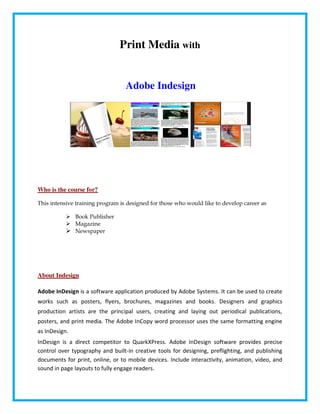
Adobe Indesign
Print Media with
Who is the course for?
This intensive training program is designed for those who would like to develop career as
Book Publisher
Magazine
Newspaper
About Indesign
Adobe InDesign is a software application produced by Adobe Systems. It can be used to create
works such as posters, flyers, brochures, magazines and books. Designers and graphics
production artists are the principal users, creating and laying out periodical publications,
posters, and print media. The Adobe InCopy word processor uses the same formatting engine
as InDesign.
InDesign is a direct competitor to QuarkXPress. Adobe InDesign software provides precise
control over typography and built-in creative tools for designing, preflighting, and publishing
documents for print, online, or to mobile devices. Include interactivity, animation, video, and
sound in page layouts to fully engage readers.
Adobe Indesign
Course Instructors
The instructors are Senior Designers with more than 5 years of experience in providing
professional training in various Computer Aided Design like Photoshop, Illustrator, Corel Draw,
Flash & Multimedia Subjects. Zabeel uses licensed software for conducting their training. Live
data is used in the practical sessions to give hands on experience to the participants.
Certification
Certificates will be issued at the end of the course attested by the Ministry of Education, UAE
Zabeel Institute – at a glance
Zabeel Institute, established in 1988, is a leading Educational and Training Institute for executives in
Dubai and is approved by the Ministry of Education, UAE. We offer training programs to professionals
from various industries like Engineering, Construction, Projects, Accounts & Finance, and Management,
Languages etc.
The Zabeel Advantage
• 22 Years Experience in training Professional Executives
• Achiever of many QUALITY AWARDS for training from 1988 till date
• Qualified & Certified Trainers
• Sophisticated Lab with High end machines
• Certificates attested by the Ministry of Education, UAE
• Vast resource materials for reference and course materials
• Free online support for further assistance
• Free follow up orientation seminars & workshops & placement assistance
---------------------------------------------------------------------------------------------------------------------
Other Course Offered by Zabeel International:
Course 1: Graphic Designing
with Photoshop, Illustrator, Corel Draw, Quark Xpress.
Other Optional Soft ware’s are:
Adobe In Design
PageMaker
Adobe Fireworks
Adobe Freehand
Swish
Swish Max
Course 2: Web Designing
with Html ,CSS ,Dreamweaver ,Flash.
Other Optional Soft ware’s are:
PHP
C#
VB.Net
Java
Course 3: Print Media
with In design , QuarkXPress, PageMaker
Course 4:Video Editing
with Premier Pro ,After Effect, FCP ( Final Cut Pro)
Further details , please contact the Reception / Course Consultants
---------------------------------------------------------------------------------------------
Course Outline Level - 1
Introduction
Introducing Document Preferences
General, Type & Advanced Type Preferences
Units, Increments & Grids Preferences
Guides, Pasteboards, Spelling & Story Editor Preferences
Display Performance & Appearance of Black Preferences
File Handling Preferences & Type Tool Options
Grouping Palettes into Clusters
Setting Palette Options & Sliding Palettes
Showing/Hiding Palettes with Keyboard Shortcuts
Creating & Modifying Keyboard Shortcuts
Documents, Presets
Creating a New Document
Saving & Editing Document Presets
Working with File Types & Extensions
Opening Files
Fixing Dependencies Automatically
Fixing Dependencies Manually
Beginning your Layout Design
Saving a Document
When Not to Turn on Allow Pages to Shuffle
The Rectangle Tool vs. the Rectangle Frame Tool
Creating Frames for Text & Graphics
Organizing Elements in the Layers Palette
Changing the Basic Paragraph Style
Selecting, Adjusting & Filling Text Frames
Importing, Pouring, Flowing & Automation
Setting up Microsoft Word Import Options
Setting Options for Placing Imported Text
Placing & Directing Overflow Text
Adding Pages to the Document
Creating a Layout & Duplicating Text Frames
Setting up Text Links Across Multiple Frames
Pre-Linking & Adjusting Text Frame Options
Using Autoflow for Automatic Documents
Type Formatting
Selecting a Font
Adjusting Type Size & Leading
Exploring More Character Options
Adjusting Tracking
Introducing Kerning & the Eyedropper Tool
Adjusting Kerning & Baseline Shift
Paragraph Formatting & Design
Hyphenating Text
Adjusting Paragraph Spacing
Creating a Bulleted List
Indenting Paragraphs Manually
Using Drop Caps
Basic Paragraph Style Sheets
Creating a New Style Sheet
Linking Style Sheets
The Advantages of Linked Style Sheets
Importing Style Sheets from Other Documents
Redefining a Style
Graphic Frames & Object Styles
Creating Basic Graphic Frames
Adding & Aligning a Stroke to a Graphic Frame
Saving a New Object Style
Saving a Thin Line as a New Object Style
Arranging & Aligning Objects
Copying Shapes & Applying Rich Black
Editing the Shape & Size of Objects in Sequence
Transform Again Individually to Duplicate Frames
Converting Shapes
Creating & Storing Color
Introducing the Swatches & Color Palettes
Creating Color & Tint Swatches
Working with Spot Colors
Creating Mixed Ink Swatches & Groups
Using Gradients & Making a New Gradient Swatch
Adding Small Color Reference Frames to Images
Projects
Course Outline Level - 2
Navigation & Adobe Bridge
Adjusting Page Size
Using the Zoom Tool
Scrolling the Page & Changing View Size
Using the Navigator Palette
Viewing Files in Bridge
Saving a Workspace, Rating & Labeling
Filtering, Reordering & Sorting Files in Bridge
Viewing Images in a Slideshow
Importing Vector Graphics
Importing Illustrator Files
The Main Selection Tool vs. the Direct Selection Tool
Scaling an Image Numerically
Moving an Anchor Point, Rotating, Scaling & Moving
Fitting Content Proportionally
Using Shortcuts to Scale a Graphic
Importing an Illustrator File from Bridge
Importing an Image & Changing Its Transparency
Import
Importing & Adjusting Photoshop Images
Utilizing the Links Palette
Drag & Drop from Bridge & Fill Frame Proportionally
Adjusting Display Performance
Placing a Background Image
Nudging an Image with the Arrow Keys
Accessing Layers Using Object Layer Options
Cropping & Viewing Layers
Layered Design & Text Wrap
Bringing in Separate Images Defined by One Image
Placing a Background Image & Changing Text Color
Organizing Layers & Placing a Title
Customizing a Title Layout Design
Creating an Advanced Layered Design
Using Photoshop Clipping Paths
Using Text Wrap
Intelligent Type Styles
Adding & Positioning a Text Frame
Formatting & Aligning Text
Creating Paragraph Styles
Editing Style Sheets for Automation Using Next Styles
Duplicating a Text Frame & Replacing the Text
Creating a Tint Swatch to Change Text Color
Working with Compound Paths
Using the Pathfinder Palette
Final Comments & Credits
Typography
Using Ligatures
Using Discretionary Ligatures & Fractions
Using Small Caps & Force Line Break
Exploring Glyphs
Glyph Palette Options & Applying Glyphs
Baseline Grid Control
Creating an Image Box & Placing the Image
Importing & Placing a Layered PDF File
Using the Paste In Place Command
Introducing Document & Baseline Grids
Setting Grid Preferences & Snapping into Alignment
Powerful Nested Styles & Snippets
Importing Style Sheets
Snapping to Baseline Grid
Creating Character Style Sheets
Creating Nested Style Sheets
Adjusting the Optical Margin Alignment
Introducing Snippets
Working with Snippets
Compounds, Shadows & Transparency
Setting Transparency Options
Applying a Drop Shadow
Using the Redefine Object Style Command
Printing
Projects

Indesign brochure

  • 1.
  • 2.
    Print Media with Whois the course for? This intensive training program is designed for those who would like to develop career as Book Publisher Magazine Newspaper About Indesign Adobe InDesign is a software application produced by Adobe Systems. It can be used to create works such as posters, flyers, brochures, magazines and books. Designers and graphics production artists are the principal users, creating and laying out periodical publications, posters, and print media. The Adobe InCopy word processor uses the same formatting engine as InDesign. InDesign is a direct competitor to QuarkXPress. Adobe InDesign software provides precise control over typography and built-in creative tools for designing, preflighting, and publishing documents for print, online, or to mobile devices. Include interactivity, animation, video, and sound in page layouts to fully engage readers. Adobe Indesign
  • 3.
    Course Instructors The instructorsare Senior Designers with more than 5 years of experience in providing professional training in various Computer Aided Design like Photoshop, Illustrator, Corel Draw, Flash & Multimedia Subjects. Zabeel uses licensed software for conducting their training. Live data is used in the practical sessions to give hands on experience to the participants. Certification Certificates will be issued at the end of the course attested by the Ministry of Education, UAE Zabeel Institute – at a glance Zabeel Institute, established in 1988, is a leading Educational and Training Institute for executives in Dubai and is approved by the Ministry of Education, UAE. We offer training programs to professionals from various industries like Engineering, Construction, Projects, Accounts & Finance, and Management, Languages etc. The Zabeel Advantage • 22 Years Experience in training Professional Executives • Achiever of many QUALITY AWARDS for training from 1988 till date • Qualified & Certified Trainers • Sophisticated Lab with High end machines • Certificates attested by the Ministry of Education, UAE • Vast resource materials for reference and course materials • Free online support for further assistance • Free follow up orientation seminars & workshops & placement assistance --------------------------------------------------------------------------------------------------------------------- Other Course Offered by Zabeel International: Course 1: Graphic Designing with Photoshop, Illustrator, Corel Draw, Quark Xpress. Other Optional Soft ware’s are: Adobe In Design PageMaker Adobe Fireworks Adobe Freehand
  • 4.
    Swish Swish Max Course 2:Web Designing with Html ,CSS ,Dreamweaver ,Flash. Other Optional Soft ware’s are: PHP C# VB.Net Java Course 3: Print Media with In design , QuarkXPress, PageMaker Course 4:Video Editing with Premier Pro ,After Effect, FCP ( Final Cut Pro) Further details , please contact the Reception / Course Consultants --------------------------------------------------------------------------------------------- Course Outline Level - 1 Introduction Introducing Document Preferences General, Type & Advanced Type Preferences Units, Increments & Grids Preferences Guides, Pasteboards, Spelling & Story Editor Preferences Display Performance & Appearance of Black Preferences File Handling Preferences & Type Tool Options Grouping Palettes into Clusters Setting Palette Options & Sliding Palettes Showing/Hiding Palettes with Keyboard Shortcuts Creating & Modifying Keyboard Shortcuts
  • 5.
    Documents, Presets Creating aNew Document Saving & Editing Document Presets Working with File Types & Extensions Opening Files Fixing Dependencies Automatically Fixing Dependencies Manually Beginning your Layout Design Saving a Document When Not to Turn on Allow Pages to Shuffle The Rectangle Tool vs. the Rectangle Frame Tool Creating Frames for Text & Graphics Organizing Elements in the Layers Palette Changing the Basic Paragraph Style Selecting, Adjusting & Filling Text Frames Importing, Pouring, Flowing & Automation Setting up Microsoft Word Import Options Setting Options for Placing Imported Text Placing & Directing Overflow Text Adding Pages to the Document Creating a Layout & Duplicating Text Frames Setting up Text Links Across Multiple Frames Pre-Linking & Adjusting Text Frame Options Using Autoflow for Automatic Documents Type Formatting Selecting a Font Adjusting Type Size & Leading Exploring More Character Options Adjusting Tracking Introducing Kerning & the Eyedropper Tool Adjusting Kerning & Baseline Shift Paragraph Formatting & Design Hyphenating Text Adjusting Paragraph Spacing
  • 6.
    Creating a BulletedList Indenting Paragraphs Manually Using Drop Caps Basic Paragraph Style Sheets Creating a New Style Sheet Linking Style Sheets The Advantages of Linked Style Sheets Importing Style Sheets from Other Documents Redefining a Style Graphic Frames & Object Styles Creating Basic Graphic Frames Adding & Aligning a Stroke to a Graphic Frame Saving a New Object Style Saving a Thin Line as a New Object Style Arranging & Aligning Objects Copying Shapes & Applying Rich Black Editing the Shape & Size of Objects in Sequence Transform Again Individually to Duplicate Frames Converting Shapes Creating & Storing Color Introducing the Swatches & Color Palettes Creating Color & Tint Swatches Working with Spot Colors Creating Mixed Ink Swatches & Groups Using Gradients & Making a New Gradient Swatch Adding Small Color Reference Frames to Images Projects Course Outline Level - 2 Navigation & Adobe Bridge Adjusting Page Size Using the Zoom Tool Scrolling the Page & Changing View Size Using the Navigator Palette Viewing Files in Bridge
  • 7.
    Saving a Workspace,Rating & Labeling Filtering, Reordering & Sorting Files in Bridge Viewing Images in a Slideshow Importing Vector Graphics Importing Illustrator Files The Main Selection Tool vs. the Direct Selection Tool Scaling an Image Numerically Moving an Anchor Point, Rotating, Scaling & Moving Fitting Content Proportionally Using Shortcuts to Scale a Graphic Importing an Illustrator File from Bridge Importing an Image & Changing Its Transparency Import Importing & Adjusting Photoshop Images Utilizing the Links Palette Drag & Drop from Bridge & Fill Frame Proportionally Adjusting Display Performance Placing a Background Image Nudging an Image with the Arrow Keys Accessing Layers Using Object Layer Options Cropping & Viewing Layers Layered Design & Text Wrap Bringing in Separate Images Defined by One Image Placing a Background Image & Changing Text Color Organizing Layers & Placing a Title Customizing a Title Layout Design Creating an Advanced Layered Design Using Photoshop Clipping Paths Using Text Wrap Intelligent Type Styles Adding & Positioning a Text Frame Formatting & Aligning Text Creating Paragraph Styles Editing Style Sheets for Automation Using Next Styles Duplicating a Text Frame & Replacing the Text Creating a Tint Swatch to Change Text Color
  • 8.
    Working with CompoundPaths Using the Pathfinder Palette Final Comments & Credits Typography Using Ligatures Using Discretionary Ligatures & Fractions Using Small Caps & Force Line Break Exploring Glyphs Glyph Palette Options & Applying Glyphs Baseline Grid Control Creating an Image Box & Placing the Image Importing & Placing a Layered PDF File Using the Paste In Place Command Introducing Document & Baseline Grids Setting Grid Preferences & Snapping into Alignment Powerful Nested Styles & Snippets Importing Style Sheets Snapping to Baseline Grid Creating Character Style Sheets Creating Nested Style Sheets Adjusting the Optical Margin Alignment Introducing Snippets Working with Snippets Compounds, Shadows & Transparency Setting Transparency Options Applying a Drop Shadow Using the Redefine Object Style Command Printing Projects