InDesign Magazine Task Evidence
Judy Ibelgauptiene
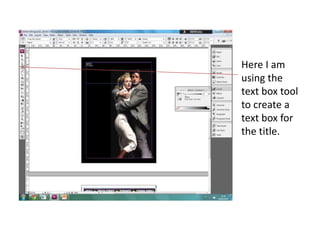
Here I am
using the
text box tool
to create a
text box for
the title.
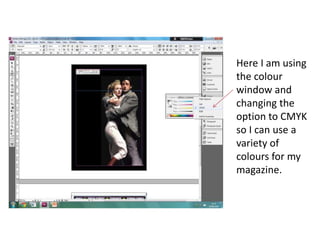
Here I am using
the colour
window and
changing the
option to CMYK
so I can use a
variety of
colours for my
magazine.
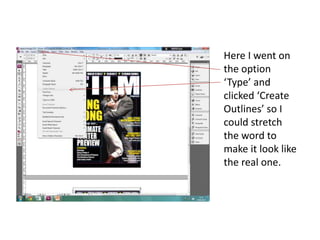
Here I went on
the option
‘Type’ and
clicked ‘Create
Outlines’ so I
could stretch
the word to
make it look like
the real one.
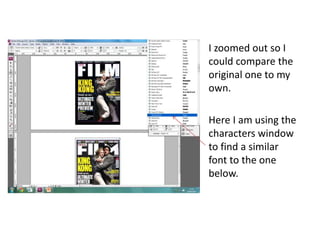
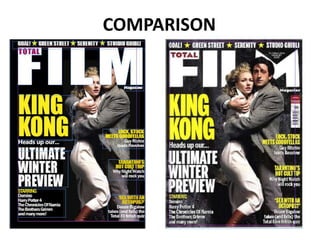
I zoomed out so I
could compare the
original one to my
own.
Here I am using the
characters window
to find a similar
font to the one
below.
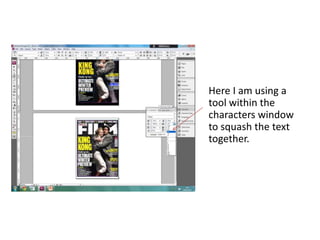
Here I am using a
tool within the
characters window
to squash the text
together.
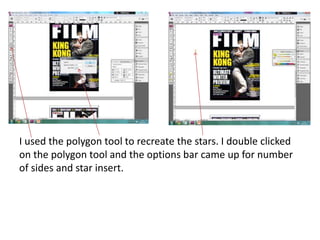
I used the polygon tool to recreate the stars. I double clicked
on the polygon tool and the options bar came up for number
of sides and star insert.
COMPARISON

In design magazine task evidence

  • 1.
    InDesign Magazine TaskEvidence Judy Ibelgauptiene
  • 2.
    Here I am usingthe text box tool to create a text box for the title.
  • 3.
    Here I amusing the colour window and changing the option to CMYK so I can use a variety of colours for my magazine.
  • 4.
    Here I wenton the option ‘Type’ and clicked ‘Create Outlines’ so I could stretch the word to make it look like the real one.
  • 5.
    I zoomed outso I could compare the original one to my own. Here I am using the characters window to find a similar font to the one below.
  • 6.
    Here I amusing a tool within the characters window to squash the text together.
  • 7.
    I used thepolygon tool to recreate the stars. I double clicked on the polygon tool and the options bar came up for number of sides and star insert.
  • 8.