I’MTECHREADY
Migratie naar de cloud (eMail)

Marzel Laning

Edwin Kanis
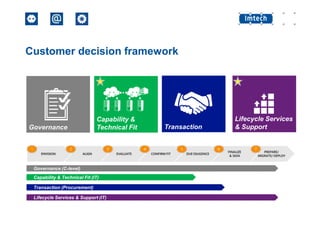
Customer decision framework

Governance (C-level)
Capability & Technical Fit (IT)

Transaction (Procurement)
Lifecycle Services & Support (IT)
100%
Migratie naar de cloud

Aanpak en scenario’s
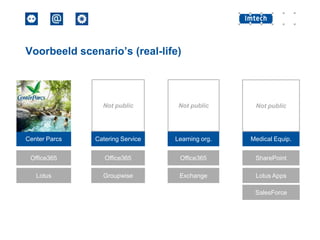
Voorbeeld scenario’s (real-life)

Not public

Not public

Not public

Center Parcs

Catering Service

Learning org.

Medical Equip.

Office365

Office365

Office365

SharePoint

Lotus

Groupwise

Exchange

Lotus Apps
SalesForce
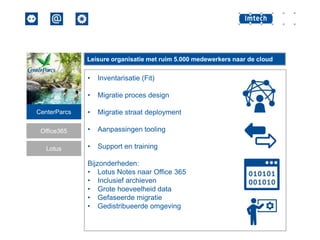
Leisure organisatie met ruim 5.000 medewerkers naar de cloud

•

Inventarisatie (Fit)

•

Migratie proces design

CenterParcs

•

Migratie straat deployment

Office365

•

Aanpassingen tooling

Lotus

•

Support en training

Bijzonderheden:
• Lotus Notes naar Office 365
• Inclusief archieven
• Grote hoeveelheid data
• Gefaseerde migratie
• Gedistribueerde omgeving
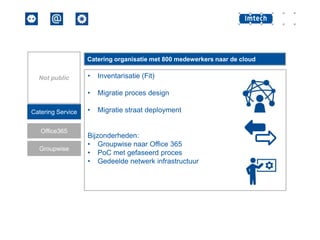
Catering organisatie met 800 medewerkers naar de cloud

Catering Service
Office365
Groupwise

•

Inventarisatie (Fit)

•

Not public

Migratie proces design

•

Migratie straat deployment

Bijzonderheden:
• Groupwise naar Office 365
• PoC met gefaseerd proces
• Gedeelde netwerk infrastructuur
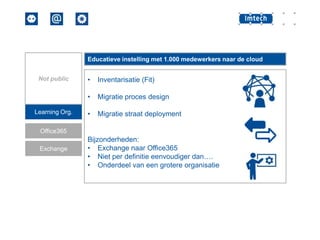
Educatieve instelling met 1.000 medewerkers naar de cloud

Learning Org.

•

Inventarisatie (Fit)

•

Not public

Migratie proces design

•

Migratie straat deployment

Office365
Exchange

Bijzonderheden:
• Exchange naar Office365
• Niet per definitie eenvoudiger dan….
• Onderdeel van een grotere organisatie
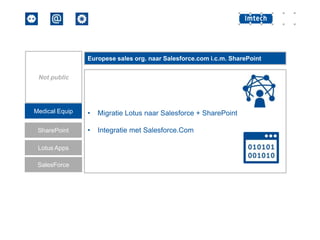
Europese sales org. naar Salesforce.com i.c.m. SharePoint
Not public

Medical Equip

•

Migratie Lotus naar Salesforce + SharePoint

SharePoint

•

Integratie met Salesforce.Com

Lotus Apps
SalesForce
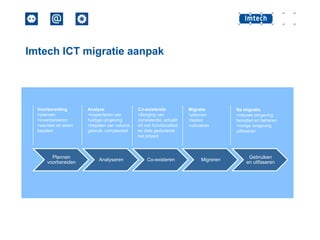
Imtech ICT migratie aanpak

Voorbereiding
>plannen
>inventariseren
>wensen en eisen
bepalen

Plannen
voorbereiden

Analyse
>inspecteren van
huidige omgeving
>bepalen van volume,
gebruik, complexiteit

Analyseren

Co-existentie
>Borging van
consistentie, actualit
eit van functionaliteit
en data gedurende
het project

Co-existeren

Migratie
>plannen
>testen
>uitvoeren

Migreren

Na migratie
>nieuwe omgeving
benutten en beheren
>vorige omgeving
uitfaseren

Gebruiken
en uitfaseren
Inventarisatie


Beschrijf huidige omgeving



MAPI/SMTP device



Certificates SSL / DNS names



Policies / disclaimers / compliance / encryption



Clean house – opschonen!
Clean house - opschonen


AD
 Unused Mail enabled accounts
 IDFix!



Mailbox
 Maximale grootte mailbox/mailstore
 Maximale grote mail item / bijlage
 Archieven
Co-existentie


Hybride omgeving
 Lokale AD
 Internet toegang
 Office applicaties / ERP
 Client infrastructuur
 Fax/Copy/Print
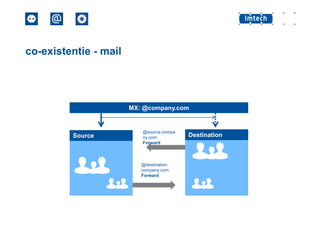
co-existentie - mail

MX: @company.com

Source

@source.compa
ny.com
Forward

@destination.
company.com
Forward

Destination
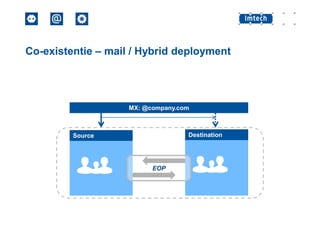
Co-existentie – mail / Hybrid deployment

MX: @company.com

Destination

Source

EOP
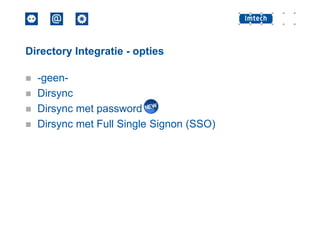
Directory Integratie - opties





-geenDirsync
Dirsync met password
Dirsync met Full Single Signon (SSO)
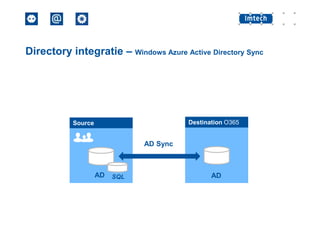
Directory integratie – Windows Azure Active Directory Sync

Destination O365

Source

AD Sync

AD

SQL

AD
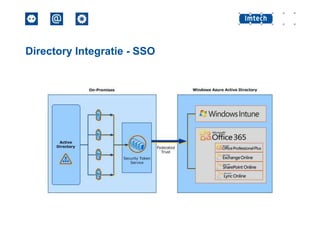
Directory Integratie - SSO
Data Migratie - mail

Source

Source Data

Migration Factory

Migration workers

Destination

Destination Data
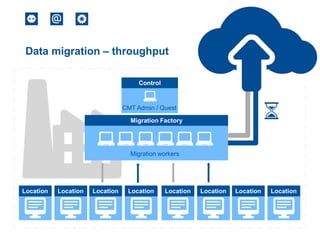
Data migration – throughput
Control

CMT Admin / Quest
Migration Factory

Migration workers

Location

Location

Location

Location

Location

Location

Location

Location
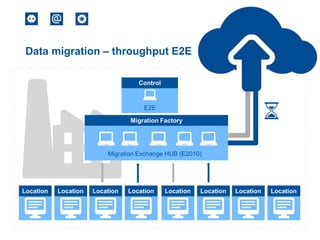
Data migration – throughput E2E
Control

E2E
Migration Factory

Migration Exchange HUB (E2010)

Location

Location

Location

Location

Location

Location

Location

Location
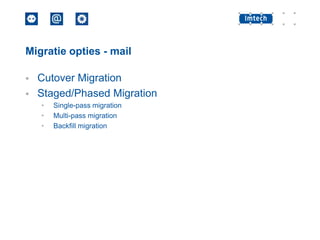
Migratie opties - mail



Cutover Migration
Staged/Phased Migration
•
•
•

Single-pass migration
Multi-pass migration
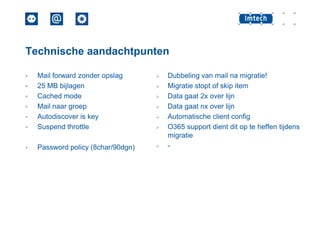
Backfill migration
Technische aandachtpunten




Mail forward zonder opslag
25 MB bijlagen
Cached mode
Mail naar groep
Autodiscover is key
Suspend throttle



Password policy (8char/90dgn)
















Dubbeling van mail na migratie!
Migratie stopt of skip item
Data gaat 2x over lijn
Data gaat nx over lijn
Automatische client config
O365 support dient dit op te heffen tijdens
migratie
-
Migratie naar de cloud

Samenvatting
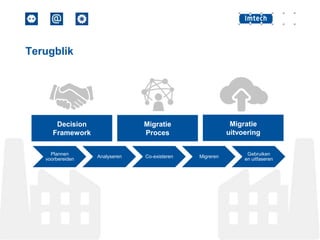
Terugblik

Decision
Framework
Plannen
voorbereiden

Migratie
uitvoering

Migratie
Proces

Analyseren

Co-existeren

Migreren

Gebruiken
en uitfaseren
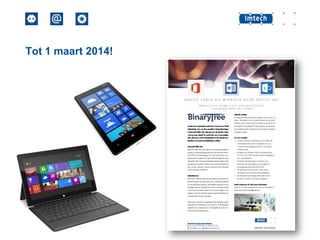
Tot 1 maart 2014!
Einde presentatie
Marzel Laning
Consultant
Marzel.Laning@imtech.nl

Imtech ICT Integrated Solutions

www.imtech.nl/is

Edwin Kanis
Manager Sales en Consulting
Edwin.kanis@imtech.nl

T. +31 (0)418 570700 | info.is@imtech.nl

Migratie naar de Cloud (eMail)

  • 1.
    I’MTECHREADY Migratie naar decloud (eMail) Marzel Laning Edwin Kanis
  • 4.
    Customer decision framework Governance(C-level) Capability & Technical Fit (IT) Transaction (Procurement) Lifecycle Services & Support (IT)
  • 5.
  • 6.
    Migratie naar decloud Aanpak en scenario’s
  • 7.
    Voorbeeld scenario’s (real-life) Notpublic Not public Not public Center Parcs Catering Service Learning org. Medical Equip. Office365 Office365 Office365 SharePoint Lotus Groupwise Exchange Lotus Apps SalesForce
  • 8.
    Leisure organisatie metruim 5.000 medewerkers naar de cloud • Inventarisatie (Fit) • Migratie proces design CenterParcs • Migratie straat deployment Office365 • Aanpassingen tooling Lotus • Support en training Bijzonderheden: • Lotus Notes naar Office 365 • Inclusief archieven • Grote hoeveelheid data • Gefaseerde migratie • Gedistribueerde omgeving
  • 9.
    Catering organisatie met800 medewerkers naar de cloud Catering Service Office365 Groupwise • Inventarisatie (Fit) • Not public Migratie proces design • Migratie straat deployment Bijzonderheden: • Groupwise naar Office 365 • PoC met gefaseerd proces • Gedeelde netwerk infrastructuur
  • 10.
    Educatieve instelling met1.000 medewerkers naar de cloud Learning Org. • Inventarisatie (Fit) • Not public Migratie proces design • Migratie straat deployment Office365 Exchange Bijzonderheden: • Exchange naar Office365 • Niet per definitie eenvoudiger dan…. • Onderdeel van een grotere organisatie
  • 11.
    Europese sales org.naar Salesforce.com i.c.m. SharePoint Not public Medical Equip • Migratie Lotus naar Salesforce + SharePoint SharePoint • Integratie met Salesforce.Com Lotus Apps SalesForce
  • 12.
    Imtech ICT migratieaanpak Voorbereiding >plannen >inventariseren >wensen en eisen bepalen Plannen voorbereiden Analyse >inspecteren van huidige omgeving >bepalen van volume, gebruik, complexiteit Analyseren Co-existentie >Borging van consistentie, actualit eit van functionaliteit en data gedurende het project Co-existeren Migratie >plannen >testen >uitvoeren Migreren Na migratie >nieuwe omgeving benutten en beheren >vorige omgeving uitfaseren Gebruiken en uitfaseren
  • 13.
    Inventarisatie  Beschrijf huidige omgeving  MAPI/SMTPdevice  Certificates SSL / DNS names  Policies / disclaimers / compliance / encryption  Clean house – opschonen!
  • 14.
    Clean house -opschonen  AD  Unused Mail enabled accounts  IDFix!  Mailbox  Maximale grootte mailbox/mailstore  Maximale grote mail item / bijlage  Archieven
  • 15.
    Co-existentie  Hybride omgeving  LokaleAD  Internet toegang  Office applicaties / ERP  Client infrastructuur  Fax/Copy/Print
  • 16.
    co-existentie - mail MX:@company.com Source @source.compa ny.com Forward @destination. company.com Forward Destination
  • 17.
    Co-existentie – mail/ Hybrid deployment MX: @company.com Destination Source EOP
  • 18.
    Directory Integratie -opties     -geenDirsync Dirsync met password Dirsync met Full Single Signon (SSO)
  • 19.
    Directory integratie –Windows Azure Active Directory Sync Destination O365 Source AD Sync AD SQL AD
  • 20.
  • 21.
    Data Migratie -mail Source Source Data Migration Factory Migration workers Destination Destination Data
  • 22.
    Data migration –throughput Control CMT Admin / Quest Migration Factory Migration workers Location Location Location Location Location Location Location Location
  • 23.
    Data migration –throughput E2E Control E2E Migration Factory Migration Exchange HUB (E2010) Location Location Location Location Location Location Location Location
  • 24.
    Migratie opties -mail   Cutover Migration Staged/Phased Migration • • • Single-pass migration Multi-pass migration Backfill migration
  • 25.
    Technische aandachtpunten   Mail forwardzonder opslag 25 MB bijlagen Cached mode Mail naar groep Autodiscover is key Suspend throttle  Password policy (8char/90dgn)            Dubbeling van mail na migratie! Migratie stopt of skip item Data gaat 2x over lijn Data gaat nx over lijn Automatische client config O365 support dient dit op te heffen tijdens migratie -
  • 26.
    Migratie naar decloud Samenvatting
  • 27.
  • 28.
  • 29.
    Einde presentatie Marzel Laning Consultant Marzel.Laning@imtech.nl ImtechICT Integrated Solutions www.imtech.nl/is Edwin Kanis Manager Sales en Consulting Edwin.kanis@imtech.nl T. +31 (0)418 570700 | info.is@imtech.nl

Editor's Notes

  • #8 KCS = KLM Catering ServicesTMS ToshibaMedical Systems
  • #12 Offerte tool + content + workflowCombinatie Salesforce (CRM/Offerte) + externe workflow + content creatie/prijsstelling/vertaling Sharepoint + ERP/OracleSharepoint lokaal vanwege kosten van IO transacties
  • #13 Uitfaseren applicaties!) wanneer er niet voldoende aandacht is voor de roadmap voor applicaties is er een kans dat men met een complexere omgeving blijft, minder kennis en hogere kosten door het in stand houden van de Domino omgeving. !) uitfaseren kan ook betekenen : consolideren van de omgeving en eventueel xPages gebruiken om Notesclient overbodig te maken
  • #14 Interviews / WorkshopsKlant input!!Lessonslearned : http://www.youtube.com/watch?v=sM5WoFeFVxcDirsync: http://www.youtube.com/watch?v=98-kbJVyms4&feature=player_detailpagehttp://slashdot.org/topic/cloud/office-365-migration-tips/
  • #15 IDFix queries all domains in your organization and displays object attributes to clean up prior to running the Windows Azure Active Directory Sync tool
  • #16 Het zal niet mogelijk zijn om alle infrastructuur en functionaliteit naar de cloud te brengen.Er blijft altijd:Lokale AD, gatewayToegang naar/van internetClient infra
  • #17 Company.com is vaak al in gebruik voor destination domein.
  • #18 EOP = Exchange Online ProtectionExchange 2010 SP3 / Exchange 2013
  • #19 http://blogs.technet.com/b/educloud/archive/2013/06/03/new-azure-active-directory-sync-tool-with-password-sync-is-now-available.aspxDirsync met password minder complex en geen full redundante beschikbaarheid nodig
  • #20 AD Sync -> Azure Active Directory Sync ofADFS – Active Directory Federation ServicesAD Sync = gebruiker beheer in de cloud, alleen properties overzettenADFS = beheer gebruiker lokaal Microsoft Online AD Sync
  • #21 SSO kun je wel aanzetten, maar NIET uit
  • #26 25 MB (outlook) , OutlookWeb App -> 10MB !30 messages per minute(limits : http://help.outlook.com/en-us/dd630704.aspx)
  • #27 1. voorbeeld migraties2. migratie aanpak3. voorbereiding / inventarisatie / opschonen4. mail co-existence5. directory sync + SSO6. migratie van data en tools7. migratie strategie/opties8. technische beperkingen/aandacht