From messagesTo communication
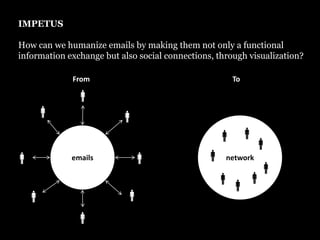
IMPETUS How can we humanize emails by making them not only a functional information exchange but also social connections, through visualization? FromTo€€€network€emails€€€€€€€€€€€€
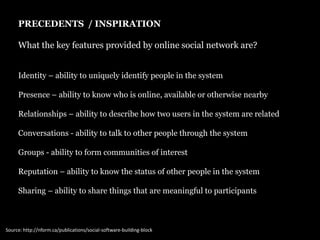
PRECEDENTS  / INSPIRATION What the key features provided by online social network are? Identity – ability to uniquely identify people in the systemPresence – ability to know who is online, available or otherwise nearbyRelationships – ability to describe how two users in the system are relatedConversations - ability to talk to other people through the systemGroups - ability to form communities of interestReputation – ability to know the status of other people in the systemSharing – ability to share things that are meaningful to participantsSource: http://nform.ca/publications/social-software-building-block
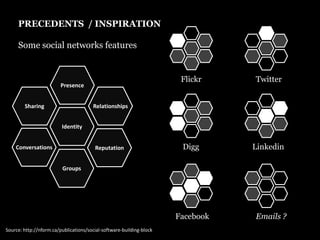
PRECEDENTS  / INSPIRATION Some social networks featuresPresenceFlickrTwitterSharingRelationshipsIdentityConversationsReputationDiggLinkedinGroupsEmails ?FacebookSource: http://nform.ca/publications/social-software-building-block
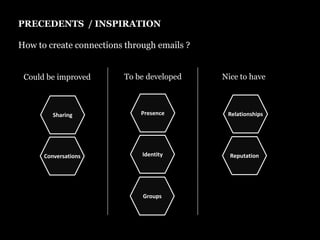
PRECEDENTS  / INSPIRATION How to create connections through emails ?To be developedNice to haveCould be improvedPresenceRelationshipsSharingIdentityReputationConversationsGroups
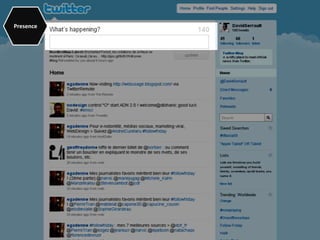
Presence
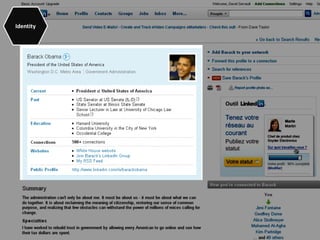
Identity
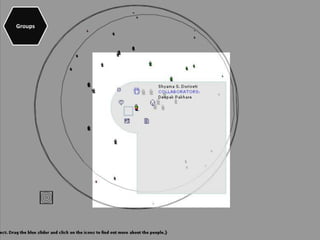
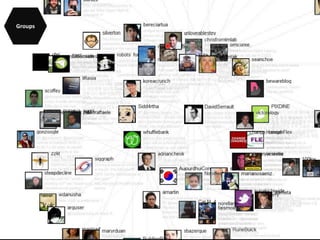
Groups
Groups
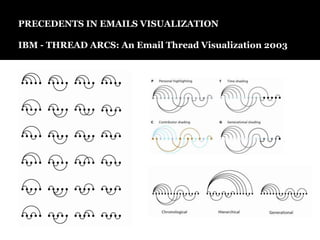
PRECEDENTS IN EMAILS VISUALIZATIONIBM - THREAD ARCS: An Email Thread Visualization 2003
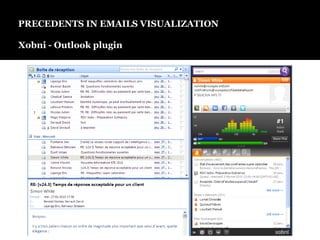
PRECEDENTS IN EMAILS VISUALIZATIONXobni - Outlook plugin
TARGETED AUDIENCE“The average businessperson is getting around 80 e-mails per day and many feel that about 80% of the messages in their “In Box” are of little or no value.”Targeted audience is email user  for professional purposes. - How can I feel the people behind the messages ?- How can I evaluate  messages value? - How can I browse messages in a different way than the standard time based sorting?
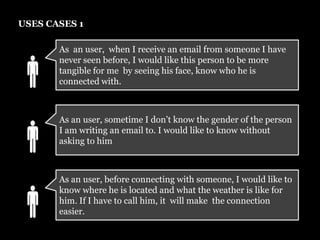
USES CASES 1As  an user,  when I receive an email from someone I have never seen before, I would like this person to be more tangible for me  by seeing his face, know who he is connected with. €As an user, sometime I don’t know the gender of the person I am writing an email to. I would like to know without asking to him€As an user, before connecting with someone, I would like to know where he is located and what the weather is like for him. If I have to call him, it  will make  the connection easier. €
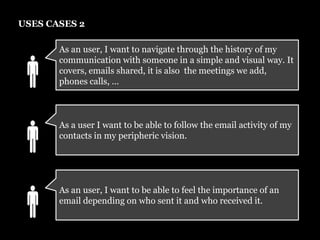
USES CASES 2As an user, I want to navigate through the history of my communication with someone in a simple and visual way. It covers, emails shared, it is also  the meetings we add, phones calls, …€As a user I want to be able to follow the email activity of my contacts in my peripheric vision. €As an user, I want to be able to feel the importance of an email depending on who sent it and who received it. €
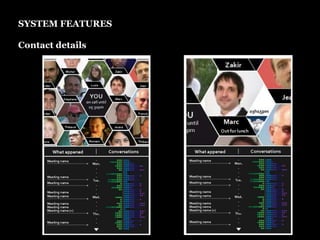
SYSTEM FEATURESContact details
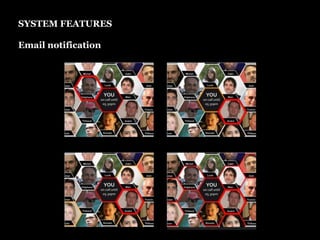
SYSTEM FEATURESEmail notification
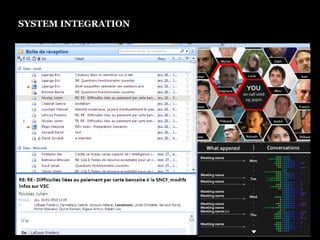
SYSTEM INTEGRATION

Impetus

  • 1.
  • 2.
    IMPETUS How canwe humanize emails by making them not only a functional information exchange but also social connections, through visualization? FromTo€€€network€emails€€€€€€€€€€€€
  • 3.
    PRECEDENTS /INSPIRATION What the key features provided by online social network are? Identity – ability to uniquely identify people in the systemPresence – ability to know who is online, available or otherwise nearbyRelationships – ability to describe how two users in the system are relatedConversations - ability to talk to other people through the systemGroups - ability to form communities of interestReputation – ability to know the status of other people in the systemSharing – ability to share things that are meaningful to participantsSource: http://nform.ca/publications/social-software-building-block
  • 4.
    PRECEDENTS /INSPIRATION Some social networks featuresPresenceFlickrTwitterSharingRelationshipsIdentityConversationsReputationDiggLinkedinGroupsEmails ?FacebookSource: http://nform.ca/publications/social-software-building-block
  • 5.
    PRECEDENTS /INSPIRATION How to create connections through emails ?To be developedNice to haveCould be improvedPresenceRelationshipsSharingIdentityReputationConversationsGroups
  • 6.
  • 7.
  • 8.
  • 9.
  • 10.
    PRECEDENTS IN EMAILSVISUALIZATIONIBM - THREAD ARCS: An Email Thread Visualization 2003
  • 11.
    PRECEDENTS IN EMAILSVISUALIZATIONXobni - Outlook plugin
  • 12.
    TARGETED AUDIENCE“The averagebusinessperson is getting around 80 e-mails per day and many feel that about 80% of the messages in their “In Box” are of little or no value.”Targeted audience is email user for professional purposes. - How can I feel the people behind the messages ?- How can I evaluate messages value? - How can I browse messages in a different way than the standard time based sorting?
  • 13.
    USES CASES 1As an user, when I receive an email from someone I have never seen before, I would like this person to be more tangible for me by seeing his face, know who he is connected with. €As an user, sometime I don’t know the gender of the person I am writing an email to. I would like to know without asking to him€As an user, before connecting with someone, I would like to know where he is located and what the weather is like for him. If I have to call him, it will make the connection easier. €
  • 14.
    USES CASES 2Asan user, I want to navigate through the history of my communication with someone in a simple and visual way. It covers, emails shared, it is also the meetings we add, phones calls, …€As a user I want to be able to follow the email activity of my contacts in my peripheric vision. €As an user, I want to be able to feel the importance of an email depending on who sent it and who received it. €
  • 15.
  • 16.
  • 17.