Let’s really start
Python SIG – PYA
Class 2 – 29/9/15
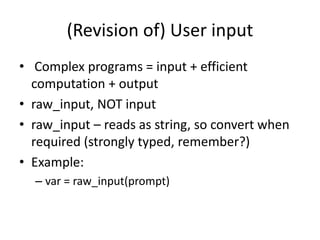
(Revision of) User input
• Complex programs = input + efficient
computation + output
• raw_input, NOT input
• raw_input – reads as string, so convert when
required (strongly typed, remember?)
• Example:
– var = raw_input(prompt)
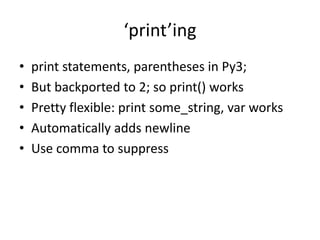
‘print’ing
• print statements, parentheses in Py3;
• But backported to 2; so print() works
• Pretty flexible: print some_string, var works
• Automatically adds newline
• Use comma to suppress
Useful built-ins
• len()
• range() (and xrange())
• sum(), max(), min()
• int(), float(), str()
• dir() – use it to find list and string methods
• Use help() to find out about them
(again) Read the documentation
• Online / Offline
• Google
• Stack Overflow
• (xkcd?)
• “Don’t have to memorise, only know how to
find what you need.”
- Me (in last class)
Obligatory xkcd reference[1]
(Revision of)Boolean
• True / False (capitalization matters!)
• >
• <
• ==
• !=
• >=
• <=
• is , is not (same as id())
if else elif
if SomethingThatEvaluatesToABoolean:
# code
elif SomethingElseThatEvaluatesToABoolean:
# code
else:
# code
Other if structures
• nested if
• elif ladders
• Basically “forking the flow of program”
• Hence called control flow
(Revision of)Strings
• Immutable
• Single or double, they don’t care
• Raw strings
• Escape sequences
• String slicing – string[start:stop:step]
• We count from 0 (why?)
• String methods
String formatting
• What is it? (Immutable)
• %something - %d, %f, %s
– ‘a = %d’ % (a)
• Prefer .format()
• {} sufficient – numbers optional
• More complex things possible
In-class assignment
Write a program that reads two numbers from
the user, (converting them to integers if they
are floating point numbers) and then prints
their sum along with the user input in this
format:
‘enter number 1: ’ 5.67
‘enter number 2: ’ 5.67
‘You entered 5.67 and 5.67. Adding 5 and
5, sum is 10.’
In-class assignment[2]
Write a program that takes input of the form
‘num1,num2,[any one of +-*/]’ as a string
and performs the given operation. In other
words, your program is a simple calculator
which can perform floating point arithmetic.
Try making improvements like asking for no.
of decimal digits to be displayed.
Solution required?
Explanation of solutions
• Essentially it is branching – splitting paths
• Be careful with ‘else’ – executes
unconditionally
• That’s why error handling – ‘try’
• Interesting fact – anything you can code, can
be coded with whatever you know now!
• (But incredibly tedious)
Why loops?
• Essential part of making our programs more
complex.
• When do you use for loops?
• When do you use while loops?
• If (heh.) the while loop is a ‘moving’ if,
what is the for loop?
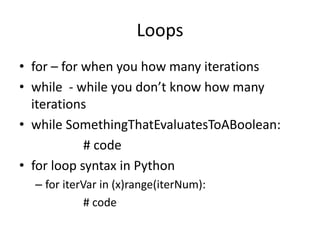
Loops
• for – for when you how many iterations
• while - while you don’t know how many
iterations
• while SomethingThatEvaluatesToABoolean:
# code
• for loop syntax in Python
– for iterVar in (x)range(iterNum):
# code
for loops can do more!
• What is this ‘in’ anyway? (different time
complexity for different cases)
• for char in string
• for line in text
• for item in sequence
–Example: for i in [1,’a’,3]:
print i
# output: 1nan3
Confused / Want to know more?
Let’s do help(‘for’) and see what
we can make of it!
Loop shortcuts:
• break – jumps out of nearest loop
• continue – skips to top of nearest loop
• In what situation can break be used?
• In what situation can continue be used?
In-class assignment
• Input an angle as degrees. And find a
trigonometric ratio based on users choice[out of
sin, cos and tan]. Do this ‘n’ times, where ‘n’ was
entered by the user initially.
HINT : import math. (what is import,
from..import .. ?) [3]
• Input two strings. One takes in login_ID and
other password. It prints “login_ID is successful”
if password is password. Else should show a fail
message and keep prompting user for
password.[3]
In-class assignment
Find the factorial of a given number. Don’t
import math. Try to make your program break
and fix all those cases. (recursive vs.
iterative)[2]
Note that I said ‘number’. What if it user enters
a string and then it leads to a TypeError?
To those who have finished:
• Try to make your calculator (assignment from
earlier today) mimic a real life calculator more.
• That is, make it capable of storing the result of
a calculation and asking the user what
operation to do with that, and so on; until the
user types ‘end’ or something.
Thanks!
Pranav S Bijapur,
ECE, BMSCE, Bangalore
b.pranavshankar@gmail.com
Telegram - @pranavsb
References
• All “(Revision of)” slides were taken from class
1 presentation made by me on 11-9-15
• [1] – xkcd webcomic - https://xkcd.com/1425/
• [2] – idea by Tarun Verma
• [3] – modified form of something Tarun Verma
said

if, while and for in Python

  • 1.
    Let’s really start PythonSIG – PYA Class 2 – 29/9/15
  • 2.
    (Revision of) Userinput • Complex programs = input + efficient computation + output • raw_input, NOT input • raw_input – reads as string, so convert when required (strongly typed, remember?) • Example: – var = raw_input(prompt)
  • 3.
    ‘print’ing • print statements,parentheses in Py3; • But backported to 2; so print() works • Pretty flexible: print some_string, var works • Automatically adds newline • Use comma to suppress
  • 4.
    Useful built-ins • len() •range() (and xrange()) • sum(), max(), min() • int(), float(), str() • dir() – use it to find list and string methods • Use help() to find out about them
  • 5.
    (again) Read thedocumentation • Online / Offline • Google • Stack Overflow • (xkcd?) • “Don’t have to memorise, only know how to find what you need.” - Me (in last class)
  • 6.
  • 7.
    (Revision of)Boolean • True/ False (capitalization matters!) • > • < • == • != • >= • <= • is , is not (same as id())
  • 8.
    if else elif ifSomethingThatEvaluatesToABoolean: # code elif SomethingElseThatEvaluatesToABoolean: # code else: # code
  • 9.
    Other if structures •nested if • elif ladders • Basically “forking the flow of program” • Hence called control flow
  • 10.
    (Revision of)Strings • Immutable •Single or double, they don’t care • Raw strings • Escape sequences • String slicing – string[start:stop:step] • We count from 0 (why?) • String methods
  • 11.
    String formatting • Whatis it? (Immutable) • %something - %d, %f, %s – ‘a = %d’ % (a) • Prefer .format() • {} sufficient – numbers optional • More complex things possible
  • 12.
    In-class assignment Write aprogram that reads two numbers from the user, (converting them to integers if they are floating point numbers) and then prints their sum along with the user input in this format: ‘enter number 1: ’ 5.67 ‘enter number 2: ’ 5.67 ‘You entered 5.67 and 5.67. Adding 5 and 5, sum is 10.’
  • 13.
    In-class assignment[2] Write aprogram that takes input of the form ‘num1,num2,[any one of +-*/]’ as a string and performs the given operation. In other words, your program is a simple calculator which can perform floating point arithmetic. Try making improvements like asking for no. of decimal digits to be displayed.
  • 14.
  • 15.
    Explanation of solutions •Essentially it is branching – splitting paths • Be careful with ‘else’ – executes unconditionally • That’s why error handling – ‘try’ • Interesting fact – anything you can code, can be coded with whatever you know now! • (But incredibly tedious)
  • 16.
    Why loops? • Essentialpart of making our programs more complex. • When do you use for loops? • When do you use while loops? • If (heh.) the while loop is a ‘moving’ if, what is the for loop?
  • 17.
    Loops • for –for when you how many iterations • while - while you don’t know how many iterations • while SomethingThatEvaluatesToABoolean: # code • for loop syntax in Python – for iterVar in (x)range(iterNum): # code
  • 18.
    for loops cando more! • What is this ‘in’ anyway? (different time complexity for different cases) • for char in string • for line in text • for item in sequence –Example: for i in [1,’a’,3]: print i # output: 1nan3
  • 19.
    Confused / Wantto know more? Let’s do help(‘for’) and see what we can make of it!
  • 20.
    Loop shortcuts: • break– jumps out of nearest loop • continue – skips to top of nearest loop • In what situation can break be used? • In what situation can continue be used?
  • 21.
    In-class assignment • Inputan angle as degrees. And find a trigonometric ratio based on users choice[out of sin, cos and tan]. Do this ‘n’ times, where ‘n’ was entered by the user initially. HINT : import math. (what is import, from..import .. ?) [3] • Input two strings. One takes in login_ID and other password. It prints “login_ID is successful” if password is password. Else should show a fail message and keep prompting user for password.[3]
  • 22.
    In-class assignment Find thefactorial of a given number. Don’t import math. Try to make your program break and fix all those cases. (recursive vs. iterative)[2] Note that I said ‘number’. What if it user enters a string and then it leads to a TypeError?
  • 23.
    To those whohave finished: • Try to make your calculator (assignment from earlier today) mimic a real life calculator more. • That is, make it capable of storing the result of a calculation and asking the user what operation to do with that, and so on; until the user types ‘end’ or something.
  • 24.
    Thanks! Pranav S Bijapur, ECE,BMSCE, Bangalore b.pranavshankar@gmail.com Telegram - @pranavsb
  • 25.
    References • All “(Revisionof)” slides were taken from class 1 presentation made by me on 11-9-15 • [1] – xkcd webcomic - https://xkcd.com/1425/ • [2] – idea by Tarun Verma • [3] – modified form of something Tarun Verma said