INFORMATION &
COMMUNICATIONS
TECHNOLOGY
(ICT) 6
Microsoft Word
A.C.T.S.
Prayer
Guide
What day is today?
Today is Tuesday the 7th of June, 2022
How is the weather?
It is …
Sunny Rainy
Cloudy Stormy
Objective:
Doing the final assessment and self
assessment
Agenda:
Working with text
1. Review of the second assessment
2.Understanding the final assessment
3.Doing the self assessment
4.Do the quiz this is part of the final
assessment
5.Hands to work, time to do the final
assessment
6.See you in 8 days!
Review of 2nd assessment:
Let’s check some of your works
We are going to review 6
of your works
What is the final assessment:
The time has come
Till the end of the class, you will work in the final assessment:
The final assessment is a document where you are going to apply all that we have seen
The Main topic is: Any of your hobbies, You can talk about its history, its practices, its
characteristics and what ever you want about it, you must use at least 200 words
• Basic document management(creating and saving documents)
• Text basics and formatting text (Using different type of font, font color, size)
• Index and tabs line and paragraph spacing(Use different types of text aligning and indents as
well)
• Lists and hyperlinks(use at least 1 list and 1 hyper link)
• Pictures and text wrapping(Use at least 2 images and apply different formats to it)
• Shapes(use at least 2 shapes and apply formats to it)
• Using smart art and modifying the text styles(use at least 1 smart art to show information)
• You have till… ??????
But first the self
assessment!:
Go to this link and follow the indications of the teacher
to grade yourself
Remember this is the 10% of your final grade answer
with honesty
LINK
Bonus Quiz
■ In the link below you will find a quiz with 14 questions,
a grade of the 10 or more correspond to a grade of 10
■ You will upload a screenshot with your results in the
LMS along with your final assessment, this will add a
bonus to the lowest grade you have
■ https://edu.gcfglobal.org/en/word2016/word-quiz/1/
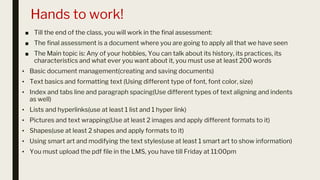
Hands to work!
■ Till the end of the class, you will work in the final assessment:
■ The final assessment is a document where you are going to apply all that we have seen
■ The Main topic is: Any of your hobbies, You can talk about its history, its practices, its
characteristics and what ever you want about it, you must use at least 200 words
• Basic document management(creating and saving documents)
• Text basics and formatting text (Using different type of font, font color, size)
• Index and tabs line and paragraph spacing(Use different types of text aligning and indents
as well)
• Lists and hyperlinks(use at least 1 list and 1 hyper link)
• Pictures and text wrapping(Use at least 2 images and apply different formats to it)
• Shapes(use at least 2 shapes and apply formats to it)
• Using smart art and modifying the text styles(use at least 1 smart art to show information)
• You must upload the pdf file in the LMS, you have till Friday at 11:00pm
Next class:
Time to relax, and
spectations of next
term

ICT-6 Week 8.pptx

  • 1.
  • 2.
  • 3.
    What day istoday? Today is Tuesday the 7th of June, 2022 How is the weather? It is … Sunny Rainy Cloudy Stormy
  • 4.
    Objective: Doing the finalassessment and self assessment
  • 5.
    Agenda: Working with text 1.Review of the second assessment 2.Understanding the final assessment 3.Doing the self assessment 4.Do the quiz this is part of the final assessment 5.Hands to work, time to do the final assessment 6.See you in 8 days!
  • 6.
    Review of 2ndassessment: Let’s check some of your works We are going to review 6 of your works
  • 7.
    What is thefinal assessment: The time has come Till the end of the class, you will work in the final assessment: The final assessment is a document where you are going to apply all that we have seen The Main topic is: Any of your hobbies, You can talk about its history, its practices, its characteristics and what ever you want about it, you must use at least 200 words • Basic document management(creating and saving documents) • Text basics and formatting text (Using different type of font, font color, size) • Index and tabs line and paragraph spacing(Use different types of text aligning and indents as well) • Lists and hyperlinks(use at least 1 list and 1 hyper link) • Pictures and text wrapping(Use at least 2 images and apply different formats to it) • Shapes(use at least 2 shapes and apply formats to it) • Using smart art and modifying the text styles(use at least 1 smart art to show information) • You have till… ??????
  • 8.
    But first theself assessment!: Go to this link and follow the indications of the teacher to grade yourself Remember this is the 10% of your final grade answer with honesty LINK
  • 9.
    Bonus Quiz ■ Inthe link below you will find a quiz with 14 questions, a grade of the 10 or more correspond to a grade of 10 ■ You will upload a screenshot with your results in the LMS along with your final assessment, this will add a bonus to the lowest grade you have ■ https://edu.gcfglobal.org/en/word2016/word-quiz/1/
  • 10.
    Hands to work! ■Till the end of the class, you will work in the final assessment: ■ The final assessment is a document where you are going to apply all that we have seen ■ The Main topic is: Any of your hobbies, You can talk about its history, its practices, its characteristics and what ever you want about it, you must use at least 200 words • Basic document management(creating and saving documents) • Text basics and formatting text (Using different type of font, font color, size) • Index and tabs line and paragraph spacing(Use different types of text aligning and indents as well) • Lists and hyperlinks(use at least 1 list and 1 hyper link) • Pictures and text wrapping(Use at least 2 images and apply different formats to it) • Shapes(use at least 2 shapes and apply formats to it) • Using smart art and modifying the text styles(use at least 1 smart art to show information) • You must upload the pdf file in the LMS, you have till Friday at 11:00pm
  • 11.
    Next class: Time torelax, and spectations of next term