


HTML5 Games
with CreateJS
TWITTER: @david_kelleher
SLIDES: slideshare.net/davekelleher/
Game: davidk.net/game/
Outline
 Game Theory
 Object Oriented Concepts
 HTML5 Game Frameworks
 CreateJS Overview
 Code for Dodgeball Game
 Other CreateJS Features
 Atari SDK
Game Theory
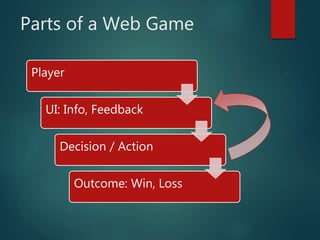
Player
UI: Info, Feedback
Decision / Action
Outcome: Win, Loss
Parts of a Web Game
Player
 Cartoon character in gym
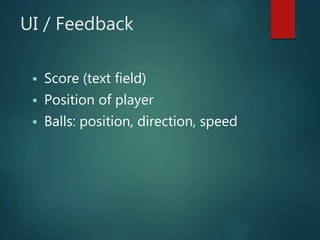
UI / Feedback
 Score (text field)
 Position of player
 Balls: position, direction, speed
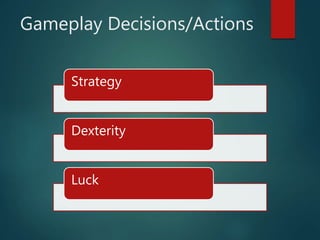
Strategy
Dexterity
Luck
Gameplay Decisions/Actions
Decision / Action
 Strategy: Avoid or catch ball?
 Dexterity: Click to “catch” ball
Outcome
 Score point for touching clicked
(catchable) ball
 End game when hit by unclicked
ball
Object Oriented
Object Oriented
A procedural coding strategy
would have a game loop with a
massively complex controller.
Use an object oriented coding
strategy instead.
Object Oriented
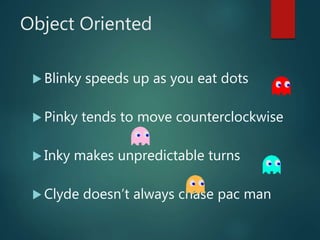
 Blinky speeds up as you eat dots
 Pinky tends to move counterclockwise
 Inky makes unpredictable turns
 Clyde doesn’t always chase pac man
Object Oriented
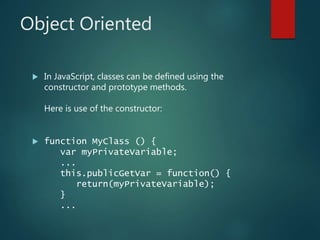
 In JavaScript, classes can be defined using the
constructor and prototype methods.
Here is use of the constructor:
 function MyClass () {
var myPrivateVariable;
...
this.publicGetVar = function() {
return(myPrivateVariable);
}
...
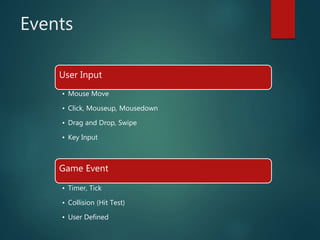
Events
User Input
• Mouse Move
• Click, Mouseup, Mousedown
• Drag and Drop, Swipe
• Key Input
Game Event
• Timer, Tick
• Collision (Hit Test)
• User Defined
HTML5
Frameworks
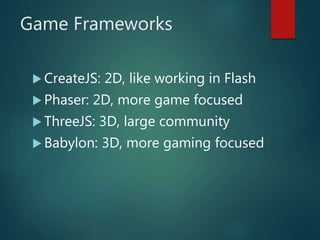
Game Frameworks
 CreateJS: 2D, like working in Flash
 Phaser: 2D, more game focused
 ThreeJS: 3D, large community
 Babylon: 3D, more gaming focused
CreateJS
CreateJS
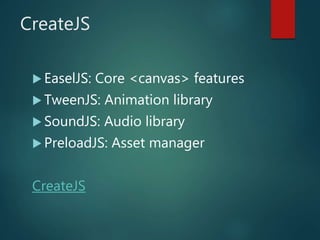
 EaselJS: Core <canvas> features
 TweenJS: Animation library
 SoundJS: Audio library
 PreloadJS: Asset manager
CreateJS
Dodgeball Code
Dave’s Dodgeball HTML5
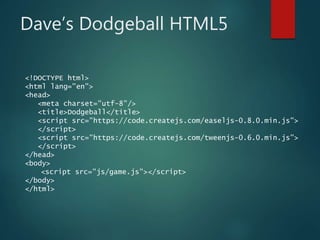
<!DOCTYPE html>
<html lang="en">
<head>
<meta charset="utf-8"/>
<title>Dodgeball</title>
<script src="https://code.createjs.com/easeljs-0.8.0.min.js">
</script>
<script src="https://code.createjs.com/tweenjs-0.6.0.min.js">
</script>
</head>
<body>
<script src="js/game.js"></script>
</body>
</html>
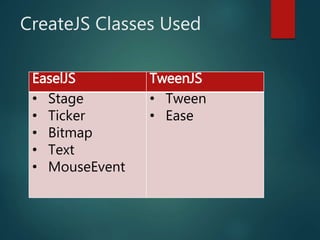
CreateJS Classes Used
EaselJS TweenJS
• Stage
• Ticker
• Bitmap
• Text
• MouseEvent
• Tween
• Ease
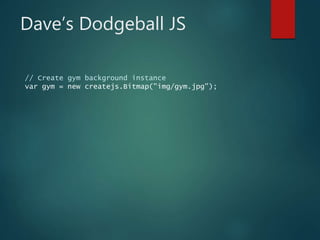
Dave’s Dodgeball JS
// Create gym background instance
var gym = new createjs.Bitmap("img/gym.jpg");
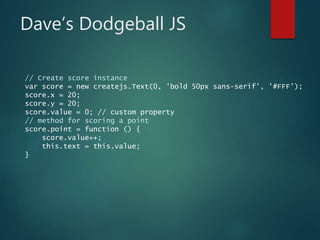
Dave’s Dodgeball JS
// Create score instance
var score = new createjs.Text(0, 'bold 50px sans-serif', '#FFF');
score.x = 20;
score.y = 20;
score.value = 0; // custom property
// method for scoring a point
score.point = function () {
score.value++;
this.text = this.value;
}
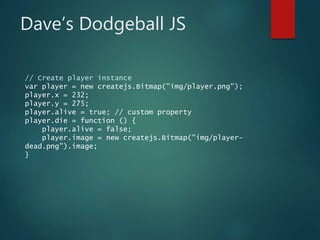
Dave’s Dodgeball JS
// Create player instance
var player = new createjs.Bitmap("img/player.png");
player.x = 232;
player.y = 275;
player.alive = true; // custom property
player.die = function () {
player.alive = false;
player.image = new createjs.Bitmap("img/player-
dead.png").image;
}
Dave’s Dodgeball JS
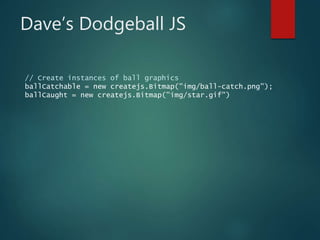
// Create instances of ball graphics
ballCatchable = new createjs.Bitmap("img/ball-catch.png");
ballCaught = new createjs.Bitmap("img/star.gif")
Dave’s Dodgeball JS
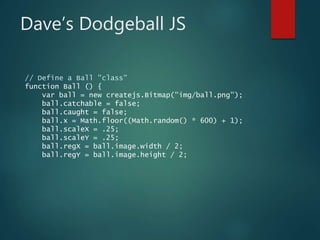
// Define a Ball "class"
function Ball () {
var ball = new createjs.Bitmap("img/ball.png");
ball.catchable = false;
ball.caught = false;
ball.x = Math.floor((Math.random() * 600) + 1);
ball.scaleX = .25;
ball.scaleY = .25;
ball.regX = ball.image.width / 2;
ball.regY = ball.image.height / 2;
Dave’s Dodgeball JS
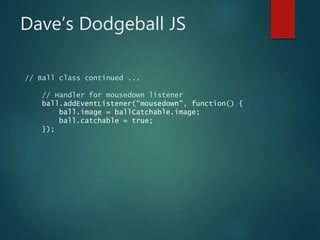
// Ball class continued ...
// Handler for mousedown listener
ball.addEventListener("mousedown", function() {
ball.image = ballCatchable.image;
ball.catchable = true;
});
Dave’s Dodgeball JS
// Ball class continued ...
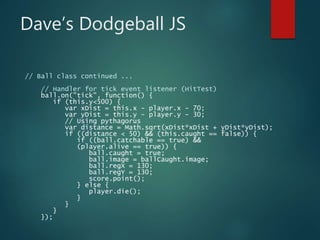
// Handler for tick event listener (HitTest)
ball.on("tick", function() {
if (this.y<500) {
var xDist = this.x - player.x - 70;
var yDist = this.y - player.y - 30;
// Using pythagorus
var distance = Math.sqrt(xDist*xDist + yDist*yDist);
if ((distance < 50) && (this.caught == false)) {
if ((ball.catchable == true) &&
(player.alive == true)) {
ball.caught = true;
ball.image = ballCaught.image;
ball.regX = 130;
ball.regY = 130;
score.point();
} else {
player.die();
}
}
}
});
Dave’s Dodgeball JS
// Ball class continued ...
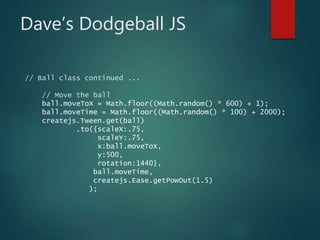
// Move the ball
ball.moveToX = Math.floor((Math.random() * 600) + 1);
ball.moveTime = Math.floor((Math.random() * 100) + 2000);
createjs.Tween.get(ball)
.to({scaleX:.75,
scaleY:.75,
x:ball.moveToX,
y:500,
rotation:1440},
ball.moveTime,
createjs.Ease.getPowOut(1.5)
);
Dave’s Dodgeball JS
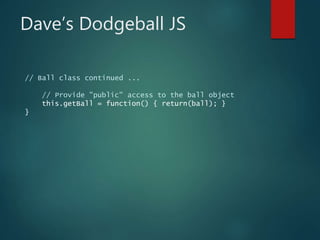
// Ball class continued ...
// Provide "public" access to the ball object
this.getBall = function() { return(ball); }
}
Dave’s Dodgeball JS
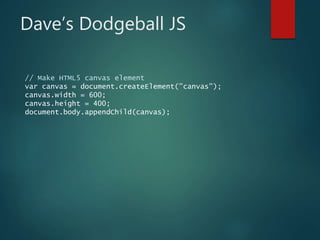
// Make HTML5 canvas element
var canvas = document.createElement("canvas");
canvas.width = 600;
canvas.height = 400;
document.body.appendChild(canvas);
Dave’s Dodgeball JS
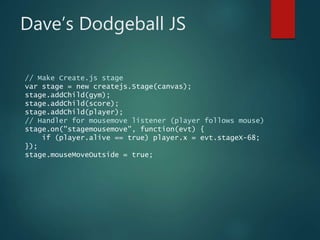
// Make Create.js stage
var stage = new createjs.Stage(canvas);
stage.addChild(gym);
stage.addChild(score);
stage.addChild(player);
// Handler for mousemove listener (player follows mouse)
stage.on("stagemousemove", function(evt) {
if (player.alive == true) player.x = evt.stageX-68;
});
stage.mouseMoveOutside = true;
Dave’s Dodgeball JS
// Add a ticker to the stage object
var tickHandle = createjs.Ticker.on("tick", stage);
createjs.Ticker.setFPS(60);
Dave’s Dodgeball JS
// Ticker continued ...
createjs.Ticker.addEventListener("tick", function() {
// Add ball instance
randomNumber = Math.floor((Math.random() * 60) + 1);
if ((randomNumber == 1) && (player.alive == true)) {
stage.addChild(new Ball().getBall());
}
});
More CreateJS
SpriteSheet
SpriteSheet Class
var data = {
images: ["sprites.jpg"],
frames: {width:50, height:50},
animations: {
stand:0,
run:[1,5],
jump:[6,8,"run"]
}
};
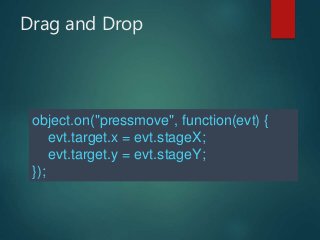
Drag and Drop
object.on("pressmove", function(evt) {
evt.target.x = evt.stageX;
evt.target.y = evt.stageY;
});
Atari Arcade SDK
Atari Arcade
 https://www.atari.com/arcade/developers
 Atari Arcade SDK (extends CreateJS)
https://github.com/AtariAdmin/AtariArcadeSDK
HTML5 Games
with CreateJS
TWITTER: @david_kelleher
SLIDES: slideshare.net/davekelleher/
Game: davidk.net/game/

HTML5 Games with CreateJS

  • 1.
    HTML5 Games with CreateJS TWITTER:@david_kelleher SLIDES: slideshare.net/davekelleher/ Game: davidk.net/game/
  • 2.
    Outline  Game Theory Object Oriented Concepts  HTML5 Game Frameworks  CreateJS Overview  Code for Dodgeball Game  Other CreateJS Features  Atari SDK
  • 3.
  • 4.
    Player UI: Info, Feedback Decision/ Action Outcome: Win, Loss Parts of a Web Game
  • 5.
  • 6.
    UI / Feedback Score (text field)  Position of player  Balls: position, direction, speed
  • 7.
  • 8.
    Decision / Action Strategy: Avoid or catch ball?  Dexterity: Click to “catch” ball
  • 9.
    Outcome  Score pointfor touching clicked (catchable) ball  End game when hit by unclicked ball
  • 10.
  • 11.
    Object Oriented A proceduralcoding strategy would have a game loop with a massively complex controller. Use an object oriented coding strategy instead.
  • 12.
    Object Oriented  Blinkyspeeds up as you eat dots  Pinky tends to move counterclockwise  Inky makes unpredictable turns  Clyde doesn’t always chase pac man
  • 13.
    Object Oriented  InJavaScript, classes can be defined using the constructor and prototype methods. Here is use of the constructor:  function MyClass () { var myPrivateVariable; ... this.publicGetVar = function() { return(myPrivateVariable); } ...
  • 14.
    Events User Input • MouseMove • Click, Mouseup, Mousedown • Drag and Drop, Swipe • Key Input Game Event • Timer, Tick • Collision (Hit Test) • User Defined
  • 15.
  • 16.
    Game Frameworks  CreateJS:2D, like working in Flash  Phaser: 2D, more game focused  ThreeJS: 3D, large community  Babylon: 3D, more gaming focused
  • 17.
  • 18.
    CreateJS  EaselJS: Core<canvas> features  TweenJS: Animation library  SoundJS: Audio library  PreloadJS: Asset manager CreateJS
  • 19.
  • 20.
    Dave’s Dodgeball HTML5 <!DOCTYPEhtml> <html lang="en"> <head> <meta charset="utf-8"/> <title>Dodgeball</title> <script src="https://code.createjs.com/easeljs-0.8.0.min.js"> </script> <script src="https://code.createjs.com/tweenjs-0.6.0.min.js"> </script> </head> <body> <script src="js/game.js"></script> </body> </html>
  • 21.
    CreateJS Classes Used EaselJSTweenJS • Stage • Ticker • Bitmap • Text • MouseEvent • Tween • Ease
  • 22.
    Dave’s Dodgeball JS //Create gym background instance var gym = new createjs.Bitmap("img/gym.jpg");
  • 23.
    Dave’s Dodgeball JS //Create score instance var score = new createjs.Text(0, 'bold 50px sans-serif', '#FFF'); score.x = 20; score.y = 20; score.value = 0; // custom property // method for scoring a point score.point = function () { score.value++; this.text = this.value; }
  • 24.
    Dave’s Dodgeball JS //Create player instance var player = new createjs.Bitmap("img/player.png"); player.x = 232; player.y = 275; player.alive = true; // custom property player.die = function () { player.alive = false; player.image = new createjs.Bitmap("img/player- dead.png").image; }
  • 25.
    Dave’s Dodgeball JS //Create instances of ball graphics ballCatchable = new createjs.Bitmap("img/ball-catch.png"); ballCaught = new createjs.Bitmap("img/star.gif")
  • 26.
    Dave’s Dodgeball JS //Define a Ball "class" function Ball () { var ball = new createjs.Bitmap("img/ball.png"); ball.catchable = false; ball.caught = false; ball.x = Math.floor((Math.random() * 600) + 1); ball.scaleX = .25; ball.scaleY = .25; ball.regX = ball.image.width / 2; ball.regY = ball.image.height / 2;
  • 27.
    Dave’s Dodgeball JS //Ball class continued ... // Handler for mousedown listener ball.addEventListener("mousedown", function() { ball.image = ballCatchable.image; ball.catchable = true; });
  • 28.
    Dave’s Dodgeball JS //Ball class continued ... // Handler for tick event listener (HitTest) ball.on("tick", function() { if (this.y<500) { var xDist = this.x - player.x - 70; var yDist = this.y - player.y - 30; // Using pythagorus var distance = Math.sqrt(xDist*xDist + yDist*yDist); if ((distance < 50) && (this.caught == false)) { if ((ball.catchable == true) && (player.alive == true)) { ball.caught = true; ball.image = ballCaught.image; ball.regX = 130; ball.regY = 130; score.point(); } else { player.die(); } } } });
  • 29.
    Dave’s Dodgeball JS //Ball class continued ... // Move the ball ball.moveToX = Math.floor((Math.random() * 600) + 1); ball.moveTime = Math.floor((Math.random() * 100) + 2000); createjs.Tween.get(ball) .to({scaleX:.75, scaleY:.75, x:ball.moveToX, y:500, rotation:1440}, ball.moveTime, createjs.Ease.getPowOut(1.5) );
  • 30.
    Dave’s Dodgeball JS //Ball class continued ... // Provide "public" access to the ball object this.getBall = function() { return(ball); } }
  • 31.
    Dave’s Dodgeball JS //Make HTML5 canvas element var canvas = document.createElement("canvas"); canvas.width = 600; canvas.height = 400; document.body.appendChild(canvas);
  • 32.
    Dave’s Dodgeball JS //Make Create.js stage var stage = new createjs.Stage(canvas); stage.addChild(gym); stage.addChild(score); stage.addChild(player); // Handler for mousemove listener (player follows mouse) stage.on("stagemousemove", function(evt) { if (player.alive == true) player.x = evt.stageX-68; }); stage.mouseMoveOutside = true;
  • 33.
    Dave’s Dodgeball JS //Add a ticker to the stage object var tickHandle = createjs.Ticker.on("tick", stage); createjs.Ticker.setFPS(60);
  • 34.
    Dave’s Dodgeball JS //Ticker continued ... createjs.Ticker.addEventListener("tick", function() { // Add ball instance randomNumber = Math.floor((Math.random() * 60) + 1); if ((randomNumber == 1) && (player.alive == true)) { stage.addChild(new Ball().getBall()); } });
  • 35.
  • 36.
  • 37.
    SpriteSheet Class var data= { images: ["sprites.jpg"], frames: {width:50, height:50}, animations: { stand:0, run:[1,5], jump:[6,8,"run"] } };
  • 38.
    Drag and Drop object.on("pressmove",function(evt) { evt.target.x = evt.stageX; evt.target.y = evt.stageY; });
  • 39.
  • 40.
    Atari Arcade  https://www.atari.com/arcade/developers Atari Arcade SDK (extends CreateJS) https://github.com/AtariAdmin/AtariArcadeSDK
  • 41.
    HTML5 Games with CreateJS TWITTER:@david_kelleher SLIDES: slideshare.net/davekelleher/ Game: davidk.net/game/