


1
Pham Tung
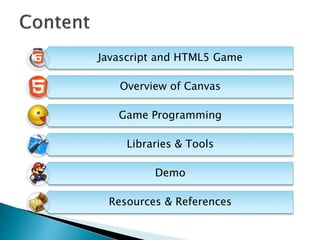
Javascript and HTML5 Game
Overview of Canvas
Game Programming
Libraries & Tools
Demo
Resources & References
- Let’s Get Start
3
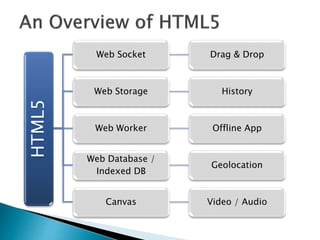
HTML5
Web Socket Drag & Drop
Web Storage History
Web Worker Offline App
Web Database /
Indexed DB
Geolocation
Canvas Video / Audio
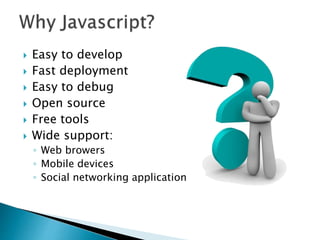
 Easy to develop
 Fast deployment
 Easy to debug
 Open source
 Free tools
 Wide support:
◦ Web browers
◦ Mobile devices
◦ Social networking application
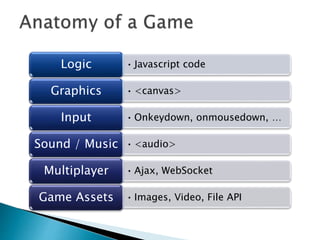
• Javascript codeLogic
• <canvas>Graphics
• Onkeydown, onmousedown, …Input
• <audio>Sound / Music
• Ajax, WebSocketMultiplayer
• Images, Video, File APIGame Assets
- A Quick Tour of Using Canvas from
Javascript
8
 2D drawing platform within the browser
 Uses nothing more than JavaScript and HTML
– no plugins
 Extensible through a JavaScript API
 Created by Apple for dashboard widgets
 Now openly developed as a W3C spec
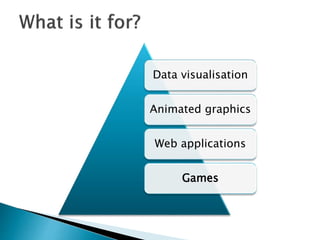
Data visualisation
Animated graphics
Web applications
Games
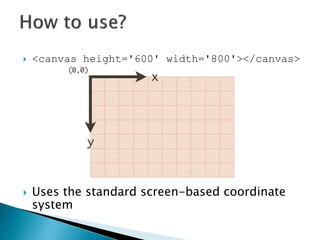
 <canvas height='600' width='800'></canvas>
 Uses the standard screen-based coordinate
system
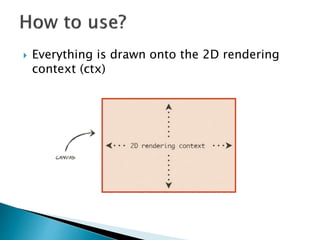
 Everything is drawn onto the 2D rendering
context (ctx)
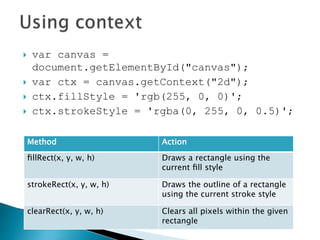
 var canvas =
document.getElementById("canvas");
 var ctx = canvas.getContext("2d");
 ctx.fillStyle = 'rgb(255, 0, 0)';
 ctx.strokeStyle = 'rgba(0, 255, 0, 0.5)';
Method Action
fillRect(x, y, w, h) Draws a rectangle using the
current fill style
strokeRect(x, y, w, h) Draws the outline of a rectangle
using the current stroke style
clearRect(x, y, w, h) Clears all pixels within the given
rectangle
 Text
 Shadows & blurring
 Lines, shapes, image
 Gradients
 Saving state of drawing context
 Transformations
 Composites
 Pixel Manipulation
 http://www.html5canvastutorials.com/
 OOP programming allows much to be
achieved through canvas
 It’ s flexible and powerful
◦ Animation engines
◦ Pseudo 3D graphics
 Reading pixel values opens a lot of doors
 Integration with other HTML5 elements is a
killer feature
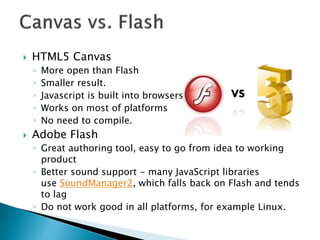
 HTML5 Canvas
◦ More open than Flash
◦ Smaller result.
◦ Javascript is built into browsers
◦ Works on most of platforms
◦ No need to compile.
 Adobe Flash
◦ Great authoring tool, easy to go from idea to working
product
◦ Better sound support - many JavaScript libraries
use SoundManager2, which falls back on Flash and tends
to lag
◦ Do not work good in all platforms, for example Linux.
- Get to the Core of the Problem
17
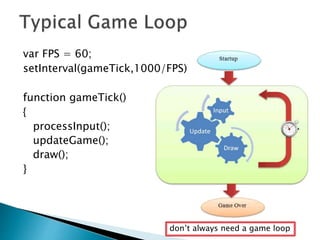
var FPS = 60;
setInterval(gameTick,1000/FPS)
function gameTick()
{
processInput();
updateGame();
draw();
}
don’t always need a game loop
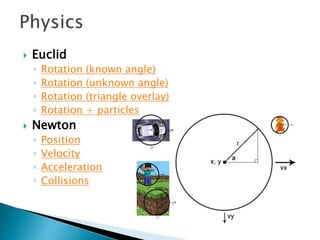
 Euclid
◦ Rotation (known angle)
◦ Rotation (unknown angle)
◦ Rotation (triangle overlay)
◦ Rotation + particles
 Newton
◦ Position
◦ Velocity
◦ Acceleration
◦ Collisions
 Optimizing game loop, skipping draw.
 Use requestAnimationFrame instead of
setInterval / setTimeout.
 Frame buffering, multiple canvases.
 Avoid unnecessary canvas state change.
 Dirty rectangle: redraw only those areas that
have changed.
 Use DOM Elements whenever possible.
– Make everything simple
21
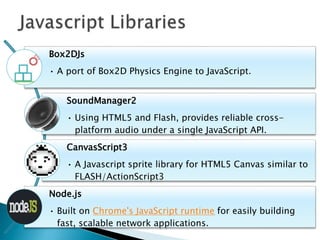
Box2DJs
• A port of Box2D Physics Engine to JavaScript.
SoundManager2
• Using HTML5 and Flash, provides reliable cross-
platform audio under a single JavaScript API.
CanvasScript3
• A Javascript sprite library for HTML5 Canvas similar to
FLASH/ActionScript3
Node.js
• Built on Chrome's JavaScript runtime for easily building
fast, scalable network applications.
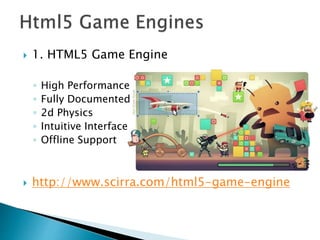
 1. HTML5 Game Engine
◦ High Performance
◦ Fully Documented
◦ 2d Physics
◦ Intuitive Interface
◦ Offline Support
 http://www.scirra.com/html5-game-engine
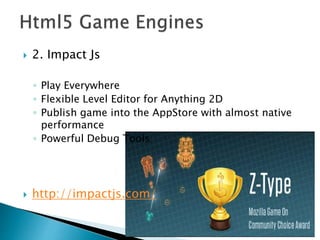
 2. Impact Js
◦ Play Everywhere
◦ Flexible Level Editor for Anything 2D
◦ Publish game into the AppStore with almost native
performance
◦ Powerful Debug Tools
 http://impactjs.com/
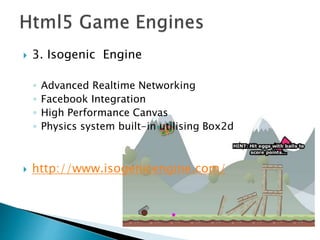
 3. Isogenic Engine
◦ Advanced Realtime Networking
◦ Facebook Integration
◦ High Performance Canvas
◦ Physics system built-in utilising Box2d
 http://www.isogenicengine.com/
- A Two Week Game from Scratch
26
 All the usual gameplay, collect coins and
finish the levels.
 No need to download any plugins to play.
 Online version and source code are available
on http://vietgamedev.net/apps/23/mario/
- For further research
29
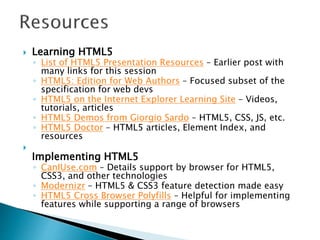
 Learning HTML5
◦ List of HTML5 Presentation Resources – Earlier post with
many links for this session
◦ HTML5: Edition for Web Authors – Focused subset of the
specification for web devs
◦ HTML5 on the Internet Explorer Learning Site – Videos,
tutorials, articles
◦ HTML5 Demos from Giorgio Sardo – HTML5, CSS, JS, etc.
◦ HTML5 Doctor – HTML5 articles, Element Index, and
resources

Implementing HTML5
◦ CanIUse.com – Details support by browser for HTML5,
CSS3, and other technologies
◦ Modernizr – HTML5 & CSS3 feature detection made easy
◦ HTML5 Cross Browser Polyfills – Helpful for implementing
features while supporting a range of browsers
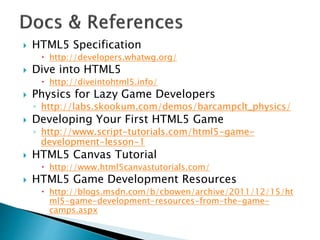
 HTML5 Specification
 http://developers.whatwg.org/
 Dive into HTML5
 http://diveintohtml5.info/
 Physics for Lazy Game Developers
◦ http://labs.skookum.com/demos/barcampclt_physics/
 Developing Your First HTML5 Game
◦ http://www.script-tutorials.com/html5-game-
development-lesson-1
 HTML5 Canvas Tutorial
 http://www.html5canvastutorials.com/
 HTML5 Game Development Resources
 http://blogs.msdn.com/b/cbowen/archive/2011/12/15/ht
ml5-game-development-resources-from-the-game-
camps.aspx
http://vietgamedev.net
http://yinyangit.wordpress.com
32

Html5 Game Development with Canvas

  • 1.
  • 2.
    Javascript and HTML5Game Overview of Canvas Game Programming Libraries & Tools Demo Resources & References
  • 3.
  • 4.
    HTML5 Web Socket Drag& Drop Web Storage History Web Worker Offline App Web Database / Indexed DB Geolocation Canvas Video / Audio
  • 5.
     Easy todevelop  Fast deployment  Easy to debug  Open source  Free tools  Wide support: ◦ Web browers ◦ Mobile devices ◦ Social networking application
  • 7.
    • Javascript codeLogic •<canvas>Graphics • Onkeydown, onmousedown, …Input • <audio>Sound / Music • Ajax, WebSocketMultiplayer • Images, Video, File APIGame Assets
  • 8.
    - A QuickTour of Using Canvas from Javascript 8
  • 9.
     2D drawingplatform within the browser  Uses nothing more than JavaScript and HTML – no plugins  Extensible through a JavaScript API  Created by Apple for dashboard widgets  Now openly developed as a W3C spec
  • 10.
  • 11.
     <canvas height='600'width='800'></canvas>  Uses the standard screen-based coordinate system
  • 12.
     Everything isdrawn onto the 2D rendering context (ctx)
  • 13.
     var canvas= document.getElementById("canvas");  var ctx = canvas.getContext("2d");  ctx.fillStyle = 'rgb(255, 0, 0)';  ctx.strokeStyle = 'rgba(0, 255, 0, 0.5)'; Method Action fillRect(x, y, w, h) Draws a rectangle using the current fill style strokeRect(x, y, w, h) Draws the outline of a rectangle using the current stroke style clearRect(x, y, w, h) Clears all pixels within the given rectangle
  • 14.
     Text  Shadows& blurring  Lines, shapes, image  Gradients  Saving state of drawing context  Transformations  Composites  Pixel Manipulation  http://www.html5canvastutorials.com/
  • 15.
     OOP programmingallows much to be achieved through canvas  It’ s flexible and powerful ◦ Animation engines ◦ Pseudo 3D graphics  Reading pixel values opens a lot of doors  Integration with other HTML5 elements is a killer feature
  • 16.
     HTML5 Canvas ◦More open than Flash ◦ Smaller result. ◦ Javascript is built into browsers ◦ Works on most of platforms ◦ No need to compile.  Adobe Flash ◦ Great authoring tool, easy to go from idea to working product ◦ Better sound support - many JavaScript libraries use SoundManager2, which falls back on Flash and tends to lag ◦ Do not work good in all platforms, for example Linux.
  • 17.
    - Get tothe Core of the Problem 17
  • 18.
    var FPS =60; setInterval(gameTick,1000/FPS) function gameTick() { processInput(); updateGame(); draw(); } don’t always need a game loop
  • 19.
     Euclid ◦ Rotation(known angle) ◦ Rotation (unknown angle) ◦ Rotation (triangle overlay) ◦ Rotation + particles  Newton ◦ Position ◦ Velocity ◦ Acceleration ◦ Collisions
  • 20.
     Optimizing gameloop, skipping draw.  Use requestAnimationFrame instead of setInterval / setTimeout.  Frame buffering, multiple canvases.  Avoid unnecessary canvas state change.  Dirty rectangle: redraw only those areas that have changed.  Use DOM Elements whenever possible.
  • 21.
  • 22.
    Box2DJs • A portof Box2D Physics Engine to JavaScript. SoundManager2 • Using HTML5 and Flash, provides reliable cross- platform audio under a single JavaScript API. CanvasScript3 • A Javascript sprite library for HTML5 Canvas similar to FLASH/ActionScript3 Node.js • Built on Chrome's JavaScript runtime for easily building fast, scalable network applications.
  • 23.
     1. HTML5Game Engine ◦ High Performance ◦ Fully Documented ◦ 2d Physics ◦ Intuitive Interface ◦ Offline Support  http://www.scirra.com/html5-game-engine
  • 24.
     2. ImpactJs ◦ Play Everywhere ◦ Flexible Level Editor for Anything 2D ◦ Publish game into the AppStore with almost native performance ◦ Powerful Debug Tools  http://impactjs.com/
  • 25.
     3. IsogenicEngine ◦ Advanced Realtime Networking ◦ Facebook Integration ◦ High Performance Canvas ◦ Physics system built-in utilising Box2d  http://www.isogenicengine.com/
  • 26.
    - A TwoWeek Game from Scratch 26
  • 27.
     All theusual gameplay, collect coins and finish the levels.  No need to download any plugins to play.  Online version and source code are available on http://vietgamedev.net/apps/23/mario/
  • 29.
    - For furtherresearch 29
  • 30.
     Learning HTML5 ◦List of HTML5 Presentation Resources – Earlier post with many links for this session ◦ HTML5: Edition for Web Authors – Focused subset of the specification for web devs ◦ HTML5 on the Internet Explorer Learning Site – Videos, tutorials, articles ◦ HTML5 Demos from Giorgio Sardo – HTML5, CSS, JS, etc. ◦ HTML5 Doctor – HTML5 articles, Element Index, and resources  Implementing HTML5 ◦ CanIUse.com – Details support by browser for HTML5, CSS3, and other technologies ◦ Modernizr – HTML5 & CSS3 feature detection made easy ◦ HTML5 Cross Browser Polyfills – Helpful for implementing features while supporting a range of browsers
  • 31.
     HTML5 Specification http://developers.whatwg.org/  Dive into HTML5  http://diveintohtml5.info/  Physics for Lazy Game Developers ◦ http://labs.skookum.com/demos/barcampclt_physics/  Developing Your First HTML5 Game ◦ http://www.script-tutorials.com/html5-game- development-lesson-1  HTML5 Canvas Tutorial  http://www.html5canvastutorials.com/  HTML5 Game Development Resources  http://blogs.msdn.com/b/cbowen/archive/2011/12/15/ht ml5-game-development-resources-from-the-game- camps.aspx
  • 32.