B Y
A K S H A Y A . K H A L E
How to create strong computer
Password ?
Some Facts of Computer Password
78% of people keep their passwords very easy or easy
to guess i.e. their relatives names or cell phone
numbers etc.
The most shocking news is that 58% of those are
belonging to I.T. field who knows about computerbelonging to I.T. field who knows about computer
hacking.
How to create a strong Number Password
If the password should be only numeric the in spite
of using cell phone number you can create a
password by creating pattern of numbers which is
creating some pattern on numbers pad eg 2684
creating a diamond on num-Pad and if you want it tocreating a diamond on num-Pad and if you want it to
be long then you can create a different pattern like
maze-lock of android eg 74123 creating L-shaped
pattern on num-pad.
Creating A strong Password with combination of
Letters and Symbols and Numbers
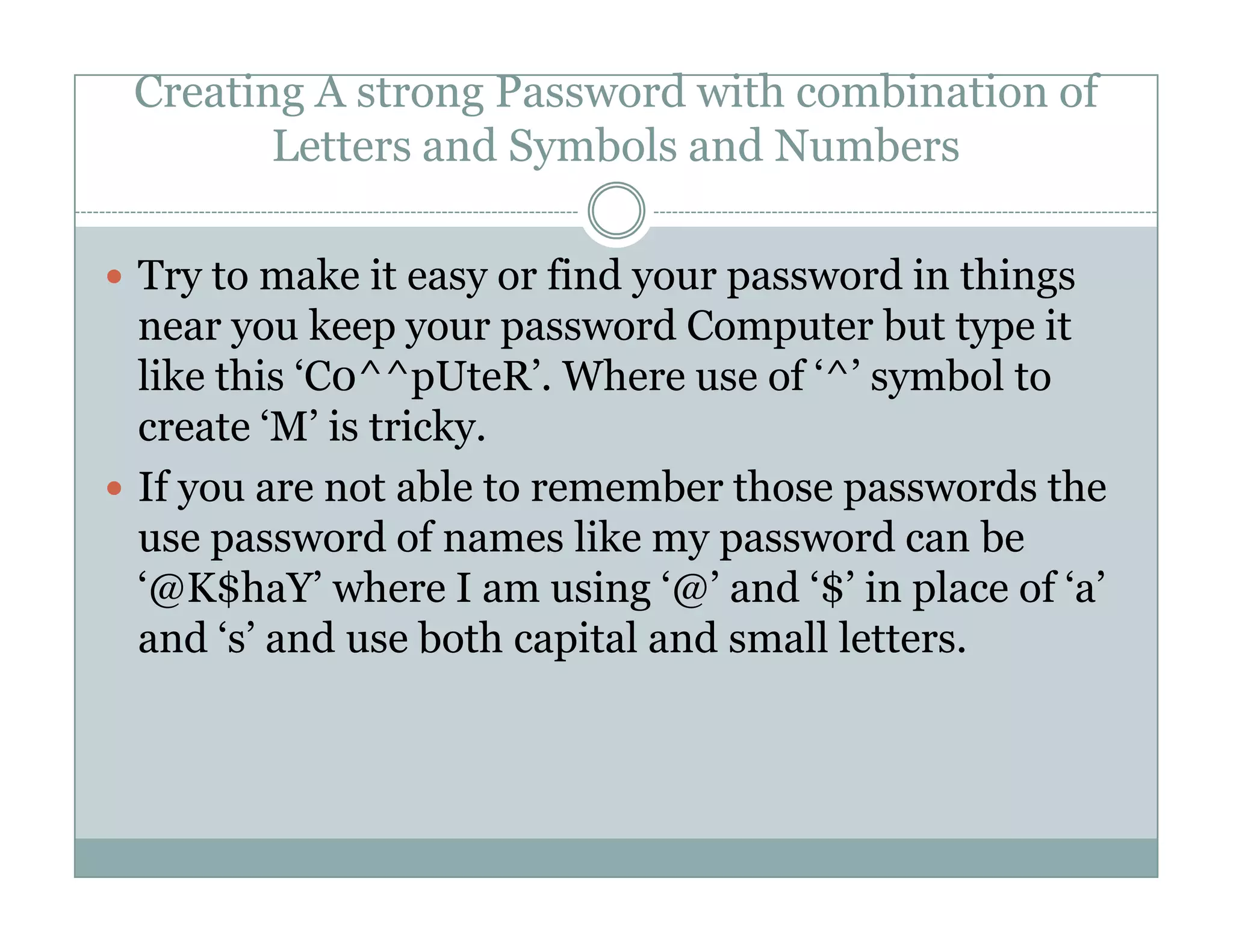
Try to make it easy or find your password in things
near you keep your password Computer but type it
like this ‘C0^^pUteR’. Where use of ‘^’ symbol to
create ‘M’ is tricky.
If you are not able to remember those passwords theIf you are not able to remember those passwords the
use password of names like my password can be
‘@K$haY’ where I am using ‘@’ and ‘$’ in place of ‘a’
and ‘s’ and use both capital and small letters.
Cont.
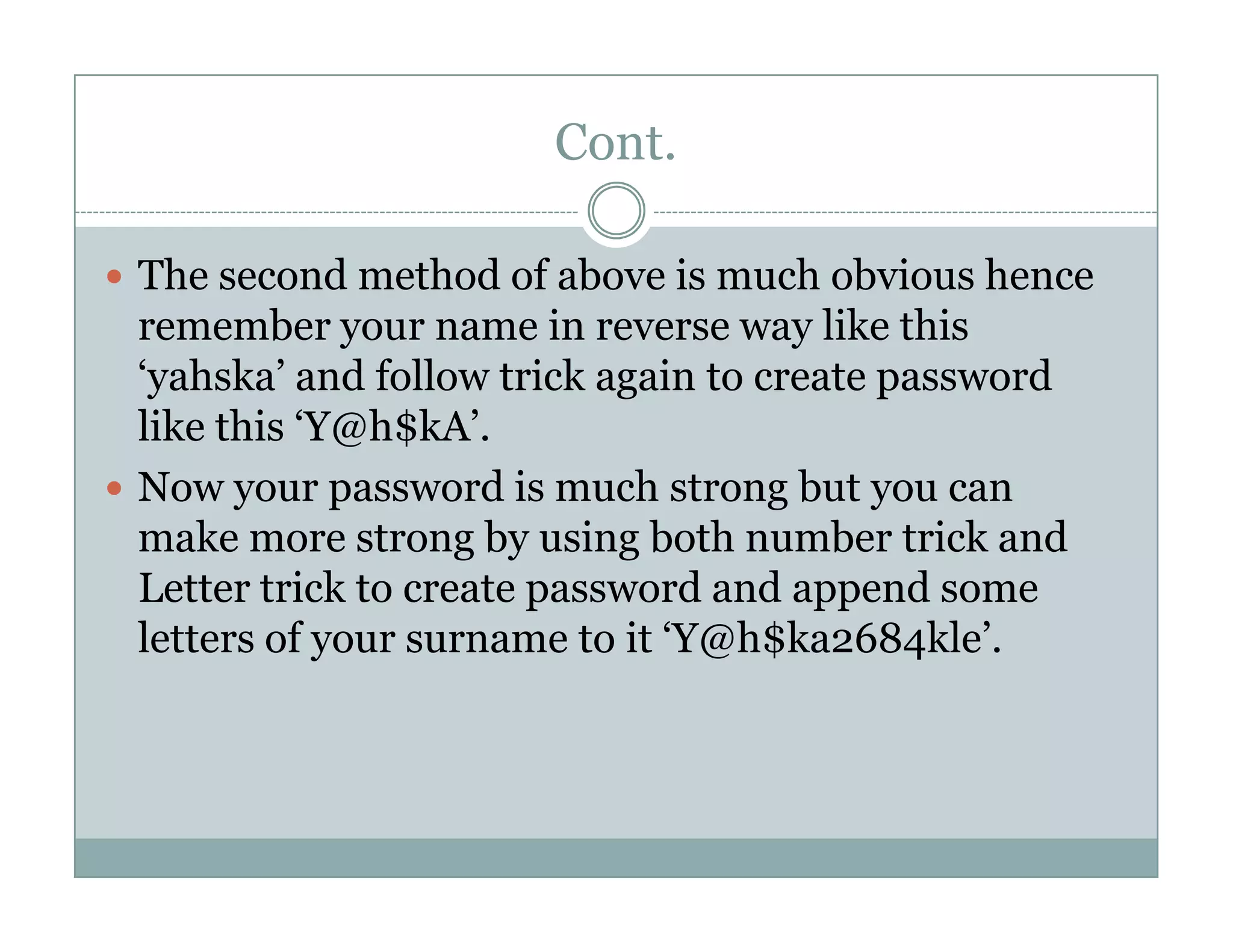
The second method of above is much obvious hence
remember your name in reverse way like this
‘yahska’ and follow trick again to create password
like this ‘Y@h$kA’.
Now your password is much strong but you canNow your password is much strong but you can
make more strong by using both number trick and
Letter trick to create password and append some
letters of your surname to it ‘Y@h$ka2684kle’.
Cont.
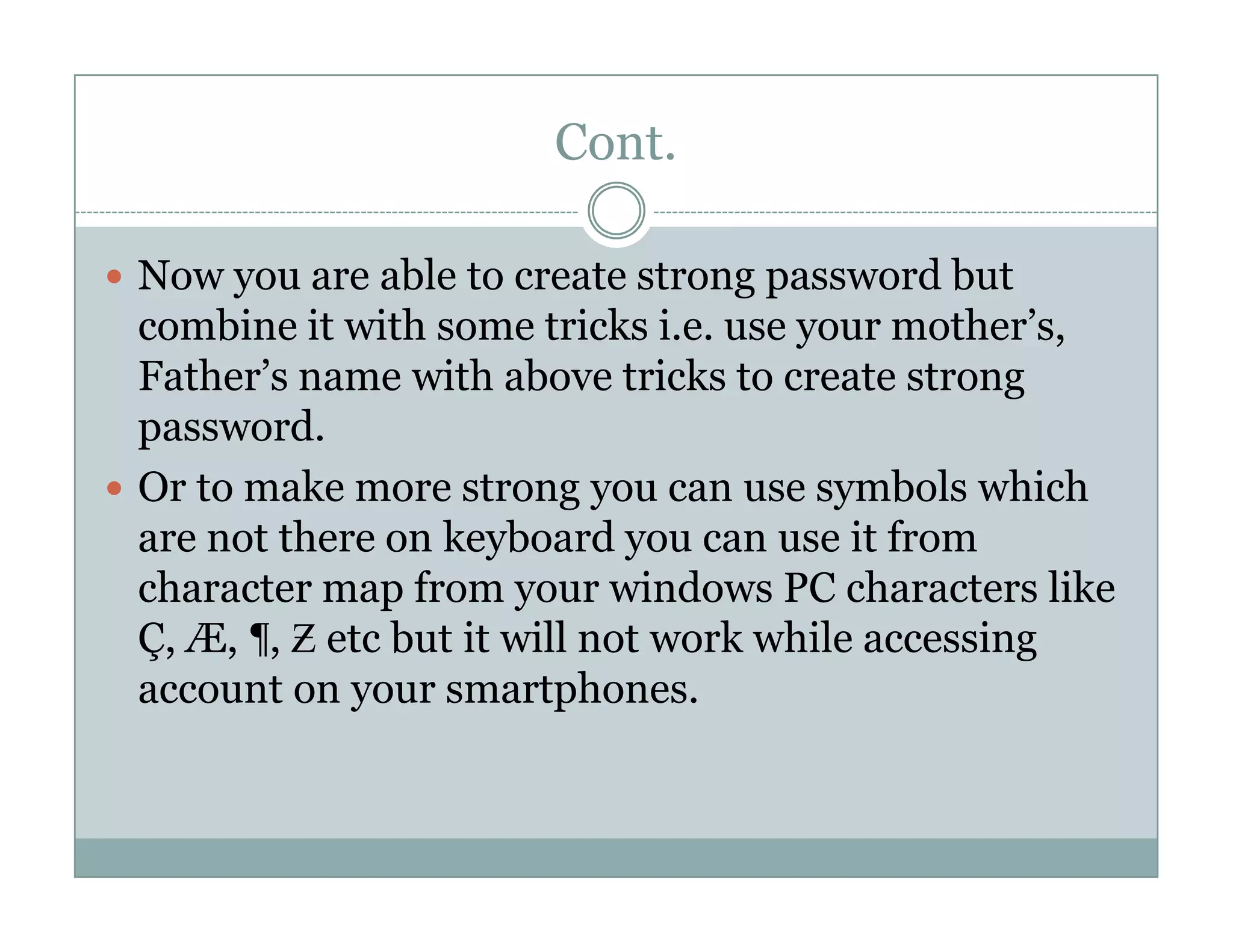
Now you are able to create strong password but
combine it with some tricks i.e. use your mother’s,
Father’s name with above tricks to create strong
password.
Or to make more strong you can use symbols whichOr to make more strong you can use symbols which
are not there on keyboard you can use it from
character map from your windows PC characters like
Ç, Æ, ¶, Ƶ etc but it will not work while accessing
account on your smartphones.
Some other tips
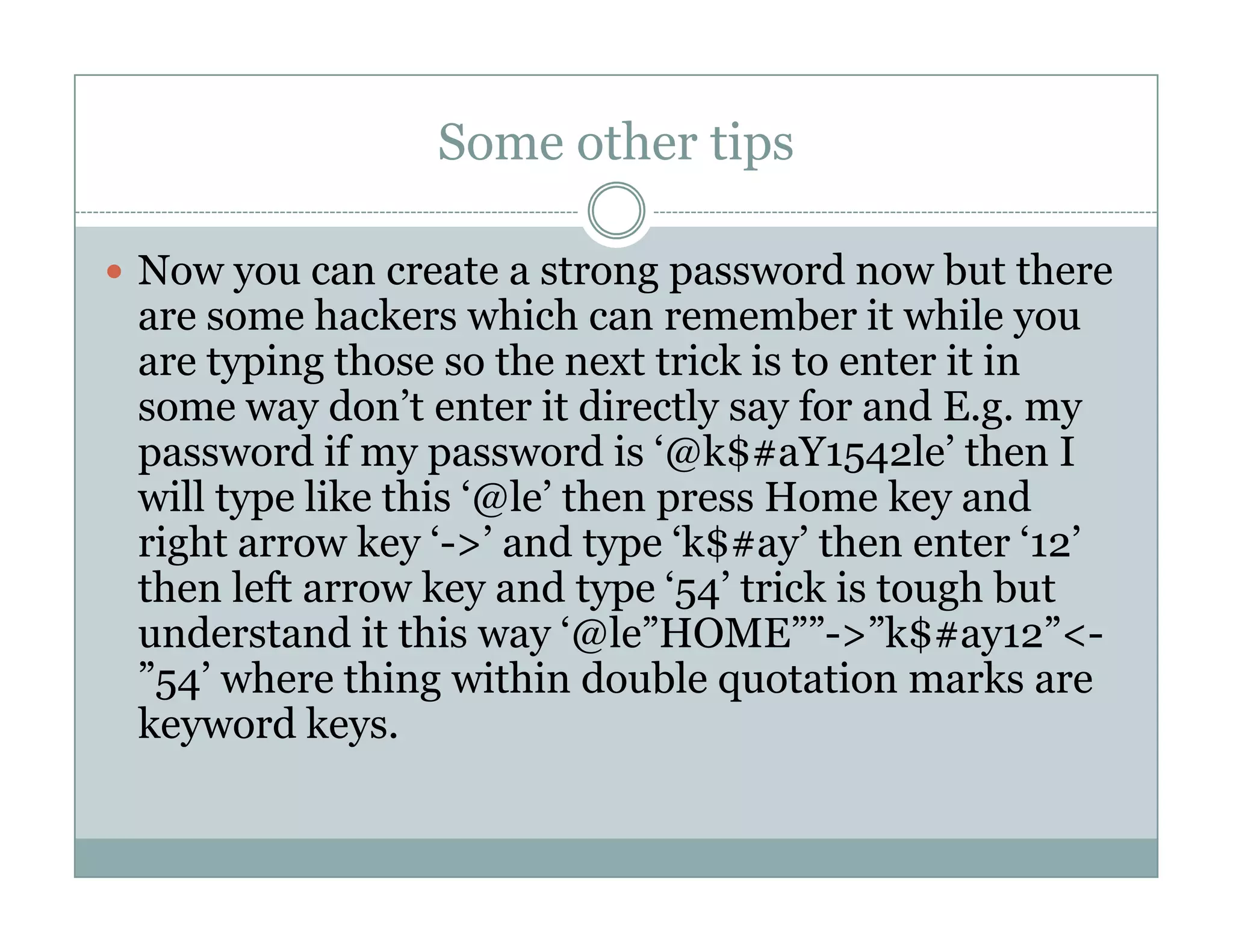
Now you can create a strong password now but there
are some hackers which can remember it while you
are typing those so the next trick is to enter it in
some way don’t enter it directly say for and E.g. my
password if my password is ‘@k$#aY1542le’ then I
will type like this ‘@le’ then press Home key andwill type like this ‘@le’ then press Home key and
right arrow key ‘->’ and type ‘k$#ay’ then enter ‘12’
then left arrow key and type ‘54’ trick is tough but
understand it this way ‘@le”HOME””->”k$#ay12”<-
”54’ where thing within double quotation marks are
keyword keys.
Cont.
Follow all the tips given above to confuse/fool hacker
around you but still always use Incognito mode or
Inprivate browsing mode while surfing internet in
cyber cafes or other’s computer.
And make sure there are no other applicationsAnd make sure there are no other applications
running in your computer by checking processes in
Task Manager.
If you follow all the tips given above then no one will
be able to hack your account easily.
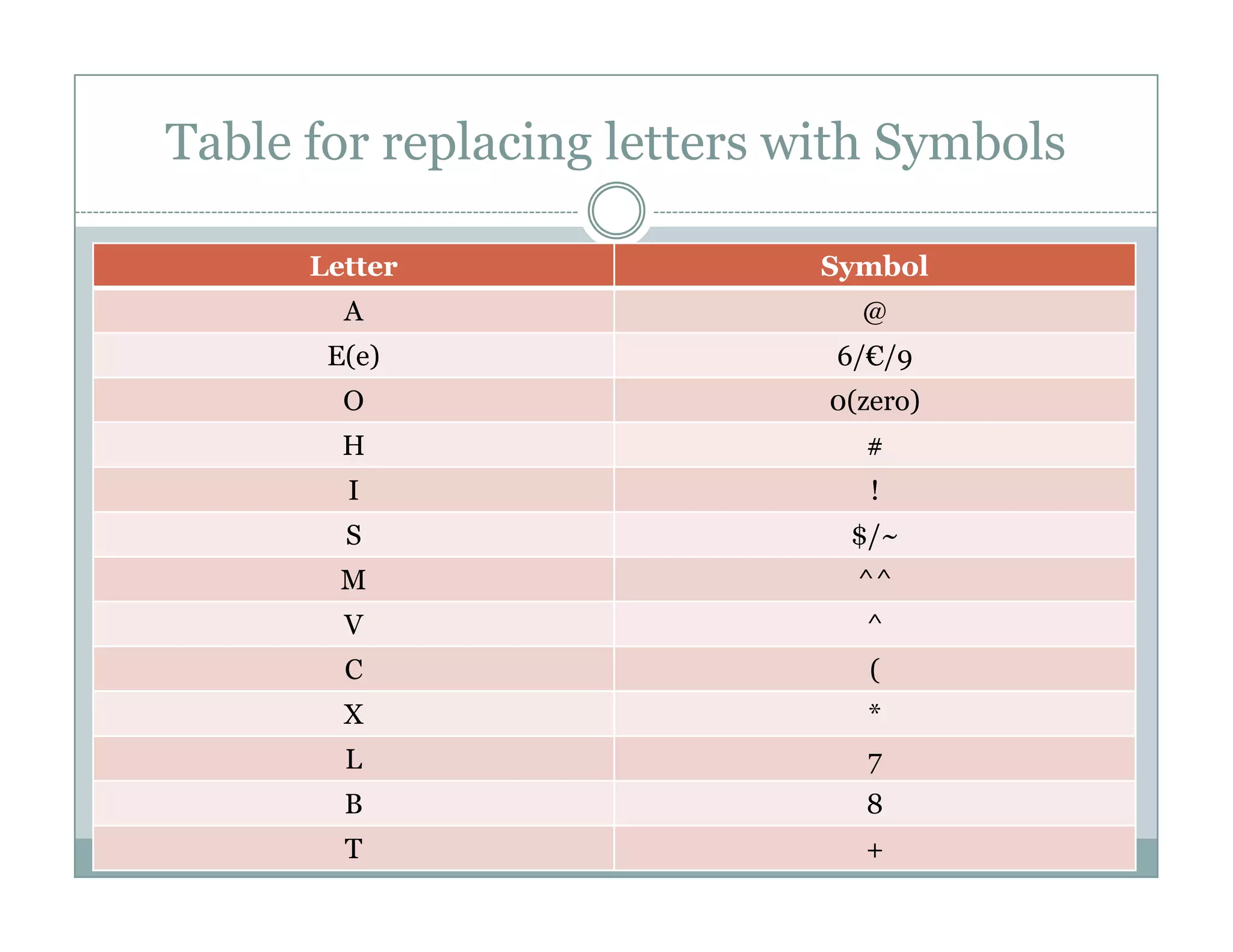
Table for replacing letters with Symbols
Letter Symbol
A @
E(e) 6/€/9
O 0(zero)
H #
I !I !
S $/~
M ^^
V ^
C (
X *
L 7
B 8
T +

How to-create-strong-computer-password

  • 2.
    B Y A KS H A Y A . K H A L E How to create strong computer Password ?
  • 3.
    Some Facts ofComputer Password 78% of people keep their passwords very easy or easy to guess i.e. their relatives names or cell phone numbers etc. The most shocking news is that 58% of those are belonging to I.T. field who knows about computerbelonging to I.T. field who knows about computer hacking.
  • 4.
    How to createa strong Number Password If the password should be only numeric the in spite of using cell phone number you can create a password by creating pattern of numbers which is creating some pattern on numbers pad eg 2684 creating a diamond on num-Pad and if you want it tocreating a diamond on num-Pad and if you want it to be long then you can create a different pattern like maze-lock of android eg 74123 creating L-shaped pattern on num-pad.
  • 5.
    Creating A strongPassword with combination of Letters and Symbols and Numbers Try to make it easy or find your password in things near you keep your password Computer but type it like this ‘C0^^pUteR’. Where use of ‘^’ symbol to create ‘M’ is tricky. If you are not able to remember those passwords theIf you are not able to remember those passwords the use password of names like my password can be ‘@K$haY’ where I am using ‘@’ and ‘$’ in place of ‘a’ and ‘s’ and use both capital and small letters.
  • 6.
    Cont. The second methodof above is much obvious hence remember your name in reverse way like this ‘yahska’ and follow trick again to create password like this ‘Y@h$kA’. Now your password is much strong but you canNow your password is much strong but you can make more strong by using both number trick and Letter trick to create password and append some letters of your surname to it ‘Y@h$ka2684kle’.
  • 7.
    Cont. Now you areable to create strong password but combine it with some tricks i.e. use your mother’s, Father’s name with above tricks to create strong password. Or to make more strong you can use symbols whichOr to make more strong you can use symbols which are not there on keyboard you can use it from character map from your windows PC characters like Ç, Æ, ¶, Ƶ etc but it will not work while accessing account on your smartphones.
  • 8.
    Some other tips Nowyou can create a strong password now but there are some hackers which can remember it while you are typing those so the next trick is to enter it in some way don’t enter it directly say for and E.g. my password if my password is ‘@k$#aY1542le’ then I will type like this ‘@le’ then press Home key andwill type like this ‘@le’ then press Home key and right arrow key ‘->’ and type ‘k$#ay’ then enter ‘12’ then left arrow key and type ‘54’ trick is tough but understand it this way ‘@le”HOME””->”k$#ay12”<- ”54’ where thing within double quotation marks are keyword keys.
  • 9.
    Cont. Follow all thetips given above to confuse/fool hacker around you but still always use Incognito mode or Inprivate browsing mode while surfing internet in cyber cafes or other’s computer. And make sure there are no other applicationsAnd make sure there are no other applications running in your computer by checking processes in Task Manager. If you follow all the tips given above then no one will be able to hack your account easily.
  • 10.
    Table for replacingletters with Symbols Letter Symbol A @ E(e) 6/€/9 O 0(zero) H # I !I ! S $/~ M ^^ V ^ C ( X * L 7 B 8 T +