
HOW TO WORK FASTER BY
BUILDING YOUR DESIGN
SYSTEMS WITH WEBFLOW
@ransegall
1
Give You a Process
That will speed up your workflow & make your work more efficient
TODAY’S GOALS
@ransegall
2
Get You To Experience It
So that you’ll feel comfortable applying it on your next project
1
Learn the Process15 Minutes
TODAY’S AGENDA
@ransegall
2
Practice 30 Minutes
3
Review Work & Questions15 Minutes
Demo
So What’s a Webflow
Design System / Style Guide
@ransegall
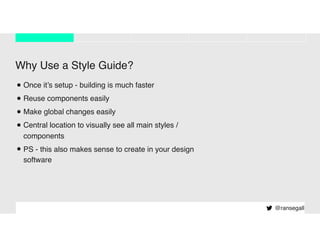
Why Use a Style Guide?
•Once it’s setup - building is much faster
•Reuse components easily
•Make global changes easily
•Central location to visually see all main styles /
components
•PS - this also makes sense to create in your design
software
@ransegall
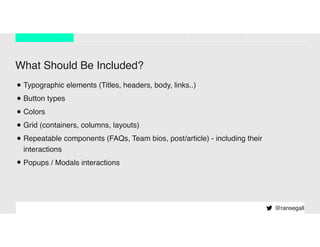
What Should Be Included?
•Typographic elements (Titles, headers, body, links..)
•Button types
•Colors
•Grid (containers, columns, layouts)
•Repeatable components (FAQs, Team bios, post/article) - including their
interactions
•Popups / Modals interactions
@ransegall
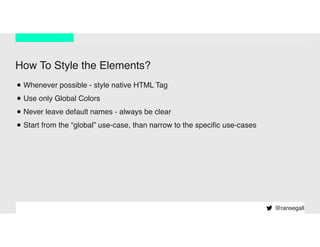
How To Style the Elements?
•Whenever possible - style native HTML Tag
•Use only Global Colors
•Never leave default names - always be clear
•Start from the “global” use-case, than narrow to the specific use-cases
@ransegall
@ransegall
THE PROCESS
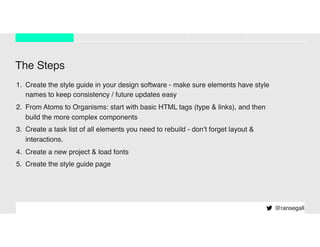
The Steps
1. Create the style guide in your design software - make sure elements have style
names to keep consistency / future updates easy
2. From Atoms to Organisms: start with basic HTML tags (type & links), and then
build the more complex components
3. Create a task list of all elements you need to rebuild - don’t forget layout &
interactions.
4. Create a new project & load fonts
5. Create the style guide page
@ransegall
@ransegall
LET’S PRACTICE
@ransegall
QUESTIONS?

How to work faster by building your design systems with Webflow - No Code Conf 2019 Workshop

  • 1.
    HOW TO WORKFASTER BY BUILDING YOUR DESIGN SYSTEMS WITH WEBFLOW @ransegall
  • 2.
    1 Give You aProcess That will speed up your workflow & make your work more efficient TODAY’S GOALS @ransegall 2 Get You To Experience It So that you’ll feel comfortable applying it on your next project
  • 3.
    1 Learn the Process15Minutes TODAY’S AGENDA @ransegall 2 Practice 30 Minutes 3 Review Work & Questions15 Minutes
  • 4.
    Demo So What’s aWebflow Design System / Style Guide @ransegall
  • 5.
    Why Use aStyle Guide? •Once it’s setup - building is much faster •Reuse components easily •Make global changes easily •Central location to visually see all main styles / components •PS - this also makes sense to create in your design software @ransegall
  • 6.
    What Should BeIncluded? •Typographic elements (Titles, headers, body, links..) •Button types •Colors •Grid (containers, columns, layouts) •Repeatable components (FAQs, Team bios, post/article) - including their interactions •Popups / Modals interactions @ransegall
  • 7.
    How To Stylethe Elements? •Whenever possible - style native HTML Tag •Use only Global Colors •Never leave default names - always be clear •Start from the “global” use-case, than narrow to the specific use-cases @ransegall
  • 8.
  • 9.
    The Steps 1. Createthe style guide in your design software - make sure elements have style names to keep consistency / future updates easy 2. From Atoms to Organisms: start with basic HTML tags (type & links), and then build the more complex components 3. Create a task list of all elements you need to rebuild - don’t forget layout & interactions. 4. Create a new project & load fonts 5. Create the style guide page @ransegall
  • 10.
  • 11.