future friendly
STYLE
GUIDES
@lukebroker
Hold up
RESPONSIVE
DESIGN!
My workflow doesn’t
WORK or FLOW
How is it
REALLY
going to look?
and how do
we get there
QUICKLY?
HOW I GET THERE
HOW I GET THERE
•   Wireframes - sketched only, multiple width.
HOW I GET THERE
•   Wireframes - sketched only, multiple width.
•   Initial prototyping - very top level, mostly
    for a “live” feel of the layout from the
    wireframes, but able to be seen on many
    devices.
HOW I GET THERE
•   Wireframes - sketched only, multiple width.
•   Initial prototyping - very top level, mostly
    for a “live” feel of the layout from the
    wireframes, but able to be seen on many
    devices.
•   Style tiles - design in Photoshop without
    “designing mockups” in Photoshop.
and...
STYLE GUIDES
WHY
a style guide?
“Websites are systems
rather than pages and
as soon as we stop
perceiving them as that,
the better.”
            ANNA DEBENHAM
ELEMENTS,
COMPONENTS
& PATTERNS
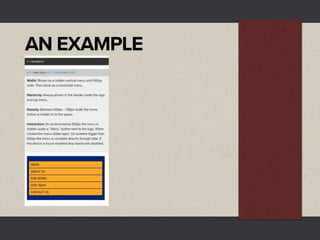
Component Example
NAVIGATION
MENUS
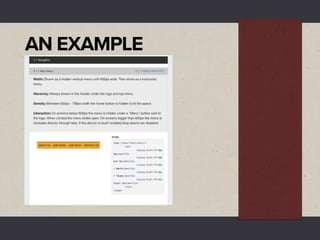
Component Example
NAVIGATION
MENUS
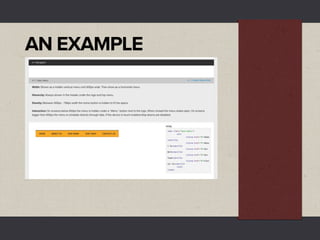
Component Example
NAVIGATION
MENUS
PATTERN
LIBRARIES
ey’re popping up everywhere
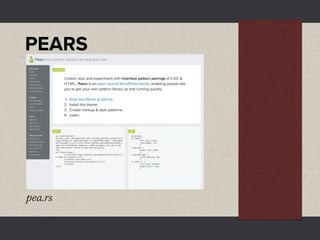
PEARS


pea.rs
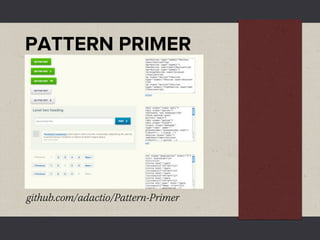
PATTERN PRIMER


github.com/adactio/Pattern-Primer
Back to
STYLE GUIDES
Front-end Style Guides
24ways.org/2011/front-end-style-guides

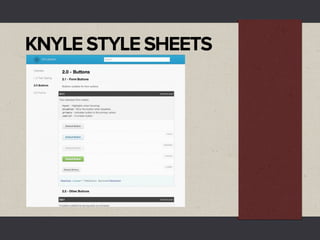
Knyle Style Sheets
warpspire.com/posts/kss
KNYLE STYLE SHEETS
AN IDEA
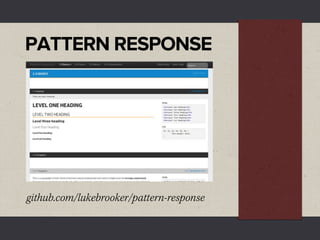
PATTERN RESPONSE


github.com/lukebrooker/pattern-response
More than a
STYLE GUIDE
More than a
    STYLE GUIDE
•   Team Members - Document all
    components of a project and how to
    implement them.
More than a
    STYLE GUIDE
•   Team Members - Document all
    components of a project and how to
    implement them.
•   Yourself - Keep as a starter style guide and
    another for a pattern library.
More than a
    STYLE GUIDE
•   Team Members - Document all
    components of a project and how to
    implement them.
•   Yourself - Keep as a starter style guide and
    another for a pattern library.
•   Clients - Style guide, WYSIWYG Guide.
USING IT IN A
RESPONSIVE
WORKFLOW
•   From wireframes - List out all components
    needed.
•   From wireframes - List out all components
    needed.
•   In the style guide - Add the structure
    (HTML) of each component.
•   From wireframes - List out all components
    needed.
•   In the style guide - Add the structure
    (HTML) of each component.
•   Design/style - Using the style guide or
    referencing your projects CSS as you build
    it.
•   From wireframes - List out all components
    needed.
•   In the style guide - Add the structure
    (HTML) of each component.
•   Design/style - Using the style guide or
    referencing your projects CSS as you build
    it.
•   Work together - Designers and developers
    can work together and discuss how things
    will work at different sizes.
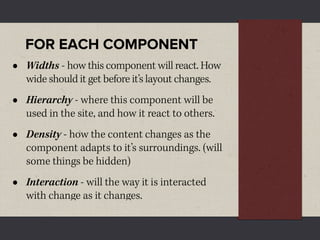
FOR EACH COMPONENT
FOR EACH COMPONENT
•   Widths - how this component will react. How
    wide should it get before it’s layout changes.
FOR EACH COMPONENT
•   Widths - how this component will react. How
    wide should it get before it’s layout changes.
•   Hierarchy - where this component will be
    used in the site, and how it react to others.
FOR EACH COMPONENT
•   Widths - how this component will react. How
    wide should it get before it’s layout changes.
•   Hierarchy - where this component will be
    used in the site, and how it react to others.
•   Density - how the content changes as the
    component adapts to it’s surroundings. (will
    some things be hidden)
FOR EACH COMPONENT
•   Widths - how this component will react. How
    wide should it get before it’s layout changes.
•   Hierarchy - where this component will be
    used in the site, and how it react to others.
•   Density - how the content changes as the
    component adapts to it’s surroundings. (will
    some things be hidden)
•   Interaction - will the way it is interacted
    with change as it changes.
AN EXAMPLE
AN EXAMPLE
AN EXAMPLE
AND THAT
IS WHAT I KNOW
AN IDEA I HAD.
ank you.

@lukebroker

Future Friendly Style Guides