Life is not static — your
designs shouldn’t be either
A primer for evolving design workflows
Presented by Dan Arbello at No Code Conference 2019
Access this presentation at danarbello.com/ncc-in-medium »
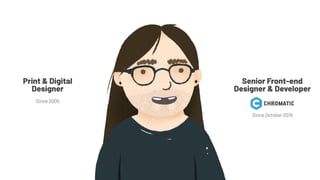
Since October 2019
Senior Front-end
Designer & Developer
Since 2005
Print & Digital
Designer
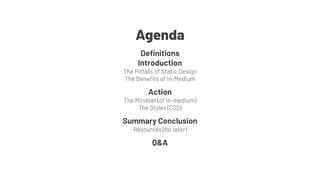
Definitions
Introduction
The Pitfalls of Static Design
The Benefits of In-Medium
Action
The Mindset (of in-medium)
The Styles (CSS)
Summary Conclusion
Resources (for later)
Q&A
Agenda
Definitions
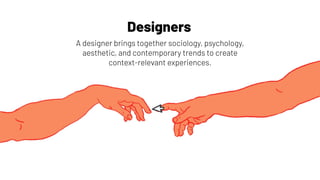
Designers
A designer brings together sociology, psychology,
aesthetic, and contemporary trends to create
context-relevant experiences.
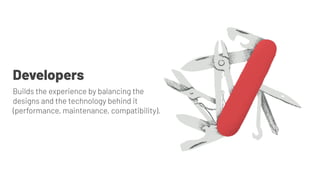
Developers
Builds the experience by balancing the
designs and the technology behind it
(performance, maintenance, compatibility).
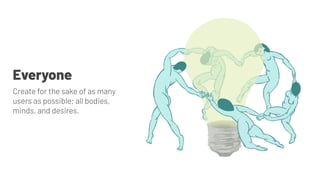
Everyone
Create for the sake of as many
users as possible; all bodies,
minds, and desires.
Introduction
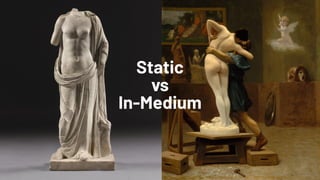
Static
vs
In-Medium
The Pitfalls
Of Static Design
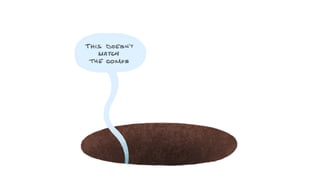
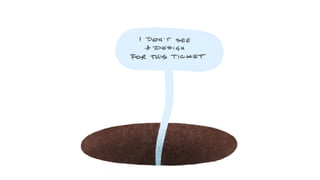
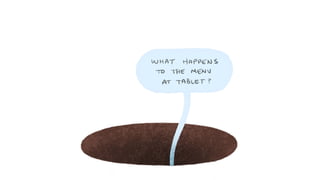
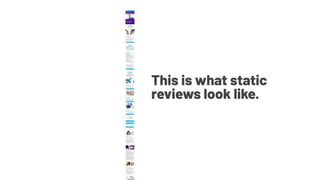
This is what static
reviews look like.
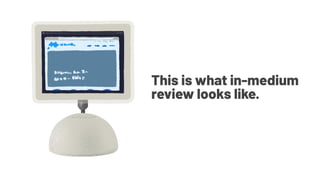
This is what in-medium
review looks like.
The Benefits of In-Medium
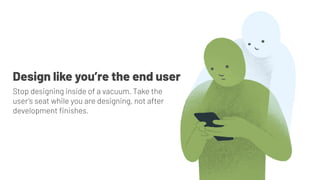
Stop designing inside of a vacuum. Take the
user’s seat while you are designing, not after
development finishes.
Design like you’re the end user
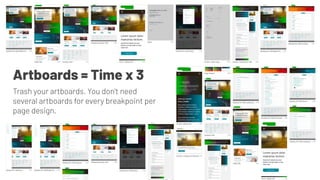
Artboards = Time x 3
Trash your artboards. You don’t need
several artboards for every breakpoint per
page design.
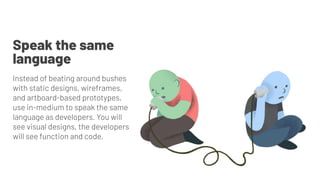
Instead of beating around bushes
with static designs, wireframes,
and artboard-based prototypes,
use in-medium to speak the same
language as developers. You will
see visual designs, the developers
will see function and code.
Speak the same
language
Instead of waiting for development to produce what you’ve
designed, generate a functioning prototype that will feel virtually
the same as the end product. This allows:
● strategy to sell an idea with more meat before too many
resources are burned,
● clients to review and approve things without wearing
a creative’s hat,
● engineers to estimate and plan earlier,
● and design to be more thoughtful and
environment-/-platform-aware.
Show the product sooner
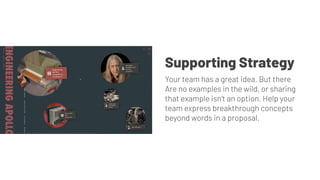
Your team has a great idea. But there
Are no examples in the wild, or sharing
that example isn’t an option. Help your
team express breakthrough concepts
beyond words in a proposal.
Supporting Strategy
The 10hr Visual Sales Pitch
Take preliminary findings from user data, basic
psychology, competitor research, and intuition to
ideate and develop a single, but powerful, feature
optimization or addition.
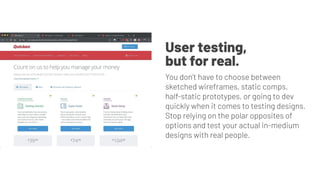
User testing,
but for real.
You don’t have to choose between
sketched wireframes, static comps,
half-static prototypes, or going to dev
quickly when it comes to testing designs.
Stop relying on the polar opposites of
options and test your actual in-medium
designs with real people.
1. Will this take developers jobs? No.
2. As a designer, will I be expected to contribute to production code?
Let’s hope not, but also maybe a little 😏
3. How do I get training beyond Webflow University? Many, many options.
4. What is the average training time? 1-2 months
5. Is this helpful for my resume? Leveling up is always a plus.
6. Is doing this with design workflows unique? So far: very.
Convincing the team
Action
The Mindset
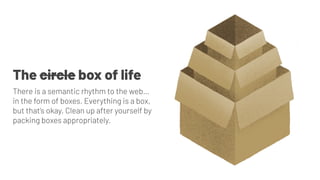
The circle box of life
There is a semantic rhythm to the web…
in the form of boxes. Everything is a box,
but that’s okay. Clean up after yourself by
packing boxes appropriately.
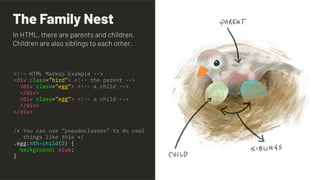
The Family Nest
<!-- HTML Markup Example -->
<div class=”bird”> <!-- the parent -->
<div class=”egg”> <!-- a child -->
</div>
<div class=”egg”> <!-- a child -->
</div>
</div>
/* You can use “pseudoclasses” to do cool
things like this */
.egg:nth-child(2) {
background: blue;
}
In HTML, there are parents and children.
Children are also siblings to each other.
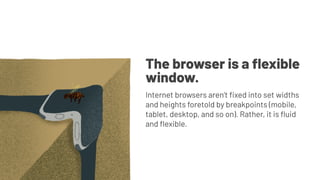
The browser is a flexible
window.
Internet browsers aren’t fixed into set widths
and heights foretold by breakpoints (mobile,
tablet, desktop, and so on). Rather, it is fluid
and flexible.
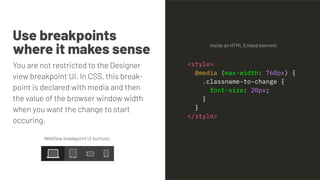
Use breakpoints
where it makes sense
You are not restricted to the Designer
view breakpoint UI. In CSS, this break-
point is declared with media and then
the value of the browser window width
when you want the change to start
occuring.
Inside an HTML Embed element:
Webflow breakpoint UI buttons:
<style>
@media (max-width: 768px) {
.classname-to-change {
font-size: 20px;
}
}
</style>
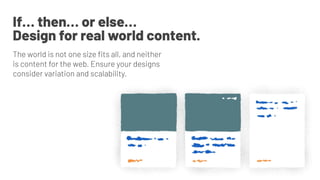
If… then… or else…
Design for real world content.
The world is not one size fits all, and neither
is content for the web. Ensure your designs
consider variation and scalability.
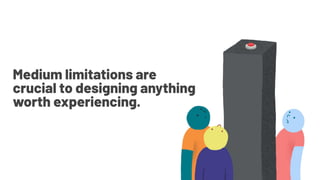
Medium limitations are
crucial to designing anything
worth experiencing.
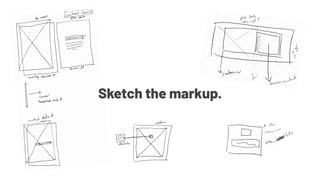
Sketch the markup.
Sketch the design,
if you must.
Move to in-medium
to design and perfect.
Unless you are building a Webflow-hosted
instance, remember to treat your designs
as what they are: designs. Do not get stuck
in the particulars.
Don’t get it twisted
⚠
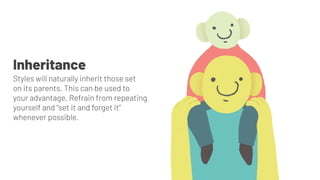
Inheritance
Styles will naturally inherit those set
on its parents. This can be used to
your advantage. Refrain from repeating
yourself and “set it and forget it”
whenever possible.
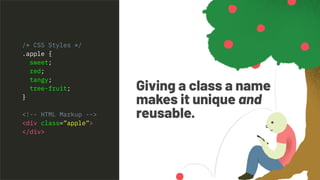
Giving a class a name
makes it unique and
reusable.
/* CSS Styles */
.apple {
sweet;
red;
tangy;
tree-fruit;
}
<!-- HTML Markup -->
<div class=”apple”>
</div>
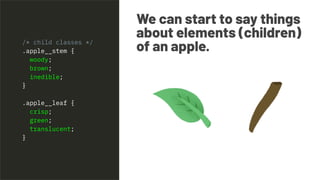
We can start to say things
about elements (children)
of an apple./* child classes */
.apple__stem {
woody;
brown;
inedible;
}
.apple__leaf {
crisp;
green;
translucent;
}
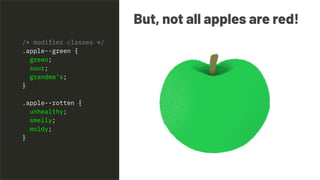
But, not all apples are red!
/* modifier classes */
.apple--green {
green;
sour;
grandma’s;
}
.apple--rotten {
unhealthy;
smelly;
moldy;
}
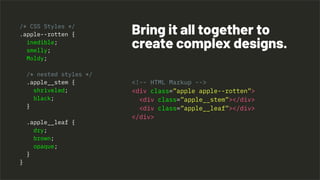
<!-- HTML Markup -->
<div class=”apple apple--rotten”>
<div class=”apple__stem”></div>
<div class=”apple__leaf”></div>
</div>
Bring it all together to
create complex designs.
/* CSS Styles */
.apple--rotten {
inedible;
smelly;
Moldy;
/* nested styles */
.apple__stem {
shriveled;
black;
}
.apple__leaf {
dry;
brown;
opaque;
}
}
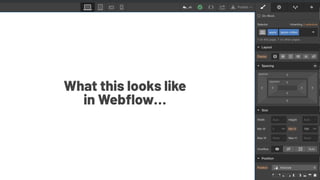
What this looks like
in Webflow…
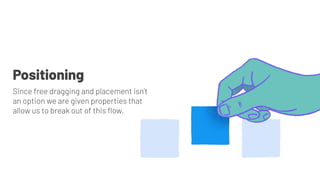
Since free dragging and placement isn’t
an option we are given properties that
allow us to break out of this flow.
Positioning
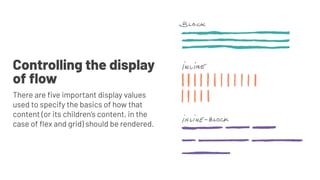
Controlling the display
of flow
There are five important display values
used to specify the basics of how that
content (or its children’s content, in the
case of flex and grid) should be rendered.
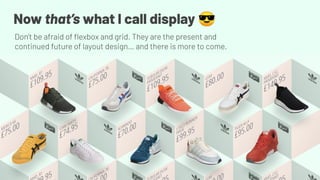
Now that’s what I call display 😎
Don’t be afraid of flexbox and grid. They are the present and
continued future of layout design… and there is more to come.
Conclusion
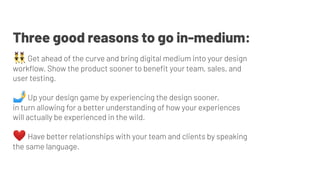
👯‍♂ Get ahead of the curve and bring digital medium into your design
workflow. Show the product sooner to benefit your team, sales, and
user testing.
🤳 Up your design game by experiencing the design sooner,
in turn allowing for a better understanding of how your experiences
will actually be experienced in the wild.
❤ Have better relationships with your team and clients by speaking
the same language.
Three good reasons to go in-medium:
Resources
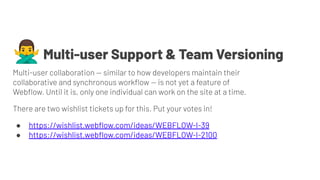
🙅‍♂Multi-user Support & Team Versioning
Multi-user collaboration — similar to how developers maintain their
collaborative and synchronous workflow — is not yet a feature of
Webflow. Until it is, only one individual can work on the site at a time.
There are two wishlist tickets up for this. Put your votes in!
● https://wishlist.webflow.com/ideas/WEBFLOW-I-39
● https://wishlist.webflow.com/ideas/WEBFLOW-I-2100
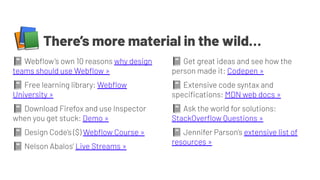
📚There’s more material in the wild…
📓 Webflow’s own 10 reasons why design
teams should use Webflow »
📓 Free learning library: Webflow
University »
📓 Download Firefox and use Inspector
when you get stuck: Demo »
📓 Design Code’s ($) Webflow Course »
📓 Nelson Abalos’ Live Streams »
📓 Get great ideas and see how the
person made it: Codepen »
📓 Extensive code syntax and
specifications: MDN web docs »
📓 Ask the world for solutions:
StackOverflow Questions »
📓 Jennifer Parson’s extensive list of
resources »
Q & A & Thank You
Access this presentation at danarbello.com/ncc-in-medium »

Life is not static - your designs shouldn't be either - No Code Conf 2019 Workshop

  • 1.
    Life is notstatic — your designs shouldn’t be either A primer for evolving design workflows Presented by Dan Arbello at No Code Conference 2019 Access this presentation at danarbello.com/ncc-in-medium »
  • 2.
    Since October 2019 SeniorFront-end Designer & Developer Since 2005 Print & Digital Designer
  • 3.
    Definitions Introduction The Pitfalls ofStatic Design The Benefits of In-Medium Action The Mindset (of in-medium) The Styles (CSS) Summary Conclusion Resources (for later) Q&A Agenda
  • 4.
  • 5.
    Designers A designer bringstogether sociology, psychology, aesthetic, and contemporary trends to create context-relevant experiences.
  • 6.
    Developers Builds the experienceby balancing the designs and the technology behind it (performance, maintenance, compatibility).
  • 7.
    Everyone Create for thesake of as many users as possible; all bodies, minds, and desires.
  • 8.
  • 9.
  • 10.
  • 16.
    This is whatstatic reviews look like.
  • 17.
    This is whatin-medium review looks like.
  • 18.
  • 19.
    Stop designing insideof a vacuum. Take the user’s seat while you are designing, not after development finishes. Design like you’re the end user
  • 20.
    Artboards = Timex 3 Trash your artboards. You don’t need several artboards for every breakpoint per page design.
  • 21.
    Instead of beatingaround bushes with static designs, wireframes, and artboard-based prototypes, use in-medium to speak the same language as developers. You will see visual designs, the developers will see function and code. Speak the same language
  • 22.
    Instead of waitingfor development to produce what you’ve designed, generate a functioning prototype that will feel virtually the same as the end product. This allows: ● strategy to sell an idea with more meat before too many resources are burned, ● clients to review and approve things without wearing a creative’s hat, ● engineers to estimate and plan earlier, ● and design to be more thoughtful and environment-/-platform-aware. Show the product sooner
  • 23.
    Your team hasa great idea. But there Are no examples in the wild, or sharing that example isn’t an option. Help your team express breakthrough concepts beyond words in a proposal. Supporting Strategy
  • 24.
    The 10hr VisualSales Pitch Take preliminary findings from user data, basic psychology, competitor research, and intuition to ideate and develop a single, but powerful, feature optimization or addition.
  • 25.
    User testing, but forreal. You don’t have to choose between sketched wireframes, static comps, half-static prototypes, or going to dev quickly when it comes to testing designs. Stop relying on the polar opposites of options and test your actual in-medium designs with real people.
  • 26.
    1. Will thistake developers jobs? No. 2. As a designer, will I be expected to contribute to production code? Let’s hope not, but also maybe a little 😏 3. How do I get training beyond Webflow University? Many, many options. 4. What is the average training time? 1-2 months 5. Is this helpful for my resume? Leveling up is always a plus. 6. Is doing this with design workflows unique? So far: very. Convincing the team
  • 27.
  • 28.
  • 29.
    The circle boxof life There is a semantic rhythm to the web… in the form of boxes. Everything is a box, but that’s okay. Clean up after yourself by packing boxes appropriately.
  • 30.
    The Family Nest <!--HTML Markup Example --> <div class=”bird”> <!-- the parent --> <div class=”egg”> <!-- a child --> </div> <div class=”egg”> <!-- a child --> </div> </div> /* You can use “pseudoclasses” to do cool things like this */ .egg:nth-child(2) { background: blue; } In HTML, there are parents and children. Children are also siblings to each other.
  • 31.
    The browser isa flexible window. Internet browsers aren’t fixed into set widths and heights foretold by breakpoints (mobile, tablet, desktop, and so on). Rather, it is fluid and flexible.
  • 32.
    Use breakpoints where itmakes sense You are not restricted to the Designer view breakpoint UI. In CSS, this break- point is declared with media and then the value of the browser window width when you want the change to start occuring. Inside an HTML Embed element: Webflow breakpoint UI buttons: <style> @media (max-width: 768px) { .classname-to-change { font-size: 20px; } } </style>
  • 33.
    If… then… orelse… Design for real world content. The world is not one size fits all, and neither is content for the web. Ensure your designs consider variation and scalability.
  • 34.
    Medium limitations are crucialto designing anything worth experiencing.
  • 35.
  • 36.
  • 37.
    Move to in-medium todesign and perfect.
  • 38.
    Unless you arebuilding a Webflow-hosted instance, remember to treat your designs as what they are: designs. Do not get stuck in the particulars. Don’t get it twisted ⚠
  • 40.
    Inheritance Styles will naturallyinherit those set on its parents. This can be used to your advantage. Refrain from repeating yourself and “set it and forget it” whenever possible.
  • 41.
    Giving a classa name makes it unique and reusable. /* CSS Styles */ .apple { sweet; red; tangy; tree-fruit; } <!-- HTML Markup --> <div class=”apple”> </div>
  • 43.
    We can startto say things about elements (children) of an apple./* child classes */ .apple__stem { woody; brown; inedible; } .apple__leaf { crisp; green; translucent; }
  • 44.
    But, not allapples are red! /* modifier classes */ .apple--green { green; sour; grandma’s; } .apple--rotten { unhealthy; smelly; moldy; }
  • 45.
    <!-- HTML Markup--> <div class=”apple apple--rotten”> <div class=”apple__stem”></div> <div class=”apple__leaf”></div> </div> Bring it all together to create complex designs. /* CSS Styles */ .apple--rotten { inedible; smelly; Moldy; /* nested styles */ .apple__stem { shriveled; black; } .apple__leaf { dry; brown; opaque; } }
  • 47.
    What this lookslike in Webflow…
  • 48.
    Since free draggingand placement isn’t an option we are given properties that allow us to break out of this flow. Positioning
  • 49.
    Controlling the display offlow There are five important display values used to specify the basics of how that content (or its children’s content, in the case of flex and grid) should be rendered.
  • 50.
    Now that’s whatI call display 😎 Don’t be afraid of flexbox and grid. They are the present and continued future of layout design… and there is more to come.
  • 51.
  • 52.
    👯‍♂ Get aheadof the curve and bring digital medium into your design workflow. Show the product sooner to benefit your team, sales, and user testing. 🤳 Up your design game by experiencing the design sooner, in turn allowing for a better understanding of how your experiences will actually be experienced in the wild. ❤ Have better relationships with your team and clients by speaking the same language. Three good reasons to go in-medium:
  • 53.
  • 54.
    🙅‍♂Multi-user Support &Team Versioning Multi-user collaboration — similar to how developers maintain their collaborative and synchronous workflow — is not yet a feature of Webflow. Until it is, only one individual can work on the site at a time. There are two wishlist tickets up for this. Put your votes in! ● https://wishlist.webflow.com/ideas/WEBFLOW-I-39 ● https://wishlist.webflow.com/ideas/WEBFLOW-I-2100
  • 55.
    📚There’s more materialin the wild… 📓 Webflow’s own 10 reasons why design teams should use Webflow » 📓 Free learning library: Webflow University » 📓 Download Firefox and use Inspector when you get stuck: Demo » 📓 Design Code’s ($) Webflow Course » 📓 Nelson Abalos’ Live Streams » 📓 Get great ideas and see how the person made it: Codepen » 📓 Extensive code syntax and specifications: MDN web docs » 📓 Ask the world for solutions: StackOverflow Questions » 📓 Jennifer Parson’s extensive list of resources »
  • 56.
    Q & A& Thank You Access this presentation at danarbello.com/ncc-in-medium »