HOW TO USE
How to Use IFTTT © 2018 JOAN PALAPAR
2
What is IFTTT?
How to Use IFTTT © 2018 JOAN PALAPAR
3
If This Then That
stands for
How to Use IFTTT © 2018 JOAN PALAPAR
4
It’s an app that
makes your other
apps and devices
work together.
How to Use IFTTT © 2018 JOAN PALAPAR
5How to Use IFTTT © 2018 JOAN PALAPAR
6
For example,
you want
Google Plus
How to Use IFTTT © 2018 JOAN PALAPAR
7
to have every
photo you
upload to
Instagram.
How to Use IFTTT © 2018 JOAN PALAPAR
8
or update your
Snapchat
status
How to Use IFTTT © 2018 JOAN PALAPAR
9
whenever you
update your
Facebook
status.
How to Use IFTTT © 2018 JOAN PALAPAR
10
In other words, it
will make your life
How to Use IFTTT © 2018 JOAN PALAPAR
11
does that.
How to Use IFTTT © 2018 JOAN PALAPAR
12
Let’s begin to explore
IFTTT.
How to Use IFTTT © 2018 JOAN PALAPAR
13
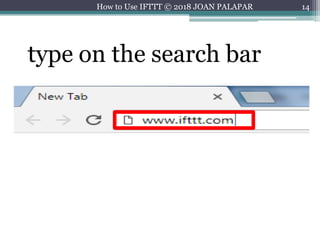
On your choice browser,
How to Use IFTTT © 2018 JOAN PALAPAR
14
type on the search bar
How to Use IFTTT © 2018 JOAN PALAPAR
15
then press
How to Use IFTTT © 2018 JOAN PALAPAR
16
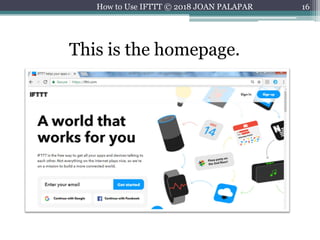
This is the homepage.
How to Use IFTTT © 2018 JOAN PALAPAR
17
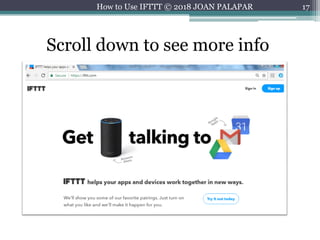
Scroll down to see more info
How to Use IFTTT © 2018 JOAN PALAPAR
18
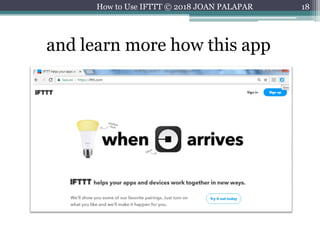
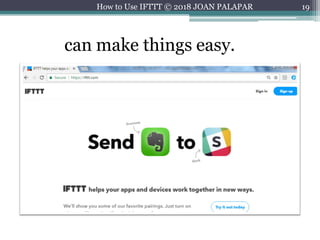
and learn more how this app
How to Use IFTTT © 2018 JOAN PALAPAR
19
can make things easy.
How to Use IFTTT © 2018 JOAN PALAPAR
20
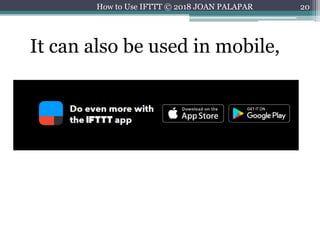
It can also be used in mobile,
How to Use IFTTT © 2018 JOAN PALAPAR
21
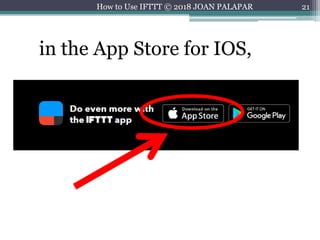
in the App Store for IOS,
How to Use IFTTT © 2018 JOAN PALAPAR
22
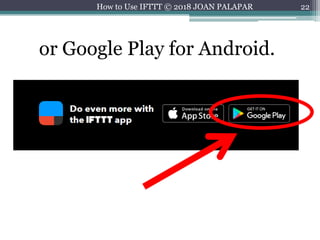
or Google Play for Android.
How to Use IFTTT © 2018 JOAN PALAPAR
23
Let’s sign up.
How to Use IFTTT © 2018 JOAN PALAPAR
24
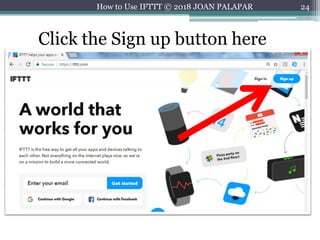
Click the Sign up button here
How to Use IFTTT © 2018 JOAN PALAPAR
25
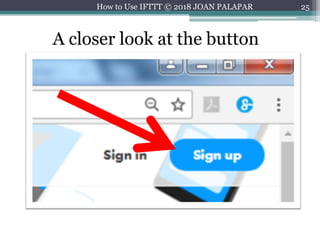
A closer look at the button
How to Use IFTTT © 2018 JOAN PALAPAR
26
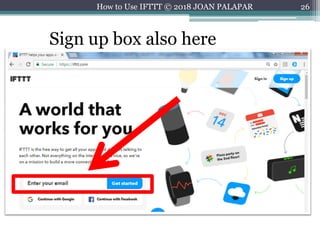
Sign up box also here
How to Use IFTTT © 2018 JOAN PALAPAR
27
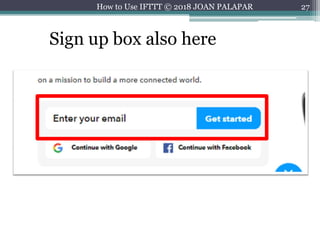
Sign up box also here
How to Use IFTTT © 2018 JOAN PALAPAR
28
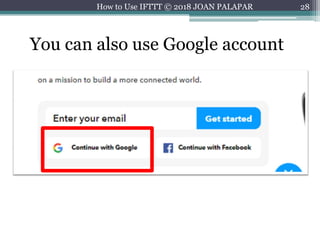
You can also use Google account
How to Use IFTTT © 2018 JOAN PALAPAR
29
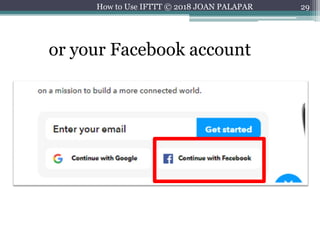
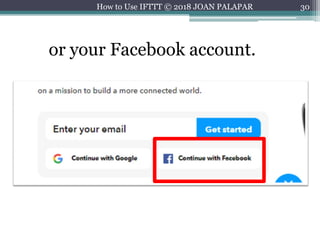
or your Facebook account
How to Use IFTTT © 2018 JOAN PALAPAR
30
or your Facebook account.
How to Use IFTTT © 2018 JOAN PALAPAR
31
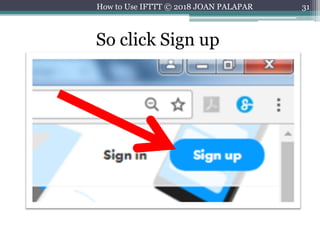
So click Sign up
How to Use IFTTT © 2018 JOAN PALAPAR
32
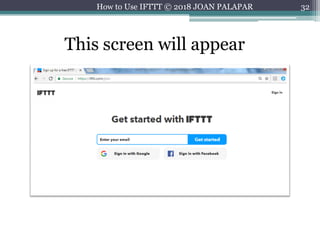
This screen will appear
How to Use IFTTT © 2018 JOAN PALAPAR
33
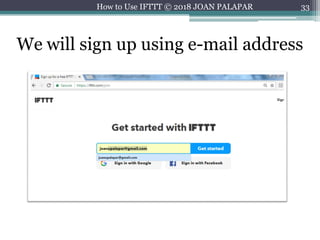
We will sign up using e-mail address
How to Use IFTTT © 2018 JOAN PALAPAR
34
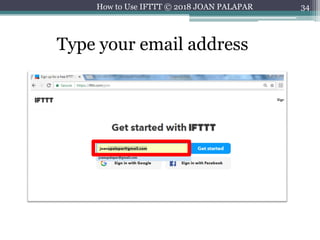
Type your email address
How to Use IFTTT © 2018 JOAN PALAPAR
35
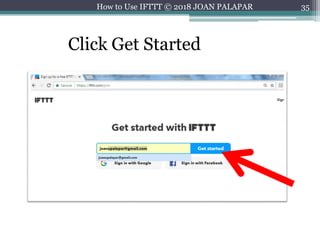
Click Get Started
How to Use IFTTT © 2018 JOAN PALAPAR
36
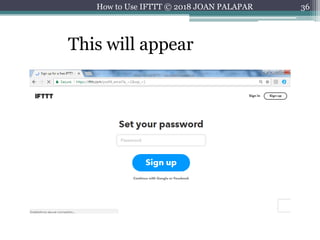
This will appear
How to Use IFTTT © 2018 JOAN PALAPAR
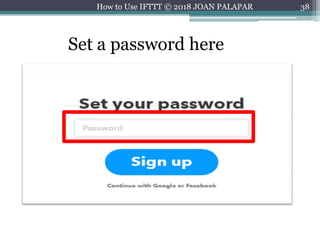
37
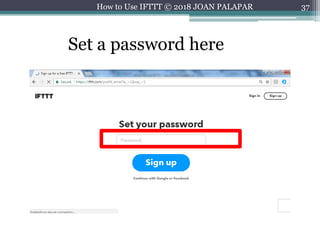
Set a password here
How to Use IFTTT © 2018 JOAN PALAPAR
38
Set a password here
How to Use IFTTT © 2018 JOAN PALAPAR
39
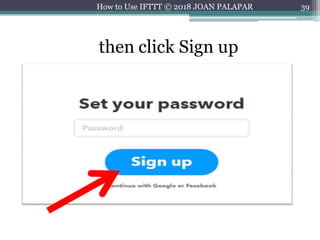
then click Sign up
How to Use IFTTT © 2018 JOAN PALAPAR
40
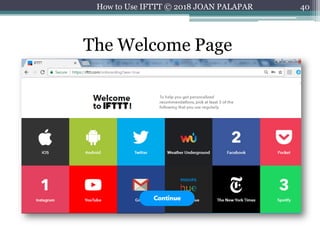
The Welcome Page
How to Use IFTTT © 2018 JOAN PALAPAR
41
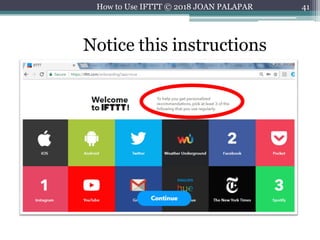
Notice this instructions
How to Use IFTTT © 2018 JOAN PALAPAR
42
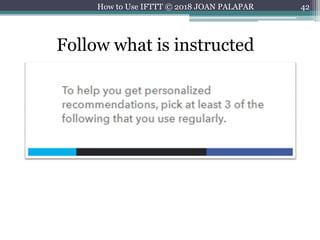
Follow what is instructed
How to Use IFTTT © 2018 JOAN PALAPAR
43How to Use IFTTT © 2018 JOAN PALAPAR
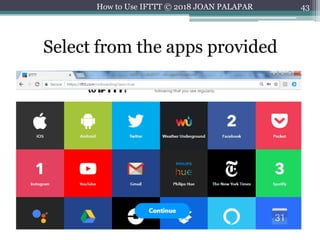
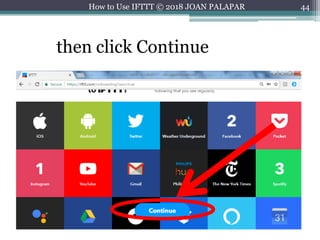
Select from the apps provided
44How to Use IFTTT © 2018 JOAN PALAPAR
then click Continue
45How to Use IFTTT © 2018 JOAN PALAPAR
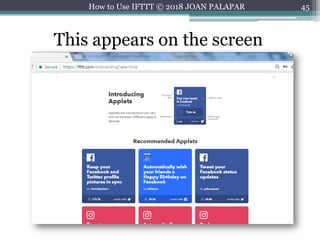
This appears on the screen
46How to Use IFTTT © 2018 JOAN PALAPAR
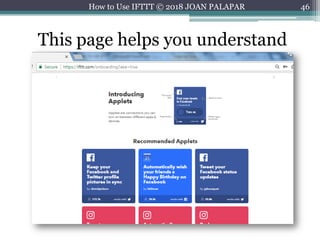
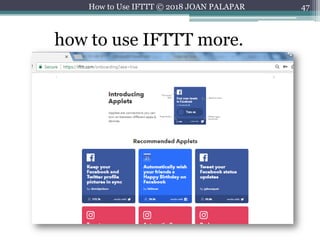
This page helps you understand
47How to Use IFTTT © 2018 JOAN PALAPAR
how to use IFTTT more.
48How to Use IFTTT © 2018 JOAN PALAPAR
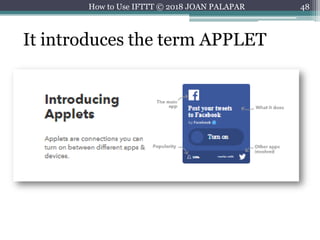
It introduces the term APPLET
49How to Use IFTTT © 2018 JOAN PALAPAR
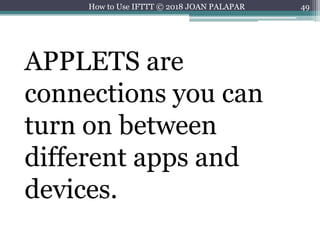
APPLETS are
connections you can
turn on between
different apps and
devices.
50How to Use IFTTT © 2018 JOAN PALAPAR
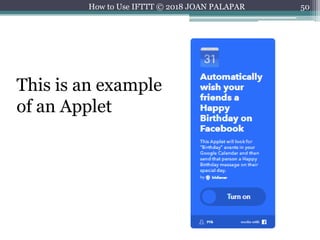
This is an example
of an Applet
51How to Use IFTTT © 2018 JOAN PALAPAR
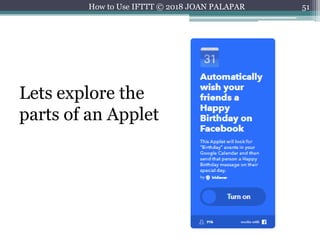
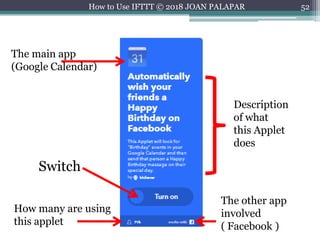
Lets explore the
parts of an Applet
52How to Use IFTTT © 2018 JOAN PALAPAR
The main app
(Google Calendar)
How many are using
this applet
The other app
involved
( Facebook )
Description
of what
this Applet
does
Switch
53How to Use IFTTT © 2018 JOAN PALAPAR
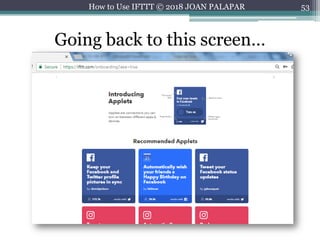
Going back to this screen…
54How to Use IFTTT © 2018 JOAN PALAPAR
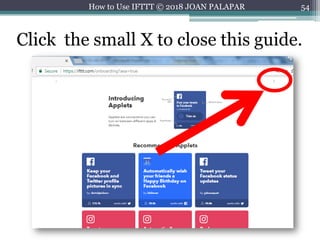
Click the small X to close this guide.
55How to Use IFTTT © 2018 JOAN PALAPAR
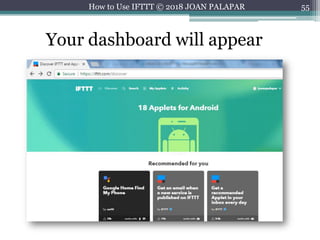
Your dashboard will appear
56How to Use IFTTT © 2018 JOAN PALAPAR
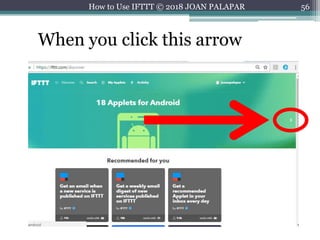
When you click this arrow
57How to Use IFTTT © 2018 JOAN PALAPAR
You will see the
recommended
applets in a slider
58How to Use IFTTT © 2018 JOAN PALAPAR
for different types
of systems and
services.
59How to Use IFTTT © 2018 JOAN PALAPAR
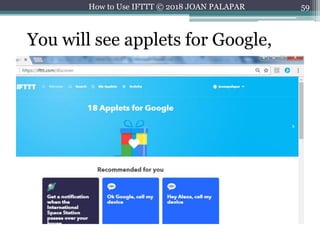
You will see applets for Google,
60How to Use IFTTT © 2018 JOAN PALAPAR
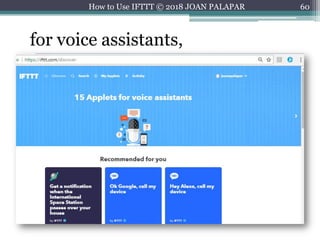
for voice assistants,
61How to Use IFTTT © 2018 JOAN PALAPAR
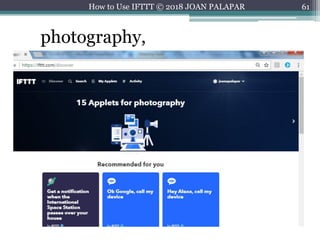
photography,
62How to Use IFTTT © 2018 JOAN PALAPAR
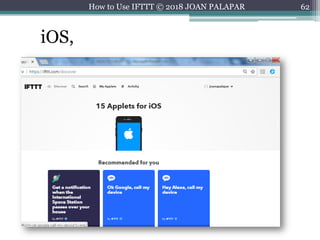
iOS,
63How to Use IFTTT © 2018 JOAN PALAPAR
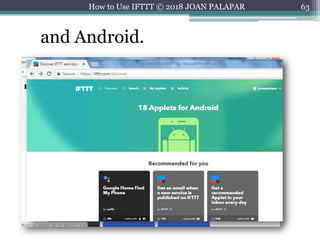
and Android.
64How to Use IFTTT © 2018 JOAN PALAPAR
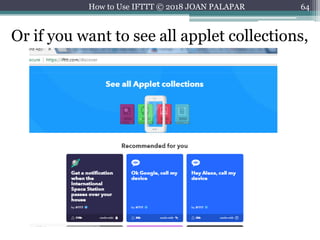
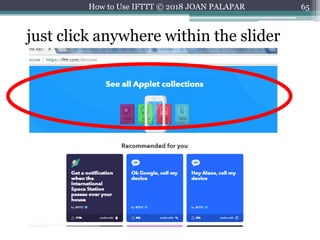
Or if you want to see all applet collections,
65How to Use IFTTT © 2018 JOAN PALAPAR
just click anywhere within the slider
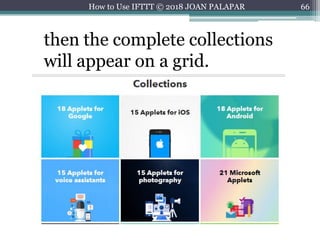
66How to Use IFTTT © 2018 JOAN PALAPAR
then the complete collections
will appear on a grid.
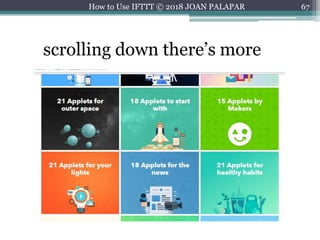
67How to Use IFTTT © 2018 JOAN PALAPAR
scrolling down there’s more
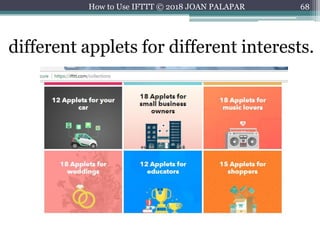
68How to Use IFTTT © 2018 JOAN PALAPAR
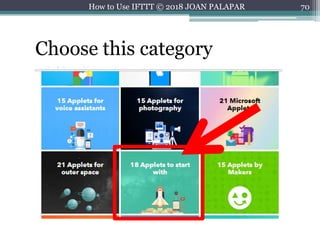
different applets for different interests.
69How to Use IFTTT © 2018 JOAN PALAPAR
You will select one category.
70How to Use IFTTT © 2018 JOAN PALAPAR
Choose this category
71How to Use IFTTT © 2018 JOAN PALAPAR
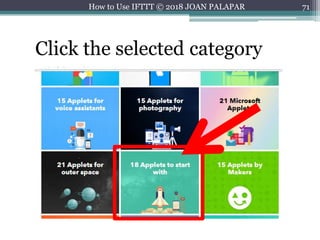
Click the selected category
72How to Use IFTTT © 2018 JOAN PALAPAR
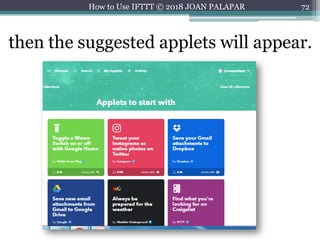
then the suggested applets will appear.
73How to Use IFTTT © 2018 JOAN PALAPAR
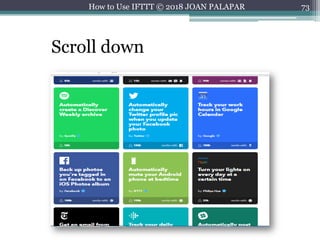
Scroll down
74How to Use IFTTT © 2018 JOAN PALAPAR
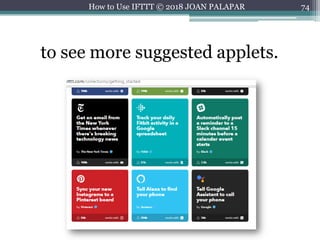
to see more suggested applets.
75How to Use IFTTT © 2018 JOAN PALAPAR
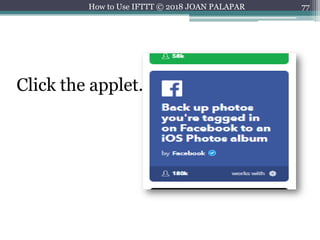
You will select one applet.
76How to Use IFTTT © 2018 JOAN PALAPAR
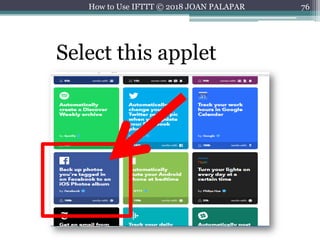
Select this applet
77How to Use IFTTT © 2018 JOAN PALAPAR
Click the applet.
78How to Use IFTTT © 2018 JOAN PALAPAR
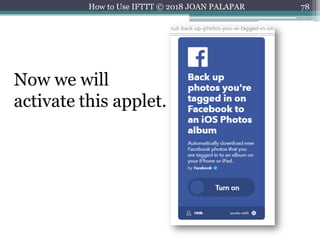
Now we will
activate this applet.
79How to Use IFTTT © 2018 JOAN PALAPAR
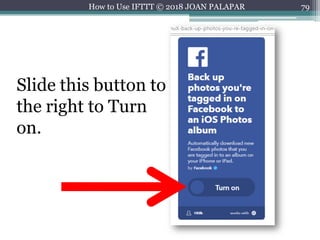
Slide this button to
the right to Turn
on.
80How to Use IFTTT © 2018 JOAN PALAPAR
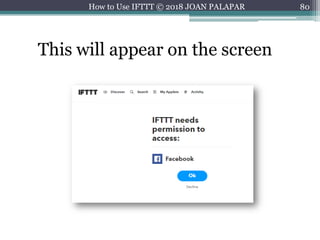
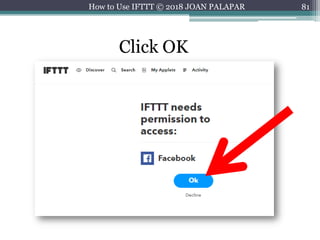
This will appear on the screen
81How to Use IFTTT © 2018 JOAN PALAPAR
Click OK
82How to Use IFTTT © 2018 JOAN PALAPAR
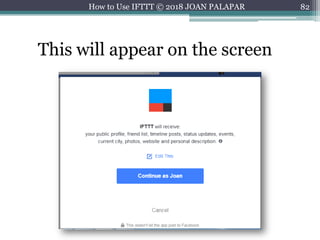
This will appear on the screen
83How to Use IFTTT © 2018 JOAN PALAPAR
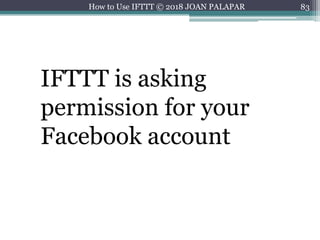
IFTTT is asking
permission for your
Facebook account
84How to Use IFTTT © 2018 JOAN PALAPAR
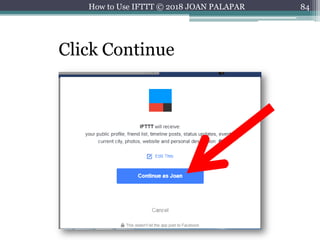
Click Continue
85How to Use IFTTT © 2018 JOAN PALAPAR
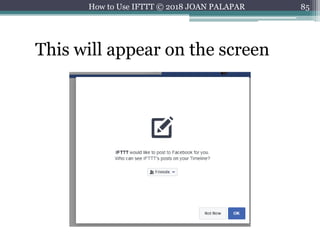
This will appear on the screen
86How to Use IFTTT © 2018 JOAN PALAPAR
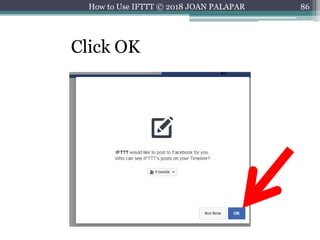
Click OK
87How to Use IFTTT © 2018 JOAN PALAPAR
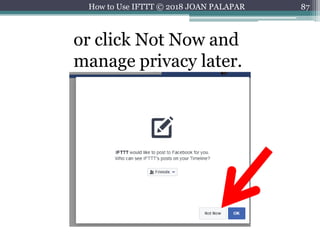
or click Not Now and
manage privacy later.
88How to Use IFTTT © 2018 JOAN PALAPAR
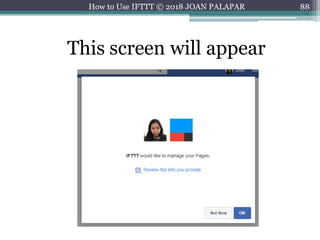
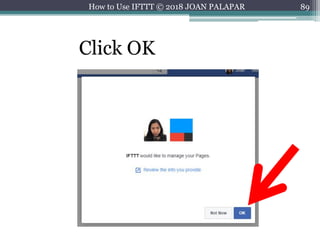
This screen will appear
89How to Use IFTTT © 2018 JOAN PALAPAR
Click OK
90How to Use IFTTT © 2018 JOAN PALAPAR
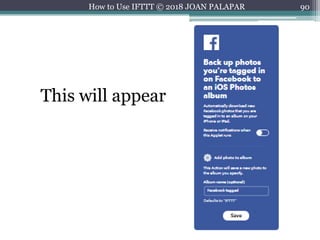
This will appear
91How to Use IFTTT © 2018 JOAN PALAPAR
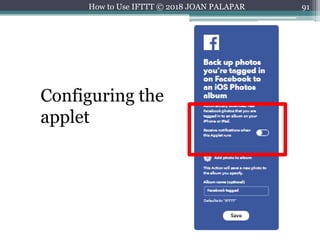
Configuring the
applet
92How to Use IFTTT © 2018 JOAN PALAPAR
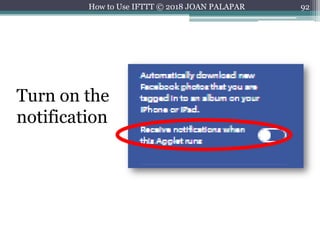
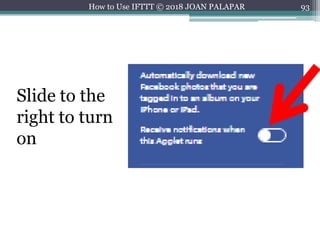
Turn on the
notification
93How to Use IFTTT © 2018 JOAN PALAPAR
Slide to the
right to turn
on
94How to Use IFTTT © 2018 JOAN PALAPAR
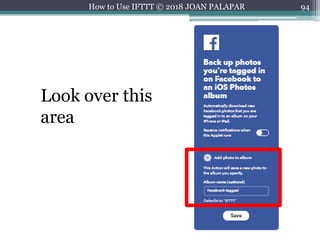
Look over this
area
95How to Use IFTTT © 2018 JOAN PALAPAR
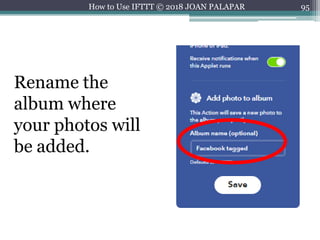
Rename the
album where
your photos will
be added.
96How to Use IFTTT © 2018 JOAN PALAPAR
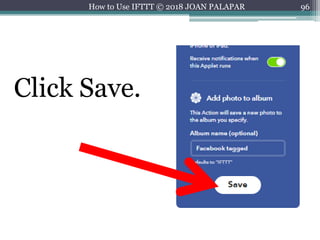
Click Save.
97How to Use IFTTT © 2018 JOAN PALAPAR
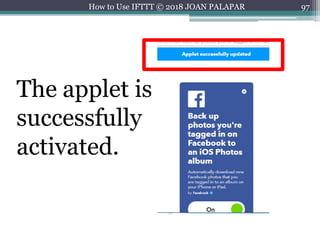
The applet is
successfully
activated.
98How to Use IFTTT © 2018 JOAN PALAPAR
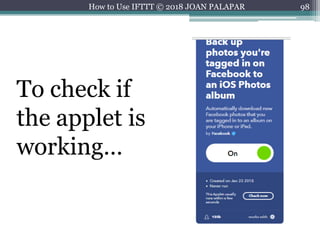
To check if
the applet is
working…
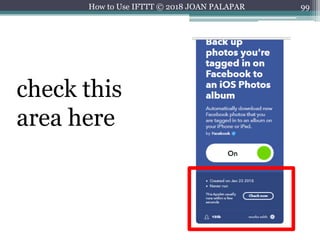
99How to Use IFTTT © 2018 JOAN PALAPAR
check this
area here
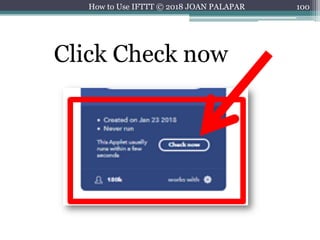
100How to Use IFTTT © 2018 JOAN PALAPAR
Click Check now
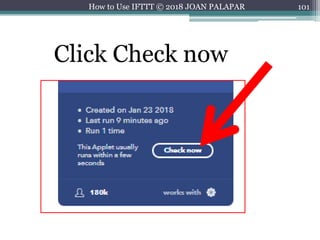
101How to Use IFTTT © 2018 JOAN PALAPAR
Click Check now
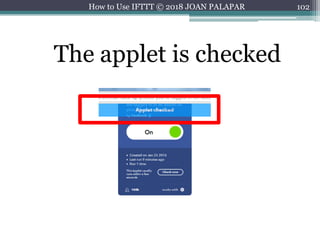
102How to Use IFTTT © 2018 JOAN PALAPAR
The applet is checked
103How to Use IFTTT © 2018 JOAN PALAPAR
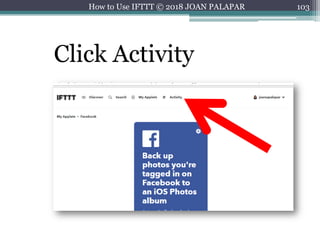
Click Activity
104How to Use IFTTT © 2018 JOAN PALAPAR
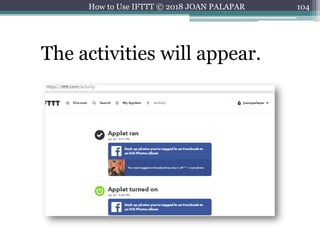
The activities will appear.
105How to Use IFTTT © 2018 JOAN PALAPAR
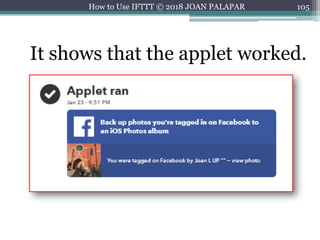
It shows that the applet worked.
106How to Use IFTTT © 2018 JOAN PALAPAR
You can also check your
iOS device
107How to Use IFTTT © 2018 JOAN PALAPAR
if the ‘Facebook tagged’
album appears with the
photo.
108How to Use IFTTT © 2018 JOAN PALAPAR
Try to explore other
applets.
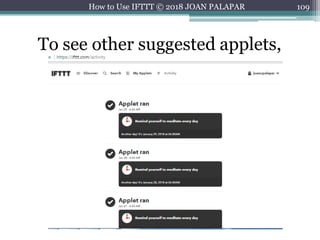
109How to Use IFTTT © 2018 JOAN PALAPAR
To see other suggested applets,
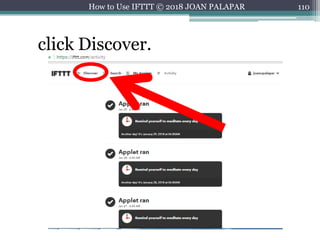
110How to Use IFTTT © 2018 JOAN PALAPAR
click Discover.
111How to Use IFTTT © 2018 JOAN PALAPAR
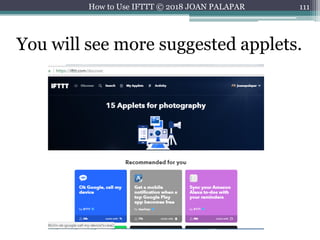
You will see more suggested applets.
112How to Use IFTTT © 2018 JOAN PALAPAR
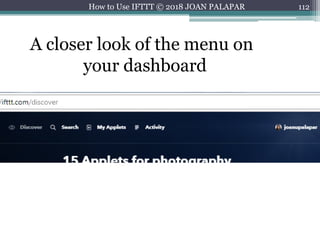
A closer look of the menu on
your dashboard
113How to Use IFTTT © 2018 JOAN PALAPAR
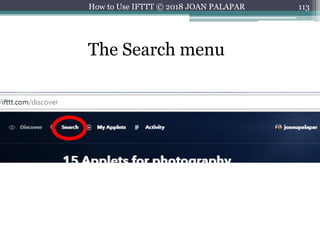
The Search menu
114How to Use IFTTT © 2018 JOAN PALAPAR
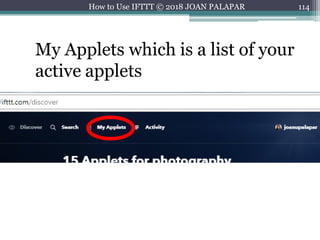
My Applets which is a list of your
active applets
115How to Use IFTTT © 2018 JOAN PALAPAR
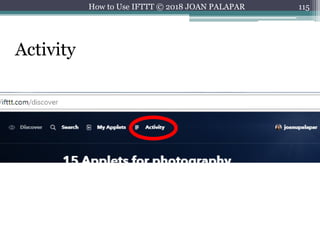
Activity
116How to Use IFTTT © 2018 JOAN PALAPAR
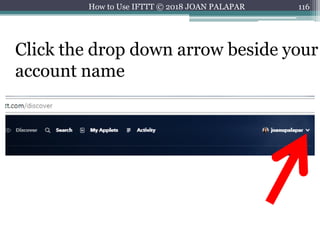
Click the drop down arrow beside your
account name
117How to Use IFTTT © 2018 JOAN PALAPAR
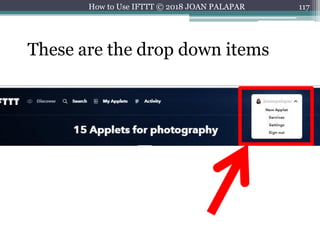
These are the drop down items
118How to Use IFTTT © 2018 JOAN PALAPAR
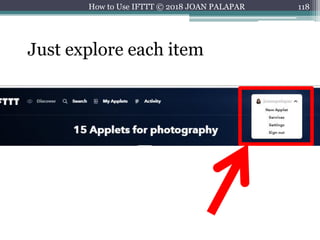
Just explore each item
119How to Use IFTTT © 2018 JOAN PALAPAR
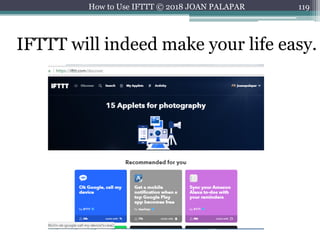
IFTTT will indeed make your life easy.
120How to Use IFTTT © 2018 JOAN PALAPAR
Sign up for
an IFTTT
account
now.
121How to Use IFTTT © 2018 JOAN PALAPAR
Image Credits from
Freepik.com
Canva.com
122How to Use IFTTT © 2018 JOAN PALAPAR

How to use IFTTT