
How to Use Basecamp
@2014 Nimfa V. Maniscan - How to Use Basecamp 1
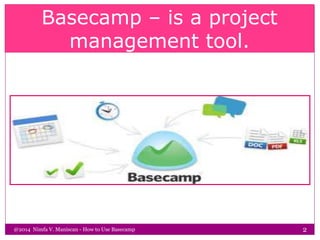
Basecamp – is a project
management tool.
@2014 Nimfa V. Maniscan - How to Use Basecamp 2
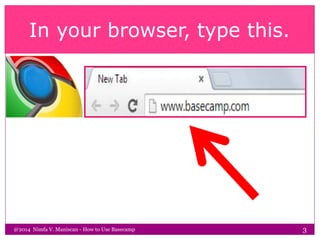
In your browser, type this.
@2014 Nimfa V. Maniscan - How to Use Basecamp 3
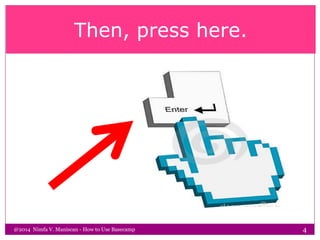
Then, press here.
@2014 Nimfa V. Maniscan - How to Use Basecamp 4
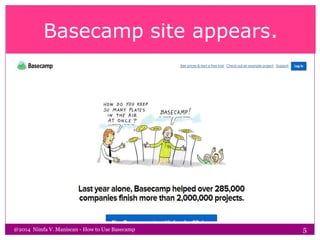
Basecamp site appears.
@2014 Nimfa V. Maniscan - How to Use Basecamp 5
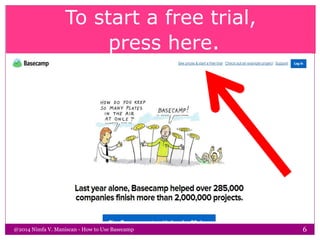
To start a free trial,
press here.
@2014 Nimfa V. Maniscan - How to Use Basecamp 6
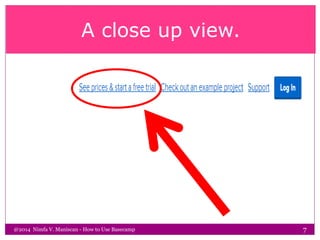
A close up view.
@2014 Nimfa V. Maniscan - How to Use Basecamp 7
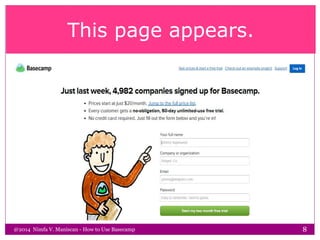
This page appears.
@2014 Nimfa V. Maniscan - How to Use Basecamp 8
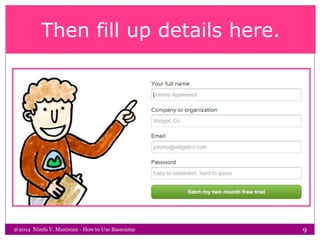
Then fill up details here.
@2014 Nimfa V. Maniscan - How to Use Basecamp 9
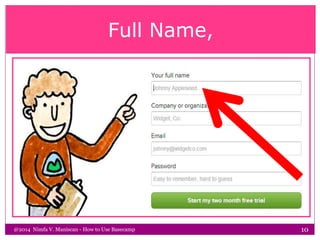
Full Name,
@2014 Nimfa V. Maniscan - How to Use Basecamp 10
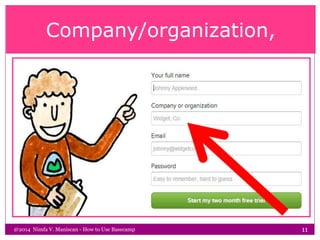
Company/organization,
@2014 Nimfa V. Maniscan - How to Use Basecamp 11
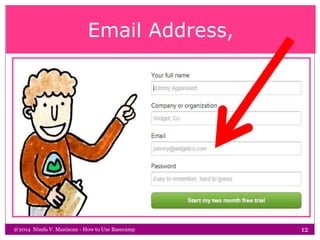
Email Address,
@2014 Nimfa V. Maniscan - How to Use Basecamp 12
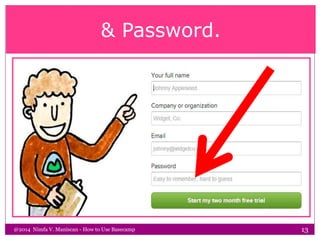
& Password.
@2014 Nimfa V. Maniscan - How to Use Basecamp 13
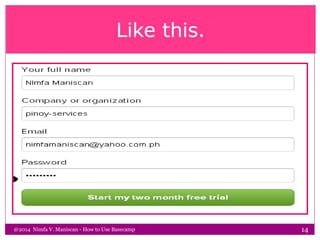
Like this.
@2014 Nimfa V. Maniscan - How to Use Basecamp 14
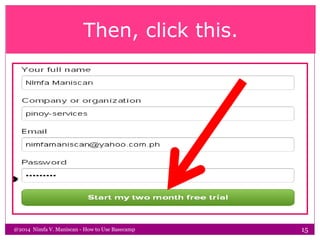
Then, click this.
@2014 Nimfa V. Maniscan - How to Use Basecamp 15
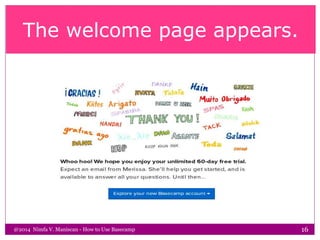
The welcome page appears.
@2014 Nimfa V. Maniscan - How to Use Basecamp 16
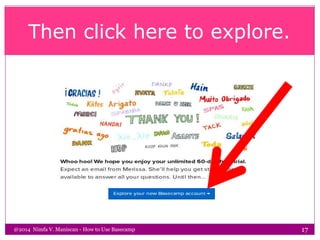
Then click here to explore.
@2014 Nimfa V. Maniscan - How to Use Basecamp 17
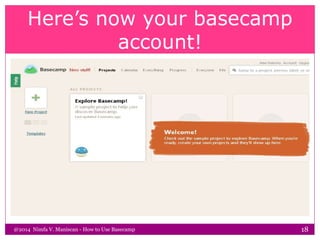
Here’s now your basecamp
account!
@2014 Nimfa V. Maniscan - How to Use Basecamp 18
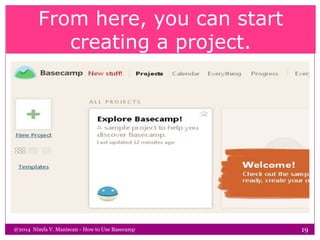
From here, you can start
creating a project.
@2014 Nimfa V. Maniscan - How to Use Basecamp 19
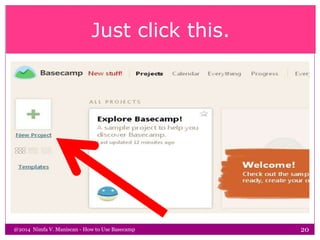
Just click this.
@2014 Nimfa V. Maniscan - How to Use Basecamp 20
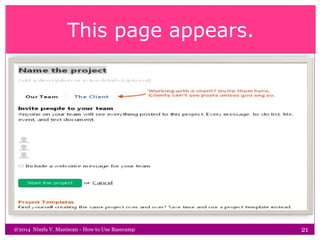
This page appears.
@2014 Nimfa V. Maniscan - How to Use Basecamp 21
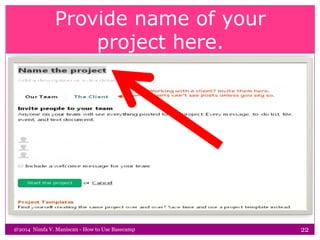
Provide name of your
project here.
@2014 Nimfa V. Maniscan - How to Use Basecamp 22
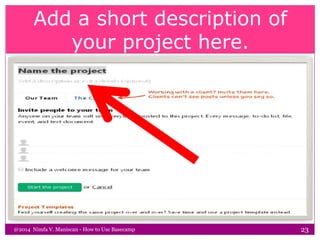
Add a short description of
your project here.
@2014 Nimfa V. Maniscan - How to Use Basecamp 23
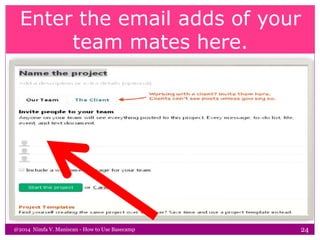
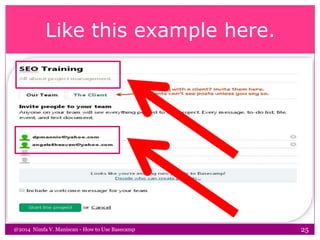
Enter the email adds of your
team mates here.
@2014 Nimfa V. Maniscan - How to Use Basecamp 24
Like this example here.
@2014 Nimfa V. Maniscan - How to Use Basecamp 25
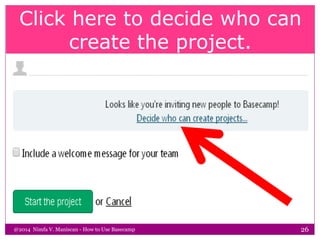
Click here to decide who can
create the project.
@2014 Nimfa V. Maniscan - How to Use Basecamp 26
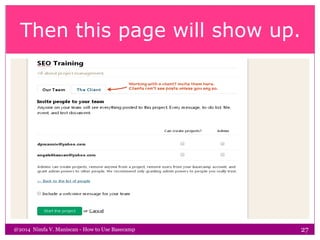
Then this page will show up.
@2014 Nimfa V. Maniscan - How to Use Basecamp 27
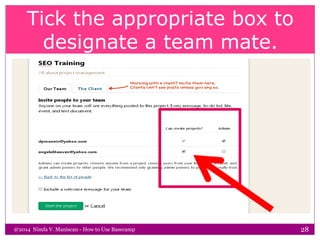
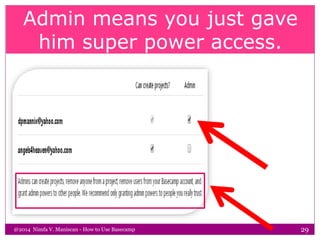
Tick the appropriate box to
designate a team mate.
@2014 Nimfa V. Maniscan - How to Use Basecamp 28
Admin means you just gave
him super power access.
@2014 Nimfa V. Maniscan - How to Use Basecamp 29
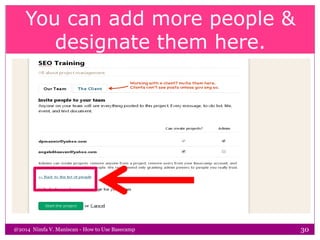
You can add more people &
designate them here.
@2014 Nimfa V. Maniscan - How to Use Basecamp 30
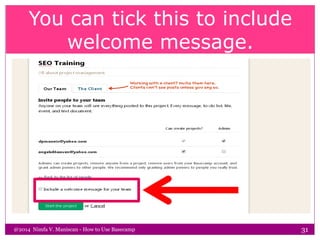
You can tick this to include
welcome message.
@2014 Nimfa V. Maniscan - How to Use Basecamp 31
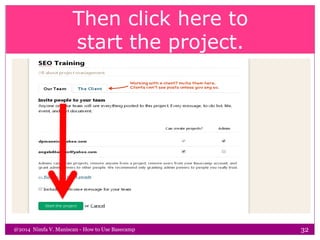
Then click here to
start the project.
@2014 Nimfa V. Maniscan - How to Use Basecamp 32
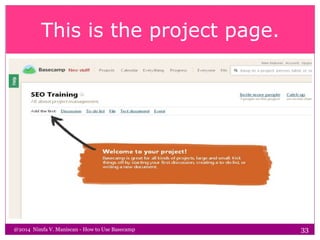
This is the project page.
@2014 Nimfa V. Maniscan - How to Use Basecamp 33
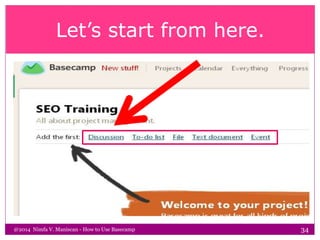
Let’s start from here.
@2014 Nimfa V. Maniscan - How to Use Basecamp 34
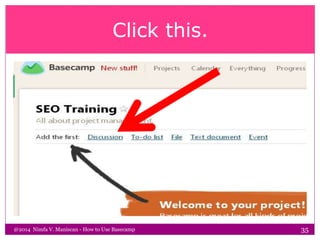
Click this.
@2014 Nimfa V. Maniscan - How to Use Basecamp 35
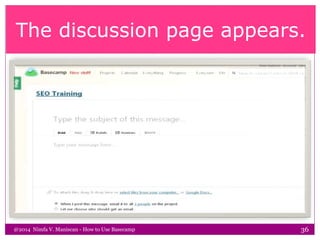
The discussion page appears.
@2014 Nimfa V. Maniscan - How to Use Basecamp 36
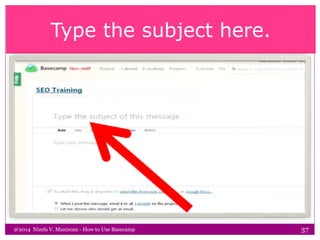
Type the subject here.
@2014 Nimfa V. Maniscan - How to Use Basecamp 37
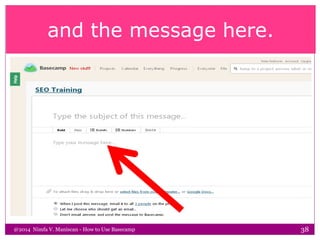
and the message here.
@2014 Nimfa V. Maniscan - How to Use Basecamp 38
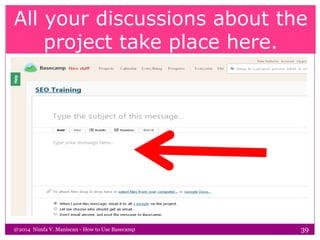
All your discussions about the
project take place here.
@2014 Nimfa V. Maniscan - How to Use Basecamp 39
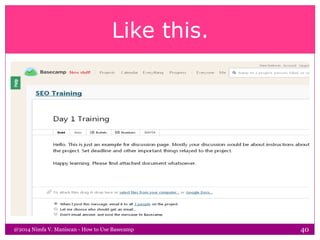
Like this.
@2014 Nimfa V. Maniscan - How to Use Basecamp 40
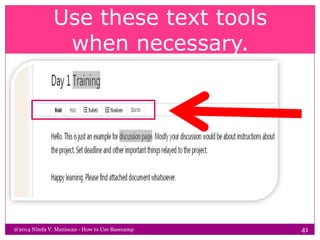
Use these text tools
when necessary.
@2014 Nimfa V. Maniscan - How to Use Basecamp 41
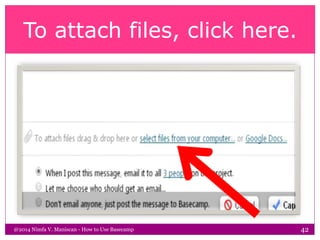
To attach files, click here.
@2014 Nimfa V. Maniscan - How to Use Basecamp 42
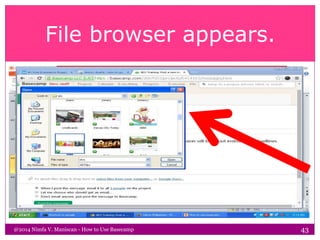
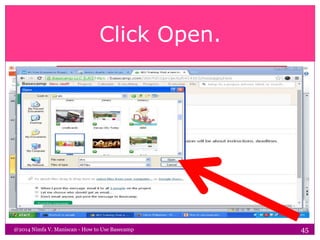
File browser appears.
@2014 Nimfa V. Maniscan - How to Use Basecamp 43
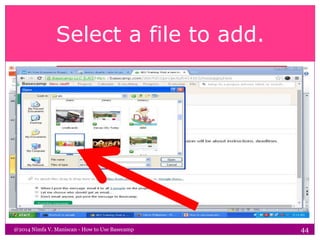
Select a file to add.
@2014 Nimfa V. Maniscan - How to Use Basecamp 44
Click Open.
@2014 Nimfa V. Maniscan - How to Use Basecamp 45
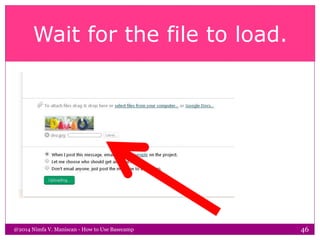
Wait for the file to load.
@2014 Nimfa V. Maniscan - How to Use Basecamp 46
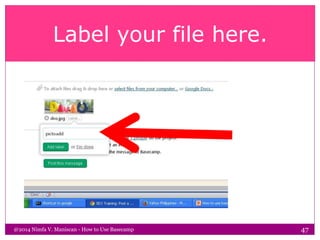
Label your file here.
@2014 Nimfa V. Maniscan - How to Use Basecamp 47
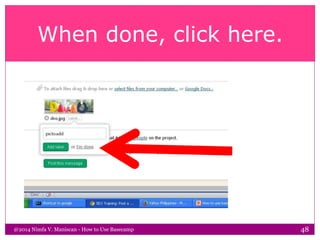
When done, click here.
@2014 Nimfa V. Maniscan - How to Use Basecamp 48
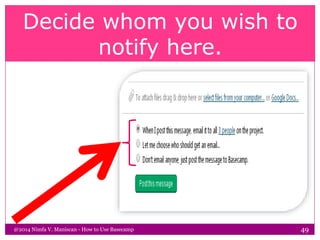
Decide whom you wish to
notify here.
@2014 Nimfa V. Maniscan - How to Use Basecamp 49
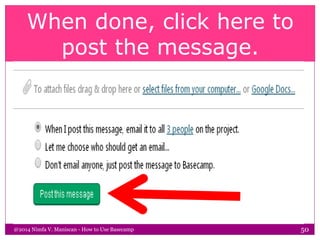
When done, click here to
post the message.
@2014 Nimfa V. Maniscan - How to Use Basecamp 50
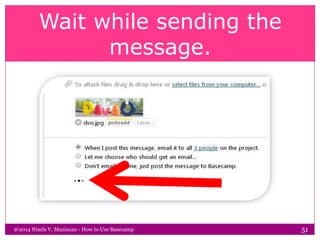
Wait while sending the
message.
@2014 Nimfa V. Maniscan - How to Use Basecamp 51
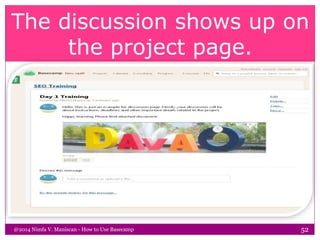
The discussion shows up on
the project page.
@2014 Nimfa V. Maniscan - How to Use Basecamp 52
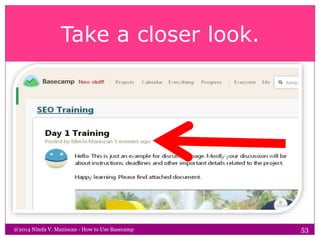
Take a closer look.
@2014 Nimfa V. Maniscan - How to Use Basecamp 53
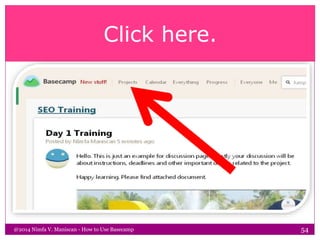
Click here.
@2014 Nimfa V. Maniscan - How to Use Basecamp 54
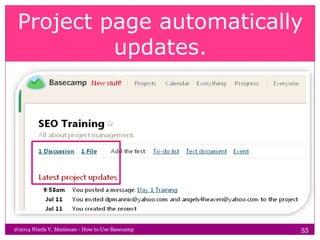
Project page automatically
updates.
@2014 Nimfa V. Maniscan - How to Use Basecamp 55
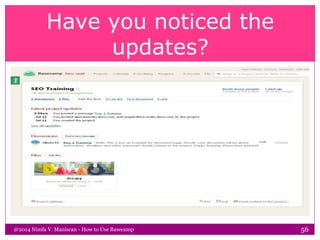
Have you noticed the
updates?
@2014 Nimfa V. Maniscan - How to Use Basecamp 56
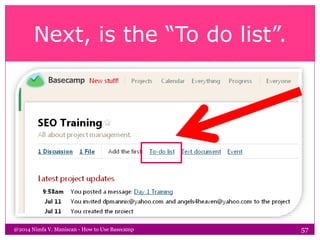
Next, is the “To do list”.
@2014 Nimfa V. Maniscan - How to Use Basecamp 57
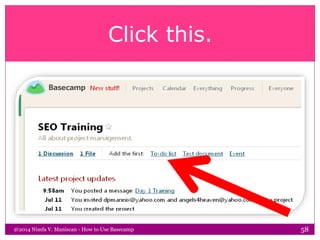
Click this.
@2014 Nimfa V. Maniscan - How to Use Basecamp 58
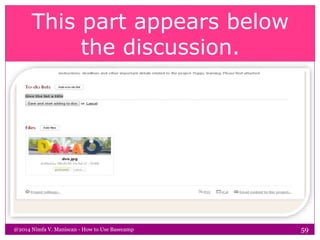
This part appears below
the discussion.
@2014 Nimfa V. Maniscan - How to Use Basecamp 59
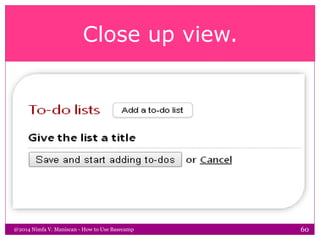
Close up view.
@2014 Nimfa V. Maniscan - How to Use Basecamp 60
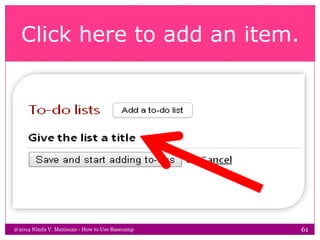
Click here to add an item.
@2014 Nimfa V. Maniscan - How to Use Basecamp 61
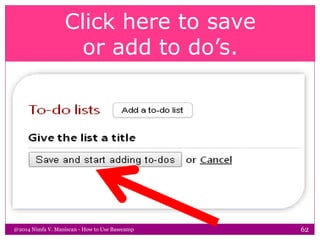
Click here to save
or add to do’s.
@2014 Nimfa V. Maniscan - How to Use Basecamp 62
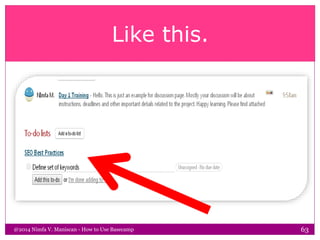
Like this.
@2014 Nimfa V. Maniscan - How to Use Basecamp 63
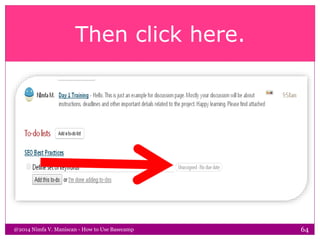
Then click here.
@2014 Nimfa V. Maniscan - How to Use Basecamp 64
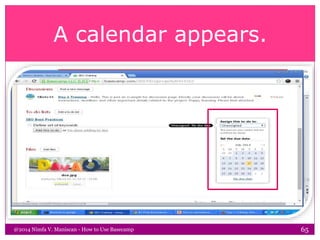
A calendar appears.
@2014 Nimfa V. Maniscan - How to Use Basecamp 65
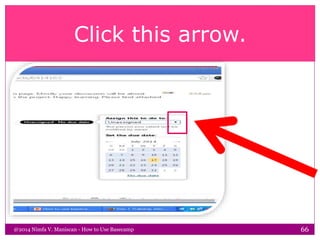
Click this arrow.
@2014 Nimfa V. Maniscan - How to Use Basecamp 66
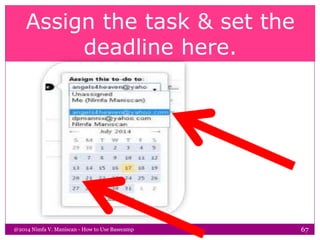
Assign the task & set the
deadline here.
@2014 Nimfa V. Maniscan - How to Use Basecamp 67
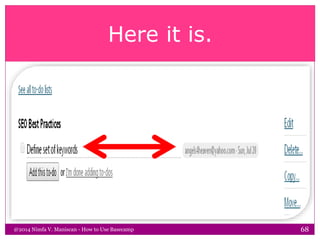
Here it is.
@2014 Nimfa V. Maniscan - How to Use Basecamp 68
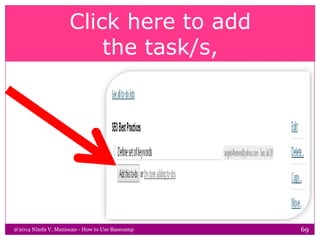
Click here to add
the task/s,
@2014 Nimfa V. Maniscan - How to Use Basecamp 69
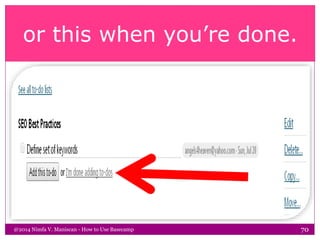
or this when you’re done.
@2014 Nimfa V. Maniscan - How to Use Basecamp 70
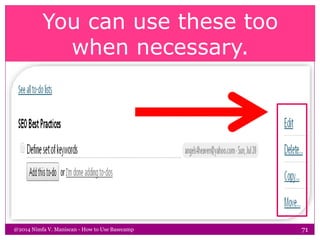
You can use these too
when necessary.
@2014 Nimfa V. Maniscan - How to Use Basecamp 71
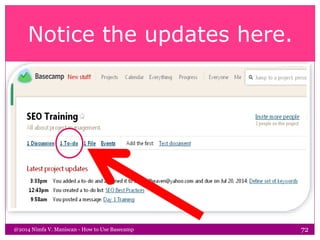
Notice the updates here.
@2014 Nimfa V. Maniscan - How to Use Basecamp 72
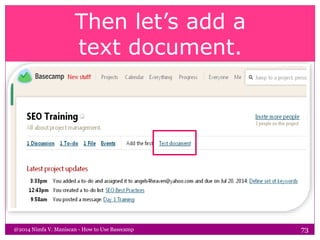
Then let’s add a
text document.
@2014 Nimfa V. Maniscan - How to Use Basecamp 73
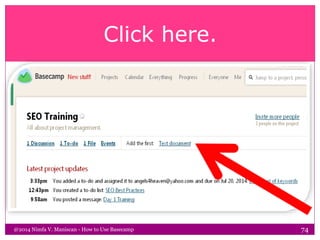
Click here.
@2014 Nimfa V. Maniscan - How to Use Basecamp 74
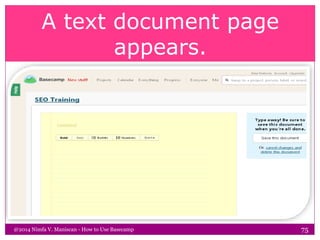
A text document page
appears.
@2014 Nimfa V. Maniscan - How to Use Basecamp 75
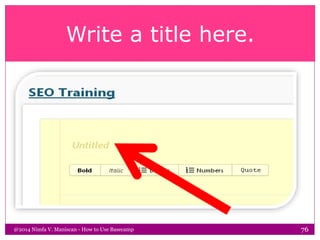
Write a title here.
@2014 Nimfa V. Maniscan - How to Use Basecamp 76
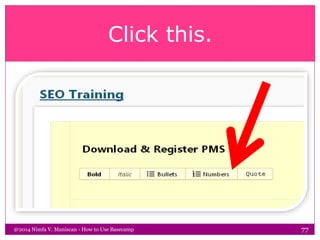
Click this.
@2014 Nimfa V. Maniscan - How to Use Basecamp 77
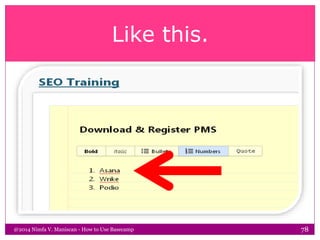
Like this.
@2014 Nimfa V. Maniscan - How to Use Basecamp 78
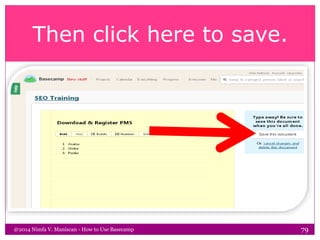
Then click here to save.
@2014 Nimfa V. Maniscan - How to Use Basecamp 79
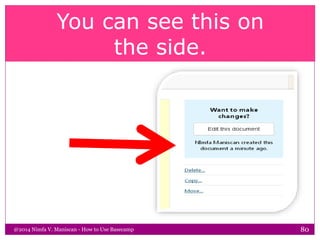
You can see this on
the side.
@2014 Nimfa V. Maniscan - How to Use Basecamp 80
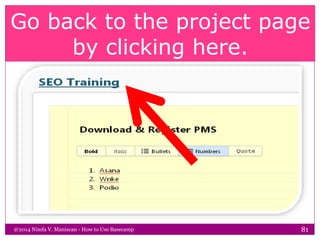
Go back to the project page
by clicking here.
@2014 Nimfa V. Maniscan - How to Use Basecamp 81
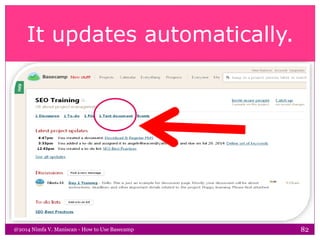
It updates automatically.
@2014 Nimfa V. Maniscan - How to Use Basecamp 82
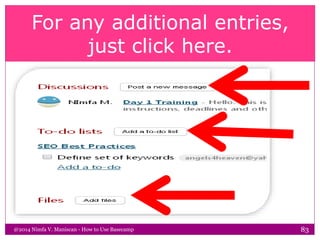
For any additional entries,
just click here.
@2014 Nimfa V. Maniscan - How to Use Basecamp 83
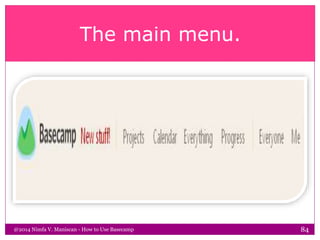
The main menu.
@2014 Nimfa V. Maniscan - How to Use Basecamp 84
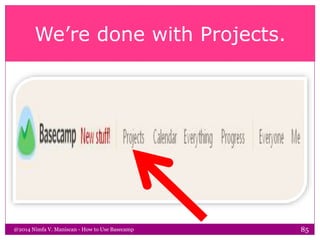
We’re done with Projects.
@2014 Nimfa V. Maniscan - How to Use Basecamp 85
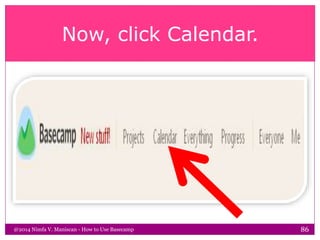
Now, click Calendar.
@2014 Nimfa V. Maniscan - How to Use Basecamp 86
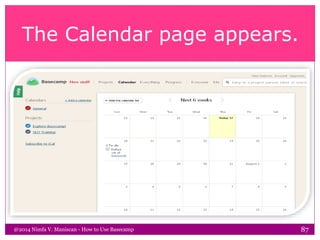
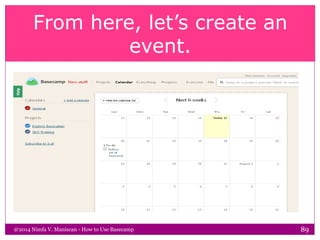
The Calendar page appears.
@2014 Nimfa V. Maniscan - How to Use Basecamp 87
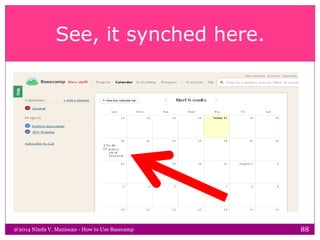
See, it synched here.
@2014 Nimfa V. Maniscan - How to Use Basecamp 88
From here, let’s create an
event.
@2014 Nimfa V. Maniscan - How to Use Basecamp 89
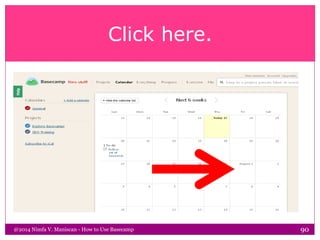
Click here.
@2014 Nimfa V. Maniscan - How to Use Basecamp 90
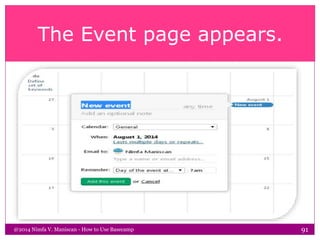
The Event page appears.
@2014 Nimfa V. Maniscan - How to Use Basecamp 91
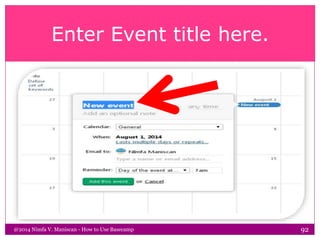
Enter Event title here.
@2014 Nimfa V. Maniscan - How to Use Basecamp 92
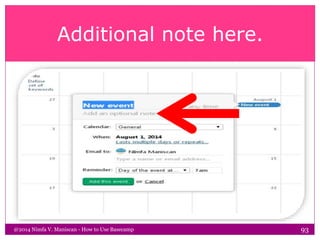
Additional note here.
@2014 Nimfa V. Maniscan - How to Use Basecamp 93
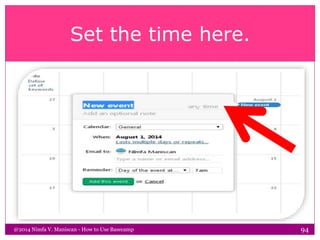
Set the time here.
@2014 Nimfa V. Maniscan - How to Use Basecamp 94
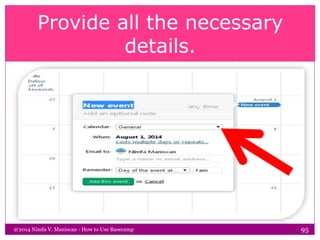
Provide all the necessary
details.
@2014 Nimfa V. Maniscan - How to Use Basecamp 95
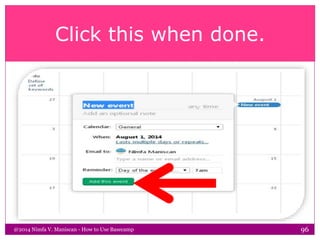
Click this when done.
@2014 Nimfa V. Maniscan - How to Use Basecamp 96
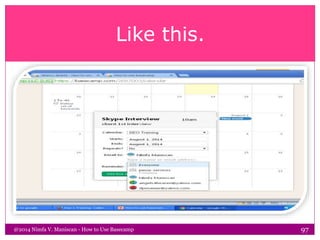
Like this.
@2014 Nimfa V. Maniscan - How to Use Basecamp 97
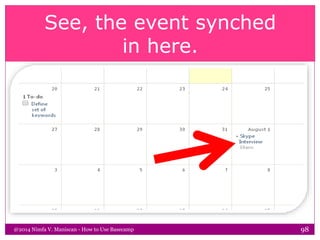
See, the event synched
in here.
@2014 Nimfa V. Maniscan - How to Use Basecamp 98
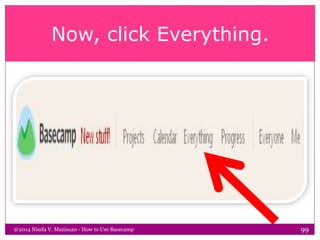
Now, click Everything.
@2014 Nimfa V. Maniscan - How to Use Basecamp 99
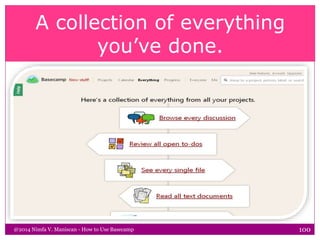
A collection of everything
you’ve done.
@2014 Nimfa V. Maniscan - How to Use Basecamp 100
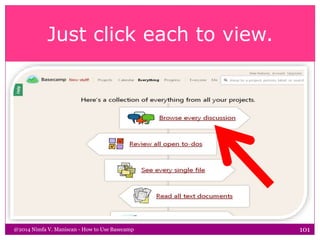
Just click each to view.
@2014 Nimfa V. Maniscan - How to Use Basecamp 101
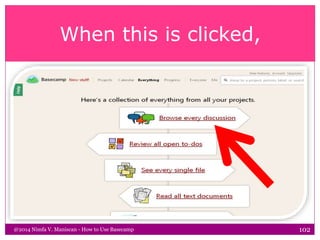
When this is clicked,
@2014 Nimfa V. Maniscan - How to Use Basecamp 102
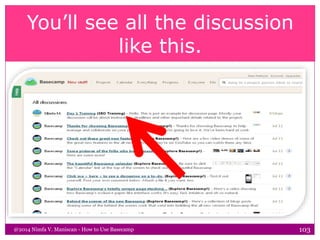
You’ll see all the discussion
like this.
@2014 Nimfa V. Maniscan - How to Use Basecamp 103
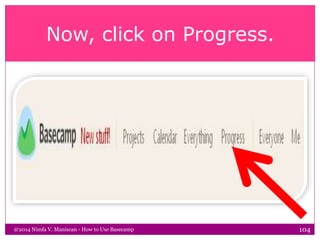
Now, click on Progress.
@2014 Nimfa V. Maniscan - How to Use Basecamp 104
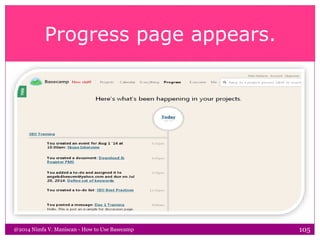
Progress page appears.
@2014 Nimfa V. Maniscan - How to Use Basecamp 105
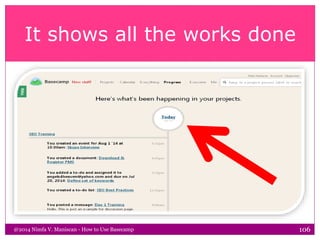
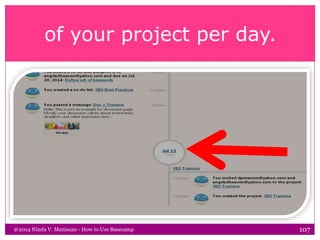
It shows all the works done
@2014 Nimfa V. Maniscan - How to Use Basecamp 106
of your project per day.
@2014 Nimfa V. Maniscan - How to Use Basecamp 107
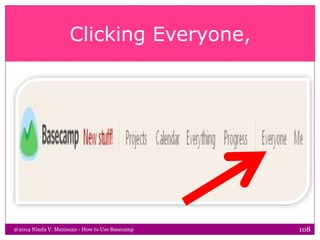
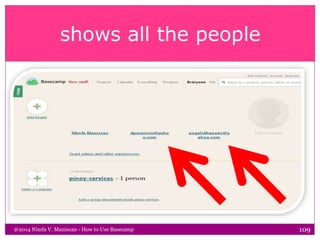
Clicking Everyone,
@2014 Nimfa V. Maniscan - How to Use Basecamp 108
shows all the people
@2014 Nimfa V. Maniscan - How to Use Basecamp 109
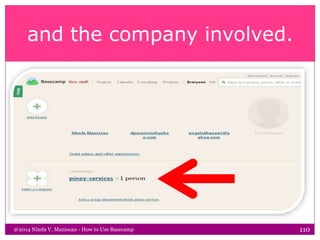
and the company involved.
@2014 Nimfa V. Maniscan - How to Use Basecamp 110
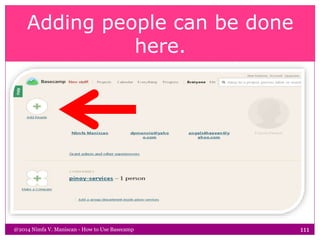
Adding people can be done
here.
@2014 Nimfa V. Maniscan - How to Use Basecamp 111
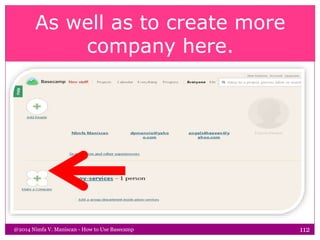
As well as to create more
company here.
@2014 Nimfa V. Maniscan - How to Use Basecamp 112
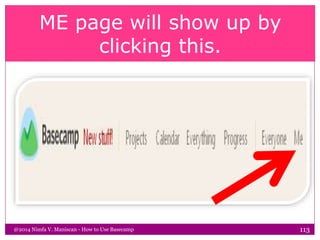
ME page will show up by
clicking this.
@2014 Nimfa V. Maniscan - How to Use Basecamp 113
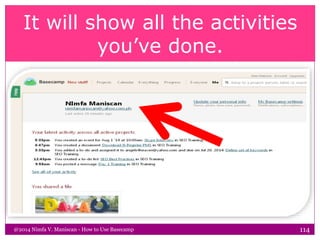
It will show all the activities
you’ve done.
@2014 Nimfa V. Maniscan - How to Use Basecamp 114
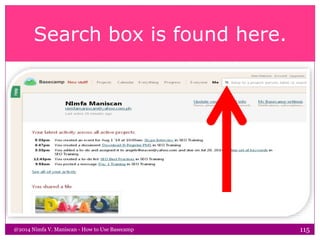
Search box is found here.
@2014 Nimfa V. Maniscan - How to Use Basecamp 115
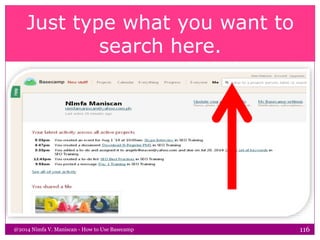
Just type what you want to
search here.
@2014 Nimfa V. Maniscan - How to Use Basecamp 116
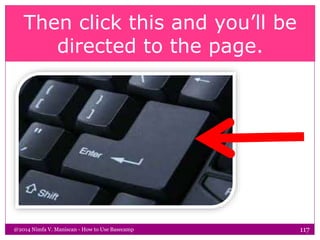
Then click this and you’ll be
directed to the page.
@2014 Nimfa V. Maniscan - How to Use Basecamp 117
There you have it.
@2014 Nimfa V. Maniscan - How to Use Basecamp 118
That’s all for now.
@2014 Nimfa V. Maniscan - How to Use Basecamp 119
@2014 Nimfa V. Maniscan - How to Use Basecamp 120

How to Use Bbasecamp