Use Automation to Increase Law Firm Efficiency
A Clio Webinar
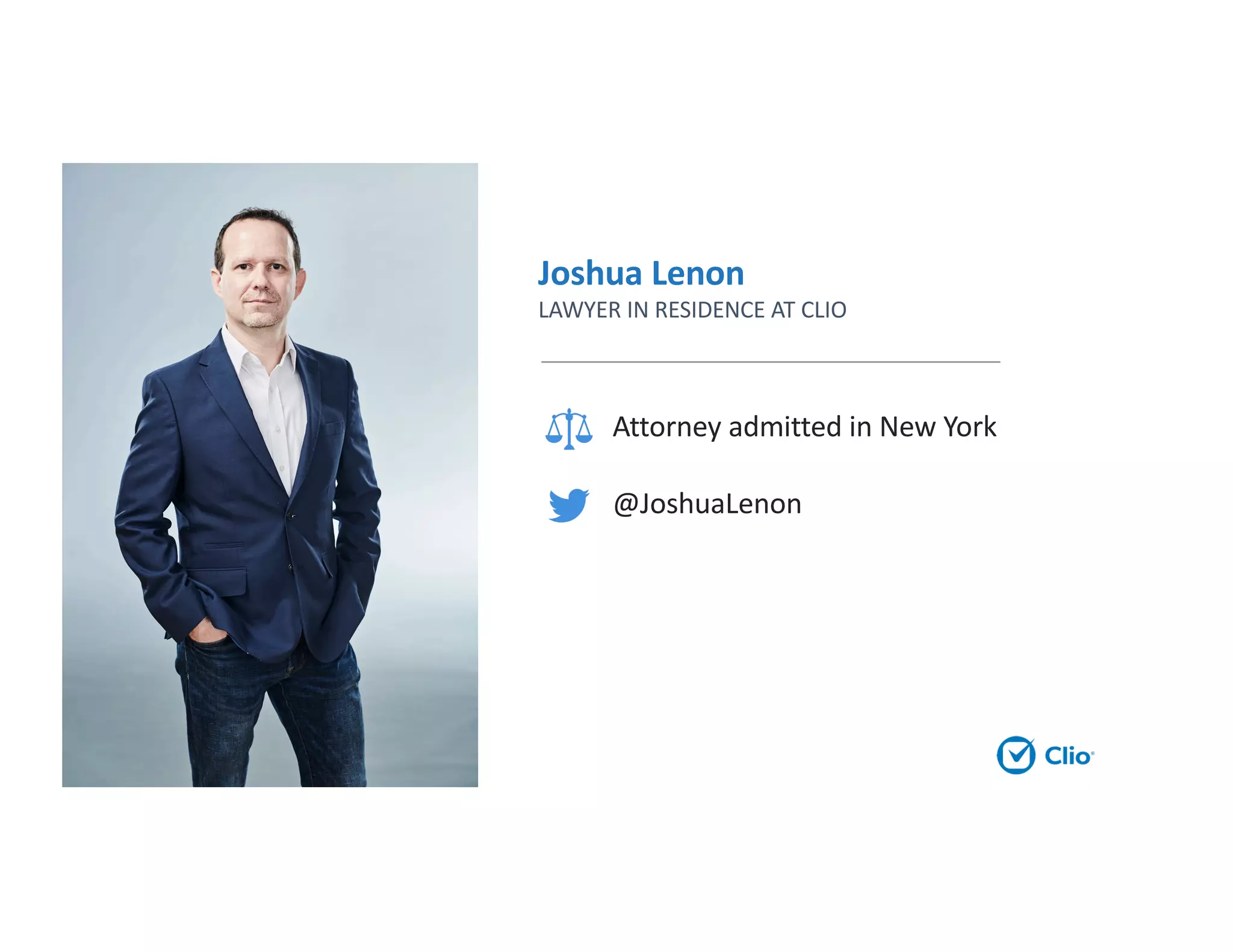
Joshua Lenon
LAWYER IN RESIDENCE AT CLIO
Attorney admitted in New York
@JoshuaLenon
Agenda
• Benefits of automation
• Automation process
• Create an automation plan
• Legal technology
• Questions
Benefits of Automation
At a certain point, time is no longer money.
Growing law firms
focus on billable work,
not busy work.
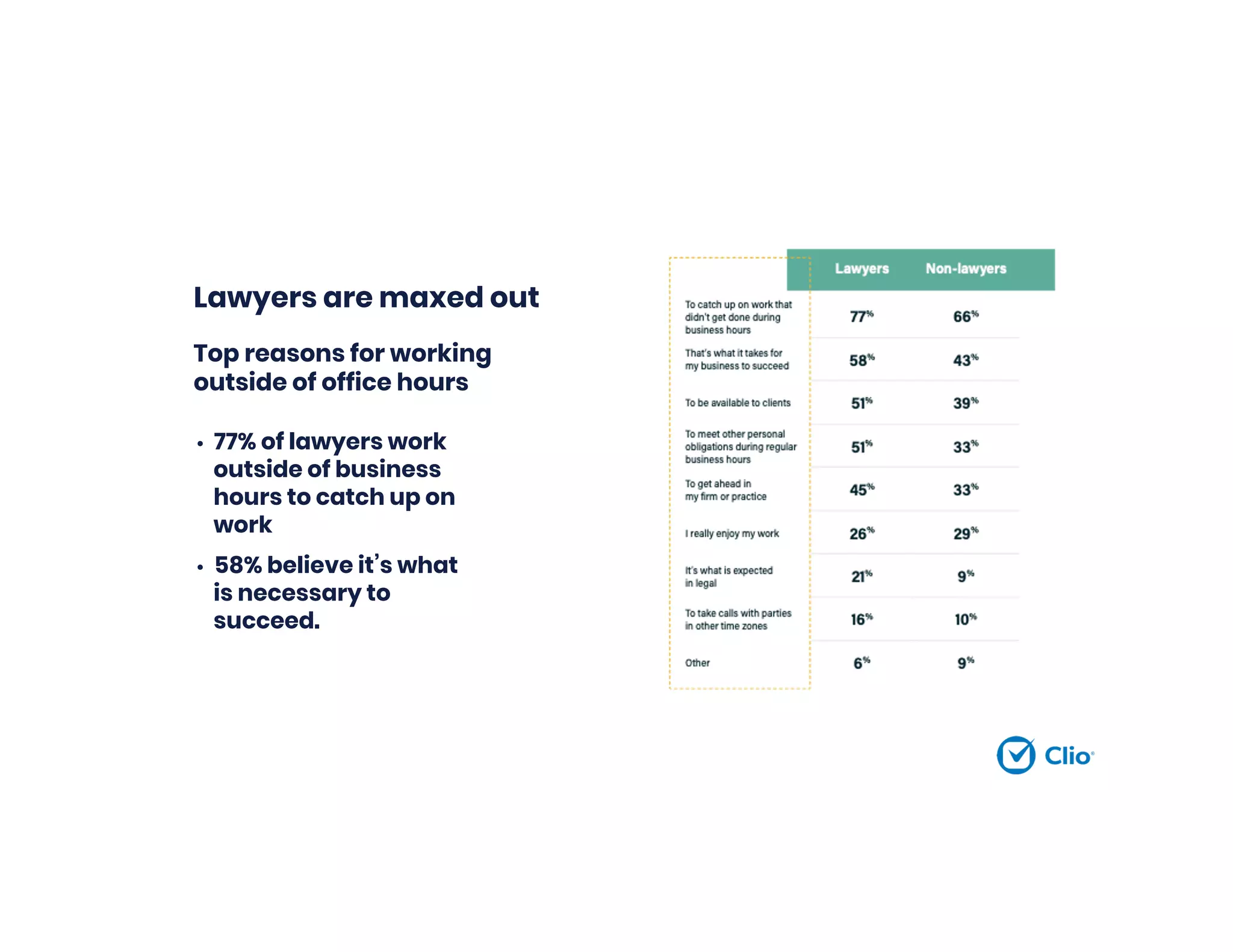
Lawyers are maxed out
• 77% of lawyers work
outside of business
hours to catch up on
work
• 58% believe it’s what
is necessary to
succeed.
Top reasons for working
outside of office hours
Create Efficiencies and Automate
• Achieve more with your day by cutting down on
time it takes to do repetitive tasks
• Increase firm-wide efficiency and collaboration
• Enhance the client experience with timely bills and
communication
• Create a sense of wellbeing because of streamlined
processes, reduced mistakes, and elimination of
tedious tasks
Automation and the
Rules of Professional
Responsibility
Automation is both required and a minefield
What are the ethical considerations?
• Lawyers have a duty to safeguard
confidential client information
• Lawyers have a duty to protect
client property, including client
files from loss
• Lawyers have a duty to be
competent in technology
• Lawyers have the responsibility
to supervise non-lawyer staff
Confidentiality
ABA Model Rule 1.6
(a) A lawyer shall not reveal information relating to the representation of a client
unless the client gives informed consent, the disclosure is impliedly authorized in
order to carry out the representation…
(c) A lawyer shall make reasonable efforts to prevent the inadvertent or
unauthorized disclosure of, or unauthorized access to, information relating to the
representation of a client.
[Comment 18] …inadvertent or unauthorized disclosure of information relating to
the representation of a client does not constitute a violation if the lawyer has
made reasonable efforts to prevent the access or disclosure.
Duty of Competence
ABA Model Rule 1.1
[Comment 8]
“To maintain the requisite knowledge and skill, a lawyer should keep
abreast of changes in the law and its practice, including the benefits
and risks associated with relevant technology, engage in continuing
study and education and comply with all continuing legal education
requirements to which the lawyer is subject.”
Duty of Competence by State
Continuous Ethical Duties
•NY Ethics Opinion 842
•Lawyer should stay abreast of technological
advances to ensure that the storage system
remains sufficiently advanced to protect the
client’s information, and the lawyer should
monitor the changing law of privilege to ensure
that storing information in the “cloud” will not
waive or jeopardize any privilege protecting the
information.
CA Formal Ethics NO. 2010-179
Because of the evolving nature of
technology and differences in security
features that are available, the attorney
must ensure the steps are sufficient for
each form of technology being used and
must continue to monitor the efficacy of
such steps.
Nonlawyer Supervision
ABA Model Rule 5.3
(b) A lawyer having direct supervisory authority over the
nonlawyer shall make reasonable efforts to ensure that the
person’s conduct is compatible with the professional
obligations of the lawyer…
Securing Communication of
Protected Client Information
ABA Formal Opinion 477
”A lawyer generally may transmit information relating to the representation of a
client over the internet without violating the Model Rules of Professional Conduct
where the lawyer has undertaken reasonable efforts to prevent inadvertent or
unauthorized access. However, a lawyer may be required to take special security
precautions to protect against the inadvertent or unauthorized disclosure of client
information when required by an agreement with the client or by law, or when the
nature of the information requires a higher degree of security.”
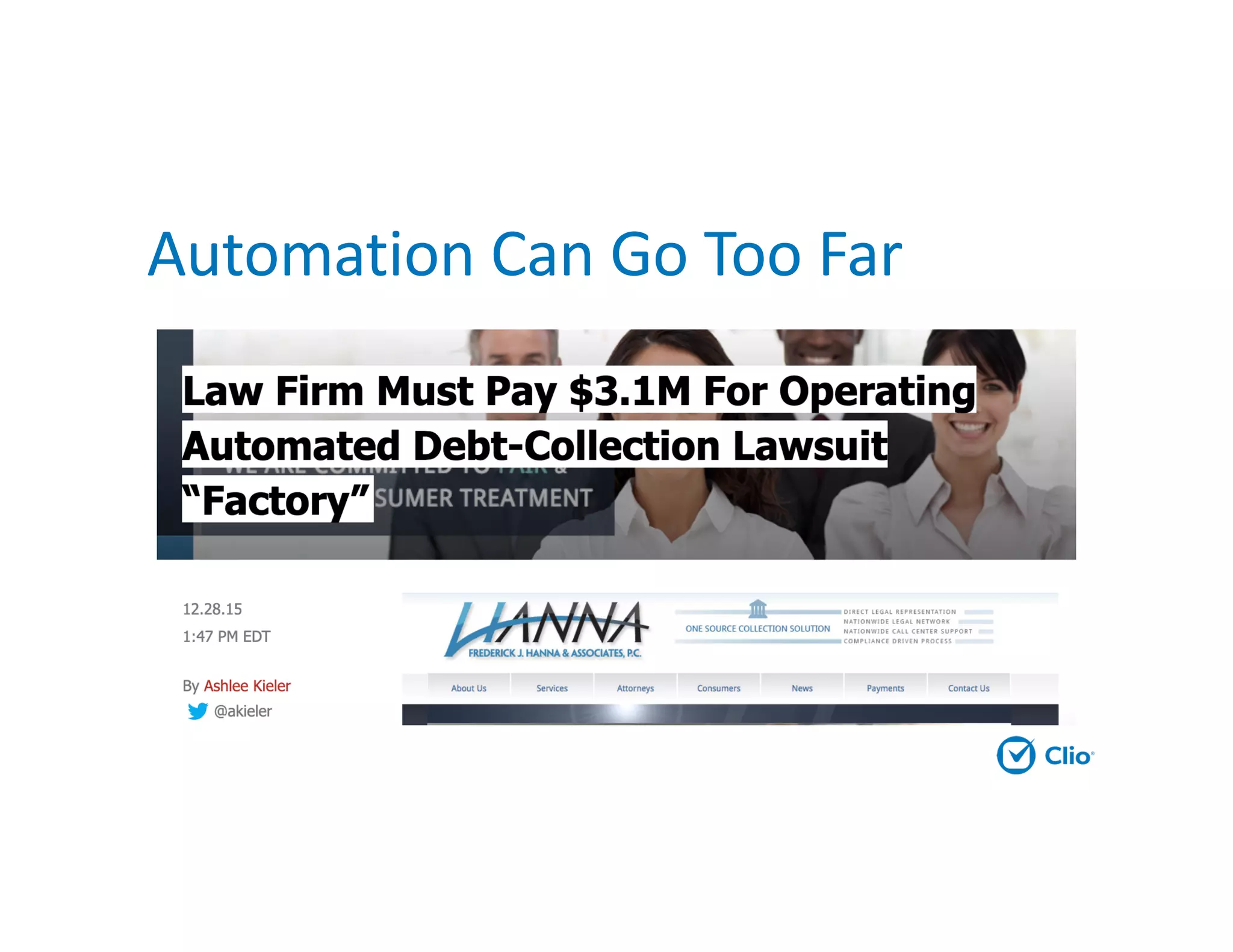
Automation Can Go Too Far
Automation Process
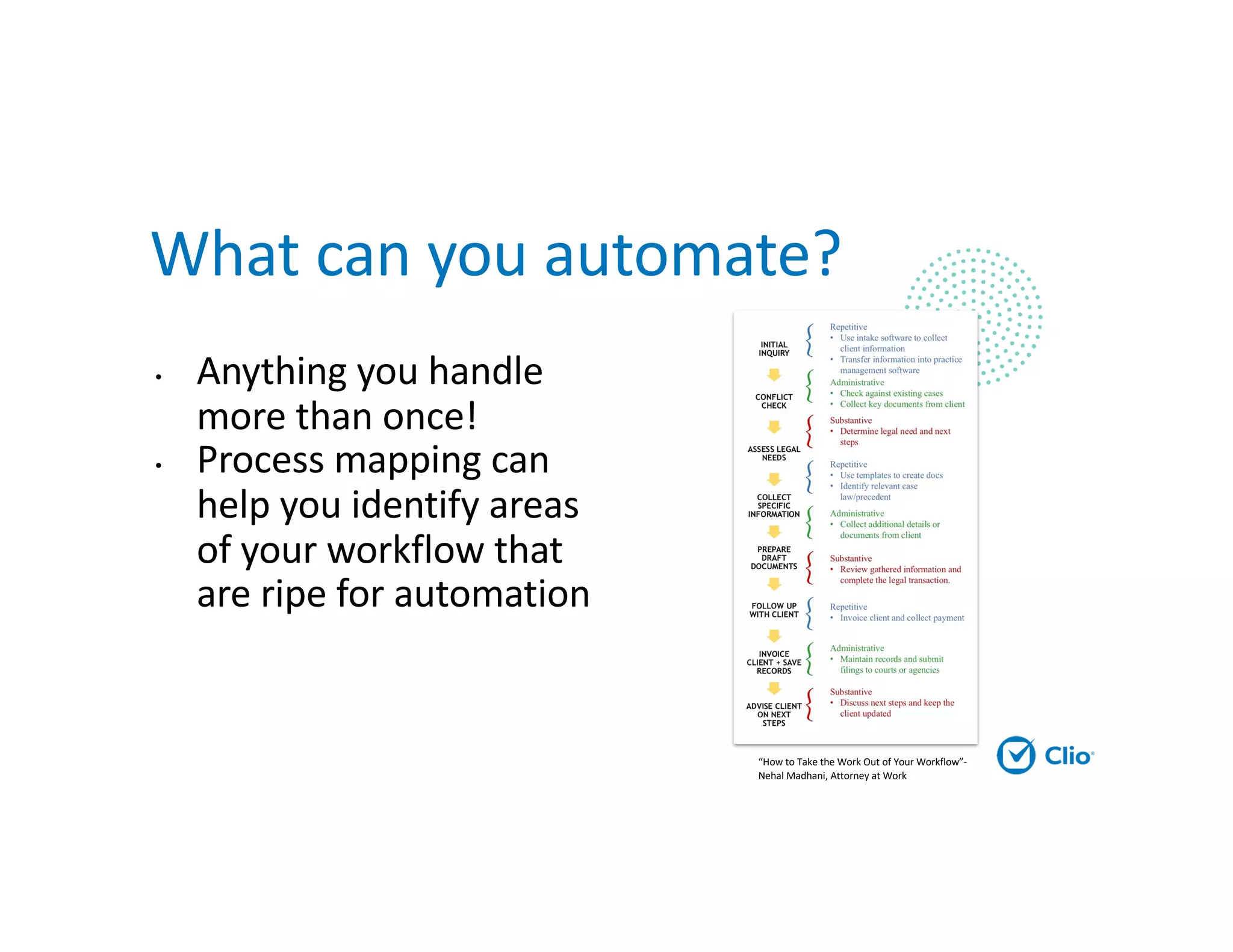
What can you automate?
• Anything you handle
more than once!
• Process mapping can
help you identify areas
of your workflow that
are ripe for automation
“How to Take the Work Out of Your Workflow”-
Nehal Madhani, Attorney at Work
Repetitive
• Do not require any
interpretation or
decision-making.
• Entirely monotonous,
and ripe for
automation
Administrative
• Require minimal interpretation but not
analysis of substantive legal issues
• Cannot be entirely automated, but can
often benefit from creating new
efficiencies
• Should be delegated to an assistant or
paralegal where possible
Substantive
• Require interpretation
and critical thinking
• Require your legal
education and
expertise
• This is what clients
want to pay for!
Creating your firm’s automation
plan
Area to automate: Which process will you tackle?
Problem: Why is this a pain point for your firm?
Solution: What will a new process/technology to do help? Identify
the product or process here.
DRI: Who will lead up implementing this, and by when?
Budget: How many hours and dollars will you designate for this
project?
Sustainability Plan: How will you get the firm to adopt this change
and keep iterating on this?
The average knowledge worker spends 11
hours a week generating documents. 6 of those
hours are wasted time. Clio gives you that time
back with easily generated documents from
your own templates. Never cut and paste
again.
Create
Automation Plans
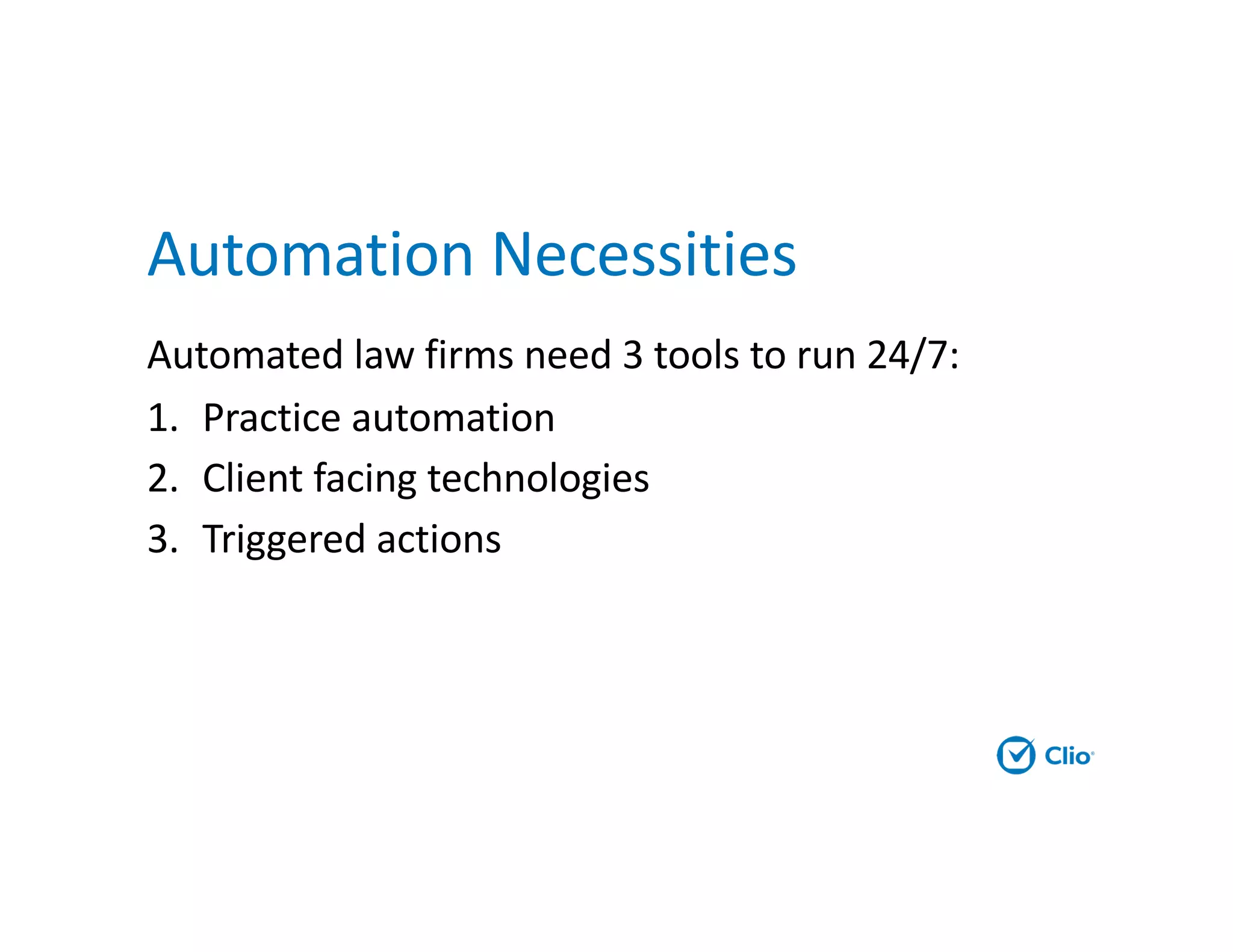
Automation Necessities
Automated law firms need 3 tools to run 24/7:
1. Practice automation
2. Client facing technologies
3. Triggered actions
Practice Automation
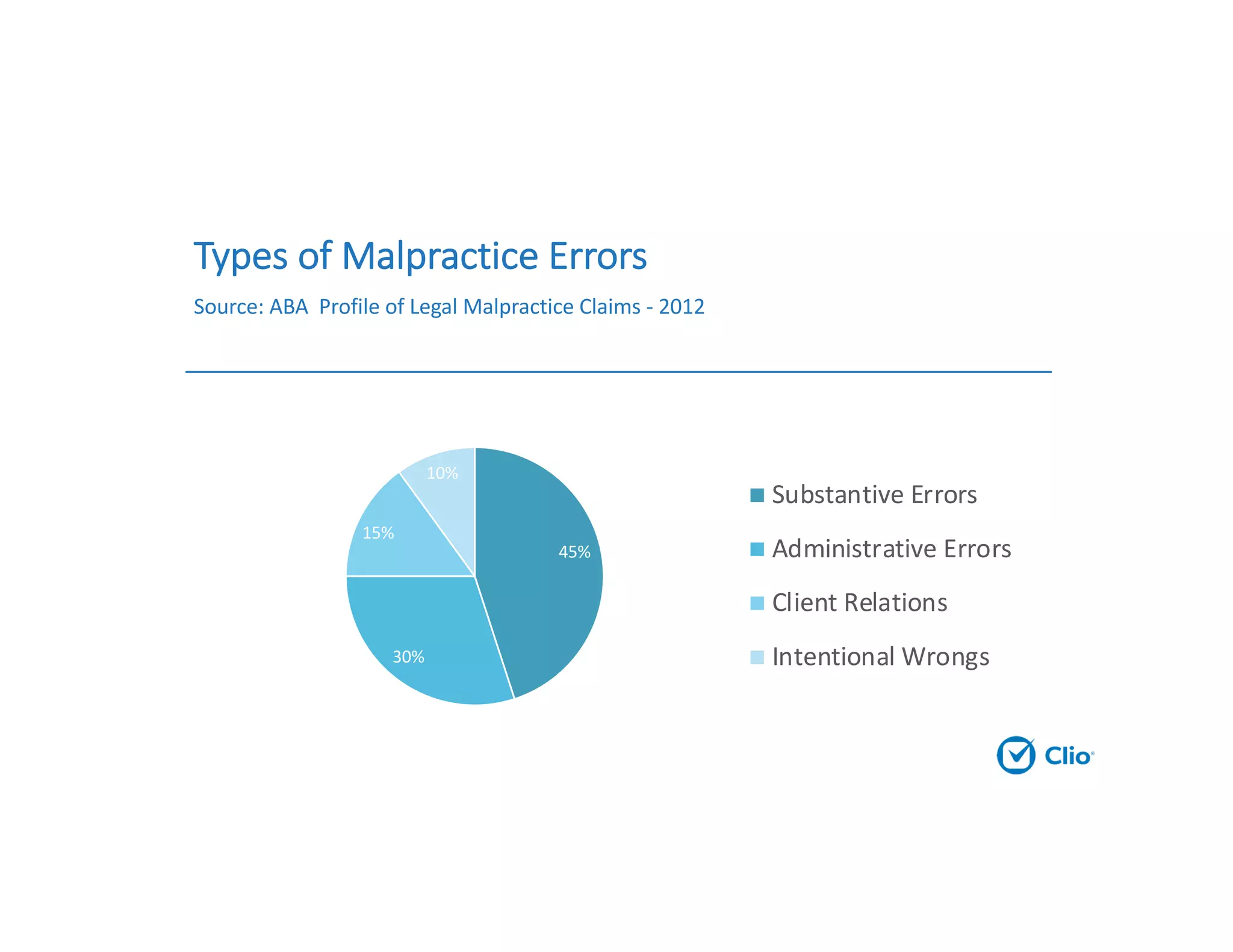
Types of Malpractice Errors
Source: ABA Profile of Legal Malpractice Claims - 2012
45%
30%
15%
10%
Substantive Errors
Administrative Errors
Client Relations
Intentional Wrongs
Practice Automation
1. Refine and automate billing
2. Remove redundant text
3. Automate calendaring
Law Firm Billing Process
• 70% of law firms bill once monthly
• 27% of law firms still mail physical bills
• 88% of law firms offer no discounts for early
payments
• 57% of law firms report having overdue bills
Area to automate: Billing
Problem: We take too long to bill
Solution: Utilize cloud-based practice management to track time
and expenses, generate draft bills in bulk, do bill approvals, and
send invoices electronically. Start accepting online payments
DRI: Managing attorney, office manager, office assistants. One to
two months.
Budget: Cost of practice management, legal payment processing, 16
hours of time to research, train, customize and implement.
Sustainability Plan: Set billing cut-off date, and days to send bills.
Keep everyone accountable.
Other Billing Automation Wins
• Bulk Billing
• Generate bills in bulk
• Edit bills in sequence
• Bill approval process
• Bulk sharing with
clients
• Bulk trust payments
• Paying multiple
invoices at once
• Customizations
• Custom bill themes
• Custom billing rates
for each user
• Discounts for early
payment
• Interest for late
payments
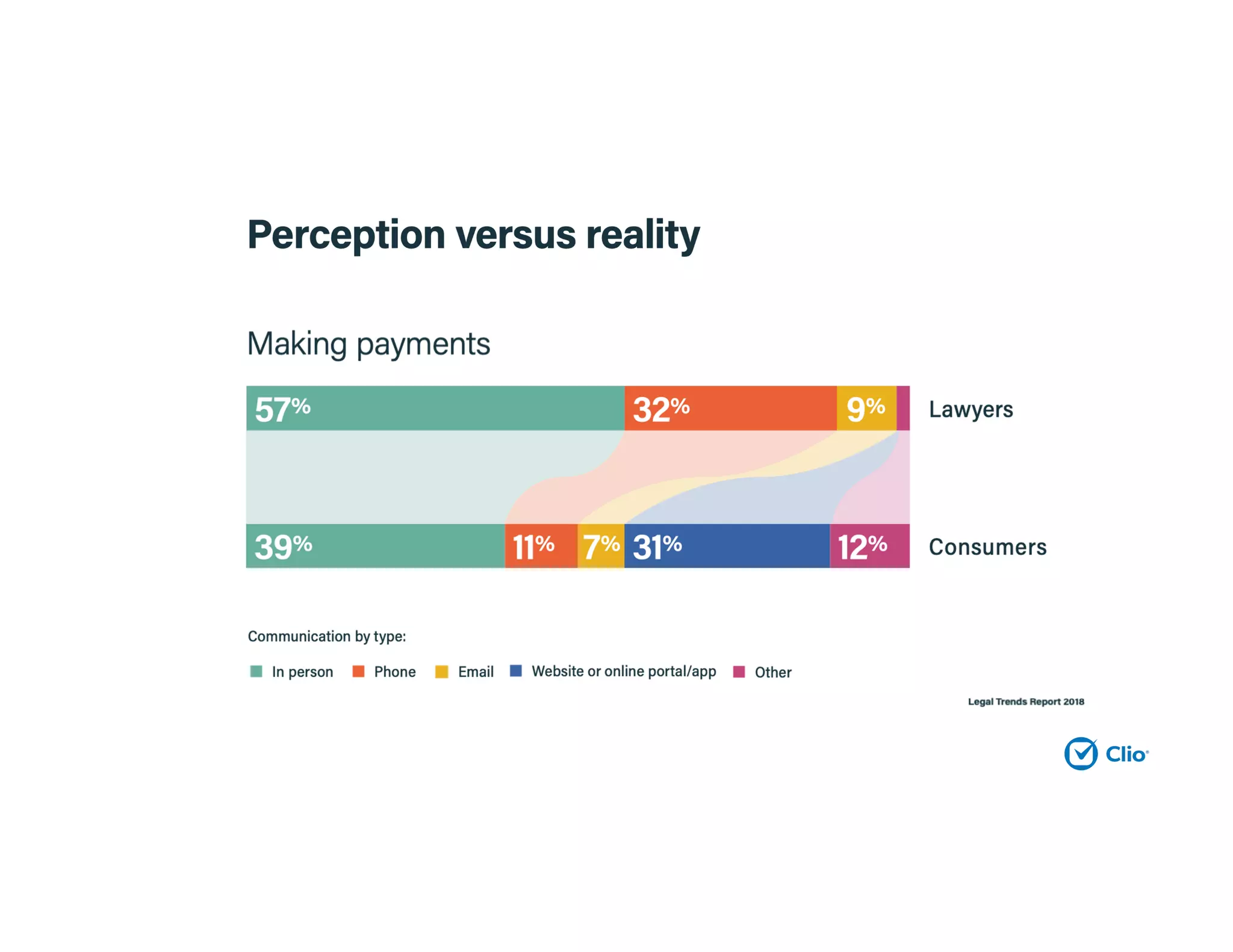
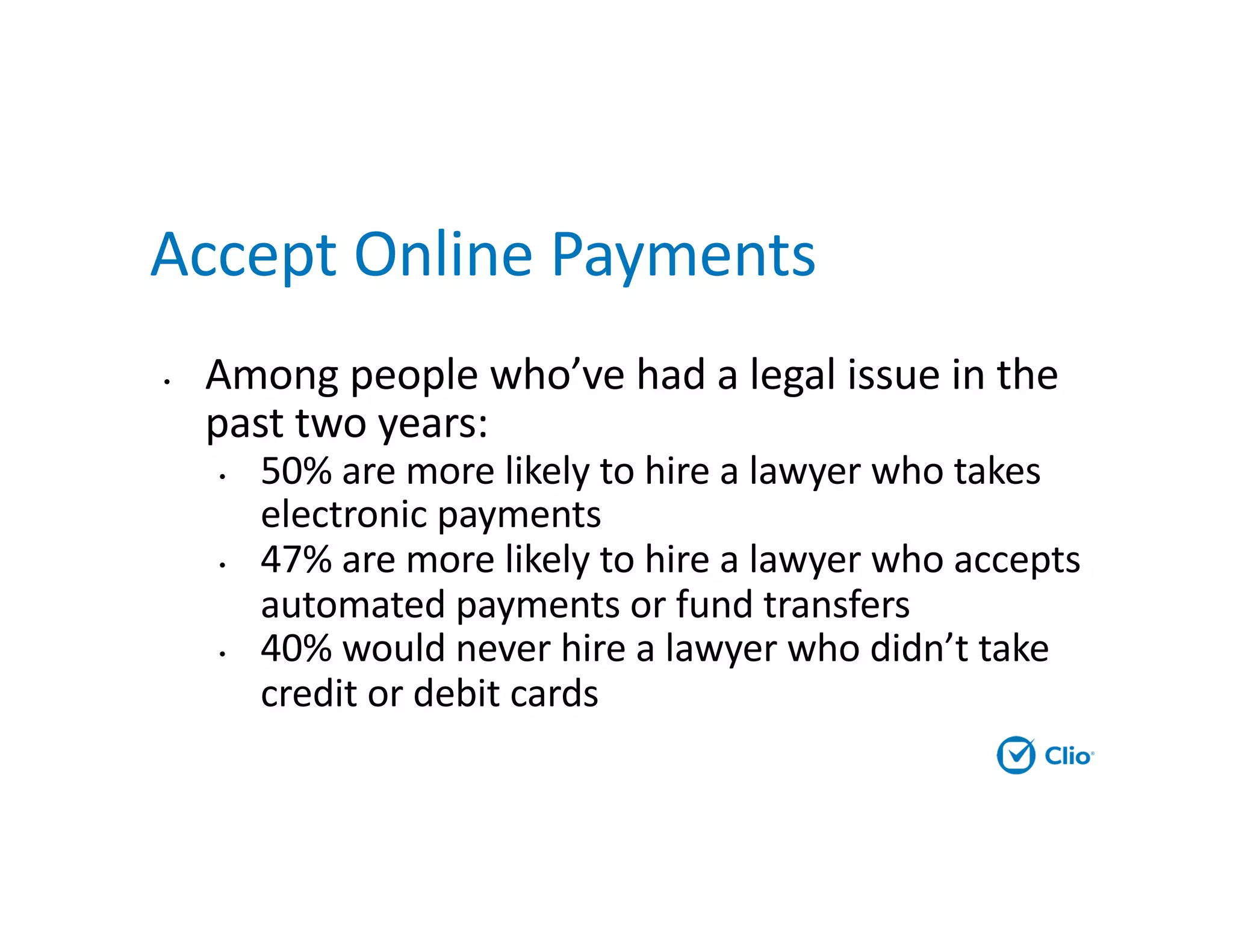
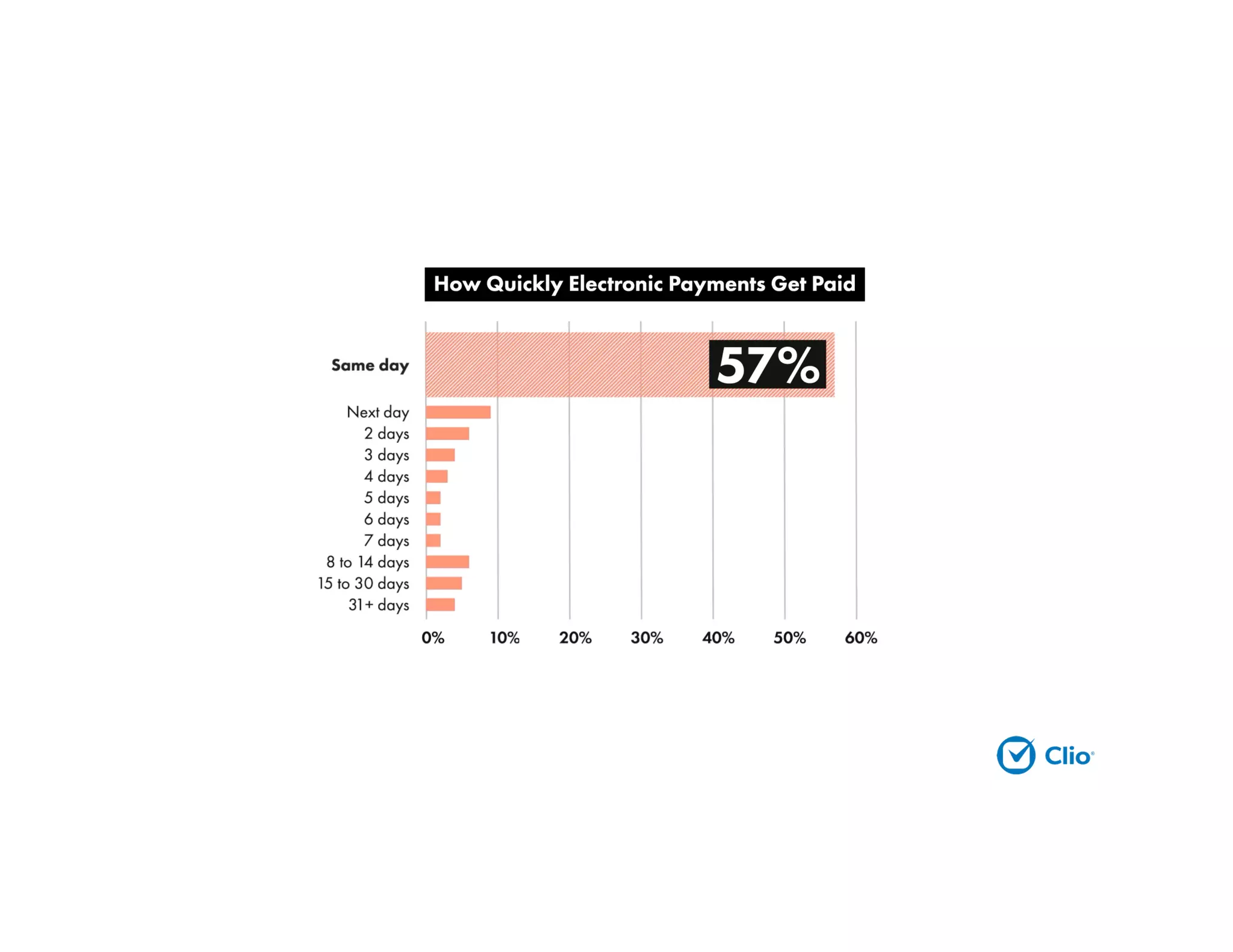
Accept Online Payments
• Among people who’ve had a legal issue in the
past two years:
• 50% are more likely to hire a lawyer who takes
electronic payments
• 47% are more likely to hire a lawyer who accepts
automated payments or fund transfers
• 40% would never hire a lawyer who didn’t take
credit or debit cards
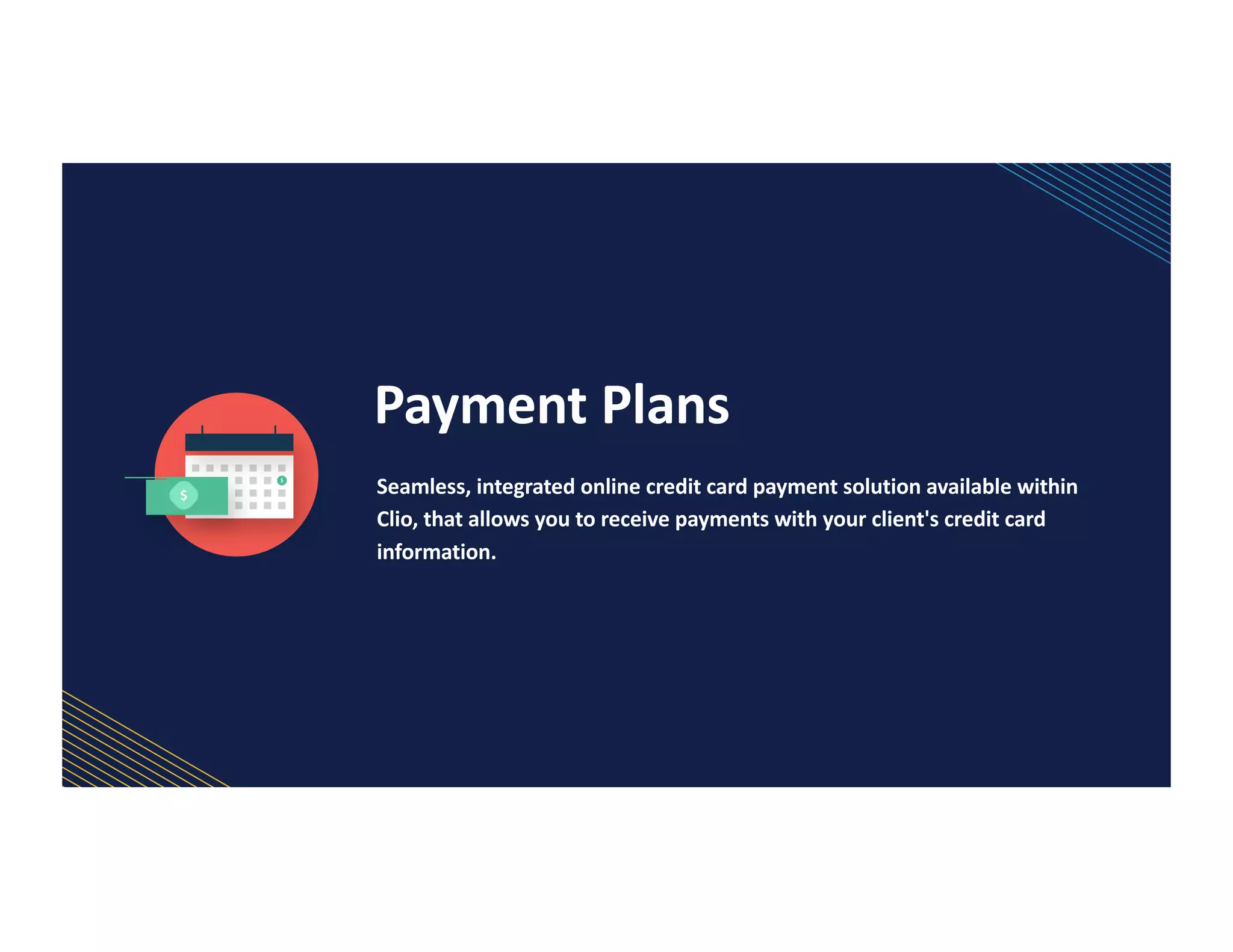
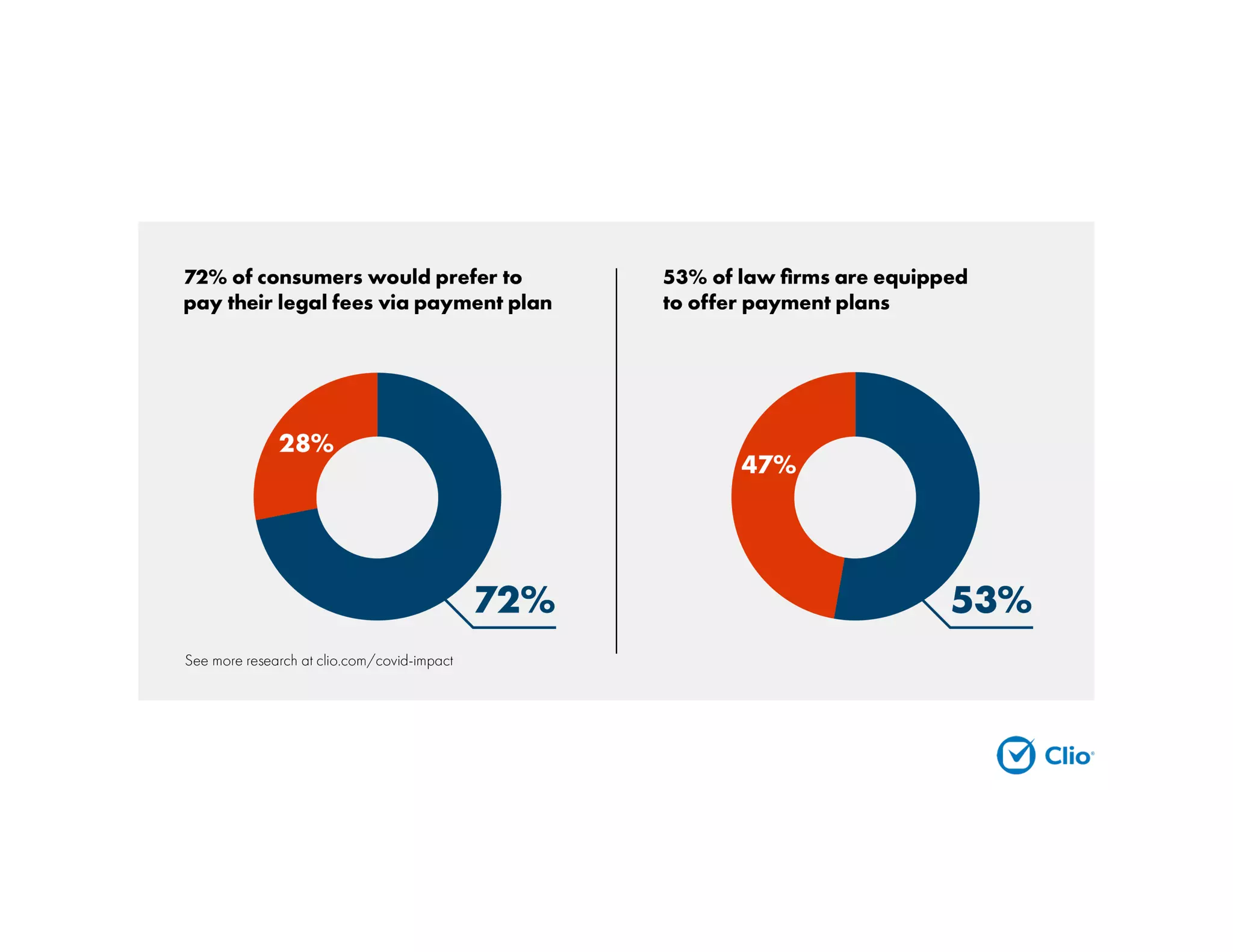
Payment Plans
Seamless, integrated online credit card payment solution available within
Clio, that allows you to receive payments with your client's credit card
information.
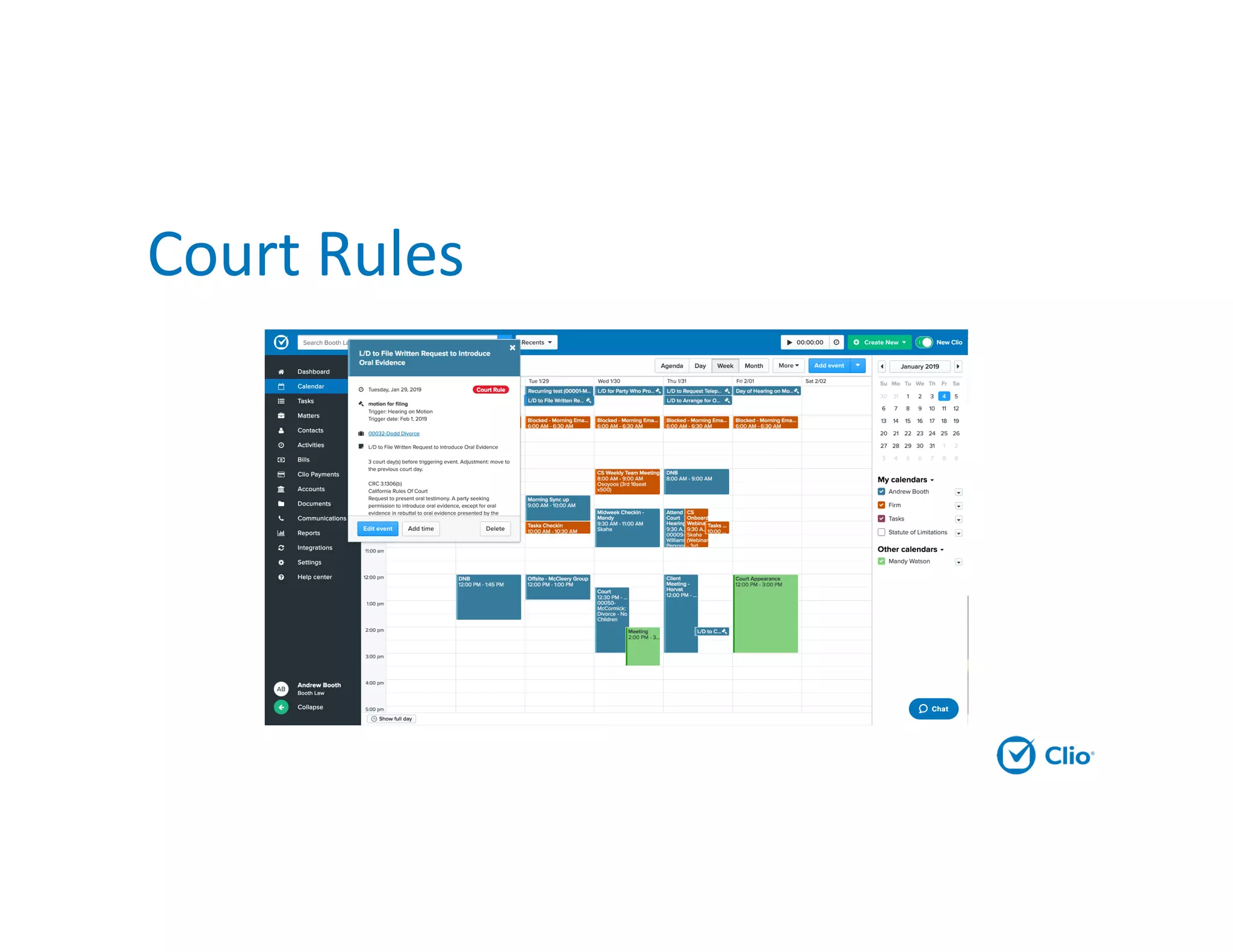
Remove Redundant Text
Area to automate: Document generation, getting signatures and
sharing with clients
Problem: Making errors, manually entering data that exists elsewhere,
repeatedly sharing the same documents with clients
Solution: Create a good first draft of commonly used documents, and
easily share the latest version with clients with a client portal
DRI: Managing attorney, paralegal, other office staff
Budget: Built into some practice management solutions, standalone
products vary in price. Duration depends on number of documents.
Sustainability Plan: Continuously add to document library. Update
documents when necessary
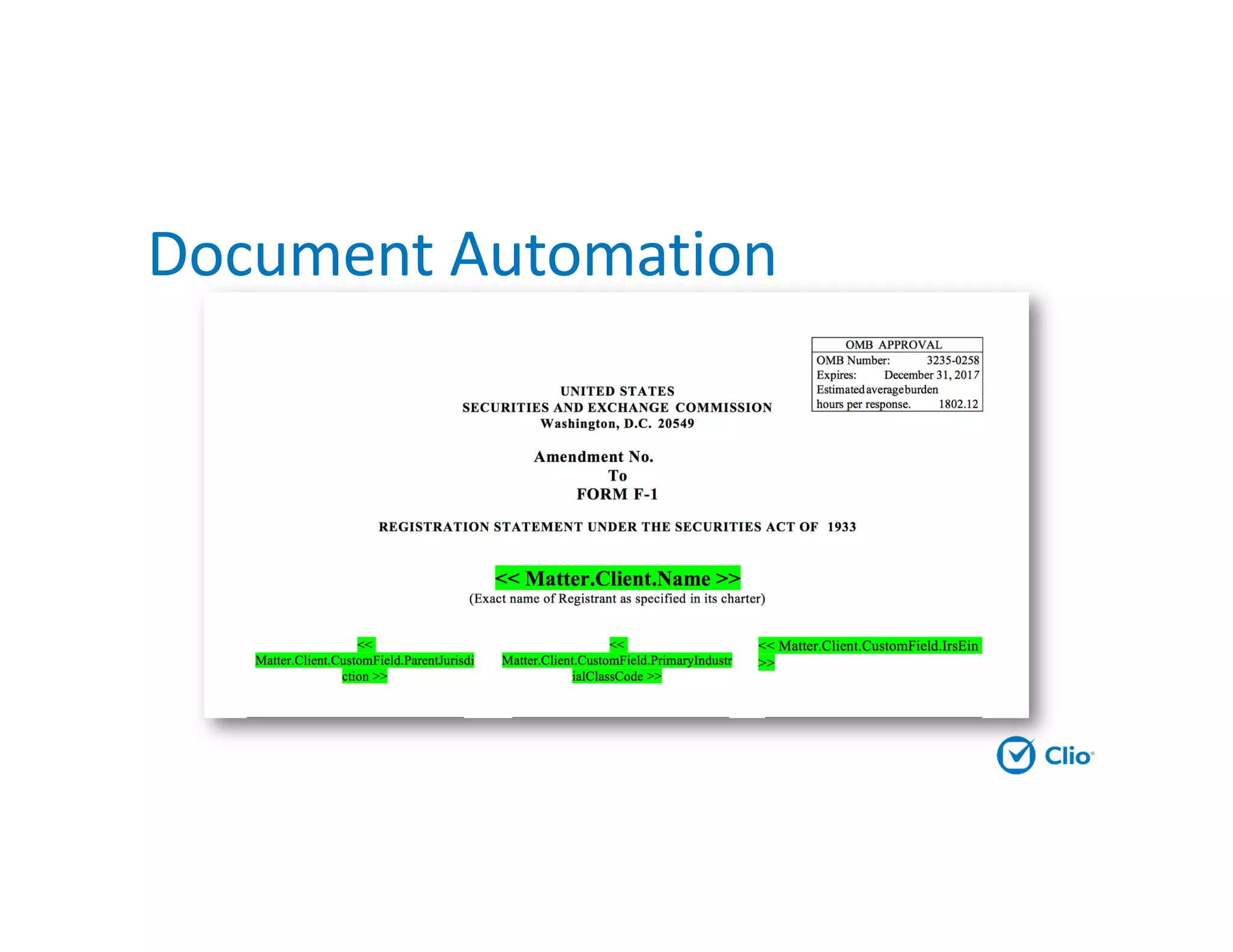
Document Automation
Automate Calendaring
Problem: Deadlines take forever to calculate accurately, difficult
to keep updated on rule changes
Solution: Use a deadline calculator to auto-populate based on
calendar rules for your jurisdiction
DRI: Managing attorney, office staff responsible for deadlines
Budget: Tools charge per matter or per user per month ($19-
$69), built into Elite plans at Clio
Sustainability Plan: Do training, input dates as soon as a trigger
activity occurs (trial scheduled, discovery served, etc.)
Court Rules
Client-Facing
Technologies
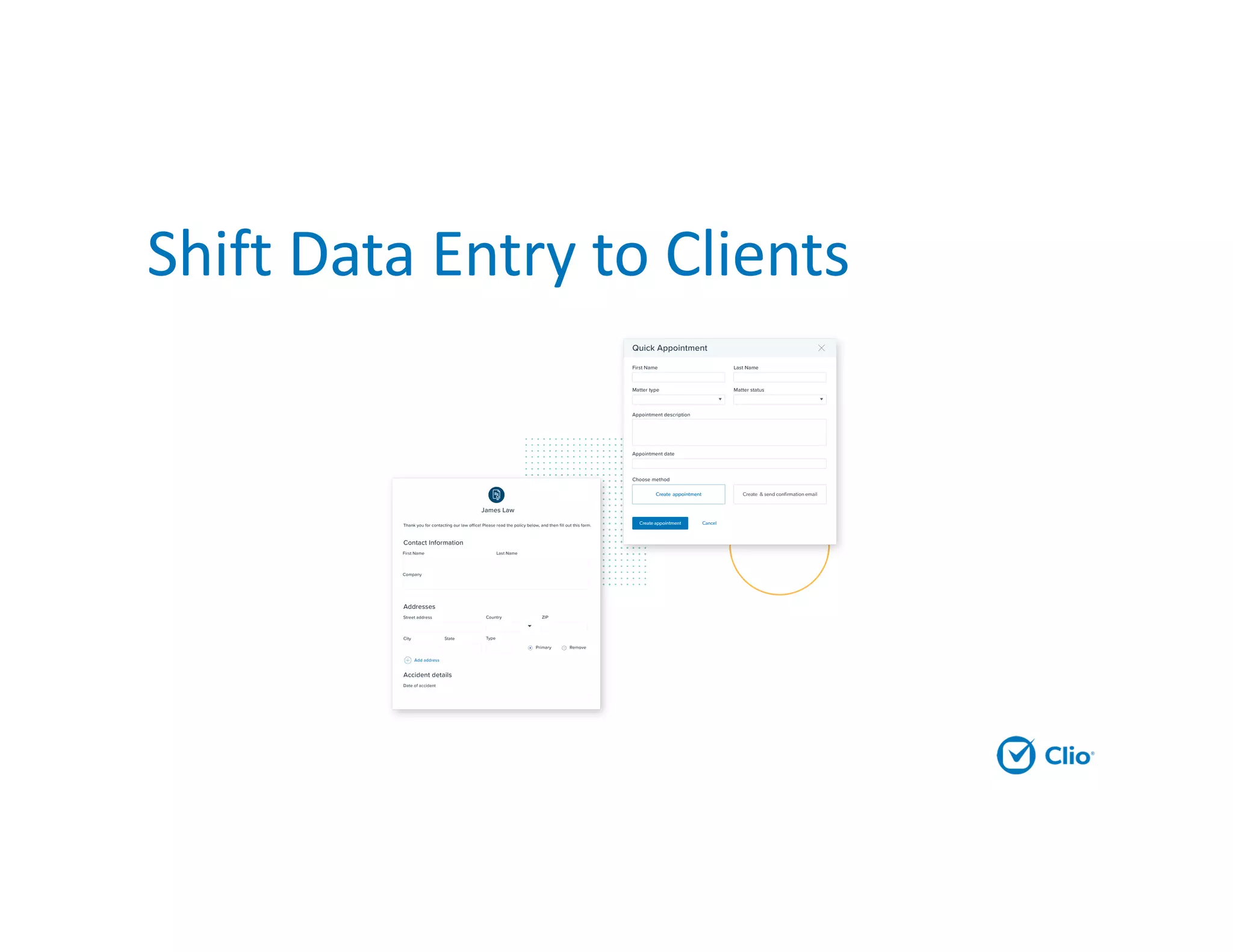
Shift Data Entry to Clients
Public Forms for Data Entry
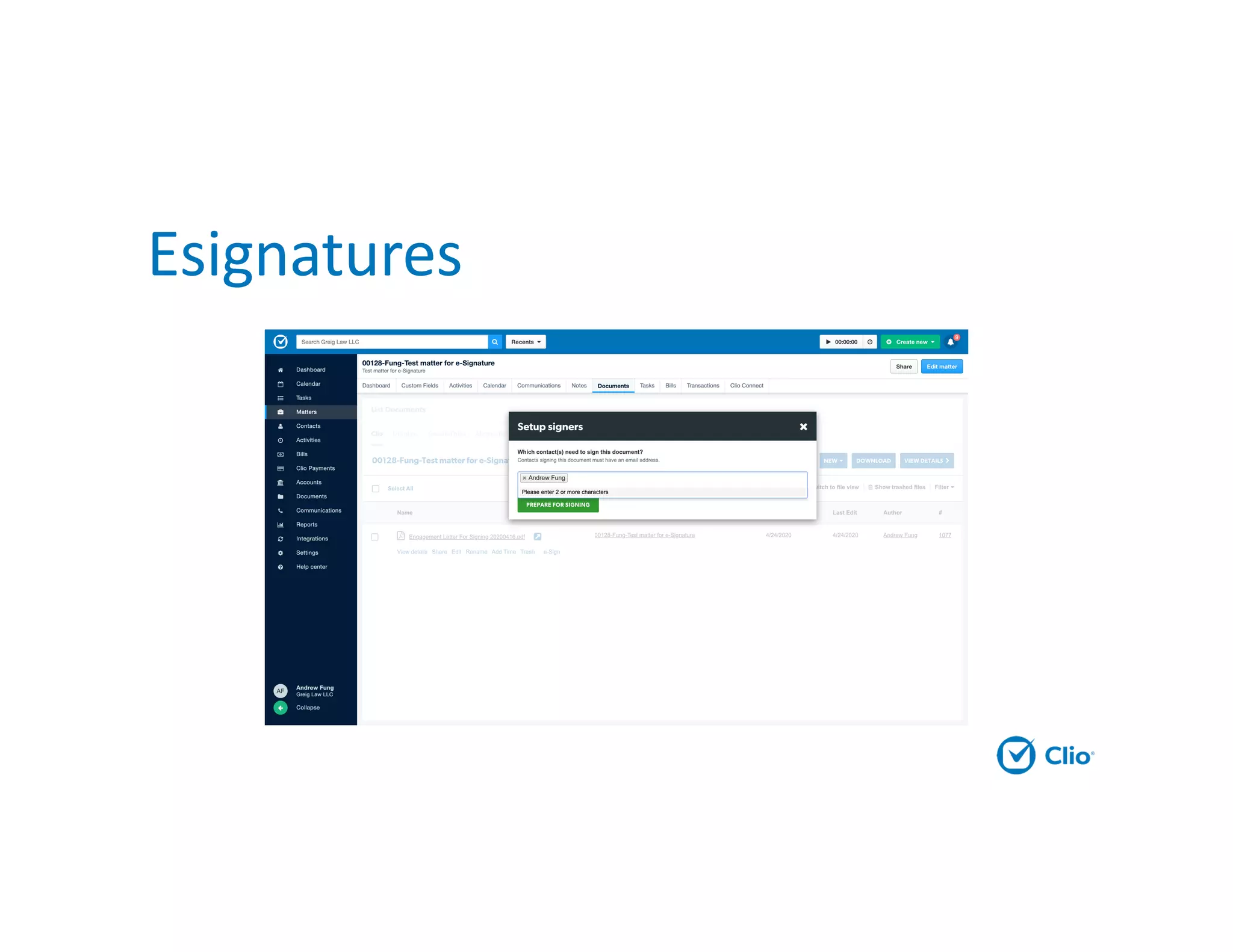
Esignatures
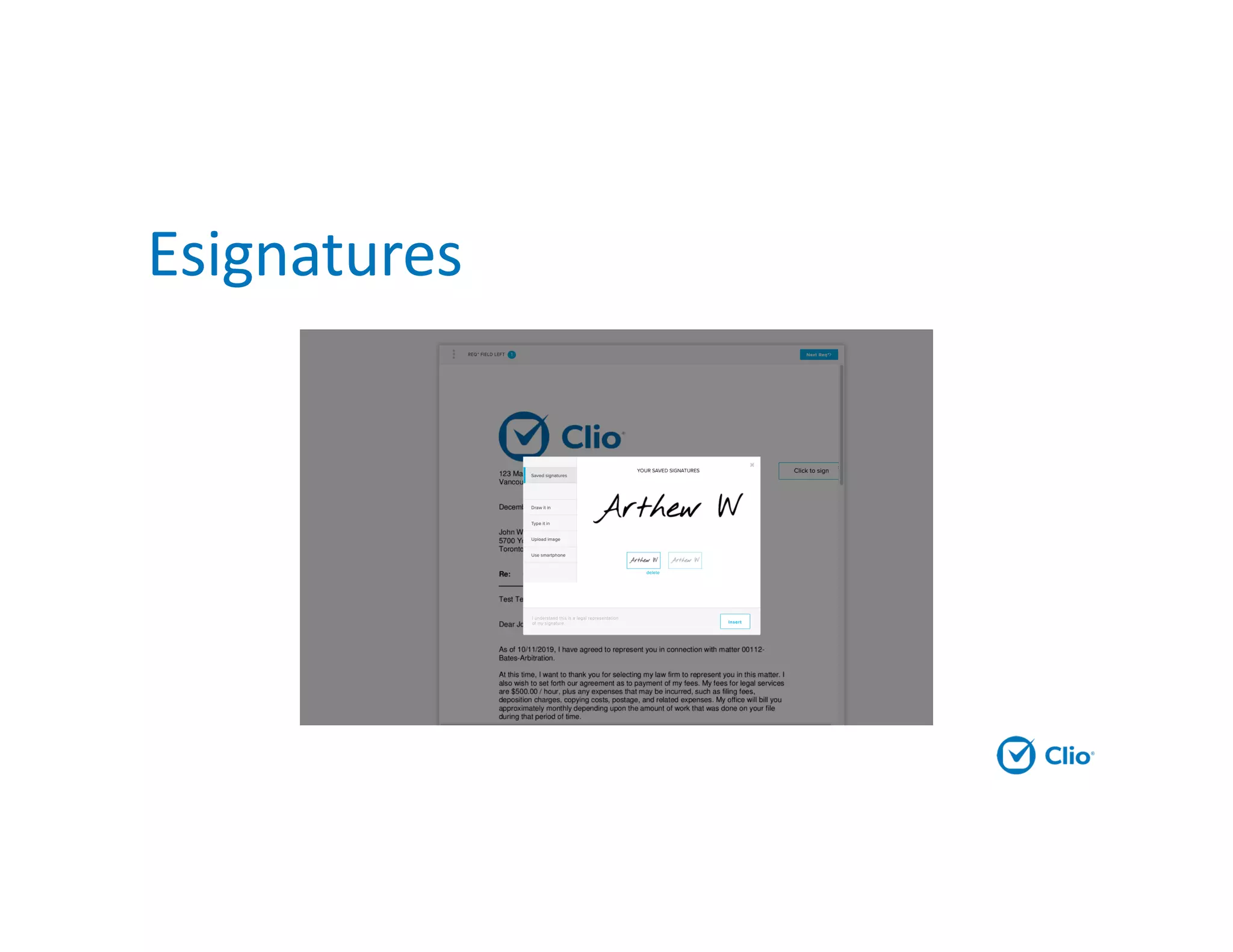
Esignatures
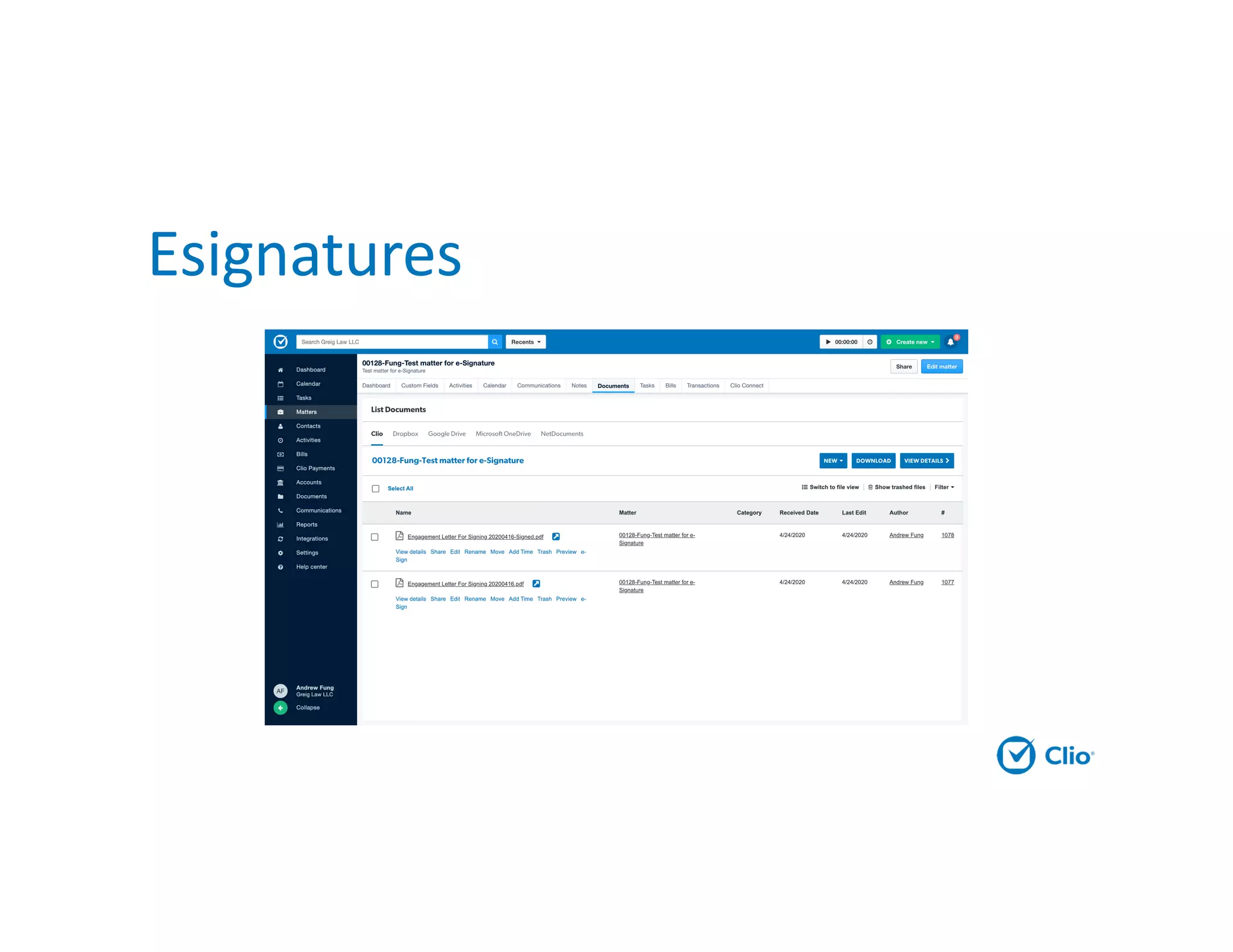
Esignatures
Triggered Actions
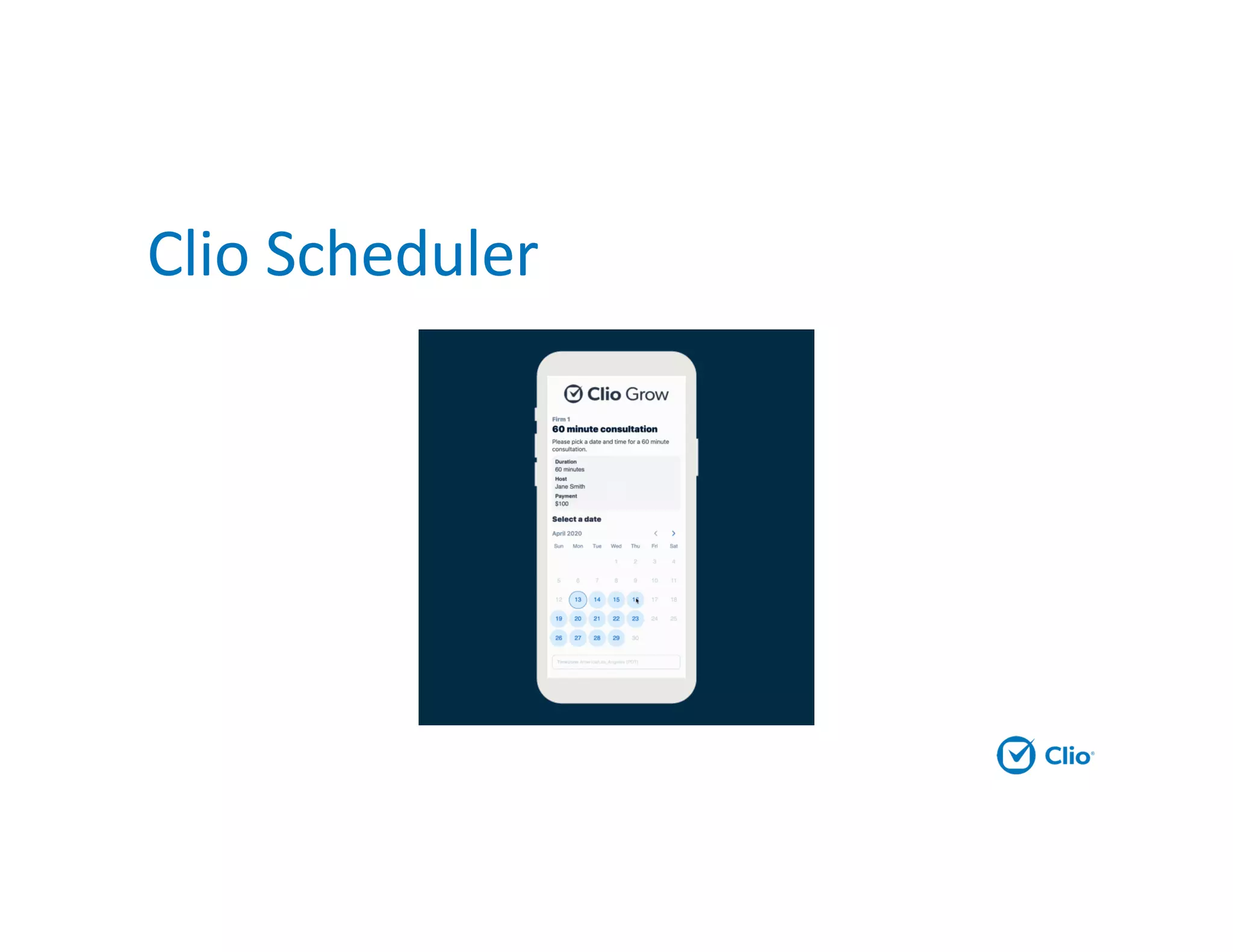
Clio Scheduler
Triggered actions
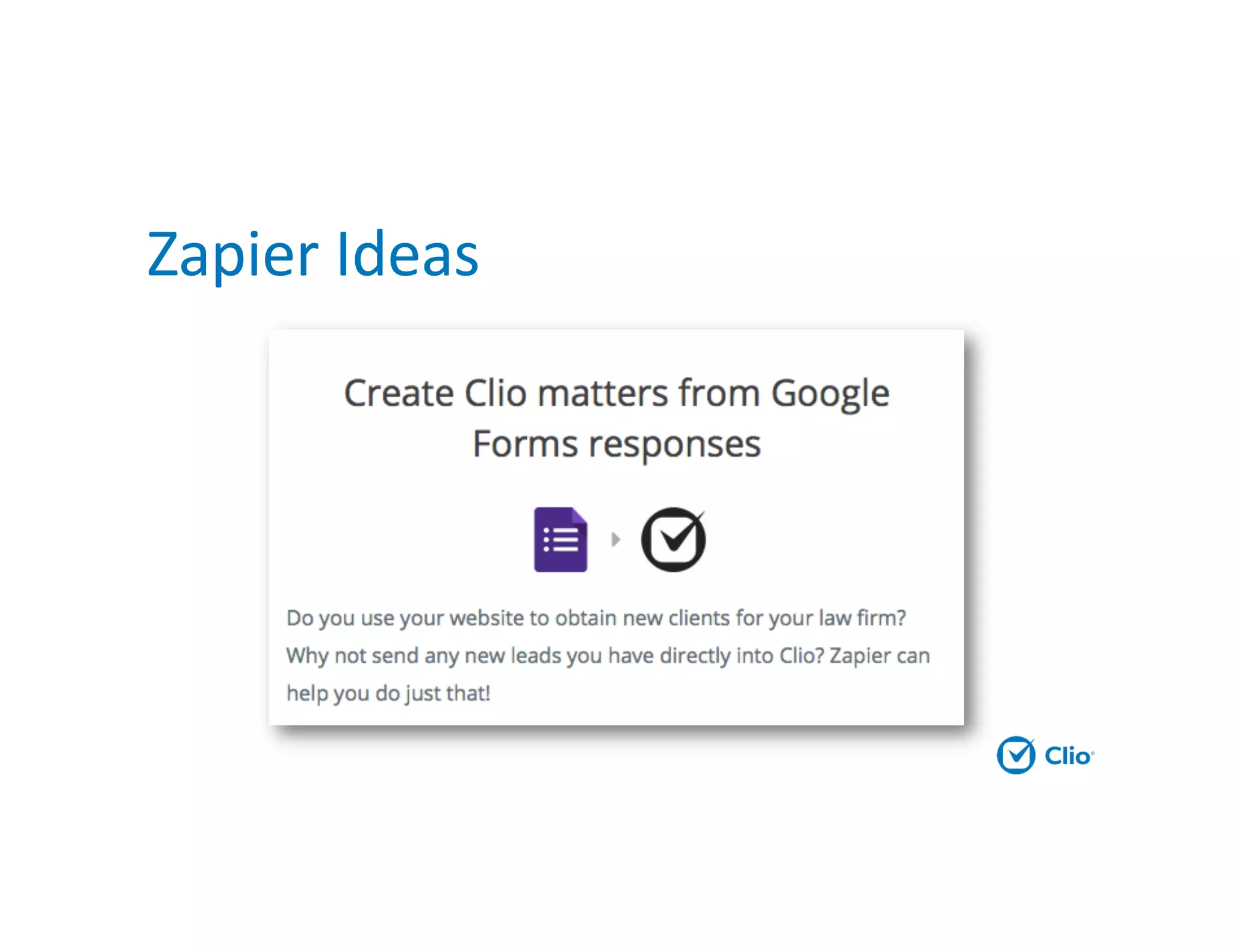
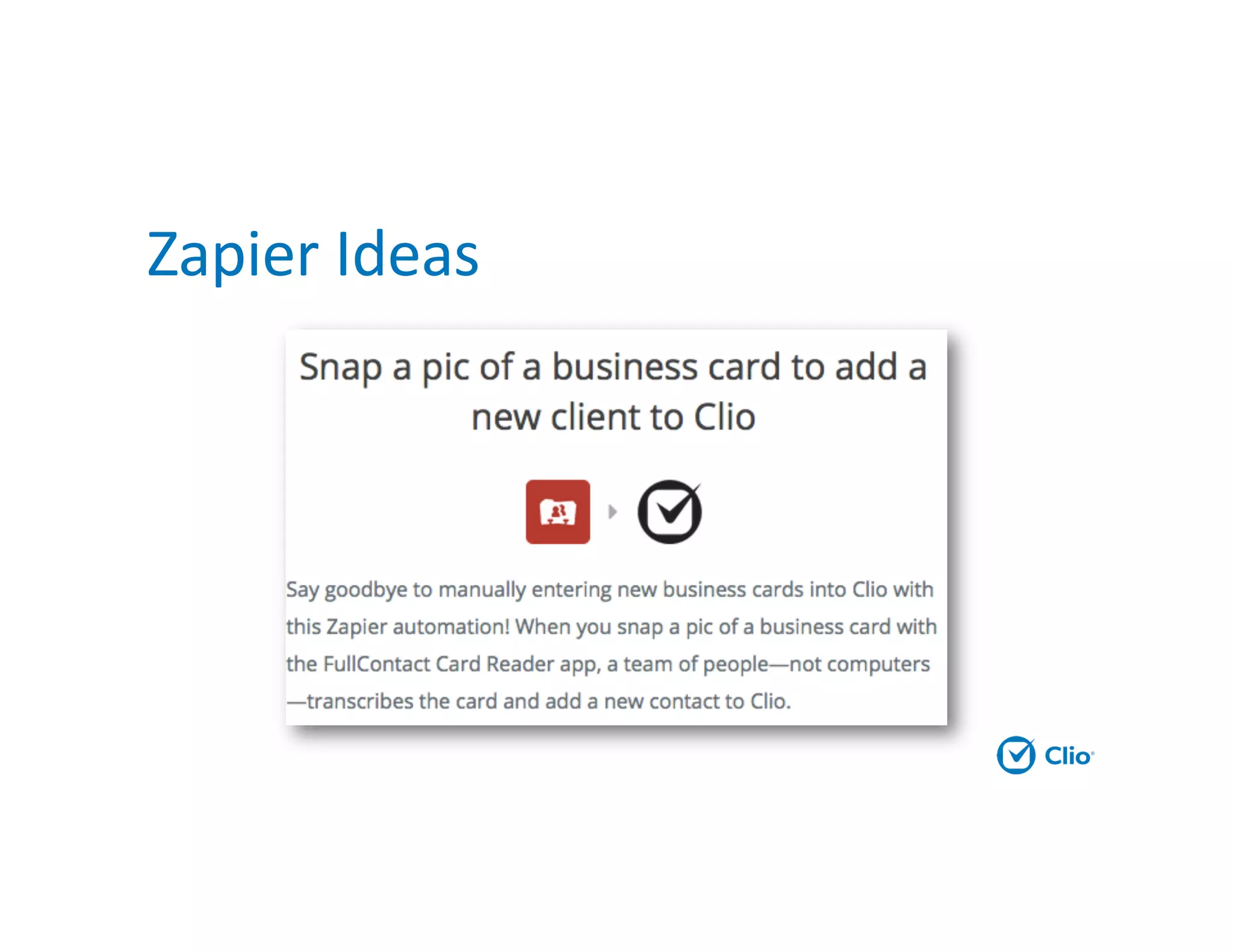
Zapier Ideas
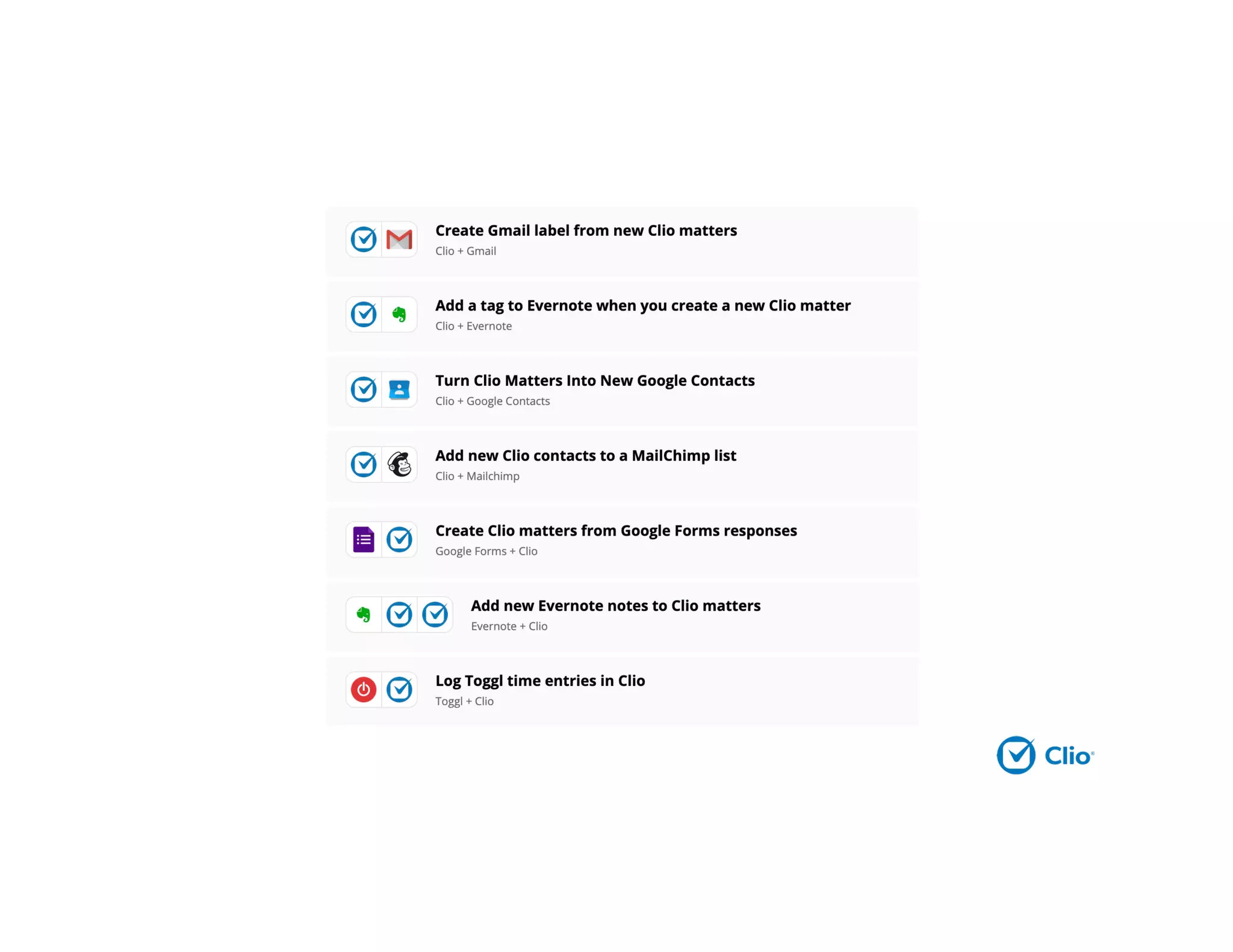
Zapier Ideas
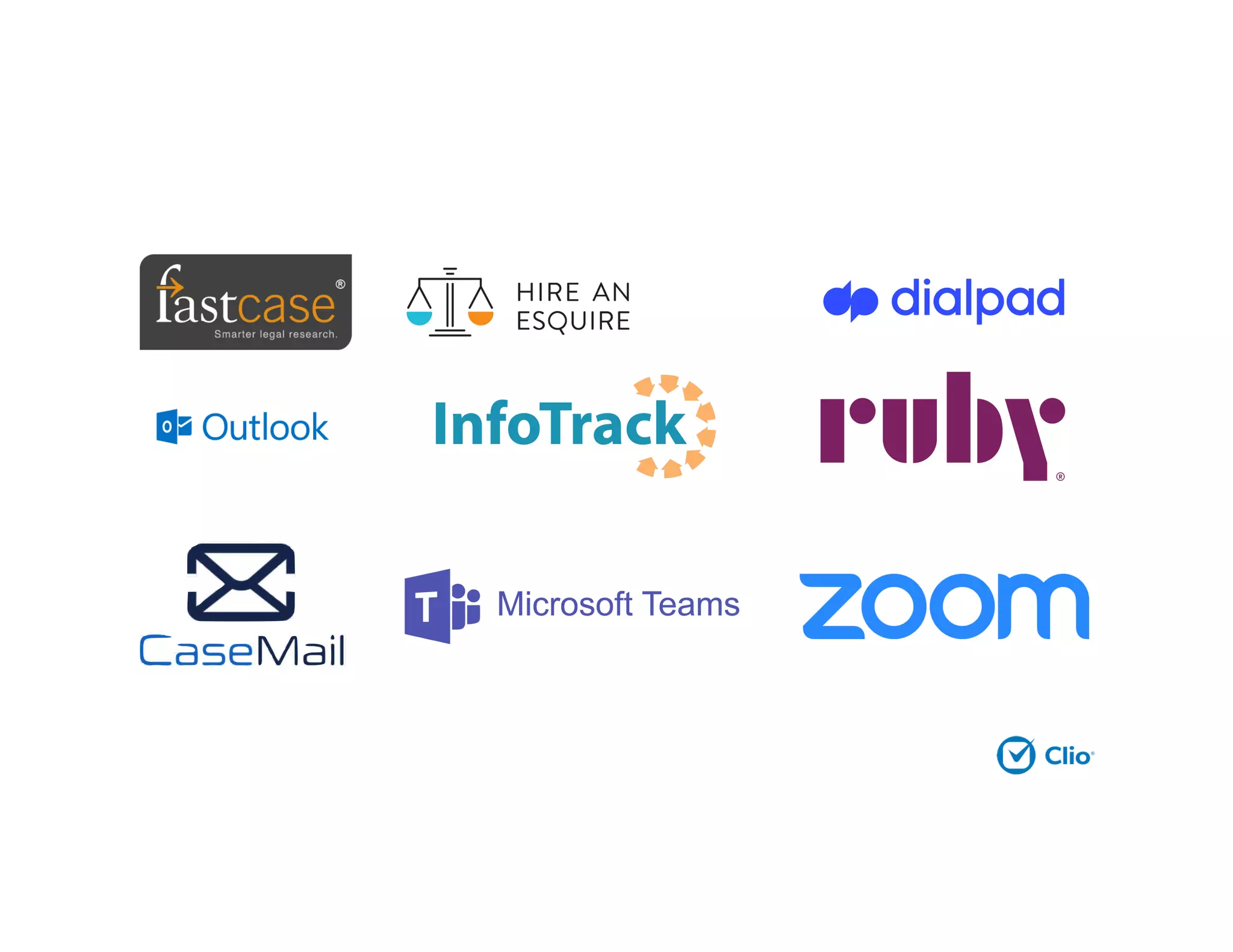
Legal Technology
There’s more choice everyday
Conclusion
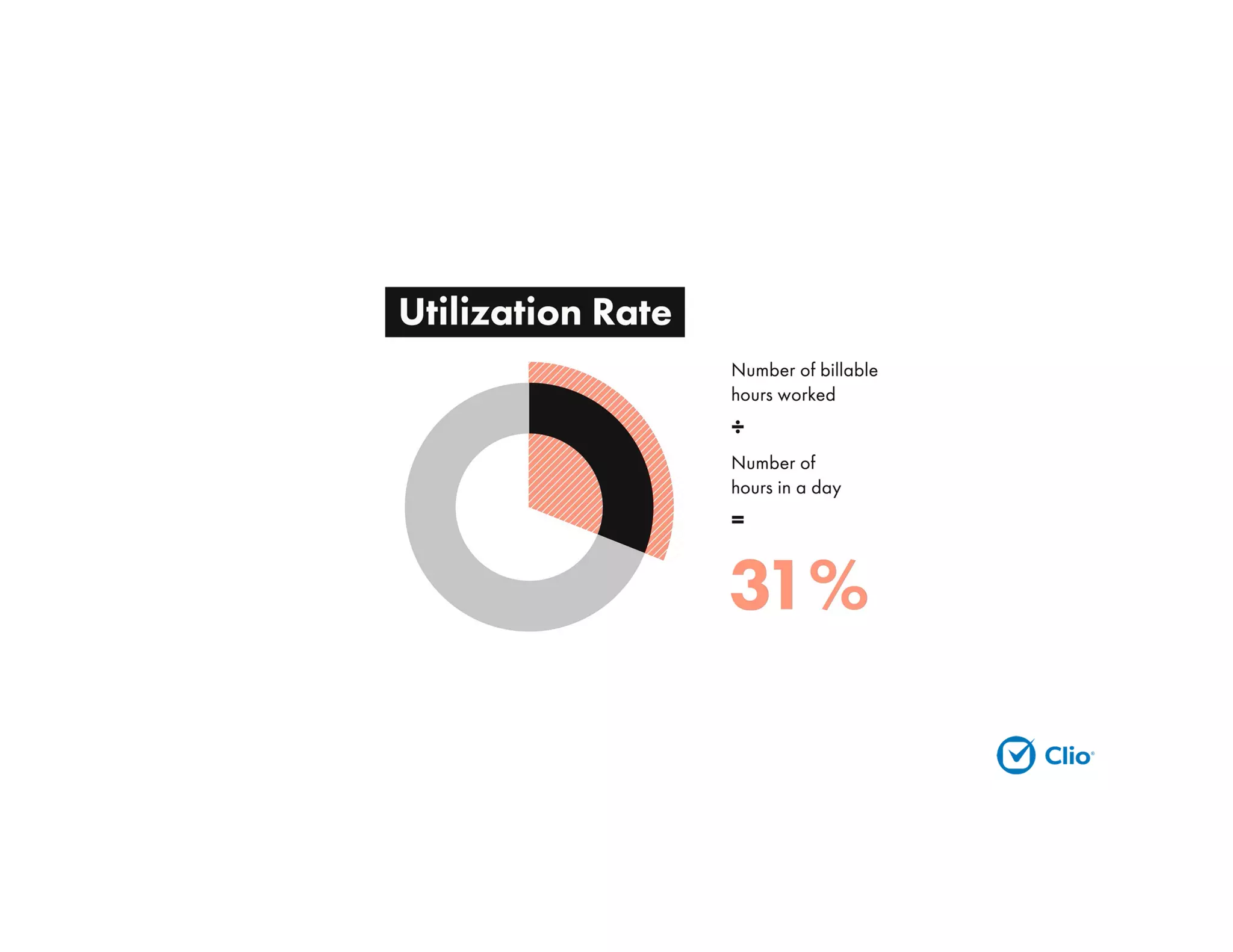
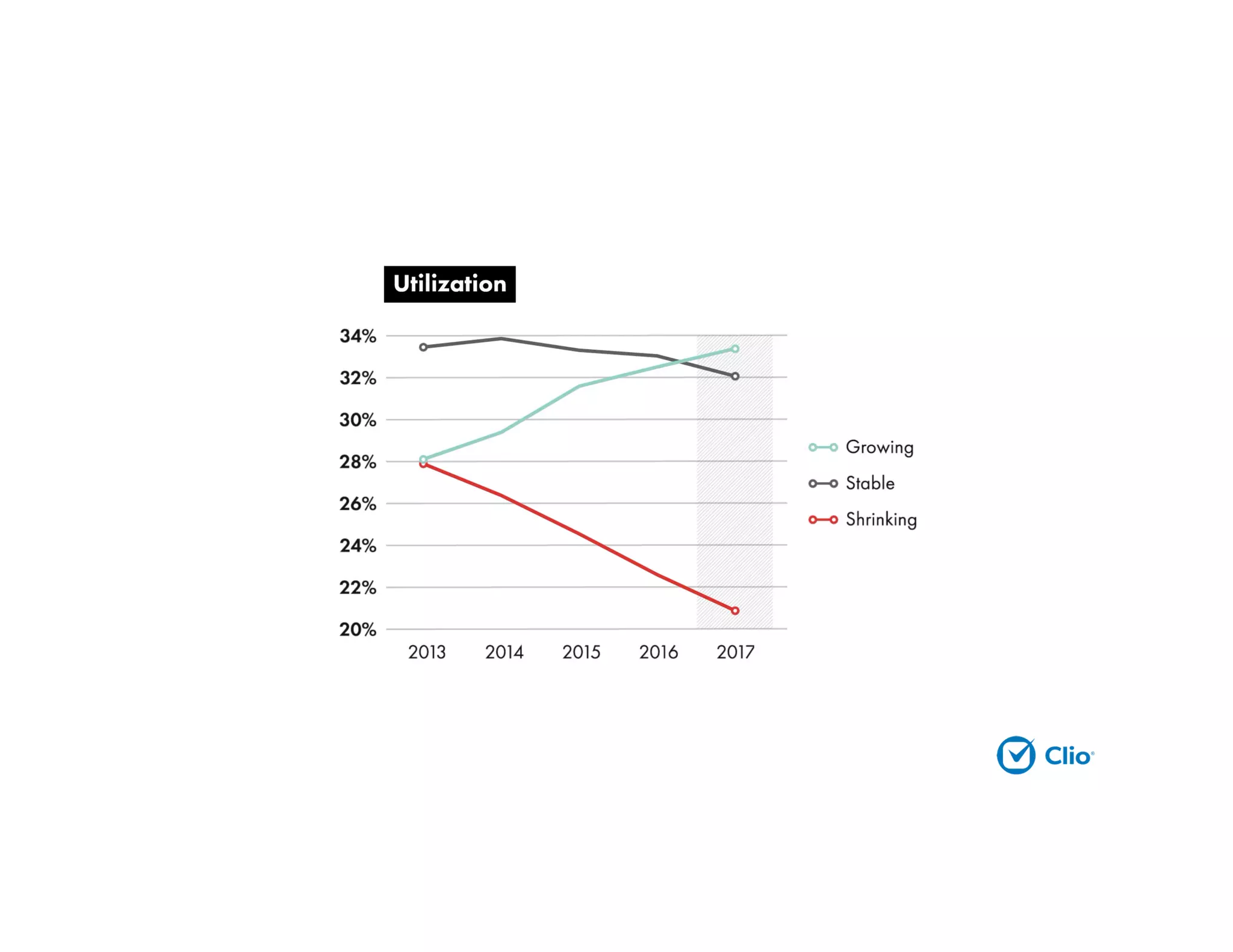
Law firm automation frees up
lawyers to focus on utilization
efficiencies, improving the success of
their firm and client experience.
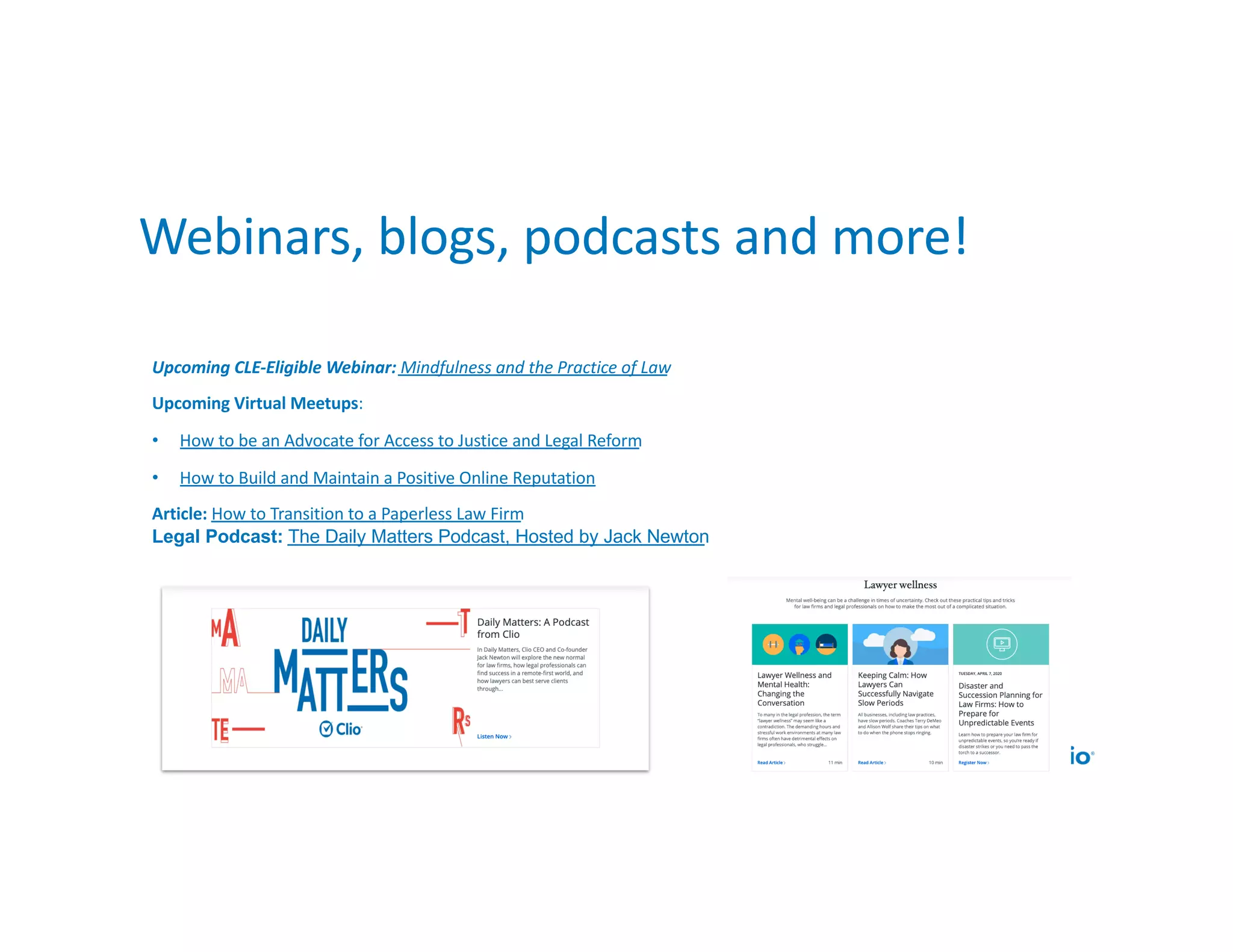
Upcoming CLE-Eligible Webinar: Mindfulness and the Practice of Law
Upcoming Virtual Meetups:
• How to be an Advocate for Access to Justice and Legal Reform
• How to Build and Maintain a Positive Online Reputation
Article: How to Transition to a Paperless Law Firm
Legal Podcast: The Daily Matters Podcast, Hosted by Jack Newton
Webinars, blogs, podcasts and more!
ClioCloudConference.com
Questions
Poll - Clio Customers Only
Would you like to learn more about:
(select all that apply)
a. Adding Clio payments
b. Adding Clio Grow (client intake)
c. Clio Cloud Conference - gone virtual!
d. No I’m not interested
Poll - New to Clio Only
Would you like to learn more about Clio?
(select all that apply)
a. Clio’s Suite of Products
b. Clio Cloud Conference - gone virtual!
c. No I’m not interested
Thank You
Joshua Lenon
joshua@clio.com
@JoshuaLenon
Linkedin.com/in/joshualenon
1-888-858-2546

How to Use Automation to Increase Efficiency at Your Law Firm

  • 1.
    Use Automation toIncrease Law Firm Efficiency A Clio Webinar
  • 2.
    Joshua Lenon LAWYER INRESIDENCE AT CLIO Attorney admitted in New York @JoshuaLenon
  • 3.
    Agenda • Benefits ofautomation • Automation process • Create an automation plan • Legal technology • Questions
  • 4.
    Benefits of Automation Ata certain point, time is no longer money.
  • 13.
    Growing law firms focuson billable work, not busy work.
  • 14.
    Lawyers are maxedout • 77% of lawyers work outside of business hours to catch up on work • 58% believe it’s what is necessary to succeed. Top reasons for working outside of office hours
  • 15.
    Create Efficiencies andAutomate • Achieve more with your day by cutting down on time it takes to do repetitive tasks • Increase firm-wide efficiency and collaboration • Enhance the client experience with timely bills and communication • Create a sense of wellbeing because of streamlined processes, reduced mistakes, and elimination of tedious tasks
  • 16.
    Automation and the Rulesof Professional Responsibility Automation is both required and a minefield
  • 17.
    What are theethical considerations? • Lawyers have a duty to safeguard confidential client information • Lawyers have a duty to protect client property, including client files from loss • Lawyers have a duty to be competent in technology • Lawyers have the responsibility to supervise non-lawyer staff
  • 18.
    Confidentiality ABA Model Rule1.6 (a) A lawyer shall not reveal information relating to the representation of a client unless the client gives informed consent, the disclosure is impliedly authorized in order to carry out the representation… (c) A lawyer shall make reasonable efforts to prevent the inadvertent or unauthorized disclosure of, or unauthorized access to, information relating to the representation of a client. [Comment 18] …inadvertent or unauthorized disclosure of information relating to the representation of a client does not constitute a violation if the lawyer has made reasonable efforts to prevent the access or disclosure.
  • 19.
    Duty of Competence ABAModel Rule 1.1 [Comment 8] “To maintain the requisite knowledge and skill, a lawyer should keep abreast of changes in the law and its practice, including the benefits and risks associated with relevant technology, engage in continuing study and education and comply with all continuing legal education requirements to which the lawyer is subject.”
  • 20.
  • 21.
    Continuous Ethical Duties •NYEthics Opinion 842 •Lawyer should stay abreast of technological advances to ensure that the storage system remains sufficiently advanced to protect the client’s information, and the lawyer should monitor the changing law of privilege to ensure that storing information in the “cloud” will not waive or jeopardize any privilege protecting the information. CA Formal Ethics NO. 2010-179 Because of the evolving nature of technology and differences in security features that are available, the attorney must ensure the steps are sufficient for each form of technology being used and must continue to monitor the efficacy of such steps.
  • 22.
    Nonlawyer Supervision ABA ModelRule 5.3 (b) A lawyer having direct supervisory authority over the nonlawyer shall make reasonable efforts to ensure that the person’s conduct is compatible with the professional obligations of the lawyer…
  • 23.
    Securing Communication of ProtectedClient Information ABA Formal Opinion 477 ”A lawyer generally may transmit information relating to the representation of a client over the internet without violating the Model Rules of Professional Conduct where the lawyer has undertaken reasonable efforts to prevent inadvertent or unauthorized access. However, a lawyer may be required to take special security precautions to protect against the inadvertent or unauthorized disclosure of client information when required by an agreement with the client or by law, or when the nature of the information requires a higher degree of security.”
  • 24.
  • 25.
  • 26.
    What can youautomate? • Anything you handle more than once! • Process mapping can help you identify areas of your workflow that are ripe for automation “How to Take the Work Out of Your Workflow”- Nehal Madhani, Attorney at Work
  • 27.
    Repetitive • Do notrequire any interpretation or decision-making. • Entirely monotonous, and ripe for automation
  • 28.
    Administrative • Require minimalinterpretation but not analysis of substantive legal issues • Cannot be entirely automated, but can often benefit from creating new efficiencies • Should be delegated to an assistant or paralegal where possible
  • 29.
    Substantive • Require interpretation andcritical thinking • Require your legal education and expertise • This is what clients want to pay for!
  • 30.
    Creating your firm’sautomation plan Area to automate: Which process will you tackle? Problem: Why is this a pain point for your firm? Solution: What will a new process/technology to do help? Identify the product or process here. DRI: Who will lead up implementing this, and by when? Budget: How many hours and dollars will you designate for this project? Sustainability Plan: How will you get the firm to adopt this change and keep iterating on this?
  • 31.
    The average knowledgeworker spends 11 hours a week generating documents. 6 of those hours are wasted time. Clio gives you that time back with easily generated documents from your own templates. Never cut and paste again.
  • 32.
  • 33.
    Automation Necessities Automated lawfirms need 3 tools to run 24/7: 1. Practice automation 2. Client facing technologies 3. Triggered actions
  • 34.
  • 35.
    Types of MalpracticeErrors Source: ABA Profile of Legal Malpractice Claims - 2012 45% 30% 15% 10% Substantive Errors Administrative Errors Client Relations Intentional Wrongs
  • 36.
    Practice Automation 1. Refineand automate billing 2. Remove redundant text 3. Automate calendaring
  • 37.
    Law Firm BillingProcess • 70% of law firms bill once monthly • 27% of law firms still mail physical bills • 88% of law firms offer no discounts for early payments • 57% of law firms report having overdue bills
  • 38.
    Area to automate:Billing Problem: We take too long to bill Solution: Utilize cloud-based practice management to track time and expenses, generate draft bills in bulk, do bill approvals, and send invoices electronically. Start accepting online payments DRI: Managing attorney, office manager, office assistants. One to two months. Budget: Cost of practice management, legal payment processing, 16 hours of time to research, train, customize and implement. Sustainability Plan: Set billing cut-off date, and days to send bills. Keep everyone accountable.
  • 39.
    Other Billing AutomationWins • Bulk Billing • Generate bills in bulk • Edit bills in sequence • Bill approval process • Bulk sharing with clients • Bulk trust payments • Paying multiple invoices at once • Customizations • Custom bill themes • Custom billing rates for each user • Discounts for early payment • Interest for late payments
  • 41.
    Accept Online Payments •Among people who’ve had a legal issue in the past two years: • 50% are more likely to hire a lawyer who takes electronic payments • 47% are more likely to hire a lawyer who accepts automated payments or fund transfers • 40% would never hire a lawyer who didn’t take credit or debit cards
  • 43.
    Payment Plans Seamless, integratedonline credit card payment solution available within Clio, that allows you to receive payments with your client's credit card information.
  • 45.
    Remove Redundant Text Areato automate: Document generation, getting signatures and sharing with clients Problem: Making errors, manually entering data that exists elsewhere, repeatedly sharing the same documents with clients Solution: Create a good first draft of commonly used documents, and easily share the latest version with clients with a client portal DRI: Managing attorney, paralegal, other office staff Budget: Built into some practice management solutions, standalone products vary in price. Duration depends on number of documents. Sustainability Plan: Continuously add to document library. Update documents when necessary
  • 46.
  • 47.
    Automate Calendaring Problem: Deadlinestake forever to calculate accurately, difficult to keep updated on rule changes Solution: Use a deadline calculator to auto-populate based on calendar rules for your jurisdiction DRI: Managing attorney, office staff responsible for deadlines Budget: Tools charge per matter or per user per month ($19- $69), built into Elite plans at Clio Sustainability Plan: Do training, input dates as soon as a trigger activity occurs (trial scheduled, discovery served, etc.)
  • 48.
  • 49.
  • 50.
    Shift Data Entryto Clients
  • 51.
    Public Forms forData Entry
  • 52.
  • 53.
  • 54.
  • 55.
  • 56.
  • 57.
  • 58.
  • 59.
  • 61.
  • 65.
  • 66.
    Law firm automationfrees up lawyers to focus on utilization efficiencies, improving the success of their firm and client experience.
  • 67.
    Upcoming CLE-Eligible Webinar:Mindfulness and the Practice of Law Upcoming Virtual Meetups: • How to be an Advocate for Access to Justice and Legal Reform • How to Build and Maintain a Positive Online Reputation Article: How to Transition to a Paperless Law Firm Legal Podcast: The Daily Matters Podcast, Hosted by Jack Newton Webinars, blogs, podcasts and more!
  • 68.
  • 69.
  • 70.
    Poll - ClioCustomers Only Would you like to learn more about: (select all that apply) a. Adding Clio payments b. Adding Clio Grow (client intake) c. Clio Cloud Conference - gone virtual! d. No I’m not interested
  • 71.
    Poll - Newto Clio Only Would you like to learn more about Clio? (select all that apply) a. Clio’s Suite of Products b. Clio Cloud Conference - gone virtual! c. No I’m not interested
  • 72.