Downloaded 19 times
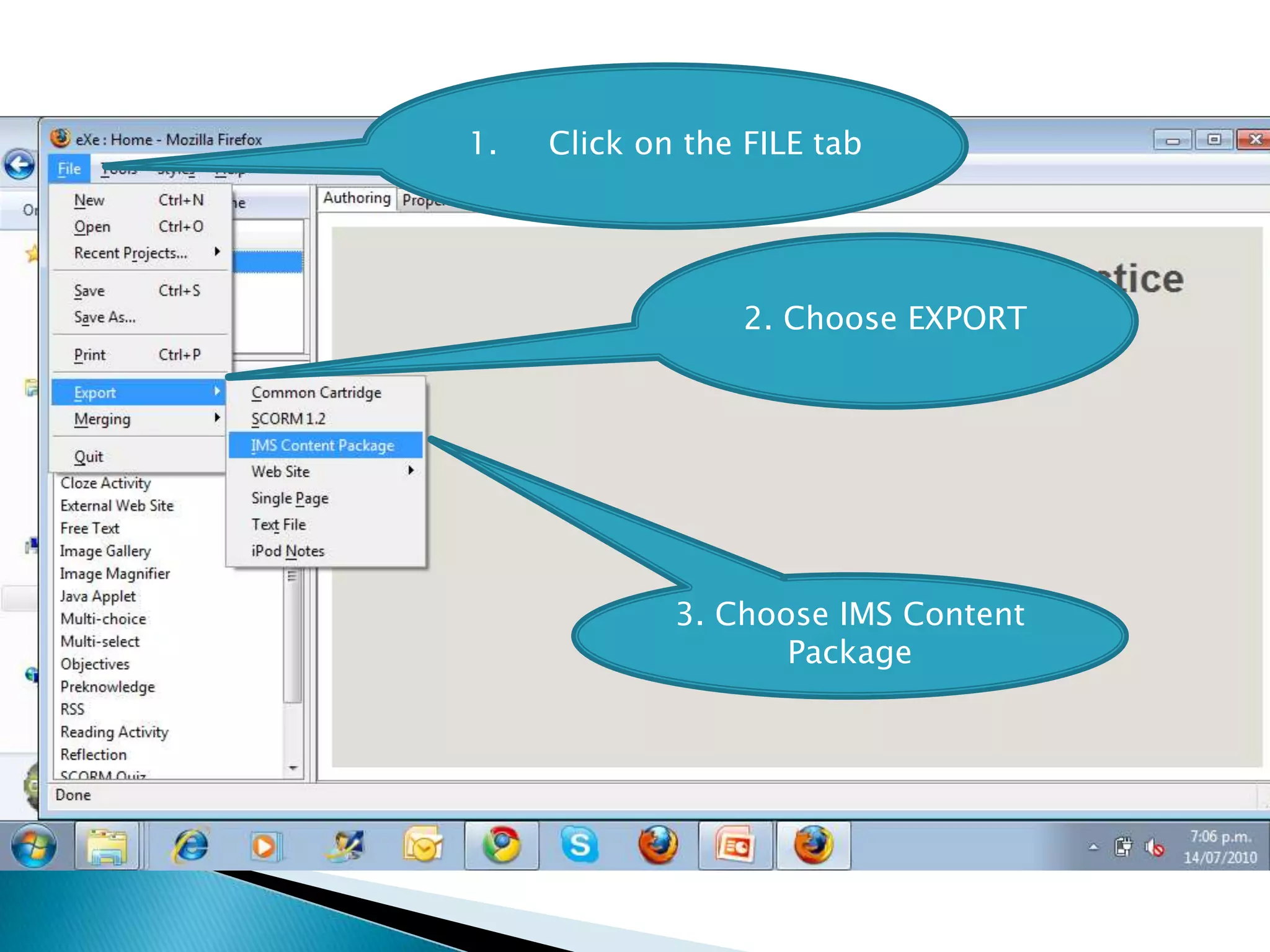
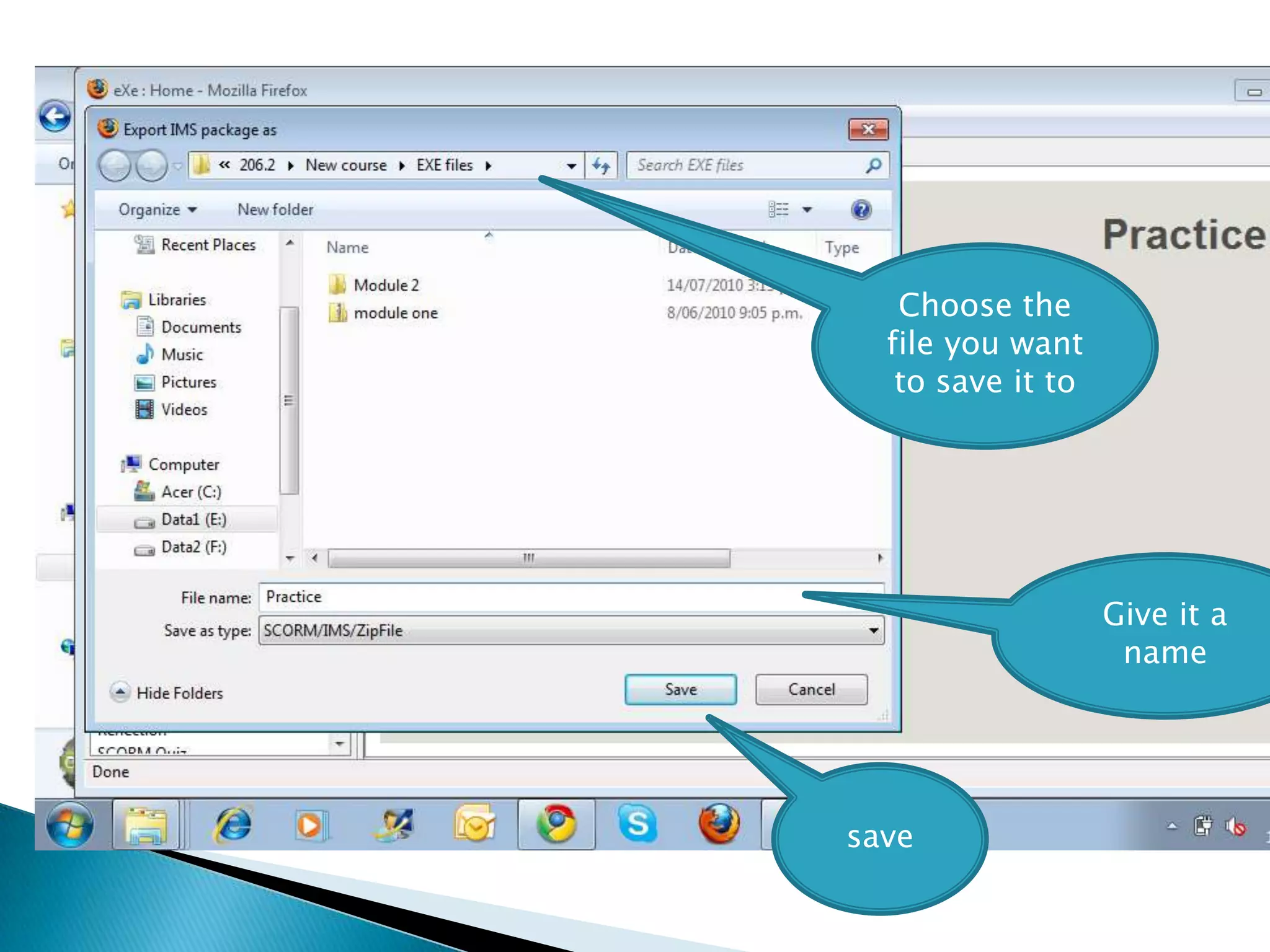
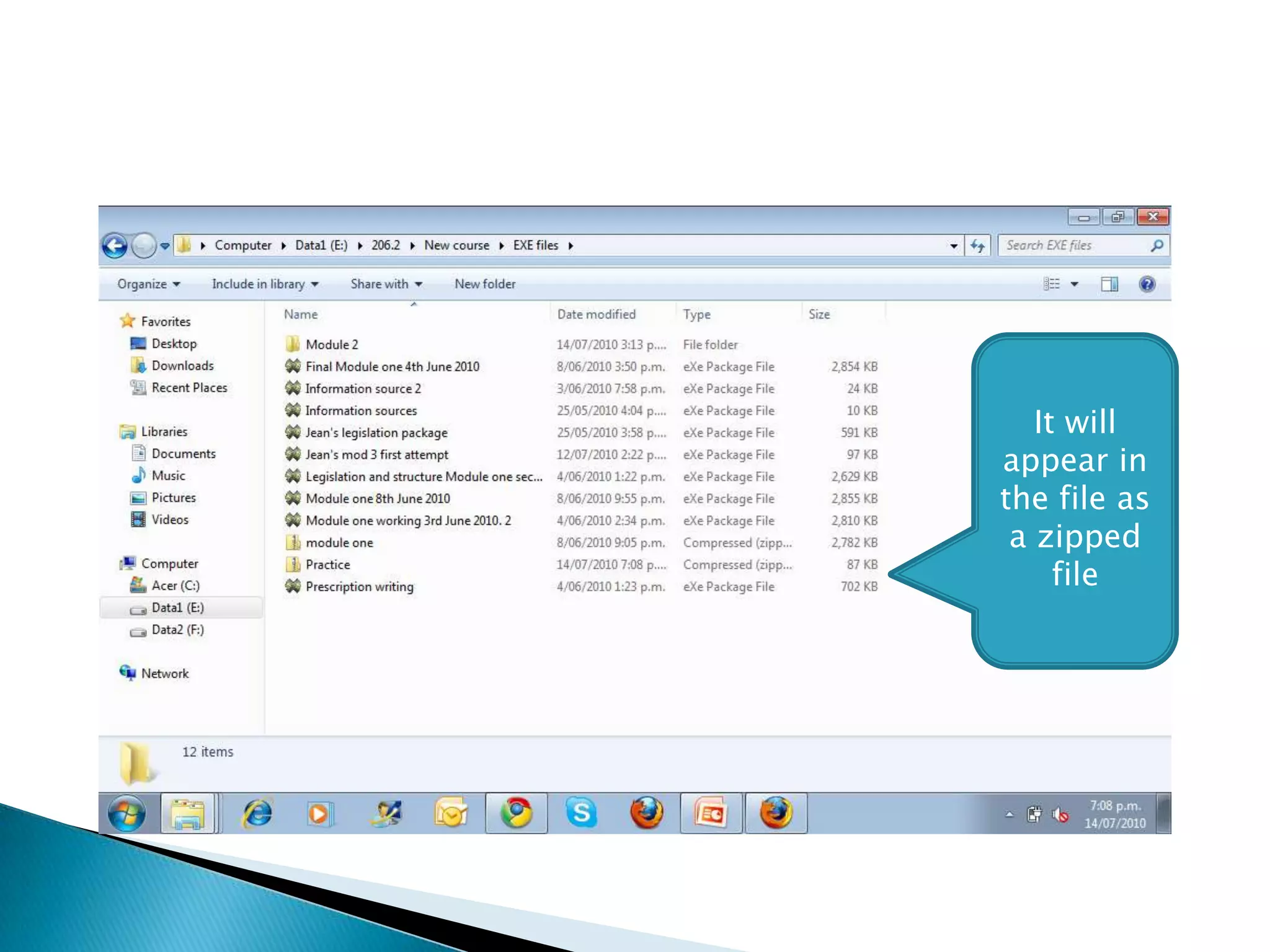
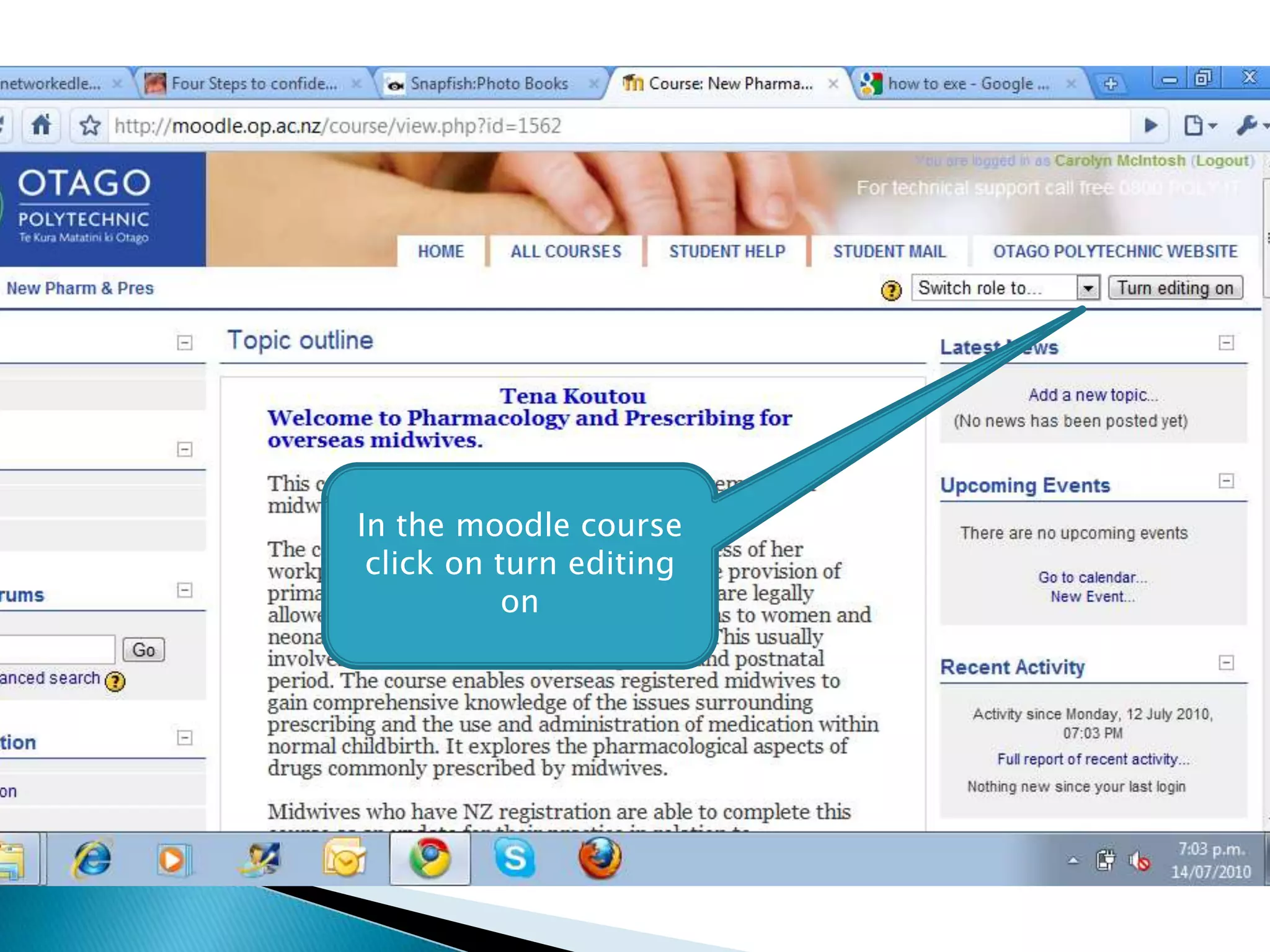
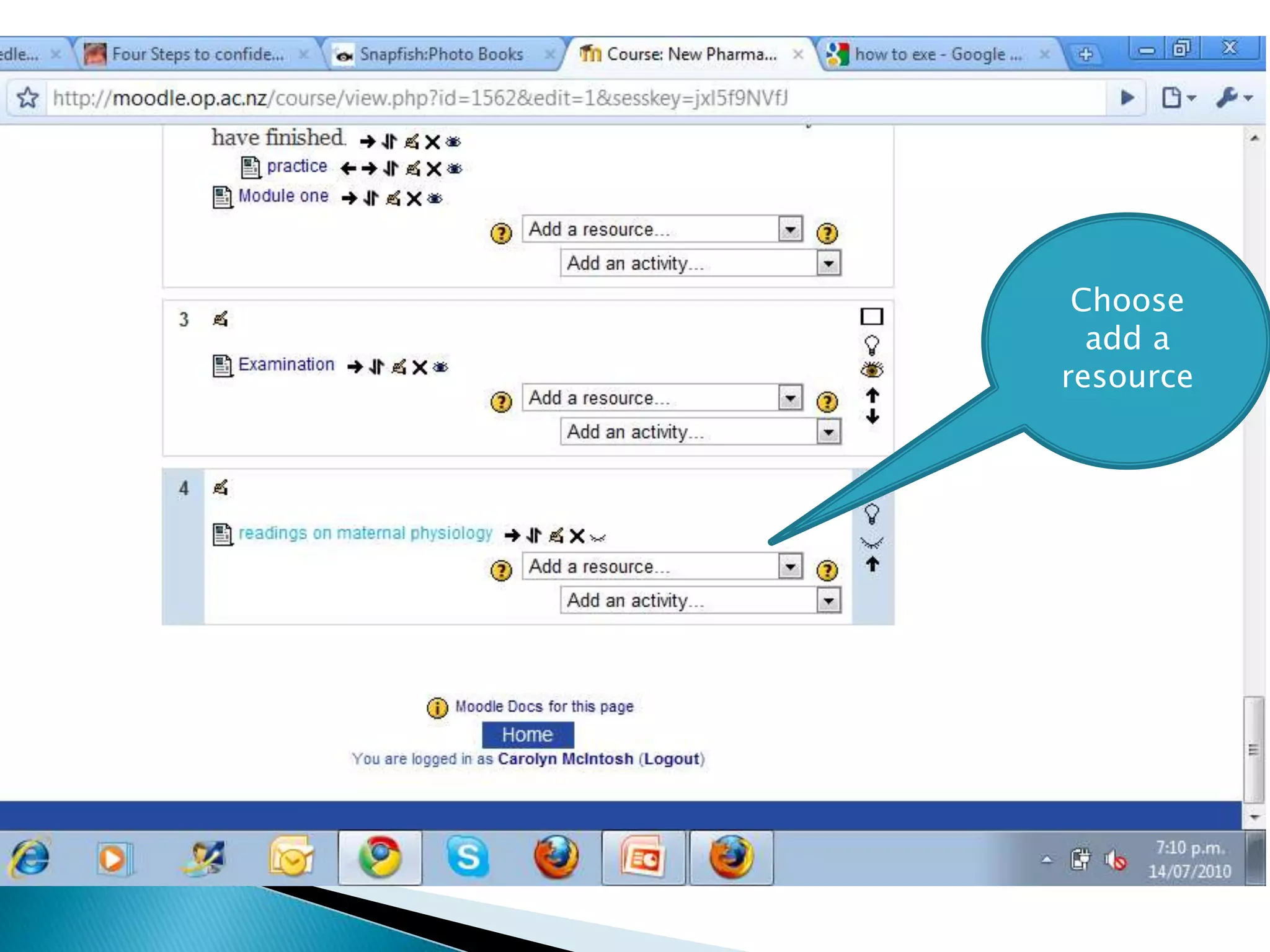
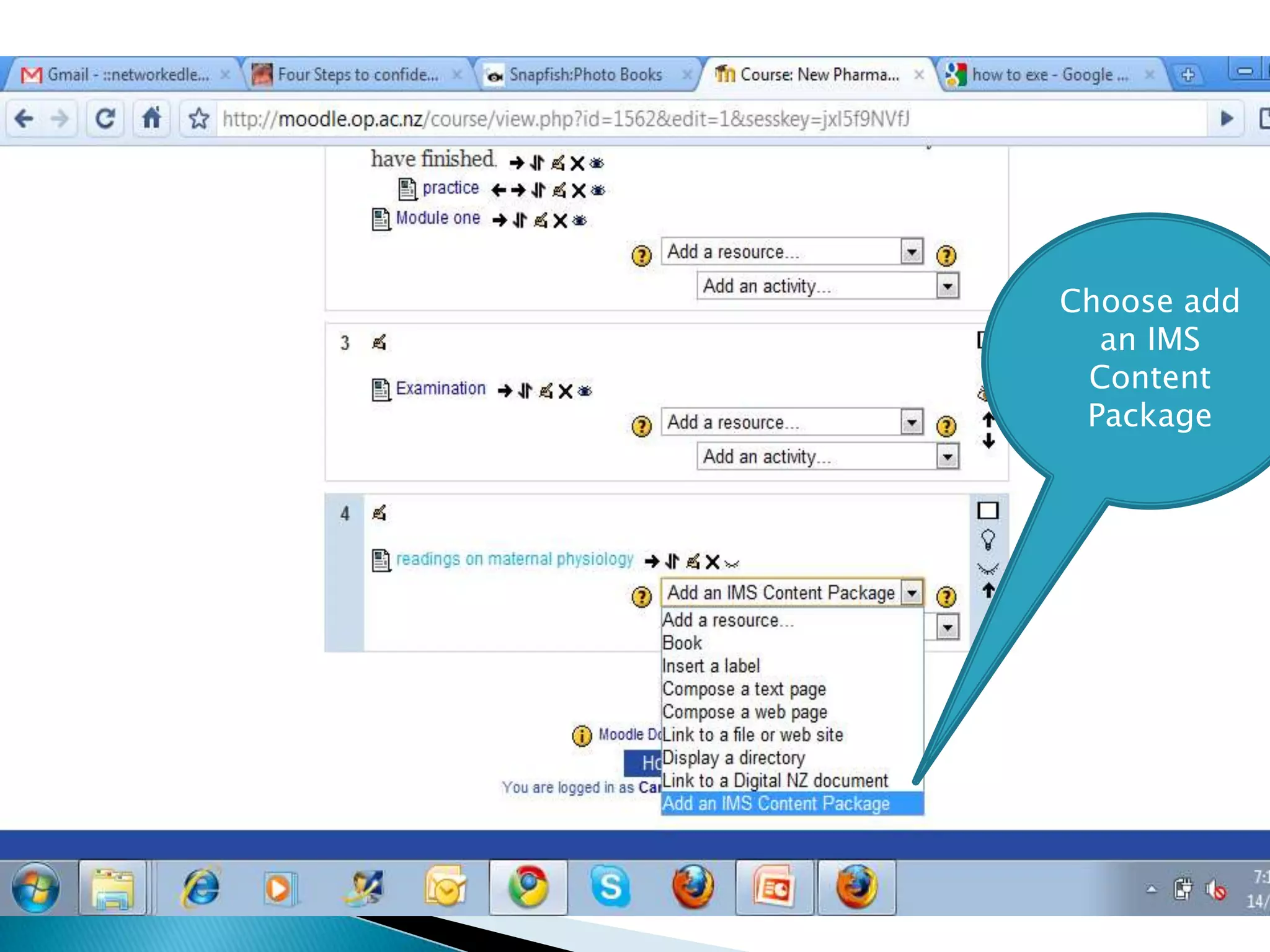
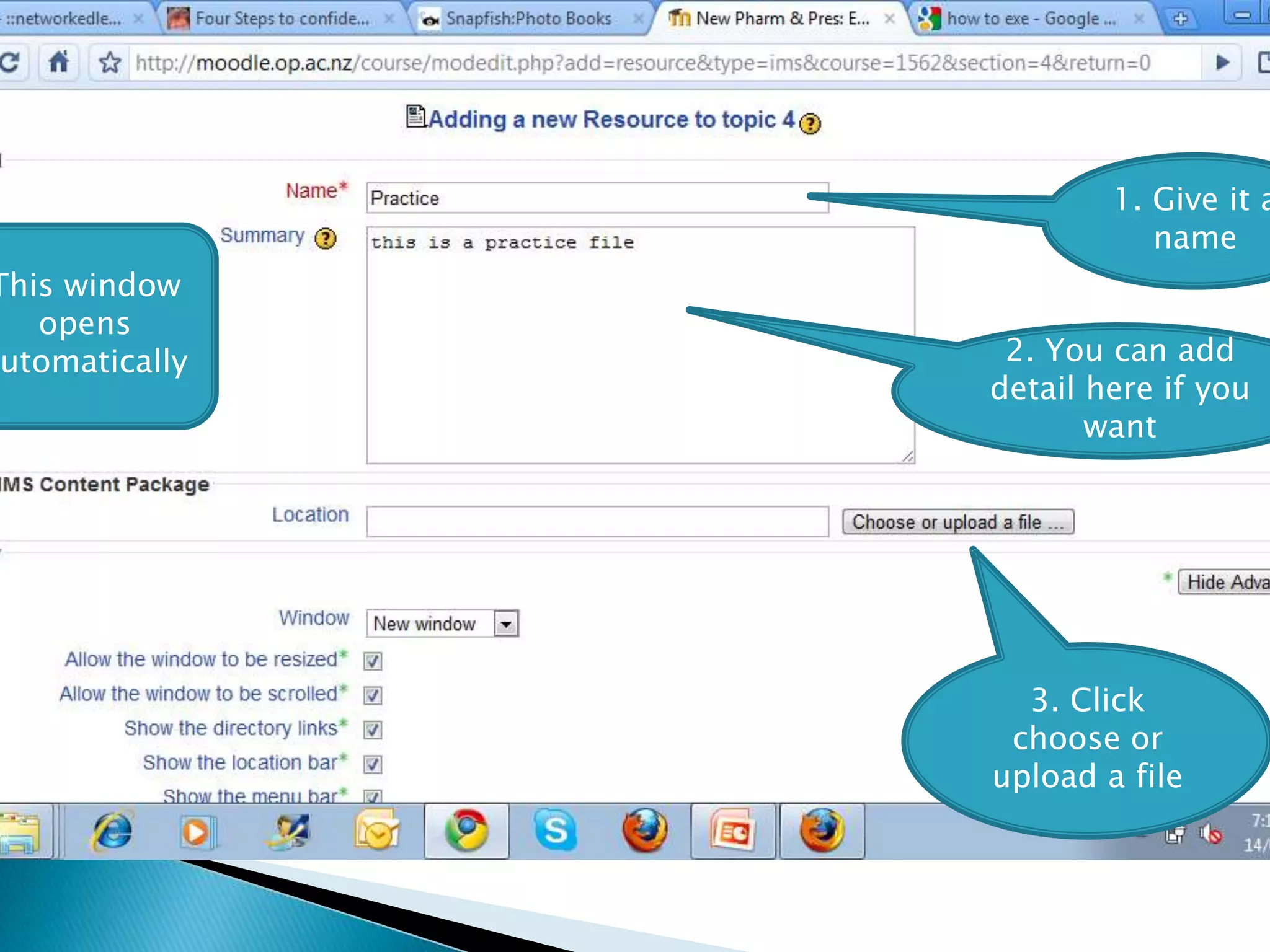
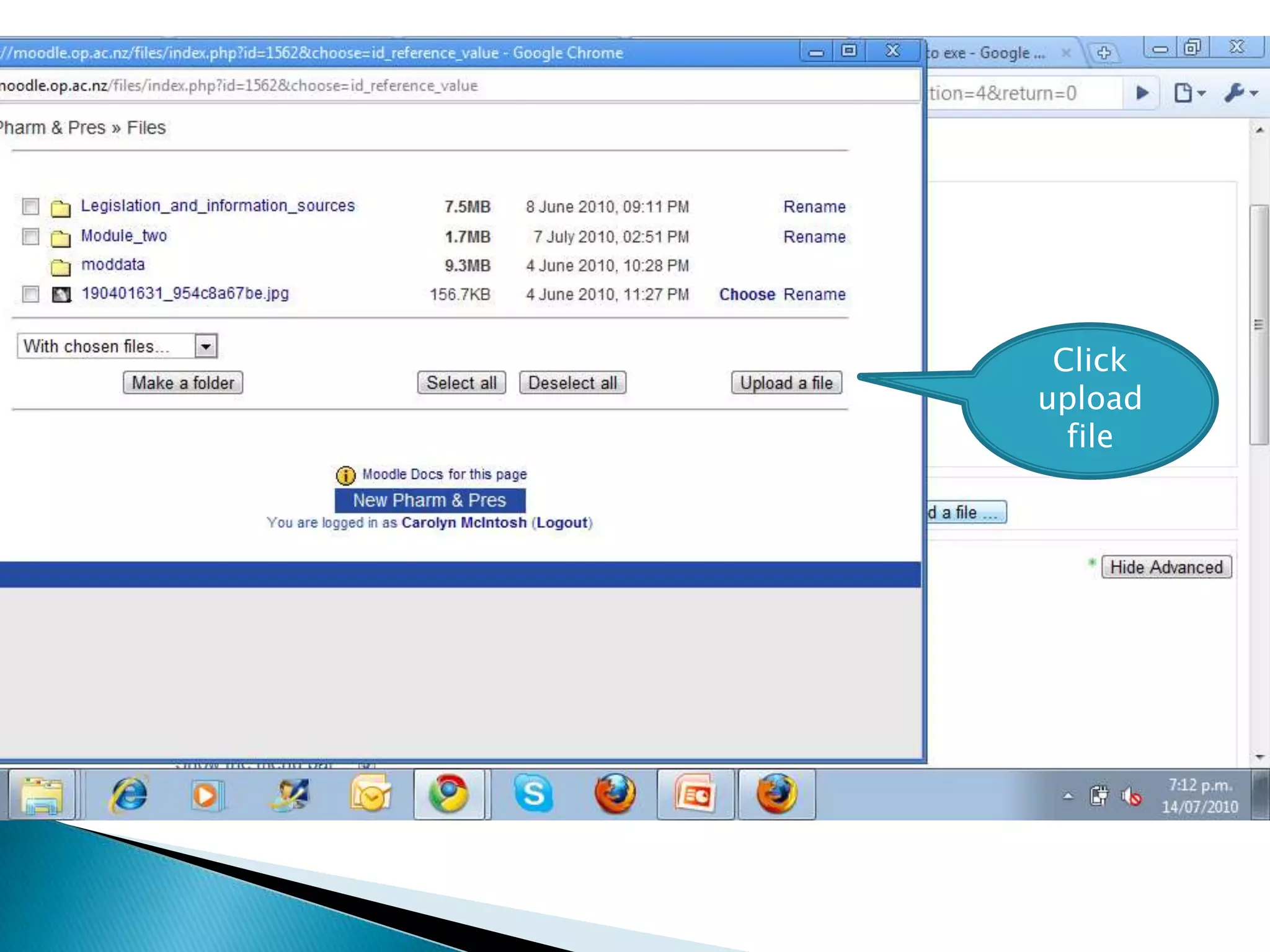
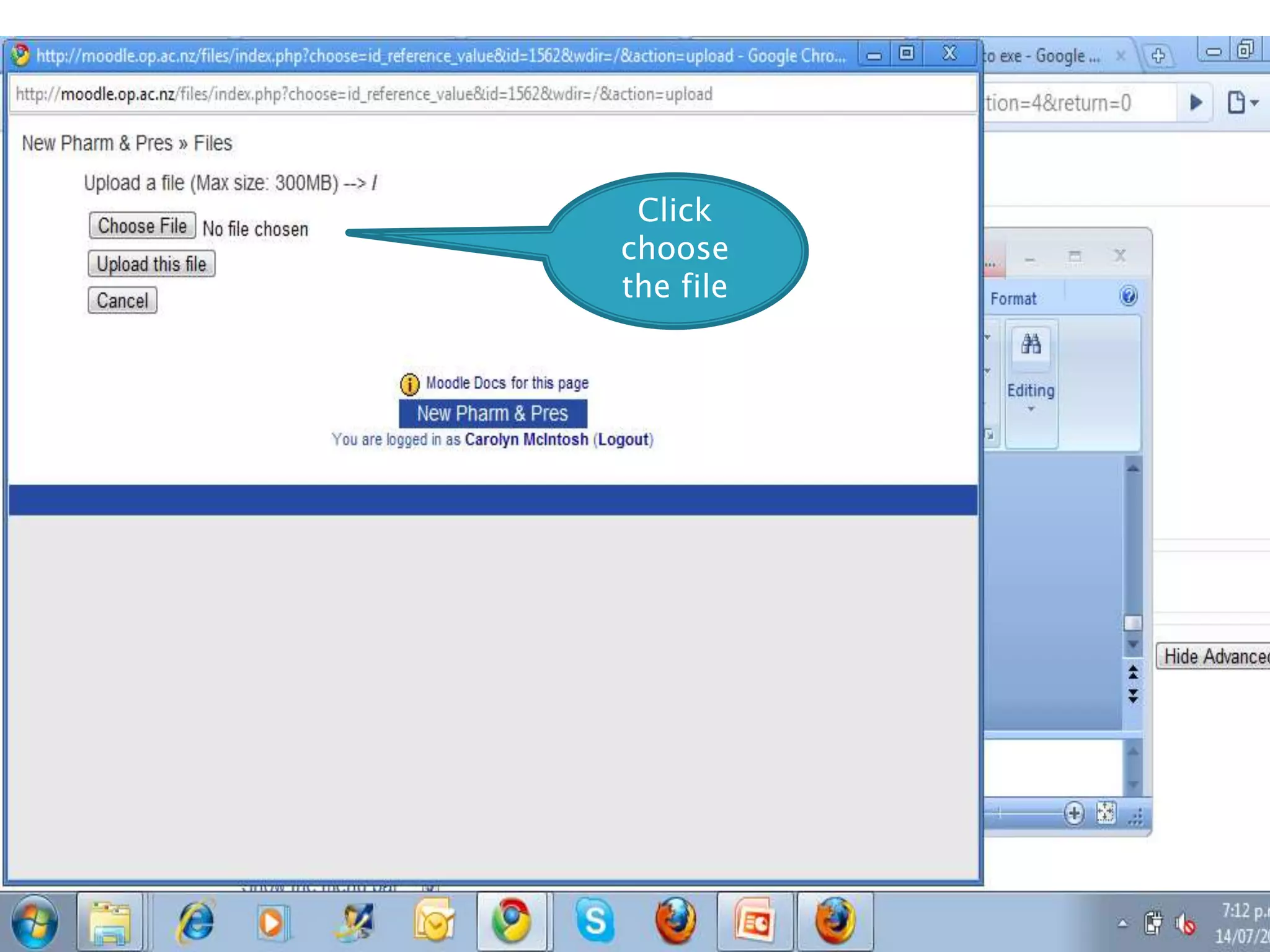
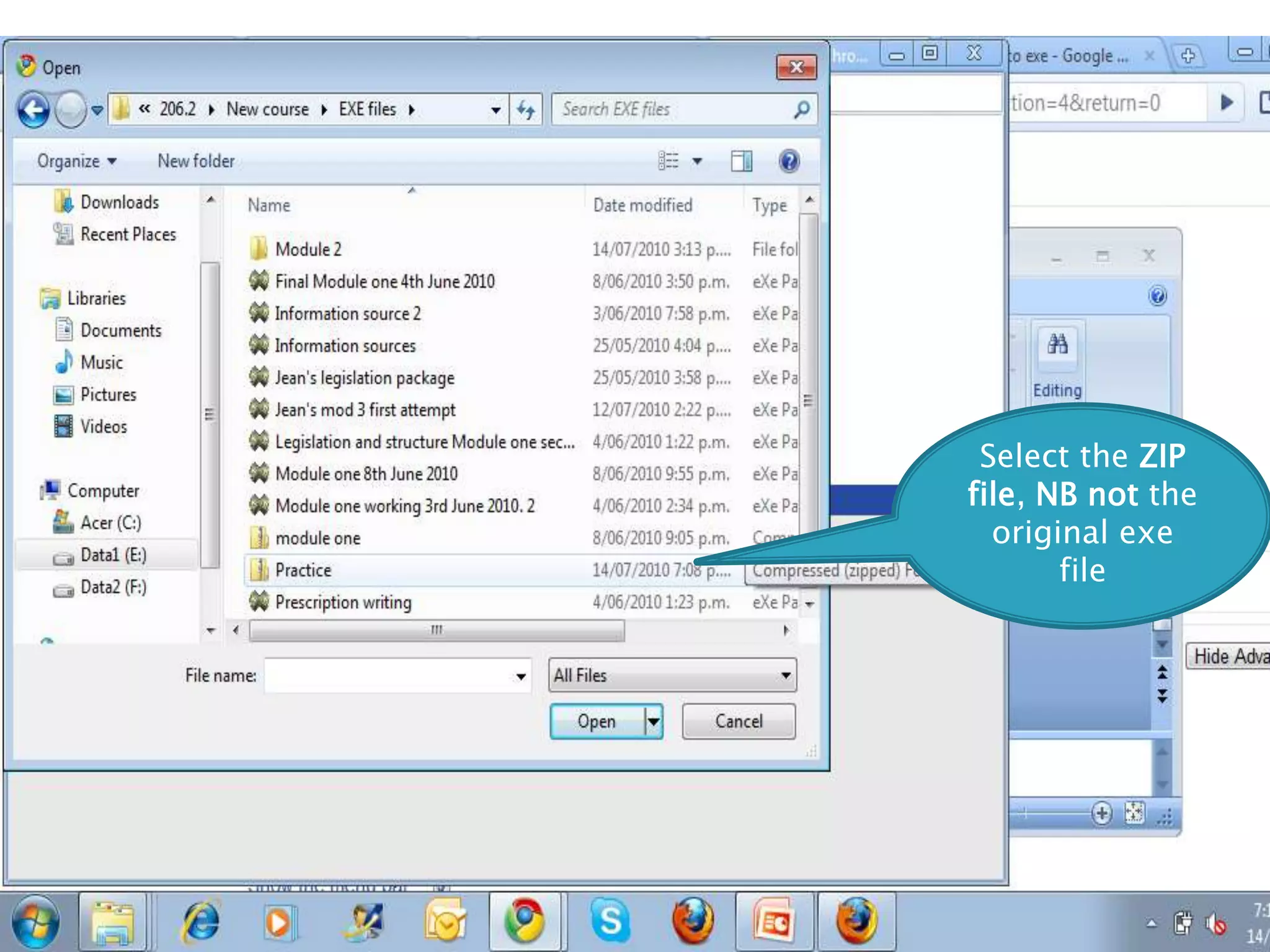
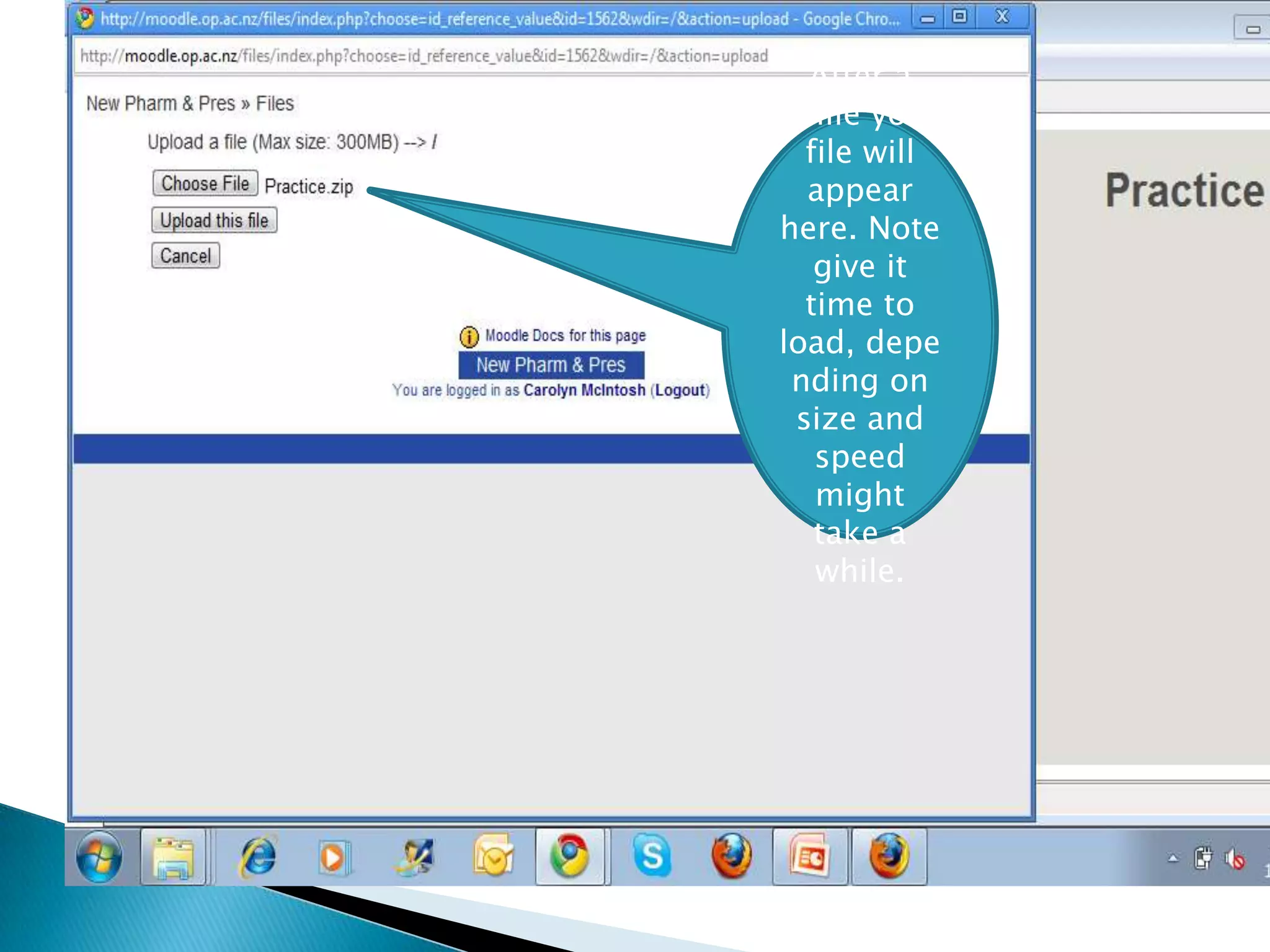
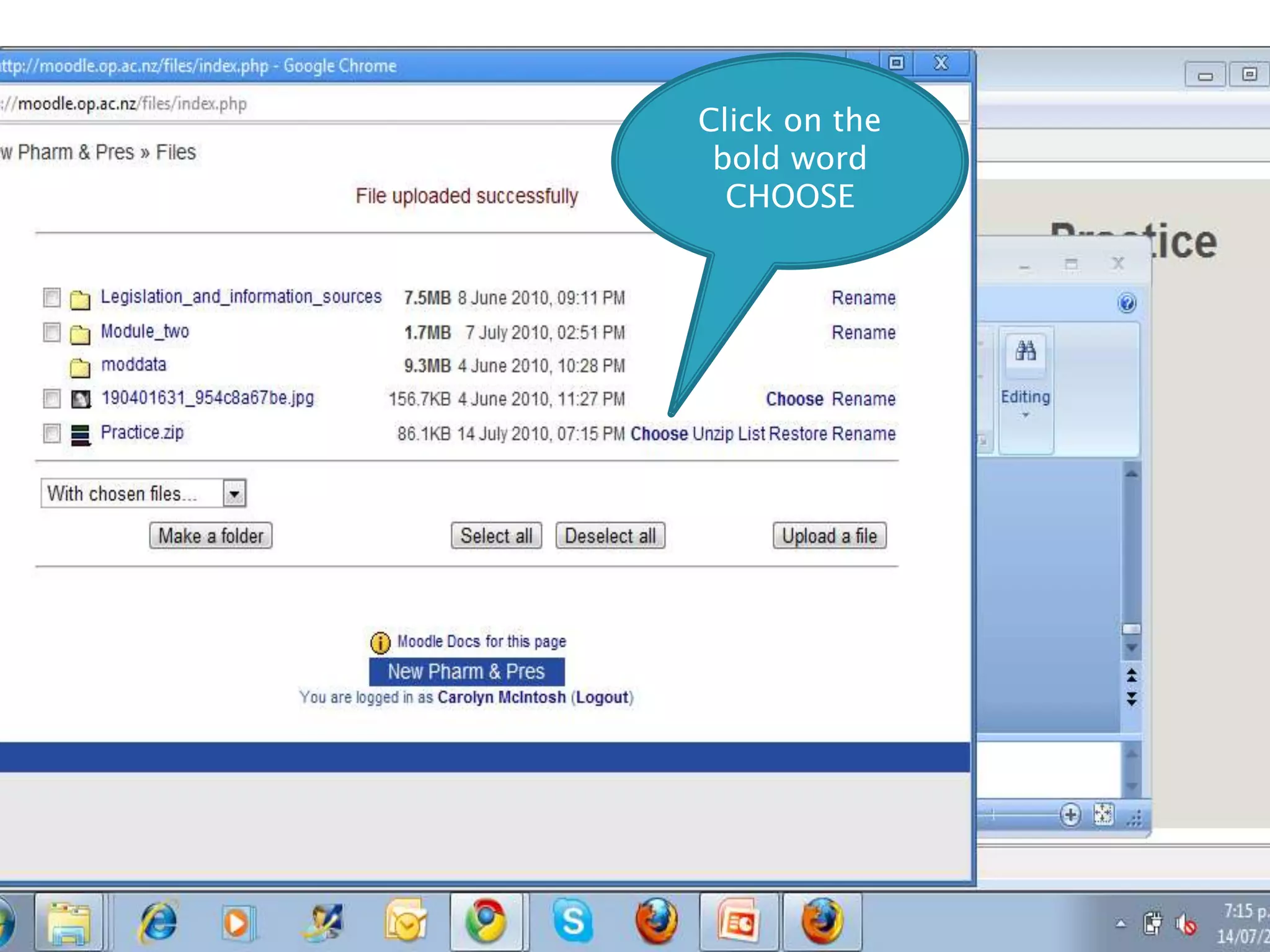
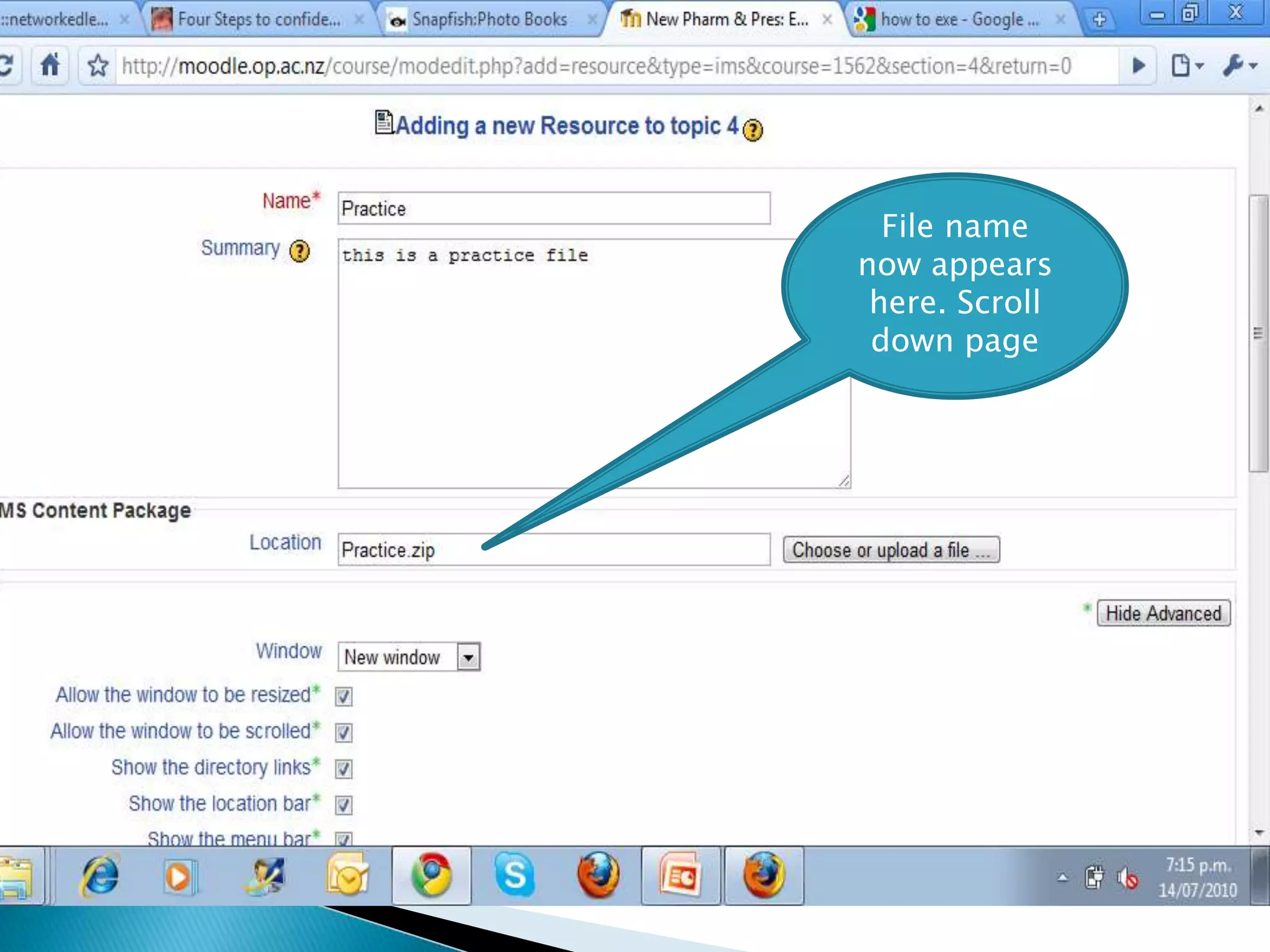
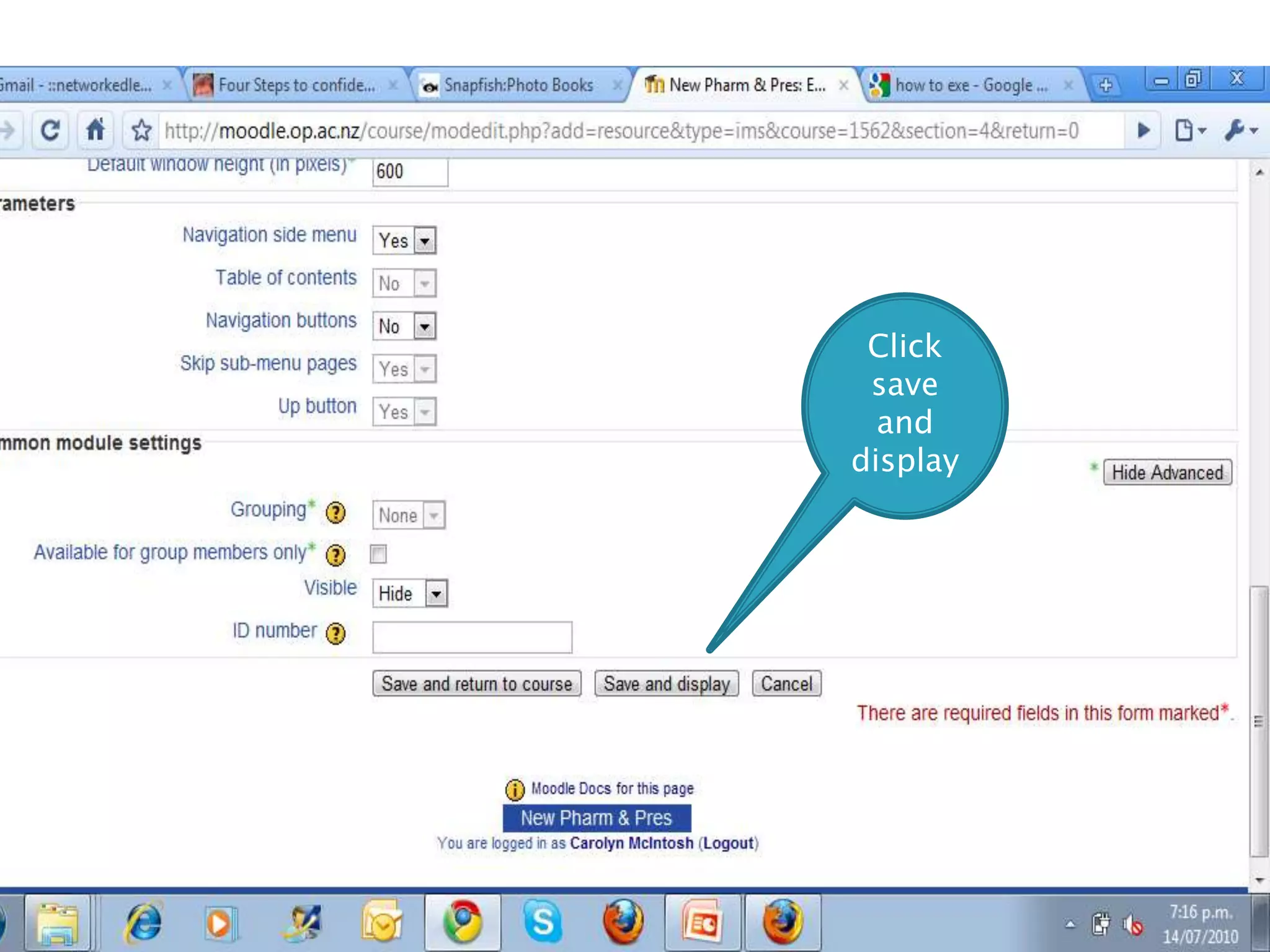
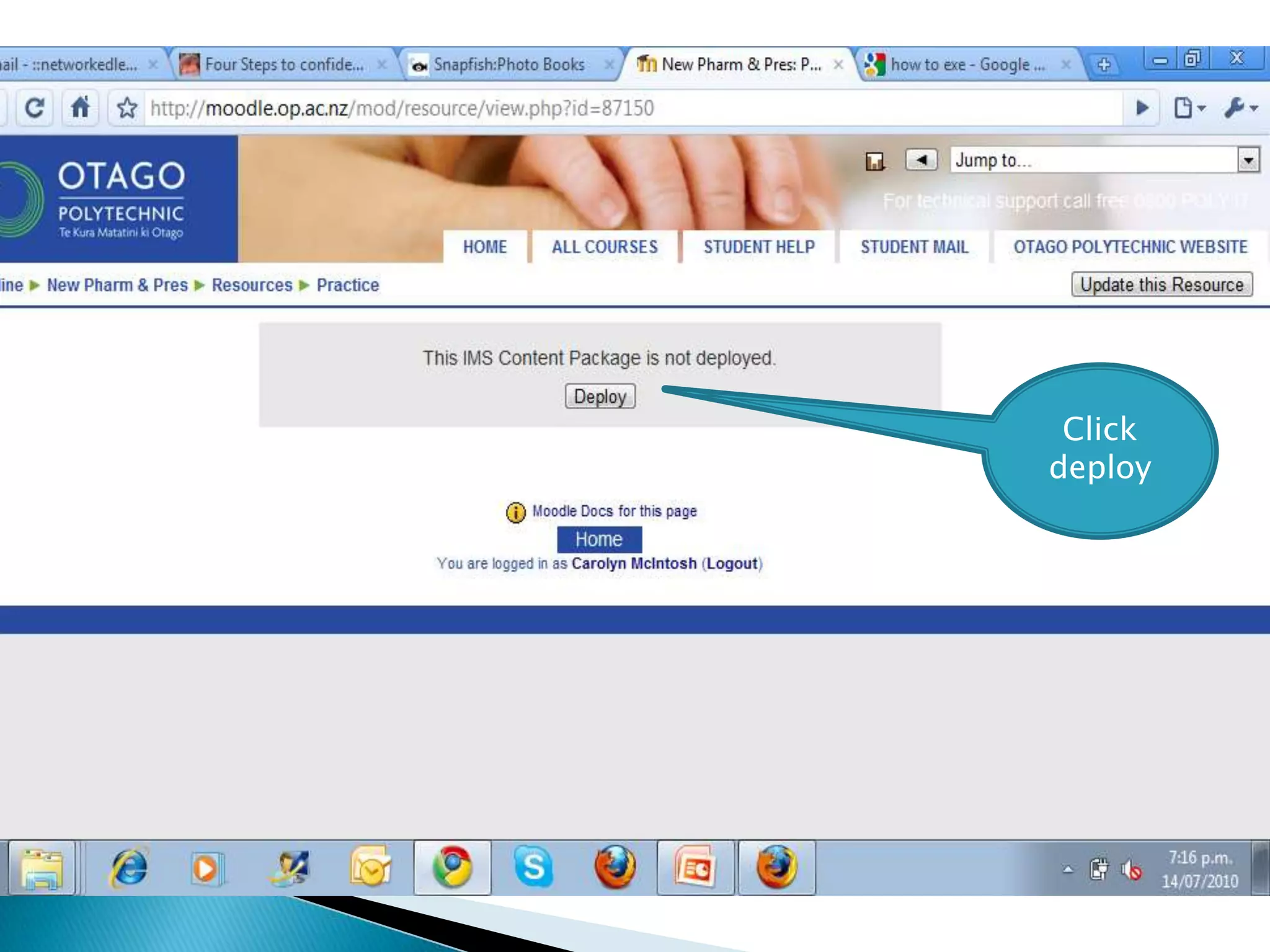
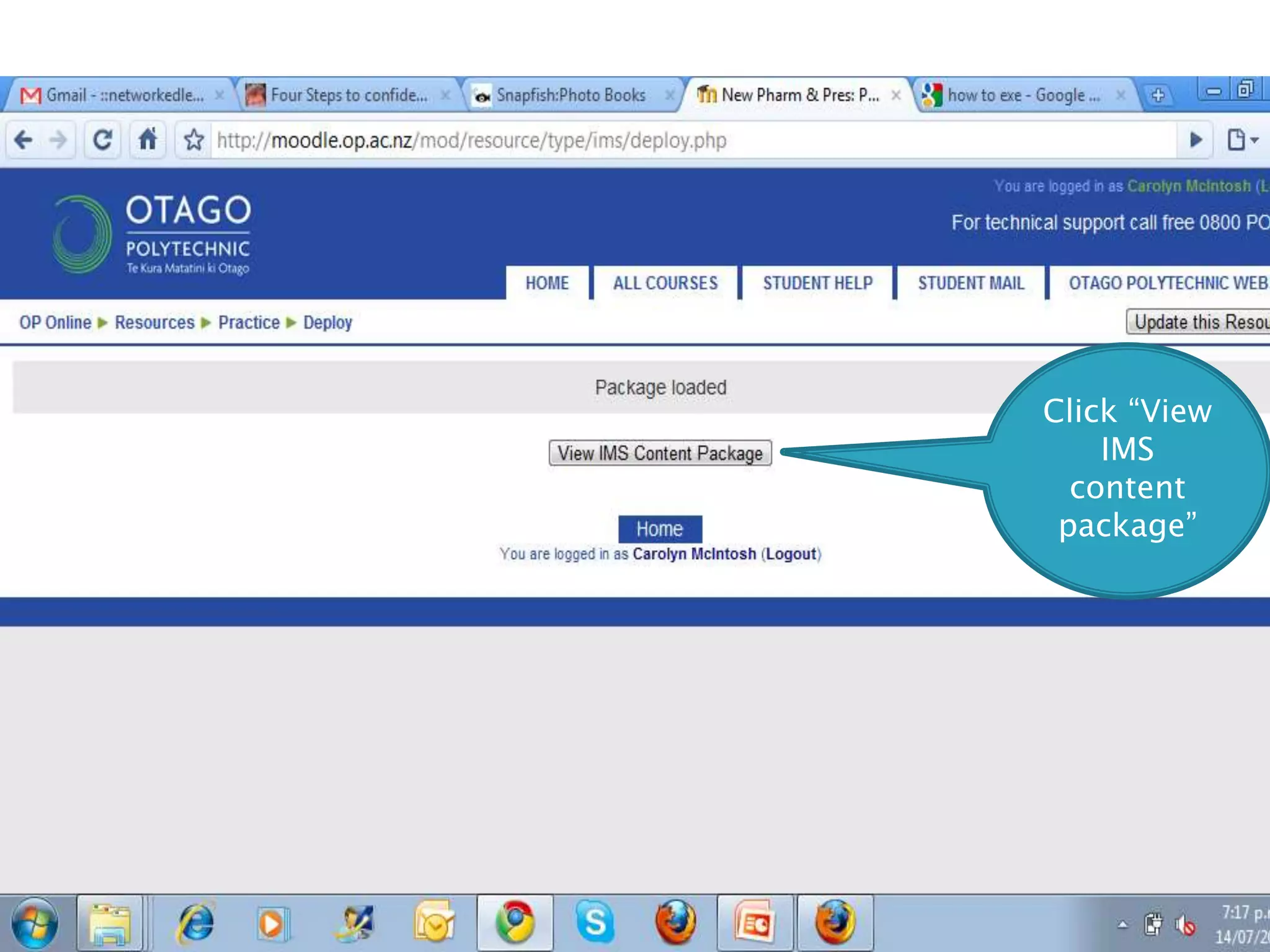
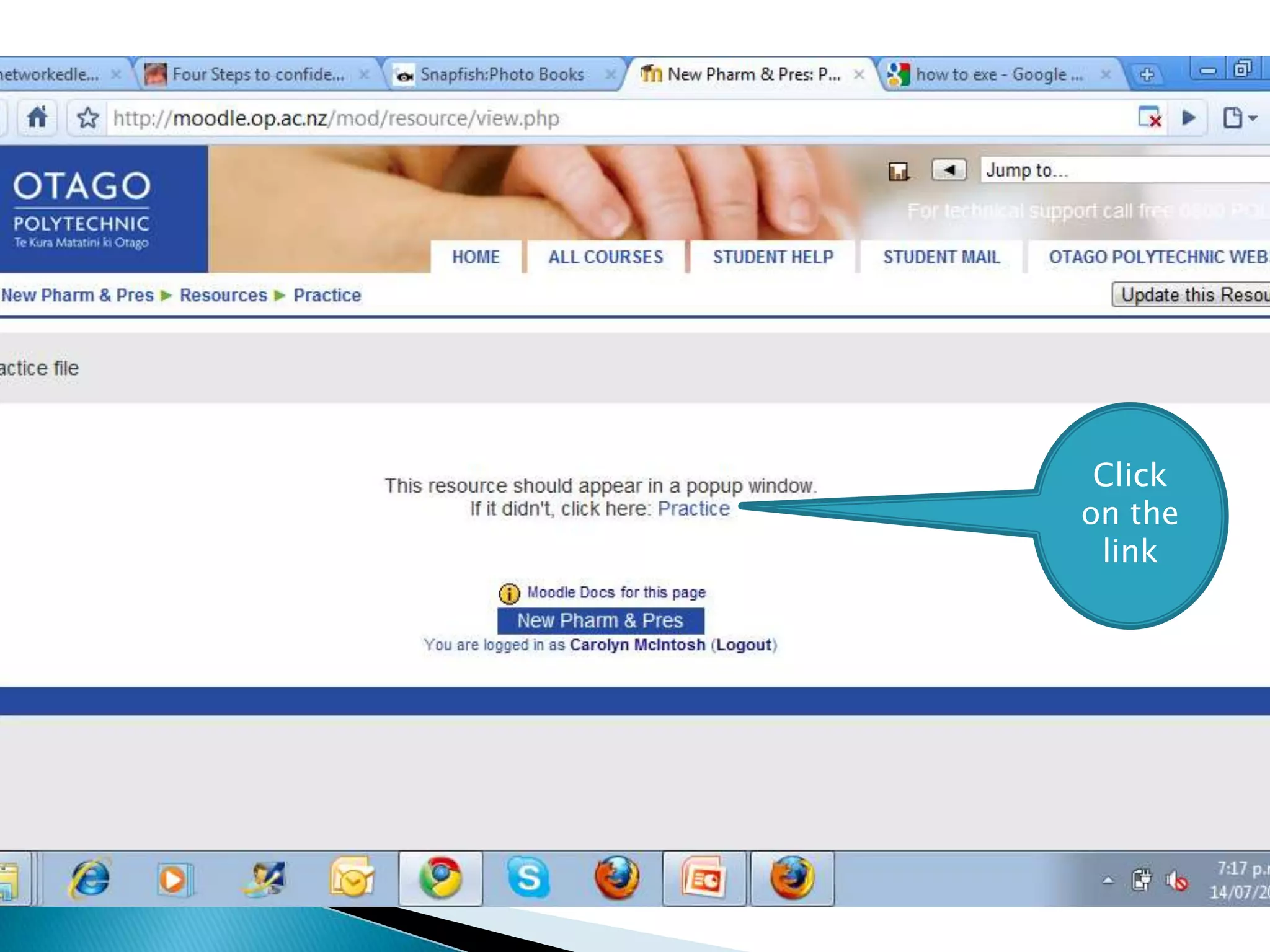
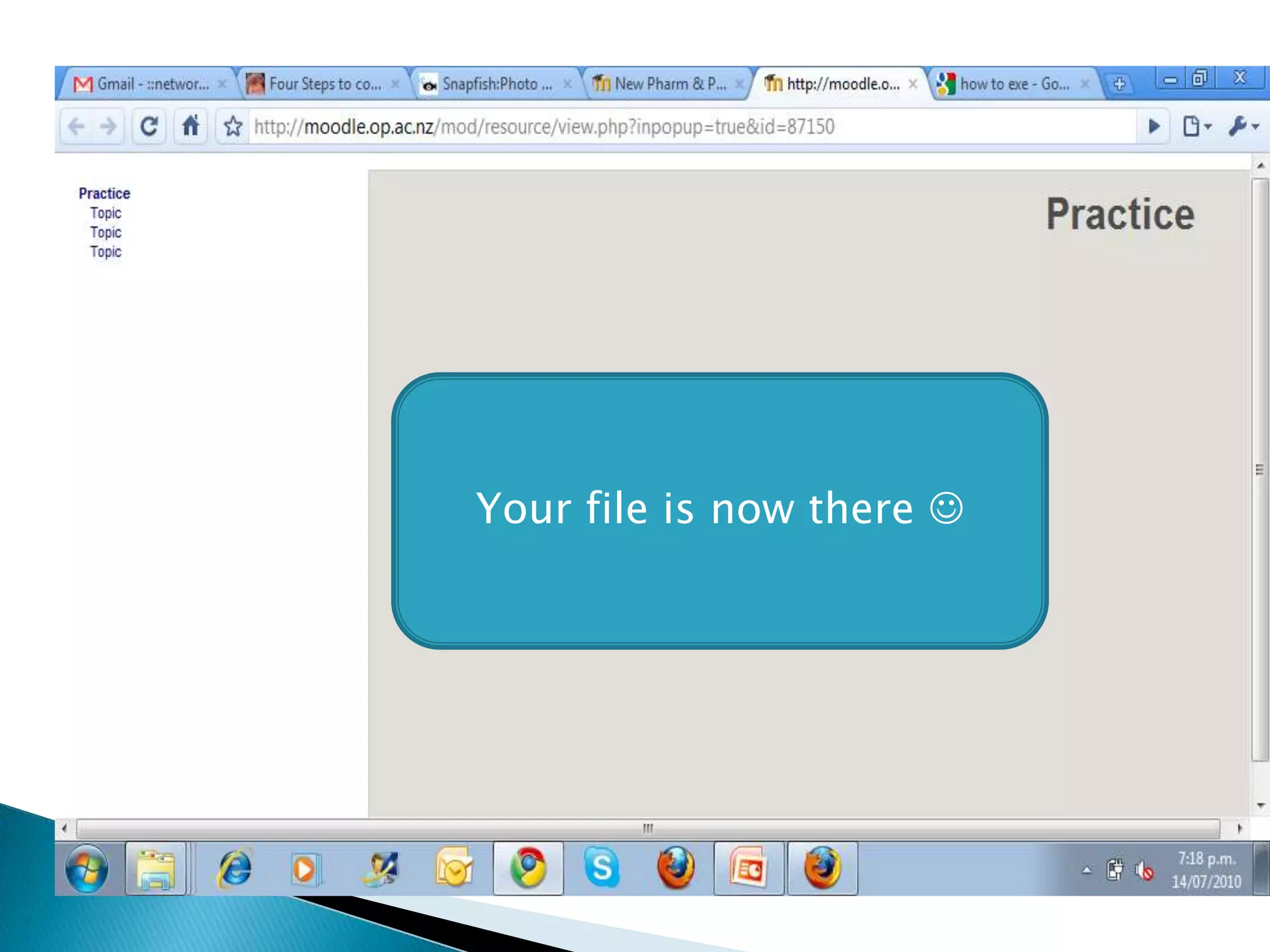

The document provides instructions for saving a completed exe file and loading it onto Otago Polytechnic’s Moodle, detailing steps for exporting the file as an IMS content package. Users are guided through the process of adding the resource and uploading the zipped file to their Moodle course. Finally, the document notes the importance of allowing time for the file to load and confirms successful deployment once the content package is visible.
![Add a file [autosaved]](https://cdn.slidesharecdn.com/ss_thumbnails/addafileautosaved-130513015456-phpapp01-thumbnail.jpg?width=640&height=640&fit=bounds)


![Add a youtube video [autosaved]](https://cdn.slidesharecdn.com/ss_thumbnails/addayoutubevideoautosaved-130513015512-phpapp01-thumbnail.jpg?width=640&height=640&fit=bounds)


