How to set up a wiki roster for students to completeMidwifery school OP
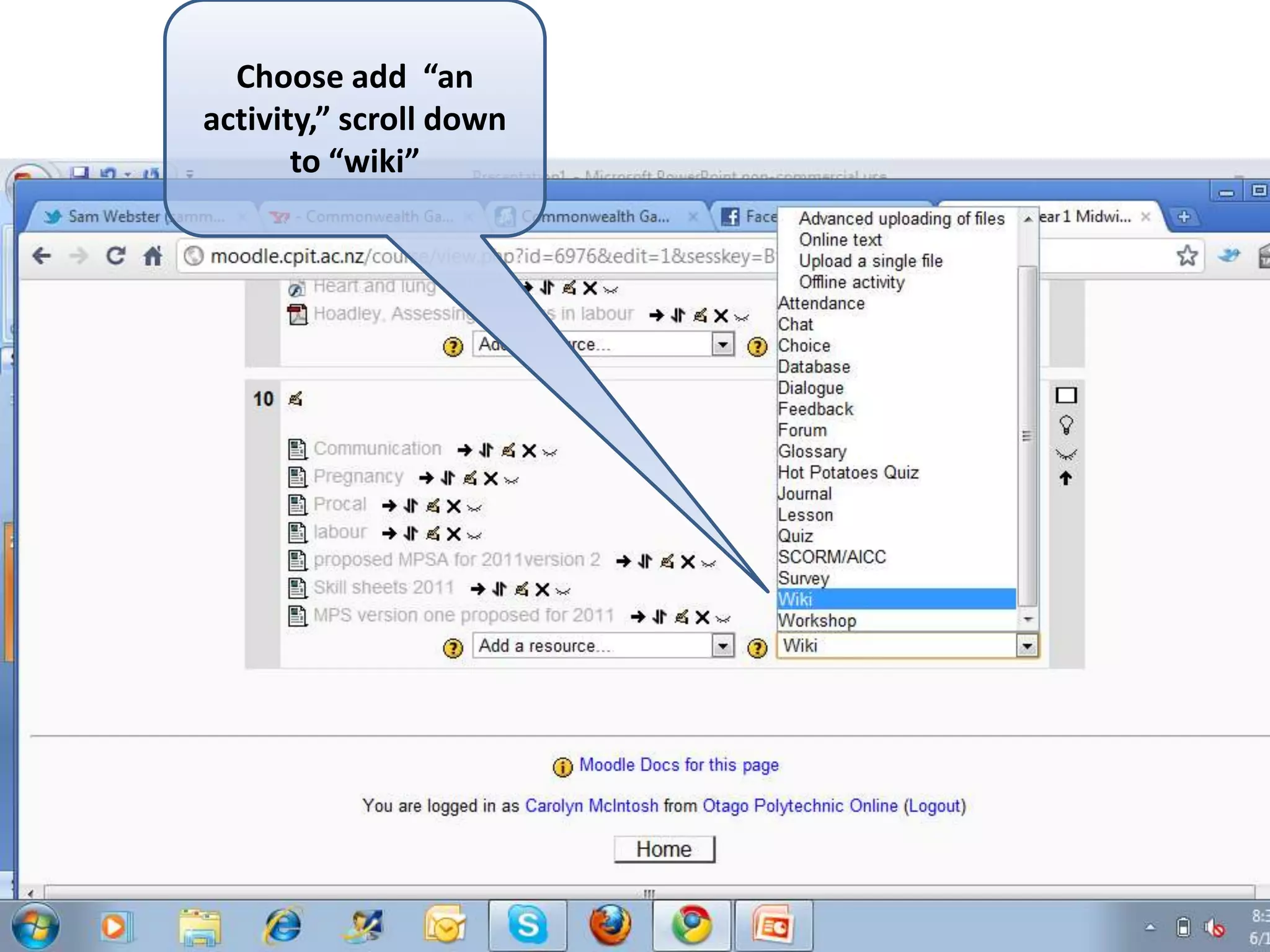
Choose add  “an activity,” scroll down to “wiki”
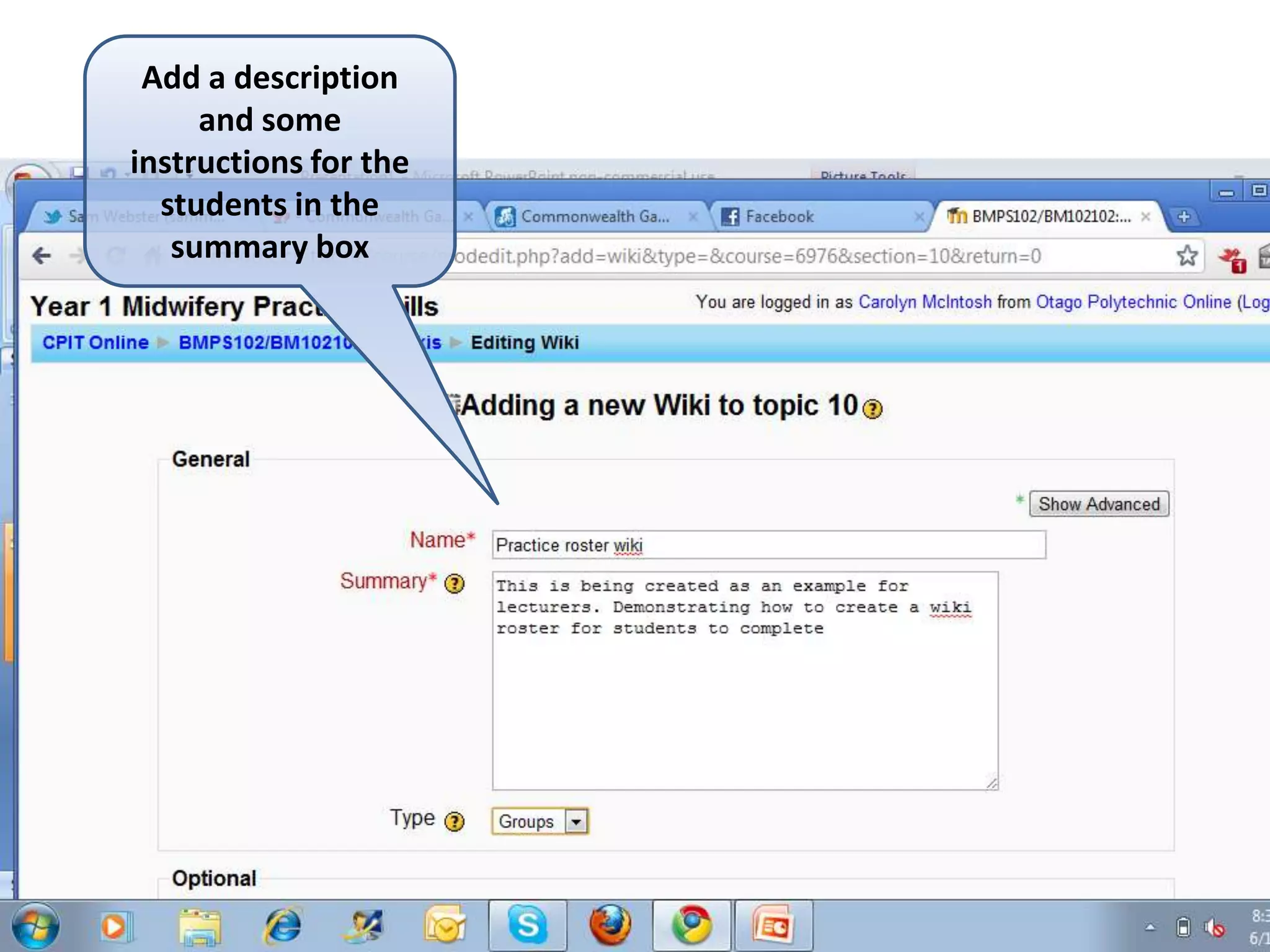
Add a description and some instructions for the students in the summary box
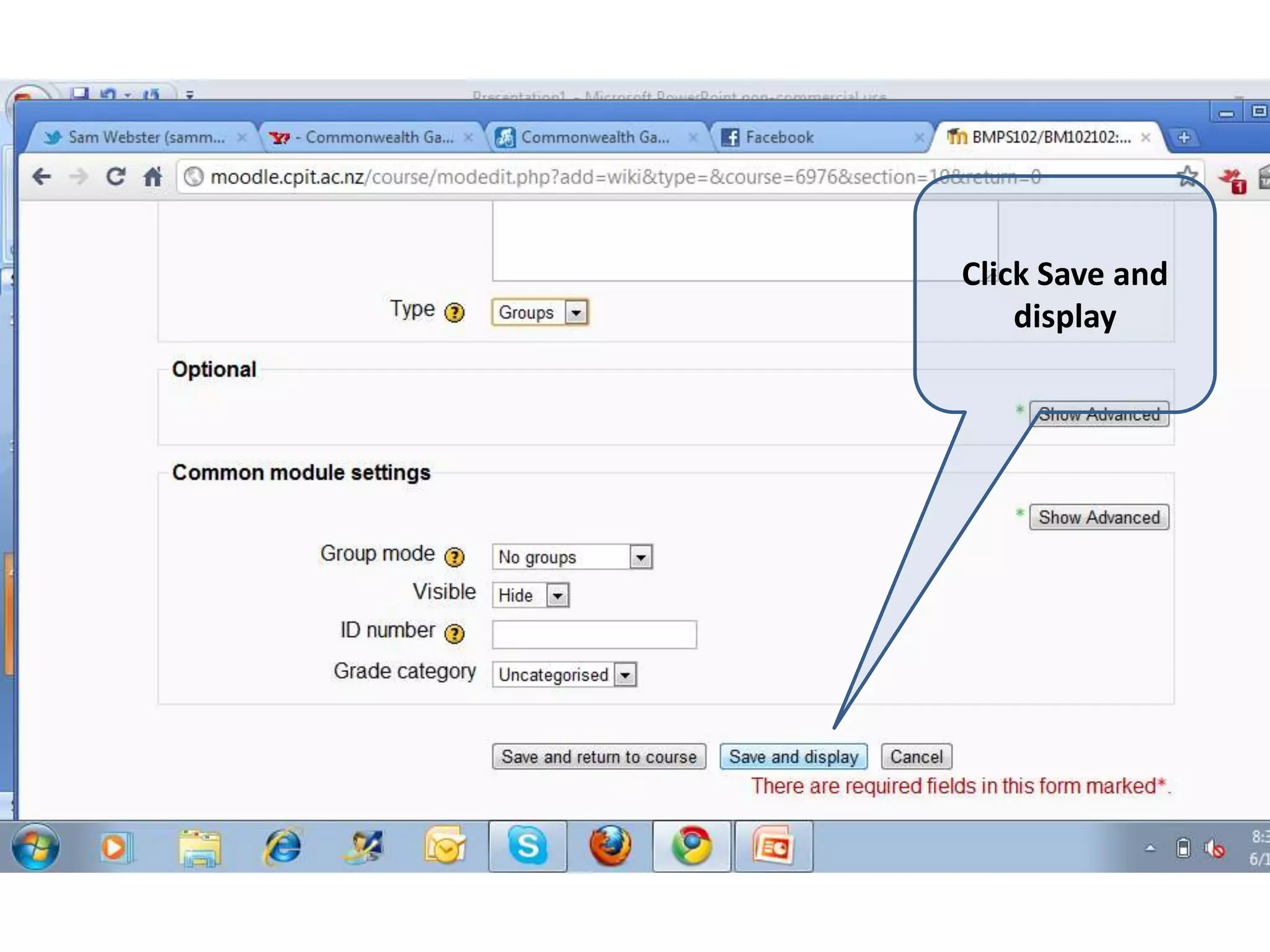
Click Save and display
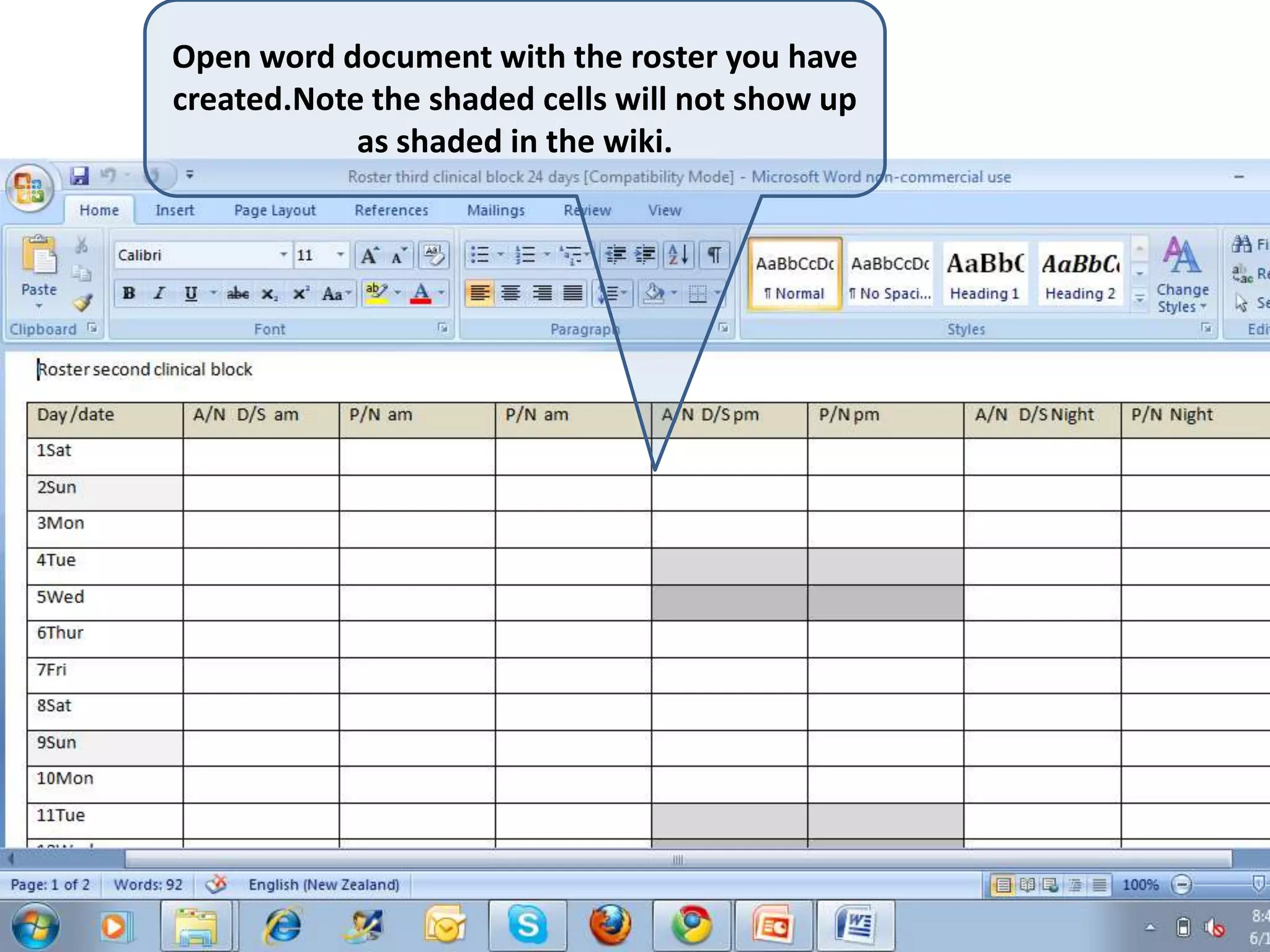
Open word document with the roster you have created.Note the shaded cells will not show up as shaded in the wiki.
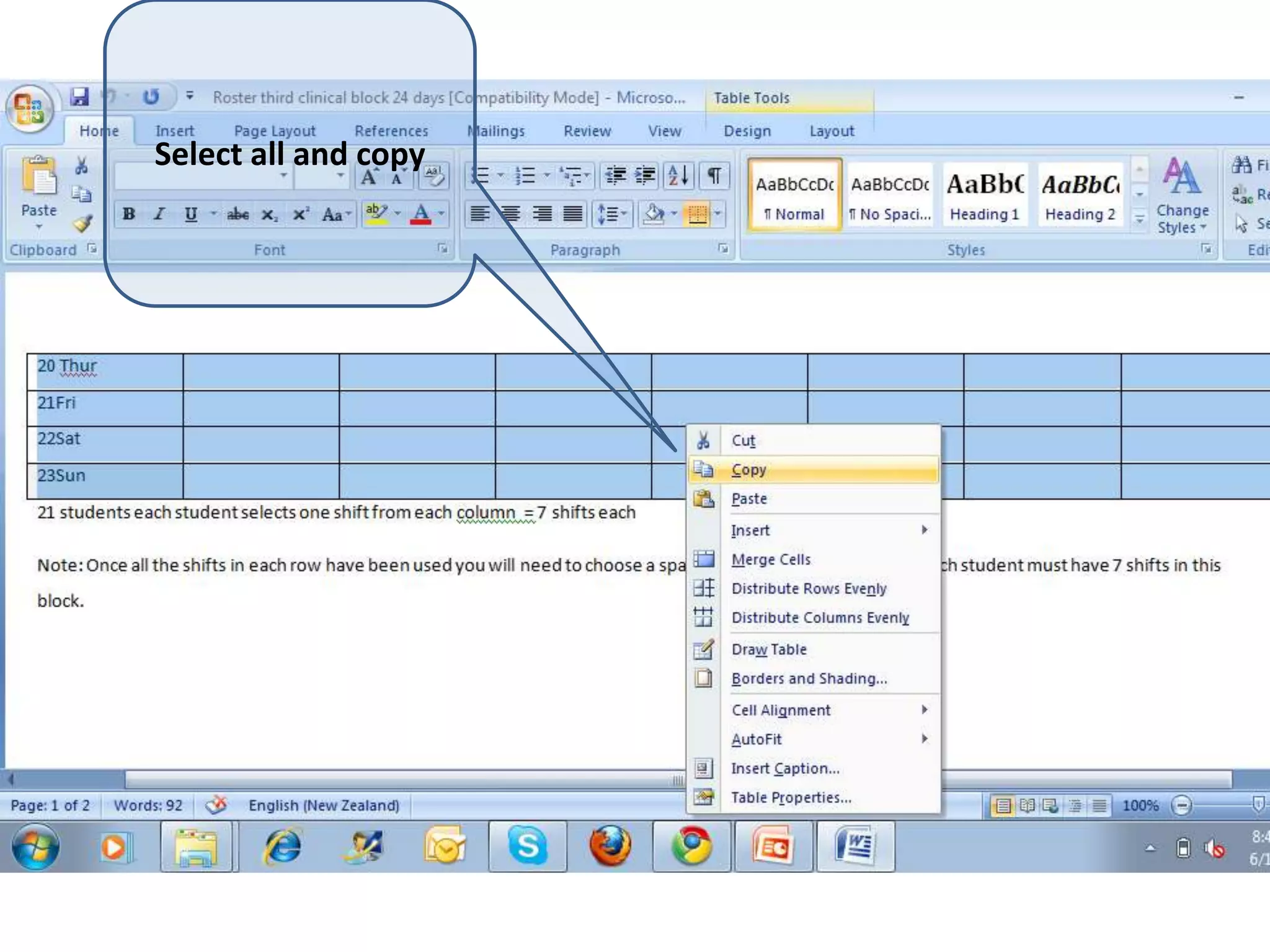
Select all and copy
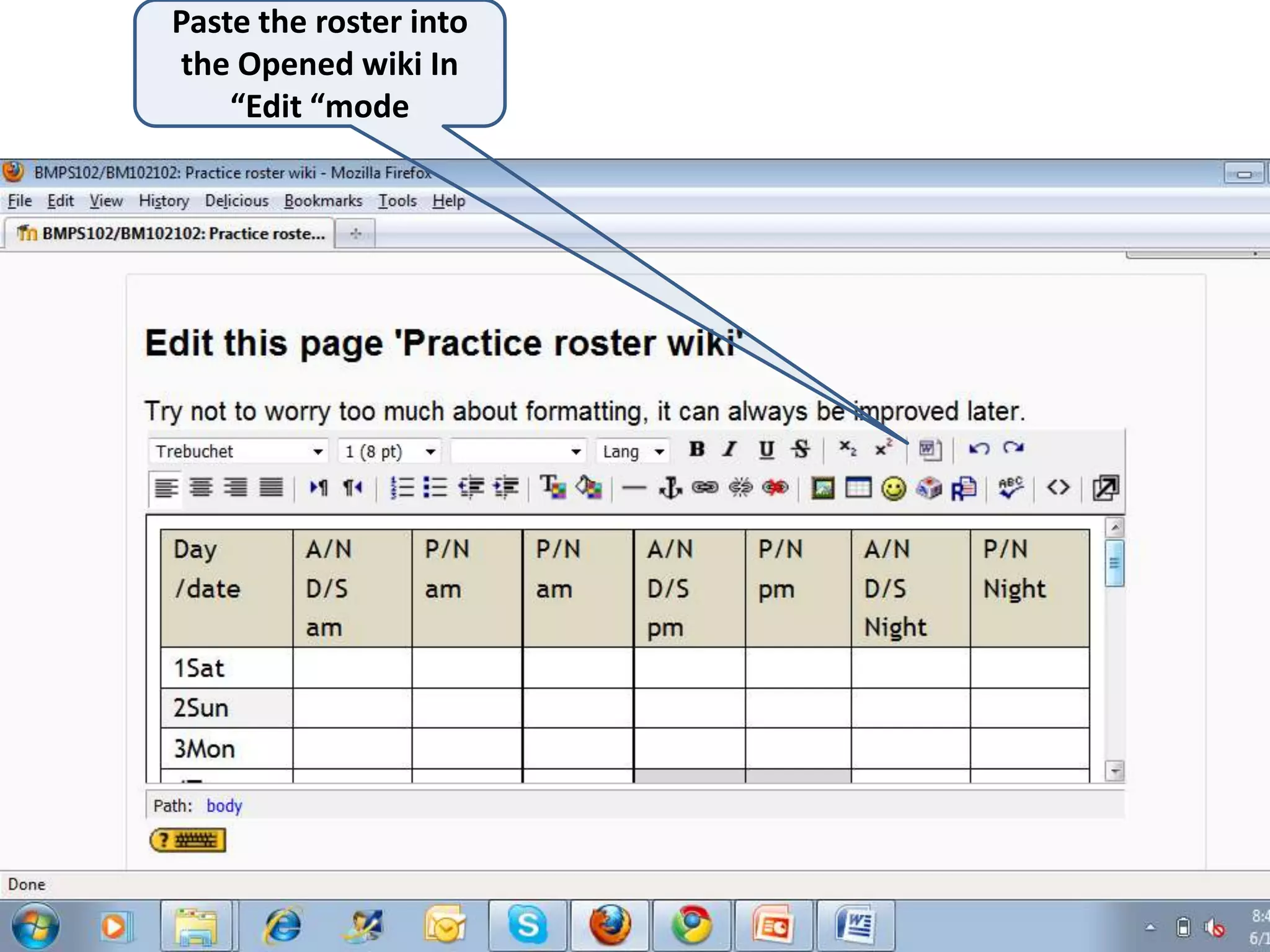
Paste the roster into the Opened wiki In “Edit “mode
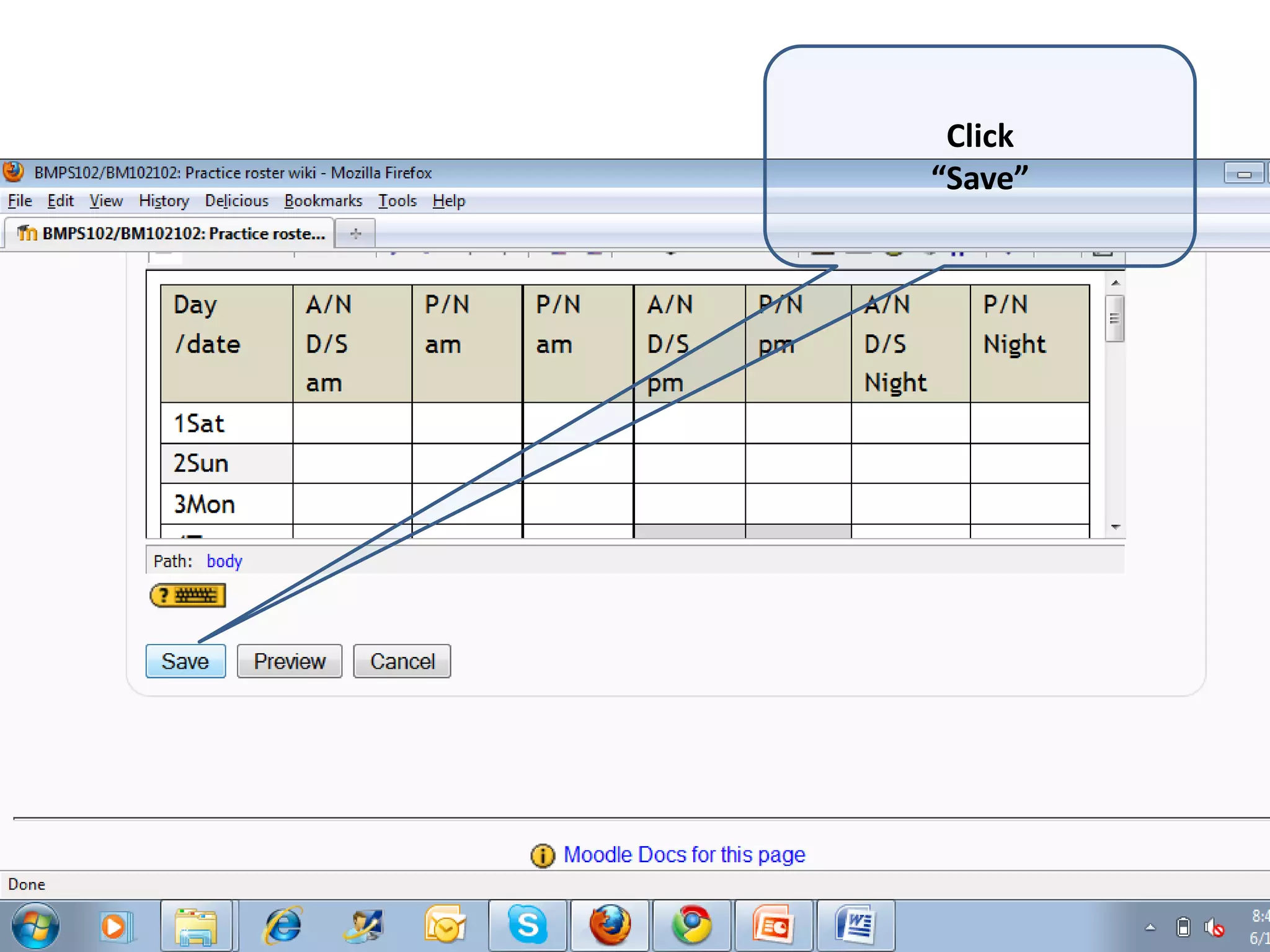
Click“Save”
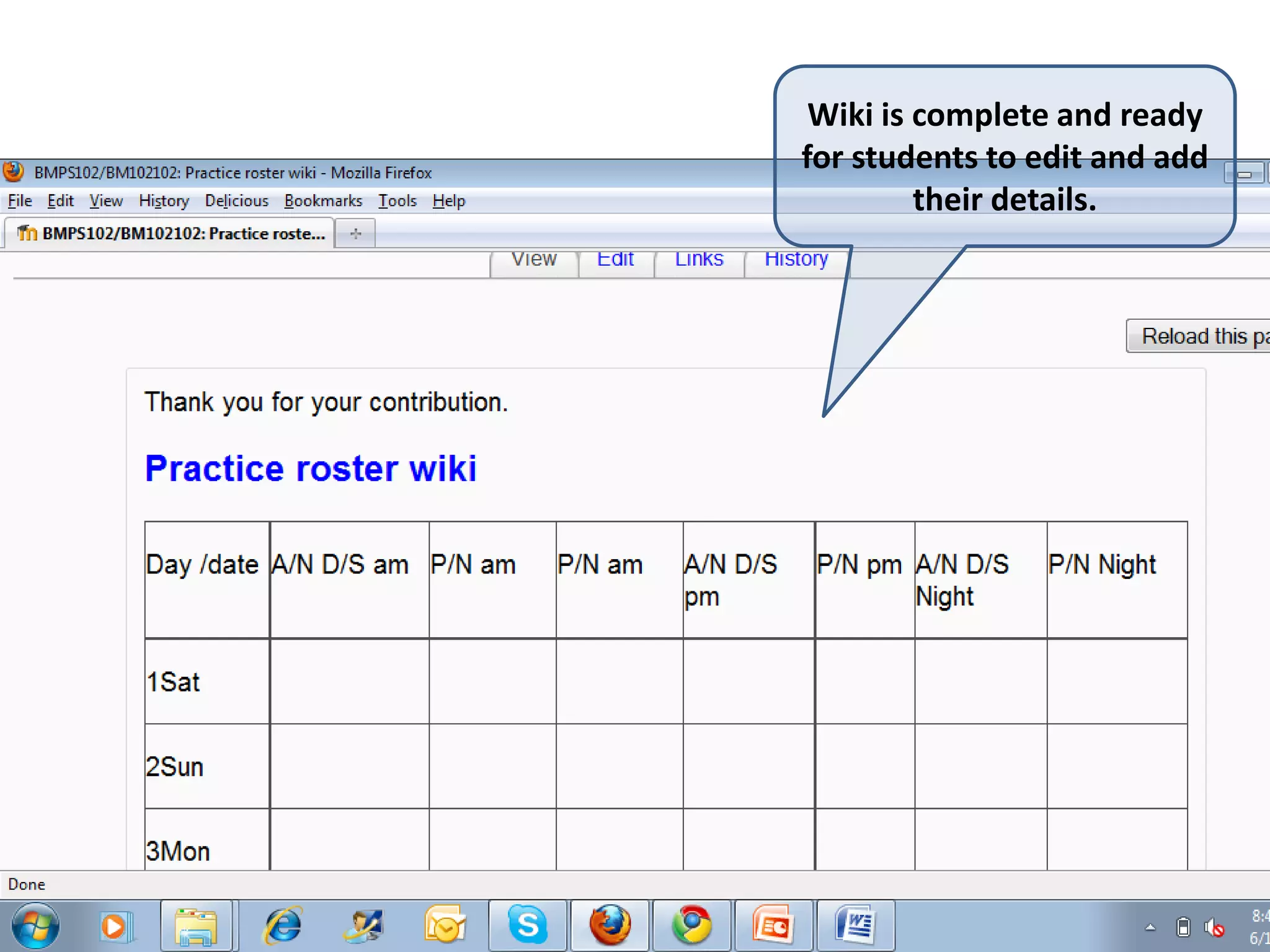
Wiki is complete and ready for students to edit and add their details.
NoteSometimes, when you paste the document into the wiki and click “save”, the wiki will open with a lot of nonsense text above the document you pasted. To fix this problem click on ‘Edit’ and open the wiki again in Edit mode. You can now select this nonsense text and delete it. When you save the wiki again this text will be gone and the roster should appear as you wanted. Any shaded cells will not be filled so you may need to go through and indicate cells which cannot be used.

How to create a roster wiki

  • 1.
    How to setup a wiki roster for students to completeMidwifery school OP
  • 2.
    Choose add “an activity,” scroll down to “wiki”
  • 3.
    Add a descriptionand some instructions for the students in the summary box
  • 4.
  • 5.
    Open word documentwith the roster you have created.Note the shaded cells will not show up as shaded in the wiki.
  • 6.
  • 7.
    Paste the rosterinto the Opened wiki In “Edit “mode
  • 8.
  • 9.
    Wiki is completeand ready for students to edit and add their details.
  • 10.
    NoteSometimes, when youpaste the document into the wiki and click “save”, the wiki will open with a lot of nonsense text above the document you pasted. To fix this problem click on ‘Edit’ and open the wiki again in Edit mode. You can now select this nonsense text and delete it. When you save the wiki again this text will be gone and the roster should appear as you wanted. Any shaded cells will not be filled so you may need to go through and indicate cells which cannot be used.