How to Convert your
Facebook Profile into a
 Business Fan Page
Web Marketing Tips for Business
• Why your Company need a Fan Page?

The private profiles are not right for the Companies
  as they give not the possibility to interact in the
  best way with the customers. Furthermore they
  could not be implemented through plugins and
  tab and cant be a landing page for a Facebook
  Ads

A registered Company as a Private profile, infringes
  the «Statement of Rights and Responsabilities»
  and could be blacken with the risk to loose all the
  fans and the contents
https://www.facebook.com/legal/terms
• Private profile and Fan Page

A registered Company as a Private profile, infringes
  the «Statement of Rights and Responsabilities»
  and could be blacken with the risk to loose all the
  fans and the contents

Private profiles could have at maximum 5.000
  friends, the Pages have not limits of fans

Private profiles couldn’t be promoted as landing
  page of a Facebook Ads

Private profiles couldn’t be implemented through
  apps or tab with exclusive contents for the fans
• From private profile to fan page: how to do?

There are two ways to migrate into the public
  profile:
Manually or Automatic.

Manually Process: Inform the friends about the next
  migration explaining the difference between to be
  friend and to be a fan.
The quality of fan counts more then the number of
  the fans
Automatic Process: the friends become
  automatically fans, and, without notify them you
  will loose the contents. This way has suggested
  for profile with number of friends to migrate in
  fan
• How to migrate a profile in a page: How to
  do before?

The ideal process is the manual one but the most
  applicative is the automatic, so:

-Begin to inform with some posts about the
  oncoming migration without the time
-To define promotions / exclusive contents for the
  new coming fans
-Migrate with automatically process from Privat
  profile in to a Fan
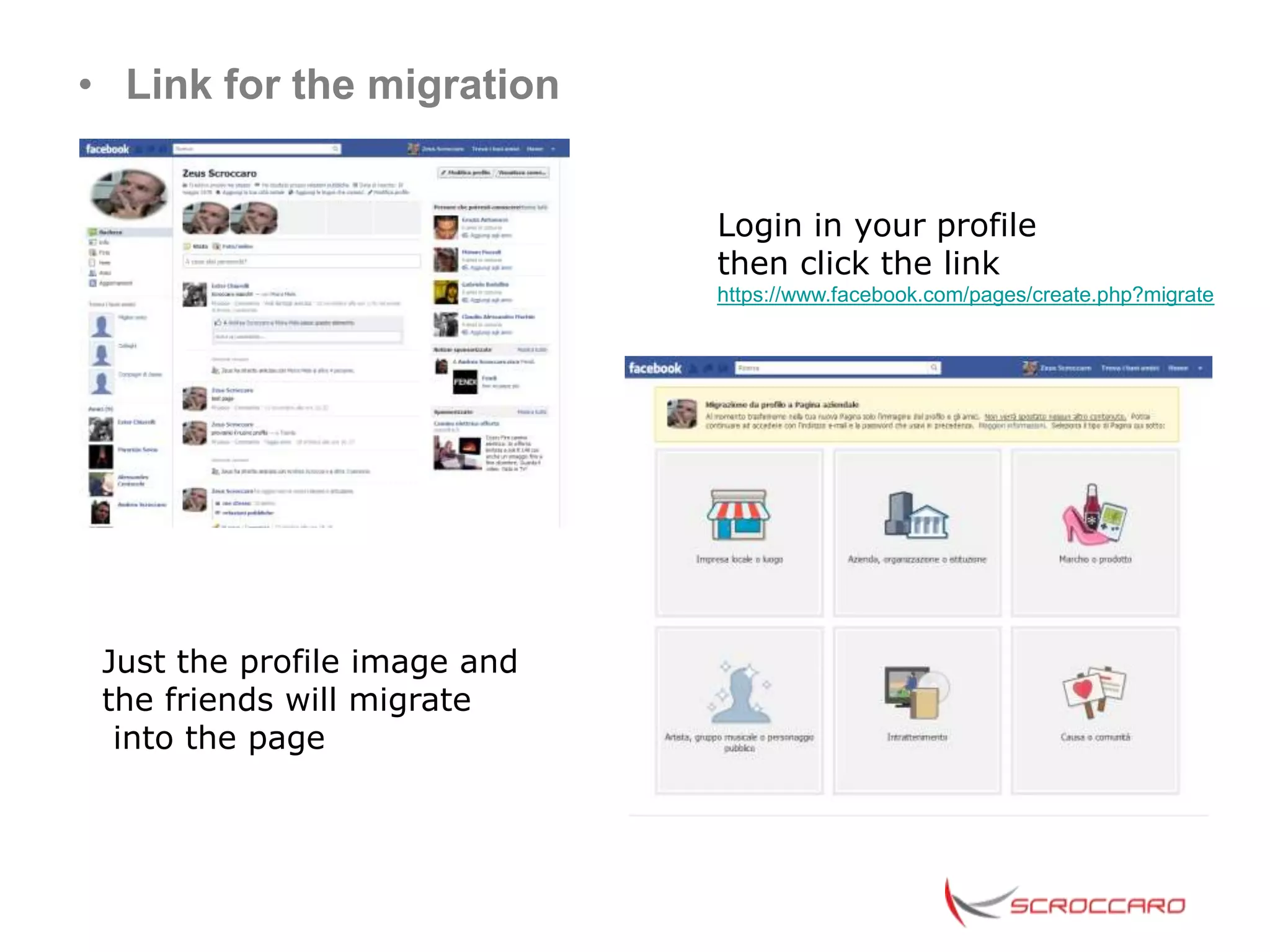
• Link for the migration


                              Login in your profile
                              then click the link
                              https://www.facebook.com/pages/create.php?migrate


 Just the profile image and
 the friends will migrate
  into the page
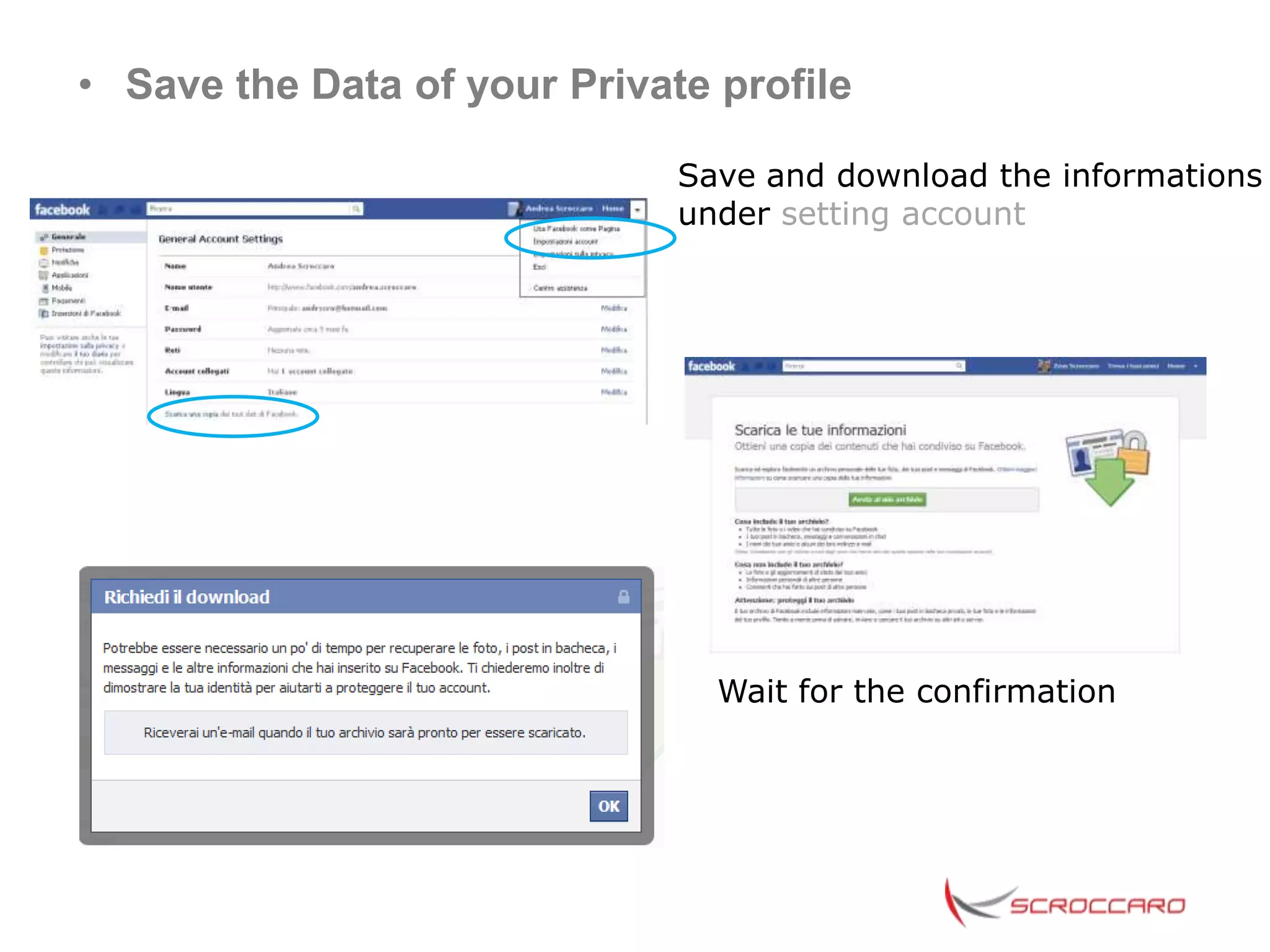
• Save the Data of your Private profile

                              Save and download the informations
                              under setting account


                                Wait for the confirmation
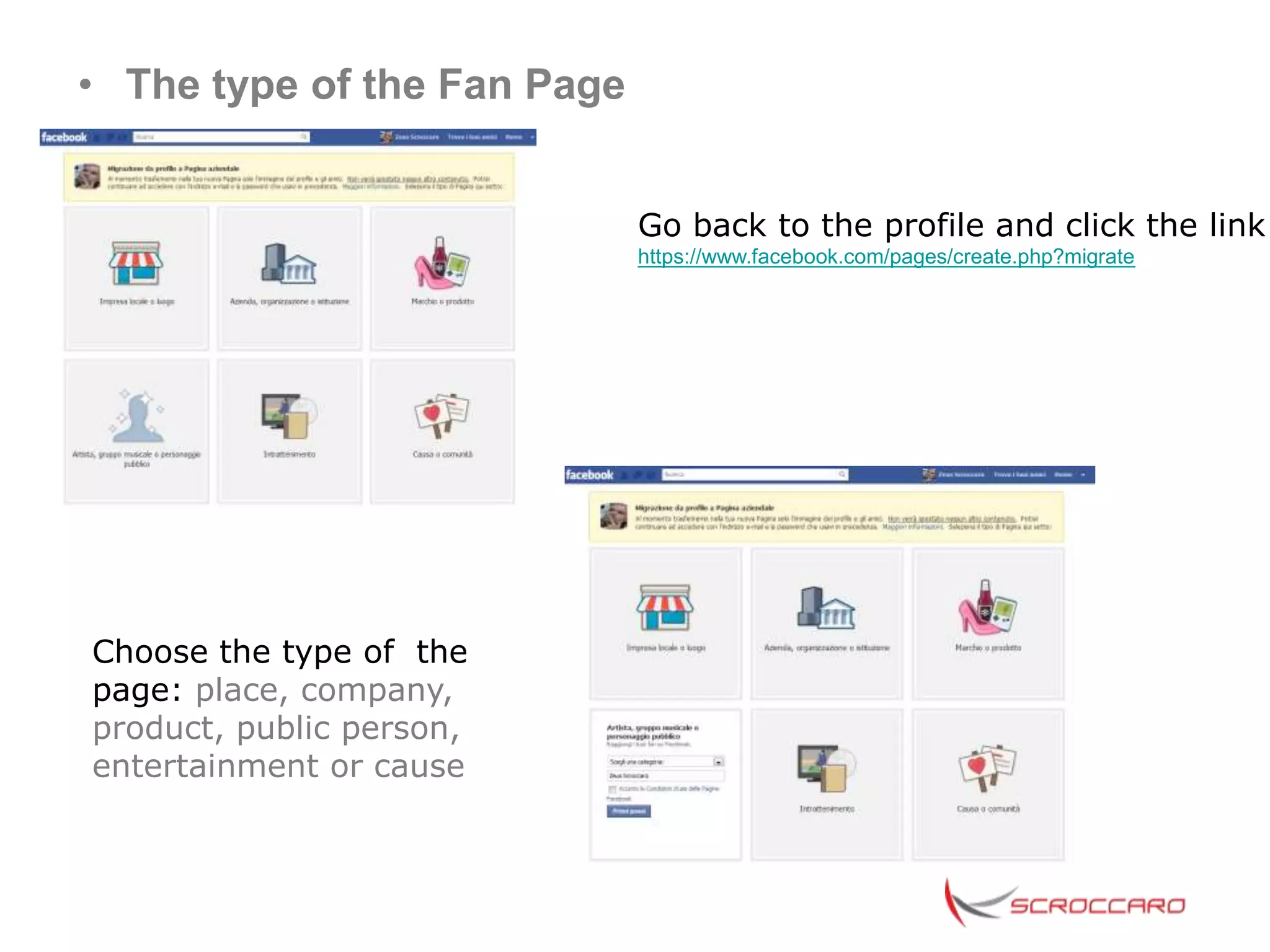
• The type of the Fan Page


                             Go back to the profile and click the link
                             https://www.facebook.com/pages/create.php?migrate


Choose the type of the
page: place, company,
product, public person,
entertainment or cause
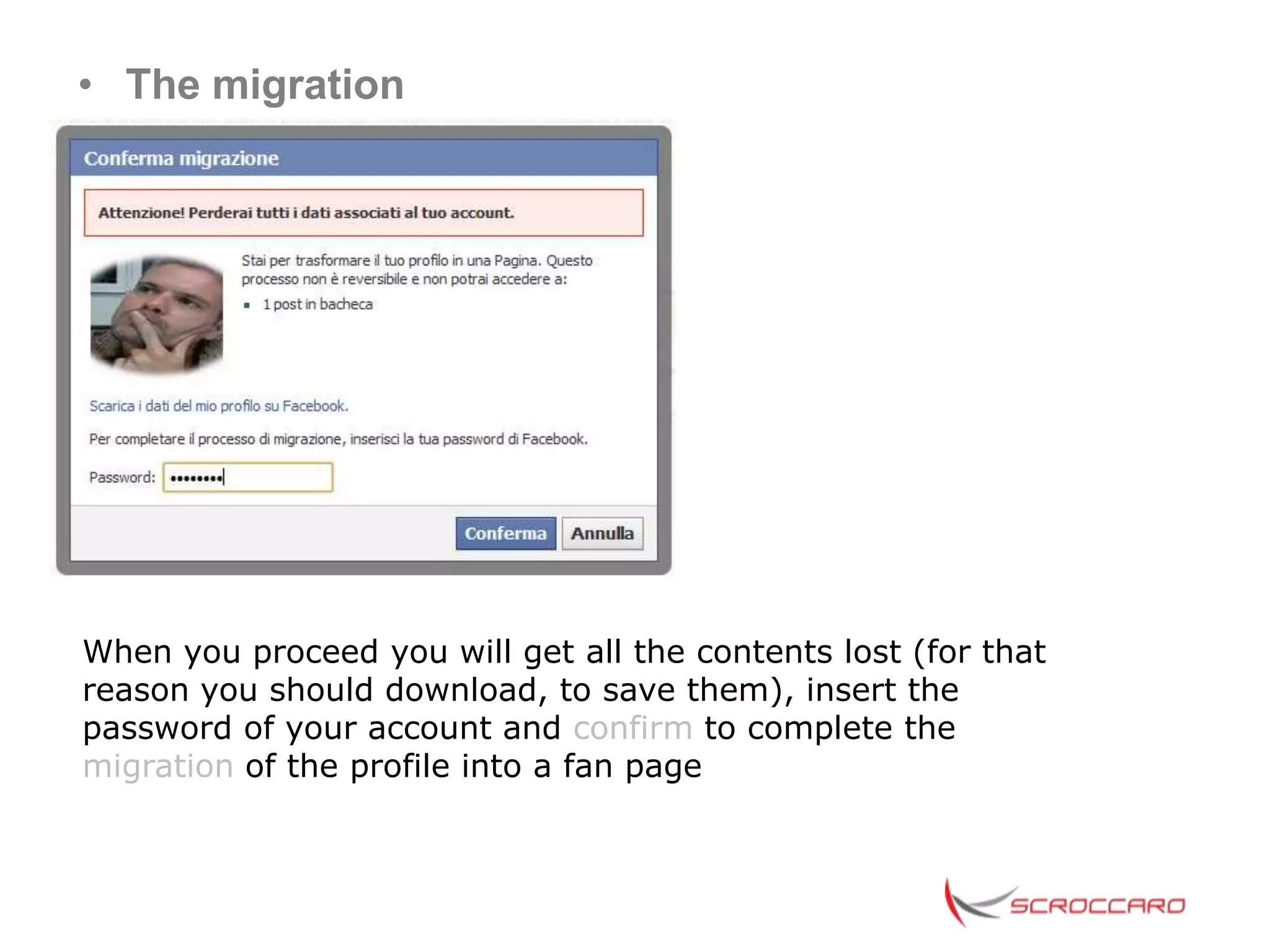
• The migration


When you proceed you will get all the contents lost (for that
reason you should download, to save them), insert the
password of your account and confirm to complete the
migration of the profile into a fan page
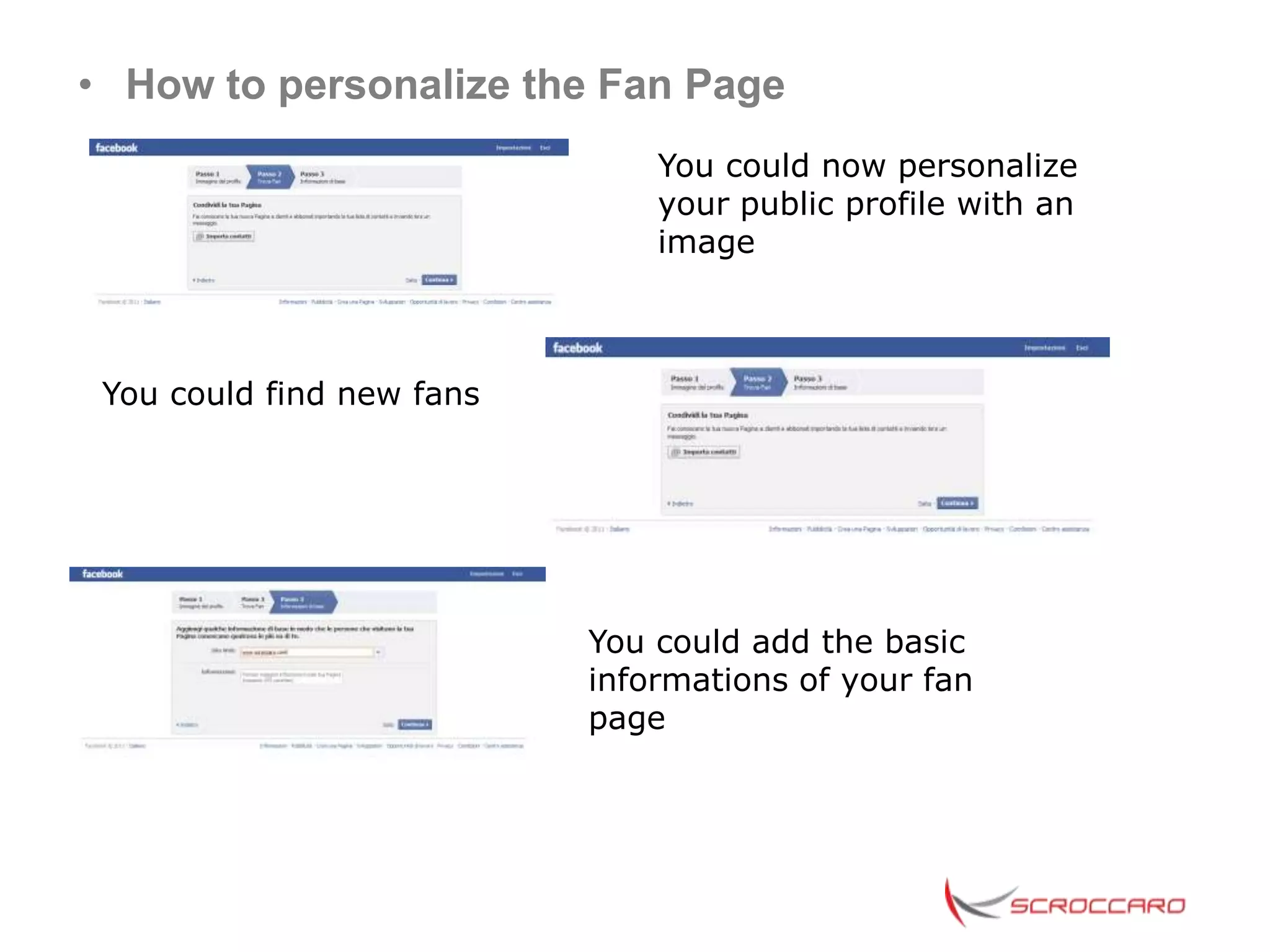
• How to personalize the Fan Page
                               You could now personalize
                               your public profile with an
                               image


 You could find new fans


                           You could add the basic
                           informations of your fan
                           page
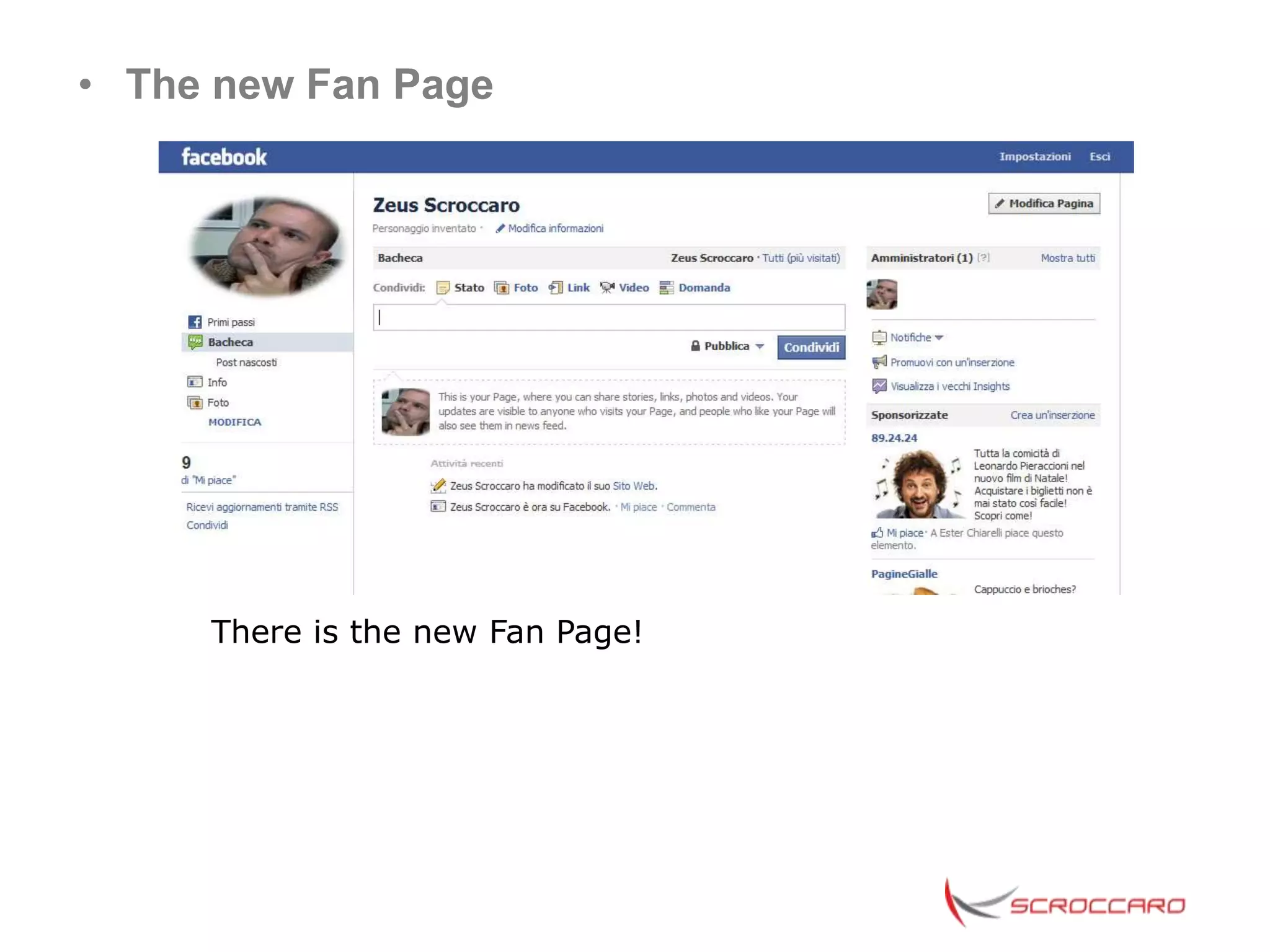
• The new Fan Page


     There is the new Fan Page!
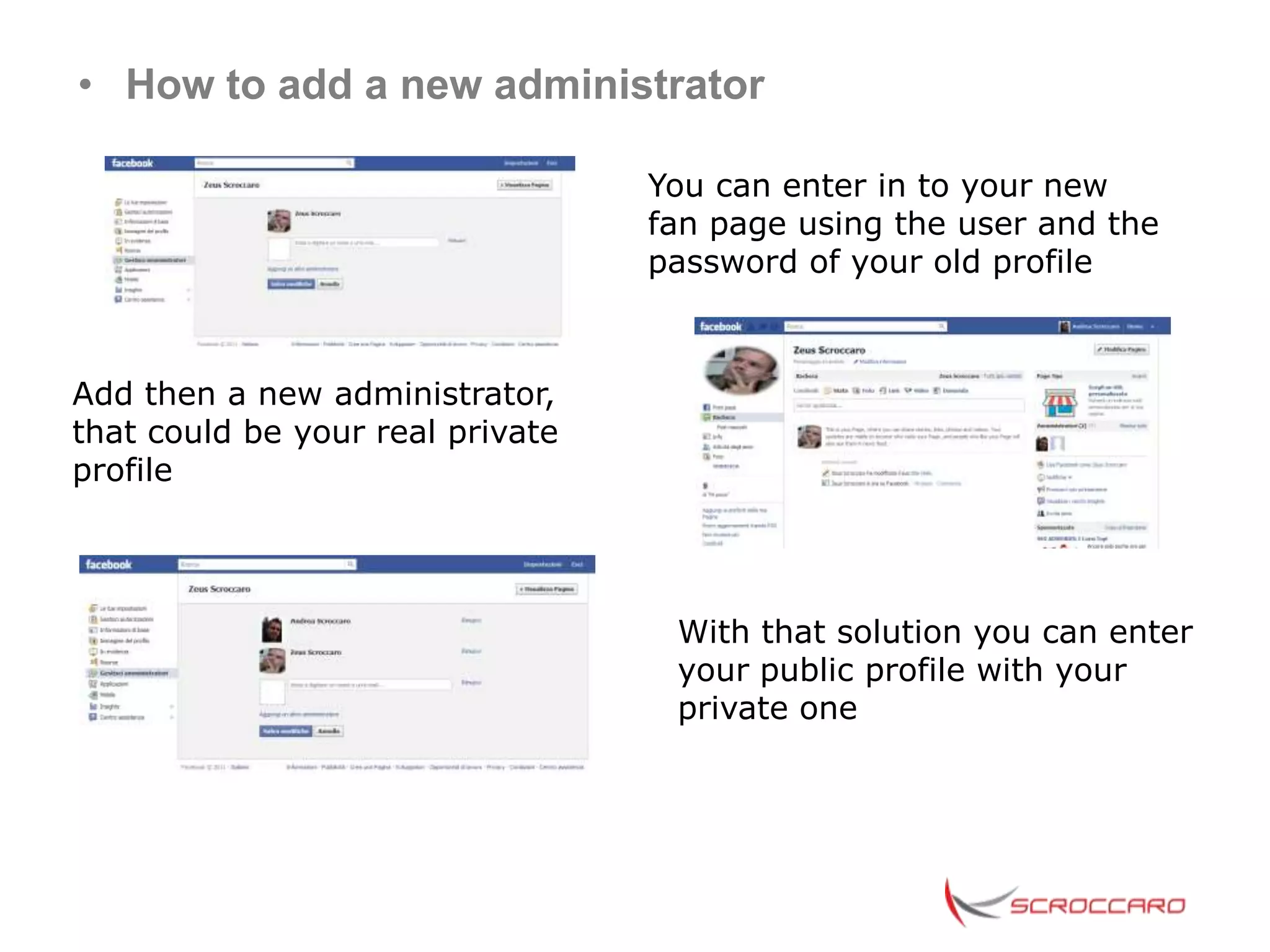
• How to add a new administrator

                                  You can enter in to your new
                                  fan page using the user and the
                                  password of your old profile


Add then a new administrator,
that could be your real private
profile


                                   With that solution you can enter
                                   your public profile with your
                                   private one
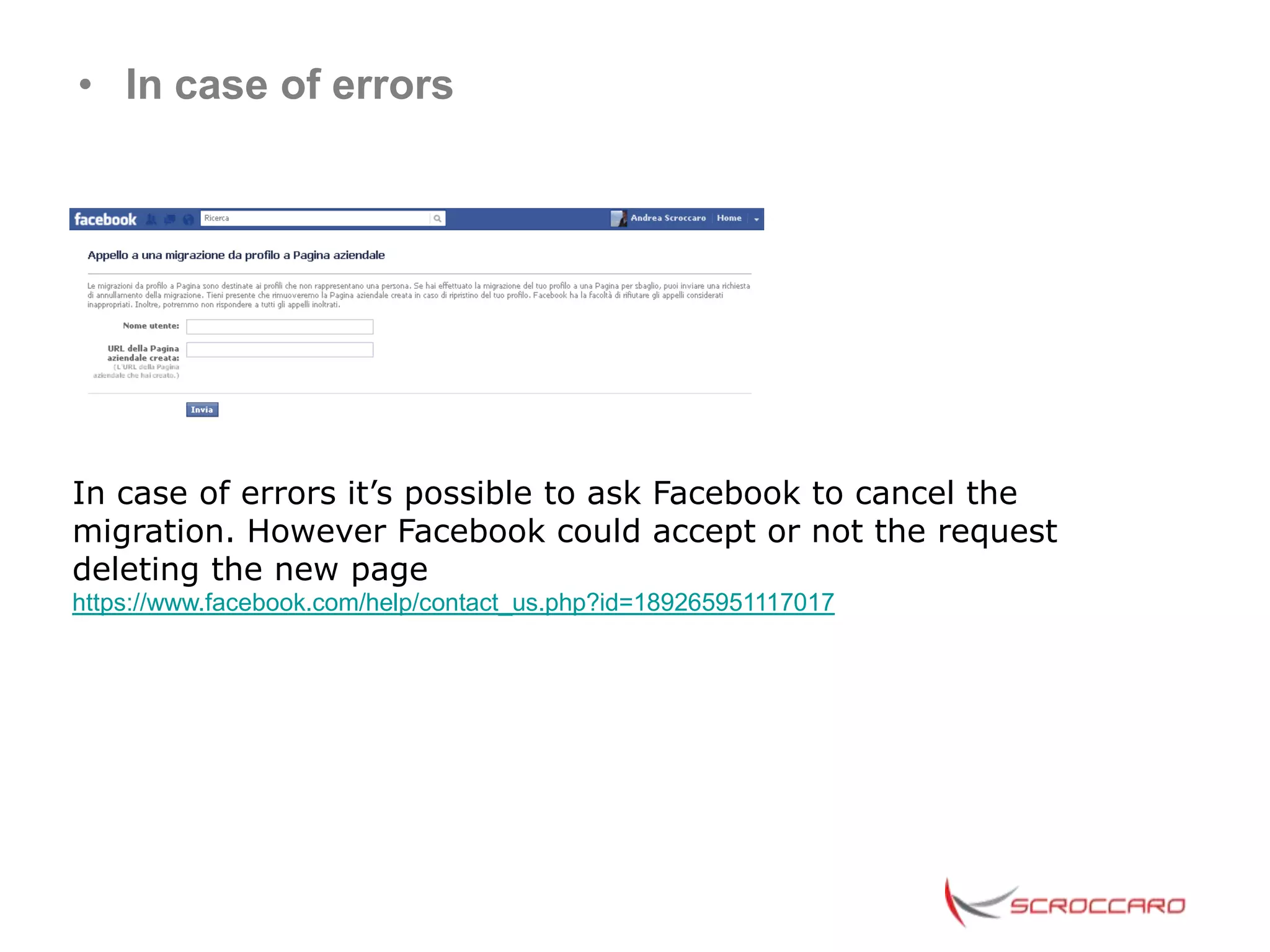
• In case of errors


In case of errors it’s possible to ask Facebook to cancel the
migration. However Facebook could accept or not the request
deleting the new page
https://www.facebook.com/help/contact_us.php?id=189265951117017
• Known issues
During the process of migration can appear this message:
.


For your security, you need to complete this process from a computer
you’ve used for browsing Facebook in the past. If this isn’t possible, contact
customer support

At the moment there is not sure solution to solve it, even if man
logins from the pc or internet connection had during the
registration of the account; an other hipotetycal reason could be
that it happens in the case of not verified account, but even the
verification throught seems not to be usefull to solve it.
The only way to contact Facebook to report the problem seems to
be that
https://www.facebook.com/help/contact.php?show_form=search_bug
---Coming soon the images in english---


Andrea Scroccaro
www.scroccaro.com


6 february 2012
.
How to migrate the private profile of your company into a fan page facebook eng

How to migrate the private profile of your company into a fan page facebook eng

  • 1.
    How to Convertyour Facebook Profile into a Business Fan Page Web Marketing Tips for Business
  • 2.
    • Why yourCompany need a Fan Page? The private profiles are not right for the Companies as they give not the possibility to interact in the best way with the customers. Furthermore they could not be implemented through plugins and tab and cant be a landing page for a Facebook Ads A registered Company as a Private profile, infringes the «Statement of Rights and Responsabilities» and could be blacken with the risk to loose all the fans and the contents https://www.facebook.com/legal/terms
  • 3.
    • Private profileand Fan Page A registered Company as a Private profile, infringes the «Statement of Rights and Responsabilities» and could be blacken with the risk to loose all the fans and the contents Private profiles could have at maximum 5.000 friends, the Pages have not limits of fans Private profiles couldn’t be promoted as landing page of a Facebook Ads Private profiles couldn’t be implemented through apps or tab with exclusive contents for the fans
  • 4.
    • From privateprofile to fan page: how to do? There are two ways to migrate into the public profile: Manually or Automatic. Manually Process: Inform the friends about the next migration explaining the difference between to be friend and to be a fan. The quality of fan counts more then the number of the fans Automatic Process: the friends become automatically fans, and, without notify them you will loose the contents. This way has suggested for profile with number of friends to migrate in fan
  • 5.
    • How tomigrate a profile in a page: How to do before? The ideal process is the manual one but the most applicative is the automatic, so: -Begin to inform with some posts about the oncoming migration without the time -To define promotions / exclusive contents for the new coming fans -Migrate with automatically process from Privat profile in to a Fan
  • 6.
    • Link forthe migration Login in your profile then click the link https://www.facebook.com/pages/create.php?migrate Just the profile image and the friends will migrate into the page
  • 7.
    • Save theData of your Private profile Save and download the informations under setting account Wait for the confirmation
  • 8.
    • The typeof the Fan Page Go back to the profile and click the link https://www.facebook.com/pages/create.php?migrate Choose the type of the page: place, company, product, public person, entertainment or cause
  • 9.
    • The migration Whenyou proceed you will get all the contents lost (for that reason you should download, to save them), insert the password of your account and confirm to complete the migration of the profile into a fan page
  • 10.
    • How topersonalize the Fan Page You could now personalize your public profile with an image You could find new fans You could add the basic informations of your fan page
  • 11.
    • The newFan Page There is the new Fan Page!
  • 12.
    • How toadd a new administrator You can enter in to your new fan page using the user and the password of your old profile Add then a new administrator, that could be your real private profile With that solution you can enter your public profile with your private one
  • 13.
    • In caseof errors In case of errors it’s possible to ask Facebook to cancel the migration. However Facebook could accept or not the request deleting the new page https://www.facebook.com/help/contact_us.php?id=189265951117017
  • 14.
    • Known issues Duringthe process of migration can appear this message: . For your security, you need to complete this process from a computer you’ve used for browsing Facebook in the past. If this isn’t possible, contact customer support At the moment there is not sure solution to solve it, even if man logins from the pc or internet connection had during the registration of the account; an other hipotetycal reason could be that it happens in the case of not verified account, but even the verification throught seems not to be usefull to solve it. The only way to contact Facebook to report the problem seems to be that https://www.facebook.com/help/contact.php?show_form=search_bug
  • 15.
    ---Coming soon theimages in english--- Andrea Scroccaro www.scroccaro.com 6 february 2012 .