How to Integrate CRM Software into Your
Workflow?
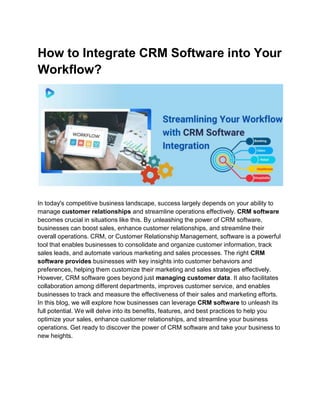
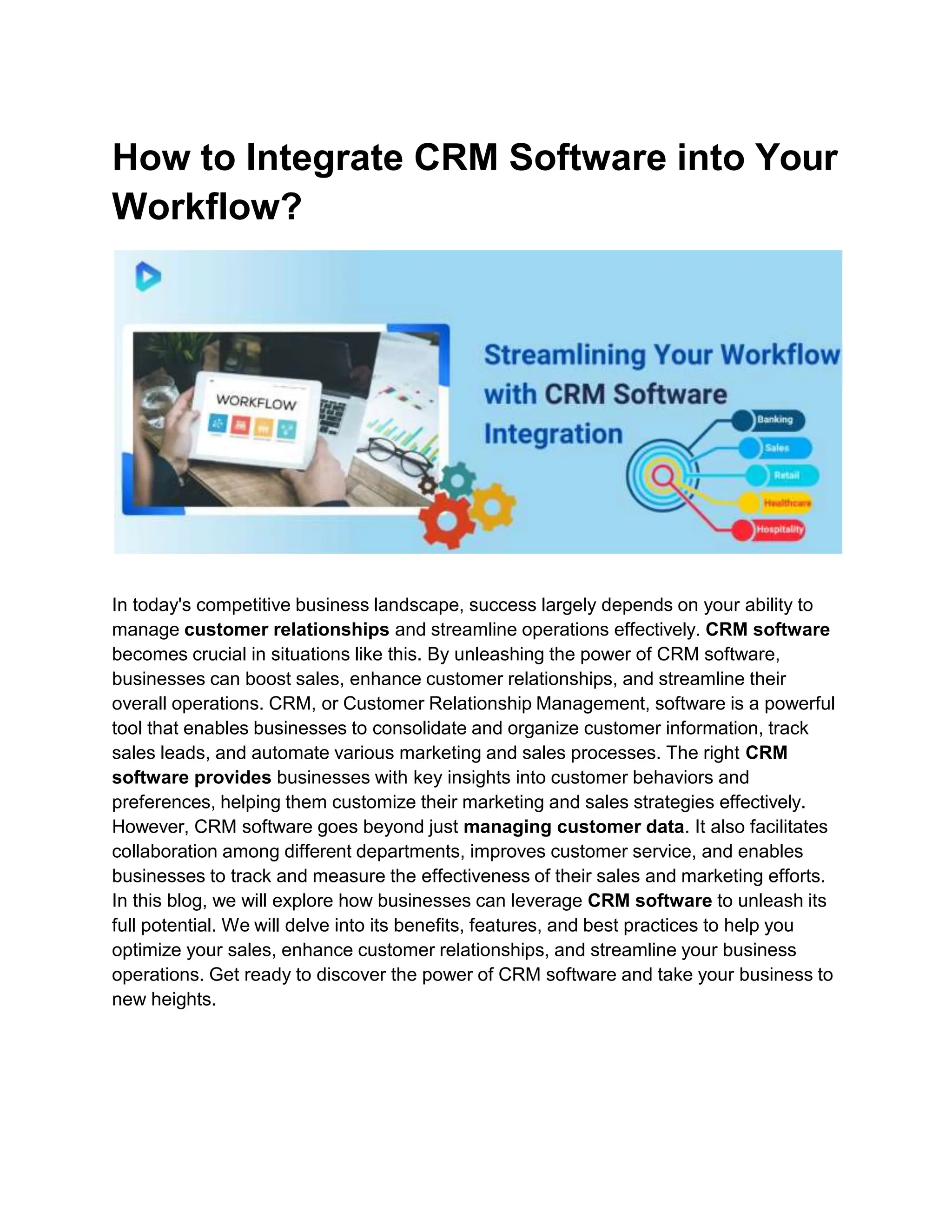
In today's competitive business landscape, success largely depends on your ability to
manage customer relationships and streamline operations effectively. CRM software
becomes crucial in situations like this. By unleashing the power of CRM software,
businesses can boost sales, enhance customer relationships, and streamline their
overall operations. CRM, or Customer Relationship Management, software is a powerful
tool that enables businesses to consolidate and organize customer information, track
sales leads, and automate various marketing and sales processes. The right CRM
software provides businesses with key insights into customer behaviors and
preferences, helping them customize their marketing and sales strategies effectively.
However, CRM software goes beyond just managing customer data. It also facilitates
collaboration among different departments, improves customer service, and enables
businesses to track and measure the effectiveness of their sales and marketing efforts.
In this blog, we will explore how businesses can leverage CRM software to unleash its
full potential. We will delve into its benefits, features, and best practices to help you
optimize your sales, enhance customer relationships, and streamline your business
operations. Get ready to discover the power of CRM software and take your business to
new heights.
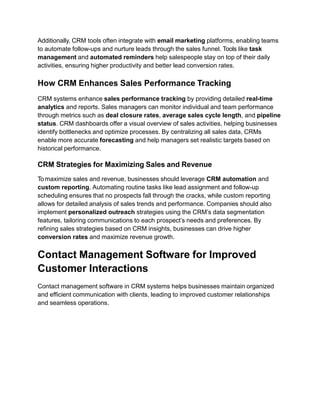
Understanding the Customer Relationship
Management System Definition
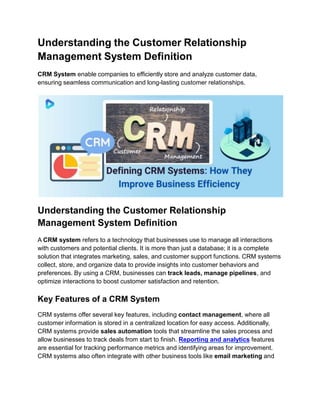
CRM System enable companies to efficiently store and analyze customer data,
ensuring seamless communication and long-lasting customer relationships.
Understanding the Customer Relationship
Management System Definition
A CRM system refers to a technology that businesses use to manage all interactions
with customers and potential clients. It is more than just a database; it is a complete
solution that integrates marketing, sales, and customer support functions. CRM systems
collect, store, and organize data to provide insights into customer behaviors and
preferences. By using a CRM, businesses can track leads, manage pipelines, and
optimize interactions to boost customer satisfaction and retention.
Key Features of a CRM System
CRM systems offer several key features, including contact management, where all
customer information is stored in a centralized location for easy access. Additionally,
CRM systems provide sales automation tools that streamline the sales process and
allow businesses to track deals from start to finish. Reporting and analytics features
are essential for tracking performance metrics and identifying areas for improvement.
CRM systems also often integrate with other business tools like email marketing and
social media platforms, making it easier to manage multi-channel marketing
campaigns.
The Role of CRM Systems in Modern Business
In modern business, CRM systems play a critical role in ensuring that customer
interactions are personalized and efficient. By offering a comprehensive view of each
customer’s journey, CRMs help businesses anticipate customer needs and tailor their
approach accordingly. This leads to better customer satisfaction, increased customer
loyalty, and improved sales performance. For startups and small businesses, CRM
systems help scale operations efficiently by automating repetitive tasks and optimizing
resource allocation.
CRM System Project Management for Workflow
Optimization
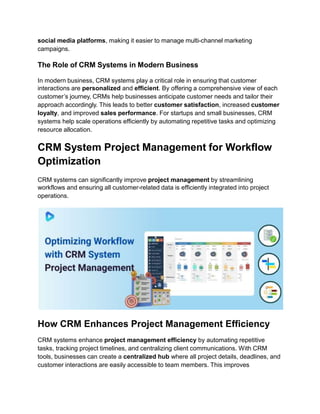
CRM systems can significantly improve project management by streamlining
workflows and ensuring all customer-related data is efficiently integrated into project
operations.
How CRM Enhances Project Management Efficiency
CRM systems enhance project management efficiency by automating repetitive
tasks, tracking project timelines, and centralizing client communications. With CRM
tools, businesses can create a centralized hub where all project details, deadlines, and
customer interactions are easily accessible to team members. This improves
communication, ensures task accountability, and helps avoid delays caused by
miscommunication or missed deadlines. CRM systems also allow for real-time updates,
enabling project managers to monitor progress and adjust timelines or resources when
necessary.
Integrating CRM into Existing Project Management Tools
Integrating CRM into existing project management tools brings added functionality
and convenience. By combining CRM with project management platforms like Trello,
Asana, or Monday.com, businesses can streamline both customer relationship and
task management processes. This integration allows for seamless data sharing,
automatic updates, and multi-platform collaboration, helping teams manage
customer information alongside project timelines and deliverables. When integrated
effectively, CRM systems enhance overall project visibility and ensure that both
customer and project data are aligned to achieve organizational goals.
Best Practices for CRM Project Management Integration
For successful CRM project management integration, businesses should first identify
the key features that align with their project goals, such as automated task
assignments, team collaboration features, and report generation tools. It is also
important to provide adequate training for employees on how to use CRM tools
alongside their project management software. Regularly reviewing and updating CRM
processes ensures that the system remains effective and that the business can adapt to
changing project needs. Ensuring data security and access controls is another critical
practice, as it protects sensitive client information throughout the project lifecycle.
Essential CRM System Tools to Boost
Productivity
Implementing the right CRM tools can significantly improve workflow efficiency and
productivity.
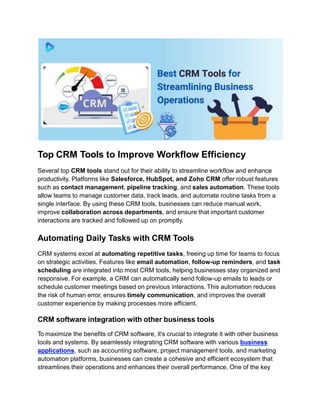
Top CRM Tools to Improve Workflow Efficiency
Several top CRM tools stand out for their ability to streamline workflow and enhance
productivity. Platforms like Salesforce, HubSpot, and Zoho CRM offer robust features
such as contact management, pipeline tracking, and sales automation. These tools
allow teams to manage customer data, track leads, and automate routine tasks from a
single interface. By using these CRM tools, businesses can reduce manual work,
improve collaboration across departments, and ensure that important customer
interactions are tracked and followed up on promptly.
Automating Daily Tasks with CRM Tools
CRM systems excel at automating repetitive tasks, freeing up time for teams to focus
on strategic activities. Features like email automation, follow-up reminders, and task
scheduling are integrated into most CRM tools, helping businesses stay organized and
responsive. For example, a CRM can automatically send follow-up emails to leads or
schedule customer meetings based on previous interactions. This automation reduces
the risk of human error, ensures timely communication, and improves the overall
customer experience by making processes more efficient.
CRM software integration with other business tools
To maximize the benefits of CRM software, it's crucial to integrate it with other business
tools and systems. By seamlessly integrating CRM software with various business
applications, such as accounting software, project management tools, and marketing
automation platforms, businesses can create a cohesive and efficient ecosystem that
streamlines their operations and enhances their overall performance. One of the key
advantages of CRM software integration is the ability to eliminate data silos and ensure
a unified view of the customer across the organization. When customer data is
centralized and accessible through various business tools, employees can make more
informed decisions, provide better customer service, and identify cross-selling and
upselling opportunities more effectively.
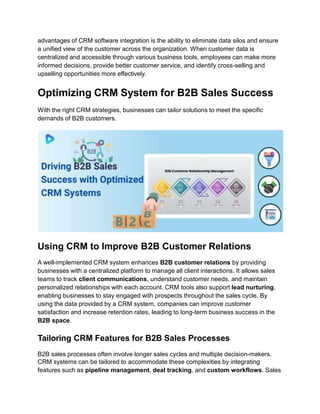
Optimizing CRM System for B2B Sales Success
With the right CRM strategies, businesses can tailor solutions to meet the specific
demands of B2B customers.
Using CRM to Improve B2B Customer Relations
A well-implemented CRM system enhances B2B customer relations by providing
businesses with a centralized platform to manage all client interactions. It allows sales
teams to track client communications, understand customer needs, and maintain
personalized relationships with each account. CRM tools also support lead nurturing,
enabling businesses to stay engaged with prospects throughout the sales cycle. By
using the data provided by a CRM system, companies can improve customer
satisfaction and increase retention rates, leading to long-term business success in the
B2B space.
Tailoring CRM Features for B2B Sales Processes
B2B sales processes often involve longer sales cycles and multiple decision-makers.
CRM systems can be tailored to accommodate these complexities by integrating
features such as pipeline management, deal tracking, and custom workflows. Sales
teams can automate quote generation, track the status of contracts, and set up
reminders for follow-ups, ensuring that no step in the sales process is overlooked.
Customizing the CRM to fit the specific needs of the B2B sales team helps streamline
operations, making it easier to close deals and manage large accounts efficiently.
Key CRM Metrics for Measuring B2B Success
Tracking the right CRM metrics is essential for measuring B2B sales success. Key
performance indicators (KPIs) include conversion rates, which track how many leads
turn into paying customers, and sales cycle length, which measures the time it takes to
close deals. Other important metrics include customer lifetime value (CLV) and
customer acquisition cost (CAC), which help assess the profitability of B2B
relationships. Monitoring these metrics allows businesses to fine-tune their sales
strategies and optimize their CRM system to drive better results in the B2B market.
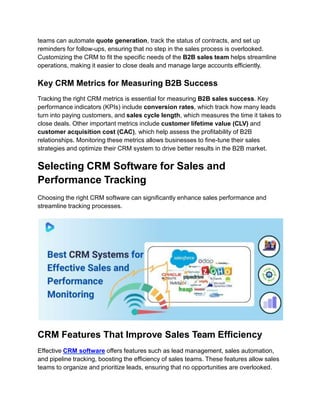
Selecting CRM Software for Sales and
Performance Tracking
Choosing the right CRM software can significantly enhance sales performance and
streamline tracking processes.
CRM Features That Improve Sales Team Efficiency
Effective CRM software offers features such as lead management, sales automation,
and pipeline tracking, boosting the efficiency of sales teams. These features allow sales
teams to organize and prioritize leads, ensuring that no opportunities are overlooked.
Additionally, CRM tools often integrate with email marketing platforms, enabling teams
to automate follow-ups and nurture leads through the sales funnel. Tools like task
management and automated reminders help salespeople stay on top of their daily
activities, ensuring higher productivity and better lead conversion rates.
How CRM Enhances Sales Performance Tracking
CRM systems enhance sales performance tracking by providing detailed real-time
analytics and reports. Sales managers can monitor individual and team performance
through metrics such as deal closure rates, average sales cycle length, and pipeline
status. CRM dashboards offer a visual overview of sales activities, helping businesses
identify bottlenecks and optimize processes. By centralizing all sales data, CRMs
enable more accurate forecasting and help managers set realistic targets based on
historical performance.
CRM Strategies for Maximizing Sales and Revenue
To maximize sales and revenue, businesses should leverage CRM automation and
custom reporting. Automating routine tasks like lead assignment and follow-up
scheduling ensures that no prospects fall through the cracks, while custom reporting
allows for detailed analysis of sales trends and performance. Companies should also
implement personalized outreach strategies using the CRM’s data segmentation
features, tailoring communications to each prospect’s needs and preferences. By
refining sales strategies based on CRM insights, businesses can drive higher
conversion rates and maximize revenue growth.
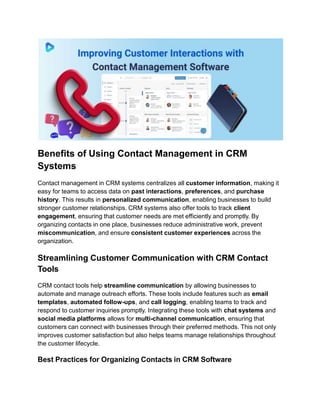
Contact Management Software for Improved
Customer Interactions
Contact management software in CRM systems helps businesses maintain organized
and efficient communication with clients, leading to improved customer relationships
and seamless operations.
Benefits of Using Contact Management in CRM
Systems
Contact management in CRM systems centralizes all customer information, making it
easy for teams to access data on past interactions, preferences, and purchase
history. This results in personalized communication, enabling businesses to build
stronger customer relationships. CRM systems also offer tools to track client
engagement, ensuring that customer needs are met efficiently and promptly. By
organizing contacts in one place, businesses reduce administrative work, prevent
miscommunication, and ensure consistent customer experiences across the
organization.
Streamlining Customer Communication with CRM Contact
Tools
CRM contact tools help streamline communication by allowing businesses to
automate and manage outreach efforts. These tools include features such as email
templates, automated follow-ups, and call logging, enabling teams to track and
respond to customer inquiries promptly. Integrating these tools with chat systems and
social media platforms allows for multi-channel communication, ensuring that
customers can connect with businesses through their preferred methods. This not only
improves customer satisfaction but also helps teams manage relationships throughout
the customer lifecycle.
Best Practices for Organizing Contacts in CRM Software
To maximize the effectiveness of CRM contact management, businesses should
implement best practices such as segmenting contacts based on criteria like purchase
history, location, or engagement level. This helps in sending targeted
communications and ensuring a more personalized experience. Regularly updating
contact information and removing outdated data keeps the CRM database accurate and
relevant. Businesses should also ensure that access control is in place to protect
sensitive customer information, maintaining data security while optimizing workflow.
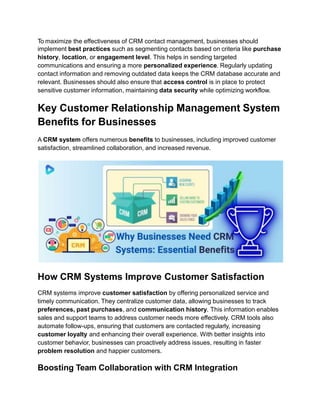
Key Customer Relationship Management System
Benefits for Businesses
A CRM system offers numerous benefits to businesses, including improved customer
satisfaction, streamlined collaboration, and increased revenue.
How CRM Systems Improve Customer Satisfaction
CRM systems improve customer satisfaction by offering personalized service and
timely communication. They centralize customer data, allowing businesses to track
preferences, past purchases, and communication history. This information enables
sales and support teams to address customer needs more effectively. CRM tools also
automate follow-ups, ensuring that customers are contacted regularly, increasing
customer loyalty and enhancing their overall experience. With better insights into
customer behavior, businesses can proactively address issues, resulting in faster
problem resolution and happier customers.
Boosting Team Collaboration with CRM Integration
CRM systems enhance team collaboration by providing a shared platform where all
departments, such as sales, marketing, and customer service, can access real-time
customer data. This ensures that everyone is working with up-to-date information,
reducing communication gaps and improving workflow. Features like task
assignments, internal messaging, and shared calendars within CRM systems help
teams stay aligned on goals and priorities. This fosters better coordination across
teams, making it easier to manage customer interactions seamlessly and respond to
issues promptly.
Increasing Revenue and Growth with CRM Solutions
By streamlining processes and offering insights into customer behavior, CRM
solutions help businesses identify opportunities to upsell and cross-sell, increasing
overall revenue. CRM systems also enable companies to track sales performance,
monitor pipelines, and forecast future growth. Additionally, automated features reduce
manual tasks, allowing sales teams to focus on nurturing relationships and closing
deals. As customer satisfaction improves, businesses see an increase in customer
retention, which drives sustainable growth over time.
Conclusion
In today's competitive business landscape, the power of CRM software cannot be
overstated. By leveraging the capabilities of CRM tools, businesses can boost sales,
enhance customer relationships, and streamline their overall operations. From
centralizing customer data to automating sales and marketing processes, CRM
software provides a comprehensive solution that empowers businesses to make
data-driven decisions, deliver personalized experiences, and drive sustainable growth.
LET’S DISCUSS YOUR IDEA
HAVE QUESTION?
Call Us: +1 (347) 9739732, +91-90399-28143
Email Us: inquiry@digiprima.com, ashesh@digiprima.com

How to Integrate CRM Software into Your Workflow_.pdf

  • 1.
    How to IntegrateCRM Software into Your Workflow? In today's competitive business landscape, success largely depends on your ability to manage customer relationships and streamline operations effectively. CRM software becomes crucial in situations like this. By unleashing the power of CRM software, businesses can boost sales, enhance customer relationships, and streamline their overall operations. CRM, or Customer Relationship Management, software is a powerful tool that enables businesses to consolidate and organize customer information, track sales leads, and automate various marketing and sales processes. The right CRM software provides businesses with key insights into customer behaviors and preferences, helping them customize their marketing and sales strategies effectively. However, CRM software goes beyond just managing customer data. It also facilitates collaboration among different departments, improves customer service, and enables businesses to track and measure the effectiveness of their sales and marketing efforts. In this blog, we will explore how businesses can leverage CRM software to unleash its full potential. We will delve into its benefits, features, and best practices to help you optimize your sales, enhance customer relationships, and streamline your business operations. Get ready to discover the power of CRM software and take your business to new heights.
  • 2.
    Understanding the CustomerRelationship Management System Definition CRM System enable companies to efficiently store and analyze customer data, ensuring seamless communication and long-lasting customer relationships. Understanding the Customer Relationship Management System Definition A CRM system refers to a technology that businesses use to manage all interactions with customers and potential clients. It is more than just a database; it is a complete solution that integrates marketing, sales, and customer support functions. CRM systems collect, store, and organize data to provide insights into customer behaviors and preferences. By using a CRM, businesses can track leads, manage pipelines, and optimize interactions to boost customer satisfaction and retention. Key Features of a CRM System CRM systems offer several key features, including contact management, where all customer information is stored in a centralized location for easy access. Additionally, CRM systems provide sales automation tools that streamline the sales process and allow businesses to track deals from start to finish. Reporting and analytics features are essential for tracking performance metrics and identifying areas for improvement. CRM systems also often integrate with other business tools like email marketing and
  • 3.
    social media platforms,making it easier to manage multi-channel marketing campaigns. The Role of CRM Systems in Modern Business In modern business, CRM systems play a critical role in ensuring that customer interactions are personalized and efficient. By offering a comprehensive view of each customer’s journey, CRMs help businesses anticipate customer needs and tailor their approach accordingly. This leads to better customer satisfaction, increased customer loyalty, and improved sales performance. For startups and small businesses, CRM systems help scale operations efficiently by automating repetitive tasks and optimizing resource allocation. CRM System Project Management for Workflow Optimization CRM systems can significantly improve project management by streamlining workflows and ensuring all customer-related data is efficiently integrated into project operations. How CRM Enhances Project Management Efficiency CRM systems enhance project management efficiency by automating repetitive tasks, tracking project timelines, and centralizing client communications. With CRM tools, businesses can create a centralized hub where all project details, deadlines, and customer interactions are easily accessible to team members. This improves
  • 4.
    communication, ensures taskaccountability, and helps avoid delays caused by miscommunication or missed deadlines. CRM systems also allow for real-time updates, enabling project managers to monitor progress and adjust timelines or resources when necessary. Integrating CRM into Existing Project Management Tools Integrating CRM into existing project management tools brings added functionality and convenience. By combining CRM with project management platforms like Trello, Asana, or Monday.com, businesses can streamline both customer relationship and task management processes. This integration allows for seamless data sharing, automatic updates, and multi-platform collaboration, helping teams manage customer information alongside project timelines and deliverables. When integrated effectively, CRM systems enhance overall project visibility and ensure that both customer and project data are aligned to achieve organizational goals. Best Practices for CRM Project Management Integration For successful CRM project management integration, businesses should first identify the key features that align with their project goals, such as automated task assignments, team collaboration features, and report generation tools. It is also important to provide adequate training for employees on how to use CRM tools alongside their project management software. Regularly reviewing and updating CRM processes ensures that the system remains effective and that the business can adapt to changing project needs. Ensuring data security and access controls is another critical practice, as it protects sensitive client information throughout the project lifecycle. Essential CRM System Tools to Boost Productivity Implementing the right CRM tools can significantly improve workflow efficiency and productivity.
  • 5.
    Top CRM Toolsto Improve Workflow Efficiency Several top CRM tools stand out for their ability to streamline workflow and enhance productivity. Platforms like Salesforce, HubSpot, and Zoho CRM offer robust features such as contact management, pipeline tracking, and sales automation. These tools allow teams to manage customer data, track leads, and automate routine tasks from a single interface. By using these CRM tools, businesses can reduce manual work, improve collaboration across departments, and ensure that important customer interactions are tracked and followed up on promptly. Automating Daily Tasks with CRM Tools CRM systems excel at automating repetitive tasks, freeing up time for teams to focus on strategic activities. Features like email automation, follow-up reminders, and task scheduling are integrated into most CRM tools, helping businesses stay organized and responsive. For example, a CRM can automatically send follow-up emails to leads or schedule customer meetings based on previous interactions. This automation reduces the risk of human error, ensures timely communication, and improves the overall customer experience by making processes more efficient. CRM software integration with other business tools To maximize the benefits of CRM software, it's crucial to integrate it with other business tools and systems. By seamlessly integrating CRM software with various business applications, such as accounting software, project management tools, and marketing automation platforms, businesses can create a cohesive and efficient ecosystem that streamlines their operations and enhances their overall performance. One of the key
  • 6.
    advantages of CRMsoftware integration is the ability to eliminate data silos and ensure a unified view of the customer across the organization. When customer data is centralized and accessible through various business tools, employees can make more informed decisions, provide better customer service, and identify cross-selling and upselling opportunities more effectively. Optimizing CRM System for B2B Sales Success With the right CRM strategies, businesses can tailor solutions to meet the specific demands of B2B customers. Using CRM to Improve B2B Customer Relations A well-implemented CRM system enhances B2B customer relations by providing businesses with a centralized platform to manage all client interactions. It allows sales teams to track client communications, understand customer needs, and maintain personalized relationships with each account. CRM tools also support lead nurturing, enabling businesses to stay engaged with prospects throughout the sales cycle. By using the data provided by a CRM system, companies can improve customer satisfaction and increase retention rates, leading to long-term business success in the B2B space. Tailoring CRM Features for B2B Sales Processes B2B sales processes often involve longer sales cycles and multiple decision-makers. CRM systems can be tailored to accommodate these complexities by integrating features such as pipeline management, deal tracking, and custom workflows. Sales
  • 7.
    teams can automatequote generation, track the status of contracts, and set up reminders for follow-ups, ensuring that no step in the sales process is overlooked. Customizing the CRM to fit the specific needs of the B2B sales team helps streamline operations, making it easier to close deals and manage large accounts efficiently. Key CRM Metrics for Measuring B2B Success Tracking the right CRM metrics is essential for measuring B2B sales success. Key performance indicators (KPIs) include conversion rates, which track how many leads turn into paying customers, and sales cycle length, which measures the time it takes to close deals. Other important metrics include customer lifetime value (CLV) and customer acquisition cost (CAC), which help assess the profitability of B2B relationships. Monitoring these metrics allows businesses to fine-tune their sales strategies and optimize their CRM system to drive better results in the B2B market. Selecting CRM Software for Sales and Performance Tracking Choosing the right CRM software can significantly enhance sales performance and streamline tracking processes. CRM Features That Improve Sales Team Efficiency Effective CRM software offers features such as lead management, sales automation, and pipeline tracking, boosting the efficiency of sales teams. These features allow sales teams to organize and prioritize leads, ensuring that no opportunities are overlooked.
  • 8.
    Additionally, CRM toolsoften integrate with email marketing platforms, enabling teams to automate follow-ups and nurture leads through the sales funnel. Tools like task management and automated reminders help salespeople stay on top of their daily activities, ensuring higher productivity and better lead conversion rates. How CRM Enhances Sales Performance Tracking CRM systems enhance sales performance tracking by providing detailed real-time analytics and reports. Sales managers can monitor individual and team performance through metrics such as deal closure rates, average sales cycle length, and pipeline status. CRM dashboards offer a visual overview of sales activities, helping businesses identify bottlenecks and optimize processes. By centralizing all sales data, CRMs enable more accurate forecasting and help managers set realistic targets based on historical performance. CRM Strategies for Maximizing Sales and Revenue To maximize sales and revenue, businesses should leverage CRM automation and custom reporting. Automating routine tasks like lead assignment and follow-up scheduling ensures that no prospects fall through the cracks, while custom reporting allows for detailed analysis of sales trends and performance. Companies should also implement personalized outreach strategies using the CRM’s data segmentation features, tailoring communications to each prospect’s needs and preferences. By refining sales strategies based on CRM insights, businesses can drive higher conversion rates and maximize revenue growth. Contact Management Software for Improved Customer Interactions Contact management software in CRM systems helps businesses maintain organized and efficient communication with clients, leading to improved customer relationships and seamless operations.
  • 9.
    Benefits of UsingContact Management in CRM Systems Contact management in CRM systems centralizes all customer information, making it easy for teams to access data on past interactions, preferences, and purchase history. This results in personalized communication, enabling businesses to build stronger customer relationships. CRM systems also offer tools to track client engagement, ensuring that customer needs are met efficiently and promptly. By organizing contacts in one place, businesses reduce administrative work, prevent miscommunication, and ensure consistent customer experiences across the organization. Streamlining Customer Communication with CRM Contact Tools CRM contact tools help streamline communication by allowing businesses to automate and manage outreach efforts. These tools include features such as email templates, automated follow-ups, and call logging, enabling teams to track and respond to customer inquiries promptly. Integrating these tools with chat systems and social media platforms allows for multi-channel communication, ensuring that customers can connect with businesses through their preferred methods. This not only improves customer satisfaction but also helps teams manage relationships throughout the customer lifecycle. Best Practices for Organizing Contacts in CRM Software
  • 10.
    To maximize theeffectiveness of CRM contact management, businesses should implement best practices such as segmenting contacts based on criteria like purchase history, location, or engagement level. This helps in sending targeted communications and ensuring a more personalized experience. Regularly updating contact information and removing outdated data keeps the CRM database accurate and relevant. Businesses should also ensure that access control is in place to protect sensitive customer information, maintaining data security while optimizing workflow. Key Customer Relationship Management System Benefits for Businesses A CRM system offers numerous benefits to businesses, including improved customer satisfaction, streamlined collaboration, and increased revenue. How CRM Systems Improve Customer Satisfaction CRM systems improve customer satisfaction by offering personalized service and timely communication. They centralize customer data, allowing businesses to track preferences, past purchases, and communication history. This information enables sales and support teams to address customer needs more effectively. CRM tools also automate follow-ups, ensuring that customers are contacted regularly, increasing customer loyalty and enhancing their overall experience. With better insights into customer behavior, businesses can proactively address issues, resulting in faster problem resolution and happier customers. Boosting Team Collaboration with CRM Integration
  • 11.
    CRM systems enhanceteam collaboration by providing a shared platform where all departments, such as sales, marketing, and customer service, can access real-time customer data. This ensures that everyone is working with up-to-date information, reducing communication gaps and improving workflow. Features like task assignments, internal messaging, and shared calendars within CRM systems help teams stay aligned on goals and priorities. This fosters better coordination across teams, making it easier to manage customer interactions seamlessly and respond to issues promptly. Increasing Revenue and Growth with CRM Solutions By streamlining processes and offering insights into customer behavior, CRM solutions help businesses identify opportunities to upsell and cross-sell, increasing overall revenue. CRM systems also enable companies to track sales performance, monitor pipelines, and forecast future growth. Additionally, automated features reduce manual tasks, allowing sales teams to focus on nurturing relationships and closing deals. As customer satisfaction improves, businesses see an increase in customer retention, which drives sustainable growth over time. Conclusion In today's competitive business landscape, the power of CRM software cannot be overstated. By leveraging the capabilities of CRM tools, businesses can boost sales, enhance customer relationships, and streamline their overall operations. From centralizing customer data to automating sales and marketing processes, CRM software provides a comprehensive solution that empowers businesses to make data-driven decisions, deliver personalized experiences, and drive sustainable growth. LET’S DISCUSS YOUR IDEA HAVE QUESTION? Call Us: +1 (347) 9739732, +91-90399-28143 Email Us: inquiry@digiprima.com, ashesh@digiprima.com