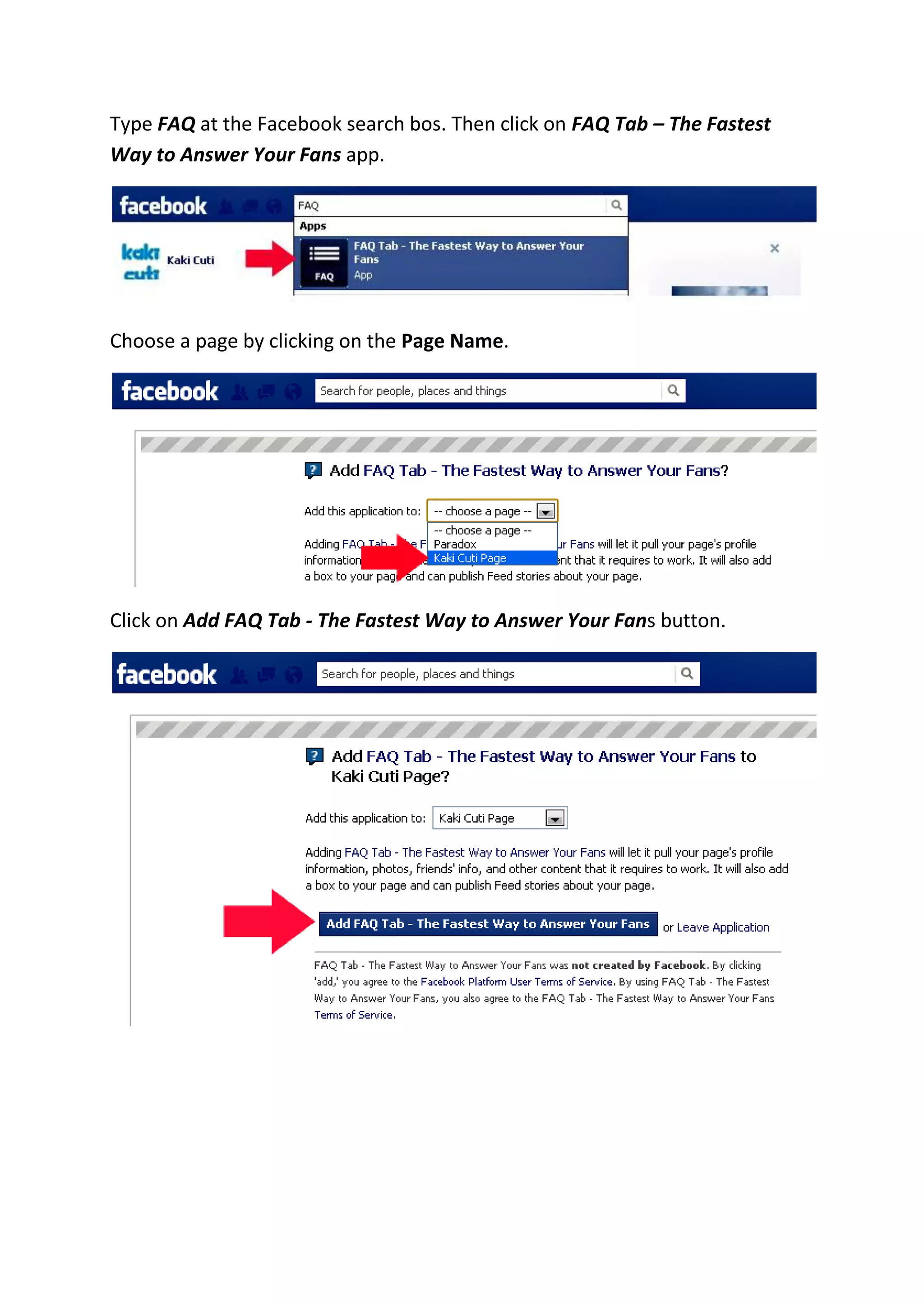

Type FAQ at the Facebook search bos. Then click on FAQ Tab – The Fastest
Way to Answer Your Fans app.
Choose a page by clicking on the Page Name.
Click on Add FAQ Tab - The Fastest Way to Answer Your Fans button.
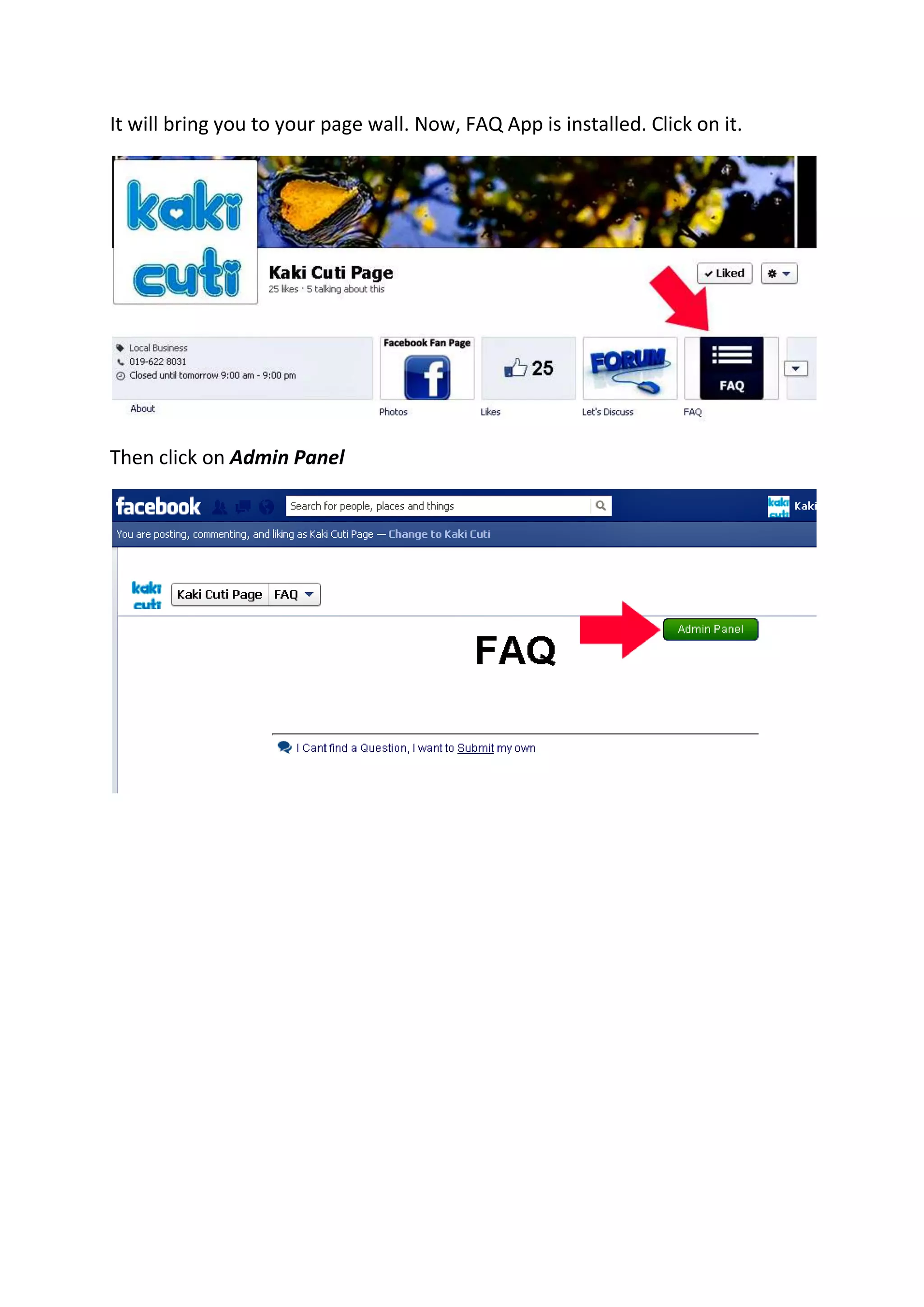
It will bring you to your page wall. Now, FAQ App is installed. Click on it.
Then click on Admin Panel
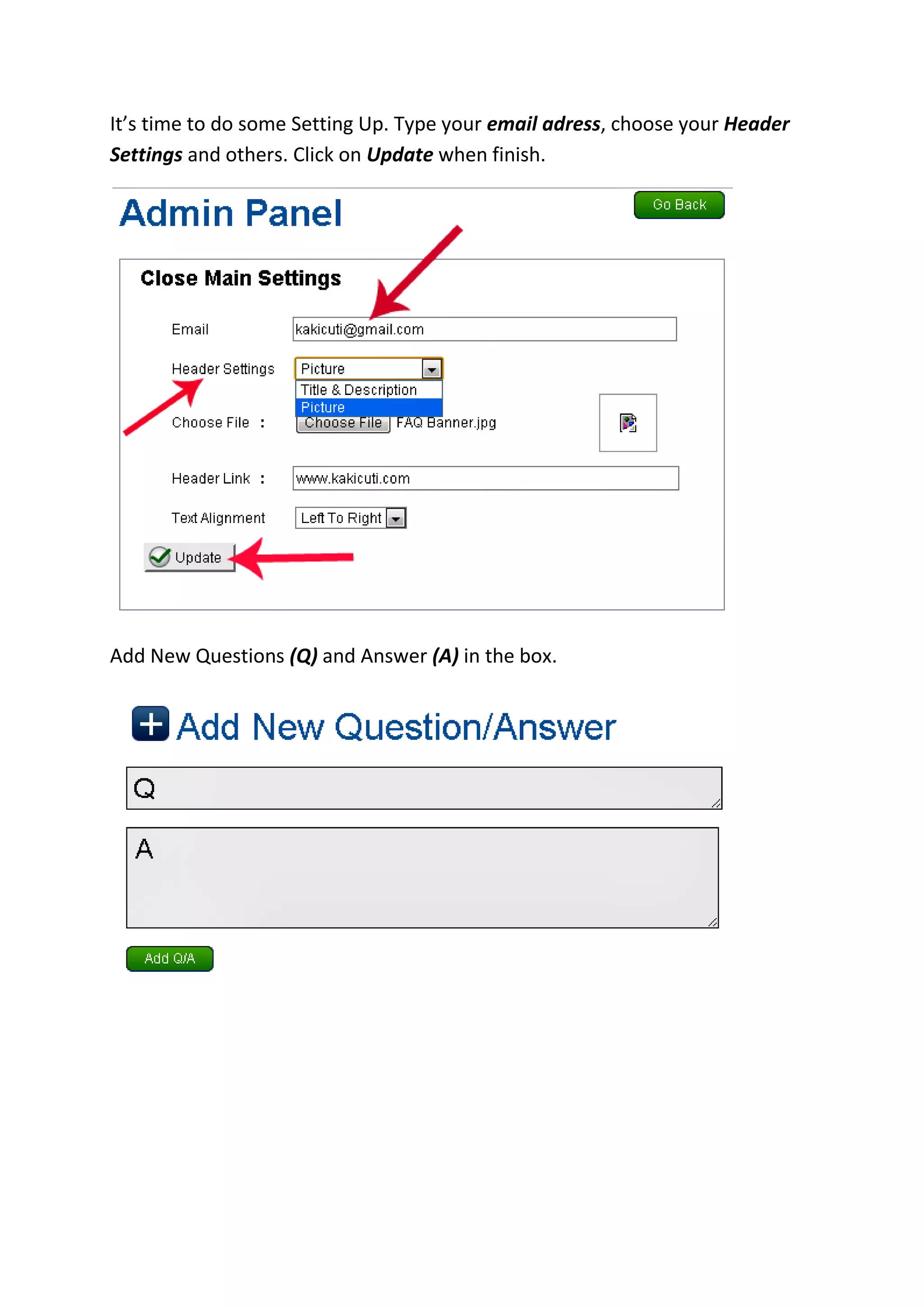
It’s time to do some Setting Up. Type your email adress, choose your Header
Settings and others. Click on Update when finish.
Add New Questions (Q) and Answer (A) in the box.
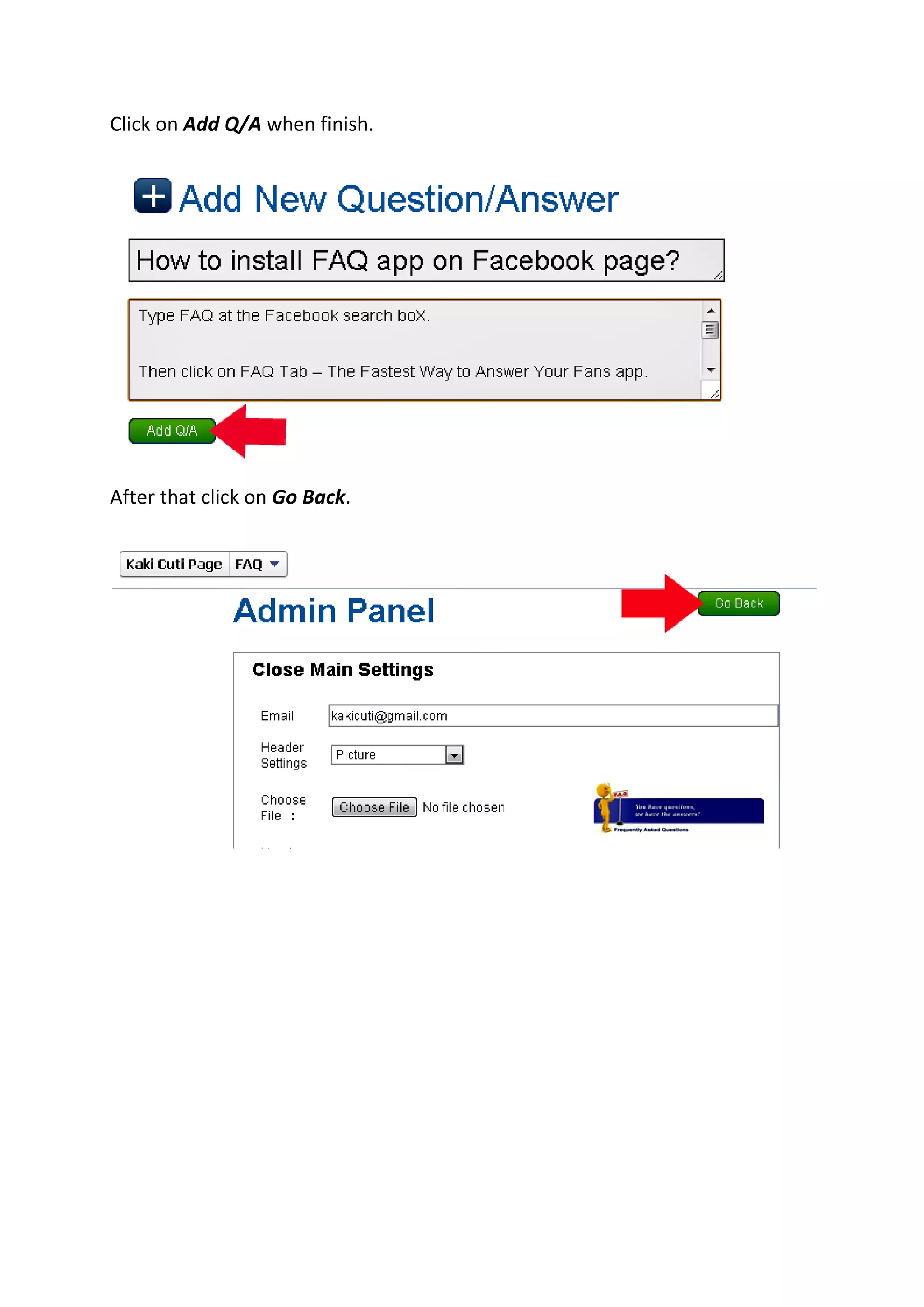
Click on Add Q/A when finish.
After that click on Go Back.
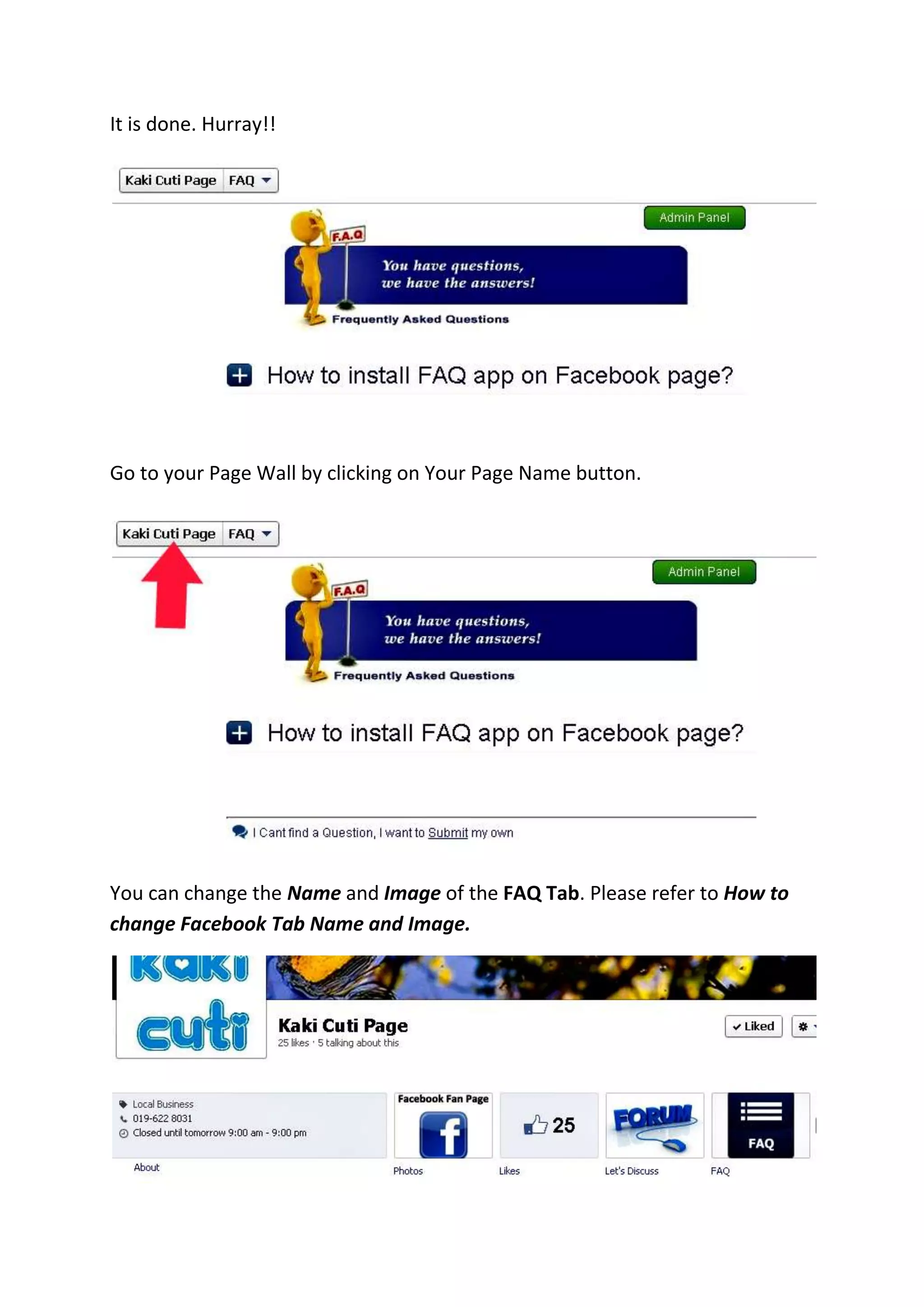
It is done. Hurray!!
Go to your Page Wall by clicking on Your Page Name button.
You can change the Name and Image of the FAQ Tab. Please refer to How to
change Facebook Tab Name and Image.
FAQ App on Facebook Page, Facebook FAQ App on Page, Facebook Page FAQ
App on Page,
FAQ App on Facebook Page, Facebook Frequently Asked Questions App,
How to add free Frequently Asked Questions (FAQ) App on Facebook Page

How to install FAQ App on Facebook Page

  • 1.
    Type FAQ atthe Facebook search bos. Then click on FAQ Tab – The Fastest Way to Answer Your Fans app. Choose a page by clicking on the Page Name. Click on Add FAQ Tab - The Fastest Way to Answer Your Fans button.
  • 2.
    It will bringyou to your page wall. Now, FAQ App is installed. Click on it. Then click on Admin Panel
  • 3.
    It’s time todo some Setting Up. Type your email adress, choose your Header Settings and others. Click on Update when finish. Add New Questions (Q) and Answer (A) in the box.
  • 4.
    Click on AddQ/A when finish. After that click on Go Back.
  • 5.
    It is done.Hurray!! Go to your Page Wall by clicking on Your Page Name button. You can change the Name and Image of the FAQ Tab. Please refer to How to change Facebook Tab Name and Image.
  • 6.
    FAQ App onFacebook Page, Facebook FAQ App on Page, Facebook Page FAQ App on Page, FAQ App on Facebook Page, Facebook Frequently Asked Questions App, How to add free Frequently Asked Questions (FAQ) App on Facebook Page