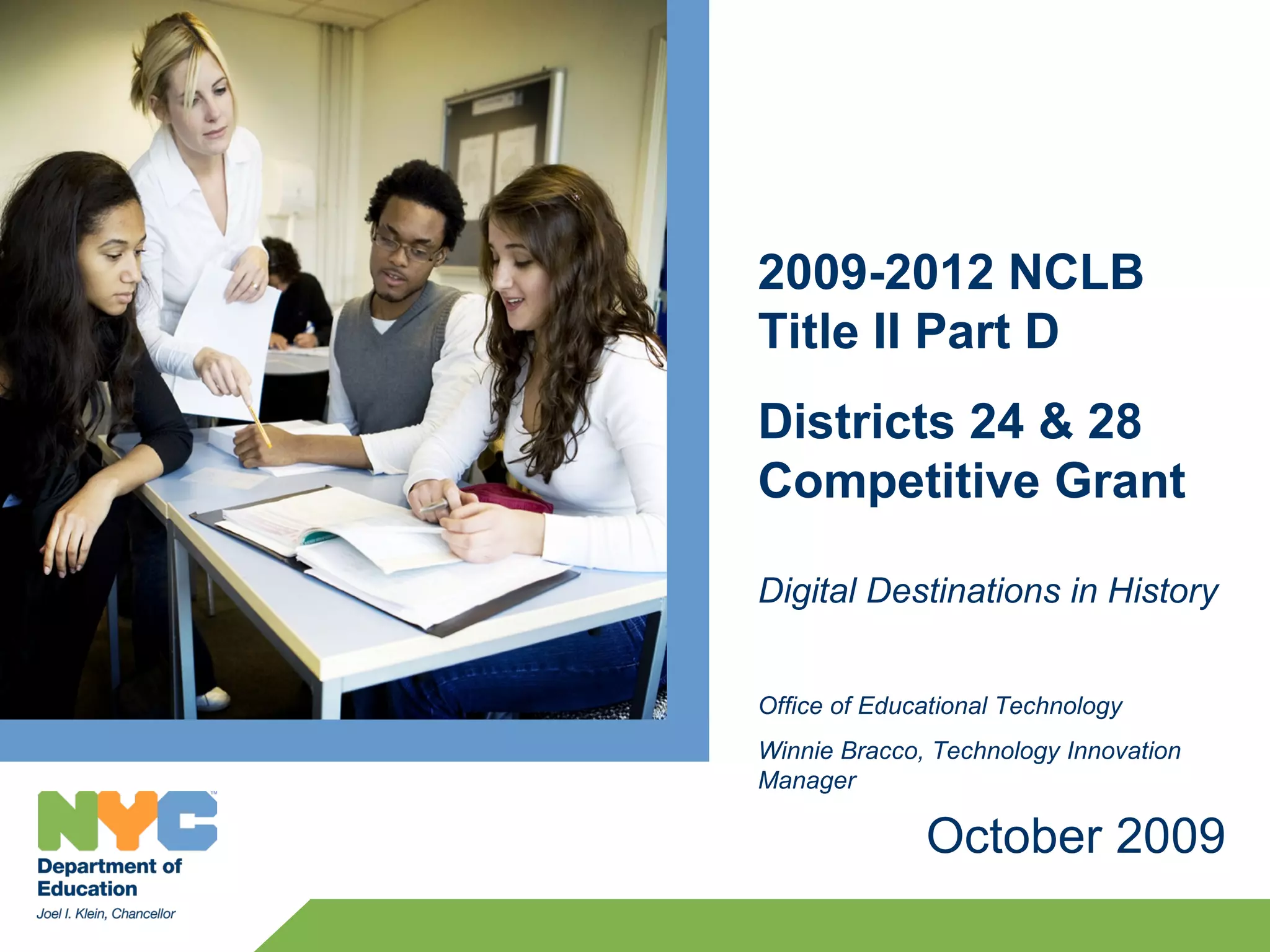
2009-2012 NCLB
Title II Part D
Districts 24 & 28
Competitive Grant

Digital Destinations in History


Office of Educational Technology
Winnie Bracco, Technology Innovation
Manager

              October 2009
Agenda
 Welcome
 Title IID –Purpose & Goals
 Project Overview
 Professional Development Offerings
 Expectations
   School
   State Evaluation

 Questions & Concerns


                                       2
2009-2012 NCLB Title II Part D Competitive Grants
Purpose: to achieve three major goals as outlined in NCLB:
1. To improve student academic achievement through the use of technology in
    elementary schools and secondary schools
2. To assist every student – regardless of race, ethnicity, income, geographical
    location, or disability in becoming technologically literate by the end of eighth
    grade and
3. To encourage effective integration of technology resources and systems with
    professional development and curriculum development to promote
    research/evidence based instructional methods that can be widely replicated.

Theme: Technology Infusion into Instruction Through Professional Development
    1. Pairing and Mentoring Professional Development on Technology Infusion


                                                                                        3
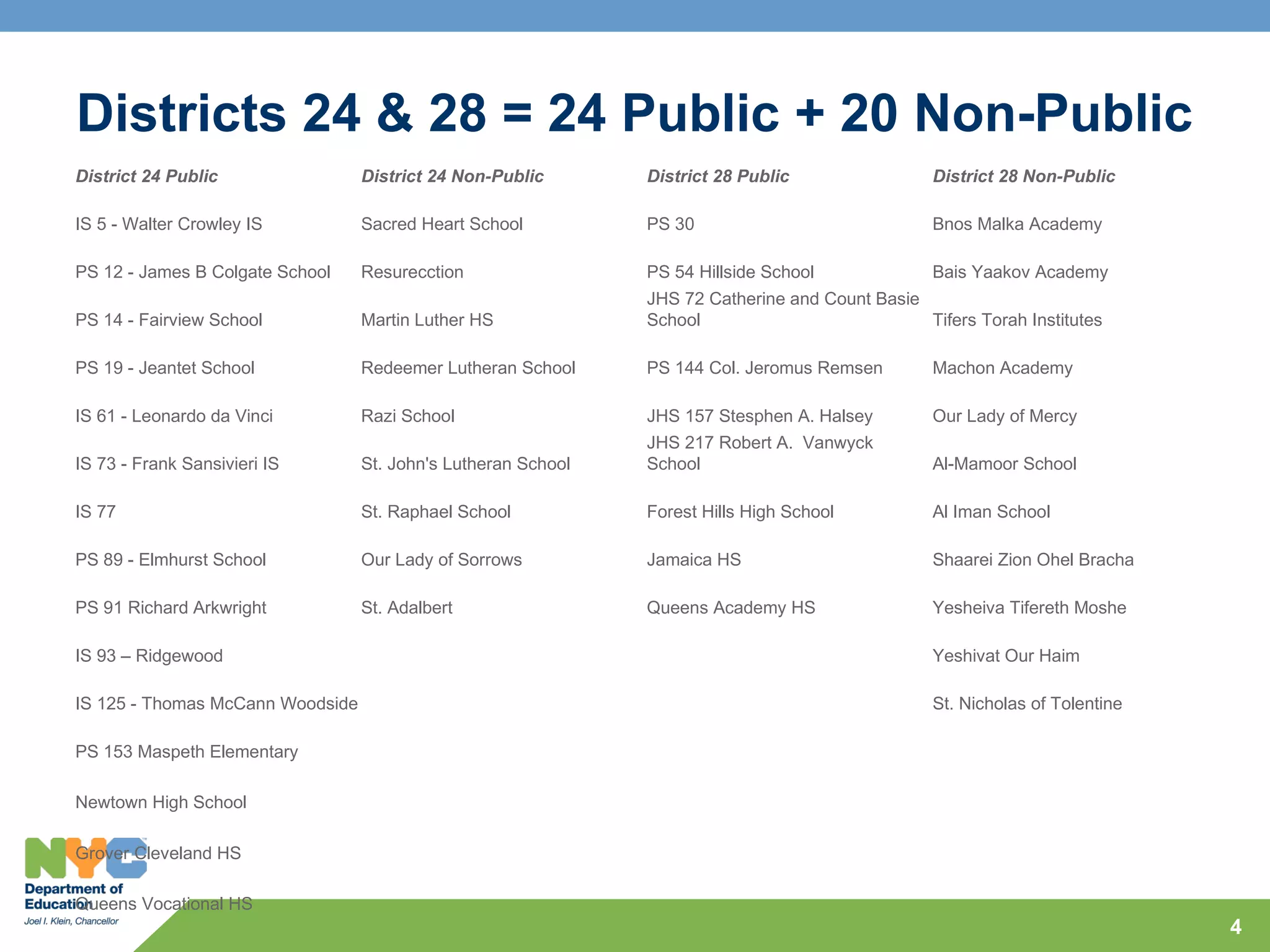
Districts 24 & 28 = 24 Public + 20 Non-Public
District 24 Public                District 24 Non-Public       District 28 Public                 District 28 Non-Public

IS 5 - Walter Crowley IS          Sacred Heart School          PS 30                              Bnos Malka Academy

PS 12 - James B Colgate School    Resurecction                 PS 54 Hillside School              Bais Yaakov Academy
                                                               JHS 72 Catherine and Count Basie
PS 14 - Fairview School           Martin Luther HS             School                           Tifers Torah Institutes

PS 19 - Jeantet School            Redeemer Lutheran School     PS 144 Col. Jeromus Remsen         Machon Academy

IS 61 - Leonardo da Vinci         Razi School                  JHS 157 Stesphen A. Halsey         Our Lady of Mercy
                                                               JHS 217 Robert A. Vanwyck
IS 73 - Frank Sansivieri IS       St. John's Lutheran School   School                             Al-Mamoor School

IS 77                             St. Raphael School           Forest Hills High School           Al Iman School

PS 89 - Elmhurst School           Our Lady of Sorrows          Jamaica HS                         Shaarei Zion Ohel Bracha

PS 91 Richard Arkwright           St. Adalbert                 Queens Academy HS                  Yesheiva Tifereth Moshe

IS 93 – Ridgewood                                                                                 Yeshivat Our Haim

IS 125 - Thomas McCann Woodside                                                                   St. Nicholas of Tolentine

PS 153 Maspeth Elementary

Newtown High School

Grover Cleveland HS

Queens Vocational HS
                                                                                                                              4
Digital Destinations in History - Overview
 Districts 24 & 28 are paired in this grant under theme of
 Technology Infusion into Instruction through Professional
   Development

 > The Digital Destinations in History (DDIH) program will focus on
   improving student achievement in ELA specifically in non-fiction
   reading and writing through the content area of Social Studies.

 > Students will participate in project based learning (PBL) that
   addresses reading, writing and critical thinking skills.

 > Students will use Google Maps to demonstrate their knowledge and
   understanding of history by marking locations with dates, embedding
   relevant information that is significance of each location.


                                                                      5
Project Goals
Goal 1: Students will improve their academic performance in ELA.


Goal 2: Teachers will increase their knowledge and ability to integrate
 technology into their Social Studies instruction in meaningful ways to
 support ELA achievement.


Goal 3: Teachers will develop and strengthen their collaboration with
 other teachers around integrating technology into instruction.


Goal 4: Students will develop their technology literacy skills through
 project based learning


                                                                          6
Project Goal 1:
Students will improve their academic performance in
English Language Arts.
  > Students will create a timeline, use the Internet for research and
    images, collect data, distinguish between fact or opinion and
    analyze cause and effect in order to develop a piece of writing
    that can be used for a podcast or digital documentary.
  > The student activities are aligned with the following performance
    indicators for NYS English Language Arts Standard 1, 3 & 4.


                                                                         7
Project Goal 2:
Teachers will increase their knowledge and ability to
   integrate technology into their Social Studies instruction
   in meaningful ways to support ELA achievement.
   Examples:
   > Use Google Maps to present information with a focus on
     specific tools such as place marks that incorporate textual
     information, graphics, audio files and video to enhance the
     presentation of their material.
   > Use online resources such as Gilder Lehrman, The Library of
     Congress, NYLearns.org and Karpeles primary source
     documents to obtain standards-based lessons, videos and
     digital images to incorporate and enhance their lessons.
   > Use online tools such as a blog, wiki or moodle for
     communication and sharing of resources with students.
Project Goal 3
Teachers will develop and strengthen their collaboration
   with other teachers around integrating technology into
   instruction.
   >   Participating teachers will use an online communication tool such as
       ARIS Connect for NYCDOE, blog and/or web portal to post lessons,
       resources, videos and best practices to be shared with the community.

   >   Participating teachers will mentor, coach and provide inter-visitation
       demonstration lessons to school peers and/or members of inquiry
       team.

   >   Participating teachers will video-conference with partnering teachers to
       co-teach and share student experiences when applicable.

   >   Participating teachers will video one lesson integrating technology and
       post it to be shared with peers and contribute to knowledge
       management.
Project Goal 4
Students will develop their technology literacy skills
   through project based learning.
   > Students' culminating projects will be the creation of Google
     Map projects reflecting their understanding and expression of
     grade specific social studies content.
   > Students will learn how to incorporate textual information,
     graphics, audio files and video to enhance the presentation of
     their material.
   > Students will use Microsoft Office to record research and write
     narratives, create digital brochures to be included in their
     project.
   > Students will also use online collaborative Web 2.0 tools such
     as wikis and Google Docs for collaborative writing with their
     project group.
   > Students will use the blog environment to communicate and
     share with members outside the classroom.
Possible Projects – Grades 4 & 7 Social Studies
   Early Encounters: Native Americans, Exploration
      Students will connect with the events of history by creating
      place markers on significant locations such as the journey and
      routes of explorers, the creation of a republic and all significant
      events leading up to the Civil War.

   A New Nation
      Students will create place markers for each of the 13 colonies
      to include historical facts, first person narratives and relevant
      videos to connect their learning.

   American Revolution
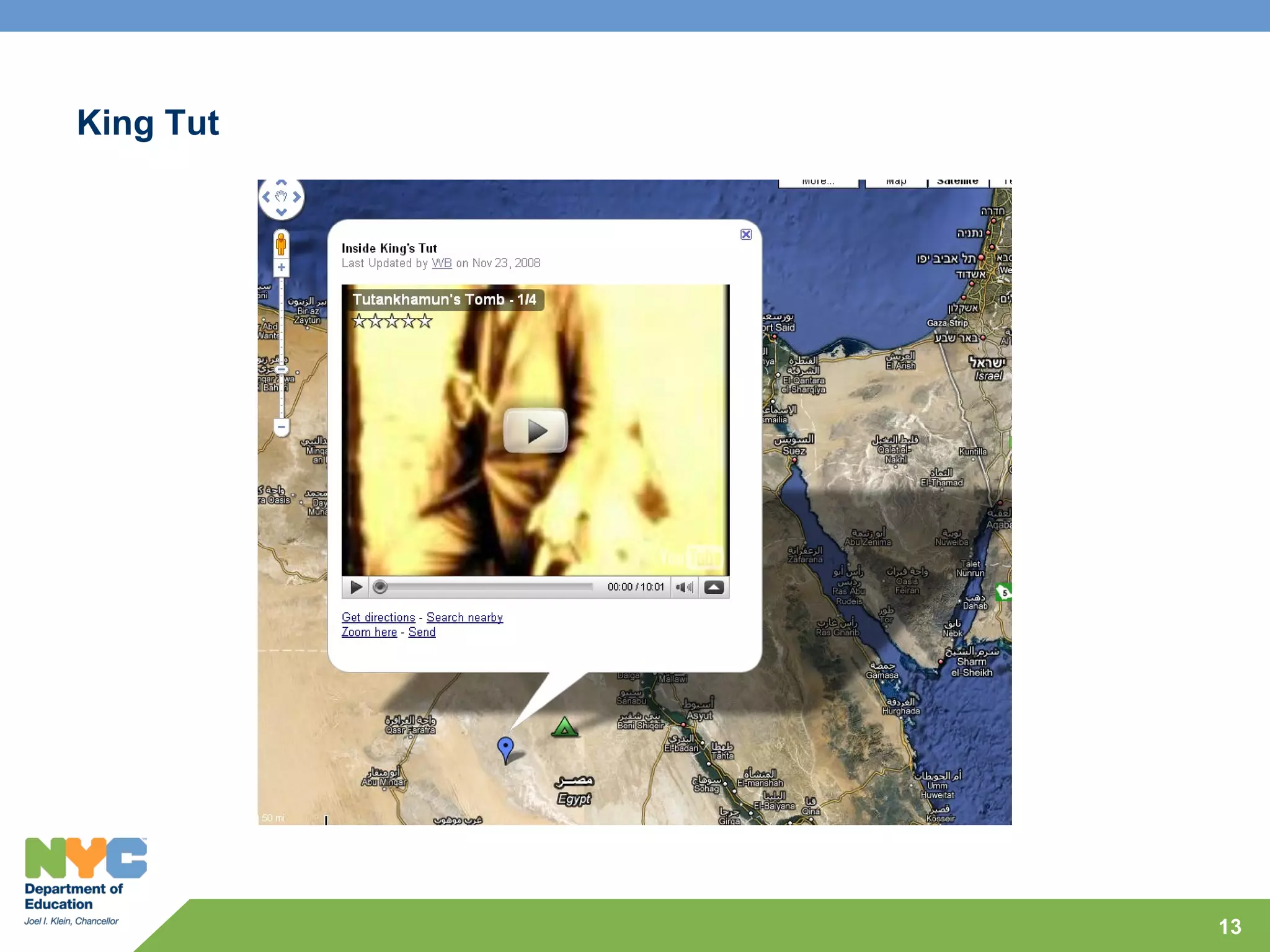
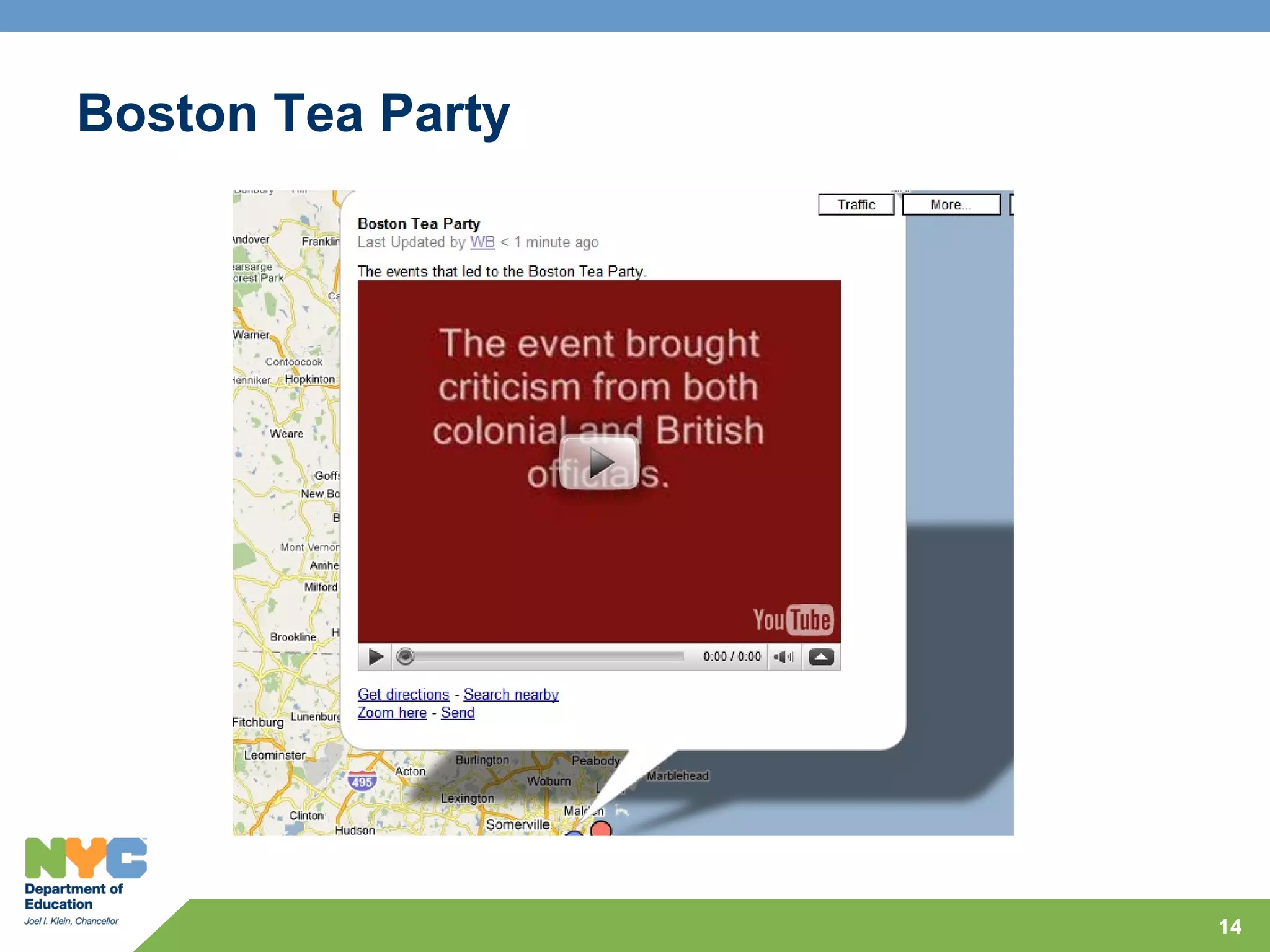
     Students will research the events leading up the Boston Tea
     Party, find its location and include video and textual content to
     support understanding.
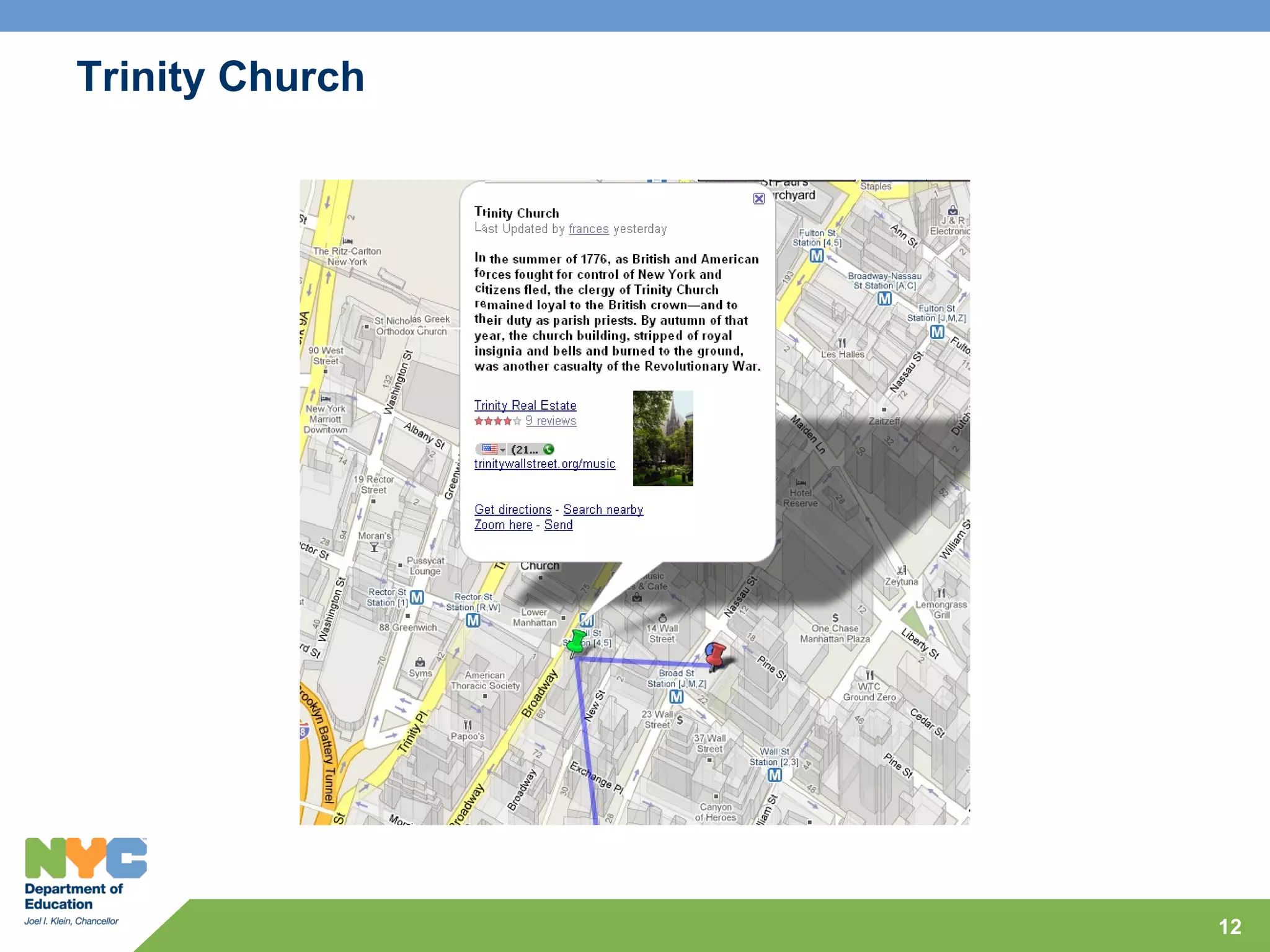
Trinity Church


                 12
King Tut


           13
Boston Tea Party


                   14
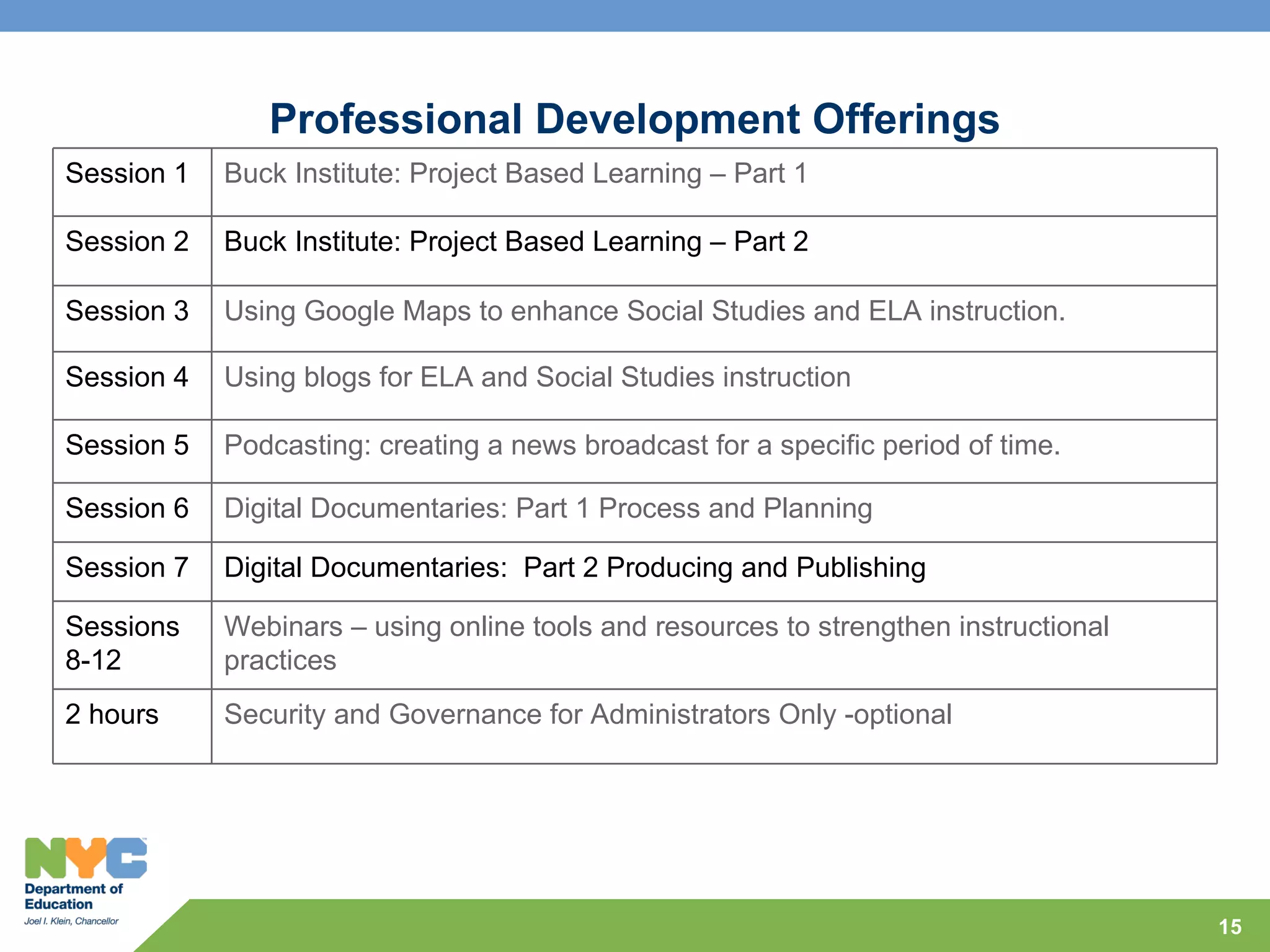
Professional Development Offerings
Session 1   Buck Institute: Project Based Learning – Part 1

Session 2   Buck Institute: Project Based Learning – Part 2

Session 3   Using Google Maps to enhance Social Studies and ELA instruction.

Session 4   Using blogs for ELA and Social Studies instruction

Session 5   Podcasting: creating a news broadcast for a specific period of time.

Session 6   Digital Documentaries: Part 1 Process and Planning

Session 7   Digital Documentaries: Part 2 Producing and Publishing

Sessions    Webinars – using online tools and resources to strengthen instructional
8-12        practices
2 hours     Security and Governance for Administrators Only -optional


                                                                                      15
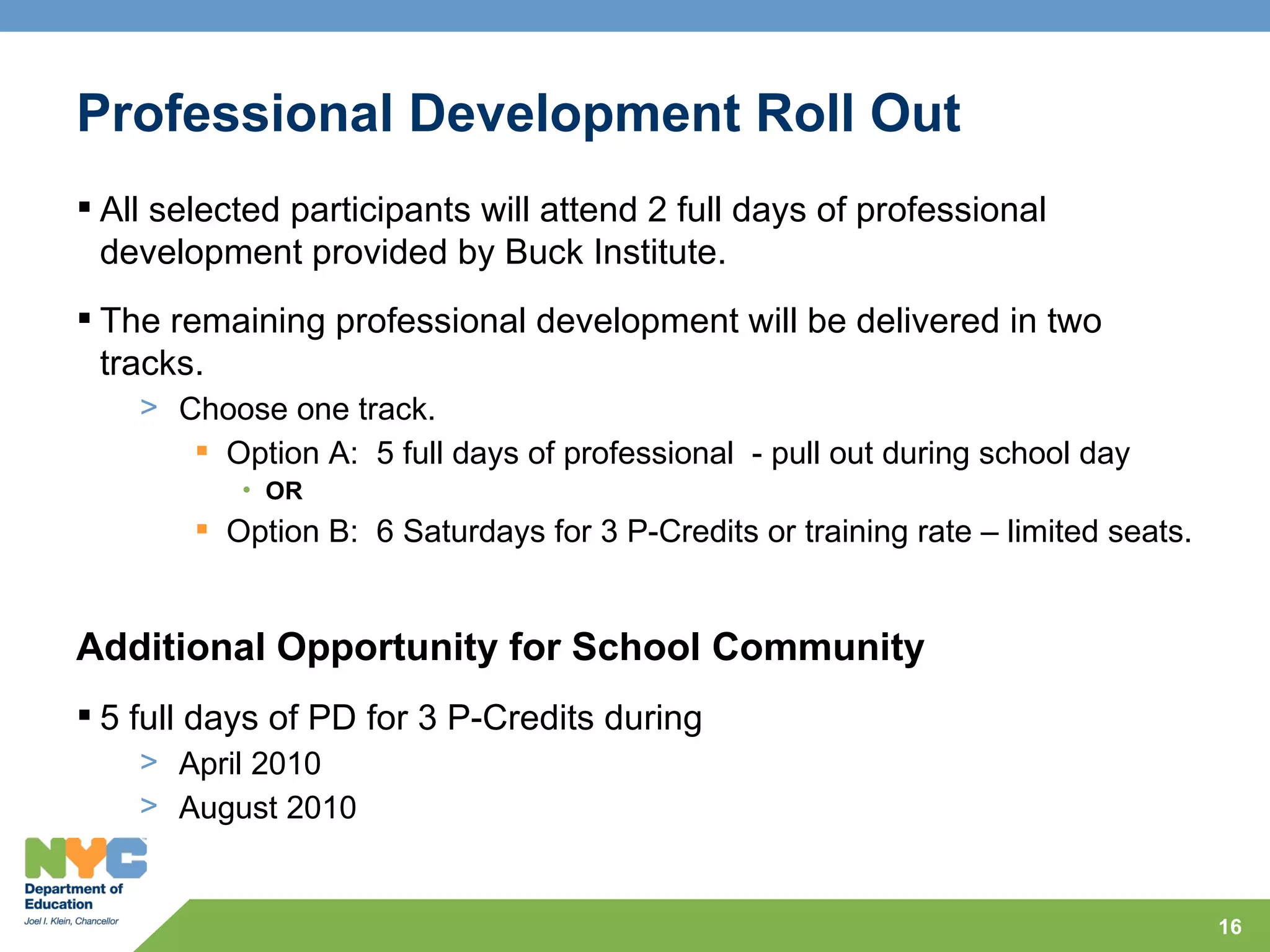
Professional Development Roll Out
 All selected participants will attend 2 full days of professional
  development provided by Buck Institute.
 The remaining professional development will be delivered in two
  tracks.
    > Choose one track.
        Option A: 5 full days of professional - pull out during school day
           • OR
         Option B: 6 Saturdays for 3 P-Credits or training rate – limited seats.


Additional Opportunity for School Community
 5 full days of PD for 3 P-Credits during
    > April 2010
    > August 2010


                                                                                    16
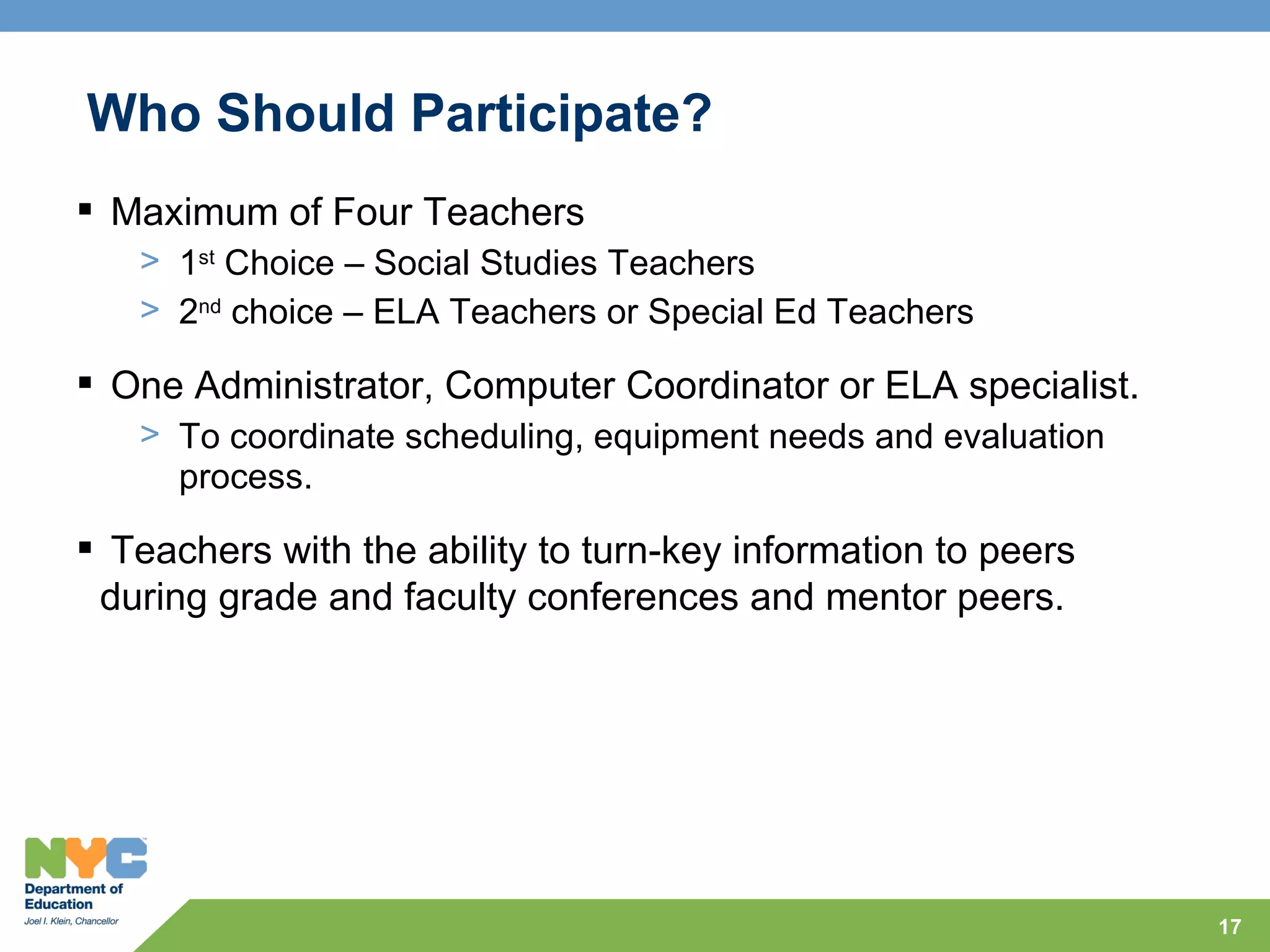
Who Should Participate?
 Maximum of Four Teachers
   > 1st Choice – Social Studies Teachers
   > 2nd choice – ELA Teachers or Special Ed Teachers

 One Administrator, Computer Coordinator or ELA specialist.
   > To coordinate scheduling, equipment needs and evaluation
     process.

 Teachers with the ability to turn-key information to peers
 during grade and faculty conferences and mentor peers.


                                                                17
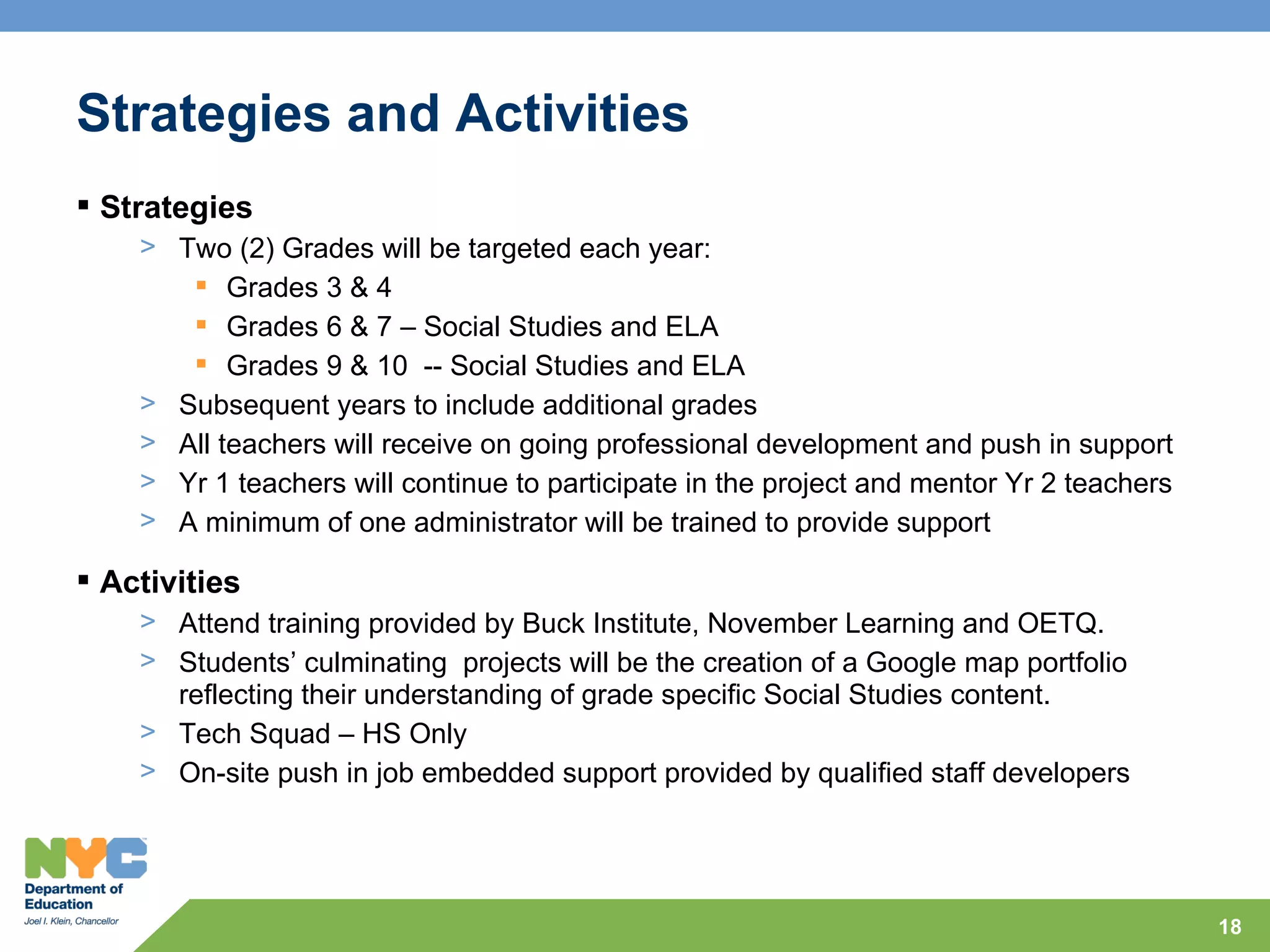
Strategies and Activities
 Strategies
    > Two (2) Grades will be targeted each year:
        Grades 3 & 4
        Grades 6 & 7 – Social Studies and ELA
        Grades 9 & 10 -- Social Studies and ELA
    > Subsequent years to include additional grades
    > All teachers will receive on going professional development and push in support
    > Yr 1 teachers will continue to participate in the project and mentor Yr 2 teachers
    > A minimum of one administrator will be trained to provide support

 Activities
    > Attend training provided by Buck Institute, November Learning and OETQ.
    > Students’ culminating projects will be the creation of a Google map portfolio
      reflecting their understanding of grade specific Social Studies content.
    > Tech Squad – HS Only
    > On-site push in job embedded support provided by qualified staff developers


                                                                                           18
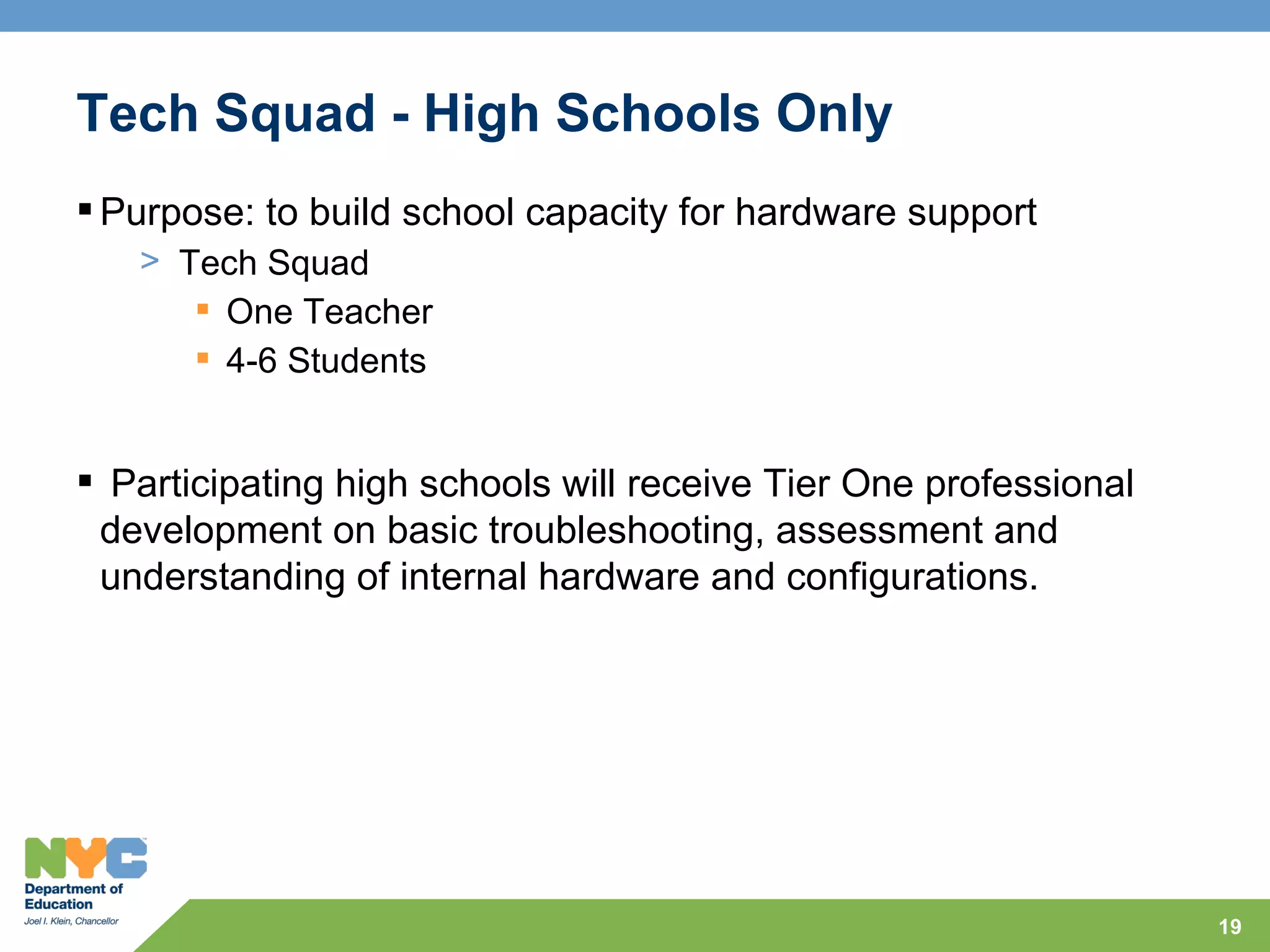
Tech Squad - High Schools Only
 Purpose: to build school capacity for hardware support
   > Tech Squad
       One Teacher
       4-6 Students


 Participating high schools will receive Tier One professional
 development on basic troubleshooting, assessment and
 understanding of internal hardware and configurations.


                                                                  19
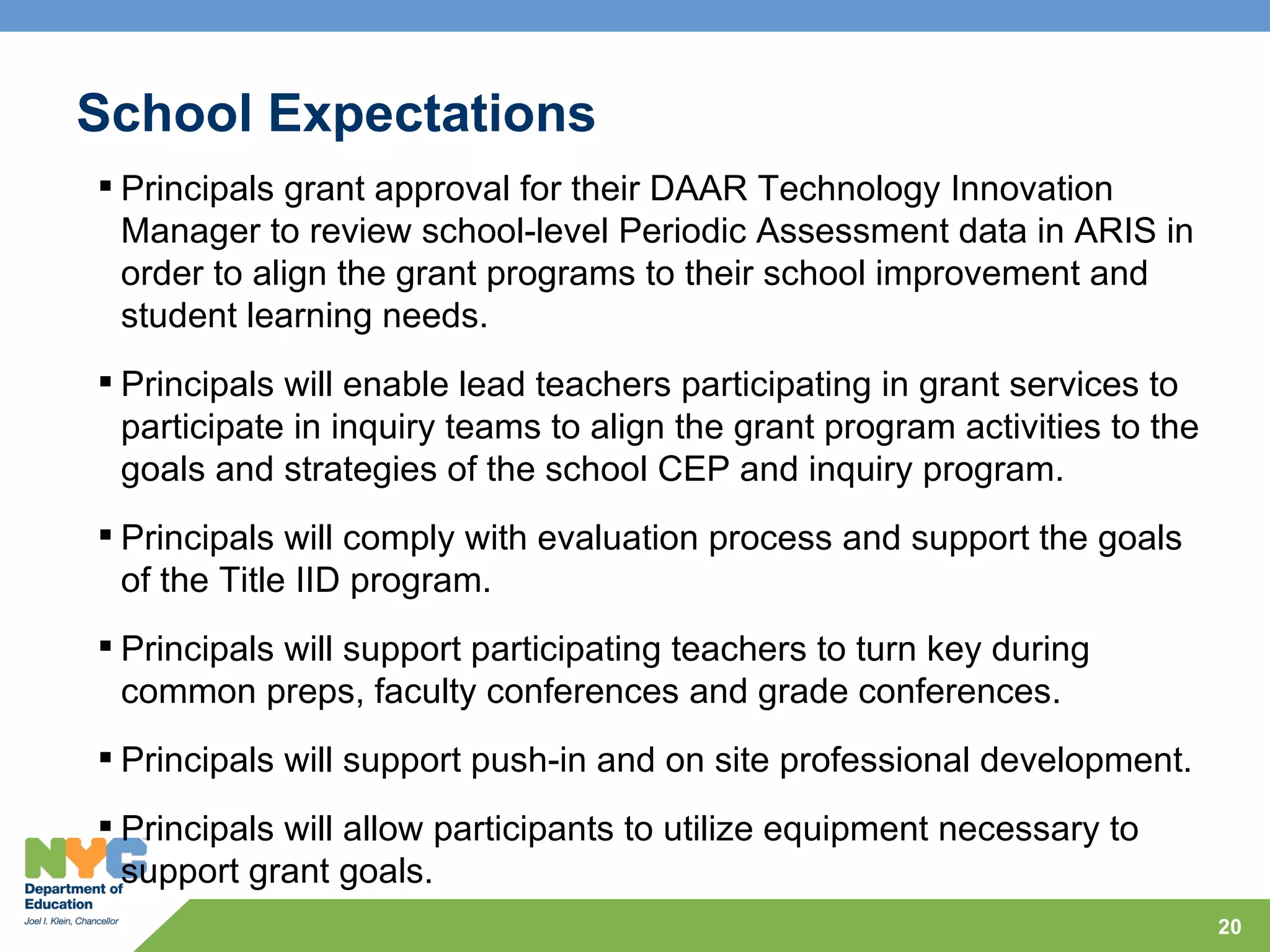
School Expectations
 Principals grant approval for their DAAR Technology Innovation
  Manager to review school-level Periodic Assessment data in ARIS in
  order to align the grant programs to their school improvement and
  student learning needs.
 Principals will enable lead teachers participating in grant services to
  participate in inquiry teams to align the grant program activities to the
  goals and strategies of the school CEP and inquiry program.
 Principals will comply with evaluation process and support the goals
  of the Title IID program.
 Principals will support participating teachers to turn key during
  common preps, faculty conferences and grade conferences.
 Principals will support push-in and on site professional development.
 Principals will allow participants to utilize equipment necessary to
  support grant goals.
                                                                              20
Teacher Expectations
 Participating teachers will turn key to 2 other teachers in their first
  year during common preps or grade conferences.
 Participating teachers will attend all scheduled training.
 Participating teachers will videotape one lesson integrating
  technology into the curriculum to impact school community.
 Participating teachers will complete all required DDIH projects and
  share with community.
 Participating teachers will attend scheduled webinars during common
  preps.


                                                                            21
Resources
 Participating schools will receive equipment and
 resources to support DDIH program.
 Participating schools will receive equitable
 resources based on full participation.


                                                     22
Evaluation
Grant is state funded and prescribed evaluation
 process must take place.
   > Surveys – teachers and students
   > Observations
   > Site Visits
   > Request for data
   > Interview of administrators and teachers


                                                   23
Program Evaluator

       Dr. Josephine Imbimbo
          jimbimbo@dndrea.org

         Dr. Lynda Kennedy
          lkennedy@dndrea.org

Design and Development Resources
     for Education and the Arts

                                   24
Next Steps
 Complete form by November 20, 2009.
   > Go to http://oitqueens.com click survey tab.
   > Grant info under grant tab.

 All communications via DOE email for DOE employees.
 Workshop schedule will be provided with tentative start date of
  early December.
 Training centers located at JHS 8 and 82-01 Rockaway Blvd
  and 48-15 Court Sq.
 LOOKING FOR AN ADDITIONAL SPACE TO USE AS A
  TRAINING CENTER IN DISTRICT 24.


                                                                    25
Contact Info
Winnie Bracco,
Technology Innovation Manager         wbracco@schools.nyc.gov

Frances O’Neill
Instructional Technology Specialist   foneill@schools.nyc.gov

Wayne Demacque,
Supervising Technician                wdemacque@schools.nyc.gov

Kin Fung Leung
Supervising Technician                kleung@schools.nyc.gov


                                                                  26

Digital Destinations in History

  • 1.
    2009-2012 NCLB Title IIPart D Districts 24 & 28 Competitive Grant Digital Destinations in History Office of Educational Technology Winnie Bracco, Technology Innovation Manager October 2009
  • 2.
    Agenda  Welcome  TitleIID –Purpose & Goals  Project Overview  Professional Development Offerings  Expectations School State Evaluation  Questions & Concerns 2
  • 3.
    2009-2012 NCLB TitleII Part D Competitive Grants Purpose: to achieve three major goals as outlined in NCLB: 1. To improve student academic achievement through the use of technology in elementary schools and secondary schools 2. To assist every student – regardless of race, ethnicity, income, geographical location, or disability in becoming technologically literate by the end of eighth grade and 3. To encourage effective integration of technology resources and systems with professional development and curriculum development to promote research/evidence based instructional methods that can be widely replicated. Theme: Technology Infusion into Instruction Through Professional Development 1. Pairing and Mentoring Professional Development on Technology Infusion 3
  • 4.
    Districts 24 &28 = 24 Public + 20 Non-Public District 24 Public District 24 Non-Public District 28 Public District 28 Non-Public IS 5 - Walter Crowley IS Sacred Heart School PS 30 Bnos Malka Academy PS 12 - James B Colgate School Resurecction PS 54 Hillside School Bais Yaakov Academy JHS 72 Catherine and Count Basie PS 14 - Fairview School Martin Luther HS School Tifers Torah Institutes PS 19 - Jeantet School Redeemer Lutheran School PS 144 Col. Jeromus Remsen Machon Academy IS 61 - Leonardo da Vinci Razi School JHS 157 Stesphen A. Halsey Our Lady of Mercy JHS 217 Robert A. Vanwyck IS 73 - Frank Sansivieri IS St. John's Lutheran School School Al-Mamoor School IS 77 St. Raphael School Forest Hills High School Al Iman School PS 89 - Elmhurst School Our Lady of Sorrows Jamaica HS Shaarei Zion Ohel Bracha PS 91 Richard Arkwright St. Adalbert Queens Academy HS Yesheiva Tifereth Moshe IS 93 – Ridgewood Yeshivat Our Haim IS 125 - Thomas McCann Woodside St. Nicholas of Tolentine PS 153 Maspeth Elementary Newtown High School Grover Cleveland HS Queens Vocational HS 4
  • 5.
    Digital Destinations inHistory - Overview Districts 24 & 28 are paired in this grant under theme of Technology Infusion into Instruction through Professional Development > The Digital Destinations in History (DDIH) program will focus on improving student achievement in ELA specifically in non-fiction reading and writing through the content area of Social Studies. > Students will participate in project based learning (PBL) that addresses reading, writing and critical thinking skills. > Students will use Google Maps to demonstrate their knowledge and understanding of history by marking locations with dates, embedding relevant information that is significance of each location. 5
  • 6.
    Project Goals Goal 1:Students will improve their academic performance in ELA. Goal 2: Teachers will increase their knowledge and ability to integrate technology into their Social Studies instruction in meaningful ways to support ELA achievement. Goal 3: Teachers will develop and strengthen their collaboration with other teachers around integrating technology into instruction. Goal 4: Students will develop their technology literacy skills through project based learning 6
  • 7.
    Project Goal 1: Studentswill improve their academic performance in English Language Arts. > Students will create a timeline, use the Internet for research and images, collect data, distinguish between fact or opinion and analyze cause and effect in order to develop a piece of writing that can be used for a podcast or digital documentary. > The student activities are aligned with the following performance indicators for NYS English Language Arts Standard 1, 3 & 4. 7
  • 8.
    Project Goal 2: Teacherswill increase their knowledge and ability to integrate technology into their Social Studies instruction in meaningful ways to support ELA achievement. Examples: > Use Google Maps to present information with a focus on specific tools such as place marks that incorporate textual information, graphics, audio files and video to enhance the presentation of their material. > Use online resources such as Gilder Lehrman, The Library of Congress, NYLearns.org and Karpeles primary source documents to obtain standards-based lessons, videos and digital images to incorporate and enhance their lessons. > Use online tools such as a blog, wiki or moodle for communication and sharing of resources with students.
  • 9.
    Project Goal 3 Teacherswill develop and strengthen their collaboration with other teachers around integrating technology into instruction. > Participating teachers will use an online communication tool such as ARIS Connect for NYCDOE, blog and/or web portal to post lessons, resources, videos and best practices to be shared with the community. > Participating teachers will mentor, coach and provide inter-visitation demonstration lessons to school peers and/or members of inquiry team. > Participating teachers will video-conference with partnering teachers to co-teach and share student experiences when applicable. > Participating teachers will video one lesson integrating technology and post it to be shared with peers and contribute to knowledge management.
  • 10.
    Project Goal 4 Studentswill develop their technology literacy skills through project based learning. > Students' culminating projects will be the creation of Google Map projects reflecting their understanding and expression of grade specific social studies content. > Students will learn how to incorporate textual information, graphics, audio files and video to enhance the presentation of their material. > Students will use Microsoft Office to record research and write narratives, create digital brochures to be included in their project. > Students will also use online collaborative Web 2.0 tools such as wikis and Google Docs for collaborative writing with their project group. > Students will use the blog environment to communicate and share with members outside the classroom.
  • 11.
    Possible Projects –Grades 4 & 7 Social Studies Early Encounters: Native Americans, Exploration Students will connect with the events of history by creating place markers on significant locations such as the journey and routes of explorers, the creation of a republic and all significant events leading up to the Civil War. A New Nation Students will create place markers for each of the 13 colonies to include historical facts, first person narratives and relevant videos to connect their learning. American Revolution Students will research the events leading up the Boston Tea Party, find its location and include video and textual content to support understanding.
  • 12.
  • 13.
  • 14.
  • 15.
    Professional Development Offerings Session1 Buck Institute: Project Based Learning – Part 1 Session 2 Buck Institute: Project Based Learning – Part 2 Session 3 Using Google Maps to enhance Social Studies and ELA instruction. Session 4 Using blogs for ELA and Social Studies instruction Session 5 Podcasting: creating a news broadcast for a specific period of time. Session 6 Digital Documentaries: Part 1 Process and Planning Session 7 Digital Documentaries: Part 2 Producing and Publishing Sessions Webinars – using online tools and resources to strengthen instructional 8-12 practices 2 hours Security and Governance for Administrators Only -optional 15
  • 16.
    Professional Development RollOut  All selected participants will attend 2 full days of professional development provided by Buck Institute.  The remaining professional development will be delivered in two tracks. > Choose one track.  Option A: 5 full days of professional - pull out during school day • OR  Option B: 6 Saturdays for 3 P-Credits or training rate – limited seats. Additional Opportunity for School Community  5 full days of PD for 3 P-Credits during > April 2010 > August 2010 16
  • 17.
    Who Should Participate? Maximum of Four Teachers > 1st Choice – Social Studies Teachers > 2nd choice – ELA Teachers or Special Ed Teachers  One Administrator, Computer Coordinator or ELA specialist. > To coordinate scheduling, equipment needs and evaluation process.  Teachers with the ability to turn-key information to peers during grade and faculty conferences and mentor peers. 17
  • 18.
    Strategies and Activities Strategies > Two (2) Grades will be targeted each year:  Grades 3 & 4  Grades 6 & 7 – Social Studies and ELA  Grades 9 & 10 -- Social Studies and ELA > Subsequent years to include additional grades > All teachers will receive on going professional development and push in support > Yr 1 teachers will continue to participate in the project and mentor Yr 2 teachers > A minimum of one administrator will be trained to provide support  Activities > Attend training provided by Buck Institute, November Learning and OETQ. > Students’ culminating projects will be the creation of a Google map portfolio reflecting their understanding of grade specific Social Studies content. > Tech Squad – HS Only > On-site push in job embedded support provided by qualified staff developers 18
  • 19.
    Tech Squad -High Schools Only  Purpose: to build school capacity for hardware support > Tech Squad  One Teacher  4-6 Students  Participating high schools will receive Tier One professional development on basic troubleshooting, assessment and understanding of internal hardware and configurations. 19
  • 20.
    School Expectations  Principalsgrant approval for their DAAR Technology Innovation Manager to review school-level Periodic Assessment data in ARIS in order to align the grant programs to their school improvement and student learning needs.  Principals will enable lead teachers participating in grant services to participate in inquiry teams to align the grant program activities to the goals and strategies of the school CEP and inquiry program.  Principals will comply with evaluation process and support the goals of the Title IID program.  Principals will support participating teachers to turn key during common preps, faculty conferences and grade conferences.  Principals will support push-in and on site professional development.  Principals will allow participants to utilize equipment necessary to support grant goals. 20
  • 21.
    Teacher Expectations  Participatingteachers will turn key to 2 other teachers in their first year during common preps or grade conferences.  Participating teachers will attend all scheduled training.  Participating teachers will videotape one lesson integrating technology into the curriculum to impact school community.  Participating teachers will complete all required DDIH projects and share with community.  Participating teachers will attend scheduled webinars during common preps. 21
  • 22.
    Resources  Participating schoolswill receive equipment and resources to support DDIH program.  Participating schools will receive equitable resources based on full participation. 22
  • 23.
    Evaluation Grant is statefunded and prescribed evaluation process must take place. > Surveys – teachers and students > Observations > Site Visits > Request for data > Interview of administrators and teachers 23
  • 24.
    Program Evaluator Dr. Josephine Imbimbo jimbimbo@dndrea.org Dr. Lynda Kennedy lkennedy@dndrea.org Design and Development Resources for Education and the Arts 24
  • 25.
    Next Steps  Completeform by November 20, 2009. > Go to http://oitqueens.com click survey tab. > Grant info under grant tab.  All communications via DOE email for DOE employees.  Workshop schedule will be provided with tentative start date of early December.  Training centers located at JHS 8 and 82-01 Rockaway Blvd and 48-15 Court Sq.  LOOKING FOR AN ADDITIONAL SPACE TO USE AS A TRAINING CENTER IN DISTRICT 24. 25
  • 26.
    Contact Info Winnie Bracco, TechnologyInnovation Manager wbracco@schools.nyc.gov Frances O’Neill Instructional Technology Specialist foneill@schools.nyc.gov Wayne Demacque, Supervising Technician wdemacque@schools.nyc.gov Kin Fung Leung Supervising Technician kleung@schools.nyc.gov 26