




How to Do an Effective Seller
 Presentation on the Tablet
www.DynamicDirections.com
What are we covering:
• Dynamics of a seller
  counseling session
• Techniques, Tools and Tips
• Using an iPad and other
  technology
Why do a Seller
Counseling Session?
Seller Counseling:

• Sets the stage
• Sets consumer expectations
  – Many consumers bring their own
    definitions
• Addresses unspoken questions
• Neutralizes objections
• Determines if you want the listing
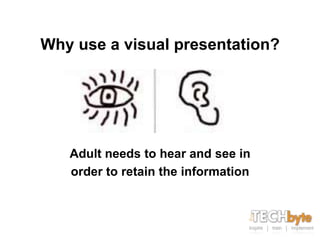
Why use a visual presentation?


   Adult needs to hear and see in
   order to retain the information
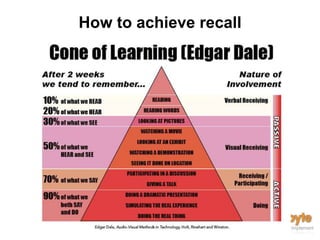
How to achieve recall
Leave them with a lasting impression
of who you are and what they need in
      order to sell their house
Is the two step listing proposal
      still viable in today’s
           marketplace?
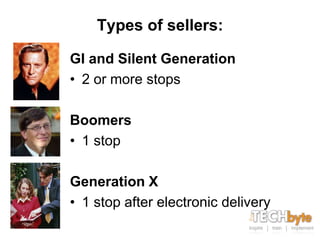
Types of sellers:

GI and Silent Generation
• 2 or more stops

Boomers
• 1 stop

Generation X
• 1 stop after electronic delivery
You have a listing
appointment. How do you
 deliver the information
        virtually?
Virtual or In Person

• Know your client
• Tech delivery is the universal language
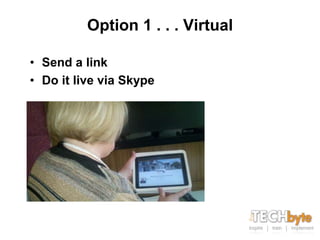
Option 1 . . . Virtual

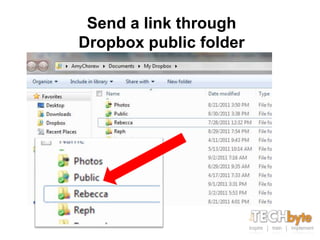
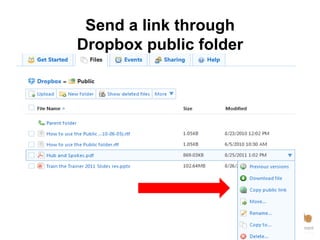
• Send a link
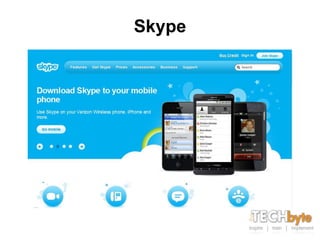
• Do it live via Skype
Skype
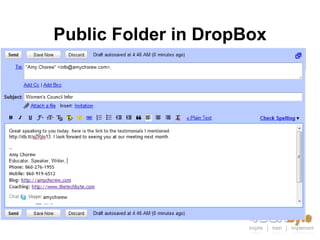
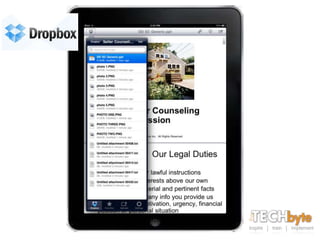
DropBox
Send a link through
Dropbox public folder
Send a link through
Dropbox public folder
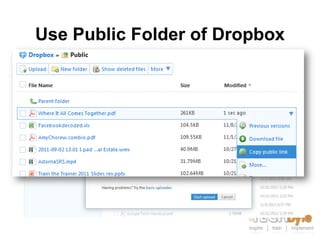
Use Public Folder of Dropbox
Public Folder in DropBox
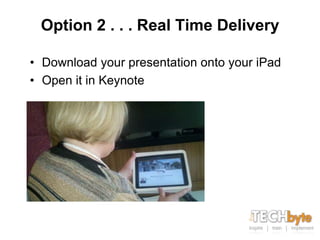
Option 2 . . . Real Time Delivery

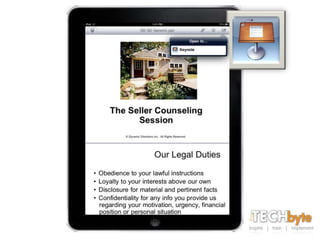
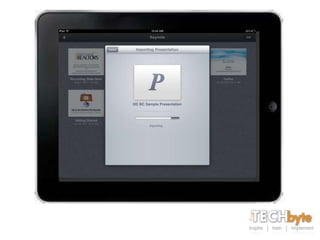
• Download your presentation onto your iPad
• Open it in Keynote
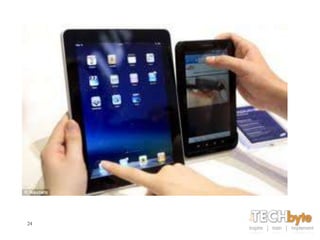
This is where a Tablet
    makes it easy!
Tablets now come in
all shapes, sizes and
 operating systems.
Which one is right for
        you?

                 22
23
24
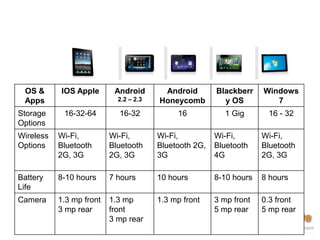
OS &      IOS Apple       Android       Android        Blackberr    Windows
 Apps                       2.2 – 2.3   Honeycomb         y OS          7
Storage     16-32-64        16-32            16            1 Gig      16 - 32
Options
Wireless   Wi-Fi,         Wi-Fi,        Wi-Fi,          Wi-Fi,       Wi-Fi,
Options    Bluetooth      Bluetooth     Bluetooth 2G,   Bluetooth    Bluetooth
           2G, 3G         2G, 3G        3G              4G           2G, 3G

Battery    8-10 hours     7 hours       10 hours        8-10 hours   8 hours
Life
Camera     1.3 mp front   1.3 mp        1.3 mp front    3 mp front   0.3 front
           3 mp rear      front                         5 mp rear    5 mp rear
  25
                          3 mp rear
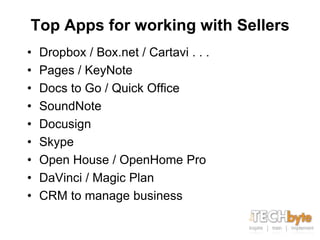
Top Apps for working with Sellers
•   Dropbox / Box.net / Cartavi . . .
•   Pages / KeyNote
•   Docs to Go / Quick Office
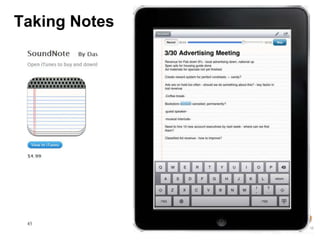
•   SoundNote
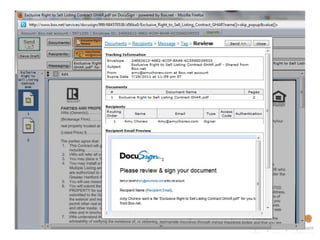
•   Docusign
•   Skype
•   Open House / OpenHome Pro
•   DaVinci / Magic Plan
•   CRM to manage business
Beforehand . . .
• Download your presentation onto your
  iPad
• Open it in Keynote
How do you start?


• Guts of the presentation are 20 minutes
  – If they have additional questions they will
    go longer
  – This is consumer driven not a lecture
It is a pleasure to meet you.
 Let’s review the counseling
session I mentioned to you.
Remember I need 20 minutes
  of your time, more if you
      have questions . . .
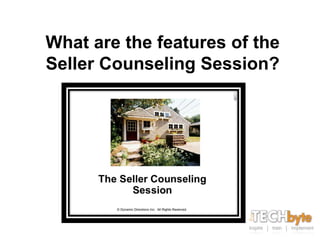
What are the features of the
Seller Counseling Session?
• Discuss what you can and cannot do according
  to state laws
   – An overview of the process
   – Address two major consumer concerns
      • Money (I want the most money)
      • Marketing Plan
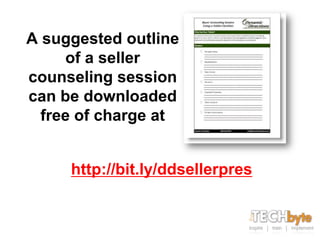
A suggested outline
     of a seller
counseling session
can be downloaded
  free of charge at


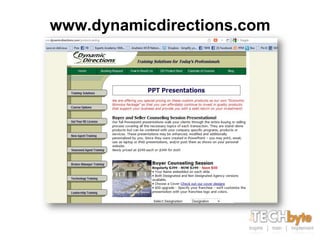
     http://bit.ly/ddsellerpres
Working with the sellers
   and your Tablet
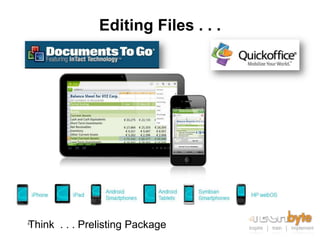
Editing Files . . .


Think . . . Prelisting Package
41
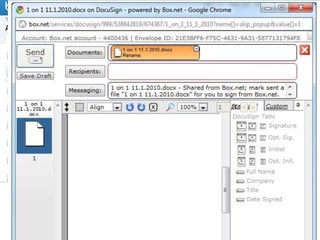
Docusign


42
44
Taking Notes


 45
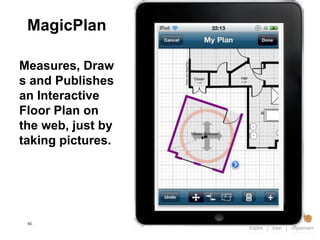
MagicPlan

Measures, Draw
s and Publishes
an Interactive
Floor Plan on
the web, just by
taking pictures.


 46
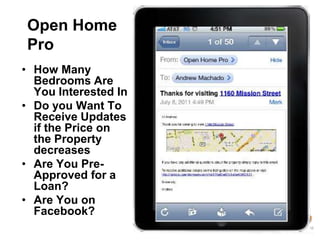
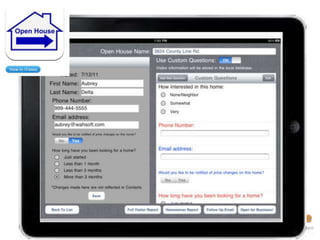
Open Home
Pro
• How Many
  Bedrooms Are
  You Interested In
• Do you Want To
  Receive Updates
  if the Price on
  the Property
  decreases
• Are You Pre-
  Approved for a
  Loan?
• Are You on
  Facebook?
48
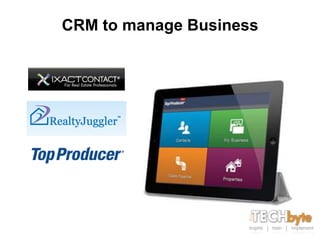
CRM to manage Business
www.dynamicdirections.com
Visit www.DynamicDirections.com
info@dynamicdirections.com

How to do an effective seller presentation on a tablet

  • 1.
    How to Doan Effective Seller Presentation on the Tablet
  • 2.
  • 3.
    What are wecovering: • Dynamics of a seller counseling session • Techniques, Tools and Tips • Using an iPad and other technology
  • 4.
    Why do aSeller Counseling Session?
  • 5.
    Seller Counseling: • Setsthe stage • Sets consumer expectations – Many consumers bring their own definitions • Addresses unspoken questions • Neutralizes objections • Determines if you want the listing
  • 6.
    Why use avisual presentation? Adult needs to hear and see in order to retain the information
  • 7.
  • 8.
    Leave them witha lasting impression of who you are and what they need in order to sell their house
  • 9.
    Is the twostep listing proposal still viable in today’s marketplace?
  • 10.
    Types of sellers: GIand Silent Generation • 2 or more stops Boomers • 1 stop Generation X • 1 stop after electronic delivery
  • 11.
    You have alisting appointment. How do you deliver the information virtually?
  • 12.
    Virtual or InPerson • Know your client • Tech delivery is the universal language
  • 13.
    Option 1 .. . Virtual • Send a link • Do it live via Skype
  • 14.
  • 15.
  • 16.
    Send a linkthrough Dropbox public folder
  • 17.
    Send a linkthrough Dropbox public folder
  • 18.
  • 19.
  • 20.
    Option 2 .. . Real Time Delivery • Download your presentation onto your iPad • Open it in Keynote
  • 21.
    This is wherea Tablet makes it easy!
  • 22.
    Tablets now comein all shapes, sizes and operating systems. Which one is right for you? 22
  • 23.
  • 24.
  • 25.
    OS & IOS Apple Android Android Blackberr Windows Apps 2.2 – 2.3 Honeycomb y OS 7 Storage 16-32-64 16-32 16 1 Gig 16 - 32 Options Wireless Wi-Fi, Wi-Fi, Wi-Fi, Wi-Fi, Wi-Fi, Options Bluetooth Bluetooth Bluetooth 2G, Bluetooth Bluetooth 2G, 3G 2G, 3G 3G 4G 2G, 3G Battery 8-10 hours 7 hours 10 hours 8-10 hours 8 hours Life Camera 1.3 mp front 1.3 mp 1.3 mp front 3 mp front 0.3 front 3 mp rear front 5 mp rear 5 mp rear 25 3 mp rear
  • 26.
    Top Apps forworking with Sellers • Dropbox / Box.net / Cartavi . . . • Pages / KeyNote • Docs to Go / Quick Office • SoundNote • Docusign • Skype • Open House / OpenHome Pro • DaVinci / Magic Plan • CRM to manage business
  • 27.
    Beforehand . .. • Download your presentation onto your iPad • Open it in Keynote
  • 35.
    How do youstart? • Guts of the presentation are 20 minutes – If they have additional questions they will go longer – This is consumer driven not a lecture
  • 36.
    It is apleasure to meet you. Let’s review the counseling session I mentioned to you. Remember I need 20 minutes of your time, more if you have questions . . .
  • 37.
    What are thefeatures of the Seller Counseling Session?
  • 38.
    • Discuss whatyou can and cannot do according to state laws – An overview of the process – Address two major consumer concerns • Money (I want the most money) • Marketing Plan
  • 39.
    A suggested outline of a seller counseling session can be downloaded free of charge at http://bit.ly/ddsellerpres
  • 40.
    Working with thesellers and your Tablet
  • 41.
    Editing Files .. . Think . . . Prelisting Package 41
  • 42.
  • 44.
  • 45.
  • 46.
    MagicPlan Measures, Draw s andPublishes an Interactive Floor Plan on the web, just by taking pictures. 46
  • 47.
    Open Home Pro • HowMany Bedrooms Are You Interested In • Do you Want To Receive Updates if the Price on the Property decreases • Are You Pre- Approved for a Loan? • Are You on Facebook?
  • 48.
  • 49.
    CRM to manageBusiness
  • 51.
  • 52.

Editor's Notes

  • #11 Grew up with instant-gratification & quick response conveniencesTime is of the essence.
  • #27 DocuSign: allows you to be home instead of being out chasing signatures all night. In allbut 3 states of the USA Electronic signatures are acceptable. Still coming in Australia to myknowledge.SoundNote: allows you to record and write at events. Call up the word and the app finds theplace in the voice capture where the word was used.Open Home Pro for logging details at Open Homes. Can add up to 13 questions to log with abuyer at an open home.CRM to manage business on the road: Realty juggler, Top Producer, or check with your currentsupplier to see what they have to et you mobile.