Download to read offline
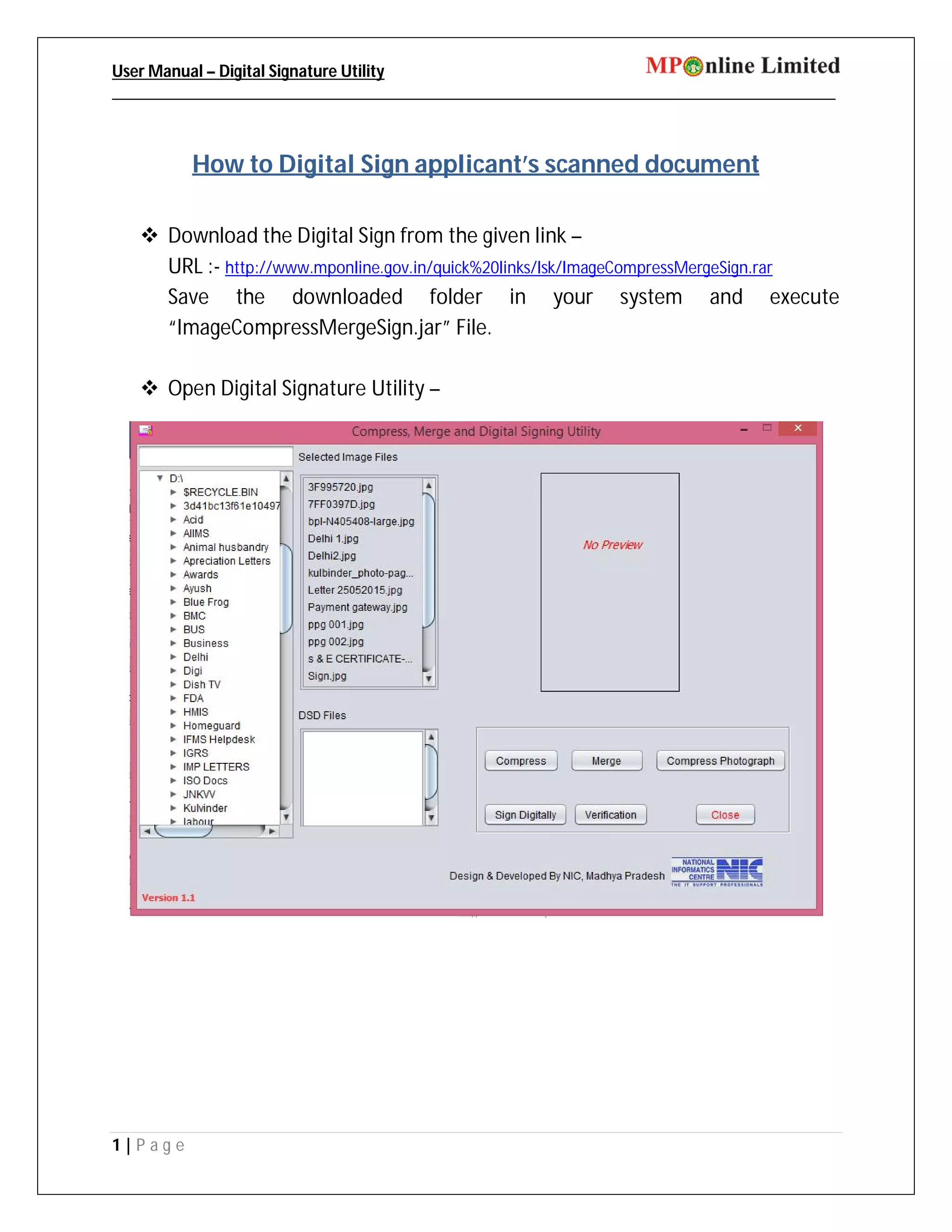
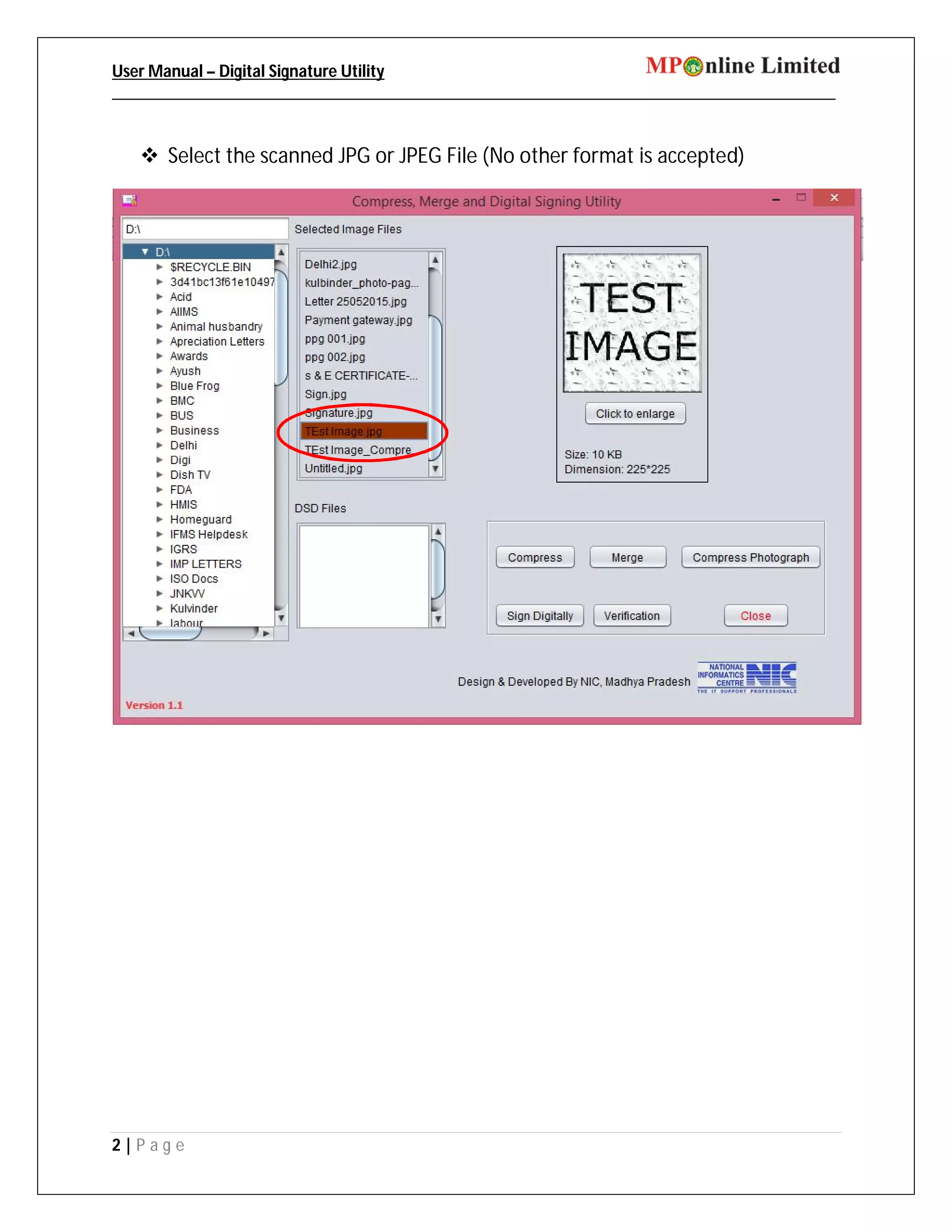
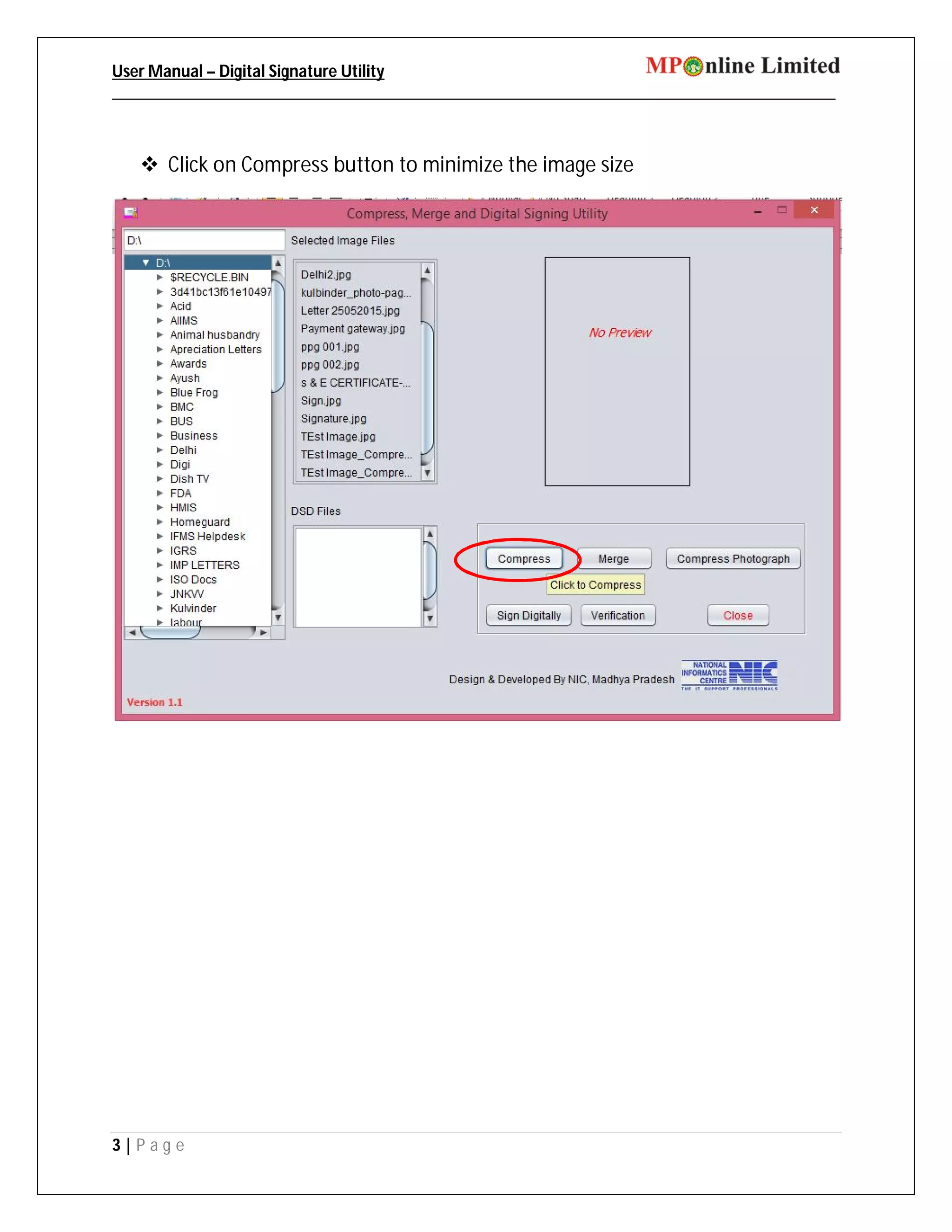
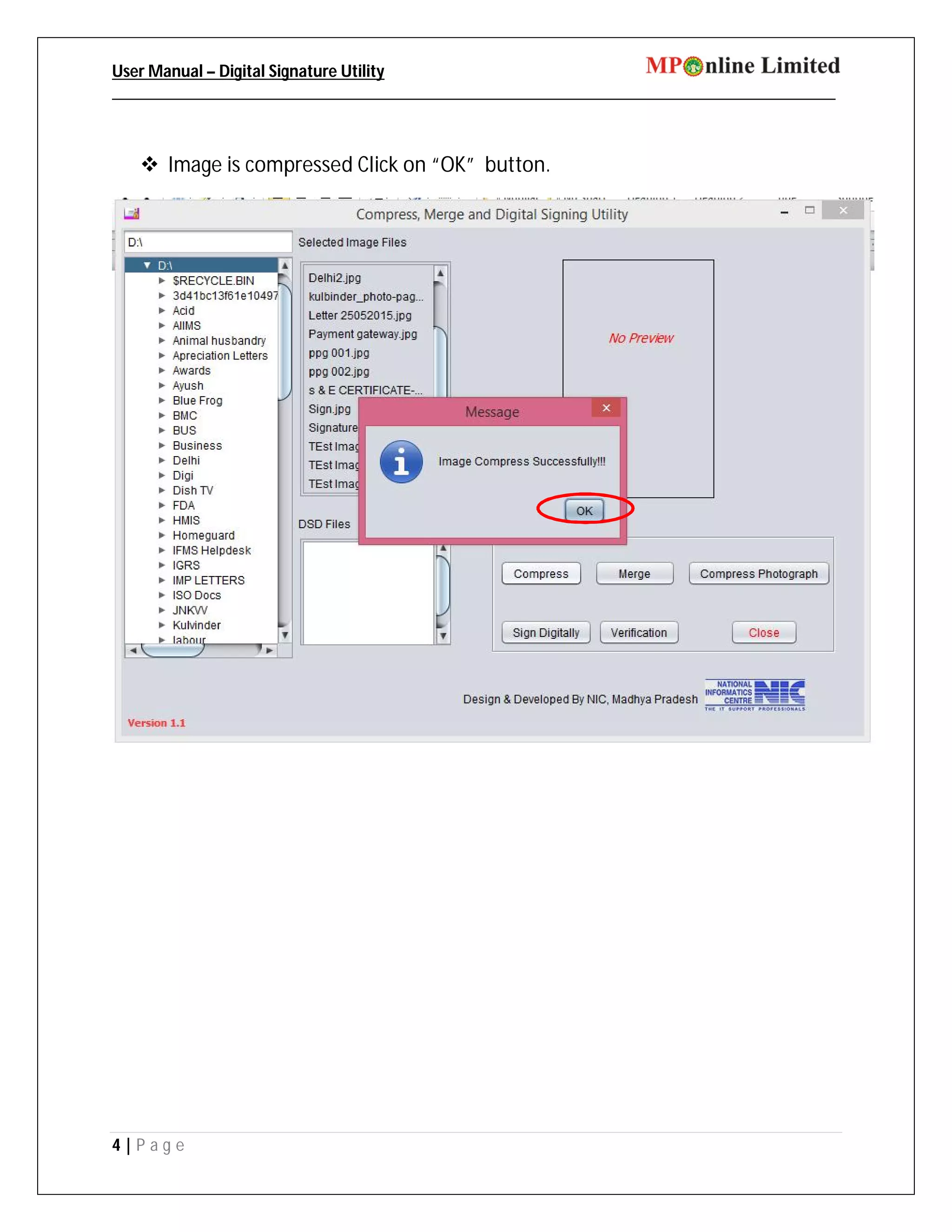
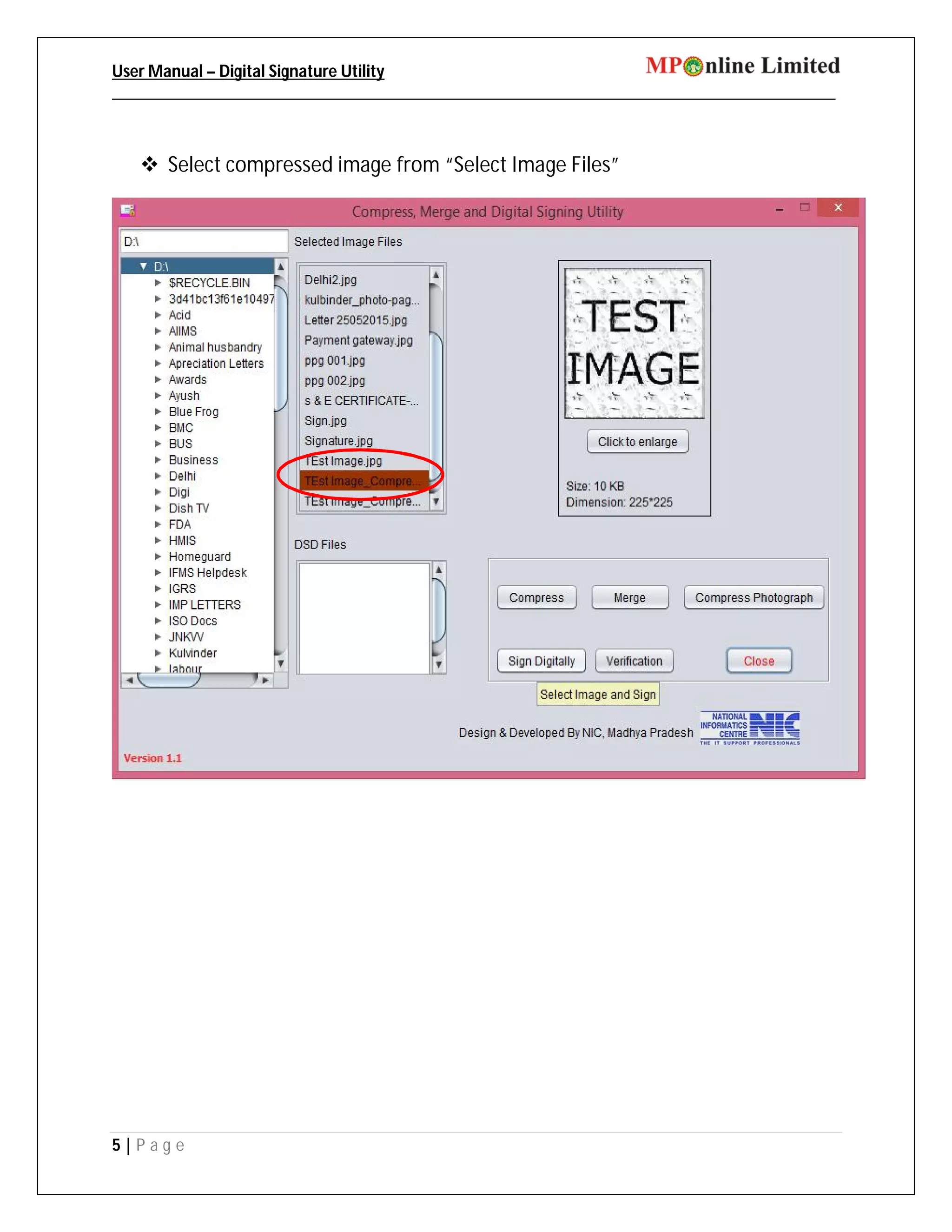
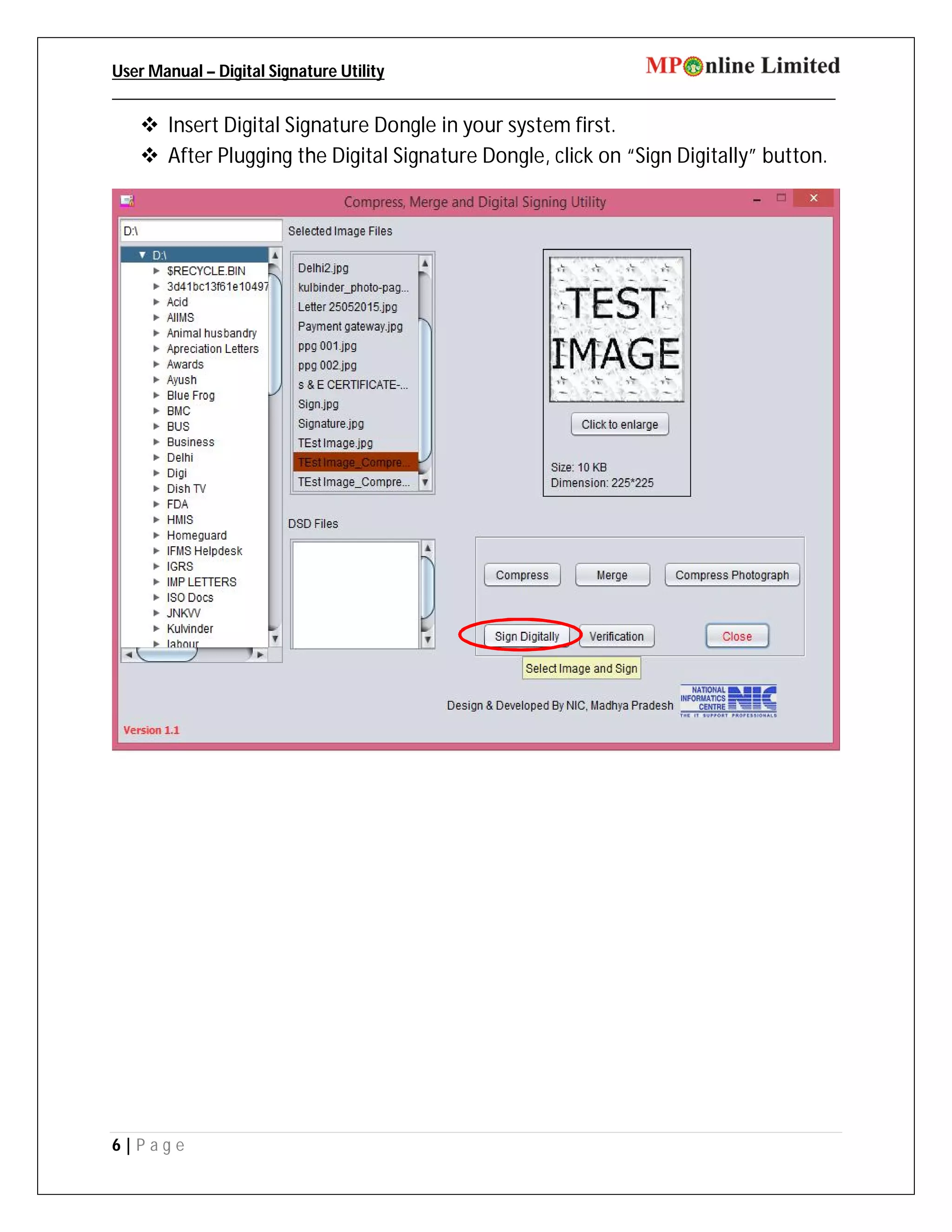
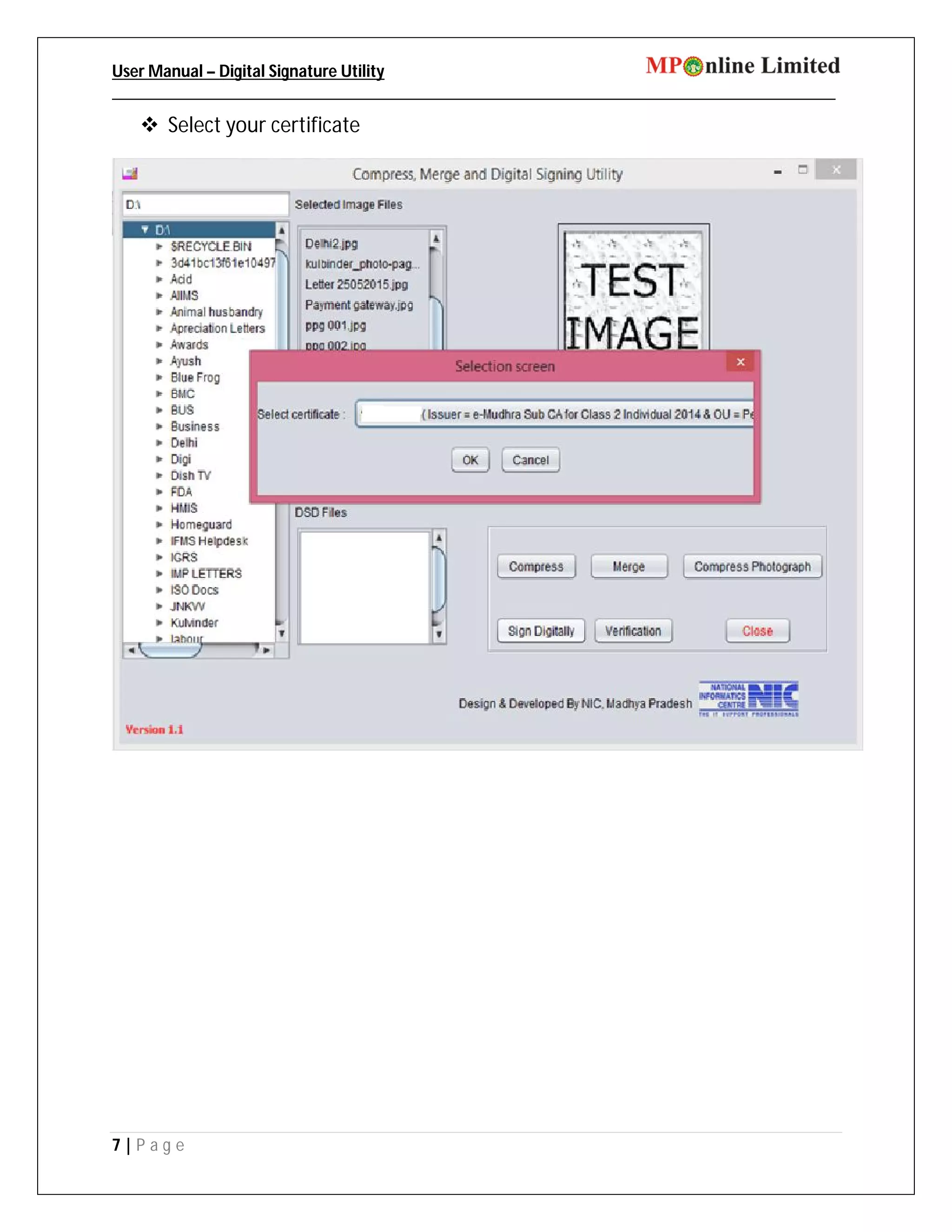
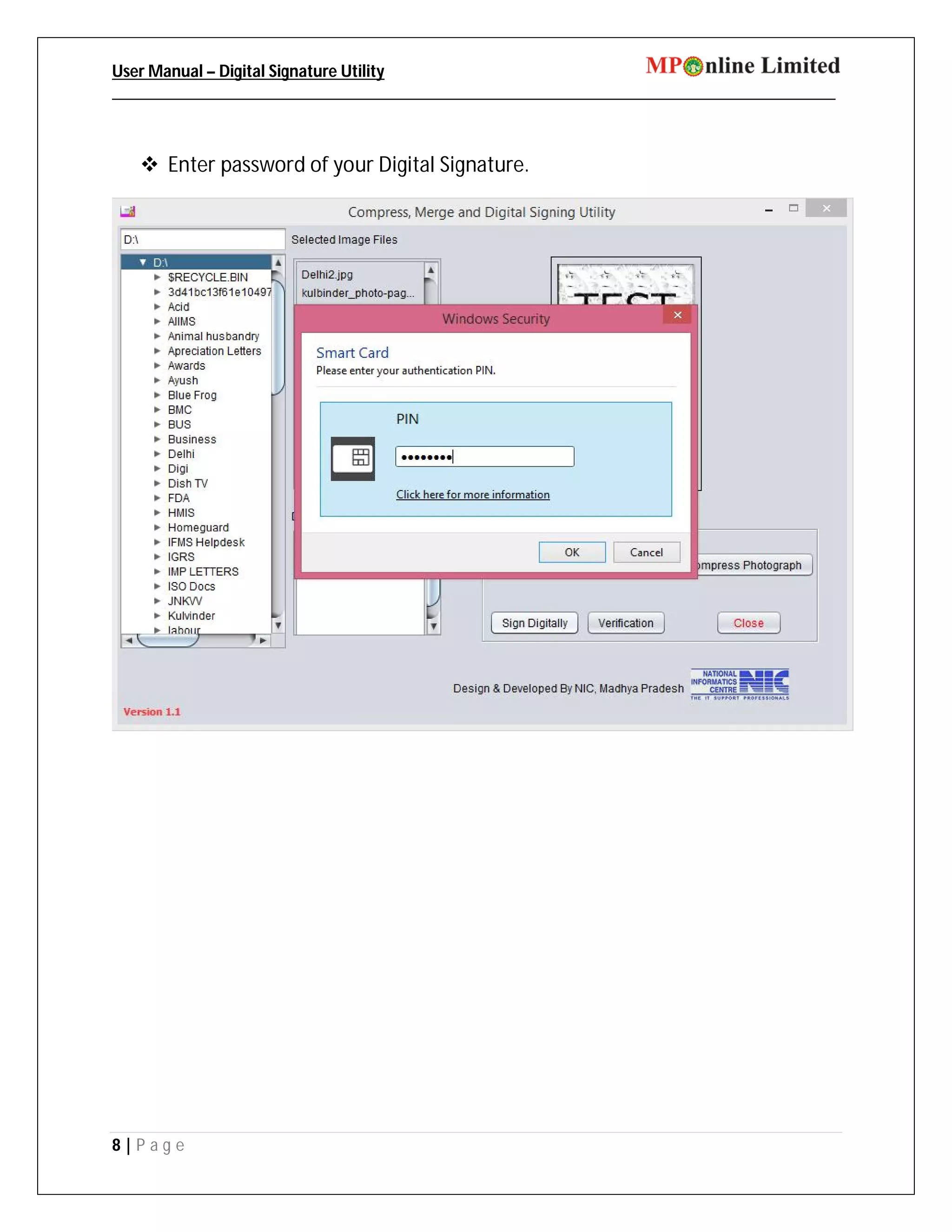


This document provides instructions for digitally signing scanned documents using a Digital Signature Utility. The user must first download and install the utility. They can then open the utility to select a JPG or JPEG file to compress and digitally sign. The digital signature dongle must be inserted before clicking to sign the document digitally. Once signed, the file is saved in .DSD format in the same location for uploading to the E-District portal.


