









How to create an Agile Office
www.xsolve.software
xsolve.software
Karolina Kołodziej
Communications Manager
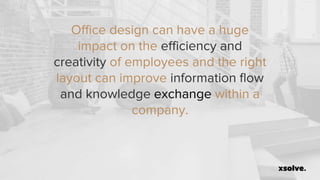
Office design can have a huge
impact on the efficiency and
creativity of employees and the right
layout can improve information flow
and knowledge exchange within a
company.
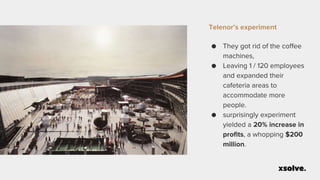
Telenor’s experiment
● They got rid of the coffee
machines,
● Leaving 1 / 120 employees
and expanded their
cafeteria areas to
accommodate more
people.
● surprisingly experiment
yielded a 20% increase in
profits, a whopping $200
million.
What is Agile Office?
www.xsolve.software
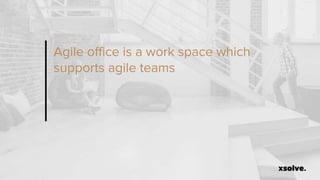
Agile office is a work space which
supports agile teams
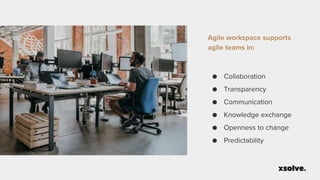
Agile workspace supports
agile teams in:
● Collaboration
● Transparency
● Communication
● Knowledge exchange
● Openness to change
● Predictability
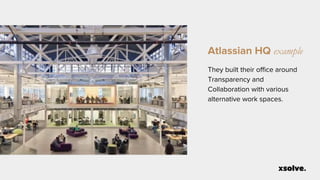
Atlassian HQ example
They built their office around
Transparency and
Collaboration with various
alternative work spaces.
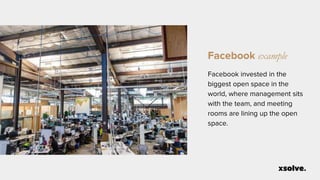
Facebook example
Facebook invested in the
biggest open space in the
world, where management sits
with the team, and meeting
rooms are lining up the open
space.
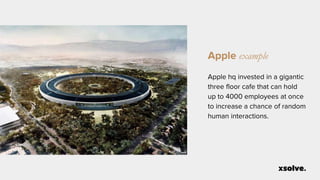
Apple example
Apple hq invested in a gigantic
three floor cafe that can hold
up to 4000 employees at once
to increase a chance of random
human interactions.
How to create Agile Office?
www.xsolve.software
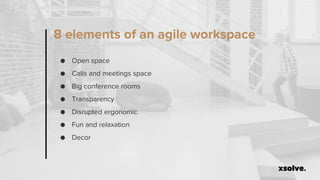
8 elements of an agile workspace
● Open space
● Calls and meetings space
● Big conference rooms
● Transparency
● Disrupted ergonomic
● Fun and relaxation
● Decor
Create Open Concept Space 2.0
www.xsolve.software
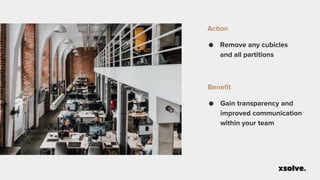
● Remove any cubicles
and all partitions
Action
● Gain transparency and
improved communication
within your team
Benefit
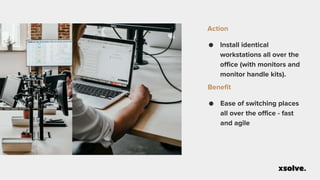
● Install identical
workstations all over the
office (with monitors and
monitor handle kits).
Action
● Ease of switching places
all over the office - fast
and agile
Benefit
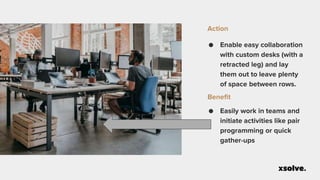
● Enable easy collaboration
with custom desks (with a
retracted leg) and lay
them out to leave plenty
of space between rows.
Action
● Easily work in teams and
initiate activities like pair
programming or quick
gather-ups
Benefit
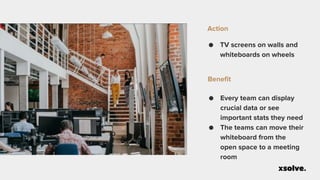
● TV screens on walls and
whiteboards on wheels
Action
● Every team can display
crucial data or see
important stats they need
● The teams can move their
whiteboard from the
open space to a meeting
room
Benefit
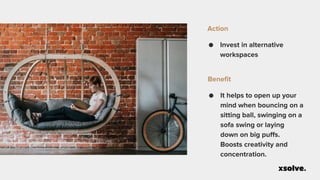
● Invest in alternative
workspaces
Action
● It helps to open up your
mind when bouncing on a
sitting ball, swinging on a
sofa swing or laying
down on big puffs.
Boosts creativity and
concentration.
Benefit
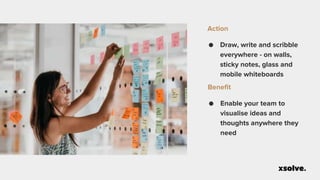
● Draw, write and scribble
everywhere - on walls,
sticky notes, glass and
mobile whiteboards
Action
● Enable your team to
visualise ideas and
thoughts anywhere they
need
Benefit
Create Team Meeting Rooms
www.xsolve.software
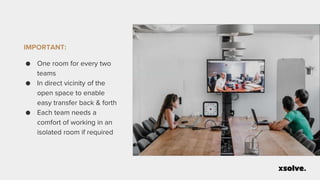
IMPORTANT:
● One room for every two
teams
● In direct vicinity of the
open space to enable
easy transfer back & forth
● Each team needs a
comfort of working in an
isolated room if required
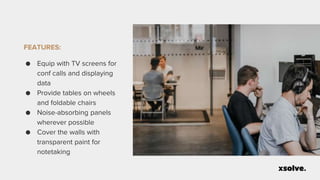
FEATURES:
● Equip with TV screens for
conf calls and displaying
data
● Provide tables on wheels
and foldable chairs
● Noise-absorbing panels
wherever possible
● Cover the walls with
transparent paint for
notetaking
Create Big Conference Rooms
www.xsolve.software
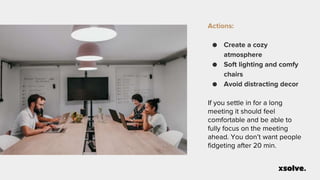
Actions:
● Create a cozy
atmosphere
● Soft lighting and comfy
chairs
● Avoid distracting decor
If you settle in for a long
meeting it should feel
comfortable and be able to
fully focus on the meeting
ahead. You don’t want people
fidgeting after 20 min.
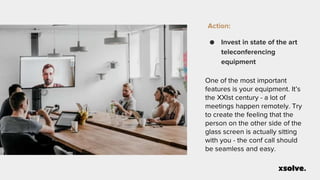
Action:
● Invest in state of the art
teleconferencing
equipment
One of the most important
features is your equipment. It’s
the XXIst century - a lot of
meetings happen remotely. Try
to create the feeling that the
person on the other side of the
glass screen is actually sitting
with you - the conf call should
be seamless and easy.
Action:
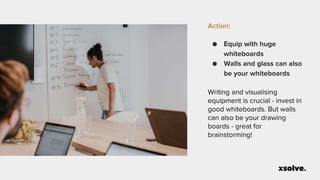
● Equip with huge
whiteboards
● Walls and glass can also
be your whiteboards
Writing and visualising
equipment is crucial - invest in
good whiteboards. But walls
can also be your drawing
boards - great for
brainstorming!
Support Transparency
www.xsolve.software
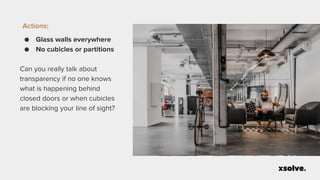
Actions:
● Glass walls everywhere
● No cubicles or partitions
Can you really talk about
transparency if no one knows
what is happening behind
closed doors or when cubicles
are blocking your line of sight?
FEATURES:
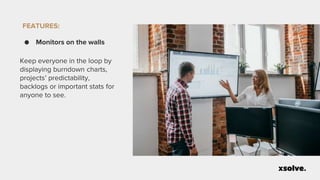
● Monitors on the walls
Keep everyone in the loop by
displaying burndown charts,
projects’ predictability,
backlogs or important stats for
anyone to see.
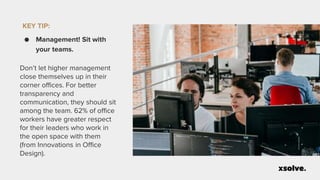
KEY TIP:
● Management! Sit with
your teams.
Don’t let higher management
close themselves up in their
corner offices. For better
transparency and
communication, they should sit
among the team. 62% of office
workers have greater respect
for their leaders who work in
the open space with them
(from Innovations in Office
Design).
Create Disrupted Ergonomics
www.xsolve.software
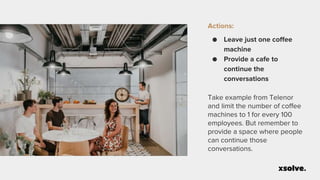
Actions:
● Leave just one coffee
machine
● Provide a cafe to
continue the
conversations
Take example from Telenor
and limit the number of coffee
machines to 1 for every 100
employees. But remember to
provide a space where people
can continue those
conversations.
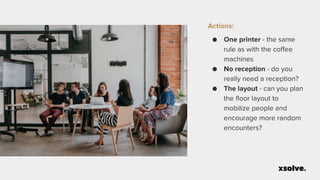
Actions:
● One printer - the same
rule as with the coffee
machines
● No reception - do you
really need a reception?
● The layout - can you plan
the floor layout to
mobilize people and
encourage more random
encounters?
Create Fun & Relaxation Areas
www.xsolve.software
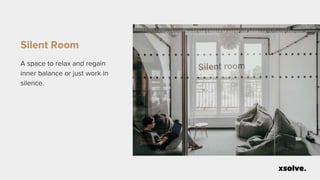
Silent Room
A space to relax and regain
inner balance or just work in
silence.
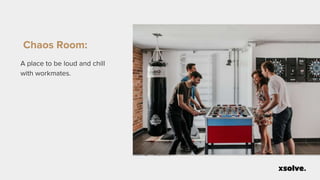
Chaos Room:
A place to be loud and chill
with workmates.
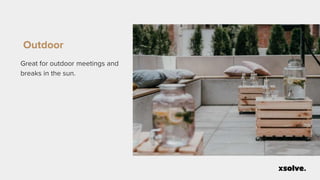
Outdoor
Great for outdoor meetings and
breaks in the sun.
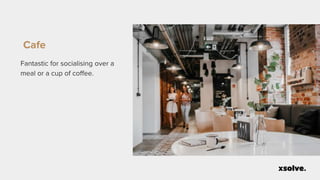
Cafe
Fantastic for socialising over a
meal or a cup of coffee.
Remember about Smart Decor
www.xsolve.software
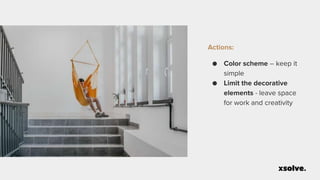
Actions:
● Color scheme – keep it
simple
● Limit the decorative
elements - leave space
for work and creativity
Actions:
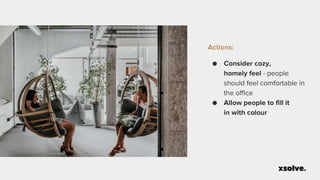
● Consider cozy,
homely feel - people
should feel comfortable in
the office
● Allow people to fill it
in with colour
Thank You!
https://xsolve.software hello@xsolve.pl

How to Create an Agile Office

  • 1.
    How to createan Agile Office www.xsolve.software
  • 2.
  • 3.
  • 4.
    Office design canhave a huge impact on the efficiency and creativity of employees and the right layout can improve information flow and knowledge exchange within a company.
  • 5.
    Telenor’s experiment ● Theygot rid of the coffee machines, ● Leaving 1 / 120 employees and expanded their cafeteria areas to accommodate more people. ● surprisingly experiment yielded a 20% increase in profits, a whopping $200 million.
  • 6.
    What is AgileOffice? www.xsolve.software
  • 7.
    Agile office isa work space which supports agile teams
  • 8.
    Agile workspace supports agileteams in: ● Collaboration ● Transparency ● Communication ● Knowledge exchange ● Openness to change ● Predictability
  • 9.
    Atlassian HQ example Theybuilt their office around Transparency and Collaboration with various alternative work spaces.
  • 10.
    Facebook example Facebook investedin the biggest open space in the world, where management sits with the team, and meeting rooms are lining up the open space.
  • 11.
    Apple example Apple hqinvested in a gigantic three floor cafe that can hold up to 4000 employees at once to increase a chance of random human interactions.
  • 12.
    How to createAgile Office? www.xsolve.software
  • 13.
    8 elements ofan agile workspace ● Open space ● Calls and meetings space ● Big conference rooms ● Transparency ● Disrupted ergonomic ● Fun and relaxation ● Decor
  • 14.
    Create Open ConceptSpace 2.0 www.xsolve.software
  • 15.
    ● Remove anycubicles and all partitions Action ● Gain transparency and improved communication within your team Benefit
  • 16.
    ● Install identical workstationsall over the office (with monitors and monitor handle kits). Action ● Ease of switching places all over the office - fast and agile Benefit
  • 17.
    ● Enable easycollaboration with custom desks (with a retracted leg) and lay them out to leave plenty of space between rows. Action ● Easily work in teams and initiate activities like pair programming or quick gather-ups Benefit
  • 18.
    ● TV screenson walls and whiteboards on wheels Action ● Every team can display crucial data or see important stats they need ● The teams can move their whiteboard from the open space to a meeting room Benefit
  • 19.
    ● Invest inalternative workspaces Action ● It helps to open up your mind when bouncing on a sitting ball, swinging on a sofa swing or laying down on big puffs. Boosts creativity and concentration. Benefit
  • 20.
    ● Draw, writeand scribble everywhere - on walls, sticky notes, glass and mobile whiteboards Action ● Enable your team to visualise ideas and thoughts anywhere they need Benefit
  • 21.
    Create Team MeetingRooms www.xsolve.software
  • 22.
    IMPORTANT: ● One roomfor every two teams ● In direct vicinity of the open space to enable easy transfer back & forth ● Each team needs a comfort of working in an isolated room if required
  • 23.
    FEATURES: ● Equip withTV screens for conf calls and displaying data ● Provide tables on wheels and foldable chairs ● Noise-absorbing panels wherever possible ● Cover the walls with transparent paint for notetaking
  • 24.
    Create Big ConferenceRooms www.xsolve.software
  • 25.
    Actions: ● Create acozy atmosphere ● Soft lighting and comfy chairs ● Avoid distracting decor If you settle in for a long meeting it should feel comfortable and be able to fully focus on the meeting ahead. You don’t want people fidgeting after 20 min.
  • 26.
    Action: ● Invest instate of the art teleconferencing equipment One of the most important features is your equipment. It’s the XXIst century - a lot of meetings happen remotely. Try to create the feeling that the person on the other side of the glass screen is actually sitting with you - the conf call should be seamless and easy.
  • 27.
    Action: ● Equip withhuge whiteboards ● Walls and glass can also be your whiteboards Writing and visualising equipment is crucial - invest in good whiteboards. But walls can also be your drawing boards - great for brainstorming!
  • 28.
  • 29.
    Actions: ● Glass wallseverywhere ● No cubicles or partitions Can you really talk about transparency if no one knows what is happening behind closed doors or when cubicles are blocking your line of sight?
  • 30.
    FEATURES: ● Monitors onthe walls Keep everyone in the loop by displaying burndown charts, projects’ predictability, backlogs or important stats for anyone to see.
  • 31.
    KEY TIP: ● Management!Sit with your teams. Don’t let higher management close themselves up in their corner offices. For better transparency and communication, they should sit among the team. 62% of office workers have greater respect for their leaders who work in the open space with them (from Innovations in Office Design).
  • 32.
  • 33.
    Actions: ● Leave justone coffee machine ● Provide a cafe to continue the conversations Take example from Telenor and limit the number of coffee machines to 1 for every 100 employees. But remember to provide a space where people can continue those conversations.
  • 34.
    Actions: ● One printer- the same rule as with the coffee machines ● No reception - do you really need a reception? ● The layout - can you plan the floor layout to mobilize people and encourage more random encounters?
  • 35.
    Create Fun &Relaxation Areas www.xsolve.software
  • 36.
    Silent Room A spaceto relax and regain inner balance or just work in silence.
  • 37.
    Chaos Room: A placeto be loud and chill with workmates.
  • 38.
    Outdoor Great for outdoormeetings and breaks in the sun.
  • 39.
    Cafe Fantastic for socialisingover a meal or a cup of coffee.
  • 40.
    Remember about SmartDecor www.xsolve.software
  • 41.
    Actions: ● Color scheme– keep it simple ● Limit the decorative elements - leave space for work and creativity
  • 42.
    Actions: ● Consider cozy, homelyfeel - people should feel comfortable in the office ● Allow people to fill it in with colour
  • 43.
  • 44.

Editor's Notes

  • #2 MAIN TITLE Tytuł główny 42px Garamond Reg. Podtytuł 18px Proxima Reg. Poto wg ustawień w Image options
  • #3 XSOLVE FIX
  • #4 SPEAKER Nazwisko 25px Proxima Bold Podtytuł 18px Garamond Social media 14px Proxima Reg.
  • #5 WHITE_TITLE Testimonial lub tytuł 42px Garamond Reg.
  • #6 TWO TITLES + PHOTO + LIST Tytuł ZŁOTY 16px Proxima Bold. Tytuł główny 22px Proxima Bold Bullets 16 px
  • #7 MAIN TITLE Tytuł główny 42px Garamond Reg. Podtytuł 18px Proxima Reg. Poto wg ustawień w Image options
  • #8 WHITE_TITLE Testimonial lub tytuł 42px Garamond Reg.
  • #9 TWO TITLES + PHOTO + LIST Tytuł ZŁOTY 16px Proxima Bold. Tytuł główny 22px Proxima Bold Bullets 16 px
  • #10 They built their office around Transparency and Collaboration with various alternative work spaces
  • #11 Facebook invested in the biggest open space in the world, where management sits with the team, and meeting rooms are lining up the open space
  • #12 Apple hq invested in gigantic three floor cafe that can hold up to 4000 employees at once to increase human interactions
  • #13 MAIN TITLE Tytuł główny 42px Garamond Reg. Podtytuł 18px Proxima Reg. Poto wg ustawień w Image options
  • #14 WHITE_TITLE Testimonial lub tytuł 42px Garamond Reg.
  • #15 MAIN TITLE Tytuł główny 42px Garamond Reg. Podtytuł 18px Proxima Reg. Poto wg ustawień w Image options
  • #16 Two of the greatest strengths of an open-concept space is that it improves communication and transparency, so all partitions should be taken down. If your people cannot see each other and team members are unable to freely communicate then you don’t have a truly open space.
  • #17 Consider installing terminals or workstations at every desk so it’s easy for developers to move around, changing seats and teams – they can just plug and work. Remember to invest in good monitor handle kits, so each individual can adjust the screen according to their specific needs.
  • #18 Retracted desk leg allows pair work (like pair programming). Equally importnat is spacing - The desks are layed oud in a way that you can easily move around the,
  • #19 Every time has their own screen to display crucial data - they can just turn their head and see the burndown chart, backlog, stats. Each time also has a whiteboard on wheels that can be easily taken into a room and then taken back to where the team sits.
  • #20 Sometimes changing the spot where you work can shift your mind into the next gear. We offer bouncy balls to sit at the desk. Standing desks, swings, sofas, puffs on the stage. You can even lay down if you want to.
  • #21 Visualising concepts and ideas is one of the most powerful tools for learning and decision-making. We covered the walls with translucent paint so people can use them as whiteboards. Additionally, the sticky notes can be used everywhere. So don’t cover your walls with unnecessary decorative elements and allow your teams to use them
  • #22 MAIN TITLE Tytuł główny 42px Garamond Reg. Podtytuł 18px Proxima Reg. Poto wg ustawień w Image options
  • #25 MAIN TITLE Tytuł główny 42px Garamond Reg. Podtytuł 18px Proxima Reg. Poto wg ustawień w Image options
  • #26 If you settle in for a long meeting it should feel comfortable and allow them to fully focus on the meeting ahead. You don’t want people fidgeting after 20 min. So soft lights and and comfy chairs are key but also the decor - make it plain make it simple.
  • #27 One of the most important features is your equipment. It’s the XXIst century - a lot of meetings happen remotely. Try to recreate the feeling that the person on the other side of glass screen is actually sitting with you - the conf call should be seamless and easy.
  • #28 Again writing and visualising equipment is crucial - invest in good whiteboards. But walls can also be your drawing boards. Also great for brain storming
  • #29 MAIN TITLE Tytuł główny 42px Garamond Reg. Podtytuł 18px Proxima Reg. Poto wg ustawień w Image options
  • #30 Can you really talk about transparency if no one knows what is happening behind closed doors or when cubicles are blocking your line of sight?
  • #31 Keep everyone in the loop by displaying burndown charts, projects’ predictability, backlogs or important stats for anyone to see.
  • #32 Don’t let higher management close themselves up in their corner offices. For better transparency and communication, they should sit among the team – they are part of it, after all! 62% of office workers have greater respect for their leaders who work in the open space with them (from Innovations in Office Design).
  • #33 MAIN TITLE Tytuł główny 42px Garamond Reg. Podtytuł 18px Proxima Reg. Poto wg ustawień w Image options
  • #34 Take example from Telenor and limit the number of coffee machines to 1 for every 100 emplyees. But remember to provide a space where people can contnue those conversations.
  • #35 TWO TITLES + PHOTO + LIST Tytuł ZŁOTY 16px Proxima Bold. Tytuł główny 22px Proxima Bold Bullets 16 px
  • #36 MAIN TITLE Tytuł główny 42px Garamond Reg. Podtytuł 18px Proxima Reg. Poto wg ustawień w Image options
  • #37 TWO TITLES + PHOTO + LIST Tytuł ZŁOTY 16px Proxima Bold. Tytuł główny 22px Proxima Bold Bullets 16 px
  • #38 TWO TITLES + PHOTO + LIST Tytuł ZŁOTY 16px Proxima Bold. Tytuł główny 22px Proxima Bold Bullets 16 px
  • #39 TWO TITLES + PHOTO + LIST Tytuł ZŁOTY 16px Proxima Bold. Tytuł główny 22px Proxima Bold Bullets 16 px
  • #40 TWO TITLES + PHOTO + LIST Tytuł ZŁOTY 16px Proxima Bold. Tytuł główny 22px Proxima Bold Bullets 16 px
  • #41 MAIN TITLE Tytuł główny 42px Garamond Reg. Podtytuł 18px Proxima Reg. Poto wg ustawień w Image options
  • #42 TWO TITLES + PHOTO + LIST Tytuł ZŁOTY 16px Proxima Bold. Tytuł główny 22px Proxima Bold Bullets 16 px
  • #43 TWO TITLES + PHOTO + LIST Tytuł ZŁOTY 16px Proxima Bold. Tytuł główny 22px Proxima Bold Bullets 16 px
  • #44 THANK YOU #2 FIX
  • #45 SOCIAL MEDIA #1 FIX