HOW TO CREATE A COGNOS
ANALYTICS DASHBOARD
Using the New Drill-Down Feature
• Introductions
• Cognos Analytics dashboard releases overview
• Demo
– Creating dashboards from a relational source
– Add drill through reports to dashboard
– Creating dashboards from files
• Senturus overview
• Additional resources
• Q&A
Agenda
©2018 Senturus, Inc. All rights reserved. 2
©2018 Senturus, Inc. All rights reserved.
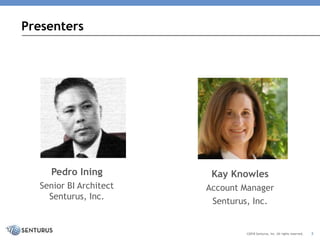
Pedro Ining
Senior BI Architect
Senturus, Inc.
Presenters
Kay Knowles
Account Manager
Senturus, Inc.
3
Hundreds of Free Resources
http://www.senturus.com/resources/
RESOURCE LIBRARY
An extensive, free library of past webinars,
demonstrations, whitepapers, presentations, helpful
hints, and more.
©2018 Senturus, Inc. All rights reserved. 4
This slide deck is from the webinar
How to Create a Cognos Analytics
To view the FREE video recording or download this deck
go to:
https://www.senturus.com/resources/how-to-create-a-
cognos-analytics-dashboard/
Hear the Recording
Copyright 2017 Senturus, Inc. All Rights Reserved.
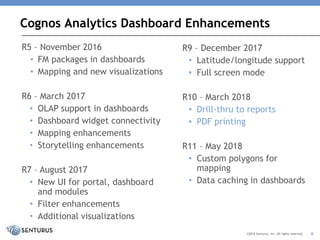
Cognos Analytics Dashboard Enhancements
6
R5 – November 2016
• FM packages in dashboards
• Mapping and new visualizations
R6 – March 2017
• OLAP support in dashboards
• Dashboard widget connectivity
• Mapping enhancements
• Storytelling enhancements
R7 – August 2017
• New UI for portal, dashboard
and modules
• Filter enhancements
• Additional visualizations
R9 – December 2017
• Latitude/longitude support
• Full screen mode
R10 – March 2018
• Drill-thru to reports
• PDF printing
R11 – May 2018
• Custom polygons for
mapping
• Data caching in dashboards
©2018 Senturus, Inc. All rights reserved.
See Demos at
https://www.senturus.com/resourc
es/how-to-create-a-cognos-
analytics-dashboard/
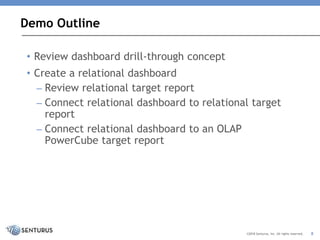
• Review dashboard drill-through concept
• Create a relational dashboard
– Review relational target report
– Connect relational dashboard to relational target
report
– Connect relational dashboard to an OLAP
PowerCube target report
Demo Outline
8©2018 Senturus, Inc. All rights reserved.
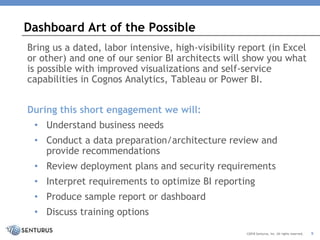
Bring us a dated, labor intensive, high-visibility report (in Excel
or other) and one of our senior BI architects will show you what
is possible with improved visualizations and self-service
capabilities in Cognos Analytics, Tableau or Power BI.
During this short engagement we will:
• Understand business needs
• Conduct a data preparation/architecture review and
provide recommendations
• Review deployment plans and security requirements
• Interpret requirements to optimize BI reporting
• Produce sample report or dashboard
• Discuss training options
Dashboard Art of the Possible
©2018 Senturus, Inc. All rights reserved. 9
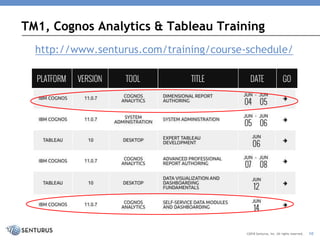
http://www.senturus.com/training/course-schedule/
TM1, Cognos Analytics & Tableau Training
©2018 Senturus, Inc. All rights reserved. 10
Answers to Participant Questions
QUESTIONS & ANSWERS
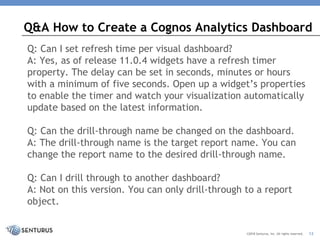
Q: Can I set refresh time per visual dashboard?
A: Yes, as of release 11.0.4 widgets have a refresh timer
property. The delay can be set in seconds, minutes or hours
with a minimum of five seconds. Open up a widget’s properties
to enable the timer and watch your visualization automatically
update based on the latest information.
Q: Can the drill-through name be changed on the dashboard.
A: The drill-through name is the target report name. You can
change the report name to the desired drill-through name.
Q: Can I drill through to another dashboard?
A: Not on this version. You can only drill-through to a report
object.
Q&A How to Create a Cognos Analytics Dashboard
©2018 Senturus, Inc. All rights reserved. 12
Q: Can I still have full interactive reports in addition to
drill through at the same time?
A: Yes, the drill target can still be run independently.
Q: Can there be customized tooltips for more information
on the teams?
A: No, not on this version.
Q: Is there any way to enlarge the font size within the
visualization?
A: The fonts scale as the screen becomes larger. There is
currently not a method to have the fonts be a specific
size.
Q&A How to Create a Cognos Analytics Dashboard
©2018 Senturus, Inc. All rights reserved. 13
Q: What are the limitations on the navigation path?
A: The navigation path must be pre-defined on the data
source or data module.
Q: Is it possible for me to pick a template and then
change it to another (so to add another container)?
A: If you select a certain template to begin with you don't
have to use the containers. You can size objects any way
you want (and add more objects than containers) and not
use the template boxes at all. And yes, in the latest
version you can change to another template after you pick
an initial one. This is only available on tabbed templates.
In edit mode click on the tab and you will see an option to
select a different template.
Q&A How to Create a Cognos Analytics Dashboard
©2018 Senturus, Inc. All rights reserved. 14
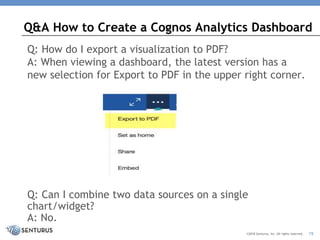
Q: How do I export a visualization to PDF?
A: When viewing a dashboard, the latest version has a
new selection for Export to PDF in the upper right corner.
Q: Can I combine two data sources on a single
chart/widget?
A: No.
Q&A How to Create a Cognos Analytics Dashboard
©2018 Senturus, Inc. All rights reserved. 15
Q: With the reintroduction of Portal Tabs in 11.0.11, do
you have any comments about going back to using them?
We moved away from them and I'm wondering if we
should go back to using them?
A: This is a rather extensive topic, read about Cognos
Portal Tabs: Past, Present and Future in our blog post for
some guidance.
Q: If vizzes on a dashboard use different data sources will
their behavior still be linked if the column names are the
same?
A: No.
Q&A How to Create a Cognos Analytics Dashboard
©2018 Senturus, Inc. All rights reserved. 16
Q: In dashboards is there a gauge type visualization
available?
A: Not exactly, the closest would be the radial bar.
Q: Can I join filters across two different data sources, i.e
filter year?
A: This could be done by creating a data module to source
the dashboard instead that combines the different data
sources.
Q: Can we build dependent/cascading filters in the global
filters or ‘this tab’ filters?
A: No.
Q&A How to Create a Cognos Analytics Dashboard
©2018 Senturus, Inc. All rights reserved. 17
Q: In dashboards can we still use Framework Manager and
cube charts and if so can they be made interactive?
A: Dashboards can be sourced from packages and/or data
modules. Data modules can be sourced from packages,
flat files, data sets (can be sourced from cubes) and
direct server connections.
Q&A How to Create a Cognos Analytics Dashboard
©2018 Senturus, Inc. All rights reserved. 18
Business Analytics Consultants
WHO WE ARE
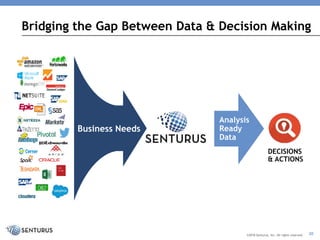
Bridging the Gap Between Data & Decision Making
Analysis
Ready
Data
DECISIONS
& ACTIONS
Business Needs
Analysis
Ready
Data
©2018 Senturus, Inc. All rights reserved. 20
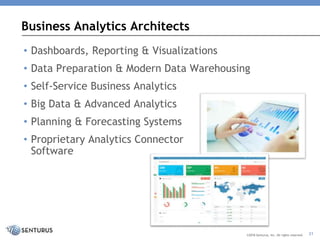
• Dashboards, Reporting & Visualizations
• Data Preparation & Modern Data Warehousing
• Self-Service Business Analytics
• Big Data & Advanced Analytics
• Planning & Forecasting Systems
• Proprietary Analytics Connector
Software
Business Analytics Architects
©2018 Senturus, Inc. All rights reserved. 21
1200+ Clients, 2000+ Projects, 17+ Years
©2018 Senturus, Inc. All rights reserved. 22
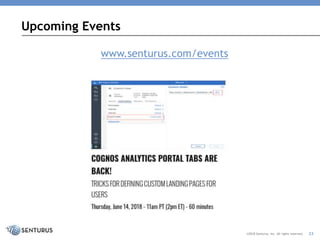
Upcoming Events
©2018 Senturus, Inc. All rights reserved. 23
www.senturus.com/events
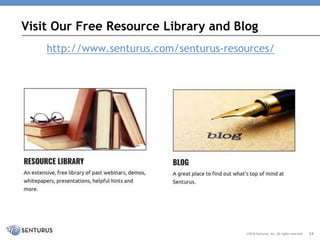
http://www.senturus.com/senturus-resources/
Visit Our Free Resource Library and Blog
©2018 Senturus, Inc. All rights reserved. 24
Thank You!
www.senturus.com
info@senturus.com
888 601 6010
Copyright 2018 by Senturus, Inc.
This entire presentation is copyrighted and may not be
reused or distributed without the written consent of
Senturus, Inc.
25©2018 Senturus, Inc. All rights reserved.

How to Create a Cognos Analytics Dashboard

  • 1.
    HOW TO CREATEA COGNOS ANALYTICS DASHBOARD Using the New Drill-Down Feature
  • 2.
    • Introductions • CognosAnalytics dashboard releases overview • Demo – Creating dashboards from a relational source – Add drill through reports to dashboard – Creating dashboards from files • Senturus overview • Additional resources • Q&A Agenda ©2018 Senturus, Inc. All rights reserved. 2
  • 3.
    ©2018 Senturus, Inc.All rights reserved. Pedro Ining Senior BI Architect Senturus, Inc. Presenters Kay Knowles Account Manager Senturus, Inc. 3
  • 4.
    Hundreds of FreeResources http://www.senturus.com/resources/ RESOURCE LIBRARY An extensive, free library of past webinars, demonstrations, whitepapers, presentations, helpful hints, and more. ©2018 Senturus, Inc. All rights reserved. 4
  • 5.
    This slide deckis from the webinar How to Create a Cognos Analytics To view the FREE video recording or download this deck go to: https://www.senturus.com/resources/how-to-create-a- cognos-analytics-dashboard/ Hear the Recording Copyright 2017 Senturus, Inc. All Rights Reserved.
  • 6.
    Cognos Analytics DashboardEnhancements 6 R5 – November 2016 • FM packages in dashboards • Mapping and new visualizations R6 – March 2017 • OLAP support in dashboards • Dashboard widget connectivity • Mapping enhancements • Storytelling enhancements R7 – August 2017 • New UI for portal, dashboard and modules • Filter enhancements • Additional visualizations R9 – December 2017 • Latitude/longitude support • Full screen mode R10 – March 2018 • Drill-thru to reports • PDF printing R11 – May 2018 • Custom polygons for mapping • Data caching in dashboards ©2018 Senturus, Inc. All rights reserved.
  • 7.
  • 8.
    • Review dashboarddrill-through concept • Create a relational dashboard – Review relational target report – Connect relational dashboard to relational target report – Connect relational dashboard to an OLAP PowerCube target report Demo Outline 8©2018 Senturus, Inc. All rights reserved.
  • 9.
    Bring us adated, labor intensive, high-visibility report (in Excel or other) and one of our senior BI architects will show you what is possible with improved visualizations and self-service capabilities in Cognos Analytics, Tableau or Power BI. During this short engagement we will: • Understand business needs • Conduct a data preparation/architecture review and provide recommendations • Review deployment plans and security requirements • Interpret requirements to optimize BI reporting • Produce sample report or dashboard • Discuss training options Dashboard Art of the Possible ©2018 Senturus, Inc. All rights reserved. 9
  • 10.
    http://www.senturus.com/training/course-schedule/ TM1, Cognos Analytics& Tableau Training ©2018 Senturus, Inc. All rights reserved. 10
  • 11.
    Answers to ParticipantQuestions QUESTIONS & ANSWERS
  • 12.
    Q: Can Iset refresh time per visual dashboard? A: Yes, as of release 11.0.4 widgets have a refresh timer property. The delay can be set in seconds, minutes or hours with a minimum of five seconds. Open up a widget’s properties to enable the timer and watch your visualization automatically update based on the latest information. Q: Can the drill-through name be changed on the dashboard. A: The drill-through name is the target report name. You can change the report name to the desired drill-through name. Q: Can I drill through to another dashboard? A: Not on this version. You can only drill-through to a report object. Q&A How to Create a Cognos Analytics Dashboard ©2018 Senturus, Inc. All rights reserved. 12
  • 13.
    Q: Can Istill have full interactive reports in addition to drill through at the same time? A: Yes, the drill target can still be run independently. Q: Can there be customized tooltips for more information on the teams? A: No, not on this version. Q: Is there any way to enlarge the font size within the visualization? A: The fonts scale as the screen becomes larger. There is currently not a method to have the fonts be a specific size. Q&A How to Create a Cognos Analytics Dashboard ©2018 Senturus, Inc. All rights reserved. 13
  • 14.
    Q: What arethe limitations on the navigation path? A: The navigation path must be pre-defined on the data source or data module. Q: Is it possible for me to pick a template and then change it to another (so to add another container)? A: If you select a certain template to begin with you don't have to use the containers. You can size objects any way you want (and add more objects than containers) and not use the template boxes at all. And yes, in the latest version you can change to another template after you pick an initial one. This is only available on tabbed templates. In edit mode click on the tab and you will see an option to select a different template. Q&A How to Create a Cognos Analytics Dashboard ©2018 Senturus, Inc. All rights reserved. 14
  • 15.
    Q: How doI export a visualization to PDF? A: When viewing a dashboard, the latest version has a new selection for Export to PDF in the upper right corner. Q: Can I combine two data sources on a single chart/widget? A: No. Q&A How to Create a Cognos Analytics Dashboard ©2018 Senturus, Inc. All rights reserved. 15
  • 16.
    Q: With thereintroduction of Portal Tabs in 11.0.11, do you have any comments about going back to using them? We moved away from them and I'm wondering if we should go back to using them? A: This is a rather extensive topic, read about Cognos Portal Tabs: Past, Present and Future in our blog post for some guidance. Q: If vizzes on a dashboard use different data sources will their behavior still be linked if the column names are the same? A: No. Q&A How to Create a Cognos Analytics Dashboard ©2018 Senturus, Inc. All rights reserved. 16
  • 17.
    Q: In dashboardsis there a gauge type visualization available? A: Not exactly, the closest would be the radial bar. Q: Can I join filters across two different data sources, i.e filter year? A: This could be done by creating a data module to source the dashboard instead that combines the different data sources. Q: Can we build dependent/cascading filters in the global filters or ‘this tab’ filters? A: No. Q&A How to Create a Cognos Analytics Dashboard ©2018 Senturus, Inc. All rights reserved. 17
  • 18.
    Q: In dashboardscan we still use Framework Manager and cube charts and if so can they be made interactive? A: Dashboards can be sourced from packages and/or data modules. Data modules can be sourced from packages, flat files, data sets (can be sourced from cubes) and direct server connections. Q&A How to Create a Cognos Analytics Dashboard ©2018 Senturus, Inc. All rights reserved. 18
  • 19.
  • 20.
    Bridging the GapBetween Data & Decision Making Analysis Ready Data DECISIONS & ACTIONS Business Needs Analysis Ready Data ©2018 Senturus, Inc. All rights reserved. 20
  • 21.
    • Dashboards, Reporting& Visualizations • Data Preparation & Modern Data Warehousing • Self-Service Business Analytics • Big Data & Advanced Analytics • Planning & Forecasting Systems • Proprietary Analytics Connector Software Business Analytics Architects ©2018 Senturus, Inc. All rights reserved. 21
  • 22.
    1200+ Clients, 2000+Projects, 17+ Years ©2018 Senturus, Inc. All rights reserved. 22
  • 23.
    Upcoming Events ©2018 Senturus,Inc. All rights reserved. 23 www.senturus.com/events
  • 24.
    http://www.senturus.com/senturus-resources/ Visit Our FreeResource Library and Blog ©2018 Senturus, Inc. All rights reserved. 24
  • 25.
    Thank You! www.senturus.com info@senturus.com 888 6016010 Copyright 2018 by Senturus, Inc. This entire presentation is copyrighted and may not be reused or distributed without the written consent of Senturus, Inc. 25©2018 Senturus, Inc. All rights reserved.