NEW CAPABILITIES WITH
COGNOS DATA MODULES
Demos of Features that Boost
Self-Service Analytics
• Introductions
• Data modules
– Overview
– New features
– Demo
• Senturus overview
• Additional resources
• Q&A
Agenda
©2019 Senturus, Inc. All rights reserved.
©2019 Senturus, Inc. All rights reserved. 3
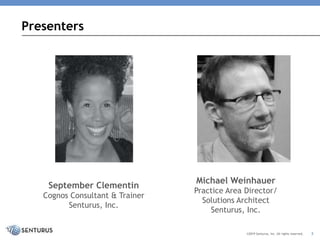
Presenters
Michael Weinhauer
Practice Area Director/
Solutions Architect
Senturus, Inc.
September Clementin
Cognos Consultant & Trainer
Senturus, Inc.
Hundreds of Free Resources
©2018 Senturus, Inc. All rights reserved. 4
www.senturus.com/resources/
This slide deck is from the webinar:
New Capabilities with Cognos Data Modules
To view the FREE video recording with demos and
download this deck, go to:
https://senturus.com/resources/new-capabilities-
with-cognos-data-modules/
Like What You See?
©2018 Senturus, Inc. All rights reserved. 5
IBM COGNOS ANALYTICS
DATA MODULES
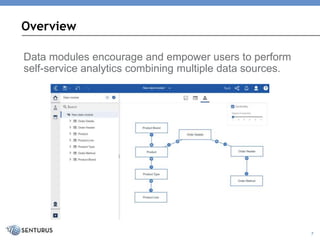
Data modules encourage and empower users to perform
self-service analytics combining multiple data sources.
Overview
7
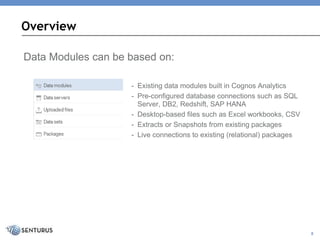
Data Modules can be based on:
- Existing data modules built in Cognos Analytics
- Pre-configured database connections such as SQL
Server, DB2, Redshift, SAP HANA
- Desktop-based files such as Excel workbooks, CSV
- Extracts or Snapshots from existing packages
- Live connections to existing (relational) packages
Overview
8
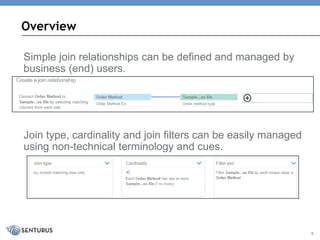
Simple join relationships can be defined and managed by
business (end) users.
Join type, cardinality and join filters can be easily managed
using non-technical terminology and cues.
Overview
9
Interface
10
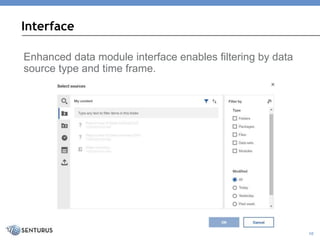
Enhanced data module interface enables filtering by data
source type and time frame.
Intent-Driven Modeling
11
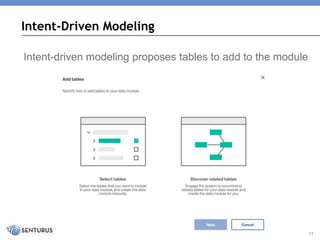
Intent-driven modeling proposes tables to add to the module
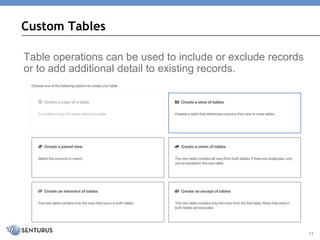
Custom Tables
12
Table operations can be used to include or exclude records
or to add additional detail to existing records.
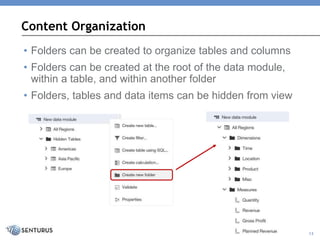
Content Organization
13
• Folders can be created to organize tables and columns
• Folders can be created at the root of the data module,
within a table, and within another folder
• Folders, tables and data items can be hidden from view
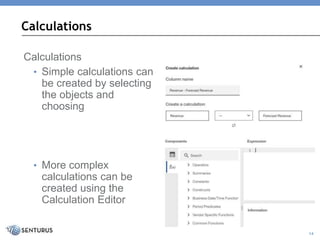
Calculations
• Simple calculations can
be created by selecting
the objects and
choosing
• More complex
calculations can be
created using the
Calculation Editor
Calculations
14
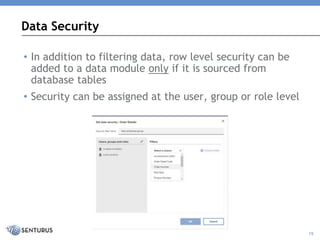
Data Security
15
• In addition to filtering data, row level security can be
added to a data module only if it is sourced from
database tables
• Security can be assigned at the user, group or role level
• Data granularity differences between data module sources
may need to be addressed
– Create table views, alter data module aggregation settings or
create calculations
– Create joins, sets or calculations directly in the report
• Data format must be consistent between fields used for
joins and between all columns when creating a union
between tables
• More complex modeling requirements (i.e. complex
security requirements, parameter maps, versioning) are
well suited for Framework Manager
Quick Tips
16
Enjoy the Full Webinar Presentation
17©2018 Senturus, Inc. All rights reserved.
To view the video recording with demos and download the
slide deck go to
https://senturus.com/resources/new-capabilities-with-
cognos-data-modules/
Visit our website to access our library of free BI
knowledge resources including events, blogs, demos,
whitepapers, other on-demand webinars and our
dashboard gallery
https://senturus.com/senturus-resources/
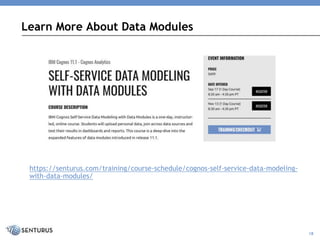
https://senturus.com/training/course-schedule/cognos-self-service-data-modeling-
with-data-modules/
Learn More About Data Modules
18
Need Help with Cognos? We Can Help!
©2018 Senturus, Inc. All rights reserved. 19
• Quick Start Upgrade
- Installation and configuration of development
environment plus full documentation
• Full Upgrade Implementation
- Full-service implementation across all appropriate
environments
- BI Experts on Demand
- Access to an entire team of BI experts to fill in as
needed
Contact us at: info@senturus.com or 888 601 6010 ext. 85
Full Spectrum of Services for BI
WHO WE ARE
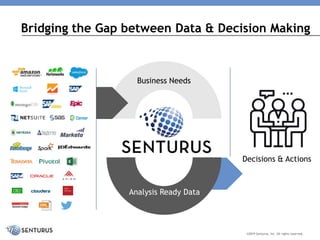
Decisions & Actions
©2019 Senturus, Inc. All rights reserved.
Business Needs
Analysis Ready Data
Bridging the Gap between Data & Decision Making
• Dashboards, reporting and visualizations
• Data preparation and modern data warehousing
• Hybrid BI environments (migrations, security, etc.)
• BI support retainer (expertise on demand)
• Software to enable bimodal BI and platform migrations
• Training and mentoring
Full Spectrum of Services for BI
©2019 Senturus, Inc. All rights reserved.
23Senturus, Inc. – Proprietary and Confidential
1300+ Clients, 2500+ Projects, 19+ Years
©2019 Senturus, Inc. All rights reserved.
ADDITIONAL RESOURCES
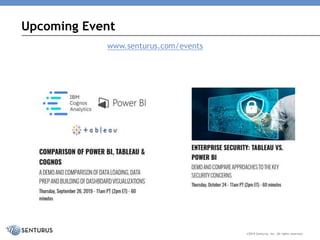
Upcoming Event
©2019 Senturus, Inc. All rights reserved.
www.senturus.com/events
www.senturus.com/senturus-resources/
Free Resources
©2019 Senturus, Inc. All rights reserved.
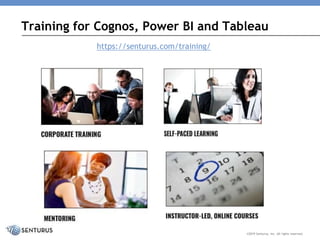
Training for Cognos, Power BI and Tableau
©2019 Senturus, Inc. All rights reserved.
https://senturus.com/training/
Thank You!
www.senturus.com
info@senturus.com
888 601 6010
Copyright 2019 by Senturus, Inc.
This entire presentation is copyrighted and may not be
reused or distributed without the written consent of
Senturus, Inc.

New Capabilities with Cognos Data Modules

  • 1.
    NEW CAPABILITIES WITH COGNOSDATA MODULES Demos of Features that Boost Self-Service Analytics
  • 2.
    • Introductions • Datamodules – Overview – New features – Demo • Senturus overview • Additional resources • Q&A Agenda ©2019 Senturus, Inc. All rights reserved.
  • 3.
    ©2019 Senturus, Inc.All rights reserved. 3 Presenters Michael Weinhauer Practice Area Director/ Solutions Architect Senturus, Inc. September Clementin Cognos Consultant & Trainer Senturus, Inc.
  • 4.
    Hundreds of FreeResources ©2018 Senturus, Inc. All rights reserved. 4 www.senturus.com/resources/
  • 5.
    This slide deckis from the webinar: New Capabilities with Cognos Data Modules To view the FREE video recording with demos and download this deck, go to: https://senturus.com/resources/new-capabilities- with-cognos-data-modules/ Like What You See? ©2018 Senturus, Inc. All rights reserved. 5
  • 6.
  • 7.
    Data modules encourageand empower users to perform self-service analytics combining multiple data sources. Overview 7
  • 8.
    Data Modules canbe based on: - Existing data modules built in Cognos Analytics - Pre-configured database connections such as SQL Server, DB2, Redshift, SAP HANA - Desktop-based files such as Excel workbooks, CSV - Extracts or Snapshots from existing packages - Live connections to existing (relational) packages Overview 8
  • 9.
    Simple join relationshipscan be defined and managed by business (end) users. Join type, cardinality and join filters can be easily managed using non-technical terminology and cues. Overview 9
  • 10.
    Interface 10 Enhanced data moduleinterface enables filtering by data source type and time frame.
  • 11.
    Intent-Driven Modeling 11 Intent-driven modelingproposes tables to add to the module
  • 12.
    Custom Tables 12 Table operationscan be used to include or exclude records or to add additional detail to existing records.
  • 13.
    Content Organization 13 • Folderscan be created to organize tables and columns • Folders can be created at the root of the data module, within a table, and within another folder • Folders, tables and data items can be hidden from view
  • 14.
    Calculations • Simple calculationscan be created by selecting the objects and choosing • More complex calculations can be created using the Calculation Editor Calculations 14
  • 15.
    Data Security 15 • Inaddition to filtering data, row level security can be added to a data module only if it is sourced from database tables • Security can be assigned at the user, group or role level
  • 16.
    • Data granularitydifferences between data module sources may need to be addressed – Create table views, alter data module aggregation settings or create calculations – Create joins, sets or calculations directly in the report • Data format must be consistent between fields used for joins and between all columns when creating a union between tables • More complex modeling requirements (i.e. complex security requirements, parameter maps, versioning) are well suited for Framework Manager Quick Tips 16
  • 17.
    Enjoy the FullWebinar Presentation 17©2018 Senturus, Inc. All rights reserved. To view the video recording with demos and download the slide deck go to https://senturus.com/resources/new-capabilities-with- cognos-data-modules/ Visit our website to access our library of free BI knowledge resources including events, blogs, demos, whitepapers, other on-demand webinars and our dashboard gallery https://senturus.com/senturus-resources/
  • 18.
  • 19.
    Need Help withCognos? We Can Help! ©2018 Senturus, Inc. All rights reserved. 19 • Quick Start Upgrade - Installation and configuration of development environment plus full documentation • Full Upgrade Implementation - Full-service implementation across all appropriate environments - BI Experts on Demand - Access to an entire team of BI experts to fill in as needed Contact us at: info@senturus.com or 888 601 6010 ext. 85
  • 20.
    Full Spectrum ofServices for BI WHO WE ARE
  • 21.
    Decisions & Actions ©2019Senturus, Inc. All rights reserved. Business Needs Analysis Ready Data Bridging the Gap between Data & Decision Making
  • 22.
    • Dashboards, reportingand visualizations • Data preparation and modern data warehousing • Hybrid BI environments (migrations, security, etc.) • BI support retainer (expertise on demand) • Software to enable bimodal BI and platform migrations • Training and mentoring Full Spectrum of Services for BI ©2019 Senturus, Inc. All rights reserved.
  • 23.
    23Senturus, Inc. –Proprietary and Confidential 1300+ Clients, 2500+ Projects, 19+ Years ©2019 Senturus, Inc. All rights reserved.
  • 24.
  • 25.
    Upcoming Event ©2019 Senturus,Inc. All rights reserved. www.senturus.com/events
  • 26.
  • 27.
    Training for Cognos,Power BI and Tableau ©2019 Senturus, Inc. All rights reserved. https://senturus.com/training/
  • 28.
    Thank You! www.senturus.com info@senturus.com 888 6016010 Copyright 2019 by Senturus, Inc. This entire presentation is copyrighted and may not be reused or distributed without the written consent of Senturus, Inc.