How Does Amazon EC2 Auto
Scaling Works?
In a traditional server space hosting any application, the
volume of data traffic always varies in strength, sometimes
in a predictable manner, and sometimes erratically.
To deal with the increased traffic, the developer would either
add machines or increase the compute capability of the
existent machines. This is essentially what scaling means in a
physical server space.
In the case of AWS, where your server is located in the
cloud, this is simplified further, and we shall now see
how it is done.
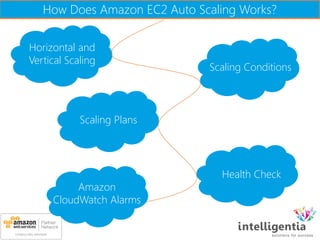
How Does Amazon EC2 Auto Scaling Works?
Horizontal and
Vertical Scaling
Scaling Conditions
Scaling Plans
Health Check
Amazon
CloudWatch Alarms
Horizontal and Vertical Scaling
 Application runs on one or multiple EC2 instances, and it
deals with a certain amount of traffic.
 If the traffic goes beyond the compute capability of your
present instance configurations, you either add an instance,
or upgrade the instance.
 The former method of changing compute capacity is called
Horizontal Scaling, in which the number of instances are
changed, and the latter in which the configuration of the
server is modified is referred to as Vertical Scaling.
Scaling Conditions
 The good part of AWS is that they can do this for you
automatically.
 In the case of erratic changes in traffic, you cannot set a
defined pattern of scaling up or down.
This Is Where Auto Scaling Steps Up!
 Define a scaling plan, which includes a set of conditions that
tells Auto Scaling when and how to scale.
 It include image ID, instance type, key pairs, security groups,
and block device mapping.
 Once Auto Scaling begins, it will launch the minimum number
of EC2 instances specified.
 According to the scaling plan, it will either launch or terminate
instances until the requirement is met.
Scaling Plans
There are two broad kinds of scaling plans you can
go for
Dynamic Scaling Scaling Based On
A Schedule
In case of dynamic Scaling
you have designed dynamic conditions of traffic monitoring such
as CPU usage, and when these conditions are met, Auto Scaling
launches or terminates instances in response.
Dynamic Scaling
 In case of scheduled scaling, this is done dependent on the
timing specified in the plan.
 Additionally, you can choose to maintain the current number
of instances at all times.
 You can also opt for manual scaling in which you only need
to define the change in the maximum, minimum, or desired
capacity of the group.
 Auto Scaling automatically manages the process of meeting
these changes.
Scaling Based On A Schedule
Health Check
 Periodically, a health check is run on the currently running
instances within a group, and if an unhealthy instance is
encountered, Auto Scaling terminates that instance and
launches a new one.
 This helps in maintaining a healthy number of running
instances at the minimum or desired number.
 It also maintains reliability in case one Availability Zone
becomes unhealthy or unavailable.
 It terminates the instance and launches a new one in an
unaffected Availability Zone until the original becomes
available again.
Amazon CloudWatch Alarms
 This is a single metric that you have chosen to observe, like
average CPU use or the incoming traffic faced by any
instance.
 The alarm is in ‘OK’ state when the metric is within a
specified range, and changes its state to ‘ALARM’ when the
range is breached.
 When the alarm stays in the breached state for a number of
cycles, it can be programmed to invoke certain actions.
 In this case, we can use it to send a message to Auto Scaling
to scale up or down instances according to the traffic or the
memory usage of the instance.
In conclusion, you can set scaling conditions such as CPU
usage or traffic volume and Auto Scaling will monitor these
and scale up or down the size or configuration of your servers
to meet the demands specified in the Scaling Plan.
This can be done in a scheduled manner if you know
spikes in the metric, or dynamically by using Amazon
CloudWatch Alarms. Auto Scaling also maintains
reliability with periodic health checks and replacing
any faulty instances.
Read more on Amazon Web Services:
1. Know Why Amazon Web Services Cloud Platform Is Still Leading The Market?
3. How Does Amazon EC2 Auto Scaling Work?
2. Amazon Web Services: Next Generation Of Cloud Computing
Thank you for Reading!
Would Like to know more? Write to us at: askus@intelligentia.in
http://www.intelligentia.co.in/
www.facebook.com/intelligentia.in
http://www.twitter.com/_intelligentia
http://www.linkedin.com/company/intelligentia-it-system

How Does Amazon EC2 Auto Scaling Work

  • 1.
    How Does AmazonEC2 Auto Scaling Works?
  • 2.
    In a traditionalserver space hosting any application, the volume of data traffic always varies in strength, sometimes in a predictable manner, and sometimes erratically.
  • 3.
    To deal withthe increased traffic, the developer would either add machines or increase the compute capability of the existent machines. This is essentially what scaling means in a physical server space.
  • 4.
    In the caseof AWS, where your server is located in the cloud, this is simplified further, and we shall now see how it is done.
  • 5.
    How Does AmazonEC2 Auto Scaling Works? Horizontal and Vertical Scaling Scaling Conditions Scaling Plans Health Check Amazon CloudWatch Alarms
  • 6.
  • 7.
     Application runson one or multiple EC2 instances, and it deals with a certain amount of traffic.  If the traffic goes beyond the compute capability of your present instance configurations, you either add an instance, or upgrade the instance.  The former method of changing compute capacity is called Horizontal Scaling, in which the number of instances are changed, and the latter in which the configuration of the server is modified is referred to as Vertical Scaling.
  • 8.
  • 9.
     The goodpart of AWS is that they can do this for you automatically.  In the case of erratic changes in traffic, you cannot set a defined pattern of scaling up or down.
  • 10.
    This Is WhereAuto Scaling Steps Up!
  • 11.
     Define ascaling plan, which includes a set of conditions that tells Auto Scaling when and how to scale.  It include image ID, instance type, key pairs, security groups, and block device mapping.  Once Auto Scaling begins, it will launch the minimum number of EC2 instances specified.  According to the scaling plan, it will either launch or terminate instances until the requirement is met.
  • 12.
  • 13.
    There are twobroad kinds of scaling plans you can go for Dynamic Scaling Scaling Based On A Schedule
  • 14.
    In case ofdynamic Scaling you have designed dynamic conditions of traffic monitoring such as CPU usage, and when these conditions are met, Auto Scaling launches or terminates instances in response. Dynamic Scaling
  • 15.
     In caseof scheduled scaling, this is done dependent on the timing specified in the plan.  Additionally, you can choose to maintain the current number of instances at all times.  You can also opt for manual scaling in which you only need to define the change in the maximum, minimum, or desired capacity of the group.  Auto Scaling automatically manages the process of meeting these changes. Scaling Based On A Schedule
  • 16.
  • 17.
     Periodically, ahealth check is run on the currently running instances within a group, and if an unhealthy instance is encountered, Auto Scaling terminates that instance and launches a new one.  This helps in maintaining a healthy number of running instances at the minimum or desired number.
  • 18.
     It alsomaintains reliability in case one Availability Zone becomes unhealthy or unavailable.  It terminates the instance and launches a new one in an unaffected Availability Zone until the original becomes available again.
  • 19.
  • 20.
     This isa single metric that you have chosen to observe, like average CPU use or the incoming traffic faced by any instance.  The alarm is in ‘OK’ state when the metric is within a specified range, and changes its state to ‘ALARM’ when the range is breached.
  • 21.
     When thealarm stays in the breached state for a number of cycles, it can be programmed to invoke certain actions.  In this case, we can use it to send a message to Auto Scaling to scale up or down instances according to the traffic or the memory usage of the instance.
  • 22.
    In conclusion, youcan set scaling conditions such as CPU usage or traffic volume and Auto Scaling will monitor these and scale up or down the size or configuration of your servers to meet the demands specified in the Scaling Plan.
  • 23.
    This can bedone in a scheduled manner if you know spikes in the metric, or dynamically by using Amazon CloudWatch Alarms. Auto Scaling also maintains reliability with periodic health checks and replacing any faulty instances.
  • 24.
    Read more onAmazon Web Services: 1. Know Why Amazon Web Services Cloud Platform Is Still Leading The Market? 3. How Does Amazon EC2 Auto Scaling Work? 2. Amazon Web Services: Next Generation Of Cloud Computing
  • 25.
    Thank you forReading! Would Like to know more? Write to us at: askus@intelligentia.in http://www.intelligentia.co.in/ www.facebook.com/intelligentia.in http://www.twitter.com/_intelligentia http://www.linkedin.com/company/intelligentia-it-system