HAYWARD®
2100 SERIES
                                                              LISTED
                                                        SWIMMING POOL AND
                                                           SPA CONTROL
                                                               3Z62


POOL SYSTEM CONTROL
INSTALLATION AND PROGRAMMING INSTRUCTIONS


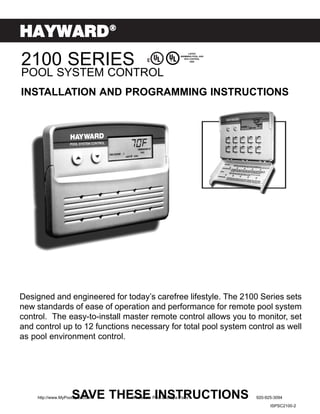
Designed and engineered for today’s carefree lifestyle. The 2100 Series sets
new standards of ease of operation and performance for remote pool system
control. The easy-to-install master remote control allows you to monitor, set
and control up to 12 functions necessary for total pool system control as well
as pool environment control.


                    SAVE THESE INSTRUCTIONS
    http://www.MyPoolSpas.com   Wholesale Pool and Spa Parts                920-925-3094
                                                                                  ISPSC2100-2
TABLE OF CONTENTS
WATER SAFETY INSTRUCTIONS . . . . . . . . . . . . . . . . . . . . . . . . . . . . . . . . . . . . . . . . . . . . . . . . . . . .3

ELECTRICAL SPECIFICATIONS . . . . . . . . . . . . . . . . . . . . . . . . . . . . . . . . . . . . . . . . . . . . . . . . . . . . .3

ELECTRICAL SAFETY INSTRUCTIONS . . . . . . . . . . . . . . . . . . . . . . . . . . . . . . . . . . . . . . . . . . . . . . .4

INSTRUCTIONS FOR OPTIONAL RF CONTROLS . . . . . . . . . . . . . . . . . . . . . . . . . . . . . . . . . . . . . . .4

PRODUCT SPECIFICATIONS . . . . . . . . . . . . . . . . . . . . . . . . . . . . . . . . . . . . . . . . . . . . . . . . . . . . . . .5

APPLICATION OVERVIEW . . . . . . . . . . . . . . . . . . . . . . . . . . . . . . . . . . . . . . . . . . . . . . . . . . . . . . . . .6

SYSTEM OVERVIEW . . . . . . . . . . . . . . . . . . . . . . . . . . . . . . . . . . . . . . . . . . . . . . . . . . . . . . . . . . . . .7

OPTIONAL ACCESSORIES . . . . . . . . . . . . . . . . . . . . . . . . . . . . . . . . . . . . . . . . . . . . . . . . . . . . . . . . .8

PH/ORP OPTION . . . . . . . . . . . . . . . . . . . . . . . . . . . . . . . . . . . . . . . . . . . . . . . . . . . . . . . . . . . . . . . .9

TYPICAL PLUMBING SCHEMATIC . . . . . . . . . . . . . . . . . . . . . . . . . . . . . . . . . . . . . . . . . . . . . . . . . .11

INSTALLING THE WATER TEMPERATURE SENSOR . . . . . . . . . . . . . . . . . . . . . . . . . . . . . . . . . . . .21

INSTALLING THE AIR TEMPERATURE SENSOR. . . . . . . . . . . . . . . . . . . . . . . . . . . . . . . . . . . . . . .21

LOCATING & INSTALLING MAIN CONTROL CENTER . . . . . . . . . . . . . . . . . . . . . . . . . . . . . . . . . . .22

LOCATING & INSTALLING MASTER CONTROL PANEL . . . . . . . . . . . . . . . . . . . . . . . . . . . . . . . . . .24

TEMPLATE FOR MASTER CONTROL PANEL . . . . . . . . . . . . . . . . . . . . . . . . . . . . . . . . . . . . . . . . .25

INSTALLING OPTIONAL RF PANELS . . . . . . . . . . . . . . . . . . . . . . . . . . . . . . . . . . . . . . . . . . . . . . . .26

LOCATING & INSTALLING SPA SIDE CONTROL PANEL . . . . . . . . . . . . . . . . . . . . . . . . . . . . . . . . .29

CONNECTING LOW VOLTAGE COMPONENTS TO THE MAIN CONTROL CENTER . . . . . . . . . . . .33

CONNECTING HIGH VOLTAGE COMPONENTS TO THE MAIN CONTROL CENTER . . . . . . . . . . . .34

CONFIGURING THE SYSTEM . . . . . . . . . . . . . . . . . . . . . . . . . . . . . . . . . . . . . . . . . . . . . . . . . . . . .36

CONNECTING THE POWER SUPPLY . . . . . . . . . . . . . . . . . . . . . . . . . . . . . . . . . . . . . . . . . . . . . . .37

WIRELESS REMOTE OPERATION . . . . . . . . . . . . . . . . . . . . . . . . . . . . . . . . . . . . . . . . . . . . . . . . . .38

BUTTON FUNCTIONS FOR MAIN CONTROL CENTER. . . . . . . . . . . . . . . . . . . . . . . . . . . . . . . . . . .39

BUTTON FUNCTIONS FOR SPA SIDE CONTROL PANEL . . . . . . . . . . . . . . . . . . . . . . . . . . . . . . . .39

BUTTON FUNCTIONS FOR SERVICE PANEL . . . . . . . . . . . . . . . . . . . . . . . . . . . . . . . . . . . . . . . . .40

TROUBLE SHOOTING GUIDE . . . . . . . . . . . . . . . . . . . . . . . . . . . . . . . . . . . . . . . . . . . . . . . . . . . . .40

BASIC PROGRAMMING FOR MASTER CONTROL PANEL . . . . . . . . . . . . . . . . . . . . . . . . . . . . . . .41

       http://www.MyPoolSpas.com                         Wholesale Pool and Spa Parts                                       920-925-3094

                                                                       2
IMPORTANT WATER SAFETY INSTRUCTIONS
 When installing and using these Control Systems, basic safety precautions should always be followed,
 including those listed below:
 READ AND FOLLOW ALL INSTRUCTIONS
 1. WARNING - Risk of Accidental Drowning. Extreme caution must be exercised to prevent unauthorized
    access by children. To avoid accidents, ensure that children cannot use the spa or pool to which this Control
    System is connected unless they are closely supervised at all times.
 2. DANGER - To reduce the risk of drowning from hair or body entrapment, assure that the suction fittings,
    skimmers and main drains in the spa or pool connected to this Control System are approved for the
    application.
 3. DANGER - To reduce the risk of injury, do not remove the suction fittings or main drain covers. Never operate
    the spa or pool if these covers are broken or missing.
 4. WARNING - To reduce the risk of injury:
    A. The water in a spa to which the Control System is connected should never exceed 104°F (40°C). Water
       temperatures between 100°F (38°C) and 104°F (40°C) are considered safe for a healthy adult. Lower
       water temperatures are recommended for young children and when spa use exceeds 10 minutes.
    B. Since excessive water temperatures have high potential for causing fetal damage during the early months
       of pregnancy, pregnant or possibly pregnant women should limit spa water temperatures to 100°F (38°C).
    C. Before entering a spa, the user should measure the water temperature with an accurate thermometer
       since the tolerance of water temperature-regulating devices vary.
    D. Prolonged immersion in water hotter than 104°F (40°C) may cause hyperthermia. Hyperthermia occurs
       when the internal body temperature reaches a level several degrees above normal body temperature of
       98.6°F (37°C). The symptoms of hyperthermia include dizziness, fainting, drowsiness, lethargy, and an
       increase in the internal temperature of the body. The effects of hyperthermia include:
         1. Unawareness of impending hazard.                  4. Physical inability to exit the spa.
         2. Failure to perceive heat.                         5. Fetal damage in pregnant women.
         3. Failure to recognize the need to exit             6. Unconsciousness resulting in a danger of
            the spa.                                             drowning.

      E. The use of alcohol, drugs, or medication can greatly increase the risk of fatal hyperthermia.
      F. Leave the spa immediately if nausea, dizziness or headaches occur. Immediately cool the body by taking
         a cool shower or by applying cold towels or ice packs. If the symptoms persist, seek medical attention.
      G. The use of alcohol, drugs, or medication before or during spa use may lead to unconsciousness with the
         possibility of drowning.
      H. Obese persons and persons with a history of heart disease, low or high blood pressure, circulatory system
         problems, or diabetes should consult a physician before using a spa.
      I. Persons using medication should consult a physician before using a spa since some medication may
         induce drowsiness or may affect heart rate, blood pressure, and circulation.
 5.   Occasional users of the spa should be made aware of these important Safety Instructions.
 6.   WARNING - People with infectious diseases should not use a spa or pool.
 7.   WARNING - To avoid injury, exercise care when entering and exiting a spa or pool.
 8.   WARNING - Do not use a spa immediately following strenuous exercise.
 9.   CAUTION - Maintain water chemistry to provide safe bathing environment.

                                    SAVE THESE INSTRUCTIONS
                                    ELECTRICAL SPECIFICATIONS
POWER SUPPLY:               OUTPUTS:                                               STANDARD INPUTS:
BASIC 50A MAX.              BASIC 20-50A MAX. SYSTEM
 SYSTEM:                                                                            Master Control Panel
                             4 - Motorized Diverter Valves- 24 vac
 -240 vac, 3 wire plus       1 - Gas Heater - 120/240 vac, max amperage 1.5A        Spa-Side Control Panel
 ground, 20-50A max.         1 - Filter Pump - 240 vac, max amperage 14.8A          Service Control Panel
                             1 - Cleaner Pump - 240 vac, max amperage 6.2A          Air Temperature Sensor
 EXPANDER                    1 - Spa Jet Pump - 240 vac, max amperage 11.8A         Water Temperature Sensor
 CIRCUIT BOARDS:             1 - Pool Lighting Option - 120 vac, max amperage 1.6A
 -120 vac and/or 240         1 - Underwater Lighting System- 120 vac, max          OPTIONAL INPUTS:
 vac, 2 wire plus                amperage 10.3A
 ground                      1 - Aux. Lighting System - yard lights,120 vac, max    2nd Master Control Panel
                                 amperage 10.3A                                     pH Sensor
                             1 - Fill Valve 24 vac, max amperage 0.3A               ORP Sensor
Power Supply must be
60Hz.                       EXPANDER CIRCUIT BOARD:                                 Solar Sensor (future)
                             2 - Auxiliary Circuits -120/240 vac, max amperage 16A  R.F. Remote Control Panels
                                 each circuit                                         for Pool and Spa
        http://www.MyPoolSpas.com               Wholesale Pool and Spa Parts                      920-925-3094

                                                            3
IMPORTANT ELECTRICAL SAFETY INSTRUCTIONS
   When installing and using these Control Systems, basic safety precautions should always be followed, including
   those listed below:
                   READ AND FOLLOW ALL INSTRUCTIONS
1. DANGER - Risk of electric shock. Before making any electrical connections, make certain that the Main Power
    breaker from the house breaker box has been turned off.
2. DANGER - Risk of Electric Shock. Do not permit any electric appliance, such as a light, telephone, radio, or
    television within 5' (1.5m) of a pool or spa.
3. All electrical work must be performed by a qualified electrician and must conform to all national, state, and local
    codes.
4. Do not install or service this equipment if precipitation is present or imminent.
5. Install the Main Control Center in an area that is not prone to flooding.
6. Install the Main Control Center and all other high voltage components at least 5' (1.5m) from the inside wall of the
    pool or spa. Canadian installations must be installed at least 3 meters from the inside wall of the pool or spa.
7. A terminal marked “GROUND” is provided within the Main Control Center enclosure. To reduce the risk of electrical
    shock, connect this terminal to the grounding terminal of the electric supply panel with a continuous green insulated
    copper wire equivalent in size to the circuit conductors supplying this equipment, but no smaller than #12 AWG.
8. A bonding wire connector is provided on the outside of the Main Control Center to accommodate the connection of
    a min #8 AWG solid copper conductor (#6 AWG in Canada) between this unit and the local common bonding grid
    in the spa and pool area. Additionally, any metal equipment, metal ladders, metal enclosure of electrical equipment,
    metal water pipe, or conduit within 5' of the unit or within 5' of the pool (3 meters in Canada) must be connected to
    the bonding wire connector.
9. The electrical supply circuit connected to the Main Control Center must be equipped with a suitably rated
    disconnect device - a circuit breaker, a GFCI circuit breaker, switch or other device capable of opening all
    ungrounded conductors in the supply circuit. This disconnect must be installed at least 5' from the pool or spa, but
    be within sight of and readily accessible to the user.
10. This Control System is intended to supply the high voltage (120-240 vac) to a gas heater, and is intended to
    override the thermostat in the control circuit of all the heaters. This Control System is intended to control gas
    heaters that provide a safety circuit that include high temperature limit switch(s).
11. A suitably rated circuit breaker or a GFCI circuit breaker, must be installed in the electrical supply circuit connected
    to the main control center. This circuit breaker may also provide the disconnect function referenced in item 9 if it
    meets the sight and accessibility criteria.
12. This control system is provided with an Integral Ground-Fault Circuit Interrupter for the underwater lighting circuit. It
    is located on the right side of the control enclosure under a Weather-Tite cover.
    This GFCI must be tested before each use of the pool or spa. To test the GFCI, follow the following steps:
         1. Turn on the underwater pool lighting circuit.
         2. Press the ‘RESET’ button fully.
         3. Check the underwater lights to be sure they are illuminated.
         4. Press the ‘TEST’ button in order to trip the GFCI. The ‘RESET’ button will pop out and the underwater lights
         will go out.
         5. Press the ‘RESET’ again and the underwater lights will again be illuminated.
         If this GFCI fails to operate in this manner there is a ground current flowing indicating the possibility of an
         electric shock. Disconnect the power until the fault has been identified and corrected.

                                  SAVE THESE INSTRUCTIONS
                 INSTRUCTIONS FOR OPTIONAL RF CONTROLS
Units which include the optional RF Antenna, RF Master Control, and RF Infrared Control shall include these
additional instructions:
    1. RF Antenna and RF Master Control shall be installed at least 5 feet from the inside wall of a pool or spa.
    2. The RF Antenna, RF Master Control, and the RF Infrared Remote are optional accessories for use with
       Listed Controls, Models PC-XXXXXX-DCA and BPC-XXXXXX-DCA.
    3. The RF Antenna and the RF Master Control must be installed in accordance to NEC regulations.


      http://www.MyPoolSpas.com                  Wholesale Pool and Spa Parts                             920-925-3094

                                                             4
PRODUCT SPECIFICATIONS
POOL/SPA CONTROL - PSC2104                                   POOL/SPA CONTROL W/WIRELESS REMOTE - PSC2106
ITEMS INCLUDED                                               ITEMS INCLUDED
PSC2002 MAIN CONTROL CENTER WITH KNOCKOUTS                   PSC2002 MAIN CONTROL CENTER WITH KNOCKOUTS
PSC2001 MASTER CONTROL PANEL                                 PSC2001 MASTER CONTROL PANEL
PSC2023 AIR TEMPERATURE SENSOR                               PSC2023 AIR TEMPERATURE SENSOR
PSC2022 WATER TEMPERATURE SENSOR                             PSC2022 WATER TEMPERATURE SENSOR
PSC2005 SPA SIDE CONTROL WITH 100’ OF CABLE INCL.            PSC2108 RF WIRELESS SPA REMOTE UPGRADE KIT
VALVE ACTUATORS (2 SUPPLIED)                                 VALVE ACTUATORS (2 SUPPLIED)
POOL CONTROL - PSC2105                                       POOL CONTROL W/WIRELESS REMOTE & WIRELESS
ITEMS INCLUDED                                               MASTER PANEL - PSC2109
                                                             ITEMS INCLUDED
PSC2002 MAIN CONTROL CENTER WITH KNOCKOUTS
PSC2001 MASTER CONTROL PANEL                                 PSC2002 MAIN CONTROL CENTER WITH KNOCKOUTS
PSC2023 AIR TEMPERATURE SENSOR                               PSC2001 MASTER CONTROL PANEL
PSC2022 WATER TEMPERATURE SENSOR                             PSC2023 AIR TEMPERATURE SENSOR
                                                             PSC2022 WATER TEMPERATURE SENSOR
OPTION                                                       PSC2108 RF WIRELESS SPA REMOTE UPGRADE KIT
PSC 2003 SPA SIDE CONTROL WITH 100’ CABLE INCLUDED.          PSC2107 RF WIRELESS MASTER PANEL UPGRADE KIT
                                                             VALVE ACTUATORS (2 SUPPLIED)


                                                                            CONDUIT KNOCKOUTS
                                                                            LOW VOLTAGE            HIGH VOLTAGE
                                  MAIN                                      COMPARTMENT            COMPARTMENT
                                  CONTROL                                   KNOCKOUTS              KNOCKOUTS
                                                                              (2) 1/2” KNOCKOUTS    (6) 1/2” KNOCKOUTS
                                  CENTER                                           LEFT SIDE             LEFT SIDE
                                  WIDTH-16 1/2”                               (2) 1/2” KNOCKOUTS    (7) 3/4” KNOCKOUTS
                                  HEIGHT-16 1/2”                                   RIGHT SIDE            RIGHT SIDE
                                                                                                    (1) 1” KNOCKOUTS
                                  DEPTH-4 1/2”


                                                   ITEM #-PSC2002
                                                               SPA SIDE CONTROL PANEL

                                         MASTER
                                         CONTROL
                                         PANEL
                                         WIDTH-7 1/2”
                                         HEIGHT-5 1/2”
                                         DEPTH-1 1/2”


                                                           WIDTH-5 7/8”
CABLE LENGTH AVAILABLE                                     HEIGHT-2 3/4”
                                                                            PSC2003 100’ or 200’ OF CABLE (SPECIFY)
50’, 100’, 200’ (NOT INCLUDED)       ITEM #-PSC2001        DEPTH-7/8”

AIR TEMPERATURE SENSOR              WATER TEMPERATURE SENSOR                         VALVE ACTUATORS
                                                                                        (MODEL 2100 ONLY)


                                                                            POWER CABLE LENGTH- 10’

          DIAMETER-1/4”                        DIAMETER-1/4”
          LENGTH-1 1/2”                        LENGTH-2”
          10’ OF CABLE INCLUDED                25’ OF CABLE INCLUDED

ITEM #-PSC2023                      ITEM #-PSC2022                          ITEM #-PSA24
      http://www.MyPoolSpas.com              Wholesale Pool and Spa Parts                            920-925-3094

                                                         5
APPLICATION OVERVIEW
BASIC 20-50 AMP MAX SYSTEM (Without Expander Board Use)
Notes:
                                                   (future)
  Additional local disconnect
  may be required if main
  breakers DO NOT meet the
  requirements of a local                                                                                    MAIN POWER PANEL
  disconnect.
  See IMPORTANT
  ELECTRICAL SAFETY
  INSTRUCTIONS
  Maximum Amp draw for
  basic 50 Amp system is
  40 Amps.
  Cleaner Pump disabled
  when Jet Pump is on.
  Jet Pump disabled when
  Cleaner Pump is on.           SOLAR

                                                                                            TWO HOUR

                                                                                             LIGHTING OPTION 1.6A


                  1.5A


                                        may be
                                        2-speed


BASIC SYSTEM WITH 20A X 20A (MAX) EXPANDER CIRCUIT BOARD
Notes:
  Additional local disconnect
  may be required if main
  breakers DO NOT meet the
  requirements of a local                            (future)
  disconnect.
  See IMPORTANT
  ELECTRICAL SAFETY
  INSTRUCTIONS
                                                                                                       MAIN POWER PANEL
  Max Amp draw for the Basic
  50 Amp System and
  Expander Board
   Basic 50 Amp System- 40A
Expander Board Circuit #1- 16A
Expander Board Circuit #2- 16A
                    Total 72A
  Cleaner Pump disabled
  when Jet Pump is on.
  Jet Pump disabled when         SOLAR
  Cleaner Pump is on.
                                                                                            TWO HOUR

                                                                                               LIGHTING OPTION 1.6A


                  1.5A


                                         may be
                                         2-speed


                                                                                  20 X 20 EXPANDER BOARD


     http://www.MyPoolSpas.com                     Wholesale Pool and Spa Parts                                       920-925-3094

                                                                6
SYSTEM OVERVIEW
MAIN CONTROL CENTER
                                                                LOW VOLTAGE CONNECTIONS


                                                                EQUIPMENT OUTPUT CONNECTIONS

                                                                LINE NEUTRAL LUG NEUTRAL FOR 120V EQUIPMENT
                                                                GFCI
                                                                GROUND LUGS

                                                                BONDING LUGS FOR EQUIPMENT

                                                                POWER INPUT LUGS
                                                                LOW VOLTAGE RACEWAYS


MASTER CONTROL PANEL                                        MASTER CONTROL CABLE           INTEGRATED
                                                                                              40 AMP
                                                                                         EXPANDER BOARD


                                                                                             ITEM #-PSC2004
                                                                                        -Can be wired for 120 VAC or
                                                                  50’, 100’, 200’
                                                                                         240 VAC, 2 wire plus ground
                                                               PANEL CONNECTING         -Can be wired for 120 VAC and
                                                                CABLES OPTIONAL          240 VAC, 2 wire plus ground


SPA SIDE CONTROL PANEL                                            CIRCUIT BREAKER
                                                                  WITH ENCLOSURE
                                                                  50 A MAX. GFCI


                  PSC2038

Spa-side panels are available
on certain systems and have                                       ITEM #-PSC2021
100’ or 200’ cables.

                       INPUT SENSORS                                      VALVE ACTUATORS
                                          MOUNTING                    TWO SUPPLIED WITH POOL/SPA SERIES
                                          CLIP
AIR TEMP
SENSOR
10’ CABLE


                                            SENSOR
WATER                                       MOUNT
TEMP
SENSOR
25’ CABLE


       http://www.MyPoolSpas.com       Wholesale Pool and Spa Parts                             920-925-3094

                                                   7
OPTIONAL ACCESSORIES
OPTIONAL FILL VALVE KIT                                                                   2-1 CABLE
W/CONNECTOR CABLE                                                                         CONNECTOR

                                                       MASTER
                                                       CONTROL
                                                        PANEL


                                  25’

                                                       AUXILIARY
                                                        MASTER
                                                         PANEL


  ITEM#-PS2036

                                                                                                      ITEM #-PSC2020

     MASTER CONTROL PANEL                                              SPARE FUSES
       EXTENSION CABLES                                                  ITEM#-PS2025


                      50’


               ITEM #-PSC2012

                                              Fuses are sized for maximum permissible output on each load circuit, in
                                              certain applications it may be necessary to install lower rated fuses to comply
                                              with the National Electrical Code.


                                                                   OPTIONAL ACTUATORS
                       100’                                                 ITEM#-PSA24


                ITEM #-PSC2013


                        200’


                ITEM #-PSC2014
   http://www.MyPoolSpas.com        Wholesale Pool and Spa Parts                                      920-925-3094

                                                8
PH/ORP OPTION
CALIBRATION
CALIBRATION PROCEDURE


1. Test the pool water with a test kit (pH 7.2-7.8; Orp 500-750mV)
2. If the ph/Orp sensors readings are not correct, use a small flat head screwdriver to adjust the potentiometer
   (R11) on the pH circuit board. Very slowly adjust the potentiometer until the display on the panel shows the
   correct reading.
   Note: Wait until the display reads a constant correct setting before moving to next step.
3. Calibration is completed.
4. The display on the panel will show the actual pH reading in the spa. Add any necessary chemicals to insure that
   the pH sensor reading remains between 7.2 and 7.8 pH.
5. Requirement: Use a test kit no less than once a month to verify calibration and optimal Orp reading.
   Note: ORP readings are affected by the following factors: water temperature, total dissolved solids,
   cyanuric acid, and alkalinity.


INSTALLATION
1. Splice in a 1 1/2" x 1 1/2" x 1/2" or 2" x 2" x 1/2" reducer tee (depending upon size of pipe configuration).
   Position the 1/2” female pipe thread on the tee at approximately 45°.
2. Press the two stand-offs into the digital control board.
3. Remove the pH jumper from the 4-pin connector (J20 for circuit board #25500 or J11 for circuit board #25501) on
   the control board.
4. Install the pH board onto the control board. Important! The pH board must be installed component side up.
   Make sure that J20 or J11 and the two stand-offs snap fit into the pH board.
   Note: All sensors are shipped with the measuring end covered with a wetting cap.
5. Remove the wetting cap by twisting it counter-clockwise and gently easing it off. It is recommended that this cap
   be retained for future long-term storage and winterization.
   Note: Hand tighten sensors in place. Do not use a wrench to install the sensor as this could cause breakage.
   Use a wrench to remove the sensor only if unable to do so by hand.
6. Install the pH sensor into the 1/2" NPT tee by turning the sensor clockwise. Hand tighten only.
7. Feed the BNC connector (from the outside of the control box) through a hole on the bottom LEFT side of the box
   for a horizontally-mounted system. Pass the BNC connector through a hole on the bottom RIGHT side of the
   control box for a vertically-mounted system.
8. Connect the BNC connector to the pH board. First align it with its mated connector, then press them together
   and then twist to lock them into place.
9. Turn the system power on.


CARE AND MAINTENANCE
UNPACKING
Remove the electrode from its package and check that it is undamaged. If damaged, contact your supplier for
replacement. Most electrodes are rugged in design, but some are fragile. Care should be taken when unpacking
and handling all electrodes.


PREPARATIONS FOR USE
All electrodes are shipped with a wetting cap covering the measuring end. This cap contains a solution of pH 4
buffer saturated with potassium chloride for single-junction combination electrodes, and solution of potassium nitrate
in pH 4 buffer for double-junction electrodes. Mono-measuring electrodes, pH and ORP, are shipped in pH 4 buffer.


     http://www.MyPoolSpas.com                 Wholesale Pool and Spa Parts                          920-925-3094

                                                           9
PH/ORP OPTION (continued)
Gently remove the wetting cap from the electrode by unscrewing the bottle form the cap and then sliding the cap
and o-ring off of the electrode body. Save the cap for future long-term storage. Some electrodes are shipped with
slide-on caps sealed with teflon tape, these caps are simply pulled off.
During shipping, the air space inside the pH glass internal may have moved into the bulb. Grasp the electrode near
the cable end and gently swing it through an arc to force the internal electrolyte into the pH bulb.
ELECTRODE CLEANING
Slow response and large offsets may indicate the electrode has become coated. The nature of the coating will
dictate the type of cleaning technique that should be used.
Soft coatings, like foodstuffs or bacterial films are best removed using a squirt bottle or the water jet from a faucet. If
this is not successful, then wiping with a soft, wet cloth is the best choice.
Hard coatings, like calcium or lime scale are best removed with a solvent appropriate for the particular coating. A
5% solution of HCI would be a good choice for the calcium scale. If unsure of the proper solvent to remove a hard
mineral coating, alternate between a 5% HCI and a 4% NaOH for 10 minutes each. After treating the electrode with
these strong acids or bases, rinse the electrode with water and soak it in pH 4 buffer for at least 1/2 hour.
Greasy and oil coatings are best removed with a detergent solution or a solvent that will not attack the electrodes
body. Methanol and isopropyl alcohol are good choices for solvents. Acetone, MEK, THF, or trichloroethane will
irreparably harm the electrode. A soft toothbrush can be used with the detergent in removing stubborn coatings.
The platinum or gold sensing tip of an ORP electrode should be cleaned just like a pH electrode. The surface can
also be cleaned with an abrasive as a last resort. Gently scour the platinum with a 600 grit wet emery cloth or
preferably a 1-3 micron alumina polishing powder.
Important: Good laboratory practices should be used and protective gloves and safety glasses should be worn while
handling any solvents or chemicals. If you are unsure of the proper technique for handling a chemical or of its
hazardous properties, it is best to discard the electrode, eliminating the risk of danger.


INTERPRETING PH/ORP READINGS
1. To check the measured pH and/or ORP readings, run the filter pump for at least 5 minutes. Press the DOWN
   arrow button on the master panel until the desired reading is displayed. The DOWN button will toggle the display
   through the available chemical sensor readings.
2. Adjust water chemistry as close to these suggested readings as possible:
   Alkalinity: 100 ppm
   Total Dissolved Solids (TDS): 500 ppm
   PH: 7.2 - 7.8
3. Once water chemistry has been adjusted as per #1, note ORP reading (mV). This reading can be used to
   indicate proper water chemistry in your installation. If the ORP reading changes dramatically, adjust the water
   chemistry accordingly.
4. Millivolt reading should fall between 500-750 mV.
5. If ORP reading falls outside of suggested range, adjust water chemistry accordingly.
   Note: ORP readings are affected by the following factors: water temperature, total dissolved solids,
   cyanuric acid, and alkalinity.


WINTERIZATION
1. Disconnect the sensor connector from the PCB board located in the power center.
2. Carefully remove the sensors from the plumbing.
3. Reinsert the electrode into the wetting cap and fill cap with pool water.
4. Store at room temperature.
5. When reinstalling the probe, refer back to the Preparation for Use section of the Care and Maintenance
   instructions.


      http://www.MyPoolSpas.com                 Wholesale Pool and Spa Parts                             920-925-3094

                                                           10
TYPICAL PLUMBING SCHEMATIC

BASIC POOL/SPA PLUMBING:
These schematics show the
necessary plumbing required
to operate a pool and a spa
that share common pumps,
filters, and heaters. The
Motorized Diverter Valves
will change position when spa
use is desired.

IMPORTANT:
Be sure the valves are
synchronized to move
simultaneously from pool
suction and pool return to
the spa suction and spa
return. If they are not
synchronized, please follow
the instructions below:
1. Reverse the polarity of
   the wiring to the valve
   diverter motor that is out
   of synchronization. The
   best way to accomplish
   this is to reverse the red
   and white wires inside
   the valve diverter motor
   enclosure.
2. Remove the motor
   enclosure cover, remove
   the wire nuts, switch
   the red and white wires,
   reconnect the wires
   with wire nuts, and
   reinstall cover.

NOTE:
The polarity of the wiring to
the valve motor that is out of
synchronization can also be
reversed by changing the
position of the toggle switch
to the reverse position.
If you select this method to
reverse polarity, be sure to
change the sticker at the rear
of the motor enclosure from
the black (Auto-Off-Reverse)
sticker to the white (Reverse-
Off- Auto) sticker.
You must change the sticker
so that users and service
personnel know the correct
auto position for the valve.


     http://www.MyPoolSpas.com    Wholesale Pool and Spa Parts   920-925-3094

                                             11
TYPICAL PLUMBING SCHEMATIC (continued)


http://www.MyPoolSpas.com   Wholesale Pool and Spa Parts   920-925-3094

                                       12
TYPICAL PLUMBING SCHEMATIC (continued)


http://www.MyPoolSpas.com   Wholesale Pool and Spa Parts   920-925-3094

                                       13
TYPICAL PLUMBING SCHEMATIC (continued)


http://www.MyPoolSpas.com   Wholesale Pool and Spa Parts   920-925-3094

                                       14
TYPICAL PLUMBING SCHEMATIC (continued)


http://www.MyPoolSpas.com   Wholesale Pool and Spa Parts   920-925-3094

                                       15
TYPICAL PLUMBING SCHEMATIC (continued)


http://www.MyPoolSpas.com   Wholesale Pool and Spa Parts   920-925-3094

                                       16
TYPICAL PLUMBING SCHEMATIC (continued)


http://www.MyPoolSpas.com   Wholesale Pool and Spa Parts   920-925-3094

                                       17
TYPICAL PLUMBING SCHEMATIC (continued)


http://www.MyPoolSpas.com   Wholesale Pool and Spa Parts   920-925-3094

                                       18
TYPICAL PLUMBING SCHEMATIC (continued)


http://www.MyPoolSpas.com   Wholesale Pool and Spa Parts   920-925-3094

                                       19
TYPICAL PLUMBING SCHEMATIC (continued)


http://www.MyPoolSpas.com   Wholesale Pool and Spa Parts   920-925-3094

                                       20
INSTALLING TEMPERATURE SENSORS
 ATTENTION: The air temperature sensor is 10’ long and the water
 temperature sensor is 25’ long. Consider the sensor mounting locations
 BEFORE mounting the Main Control Center.

   TO INSTALL THE WATER TEMPERATURE SENSOR
1. ATTENTION: Before connecting the temperature sensor wire to the
   Main Control Center circuit board, the sensor wire must be inserted
   through the sensor retaining nut. Insert the sensor wire through the                                  RETAINING NUT
   nut and slide the nut to a position adjacent to the sensing bulb.
2. Locate the Water Temperature Sensor in the discharge (pressure)                                  WATER TEMPERATURE
   line of the filter pump as shown in the Basic Plumbing Schematic.                                SENSOR
                                                                               SENSOR
   Drill a .390" (25/64") hole in the pipe and install the sensor mount        MOUNT
   on the pipe by tightening the sensor mount clamp.                           CLAMP                 O-RING
3. Install the O-ring onto the water temperature sensor. Slide the O-                                         SENSOR
   ring onto the water temperature sensor so that it is positioned                                            FITTING
   against the plastic flange on the water temperature sensor. With                                           WASHER
   the retaining nut and O-ring installed on the water temperature
   sensor, insert the water temperature sensor into the sensor mount                       .390” HOLE
   and tighten the nut, hand tight only. DO NOT OVER TIGHTEN.
               FREEZE PROTECTION FEATURE
          ONLY ACTIVE WHEN VALVES ARE IN POOL MODE
When the system senses air temperature of 35°F or lower, the valves
will turn to Pool and the filter pump, Aux 1, Aux 3, and Aux 5 will turn                PUMP
on for 30 minutes. After 30 minutes, these devices will turn off, and the               DISCHARGE
valves will turn to Spa. At that time the Spa Aux, Filter Pump and                      LINE
Blower will run for 30 minutes. After 30 minutes the system will again
turn off and the valves will turn to Pool again. The cycle will repeat if
the system still senses air temperature of 35°F or lower.
Note: This feature is designed to protect the pool equipment in
the event of unforeseen or unseasonal freezing conditions. It is
not intended to take the place of proper winterizing procedures.
Freeze protection disabled in Spa Mode.

     TO INSTALL THE AIR TEMPERATURE SENSOR                                     OUTSIDE BUILDING
                                                                               LOCATION OPTION
             OUTSIDE BUILDING LOCATION OPTION
1. Locate the Air Temperature Sensor so that it will be exposed to the
   outside ambient temperature.
2. If the Main Control Center is installed inside a building and is
   adjacent to heat generating devices such as heaters and pumps,
   route the Air Temperature Sensor Cable through the wall of the
   building securing the cable neatly and then secure the Air
   Temperature Sensor with the clip and screw provided. Avoid                  MAIN CONTROL CENTER LOCATION
   attaching the Air Temperature Sensor to any surface that will get           MOUNT OPTION
   hotter than the ambient air temperature.
                                                                               LOW VOLTAGE
           MAIN CONTROL CENTER LOCATION OPTION                                 KNOCK OUTS IN MAIN
                                                                               CONTROL CENTER
3. If the Main Control Center is not installed in a building and there is
   no benefit to installing the air sensor remotely, position the sensor
   in a Liquid-Tite connector installed in one of the knock outs
   beneath the low voltage raceways as shown in illustration.
                                                                                                               AIR
                                                                               WATER TEMPERATURE               TEMPERATURE
                                                                               SENSOR LINE                     SENSOR


      http://www.MyPoolSpas.com                 Wholesale Pool and Spa Parts                            920-925-3094

                                                         21
LOCATING AND INSTALLING THE MAIN CONTROL CENTER
   The Main Control Center should be located as close as possible to the pumps, heater, valves, and sensors that are
   required to be connected to it. Preferably, the system should mount inside a pool equipment house or other
   enclosure. However, the system can be mounted outside. It should mount on a flat vertical wall and be positioned
   so that the conduit knockouts are located at the bottom of the enclosure. Remember to consider the length of the
   wires & valve wires when selecting the final location.
   ATTENTION: POSITIONING THE ENCLOSURE WITH THE CONDUIT KNOCKOUTS
   LOCATED AT THE SIDE OR THE TOP OF THE ENCLOSURE MAY ALLOW WATER TO
   ENTER THE SYSTEM AND CAUSE DAMAGE TO THE SYSTEM AND/OR CREATE AN
   ELECTRICAL SHOCK HAZARD.
   Be sure that the system and all other electrical components are at least 5' from the edge of the pool or spa. When
   selecting the mounting position, plan how the 1" rigid PVC conduit carrying the power to the Main Control Center
   will be routed. Also plan for the routing of the flexible conduit that will be run to the pumps and heater. You should
   also keep in mind that the cable length on the Air Temperature Sensor is 10’ long and the Water Temperature
   Sensor is 25’ long. They must reach connector receptacles located inside the system. Additionally, the location
   selected should provide clear access in front of the system to permit the owner or service personnel to stand in
   front of the Main Control Center unobstructed by other equipment.
   ATTENTION: BE SURE THE LOCATION CHOSEN FOR THE MAIN CONTROL CENTER
   ALLOWS UNOBSTRUCTED ACCESS TO THE GFCI PROTECTING THE UNDERWATER
   LIGHT CIRCUIT.
INSTALLATION: After the location has been selected follow these easy steps to mount the Main Control Center:
 1. If the mounting substrate will allow, mount the Main Control
    Center by driving mounting screws through the holes
    provided in the back of the enclosure and into the wall. If
    wall anchors must be used, hold the Main Control Center
    enclosure in position and mark the hole pattern on the wall.
    Drill and set the anchors; fasten the enclosure with screws.
    Be sure to position the Main Control Center level and
    square for a neat installation.

 2. Run electrical PVC conduit from the Power Supply Panel to
    the Main Control Center. Determine the number of conduit
    runs and the size of the conduit needed for the installation
    based on the wire size being run, the number of conductors
    within the conduit, and the number of circuits needed.
    Typically, if the Main Power Panel is 100' or less from the
    Main Control Center the 50A max. breaker will require
    4- #6 AWG conductors, one each of red, black, white and        Amperage to       Maximum         Breaker   Copper Wire
                                                                 Wire Gauge Ratios System Loads      Rating      Gauge
    green. These conductors will require a 1" conduit run.
    (The enclosure has been provided with 1" conduit                40A System          40A            50A       6 AWG
                                                                    32A System          32A            40A        8AWG
    knockouts that are adjacent to the line terminals in the        24A System          24A            30A       10AWG
    Main Control Center.)

A. If the installation requires the use of additional circuits or an Expander Circuit Board is being used, you may elect to
   run separate conduit runs for each expander circuit, or you may elect to run the expander circuit in a common
   conduit, or you may elect to run it inside the 1" conduit with the 50A max. circuit. If the runs are 100' or less in
   length the expander circuit board will require 3- #12 AWG conductors. If the loads on this circuit are 240 vac, the
   colors of the conductors should be red, black and green. If the loads on this circuit are 120 vac, the colors should
   be black, white, and green. These wires can be run in 1/2" or 3/4" conduit. Be sure to follow all codes in effect
   regarding the number and size of conductors that can be installed in various sizes of conduit.


      http://www.MyPoolSpas.com                  Wholesale Pool and Spa Parts                             920-925-3094

                                                            22
LOCATING AND INSTALLING THE MAIN CONTROL CENTER (continued)
B. GFCI RECOMMENDATIONS
   A Ground Fault Circuit Interrupter (GFCI) is recommended to be
   installed in the electrical supply circuit connected to these products.
   GFCI’s are ultrasensitive switching devices, providing the ultimate in
   safety. The most common style of GFCI also provides high-current
   protection as a circuit breaker, and may be required by code in
   certain installations. Breaker must be sized in accordance with
   applicable code.
   A 50A max GFCI circuit breaker is the best method to obtain complete
   system protection. An additional enclosure containing the 50A max
   GFCI may need to be installed between the main power supply
   (50A max breaker) and the pool control. This must be done in cases
   where a 50A max GFCI circuit breaker cannot be found to fit the
   existing electrical service. Additionally, it can meet the requirements of
   a local disconnect if it is located properly.
   SEE IMPORTANT ELECTRICAL SAFETY INSTRUCTIONS. PAGE 3
C. The Expander Circuit Board will require separate circuits for each relay          TO LINE NEUTRAL
                                                                                                                   LOAD NEUTRAL
                                                                                                                   TERMINAL TO
   and consequently 2- 20A circuit breakers, single pole for 120V or                 CONNECTION OR                 POWER SYSTEM
   double pole for 240V. For a 120 vac circuit, use 3- #12 AWG                       NEUTRAL BAR
   conductors; one each of black, white, and green. For a 240 vac circuit,
   use 3- #12 AWG conductors; one each of red, black, and green. These
   wires can be run in 1/2" or 3/4" conduit. The enclosure has been                                     INPUT/OUTPUT
   provided with 1/2" or 3/4", and 1" conduit knockouts that are adjacent to
   the line terminals in the Main Control Center.

D. If the conduit run is long or has numerous bends, use watertight pulling
   fittings positioned in the middle of the run. If this is necessary, it is
   advisable to elevate the pulling fitting at least 6" above finished grade of
   the surrounding area to avoid potential flooding. Remember to complete
   the installation of the conduit before concrete is poured that might
   obstruct a direct route from the Power Supply Panel to the Main Control                        WIRING DIAGRAM
   Center. Be sure that underground conduit is positioned in well
   compacted soil. Also use care when making the glue joint to be sure
   they are watertight.
   3. Pull the required conductors as outlined in #2 above and
   connect the power supply conductors to the line terminals of the
   Main Control Center, and if required to the line terminals at the                              HIGH             HIGH
                                                                                                 VOLTAGE          VOLTAGE
   Expander Circuit Board.                                                                       OUTPUT           OUTPUT
                                                                                      LOW VOLTAGE          POWER         LOW VOLTAGE
                                                                                  (AUX, BOARD CONTROL       INPUT         AIR & WATER
   4. DO NOT HOOK UP THE CONDUCTORS TO THE POWER                                    PH, ORP SENSORS)                TEMPERATURE SENSORS,
                                                                                    CONTROL PANELS                         MOTORIZED
   SUPPLY PANEL UNTIL ALL ELECTRICAL CONNECTIONS FOR                                      ETC..                      DIVERTER VALVES ETC..
   ALL LOADS (MOTORIZED VALVES, HEATER, PUMPS, LIGHTS,
   ETC.) HAVE BEEN COMPLETED. This will assure that all conductors
   are not energized while completing the installation.
NOTE: All of the electrical wiring methods and materials used to complete
  the electrical installation of the Pool/Spa Control System must be                                         STAND-OFFS IN MAIN
  in accordance with the National Electrical Code or the Canadian                                            CONTROL CENTER
  Electric Code, as well as any local electrical codes in effect at the
  time of installation.
   The selection of electrical materials required to accomplish this
   installation and the installation of the Hayward Pool Control System
   must be accomplished by, or be under the direct supervision of a
   qualified electrician.


                                                                                         EXPANDER BOARD


      http://www.MyPoolSpas.com                   Wholesale Pool and Spa Parts                                     920-925-3094

                                                            23
LOCATING AND INSTALLING THE MASTER CONTROL PANEL
   For maximum convenience the Master Control Panel should be installed inside the home of the user.
   However, it can be installed outside if desired. It must be mounted on a vertical surface such as a wall and be
   located at eye level for the user. While choosing the location, plan for the routing of the control cable from the
   Main Control Center to the Master Control Panel.
   TO INSTALL:
1. If the pool and spa equipment room housing the Main Control Center is attached to the main dwelling where
   the Master Panel will be located, simply route the cable through attics and hollow walls securing the cable as
   needed for a neat installation. Store excess cable in the attic or between walls.
2. If the pool and spa equipment room housing the Main Control Center is in a separate building from the main
   dwelling where the Master Control Panel will be located, 1/2" or 3/4" conduit should be installed from the Main
   Control Center conduit knockouts entering the low voltage compartment and extend at the other end of the
   conduit to a point within the main dwelling. Route the cable through the conduit, and through attics and hollow
   walls, securing the cable as needed for a neat installation. Store excess cable in the attic or between walls.
3. Next, drill a hole in the hollow wall at a location that will permit the cable to extend through the wall directly
   behind the Master Panel. Pull the cable through the hole storing any excess cable in the attic or inside the
   hollow wall. Install hollow wall anchors as needed on the Master Control Panel vertical centerline and 3" apart.
   Install pan head screws into the anchors and adjust them so that the Master Control Panel rests snugly
   against the wall when it is installed on the screws. Plug the control cable into the receptacle at the rear of the
   panel and install on the wall anchor screws.
4. If the Master Control Panel is mounted outside, be sure to route the control cable so that it approaches the
   panel from the bottom and enters below the panel vertically. Secure the cable to the wall to maintain this cable
   orientation. This will prevent water from running down the cable connectors and into the Master Control Panel.
5. An Additional Master Control Panel can be added to the system by connecting a 2-1 cable connector to the
   end of the cable coming from the Main Control Center. This provides 2 outputs for 2 Master Control Panels.
   Connector cables are then run between the 2-1 cable connector and the Master Control Panels. The additional
   Master Control Panels will perform the same functions and all panels will indicate system status
   simultaneously. Master Control Panels and connecting cables are available as an option.
   ATTENTION: IF A CABLE IS NOT LONG ENOUGH TO REACH FROM THE MASTER PANEL TO THE
   MAIN CONTROL CENTER, DO NOT ADD LENGTH TO THE CABLE BY SPLICING ADDITIONAL CABLE
   ONTO THE CABLE; OBTAIN A CABLE THAT IS LONG ENOUGH TO REACH. A CABLE THAT IS TOO
   LONG MAY BE SHORTENED BY CUTTING OFF THE EXCESS AND REINSTALLING A NEW
   CONNECTOR AT THE DESIRED LENGTH.


   SEE TEMPLATE ON PAGE 17
                                                                                     CONTROL CABLE
                                 HOLLOW WALL ANCHORS                                 PLUGS IN HERE


          3”


            PANEL                                                       KEY SLOTS
            POSITION                                                    FOR HANGING
                        CONTROL
                        CABLE
     http://www.MyPoolSpas.com                Wholesale Pool and Spa Parts                            920-925-3094

                                                        24
LOCATING AND INSTALLING THE MASTER CONTROL PANEL (continued)


USE THIS FULL SIZED TEMPLATE FOR
CORRECT POSITIONING OF MASTER
CONTROL PANEL ON WALL


                                                     3”


  http://www.MyPoolSpas.com   Wholesale Pool and Spa Parts   920-925-3094

                                        25
INSTALLING OPTIONAL RF PANELS
Under ideal conditions, the Hayward RF Spa Remote Kit allows a user to position the spa remote controller
anywhere within 100 ft. of the Main Control Center without a hard-wired connection. The range for an
improperly installed unit can be as low as 25 ft.
Certain physical or architectural structures may interfere with the performance of the unit, so
care must be given to the installation (See instructions on page 27). While a hard-wired
Master Panel can be installed outdoors, the RF Master Panel is not suitable for outdoor
installation and should be stored indoors when not in use.
WARNING: ALL POWER MUST BE SHUT OFF
BEFORE INSTALLATION. DO NOT ATTEMPT TO
WORK INSIDE THE HAYWARD POOL SYSTEM                                                                SPA
CONTROL WITH ANY LIVE ELECTRICAL PARTS.                                                          PANEL

Begin the installation by turning off the main
power (50 Amp Max) to the Hayward Pool
System Control at the house breaker box.
If there is an expander board installed
(Aux 5 and/or spa blower), turn off the
power to the two individual circuits
(20 Amp Max each) that may be
installed to the expander board.


INSTALL HAYWARD RF MASTER
RECEIVER AND CONNECT IT TO THE
MAIN CONTROL CENTER:
Once all power has been shut off to the
control, open the door on the Control
System enclosure. If there is a wired
connection for a Master Panel installed on
the circuit board, disconnect it from the board and coil it near the bottom of the low voltage raceway through which
it enters the central area of the enclosure (probably the left side). If the control supports a spa, do not disconnect
the spa control panel cable at this time.
NOTE: The Master Panel MUST be RF ready to be compatible with the RF Kit. You may, however, hard wire an
RF-ready panel if you choose. If you are not sure that you have an RF-ready panel, note the serial number on
the label located on the bottom of the panel and call your Hayward service center for verification.
Next, feed the wire from the RF Master Panel receiver module through an appropriate knockout in the bottom of
the main control center. You should choose from the knockouts below the low voltage raceways for this purpose.
Continue to feed the cord that is attached to the RF Master Panel module through the hole in the raceway barrier
and over to the main circuit board. Plug it into an available phone-type socket on the top of the board. If there was
a hard-wired master panel installed, as mentioned above, use the same socket for the new RF connection.
If you would like to use a hard-wired panel and an RF panel, install an optional 2-1 cable connector inside the
system enclosure. This will allow connection of the hard-wired Master Panel cable and the RF Master Panel
receiver cable. This installation is similar to instruction 5 on page 23.
Mount the Receiver Module in a convenient location that maximizes the range of the RF Master Panel. (See
instructions on page 27.)

INSTALL HAYWARD RF SPA RECEIVER AND CONNECT IT TO THE MAIN CONTROL CENTER:
Under ideal conditions, the Hayward RF Spa Remote Kit allows a user to position the spa remote controller
anywhere within 100 ft of the Main Control Center without a hard-wired connection.
Follow the same procedures to mount the RF Spa Control Receiver Module. (See instructions on page 27.) With
an optional extended cable, the effective range of the RF components can also be enhanced.
This completes the installation in the system box. Secure the Control System door and power up the System.
NOTE: Make sure RF Circuit Board connection is separate from the hard-wired connection;
use 2 to 1 connector as needed.

     http://www.MyPoolSpas.com                   Wholesale Pool and Spa Parts                         920-925-3094

                                                           26
INSTALLING OPTIONAL RF PANELS (continued)
CAUTION: PLEASE READ THE FOLLOWING INSTRUCTIONS BEFORE INSTALLATION.


Installing RF Panels to Optimize Range:
1. Position both receivers away from any cables (such as power lines, extension cords, cable lines, and
   phone lines).
2. Mount far away from large metallic objects (such as fences, aluminum siding, metal piping, and rain gutters).
3. Be sure there are no metal objects between the spa receiver and the spa.
4. Position the receiver so that the antenna is pointing upwards, perpendicular to the ground.
5. Position as high off the ground as possible:
     When using both receivers, place the spa unit as high off the ground as possible while placing the master panel
     unit lower and at least 5-6 feet to one side.
     When only using one receiver, place it as high as possible.
     Make sure the master panel system gives you the proper range before mounting it permanently.
     The closer it is mounted to the ground, the less range it will have.
     While the master panel tends to be stationary and more predictable, the spa transmitter moves around and
     should receive the highest mounting position possible.
6. IMPORTANT: Line of sight between the receiver and the spa provides the best range.


7.   CAUTION: With all above noted tips in mind, experiment by placing receiver(s) in different places to find the best
     range before permanently mounting the receiver(s) to the wall.


      http://www.MyPoolSpas.com                  Wholesale Pool and Spa Parts                            920-925-3094

                                                           27
INSTALLING OPTIONAL RF PANELS (continued)
SETTING DIP SWITCH IN CASE OF 2 HAYWARD POOL SYSTEM CONTROLS INSTALLED NEAR ONE ANOTHER:
Note: There are DIP switches on the circuit board,
inside the Receiver Modules, that are always
shipped in the OPEN position. In the event that two
Hayward wireless control systems are installed near
one another, these switches can be used to create a
unique "code" that your control will communicate
                                                                                             DIP SWITCHES
under. This will minimize the possibility of any                                             MUST MATCH
"crosstalk" between systems.
IMPORTANT: THE SWITCHES MUST BE SET THE
SAME WAY IN BOTH THE RECEIVER MODULE AND
THE MASTER PANEL RF CRADLE.

INSTALL RF MASTER PANEL CRADLE:
                                                               BACKSIDE OF
                                                               MASTER PANEL CRADLE
The RF Master Panel Cradle is battery operated and is
ready to operate once the existing "RF-ready" Master Panel is
installed in it. The unit is supplied with the internal DIP switches set to OPEN so it is compatible with
the RF board described above. The RF Master Panel will turn on when either the Up or Down button
is pressed once. When it is on, it should behave just as if it were hard-wired. If a button is not pressed
for 3 minutes, the panel will "sleep" to preserve battery life.                                              BACKSIDE OF
                                                                                                             MASTER PANEL
USING A TRANSFORMER FOR RF MASTER PANEL CRADLE:
A plug-in transformer option is available that allows the panel to be "awake" at all times and display pool functions
without the need to activate the panel first. The plug in connector for the transformer can be used by removing the
battery cover and plugging the transformer wire into the circuit board and then routing the wire out of the battery
compartment through an upper or lower opening.
INSTALL RF MASTER PANEL INTO CRADLE:
To install an RF-ready Master Panel in the RF Cradle, first turn the Master Panel over and remove the upper right
and lower left screws that are obvious on the back of the panel. These screws will be replaced by the longer screws
included with the RF Cradle. Plug the phone-type wire from the RF Cradle into the Master Panel. Carefully lay the
Master Panel into the RF Cradle and install the new, longer screws through the RF Cradle and into the Master
Panel, being careful not to overtighten.
INSTALL BATTERY INTO CRADLE:
Open the battery compartment by removing the cover screws and tilting the door away from the RF Cradle. Install 4
AA batteries in the battery holder and plug the battery holder into the circuit board. (At this time, the optional
transformer can be installed if desired, in which case batteries are not required.) The installation is now complete.
The antenna is able to rotate on the side of the RF Cradle and should be in a vertical orientation when the panel is
in use.
MOUNT RF MASTER CONTROLLER (CRADLE WITH MASTER PANEL) ON WALL:
If you intend to mount the RF panel on a wall, mark the locations of the mounting holes BEFORE the Master Panel
is installed in the Cradle. You may wish to choose a location close to a wall outlet so that the optional wall
transformer can be used to power the unit.


     http://www.MyPoolSpas.com                 Wholesale Pool and Spa Parts                            920-925-3094

                                                         28
LOCATING AND INSTALLING THE SPA SIDE CONTROL PANEL
LOCATION GUIDELINES: The Spa-Side Control Panel hereafter referred to as the “Panel" should be installed
during the initial pool/spa construction. This will allow for important steps to be completed before the concrete or
gunite is placed. The specific Panel location needs to be determined and planned for and the PVC conduit along
with any pulling elbow or junction boxes as required to route the Panel cable to the Main Control Center needs to be
in place. If the Panel is installed after the pool/spa construction has been completed, the installation must fulfill the
intent of these instructions.

TO INSTALL SPA SIDE CONTROL PANEL:
1. DETERMINE THE EXACT LOCATION OF THE PANEL.
   The Panel can be located on the deck next to the spa or on a vertical wall of the spa.
   Important: Position the Panel so that it can not be submerged. Occasional splashing is permissible so long as
   the water can drain off the Panel. While the Panel is designed to get wet, constant water contact must be
   avoided.

2. PROVIDE AN UNOBSTRUCTED FLAT SURFACE
   Be sure the location selected provides an unobstructed flat surface that is at least 4" high X 8" wide upon which
   the Panel can be mounted. The 1' conduit that receives the Panel will protrude from the middle of the area.
   This provision needs to be deliberately planned during the placement of the concrete/gunite and during the
   installation of tile and coping stone, etc. This is the area required on the final finished surface for mounting
   the Panel.

3. PROVIDE A 1" CONDUIT.
   Provide a 1" conduit through the concrete/gunite at the location selected for the Panel. The Panel will extend
   into the inside diameter of the conduit and the cable will be routed through it.
   A.   FOR INSTALLATIONS THROUGH A VERTICAL WALL:
        Before concrete/gunite is placed, securely fasten the 1" conduit so that it will remain in position during the
        placement of the concrete/gunite. The conduit should be long enough to extend at least 6" beyond the
        finished inside surface and 6" beyond the rough outside surface of the concrete/gunite. This will allow the
        conduit to be cut flush with the final finished surface on the inside and extend beyond the rough outside
        surface.
        Important: The 1" conduit must be positioned and adequately fastened so that it will be
        perpendicular both horizontally and vertically to the finished surface. This is extremely important
        for a successful installation of the Panel. Additional conduit will be added to the 1" stub-out to
        reach the Main Control Center.

   B.   FOR INSTALLATIONS THROUGH A DECK:
        Before concrete is placed, glue together enough conduit to extend from the Panel location to the edge of
        the pour. Install a sweep 90 degree elbow at the Panel end of the conduit. To the elbow, install a reducing
        bushing and a 1" coupling to adapt to 1" conduit. Install at least 12" of 1" conduit to the 1" coupling.
        Position the conduit assembly in a trench so that the 1" conduit extends vertically and so that there is at
        least 8" of 1" conduit below the finish grade of the concrete. Important: Secure the 1" conduit so that it is
        perpendicular to the finish grade of the concrete and remains in that position during the placement of the
        concrete. This is extremely important for a successful installation of the Panel. Fill and compact the trench
        to help hold the conduit in place. After the concrete has been placed and all finishing operations have been
        completed, the 1" conduit will be cut flush with the final finished surface.
   ATTENTION: IF THE CABLE ON THE SPA PANEL IS NOT LONG ENOUGH TO REACH THE MAIN CONTROL
   CENTER, DO NOT ADD LENGTH TO THE CABLE BY SPLICING ADDITIONAL CABLE ONTO THE CABLE;
   OBTAIN A SPA PANEL WITH A CABLE THAT IS LONG ENOUGH TO REACH. A CABLE THAT IS TOO LONG
   MAY BE SHORTENED BY CUTTING OFF THE EXCESS AND RE-INSTALLING A NEW CONNECTOR AT THE
   DESIRED LENGTH.


     http://www.MyPoolSpas.com                 Wholesale Pool and Spa Parts                            920-925-3094

                                                          29
LOCATING AND INSTALLING THE SPA SIDE CONTROL PANEL (cont.)
1. WARNING: IT IS IMPORTANT TO POSITION THE PANEL SO THAT IT CANNOT BE
   SUBMERGED AT ANY TIME!
Occasional splashing is permissible so long as the water can drain off the Panel. While the Panel is designed to get
wet, constant water contact MUST be avoided.


2. CAUTION: ANTICIPATE WHAT THE WATER LEVEL WILL BE WHEN PLANNING INSTALLATION
Water level can rise by as much as 6 inches, depending upon the size and shape of the spa, as well as the number
of people in the spa at any given time.
The Panel can be located on the deck next to the spa or on a vertical wall of the spa. Provide an unobstructed flat
surface that is at least 4" high X 8" wide upon which the Panel can be mounted. The 1" conduit that receives the
Panel will protrude from the middle of this area.
                                              Acceptable Locations
        HORIZONTAL                                                   VERTICAL
        LOCATION                                                     LOCATION


                                                                                                         Position at
                                                                                                         eye level


Remember: The water level in a spill-over type spa will depend upon which direction the valves are facing.

3. PROVIDE A 1" CONDUIT
Provide a 1" conduit through the concrete/gunite at the location selected for the Panel. The Panel will extend into the
inside diameter of the conduit and the cable will be routed through it. (See detailed installation instructions on page
27 of the Hayward 2100 Series Pool System Control Installation and Programming Instructions.)

    Installations Through a Deck                                              Installations Through a Vertical Wall
          1" PVC                                                                  1/2" PVC
          CONDUIT                                                                 CONDUIT                   DECK
                                       DECK
                                               ATTENTION: If the cable
                                               on the spa panel is not long
                                               enough to reach the Main
                                               Control Center, do not add
                                               length to the cable by                                       1" PVC
                         1" COUPLING
                                               splicing additional cable                                    CONDUIT
                                               onto the cable; obtain a spa
                                               panel with a cable that is         FINISHED
                         1" X 1/2" REDUCING                                       SPA WALL
   PVC                   BUSHING               long enough to reach. A
   CONDUIT                                     cable that is too long may
                                                                                                       MUST BE ENOUGH
                                               be shortened by cutting off                               DISTANCE TO
                                               the excess and re-installing                                PREVENT
                                                                                                         CONTINUOUS
                      SWEEP
                                               a new connector at the                                  WATER CONTACT
                                               desired length.                                         WITH THE PANEL


     http://www.MyPoolSpas.com                 Wholesale Pool and Spa Parts                           920-925-3094

                                                          30
LOCATING AND INSTALLING THE SPA SIDE CONTROL PANEL (continued)
4. COMPLETE THE INSTALLATION OF THE CONDUIT.
  A. Before additional concrete is placed over the route of the conduit to the Main Control Center, complete the
     installation of the conduit.
  B. Be sure that all underground conduit is positioned in well compacted soil below the concrete. Also use care
     when making the glue joints to be sure that they are watertight. Additionally, do not use more than two 90
     degree sweeps in a single pull. Doing so may make pulling the cable difficult.
  C. For long conduit runs (over 100') it may be advisable to use a watertight pulling fitting positioned in the middle of
     the conduit run. If this is necessary, it is advisable to elevate the pulling fitting at least 6" above the finish grade
     from the surrounding area to avoid potential flooding. Important: Do not cut the cable at the pulling fitting. Use
     the pulling fitting as an intermediate pulling point only.
5. CUT THE EXCESS 1" CONDUIT FLUSH WITH THE FINAL FINISHED SURFACE.
  After all finish work has been completed (plaster, tile, coping stone, deck finished, etc.), cut the 1" conduit flush with
  the finished surface. Sawing the conduit will not produce a flush surface, so grind, sand, or file as necessary. After
  cutting flush, deburr the inside diameter of the conduit.
6. PULL THE PANEL CABLE THROUGH THE CONDUIT.
  An electrician's wire pulling snake is required for this job. For long pulls, wire lubricant is also a great aid.
  Push the snake from the Main Control Center to the Panel location. After the snake has exited the conduit at the
  Panel location, fasten the cable to the snake.
  TAKE CARE TO PROTECT THE CABLE CONNECTOR FROM DAMAGE WHILE PULLING THE CABLE.
  With one person pulling the cable and one person at the Panel location assuring that no kinks or knots occur, pull
  the cable through the conduit and into the low voltage compartment of the Main Control Center. Neatly coil any
  extra cable and store in the low voltage compartment. Route the cable to the top of the printed circuit board to be
  sure there is enough cable to install the phone connector into J20.


  ATTENTION: IF THE CABLE ON THE SPA PANEL IS NOT LONG ENOUGH TO REACH TO THE MAIN
  CONTROL CENTER, DO NOT ADD LENGTH TO THE CABLE BY SPLICING ADDITIONAL CABLE
  ONTO THE CABLE; OBTAIN SPA PANEL WITH A CABLE THAT IS LONG ENOUGH TO REACH. A
  CABLE THAT IS TOO LONG MAY BE SHORTENED BY CUTTING OFF THE EXCESS AND
  REINSTALLING A NEW CONNECTOR AT THE DESIRED LENGTH. TOOLS AND CONNECTORS FOR
  THIS PURPOSE ARE READILY AVAILABLE IN MOST HOME CENTERS.


                                  WIRING PATTERN FOR MASTER & SPA-SIDE CONTROL CABLES

                                       crimp area                                  gold contacts


                                                                                                            1 - Blank
                                                                                                            2 - Blank
            cable                                                                                           3 - Brown
                                                                                                            4 - Yellow
                                                                                                            5 - Green
                                                                                                            6 - Red
                                                                                                            7 - Black
                                                                                                            8 - Orange


                                                                       release clip on opposite side

     *Termination of Master Panel cable should be identical on both ends


    http://www.MyPoolSpas.com                         Wholesale Pool and Spa Parts                          920-925-3094

                                                                 31
LOCATING AND INSTALLING THE SPA SIDE CONTROL (continued)
IMPORTANT: WHEN PULLING THE PANEL CABLE THROUGH THE CONDUIT ALWAYS LEAVE
6" TO 8" OF EXCESS CABLE AT THE PANEL END. THE EXCESS CABLE IS THEN PUSHED
INTO THE 1" CONDUIT AS THE PANEL IS INSTALLED. THIS ALLOWS THE SPA PANEL TO BE
REMOVED FROM THE SPA WALL OR DECK FAR ENOUGH TO GAIN ACCESS TO THE CABLE
SO THAT IT CAN BE GRASPED AND PULLED FROM THE CONDUIT SHOULD THE PANEL
NEED TO BE REMOVED. IMPORTANT: WHEN REMOVING THE PANEL, DO NOT PULL ON THE
PANEL TO PULL THE CABLE OUT OF THE CONDUIT. ALWAYS PULL ON THE CABLE ITSELF.


7. MAKE THE FINAL CONNECTION
  Route the cable through the low voltage compartment and to the top of the printed circuit board of the Main
  Control Center. Push the connector on the end of the cable into the receptacle labeled J-20.


8. MOUNT THE PANEL.
  Dry fit the Panel against the mounting surface to be sure there are no high points that need to be removed.
  Clean the mating surfaces and then apply a bead of silicone adhesive. Remove the masking from the
  double sided adhesive strips. Carefully push the extra 6" to 8" of cable into the conduit as you position the
  Panel. Seat the Panel into the silicone, being sure it is level or square or parallel with surrounding surfaces.
  Peel backing off adhesive strips. Push the Panel firmly against the mounting surface so that the adhesive
  strips grasp firmly to the mounting surface. The adhesive strips will hold the Panel in position while the
  silicone cures.


                                           ADHESIVE STRIPS
                                                                                     ADHESIVE STRIPS


                                                                               SILICONE
                                                                               SEALANT
                                                                               HERE


                               1” PVC CONDUIT


   http://www.MyPoolSpas.com                    Wholesale Pool and Spa Parts                           920-925-3094

                                                           32
CONNECTING LOW VOLTAGE COMPONENTS TO THE MAIN CONTROL CENTER
CONNECTING AIR AND WATER                                                           LOW VOLTAGE
TEMPERATURE SENSORS                                                                CONNECTOR
(ALSO OPTIONAL SENSORS)                                                            RECEPTACLE

1. Route the sensor cables through the
   opening provided on the bottom right
   of the Main Control Center through
   the low voltage compartment and over
   the top of the low voltage
   compartment partition.
2. Insert the connectors at the end of
   the cables into the marked
   receptacles along the top of the
   printed circuit board.
3. Store any excess cable in the low
   voltage raceway.
   NOTE: AIR TEMPERATURE
   SENSOR MUST BE INSTALLED IN
   A PLACE THAT WILL NOT BE
   AFFECTED BY DIRECT SUN
   EXPOSURE.
   THE SENSOR IS DESIGNED TO
   SENSE AND DISPLAY AMBIENT                            MASTER CONTROL PANEL,                  AIR AND WATER
                                                        SPA SIDE CONTROL PANEL                 TEMPERATURE
   AIR TEMPERATURE. ROUTE THE
                                                                                                  SENSORS,
   CABLE ACCORDINGLY.                                                                            MOTORIZED
                                                                                              DIVERTER VALVES

CONNECTING MOTORIZED DIVERTER VALVES (ALSO OPTIONAL POOL FILL VALVE)
1. Route the cables along the pipes that support the Motorized Diverter Valves as directly as possible to the
   nearest wall. Use tie-wraps to secure the cable to the plumbing. Continue to route the cable to the Main
   Control Center by neatly securing the cable to the wall and through the opening provided on the bottom
   right of the Main Control Center.
2. Continue the cable through the low voltage compartment and over the top of the low voltage
   compartment partition.
3. Insert the connectors at the ends of the cables into the marked receptacles along the top of the printed
   circuit board.
4. Store any excess cable in the low voltage compartment. Remember to check the synchronization of the
   valves as outlined in the basic plumbing schematic when the system is powered up. See pages 10-19 for
   valve installation locations.
CONNECTING MASTER CONTROL PANEL AND SPA-SIDE CONTROL PANEL
1. Route the cables through the opening provided on the bottom left of the Main Control Center, through the
   low voltage compartment and over the top of the low voltage compartment partition.
2. Insert the connectors on the ends of the cable into the marked receptacles along the top of the printed
   circuit board. There should be little or no excess cable from the Master Panel or the Spa-Side Panel to
   store in the low voltage compartment.
3. Excess cable from the Master Control Panel should be stored in the attic or between walls.


     http://www.MyPoolSpas.com              Wholesale Pool and Spa Parts                        920-925-3094

                                                      33
CONNECTING HIGH VOLTAGE COMPONENTS TO THE MAIN CONTROL CENTER
HEATER CONNECTION GUIDELINES
  ATTENTION: THE MAIN CONTROL CENTER PROVIDES A MEANS FOR CONTROLLING HEATERS
  THAT UTILIZE MILLIVOLT CONTROL SYSTEMS AS WELL AS 24V CONTROL SYSTEMS. THE
  HEATER MUST BE WIRED PROPERLY TO MATCH THE HEATER CONTROL SYSTEM AND BE IN
  ACCORDANCE WITH HEATER MANUFACTURER'S INSTRUCTIONS BEFORE POWER-UP.
CONNECTING HEATER WITH MILLIVOLT CONTROL SYSTEM
  NOTE:DO NOT CONNECT MILLIVOLT CONTROL CIRCUITS TO HIGH VOLTAGE. DOING SO WILL
  DAMAGE THE HEATER CONTROL CIRCUIT.
1. Follow the directions below to connect the control system for a Millivolt Heater in series with a relay that is located
   on the Main Control Center printed circuit board. This relay is controlled by the temperature sensing circuit on the
   board and will close when heating is required. It will not provide output voltage.
2. Using #22 AWG (2 conductor, sheathed cable or cable as directed by the heater manufacturer) interrupt the
   control circuit in the heater and connect each conductor in the cable to each open end of the control circuit. The
   heater manufacturer may have specific terminals designated for this purpose.
3. Neatly route this cable to the main control center, through one of the low voltage raceways and after cutting and
   stripping the insulation from the conductors, connect them to the 2 terminals marked “HEATER SWITCH”.
CONNECTING HEATER WITH 24V CONTROL SYSTEM
  NOTE: DO NOT CONNECT 24V CONTROL CIRCUITS TO HIGH VOLTAGE; DOING SO WILL DAMAGE
  THE HEATER CONTROL CIRCUIT. THIS TYPE OF HEATER REQUIRES A CONTINUOUS 120V OR
  240V POWER SOURCE.
1. Install flexible conduit from a knockout that enters the high voltage compartment of the Main Control Center to the
   knockout that enters the high voltage field wiring compartment of the heater.
2. For 120V heaters, pull 3- #14 AWG conductors, one each of black, white, and green with a temperature rating of
   105°C or higher through the Seal-tite.
3. For 240V heaters, pull 3- #14 AWG conductors, one each of red, black, and green with a temperature rating of
   105°C or higher through the flexible conduit. Leave enough wire at each end to make the required connections.
4. At the Main Control Center, cut the wires to length and strip 1/2" of insulation from the ends of the wires.
5. For 120V heaters, connect the black wire to the terminal marked “120/240 HEATER” and tighten. Connect the
   white wire to the “LOAD NEUTRAL (WHT)” bar and tighten.
6. For 240V heaters, connect the red wire to the terminal marked “240V HEATER” and tighten. Connect the black
   wire to the terminal marked “120/240V HEATER” and tighten.
7. For both 120V and 240V applications, connect the green wire to the ground terminal strip and tighten.
   At the heater end, locate the 120V on the 240V field wiring connections and connect according to the
   manufacturer's instructions.
8. After connecting the power to the heater as described above, connect the 24V control system in series with a
   relay that is located on the Main Control Center printed circuit board. This relay is controlled by the temperature
   sensing circuit on the board and will close when heating is required. It will not provide output voltage.
9. Using #22 AWG, 2 conductor, sheathed cable or cable as directed by the heater manufacturer, interrupt the 24V
   control circuit in the heater and connect each conductor in the cable to each open end of the control circuit. The
   heater manufacturer may have specific terminals designated for this purpose. Neatly route this cable to the low-
   voltage raceways and after cutting and stripping the insulation from the conductors, connect them to the two
   terminals marked “HEATER SWITCH.”
FOR BOTH TYPES OF HEATERS – MILLIVOLT CONTROL SYSTEM AND 24V CONTROL SYSTEM PLEASE
NOTE THE FOLLOWING:
   After the heater hook-up has been made, turn all thermostats to maximum position and move thermostat selector
   switches to any on position. This will enable all control switches in the Heater Control Circuit and allow the heater
   to fire when the Main Control Center temperature sensing circuit calls for heat.


     http://www.MyPoolSpas.com                  Wholesale Pool and Spa Parts                             920-925-3094

                                                          34
CONNECTING HIGH VOLTAGE COMPONENTS TO THE MAIN CONTROL CENTER (continued)
CONNECTING PUMPS
1. Install flexible conduit from a knockout that enters the high voltage compartment of the Main Control Center to the
   field connector fitting of each pump.
2. Pull 3- #12 AWG conductors, one each of red, black and green with a temperature rating of 60°C or higher through
   the flexible conduit, leaving enough wire at each end to make the required connections.
3. At the Main Control Center, cut the wires to length and strip 1/8" of insulation from the ends of the wires. Insert the
   red and black wires into the terminals marked for the pump being wired (filter pump, cleaner pump, spa jet pump, or
   auxiliary outputs being used for water feature pumps) and tighten.
4. Connect the green wire to the ground terminal strip and tighten.
5. At the pump end, make the connections to the pump according to the manufacturer's instructions
CONNECTING UNDERWATER LIGHTS
  ATTENTION: A DEDICATED CIRCUIT LABELED “UNDERWATER LIGHT CIRCUIT” HAS BEEN
  PROVIDED TO ENABLE THE CONNECTION OF UNDERWATER LIGHTS. THIS CIRCUIT PROVIDES
  GFCI PROTECTION FOR THE UNDERWATER LIGHT CIRCUIT AS REQUIRED BY THE NATIONAL
  ELECTRICAL CODE. DO NOT USE ANY OTHER CIRCUIT TO ENERGIZE UNDERWATER LIGHTING.
     NOTE: WHEN INSTALLING 120V LIGHTS, THE DIP SWITCH SHOULD BE IN THE “120V” POSITION. THIS
     WILL ENABLE A LIGHT DIMMING CIRCUIT AND PROVIDE 3 SELECTABLE LIGHTING INTENSITIES. WHEN
     INSTALLING 12V POOL LIGHTS, THE DIP SWITCH MUST BE IN THE 12V POSITION. THIS WILL DISABLE
     THE LIGHT DIMMING CIRCUIT AND PROVIDE A SINGLE LIGHTING INTENSITY. THE SYSTEM WILL STILL
     DELIVER 120V TO THE 12V LIGHT TRANSFORMER. (THE PRIMARY WINDING OF THIS TRANSFORMER
     MUST BE SUPPLIED WITH 120V. THIS VOLTAGE CAN NOT BE ATTENUATED FOR THE PURPOSE OF
     DIMMING THE LIGHT. SEE ILLUSTRATION PG. 21)
1.   Install PVC conduit from a knockout that enters the high voltage compartment of the Main Control Center to the deck
     box(s) that are connected to the conduit coming from the light fixture(s).
2.   Pull 3 properly sized (#14GA minimum) conductors, one each of black, white and green with a temperature rating of
     60°C or higher through the conduit, leaving enough wire at each end to make the required connections.
3.   At the Main Control Center, cut the wires to length and strip 1/2" of insulation from the ends of the wires. Connect the
     black wire to the black wire labeled “Underwater Light Circuit” using the wire nut provided.
4.   Connect white wire to the white wire labeled “Underwater Light Circuit” using the wire nut provided.
5.   Connect the green wire to the ground terminal strip and tighten. At the deck box end, make the connections inside
     the deck box using correctly sized wire nuts. Be sure to connect black to black, white to white, and green to green.
     NOTE: CHECK WITH LOCAL CODES REGARDING THE APPROVED CONNECTION METHOD FOR
     GROUND WIRES.
CONNECTING AUXILIARY YARD LIGHTS
     ATTENTION: THIS IS A 120 VAC LIGHTING CIRCUIT.
1.   Install PVC conduit from a knockout that enters the high voltage compartment of the Main Control Center.
2.   Pull 3 properly sized (#14GA minimum) conductors, one each of black, white and green with a temperature rating of
     60°C or higher through the conduit, leaving enough wire at each end to make the required connections.
3.   At the Main Control Center, cut the wires to length and strip 1/8" of insulation from the ends of the wires.
4.   Insert the black wire into the terminal marked “YARD LT” and tighten.
5.   Connect the white wire to the “LOAD NEUTRAL (WHT)” bar. Connect the green wire to the ground terminal strip and
     tighten.
6.   Make the necessary connections at the light fixtures with wire nuts or with approved connectors as required.
CONNECTING POOL LIGHTING OPTION (GFCI PROTECTED)
   ATTENTION: THIS IS A 120 VAC LIGHTING CIRCUIT - 5 AMP MAX
1. Install PVC conduit from a knockout that enters the high voltage compartment of the Main Control Center to the
   optional light source as required.
2. Pull properly sized (#14GA minimum) conductors, one each of black (light), red (Aux 4 option), white, and green with
   a temperature rating of 60°C or higher through the conduit, leaving enough wire at each end to make the required
   connections.
3. At the Main Control Center, cut the wires to length and strip 1/8" of insulation from the ends of the wires. Insert the
   black wire into the terminal marked “AUX 4” above “LIGHT.”
4. Insert the red wire into the terminal marked “AUX 4” above “OPTION.”
5. Connect the white wire to the “LOAD NEUTRAL (WHT)” bar. Connect the green wire to the ground terminal strip and
   tighten.
6. Make the necessary connections at the light fixtures with wire nuts or with approved connectors as required.


       http://www.MyPoolSpas.com                  Wholesale Pool and Spa Parts                             920-925-3094

                                                             35
CONFIGURING THE SYSTEM
The circuit board in the Main Control Center is equipped with dip switches and a jumper. This allows the
system to be configured to specific output configurations. Be sure to review these switch and jumper
positions before power-up so that the system will respond properly to your configuration.


DIP SWITCH POSITIONS
  1. DOWN- position is for 120V dimmable pool/spa light.                                                                                                                                                                                                                                                             4. DOWN- (6A max) Will not activate filter pump
       UP- will still deliver 120V, but will not be                                                                                                                                                                                                                                                                           when Aux 1 is operating.
           dimmable.                                                                                                                                                                                                                                                                                                      UP- enables cleaner pump option with filter
           (12V pool lights still require 120V to the                                                                                                                                                                                                                                                                         pump (when Aux 1 is on).
           light transformer) see page 19.                                                                                                                                                                                                                                                                           5. DOWN- is for a 1-speed filter pump.
  2. DOWN- sets the spa aux for jet pump only.                                                                                                                                                                                                                                                                            UP- allows use of 2-speed filter pump.
       UP- will cycle between jet pump and blower                                                                                                                                                                                                                                                                    6. DOWN- allows the reading from an aux ORP
           with the spa aux button.                                                                                                                                                                                                                                                                                           sensor to be displayed.
  3. DOWN- disables spillover option.                                                                                                                                                                                                                                                                                     UP- only allows PH to be displayed when a
       UP- enables spillover option.                                                                                                                                                                                                                                                                                          PH/ORP daughter board and sensors are
                                                                                                                                                                                                                                                                                                                              installed.


                                                                                                                                                                                                                                                                                                                                                                                                                                                                              UP


                                                                                                                                                                                                                                                                                                                                                                                                                                                                                                                                                      S1
                                                                                                                                                                                                                                                                                                                                                                                                                                                                             DOWN                                                                     DIP SWITCH


                                                                                                                                                          20+20
                                                                                                                                                                                                                                                                                                                            WTR TEMP
                                                                                                                                                                                                                                                         C22


                                                                                                                                                                                                                                                                                                                                                                                     AUX TEMP


                                                                                                                                                                                                                                                                                                                                                                                                                        SOLAR
                                                                                                                                                                                                     C24


                                                                                                                                                                                                                                                                                                                                                   AIR TEMP


                                                                       C54                                                                                               J29
                                                                                                                                                                                                                                                                                               C1


                                                                                                                                                      J17 EXPANDER BOARD                                                              J1                                                                           J19                   J2                        J3                                J15                                                   J10               J11                                    J12


                                                                                                                                                                                                                                                                                                                                                                                                                                                                                                 VALVE 2 GFI TEST
                                                                                                                                                                                                                                                                                                                                                                                                                                                                                                                                                                      R29
                                                                                                                                                                                                                                                                                                                                                                                                                                         FILL VALVE GATE


                                                                                                                                                                                                                                                                                                                                                                                                                                                                   COVER
                                                                                                                                                                                                                                                                                                                                                                                                              VALVE SENSOR


                                                                                                                                                                                                                                                                                                                                                                                                                                                                                                                           AUX 3 VALVE
                                                                                                                                                                                                                                                                                                                                                                                                                                                                                                                                                                      R22
                                                                                                                                                                                                                                                                                                                                                                                                                             J9                            J14               J6                                     J7
                                                                                   U8


                                                                                                                                                                                                                                                                                                                                                                                     FILT PRES
                                                                                                                                                                                                                                                                                                                            WTR LEVEL


                                                                                                                                                                                                                                                                                                                                                                                                                                                                   VALVE 1
                                                                                                                                                                                                                                                                                                                                                   INTERFACE
                                                                                 R48


                                                                                                                                                                                                                                                                                                                                                                                                                                                                                                                                                                                         R31
                                                                                                                                                                 C51


      RP4
                                                                                 RP3                                                                                                                                                                                                                                                                                                                                                                                                                                                                                                     R32
                                                                                                                                                      PH/ORP


                                                                                                                                                                                                                                                                                                                                                                   J16


      RP2
                                                                                                                                                                                                                                                                   R24


                                                                                                                                                                                                                                                                                                                                                                                                                                                                                                                             J8
                                                                                                                                                                                                                                                          R30


                                                                                                                                                                                                                                                                                                                                                                                                         J4
                                                                                                                                                                                                                           R18


                                                                                                                                                                                                                                                                                                     R19
                                                                                                                                                                                                                                         R11


                                                                                                                                                                                                                                                                                               R10
                                                                                                                                                                                                     J30


                                                                                                                                                                                                                                 R2


                                                                                                                                                                                                                                                   R3


                                                                                                                                                                                                                                                                                     D8

                                                                                                                                                                                                                                                                                          D1


                                                                                 RP1                                                                                                                                                                                                                                                                                                                                         C26          C28                    C33         C34                     C37                  C35 C38                   C39         C41       C40
                                                                                                                                                                                                                      C7


                                                                                                                                                                                                                                                                         C45
                                                                                                                                                                 EVCM


                                                                                                                                                                                                                                                                                                           R39 R9 R16                   J13
                                                                                                                                                                                                                                                                               C4


                                                                                                                                                                                                                 +
                                                                      +


                                                                                    +


                                                                                                                                                                                                                                                                                                                                                                                        SEE
                                                                                                                                                                                                                                                                                                                                                                                        S1 DIP
                                                                                                                                                                                                      C6
                                                                                                                                  U15


                                                                                                                                                J22                                                                                                                                                                                                                                     SWITCH
                                                                                                                                                                                                                                                                                                                                                                                        SETTINGS
                                                                                                                                                                                                 Q5                                                                                                                          S1
                                                                                       C5
                                                                             C8


                                                                                                                                                                                                                                                                                                                                                                                        BELOW
                                               R43
                                               R42
                                               R45


                                                                      C29
                                                               C20


                                                                                                                                                                                                                                                             C46
                                                                                                                                                                                                                                 40                                             30                     25            21
                                                                                                                                                                                                                                                                                                                                                                                                                                                                     K12
                                                                                                                                                                                                                                                                                                                                                                                                              K11
                                                                                                                                                      +


                                                         Y16
                                                                                                                                   U5


                                                                                                                                                                                                D9
                                                                                                                                                                                                D7
                                                                                                                                                                                                D6
                                                                                                                                                                                                D5


                                                                                                                                                                                                                           U4
                          "ON"                     "OFF"       U3
                                                                                                                        R25
                                                                                                        D4


                                                                                                              R20
                                                                                                              R14


                                                                                                                                                C31

                                                                                                                                                         C12


                                                                                                                                                                                                                                                                                                                                                                                                                                                                                                                                                                                        R33
                                                                                                                                                                                                           C49                    1                      5                      10                                  20
                                                                                                 R23


                                                                                                                                                       R47


                                                                                                                                                                     R44


                                                                                                                                                                                U11
                                                                                                                                                                                                                                                          +
                                                        S2
       MEMORY ACTIVE "OFF"


                                                                                       C36


                                                                            X2
                                                                                                                                                                                                                           +


                                                                                                                                                                                                                                                                                                                                                                                                                                                                                                                                         K14
       MEMORY RESET "ON"


                                                                                                                                                                                                                                                                                                                                                                                                              K10


                                                                                                                                     C11 C52
                                                                                                                                                                                                                                                                                                                                                                                                                                                                     K9


                                                                                                                                                                                                                                                          C25 U6                                                                                                                                                                                                                                                                                                           U7
                                                                                                                        +


                                                                                                                                                                                                                                                                                 C23 C15 X1 C21
                                                   +                                                                                                                                                                                                          F3                            R15              R4
                                                                                                                                                                                                                                                              R34
                                                                                                                                                                                                                                            +
                                               C10


                                                                                                                                                                                                                                                                                                                                                                                                                                                                                                                                                                          R27
                                                                                                                                                                                                                                                             C32
                                                                                                                                                                                                                                                   C27
                                                                                                                                         C16
                                                                                                                        C13


                                                                                                                                                U1                                                                                                                             +5VL                          U13                                   U2
                                                                                                                                                                                               C53


                                                                                                                                                                                                                                                                                                                                   R37
                                                                                                                                                                                               R13
                                                                                                   R46


                                                                                                                                                                                                                                                                                                                          R40
                                                                                                   R36

                                                                                                   R38


                                                                                                                                                                                               D3
                                                                                                                                                                                                      D2
                                                                                                                                                                                          Z2


                                                                                                                                                                                                                                                                                                                                             R5


                                                                                                                                                                                                                       C9
                                                                                                              R6


                                                                                                                                                                                                                                             C18
                                                                                                                   R1


                                                                                                                                                                                                                                                                R35
                                         K1                                                              K2                                                             K3                                                                                                                                                         K6

                                                                                                                                                                                                                                                                                                                                                                                                                                                                                                      C50
                                                                                                                                                                                                                                                                                                                                                                                                                                                                                                                                                                      TRC4
       BALBOA PN 27105 REV:5


                                                                                                                                                                                                                                 K4                                                             K5                                                                                                                                                                                                                         R41
                                                                                                                                                                                                                                                                                                                                                                                                                                                                                                                                                                                          R26
                                                                                                                                                                                                                                                                                                                                                                                                                                                                                                                                                                                  R28
                                                                                                                                                                                                                                                                                                                                                                                                                                                                                                                                                                           R7
                               C 2000


                                                                                                                                                                                                                                                                                                                                                                                                                                                                                                                                                                           C30
                                                                                                                                                                                                                                                                                                                                                                                                                                                                                                                                                                                 TRC6
                                            C42                               R8     C43                    R12                                                                                                                                                                                                                                                                                               K15
                                                                                                                                                                                                                R17                                                                  T1                                                                                                                                                                                                        K7                                              K8
                                                             "120/240 HEATER" + "240V HEATER"   SUPPLIES 240V TO C44
                                                             HEATER "120/240 HEATER" + "NEUTRAL" SUPPLIES 120V TO
                                                                                                                                                                           HEATER
                                                                                       F8


                                                                                                                                                                                                                                                               S1 DIP SWITCH
                                                                                                                                                                                                                                 24V-B


                                                                                                                                                                                                                                                                                                                                                                                           20A CLASS G


                                                                                                                                                                                                                                                                                                                                        Z1
                                                                                      20A
                                                                                  CLASS G


                                                                                                                          F6 20A
                                                                                                                         CLASS G


                                                                                                                                                                          F9 10A
                                                                                                                                                                        CLASS G


                                                                                                                                                                                                       F4 10A


                                                                                                                                                                                                                                                               SETTINGS
                                                                                                                                                                                                                                                                                                                                                                                                                                                                                                                                                    5 AMP
                                                                                                                                                                                                                                                                                                                                                                                                                                                                              15 AMP

                                                                                                                                                                                                                                                                                                                                                                                                                                                                                               15 AMP
                                                                                                                                                                                                                                                                                                                                                                         1/2 AMP


                                                                                                                                                                                                                                                                                          DOWN                 UP
                                                                                                                                                                                                                                                                                                                                                                                                                                                                                                                              TO
                                        BAR CODE


                                                                                                                                                                                                                                                             1.     POOL LT    120V   12V
                                                                                                                                                                                                                                                                                                                                                                                                                                   C47


                                                                                                                                                                                                                                                                                                                                                                                                                                                                                                POOL/SPA LIGHT


                                                                                                                                                                                                                                                                                                                                                                                                                                                                                                                              GFCI
                                                                                                                                                                                                                                                                                                                                                                                                                                                                                                                                                                                       MT2
                                                                                                                                                                                                                                         GROUND
                                                                                                                                                                                                                                 LOCAL


                                                                                                                                                                                                                                                                                                                                                                                                                                                                                                                                                                                      GATE
                                                                                                                                                                                                                                                                                                                                                                                                                                                                                                                                                                                MT1


                                                                                                                                                                                                                                                             2.     BLOWER       NO   YES                                                                                                                                                                                                                                     LINE
                                                                                                                                                                                                                                                             3.     SPILLOVER    NO   YES                                                                                                                                                                                                                                      J18
                                                                                                                                                                                                                                                             4.     CLNR/AUX1    NO   YES
                                                                                                                                                                                                                                                                                                                                                                                                                                                                              F7 YARD LIGHTS


                                                                                                                                                                                                                                                                                                                            R21
                                                                                                                                                                                                                                                             5.     FILTER PUMP 1 SPD 2 SPD
                                                                                                                          SPA JET PUMP


                                                                                                                                                                           CLEANER PUMP
                                                                                   FILTER PUMP


                                                                                                                                                                                                                                                             6.     ORP    ENABLED DISABLED
                                                                                                                                                                                                                                                                                                                                                                                                                                                                                                                                                                      J32
                                                                                                                                                                                                                                                                                                                                                                          PCB MAIN


                                                                                                                                                                                                                                                                                                                                                                                                                                                                                                                                                    F5 AUX. 4


                                                                                                                                                                                                                                                                                                                            J28
                                                                                                                                                                                                                                 24V-A


                                                                                                                                                                                                                                                                                                                                                                                                                                                                                                                                                                                 FROM
                                                                                                                                                                                                       HEATER


                                                                                                                                                                                                                                                                                                                                                                                                                                                                                                                                                                                 GFCI
                                                                                                                                                                                                                                                                                                                                                                                             F10


                                                                                                                                                                                                                                                                                                                                                                                                                                                                                                                                                                                 LOAD
                                                                                                                                                                                                                                                                                                                                                                                                                                                                                               F1
                                                                                                                                                                                                                                                                                                                                         F2
                                                                                                                                                                                                                                                                                                                              NEUTRAL


                                                                                                                                                                                                                                                                                                                                                                                                                                                                                                                                                                      J27
                                                       J26
                                                                                                                                                                                                                                                                   INSERT TRANSFORMER
                                                                                                                                                                                                                                                                     ON SOLDER SIDE                                                          J21                                                                                                                                                                                                                      8
                                                         1                                                                                                                                                 8                                                                                                                                                   1


                                                                                                                                                                                                            LINE 1                                                                                                         LINE 2                                                                                                                                               AUX. 3                                      AUX. 4
                                                                                                                                                                                                                                                                                                                                                                                                                                                                                                                                                           120V
                                                                     RED
                                                                 FILTER PUMP
                                                                                  BLK                  RED
                                                                                                       SPA JET PUMP
                                                                                                                    BLK                        RED
                                                                                                                                               CLEANER PUMP
                                                                                                                                                               BLK          240V
                                                                                                                                                                           HEATER
                                                                                                                                                                                           120/240
                                                                                                                                                                                           HEATER
                                                                                                                                                                                                           RED AC                                                                                                          BLK AC                                         120V
                                                                                                                                                                                                                                                                                                                                                                          ALARM
                                                                                                                                                                                                                                                                                                                                                                                                           OPTION COM       BLK
                                                                                                                                                                                                                                                                                                                                                                                                          LOW SPD HEATER SWITCH                                              YARD LT
                                                                                                                                                                                                                                                                                                                                                                                                                                                                                    120V
                                                                                                                                                                                                                                                                                                                                                                                                                                                                                                                     LIGHT
                                                                                                                                                                                                                                                                                                                                                                                                                                                                                                                          5 AMP MAX
                                                                                                                                                                                                                                                                                                                                                                                                                                                                                                                                          OPTION
                                                                                                                                                                                                                                                                                                                                                                                                                                                                                                                                                           POOL
                                                                                                                                                                                                                                                                                                                                                                                                                                                                                                                                                          SPA LT


      http://www.MyPoolSpas.com                                                                                                                                                                                                           Wholesale Pool and Spa Parts                                                                                                                                                                                                                                                                                                          920-925-3094

                                                                                                                                                                                                                                                                                           36
CONNECTING THE POWER SUPPLY

CAUTION: DO NOT ENERGIZE THE MAIN CONTROL CENTER UNTIL ALL
ELECTRICAL CONNECTIONS HAVE BEEN MADE.


TO CONNECT THE BASIC 20-50A MAX SYSTEM USING A 20-50A 3 WIRE PLUS GROUND
GFCI CIRCUIT BREAKER (SEE CHART ON PAGE 10 FOR WIRE SIZE OPTIONS)
1. There should be 4- #6 AWG conductor (assuming 100' or less in length) exiting the 1” conduit in the high
   voltage compartment of the Main Control Center. Additional #12 AWG conductors (also assuming 100 or
   less in length) may be exiting as well if Expander Circuit Board power supply wires were run inside the
   conduit. The #6 conductors should be red, black, white and green in color.
2. Cut the wires to length and strip 1/2" of insulation from each wire and connect to the line terminals marked
   red, black and white. Connect the green wire to the terminal marked “GROUND.” Tighten all terminals
   securely.


TO CONNECT THE EXPANDER CIRCUIT BOARD USING TWO 20A MAX 2 WIRE PLUS
GROUND GFCI CIRCUIT BREAKERS

1. If both loads on the Expander Circuit Board are 120 vac, there should be 6- #12 AWG conductors (assuming
   100' or less in length) entering the high voltage compartment. They should be black, white and green in color (2
   each color).
   If both loads on the Expander Circuit Board are 240 vac, there should be 6- #12 AWG conductors (assuming
   100' or less in length) entering the high voltage compartment. They should be red, black and green in color (2
   each color).
   If the loads on the Expander Circuit Board are 120 vac and 240 vac, there should be 3- #12 AWG conductors,
   black, white, and green and 3- #12 AWG conductors, black, red, and green (assuming 100' or less in length)
   entering the high voltage compartment.
2. Cut the wires to length and strip 1/8" of insulation from each wire and connect to the line terminals on the
   Expander Circuit Board marked “AUX 5”, red, black or white and “SPA AUX BUTTON”, red, black or white as
   required. Connect the green wire to the terminal marked “GROUND.”


“ALWAYS HOT” CIRCUITS
   The Main Control Center does not provide for the connection of “Always Hot” Circuits. The power supply for
   these circuits should originate in the Main Power panel and be protected by appropriate branch circuit GFCI
   breakers. These circuits may be routed into and out of the Main Control Center, but must not be electrically
   connected in any way to the Main Control Center or to the Main Control Center power supply.


     http://www.MyPoolSpas.com               Wholesale Pool and Spa Parts                          920-925-3094

                                                        37
WIRELESS REMOTE OPERATION
RF SPA REMOTE BASIC BUTTON FUNCTIONS

        TEMP UP BUTTON - Increases temperature (same increments as when changing
        the temperature from the spa side control panel).


        TEMP DOWN BUTTON - Decreases temperature (same decrements as when
        changing the temperature from the spa side control panel).


       SPA BUTTON - Switches the valve between spa and pool, 24 hour timeout
       when in the spa position, turns the filter pump on in the spa position.

       JETS/BLOWER BUTTON - Turns the jets and blower on and off, 2 hour
       timeout. The sequence is: Jets, Blower, Jets and Blower, Off.
       If there is no blower; this button turns the jets on and off.
       LIGHTS BUTTON - Switches the light(s) between high, medium, and low
       intensity on 120V systems only. Turns light(s) on/off on low voltage lighting
       system. 12 hour timeout.

       AUX 2 BUTTON - Turns the feature on and off; 12 hour timeout.


       HEATER BUTTON - Enables the heater for heating whichever position the valves are in, whether it be
       pool or spa.

       AUX 4 BUTTON - Optional Pool Light:
       A. Controls the optional pool lighting circuit. The 1st press turns on the light.
       B. The button is pressed again AFTER 5 SECONDS, the light turns off.
       C. If the button is pressed again BEFORE 5 SECONDS, the Aux 4 option will operate.
       D. The next press stops the Aux 4 option and the next turns the light off. 12 hour timeout.

        On/Off Light Option:
        The 1st press turns the light on. The 2nd press turns the light off; 12 hour timeout.


RF MASTER PANEL

                                      Refer to the Master Control Panel basic function button operation
                                      instructions in your Hayward Operating Instructions or User’s
                                      Guide.

                                      To TURN ON the remote panel, push the TEMP DOWN button.
                                      The remote panel will turn off automatically 3 minutes after the last
                                      button press.

                                      Display will flash “SIG” when the main control is not turned on,
                                      when the remote is too far away, or when there is a large metallic
                                      object between the remote and the main.

                                      Display will flash “BAT” when the battery is low.


http://www.MyPoolSpas.com                 Wholesale Pool and Spa Parts                             920-925-3094

                                                     38
BUTTON FUNCTIONS FOR MASTER CONTROL PANEL
             & SPA SIDE CONTROL PANEL
MASTER CONTROL PANEL BASIC FUNCTION BUTTONS
        UP BUTTON- Used in conjunction with Program                     AUXILIARY 1 - 6A max
        button for many automatic settings, including fill                A. Turns the pool feature on and off. Will not
        valve operation (if installed). 1-2 hour timeout.                    activate filter pump if dip switch #4 is down.
        DOWN BUTTON- Displays Ph and/or ORP                              B. Controls the cleaner pump in conjunction
        and/or PSI with each press (if installed). Used in                   with the filter pump if dip switch #4 is in the
        conjunction with Program button.                                     up position.
                                                                         C. If dip switch #4 is in the up position and the
        PROGRAM BUTTON- Used when setting                                    filter pump is running when the Aux 1 button
        automatic features and water temperatures and                        is pushed, the cleaner pump comes on
        fill features.                                                       immediately.
        FILTER BUTTON- Turns the filter pump on                          D. If the filter pump is not running when the
        and off, 4 hour timeout. NOTE: If the filter                         Aux 1 button is pushed, the cleaner pump
        pump is 2-speed: the sequence is low, high,                          will delay for 4 minutes before it comes on;
        off. When the filter program is engaged, the                         24 hour timeout.
        low speed pump will run. When Aux 1 is a                         E. Auxiliary 1 disabled in spa mode if dip switch
        cleaner pump, it will automatically engage the                       #4 is in the up position.
        high-speed filter pump. It will always run in
        high speed when calling for heat.                               AUXILIARY 2 -
                                                                         Turns the feature on and off; 12 hour timeout.
        LIGHT BUTTON- Switches the light(s) between
        high, medium, and low intensity on 120V                         AUXILIARY 3 -
        systems only. Turns light(s) on/off on low                       Turns the feature on and off; 24 hour timeout.
        voltage lighting system. 12 hour timeout                          Filter pump turns on with feature.
                                                                         (If in Spa Mode - valves switch to Pool Mode)
        SPA BUTTON- Switches the valve between spa                      AUXILIARY 4 -
        and pool, 24 hour timeout when in Spa position,
        turns the filter pump on in the spa position.                    Optional Pool Light:
                                                                          A. Controls the optional pool lighting circuit.
        HEATER BUTTON- Enables/Disables Heat                                  The 1st press turns on the light.
        Seek feature.                                                     B. The button is pressed again AFTER 5
        NOTE: Heater Cool Down Feature -                                      SECONDS, the light turns off.
        The pump will stay on after the heater turns off                  C. If the button is pressed again BEFORE 5
        for a 10-minute cool down period. This safety                         SECONDS, the Aux 4 option will operate.
        feature also extends the life of the heater.                      D. The next press stops the Aux 4 option and
        NOTE: Heat Seek Feature (temp polling) -                               the next turns the light off; 12 hour timeout.
        Once the set temp has been realized, the heater                  On/Off Light Option:
        will go into sleep mode. Every hour the pump
        will turn on for 5 minutes to register the                       The 1st press turns the light on. The 2nd press
        temperature. If it is 2 degrees below the set                    turns the light off; 12 hour timeout.
        temp, the heater will enable. If the temp has not               AUXILIARY 5 -
        dropped below 2 degrees of the set temp, the                     Turns auxiliary 5 output on the expander board
        system will go back into sleep mode.                             on and off; 12 hour timeout.
 The Spa Aux may also be turned on from the Master Panel by pressing “SPA” followed by “AUX1” within 5 seconds.
SPA SIDE CONTROL PANEL BASIC FUNCTION BUTTONS
        AUXILIARY BUTTON - turns the spa auxiliary on and off, 2 hour timeout. If blower feature is enabled,
        sequence is: Spa Aux, Blower, Spa Aux and Blower, Off.

        TEMP BUTTON - controls the set temperature of the spa.
        A. Press the temp button once to display the temperature previously set.This display will revert back to the current
             air/water temperature.
        B. Pressing the temp button again will cause the temperature setting to increase or decrease depending on what
             direction was last chosen. Each press to follow will change the temperature in the same direction.
        C. If the opposite direction is desired, release the button and allow display to cycle back to current air/water
             temperature.
        D. Press temp button again to display the temperature set. Press temp button again to change temperature setting
             in desired direction.
        SPA BUTTON - switches the valve between spa and pool, 24 hour timeout when in the spa position, turns the
        filter pump on in the spa position.

        LIGHT BUTTON - switches the light(s) between high, medium, and low intensity on 120V systems
        only. Turns light ON/OFF on low voltage systems. 12 hour timeout.

     http://www.MyPoolSpas.com                  Wholesale Pool and Spa Parts                               920-925-3094

                                                           39
BUTTON FUNCTIONS FOR SERVICE PANEL
SERVICE PANEL OPERATION BASIC BUTTON FUNCTIONS ON MAIN CONTROL CENTER COVER
         FILTER BUTTON- Turns the filter pump on                        AUXILIARY 3 - (In Spa Mode - switches
         and off in pool mode; 4-hour timeout. If there                 valves to Pool Mode)
         is a 2-speed filter pump, the sequence is: off,                  Turns the feature on and off; 24 hour
         low, high (in pool mode).                                        timeout. Filter pump turns on with feature.
         LIGHT BUTTON- Switches the light(s)                            AUXILIARY 4-
         between high, medium and low intensity in                      Optional Pool Light:
         120 V systems only. Switches lights ON/Off                        A. Controls the optional pool lighting
         on low voltage systems; 12 hour timeout.                             circuit. The 1st press turns on the light.
         HEATER BUTTON- 1st press enables the                              B. The button is pressed again AFTER 5
         heater for heating whichever position the                            SECONDS, the light turns off.
         valves are in, whether it be pool or spa.                         C. If the button is pressed again BEFORE
         2nd press constantly turns heater and filter                          5 SECONDS, the Aux 4 option will
         pump on. 3rd press turns heater and filter                            operate.
         pump off. There is a three hour timeout on the                    D. The next press stops the Aux 4 option
         heater constant feature. (See notes on                                and the next turns the light off. 12 hour
         previous page regarding Heater Cool Down                              timeout.
         and Heat Seek Features).                                        On/Off Light Option:
         AUXILIARY 1- (Disabled in Spa Mode)                              The 1st press turns the light on. The 2nd
         Turns the feature on and off; 24 hour timeout.                   press turns the light off; 12 hour timeout.
         AUXILIARY 2- Turns feature on and off;                         AUXILIARY 5- Turn Auxiliary 5 output on the
         12 hour timeout.                                               expander board on and off; 12 hour timeout.
IMPORTANT: TOUCHING ANY BUTTON TWICE ON THE SERVICE PANEL WILL DISABLE THE SPA SIDE AND MASTER
CONTROL PANEL FOR 3 HOURS. MASTER PANEL DISPLAYS “BEING SERVICED.” TURNING THE POWER OFF AND
THEN ON AGAIN WILL RESET ALL PANELS.


                                     TROUBLESHOOTING
  THE FOLLOWING MESSAGES MAY APPEAR ON THE LCD SCREEN OF THE MASTER CONTROL PANEL:

        WARNING: THE SYSTEM IS NOT MEANT TO BE SERVICED BY THE CONSUMER.
  RISK OF ELECTRIC SHOCK EXISTS INSIDE THE MASTER CONTROL PANEL. CONTACT YOUR
                   LOCAL SERVICE PERSON FOR APPROPRIATE ACTION.

  LCD
MESSAGE               PROBLEM                                       RECOMMENDED ACTION

                                             This is displayed when the water in the pool/spa system reaches 112°F.


OH
              WATER TEMPERATURE              SYSTEM WILL RESET ITSELF ONCE THE WATER TEMPERATURE
                  HIGH LIMIT                 REACHES 112°F. IF PROBLEM PERSISTS, CONTACT YOUR SERVICE
                                             PERSON FOR APPROPRIATE ACTION.


SN1           WATER TEMPERATURE
                SENSOR FAILURE
                                             CONTACT SERVICE PERSON FOR REVIEW AND POSSIBLE SENSOR
                                             REPLACEMENT IF SENSOR IS FOUND TO BE DEFECTIVE.


SN2              AIR TEMPERATURE
                  SENSOR FAILURE
                                             CONTACT SERVICE PERSON FOR REVIEW AND POSSIBLE SENSOR
                                             REPLACEMENT IF SENSOR IS FOUND TO BE DEFECTIVE.

                                             NO ACTION REQUIRED. Safety feature built into system to avoid

 ICE           FREEZE PROTECTION
                   ACTIVATED
                                             damage to equipment. Activated when air temperature reaches 35°F.
                                             Pump will run for 1/2 hour intervals while temperature is at or below
                                             35°F. This feature is only active when valves are in the pool mode.


HOT           WATER TEMPERATURE
               GREATER THAN 100°
                                             NO ACTION REQUIRED. OH message will appear if the water in the
                                             pipes does not cool below 110°F within 5 minutes.
    http://www.MyPoolSpas.com                Wholesale Pool and Spa Parts                               920-925-3094

                                                        40
BASIC PROGRAMMING OF MASTER CONTROL PANEL
NOTE: BE SURE TO PROGRAM MASTER CONTROL PANEL USING THIS SEQUENCE.
TO PROGRAM TIME OF DAY:
1. Push Program button, display will blank out with the exception
    of the “SET” icon.
2. Push Program again and current time of day will display. At
    this point, time of day may be adjusted by use of the Up and
    Down buttons. You will see the words “SET TIME OF DAY” on
    the display and the hours flashing. To set the hours and
    AM/PM, press the Up or Down button.
3. After the hours have been set, press the Program button and the minutes will flash. Press Up or Down to adjust.
4. Press Program to enter your correct time into the system.
NOTE: In the “Time of Day Mode,” ºCelsius or ºFahrenheit can be chosen for the temperature display. After
pressing the Program button twice to enter the time of day mode, press the Heater button. “SET ºF OR ºC”
will appear on the display. Change the setting with the Up or Down buttons. Press Heater button again to
go back to “SET TIME OF DAY.”
NOTE: Air temperature and time is displayed when filter is not running. Air temperature and water
temperature is displayed when filter is running.
For users of Hayward Swim Pure Cartridges, please note the following: In the “Time of Day Mode,” a
“HAYWARD SWIM PURE” prompting message may be enabled. After pressing the Program button twice to
enter the “Time of Day Mode,” press the Filter button. “SET,” “HSP” or “OFF” will appear on the display.
Change the setting with the Up or Down buttons. Press the filter button again to go back to “SET TIME OF
DAY.” Once enabled, the message “HSP” will appear every 6 months. Push any button to reset message.
TO PROGRAM FILTER PUMP:
1. Push the Program button, display will blank out with the
    exception of the “SET” icon.
2. Push the Filter button and display will show current filter
    duration in hours along with the icons “SET # OF HOURS TO
    RUN FILTER CYCLE 1.” Duration may be adjusted with the
    use of the Up and Down buttons. Range is 0 to 24 hours.
3. Push Program again to program time of day and to start filter
    cycle. Display will show “SET TIME OF DAY TO START
    FILTER CYCLE 1.” Filter cycle start time may be adjusted by the Up and Down buttons in 30-minute increments.
4. Push Program again to enable heater during the filter cycle. Press Up or Down to select on or off.
NOTE: If a solar panel is being used for pool heating purposes, Hayward suggests: A) Leaving Heat Seek off (see page 39);
B) Enabling the heater during filter cycles; and C) Programming filter cycles for daytime periods which will provide the most
solar energy. This will allow solar heating only when it will work best and will prevent your solar panel from potentially cooling
your pool at night.
5. Push Program again to enable pool feature 1 during the filter cycle. Press Up or Down to select on or off.
6. Push Program again to set number of filter cycles. Display will show “SET # OF FILTER CYCLES.” Push Up or
    Down to select between 1 or 2 filter cycles a day.
7. If two cycles are selected, they will start 12 hours apart from each other. Push Program to exit if one filter cycle is chosen.
8. If two filter cycles are chosen, push Program to begin entering settings for the second filter cycle as entered for the first.

TO PROGRAM LIGHTS:
1. Push the Program button, display will blank out with the
   exception of the “SET” icon.
2. Push the light button and display will show current light
   operation in hours along with the icons “SET # OF HOURS TO
   RUN LIGHT.” Duration may be adjusted with the use of the Up
   and Down buttons. Range is 0 to 12 hours.
3. Push Program again to program time of day and to start
   automatic light cycle. Display will show “SET TIME OF DAY
   TO START LIGHT.” Light cycle start time may be adjusted by the Up and Down buttons in 30-minute increments.
4. Push Program again to program light intensity. Push Up or Down to adjust between high, medium, and low
   intensity. Display will show “SET LIGHT LEVEL” along with the current light level. Push Program to exit.
      http://www.MyPoolSpas.com                    Wholesale Pool and Spa Parts                                920-925-3094

                                                              41
BASIC PROGRAMMING OF MASTER CONTROL PANEL (continued)
TO PROGRAM SPA:
1. Push the Program button, display will blank out with the exception of
   the “SET” icon.
2. Push Spa button and display will show current spa operation in
   hours along with the icons “SET # OF HOURS TO RUN SPA.”
   Duration may be adjusted with the use of the Up and Down buttons.
   Range is 0 to 12 hours.
3. Push Program again to program time of day and to start automatic
   spa cycle. Display will show “SET TIME OF DAY TO START SPA”.
   Spa cycle start time may be adjusted by the Up and Down buttons in 30-minute increments.
4. Push Program again to program whether or not the heater is enabled during spa operation. Display will show
   “HEAT SPA” along with the word “ON” or “OFF” (“ON” means the heater is enabled during spa operation).
5. Push Program again to select spill-over mode. In spill-over mode, water will be drawn from the pool into the spa.
   (Dip switch 3 must be in the up position for this feature.) Press Up or Down to select. Display will show “OFLO”
   when spill-over mode is on, and “nOFLO” when off. Push Program to exit.
TO PROGRAM POOL AND SPA SET TEMPERATURE:
1. Push Program button, display will blank out with the exception of the
   “SET” icon.
2. Push Heater button and display will show current desired set
   temperature of spa. Display will show “SET TEMPERATURE OF
   SPA.” Set temperature may be adjusted with the Up and Down
   buttons. Range is 70°F - 104°F (21°C - 40°C).
3. Push Program again and display will show current desired set temperature of pool. Display will show “SET
   TEMPERATURE OF POOL.”
   Set temperature may be adjusted with the Up and Down buttons. Range is 50°F- 95°F (10°C - 35°C).
4. Push Program again to display heating mode. Push Up or Down to select desired heating mode.
   Push Program to exit. The available heating modes are: A) Gas, B) Solar, C) Gas and Solar. Solar heating is
   only available when an optional valve actuator is installed (see plumbing schematics).
NOTE: See Note on previous page (under “to program time of day”) for instructions on selecting °Celsius or °Fahrenheit.
TO PROGRAM AUXILIARY 1:
1. Push the Program button, display will blank out with the exception of
   the “SET” icon.
2. Push the Aux 1 button and display will show current Aux 1 (POOL
   FEATURE) operation in hours along with the icons “SET # OF
   HOURS TO RUN POOL FEATURE 1.” Duration may be adjusted
   with the use of the Up and Down buttons. Range is 0 to 24 hours.
3. Push Program again to program time of day and to start automatic Aux 1 cycle. Display will show “SET TIME OF
   DAY TO START POOL FEATURE 1.” Aux 1 cycle start time may be adjusted by the Up and Down buttons in
   30-minute increments. Push Program to exit.
TO PROGRAM AUXILIARY 2:
1. Push the Program button, display will blank out with the exception of
   the “SET” icon.
2. Push the Aux 2 button and display will show current Aux 2 operation in
   hours along with the icons “SET # OF HOURS TO RUN POOL
   FEATURE 2.” Duration may be adjusted with the use of the Up and
   Down buttons. Range is 0 to 12 hours.
3. Push Program again to program time of day and to start automatic
   Aux 2 cycle. Display will show “SET TIME OF DAY TO START POOL FEATURE 2.” Aux 2 cycle start time may be
   adjusted by the Up and Down buttons in 30-minute increments. Push Program to exit.
     http://www.MyPoolSpas.com                Wholesale Pool and Spa Parts                           920-925-3094

                                                         42
BASIC PROGRAMMING OF MASTER CONTROL PANEL (continued)
TO PROGRAM AUXILIARY 3
1. Push the Program button, display will blank out with the exception of
   the “SET” icon.
2. Push Aux 3 button and display will show current Aux 3 (POOL
   FEATURE) operation in hours along with the icons “SET # OF
   HOURS TO RUN POOL FEATURE 3.” Duration may be adjusted
   with the use of the Up and Down buttons. Range is 0 to 12 hours.
3. Push Program again to program time of day and to start automatic Aux 3 cycle. Display will show “SET TIME OF
   DAY TO START POOL FEATURE 3.” Aux 3 cycle start time may be adjusted by the Up and Down buttons in 30-
   minute increments. Push Program to exit.
TO PROGRAM AUXILIARY 4
1. Push Program button, display will blank out with the exception of the
   “SET” icon.
2. Push Aux 4 button and display will show current Aux 4 operation in
   hours along with the icons “SET # OF HOURS TO RUN POOL
   FEATURE 4.” Duration may be adjusted with the use of the Up and
   Down buttons. Range is 0 to 12 hours. Push Program again to
   program time of day and to start automatic Aux 4 cycle. Display will show “SET TIME OF DAY TO START POOL
   FEATURE 4.” Aux 4 cycle start time may be adjusted by the Up and Down buttons in 30-minute increments. Push
   Program to choose the F.O. Light or the On/Off Light option. Display will show either “Fo” or “Lt.” Choose mode by
   pressing Up or Down. Push Program to exit. Aux 4 option will not operate during programmed times.
3. To choose between On/Off Light and the F.O. (fiber-optic) feature for Aux 4, push the program button once, followed
   by Aux 4. Press program two more times after that. With the Up and Down arrows, you can toggle between “FO”
   and “LT.” Press Program to set and exit. “FO” allows you to access: light, light option on, light option off, light off.
   “Lt” allows you to turn the underwater light on and off.
TO PROGRAM AUXILIARY 5
1. Push Program button, display will blank out with the exception of the
   “SET” icon.
2. Push Aux 5 button and display will show current Aux 5 (Aux 5 on
   expander board) operation in hours along with the icons “SET # OF
   HOURS TO RUN POOL FEATURE 5.” Duration may be adjusted
   with the use of the Up and Down buttons. Range is 0 to 24 hours.
3. Push Program again to program time of day and to start automatic auxiliary 5 cycle. Display will show “SET TIME
   OF DAY TO START POOL FEATURE 5.” Aux 5 cycle start time may be adjusted by the Up and Down buttons in
   30-minute increments. Push Program to exit.
TO PROGRAM OPTIONAL FILL VALVE
1. Push the Program button and then the up button and display will show
   “SET # OF HOURS TO FILL (1 OR 2 HRS).” Number of hours to fill
   pool may be adjusted between 1 and 2 hours by pushing the Up button.
2. To start filling the pool, push the Down button. This will turn on the fill
   valve. Display will show the “FILL” icon.
3. When the pool is filling, pushing the Up button will turn the fill valve off.
TO PROGRAM KEYPAD LOCK FEATURE
1. Push Program, then push Spa twice. The display will show ON or OFF, push Program to select. ON means all
   keypads will function. OFF means all keypads on all panels and remotes will be locked except for the service panel.
2. Press Spa to exit.
3. To unlock, press Program.

      http://www.MyPoolSpas.com                    Wholesale Pool and Spa Parts                           920-925-3094

                                                              43
Hayward Pool Products Worldwide Locations
Hayward Corporate Headquarters
Hayward Pool Products, Inc.
900 Fairmount Avenue
Elizabeth, NJ 07207, USA
Tel: 908 351 5400
Fax: 908 351 5675

Hayward Pool Products, Inc.
2875 Pomona Boulevard
Pomona, CA 91768, USA
Tel: 909 594 1600
Fax: 909 598 6905

Hayward Pool Products Canada, Inc.
2880 Plymouth Drive
Oakville, Ontario, CANADA, L6H 5R4
TEL: 905 829 2880
FAX: 905 829 3636

Hayward Pool Europe:
ZA de l’Observatoire
2, Avenue des Chaumes
78182 St. Quentin en Yvelines Cedex, FRANCE
TEL: 33 1 39 30 91 00
FAX: 33 1 39 30 91 89

Hayward Iberica S.A.
Carretera Nacional III, KM 333, 7 Nave 2
E-46930 Quart De Poblet, Valencia, SPAIN
TEL: 34 6 152 3454
FAX: 34 6 152 3357

Hayward/IMG
International Marketing Group
801 Corporate Center Drive, Suite 110
Pomona, CA 91768, USA
Tel: 909 620 4041
Fax: 909 620 1249


                                                                          Manufactured under the following U.S. patents:
                                                                          618797, 5332944, 5361215, 5550753, 5559720.
                                                                          Other patents, both foreign and domestic,
                                                                          applied for and pending.


FOR FURTHER INFORMATION OR CONSUMER TECHNICAL SUPPORT, PLEASE CALL 866-772-2100
                 OR VISIT OUR WEB SITE AT WWW.HAYWARDNET.COM
   http://www.MyPoolSpas.com               Wholesale Pool and Spa Parts                              920-925-3094

Hayward controls 2100

  • 1.
    HAYWARD® 2100 SERIES LISTED SWIMMING POOL AND SPA CONTROL 3Z62 POOL SYSTEM CONTROL INSTALLATION AND PROGRAMMING INSTRUCTIONS Designed and engineered for today’s carefree lifestyle. The 2100 Series sets new standards of ease of operation and performance for remote pool system control. The easy-to-install master remote control allows you to monitor, set and control up to 12 functions necessary for total pool system control as well as pool environment control. SAVE THESE INSTRUCTIONS http://www.MyPoolSpas.com Wholesale Pool and Spa Parts 920-925-3094 ISPSC2100-2
  • 2.
    TABLE OF CONTENTS WATERSAFETY INSTRUCTIONS . . . . . . . . . . . . . . . . . . . . . . . . . . . . . . . . . . . . . . . . . . . . . . . . . . . .3 ELECTRICAL SPECIFICATIONS . . . . . . . . . . . . . . . . . . . . . . . . . . . . . . . . . . . . . . . . . . . . . . . . . . . . .3 ELECTRICAL SAFETY INSTRUCTIONS . . . . . . . . . . . . . . . . . . . . . . . . . . . . . . . . . . . . . . . . . . . . . . .4 INSTRUCTIONS FOR OPTIONAL RF CONTROLS . . . . . . . . . . . . . . . . . . . . . . . . . . . . . . . . . . . . . . .4 PRODUCT SPECIFICATIONS . . . . . . . . . . . . . . . . . . . . . . . . . . . . . . . . . . . . . . . . . . . . . . . . . . . . . . .5 APPLICATION OVERVIEW . . . . . . . . . . . . . . . . . . . . . . . . . . . . . . . . . . . . . . . . . . . . . . . . . . . . . . . . .6 SYSTEM OVERVIEW . . . . . . . . . . . . . . . . . . . . . . . . . . . . . . . . . . . . . . . . . . . . . . . . . . . . . . . . . . . . .7 OPTIONAL ACCESSORIES . . . . . . . . . . . . . . . . . . . . . . . . . . . . . . . . . . . . . . . . . . . . . . . . . . . . . . . . .8 PH/ORP OPTION . . . . . . . . . . . . . . . . . . . . . . . . . . . . . . . . . . . . . . . . . . . . . . . . . . . . . . . . . . . . . . . .9 TYPICAL PLUMBING SCHEMATIC . . . . . . . . . . . . . . . . . . . . . . . . . . . . . . . . . . . . . . . . . . . . . . . . . .11 INSTALLING THE WATER TEMPERATURE SENSOR . . . . . . . . . . . . . . . . . . . . . . . . . . . . . . . . . . . .21 INSTALLING THE AIR TEMPERATURE SENSOR. . . . . . . . . . . . . . . . . . . . . . . . . . . . . . . . . . . . . . .21 LOCATING & INSTALLING MAIN CONTROL CENTER . . . . . . . . . . . . . . . . . . . . . . . . . . . . . . . . . . .22 LOCATING & INSTALLING MASTER CONTROL PANEL . . . . . . . . . . . . . . . . . . . . . . . . . . . . . . . . . .24 TEMPLATE FOR MASTER CONTROL PANEL . . . . . . . . . . . . . . . . . . . . . . . . . . . . . . . . . . . . . . . . .25 INSTALLING OPTIONAL RF PANELS . . . . . . . . . . . . . . . . . . . . . . . . . . . . . . . . . . . . . . . . . . . . . . . .26 LOCATING & INSTALLING SPA SIDE CONTROL PANEL . . . . . . . . . . . . . . . . . . . . . . . . . . . . . . . . .29 CONNECTING LOW VOLTAGE COMPONENTS TO THE MAIN CONTROL CENTER . . . . . . . . . . . .33 CONNECTING HIGH VOLTAGE COMPONENTS TO THE MAIN CONTROL CENTER . . . . . . . . . . . .34 CONFIGURING THE SYSTEM . . . . . . . . . . . . . . . . . . . . . . . . . . . . . . . . . . . . . . . . . . . . . . . . . . . . .36 CONNECTING THE POWER SUPPLY . . . . . . . . . . . . . . . . . . . . . . . . . . . . . . . . . . . . . . . . . . . . . . .37 WIRELESS REMOTE OPERATION . . . . . . . . . . . . . . . . . . . . . . . . . . . . . . . . . . . . . . . . . . . . . . . . . .38 BUTTON FUNCTIONS FOR MAIN CONTROL CENTER. . . . . . . . . . . . . . . . . . . . . . . . . . . . . . . . . . .39 BUTTON FUNCTIONS FOR SPA SIDE CONTROL PANEL . . . . . . . . . . . . . . . . . . . . . . . . . . . . . . . .39 BUTTON FUNCTIONS FOR SERVICE PANEL . . . . . . . . . . . . . . . . . . . . . . . . . . . . . . . . . . . . . . . . .40 TROUBLE SHOOTING GUIDE . . . . . . . . . . . . . . . . . . . . . . . . . . . . . . . . . . . . . . . . . . . . . . . . . . . . .40 BASIC PROGRAMMING FOR MASTER CONTROL PANEL . . . . . . . . . . . . . . . . . . . . . . . . . . . . . . .41 http://www.MyPoolSpas.com Wholesale Pool and Spa Parts 920-925-3094 2
  • 3.
    IMPORTANT WATER SAFETYINSTRUCTIONS When installing and using these Control Systems, basic safety precautions should always be followed, including those listed below: READ AND FOLLOW ALL INSTRUCTIONS 1. WARNING - Risk of Accidental Drowning. Extreme caution must be exercised to prevent unauthorized access by children. To avoid accidents, ensure that children cannot use the spa or pool to which this Control System is connected unless they are closely supervised at all times. 2. DANGER - To reduce the risk of drowning from hair or body entrapment, assure that the suction fittings, skimmers and main drains in the spa or pool connected to this Control System are approved for the application. 3. DANGER - To reduce the risk of injury, do not remove the suction fittings or main drain covers. Never operate the spa or pool if these covers are broken or missing. 4. WARNING - To reduce the risk of injury: A. The water in a spa to which the Control System is connected should never exceed 104°F (40°C). Water temperatures between 100°F (38°C) and 104°F (40°C) are considered safe for a healthy adult. Lower water temperatures are recommended for young children and when spa use exceeds 10 minutes. B. Since excessive water temperatures have high potential for causing fetal damage during the early months of pregnancy, pregnant or possibly pregnant women should limit spa water temperatures to 100°F (38°C). C. Before entering a spa, the user should measure the water temperature with an accurate thermometer since the tolerance of water temperature-regulating devices vary. D. Prolonged immersion in water hotter than 104°F (40°C) may cause hyperthermia. Hyperthermia occurs when the internal body temperature reaches a level several degrees above normal body temperature of 98.6°F (37°C). The symptoms of hyperthermia include dizziness, fainting, drowsiness, lethargy, and an increase in the internal temperature of the body. The effects of hyperthermia include: 1. Unawareness of impending hazard. 4. Physical inability to exit the spa. 2. Failure to perceive heat. 5. Fetal damage in pregnant women. 3. Failure to recognize the need to exit 6. Unconsciousness resulting in a danger of the spa. drowning. E. The use of alcohol, drugs, or medication can greatly increase the risk of fatal hyperthermia. F. Leave the spa immediately if nausea, dizziness or headaches occur. Immediately cool the body by taking a cool shower or by applying cold towels or ice packs. If the symptoms persist, seek medical attention. G. The use of alcohol, drugs, or medication before or during spa use may lead to unconsciousness with the possibility of drowning. H. Obese persons and persons with a history of heart disease, low or high blood pressure, circulatory system problems, or diabetes should consult a physician before using a spa. I. Persons using medication should consult a physician before using a spa since some medication may induce drowsiness or may affect heart rate, blood pressure, and circulation. 5. Occasional users of the spa should be made aware of these important Safety Instructions. 6. WARNING - People with infectious diseases should not use a spa or pool. 7. WARNING - To avoid injury, exercise care when entering and exiting a spa or pool. 8. WARNING - Do not use a spa immediately following strenuous exercise. 9. CAUTION - Maintain water chemistry to provide safe bathing environment. SAVE THESE INSTRUCTIONS ELECTRICAL SPECIFICATIONS POWER SUPPLY: OUTPUTS: STANDARD INPUTS: BASIC 50A MAX. BASIC 20-50A MAX. SYSTEM SYSTEM: Master Control Panel 4 - Motorized Diverter Valves- 24 vac -240 vac, 3 wire plus 1 - Gas Heater - 120/240 vac, max amperage 1.5A Spa-Side Control Panel ground, 20-50A max. 1 - Filter Pump - 240 vac, max amperage 14.8A Service Control Panel 1 - Cleaner Pump - 240 vac, max amperage 6.2A Air Temperature Sensor EXPANDER 1 - Spa Jet Pump - 240 vac, max amperage 11.8A Water Temperature Sensor CIRCUIT BOARDS: 1 - Pool Lighting Option - 120 vac, max amperage 1.6A -120 vac and/or 240 1 - Underwater Lighting System- 120 vac, max OPTIONAL INPUTS: vac, 2 wire plus amperage 10.3A ground 1 - Aux. Lighting System - yard lights,120 vac, max 2nd Master Control Panel amperage 10.3A pH Sensor 1 - Fill Valve 24 vac, max amperage 0.3A ORP Sensor Power Supply must be 60Hz. EXPANDER CIRCUIT BOARD: Solar Sensor (future) 2 - Auxiliary Circuits -120/240 vac, max amperage 16A R.F. Remote Control Panels each circuit for Pool and Spa http://www.MyPoolSpas.com Wholesale Pool and Spa Parts 920-925-3094 3
  • 4.
    IMPORTANT ELECTRICAL SAFETYINSTRUCTIONS When installing and using these Control Systems, basic safety precautions should always be followed, including those listed below: READ AND FOLLOW ALL INSTRUCTIONS 1. DANGER - Risk of electric shock. Before making any electrical connections, make certain that the Main Power breaker from the house breaker box has been turned off. 2. DANGER - Risk of Electric Shock. Do not permit any electric appliance, such as a light, telephone, radio, or television within 5' (1.5m) of a pool or spa. 3. All electrical work must be performed by a qualified electrician and must conform to all national, state, and local codes. 4. Do not install or service this equipment if precipitation is present or imminent. 5. Install the Main Control Center in an area that is not prone to flooding. 6. Install the Main Control Center and all other high voltage components at least 5' (1.5m) from the inside wall of the pool or spa. Canadian installations must be installed at least 3 meters from the inside wall of the pool or spa. 7. A terminal marked “GROUND” is provided within the Main Control Center enclosure. To reduce the risk of electrical shock, connect this terminal to the grounding terminal of the electric supply panel with a continuous green insulated copper wire equivalent in size to the circuit conductors supplying this equipment, but no smaller than #12 AWG. 8. A bonding wire connector is provided on the outside of the Main Control Center to accommodate the connection of a min #8 AWG solid copper conductor (#6 AWG in Canada) between this unit and the local common bonding grid in the spa and pool area. Additionally, any metal equipment, metal ladders, metal enclosure of electrical equipment, metal water pipe, or conduit within 5' of the unit or within 5' of the pool (3 meters in Canada) must be connected to the bonding wire connector. 9. The electrical supply circuit connected to the Main Control Center must be equipped with a suitably rated disconnect device - a circuit breaker, a GFCI circuit breaker, switch or other device capable of opening all ungrounded conductors in the supply circuit. This disconnect must be installed at least 5' from the pool or spa, but be within sight of and readily accessible to the user. 10. This Control System is intended to supply the high voltage (120-240 vac) to a gas heater, and is intended to override the thermostat in the control circuit of all the heaters. This Control System is intended to control gas heaters that provide a safety circuit that include high temperature limit switch(s). 11. A suitably rated circuit breaker or a GFCI circuit breaker, must be installed in the electrical supply circuit connected to the main control center. This circuit breaker may also provide the disconnect function referenced in item 9 if it meets the sight and accessibility criteria. 12. This control system is provided with an Integral Ground-Fault Circuit Interrupter for the underwater lighting circuit. It is located on the right side of the control enclosure under a Weather-Tite cover. This GFCI must be tested before each use of the pool or spa. To test the GFCI, follow the following steps: 1. Turn on the underwater pool lighting circuit. 2. Press the ‘RESET’ button fully. 3. Check the underwater lights to be sure they are illuminated. 4. Press the ‘TEST’ button in order to trip the GFCI. The ‘RESET’ button will pop out and the underwater lights will go out. 5. Press the ‘RESET’ again and the underwater lights will again be illuminated. If this GFCI fails to operate in this manner there is a ground current flowing indicating the possibility of an electric shock. Disconnect the power until the fault has been identified and corrected. SAVE THESE INSTRUCTIONS INSTRUCTIONS FOR OPTIONAL RF CONTROLS Units which include the optional RF Antenna, RF Master Control, and RF Infrared Control shall include these additional instructions: 1. RF Antenna and RF Master Control shall be installed at least 5 feet from the inside wall of a pool or spa. 2. The RF Antenna, RF Master Control, and the RF Infrared Remote are optional accessories for use with Listed Controls, Models PC-XXXXXX-DCA and BPC-XXXXXX-DCA. 3. The RF Antenna and the RF Master Control must be installed in accordance to NEC regulations. http://www.MyPoolSpas.com Wholesale Pool and Spa Parts 920-925-3094 4
  • 5.
    PRODUCT SPECIFICATIONS POOL/SPA CONTROL- PSC2104 POOL/SPA CONTROL W/WIRELESS REMOTE - PSC2106 ITEMS INCLUDED ITEMS INCLUDED PSC2002 MAIN CONTROL CENTER WITH KNOCKOUTS PSC2002 MAIN CONTROL CENTER WITH KNOCKOUTS PSC2001 MASTER CONTROL PANEL PSC2001 MASTER CONTROL PANEL PSC2023 AIR TEMPERATURE SENSOR PSC2023 AIR TEMPERATURE SENSOR PSC2022 WATER TEMPERATURE SENSOR PSC2022 WATER TEMPERATURE SENSOR PSC2005 SPA SIDE CONTROL WITH 100’ OF CABLE INCL. PSC2108 RF WIRELESS SPA REMOTE UPGRADE KIT VALVE ACTUATORS (2 SUPPLIED) VALVE ACTUATORS (2 SUPPLIED) POOL CONTROL - PSC2105 POOL CONTROL W/WIRELESS REMOTE & WIRELESS ITEMS INCLUDED MASTER PANEL - PSC2109 ITEMS INCLUDED PSC2002 MAIN CONTROL CENTER WITH KNOCKOUTS PSC2001 MASTER CONTROL PANEL PSC2002 MAIN CONTROL CENTER WITH KNOCKOUTS PSC2023 AIR TEMPERATURE SENSOR PSC2001 MASTER CONTROL PANEL PSC2022 WATER TEMPERATURE SENSOR PSC2023 AIR TEMPERATURE SENSOR PSC2022 WATER TEMPERATURE SENSOR OPTION PSC2108 RF WIRELESS SPA REMOTE UPGRADE KIT PSC 2003 SPA SIDE CONTROL WITH 100’ CABLE INCLUDED. PSC2107 RF WIRELESS MASTER PANEL UPGRADE KIT VALVE ACTUATORS (2 SUPPLIED) CONDUIT KNOCKOUTS LOW VOLTAGE HIGH VOLTAGE MAIN COMPARTMENT COMPARTMENT CONTROL KNOCKOUTS KNOCKOUTS (2) 1/2” KNOCKOUTS (6) 1/2” KNOCKOUTS CENTER LEFT SIDE LEFT SIDE WIDTH-16 1/2” (2) 1/2” KNOCKOUTS (7) 3/4” KNOCKOUTS HEIGHT-16 1/2” RIGHT SIDE RIGHT SIDE (1) 1” KNOCKOUTS DEPTH-4 1/2” ITEM #-PSC2002 SPA SIDE CONTROL PANEL MASTER CONTROL PANEL WIDTH-7 1/2” HEIGHT-5 1/2” DEPTH-1 1/2” WIDTH-5 7/8” CABLE LENGTH AVAILABLE HEIGHT-2 3/4” PSC2003 100’ or 200’ OF CABLE (SPECIFY) 50’, 100’, 200’ (NOT INCLUDED) ITEM #-PSC2001 DEPTH-7/8” AIR TEMPERATURE SENSOR WATER TEMPERATURE SENSOR VALVE ACTUATORS (MODEL 2100 ONLY) POWER CABLE LENGTH- 10’ DIAMETER-1/4” DIAMETER-1/4” LENGTH-1 1/2” LENGTH-2” 10’ OF CABLE INCLUDED 25’ OF CABLE INCLUDED ITEM #-PSC2023 ITEM #-PSC2022 ITEM #-PSA24 http://www.MyPoolSpas.com Wholesale Pool and Spa Parts 920-925-3094 5
  • 6.
    APPLICATION OVERVIEW BASIC 20-50AMP MAX SYSTEM (Without Expander Board Use) Notes: (future) Additional local disconnect may be required if main breakers DO NOT meet the requirements of a local MAIN POWER PANEL disconnect. See IMPORTANT ELECTRICAL SAFETY INSTRUCTIONS Maximum Amp draw for basic 50 Amp system is 40 Amps. Cleaner Pump disabled when Jet Pump is on. Jet Pump disabled when Cleaner Pump is on. SOLAR TWO HOUR LIGHTING OPTION 1.6A 1.5A may be 2-speed BASIC SYSTEM WITH 20A X 20A (MAX) EXPANDER CIRCUIT BOARD Notes: Additional local disconnect may be required if main breakers DO NOT meet the requirements of a local (future) disconnect. See IMPORTANT ELECTRICAL SAFETY INSTRUCTIONS MAIN POWER PANEL Max Amp draw for the Basic 50 Amp System and Expander Board Basic 50 Amp System- 40A Expander Board Circuit #1- 16A Expander Board Circuit #2- 16A Total 72A Cleaner Pump disabled when Jet Pump is on. Jet Pump disabled when SOLAR Cleaner Pump is on. TWO HOUR LIGHTING OPTION 1.6A 1.5A may be 2-speed 20 X 20 EXPANDER BOARD http://www.MyPoolSpas.com Wholesale Pool and Spa Parts 920-925-3094 6
  • 7.
    SYSTEM OVERVIEW MAIN CONTROLCENTER LOW VOLTAGE CONNECTIONS EQUIPMENT OUTPUT CONNECTIONS LINE NEUTRAL LUG NEUTRAL FOR 120V EQUIPMENT GFCI GROUND LUGS BONDING LUGS FOR EQUIPMENT POWER INPUT LUGS LOW VOLTAGE RACEWAYS MASTER CONTROL PANEL MASTER CONTROL CABLE INTEGRATED 40 AMP EXPANDER BOARD ITEM #-PSC2004 -Can be wired for 120 VAC or 50’, 100’, 200’ 240 VAC, 2 wire plus ground PANEL CONNECTING -Can be wired for 120 VAC and CABLES OPTIONAL 240 VAC, 2 wire plus ground SPA SIDE CONTROL PANEL CIRCUIT BREAKER WITH ENCLOSURE 50 A MAX. GFCI PSC2038 Spa-side panels are available on certain systems and have ITEM #-PSC2021 100’ or 200’ cables. INPUT SENSORS VALVE ACTUATORS MOUNTING TWO SUPPLIED WITH POOL/SPA SERIES CLIP AIR TEMP SENSOR 10’ CABLE SENSOR WATER MOUNT TEMP SENSOR 25’ CABLE http://www.MyPoolSpas.com Wholesale Pool and Spa Parts 920-925-3094 7
  • 8.
    OPTIONAL ACCESSORIES OPTIONAL FILLVALVE KIT 2-1 CABLE W/CONNECTOR CABLE CONNECTOR MASTER CONTROL PANEL 25’ AUXILIARY MASTER PANEL ITEM#-PS2036 ITEM #-PSC2020 MASTER CONTROL PANEL SPARE FUSES EXTENSION CABLES ITEM#-PS2025 50’ ITEM #-PSC2012 Fuses are sized for maximum permissible output on each load circuit, in certain applications it may be necessary to install lower rated fuses to comply with the National Electrical Code. OPTIONAL ACTUATORS 100’ ITEM#-PSA24 ITEM #-PSC2013 200’ ITEM #-PSC2014 http://www.MyPoolSpas.com Wholesale Pool and Spa Parts 920-925-3094 8
  • 9.
    PH/ORP OPTION CALIBRATION CALIBRATION PROCEDURE 1.Test the pool water with a test kit (pH 7.2-7.8; Orp 500-750mV) 2. If the ph/Orp sensors readings are not correct, use a small flat head screwdriver to adjust the potentiometer (R11) on the pH circuit board. Very slowly adjust the potentiometer until the display on the panel shows the correct reading. Note: Wait until the display reads a constant correct setting before moving to next step. 3. Calibration is completed. 4. The display on the panel will show the actual pH reading in the spa. Add any necessary chemicals to insure that the pH sensor reading remains between 7.2 and 7.8 pH. 5. Requirement: Use a test kit no less than once a month to verify calibration and optimal Orp reading. Note: ORP readings are affected by the following factors: water temperature, total dissolved solids, cyanuric acid, and alkalinity. INSTALLATION 1. Splice in a 1 1/2" x 1 1/2" x 1/2" or 2" x 2" x 1/2" reducer tee (depending upon size of pipe configuration). Position the 1/2” female pipe thread on the tee at approximately 45°. 2. Press the two stand-offs into the digital control board. 3. Remove the pH jumper from the 4-pin connector (J20 for circuit board #25500 or J11 for circuit board #25501) on the control board. 4. Install the pH board onto the control board. Important! The pH board must be installed component side up. Make sure that J20 or J11 and the two stand-offs snap fit into the pH board. Note: All sensors are shipped with the measuring end covered with a wetting cap. 5. Remove the wetting cap by twisting it counter-clockwise and gently easing it off. It is recommended that this cap be retained for future long-term storage and winterization. Note: Hand tighten sensors in place. Do not use a wrench to install the sensor as this could cause breakage. Use a wrench to remove the sensor only if unable to do so by hand. 6. Install the pH sensor into the 1/2" NPT tee by turning the sensor clockwise. Hand tighten only. 7. Feed the BNC connector (from the outside of the control box) through a hole on the bottom LEFT side of the box for a horizontally-mounted system. Pass the BNC connector through a hole on the bottom RIGHT side of the control box for a vertically-mounted system. 8. Connect the BNC connector to the pH board. First align it with its mated connector, then press them together and then twist to lock them into place. 9. Turn the system power on. CARE AND MAINTENANCE UNPACKING Remove the electrode from its package and check that it is undamaged. If damaged, contact your supplier for replacement. Most electrodes are rugged in design, but some are fragile. Care should be taken when unpacking and handling all electrodes. PREPARATIONS FOR USE All electrodes are shipped with a wetting cap covering the measuring end. This cap contains a solution of pH 4 buffer saturated with potassium chloride for single-junction combination electrodes, and solution of potassium nitrate in pH 4 buffer for double-junction electrodes. Mono-measuring electrodes, pH and ORP, are shipped in pH 4 buffer. http://www.MyPoolSpas.com Wholesale Pool and Spa Parts 920-925-3094 9
  • 10.
    PH/ORP OPTION (continued) Gentlyremove the wetting cap from the electrode by unscrewing the bottle form the cap and then sliding the cap and o-ring off of the electrode body. Save the cap for future long-term storage. Some electrodes are shipped with slide-on caps sealed with teflon tape, these caps are simply pulled off. During shipping, the air space inside the pH glass internal may have moved into the bulb. Grasp the electrode near the cable end and gently swing it through an arc to force the internal electrolyte into the pH bulb. ELECTRODE CLEANING Slow response and large offsets may indicate the electrode has become coated. The nature of the coating will dictate the type of cleaning technique that should be used. Soft coatings, like foodstuffs or bacterial films are best removed using a squirt bottle or the water jet from a faucet. If this is not successful, then wiping with a soft, wet cloth is the best choice. Hard coatings, like calcium or lime scale are best removed with a solvent appropriate for the particular coating. A 5% solution of HCI would be a good choice for the calcium scale. If unsure of the proper solvent to remove a hard mineral coating, alternate between a 5% HCI and a 4% NaOH for 10 minutes each. After treating the electrode with these strong acids or bases, rinse the electrode with water and soak it in pH 4 buffer for at least 1/2 hour. Greasy and oil coatings are best removed with a detergent solution or a solvent that will not attack the electrodes body. Methanol and isopropyl alcohol are good choices for solvents. Acetone, MEK, THF, or trichloroethane will irreparably harm the electrode. A soft toothbrush can be used with the detergent in removing stubborn coatings. The platinum or gold sensing tip of an ORP electrode should be cleaned just like a pH electrode. The surface can also be cleaned with an abrasive as a last resort. Gently scour the platinum with a 600 grit wet emery cloth or preferably a 1-3 micron alumina polishing powder. Important: Good laboratory practices should be used and protective gloves and safety glasses should be worn while handling any solvents or chemicals. If you are unsure of the proper technique for handling a chemical or of its hazardous properties, it is best to discard the electrode, eliminating the risk of danger. INTERPRETING PH/ORP READINGS 1. To check the measured pH and/or ORP readings, run the filter pump for at least 5 minutes. Press the DOWN arrow button on the master panel until the desired reading is displayed. The DOWN button will toggle the display through the available chemical sensor readings. 2. Adjust water chemistry as close to these suggested readings as possible: Alkalinity: 100 ppm Total Dissolved Solids (TDS): 500 ppm PH: 7.2 - 7.8 3. Once water chemistry has been adjusted as per #1, note ORP reading (mV). This reading can be used to indicate proper water chemistry in your installation. If the ORP reading changes dramatically, adjust the water chemistry accordingly. 4. Millivolt reading should fall between 500-750 mV. 5. If ORP reading falls outside of suggested range, adjust water chemistry accordingly. Note: ORP readings are affected by the following factors: water temperature, total dissolved solids, cyanuric acid, and alkalinity. WINTERIZATION 1. Disconnect the sensor connector from the PCB board located in the power center. 2. Carefully remove the sensors from the plumbing. 3. Reinsert the electrode into the wetting cap and fill cap with pool water. 4. Store at room temperature. 5. When reinstalling the probe, refer back to the Preparation for Use section of the Care and Maintenance instructions. http://www.MyPoolSpas.com Wholesale Pool and Spa Parts 920-925-3094 10
  • 11.
    TYPICAL PLUMBING SCHEMATIC BASICPOOL/SPA PLUMBING: These schematics show the necessary plumbing required to operate a pool and a spa that share common pumps, filters, and heaters. The Motorized Diverter Valves will change position when spa use is desired. IMPORTANT: Be sure the valves are synchronized to move simultaneously from pool suction and pool return to the spa suction and spa return. If they are not synchronized, please follow the instructions below: 1. Reverse the polarity of the wiring to the valve diverter motor that is out of synchronization. The best way to accomplish this is to reverse the red and white wires inside the valve diverter motor enclosure. 2. Remove the motor enclosure cover, remove the wire nuts, switch the red and white wires, reconnect the wires with wire nuts, and reinstall cover. NOTE: The polarity of the wiring to the valve motor that is out of synchronization can also be reversed by changing the position of the toggle switch to the reverse position. If you select this method to reverse polarity, be sure to change the sticker at the rear of the motor enclosure from the black (Auto-Off-Reverse) sticker to the white (Reverse- Off- Auto) sticker. You must change the sticker so that users and service personnel know the correct auto position for the valve. http://www.MyPoolSpas.com Wholesale Pool and Spa Parts 920-925-3094 11
  • 12.
    TYPICAL PLUMBING SCHEMATIC(continued) http://www.MyPoolSpas.com Wholesale Pool and Spa Parts 920-925-3094 12
  • 13.
    TYPICAL PLUMBING SCHEMATIC(continued) http://www.MyPoolSpas.com Wholesale Pool and Spa Parts 920-925-3094 13
  • 14.
    TYPICAL PLUMBING SCHEMATIC(continued) http://www.MyPoolSpas.com Wholesale Pool and Spa Parts 920-925-3094 14
  • 15.
    TYPICAL PLUMBING SCHEMATIC(continued) http://www.MyPoolSpas.com Wholesale Pool and Spa Parts 920-925-3094 15
  • 16.
    TYPICAL PLUMBING SCHEMATIC(continued) http://www.MyPoolSpas.com Wholesale Pool and Spa Parts 920-925-3094 16
  • 17.
    TYPICAL PLUMBING SCHEMATIC(continued) http://www.MyPoolSpas.com Wholesale Pool and Spa Parts 920-925-3094 17
  • 18.
    TYPICAL PLUMBING SCHEMATIC(continued) http://www.MyPoolSpas.com Wholesale Pool and Spa Parts 920-925-3094 18
  • 19.
    TYPICAL PLUMBING SCHEMATIC(continued) http://www.MyPoolSpas.com Wholesale Pool and Spa Parts 920-925-3094 19
  • 20.
    TYPICAL PLUMBING SCHEMATIC(continued) http://www.MyPoolSpas.com Wholesale Pool and Spa Parts 920-925-3094 20
  • 21.
    INSTALLING TEMPERATURE SENSORS ATTENTION: The air temperature sensor is 10’ long and the water temperature sensor is 25’ long. Consider the sensor mounting locations BEFORE mounting the Main Control Center. TO INSTALL THE WATER TEMPERATURE SENSOR 1. ATTENTION: Before connecting the temperature sensor wire to the Main Control Center circuit board, the sensor wire must be inserted through the sensor retaining nut. Insert the sensor wire through the RETAINING NUT nut and slide the nut to a position adjacent to the sensing bulb. 2. Locate the Water Temperature Sensor in the discharge (pressure) WATER TEMPERATURE line of the filter pump as shown in the Basic Plumbing Schematic. SENSOR SENSOR Drill a .390" (25/64") hole in the pipe and install the sensor mount MOUNT on the pipe by tightening the sensor mount clamp. CLAMP O-RING 3. Install the O-ring onto the water temperature sensor. Slide the O- SENSOR ring onto the water temperature sensor so that it is positioned FITTING against the plastic flange on the water temperature sensor. With WASHER the retaining nut and O-ring installed on the water temperature sensor, insert the water temperature sensor into the sensor mount .390” HOLE and tighten the nut, hand tight only. DO NOT OVER TIGHTEN. FREEZE PROTECTION FEATURE ONLY ACTIVE WHEN VALVES ARE IN POOL MODE When the system senses air temperature of 35°F or lower, the valves will turn to Pool and the filter pump, Aux 1, Aux 3, and Aux 5 will turn PUMP on for 30 minutes. After 30 minutes, these devices will turn off, and the DISCHARGE valves will turn to Spa. At that time the Spa Aux, Filter Pump and LINE Blower will run for 30 minutes. After 30 minutes the system will again turn off and the valves will turn to Pool again. The cycle will repeat if the system still senses air temperature of 35°F or lower. Note: This feature is designed to protect the pool equipment in the event of unforeseen or unseasonal freezing conditions. It is not intended to take the place of proper winterizing procedures. Freeze protection disabled in Spa Mode. TO INSTALL THE AIR TEMPERATURE SENSOR OUTSIDE BUILDING LOCATION OPTION OUTSIDE BUILDING LOCATION OPTION 1. Locate the Air Temperature Sensor so that it will be exposed to the outside ambient temperature. 2. If the Main Control Center is installed inside a building and is adjacent to heat generating devices such as heaters and pumps, route the Air Temperature Sensor Cable through the wall of the building securing the cable neatly and then secure the Air Temperature Sensor with the clip and screw provided. Avoid MAIN CONTROL CENTER LOCATION attaching the Air Temperature Sensor to any surface that will get MOUNT OPTION hotter than the ambient air temperature. LOW VOLTAGE MAIN CONTROL CENTER LOCATION OPTION KNOCK OUTS IN MAIN CONTROL CENTER 3. If the Main Control Center is not installed in a building and there is no benefit to installing the air sensor remotely, position the sensor in a Liquid-Tite connector installed in one of the knock outs beneath the low voltage raceways as shown in illustration. AIR WATER TEMPERATURE TEMPERATURE SENSOR LINE SENSOR http://www.MyPoolSpas.com Wholesale Pool and Spa Parts 920-925-3094 21
  • 22.
    LOCATING AND INSTALLINGTHE MAIN CONTROL CENTER The Main Control Center should be located as close as possible to the pumps, heater, valves, and sensors that are required to be connected to it. Preferably, the system should mount inside a pool equipment house or other enclosure. However, the system can be mounted outside. It should mount on a flat vertical wall and be positioned so that the conduit knockouts are located at the bottom of the enclosure. Remember to consider the length of the wires & valve wires when selecting the final location. ATTENTION: POSITIONING THE ENCLOSURE WITH THE CONDUIT KNOCKOUTS LOCATED AT THE SIDE OR THE TOP OF THE ENCLOSURE MAY ALLOW WATER TO ENTER THE SYSTEM AND CAUSE DAMAGE TO THE SYSTEM AND/OR CREATE AN ELECTRICAL SHOCK HAZARD. Be sure that the system and all other electrical components are at least 5' from the edge of the pool or spa. When selecting the mounting position, plan how the 1" rigid PVC conduit carrying the power to the Main Control Center will be routed. Also plan for the routing of the flexible conduit that will be run to the pumps and heater. You should also keep in mind that the cable length on the Air Temperature Sensor is 10’ long and the Water Temperature Sensor is 25’ long. They must reach connector receptacles located inside the system. Additionally, the location selected should provide clear access in front of the system to permit the owner or service personnel to stand in front of the Main Control Center unobstructed by other equipment. ATTENTION: BE SURE THE LOCATION CHOSEN FOR THE MAIN CONTROL CENTER ALLOWS UNOBSTRUCTED ACCESS TO THE GFCI PROTECTING THE UNDERWATER LIGHT CIRCUIT. INSTALLATION: After the location has been selected follow these easy steps to mount the Main Control Center: 1. If the mounting substrate will allow, mount the Main Control Center by driving mounting screws through the holes provided in the back of the enclosure and into the wall. If wall anchors must be used, hold the Main Control Center enclosure in position and mark the hole pattern on the wall. Drill and set the anchors; fasten the enclosure with screws. Be sure to position the Main Control Center level and square for a neat installation. 2. Run electrical PVC conduit from the Power Supply Panel to the Main Control Center. Determine the number of conduit runs and the size of the conduit needed for the installation based on the wire size being run, the number of conductors within the conduit, and the number of circuits needed. Typically, if the Main Power Panel is 100' or less from the Main Control Center the 50A max. breaker will require 4- #6 AWG conductors, one each of red, black, white and Amperage to Maximum Breaker Copper Wire Wire Gauge Ratios System Loads Rating Gauge green. These conductors will require a 1" conduit run. (The enclosure has been provided with 1" conduit 40A System 40A 50A 6 AWG 32A System 32A 40A 8AWG knockouts that are adjacent to the line terminals in the 24A System 24A 30A 10AWG Main Control Center.) A. If the installation requires the use of additional circuits or an Expander Circuit Board is being used, you may elect to run separate conduit runs for each expander circuit, or you may elect to run the expander circuit in a common conduit, or you may elect to run it inside the 1" conduit with the 50A max. circuit. If the runs are 100' or less in length the expander circuit board will require 3- #12 AWG conductors. If the loads on this circuit are 240 vac, the colors of the conductors should be red, black and green. If the loads on this circuit are 120 vac, the colors should be black, white, and green. These wires can be run in 1/2" or 3/4" conduit. Be sure to follow all codes in effect regarding the number and size of conductors that can be installed in various sizes of conduit. http://www.MyPoolSpas.com Wholesale Pool and Spa Parts 920-925-3094 22
  • 23.
    LOCATING AND INSTALLINGTHE MAIN CONTROL CENTER (continued) B. GFCI RECOMMENDATIONS A Ground Fault Circuit Interrupter (GFCI) is recommended to be installed in the electrical supply circuit connected to these products. GFCI’s are ultrasensitive switching devices, providing the ultimate in safety. The most common style of GFCI also provides high-current protection as a circuit breaker, and may be required by code in certain installations. Breaker must be sized in accordance with applicable code. A 50A max GFCI circuit breaker is the best method to obtain complete system protection. An additional enclosure containing the 50A max GFCI may need to be installed between the main power supply (50A max breaker) and the pool control. This must be done in cases where a 50A max GFCI circuit breaker cannot be found to fit the existing electrical service. Additionally, it can meet the requirements of a local disconnect if it is located properly. SEE IMPORTANT ELECTRICAL SAFETY INSTRUCTIONS. PAGE 3 C. The Expander Circuit Board will require separate circuits for each relay TO LINE NEUTRAL LOAD NEUTRAL TERMINAL TO and consequently 2- 20A circuit breakers, single pole for 120V or CONNECTION OR POWER SYSTEM double pole for 240V. For a 120 vac circuit, use 3- #12 AWG NEUTRAL BAR conductors; one each of black, white, and green. For a 240 vac circuit, use 3- #12 AWG conductors; one each of red, black, and green. These wires can be run in 1/2" or 3/4" conduit. The enclosure has been INPUT/OUTPUT provided with 1/2" or 3/4", and 1" conduit knockouts that are adjacent to the line terminals in the Main Control Center. D. If the conduit run is long or has numerous bends, use watertight pulling fittings positioned in the middle of the run. If this is necessary, it is advisable to elevate the pulling fitting at least 6" above finished grade of the surrounding area to avoid potential flooding. Remember to complete the installation of the conduit before concrete is poured that might obstruct a direct route from the Power Supply Panel to the Main Control WIRING DIAGRAM Center. Be sure that underground conduit is positioned in well compacted soil. Also use care when making the glue joint to be sure they are watertight. 3. Pull the required conductors as outlined in #2 above and connect the power supply conductors to the line terminals of the Main Control Center, and if required to the line terminals at the HIGH HIGH VOLTAGE VOLTAGE Expander Circuit Board. OUTPUT OUTPUT LOW VOLTAGE POWER LOW VOLTAGE (AUX, BOARD CONTROL INPUT AIR & WATER 4. DO NOT HOOK UP THE CONDUCTORS TO THE POWER PH, ORP SENSORS) TEMPERATURE SENSORS, CONTROL PANELS MOTORIZED SUPPLY PANEL UNTIL ALL ELECTRICAL CONNECTIONS FOR ETC.. DIVERTER VALVES ETC.. ALL LOADS (MOTORIZED VALVES, HEATER, PUMPS, LIGHTS, ETC.) HAVE BEEN COMPLETED. This will assure that all conductors are not energized while completing the installation. NOTE: All of the electrical wiring methods and materials used to complete the electrical installation of the Pool/Spa Control System must be STAND-OFFS IN MAIN in accordance with the National Electrical Code or the Canadian CONTROL CENTER Electric Code, as well as any local electrical codes in effect at the time of installation. The selection of electrical materials required to accomplish this installation and the installation of the Hayward Pool Control System must be accomplished by, or be under the direct supervision of a qualified electrician. EXPANDER BOARD http://www.MyPoolSpas.com Wholesale Pool and Spa Parts 920-925-3094 23
  • 24.
    LOCATING AND INSTALLINGTHE MASTER CONTROL PANEL For maximum convenience the Master Control Panel should be installed inside the home of the user. However, it can be installed outside if desired. It must be mounted on a vertical surface such as a wall and be located at eye level for the user. While choosing the location, plan for the routing of the control cable from the Main Control Center to the Master Control Panel. TO INSTALL: 1. If the pool and spa equipment room housing the Main Control Center is attached to the main dwelling where the Master Panel will be located, simply route the cable through attics and hollow walls securing the cable as needed for a neat installation. Store excess cable in the attic or between walls. 2. If the pool and spa equipment room housing the Main Control Center is in a separate building from the main dwelling where the Master Control Panel will be located, 1/2" or 3/4" conduit should be installed from the Main Control Center conduit knockouts entering the low voltage compartment and extend at the other end of the conduit to a point within the main dwelling. Route the cable through the conduit, and through attics and hollow walls, securing the cable as needed for a neat installation. Store excess cable in the attic or between walls. 3. Next, drill a hole in the hollow wall at a location that will permit the cable to extend through the wall directly behind the Master Panel. Pull the cable through the hole storing any excess cable in the attic or inside the hollow wall. Install hollow wall anchors as needed on the Master Control Panel vertical centerline and 3" apart. Install pan head screws into the anchors and adjust them so that the Master Control Panel rests snugly against the wall when it is installed on the screws. Plug the control cable into the receptacle at the rear of the panel and install on the wall anchor screws. 4. If the Master Control Panel is mounted outside, be sure to route the control cable so that it approaches the panel from the bottom and enters below the panel vertically. Secure the cable to the wall to maintain this cable orientation. This will prevent water from running down the cable connectors and into the Master Control Panel. 5. An Additional Master Control Panel can be added to the system by connecting a 2-1 cable connector to the end of the cable coming from the Main Control Center. This provides 2 outputs for 2 Master Control Panels. Connector cables are then run between the 2-1 cable connector and the Master Control Panels. The additional Master Control Panels will perform the same functions and all panels will indicate system status simultaneously. Master Control Panels and connecting cables are available as an option. ATTENTION: IF A CABLE IS NOT LONG ENOUGH TO REACH FROM THE MASTER PANEL TO THE MAIN CONTROL CENTER, DO NOT ADD LENGTH TO THE CABLE BY SPLICING ADDITIONAL CABLE ONTO THE CABLE; OBTAIN A CABLE THAT IS LONG ENOUGH TO REACH. A CABLE THAT IS TOO LONG MAY BE SHORTENED BY CUTTING OFF THE EXCESS AND REINSTALLING A NEW CONNECTOR AT THE DESIRED LENGTH. SEE TEMPLATE ON PAGE 17 CONTROL CABLE HOLLOW WALL ANCHORS PLUGS IN HERE 3” PANEL KEY SLOTS POSITION FOR HANGING CONTROL CABLE http://www.MyPoolSpas.com Wholesale Pool and Spa Parts 920-925-3094 24
  • 25.
    LOCATING AND INSTALLINGTHE MASTER CONTROL PANEL (continued) USE THIS FULL SIZED TEMPLATE FOR CORRECT POSITIONING OF MASTER CONTROL PANEL ON WALL 3” http://www.MyPoolSpas.com Wholesale Pool and Spa Parts 920-925-3094 25
  • 26.
    INSTALLING OPTIONAL RFPANELS Under ideal conditions, the Hayward RF Spa Remote Kit allows a user to position the spa remote controller anywhere within 100 ft. of the Main Control Center without a hard-wired connection. The range for an improperly installed unit can be as low as 25 ft. Certain physical or architectural structures may interfere with the performance of the unit, so care must be given to the installation (See instructions on page 27). While a hard-wired Master Panel can be installed outdoors, the RF Master Panel is not suitable for outdoor installation and should be stored indoors when not in use. WARNING: ALL POWER MUST BE SHUT OFF BEFORE INSTALLATION. DO NOT ATTEMPT TO WORK INSIDE THE HAYWARD POOL SYSTEM SPA CONTROL WITH ANY LIVE ELECTRICAL PARTS. PANEL Begin the installation by turning off the main power (50 Amp Max) to the Hayward Pool System Control at the house breaker box. If there is an expander board installed (Aux 5 and/or spa blower), turn off the power to the two individual circuits (20 Amp Max each) that may be installed to the expander board. INSTALL HAYWARD RF MASTER RECEIVER AND CONNECT IT TO THE MAIN CONTROL CENTER: Once all power has been shut off to the control, open the door on the Control System enclosure. If there is a wired connection for a Master Panel installed on the circuit board, disconnect it from the board and coil it near the bottom of the low voltage raceway through which it enters the central area of the enclosure (probably the left side). If the control supports a spa, do not disconnect the spa control panel cable at this time. NOTE: The Master Panel MUST be RF ready to be compatible with the RF Kit. You may, however, hard wire an RF-ready panel if you choose. If you are not sure that you have an RF-ready panel, note the serial number on the label located on the bottom of the panel and call your Hayward service center for verification. Next, feed the wire from the RF Master Panel receiver module through an appropriate knockout in the bottom of the main control center. You should choose from the knockouts below the low voltage raceways for this purpose. Continue to feed the cord that is attached to the RF Master Panel module through the hole in the raceway barrier and over to the main circuit board. Plug it into an available phone-type socket on the top of the board. If there was a hard-wired master panel installed, as mentioned above, use the same socket for the new RF connection. If you would like to use a hard-wired panel and an RF panel, install an optional 2-1 cable connector inside the system enclosure. This will allow connection of the hard-wired Master Panel cable and the RF Master Panel receiver cable. This installation is similar to instruction 5 on page 23. Mount the Receiver Module in a convenient location that maximizes the range of the RF Master Panel. (See instructions on page 27.) INSTALL HAYWARD RF SPA RECEIVER AND CONNECT IT TO THE MAIN CONTROL CENTER: Under ideal conditions, the Hayward RF Spa Remote Kit allows a user to position the spa remote controller anywhere within 100 ft of the Main Control Center without a hard-wired connection. Follow the same procedures to mount the RF Spa Control Receiver Module. (See instructions on page 27.) With an optional extended cable, the effective range of the RF components can also be enhanced. This completes the installation in the system box. Secure the Control System door and power up the System. NOTE: Make sure RF Circuit Board connection is separate from the hard-wired connection; use 2 to 1 connector as needed. http://www.MyPoolSpas.com Wholesale Pool and Spa Parts 920-925-3094 26
  • 27.
    INSTALLING OPTIONAL RFPANELS (continued) CAUTION: PLEASE READ THE FOLLOWING INSTRUCTIONS BEFORE INSTALLATION. Installing RF Panels to Optimize Range: 1. Position both receivers away from any cables (such as power lines, extension cords, cable lines, and phone lines). 2. Mount far away from large metallic objects (such as fences, aluminum siding, metal piping, and rain gutters). 3. Be sure there are no metal objects between the spa receiver and the spa. 4. Position the receiver so that the antenna is pointing upwards, perpendicular to the ground. 5. Position as high off the ground as possible: When using both receivers, place the spa unit as high off the ground as possible while placing the master panel unit lower and at least 5-6 feet to one side. When only using one receiver, place it as high as possible. Make sure the master panel system gives you the proper range before mounting it permanently. The closer it is mounted to the ground, the less range it will have. While the master panel tends to be stationary and more predictable, the spa transmitter moves around and should receive the highest mounting position possible. 6. IMPORTANT: Line of sight between the receiver and the spa provides the best range. 7. CAUTION: With all above noted tips in mind, experiment by placing receiver(s) in different places to find the best range before permanently mounting the receiver(s) to the wall. http://www.MyPoolSpas.com Wholesale Pool and Spa Parts 920-925-3094 27
  • 28.
    INSTALLING OPTIONAL RFPANELS (continued) SETTING DIP SWITCH IN CASE OF 2 HAYWARD POOL SYSTEM CONTROLS INSTALLED NEAR ONE ANOTHER: Note: There are DIP switches on the circuit board, inside the Receiver Modules, that are always shipped in the OPEN position. In the event that two Hayward wireless control systems are installed near one another, these switches can be used to create a unique "code" that your control will communicate DIP SWITCHES under. This will minimize the possibility of any MUST MATCH "crosstalk" between systems. IMPORTANT: THE SWITCHES MUST BE SET THE SAME WAY IN BOTH THE RECEIVER MODULE AND THE MASTER PANEL RF CRADLE. INSTALL RF MASTER PANEL CRADLE: BACKSIDE OF MASTER PANEL CRADLE The RF Master Panel Cradle is battery operated and is ready to operate once the existing "RF-ready" Master Panel is installed in it. The unit is supplied with the internal DIP switches set to OPEN so it is compatible with the RF board described above. The RF Master Panel will turn on when either the Up or Down button is pressed once. When it is on, it should behave just as if it were hard-wired. If a button is not pressed for 3 minutes, the panel will "sleep" to preserve battery life. BACKSIDE OF MASTER PANEL USING A TRANSFORMER FOR RF MASTER PANEL CRADLE: A plug-in transformer option is available that allows the panel to be "awake" at all times and display pool functions without the need to activate the panel first. The plug in connector for the transformer can be used by removing the battery cover and plugging the transformer wire into the circuit board and then routing the wire out of the battery compartment through an upper or lower opening. INSTALL RF MASTER PANEL INTO CRADLE: To install an RF-ready Master Panel in the RF Cradle, first turn the Master Panel over and remove the upper right and lower left screws that are obvious on the back of the panel. These screws will be replaced by the longer screws included with the RF Cradle. Plug the phone-type wire from the RF Cradle into the Master Panel. Carefully lay the Master Panel into the RF Cradle and install the new, longer screws through the RF Cradle and into the Master Panel, being careful not to overtighten. INSTALL BATTERY INTO CRADLE: Open the battery compartment by removing the cover screws and tilting the door away from the RF Cradle. Install 4 AA batteries in the battery holder and plug the battery holder into the circuit board. (At this time, the optional transformer can be installed if desired, in which case batteries are not required.) The installation is now complete. The antenna is able to rotate on the side of the RF Cradle and should be in a vertical orientation when the panel is in use. MOUNT RF MASTER CONTROLLER (CRADLE WITH MASTER PANEL) ON WALL: If you intend to mount the RF panel on a wall, mark the locations of the mounting holes BEFORE the Master Panel is installed in the Cradle. You may wish to choose a location close to a wall outlet so that the optional wall transformer can be used to power the unit. http://www.MyPoolSpas.com Wholesale Pool and Spa Parts 920-925-3094 28
  • 29.
    LOCATING AND INSTALLINGTHE SPA SIDE CONTROL PANEL LOCATION GUIDELINES: The Spa-Side Control Panel hereafter referred to as the “Panel" should be installed during the initial pool/spa construction. This will allow for important steps to be completed before the concrete or gunite is placed. The specific Panel location needs to be determined and planned for and the PVC conduit along with any pulling elbow or junction boxes as required to route the Panel cable to the Main Control Center needs to be in place. If the Panel is installed after the pool/spa construction has been completed, the installation must fulfill the intent of these instructions. TO INSTALL SPA SIDE CONTROL PANEL: 1. DETERMINE THE EXACT LOCATION OF THE PANEL. The Panel can be located on the deck next to the spa or on a vertical wall of the spa. Important: Position the Panel so that it can not be submerged. Occasional splashing is permissible so long as the water can drain off the Panel. While the Panel is designed to get wet, constant water contact must be avoided. 2. PROVIDE AN UNOBSTRUCTED FLAT SURFACE Be sure the location selected provides an unobstructed flat surface that is at least 4" high X 8" wide upon which the Panel can be mounted. The 1' conduit that receives the Panel will protrude from the middle of the area. This provision needs to be deliberately planned during the placement of the concrete/gunite and during the installation of tile and coping stone, etc. This is the area required on the final finished surface for mounting the Panel. 3. PROVIDE A 1" CONDUIT. Provide a 1" conduit through the concrete/gunite at the location selected for the Panel. The Panel will extend into the inside diameter of the conduit and the cable will be routed through it. A. FOR INSTALLATIONS THROUGH A VERTICAL WALL: Before concrete/gunite is placed, securely fasten the 1" conduit so that it will remain in position during the placement of the concrete/gunite. The conduit should be long enough to extend at least 6" beyond the finished inside surface and 6" beyond the rough outside surface of the concrete/gunite. This will allow the conduit to be cut flush with the final finished surface on the inside and extend beyond the rough outside surface. Important: The 1" conduit must be positioned and adequately fastened so that it will be perpendicular both horizontally and vertically to the finished surface. This is extremely important for a successful installation of the Panel. Additional conduit will be added to the 1" stub-out to reach the Main Control Center. B. FOR INSTALLATIONS THROUGH A DECK: Before concrete is placed, glue together enough conduit to extend from the Panel location to the edge of the pour. Install a sweep 90 degree elbow at the Panel end of the conduit. To the elbow, install a reducing bushing and a 1" coupling to adapt to 1" conduit. Install at least 12" of 1" conduit to the 1" coupling. Position the conduit assembly in a trench so that the 1" conduit extends vertically and so that there is at least 8" of 1" conduit below the finish grade of the concrete. Important: Secure the 1" conduit so that it is perpendicular to the finish grade of the concrete and remains in that position during the placement of the concrete. This is extremely important for a successful installation of the Panel. Fill and compact the trench to help hold the conduit in place. After the concrete has been placed and all finishing operations have been completed, the 1" conduit will be cut flush with the final finished surface. ATTENTION: IF THE CABLE ON THE SPA PANEL IS NOT LONG ENOUGH TO REACH THE MAIN CONTROL CENTER, DO NOT ADD LENGTH TO THE CABLE BY SPLICING ADDITIONAL CABLE ONTO THE CABLE; OBTAIN A SPA PANEL WITH A CABLE THAT IS LONG ENOUGH TO REACH. A CABLE THAT IS TOO LONG MAY BE SHORTENED BY CUTTING OFF THE EXCESS AND RE-INSTALLING A NEW CONNECTOR AT THE DESIRED LENGTH. http://www.MyPoolSpas.com Wholesale Pool and Spa Parts 920-925-3094 29
  • 30.
    LOCATING AND INSTALLINGTHE SPA SIDE CONTROL PANEL (cont.) 1. WARNING: IT IS IMPORTANT TO POSITION THE PANEL SO THAT IT CANNOT BE SUBMERGED AT ANY TIME! Occasional splashing is permissible so long as the water can drain off the Panel. While the Panel is designed to get wet, constant water contact MUST be avoided. 2. CAUTION: ANTICIPATE WHAT THE WATER LEVEL WILL BE WHEN PLANNING INSTALLATION Water level can rise by as much as 6 inches, depending upon the size and shape of the spa, as well as the number of people in the spa at any given time. The Panel can be located on the deck next to the spa or on a vertical wall of the spa. Provide an unobstructed flat surface that is at least 4" high X 8" wide upon which the Panel can be mounted. The 1" conduit that receives the Panel will protrude from the middle of this area. Acceptable Locations HORIZONTAL VERTICAL LOCATION LOCATION Position at eye level Remember: The water level in a spill-over type spa will depend upon which direction the valves are facing. 3. PROVIDE A 1" CONDUIT Provide a 1" conduit through the concrete/gunite at the location selected for the Panel. The Panel will extend into the inside diameter of the conduit and the cable will be routed through it. (See detailed installation instructions on page 27 of the Hayward 2100 Series Pool System Control Installation and Programming Instructions.) Installations Through a Deck Installations Through a Vertical Wall 1" PVC 1/2" PVC CONDUIT CONDUIT DECK DECK ATTENTION: If the cable on the spa panel is not long enough to reach the Main Control Center, do not add length to the cable by 1" PVC 1" COUPLING splicing additional cable CONDUIT onto the cable; obtain a spa panel with a cable that is FINISHED 1" X 1/2" REDUCING SPA WALL PVC BUSHING long enough to reach. A CONDUIT cable that is too long may MUST BE ENOUGH be shortened by cutting off DISTANCE TO the excess and re-installing PREVENT CONTINUOUS SWEEP a new connector at the WATER CONTACT desired length. WITH THE PANEL http://www.MyPoolSpas.com Wholesale Pool and Spa Parts 920-925-3094 30
  • 31.
    LOCATING AND INSTALLINGTHE SPA SIDE CONTROL PANEL (continued) 4. COMPLETE THE INSTALLATION OF THE CONDUIT. A. Before additional concrete is placed over the route of the conduit to the Main Control Center, complete the installation of the conduit. B. Be sure that all underground conduit is positioned in well compacted soil below the concrete. Also use care when making the glue joints to be sure that they are watertight. Additionally, do not use more than two 90 degree sweeps in a single pull. Doing so may make pulling the cable difficult. C. For long conduit runs (over 100') it may be advisable to use a watertight pulling fitting positioned in the middle of the conduit run. If this is necessary, it is advisable to elevate the pulling fitting at least 6" above the finish grade from the surrounding area to avoid potential flooding. Important: Do not cut the cable at the pulling fitting. Use the pulling fitting as an intermediate pulling point only. 5. CUT THE EXCESS 1" CONDUIT FLUSH WITH THE FINAL FINISHED SURFACE. After all finish work has been completed (plaster, tile, coping stone, deck finished, etc.), cut the 1" conduit flush with the finished surface. Sawing the conduit will not produce a flush surface, so grind, sand, or file as necessary. After cutting flush, deburr the inside diameter of the conduit. 6. PULL THE PANEL CABLE THROUGH THE CONDUIT. An electrician's wire pulling snake is required for this job. For long pulls, wire lubricant is also a great aid. Push the snake from the Main Control Center to the Panel location. After the snake has exited the conduit at the Panel location, fasten the cable to the snake. TAKE CARE TO PROTECT THE CABLE CONNECTOR FROM DAMAGE WHILE PULLING THE CABLE. With one person pulling the cable and one person at the Panel location assuring that no kinks or knots occur, pull the cable through the conduit and into the low voltage compartment of the Main Control Center. Neatly coil any extra cable and store in the low voltage compartment. Route the cable to the top of the printed circuit board to be sure there is enough cable to install the phone connector into J20. ATTENTION: IF THE CABLE ON THE SPA PANEL IS NOT LONG ENOUGH TO REACH TO THE MAIN CONTROL CENTER, DO NOT ADD LENGTH TO THE CABLE BY SPLICING ADDITIONAL CABLE ONTO THE CABLE; OBTAIN SPA PANEL WITH A CABLE THAT IS LONG ENOUGH TO REACH. A CABLE THAT IS TOO LONG MAY BE SHORTENED BY CUTTING OFF THE EXCESS AND REINSTALLING A NEW CONNECTOR AT THE DESIRED LENGTH. TOOLS AND CONNECTORS FOR THIS PURPOSE ARE READILY AVAILABLE IN MOST HOME CENTERS. WIRING PATTERN FOR MASTER & SPA-SIDE CONTROL CABLES crimp area gold contacts 1 - Blank 2 - Blank cable 3 - Brown 4 - Yellow 5 - Green 6 - Red 7 - Black 8 - Orange release clip on opposite side *Termination of Master Panel cable should be identical on both ends http://www.MyPoolSpas.com Wholesale Pool and Spa Parts 920-925-3094 31
  • 32.
    LOCATING AND INSTALLINGTHE SPA SIDE CONTROL (continued) IMPORTANT: WHEN PULLING THE PANEL CABLE THROUGH THE CONDUIT ALWAYS LEAVE 6" TO 8" OF EXCESS CABLE AT THE PANEL END. THE EXCESS CABLE IS THEN PUSHED INTO THE 1" CONDUIT AS THE PANEL IS INSTALLED. THIS ALLOWS THE SPA PANEL TO BE REMOVED FROM THE SPA WALL OR DECK FAR ENOUGH TO GAIN ACCESS TO THE CABLE SO THAT IT CAN BE GRASPED AND PULLED FROM THE CONDUIT SHOULD THE PANEL NEED TO BE REMOVED. IMPORTANT: WHEN REMOVING THE PANEL, DO NOT PULL ON THE PANEL TO PULL THE CABLE OUT OF THE CONDUIT. ALWAYS PULL ON THE CABLE ITSELF. 7. MAKE THE FINAL CONNECTION Route the cable through the low voltage compartment and to the top of the printed circuit board of the Main Control Center. Push the connector on the end of the cable into the receptacle labeled J-20. 8. MOUNT THE PANEL. Dry fit the Panel against the mounting surface to be sure there are no high points that need to be removed. Clean the mating surfaces and then apply a bead of silicone adhesive. Remove the masking from the double sided adhesive strips. Carefully push the extra 6" to 8" of cable into the conduit as you position the Panel. Seat the Panel into the silicone, being sure it is level or square or parallel with surrounding surfaces. Peel backing off adhesive strips. Push the Panel firmly against the mounting surface so that the adhesive strips grasp firmly to the mounting surface. The adhesive strips will hold the Panel in position while the silicone cures. ADHESIVE STRIPS ADHESIVE STRIPS SILICONE SEALANT HERE 1” PVC CONDUIT http://www.MyPoolSpas.com Wholesale Pool and Spa Parts 920-925-3094 32
  • 33.
    CONNECTING LOW VOLTAGECOMPONENTS TO THE MAIN CONTROL CENTER CONNECTING AIR AND WATER LOW VOLTAGE TEMPERATURE SENSORS CONNECTOR (ALSO OPTIONAL SENSORS) RECEPTACLE 1. Route the sensor cables through the opening provided on the bottom right of the Main Control Center through the low voltage compartment and over the top of the low voltage compartment partition. 2. Insert the connectors at the end of the cables into the marked receptacles along the top of the printed circuit board. 3. Store any excess cable in the low voltage raceway. NOTE: AIR TEMPERATURE SENSOR MUST BE INSTALLED IN A PLACE THAT WILL NOT BE AFFECTED BY DIRECT SUN EXPOSURE. THE SENSOR IS DESIGNED TO SENSE AND DISPLAY AMBIENT MASTER CONTROL PANEL, AIR AND WATER SPA SIDE CONTROL PANEL TEMPERATURE AIR TEMPERATURE. ROUTE THE SENSORS, CABLE ACCORDINGLY. MOTORIZED DIVERTER VALVES CONNECTING MOTORIZED DIVERTER VALVES (ALSO OPTIONAL POOL FILL VALVE) 1. Route the cables along the pipes that support the Motorized Diverter Valves as directly as possible to the nearest wall. Use tie-wraps to secure the cable to the plumbing. Continue to route the cable to the Main Control Center by neatly securing the cable to the wall and through the opening provided on the bottom right of the Main Control Center. 2. Continue the cable through the low voltage compartment and over the top of the low voltage compartment partition. 3. Insert the connectors at the ends of the cables into the marked receptacles along the top of the printed circuit board. 4. Store any excess cable in the low voltage compartment. Remember to check the synchronization of the valves as outlined in the basic plumbing schematic when the system is powered up. See pages 10-19 for valve installation locations. CONNECTING MASTER CONTROL PANEL AND SPA-SIDE CONTROL PANEL 1. Route the cables through the opening provided on the bottom left of the Main Control Center, through the low voltage compartment and over the top of the low voltage compartment partition. 2. Insert the connectors on the ends of the cable into the marked receptacles along the top of the printed circuit board. There should be little or no excess cable from the Master Panel or the Spa-Side Panel to store in the low voltage compartment. 3. Excess cable from the Master Control Panel should be stored in the attic or between walls. http://www.MyPoolSpas.com Wholesale Pool and Spa Parts 920-925-3094 33
  • 34.
    CONNECTING HIGH VOLTAGECOMPONENTS TO THE MAIN CONTROL CENTER HEATER CONNECTION GUIDELINES ATTENTION: THE MAIN CONTROL CENTER PROVIDES A MEANS FOR CONTROLLING HEATERS THAT UTILIZE MILLIVOLT CONTROL SYSTEMS AS WELL AS 24V CONTROL SYSTEMS. THE HEATER MUST BE WIRED PROPERLY TO MATCH THE HEATER CONTROL SYSTEM AND BE IN ACCORDANCE WITH HEATER MANUFACTURER'S INSTRUCTIONS BEFORE POWER-UP. CONNECTING HEATER WITH MILLIVOLT CONTROL SYSTEM NOTE:DO NOT CONNECT MILLIVOLT CONTROL CIRCUITS TO HIGH VOLTAGE. DOING SO WILL DAMAGE THE HEATER CONTROL CIRCUIT. 1. Follow the directions below to connect the control system for a Millivolt Heater in series with a relay that is located on the Main Control Center printed circuit board. This relay is controlled by the temperature sensing circuit on the board and will close when heating is required. It will not provide output voltage. 2. Using #22 AWG (2 conductor, sheathed cable or cable as directed by the heater manufacturer) interrupt the control circuit in the heater and connect each conductor in the cable to each open end of the control circuit. The heater manufacturer may have specific terminals designated for this purpose. 3. Neatly route this cable to the main control center, through one of the low voltage raceways and after cutting and stripping the insulation from the conductors, connect them to the 2 terminals marked “HEATER SWITCH”. CONNECTING HEATER WITH 24V CONTROL SYSTEM NOTE: DO NOT CONNECT 24V CONTROL CIRCUITS TO HIGH VOLTAGE; DOING SO WILL DAMAGE THE HEATER CONTROL CIRCUIT. THIS TYPE OF HEATER REQUIRES A CONTINUOUS 120V OR 240V POWER SOURCE. 1. Install flexible conduit from a knockout that enters the high voltage compartment of the Main Control Center to the knockout that enters the high voltage field wiring compartment of the heater. 2. For 120V heaters, pull 3- #14 AWG conductors, one each of black, white, and green with a temperature rating of 105°C or higher through the Seal-tite. 3. For 240V heaters, pull 3- #14 AWG conductors, one each of red, black, and green with a temperature rating of 105°C or higher through the flexible conduit. Leave enough wire at each end to make the required connections. 4. At the Main Control Center, cut the wires to length and strip 1/2" of insulation from the ends of the wires. 5. For 120V heaters, connect the black wire to the terminal marked “120/240 HEATER” and tighten. Connect the white wire to the “LOAD NEUTRAL (WHT)” bar and tighten. 6. For 240V heaters, connect the red wire to the terminal marked “240V HEATER” and tighten. Connect the black wire to the terminal marked “120/240V HEATER” and tighten. 7. For both 120V and 240V applications, connect the green wire to the ground terminal strip and tighten. At the heater end, locate the 120V on the 240V field wiring connections and connect according to the manufacturer's instructions. 8. After connecting the power to the heater as described above, connect the 24V control system in series with a relay that is located on the Main Control Center printed circuit board. This relay is controlled by the temperature sensing circuit on the board and will close when heating is required. It will not provide output voltage. 9. Using #22 AWG, 2 conductor, sheathed cable or cable as directed by the heater manufacturer, interrupt the 24V control circuit in the heater and connect each conductor in the cable to each open end of the control circuit. The heater manufacturer may have specific terminals designated for this purpose. Neatly route this cable to the low- voltage raceways and after cutting and stripping the insulation from the conductors, connect them to the two terminals marked “HEATER SWITCH.” FOR BOTH TYPES OF HEATERS – MILLIVOLT CONTROL SYSTEM AND 24V CONTROL SYSTEM PLEASE NOTE THE FOLLOWING: After the heater hook-up has been made, turn all thermostats to maximum position and move thermostat selector switches to any on position. This will enable all control switches in the Heater Control Circuit and allow the heater to fire when the Main Control Center temperature sensing circuit calls for heat. http://www.MyPoolSpas.com Wholesale Pool and Spa Parts 920-925-3094 34
  • 35.
    CONNECTING HIGH VOLTAGECOMPONENTS TO THE MAIN CONTROL CENTER (continued) CONNECTING PUMPS 1. Install flexible conduit from a knockout that enters the high voltage compartment of the Main Control Center to the field connector fitting of each pump. 2. Pull 3- #12 AWG conductors, one each of red, black and green with a temperature rating of 60°C or higher through the flexible conduit, leaving enough wire at each end to make the required connections. 3. At the Main Control Center, cut the wires to length and strip 1/8" of insulation from the ends of the wires. Insert the red and black wires into the terminals marked for the pump being wired (filter pump, cleaner pump, spa jet pump, or auxiliary outputs being used for water feature pumps) and tighten. 4. Connect the green wire to the ground terminal strip and tighten. 5. At the pump end, make the connections to the pump according to the manufacturer's instructions CONNECTING UNDERWATER LIGHTS ATTENTION: A DEDICATED CIRCUIT LABELED “UNDERWATER LIGHT CIRCUIT” HAS BEEN PROVIDED TO ENABLE THE CONNECTION OF UNDERWATER LIGHTS. THIS CIRCUIT PROVIDES GFCI PROTECTION FOR THE UNDERWATER LIGHT CIRCUIT AS REQUIRED BY THE NATIONAL ELECTRICAL CODE. DO NOT USE ANY OTHER CIRCUIT TO ENERGIZE UNDERWATER LIGHTING. NOTE: WHEN INSTALLING 120V LIGHTS, THE DIP SWITCH SHOULD BE IN THE “120V” POSITION. THIS WILL ENABLE A LIGHT DIMMING CIRCUIT AND PROVIDE 3 SELECTABLE LIGHTING INTENSITIES. WHEN INSTALLING 12V POOL LIGHTS, THE DIP SWITCH MUST BE IN THE 12V POSITION. THIS WILL DISABLE THE LIGHT DIMMING CIRCUIT AND PROVIDE A SINGLE LIGHTING INTENSITY. THE SYSTEM WILL STILL DELIVER 120V TO THE 12V LIGHT TRANSFORMER. (THE PRIMARY WINDING OF THIS TRANSFORMER MUST BE SUPPLIED WITH 120V. THIS VOLTAGE CAN NOT BE ATTENUATED FOR THE PURPOSE OF DIMMING THE LIGHT. SEE ILLUSTRATION PG. 21) 1. Install PVC conduit from a knockout that enters the high voltage compartment of the Main Control Center to the deck box(s) that are connected to the conduit coming from the light fixture(s). 2. Pull 3 properly sized (#14GA minimum) conductors, one each of black, white and green with a temperature rating of 60°C or higher through the conduit, leaving enough wire at each end to make the required connections. 3. At the Main Control Center, cut the wires to length and strip 1/2" of insulation from the ends of the wires. Connect the black wire to the black wire labeled “Underwater Light Circuit” using the wire nut provided. 4. Connect white wire to the white wire labeled “Underwater Light Circuit” using the wire nut provided. 5. Connect the green wire to the ground terminal strip and tighten. At the deck box end, make the connections inside the deck box using correctly sized wire nuts. Be sure to connect black to black, white to white, and green to green. NOTE: CHECK WITH LOCAL CODES REGARDING THE APPROVED CONNECTION METHOD FOR GROUND WIRES. CONNECTING AUXILIARY YARD LIGHTS ATTENTION: THIS IS A 120 VAC LIGHTING CIRCUIT. 1. Install PVC conduit from a knockout that enters the high voltage compartment of the Main Control Center. 2. Pull 3 properly sized (#14GA minimum) conductors, one each of black, white and green with a temperature rating of 60°C or higher through the conduit, leaving enough wire at each end to make the required connections. 3. At the Main Control Center, cut the wires to length and strip 1/8" of insulation from the ends of the wires. 4. Insert the black wire into the terminal marked “YARD LT” and tighten. 5. Connect the white wire to the “LOAD NEUTRAL (WHT)” bar. Connect the green wire to the ground terminal strip and tighten. 6. Make the necessary connections at the light fixtures with wire nuts or with approved connectors as required. CONNECTING POOL LIGHTING OPTION (GFCI PROTECTED) ATTENTION: THIS IS A 120 VAC LIGHTING CIRCUIT - 5 AMP MAX 1. Install PVC conduit from a knockout that enters the high voltage compartment of the Main Control Center to the optional light source as required. 2. Pull properly sized (#14GA minimum) conductors, one each of black (light), red (Aux 4 option), white, and green with a temperature rating of 60°C or higher through the conduit, leaving enough wire at each end to make the required connections. 3. At the Main Control Center, cut the wires to length and strip 1/8" of insulation from the ends of the wires. Insert the black wire into the terminal marked “AUX 4” above “LIGHT.” 4. Insert the red wire into the terminal marked “AUX 4” above “OPTION.” 5. Connect the white wire to the “LOAD NEUTRAL (WHT)” bar. Connect the green wire to the ground terminal strip and tighten. 6. Make the necessary connections at the light fixtures with wire nuts or with approved connectors as required. http://www.MyPoolSpas.com Wholesale Pool and Spa Parts 920-925-3094 35
  • 36.
    CONFIGURING THE SYSTEM Thecircuit board in the Main Control Center is equipped with dip switches and a jumper. This allows the system to be configured to specific output configurations. Be sure to review these switch and jumper positions before power-up so that the system will respond properly to your configuration. DIP SWITCH POSITIONS 1. DOWN- position is for 120V dimmable pool/spa light. 4. DOWN- (6A max) Will not activate filter pump UP- will still deliver 120V, but will not be when Aux 1 is operating. dimmable. UP- enables cleaner pump option with filter (12V pool lights still require 120V to the pump (when Aux 1 is on). light transformer) see page 19. 5. DOWN- is for a 1-speed filter pump. 2. DOWN- sets the spa aux for jet pump only. UP- allows use of 2-speed filter pump. UP- will cycle between jet pump and blower 6. DOWN- allows the reading from an aux ORP with the spa aux button. sensor to be displayed. 3. DOWN- disables spillover option. UP- only allows PH to be displayed when a UP- enables spillover option. PH/ORP daughter board and sensors are installed. UP S1 DOWN DIP SWITCH 20+20 WTR TEMP C22 AUX TEMP SOLAR C24 AIR TEMP C54 J29 C1 J17 EXPANDER BOARD J1 J19 J2 J3 J15 J10 J11 J12 VALVE 2 GFI TEST R29 FILL VALVE GATE COVER VALVE SENSOR AUX 3 VALVE R22 J9 J14 J6 J7 U8 FILT PRES WTR LEVEL VALVE 1 INTERFACE R48 R31 C51 RP4 RP3 R32 PH/ORP J16 RP2 R24 J8 R30 J4 R18 R19 R11 R10 J30 R2 R3 D8 D1 RP1 C26 C28 C33 C34 C37 C35 C38 C39 C41 C40 C7 C45 EVCM R39 R9 R16 J13 C4 + + + SEE S1 DIP C6 U15 J22 SWITCH SETTINGS Q5 S1 C5 C8 BELOW R43 R42 R45 C29 C20 C46 40 30 25 21 K12 K11 + Y16 U5 D9 D7 D6 D5 U4 "ON" "OFF" U3 R25 D4 R20 R14 C31 C12 R33 C49 1 5 10 20 R23 R47 R44 U11 + S2 MEMORY ACTIVE "OFF" C36 X2 + K14 MEMORY RESET "ON" K10 C11 C52 K9 C25 U6 U7 + C23 C15 X1 C21 + F3 R15 R4 R34 + C10 R27 C32 C27 C16 C13 U1 +5VL U13 U2 C53 R37 R13 R46 R40 R36 R38 D3 D2 Z2 R5 C9 R6 C18 R1 R35 K1 K2 K3 K6 C50 TRC4 BALBOA PN 27105 REV:5 K4 K5 R41 R26 R28 R7 C 2000 C30 TRC6 C42 R8 C43 R12 K15 R17 T1 K7 K8 "120/240 HEATER" + "240V HEATER" SUPPLIES 240V TO C44 HEATER "120/240 HEATER" + "NEUTRAL" SUPPLIES 120V TO HEATER F8 S1 DIP SWITCH 24V-B 20A CLASS G Z1 20A CLASS G F6 20A CLASS G F9 10A CLASS G F4 10A SETTINGS 5 AMP 15 AMP 15 AMP 1/2 AMP DOWN UP TO BAR CODE 1. POOL LT 120V 12V C47 POOL/SPA LIGHT GFCI MT2 GROUND LOCAL GATE MT1 2. BLOWER NO YES LINE 3. SPILLOVER NO YES J18 4. CLNR/AUX1 NO YES F7 YARD LIGHTS R21 5. FILTER PUMP 1 SPD 2 SPD SPA JET PUMP CLEANER PUMP FILTER PUMP 6. ORP ENABLED DISABLED J32 PCB MAIN F5 AUX. 4 J28 24V-A FROM HEATER GFCI F10 LOAD F1 F2 NEUTRAL J27 J26 INSERT TRANSFORMER ON SOLDER SIDE J21 8 1 8 1 LINE 1 LINE 2 AUX. 3 AUX. 4 120V RED FILTER PUMP BLK RED SPA JET PUMP BLK RED CLEANER PUMP BLK 240V HEATER 120/240 HEATER RED AC BLK AC 120V ALARM OPTION COM BLK LOW SPD HEATER SWITCH YARD LT 120V LIGHT 5 AMP MAX OPTION POOL SPA LT http://www.MyPoolSpas.com Wholesale Pool and Spa Parts 920-925-3094 36
  • 37.
    CONNECTING THE POWERSUPPLY CAUTION: DO NOT ENERGIZE THE MAIN CONTROL CENTER UNTIL ALL ELECTRICAL CONNECTIONS HAVE BEEN MADE. TO CONNECT THE BASIC 20-50A MAX SYSTEM USING A 20-50A 3 WIRE PLUS GROUND GFCI CIRCUIT BREAKER (SEE CHART ON PAGE 10 FOR WIRE SIZE OPTIONS) 1. There should be 4- #6 AWG conductor (assuming 100' or less in length) exiting the 1” conduit in the high voltage compartment of the Main Control Center. Additional #12 AWG conductors (also assuming 100 or less in length) may be exiting as well if Expander Circuit Board power supply wires were run inside the conduit. The #6 conductors should be red, black, white and green in color. 2. Cut the wires to length and strip 1/2" of insulation from each wire and connect to the line terminals marked red, black and white. Connect the green wire to the terminal marked “GROUND.” Tighten all terminals securely. TO CONNECT THE EXPANDER CIRCUIT BOARD USING TWO 20A MAX 2 WIRE PLUS GROUND GFCI CIRCUIT BREAKERS 1. If both loads on the Expander Circuit Board are 120 vac, there should be 6- #12 AWG conductors (assuming 100' or less in length) entering the high voltage compartment. They should be black, white and green in color (2 each color). If both loads on the Expander Circuit Board are 240 vac, there should be 6- #12 AWG conductors (assuming 100' or less in length) entering the high voltage compartment. They should be red, black and green in color (2 each color). If the loads on the Expander Circuit Board are 120 vac and 240 vac, there should be 3- #12 AWG conductors, black, white, and green and 3- #12 AWG conductors, black, red, and green (assuming 100' or less in length) entering the high voltage compartment. 2. Cut the wires to length and strip 1/8" of insulation from each wire and connect to the line terminals on the Expander Circuit Board marked “AUX 5”, red, black or white and “SPA AUX BUTTON”, red, black or white as required. Connect the green wire to the terminal marked “GROUND.” “ALWAYS HOT” CIRCUITS The Main Control Center does not provide for the connection of “Always Hot” Circuits. The power supply for these circuits should originate in the Main Power panel and be protected by appropriate branch circuit GFCI breakers. These circuits may be routed into and out of the Main Control Center, but must not be electrically connected in any way to the Main Control Center or to the Main Control Center power supply. http://www.MyPoolSpas.com Wholesale Pool and Spa Parts 920-925-3094 37
  • 38.
    WIRELESS REMOTE OPERATION RFSPA REMOTE BASIC BUTTON FUNCTIONS TEMP UP BUTTON - Increases temperature (same increments as when changing the temperature from the spa side control panel). TEMP DOWN BUTTON - Decreases temperature (same decrements as when changing the temperature from the spa side control panel). SPA BUTTON - Switches the valve between spa and pool, 24 hour timeout when in the spa position, turns the filter pump on in the spa position. JETS/BLOWER BUTTON - Turns the jets and blower on and off, 2 hour timeout. The sequence is: Jets, Blower, Jets and Blower, Off. If there is no blower; this button turns the jets on and off. LIGHTS BUTTON - Switches the light(s) between high, medium, and low intensity on 120V systems only. Turns light(s) on/off on low voltage lighting system. 12 hour timeout. AUX 2 BUTTON - Turns the feature on and off; 12 hour timeout. HEATER BUTTON - Enables the heater for heating whichever position the valves are in, whether it be pool or spa. AUX 4 BUTTON - Optional Pool Light: A. Controls the optional pool lighting circuit. The 1st press turns on the light. B. The button is pressed again AFTER 5 SECONDS, the light turns off. C. If the button is pressed again BEFORE 5 SECONDS, the Aux 4 option will operate. D. The next press stops the Aux 4 option and the next turns the light off. 12 hour timeout. On/Off Light Option: The 1st press turns the light on. The 2nd press turns the light off; 12 hour timeout. RF MASTER PANEL Refer to the Master Control Panel basic function button operation instructions in your Hayward Operating Instructions or User’s Guide. To TURN ON the remote panel, push the TEMP DOWN button. The remote panel will turn off automatically 3 minutes after the last button press. Display will flash “SIG” when the main control is not turned on, when the remote is too far away, or when there is a large metallic object between the remote and the main. Display will flash “BAT” when the battery is low. http://www.MyPoolSpas.com Wholesale Pool and Spa Parts 920-925-3094 38
  • 39.
    BUTTON FUNCTIONS FORMASTER CONTROL PANEL & SPA SIDE CONTROL PANEL MASTER CONTROL PANEL BASIC FUNCTION BUTTONS UP BUTTON- Used in conjunction with Program AUXILIARY 1 - 6A max button for many automatic settings, including fill A. Turns the pool feature on and off. Will not valve operation (if installed). 1-2 hour timeout. activate filter pump if dip switch #4 is down. DOWN BUTTON- Displays Ph and/or ORP B. Controls the cleaner pump in conjunction and/or PSI with each press (if installed). Used in with the filter pump if dip switch #4 is in the conjunction with Program button. up position. C. If dip switch #4 is in the up position and the PROGRAM BUTTON- Used when setting filter pump is running when the Aux 1 button automatic features and water temperatures and is pushed, the cleaner pump comes on fill features. immediately. FILTER BUTTON- Turns the filter pump on D. If the filter pump is not running when the and off, 4 hour timeout. NOTE: If the filter Aux 1 button is pushed, the cleaner pump pump is 2-speed: the sequence is low, high, will delay for 4 minutes before it comes on; off. When the filter program is engaged, the 24 hour timeout. low speed pump will run. When Aux 1 is a E. Auxiliary 1 disabled in spa mode if dip switch cleaner pump, it will automatically engage the #4 is in the up position. high-speed filter pump. It will always run in high speed when calling for heat. AUXILIARY 2 - Turns the feature on and off; 12 hour timeout. LIGHT BUTTON- Switches the light(s) between high, medium, and low intensity on 120V AUXILIARY 3 - systems only. Turns light(s) on/off on low Turns the feature on and off; 24 hour timeout. voltage lighting system. 12 hour timeout Filter pump turns on with feature. (If in Spa Mode - valves switch to Pool Mode) SPA BUTTON- Switches the valve between spa AUXILIARY 4 - and pool, 24 hour timeout when in Spa position, turns the filter pump on in the spa position. Optional Pool Light: A. Controls the optional pool lighting circuit. HEATER BUTTON- Enables/Disables Heat The 1st press turns on the light. Seek feature. B. The button is pressed again AFTER 5 NOTE: Heater Cool Down Feature - SECONDS, the light turns off. The pump will stay on after the heater turns off C. If the button is pressed again BEFORE 5 for a 10-minute cool down period. This safety SECONDS, the Aux 4 option will operate. feature also extends the life of the heater. D. The next press stops the Aux 4 option and NOTE: Heat Seek Feature (temp polling) - the next turns the light off; 12 hour timeout. Once the set temp has been realized, the heater On/Off Light Option: will go into sleep mode. Every hour the pump will turn on for 5 minutes to register the The 1st press turns the light on. The 2nd press temperature. If it is 2 degrees below the set turns the light off; 12 hour timeout. temp, the heater will enable. If the temp has not AUXILIARY 5 - dropped below 2 degrees of the set temp, the Turns auxiliary 5 output on the expander board system will go back into sleep mode. on and off; 12 hour timeout. The Spa Aux may also be turned on from the Master Panel by pressing “SPA” followed by “AUX1” within 5 seconds. SPA SIDE CONTROL PANEL BASIC FUNCTION BUTTONS AUXILIARY BUTTON - turns the spa auxiliary on and off, 2 hour timeout. If blower feature is enabled, sequence is: Spa Aux, Blower, Spa Aux and Blower, Off. TEMP BUTTON - controls the set temperature of the spa. A. Press the temp button once to display the temperature previously set.This display will revert back to the current air/water temperature. B. Pressing the temp button again will cause the temperature setting to increase or decrease depending on what direction was last chosen. Each press to follow will change the temperature in the same direction. C. If the opposite direction is desired, release the button and allow display to cycle back to current air/water temperature. D. Press temp button again to display the temperature set. Press temp button again to change temperature setting in desired direction. SPA BUTTON - switches the valve between spa and pool, 24 hour timeout when in the spa position, turns the filter pump on in the spa position. LIGHT BUTTON - switches the light(s) between high, medium, and low intensity on 120V systems only. Turns light ON/OFF on low voltage systems. 12 hour timeout. http://www.MyPoolSpas.com Wholesale Pool and Spa Parts 920-925-3094 39
  • 40.
    BUTTON FUNCTIONS FORSERVICE PANEL SERVICE PANEL OPERATION BASIC BUTTON FUNCTIONS ON MAIN CONTROL CENTER COVER FILTER BUTTON- Turns the filter pump on AUXILIARY 3 - (In Spa Mode - switches and off in pool mode; 4-hour timeout. If there valves to Pool Mode) is a 2-speed filter pump, the sequence is: off, Turns the feature on and off; 24 hour low, high (in pool mode). timeout. Filter pump turns on with feature. LIGHT BUTTON- Switches the light(s) AUXILIARY 4- between high, medium and low intensity in Optional Pool Light: 120 V systems only. Switches lights ON/Off A. Controls the optional pool lighting on low voltage systems; 12 hour timeout. circuit. The 1st press turns on the light. HEATER BUTTON- 1st press enables the B. The button is pressed again AFTER 5 heater for heating whichever position the SECONDS, the light turns off. valves are in, whether it be pool or spa. C. If the button is pressed again BEFORE 2nd press constantly turns heater and filter 5 SECONDS, the Aux 4 option will pump on. 3rd press turns heater and filter operate. pump off. There is a three hour timeout on the D. The next press stops the Aux 4 option heater constant feature. (See notes on and the next turns the light off. 12 hour previous page regarding Heater Cool Down timeout. and Heat Seek Features). On/Off Light Option: AUXILIARY 1- (Disabled in Spa Mode) The 1st press turns the light on. The 2nd Turns the feature on and off; 24 hour timeout. press turns the light off; 12 hour timeout. AUXILIARY 2- Turns feature on and off; AUXILIARY 5- Turn Auxiliary 5 output on the 12 hour timeout. expander board on and off; 12 hour timeout. IMPORTANT: TOUCHING ANY BUTTON TWICE ON THE SERVICE PANEL WILL DISABLE THE SPA SIDE AND MASTER CONTROL PANEL FOR 3 HOURS. MASTER PANEL DISPLAYS “BEING SERVICED.” TURNING THE POWER OFF AND THEN ON AGAIN WILL RESET ALL PANELS. TROUBLESHOOTING THE FOLLOWING MESSAGES MAY APPEAR ON THE LCD SCREEN OF THE MASTER CONTROL PANEL: WARNING: THE SYSTEM IS NOT MEANT TO BE SERVICED BY THE CONSUMER. RISK OF ELECTRIC SHOCK EXISTS INSIDE THE MASTER CONTROL PANEL. CONTACT YOUR LOCAL SERVICE PERSON FOR APPROPRIATE ACTION. LCD MESSAGE PROBLEM RECOMMENDED ACTION This is displayed when the water in the pool/spa system reaches 112°F. OH WATER TEMPERATURE SYSTEM WILL RESET ITSELF ONCE THE WATER TEMPERATURE HIGH LIMIT REACHES 112°F. IF PROBLEM PERSISTS, CONTACT YOUR SERVICE PERSON FOR APPROPRIATE ACTION. SN1 WATER TEMPERATURE SENSOR FAILURE CONTACT SERVICE PERSON FOR REVIEW AND POSSIBLE SENSOR REPLACEMENT IF SENSOR IS FOUND TO BE DEFECTIVE. SN2 AIR TEMPERATURE SENSOR FAILURE CONTACT SERVICE PERSON FOR REVIEW AND POSSIBLE SENSOR REPLACEMENT IF SENSOR IS FOUND TO BE DEFECTIVE. NO ACTION REQUIRED. Safety feature built into system to avoid ICE FREEZE PROTECTION ACTIVATED damage to equipment. Activated when air temperature reaches 35°F. Pump will run for 1/2 hour intervals while temperature is at or below 35°F. This feature is only active when valves are in the pool mode. HOT WATER TEMPERATURE GREATER THAN 100° NO ACTION REQUIRED. OH message will appear if the water in the pipes does not cool below 110°F within 5 minutes. http://www.MyPoolSpas.com Wholesale Pool and Spa Parts 920-925-3094 40
  • 41.
    BASIC PROGRAMMING OFMASTER CONTROL PANEL NOTE: BE SURE TO PROGRAM MASTER CONTROL PANEL USING THIS SEQUENCE. TO PROGRAM TIME OF DAY: 1. Push Program button, display will blank out with the exception of the “SET” icon. 2. Push Program again and current time of day will display. At this point, time of day may be adjusted by use of the Up and Down buttons. You will see the words “SET TIME OF DAY” on the display and the hours flashing. To set the hours and AM/PM, press the Up or Down button. 3. After the hours have been set, press the Program button and the minutes will flash. Press Up or Down to adjust. 4. Press Program to enter your correct time into the system. NOTE: In the “Time of Day Mode,” ºCelsius or ºFahrenheit can be chosen for the temperature display. After pressing the Program button twice to enter the time of day mode, press the Heater button. “SET ºF OR ºC” will appear on the display. Change the setting with the Up or Down buttons. Press Heater button again to go back to “SET TIME OF DAY.” NOTE: Air temperature and time is displayed when filter is not running. Air temperature and water temperature is displayed when filter is running. For users of Hayward Swim Pure Cartridges, please note the following: In the “Time of Day Mode,” a “HAYWARD SWIM PURE” prompting message may be enabled. After pressing the Program button twice to enter the “Time of Day Mode,” press the Filter button. “SET,” “HSP” or “OFF” will appear on the display. Change the setting with the Up or Down buttons. Press the filter button again to go back to “SET TIME OF DAY.” Once enabled, the message “HSP” will appear every 6 months. Push any button to reset message. TO PROGRAM FILTER PUMP: 1. Push the Program button, display will blank out with the exception of the “SET” icon. 2. Push the Filter button and display will show current filter duration in hours along with the icons “SET # OF HOURS TO RUN FILTER CYCLE 1.” Duration may be adjusted with the use of the Up and Down buttons. Range is 0 to 24 hours. 3. Push Program again to program time of day and to start filter cycle. Display will show “SET TIME OF DAY TO START FILTER CYCLE 1.” Filter cycle start time may be adjusted by the Up and Down buttons in 30-minute increments. 4. Push Program again to enable heater during the filter cycle. Press Up or Down to select on or off. NOTE: If a solar panel is being used for pool heating purposes, Hayward suggests: A) Leaving Heat Seek off (see page 39); B) Enabling the heater during filter cycles; and C) Programming filter cycles for daytime periods which will provide the most solar energy. This will allow solar heating only when it will work best and will prevent your solar panel from potentially cooling your pool at night. 5. Push Program again to enable pool feature 1 during the filter cycle. Press Up or Down to select on or off. 6. Push Program again to set number of filter cycles. Display will show “SET # OF FILTER CYCLES.” Push Up or Down to select between 1 or 2 filter cycles a day. 7. If two cycles are selected, they will start 12 hours apart from each other. Push Program to exit if one filter cycle is chosen. 8. If two filter cycles are chosen, push Program to begin entering settings for the second filter cycle as entered for the first. TO PROGRAM LIGHTS: 1. Push the Program button, display will blank out with the exception of the “SET” icon. 2. Push the light button and display will show current light operation in hours along with the icons “SET # OF HOURS TO RUN LIGHT.” Duration may be adjusted with the use of the Up and Down buttons. Range is 0 to 12 hours. 3. Push Program again to program time of day and to start automatic light cycle. Display will show “SET TIME OF DAY TO START LIGHT.” Light cycle start time may be adjusted by the Up and Down buttons in 30-minute increments. 4. Push Program again to program light intensity. Push Up or Down to adjust between high, medium, and low intensity. Display will show “SET LIGHT LEVEL” along with the current light level. Push Program to exit. http://www.MyPoolSpas.com Wholesale Pool and Spa Parts 920-925-3094 41
  • 42.
    BASIC PROGRAMMING OFMASTER CONTROL PANEL (continued) TO PROGRAM SPA: 1. Push the Program button, display will blank out with the exception of the “SET” icon. 2. Push Spa button and display will show current spa operation in hours along with the icons “SET # OF HOURS TO RUN SPA.” Duration may be adjusted with the use of the Up and Down buttons. Range is 0 to 12 hours. 3. Push Program again to program time of day and to start automatic spa cycle. Display will show “SET TIME OF DAY TO START SPA”. Spa cycle start time may be adjusted by the Up and Down buttons in 30-minute increments. 4. Push Program again to program whether or not the heater is enabled during spa operation. Display will show “HEAT SPA” along with the word “ON” or “OFF” (“ON” means the heater is enabled during spa operation). 5. Push Program again to select spill-over mode. In spill-over mode, water will be drawn from the pool into the spa. (Dip switch 3 must be in the up position for this feature.) Press Up or Down to select. Display will show “OFLO” when spill-over mode is on, and “nOFLO” when off. Push Program to exit. TO PROGRAM POOL AND SPA SET TEMPERATURE: 1. Push Program button, display will blank out with the exception of the “SET” icon. 2. Push Heater button and display will show current desired set temperature of spa. Display will show “SET TEMPERATURE OF SPA.” Set temperature may be adjusted with the Up and Down buttons. Range is 70°F - 104°F (21°C - 40°C). 3. Push Program again and display will show current desired set temperature of pool. Display will show “SET TEMPERATURE OF POOL.” Set temperature may be adjusted with the Up and Down buttons. Range is 50°F- 95°F (10°C - 35°C). 4. Push Program again to display heating mode. Push Up or Down to select desired heating mode. Push Program to exit. The available heating modes are: A) Gas, B) Solar, C) Gas and Solar. Solar heating is only available when an optional valve actuator is installed (see plumbing schematics). NOTE: See Note on previous page (under “to program time of day”) for instructions on selecting °Celsius or °Fahrenheit. TO PROGRAM AUXILIARY 1: 1. Push the Program button, display will blank out with the exception of the “SET” icon. 2. Push the Aux 1 button and display will show current Aux 1 (POOL FEATURE) operation in hours along with the icons “SET # OF HOURS TO RUN POOL FEATURE 1.” Duration may be adjusted with the use of the Up and Down buttons. Range is 0 to 24 hours. 3. Push Program again to program time of day and to start automatic Aux 1 cycle. Display will show “SET TIME OF DAY TO START POOL FEATURE 1.” Aux 1 cycle start time may be adjusted by the Up and Down buttons in 30-minute increments. Push Program to exit. TO PROGRAM AUXILIARY 2: 1. Push the Program button, display will blank out with the exception of the “SET” icon. 2. Push the Aux 2 button and display will show current Aux 2 operation in hours along with the icons “SET # OF HOURS TO RUN POOL FEATURE 2.” Duration may be adjusted with the use of the Up and Down buttons. Range is 0 to 12 hours. 3. Push Program again to program time of day and to start automatic Aux 2 cycle. Display will show “SET TIME OF DAY TO START POOL FEATURE 2.” Aux 2 cycle start time may be adjusted by the Up and Down buttons in 30-minute increments. Push Program to exit. http://www.MyPoolSpas.com Wholesale Pool and Spa Parts 920-925-3094 42
  • 43.
    BASIC PROGRAMMING OFMASTER CONTROL PANEL (continued) TO PROGRAM AUXILIARY 3 1. Push the Program button, display will blank out with the exception of the “SET” icon. 2. Push Aux 3 button and display will show current Aux 3 (POOL FEATURE) operation in hours along with the icons “SET # OF HOURS TO RUN POOL FEATURE 3.” Duration may be adjusted with the use of the Up and Down buttons. Range is 0 to 12 hours. 3. Push Program again to program time of day and to start automatic Aux 3 cycle. Display will show “SET TIME OF DAY TO START POOL FEATURE 3.” Aux 3 cycle start time may be adjusted by the Up and Down buttons in 30- minute increments. Push Program to exit. TO PROGRAM AUXILIARY 4 1. Push Program button, display will blank out with the exception of the “SET” icon. 2. Push Aux 4 button and display will show current Aux 4 operation in hours along with the icons “SET # OF HOURS TO RUN POOL FEATURE 4.” Duration may be adjusted with the use of the Up and Down buttons. Range is 0 to 12 hours. Push Program again to program time of day and to start automatic Aux 4 cycle. Display will show “SET TIME OF DAY TO START POOL FEATURE 4.” Aux 4 cycle start time may be adjusted by the Up and Down buttons in 30-minute increments. Push Program to choose the F.O. Light or the On/Off Light option. Display will show either “Fo” or “Lt.” Choose mode by pressing Up or Down. Push Program to exit. Aux 4 option will not operate during programmed times. 3. To choose between On/Off Light and the F.O. (fiber-optic) feature for Aux 4, push the program button once, followed by Aux 4. Press program two more times after that. With the Up and Down arrows, you can toggle between “FO” and “LT.” Press Program to set and exit. “FO” allows you to access: light, light option on, light option off, light off. “Lt” allows you to turn the underwater light on and off. TO PROGRAM AUXILIARY 5 1. Push Program button, display will blank out with the exception of the “SET” icon. 2. Push Aux 5 button and display will show current Aux 5 (Aux 5 on expander board) operation in hours along with the icons “SET # OF HOURS TO RUN POOL FEATURE 5.” Duration may be adjusted with the use of the Up and Down buttons. Range is 0 to 24 hours. 3. Push Program again to program time of day and to start automatic auxiliary 5 cycle. Display will show “SET TIME OF DAY TO START POOL FEATURE 5.” Aux 5 cycle start time may be adjusted by the Up and Down buttons in 30-minute increments. Push Program to exit. TO PROGRAM OPTIONAL FILL VALVE 1. Push the Program button and then the up button and display will show “SET # OF HOURS TO FILL (1 OR 2 HRS).” Number of hours to fill pool may be adjusted between 1 and 2 hours by pushing the Up button. 2. To start filling the pool, push the Down button. This will turn on the fill valve. Display will show the “FILL” icon. 3. When the pool is filling, pushing the Up button will turn the fill valve off. TO PROGRAM KEYPAD LOCK FEATURE 1. Push Program, then push Spa twice. The display will show ON or OFF, push Program to select. ON means all keypads will function. OFF means all keypads on all panels and remotes will be locked except for the service panel. 2. Press Spa to exit. 3. To unlock, press Program. http://www.MyPoolSpas.com Wholesale Pool and Spa Parts 920-925-3094 43
  • 44.
    Hayward Pool ProductsWorldwide Locations Hayward Corporate Headquarters Hayward Pool Products, Inc. 900 Fairmount Avenue Elizabeth, NJ 07207, USA Tel: 908 351 5400 Fax: 908 351 5675 Hayward Pool Products, Inc. 2875 Pomona Boulevard Pomona, CA 91768, USA Tel: 909 594 1600 Fax: 909 598 6905 Hayward Pool Products Canada, Inc. 2880 Plymouth Drive Oakville, Ontario, CANADA, L6H 5R4 TEL: 905 829 2880 FAX: 905 829 3636 Hayward Pool Europe: ZA de l’Observatoire 2, Avenue des Chaumes 78182 St. Quentin en Yvelines Cedex, FRANCE TEL: 33 1 39 30 91 00 FAX: 33 1 39 30 91 89 Hayward Iberica S.A. Carretera Nacional III, KM 333, 7 Nave 2 E-46930 Quart De Poblet, Valencia, SPAIN TEL: 34 6 152 3454 FAX: 34 6 152 3357 Hayward/IMG International Marketing Group 801 Corporate Center Drive, Suite 110 Pomona, CA 91768, USA Tel: 909 620 4041 Fax: 909 620 1249 Manufactured under the following U.S. patents: 618797, 5332944, 5361215, 5550753, 5559720. Other patents, both foreign and domestic, applied for and pending. FOR FURTHER INFORMATION OR CONSUMER TECHNICAL SUPPORT, PLEASE CALL 866-772-2100 OR VISIT OUR WEB SITE AT WWW.HAYWARDNET.COM http://www.MyPoolSpas.com Wholesale Pool and Spa Parts 920-925-3094