Recommended
PPT
PPT
PPTX
PDF
WebSocket + Node.jsでつくるチャットアプリ
PDF
Node.jsでDroneたちをめっちゃ簡単にHACKする話 JSオジサン#6
PDF
PDF
CloudFoundry 2 on Apache CloudStack 4.2.1
PDF
Havana版 RDO-QuickStart-3 (140421-Havana-RDO-QuickStart-3.pdf)
PDF
WSL2+docker+JupyterとVS Codeリモート環境の構築
PDF
Btrfs + Snapper + Samba で作る「以前のバージョン」に戻せるファイルサーバー
PDF
PDF
PDF
PDF
MINCS – containers in the shell script
ODP
「BluetoothでLinuxマシンとAndroidを繋いで話が出来るようにした話」「台風で停電になって省電力の設定をした話」「ネットワークの設定が引き...
ODP
Raspberrypi+yocto in Yocto Workshop Japan #1
PDF
Inside vacuum - 第一回PostgreSQLプレ勉強会
PPTX
Chromebook 「だけ」で WebRTCを動かそう
PDF
PDF
Fabricによるcloud stackインストール自動化
PDF
PPTX
PDF
Cent osにpyhtonをインストールしてみよう
PDF
PPTX
PDF
PDF
PPTX
PDF
PDF
Vert.X like Node.js but polyglot and reactive on JVM
More Related Content
PPT
PPT
PPTX
PDF
WebSocket + Node.jsでつくるチャットアプリ
PDF
Node.jsでDroneたちをめっちゃ簡単にHACKする話 JSオジサン#6
PDF
PDF
CloudFoundry 2 on Apache CloudStack 4.2.1
PDF
Havana版 RDO-QuickStart-3 (140421-Havana-RDO-QuickStart-3.pdf)
What's hot
PDF
WSL2+docker+JupyterとVS Codeリモート環境の構築
PDF
Btrfs + Snapper + Samba で作る「以前のバージョン」に戻せるファイルサーバー
PDF
PDF
PDF
PDF
MINCS – containers in the shell script
ODP
「BluetoothでLinuxマシンとAndroidを繋いで話が出来るようにした話」「台風で停電になって省電力の設定をした話」「ネットワークの設定が引き...
ODP
Raspberrypi+yocto in Yocto Workshop Japan #1
PDF
Inside vacuum - 第一回PostgreSQLプレ勉強会
PPTX
Chromebook 「だけ」で WebRTCを動かそう
PDF
PDF
Fabricによるcloud stackインストール自動化
PDF
PPTX
PDF
Cent osにpyhtonをインストールしてみよう
PDF
PPTX
PDF
PDF
PPTX
Viewers also liked
PDF
PDF
Vert.X like Node.js but polyglot and reactive on JVM
PDF
PDF
Jubatus Casual Talks #2 異常検知入門
PPTX
vert.x - asynchronous event-driven web applications on the JVM
PDF
Gws 20141024 gradle_intro
PDF
Gws 20140418 camel_groovy
PDF
Development with Vert.x: an event-driven application framework for the JVM
PDF
Jjug 20140430 gradle_intro
PPTX
前回のCasual Talkでいただいたご要望に対する進捗状況
PDF
20170312 r言語環境構築&dplyr ハンズオン
PPTX
Jubatus Casual Talks #2 : 0.5.0の新機能(クラスタリング)の紹介
PDF
PDF
Similar to Gws 20131018 vertx_handson(updated)
PDF
PDF
PPTX
2013.01.18 G*Workshop GGX 2012 Report
PPTX
PDF
オープンソースで構築するWebメタバース ~Mozilla Hubsで学ぶUX開発から運用コスト最小化まで #CEDEC2022
PDF
PDF
GitLab から GitHub + CircleCI に乗り換えてチーム運用を改善しつつある話
PDF
PDF
Google Cloud Platformでソーシャルゲームを1本出してみた!
PPTX
Git & GitHub & kintone でウルトラハッピー!
PDF
PDF
PDF
PDF
PDF
スターターライセンスではじめるAtlassian開発
PDF
OpenCloudCampus PrivateCloudStudy Eucalyptus Deep-dive at GMO
PDF
PDF
capistrano-colorized-stream
PDF
PPTX
More from Nobuhiro Sue
PDF
PPTX
PPTX
JJUG CCC 2011 Fall / Web test automation with Geb and Spock
PDF
Gws 20130315 gradle_handson
PDF
PDF
Groovy base gradle_20130309
PDF
PDF
G*workshop 2011/11/22 Geb+Betamax
PDF
JSUG20171027-spfingboot-k8s-ocp
PPTX
Letsgo sendai nobusue_20110528
PDF
Fuse Online Hands-on Guide
PDF
Fuse Online Hands-on Guide
PPT
20111031 MobileWeb at TDC
PDF
20140329_kyon_kao_wedding_LT_Groovy
PDF
Letsgo developer 2012 Continuous Delivery
PDF
PDF
DevLove k8s nobusue 20180711
PDF
Light and shadow of microservices
PDF
JTF2018_B30_k8s_operator_nobusue
PDF
Gws 20131018 vertx_handson(updated) 1. 2. 自己紹介
須江 信洋(すえ のぶひろ)
Twitter: @nobusue
https://www.facebook.com/nobuhiro.sue
約10年ほどJavaEE関連の仕事をしてます
2013年10月よりフリーランス(個人事業主)
G*(Groovy関連技術)との関わり
2
JGGUGサポートスタッフ
「プログラミングGROOVY」執筆チーム
「Groovy イン・アクション」翻訳チーム
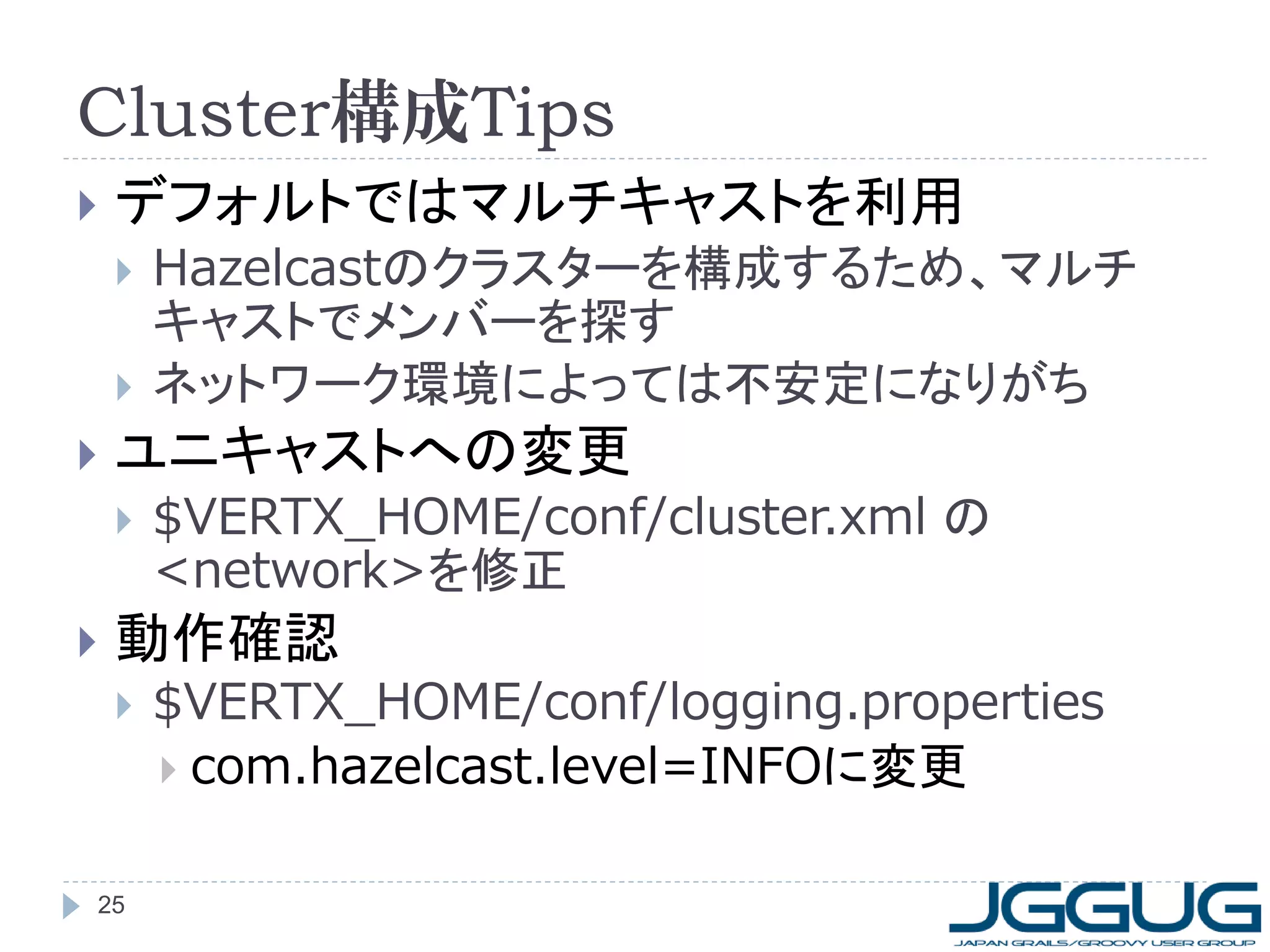
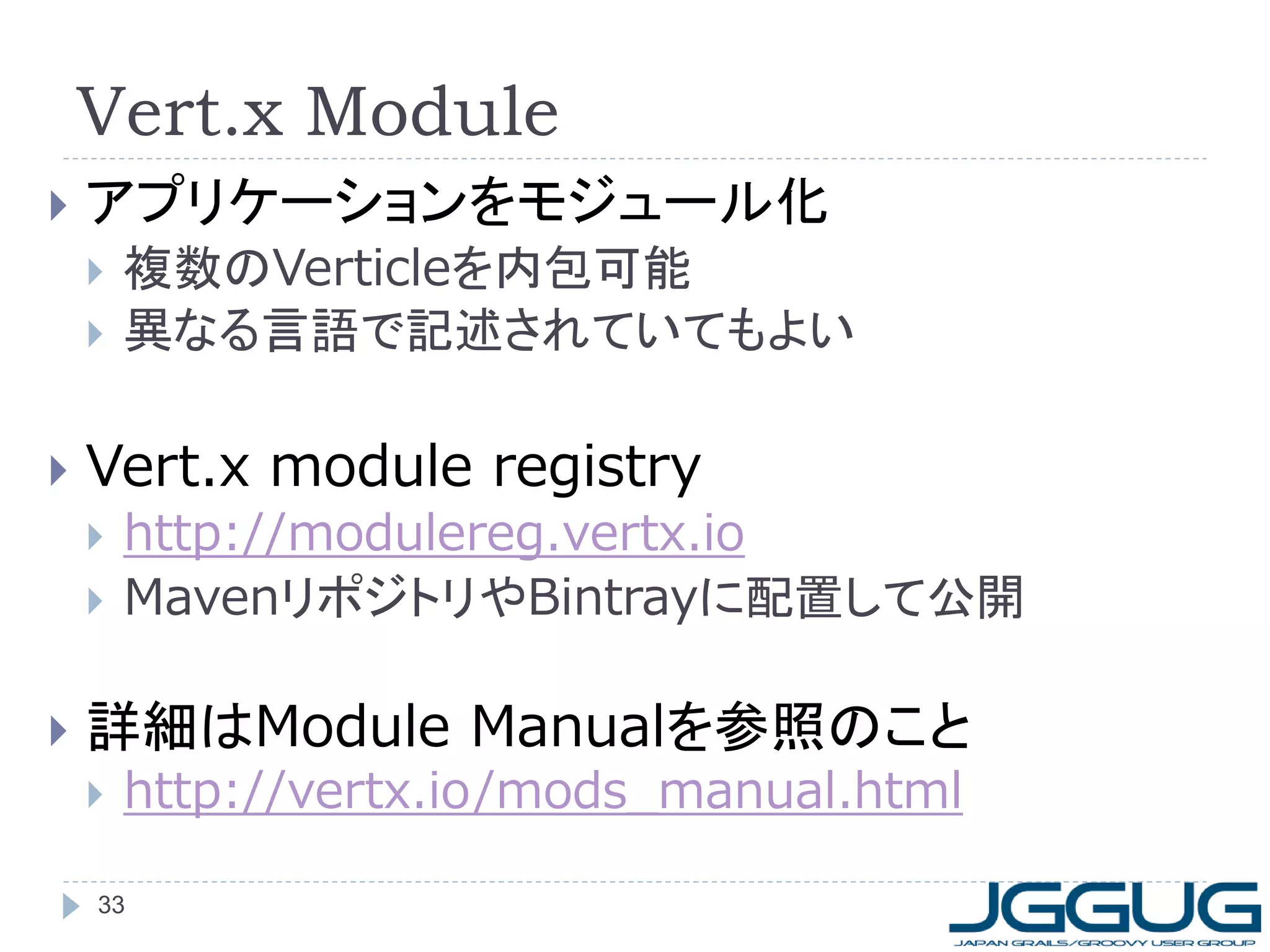
3. 4. Vert.xインストール
前提
JDK1.7以上 (“java –version”で確認)
curl -s get.gvmtool.net | bash
gvm install vertx
詳細は http://gvmtool.net/ 参照
Windowsの場合はcygwinが必要
GVM利用
ZIPを展開
4
http://vertx.io/downloads.html
2.0.2.finalが最新(2013/10/17現在)
適当なディレクトリに展開 ($VERTX_HOME)
$VERTX_HOME/bin にパスを通しておく
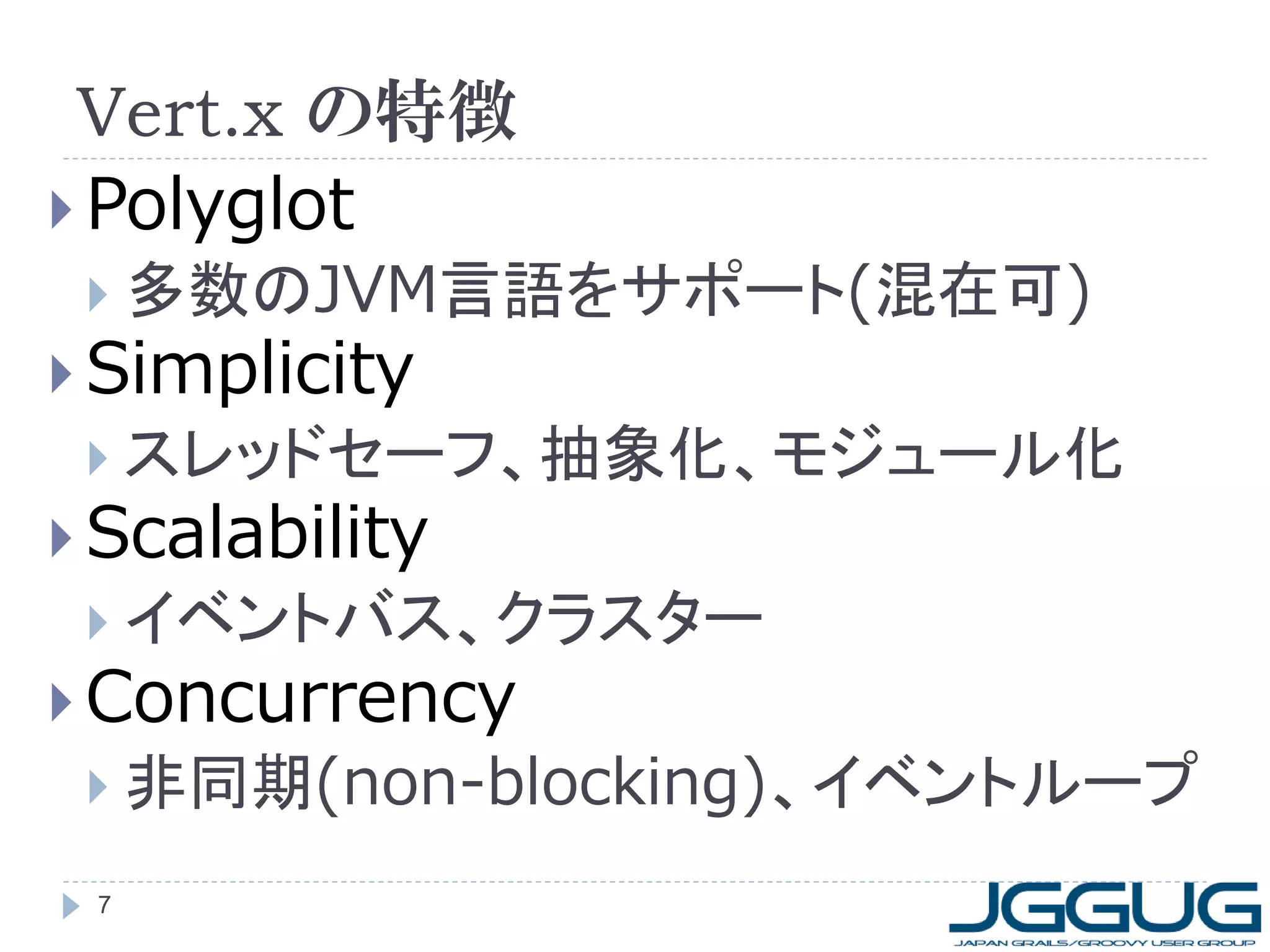
5. 6. 7. Vert.x の特徴
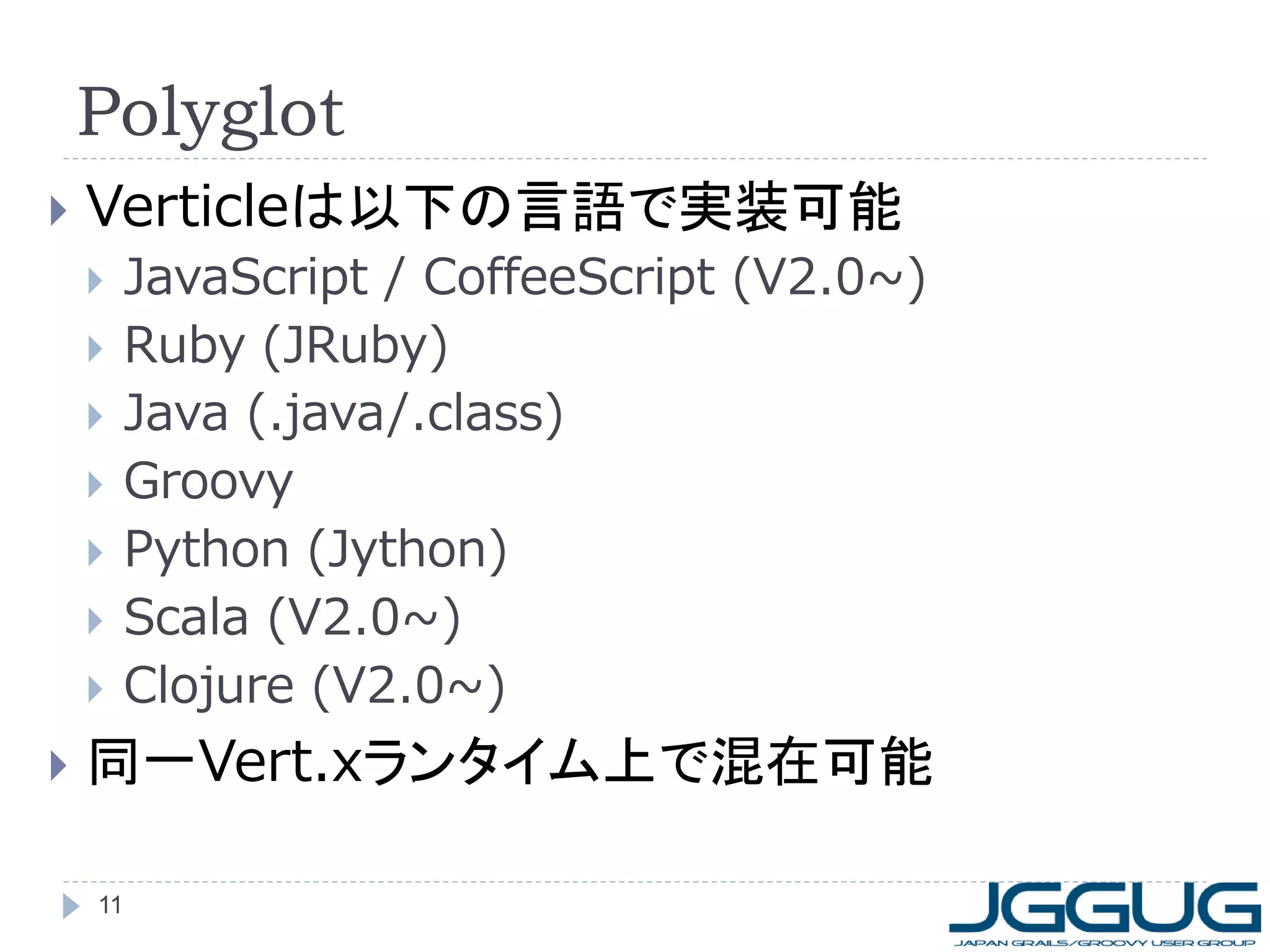
Polyglot
多数のJVM言語をサポート(混在可)
Simplicity
スレッドセーフ、抽象化、モジュール化
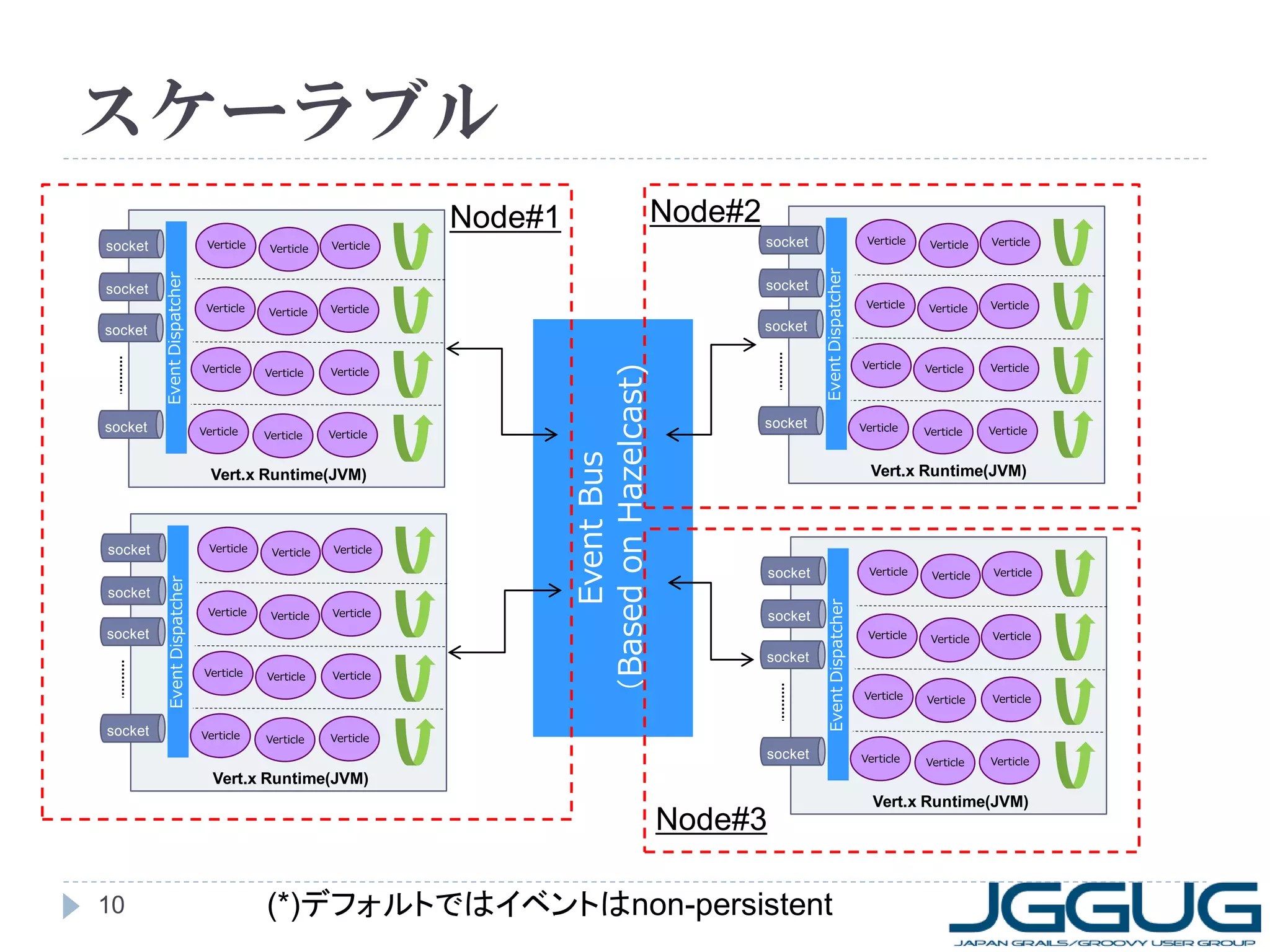
Scalability
イベントバス、クラスター
Concurrency
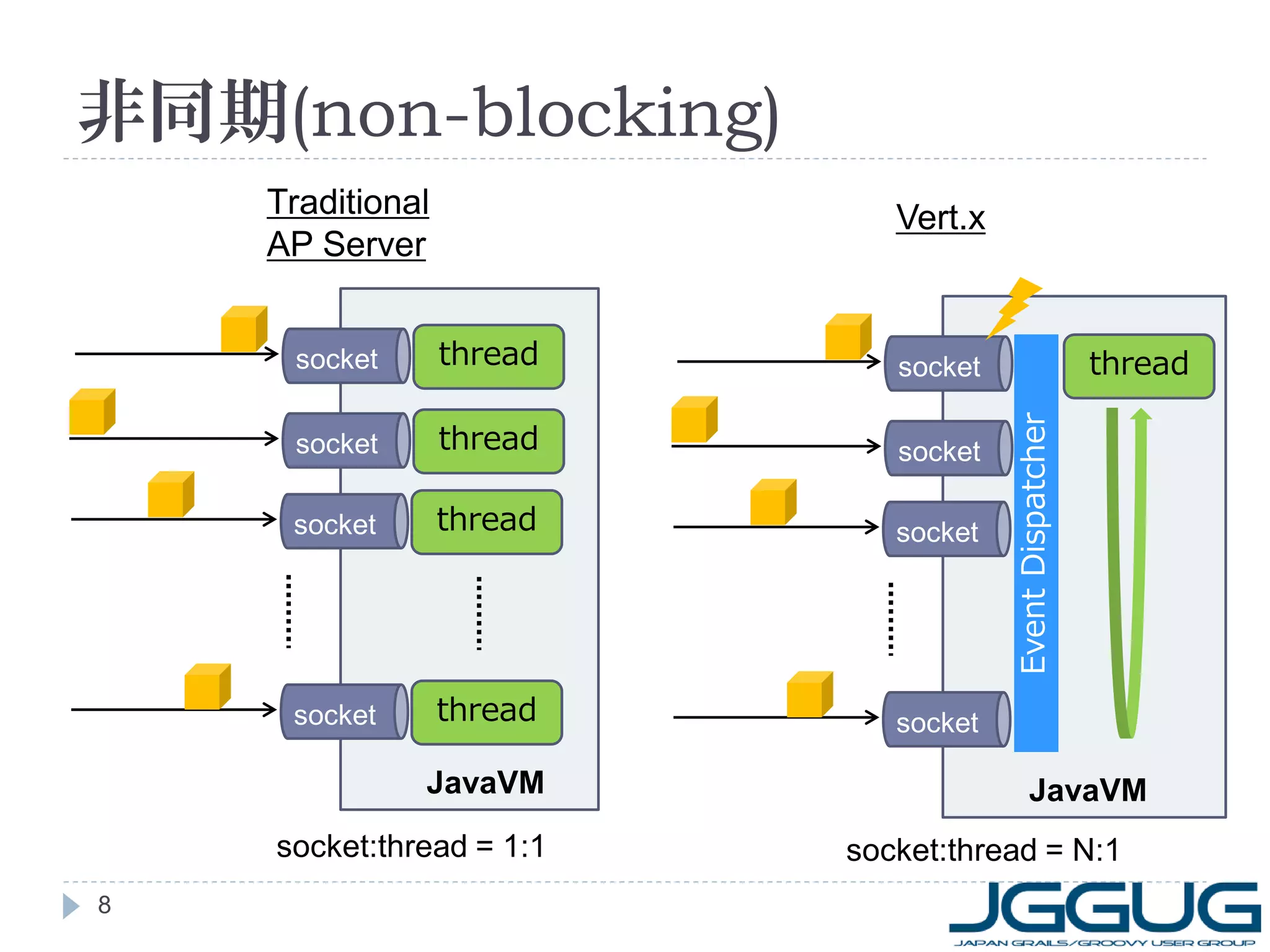
非同期(non-blocking)、イベントループ
7
8. 9. 10. 11. 12. ユースケース(例)
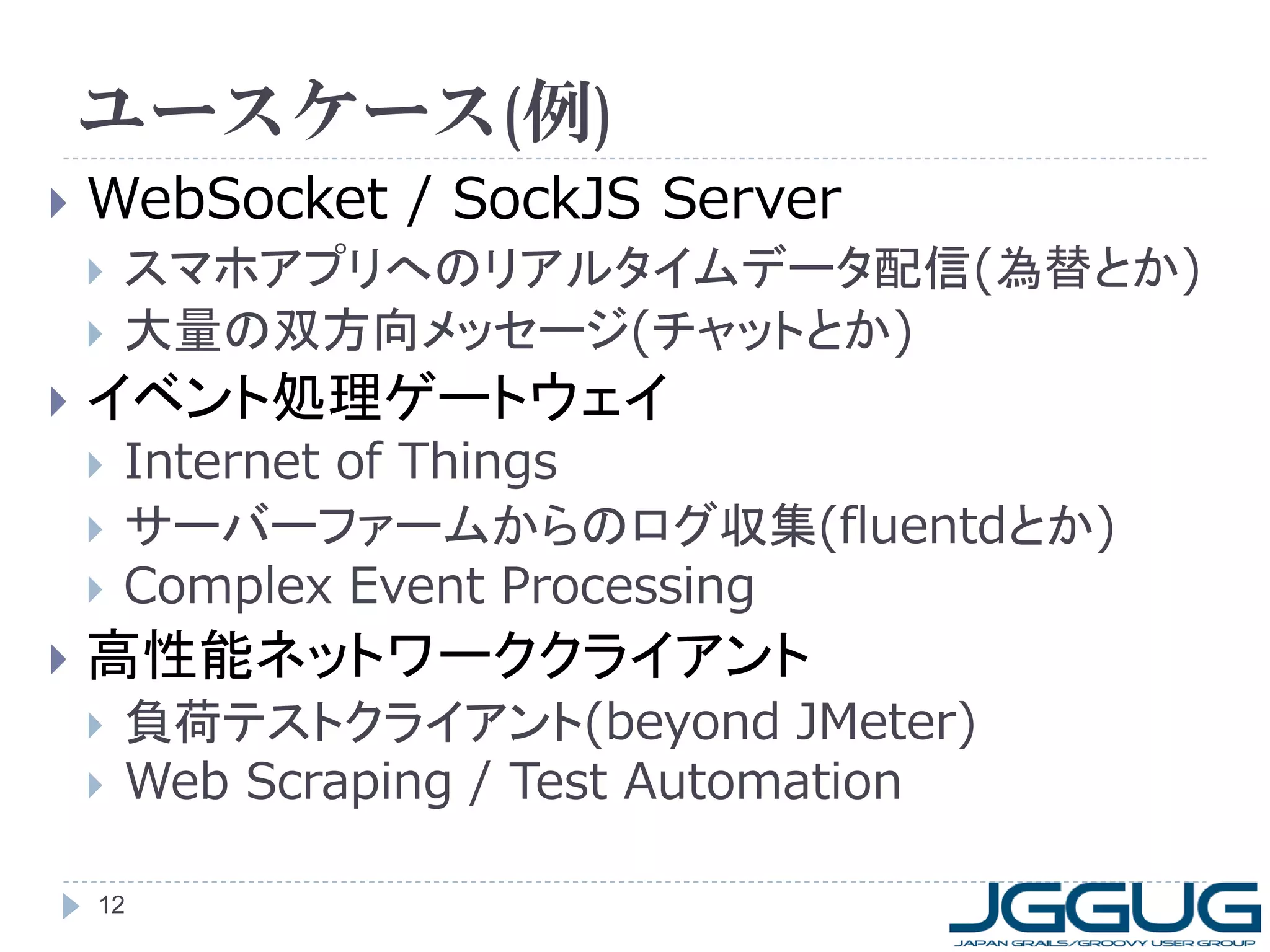
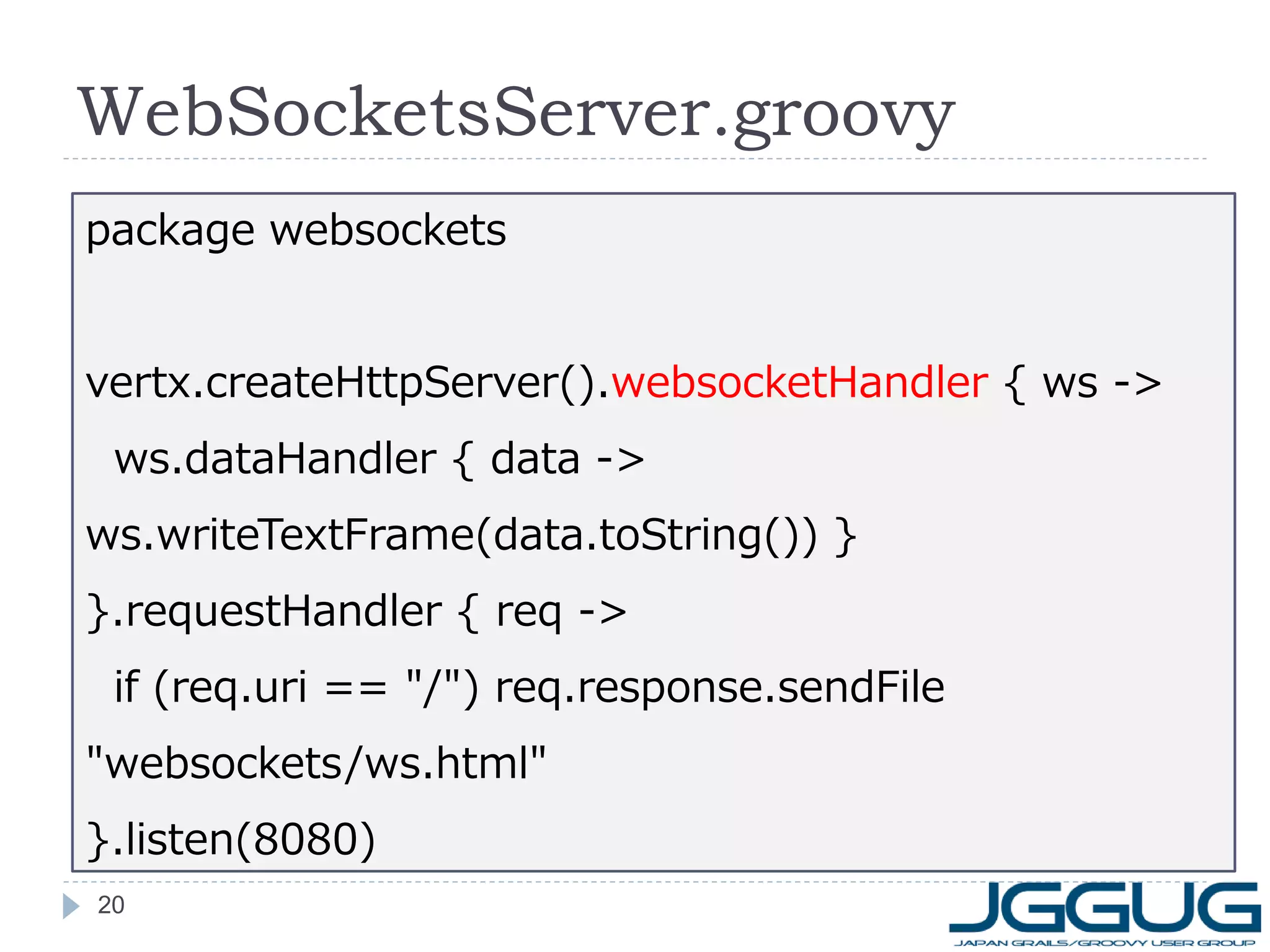
WebSocket / SockJS Server
イベント処理ゲートウェイ
スマホアプリへのリアルタイムデータ配信(為替とか)
大量の双方向メッセージ(チャットとか)
Internet of Things
サーバーファームからのログ収集(fluentdとか)
Complex Event Processing
高性能ネットワーククライアント
負荷テストクライアント(beyond JMeter)
Web Scraping / Test Automation
12
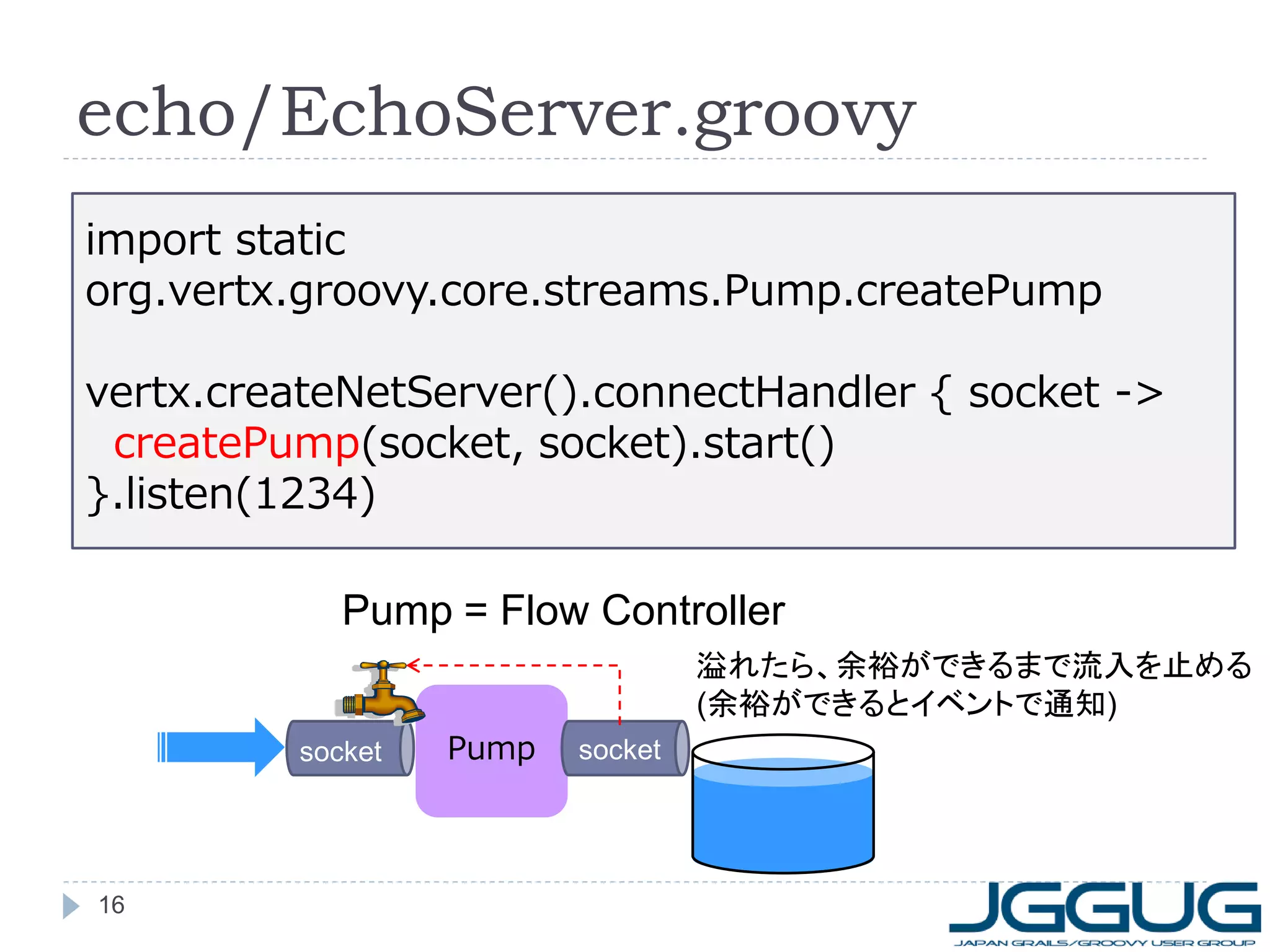
13. 14. 15. echo
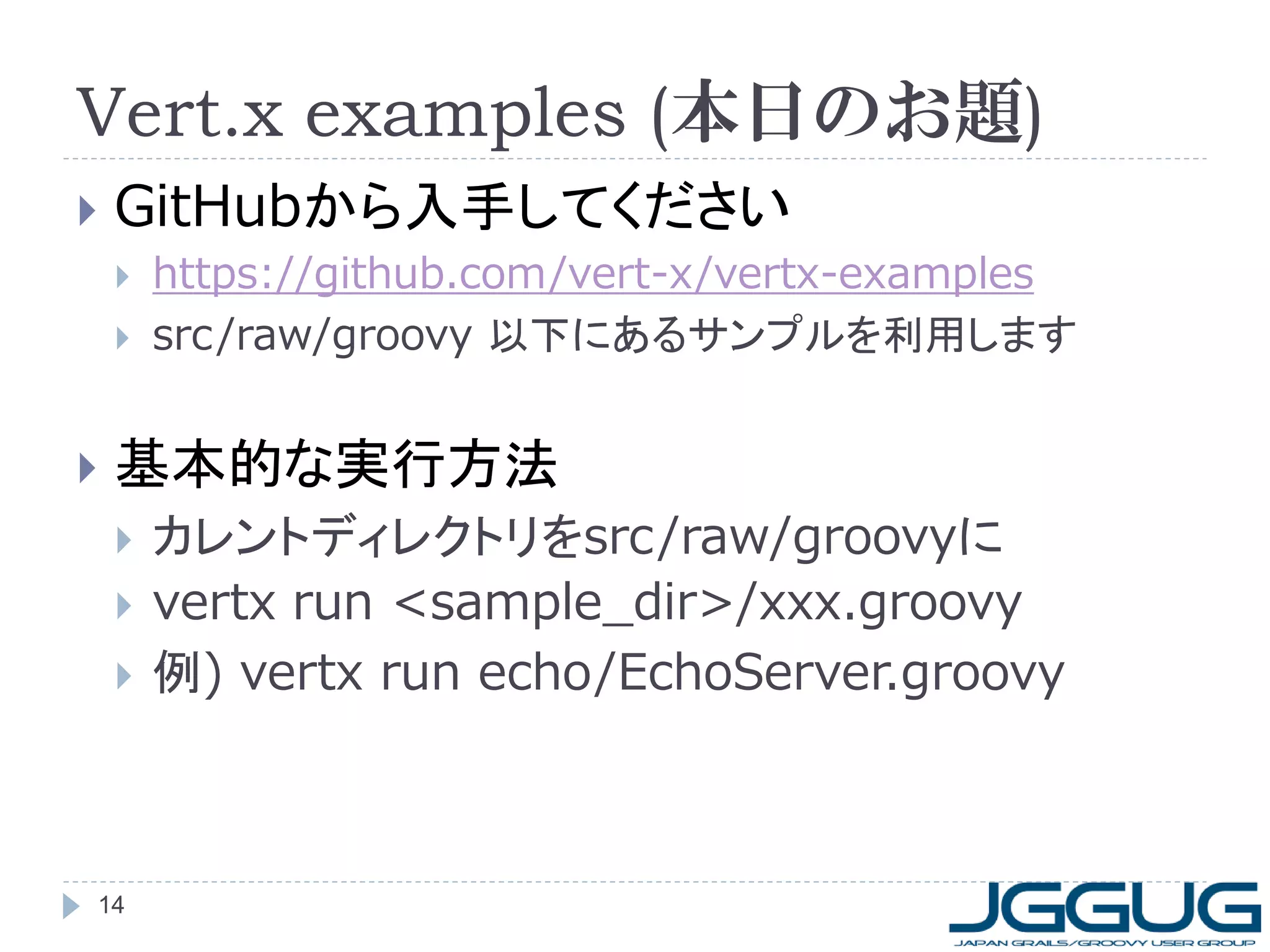
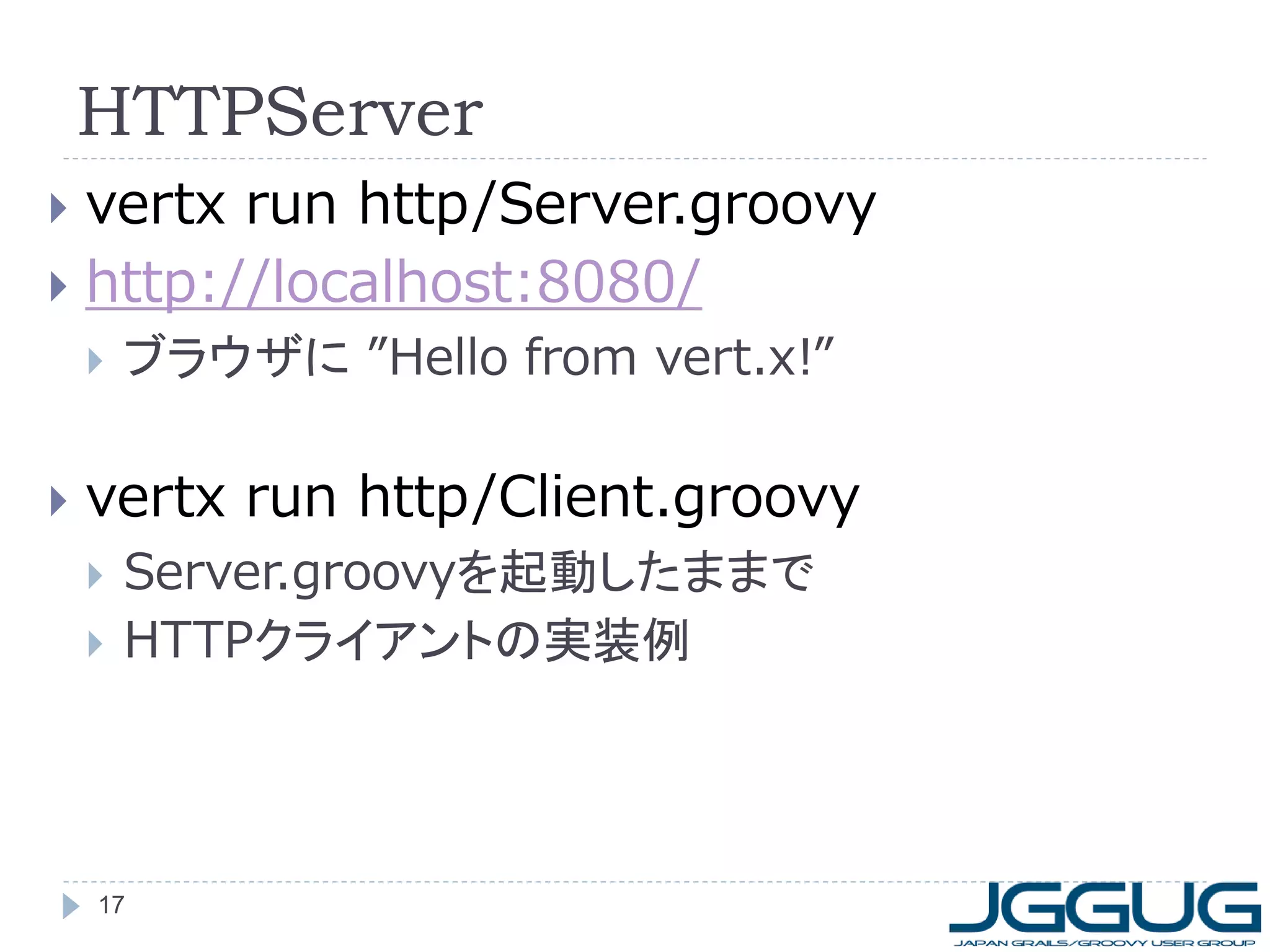
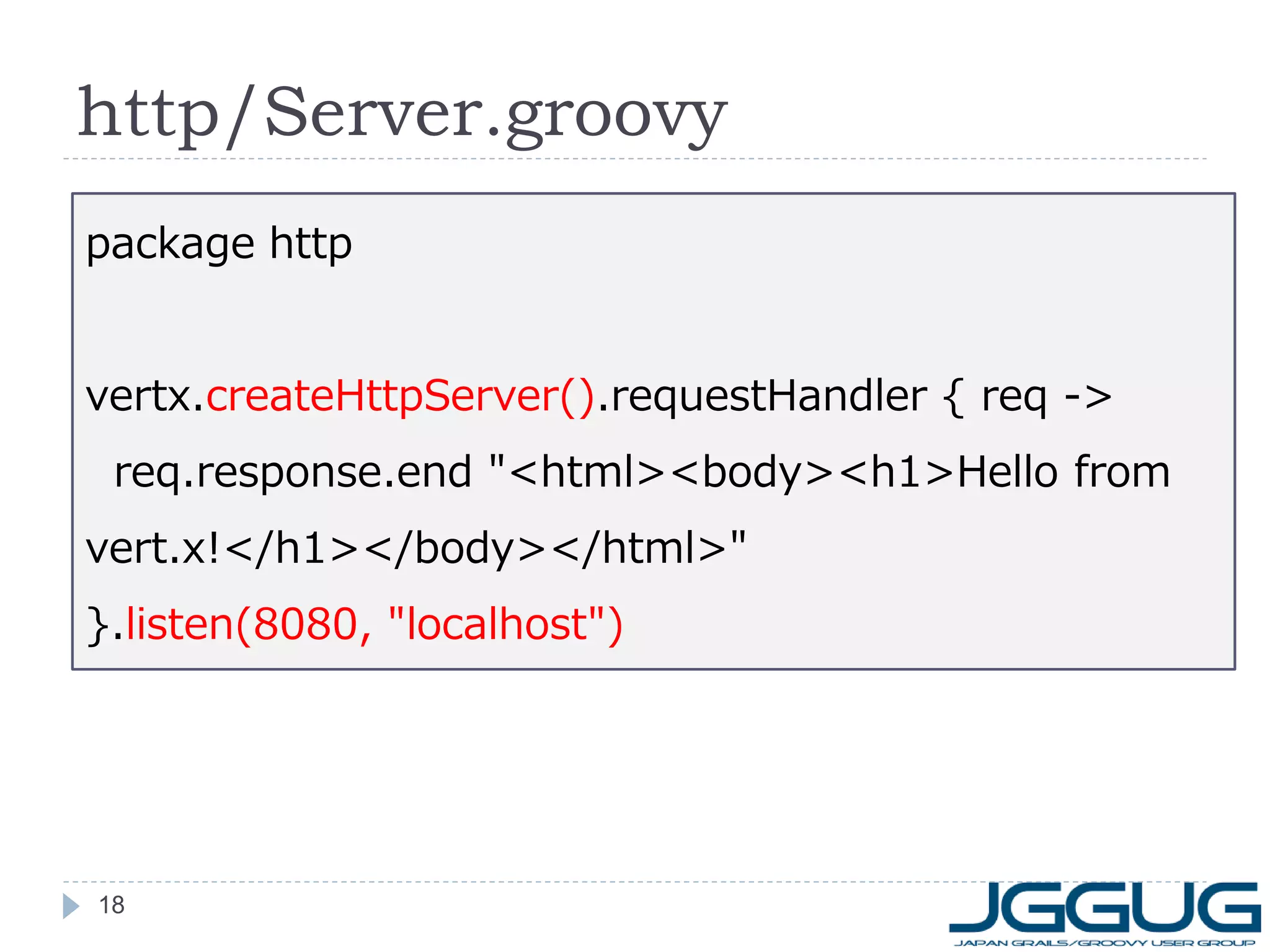
vertx run echo/EchoServer.groovy
telnet localhost 1234
何か入力してみてください
抜けるときは Ctrl + ] -> quit
vertx run echo/EchoClient.groovy
EchoServer.groovyを実行したままで
“hello”を10回送信
非同期で送信されていることに注目
15
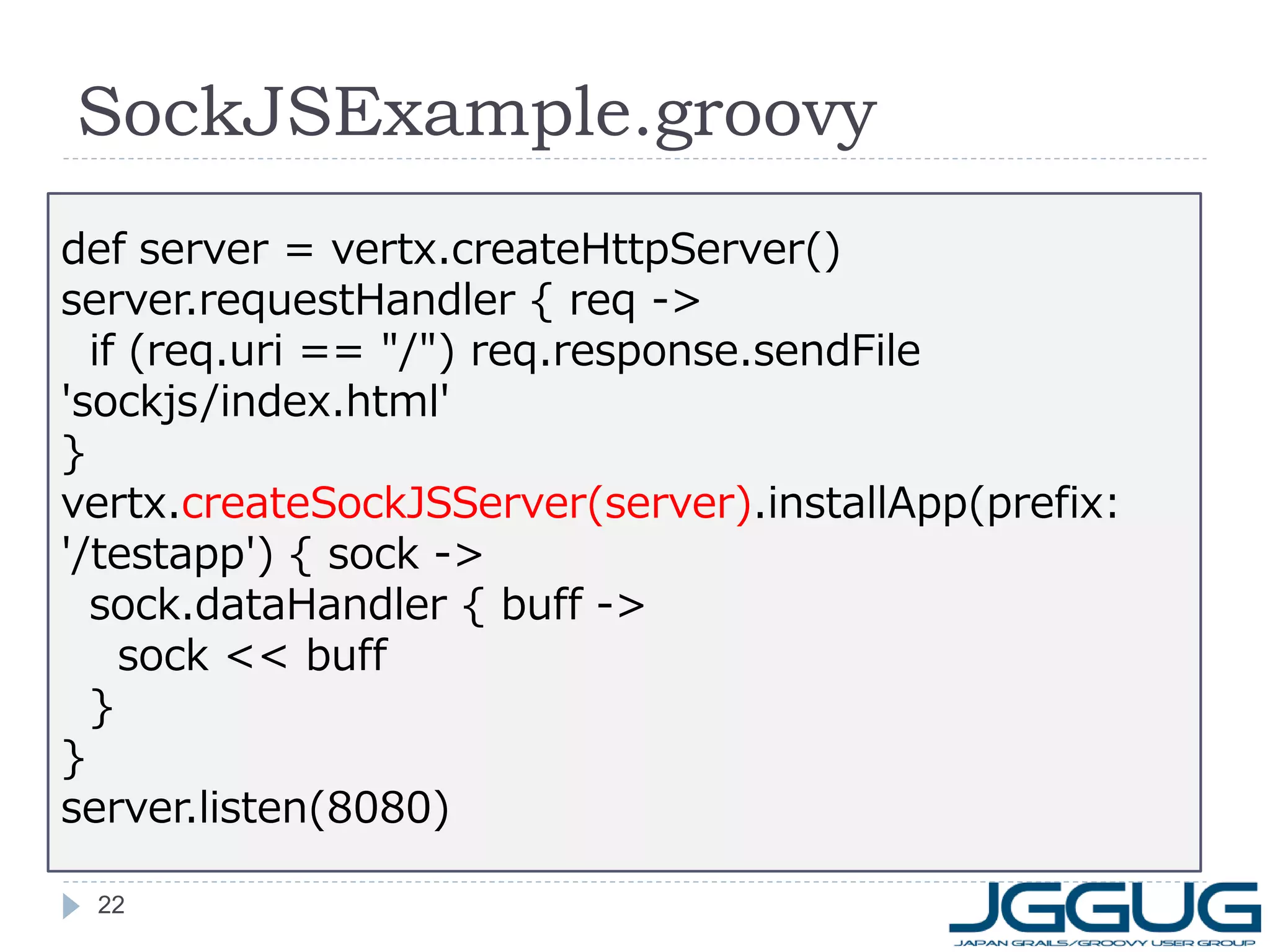
16. 17. 18. 19. 20. 21. 22. SockJSExample.groovy
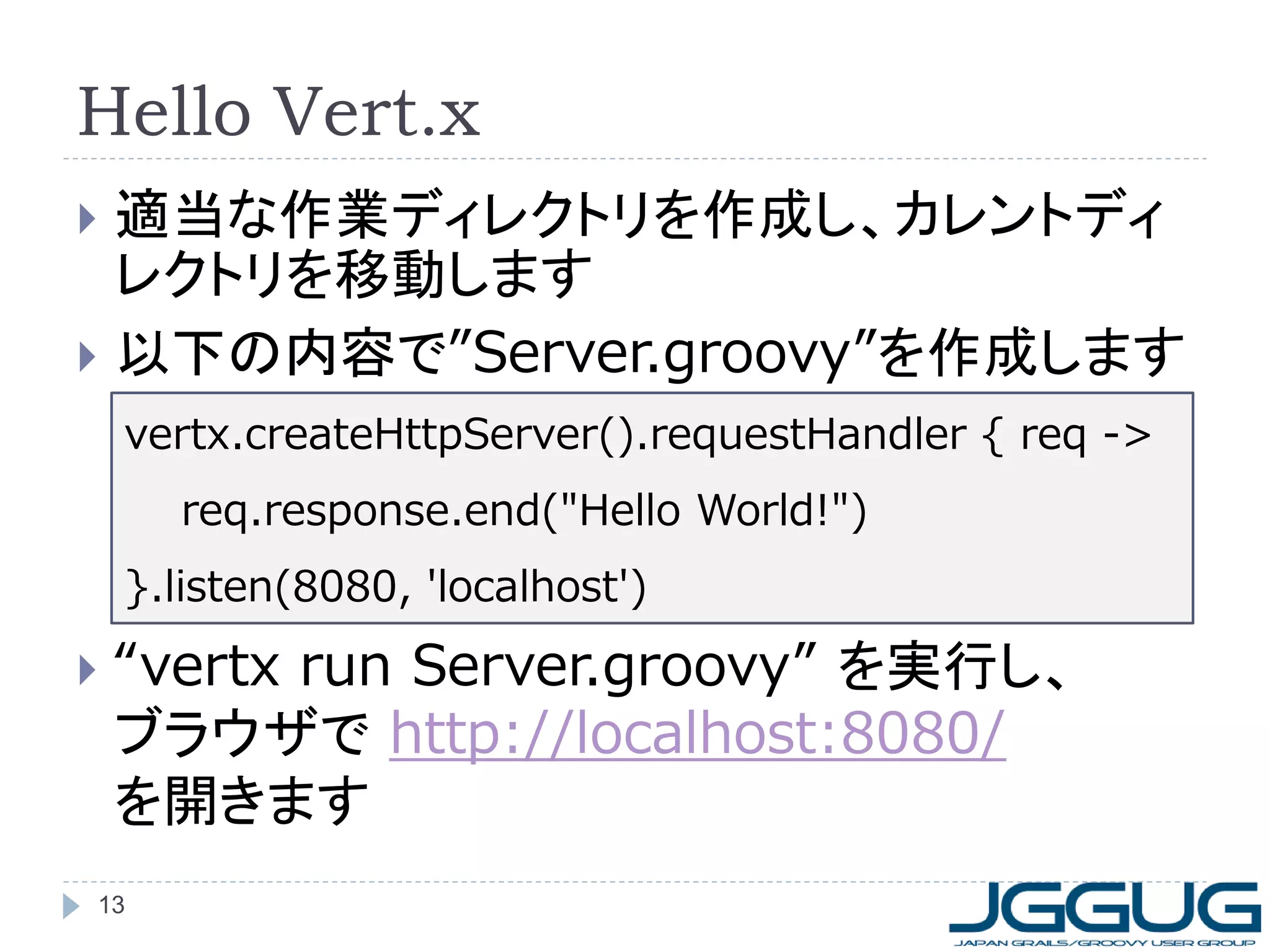
def server = vertx.createHttpServer()
server.requestHandler { req ->
if (req.uri == "/") req.response.sendFile
'sockjs/index.html'
}
vertx.createSockJSServer(server).installApp(prefix:
'/testapp') { sock ->
sock.dataHandler { buff ->
sock << buff
}
}
server.listen(8080)
22
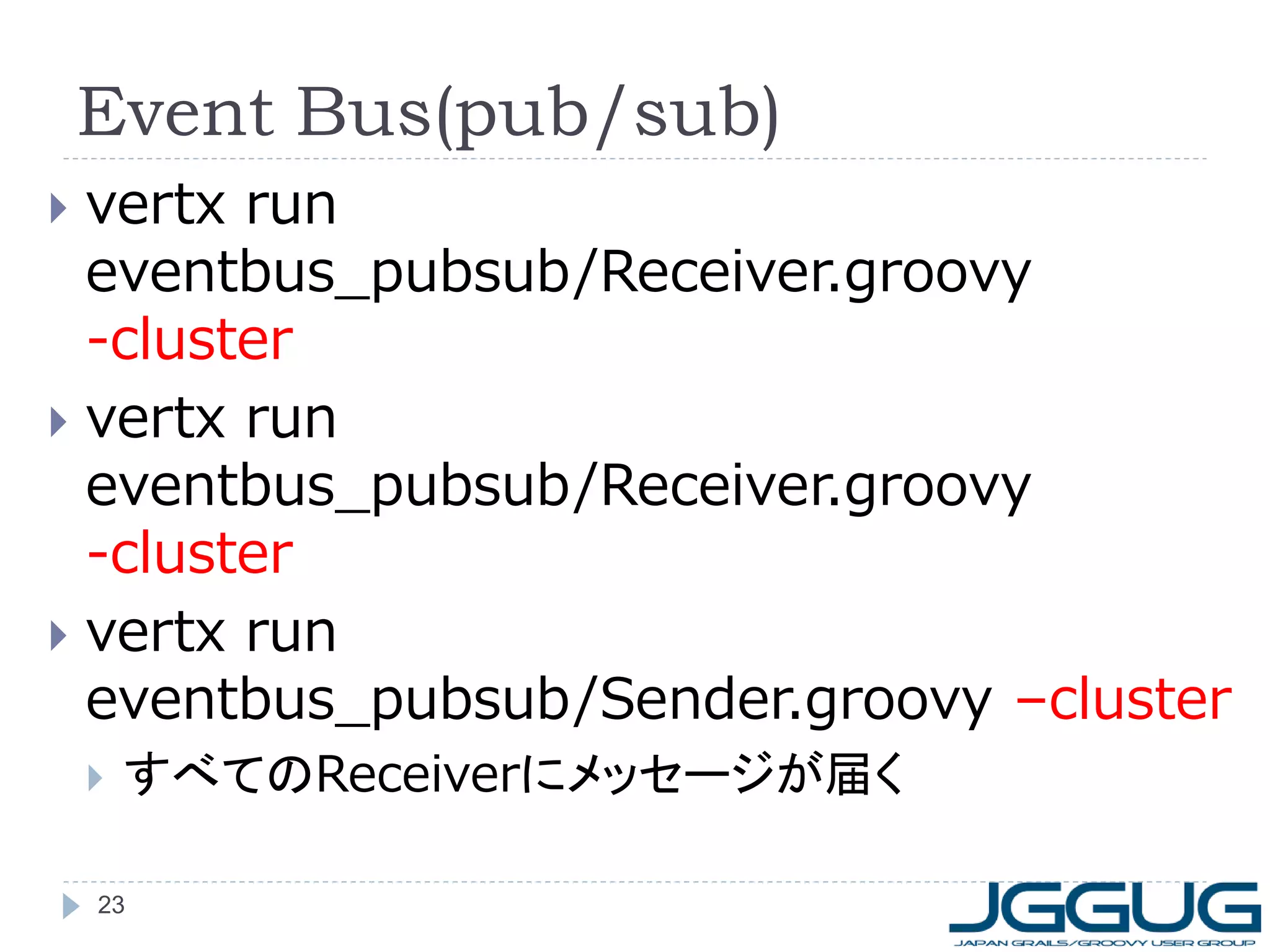
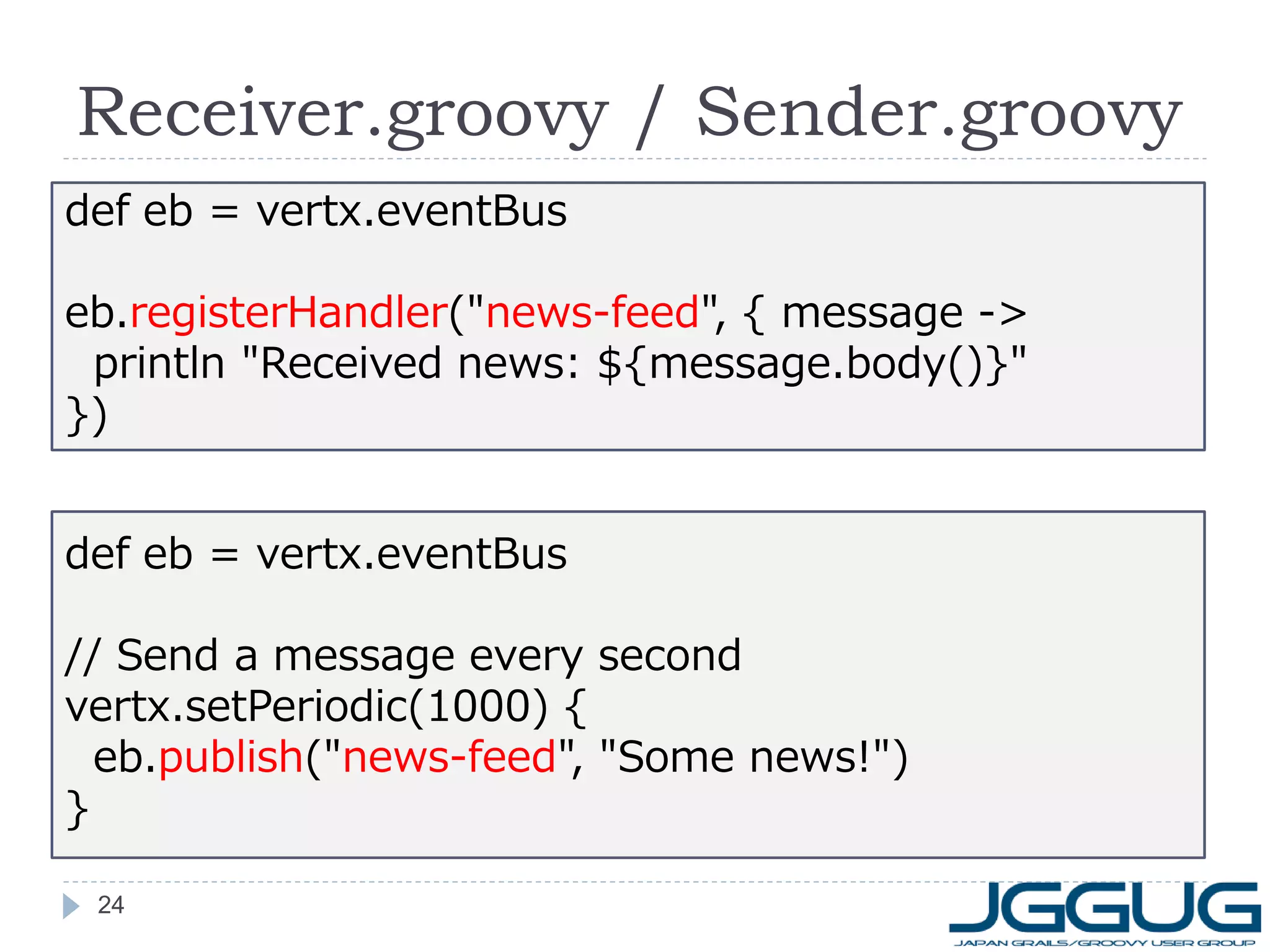
23. 24. Receiver.groovy / Sender.groovy
def eb = vertx.eventBus
eb.registerHandler("news-feed", { message ->
println "Received news: ${message.body()}"
})
def eb = vertx.eventBus
// Send a message every second
vertx.setPeriodic(1000) {
eb.publish("news-feed", "Some news!")
}
24
25. 26. 27. 28. Cluster構成時のログ
[127.0.0.1]:5701 [dev] 5701 is accepting socket
connection from /127.0.0.1:51668
[127.0.0.1]:5701 [dev] 5701 accepted socket
connection from /127.0.0.1:51668
Received news: Some news!
[127.0.0.1]:5701 [dev]
Members [3] {
Member [127.0.0.1]:5701 this
Member [127.0.0.1]:5702
Member [127.0.0.1]:5703
}
28
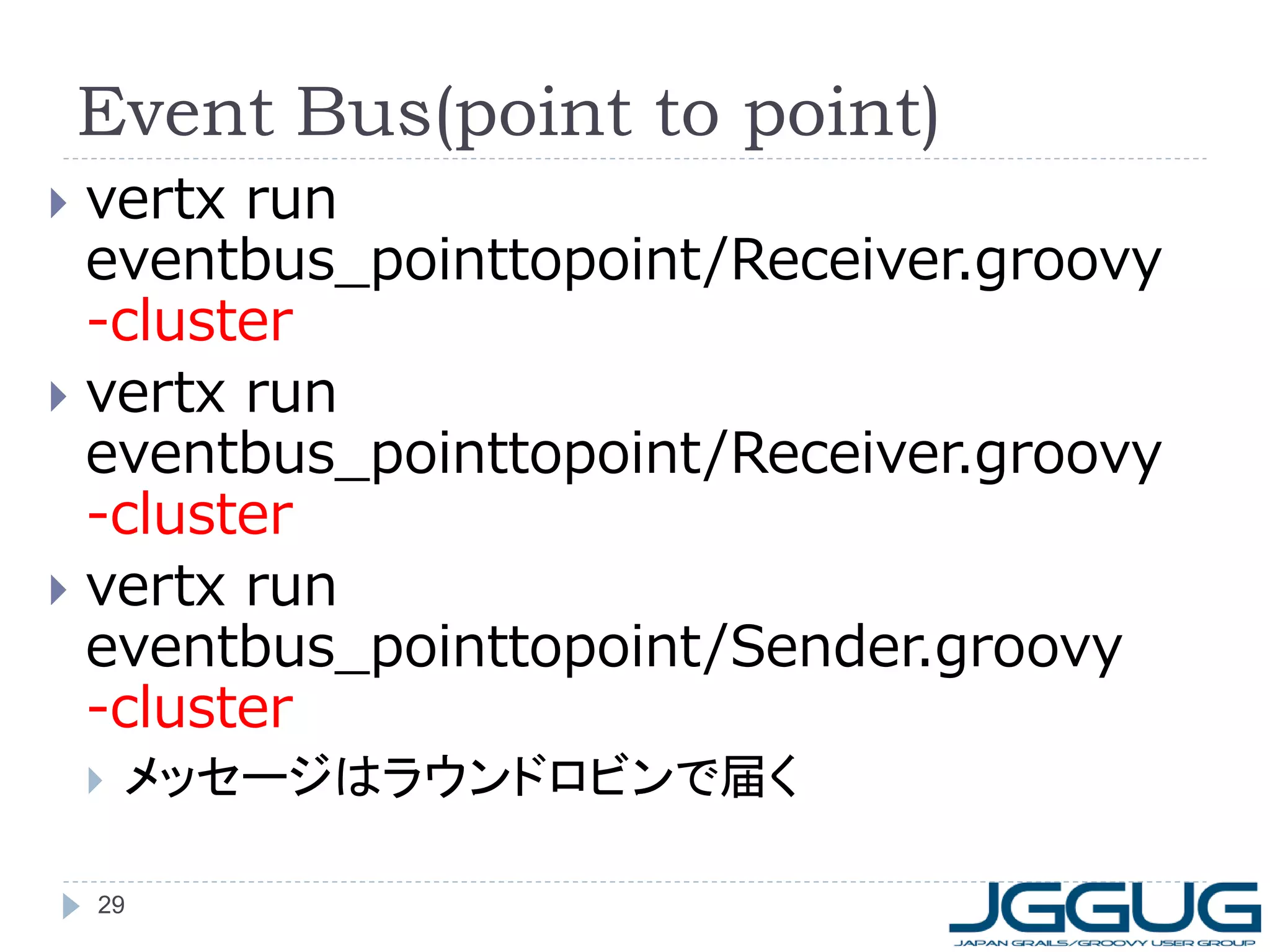
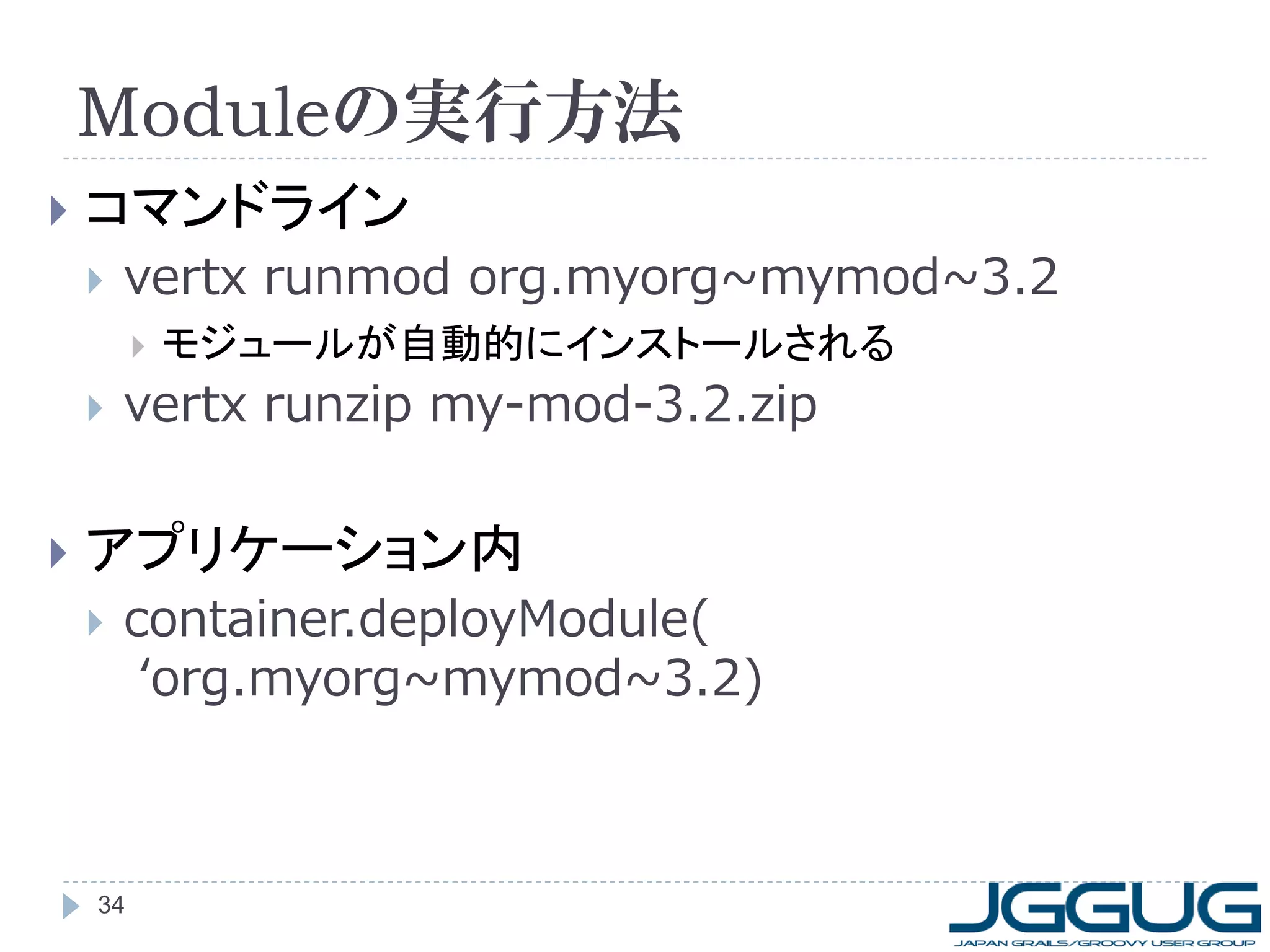
29. Event Bus(point to point)
vertx run
eventbus_pointtopoint/Receiver.groovy
-cluster
vertx run
eventbus_pointtopoint/Receiver.groovy
-cluster
vertx run
eventbus_pointtopoint/Sender.groovy
-cluster
メッセージはラウンドロビンで届く
29
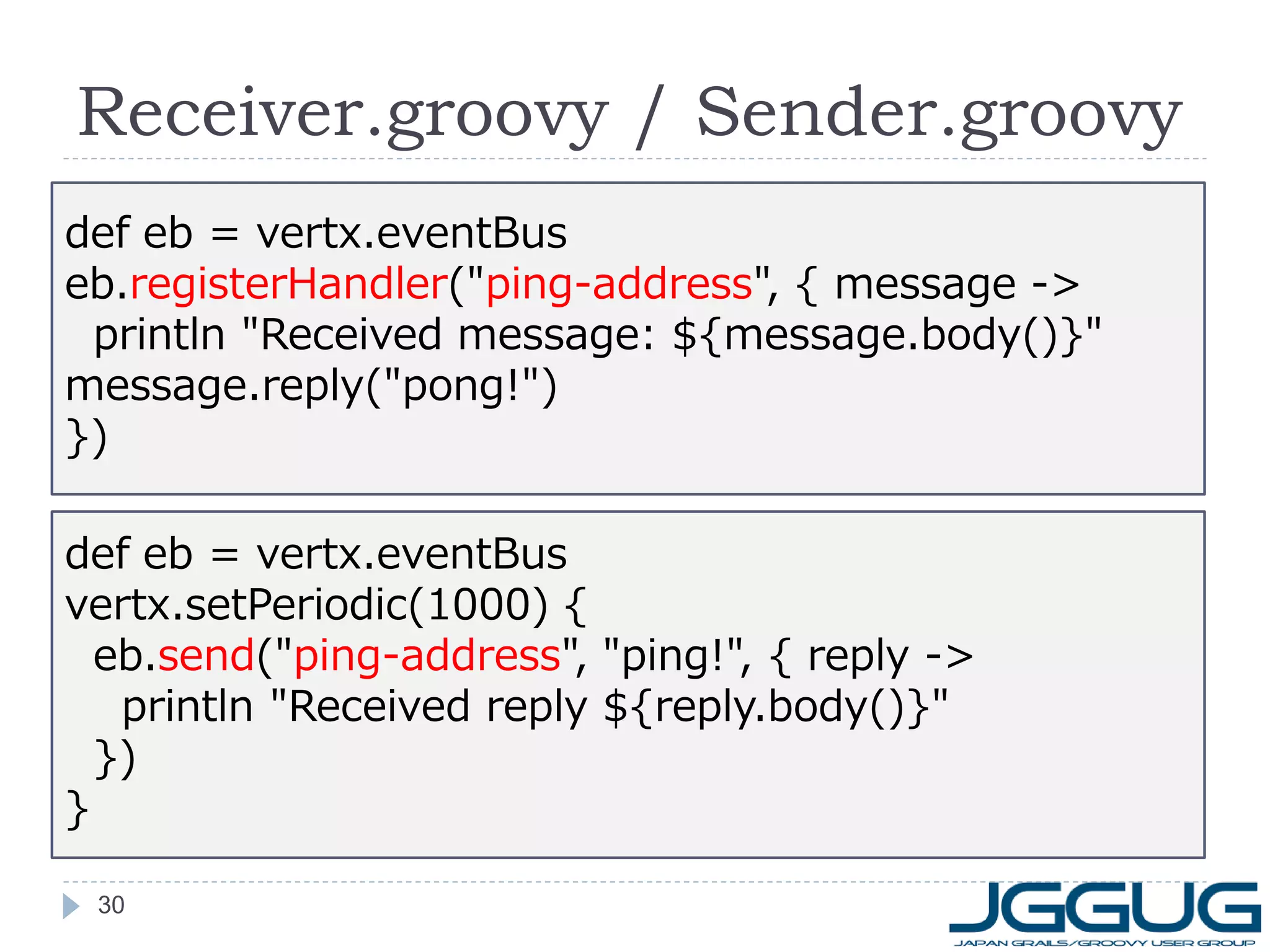
30. Receiver.groovy / Sender.groovy
def eb = vertx.eventBus
eb.registerHandler("ping-address", { message ->
println "Received message: ${message.body()}"
message.reply("pong!")
})
def eb = vertx.eventBus
vertx.setPeriodic(1000) {
eb.send("ping-address", "ping!", { reply ->
println "Received reply ${reply.body()}"
})
}
30
31. fanout (Shared memory)
vertx run fanout/FanoutServer.groovy
telnet localhost 1234
terminalを複数開いて試してみてください
抜けるときは Ctrl + ] -> quit
Shared Set/Map
同一Vert.xインスタンス上のvertileからのみ参照可能
な共有メモリ
同一JVM上でのみ有効(クラスター対応の計画あり)
31
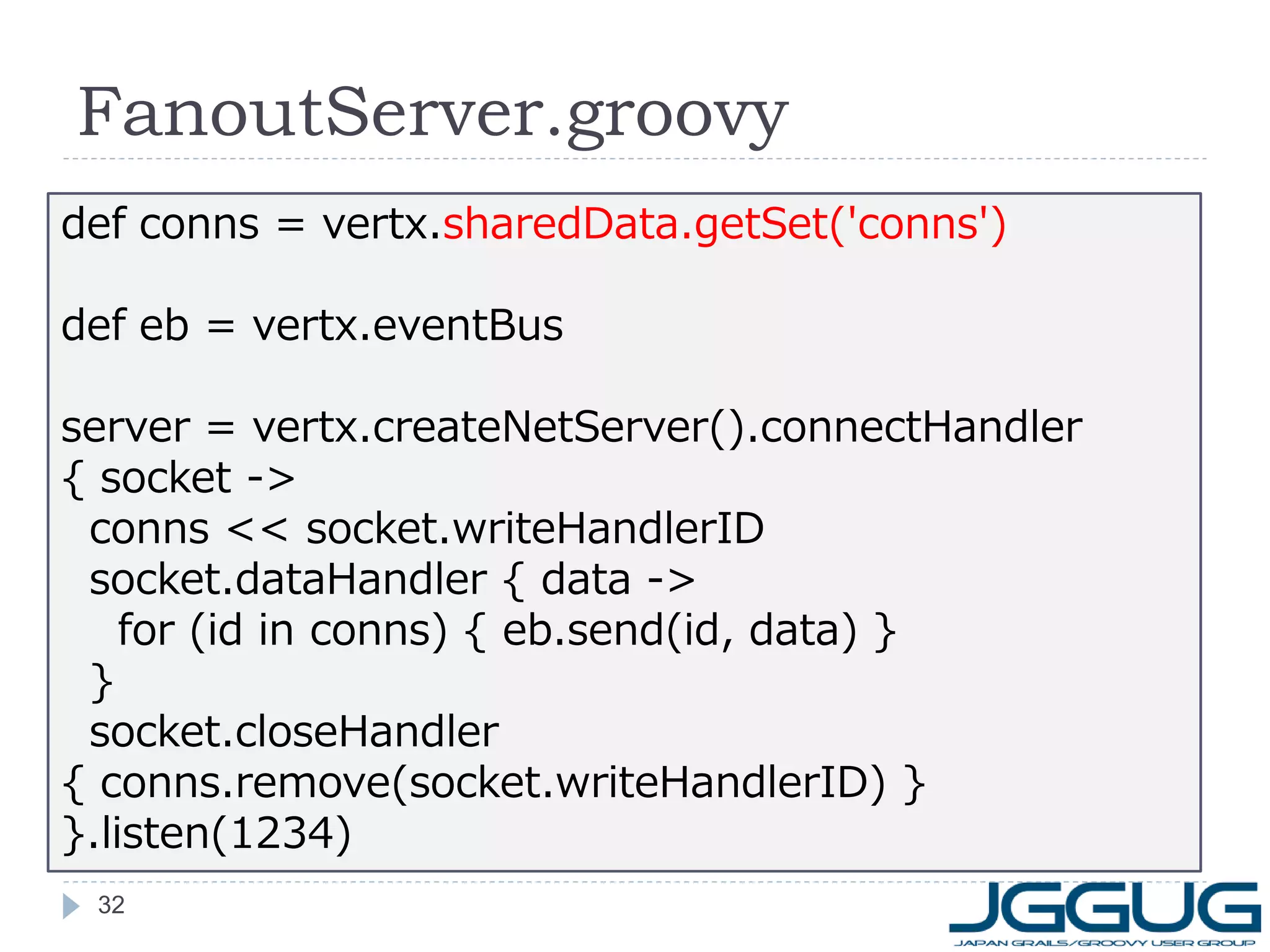
32. FanoutServer.groovy
def conns = vertx.sharedData.getSet('conns')
def eb = vertx.eventBus
server = vertx.createNetServer().connectHandler
{ socket ->
conns << socket.writeHandlerID
socket.dataHandler { data ->
for (id in conns) { eb.send(id, data) }
}
socket.closeHandler
{ conns.remove(socket.writeHandlerID) }
}.listen(1234)
32
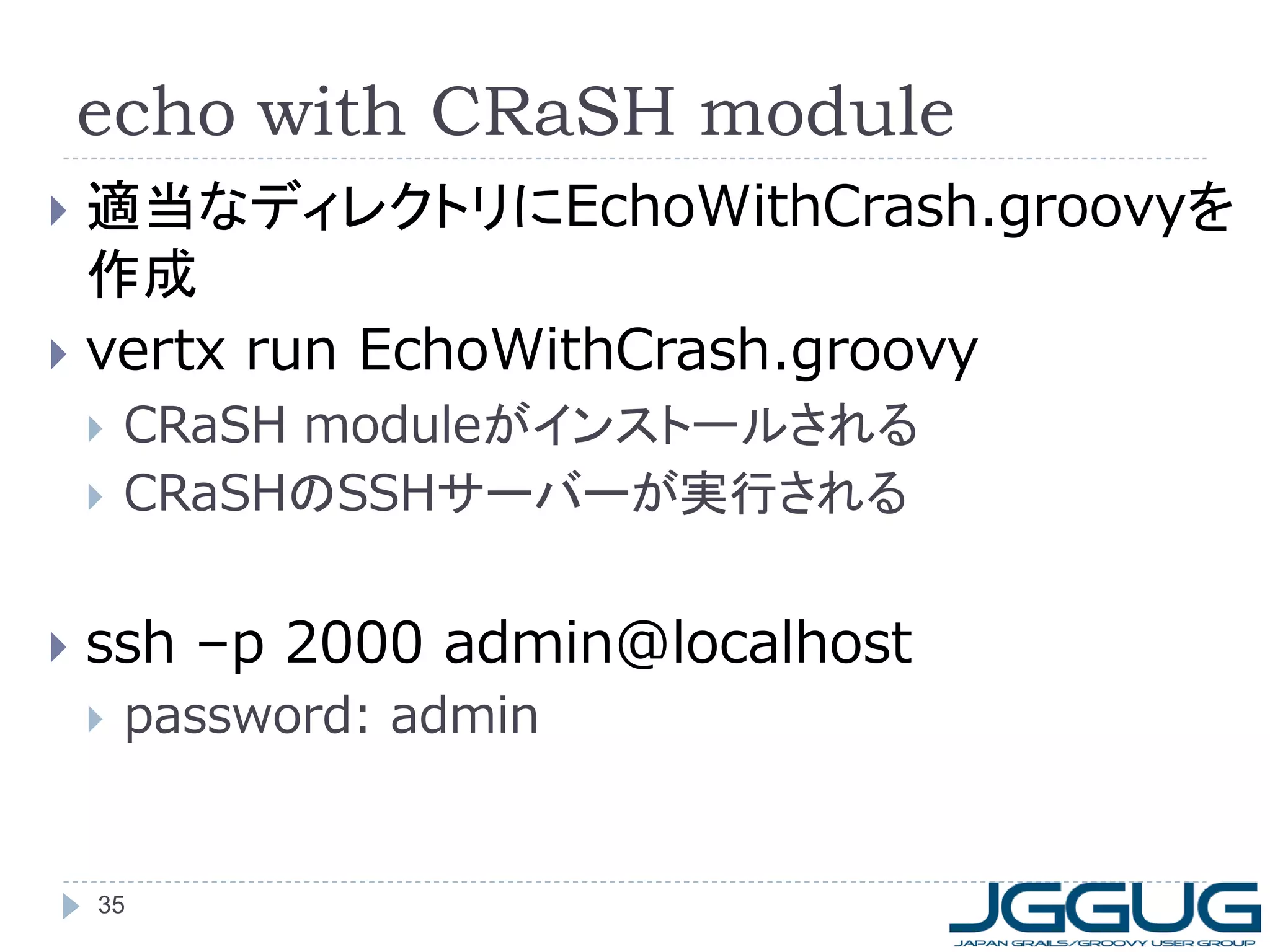
33. 34. 35. echo with CRaSH module
適当なディレクトリにEchoWithCrash.groovyを
作成
vertx run EchoWithCrash.groovy
CRaSH moduleがインストールされる
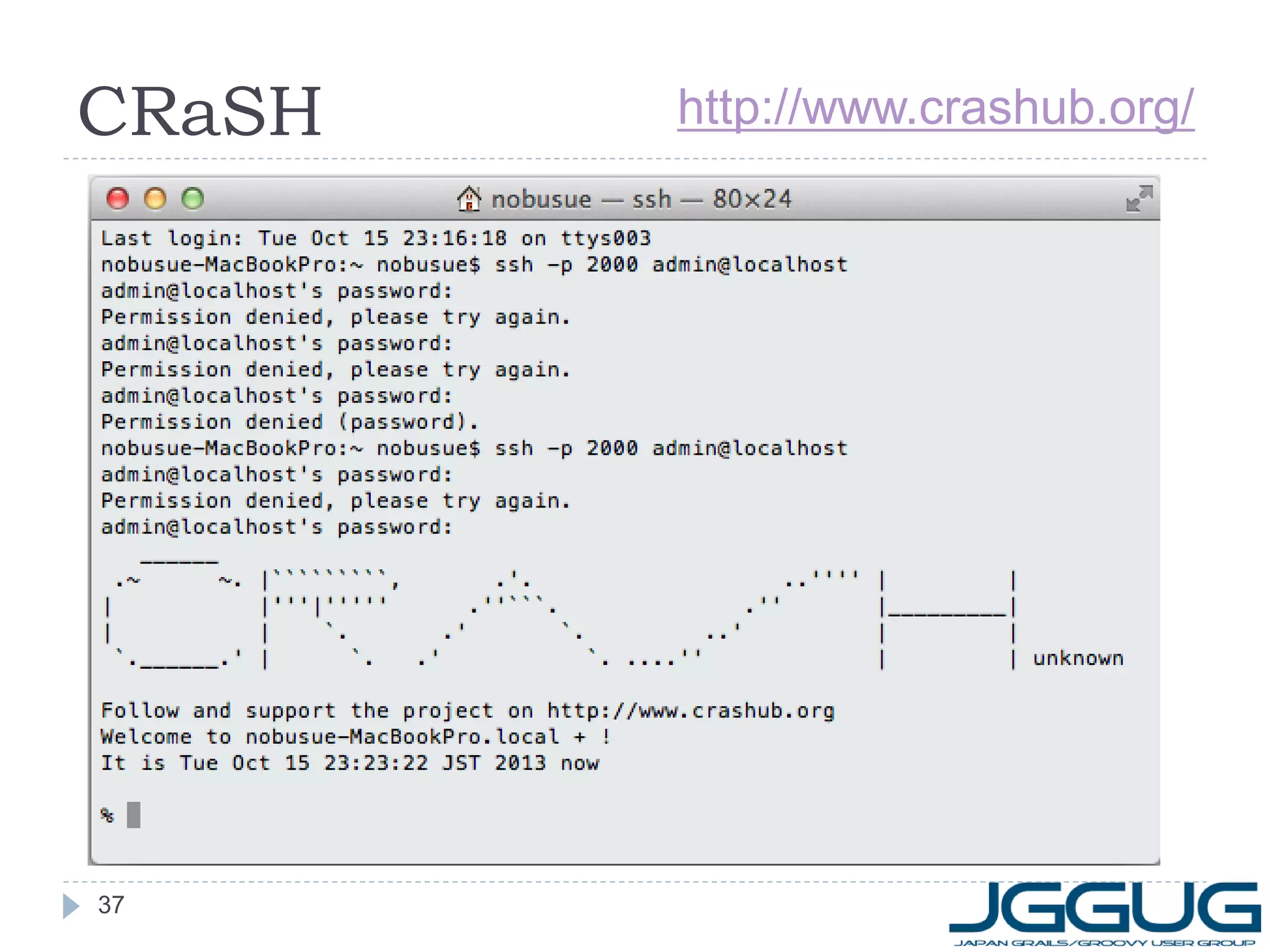
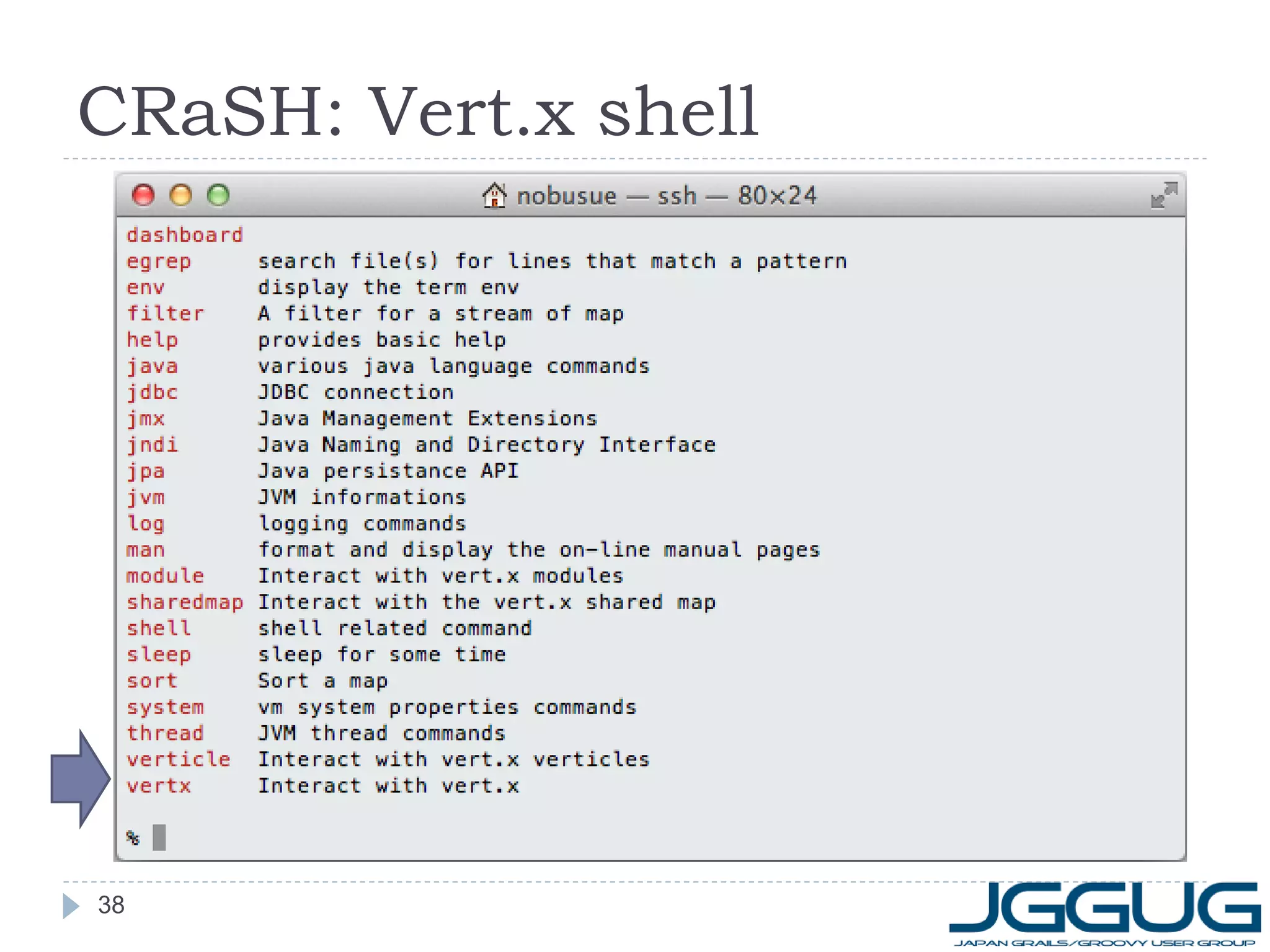
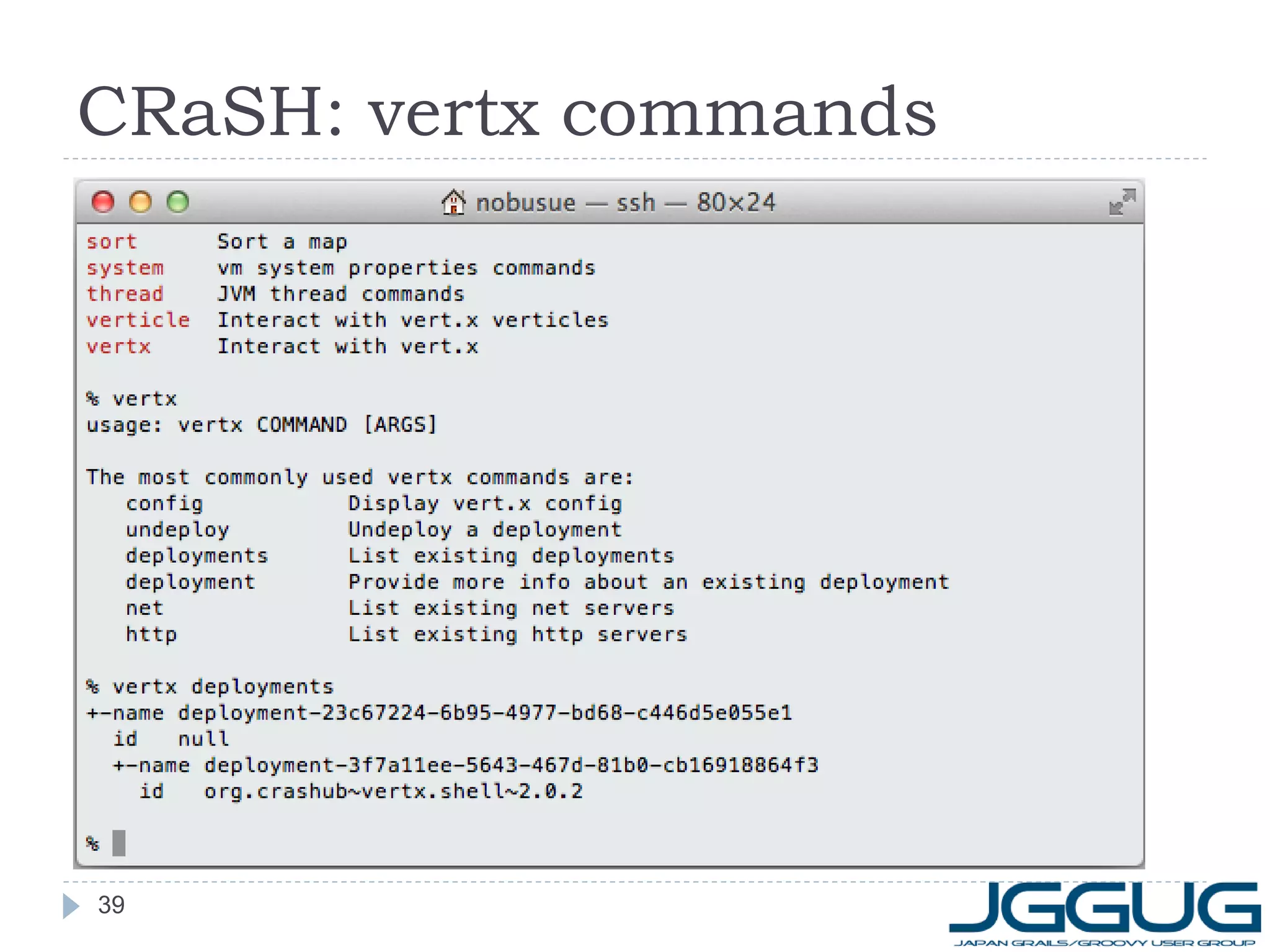
CRaSHのSSHサーバーが実行される
ssh –p 2000 admin@localhost
password: admin
35
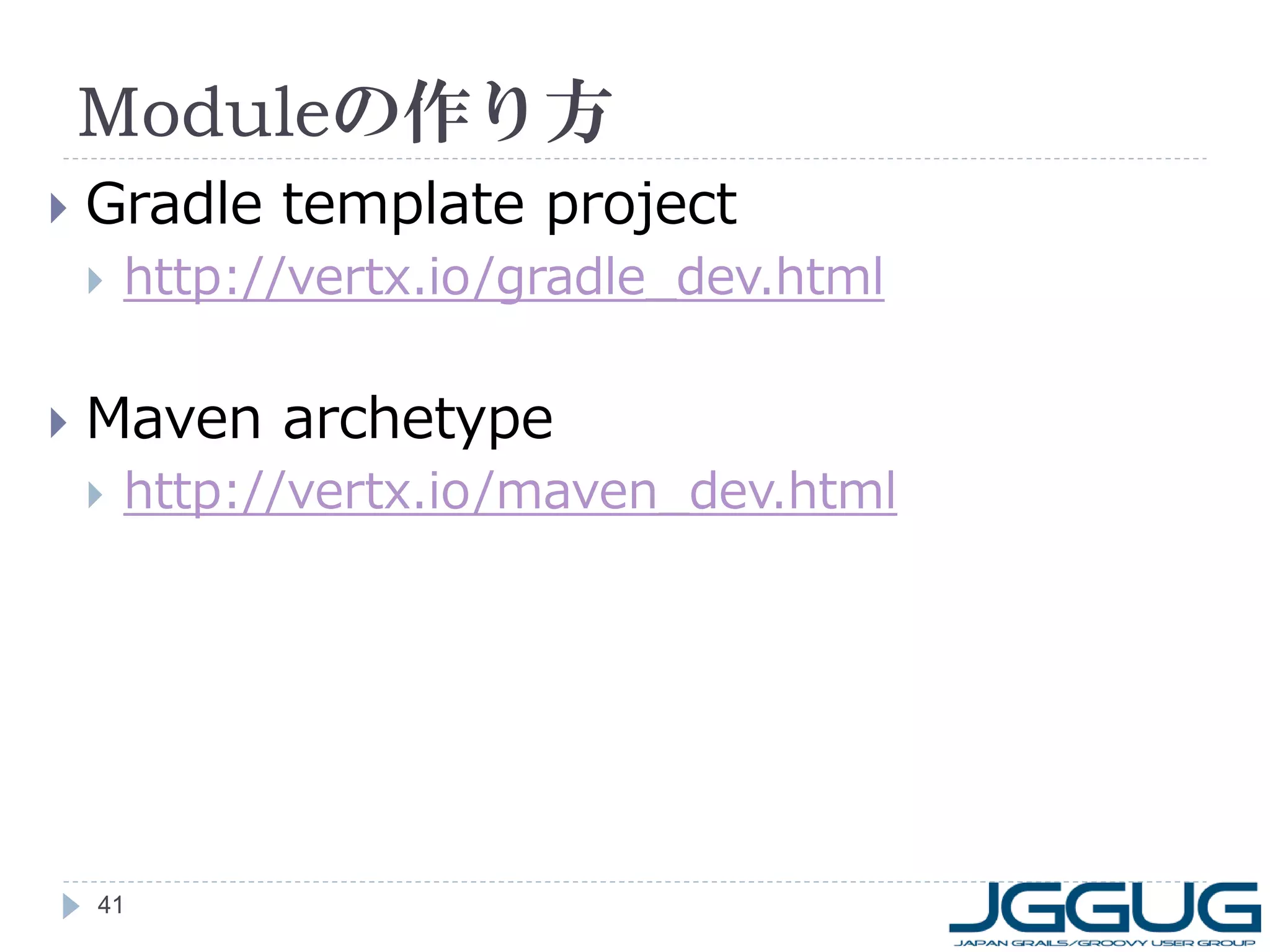
36. 37. 38. 39. 40. 41. 42. 43. 44.


![echo
vertx run echo/EchoServer.groovy
telnet localhost 1234
何か入力してみてください
抜けるときは Ctrl + ] -> quit
vertx run echo/EchoClient.groovy
EchoServer.groovyを実行したままで
“hello”を10回送信
非同期で送信されていることに注目
15](https://image.slidesharecdn.com/gws20131018vertxhandson-131017110150-phpapp02/75/Gws-20131018-vertx_handson-updated-15-2048.jpg)
![Cluster構成時のログ
[127.0.0.1]:5701 [dev] 5701 is accepting socket
connection from /127.0.0.1:51668
[127.0.0.1]:5701 [dev] 5701 accepted socket
connection from /127.0.0.1:51668
Received news: Some news!
[127.0.0.1]:5701 [dev]
Members [3] {
Member [127.0.0.1]:5701 this
Member [127.0.0.1]:5702
Member [127.0.0.1]:5703
}
28](https://image.slidesharecdn.com/gws20131018vertxhandson-131017110150-phpapp02/75/Gws-20131018-vertx_handson-updated-28-2048.jpg)
![fanout (Shared memory)
vertx run fanout/FanoutServer.groovy
telnet localhost 1234
terminalを複数開いて試してみてください
抜けるときは Ctrl + ] -> quit
Shared Set/Map
同一Vert.xインスタンス上のvertileからのみ参照可能
な共有メモリ
同一JVM上でのみ有効(クラスター対応の計画あり)
31](https://image.slidesharecdn.com/gws20131018vertxhandson-131017110150-phpapp02/75/Gws-20131018-vertx_handson-updated-31-2048.jpg)
![EchoWithCrash.groovy
import static org.vertx.groovy.core.streams.Pump.createPump
def conf = [
"crash.auth": "simple",
"crash.auth.simple.username": "admin",
"crash.auth.simple.password": "admin",
"crash.ssh.port": "2000"
]
container.deployModule("org.crashub~vertx.shell~2.0.2", conf)
vertx.createNetServer().connectHandler { socket ->
createPump(socket, socket).start()
}.listen(1234)
36](https://image.slidesharecdn.com/gws20131018vertxhandson-131017110150-phpapp02/75/Gws-20131018-vertx_handson-updated-36-2048.jpg)