Download to read offline
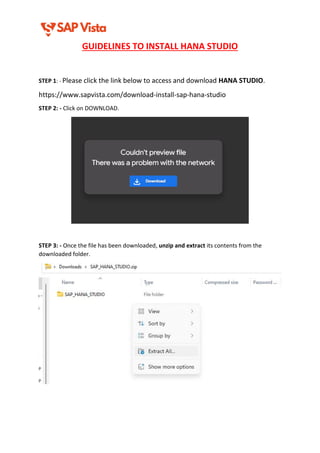
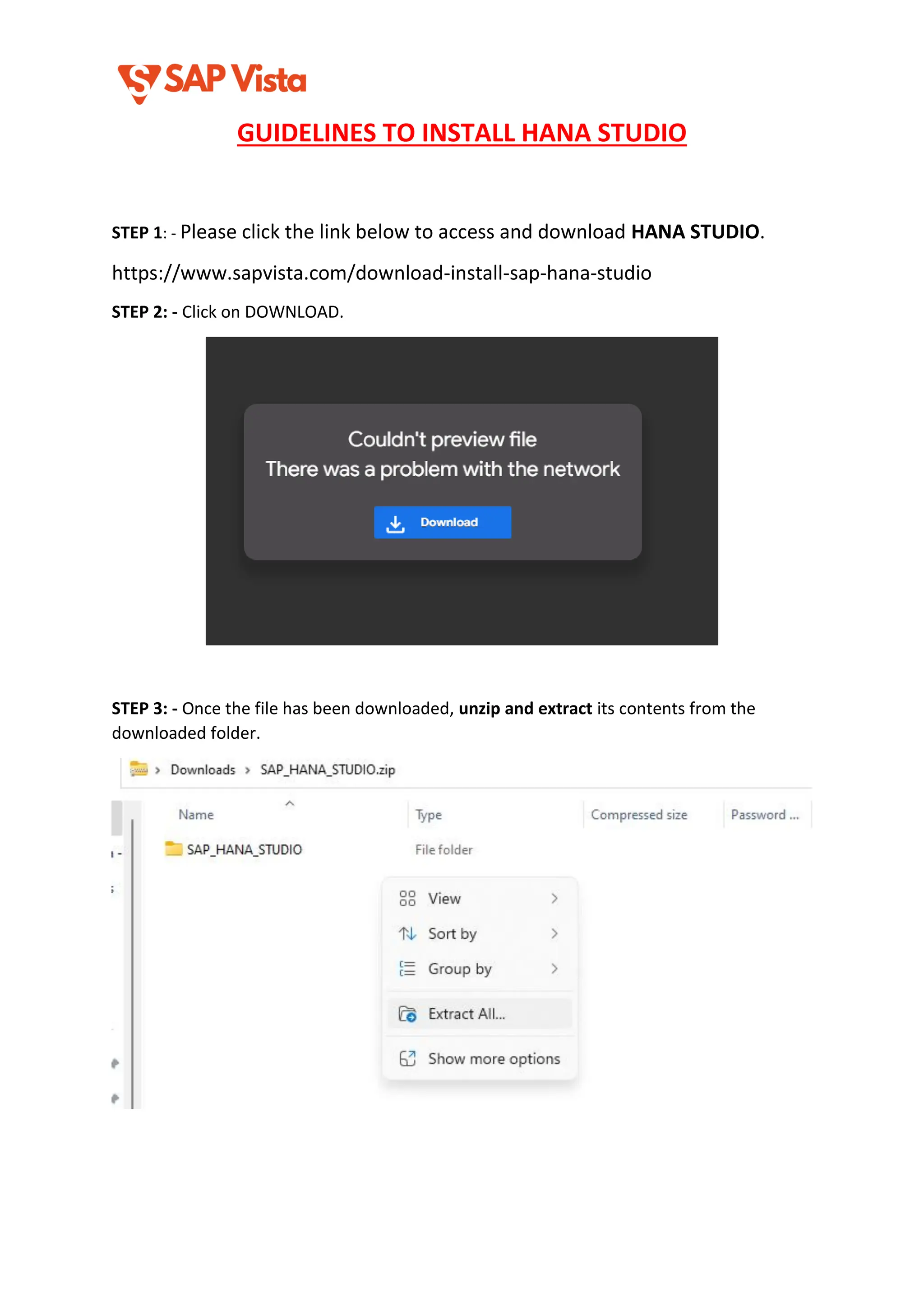
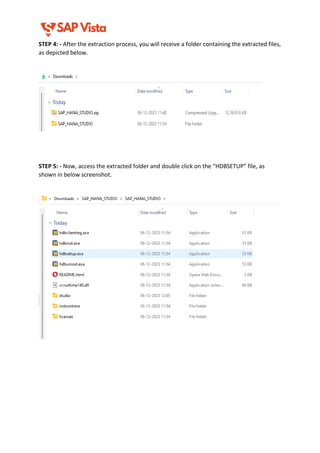
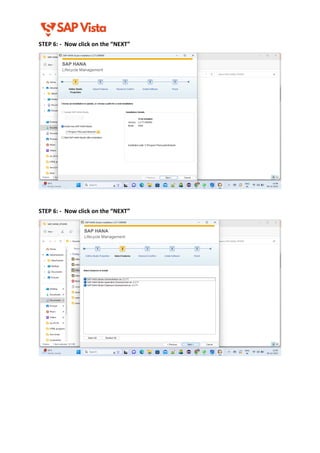
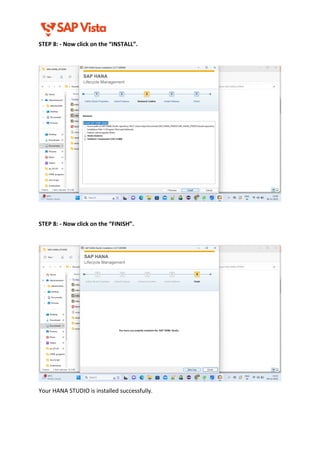

Looking to install SAP HANA Studio the right way? This in-depth presentation walks you through the complete installation process of SAP HANA Studio, tailored for both beginners and professionals working with SAP systems. Whether you are an SAP developer, administrator, or a student preparing for SAP certifications, this guide is a must-have. Inside this presentation, you will learn: System requirements to install SAP HANA Studio Where to download HANA Studio (official links & tips) How to install HANA Studio on Windows OS How to install HANA Studio on Linux (Ubuntu/RHEL) Post-installation steps (adding systems, perspective setup, plugins) Common errors and troubleshooting during installation Best practices to configure and use HANA Studio efficiently This tutorial is based on the latest SAP standards and works with SAP HANA 2.0, Eclipse Oxygen/Photon, and compatible JDKs. We've made sure this guide is easy to follow, visually clear, and well-structured, making it ideal for SlideShare audiences searching for SAP HANA Studio support. 📚 Whether you're setting up a development environment, connecting to HANA DB, or just exploring SAP tools, this presentation gives you everything you need. 👉 If you're planning to work on SAP BTP, S/4HANA, or SAP ABAP development, HANA Studio is still a critical tool for many tasks. Bookmark this now and share with your SAP circle.


