PROCE
SS
HIC
DESI
GN
Students will…
 Analyze and understand the strong connections
between art and design;
 Realize the design process is just that—a process;
 Start to understand the differences between
effective and ineffective design.
OBJECTIVES
01. CREATIVE BRIEF
A summary of important
details of a project.
You can generate sample
creative briefs on
goodbrief.io.
02. RESEARCH
You can get inspiration from
other designs while also
making it your own.
All it takes is one search.
Starting creating drafts of
your design, then ask your
client for their feedback.
Welcome any revisions they
ask from you.
03. CREATION AND
REVISION
04. FINAL OUTPUT
Once your client is happy
with your graphic design,
your final design output is
ready to use!
CREATIVE
BRIEF
01
A summary of important
details of a project.
A design always starts with the design
brief or better known as the creative
brief. A creative brief is a summary of
important details of a project. The
creative brief is usually created and sent
to you by the client or the requester.
CREATIVE BRIEF
Normally, this can include the following:
 Objectives of the project
 Timeline of the project
 Target audience
 Expected deliverables or output
 Information presented on the deliverables or output
 Banding/design guidelines (if the requester has any)
 Similar works to be inspired from
CREATIVE BRIEF
Some briefs aren’t as detailed. They can be
just a simple emailed request to create a
poster and you would need to communicate
more to get the details. As a designer, you
need to gather the details beyond what the
brief says in case of vague descriptions
and/or instructions.
CREATIVE BRIEF
Communicate with the requester as much as
your need to have clarity. The requester
might have specific designs in mind and
information that are not stated in the creative
brief.
CREATIVE BRIEF
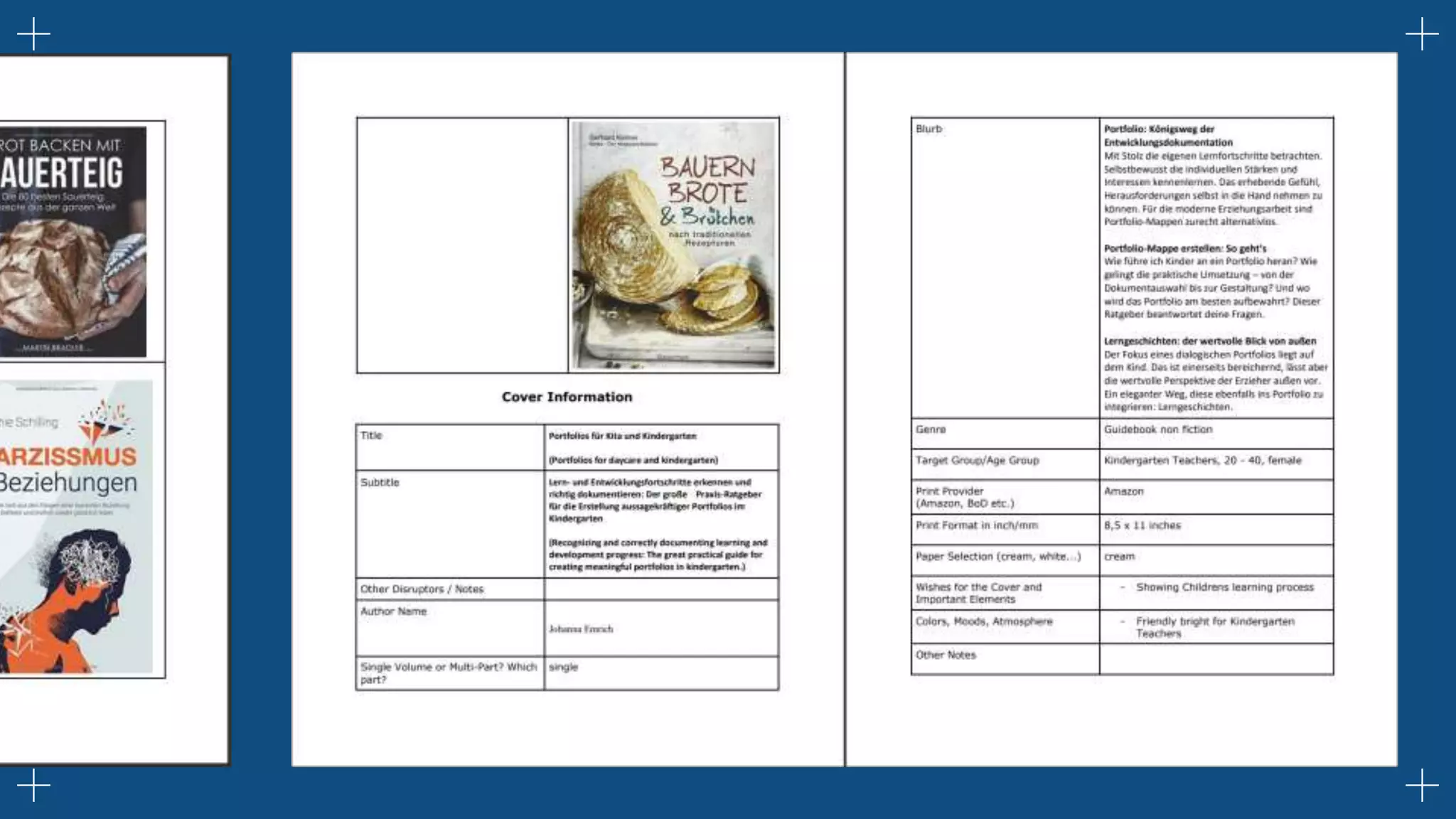
To get more ideas on what a creative brief looks like,
you can generate samples from goodbrief.io.
SAMPLE TEMPLATE
GRAPHIC
DESIGN BRIEF
RESEARC
H
You can get inspiration from other
designs while also making it your
own.
02
Now that you are familiar with the brief or
request, research for certain design
considerations is your next task. This
research doesn’t have to be extensive. It can
be just looking for design trends and
inspiration.
It can be just a simple Google search.
RESEARCH
RESEARCH
Screenshot of Google search image results.
Google already has a myriad of designs for inspiration to choose
from, with just typing what you need.
RESEARCH
Depending on the scope of the project,
you’ll want to include as much valuable
information in your creative brief to
minimize the time spent in this step.
However, it’s still extremely valuable for
designers to go through the
researching phase themselves to build a
better understanding of the audience
they’re designing for (and how to make
it work for you).
RESEARCH
The research phase of the design process often involves
things like:
 Looking at competitor designs
 Look at what the intended audience is engaging
with on channels like social media
 Look for trends on free stock sites like
Freepik, Behance, or Pinterest
 Taking all of the knowledge they’ve learned
and applying it to the project at hand
RESEARCH
But do take note that copying is not the same as
inspiration. The designs that you see on Google or
in other websites are most likely copyrighted and
copying them is considered stealing.
What you can do is search for color schemes, font
combination suggestions, and yearly design
and adopt the style as your own.
RESEARCH
You can also look at printed materials, books,
magazines, newspapers, posters, etc. or you
may also want to create a mood board or
collection of comparable designs at this stage
in order to get their ideas flowing.
Consider also the target audience and what the
requester prefers.
RESEARCH
After you have gathered your inspiration, gather
images or take notes from what you have found.
Save them all in one place (i.e. Google drive folder)
so you can get back to them easily.
RESEARCH
CREATION
& THE
REVISIONS
Starting creating drafts of your design,
then ask your client for their feedback.
03
CREATION
& THE
REVISIONS
After you find your inspiration, start creating your design. But remember
that it doesn't have to be perfect and final on the first try. If you are
unsure about your design, just create a draft and show it to the requestor
to ask for his/her review. Submitting a draft helps minimize errors and/or
major or taxing revisions. It keeps you on the right track.
CREATION & THE
REVISIONS
Revisions are normal for graphic design.
Welcome the comments and or suggestions for revisions no
matter how extensive they may seem. It will also help you
improve on your next project.
Just make sure that you follow the suggestions carefully to avoid
the repetitive instructions and slow progress. Do not also be
timid with regards to asking for clarifications from the persons
requesting the design.
Sample comments and suggestions for
revisions viewed in Google Drive.
CREATION & THE
REVISIONS
CREATION & THE
REVISIONS
Now, if the requester gave you
liberties on the design, adhere to
the principles of design, and still
send the draft for their
comments/suggestions/approval.
Also, create different variations of
your drafts, 2-3 studies will suffice,
this way your client/requester can
see your varied design suggestions.
Sample comments and
suggestions for revisions viewed
in Google Drive.
FINAL
OUTP
UT
Once your client is happy with your
graphic design, your final design
output is ready to use!
04
Once you have applied the revisions
and your client is happy with the
graphic design, your final design
output is now ready for use,
reproduction, posting, or distribution.
FINAL OUTPUT
Sample final output
FINAL OUTPUT
—FRANK CHIMERO
"Good design is all about making other
designers feel like idiots because that
idea wasn't theirs."
”
CREDITS: This presentation template was created by
Slidesgo, including icons by Flaticon, infographics &
images by Freepik, and illustrations by Storyset
THANKS!
Do you have any questions?
fermojr.asufra@bisu.edu.ph
+639-998-456-4302
FJ Asufra
Graphic Design Process.pptx

Graphic Design Process.pptx

  • 1.
  • 2.
    Students will…  Analyzeand understand the strong connections between art and design;  Realize the design process is just that—a process;  Start to understand the differences between effective and ineffective design. OBJECTIVES
  • 4.
    01. CREATIVE BRIEF Asummary of important details of a project. You can generate sample creative briefs on goodbrief.io. 02. RESEARCH You can get inspiration from other designs while also making it your own. All it takes is one search. Starting creating drafts of your design, then ask your client for their feedback. Welcome any revisions they ask from you. 03. CREATION AND REVISION 04. FINAL OUTPUT Once your client is happy with your graphic design, your final design output is ready to use!
  • 5.
    CREATIVE BRIEF 01 A summary ofimportant details of a project.
  • 6.
    A design alwaysstarts with the design brief or better known as the creative brief. A creative brief is a summary of important details of a project. The creative brief is usually created and sent to you by the client or the requester. CREATIVE BRIEF
  • 7.
    Normally, this caninclude the following:  Objectives of the project  Timeline of the project  Target audience  Expected deliverables or output  Information presented on the deliverables or output  Banding/design guidelines (if the requester has any)  Similar works to be inspired from CREATIVE BRIEF
  • 8.
    Some briefs aren’tas detailed. They can be just a simple emailed request to create a poster and you would need to communicate more to get the details. As a designer, you need to gather the details beyond what the brief says in case of vague descriptions and/or instructions. CREATIVE BRIEF
  • 9.
    Communicate with therequester as much as your need to have clarity. The requester might have specific designs in mind and information that are not stated in the creative brief. CREATIVE BRIEF To get more ideas on what a creative brief looks like, you can generate samples from goodbrief.io.
  • 11.
  • 20.
    RESEARC H You can getinspiration from other designs while also making it your own. 02
  • 21.
    Now that youare familiar with the brief or request, research for certain design considerations is your next task. This research doesn’t have to be extensive. It can be just looking for design trends and inspiration. It can be just a simple Google search. RESEARCH
  • 22.
  • 23.
    Screenshot of Googlesearch image results. Google already has a myriad of designs for inspiration to choose from, with just typing what you need. RESEARCH
  • 24.
    Depending on thescope of the project, you’ll want to include as much valuable information in your creative brief to minimize the time spent in this step. However, it’s still extremely valuable for designers to go through the researching phase themselves to build a better understanding of the audience they’re designing for (and how to make it work for you). RESEARCH
  • 25.
    The research phaseof the design process often involves things like:  Looking at competitor designs  Look at what the intended audience is engaging with on channels like social media  Look for trends on free stock sites like Freepik, Behance, or Pinterest  Taking all of the knowledge they’ve learned and applying it to the project at hand RESEARCH
  • 26.
    But do takenote that copying is not the same as inspiration. The designs that you see on Google or in other websites are most likely copyrighted and copying them is considered stealing. What you can do is search for color schemes, font combination suggestions, and yearly design and adopt the style as your own. RESEARCH
  • 27.
    You can alsolook at printed materials, books, magazines, newspapers, posters, etc. or you may also want to create a mood board or collection of comparable designs at this stage in order to get their ideas flowing. Consider also the target audience and what the requester prefers. RESEARCH
  • 28.
    After you havegathered your inspiration, gather images or take notes from what you have found. Save them all in one place (i.e. Google drive folder) so you can get back to them easily. RESEARCH
  • 29.
    CREATION & THE REVISIONS Starting creatingdrafts of your design, then ask your client for their feedback. 03
  • 30.
    CREATION & THE REVISIONS After youfind your inspiration, start creating your design. But remember that it doesn't have to be perfect and final on the first try. If you are unsure about your design, just create a draft and show it to the requestor to ask for his/her review. Submitting a draft helps minimize errors and/or major or taxing revisions. It keeps you on the right track.
  • 31.
    CREATION & THE REVISIONS Revisionsare normal for graphic design. Welcome the comments and or suggestions for revisions no matter how extensive they may seem. It will also help you improve on your next project. Just make sure that you follow the suggestions carefully to avoid the repetitive instructions and slow progress. Do not also be timid with regards to asking for clarifications from the persons requesting the design.
  • 32.
    Sample comments andsuggestions for revisions viewed in Google Drive. CREATION & THE REVISIONS
  • 33.
    CREATION & THE REVISIONS Now,if the requester gave you liberties on the design, adhere to the principles of design, and still send the draft for their comments/suggestions/approval. Also, create different variations of your drafts, 2-3 studies will suffice, this way your client/requester can see your varied design suggestions. Sample comments and suggestions for revisions viewed in Google Drive.
  • 34.
    FINAL OUTP UT Once your clientis happy with your graphic design, your final design output is ready to use! 04
  • 35.
    Once you haveapplied the revisions and your client is happy with the graphic design, your final design output is now ready for use, reproduction, posting, or distribution. FINAL OUTPUT
  • 36.
  • 38.
    —FRANK CHIMERO "Good designis all about making other designers feel like idiots because that idea wasn't theirs." ”
  • 39.
    CREDITS: This presentationtemplate was created by Slidesgo, including icons by Flaticon, infographics & images by Freepik, and illustrations by Storyset THANKS! Do you have any questions? fermojr.asufra@bisu.edu.ph +639-998-456-4302 FJ Asufra