More Related Content

PDF

PDF

KEY

PDF

PDF
20150802 codeal androidアプリを作ろう(おみくじアプリ編) 
PDF
AR/スマートグラスアプリ 開発や展示における苦労と今後について 
KEY

ODP
What's hot

PDF
Sansan Tech Meetup Androidエンジニアが振り返る Google I/O 
PDF

PDF

PDF
Whats's new in Android Studio at Google I/O extended in Fukuoka 
PDF
What's new in Android N at Google I/O extended in Fukuoka 
PDF

PDF

PDF

PPTX
Device Farm を使ったスマホアプリの自動テスト 
PDF

PPTX
Voice interaction api for android m 
PDF
Android app with google play developer api 
PPTX

PDF

PDF
![[Lt]versionごとにurlを自動生成](https://cdn.slidesharecdn.com/ss_thumbnails/ltversionurl-170616075043-thumbnail.jpg?width=640&height=640&fit=bounds)
PDF

PPTX
Swift playgroundsでアプリを作る 
PDF

ODP
Google APP Engine vs リアルタイムウェブ More from shinya sakemoto

PDF
ScreenshotをPCから手軽に扱えるようにしたい 
PDF
Gitpodでブラウザからflutterで開発する 
PDF

PDF

PDF

PDF

PDF

PDF

PDF

PDF
Material Designなdrawerを実装したい 
PDF

PDF

PDF

PDF
Google Play Developer APIを使ってみた
- 1.
- 2.
自己紹介
酒本伸也!
AndroidDeveloper & 初級ライフロガー!
マーケットアプリとかゲームメディアとか
ニュースアプリとか!
potatotips #3 ちょっと優しい入力項目!
potatptips #6 インストールリファラでハマった話
- 3.
- 4.
- 5.
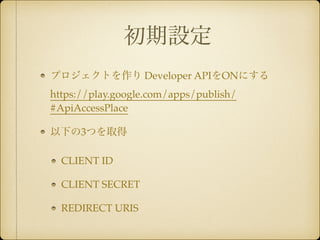
初期設定
プロジェクトを作り DeveloperAPIをONにする
https://play.google.com/apps/publish/
#ApiAccessPlace!
以下の3つを取得!
CLIENT ID !
CLIENT SECRET!
REDIRECT URIS
- 6.
client_secrets.json
{!
"installed":{!
"client_id": "xxxxxxxxxx",!
"client_secret": "xxxxxxxxx",!
"redirect_uris": [“xxxxx”,”xxx"],!
…!
}!
}
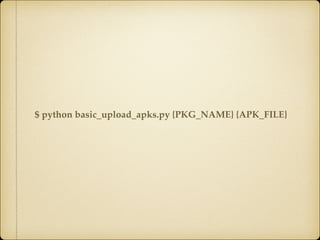
basic_upload_apks.py
…!
TRACK = ‘production’!
…
- 7.
- 8.
- 9.
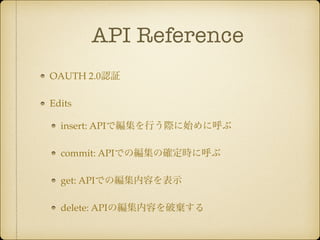
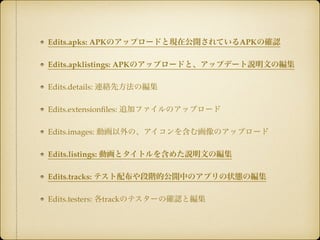
API Reference
OAUTH2.0認証!
Edits!
insert: APIで編集を行う際に始めに呼ぶ!
commit: APIでの編集の確定時に呼ぶ!
get: APIでの編集内容を表示!
delete: APIの編集内容を破棄する
- 10.
- 11.
- 13.
- 14.
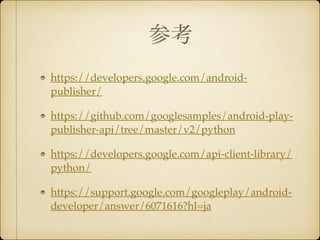
参考
https://developers.google.com/android-publisher/
!
https://github.com/googlesamples/android-play-publisher-
api/tree/master/v2/python!
https://developers.google.com/api-client-library/
python/!
https://support.google.com/googleplay/android-developer/
answer/6071616?hl=ja
- 15.

![client_secrets.json
{!
"installed": {!
"client_id": "xxxxxxxxxx",!
"client_secret": "xxxxxxxxx",!
"redirect_uris": [“xxxxx”,”xxx"],!
…!
}!
}
basic_upload_apks.py
…!
TRACK = ‘production’!
…](https://image.slidesharecdn.com/googleplaydeveloperapi-140820061547-phpapp01/85/Google-Play-Developer-API-6-320.jpg)