Google Hangouts:
Communication &
Collaboration
The Next Level of
eMeetings


 By: Bluebarker Lowtide
 (a.k.a. Vasili Giannoutsos)
Overview

•   What is Google Hangouts?
•   The Big Picture
•   3 Steps
•   Inside Hangouts Features
•   Tips and Tricks
•   Q&A
What is Google Hangouts?
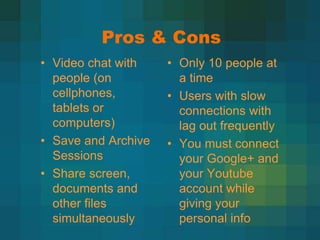
Pros & Cons
• Video chat with    • Only 10 people at
  people (on           a time
  cellphones,        • Users with slow
  tablets or           connections with
  computers)           lag out frequently
• Save and Archive   • You must connect
  Sessions             your Google+ and
• Share screen,        your Youtube
  documents and        account while
  other files          giving your
  simultaneously       personal info
Bigger Picture
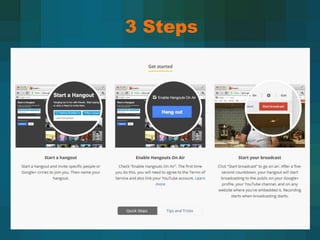
3 Steps
Locating Google Hangouts
 • Go to Google Homepage
 • Go to your + (plus) page, top right
   hand side or type in Google
   Hangouts in the Search and it will
   take you.
 • To start a Google Hangout you
   must have a Google+ Account,
   when you send invites they do not
   have to be just gmail accounts
Starting Out
• When you first do Google
  Hangouts on yours/new computer
  you will need to install a plug-in
  and restart the Hangout.
• First time “On Air”, make sure the
  check box is clicked and make
  sure you connect to the right
  Youtube Account, have your
  address and a phone number
  handy.
Inside Hangouts Features
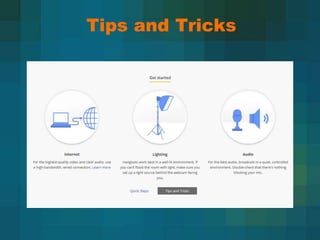
Tips and Tricks
Q&A

Google hangoutsvste

  • 1.
    Google Hangouts: Communication & Collaboration TheNext Level of eMeetings By: Bluebarker Lowtide (a.k.a. Vasili Giannoutsos)
  • 2.
    Overview • What is Google Hangouts? • The Big Picture • 3 Steps • Inside Hangouts Features • Tips and Tricks • Q&A
  • 3.
    What is GoogleHangouts?
  • 4.
    Pros & Cons •Video chat with • Only 10 people at people (on a time cellphones, • Users with slow tablets or connections with computers) lag out frequently • Save and Archive • You must connect Sessions your Google+ and • Share screen, your Youtube documents and account while other files giving your simultaneously personal info
  • 5.
  • 6.
  • 7.
    Locating Google Hangouts • Go to Google Homepage • Go to your + (plus) page, top right hand side or type in Google Hangouts in the Search and it will take you. • To start a Google Hangout you must have a Google+ Account, when you send invites they do not have to be just gmail accounts
  • 8.
    Starting Out • Whenyou first do Google Hangouts on yours/new computer you will need to install a plug-in and restart the Hangout. • First time “On Air”, make sure the check box is clicked and make sure you connect to the right Youtube Account, have your address and a phone number handy.
  • 9.
  • 10.
  • 11.